light MAZDA MODEL TRIBUTE 4WD 2001 User Guide
[x] Cancel search | Manufacturer: MAZDA, Model Year: 2001, Model line: MODEL TRIBUTE 4WD, Model: MAZDA MODEL TRIBUTE 4WD 2001Pages: 232, PDF Size: 1.74 MB
Page 37 of 232
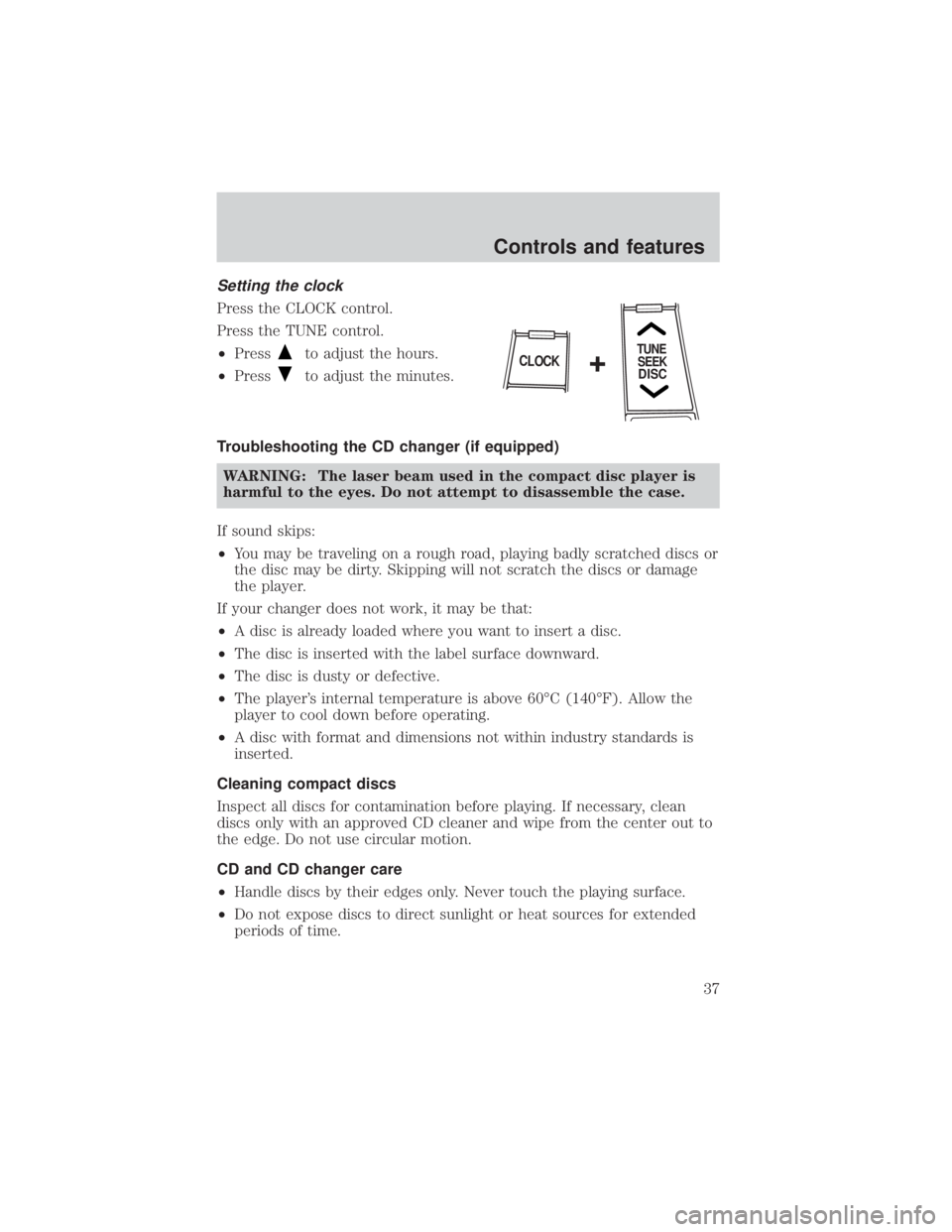
Setting the clock
Press the CLOCK control.
Press the TUNE control.
²Press
to adjust the hours.
² Press
to adjust the minutes.
Troubleshooting the CD changer (if equipped) WARNING: The laser beam used in the compact disc player is
harmful to the eyes. Do not attempt to disassemble the case.
If sound skips:
² You may be traveling on a rough road, playing badly scratched discs or
the disc may be dirty. Skipping will not scratch the discs or damage
the player.
If your changer does not work, it may be that:
² A disc is already loaded where you want to insert a disc.
² The disc is inserted with the label surface downward.
² The disc is dusty or defective.
² The player's internal temperature is above 60ÉC (140ÉF). Allow the
player to cool down before operating.
² A disc with format and dimensions not within industry standards is
inserted.
Cleaning compact discs
Inspect all discs for contamination before playing. If necessary, clean
discs only with an approved CD cleaner and wipe from the center out to
the edge. Do not use circular motion.
CD and CD changer care
² Handle discs by their edges only. Never touch the playing surface.
² Do not expose discs to direct sunlight or heat sources for extended
periods of time.
TUNE
SEEK
DISCCLOCK+
Controls and features
37
Page 38 of 232
Radio frequency information
The Federal Communications Commission (FCC) and the Canadian Radio
and Telecommunications Commission(CRTC) establish the frequencies
AM and FM stations may use for their broadcasts. Allowable frequencies
are:
AM 530, 540±1600, 1610 kHz
FM 87.7, 87.9±107.7, 107.9 MHz
Not all frequencies are used in a given area.
Radio reception factors
Three factors can affect radio reception:
²Distance/strength. The further an FM signal travels, the weaker it is.
The listenable range of the average FM station is approximately 40 km
(24 miles). This range can be affected by ªsignal modulation.º Signal
modulation is a process radio stations use to increase their
strength/volume relative to other stations.
² Terrain. Hills, mountains and tall buildings between your vehicle's
antenna and the radio station signal can cause FM reception problems.
Static can be caused on AM stations by power lines, electric fences,
traffic lights and thunderstorms. Moving away from an interfering
structure (out of its ªshadowº) returns your reception to normal.
² Station overload. Weak signals are sometimes captured by stronger
signals when you pass a broadcast tower. A stronger signal may
temporarily overtake a weaker signal and play while the weak station
frequency is displayed.
The audio system automatically switches to single channel reception if it
will improve the reception of a station normally received in stereo.
Audio system warranties and service
Refer to the ªWarranty Guideº for audio system warranty information.
If service is necessary, see your dealer.
Controls and features
38
Page 39 of 232
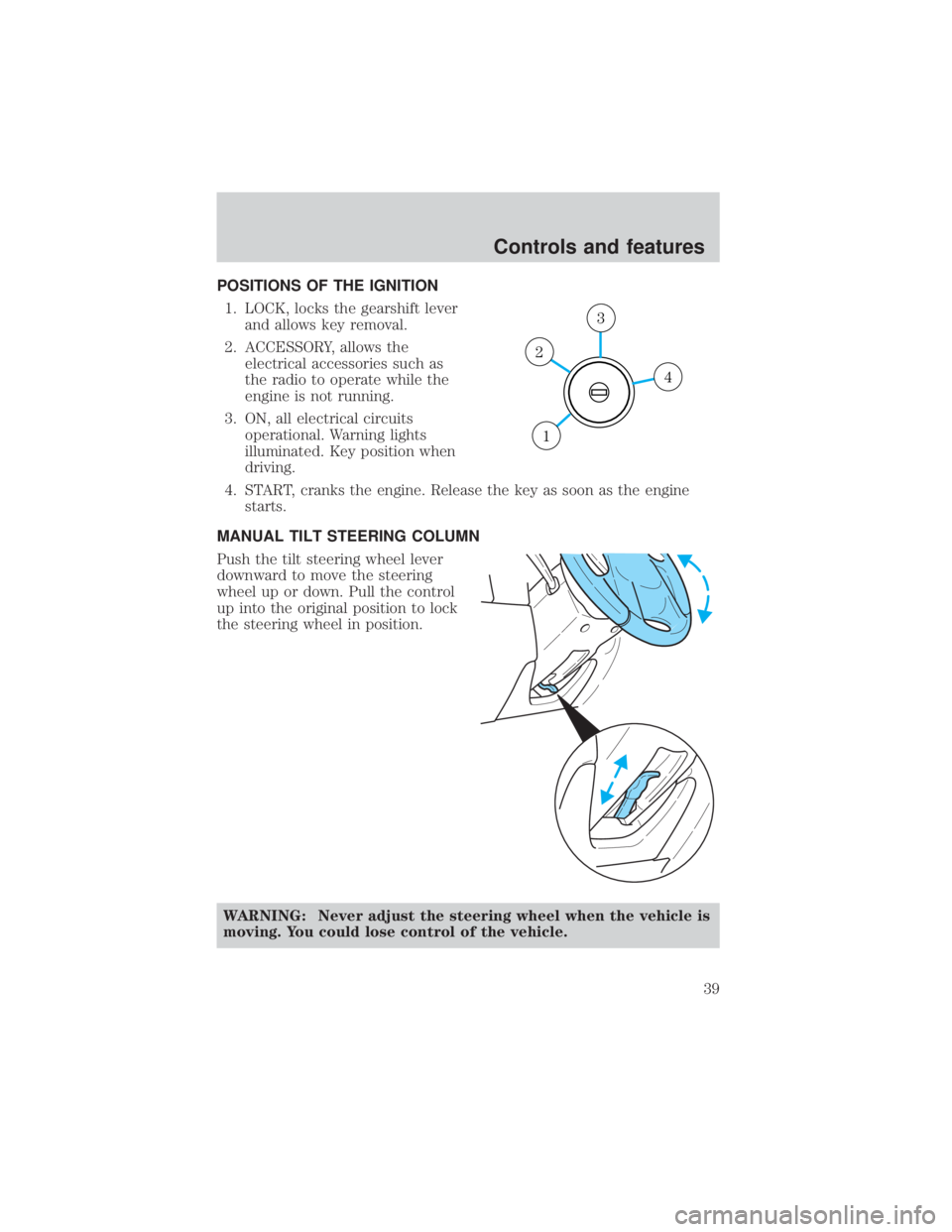
POSITIONS OF THE IGNITION1. LOCK, locks the gearshift lever and allows key removal.
2. ACCESSORY, allows the electrical accessories such as
the radio to operate while the
engine is not running.
3. ON, all electrical circuits operational. Warning lights
illuminated. Key position when
driving.
4. START, cranks the engine. Release the key as soon as the engine starts.
MANUAL TILT STEERING COLUMN
Push the tilt steering wheel lever
downward to move the steering
wheel up or down. Pull the control
up into the original position to lock
the steering wheel in position.
WARNING: Never adjust the steering wheel when the vehicle is
moving. You could lose control of the vehicle.
4
3
2
1
Controls and features
39
Page 46 of 232

For normal speed rear wiper
operation, rotate control upward to
ON.
To activate the rear washer, rotate
the control to the
position and
release.
OVERHEAD CONSOLE (IF EQUIPPED)
The appearance of your vehicle's overhead console will vary according to
your option package.
Storage compartment (if equipped)
Press the OPEN control to open the
storage compartment. The door will
open slightly and can be moved to
full open.
Controls and features
46
Page 48 of 232
WARNING: Do not let children play with the moon roof. They
may seriously injure themselves.
INTERIOR LAMPS
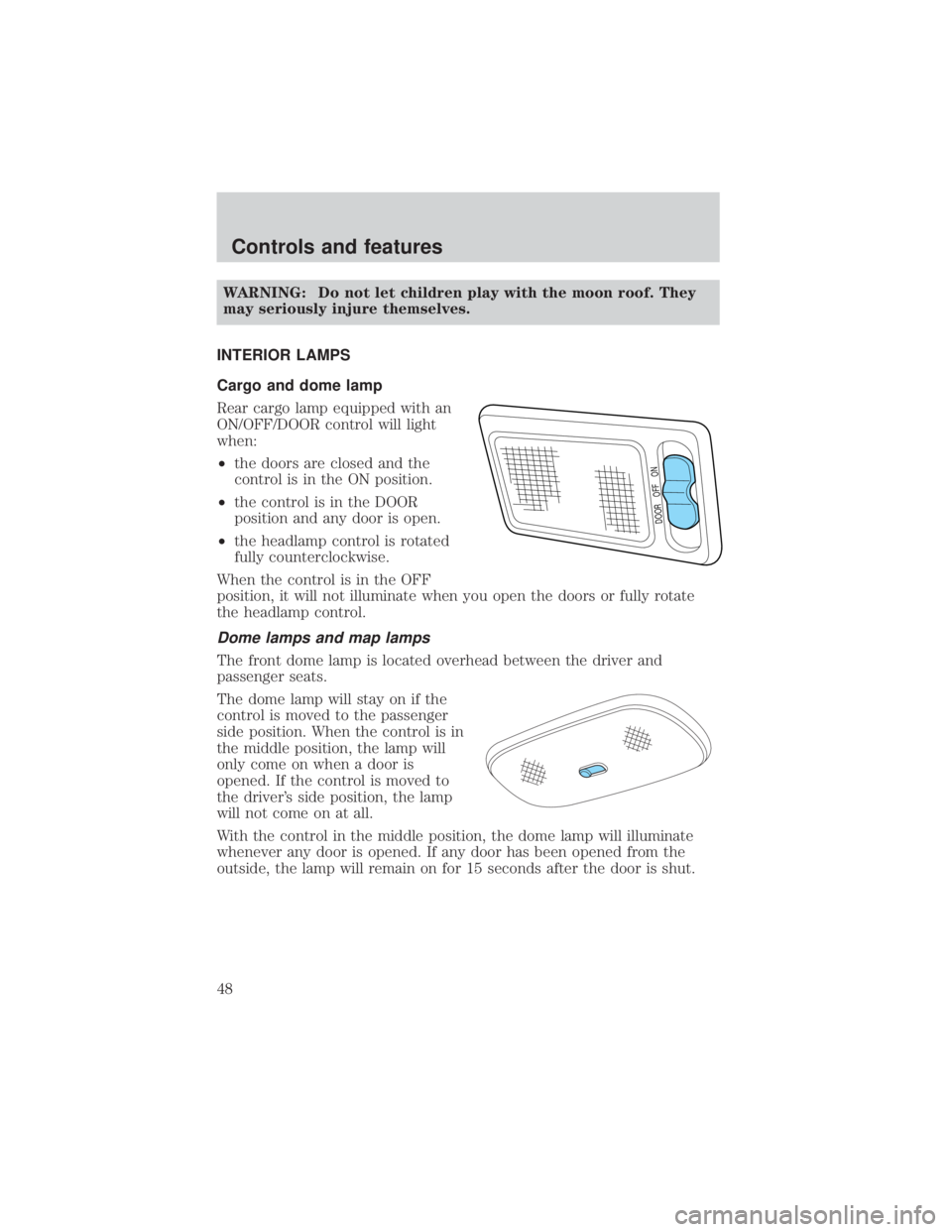
Cargo and dome lamp
Rear cargo lamp equipped with an
ON/OFF/DOOR control will light
when:
² the doors are closed and the
control is in the ON position.
² the control is in the DOOR
position and any door is open.
² the headlamp control is rotated
fully counterclockwise.
When the control is in the OFF
position, it will not illuminate when you open the doors or fully rotate
the headlamp control.
Dome lamps and map lamps
The front dome lamp is located overhead between the driver and
passenger seats.
The dome lamp will stay on if the
control is moved to the passenger
side position. When the control is in
the middle position, the lamp will
only come on when a door is
opened. If the control is moved to
the driver's side position, the lamp
will not come on at all.
With the control in the middle position, the dome lamp will illuminate
whenever any door is opened. If any door has been opened from the
outside, the lamp will remain on for 15 seconds after the door is shut.
DOOR OFF ON
Controls and features
48
Page 49 of 232

The map lamp controls (without
moon roof) are located on the dome
lamp. Press the controls on either
side of each map lamp to activate
the lamps.
If equipped with a moon roof, the
map lamps are located on the moon
roof control panel. Press the
controls on either side of each map
lamp to activate the lamps.
HEADLAMP CONTROL
Rotate the headlamp control to the
first position to turn on the parking
lamps. Rotate to the second position
to also turn on the headlamps.
Daytime running lamps (DRL) (if equipped)
Turns the headlamps on with a reduced output. To activate:
²the ignition must be in the ON position and
² the headlamp control is in the OFF or Parking lamps position.
WARNING: Always remember to turn on your headlamps at
dusk or during inclement weather. The Daytime Running Lamp
(DRL) system does not activate with your tail lamps and
generally may not provide adequate lighting during these
conditions. Failure to activate your headlamps under these
conditions may result in a collision.
OFF
Controls and features
49
Page 50 of 232

High beams
Push forward to activate.
Pull toward you to deactivate.
Flash to pass
Pull toward you to activate and
release to deactivate.
TURN SIGNAL CONTROL
²Push down to activate the left
turn signal.
² Push up to activate the right turn
signal.
FOG LAMP CONTROL (IF EQUIPPED)
The fog lamps can be turned on
when the headlamp control is in low
beams position.
Press the fog lamp control to
activate the fog lamps. The fog lamp
indicator light will illuminate. When
the highbeams are activated, the fog
lamps will not operate.
Press the fog lamp control again to deactivate the fog lamps.
OFF
OFF
OFF
Controls and features
50
Page 54 of 232
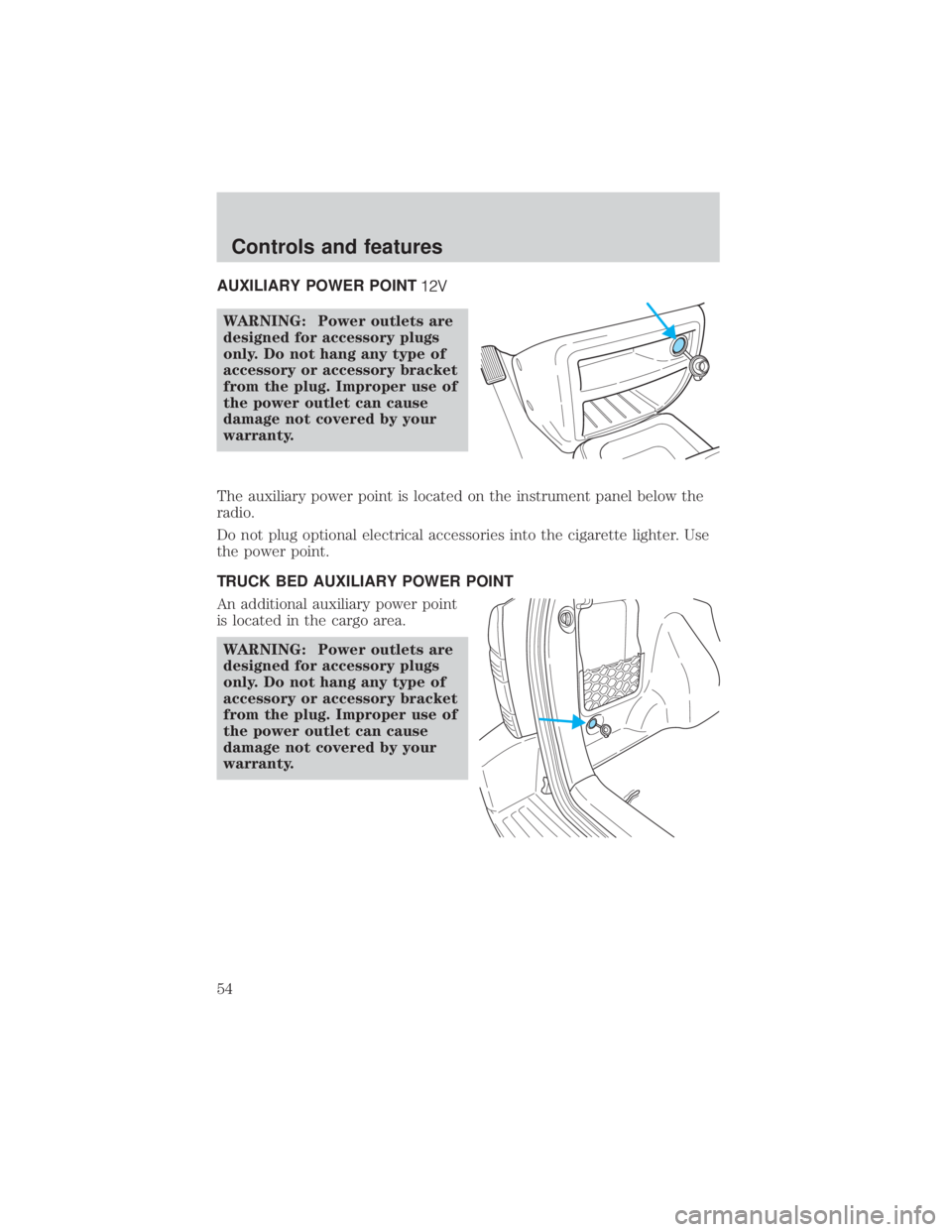
AUXILIARY POWER POINT
WARNING: Power outlets are
designed for accessory plugs
only. Do not hang any type of
accessory or accessory bracket
from the plug. Improper use of
the power outlet can cause
damage not covered by your
warranty.
The auxiliary power point is located on the instrument panel below the
radio.
Do not plug optional electrical accessories into the cigarette lighter. Use
the power point.
TRUCK BED AUXILIARY POWER POINT
An additional auxiliary power point
is located in the cargo area. WARNING: Power outlets are
designed for accessory plugs
only. Do not hang any type of
accessory or accessory bracket
from the plug. Improper use of
the power outlet can cause
damage not covered by your
warranty.
Controls and features
54
Page 60 of 232
To program the transmitters yourself:
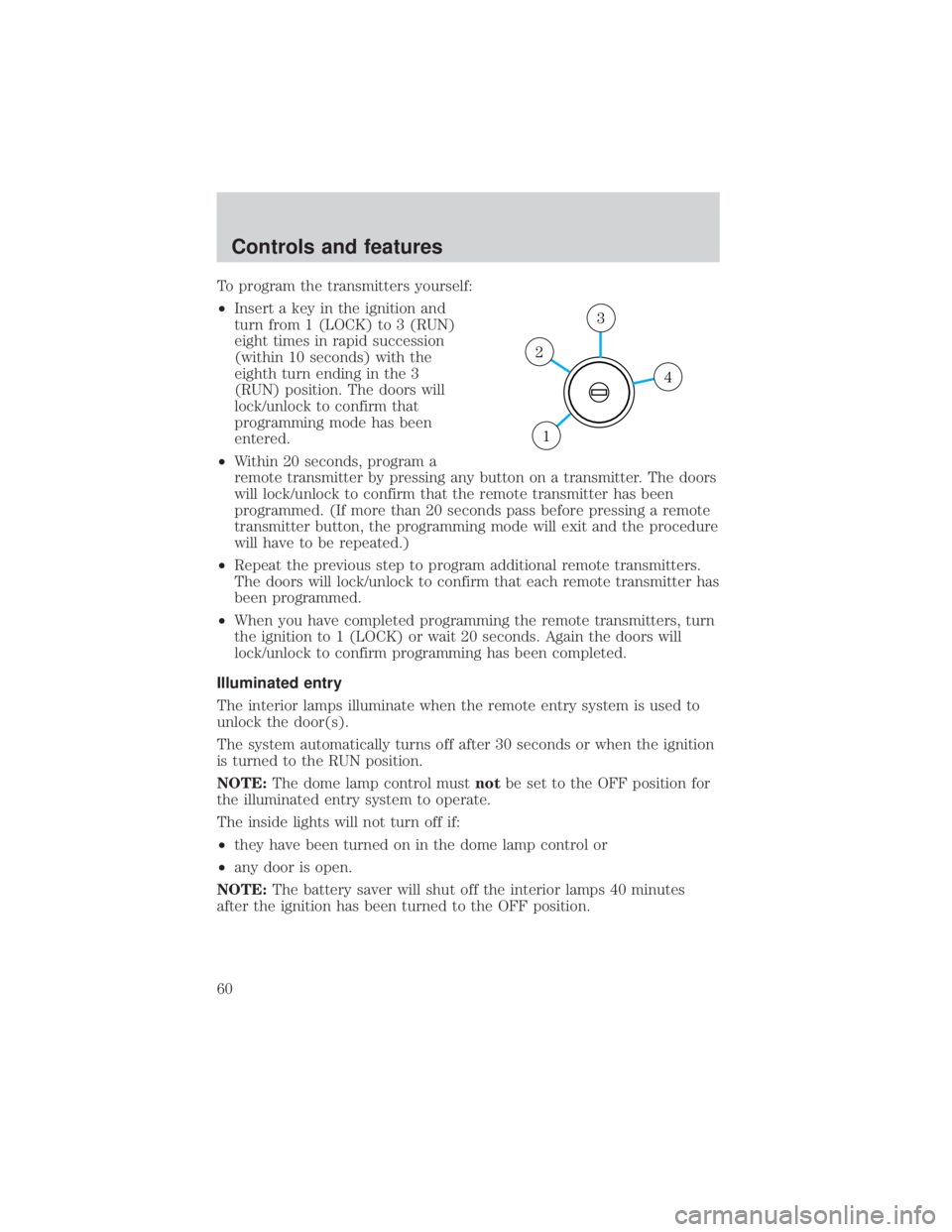
²Insert a key in the ignition and
turn from 1 (LOCK) to 3 (RUN)
eight times in rapid succession
(within 10 seconds) with the
eighth turn ending in the 3
(RUN) position. The doors will
lock/unlock to confirm that
programming mode has been
entered.
² Within 20 seconds, program a
remote transmitter by pressing any button on a transmitter. The doors
will lock/unlock to confirm that the remote transmitter has been
programmed. (If more than 20 seconds pass before pressing a remote
transmitter button, the programming mode will exit and the procedure
will have to be repeated.)
² Repeat the previous step to program additional remote transmitters.
The doors will lock/unlock to confirm that each remote transmitter has
been programmed.
² When you have completed programming the remote transmitters, turn
the ignition to 1 (LOCK) or wait 20 seconds. Again the doors will
lock/unlock to confirm programming has been completed.
Illuminated entry
The interior lamps illuminate when the remote entry system is used to
unlock the door(s).
The system automatically turns off after 30 seconds or when the ignition
is turned to the RUN position.
NOTE: The dome lamp control must notbe set to the OFF position for
the illuminated entry system to operate.
The inside lights will not turn off if:
² they have been turned on in the dome lamp control or
² any door is open.
NOTE: The battery saver will shut off the interior lamps 40 minutes
after the ignition has been turned to the OFF position.
4
3
2
1
Controls and features
60
Page 61 of 232
SECURILOCKYPASSIVE ANTI-THEFT SYSTEM
SecuriLock ypassive anti-theft system is an engine immobilization
system. This system prevents the engine from being started unless a
coded key is used.
NOTE: The SecuriLock ypassive anti-theft system is not compatible
with non-Mazda aftermarket remote start systems. Use of these systems
may result in vehicle starting problems and a loss of security protection.
Automatic arming
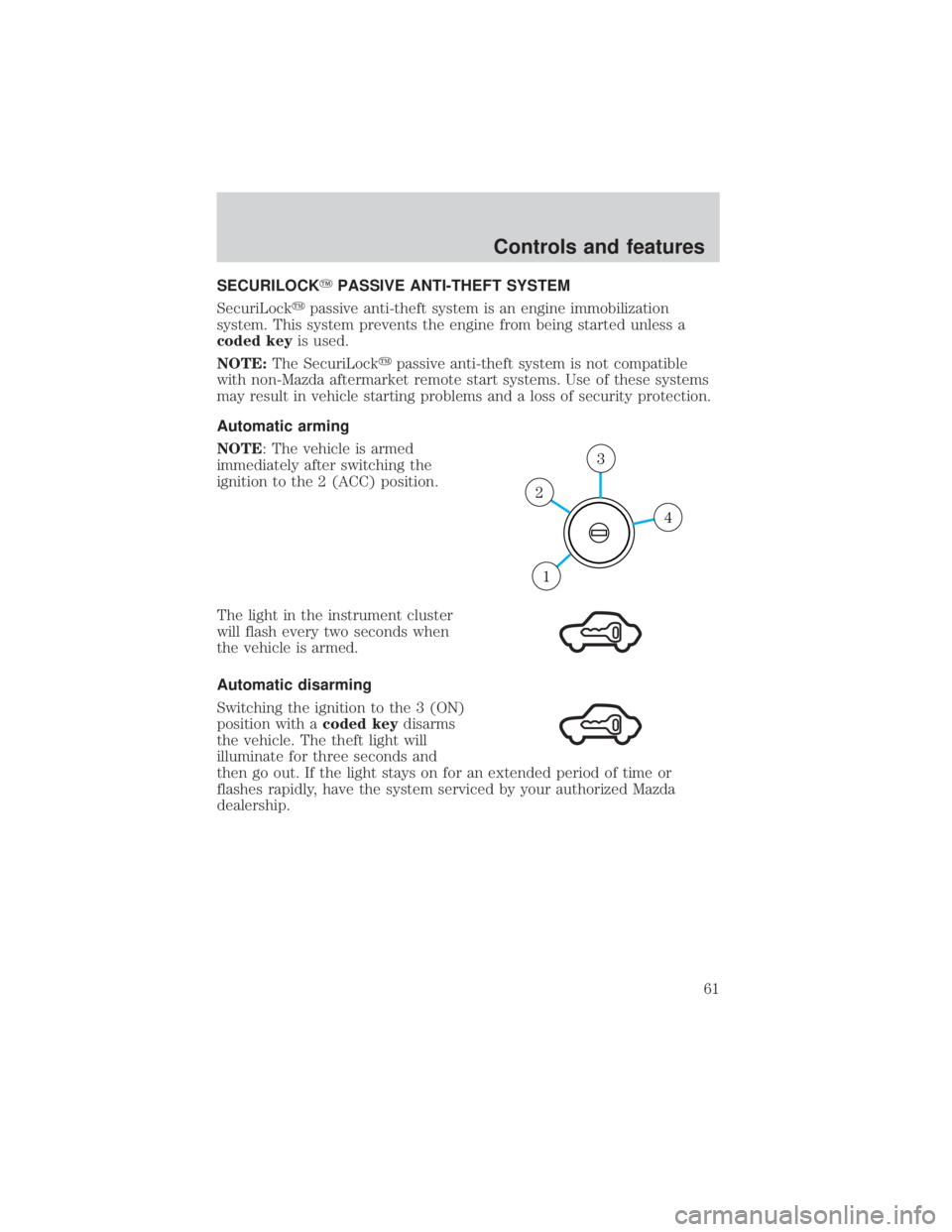
NOTE: The vehicle is armed
immediately after switching the
ignition to the 2 (ACC) position.
The light in the instrument cluster
will flash every two seconds when
the vehicle is armed.
Automatic disarming
Switching the ignition to the 3 (ON)
position with a coded keydisarms
the vehicle. The theft light will
illuminate for three seconds and
then go out. If the light stays on for an extended period of time or
flashes rapidly, have the system serviced by your authorized Mazda
dealership.
4
3
2
1
Controls and features
61