lock MAZDA MODEL TRIBUTE 4WD 2001 Owner's Manual
[x] Cancel search | Manufacturer: MAZDA, Model Year: 2001, Model line: MODEL TRIBUTE 4WD, Model: MAZDA MODEL TRIBUTE 4WD 2001Pages: 232, PDF Size: 1.74 MB
Page 61 of 232
SECURILOCKYPASSIVE ANTI-THEFT SYSTEM
SecuriLock ypassive anti-theft system is an engine immobilization
system. This system prevents the engine from being started unless a
coded key is used.
NOTE: The SecuriLock ypassive anti-theft system is not compatible
with non-Mazda aftermarket remote start systems. Use of these systems
may result in vehicle starting problems and a loss of security protection.
Automatic arming
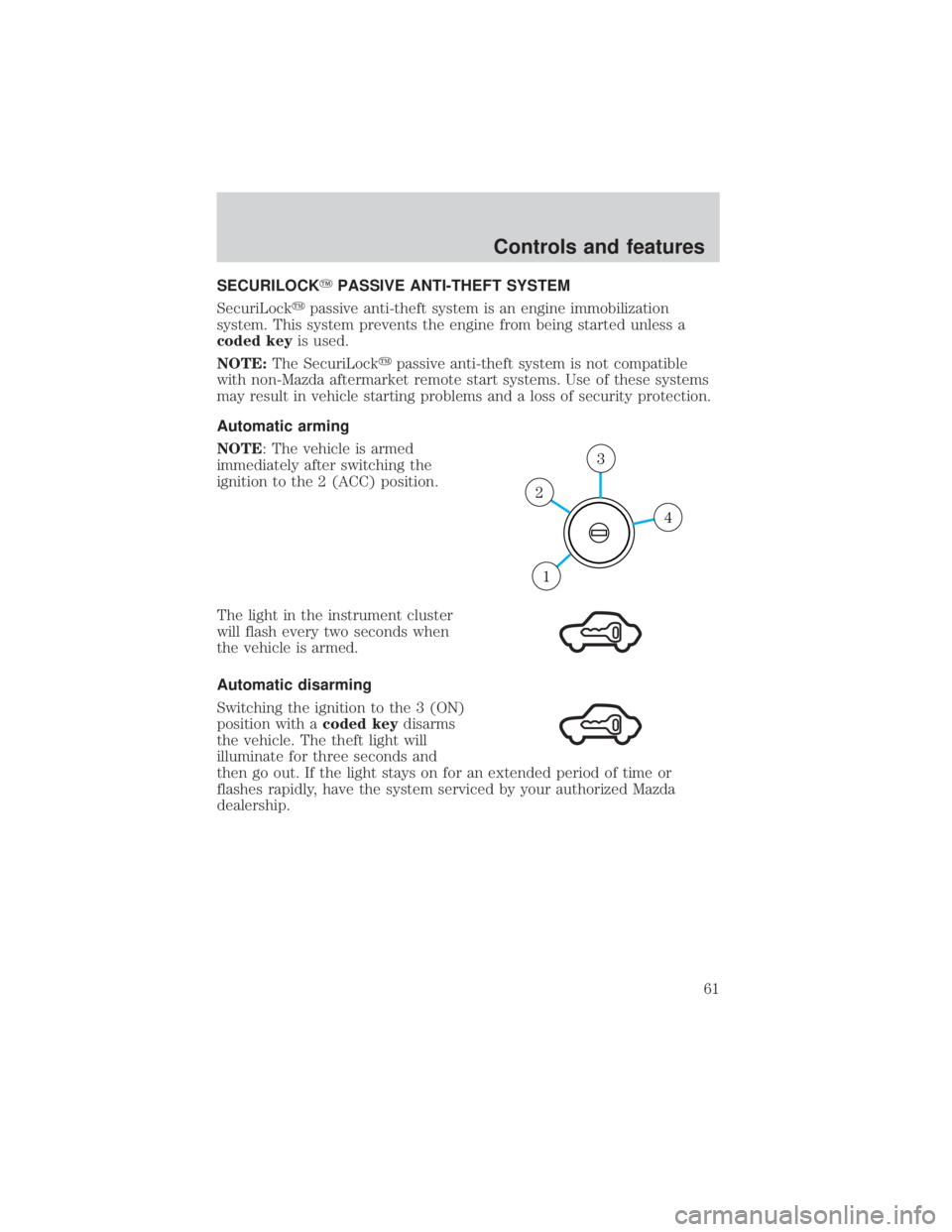
NOTE: The vehicle is armed
immediately after switching the
ignition to the 2 (ACC) position.
The light in the instrument cluster
will flash every two seconds when
the vehicle is armed.
Automatic disarming
Switching the ignition to the 3 (ON)
position with a coded keydisarms
the vehicle. The theft light will
illuminate for three seconds and
then go out. If the light stays on for an extended period of time or
flashes rapidly, have the system serviced by your authorized Mazda
dealership.
4
3
2
1
Controls and features
61
Page 62 of 232
Key information
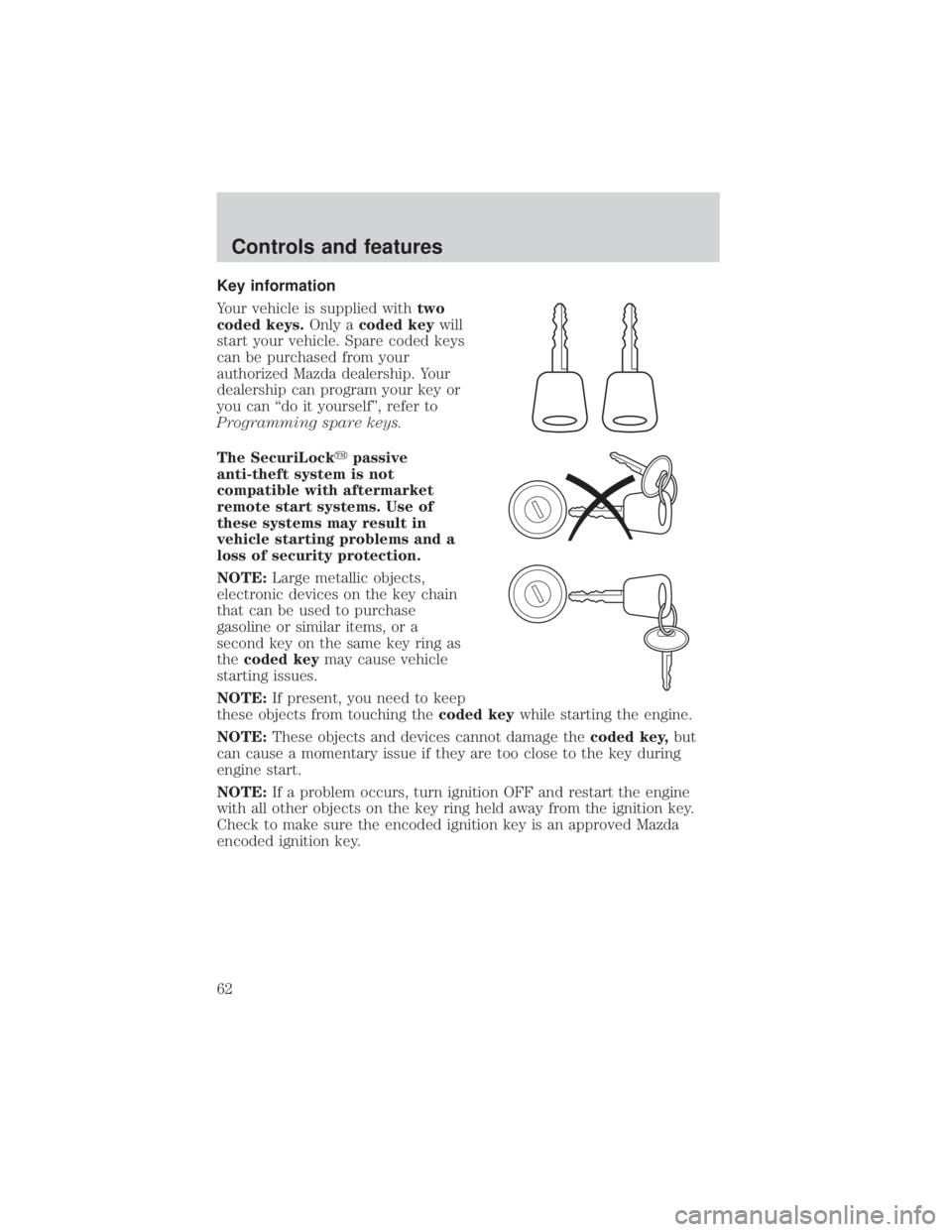
Your vehicle is supplied withtwo
coded keys. Only acoded key will
start your vehicle. Spare coded keys
can be purchased from your
authorized Mazda dealership. Your
dealership can program your key or
you can ªdo it yourselfº, refer to
Programming spare keys.
The SecuriLock ypassive
anti-theft system is not
compatible with aftermarket
remote start systems. Use of
these systems may result in
vehicle starting problems and a
loss of security protection.
NOTE: Large metallic objects,
electronic devices on the key chain
that can be used to purchase
gasoline or similar items, or a
second key on the same key ring as
the coded key may cause vehicle
starting issues.
NOTE: If present, you need to keep
these objects from touching the coded keywhile starting the engine.
NOTE: These objects and devices cannot damage the coded key,but
can cause a momentary issue if they are too close to the key during
engine start.
NOTE: If a problem occurs, turn ignition OFF and restart the engine
with all other objects on the key ring held away from the ignition key.
Check to make sure the encoded ignition key is an approved Mazda
encoded ignition key.
Controls and features
62
Page 63 of 232
If your keys are lost or stolen you
will need to do the following:
²Use your spare key to start the
vehicle. or
² Have your vehicle towed to an
authorized Mazda dealership. .
The key codes will need to be
erased from your vehicle and new key codes will need to be re-coded.
Replacing coded key can be very costly and you may want to store an
extra programmed key away from the vehicle in a safe place to prevent
an unforeseen inconvenience.
WARNING: If an unprogrammed key is used in the ignition it
will cause a ªNO STARTº condition.
Programming spare keys
A maximum of eight keys can be coded to your vehicle. Only
SecuriLock ykeys can be used. To program a coded keyyourself, you
will need two previously programmed coded keys(keys that already
operate your vehicle's engine) and the new unprogrammed key(s) readily
accessible for timely implementation of each step in the procedure.
If two previously programmed coded keys are not available, you must
bring your vehicle to your authorized Mazda dealership to have the spare
coded key(s) programmed.
NOTE: Please read and understand the entire procedure before you
begin.
NOTE: This procedure must be completed within the specified times. If
not completed within the specified time period, the reprogramming
procedure must be restarted from the beginning.
Controls and features
63
Page 64 of 232
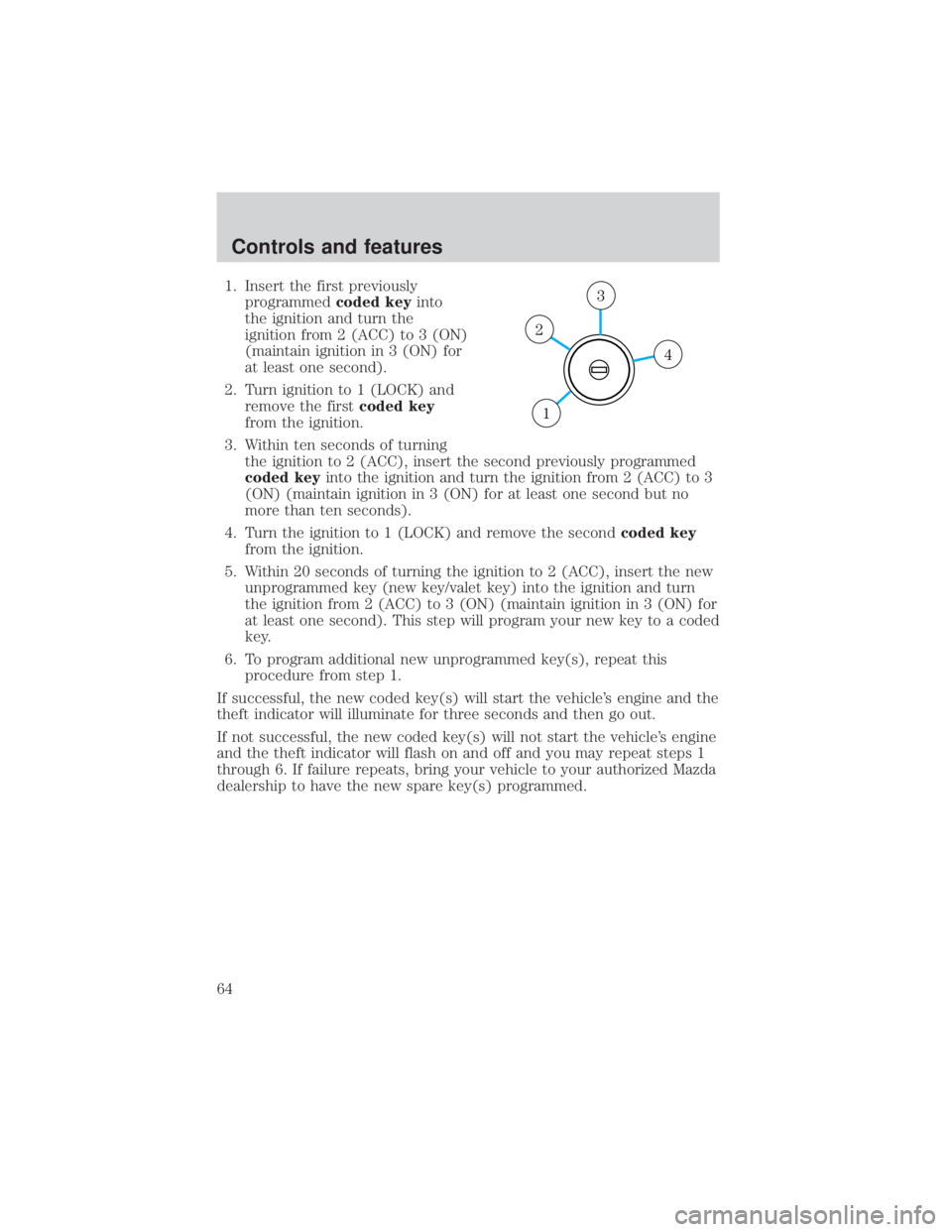
1. Insert the first previouslyprogrammed coded keyinto
the ignition and turn the
ignition from 2 (ACC) to 3 (ON)
(maintain ignition in 3 (ON) for
at least one second).
2. Turn ignition to 1 (LOCK) and remove the first coded key
from the ignition.
3. Within ten seconds of turning the ignition to 2 (ACC), insert the second previously programmed
coded key into the ignition and turn the ignition from 2 (ACC) to 3
(ON) (maintain ignition in 3 (ON) for at least one second but no
more than ten seconds).
4. Turn the ignition to 1 (LOCK) and remove the second coded key
from the ignition.
5. Within 20 seconds of turning the ignition to 2 (ACC), insert the new unprogrammed key (new key/valet key) into the ignition and turn
the ignition from 2 (ACC) to 3 (ON) (maintain ignition in 3 (ON) for
at least one second). This step will program your new key to a coded
key.
6. To program additional new unprogrammed key(s), repeat this procedure from step 1.
If successful, the new coded key(s) will start the vehicle's engine and the
theft indicator will illuminate for three seconds and then go out.
If not successful, the new coded key(s) will not start the vehicle's engine
and the theft indicator will flash on and off and you may repeat steps 1
through 6. If failure repeats, bring your vehicle to your authorized Mazda
dealership to have the new spare key(s) programmed.
4
3
2
1
Controls and features
64
Page 65 of 232
PERIMETER ALARM SYSTEM (IF EQUIPPED)
The perimeter anti-theft system will respond if unauthorized entry is
attempted.
If there is any potential perimeter anti-theft problem with your vehicle,
ensureALL key fobs (remote entry transmitters) are brought to
authorized Mazda dealership, to aid in troubleshooting.
Arming the system
When armed, this system will respond if unauthorized entry is
attempted. When unauthorized entry occurs, the system will flash the
headlamps, parking lamps and will sound the horn.
The system is ready to arm whenever key is removed from the ignition.
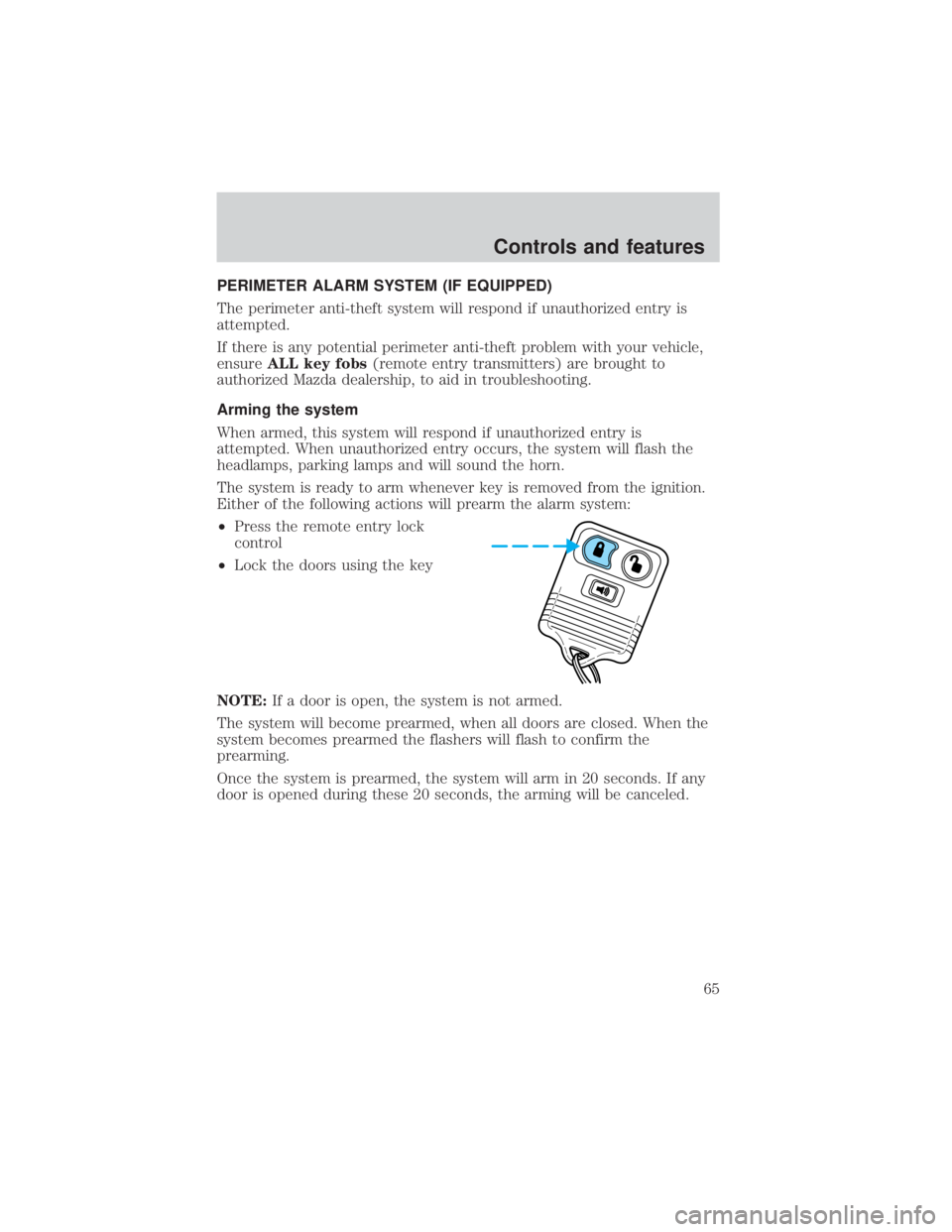
Either of the following actions will prearm the alarm system:
² Press the remote entry lock
control
² Lock the doors using the key
NOTE: If a door is open, the system is not armed.
The system will become prearmed, when all doors are closed. When the
system becomes prearmed the flashers will flash to confirm the
prearming.
Once the system is prearmed, the system will arm in 20 seconds. If any
door is opened during these 20 seconds, the arming will be canceled.
Controls and features
65
Page 66 of 232
Disarming the system
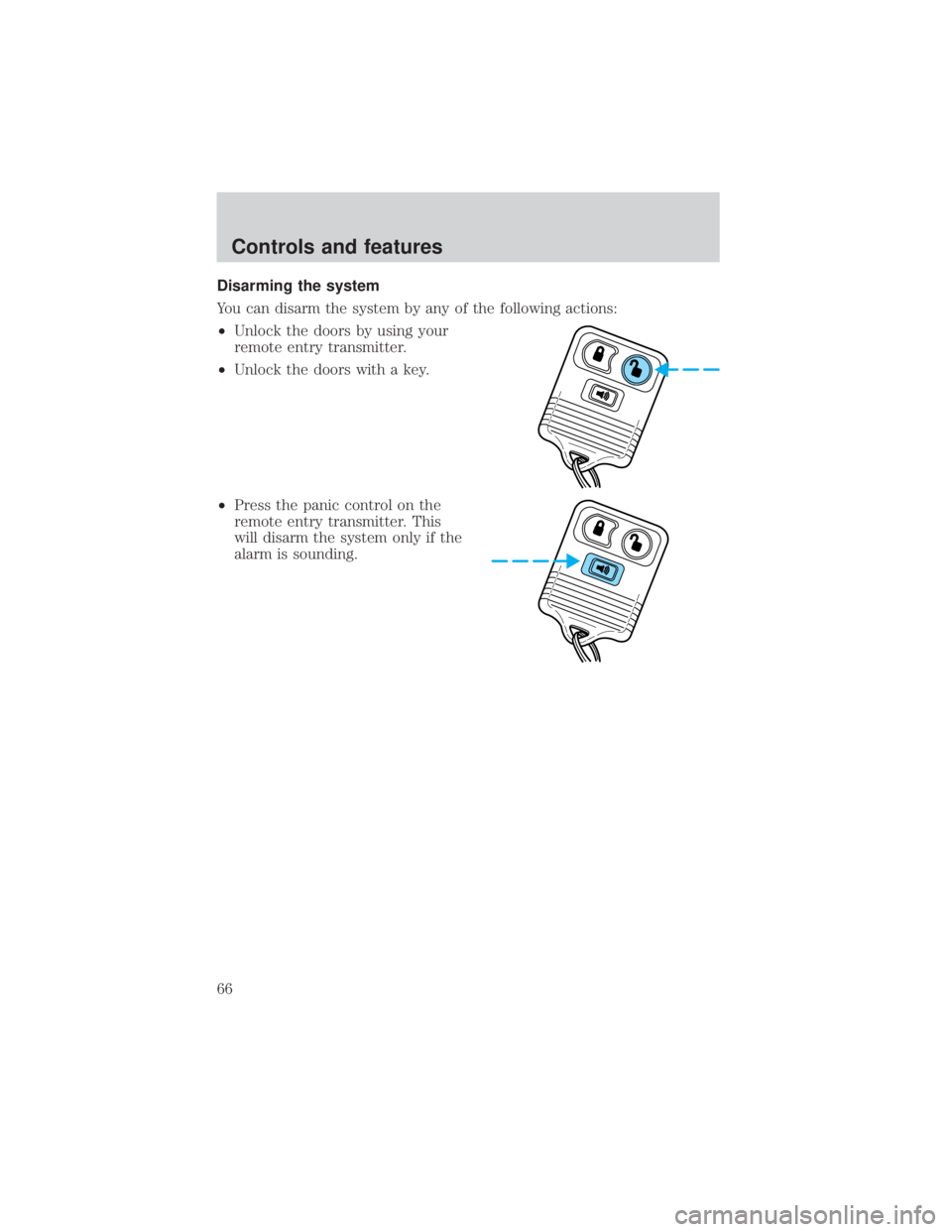
You can disarm the system by any of the following actions:
²Unlock the doors by using your
remote entry transmitter.
² Unlock the doors with a key.
² Press the panic control on the
remote entry transmitter. This
will disarm the system only if the
alarm is sounding.
Controls and features
66
Page 72 of 232
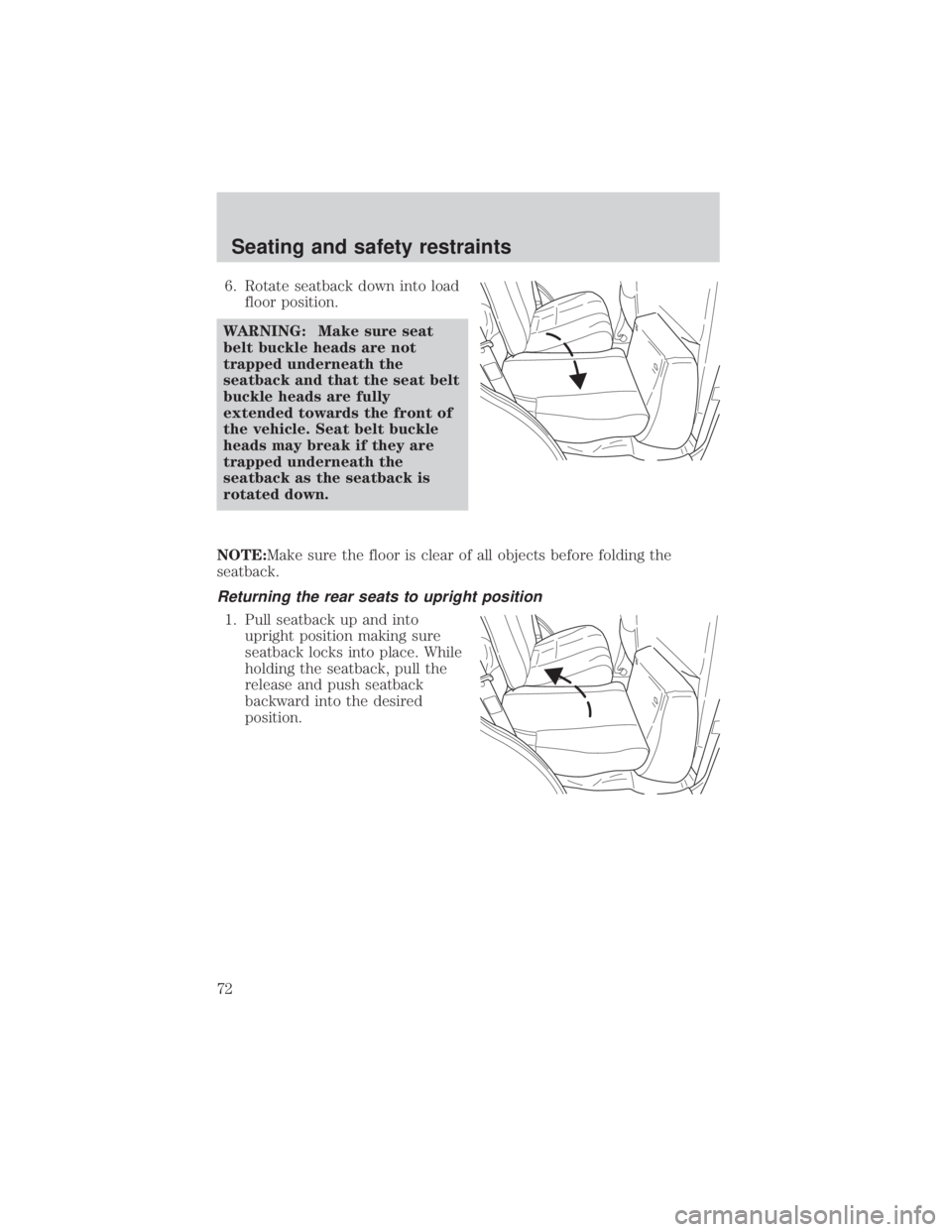
6. Rotate seatback down into loadfloor position.
WARNING: Make sure seat
belt buckle heads are not
trapped underneath the
seatback and that the seat belt
buckle heads are fully
extended towards the front of
the vehicle. Seat belt buckle
heads may break if they are
trapped underneath the
seatback as the seatback is
rotated down.
NOTE:Make sure the floor is clear of all objects before folding the
seatback.
Returning the rear seats to upright position
1. Pull seatback up and into upright position making sure
seatback locks into place. While
holding the seatback, pull the
release and push seatback
backward into the desired
position.
Seating and safety restraints
72
Page 73 of 232
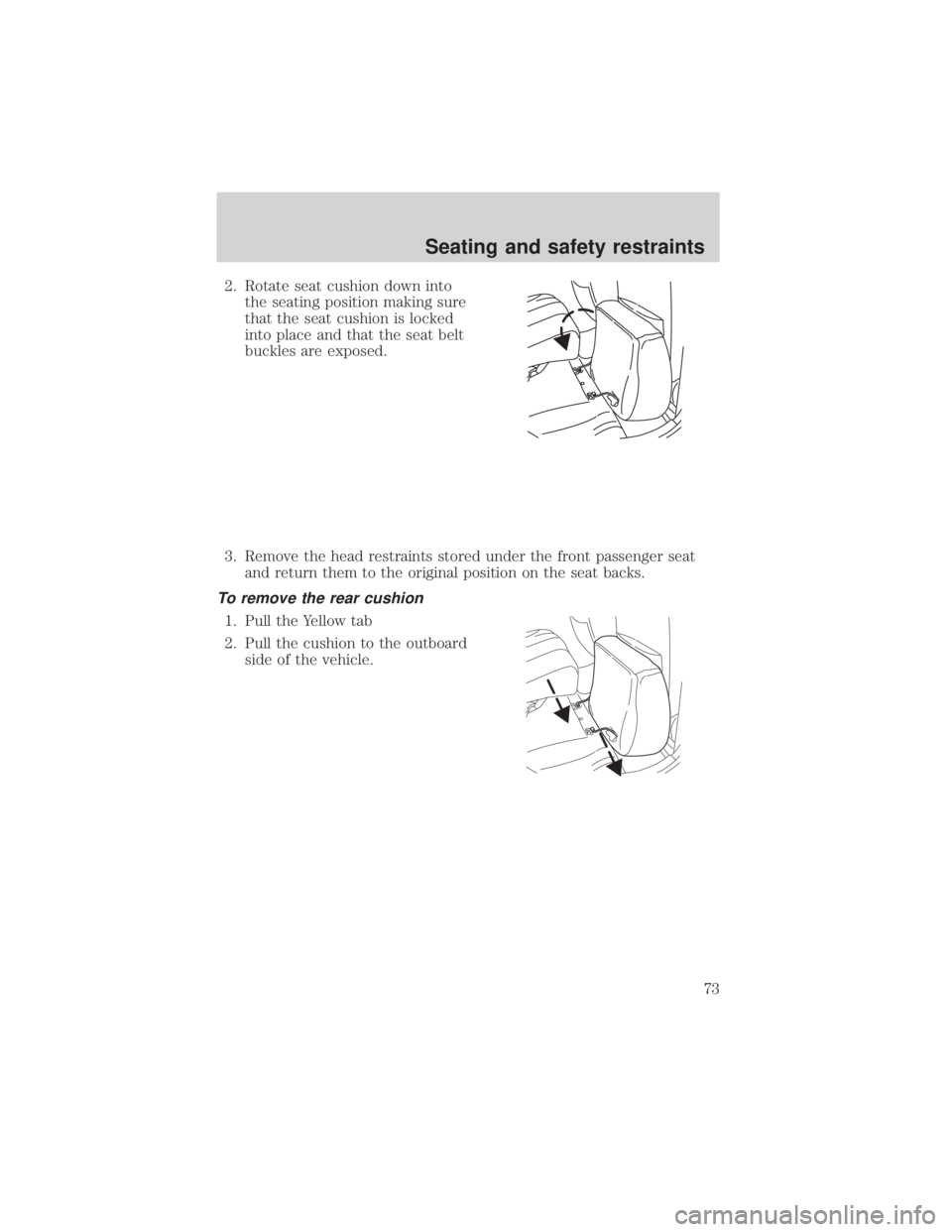
2. Rotate seat cushion down intothe seating position making sure
that the seat cushion is locked
into place and that the seat belt
buckles are exposed.
3. Remove the head restraints stored under the front passenger seat and return them to the original position on the seat backs.
To remove the rear cushion
1. Pull the Yellow tab
2. Pull the cushion to the outboardside of the vehicle.
Seating and safety restraints
73
Page 74 of 232
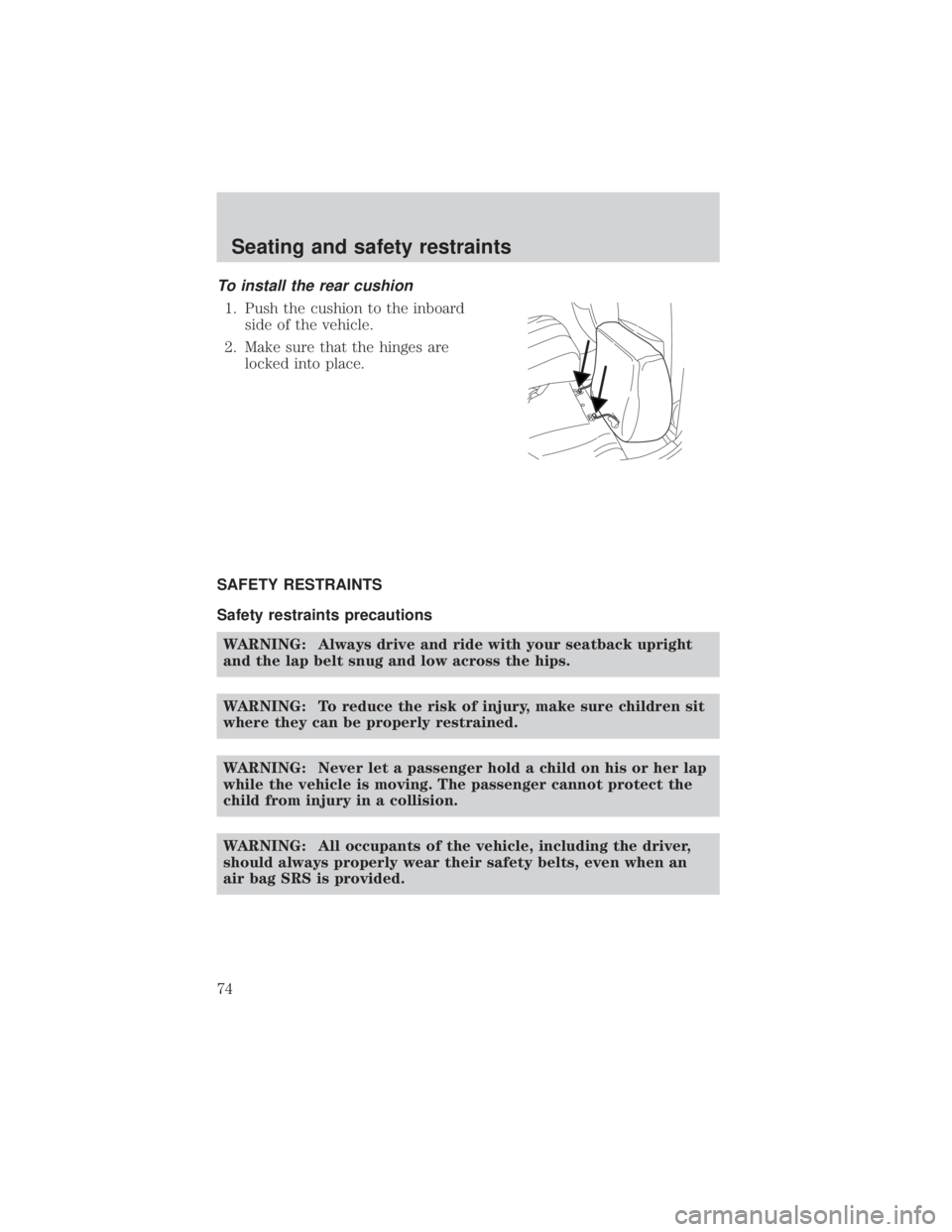
To install the rear cushion
1. Push the cushion to the inboardside of the vehicle.
2. Make sure that the hinges are locked into place.
SAFETY RESTRAINTS
Safety restraints precautions WARNING: Always drive and ride with your seatback upright
and the lap belt snug and low across the hips.
WARNING: To reduce the risk of injury, make sure children sit
where they can be properly restrained.
WARNING: Never let a passenger hold a child on his or her lap
while the vehicle is moving. The passenger cannot protect the
child from injury in a collision.
WARNING: All occupants of the vehicle, including the driver,
should always properly wear their safety belts, even when an
air bag SRS is provided.
Seating and safety restraints
74
Page 76 of 232
WARNING: After any vehicle collision, the safety belt system
at all outboard seating positions (except driver, which has no
ªautomatic locking retractorº feature) must be checked by a
qualified technician to verify that the ªautomatic locking
retractorº feature for child seats is still functioning properly. In
addition, all safety belts should be checked for proper function.
WARNING: BELT AND RETRACTOR ASSEMBLY MUST BE
REPLACED if the safety belt assembly ªautomatic locking
retractorº feature or any other safety belt function is not
operating properly when checked according to the procedures in
Workshop Manual.
WARNING: Failure to replace the Belt and Retractor assembly
could increase the risk of injury in collisions.
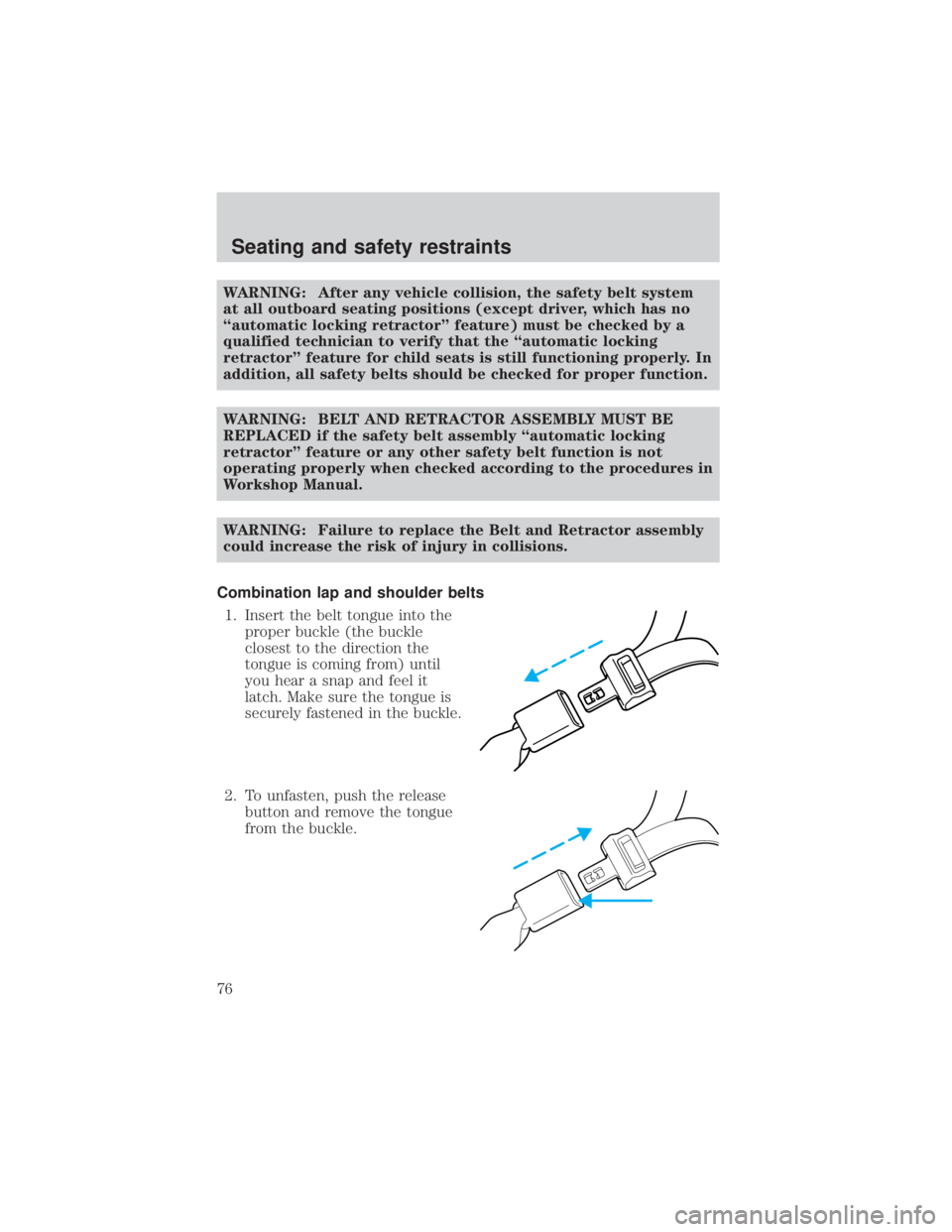
Combination lap and shoulder belts 1. Insert the belt tongue into the proper buckle (the buckle
closest to the direction the
tongue is coming from) until
you hear a snap and feel it
latch. Make sure the tongue is
securely fastened in the buckle.
2. To unfasten, push the release button and remove the tongue
from the buckle.
Seating and safety restraints
76