lock MAZDA MODEL TRIBUTE 4WD 2001 User Guide
[x] Cancel search | Manufacturer: MAZDA, Model Year: 2001, Model line: MODEL TRIBUTE 4WD, Model: MAZDA MODEL TRIBUTE 4WD 2001Pages: 232, PDF Size: 1.74 MB
Page 28 of 232
Random play in CD mode
Press the RDM control during play. RDM will illuminate in the display.
The next selection will be randomly selected.
To disengage random play, press the RDM control again.
Repeat play
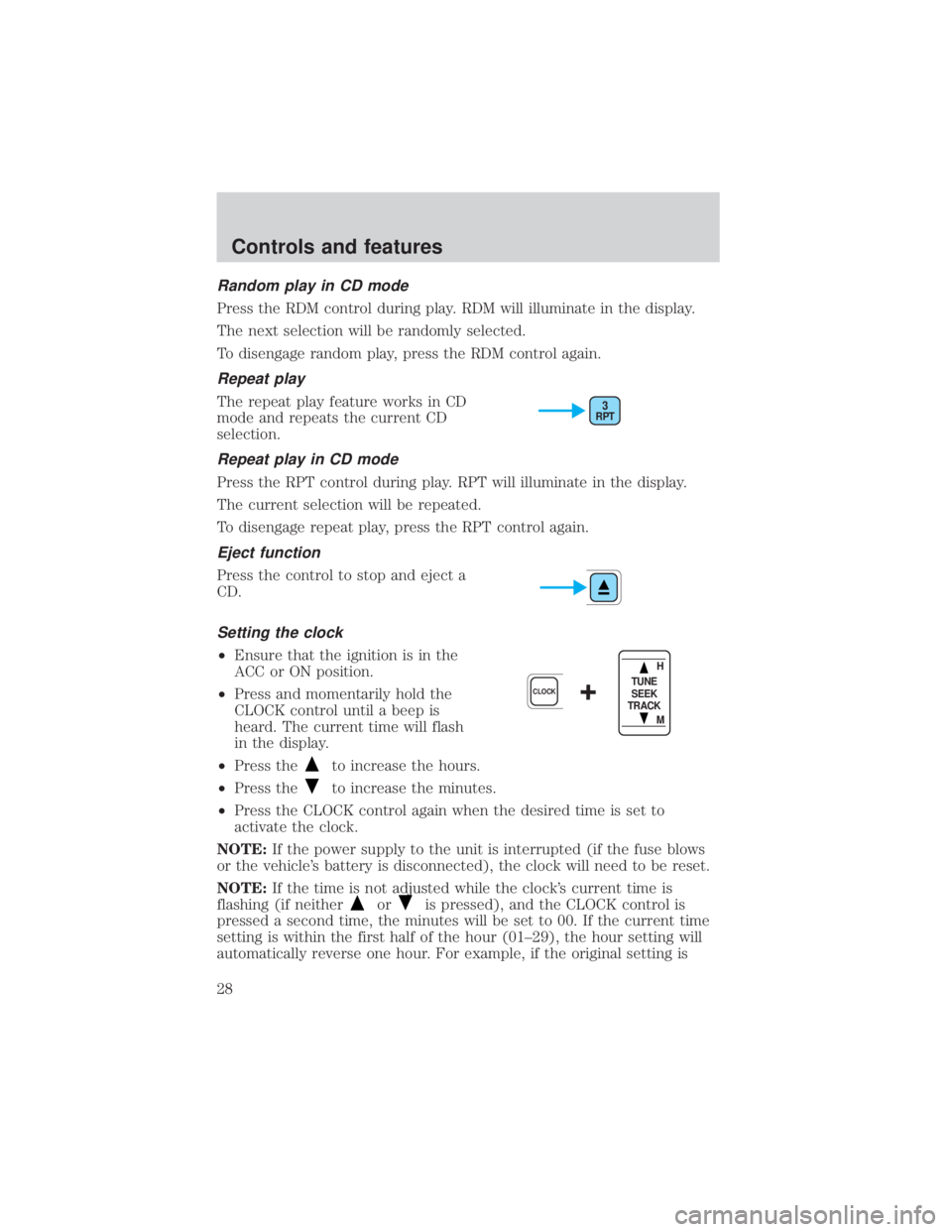
The repeat play feature works in CD
mode and repeats the current CD
selection.
Repeat play in CD mode
Press the RPT control during play. RPT will illuminate in the display.
The current selection will be repeated.
To disengage repeat play, press the RPT control again.
Eject function
Press the control to stop and eject a
CD.
Setting the clock
²Ensure that the ignition is in the
ACC or ON position.
² Press and momentarily hold the
CLOCK control until a beep is
heard. The current time will flash
in the display.
² Press the
to increase the hours.
² Press the
to increase the minutes.
² Press the CLOCK control again when the desired time is set to
activate the clock.
NOTE: If the power supply to the unit is interrupted (if the fuse blows
or the vehicle's battery is disconnected), the clock will need to be reset.
NOTE: If the time is not adjusted while the clock's current time is
flashing (if neither
oris pressed), and the CLOCK control is
pressed a second time, the minutes will be set to 00. If the current time
setting is within the first half of the hour (01±29), the hour setting will
automatically reverse one hour. For example, if the original setting is
RPT3
+CLOCK
H
M
TUNE
SEEK
TRACK
Controls and features
28
Page 29 of 232
3:24, the time will change to 3:00. If the clock's current time setting is
within the latter part of the hour (from 30 to 59 minutes), the hour
setting will automatically advance one hour. For example, if the original
setting is 3:45, the time will change to 4:00.
Changing the display mode
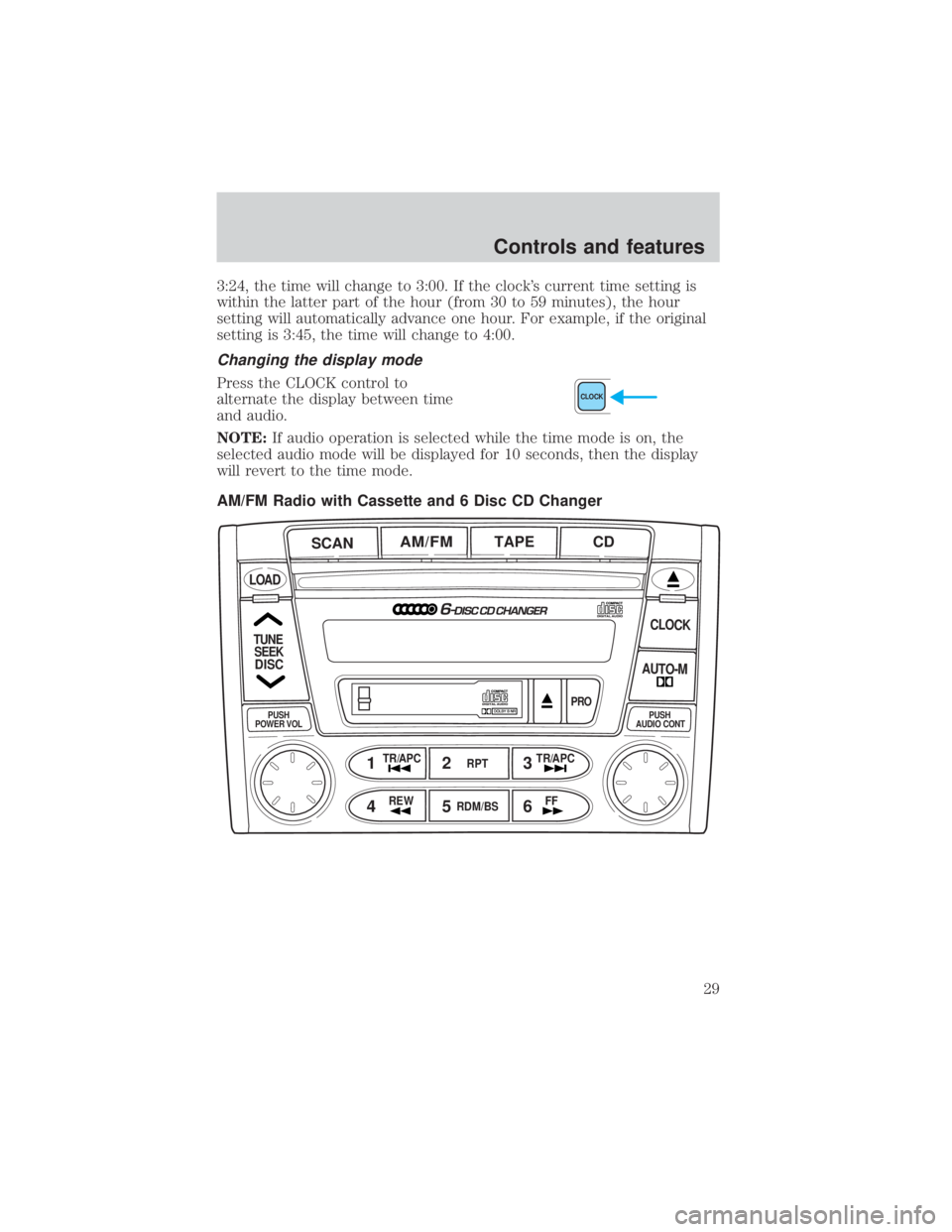
Press the CLOCK control to
alternate the display between time
and audio.
NOTE:If audio operation is selected while the time mode is on, the
selected audio mode will be displayed for 10 seconds, then the display
will revert to the time mode.
AM/FM Radio with Cassette and 6 Disc CD ChangerCLOCK
AM/FMTAPE CD
SCAN
12 3
45 6
LOAD
CLOCK
AUTO-M
PRO
RPT
RDM/BS
TR/APC TR/APC
FF
REW
TUNE
SEEK
DISC
PUSH
POWER VOLPUSH
AUDIO CONT
Controls and features
29
Page 37 of 232
Setting the clock
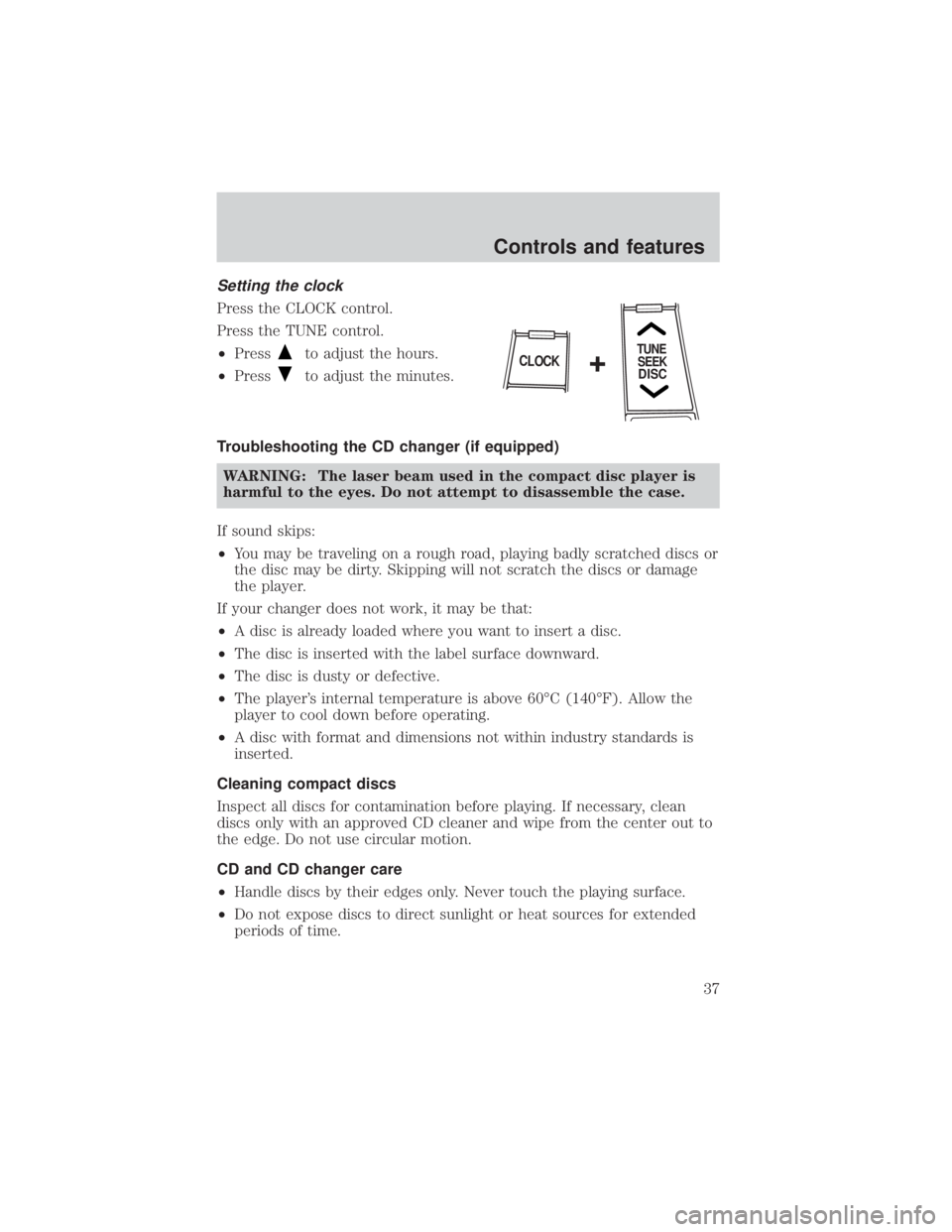
Press the CLOCK control.
Press the TUNE control.
²Press
to adjust the hours.
² Press
to adjust the minutes.
Troubleshooting the CD changer (if equipped) WARNING: The laser beam used in the compact disc player is
harmful to the eyes. Do not attempt to disassemble the case.
If sound skips:
² You may be traveling on a rough road, playing badly scratched discs or
the disc may be dirty. Skipping will not scratch the discs or damage
the player.
If your changer does not work, it may be that:
² A disc is already loaded where you want to insert a disc.
² The disc is inserted with the label surface downward.
² The disc is dusty or defective.
² The player's internal temperature is above 60ÉC (140ÉF). Allow the
player to cool down before operating.
² A disc with format and dimensions not within industry standards is
inserted.
Cleaning compact discs
Inspect all discs for contamination before playing. If necessary, clean
discs only with an approved CD cleaner and wipe from the center out to
the edge. Do not use circular motion.
CD and CD changer care
² Handle discs by their edges only. Never touch the playing surface.
² Do not expose discs to direct sunlight or heat sources for extended
periods of time.
TUNE
SEEK
DISCCLOCK+
Controls and features
37
Page 39 of 232
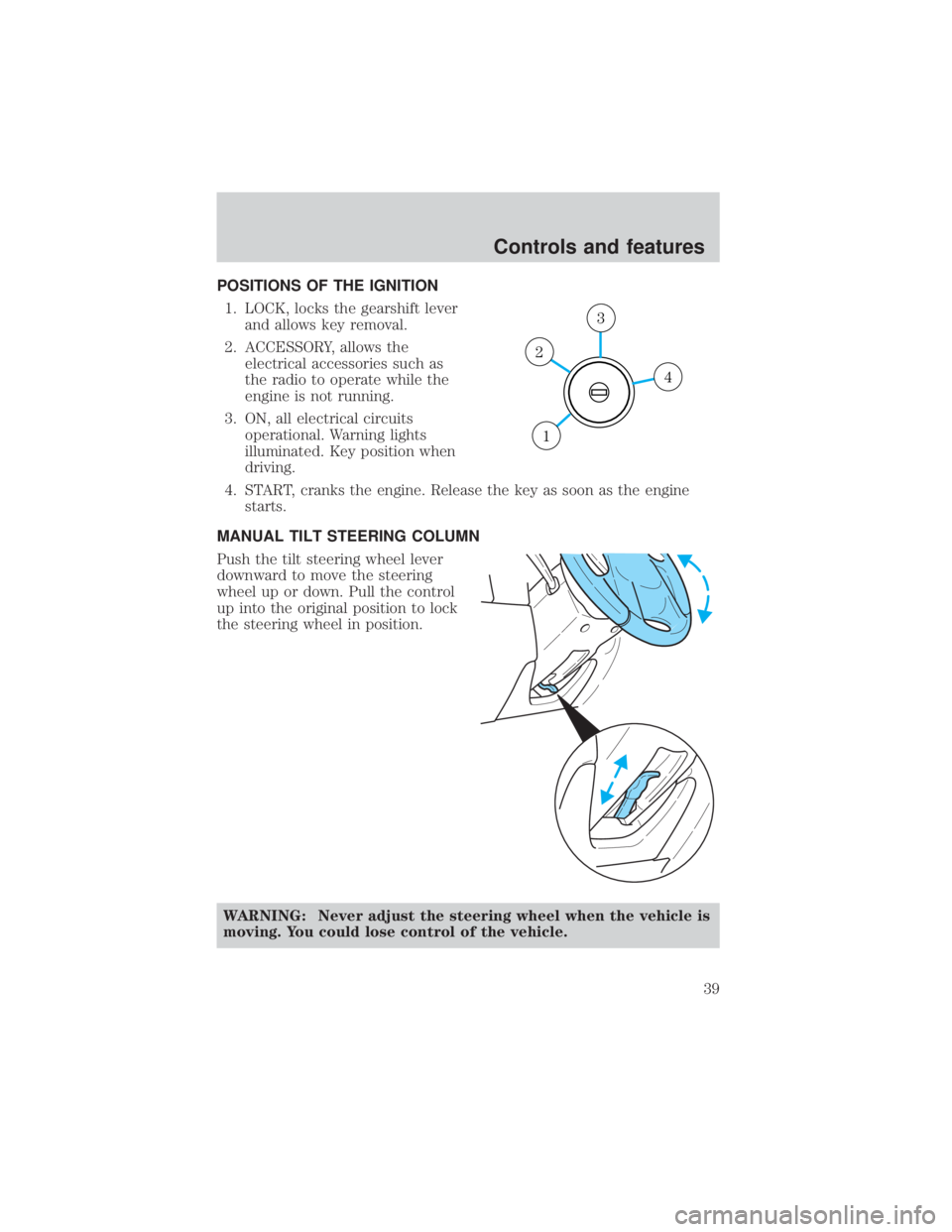
POSITIONS OF THE IGNITION1. LOCK, locks the gearshift lever and allows key removal.
2. ACCESSORY, allows the electrical accessories such as
the radio to operate while the
engine is not running.
3. ON, all electrical circuits operational. Warning lights
illuminated. Key position when
driving.
4. START, cranks the engine. Release the key as soon as the engine starts.
MANUAL TILT STEERING COLUMN
Push the tilt steering wheel lever
downward to move the steering
wheel up or down. Pull the control
up into the original position to lock
the steering wheel in position.
WARNING: Never adjust the steering wheel when the vehicle is
moving. You could lose control of the vehicle.
4
3
2
1
Controls and features
39
Page 48 of 232
WARNING: Do not let children play with the moon roof. They
may seriously injure themselves.
INTERIOR LAMPS
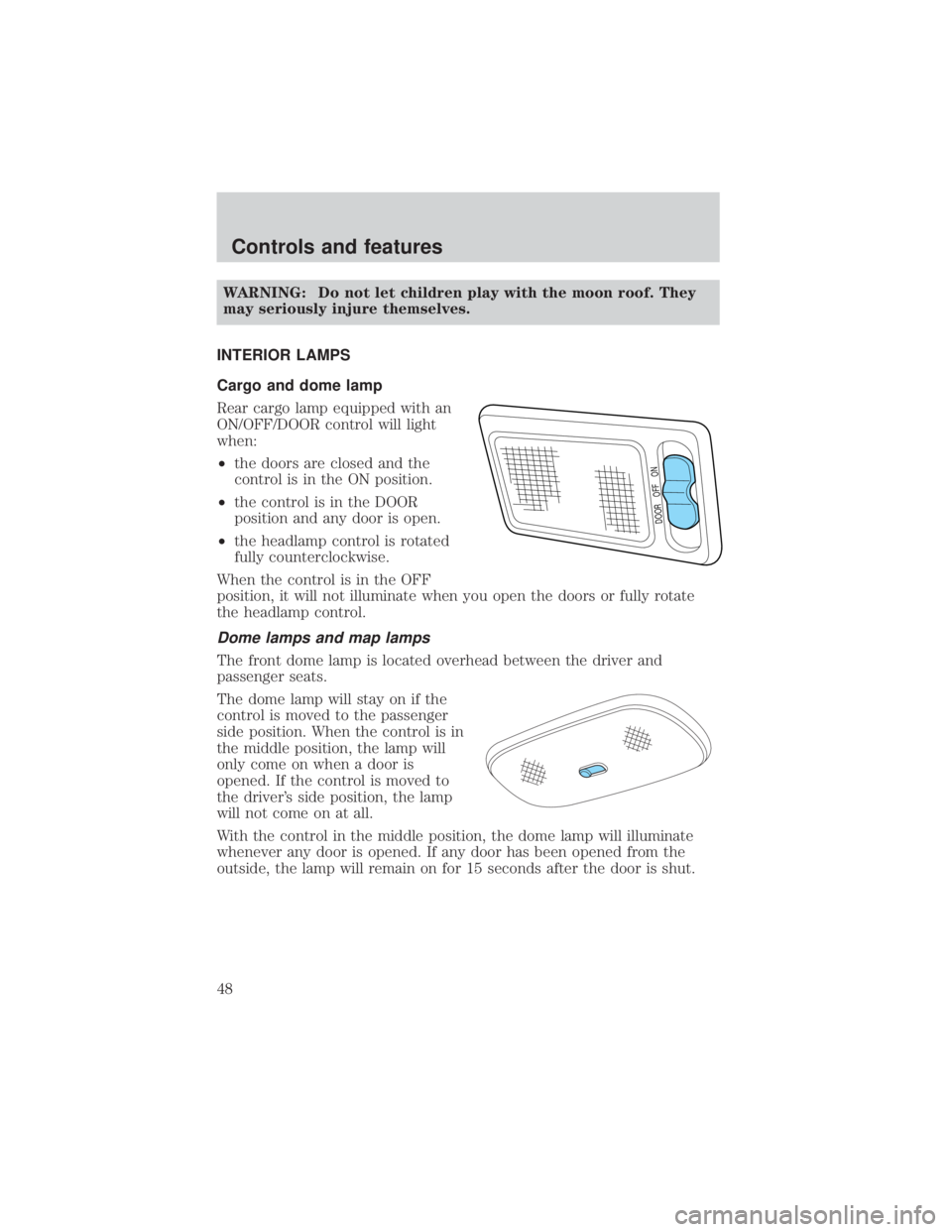
Cargo and dome lamp
Rear cargo lamp equipped with an
ON/OFF/DOOR control will light
when:
² the doors are closed and the
control is in the ON position.
² the control is in the DOOR
position and any door is open.
² the headlamp control is rotated
fully counterclockwise.
When the control is in the OFF
position, it will not illuminate when you open the doors or fully rotate
the headlamp control.
Dome lamps and map lamps
The front dome lamp is located overhead between the driver and
passenger seats.
The dome lamp will stay on if the
control is moved to the passenger
side position. When the control is in
the middle position, the lamp will
only come on when a door is
opened. If the control is moved to
the driver's side position, the lamp
will not come on at all.
With the control in the middle position, the dome lamp will illuminate
whenever any door is opened. If any door has been opened from the
outside, the lamp will remain on for 15 seconds after the door is shut.
DOOR OFF ON
Controls and features
48
Page 52 of 232

NOTE:This feature will only operate the driver's side window.
Window lock
The window lock feature allows only
the driver to operate the power
windows.
To lock out all the window controls
except for the driver's press the
right side of the control. Press the left side to restore the window
controls.
POWER DOOR LOCKS
Press control to unlock all doors.
Press control to lock all doors.
Controls and features
52
Page 53 of 232

CHILDPROOF DOOR LOCKS
When these locks are set, the rear
doors cannot be opened from the
inside. The rear doors can be
opened from the outside when the
doors are unlocked.
The childproof locks are located on
rear edge of each rear door and
must be set separately for each
door.
NOTE:Setting the lock for one door
will not automatically set the lock
for both doors.
Rotate lock control in the direction
of arrow to engage the lock. Rotate
control in the opposite direction to
disengage childproof locks.
CENTER CONSOLE
Your vehicle may be equipped with a variety of console features. These
include:
²Utility compartment
² Cupholders
² Ashcup
WARNING: Use only soft cups in the cupholder. Hard objects
can injure you in a collision.
Controls and features
53
Page 56 of 232

LIFTGATE
To open the rear window, pull the
right side of the liftgate handle.
To open the liftgate, pull the left
side of the liftgate handle.
²Do not open the liftgate or
liftgate glass in a garage or other
enclosed area with a low ceiling.
If the liftgate glass is raised and
the liftgate is also opened, both
liftgate and glass could be
damaged against a low ceiling.
² Do not leave the liftgate or
liftgate glass open while driving.
Doing so could cause serious damage to the liftgate and its
components as well as allowing carbon monoxide to enter the vehicle.
WARNING: Make sure that the liftgate door and/or window are
closed to prevent exhaust fumes from being drawn into the
vehicle. This will also prevent passengers and cargo from falling
out. If you must drive with the liftgate door or window open,
keep the vents open so outside air comes into the vehicle.
REMOTE ENTRY SYSTEM (IF EQUIPPED)
This device complies with part 15 of the FCC rules and with RS-210 of
Industry Canada. Operation is subject to the following two conditions:
(1) This device may not cause harmful interference, and (2) This device
must accept any interference received, including interference that may
cause undesired operation.
Changes or modifications not expressly approved by the party
responsible for compliance could void the user's authority to
operate the equipment.
The remote entry system allows you to lock or unlock all vehicle doors
without a key.
The remote entry features only operate with the ignition in the LOCK
position.
Controls and features
56
Page 57 of 232
If there is any potential remote keyless entry problem with your vehicle,
ensureALL key fobs (remote entry transmitters) are brought to the
dealership, to aid in troubleshooting.
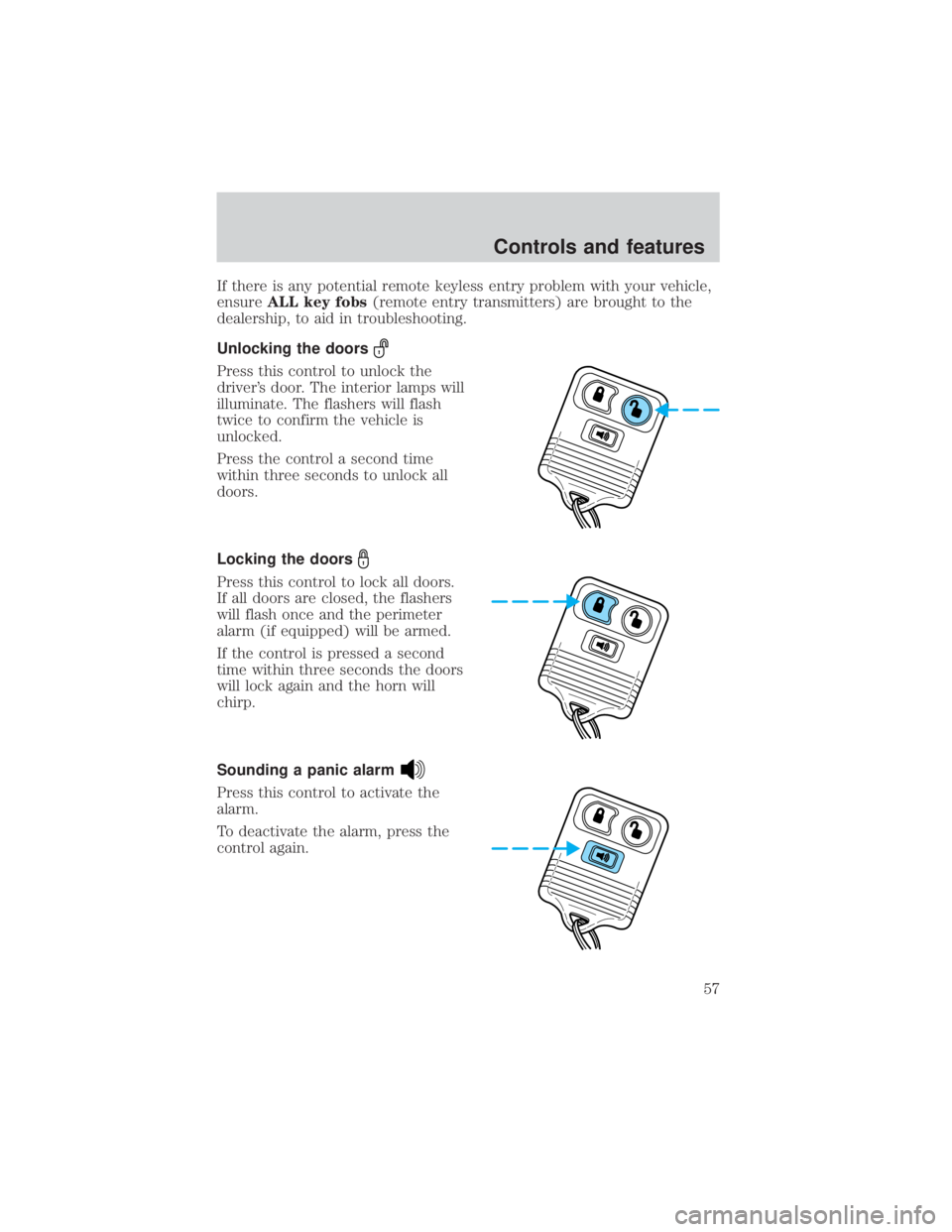
Unlocking the doors
Press this control to unlock the
driver's door. The interior lamps will
illuminate. The flashers will flash
twice to confirm the vehicle is
unlocked.
Press the control a second time
within three seconds to unlock all
doors.
Locking the doors
Press this control to lock all doors.
If all doors are closed, the flashers
will flash once and the perimeter
alarm (if equipped) will be armed.
If the control is pressed a second
time within three seconds the doors
will lock again and the horn will
chirp.
Sounding a panic alarm
Press this control to activate the
alarm.
To deactivate the alarm, press the
control again.
Controls and features
57
Page 60 of 232
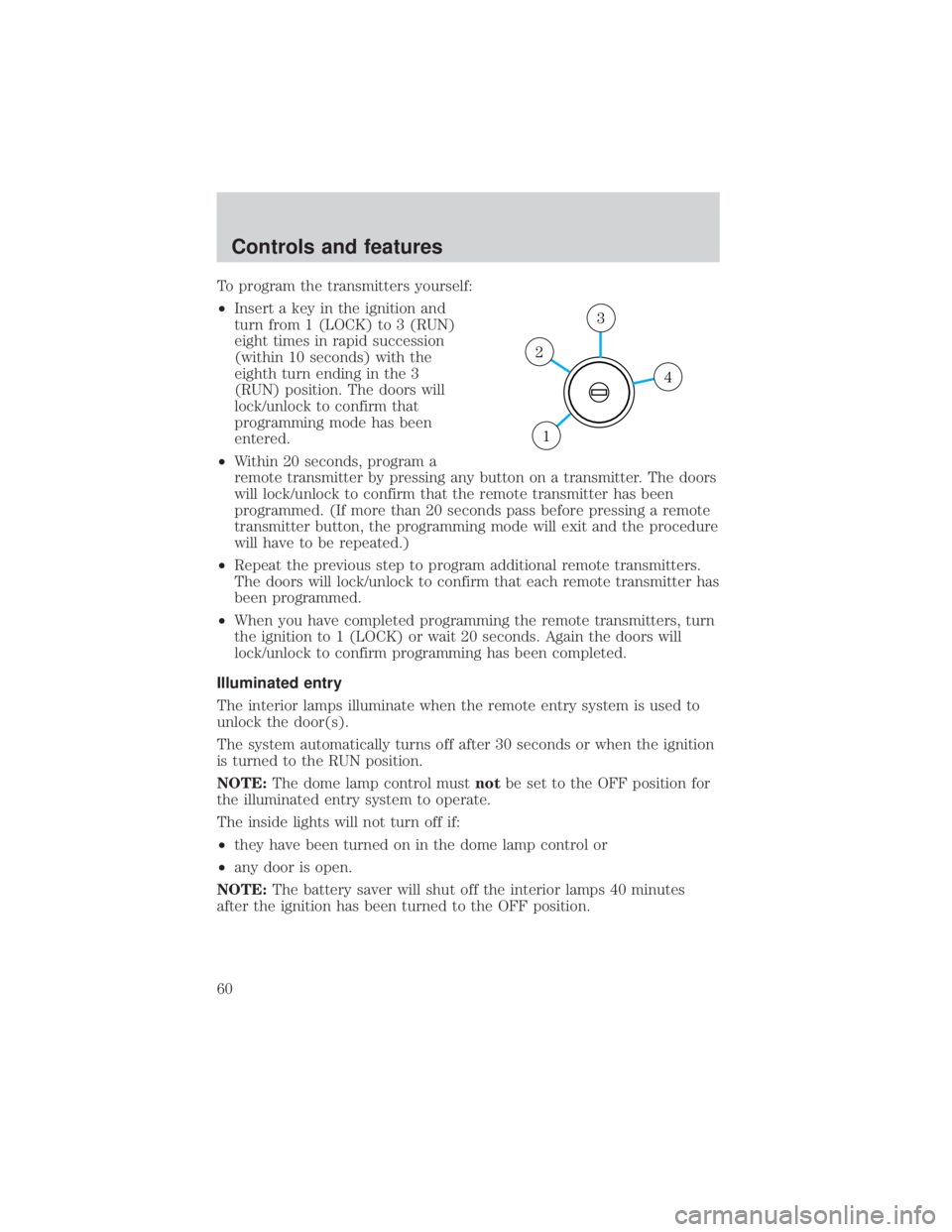
To program the transmitters yourself:
²Insert a key in the ignition and
turn from 1 (LOCK) to 3 (RUN)
eight times in rapid succession
(within 10 seconds) with the
eighth turn ending in the 3
(RUN) position. The doors will
lock/unlock to confirm that
programming mode has been
entered.
² Within 20 seconds, program a
remote transmitter by pressing any button on a transmitter. The doors
will lock/unlock to confirm that the remote transmitter has been
programmed. (If more than 20 seconds pass before pressing a remote
transmitter button, the programming mode will exit and the procedure
will have to be repeated.)
² Repeat the previous step to program additional remote transmitters.
The doors will lock/unlock to confirm that each remote transmitter has
been programmed.
² When you have completed programming the remote transmitters, turn
the ignition to 1 (LOCK) or wait 20 seconds. Again the doors will
lock/unlock to confirm programming has been completed.
Illuminated entry
The interior lamps illuminate when the remote entry system is used to
unlock the door(s).
The system automatically turns off after 30 seconds or when the ignition
is turned to the RUN position.
NOTE: The dome lamp control must notbe set to the OFF position for
the illuminated entry system to operate.
The inside lights will not turn off if:
² they have been turned on in the dome lamp control or
² any door is open.
NOTE: The battery saver will shut off the interior lamps 40 minutes
after the ignition has been turned to the OFF position.
4
3
2
1
Controls and features
60