light MAZDA MODEL TRIBUTE HEV 2008 User Guide
[x] Cancel search | Manufacturer: MAZDA, Model Year: 2008, Model line: MODEL TRIBUTE HEV, Model: MAZDA MODEL TRIBUTE HEV 2008Pages: 312, PDF Size: 3.68 MB
Page 23 of 312
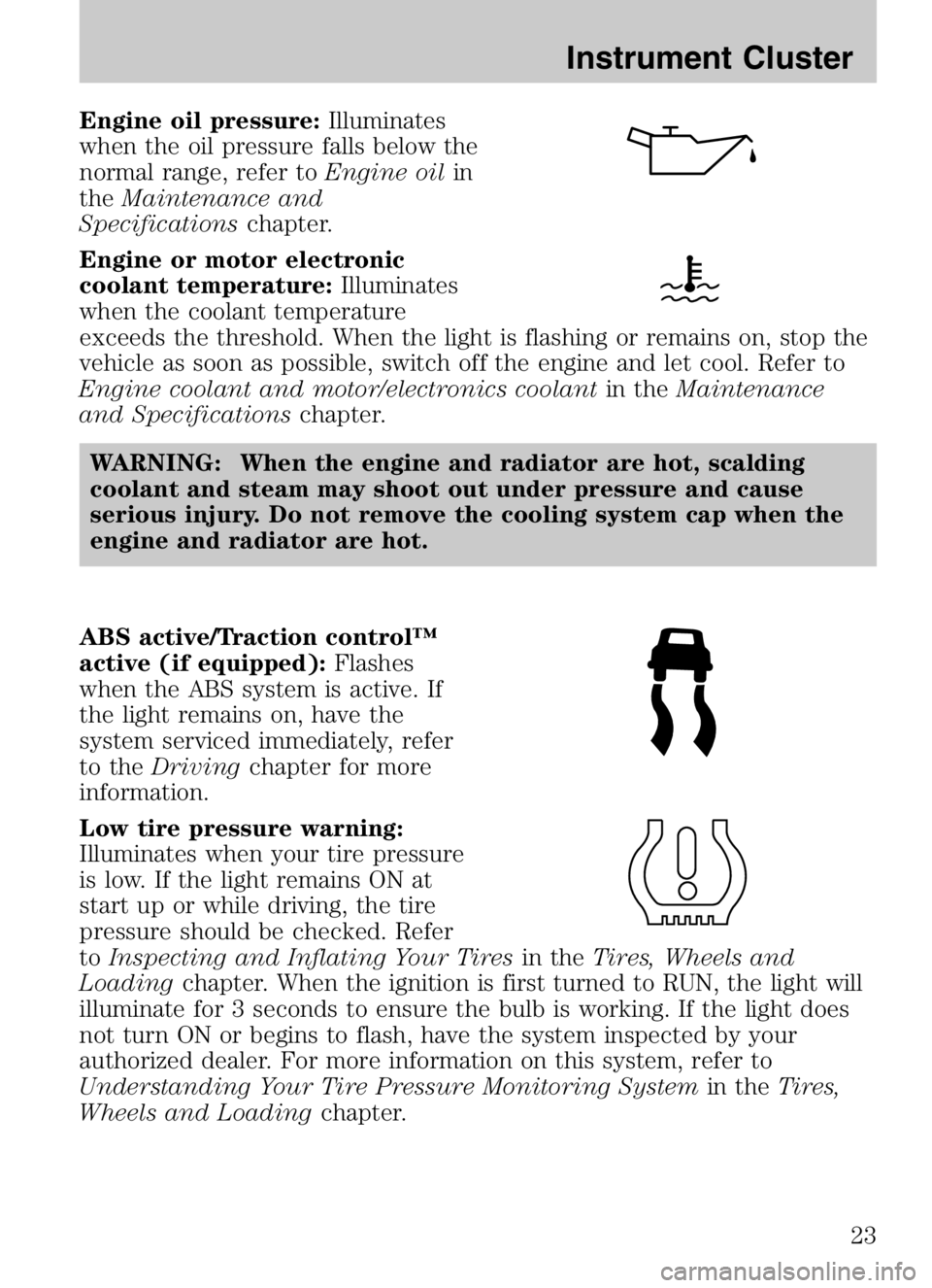
Engine oil pressure:Illuminates
when the oil pressure falls below the
normal range, refer to Engine oilin
the Maintenance and
Specifications chapter.
Engine or motor electronic
coolant temperature: Illuminates
when the coolant temperature
exceeds the threshold. When the light is flashing or remains on, stop the
vehicle as soon as possible, switch off the engine and let cool. Refer to
Engine coolant and motor/electronics coolant in theMaintenance
and Specifications chapter.
WARNING: When the engine and radiator are hot, scalding
coolant and steam may shoot out under pressure and cause
serious injury. Do not remove the cooling system cap when the
engine and radiator are hot.
ABS active/Traction control™
active (if equipped): Flashes
when the ABS system is active. If
the light remains on, have the
system serviced immediately, refer
to the Driving chapter for more
information.
Low tire pressure warning:
Illuminates when your tire pressure
is low. If the light remains ON at
start up or while driving, the tire
pressure should be checked. Refer
to Inspecting and Inflating Your Tires in theTires, Wheels and
Loading chapter. When the ignition is first turned to RUN, the light will
illuminate for 3 seconds to ensure the bulb is working. If the light does
not turn ON or begins to flash, have the system inspected by your
authorized dealer. For more information on this system, refer to
Understanding Your Tire Pressure Monitoring System in theTires,
Wheels and Loading chapter.
2008 Tribute Hybrid(thv)
Owners Guide (post-2002-fmt)
USA (fus)
Instrument Cluster
23
Page 24 of 312

Low fuel:Illuminates when the fuel
level in the fuel tank is at or near
empty (refer to Fuel gaugein this
chapter).
Speed control: Illuminates when
the speed control is engaged. Turns
off when the speed control system
is disengaged.
Anti-theft system: Flashes when
the SecuriLock™ Passive Anti-theft
System has been activated.
Throttle control/Powertrain:
Illuminates when a powertrain fault
has been detected. Contact your
authorized dealer as soon as
possible.
Door ajar: Illuminates when the
ignition is in the RUN position and
any door is open.
Turn signal: Illuminates when the
left or right turn signal or the
hazard lights are turned on. If the
indicators flash faster, check for a burned out bulb.
High beams: Illuminates when the
high beam headlamps are turned on.
Key-in-ignition warning chime: Sounds when the key is left in the
ignition in the OFF/LOCK or ACCESSORY position and the driver’s door
is opened.
Headlamps on warning chime: Sounds when the headlamps or parking
lamps are on, the ignition is off (the key is not in the ignition) and the
driver’s door is opened.
Parking brake ON chime: Sounds when the parking brake is left ON
and the vehicle is driven. If the warning stays on after the park brake is
off, contact your authorized dealer as soon as possible.
2008 Tribute Hybrid (thv)
Owners Guide (post-2002-fmt)
USA (fus)
Instrument Cluster
24
Page 26 of 312
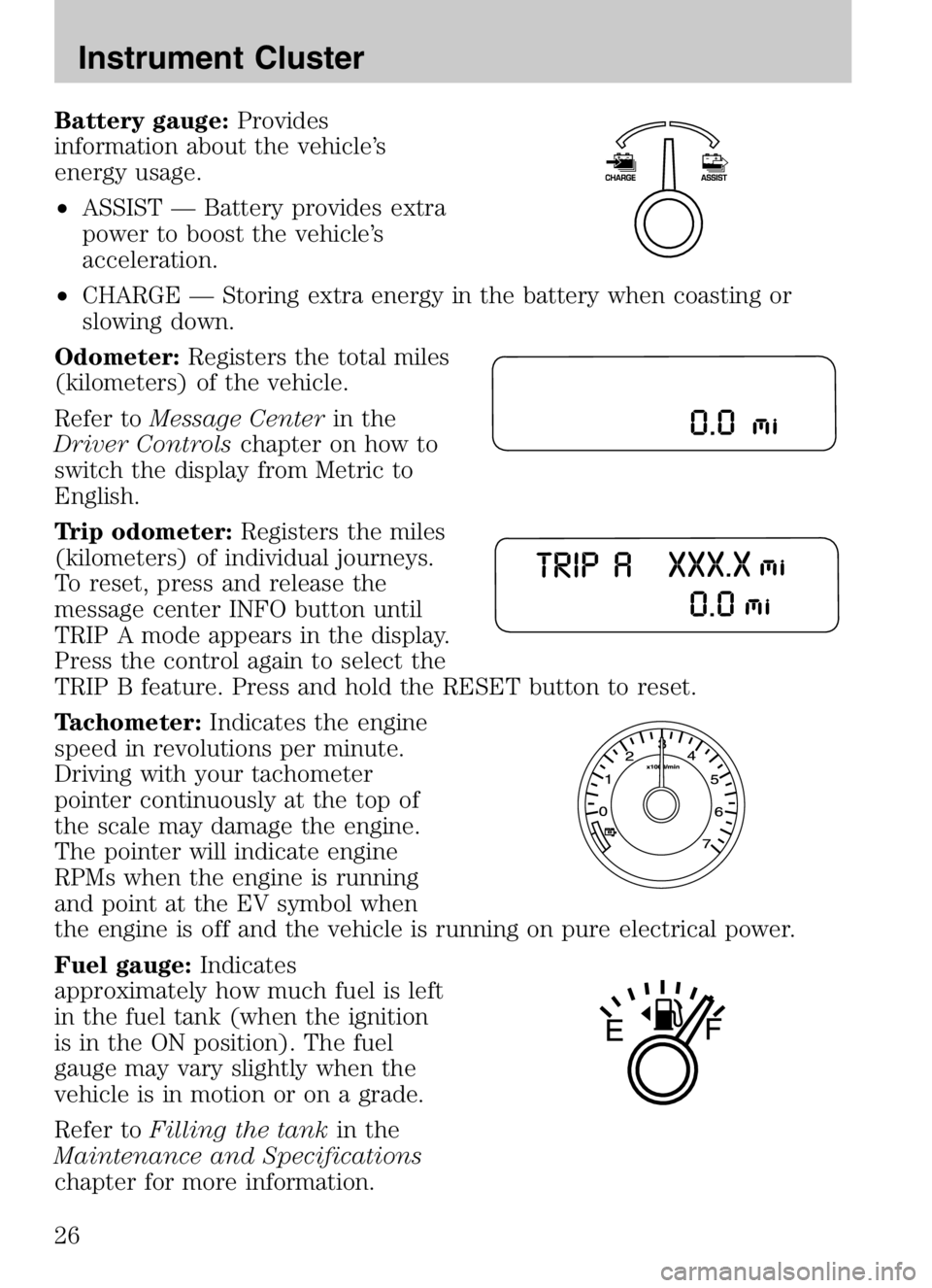
Battery gauge:Provides
information about the vehicle’s
energy usage.
• ASSIST — Battery provides extra
power to boost the vehicle’s
acceleration.
• CHARGE — Storing extra energy in the battery when coasting or
slowing down.
Odometer: Registers the total miles
(kilometers) of the vehicle.
Refer to Message Center in the
Driver Controls chapter on how to
switch the display from Metric to
English.
Trip odometer: Registers the miles
(kilometers) of individual journeys.
To reset, press and release the
message center INFO button until
TRIP A mode appears in the display.
Press the control again to select the
TRIP B feature. Press and hold the RESET button to reset.
Tachometer: Indicates the engine
speed in revolutions per minute.
Driving with your tachometer
pointer continuously at the top of
the scale may damage the engine.
The pointer will indicate engine
RPMs when the engine is running
and point at the EV symbol when
the engine is off and the vehicle is running on pure electrical power.
Fuel gauge: Indicates
approximately how much fuel is left
in the fuel tank (when the ignition
is in the ON position). The fuel
gauge may vary slightly when the
vehicle is in motion or on a grade.
Refer to Filling the tank in the
Maintenance and Specifications
chapter for more information.
2008 Tribute Hybrid (thv)
Owners Guide (post-2002-fmt)
USA (fus)
Instrument Cluster
26
Page 29 of 312
FADE:Press SOUND repeatedly to reach the fade setting.
Press
SEEK/TRACKto adjust the audio between the back (B)
and front (F) speakers.
SPEED COMPENSATED VOLUME (if equipped): Press SOUND
repeatedly to reach the SPEED COMPENSATED VOLUME setting. Radio
volume automatically gets louder with increasing vehicle speed to
compensate for road and wind noise. Use
SEEK/TRACKto
adjust.
The default setting is off;increasing your vehicle speed will not change
the volume level.
Adjust 1–7:Increasing this setting from 1 (lowest setting) to 7 (highest
setting) allows the radio volume to automatically change slightly with
vehicle speed to compensate for road and wind noise.
Recommended level is 1–3;SPEED OFF turns the feature off and level 7
is the maximum setting.
ALL SEATS (Occupancy mode, if equipped): Press SOUND repeatedly
to reach the Occupancy mode setting. Press
SEEK/TRACKto
select and optimize sound for ALL SEATS, DRIVERS SEAT or REAR
SEATS.
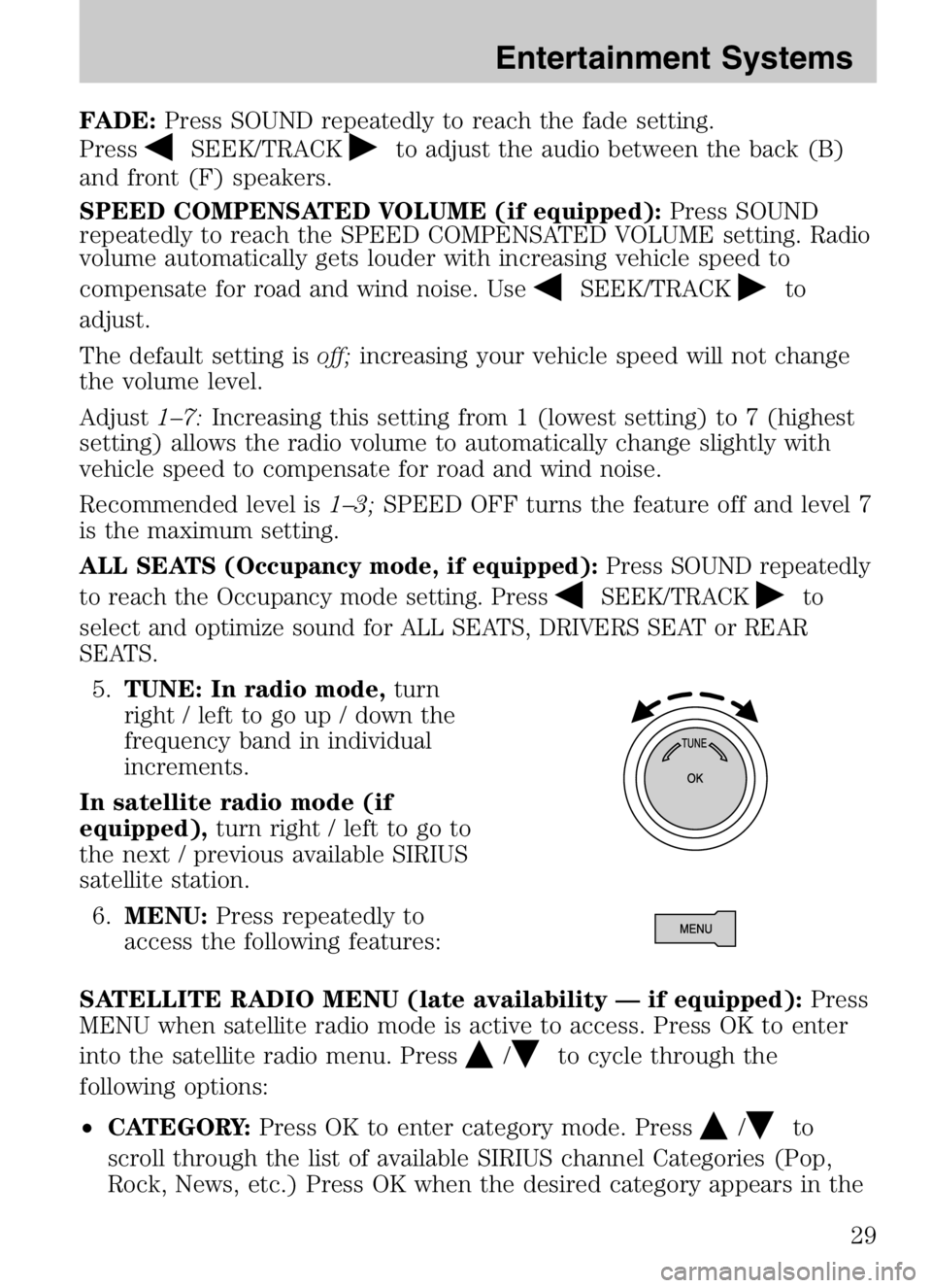
5. TUNE: In radio mode, turn
right / left to go up / down the
frequency band in individual
increments.
In satellite radio mode (if
equipped), turn right / left to go to
the next / previous available SIRIUS
satellite station.
6. MENU: Press repeatedly to
access the following features:
SATELLITE RADIO MENU (late availability — if equipped): Press
MENU when satellite radio mode is active to access. Press OK to enter
into the satellite radio menu. Press
/to cycle through the
following options:
• CATEGORY: Press OK to enter category mode. Press
/to
scroll through the list of available SIRIUS channel Categories (Pop,
Rock, News, etc.) Press OK when the desired category appears in the
2008 Tribute Hybrid (thv)
Owners Guide (post-2002-fmt)
USA (fus)
Entertainment Systems
29
Page 37 of 312

GENERAL AUDIO INFORMATION
Radio frequencies:
AM and FM frequencies are established by the Federal Communications
Commission (FCC) and the Canadian Radio and Telecommunications
Commission (CRTC). Those frequencies are:
AM: 530, 540–1700, 1710 kHz
FM: 87.7, 87.9–107.7, 107.9 MHz
Radio reception factors:
There are three factors that can affect radio reception:
•Distance/strength: The further you travel from an FM station, the
weaker the signal and the weaker the reception.
• Terrain: Hills, mountains, tall buildings, power lines, electric fences,
traffic lights and thunderstorms can interfere with your reception.
• Station overload: When you pass a broadcast tower, a stronger signal
may overtake a weaker one and play while the weak station frequency
is displayed.
CD/CD player care
Do:
• Handle discs by their edges only.
(Never touch the playing
surface).
• Inspect discs before playing.
• Clean only with an approved CD
cleaner.
• Wipe discs from the center out.
Don’t:
• Expose discs to direct sunlight or heat sources for extended periods
of time.
• Clean using a circular motion.
2008 Tribute Hybrid (thv)
Owners Guide (post-2002-fmt)
USA (fus)
Entertainment Systems
37
Page 44 of 312

12.ECON: Press to activate/deactivate economy air conditioning
operation. ECON mode may provide improved fuel economy by
preventing the gasoline engine from running for the sole purpose of
providing A/C. When the gas engine turns off, the A/C compressor
does not operate to cool the cabin and comfort may be reduced. In
ECON mode, A/C operates as normal when the gasoline engine is
running. To prioritize cooling comfort over fuel economy, deactivate
ECON. ECON can not be selected in
(defrost) or
(floor/defrost).
13. A/C: Press to activate/deactivate air conditioning. Use with
recirculated air to improve cooling performance and efficiency.
Engages automatically in AUTO,
(defrost)
and
(floor/defrost). Selecting ECON mode affects A/C operation.
Refer to ECON information previously in this section.
14.
Driver heated seat control (if equipped): Press to
activate/adjective the driver heated seat. See Heated seatsin the
Seating and Safety Restraints chapter.
Outside temperature: The outside temperature will appear in the
display and is labeled EXT TEMP.
Temperature conversion: To switch between Fahrenheit and Celsius,
refer to Setup menu in theMessage center section of theDriver
Controls chapter.
Operating tips
• To reduce fog build up on the windshield during humid weather,
select
(defrost) or(floor/defrost).
• To reduce humidity build up inside the vehicle, do not drive with the
system OFF or with
(recirculated air) engaged and A/C off.
• Do not put objects under the front seats that will interfere with the
airflow to the back seats by blocking the air from the rear seat floor
vents.
• Remove any snow, ice or leaves from the air intake area at the base of
the windshield.
• To improve the A/C cool down, drive with the windows slightly open
for 2-3 minutes after start up or until the vehicle has been “aired out.”
2008 Tribute Hybrid (thv)
Owners Guide (post-2002-fmt)
USA (fus)
Climate Controls
44
Page 46 of 312

REAR WINDOW DEFROSTERR
The rear defroster control is located on the climate control panel and
works to clear the rear window of fog and thin ice.
The ignition must be in the 3 (RUN) position to operate the rear window
defroster.
Press
Rto turn the rear window defroster on. An indicator light on
the button will illuminate when active. The rear window defroster turns
off automatically after approximately 15 minutes. If a low battery
condition is detected or the ignition is turned to the 1 (LOCK) or 2
(ACC) position, the rear window defroster will not function. To manually
turn off the rear window defroster at any time, press
Ragain.
If your vehicle is equipped with both rear defroster and heated mirrors,
the same button will activate both. Refer to Heated outside mirrorsin
the Driver Controls chapter.
Do not use razor blades or other sharp objects to clean the inside
of the rear window or to remove decals from the inside or the
rear window. This may cause damage to the heated grid lines and
will not be covered by your warranty.
2008 Tribute Hybrid (thv)
Owners Guide (post-2002-fmt)
USA (fus)
Climate Controls
46
Page 47 of 312
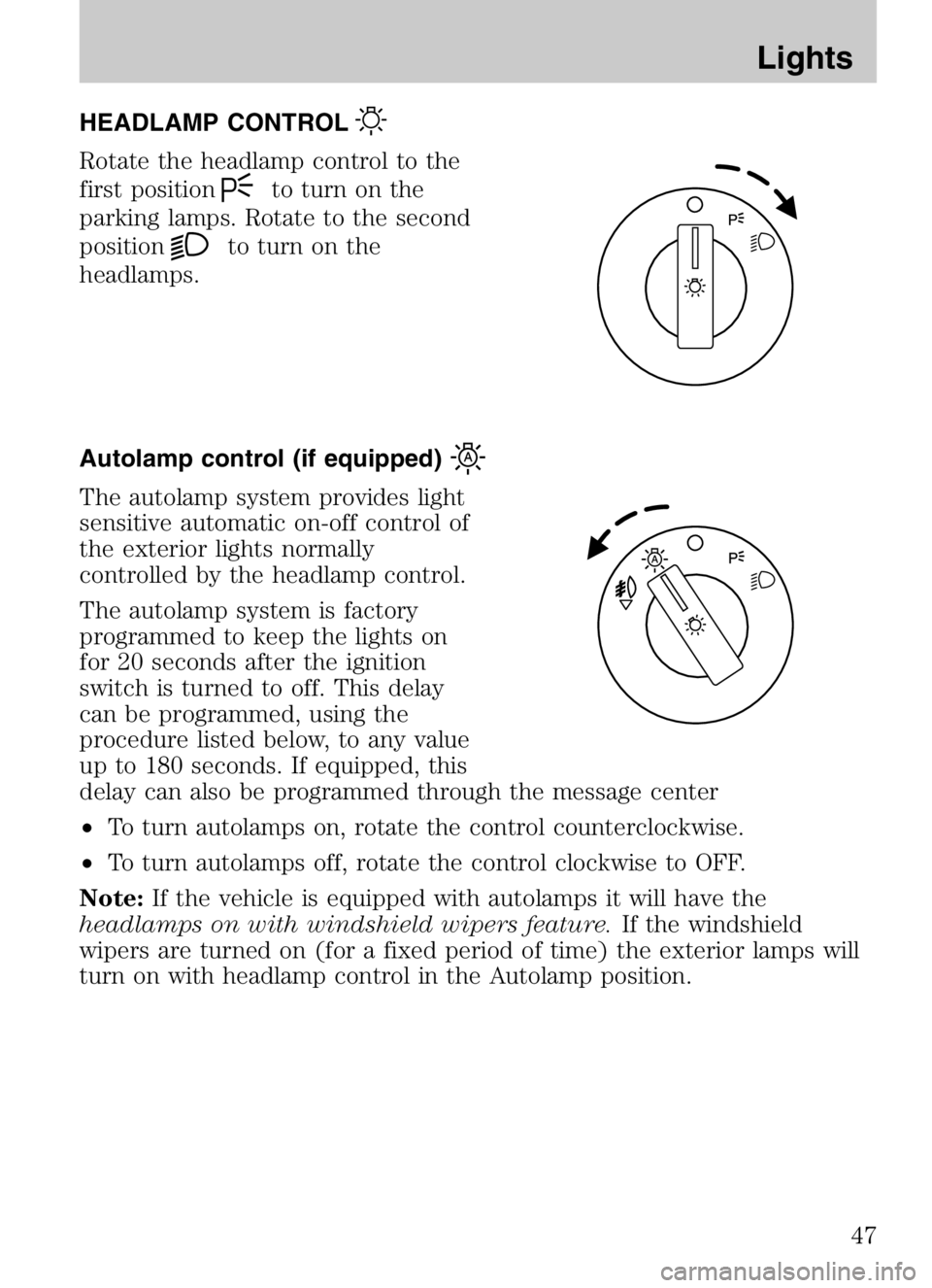
HEADLAMP CONTROL
Rotate the headlamp control to the
first position
to turn on the
parking lamps. Rotate to the second
position
to turn on the
headlamps.
Autolamp control (if equipped)
The autolamp system provides light
sensitive automatic on-off control of
the exterior lights normally
controlled by the headlamp control.
The autolamp system is factory
programmed to keep the lights on
for 20 seconds after the ignition
switch is turned to off. This delay
can be programmed, using the
procedure listed below, to any value
up to 180 seconds. If equipped, this
delay can also be programmed through the message center
• To turn autolamps on, rotate the control counterclockwise.
• To turn autolamps off, rotate the control clockwise to OFF.
Note: If the vehicle is equipped with autolamps it will have the
headlamps on with windshield wipers feature. If the windshield
wipers are turned on (for a fixed period of time) the exterior lamps will
turn on with headlamp control in the Autolamp position.
2008 Tribute Hybrid (thv)
Owners Guide (post-2002-fmt)
USA (fus)
Lights
47
Page 48 of 312
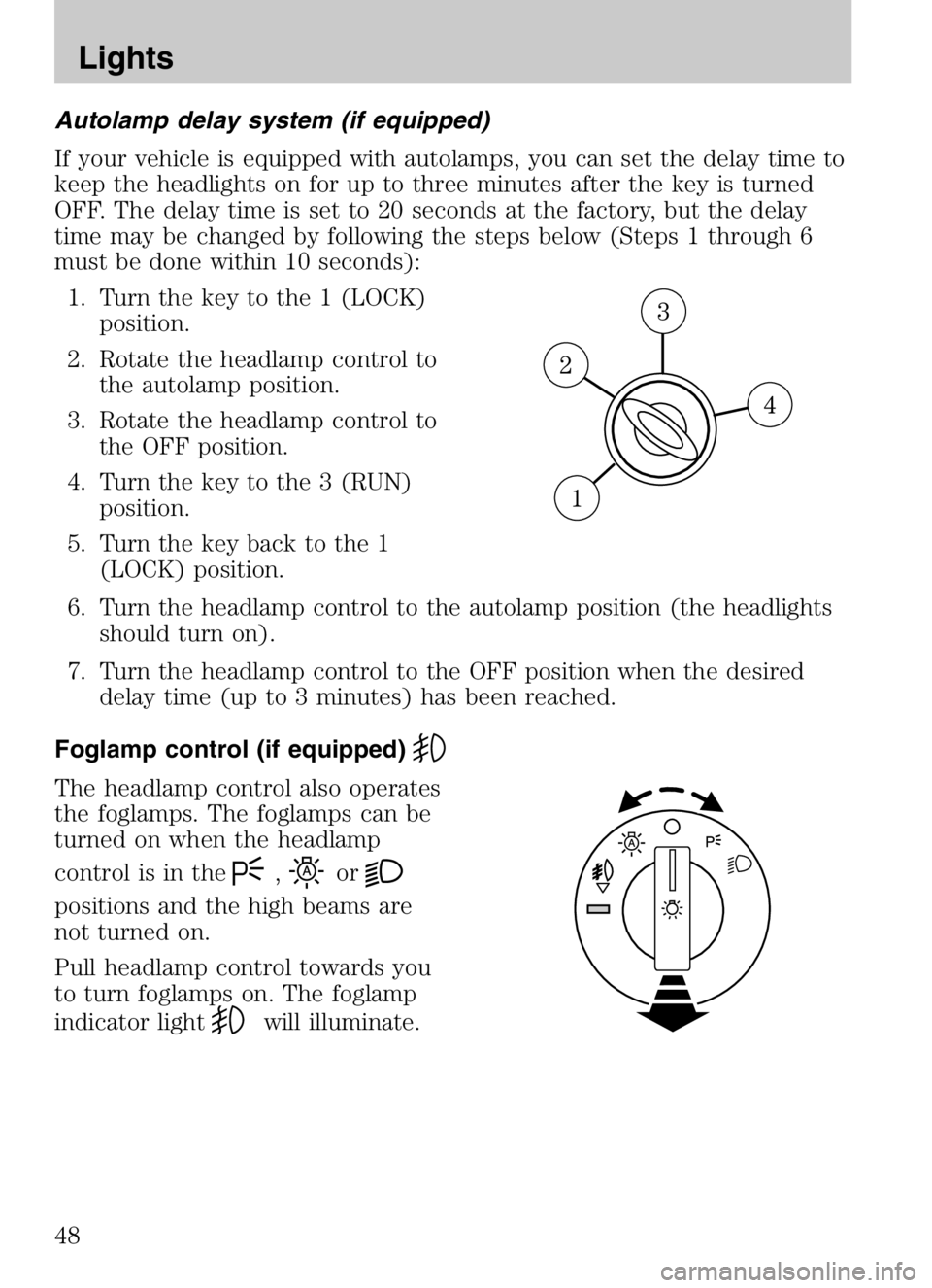
Autolamp delay system (if equipped)
If your vehicle is equipped with autolamps, you can set the delay time to
keep the headlights on for up to three minutes after the key is turned
OFF. The delay time is set to 20 seconds at the factory, but the delay
time may be changed by following the steps below (Steps 1 through 6
must be done within 10 seconds):1. Turn the key to the 1 (LOCK) position.
2. Rotate the headlamp control to the autolamp position.
3. Rotate the headlamp control to the OFF position.
4. Turn the key to the 3 (RUN) position.
5. Turn the key back to the 1 (LOCK) position.
6. Turn the headlamp control to the autolamp position (the headlights should turn on).
7. Turn the headlamp control to the OFF position when the desired delay time (up to 3 minutes) has been reached.
Foglamp control (if equipped)
The headlamp control also operates
the foglamps. The foglamps can be
turned on when the headlamp
control is in the
,or
positions and the high beams are
not turned on.
Pull headlamp control towards you
to turn foglamps on. The foglamp
indicator light
will illuminate.
2008 Tribute Hybrid (thv)
Owners Guide (post-2002-fmt)
USA (fus)
Lights
48
Page 49 of 312
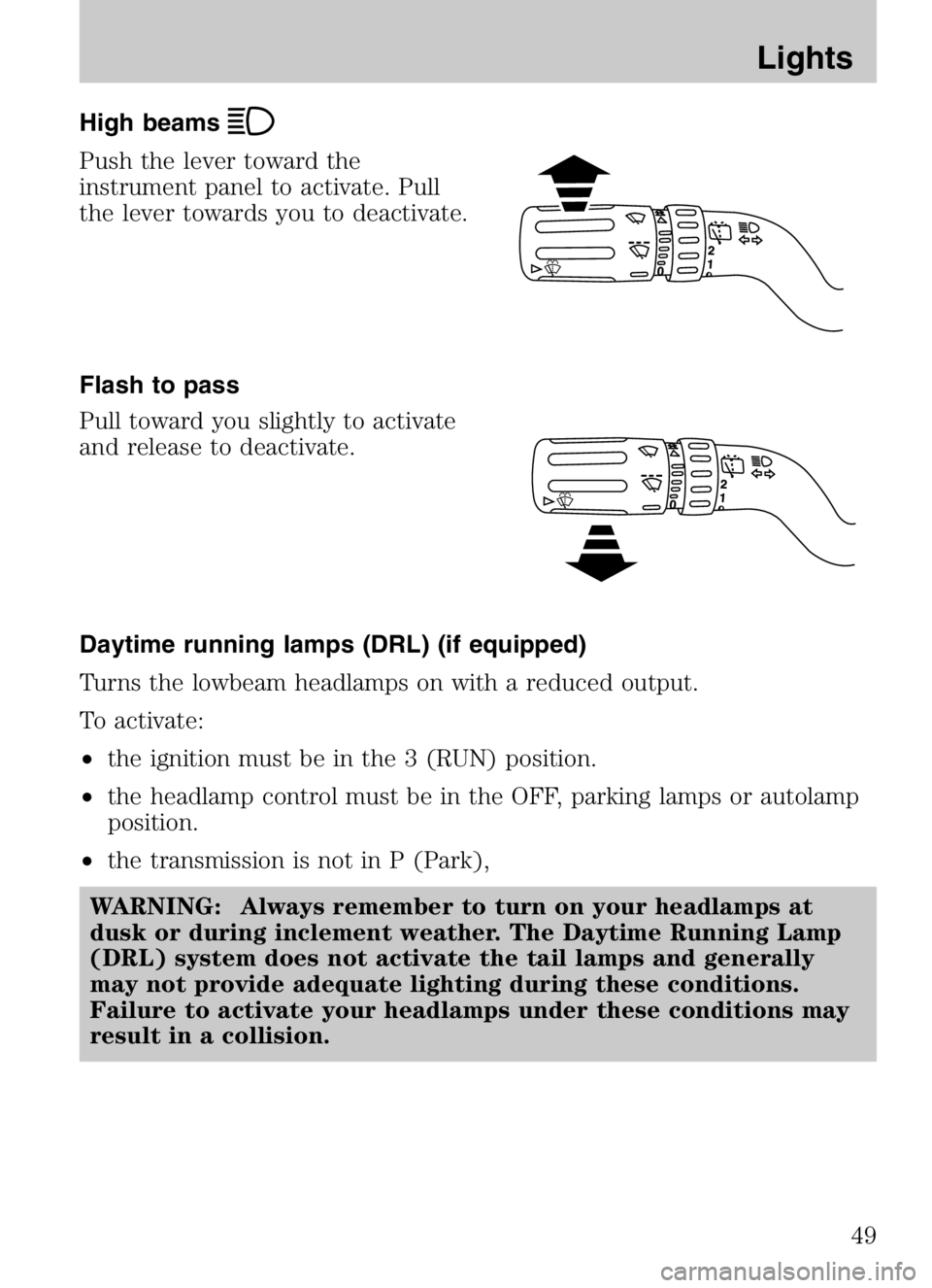
High beams
Push the lever toward the
instrument panel to activate. Pull
the lever towards you to deactivate.
Flash to pass
Pull toward you slightly to activate
and release to deactivate.
Daytime running lamps (DRL) (if equipped)
Turns the lowbeam headlamps on with a reduced output.
To activate:
•the ignition must be in the 3 (RUN) position.
• the headlamp control must be in the OFF, parking lamps or autolamp
position.
• the transmission is not in P (Park),
WARNING: Always remember to turn on your headlamps at
dusk or during inclement weather. The Daytime Running Lamp
(DRL) system does not activate the tail lamps and generally
may not provide adequate lighting during these conditions.
Failure to activate your headlamps under these conditions may
result in a collision.
2008 Tribute Hybrid (thv)
Owners Guide (post-2002-fmt)
USA (fus)
Lights
49