battery MAZDA MX5 MIATA 2016 Owner's Guide
[x] Cancel search | Manufacturer: MAZDA, Model Year: 2016, Model line: MX5 MIATA, Model: MAZDA MX5 MIATA 2016Pages: 526, PDF Size: 10.44 MB
Page 243 of 526
5–43
Interior Features
Audio System
*Some models.
Favorites Radio
Selected stations can be registered for
convenient operation. Up to 50 stations
can be registered. The Favorites list is
common to AM, FM, and satellite radio.
Registering to Favorites
Long-press the
icon to register the
current radio station. The registration can
also be performed using the following
procedure.
1. Select the icon to display the
Favorites list.
2. Select .
3. Select .
4. The station is added to the bottom of
the Favorites list.
NOTE
If the battery is disconnected, your
Favorites list will not be deleted.
Selecting radio station from Favorites
1. Select the icon to display the
Favorites list.
2. Select the radio frequency to tune in the
radio station.
Deleting from Favorites
1. Select the icon to display the
Favorites list.
2. Select .
3. Select .
4. Select the radio frequency you want to
delete.
5. Select .
Changing Favorites list order
1. Select the icon to display the
Favorites list.
2. Select .
3. Select .
4. Select a radio frequency . The selected
radio station can be moved.
5. Slide the radio station or move it using
the commander switch, then select .
Radio Broadcast Data System (RBDS)*
Radio text information display
Radio text information sent from a
broadcasting station is displayed in the
center display.
NOTE
Radio text information is a function of FM
radio. Text information is not displayed in
the following:
During reception Not an RBDS broadcast RBDS broadcast, but radio text is not
transmitted from the radio station
Genre Seek
Some FM stations transmit Genre codes
(Program type like a Rock, News, and so
on). This code enables alternative stations
transmitting the same Genre code to be
found quickly.
(To scan for Genre Seek:)
1. Select the icon while in the FM
mode.
2. Select to open the genre list.
3. Select the genre type you want to
select.
4. Select the , icon.
MX-5_8EU4-EA-15D_Edition4.indb 432016/01/20 11:05:57
Page 258 of 526
5–58
Interior Features
Audio System
CAUTION
Depending on the portable audio
device, noise may occur when the
device is connected to the vehicle
accessory socket. (If noise occurs, do
not use the accessory socket.)
NOTE
This mode may not be usable depending
on the portable audio device to be
connected.
Before using the auxiliary jack/USB
port, refer to the instruction manual for
the portable audio device.
Use a commercially-available, non-
impedance (3.5) stereo mini plug for
connecting the portable audio unit to
the auxiliary jack. Before using the
auxiliary jack, read the manufacturer's
instructions for connecting a portable
audio unit to the auxiliary jack.
To prevent discharging of the battery,
do not use the auxiliary input for long
periods with the engine off or idling.
When connecting a device to the
auxiliary jack or USB port, noise may
occur depending on the connected
device. If the device is connected to the
vehicle's accessory socket, the noise can
be reduced by unplugging it from the
accessory socket.
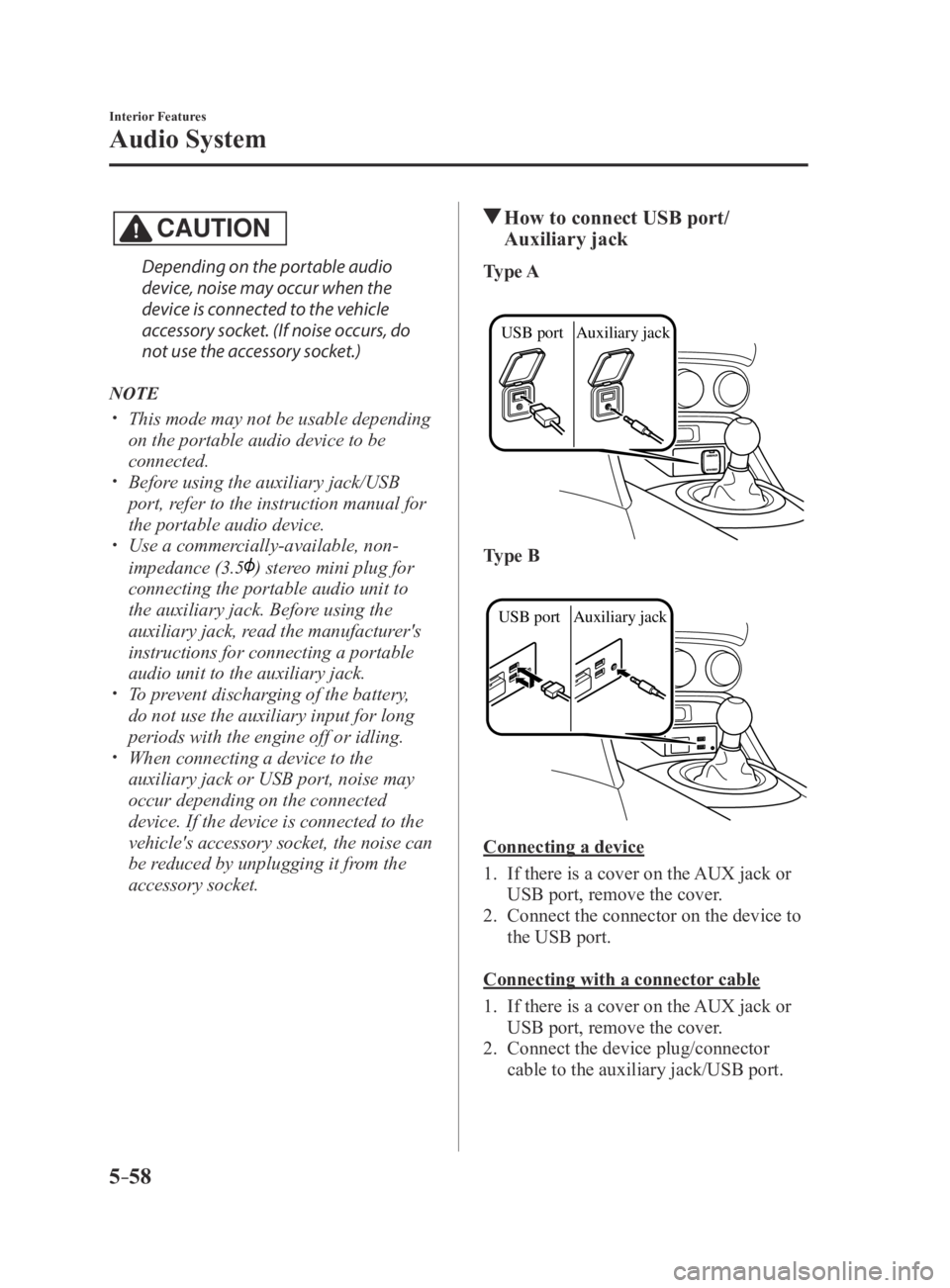
How to connect USB port/
Auxiliary jack
Type A
USB port Auxiliary jack
Type B
USB port Auxiliary jack
Connecting a device
1. If there is a cover on the AUX jack or
USB port, remove the cover.
2. Connect the connector on the device to
the USB port.
Connecting with a connector cable
1. If there is a cover on the AUX jack or
USB port, remove the cover.
2. Connect the device plug/connector
cable to the auxiliary jack/USB port.
MX-5_8EU4-EA-15D_Edition3.indb 582015/10/21 16:54:21
Page 312 of 526

5–112
Interior Features
Bluetooth®
*Some models.
Bluetooth® Audio (Type A)*
Applicable Bluetooth® specification
(Recommended)
Ver. 2.0
Response profile
A2DP (Advanced Audio Distribution
Profile) Ver. 1.0/1.2 AVRCP (Audio/Video Remote Control
Profile) Ver. 1.0/1.3
A2DP is a profile which transmits only
audio to the Bluetooth
® unit. If your
Bluetooth® audio device corresponds
only to A2DP, but not AVRCP, you
cannot operate it using the control panel
of the vehicle's audio system. In this
case, only the operations on the mobile
device are available the same as when a
portable audio device for a non-compliant
Bluetooth
® device is connected to the
AUX terminal.
Function A2DPAVRCP
Ver. 1.0 Ver. 1.3
Playback —XX
Pause —XX
File (Track) up/down —XX
Reverse —— X
Fast-forward —— X
Text display —— X
X: Available
—: Not available
NOTE
The battery consumption of Bluetooth®
audio devices increases while
Bluetooth
® is connected. If a general mobile phone device is
USB connected during music playback
over the Bluetooth® connection, the
Bluetooth® connection is disconnected.
For this reason, you cannot have music
playback over a Bluetooth
® connection
and music playback using a USB
connection at the same time.
The system may not operate normally
depending on the Bluetooth® audio
device.
How to Use the Bluetooth® Audio
System
Switching to Bluetooth® audio mode
To listen to music or voice audio recorded
to a Bluetooth
® audio device, switch to
the Bluetooth® audio mode to operate
the audio device using the audio system
control panel. Any Bluetooth
® audio
device must be paired to the vehicle's
Bluetooth
® unit before it can be used.
Refer to Bluetooth® Preparation (Type A)
on page 5-77.
1. Turn on the Bluetooth® audio device's
power.
2. Switch the ignition to ACC or ON.
Make sure that the “ ” symbol is
displayed in the audio display. The
symbol is not displayed if an un-paired
Bluetooth
® audio device is being used
or the vehicle's Bluetooth® unit has a
malfunction.
NOTE
Some Bluetooth® audio devices need a
certain amount of time before the “
”
symbol is displayed.
MX-5_8EU4-EA-15D_Edition3.indb 1122015/10/21 16:54:48
Page 315 of 526

5–115
Interior Features
Bluetooth®
A2DP is a profile which transmits only
audio to the Bluetooth® unit. If your
Bluetooth® audio device corresponds
only to A2DP, but not AVRCP, you
cannot operate it using the control panel
of the vehicle's audio system. In this
case, only the operations on the mobile
device are available the same as when a
portable audio device for a non-compliant
Bluetooth
® device is connected to the
AUX terminal.
Function A2DP AVRCP
Ver. 1.0 Ver. 1.3 Ver. 1.4
Playback XX X X
Pause XX X X
File (Track)
up/down —
X X X
Reverse —— XX
Fast-forward —— XX
Text display —— XX
Repeat ——
Depends
on
device Depends
on
device
Shuffle ——Depends
on
device Depends
on
device
Scan ——Depends
on
device Depends
on
device
Folder up/
down —
— —Depends
on
device
X: Available
—: Not available
NOTE
The battery consumption of Bluetooth®
audio devices increases while
Bluetooth
® is connected. If a general mobile phone device is
USB connected during music playback
over the Bluetooth® connection, the
Bluetooth® connection is disconnected.
For this reason, you cannot have music
playback over a Bluetooth
® connection
and music playback using a USB
connection at the same time.
The system may not operate normally
depending on the Bluetooth® audio
device.
MX-5_8EU4-EA-15D_Edition3.indb 1152015/10/21 16:54:49
Page 318 of 526

5–118
Interior Features
Bluetooth®
Example of use (When searching for a
song from the top level of a device)
1. Select the icon to display the
folder/file list at the top level.
2. When the folder is selected, folders/file
lists in the folder are displayed.
When the playlist is selected, the file
list is displayed.
3. Select the desired song.
NOTE
Select to move to a folder one level
higher.
Bluetooth® Audio Device
Information Display
If a Bluetooth® audio device is connected,
the following information is displayed in
the center display.
AVRCP
Ver. lower than 1.3 AVRCP
Ver. 1.3 AVRCP
Ver. 1.4 or higher
Device name XXX
Remaining
battery
charge of
device X
XX
Song name —XX
Artist name —XX
Album name —XX
Playback
time —
XX
Genre name —XX
Album art
image —
——
X: Available
—: Not available
NOTE
Some information may not display
depending on the device, and if the
information cannot be displayed,
“Unknown - - -” is indicated.
MX-5_8EU4-EA-15D_Edition4.indb 1182016/01/20 11:06:37
Page 330 of 526

5–130
Interior Features
Bluetooth®
Regarding problems with calls
SymptomCauseSolution method
When starting a call, vehicle noise
from the other party can be heard For about three seconds after
starting a call, the Bluetooth
®
unit's Noise Suppression function
requires time to adapt to the call
environment. This does not indicate a problem
with the device.
The other party cannot be heard or
the speaker's voice is quiet The volume is set at zero or low.
Increase the volume.
Other problems
Symptom CauseSolution method
The indication for the remaining
battery is different between the
vehicle and the device The indication method is different
between the vehicle and the device.
—
When a call is made from the
vehicle, the telephone number is
updated in the incoming/outgoing
call record but the name does not
appear The number has not been registered
into the phonebook.If the number has been registered
into the phonebook, the incoming/
outgoing call record is updated by
the name in the phonebook when the
engine is restarted.
The cell phone does not synchronize
with the vehicle regarding the
incoming/outgoing call record Some types of cell phones do not
synchronize automatically.
Operate the cell phone for
synchronization.
It takes a long time to complete the
function for changing the language A maximum of 60 seconds is
required.
—
MX-5_8EU4-EA-15D_Edition3.indb 1302015/10/21 16:54:57
Page 331 of 526

5–131
Interior Features
Interior Equipment
Sunvisors
When you need a sunvisor, lower it for use
in front.
Vanity Mirrors
To use the vanity mirror, lower the
sunvisor.
Interior Lights
Overhead Light
Switch
Position Overhead Light
Light off
Light is on when any door is openLight is on or off when the
illuminated entry system is on
Light on
Trunk Light
The trunk light is on when the lid is open
and off when it's closed.
NOTE
To prevent the battery from being
discharged, do not leave the trunk open
for a long period when the engine is not
running.
MX-5_8EU4-EA-15D_Edition3.indb 1312015/10/21 16:54:58
Page 332 of 526

5–132
Interior Features
Interior Equipment
Illuminated Entry System
The overhead light turns on when any
of the following operations is done with
the overhead light switch in the DOOR
position and the ignition switched off.
Turn on for about 30 seconds when the
driver's door is unlocked. Turn on for about 15 seconds when a
door is opened with a key left in the
vehicle and then the door is closed.
Turn on for about 5 seconds when a
door is opened from the outside with a
key being carried and then the door is
closed.
The overhead light turns on for about 15
seconds when the ignition is switched
off with the overhead light switch in the
DOOR position.
The overhead light turns off immediately
in the following cases:
The ignition is switched on and both
doors are closed. The driver's door is locked.
NOTE
Battery saver
If any door is left open with the
overhead light switch in the DOOR
position, or the trunk lid is left open,
the overhead light or trunk light turns
off after about 30 minutes to prevent
battery depletion.
To prevent battery depletion, if the
interior lights remain turned on (the
interior light switch is in the ON
position), they turn off automatically
under the following conditions:
No operations are done for about 30
minutes after the ignition is switched
off.
When the LOCK button on the key
is pressed or the request switch
is pressed to lock the doors on
vehicles with the advanced keyless
function after the ignition is switched
off (interior lights turn off a few
seconds).
In addition, if the following operations
are performed after turning the interior
lights off, they will turn on again.
The ignition is switched to a position
other than OFF. A door is opened. A door is unlocked.
The operation of the illuminated entry
system can be changed.
Refer to Personalization Features on
page 9-9.
MX-5_8EU4-EA-15D_Edition3.indb 1322015/10/21 16:54:58
Page 333 of 526

5–133
Interior Features
Interior Equipment
Accessory Sockets
The accessory socket is located deep in the
back of the footwell on the passenger side.
Only use genuine Mazda accessories or
the equivalent requiring no greater than
120 W (DC 12 V, 10 A).
The ignition must be switched to ACC or
ON.
CAUTION
To prevent accessory socket damage or
electrical failure, pay attention to the
following:
Do not use accessories that require
more than 120 W (DC 12 V, 10 A). Do not use accessories that are not
genuine Mazda accessories or the
equivalent.
Close the cover when the accessory
socket is not in use to prevent foreign
objects and liquids from getting into
the accessory socket.
Correctly insert the plug into the
accessory socket. Do not insert the cigarette lighter into
the accessory socket.
Noise may occur on the audio playback
depending on the device connected to
the accessory socket.
Depending on the device connected
to the accessory socket, the vehicle's
electrical system may be affected,
which could cause the warning light to
illuminate. Disconnect the connected
device and make sure that the problem
is resolved. If the problem is resolved,
disconnect the device from the socket
and switch the ignition off. If the
problem is not resolved, consult an
Authorized Mazda Dealer.
NOTE
To prevent discharging of the battery, do
not use the socket for long periods with the
engine off or idling.
MX-5_8EU4-EA-15D_Edition3.indb 1332015/10/21 16:54:59
Page 339 of 526

6–1
6Maintenance and Care
How to keep your Mazda in top condition.
Essential Information
........................................................................\
6-2
Introduction
........................................................................\
...........6-2
Scheduled Maintenance
.....................................................................6-4
Scheduled Maintenance (U.S.A., Canada, and Puerto Rico)
........6-4
Scheduled Maintenance (Mexico)
..............................................6-13
Maintenance Monitor
..................................................................6-20
Owner Maintenance
........................................................................\
.6-22
Owner Maintenance Precautions
................................................6-22
Hood
........................................................................\
....................6-24
Engine Compartment Overview
.................................................6-26
Engine Oil
........................................................................\
...........6-27
Engine Coolant
........................................................................\
....6-29
Brake/Clutch Fluid
......................................................................6-31
Washer Fluid
........................................................................\
.......6-31
Body Lubrication
........................................................................\
6-32
Wiper Blades
........................................................................\
.......6-33
Battery
........................................................................\
.................6-36
Key Battery Replacement
...........................................................6-38
Tires ........................................................................\
..................... 6-41
Light Bulbs
........................................................................\
..........6-45
Fuses
........................................................................\
...................6-54
Appearance Care ........................................................................\
...... 6-59
Exterior Care
........................................................................\
.......6-59
Interior Care
........................................................................\
........6-66
MX-5_8EU4-EA-15D_Edition3.indb 12015/10/21 16:55:03