display remains on MERCEDES-BENZ A-CLASS HATCHBACK 2018 Owners Manual
[x] Cancel search | Manufacturer: MERCEDES-BENZ, Model Year: 2018, Model line: A-CLASS HATCHBACK, Model: MERCEDES-BENZ A-CLASS HATCHBACK 2018Pages: 609, PDF Size: 10.73 MB
Page 203 of 609
Pe
rm anent limi ter
If th eve hicle should ne verexc eed a specific
speed (e.g. for driving in winter tyre mode), you
can set this speed with the permanent limiter.
Yo u do this by limiting the speed toava lue
between 160 km/h and 240 km/h in the multi‐
media sy stem (→ page 200).
Shortly before the set speed is reached, it
appears in the multifunction displa y.When you
confirm the message with %, display mes‐
sages no longer appear until you swit choff the
ve hicle. The speed will only be displa yed again
once theve hicle has been restar ted.
The permanent limiter does not switch topas‐
sive mode even du ring kickdown and the driven
speed remains below the set speed.
Setting the speed limitation for winter tyres
Multimedia sy stem:
, © .
Settings .
Fahrzeug (Vehi‐
cle) .
Winter tyres limit #
Select a speed or deactivate the function. Ac
tive Di stance Assist DISTRO NIC Fu
nction of Active Di stance Assist
DISTRO NIC Ac
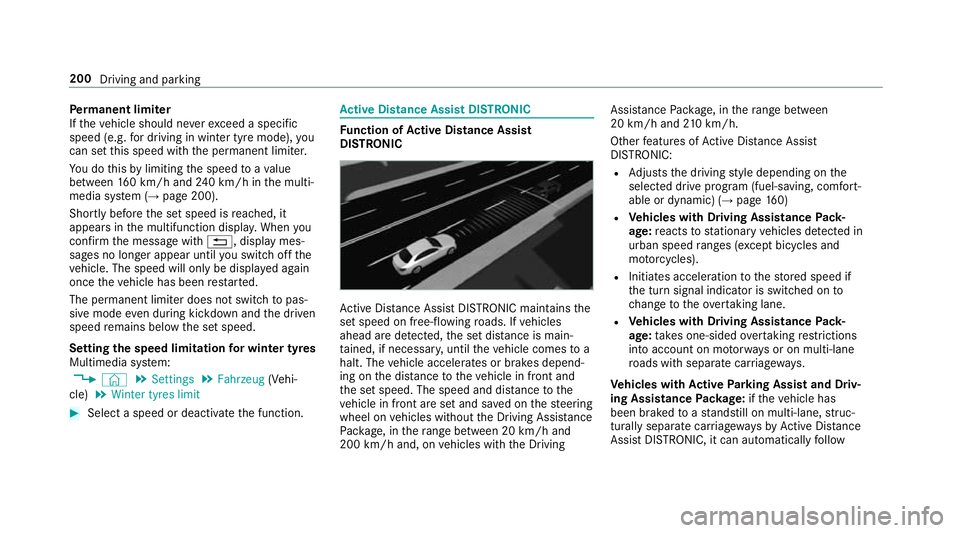
tive Dis tance Assi stDISTRONIC maintains the
set speed on free-flowing roads. If vehicles
ahead are de tected, the set dis tance is main‐
ta ined, if necessar y,until theve hicle comes to a
halt. The vehicle accelerates or brakes depend‐
ing on the dis tance totheve hicle in front and
th e set speed. The speed and dis tance tothe
ve hicle in front are set and sa ved on thesteering
wheel on vehicles without the Driving Assis tance
Pa ckage, in thera nge between 20 km/h and
200 km/h and, on vehicles with the Driving Assis
tance Package, in thera nge between
20 km/h and 210 km/h.
Other features of Active Dis tance Assi st
DISTRONIC:
R Adjusts the driving style depending on the
selected drive program (fuel-saving, comfort‐
able or dynamic) (→ page160)
R Vehicles with Driving Assistance Pack‐
age: reacts tostationary vehicles de tected in
urban speed ranges (e xcept bicycles and
mo torcyc les).
R Initiates acceleration tothestored speed if
th e turn signal indicator is switched on to
ch ange totheove rtaking lane.
R Vehicles with Driving Assistance Pack‐
age: take s one-sided overtaking restrictions
into account on mo torw ays or on multi-lane
ro ads with separate car riag ewa ys.
Ve hicles with Active Park ing Assist and Driv‐
ing Assistance Package: ifth eve hicle has
been braked toast andstill on multi-lane, stru c‐
turally separate car riag ewa ysby Active Dis tance
Assi stDISTRONIC, it can au tomatical lyfollow 200
Driving and parking
Page 212 of 609
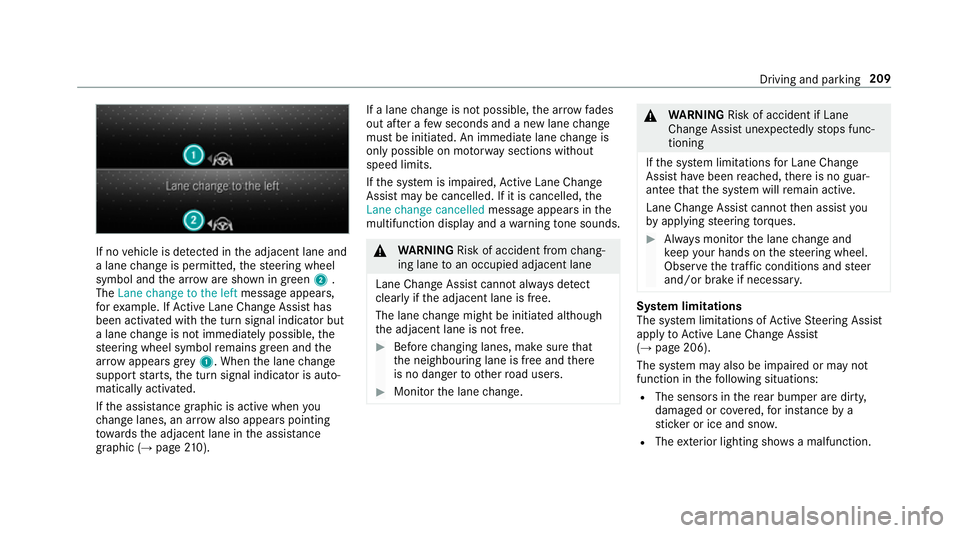
If no
vehicle is de tected in the adjacent lane and
a lane change is permit ted, thesteering wheel
symbol and the ar row are shown in green 2.
The Lane change to the left message appears,
fo rex ample. If Active Lane Change Assi sthas
been activated with the turn signal indicator but
a lane change is not immediately possible, the
st eering wheel symbol remains green and the
ar row appears grey 1 . When the lane change
suppo rtstarts, the turn signal indicator is auto‐
matically activated.
If th e assis tance graphic is acti vewhen you
ch ange lanes, an ar rowalso appears pointing
to wa rdsth e adjacent lane in the assis tance
graphic (→ page 210). If a lane
change is not possible, the ar row fa des
out af ter a few seconds and a new lane change
must be initiated. An immediate lane change is
on ly possible on mo torw ay sections without
speed limits.
If th e sy stem is impaired, Active Lane Change
Assi stmay be cancelled. If it is cancelled, the
Lane change cancelled message appears inthe
multifunction display and a warning tone sounds. &
WARNING Risk of accident from chang‐
ing lane toan occupied adjacent lane
Lane Chan geAssi stcannot al ways detect
clear lyifth e adjacent lane is free.
The lane change might be initiated although
th e adjacent lane is not free. #
Before changing lanes, make sure that
th e neighbouring lane is free and there
is no danger to otherroad users. #
Monitor the lane change. &
WARNING Risk of accident if Lane
Change Assi stunexpectedly stops func‐
tioning
If th e sy stem limitations for Lane Change
Assist ha vebeen reached, there is no guar‐
antee that the sy stem will remain active.
Lane Change Assist cannot then assist you
by applying steering torques. #
Alw ays monitor the lane change and
ke ep your hands on thesteering wheel.
Obser vethe tra ffic conditions and steer
and/or brake if necessar y. Sy
stem limitations
The sy stem limitations of Active Steering Assist
apply toActive Lane Change Assi st
( → page 206).
The sy stem may also be impaired or may not
function in thefo llowing situations:
R The sensors in there ar bumper are dirty,
damaged or co vered, for ins tance by a
st icke r or ice and sno w.
R The exterior lighting sho wsa malfunction. Driving and parking
209
Page 221 of 609
Ad
justing the pitch of the warning tones #
Select Warning tone pitch.
Set a value.
Specifying thest arting point for the warning
to nes
Yo u can specify whe ther thePa rking Assist
PA RKTRONIC warning tones should commence
when theve hicle is fur ther aw ay from an obs ta‐
cle. #
Select Warn early all-round. #
Activate or deacti vate the function.
Ac tivating/deactivating audio fadeout
Yo u can specify whe ther thevo lume of a media
source in the multimedia sy stem is tobe
re duced when Parking Assist PARKTRONIC gives
an audible warning. #
Select Audio fadeout during warning tones .#
Activate or deacti vate the function. Re
versing camera Fu
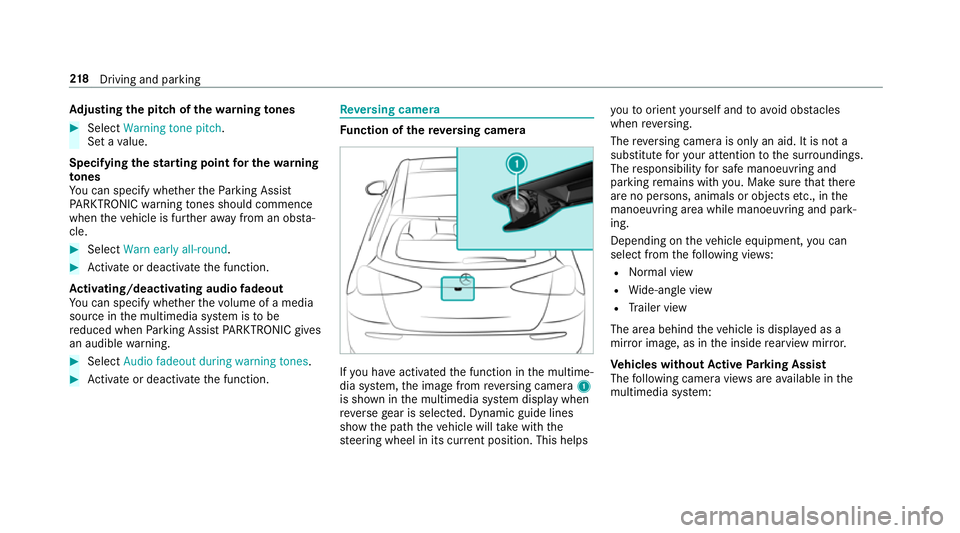
nction of there ve rsing camera If
yo u ha veactivated the function in the multime‐
dia sy stem, the image from reve rsing camera 1
is shown in the multimedia sy stem display when
re ve rsege ar is selec ted. Dynamic guide lines
show the path theve hicle will take with the
st eering wheel in its cur rent position. This helps yo
uto orient yourself and to avoid obs tacles
when reve rsing.
The reve rsing camera is only an aid. It is not a
substitute foryo ur attention tothe sur roundings.
The responsibility for safe manoeuvring and
parking remains with you. Make sure that there
are no persons, animals or objects etc., in the
manoeuvring area while manoeuvring and park‐
ing.
Depending on theve hicle equipment, you can
select from thefo llowing vie ws:
R Normal view
R Wide-angle view
R Trailer view
The area behind theve hicle is displa yed as a
mir ror image, as in the inside rearview mir ror.
Ve hicles without Active Parking Assist
The following camera vie wsare available in the
multimedia sy stem: 218
Driving and pa rking
Page 224 of 609
R
The camera lens is obstructed, dirty or mis‐
te d up. Obser vethe no tes on cleaning the
re ve rsing camera (→ page 432).
R The camera or rear of your vehicle is dam‐
aged. In this case, ha vethe camera and its
position and setting checked at a qualified
specialist workshop.
% Do not use there ve rsing camera in these
types of situation. You could otherwise injure
ot hers or collide with objects when parking
th eve hicle.
If th eve hicle is car rying a heavy load, leaving the
st andard height can result in inaccuracies in the
guide lines and in the display of thege nerated
ima ges, depending on tech nical conditions.
The field of vision and other functions of the
re ve rsing camera may be restricted due toaddi‐
tional accesso ries on there ar of theve hicle (e.g.
licence plate brac ket or bicycle rack ).
% The contrast of the display may be impaired
by direct sunlight or by other light sources,
e.g. when driving out of a garage . In this
case, pay particular attention. %
Have the display repaired or replaced if, for
ex ample, pixel er rors considerably restrict its
use. 360° Came
ra Fu
nction of the 360° Camera
The 360° Camera is a sy stem that consists of
fo ur cameras. The cameras co verth e immediate
ve hicle sur roundings. The sy stem assists you,
e.g. when parking or at exits with reduced visibil‐
ity.
The 360° Camera is only an aid. It is not a sub‐
st itute foryo ur attention tothe sur roundings.
The responsibility for safe manoeuvring and
parking remains with you. Make sure that there
are no persons, animals or objects etc., in the
manoeuvring area while manoeuvring and park‐
ing.
The sy stem evaluates images from thefo llowing
cameras:
R Reversing camera
R Front camera
R Two side cameras in the outside mir rors Vi
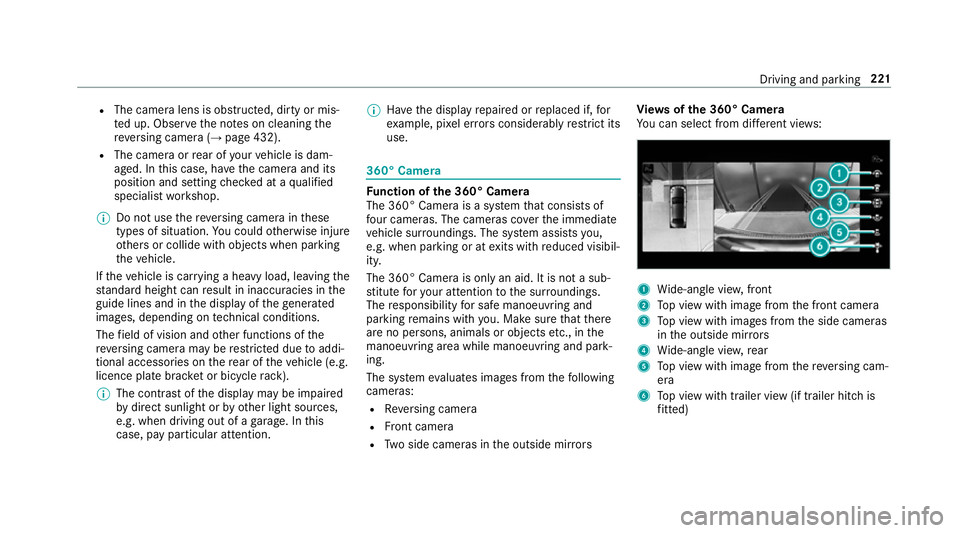
ew s of the 360° Camera
Yo u can select from dif fere nt vie ws: 1
Wide-angle vie w,front
2 Top view with image from the front camera
3 Top view with images from the side cameras
in the outside mir rors
4 Wide-angle vie w,rear
5 Top view with image from there ve rsing cam‐
era
6 Top view with trailer view (if trailer hitch is
fi tted) Driving and pa
rking 221
Page 227 of 609
Sy
stem limitations
The 360° Camera will not function or will only
partially function in thefo llowing situations:
R The doors are open.
R The side mir rors are folded in.
R The tailgate is open.
R There is heavy rain, snow or fog.
R The light conditions are poor, e.g. at night.
R The camera lens is obstructed, dirty or mis‐
ted up.
R Cameras, or vehicle components in which
th e cameras are fitted, are dama ged. In this
eve nt, ha vethe cameras, their positions and th
eir setting checked at a qualified specialist
wo rkshop.
% Do not use the 360° Camera under such cir‐
cums tances. You could otherwise injure oth‐
ers or collide with objects when parking the
ve hicle.
If th eve hicle is car rying a heavy load, leaving the
st andard height can result in inaccuracies in the
guide lines and in the display of thege nerated
ima ges, depending on tech nical conditions.
The field of vision and other functions of the
came rasystem may be restricted due toaddi‐
tional attachments on theve hicle (e.g. licence
plate brac ket, bicycle rack ).
% The contrast of the display may be impaired
by abrupt direct sunlight or by other light
sources, e.g. when driving out of a garage . In
th is case, pay particular attention.
% Have the display repaired or replaced if, for
ex ample, pixel er rors considerably restrict its
use.
See the no tes on cleaning the 360° Camera
(→ page 432). Selecting a view
for the 360° Camera
Re quirements:
R The Auto reversing camera function is activa‐
te d in the multimedia sy stem (→ page 224). #
Enga gereve rsege ar. #
Inthe multimedia sy stem, select the desired
vie w.
Switching reve rsing camera automatic mode
on/off
The reve rsing camera is only an aid. It is not a
substitute foryo ur attention tothe sur roundings.
The responsibility for safe manoeuvring and
parking remains with you. Make sure that no
persons, animals or objects etc. are in the
manoeuvring range. Pay attention to your sur‐
ro undings and be ready tobrake at all times.
Multimedia sy stem:
, © .
Settings .
Assis-
tance .
Camera & parking #
Switch Auto reversing camera on or off.224
Driving and parking
Page 228 of 609
Opening
the camera co ver of the reve rsing
camera
Multimedia sy stem:
, © .
Settings .
Assis-
tance .
Camera & parking #
Select Open camera cover.
% The camera co ver closes auto maticallyafter
some time or af ter an ignition cycle.
Setting the camera as a favo urite
Yo u can call up the camera view directly in the
multimedia sy stem bysetting it as a favo urite. #
Press theò button on theto uchpad.
The main functions are displ ayed. #
Navigate down wards twice.
The Favourites menu appears. #
Select New favourite. #
Select Vehicle . #
Select Camera. Ac
tive Parking Assist Fu
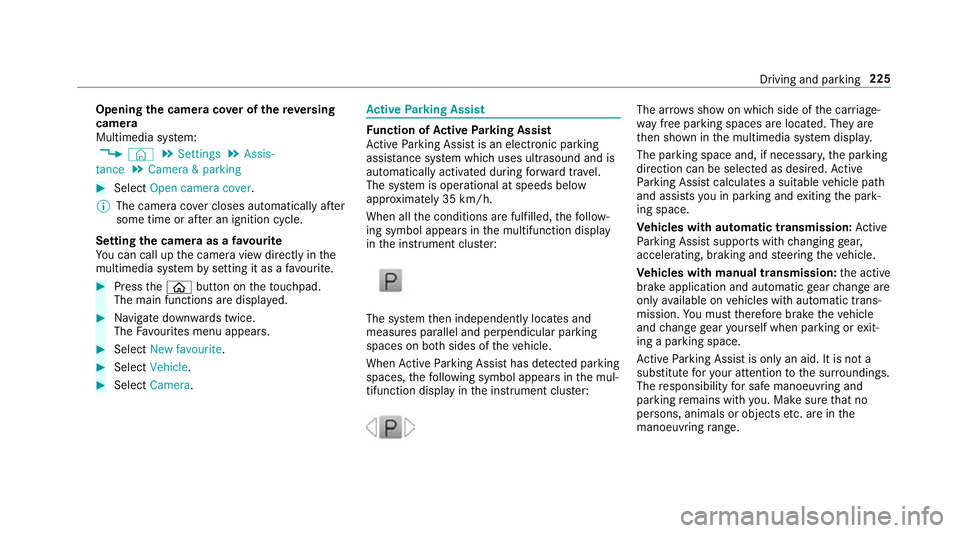
nction of Active Parking Assist
Ac tive Parking Assist is an elect ronic pa rking
assis tance sy stem which uses ultrasound and is
automatically activated during forw ard tra vel.
The sy stem is operational at speeds below
appr oximately 35 km/h.
When all the conditions are fulfilled, thefo llow‐
ing symbol appears in the multifunction display
in the instrument clus ter: The sy
stem then independently locates and
measures parallel and perpendicular parking
spaces on bo thsides of theve hicle.
When Active Parking Assist has de tected pa rking
spaces, thefo llowing symbol appears in the mul‐
tifunction display in the instrument clus ter: The ar
rows show on which side of the car riage‐
wa y free parking spaces are located. They are
th en shown in the multimedia sy stem displa y.
The parking space and, if necessar y,the parking
direction can be selected as desired. Active
Pa rking Assist calculates a suitable vehicle path
and assists you in parking and exiting the park‐
ing space.
Ve hicles with automatic transmission: Active
Pa rking Assist supports with changing gear,
accelerating, braking and steering theve hicle.
Ve hicles with manual transmission: the active
brake application and automatic gear change are
on lyavailable on vehicles with automatic trans‐
mission. You must therefore brake theve hicle
and change gear yourself when parking or exit‐
ing a parking space.
Ac tive Parking Assist is only an aid. It is not a
substitute foryo ur attention tothe sur roundings.
The responsibility for safe manoeuvring and
parking remains with you. Make sure that no
persons, animals or objects etc. are in the
manoeuvring range. Driving and pa
rking 225
Page 233 of 609
te
m display: select the cor responding trans‐
mission position.
The vehicle mo ves out of the parking space.
The turn signal indicator is switched off auto‐
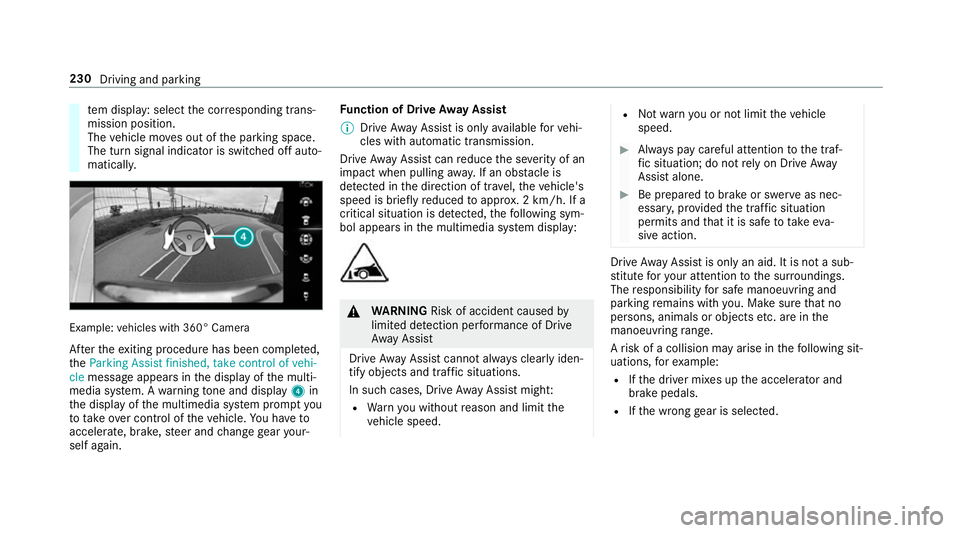
maticall y. Example:
vehicles with 360° Camera
Af terth eex iting procedure has been comple ted,
th eParking Assist finished, take control of vehi-
cle message appears in the display of the multi‐
media sy stem. A warning tone and displ ay4 in
th e display of the multimedia sy stem prom ptyou
to tak eove r control of theve hicle. You ha veto
accelerate, brake, steer and change gear your‐
self again. Fu
nction of Drive Away Assist
% Drive AwayAssi stis only available forve hi‐
cles with automatic transmission.
Drive AwayAssi stcan reduce the se verity of an
impact when pulling away. If an obs tacle is
de tected in the direction of tr avel, theve hicle's
speed is brief lyreduced toappr ox. 2 km/h. If a
critical situation is de tected, thefo llowing sym‐
bol appears in the multimedia sy stem display: &
WARNING Risk of accident caused by
limited de tection per form ance of Drive
Aw ayAssi st
Drive AwayAssi stcannot al ways clearly iden‐
tify objects and traf fic situations.
In su chcases, Drive AwayAssi stmight:
R Warnyou without reason and limit the
ve hicle speed. R
Not warnyou or not limit theve hicle
speed. #
Alw ays pay careful attention tothe traf‐
fi c situation; do not rely on Drive Away
Assi stalone. #
Be prepared tobrake or swer veas nec‐
essar y,prov ided the tra ffic situation
permits and that it is safe totake eva‐
sive action. Drive
AwayAssi stis only an aid. It is not a sub‐
st itute foryo ur attention tothe sur roundings.
The responsibility for safe manoeuvring and
parking remains with you. Make sure that no
persons, animals or objects etc. are in the
manoeuvring range.
A risk of a collision may arise in thefo llowing sit‐
uations, forex ample:
R Ifth e driver mixes up the accelera tor and
brake pedals.
R Ifth e wrong gear is selec ted. 230
Driving and parking
Page 354 of 609
R
You ha vea user account on the Mercedes
me website.
The Live Traf fic Information service must be reg‐
is te re d. This secures the full period of three
ye ars. #
Create a user account at Mercedes me at:
http://www.mercedes.me. A valid email
address is requ ired forth is. #
Regis terth eve hicle using theve hicle identifi‐
cation number (VIN). #
Tocar ryout there gistration yourself: con‐
nect theve hicle with your Mercedes me user
account in the Mercedes me por tal.
A code is sent tothe multimedia sy stem. #
Ente rth e code into the multimedia sy stem. #
Accept thege neral and specific term s of use. #
Registration in the Mercedes-Benz
service centre: have the connection car ried
out at a Mercedes-Benz service cent re.Extending a Live
Traf fic Information sub‐
scription
Re quirements:
R The vehicle is equipped with Live Traf fic
Information.
R You ha vea user account on the Mercedes
me website. #
Call up the Mercedes me website. #
Call up the Mercedes me user account. #
Switch tothe Mercedes me connect online
st ore via the linked vehicle. #
Select the Live Traf fic Information service. #
Select there ne wa l period. #
Addth e product tothe shopping bask et. #
Accept thege neral and specific term s of use.
Live Traf fic Information remains activated for
th e selected extension pe riod. Activation
begins on the date of extension. Showing traf
fic information
Re quirements:
R The Traffic display is switched on
(→ page 353).
R The following traf fic displ ays are switched on
(→ page 353):
Traffic incidents
Free-flowing traffic
Delay
Multimedia sy stem:
, © #
Select Navigation.
The map sho ws thefo llowing traf fic information:
R traf fic incidents, forex ample:
- roadwor ks
- road bloc ks
- warning messages
When route guidance is active, the symbols
fo r traf fic incidents will be shown in colour
on thero ute. Off thero ute they are gr ey. MBUX multimedia sy
stem 351
Page 504 of 609
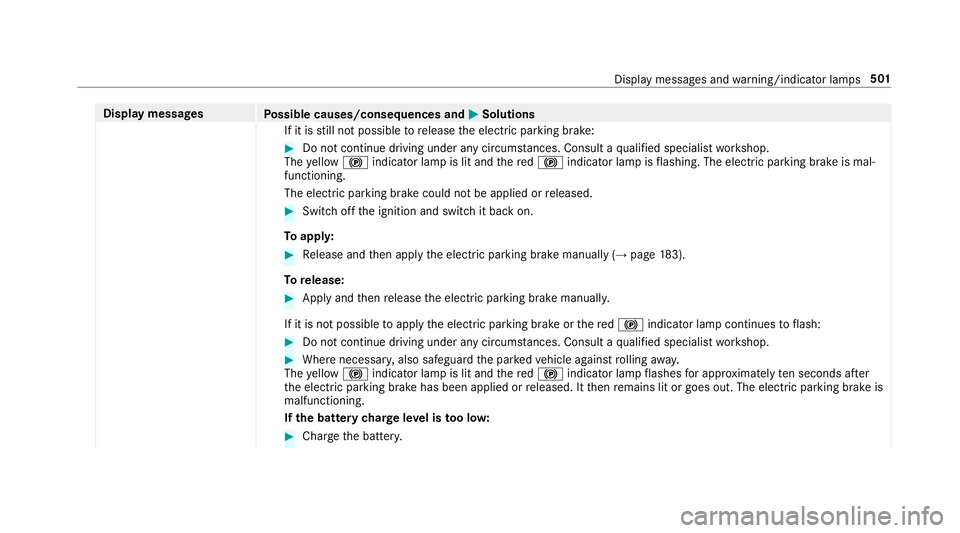
Display messages
Possible causes/consequences and M
MSolutions
If it is still not possible torelease the electric parking brake: #
Do not continue driving under any circums tances. Consult a qualified specialist workshop.
The yellow ! indicator lamp is lit and there d! indicator lamp is flashing. The electric parking brake is mal‐
functioning.
The electric parking brake could not be applied or released. #
Swit choff the ignition and switch it back on.
To appl y: #
Release and then apply the electric parking brake manually (→ page183).
To release: #
Apply and then release the electric parking brake manuall y.
If it is not possible toapply the electric parking brake or there d! indicator lamp continues toflash: #
Do not continue driving under any circum stances. Consult a qualified specialist workshop. #
Where necessar y,also safeguard the par kedve hicle against rolling away.
The yellow ! indicator lamp is lit and there d! indicator lamp flashes for appro ximately ten seconds af ter
th e electric parking brake has been applied or released. It then remains lit or goes out. The electric parking brake is
malfunctioning.
If th e bat tery charge leve l is too lo w: #
Char gethe batter y. Displ
aymessa ges and warning/indicator lamps 501
Page 516 of 609
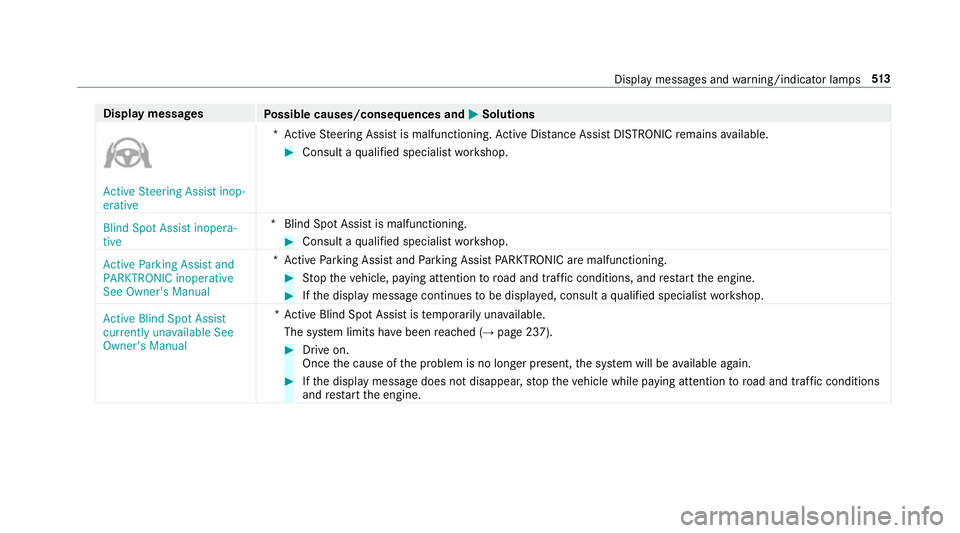
Display messages
Possible causes/consequences and M
MSolutions Active Steering Assist inop-
erative
*A
ctive Steering Assist is malfunctioning. Active Dis tance Assi stDISTRONIC remains available. #
Consult a qualified specialist workshop.
Blind Spot Assist inopera-
tive *B
lind Spot Assist is malfunctioning. #
Consult a qualified specialist workshop.
Active Parking Assist and
PARKTRONIC inoperative
See Owner's Manual *A
ctive Parking Assist and Parking Assist PARKTRONIC are malfunctioning. #
Stop theve hicle, paying attention toroad and traf fic conditions, and restart the engine. #
Ifth e display message continues tobe displa yed, consult a qualified specialist workshop.
Active Blind Spot Assist
currently unavailable See
Owner's Manual *A
ctive Blind Spot Assi stistemp orarily una vailable.
The sy stem limits ha vebeen reached (→ page 237). #
Drive on.
Once the cause of the problem is no longer present, the sy stem will be available again. #
Ifth e display message does not disappear, stop theve hicle while paying attention toroad and traf fic conditions
and restart the engine. Display messages and
warning/indicator lamps 513