navigation MERCEDES-BENZ A-CLASS SALOON 2018 Manual PDF
[x] Cancel search | Manufacturer: MERCEDES-BENZ, Model Year: 2018, Model line: A-CLASS SALOON, Model: MERCEDES-BENZ A-CLASS SALOON 2018Pages: 621, PDF Size: 10.5 MB
Page 393 of 621
If a
telephone number is selec tedth efo llow‐
ing options are available:
R Call
R Write new text message #
Select an option.
Deleting a message
Multimedia sy stem:
4 © 5
Phone 5
Messages #
Select a conta ct.#
Press and hold on a message. #
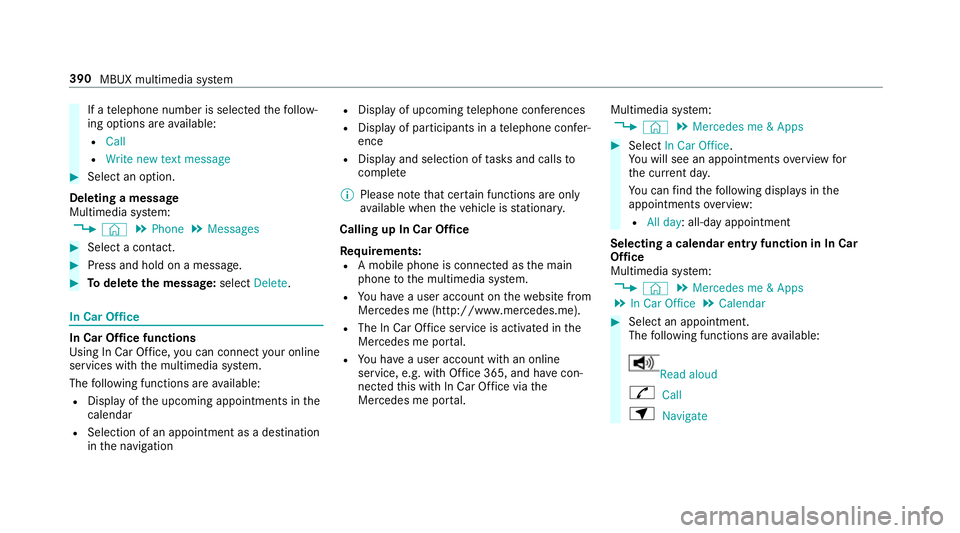
Todel eteth e message: selectDelete. In Car Of
fice In Car Of
fice functions
Using In Car Of fice, you can connect your online
services with the multimedia sy stem.
The following functions are available:
R Display of the upcoming appointments in the
calendar
R Selection of an appointment as a destination
in the navigation R
Display of upcoming telephone con fere nces
R Display of pa rticipants in a telephone con fer‐
ence
R Display and selection of tasks and calls to
compl ete
% Please no tethat cer tain functions are only
av ailable when theve hicle is stationar y.
Calling up In Car Of fice
Re quirements:
R A mobile phone is connec ted as the main
phone tothe multimedia sy stem.
R You ha vea user account on thewe bsite from
Mercedes me (http://www.mercedes.me).
R The In Car Of fice service is acti vated in the
Mercedes me por tal.
R You ha vea user account with an online
service, e.g. with Of fice 365, and ha vecon‐
nected this with In Car Of fice via the
Mercedes me por tal. Multimedia sy
stem:
4 © 5
Mercedes me & Apps #
Select In Car Office.
Yo u will see an appointments overview for
th e cur rent da y.
Yo u can find thefo llowing displa ysinthe
appointments overview:
R All day: all-day appointment
Selecting a calendar entry function in In Car
Of fice
Multimedia sy stem:
4 © 5
Mercedes me & Apps
5 In Car Office 5
Calendar #
Select an appointment.
The following functions are available: Read aloud
R Call
Z Navigate 390
MBUX multimedia sy stem
Page 400 of 621
phone. This enables
youto getth e best out of
selected mobile phone services. Vehicle data is
not directly accessible.
The following sy stem information is transmit ted:
R Software release of the multimedia sy stem
R System ID (anonymised)
The transfer of this data is used tooptimise
communication between theve hicle and the
mobile phone.
To do this, and toassign se veralve hicles tothe
mobile phone, a vehicle identifier is randomly
ge nerated.
This has no connection totheve hicle identifica‐
tion number (VIN) and is dele ted when the multi‐
media sy stem is reset (/ page 327).
The following driving status data is transmit ted:
R Transmission position engaged
R Distinction between par ked, standstill, rolling
and driving
R Day/night mode of the instrument clus terThe transfer of
this data is used toalter how
con tent is displ ayed tocor respond tothe driving
situation.
The following position data is transmitted:
R Coordinates
R Speed
R Compass direction
R Acceleration di rection
This da tais only transfer red while the navigation
sy stem is active, in order toimpr oveit (e.g. so it
can continue functioning when in a tunnel). Mercedes me connect
Note
s on Mercedes me connect
Mercedes me connect pr ovides thefo llowing
services:
R Accident and breakdown mana gement (auto‐
matic accident or breakdown de tection, or
me button)
R Appointment requests or similar (me button) R
Ifth e service is activated: Concier geService
(me button)
R Mercedes-Benz emergency call sy stem (auto‐
matic emer gency call or SOS button)
Mercedes me connect accident and breakdown
management, the Mercedes me connect Con‐
cier geService (if service is acti vated) and the
Mercedes-Benz emer gency call centre are availa‐
ble foryo u around the cloc k.
The me button and the SOS button can be found
on theve hicle's overhead control panel
(/ page 398).
Yo u can also call the Mercedes-Benz Cus tomer
Centre using the multimedia sy stem
(/ page 398).
Please no tethat Mercedes me connect is a
Mercedes-Benz service. In emer gencies, al ways
call the national emer gency services firs t using
th est andard national emer gency service phone
numbe rs. In emergencies, you can also use the
Mercedes-Benz emer gency call sy stem
(/ page 402).
Obser vethe conditions of use for Mercedes me
connect and other services. These can be MBUX multimedia sy
stem 397
Page 428 of 621
include logos, album co
vers, music trac ks, pro‐
grammes, ne wsor service information, forex am‐
ple. #
Select #. Ac
tivating/deactivating the frequency fix
function Multimedia sy
stem:
4 © 5
Radio 5
Z #
Select Frequency fix toswitch on or off.
If th e function is activated, the set frequency
is ke pt eve n ifthere ception is poo r. Ac
tivating/deactivating traf fic announce‐
ments Multimedia sy
stem:
4 © 5
Radio 5
Z #
Switch Traffic announcements on or off. Setting
the traf fic information service vol‐
ume increase Multimedia sy
stem:
4 © 5
Radio 5
Z 5
Sound #
Select Other sound settings. #
Select Navigation and traffic announce-
ments. #
Select TRAFFIC ANNOUNCEMENTS VOL-
UME INCREASE. #
Set a value. #
Toadopt theva lue: select q. Displaying
radio text Multimedia sy
stem:
4 © 5
Radio 5
Z #
Switch Display radio text information on or
off. Sound
To
ne settings Information about
the sound sy stem
The sound sy stem has a total output of 100 W
and is equipped with 6 spea kers. It is available
fo r all functions in thera dio and media modes.
Calling up the sound menu
Multimedia sy stem:
4 © 5
Media 5
Z 5
Sound
The following functions are available:
R Equaliser
R Balance and Fader
R Volume #
Select a function.
Ad justing treble, mid- range and bass set‐
tings
Multimedia sy stem:
4 © 5
Media 5
Z 5
Sound
5 Equaliser #
Set TREBLE, MIDorBASS . MBUX multimedia sy
stem 425
Page 603 of 621
On-board diagnostics inter
face
see Diagno stics connection
On-boa rdelectronics
Engine electronics .............................. .492
No tes .................................................. 492
Tw o-w ayradios .................................... 492
Online services In Car Of fice ........................................ 390
Open-source so ftwa re ............................... 31
Opening the boot lid using your foot
HANDS-FREE ACCESS .......................... .84
Operating fluids
Ad Blue ®
............................................... 500
Ad ditives (fuel) .................................... 498
Brake fluid .......................................... .502
Coolant (engine) .................................. 503
Engine oil ............................................. 501
Fu el (diesel) ......................................... 499
Fu el (petrol) ......................................... 497
No tes .................................................. 496
Wi ndsc reen washer fluid .................... .504
Operating saf ety
Declaration of Conformity (electro‐
magnetic compatibility) ........................ .25Declaration of conformity (ja
ck) ............ 26
Declaration of con form ity (TIREFIT kit) .. 26
Declaration of con form ity (wireless
ve hicle components) ............................. 25
Information ............................................ 24
Operating sy stem
see On-board computer
Outside mir rors ................................ 141, 14 2
Anti-dazzle mode (automatic) .............. 14 2
Au tomatic mir rorfo lding function ........ 14 3
Fo lding in/out ...................................... 141
Operating the memory function ........... 107
Pa rking position .................................. .142
Setting ................................................. 141
Overhead control panel Overview ................................................ 14
Owner's Manual Vehicle equipment ................................. 24
Owner's Manual (digital) .......................... 20 P
Pa int code ................................................ 494
Pa intwork (cleaning instructions) .........439 Pa
nic alarm ................................................ 74
Ac tivating/deactivating ......................... 74
Pa noramic sliding sunroof
see Sliding sunroof
Pa rk position
Inserting .............................................. 17 0
Selecting au tomatically ....................... 17 0
Pa rking
see Electric parking brake
Pa rking (navigation service)
Pa ying parking charge s ........................ 374
Showing a pa rking option on the
map ..................................................... 374
Pa rking (service for navi gation)
No tes ................................................... 373
Selecting pa rking options .................... 373
Pa rking aid
see Parking Assist PARKTRONIC
Pa rking Assist PARKTRONIC .................. 220
Ac tivating ............................................ 222
Ad justing warning tones ...................... 223
Deactivating ........................................ 222
Fu nction .............................................. 220 600
Index