charging MERCEDES-BENZ B-Class ELECTRIC 2016 W246 Owner's Guide
[x] Cancel search | Manufacturer: MERCEDES-BENZ, Model Year: 2016, Model line: B-Class ELECTRIC, Model: MERCEDES-BENZ B-Class ELECTRIC 2016 W246Pages: 342, PDF Size: 7.53 MB
Page 152 of 342
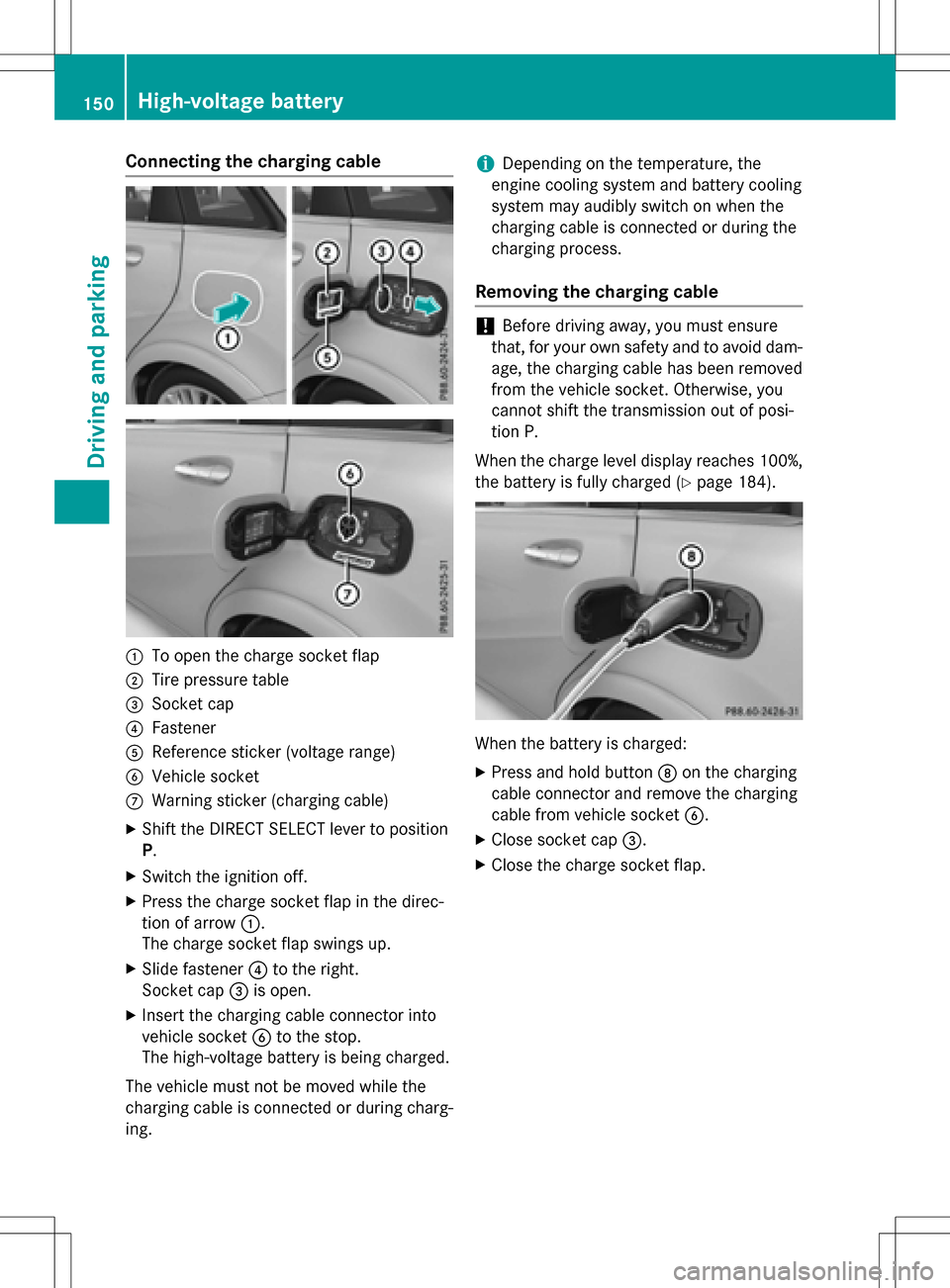
Connecting the charging cable
:To open the charge socket flap
;Tire pressure table
=Socket cap
?Fastener
AReference sticker (voltage range)
BVehicle socket
CWarning sticker (charging cable)
XShift the DIRECT SELECT lever to position
P.
XSwitch the ignition off.
XPress the charge socket flap in the direc-
tion of arrow:.
The charge socket flap swings up.
XSlide fastener ?to the right.
Socket cap =is open.
XInsert the charging cable connector into
vehicle socket Bto the stop.
The high-voltage battery is being charged.
The vehicle must not be moved while the
charging cable is connected or during charg-
ing.
iDepending on the temperature, the
engine cooling system and battery cooling
system may audibly switch on when the
charging cable is connected or during the
charging process.
Removing the charging cable
!Before driving away, you must ensure
that, for your own safety and to avoid dam-
age, the charging cable has been removed
from the vehicle socket. Otherwise, you
cannot shift the transmission out of posi-
tion P.
When the charge level display reaches 100%,
the battery is fully charged (
Ypage 184).
When the battery is charged:
XPress and hold button Don the charging
cable connector and remove the charging
cable from vehicle socket B.
XClose socket cap=.
XClose the charge socket flap.
150High-voltage battery
Driving and parking
Page 153 of 342
Problems with the charging process
ProblemPossible causes/consequences andMSolutions
The charge socket flap
cannot be opened.The charge socket flap is not unlocked.
XUnlock the vehicle (Ypage 72).
The SmartKey batteries are discharged.
XUnlock the vehicle manually using the SmartKey (Ypage 74).
The charge socket flap is unlocked, but the opening mechanism is
jammed.
XLock and unlock the vehicle.
If, after that, the opening mechanism is still jammed:
XConsult a qualified specialist workshop.
The high-voltage bat-
tery is not being
charged.A malfunction has occurred during the initialization of the charging
process.
XEnsure that the charging cable is connected to the electrical
outlet.
XRemove the charging cable connector from the vehicle socket
and wait 30 seconds; then re-insert it into the vehicle socket.
XIf the problem persists, consult a qualified specialist workshop.
The high-voltage bat-
tery is not charged dur-
ing the charging proc-
ess when connected to
a power socket.The electrical outlet is faulty.
XHave the electrical outlet checked to test if it is functioning
properly.
or
XUse a different electrical outlet.
The charging cable con-
nector cannot be
removed from the vehi-
cle socket.The snap fastener on the charging cable connector is locked.
XPress and hold the button on the charging cable connector. The snap fastener on the vehicle socket is unlocked.
XRemove the charging cable connector from the vehicle socket.
The snap fastener on the charging cable connector is blocked.
XPress and hold the button on the charging cable connector.
XTry to remove the blockage.
High-voltage battery151
Driving and parking
Z
Page 155 of 342
Calling up functions in the "My
Mercedes Electric - Vehicle Homepage"
The "My Mercedes Electric - Vehicle Home-
page" allows you access to information about
your vehicle and its functions using remote
query and remote configuration. For example,
climate control can be activated using remote
configuration which means that it need not be
set in the vehicle. Power for the climate con-
trol is primarily supplied via the charging
cable connected to the mains supply. In this
way, the range of the vehicle in most cases is
not reduced. If climate control is activated,
the battery charge level and thus the range
may be reduced. The "Vehicle Homepage"
provides you with information all about how
to use your vehicle.
If the vehicle is entered in your personal area
of the "Vehicle Homepage", you can also
access the following functions:
Rrequest the current condition of charge of
the high-voltage battery
Rprogram the departure time (Ypage 195)
Rorder and activate the "Pre-entry climate
control at departure time" function
If the vehicle is charging, the predicted charg-
ing time and the predicted range will also be
shown.
This data is estimated and may be influenced
by the following factors:
Routside temperature
Rswitched on consumers, e.g. climate con-
trol and seat heating
Rpersonal driving style
Rroad and traffic conditions
Rroute characteristics
Therefore, allow for a sufficient reserve.
iInformation on additional functions and
operating instructions can be found on the "Vehicle Homepage".
Connecting the vehicle to the Internet
Via a radio module
This function is not available in all countries
and requires an activated mbrace access.
You can use the "Vehicle Homepage" if the
vehicle has a connection to the Internet via a
mobile phone. The radio module uses a
mobile phone connection and transmits the
necessary data by radio. The vehicle auto-
matically recognizes whether a connection to
the Internet via the radio module is possible
or not. No presets are necessary.
To enable the transfer of data via the mobile
communications module, you do not need a
SIM card.
iRestrictions in reception are possible if
the vehicle is in an underground car park,
for example. Restrictions may also occur in areas with poor mobile network coverage.
Parking
Important safety notes
GWARNING
If you release the parking brake on uphill or
downhill gradients, the vehicle can begin to
move when in park position P. There is a risk
of an accident.
To avoid hazardous situations:
Rprevent the parked vehicle from rolling on
uphill or downhill gradients by always
applying the parking brake.
Rdo not park the vehicle on uphill or downhill
gradients if the parking brake is malfunc-
tioning.
Parking153
Driving and parking
Z
Page 158 of 342
The electric parking brake can only be
released:
Rwhen the SmartKey is in position1or 2in
the ignition lock (
Ypage 131) or
Rif the ignition was switched on using the
Start/Stop button
Applying automatically
When the vehicle's HOLD function is holding
the vehicle at a standstill, the electric parking
brake is engaged automatically.
In addition, at least one of the following con-
ditions must be fulfilled:
Rthe drive system is switched off.
Rthe driver's door is open and the seat belt is
not fastened.
Rthere is a system malfunction.
Rthe power supply is insufficient.
Rthe vehicle is stationary for a lengthy
period.
The red F(USA only) or !(Canada
only) indicator lamp in the instrument cluster
lights up.
Releasing automatically
Your vehicle's electric parking brake is auto-
matically released if all of the following con-
ditions are met:
Rthe vehicle has been started.
Rthe transmission is in position Dor R.
Rthe seat belt has been fastened.
Ryou depress the accelerator pedal.
If the transmission is in position R, the tailgate
must be closed.
If your seat belt is not fastened, the following
conditions must be fulfilled to automatically
release the electric parking brake:
Rthe driver's door is closed.
Ryou have shifted out of transmission posi-
tion Por you have previously driven faster
than 2 mph (3 km/h). Ensure that you do not depress the acceler-
ator pedal unintentionally. Otherwise the
parking brake will be released and the vehicle
will start to move.
Emergency braking
The vehicle can also be braked during an
emergency by using the electric parking
brake.
XWhile driving, push handle :of the electric
parking brake (
Ypage 155).
The vehicle is braked as long as you keep
handle :of the electric parking brake
pressed. The longer the electric parking
brake handle :is depressed, the greater
the braking force.
During braking:
Ra warning tone sounds
Rthe Please Release Parking Brake
message appears
Rthe red F(USA only) or !(Canada
only) indicator lamp in the instrument clus-
ter flashes
When the vehicle has been braked to a stand-
still, the electric parking brake is applied.
Parking the vehicle for a long period
If you leave the vehicle parked for longer than
four weeks, the battery may be damaged by
exhaustive discharging.
If you leave the vehicle parked for longer than six weeks, the vehicle may suffer damage as a
result of lack of use.
XVisit a qualified specialist workshop and
seek advice.
iYou can obtain information about trickle
chargers from a qualified specialist work-
shop.
156Parking
Driving and parking
Page 185 of 342
Outside temperature display
You should pay special attention to road con-
ditions when temperatures are around freez-
ing point.
Bear in mind that the outside temperature
display indicates the temperature measured
and does not record the road temperature.
The outside temperature display is in the mul-
tifunction display (
Ypage 186).
There is a short delay before a change in out-
side temperature appears in the multifunc-
tion display.
E-CELL display
GWARNING
There is a risk of an accident if you accelerate
or overtake when the power output of the
drive system is reduced.
You should therefore adapt your driving style
and drive particularly carefully. Charge the
high-voltage battery at a charge station imme-
diately.
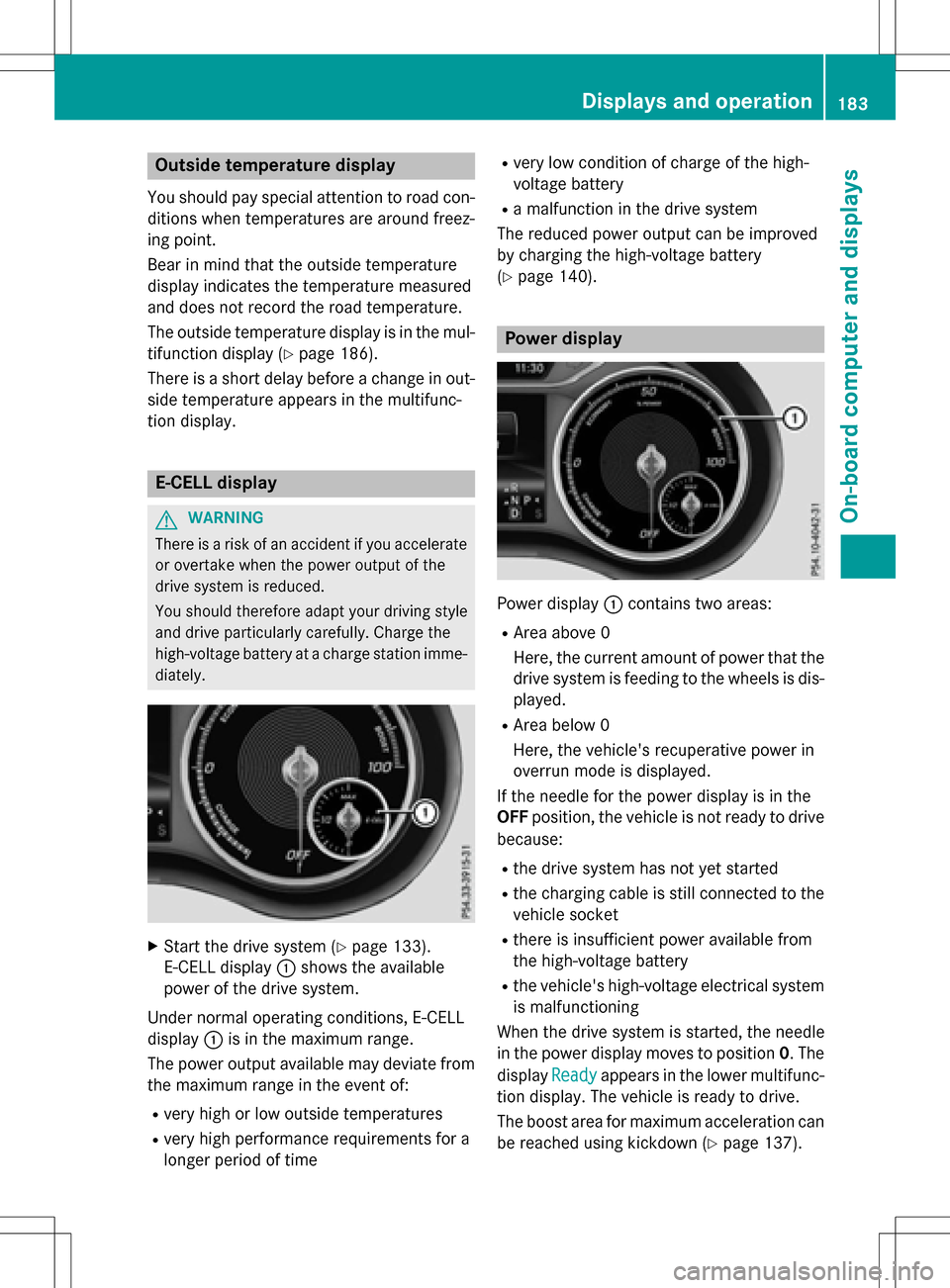
XStart the drive system (Ypage 133).
E-CELL display :shows the available
power of the drive system.
Under normal operating conditions, E-CELL
display :is in the maximum range.
The power output available may deviate from
the maximum range in the event of:
Rvery high or low outside temperatures
Rvery high performance requirements for a
longer period of time
Rvery low condition of charge of the high-
voltage battery
Ra malfunction in the drive system
The reduced power output can be improved
by charging the high-voltage battery
(
Ypage 140).
Power display
Power display :contains two areas:
RArea above 0
Here, the current amount of power that the
drive system is feeding to the wheels is dis-
played.
RArea below 0
Here, the vehicle's recuperative power in
overrun mode is displayed.
If the needle for the power display is in the
OFF position, the vehicle is not ready to drive
because:
Rthe drive system has not yet started
Rthe charging cable is still connected to the
vehicle socket
Rthere is insufficient power available from
the high-voltage battery
Rthe vehicle's high-voltage electrical system
is malfunctioning
When the drive system is started, the needle
in the power display moves to position 0. The
display Ready
appears in the lower multifunc-
tion display. The vehicle is ready to drive.
The boost area for maximum acceleration can
be reached using kickdown (
Ypage 137).
Displays and operation183
On-board computer and displays
Z
Page 186 of 342
The braking performance of the electric
motor using recuperative braking is, in some
operating modes, either reduced or not effec-
tive:
Rwhen the condition of charge of the high-
voltage battery increases
Rif the high-voltage battery is not yet at a
normal operating temperature
Rwhen driving close to the maximum speed
Rwhen the vehicle is almost stationary
Rin transmission positionN
Rduring and after ESP stability control
If necessary, counteract the reduced regen-
erative braking effect by applying the brake
yourself.
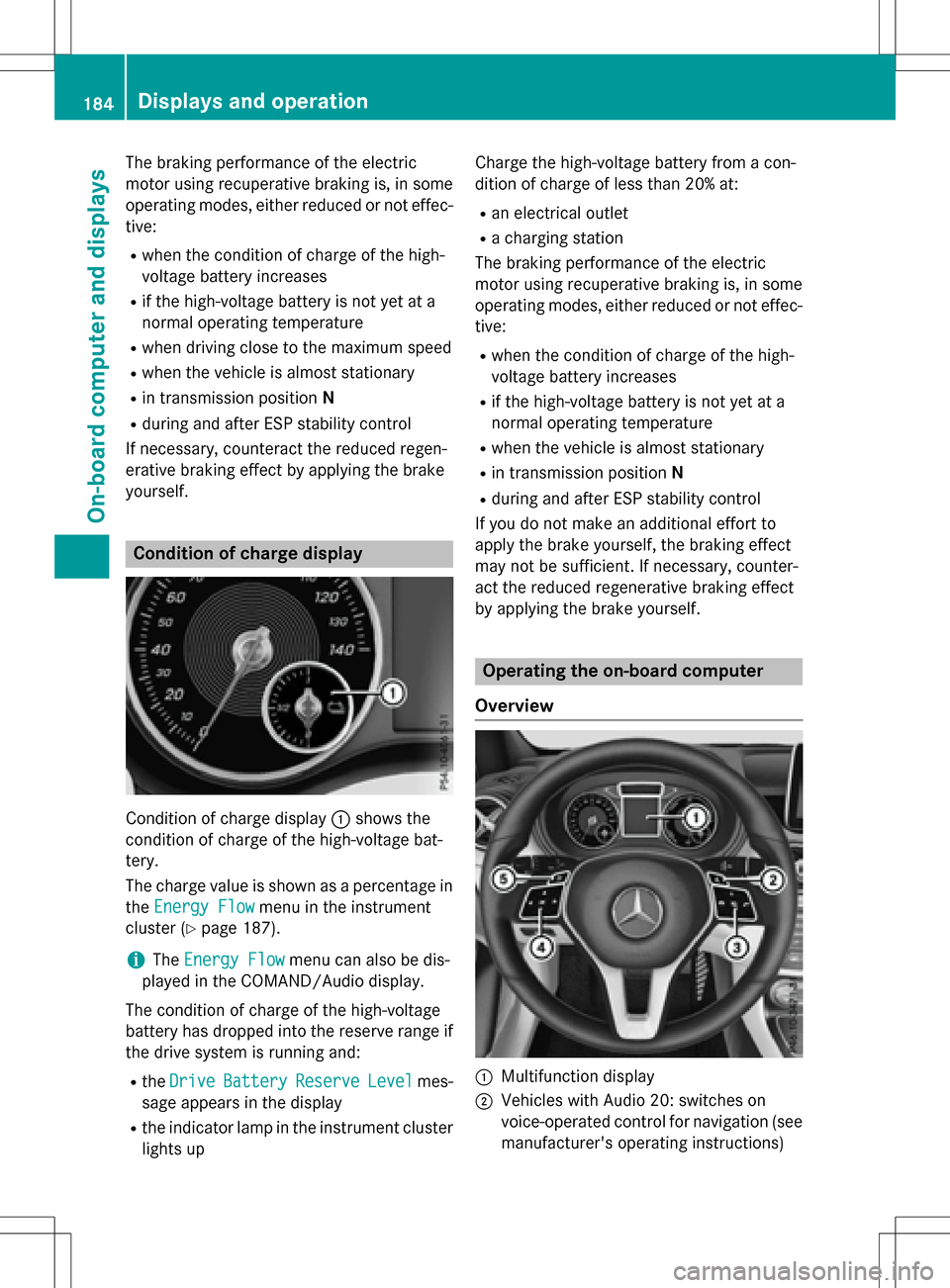
Condition of charge display
Condition of charge display :shows the
condition of charge of the high-voltage bat-
tery.
The charge value is shown as a percentage in
the Energy Flow
menu in the instrument
cluster (
Ypage 187).
iThe Energy Flowmenu can also be dis-
played in the COMAND/Audio display.
The condition of charge of the high-voltage
battery has dropped into the reserve range if
the drive system is running and:
Rthe DriveBatteryReserveLevelmes-
sage appears in the display
Rthe indicator lamp in the instrument cluster lights up Charge the high-voltage battery from a con-
dition of charge of less than 20% at:
Ran electrical outlet
Ra charging station
The braking performance of the electric
motor using recuperative braking is, in some
operating modes, either reduced or not effec-
tive:
Rwhen the condition of charge of the high-
voltage battery increases
Rif the high-voltage battery is not yet at a
normal operating temperature
Rwhen the vehicle is almost stationary
Rin transmission position N
Rduring and after ESP stability control
If you do not make an additional effort to
apply the brake yourself, the braking effect
may not be sufficient. If necessary, counter-
act the reduced regenerative braking effect
by applying the brake yourself.
Operating the on-board computer
Overview
:Multifunction display
;Vehicles with Audio 20: switches on
voice-operated control for navigation (see
manufacturer's operating instructions)
184Displays and operation
On-board computer and displays
Page 190 of 342
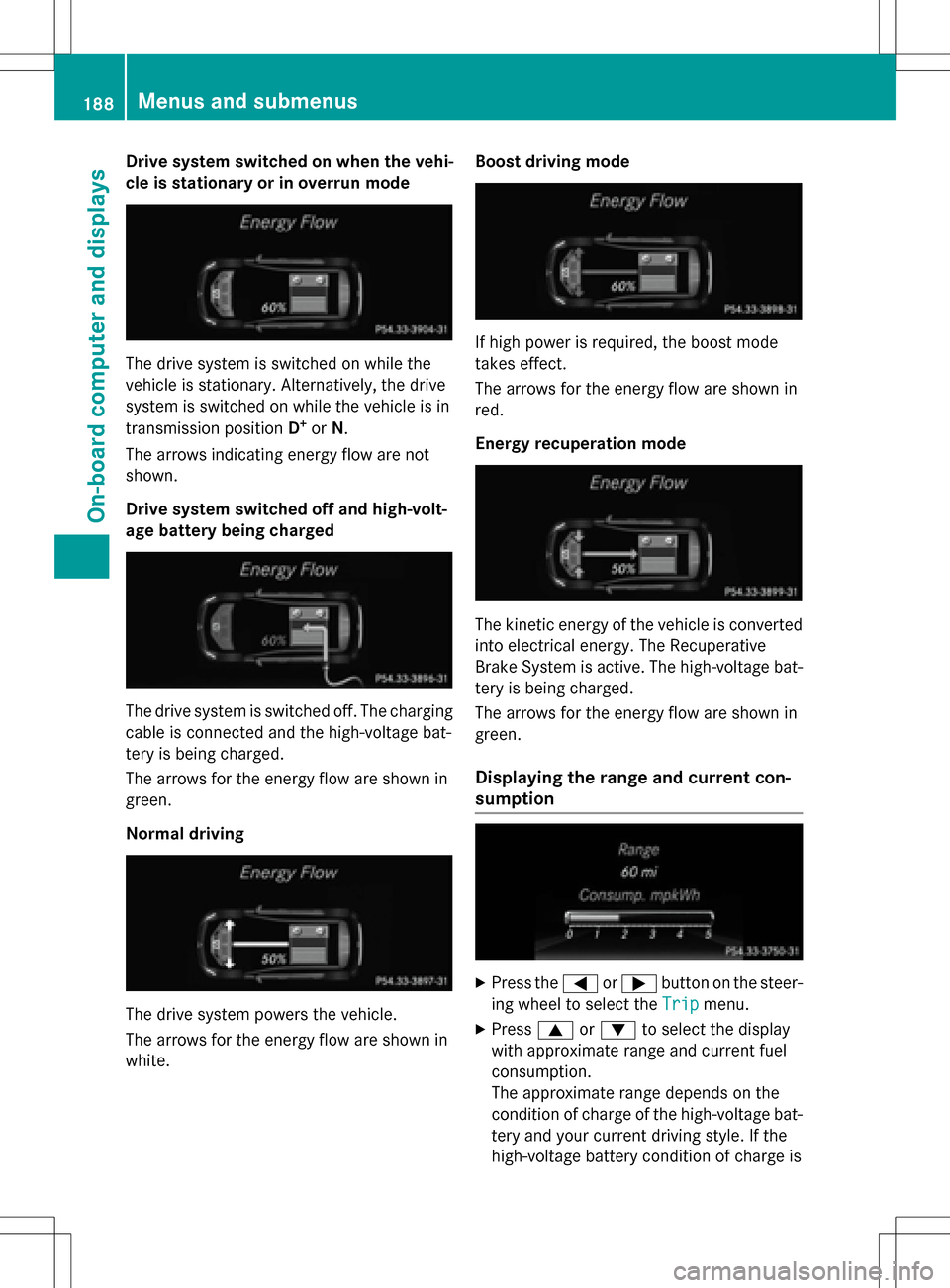
Drive system switched on when the vehi-
cle is stationary or in overrunmode
The drive system is switched on while the
vehicle is stationary. Alternatively, the drive
system is switched on while the vehicle is in
transmission position D
+orN.
The arrows indicating energy flow are not
shown.
Drive system switched off and high-volt-
age battery being charged
The drive system is switched off. The charging
cable is connected and the high-voltage bat-
tery is being charged.
The arrows for the energy flow are shown in
green.
Normal drivin g
The drive system powers the vehicle.
The arrows for the energy flow are shown in
white. Boost driving
mode
If high power is required, the boost mode
takes effect.
The arrows for the energy flow are shown in
red.
Energy recuperation mode
The kineti c energy of the vehicle is converted
into electrical energy. The Recuperative
Brake System is active. The high-voltage bat-
tery is being charged.
The arrows for the energy flow are shown in
green.
Displaying the range and current con-
sumption
XPress the =or; button on the steer-
ing wheel to select the Trip
menu.
XPress9or: to select the display
with approximate range and current fuel
consumption.
The approximate range depends on the
condition of charge of the high-voltage bat-
tery and your current driving style. If the
high-voltage battery condition of charge is
188Menus and submenus
On-board computer and displays
Page 197 of 342
Settings menu
Introduction
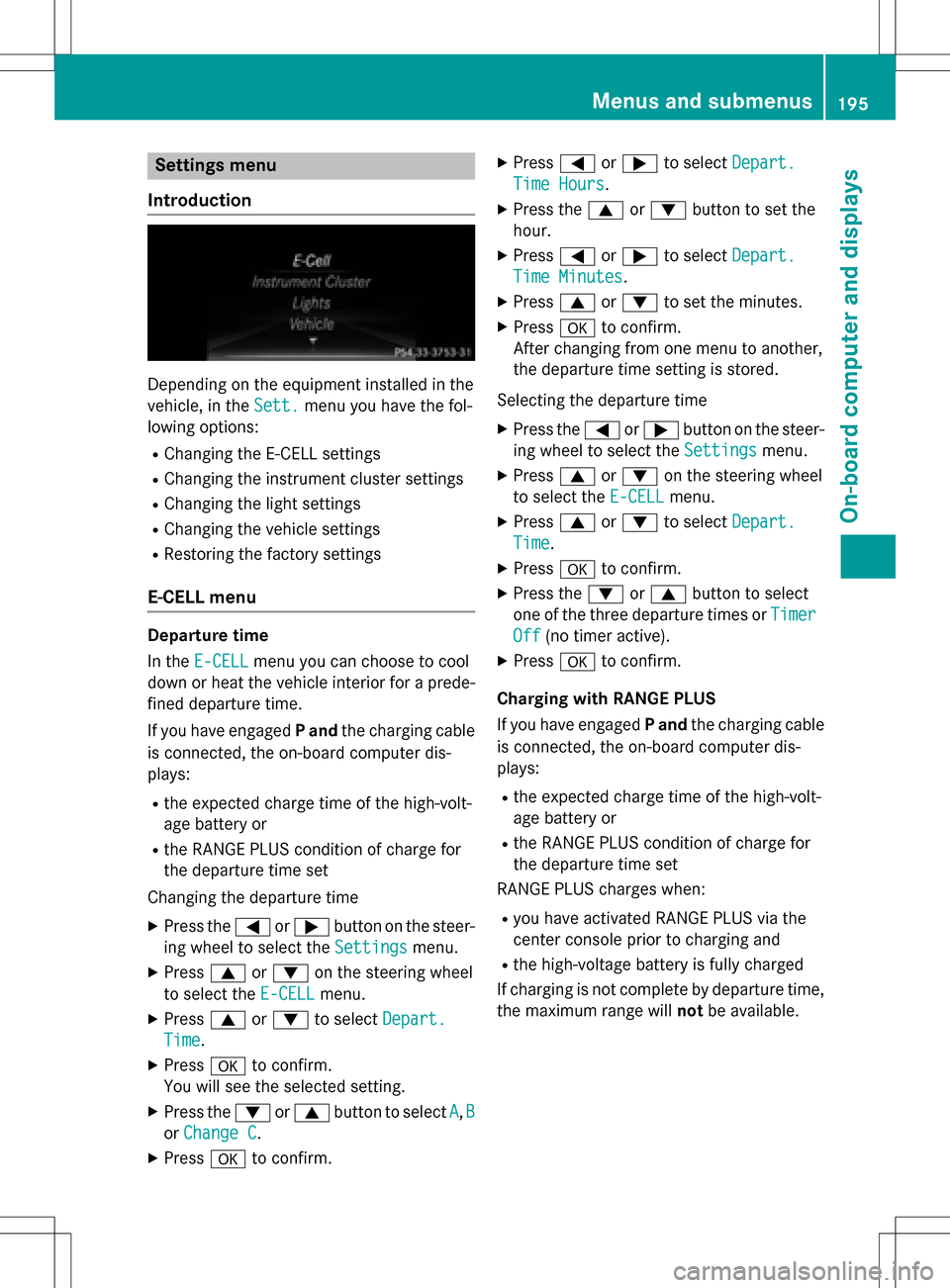
Depending on the equipment installed in the
vehicle, in the Sett.
menu you have the fol-
lowing options:
RChanging the E-CELL settings
RChanging the instrument cluster settings
RChanging the light settings
RChanging the vehicle settings
RRestoring the factory settings
E‑CELL menu
Departure time
In the E-CELL
menu you can choose to cool
down or heat the vehicle interior for a prede- fined departure time.
If you have engaged Pand the charging cable
is connected, the on-board computer dis-
plays:
Rthe expected charge time of the high-volt-
age battery or
Rthe RANGE PLUS condition of charge for
the departure time set
Changing the departure time
XPress the =or; button on the steer-
ing wheel to select the Settings
menu.
XPress9or: on the steering wheel
to select the E‑CELL
menu.
XPress9or: to select Depart.
Time.
XPressato confirm.
You will see the selected setting.
XPress the :or9 button to select A,B
or Change C.
XPress ato confirm.
XPress =or; to select Depart.
Time Hours.
XPress the 9or: button to set the
hour.
XPress =or; to select Depart.
Time Minutes.
XPress9or: to set the minutes.
XPress ato confirm.
After changing from one menu to another,
the departure time setting is stored.
Selecting the departure time
XPress the =or; button on the steer-
ing wheel to select the Settings
menu.
XPress9or: on the steering wheel
to select the E‑CELL
menu.
XPress9or: to select Depart.
Time.
XPressato confirm.
XPress the :or9 button to select
one of the three departure times or Timer
Off(no timer active).
XPressato confirm.
Charging with RANGE PLUS
If you have engaged Pand the charging cable
is connected, the on-board computer dis-
plays:
Rthe expected charge time of the high-volt-
age battery or
Rthe RANGE PLUS condition of charge for
the departure time set
RANGE PLUS charges when:
Ryou have activated RANGE PLUS via the
center console prior to charging and
Rthe high-voltage battery is fully charged
If charging is not complete by departure time,
the maximum range will notbe available.
Menus and submenus195
On-board computer and displays
Z
Page 198 of 342
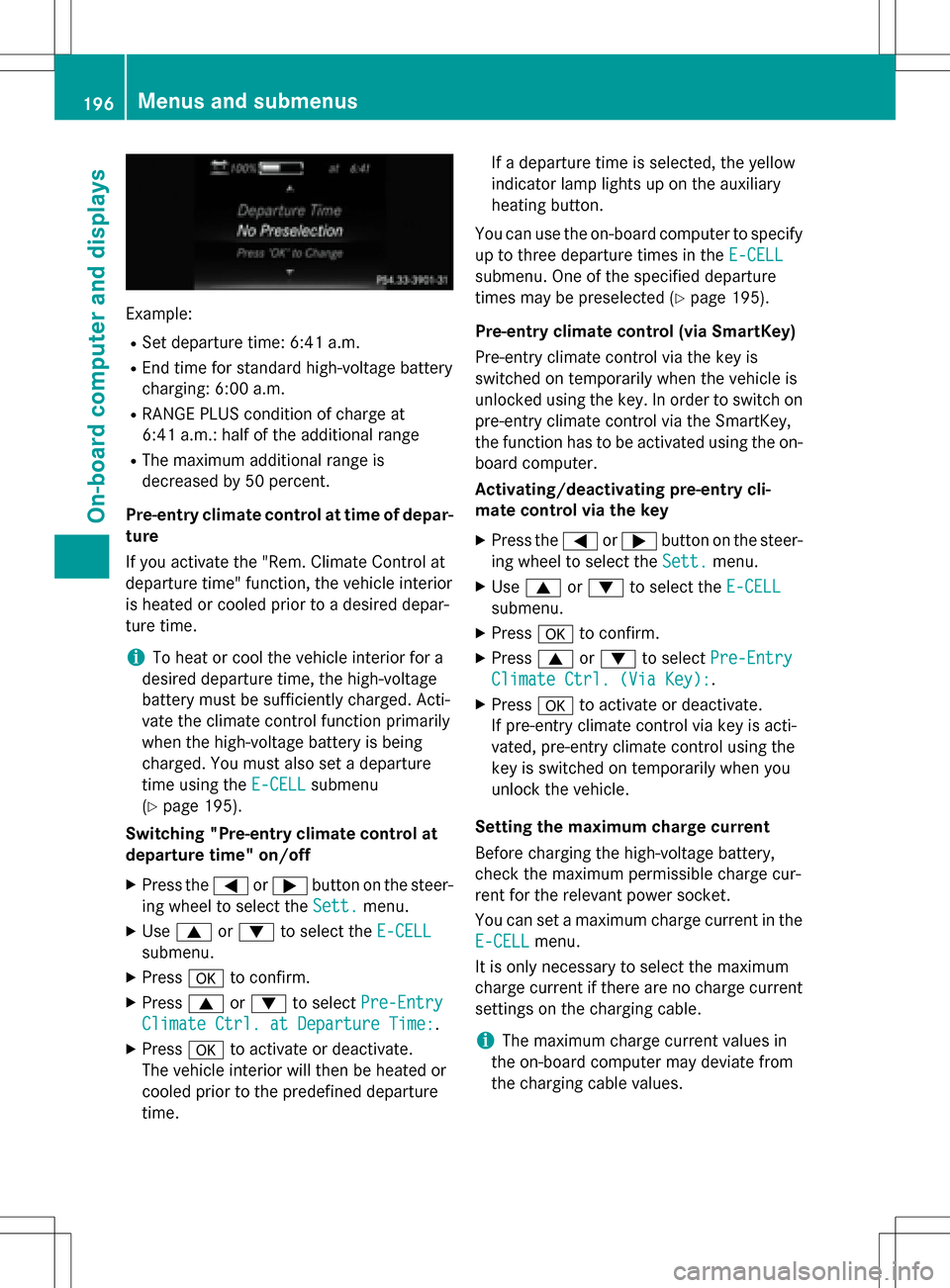
Example:
RSet departure time: 6:41 a.m.
REnd time for standard high-voltage battery
charging: 6:00 a.m.
RRANGE PLUS condition of charge at
6:41 a.m.:half of the additional range
RThe maximum additional range is
decreased by 50 percent.
Pre-entry climate control at time of depar-
ture
If you activate the "Rem. Climate Control at
departure time" function, the vehicle interior
is heated or cooled prior to a desired depar-
ture time.
iTo heat or cool the vehicle interior for a
desired departure time, the high-voltage
battery must be sufficiently charged. Acti-
vate the climate control function primarily
when the high-voltage battery is being
charged. You must also set a departure
time using the E-CELL
submenu
(
Ypage 195).
Switching "Pre-entry climate control at
departure time" on/off
XPress the =or; button on the steer-
ing wheel to select the Sett.
menu.
XUse9 or: to select the E-CELL
submenu.
XPressato confirm.
XPress 9or: to select Pre-Entry
Climate Ctrl. at Departure Time:.
XPressato activate or deactivate.
The vehicle interior will then be heated or
cooled prior to the predefined departure
time. If a departure time is selected, the yellow
indicator lamp lights up on the auxiliary
heating button.
You can use the on-board computer to specify
up to three departure times in the E-CELL
submenu. One of the specified departure
times may be preselected (
Ypage 195).
Pre-entry climate control (via SmartKey)
Pre-entry climate control via the key is
switched on temporarily when the vehicle is
unlocked using the key. In order to switch on
pre-entry climate control via the SmartKey,
the function has to be activated using the on- board computer.
Activating/deactivating pre-entry cli-
mate control via the key
XPress the =or; button on the steer-
ing wheel to select the Sett.
menu.
XUse9 or: to select the E-CELL
submenu.
XPressato confirm.
XPress 9or: to select Pre-Entry
Climate Ctrl. (Via Key):.
XPressato activate or deactivate.
If pre-entry climate control via key is acti-
vated, pre-entry climate control using the
key is switched on temporarily when you
unlock the vehicle.
Setting the maximum charge current
Before charging the high-voltage battery,
check the maximum permissible charge cur-
rent for the relevant power socket.
You can set a maximum charge current in the
E-CELL
menu.
It is only necessary to select the maximum
charge current if there are no charge current
settings on the charging cable.
iThe maximum charge current values in
the on-board computer may deviate from
the charging cable values.
196Menus and submenus
On-board computer and displays
Page 229 of 342
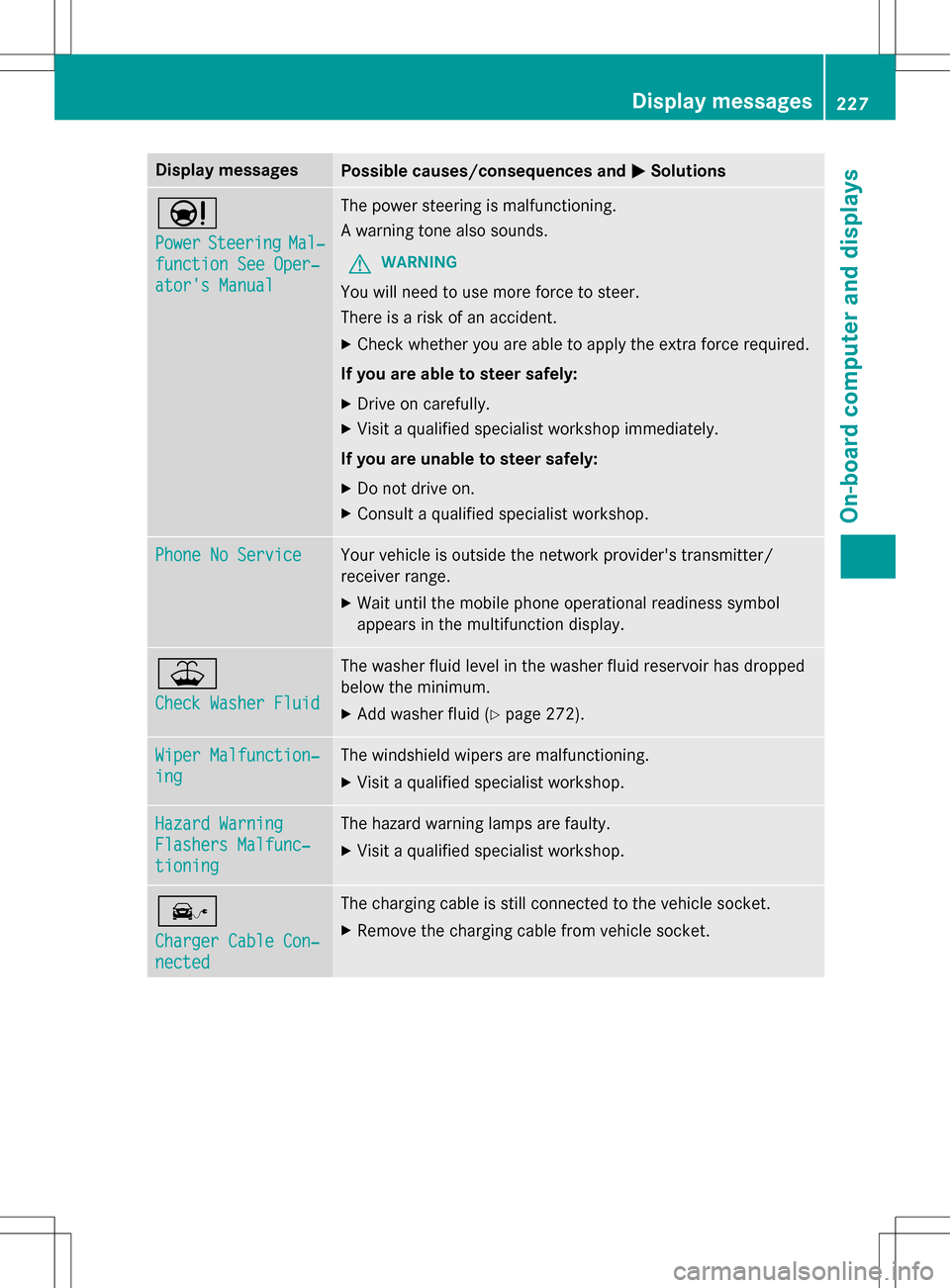
Display messagesPossible causes/consequences andMSolutions
Ð
PowerSteeringMal‐
function See Oper‐
ator's Manual
The power steering is malfunctioning.
A warning tone also sounds.
GWARNING
You will need to use moreforce to steer.
There is a risk of an accident.
XCheck whether you are able to apply the extra force required.
If you are able to steer safely:
XDrive on carefully.
XVisit a qualified specialist workshop immediately.
If you are unable to steer safely:
XDo no t drive on.
XConsult a qualified specialist workshop.
Phone No ServiceYour vehicle is outside the network provider'stransmitter/
receiver range.
XWait until the mobile phone operational readiness symbol
appears in the multifunction display.
¥
Check Washer Fluid
The washer fluid level in the washer fluid reservoir has dropped
below the minimum.
XAd d washer fluid(Ypage 272).
Wiper Malfunction‐
ing
The windshield wipers are malfunctioning.
XVisit a qualified specialist workshop.
Hazard Warning
Flashers Malfunc‐
tioning
The hazard warning lamps are faulty.
XVisit a qualified specialist workshop.
î
Charger Cable Con‐
nected
The charging cable is still connected to the vehicle socket.
XRemove th echargin g cable from vehicle socket.
Display messages227
On-board computer and displays
Z