navi control MERCEDES-BENZ C-Class 2012 W204 Comand Manual
[x] Cancel search | Manufacturer: MERCEDES-BENZ, Model Year: 2012, Model line: C-Class, Model: MERCEDES-BENZ C-Class 2012 W204Pages: 234, PDF Size: 6.74 MB
Page 138 of 234

When
anew mobile phoneiscon nect edto
COMAND ,all the contact sfrom the
previous mobilephonearedeleted fromthe
address book.
If amobile phoneisnot (yet) connect edto
COMAND ,the contact sfrom thatmobile
phone willnot(yet) beshown inthe address
book.
Address bookentries remain storedwhen
the mobile phoneisdisconn ected.
Therefor e,you should deleteyourpersonal
data using thereset function before selling
your vehicle, forexample (Ypage 47). Calling
upthe address book
Option 1:
X Press the% function button .
You seethetelephon ebasic menu orthe
address bookifit was open previously.
X When thetelephon ebasic menu is
displayed, pressthe% function button
again.
Option 2:
X With thetelephon ebasic menu shown,
select Phone by
sliding VZtheCOMAND
con troller andpress Wtocon firm.
X Select Address Book from
themenu and
press Wtocon firm. Address
bookwithaddress bookentry¥ and
navigable data¤
i Anaddress bookentrycan contain the
following information :surn ame, first nam e, co
mpan y,two addr esses, geo- coord inat es
and uptofivete leph onenum bers.
X To browse inthead dress book: turn
cVd theCOMA NDcontrol ler.
X To close thead dress book: pressthe
% button. Sea
rching foranaddress book entry
X Call uptheaddr essbook (Ypage 136).
X Se lec tSea rch in
theaddr essbook by
slidi ngVÆ andturnin gcVd theCOMA ND
co ntrol ler and pressW toconfirm .
If th ere aremor eth an eigh ten tries, the
sear chmen uand thech arac terb arappear . Sea
rchmen uwit hch arac terbar
: ¥Sym bolforaddre ssbook entry
; ¤Sym bolforcomple teaddre ssdat a
fr om thenav igat ionsyst em
= Charac terb ar
? d Sym bolforphon ebook entryfrom the
mob ilephon e
A Entry wit hvoic etag
Ad dition alsymb olsare desc ribedint he
"Symbol overview" section(Ypage 126).
X Proceed asdescribed under"Searching for
a phone bookentry"(Y page 126). 136
Using
theaddress bookTelephone
Page 139 of 234

Crea
tinganew entryinthead dress
book
You canentera ddress datadirect lyint othe
address book.Ifyou storetelephon e
numbers inthe COMAND phonebook,these
are also saved inthe address book.Ifyou
stor eanavigat iondestin ation, COMAND
creat esan address bookentrywhich includes
the complet enavigable addressdata.
X Call upthe address book(Ypage 136).
X Select New in
the address bookbysliding
VÆ andturningcVd theCOMAND
con troller and press Wtocon firm.
An input menu withdata fields appears. Input
menu withdata fields
: Select eddata fieldwithcursor
; Character bar
X En ter charac tersandsave theentry.
Procee das descr ibedunder "Entering
charac ters"in the "Ent ering charac tersin
the address andphone books" section
(Y page 31). Deleting
anadd ress book entry
X Opt ion1:select Delete by
sliding VÆand
turn ingcVd theCOMAND controller and
press Wtocon firm. X
Opt ion2:search foranaddress bookentry
(Y page 136).
X Select thelistsymbol tothe right ofthe
ent ryby sliding VYtheCOMAND
con troller and press Wtocon firm.
X Select Delete and
press Wtocon firm.
Irres pectiveofthe option chosen ,a prompt
will appear.
X Select Yes or
No and
press Wtocon firm.
If you select Yes ,
the entrywill bedeleted.
If you select No ,
the proces swill be
canc eled. Displaying
thedeta iledview foran
add ress book entry
Selecting anentr y X
Searc hfor anaddress bookentryand turn
cVd theCOMAND controller toselect itin
the select ionlist(Ypage 136).
or
X Select anaddress bookentryby browsing
(Y page 136).
X In both cases, pressW.
The detailed viewappears. Det
ailed display forbusiness details
: Return sto the previous menu
; \Symbol forbusiness details
= Calls upoption s Using
thead dress book
137Telephone Z
Page 141 of 234
num
berint he phone bookandcanbe
diale dimmediately.
X Select Save and
press Wtoconfirm .
The new category isstored. Calling
anumber storedinan entry
Co nditio ns The
mobi lephone mustbeconnected viathe
Blue tooth ®
interface .
Option 1 X
Displ aydetai lsfor anadd ress book entry
(Y pag e137).
X Select thephone numbe rdata fieldby
tur nin gcVd theCOMA NDcontroll erand
pres sW toconfirm .
The telepho nemak esthecall. Thedispl ay
swit ches totelepho nemod e.
Opt ion 2 X
Dis play details foranaddre ssbook entry.
X Sel ect thephon enum berdatafiel dby
tur nin gcVd theCOMA NDcontroll er.
X Sel ect thelist symb olto therigh tofthe
data fieldbysliding VYtheCOMAND
cont roller andpress Wtoconfirm .
X Select Call and
press Wtoconfirm .
The telephone makesthecall. Storing
thephone number asas pee d
dial numb er
X Disp layde tai lsfor anaddre ssboo kentry .
X Sel ect the phone num berd ata fieldby
tur nin gcVd theCOMA NDcontroll er. X
Sel ect thelist symb olto therigh tofthe
data fieldbysliding VYtheCOMAND
cont roller andpress Wtoconfirm .
X Select Speed Dial and
press Wto
confirm .
You cannow store thenumber inone ofthe
ten speed dialpresets. Star
ting route guidance toan entry
Note This
funct ionisavaila bleassoon asyou have
stored adestination inthe destination
memory (Ypage 95).COMAND alsosaves
destinations inthe address booktogether
with allthe data required forroute guidance.
Option 1 X
Search foranaddress bookentry
(Y page 136)withtheLicon andselect it
from thelist.
X Display detailsforanaddress bookentry
(Y page 138).
X Select theaddress datafieldbyturning
cVd theCOMAND controller andpress
W toconfirm .
Option 2 X
Search foranaddress bookentry
(Y page 136)withtheLicon andselect it
from thelist.
X Select thelistsymbol tothe right ofthe
entr yby sliding VYtheCOMAND
cont roller andpress Wtoconfirm .
X Select Navigate and
press Wtoconfirm .
Irrespect iveofthe option chosen, route
guida ncestarts.
Option 3 Route
guidancecanalso bestarted foran
address bookentrywithout the¤symbol. If
the address dataordesignations donot Using
theaddress book
139Telephone Z
Page 142 of 234
match
thedigitalmap, COMAND promptsyou
to re-enter theaddress.
i Itis best then tostore thenew address
under theaddress book entry. Thiswill
provid eyou with anadd ress book entry that
is sui table fornaviga tion.
X Enter thedestina tionaddress (Ypag e54).
X Select Save from
theaddress entry menu
and press Wtoconfirm.
X Assigning adestina tiontoan add ress book
entry (Ypag e96). Voic
etags
Adding orchang ingavoice tag You
canentervoic etag svia theVoic eCont rol
Syst em(see thesepar ateoper ating
ins truct ions).Onceyou have assign edavoic e
tag toan addre ssbook entry,you can callup
th is ent rywith avoic ecom man dand diala
phon enum ber,forexam ple.You canadd one
voic etag per addre ssbook entry.
X Sear chfor anaddre ssbook entrywith or
with outavoic etag (¦ symbo l)
(Y page 136).
X Sele ctthelist symbo lto therigh tofthe
entr yby sliding VYtheCOMAND
cont roller andpress Wtoconfirm .
X Select Voice Name and
press Wto
confirm .
X Select Add or
Change and
press Wto
confirm .
Subsequent operationisvoice-con trolled.
The Voice Control System guidesyou
through thedialo gs.
Dele ting avoice tag X
Sear chfor anaddre ssbook entrywith a
voic etag (Ypage 136).
X Sele ctthelist symbo lto therigh tofthe
entr yby sliding VYtheCOMAND
cont roller andpress Wtoconfirm . X
Select Voice Name and
press Wto
confirm .
X Select Delete and
press Wtoconfirm .
Ad eletion prompt appears.
X Select Yes or
No and
press the9button
to con firm.
If you select Yes ,
COMAND deletesthe
voice tag.
If you select No ,
the process willbeaborted.
Listening toav oice tag X
Sear chfor anaddre ssbook entrywith a
voic etag (Ypage 136).
X Sele ctthelist symbo lto therigh tofthe
entr yby sliding VYtheCOMAND
cont roller andpress Wtoconfirm .
X Select Voice Name and
press Wto
confirm .
X Select Listen and
press Wtoconfirm .
You hear thevoice tag. Storing
aphone bookentry fromthe
mobile phoneinthe address book
Using thisfunct ionyou can save imported
phone bookentriesinthe address book.
The following canbeused asasource:
R the mobile phone
R the memory card
R the USB device
R the Bluetooth ®
Int erface
Imported phonebookentriesare indicated in
the phone bookbydifferent icons
(Y page 126). 140
Using
theaddress bookTelephone
Page 144 of 234
Overwrite imports
theentries fromthe
memory cardorUSB device andoverwrites
all entries inthe address bookwiththe
¯ symbol. Theprevious entriesarethen
no longer available.
Aft erthe cont actdata hasbeen imported
successfully ,you willsee amessage tothis
effec t.The address bookorthe respect ive
telephon ebasic menu isdisplayed.
i You canselect theOverwri te menu
item
if the address bookalready contains
corr espondin gent ries. Amessage notifies
you when theaddress bookisfull.
Receiving vCardsvia Bluet ooth® Received
vCardsareidentif iedbythe ®
symbol inthe address book.
i Ifyou switch toanoth ermain function,
e.g. navigation ,while receivin gvCards, the
recept ionofvCards willbeterm inated.
X Select Address Book in
the address book
or, ifthe telephon ebasic menu isshown,
select Phone by
sliding VÆandturning
cVd theCOMAND controller andpress
W tocon firm.
Am enu appears.
X Select Downloa dContact s and
press W
to con firm.
X Select Receive dBusines sCards in
the
menu byturn ingcVd theCOMAND
con troller andpress Wtocon firm.
This interrupts theBluetoot h®
con nection
between COMAND andyour active mobile
phone. COMAND is,however, readyto
receive vCardsfromanoth erBluetoot h®
device (PC,mobile phone).
X Start the data transfer onthe external
Bluetoot h®
device (seetheoperatin g
inst ruct ions forthe device).
The number ofvCards received is
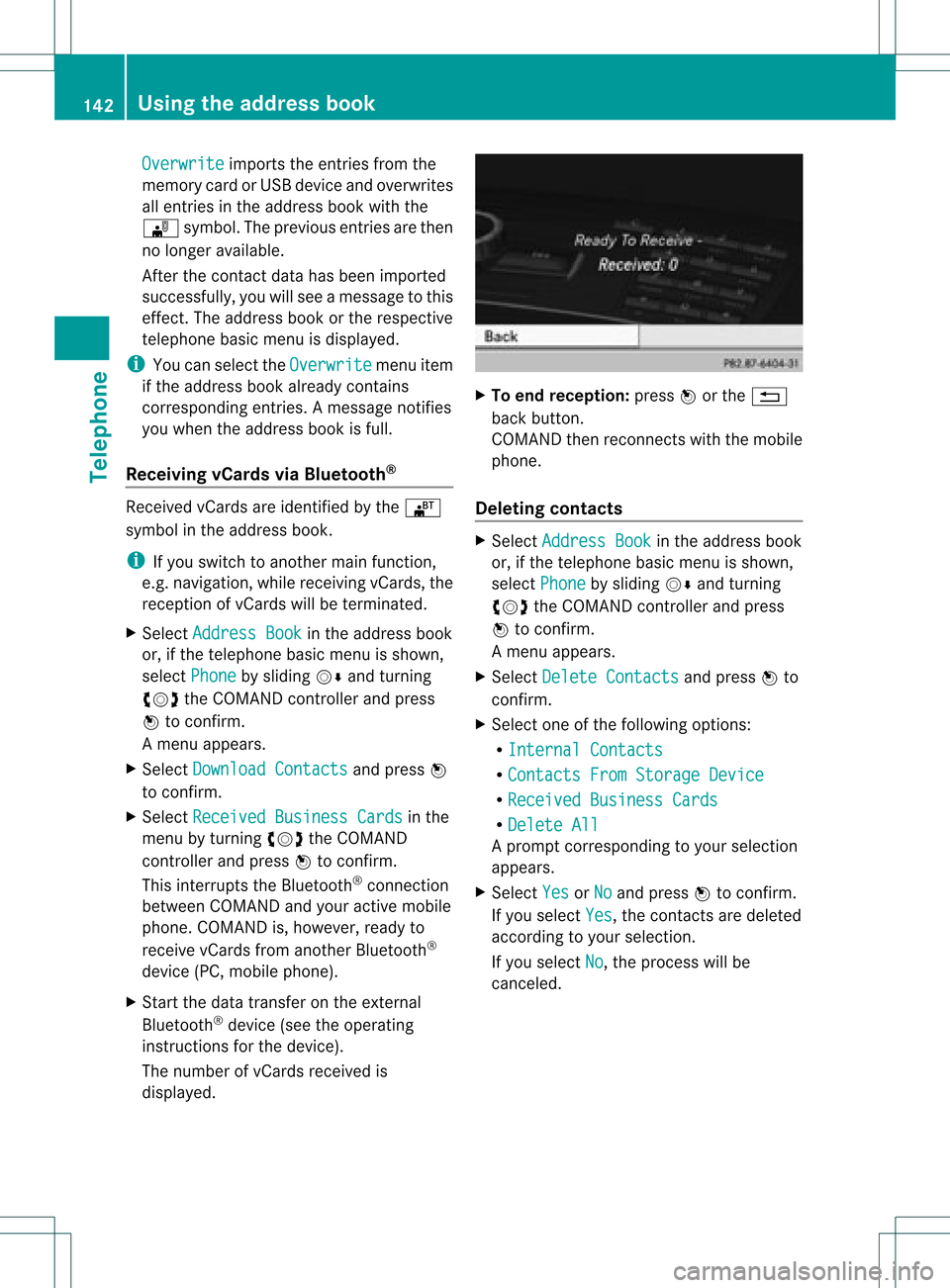
displayed. X
To end recept ion:press Worthe %
back button .
COMAND thenrecon nectswith themobile
phone.
Deleting contacts X
Select Address Book in
the address book
or, ifthe telephon ebasic menu isshown,
select Phone by
sliding VÆandturning
cVd theCOMAND controller andpress
W tocon firm.
Am enu appears.
X Select Delete Contacts and
press Wto
con firm.
X Select oneofthe following options:
R Interna lContact s R
Contact sFrom Storage Device R
Receive dBusines sCards R
Delete All Ap
rompt correspo ndingtoyou rselection
appears.
X Select Yes or
No and
press Wtocon firm.
If you select Yes ,
the contact sare deleted
accor dingtoyour select ion.
If you select No ,
the process willbe
canc eled. 142
Using
theadd ress bookTelephone
Page 164 of 234
Selec
tingGracenote ®
dat ato be
displayed If
several entriesexist forthe CDofa
particular artist,youcan select whichofthe
entr iesshould beshown.
If the inserted CDdoes notcont ainany
Gracenote ®
data, theGracenote Media Database menu
itemisshown ingray and
cannot beselected.
X Switch onaudi oCD mode (Ypage 157).
X Select CD by
sliding VÆandturnin gcVd
the COMAND controller andpress Wto
conf irm.
X Select Gracenote MediaDatabase by
turnin gcVd theCOMAND controller and
press Wtoconf irm.
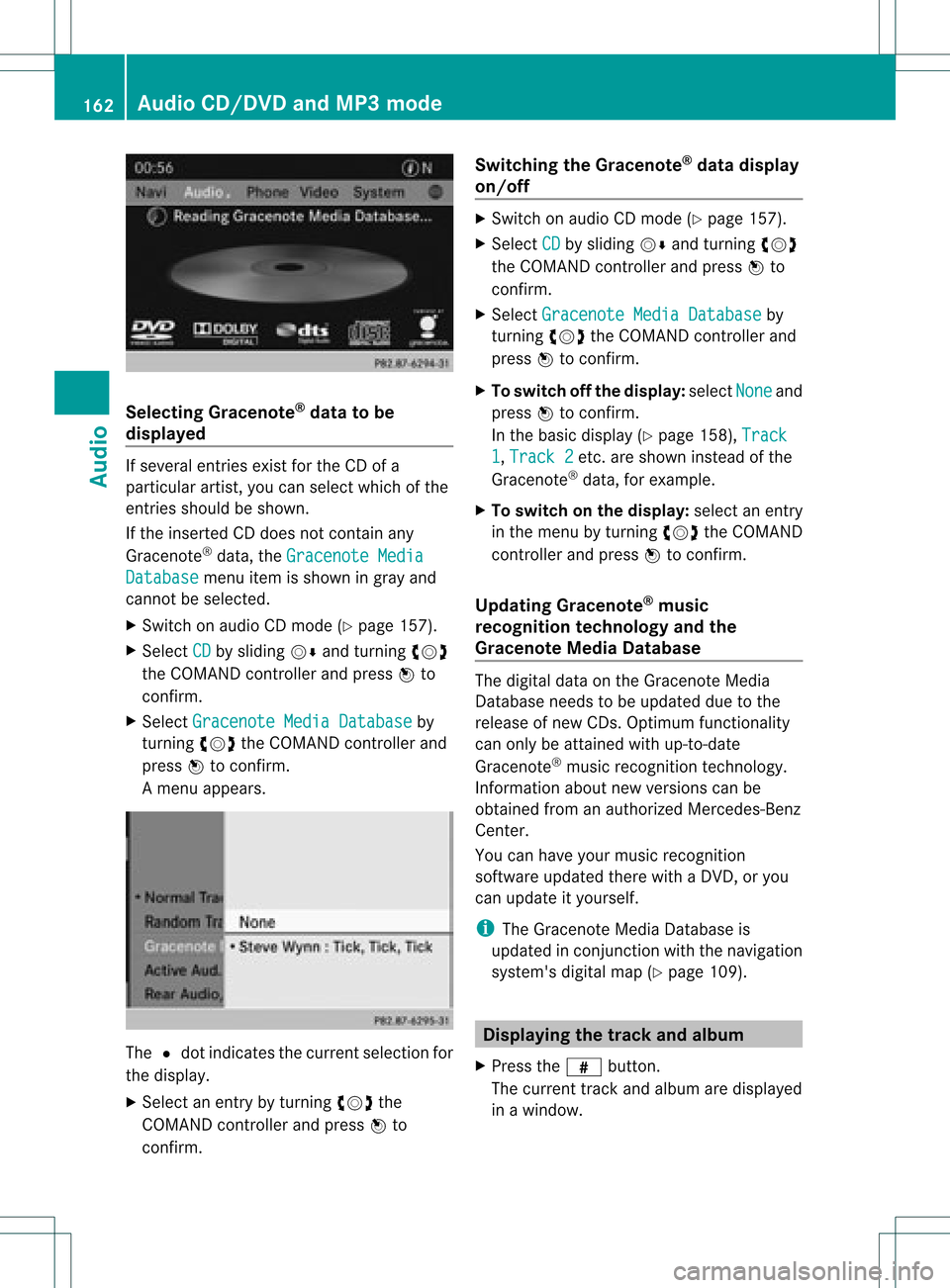
Am enu appears. The
#dot indicat esthe curren tselection for
the display.
X Select anent ryby turn ingcVd the
COMAND controller andpress Wto
con firm. Switching
theGracenote ®
dat adispla y
on/off X
Switc hon audio CDmode (Y page 157).
X Select CD by
sliding VÆandturningcVd
the COMAND controller andpress Wto
con firm.
X Select Graceno teMedia Databas e by
turn ingcVd theCOMAND controller and
press Wtocon firm.
X To switch offthe displa y:select None and
press Wtocon firm.
In the basic display (Ypage 158),Track 1 ,
Track 2 etc
.are shown instead ofthe
Gracenot e®
data, forexample.
X To switch onthe displa y:select anent ry
in the menu byturn ingcVd theCOMAND
con troller andpress Wtocon firm.
Upda tingGracenote ®
music
recognition technologyandthe
Gra cenote MediaDataba se The
digital dataonthe Gracenot eMedia
Database needstobe updated duetothe
release ofnew CDs. Optimum functionality
can only beattain edwith up-to- date
Gracenot e®
music recogn itiontechnology.
Inf ormat ionabout newversion scan be
obtained fromanauthoriz edMercedes- Benz
Center .
You canhave yourmusic recogn ition
soft ware updated therewith aDVD, oryou
can upda teityou rself.
i The Gracenote MediaDatabase is
upda tedinconjunc tionwith thenavigation
system's digitalmap(Ypage 109). Displayi
ngthe track and album
X Press thez button.
The current trackandalbumaredisp layed
in awindo w. 162
Audio
CD/DVD and MP3 modeAudio
Page 185 of 234
X
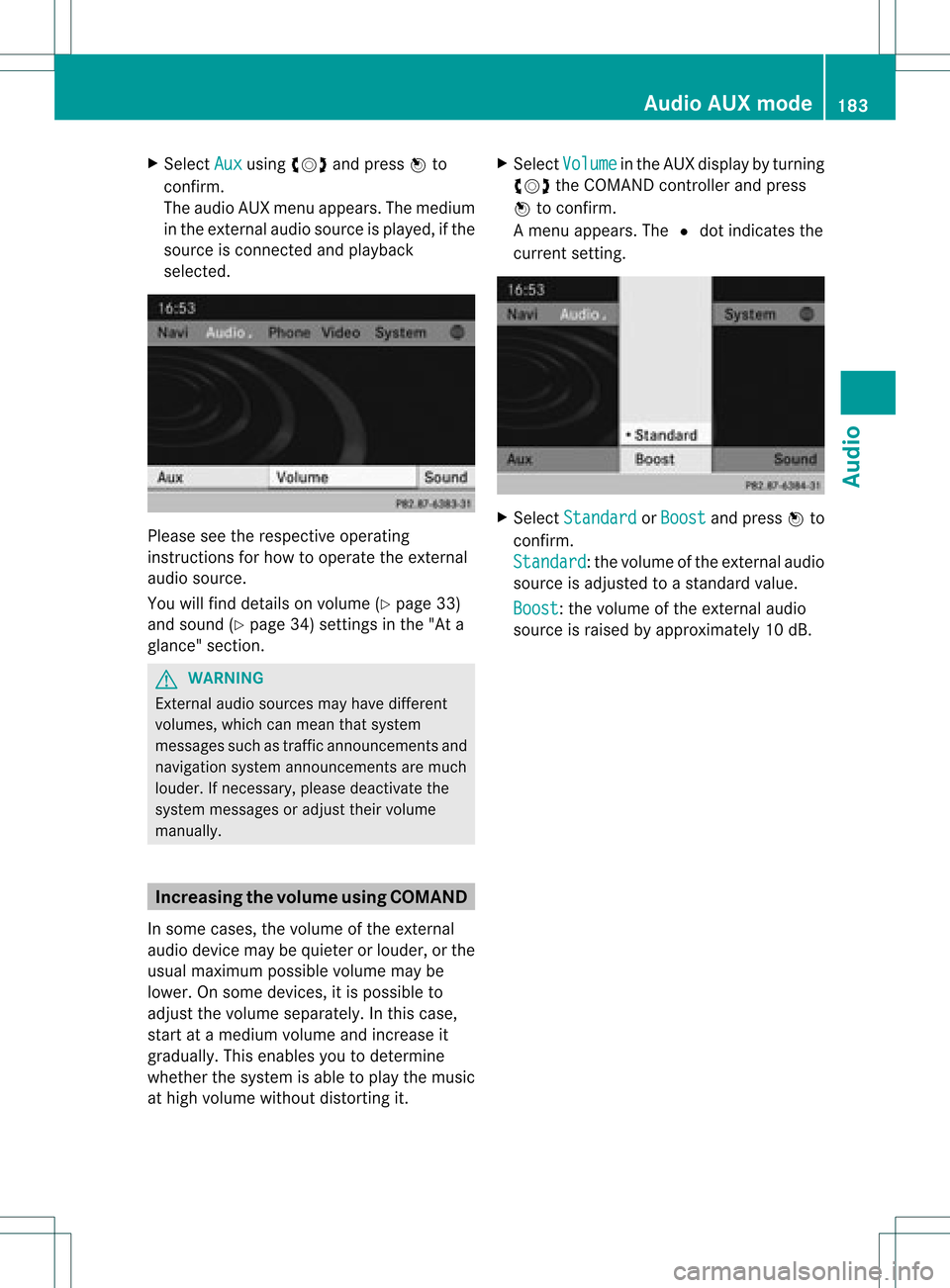
Sel ect Aux us
ing cVd andpressW to
confi rm.
The audioAUX menu appe ars .The medium
in the extern alaudi osource isplay ed,ifthe
source isconn ected andplayback
selected. Please
seetherespective operating
instruct ionsforhow tooperate theextern al
audi osource.
You willfind details onvolume (Ypage 33)
and sound (Ypage 34)settin gsinthe "Ata
glance" section. G
WARNING
Ext ernal audiosources mayhave different
volumes, whichcanmean thatsystem
messages suchastraffic announcemen tsand
navigation systemannouncemen tsare much
louder. Ifnecessary, pleasedeactivate the
system messages oradjust theirvolume
manually . Increasing
thevolume usingCOMAND
In some cases, thevolume ofthe extern al
audi odevice maybequieter orlouder, orthe
usua lmaximum possiblevolumemaybe
lower. Onsome devices, itis possible to
adjust thevolume separately. Inthis case,
start atamedium volumeandincrease it
gradua lly.This enables youtodetermine
whether thesystem isable toplay themusic
at high volume without distorting it. X
Select Volume in
the AUX displa yby turning
cVd theCOMAND controller andpress
W toconfirm .
Am enu appears. The#dot indicat esthe
curren tsett ing. X
Select Standar d or
Boost and
press Wto
con firm.
Standar d :t
he volume ofthe extern alaudi o
source isadjusted toastandard value.
Boost :t
he volume ofthe extern alaudi o
source israised byapproximately 10dB. Audio
AUXmode
183Audio Z
Page 190 of 234
i
Bypre ssing this functi onbutton
rep eatedl y,yo ucan change theoperating
mod ein the follow ing order:
R au dio CD/DVD, video DVD orMP3 disc
in the DVD changer
R memo rycard mode
R MUSIC REGISTER
R USB stora gedev ice
R Med iaInterfa ceoraudio AUX mode
R Blu etoo th®
au dio mod e
X Sele ctMedi a by
sliding VÆ andturni ng
cVd theCOMAND controllerand press
W toconfir m.
X Sele ctaý video DVD from themed ialist
(Y page 190).
Optio n3 X
Sele ctVide o in
the mainfuncti onbarby
sli ding ZV andturni ngcVd theCOMAND
control lera nd pre ssW toconfi rm.
Vi de oDVD modeis sw itch edon. Hidi
ng/show ingthe navigatio nmen u
X To dis play :sl id e ZVÆ theCOMAND
contro ller.
i Thisfu nctio nisnot avail able while the
DVD's ownmenu (Ypage 190)isbeing
displa yed.
X To hide: slideZVÆ theCOMAND
cont roller.
or
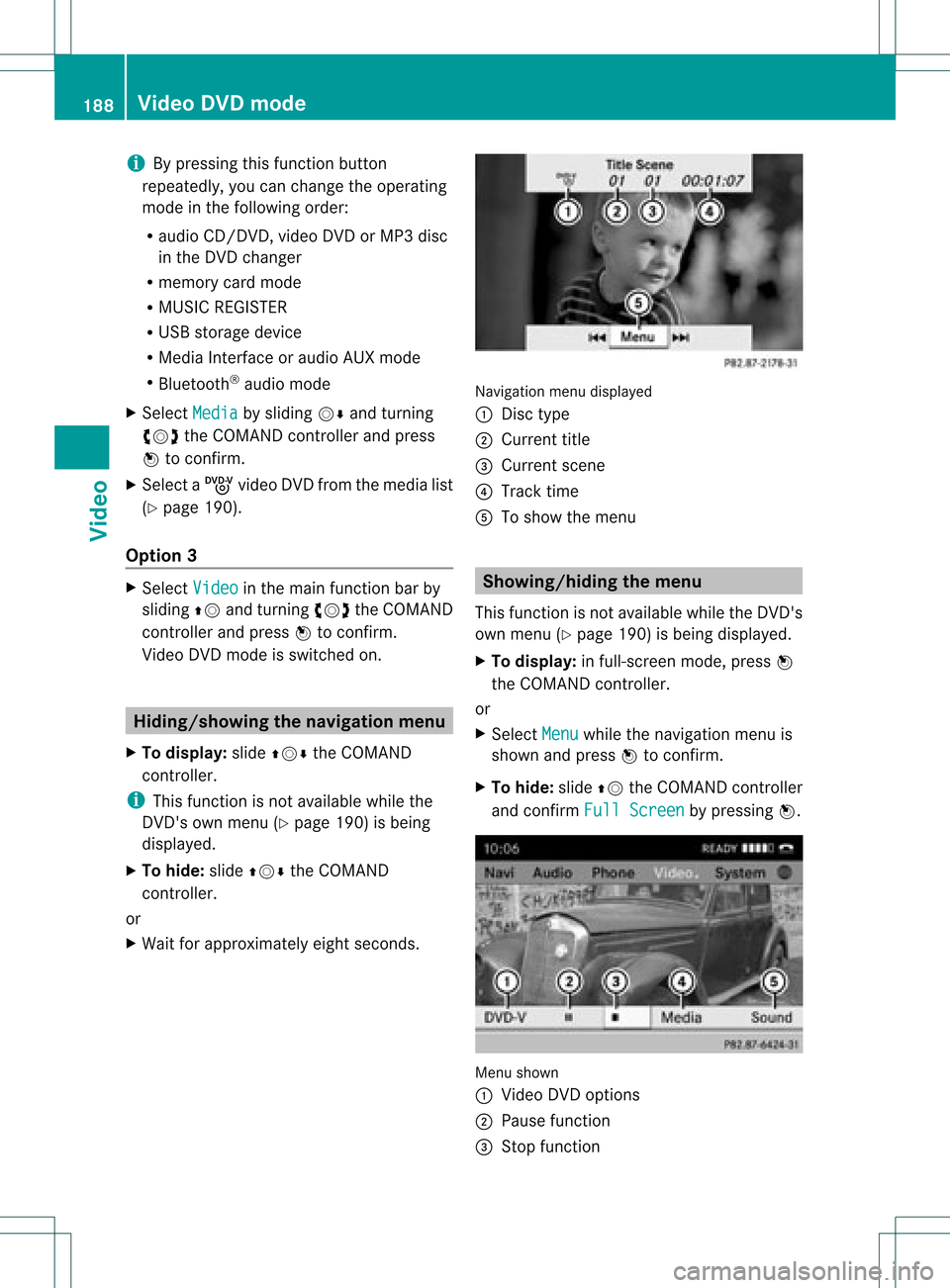
X Wait forapproximately eightseconds. Navigation
menudisplayed
: Disc type
; Current title
= Current scene
? Track time
A Toshow themenu Showin
g/hiding themenu
This function isnot avail able while theDVD's
own menu (Ypage 190)isbeing displayed.
X To display: infull-screen mode,pressW
the COMAND controller.
or
X Select Menu while
thenavigation menuis
shown andpress Wtoconfirm.
X To hide: slideZVtheCOMAND controller
and confirm FullScreen by
pressing W. Menu
shown
: Video DVDoptions
; Pause function
= Stop function 188
Video
DVDmodeVideo
Page 191 of 234
?
Media selection
A Sound settings Fast
forward ing/rew inding
X In full-screen mode,slideXVY andhold the
COMAND controller untilthedesired
position hasbeen reached.
or
X Press andhold theE orF button
until thedesired position isreached.
You seethenavigation menu. Stop
function
X Press Wthe COMAND controller toshow
the menu.
X To interru ptplayback: selectÉby
turning cVdtheCOMAND controller and
press Wtoconfirm .
The Ë displa ychanges toÌ.T he
video image ishidden.
X To continue playback: selectÌand
press Wtoconfirm .
Play back continues fromthepoint where it
was interrupted.
X To stop playback: whileplayback is
interrupted, selectÉagain andpress
W toconfirm .
or
X During playback, confirm Ébypressing
W twice inrapid succession.
Ì ishighlighted.
X To restar tplayback: confirmtheÌ
selection bypressing W.
Play back restarts fromthebeginning. Pause
function
X Press Wthe COMAND controller toshow
the menu.
X To pause playback: selectËby
turning cVdtheCOMAND controller and
press Wtoconfirm .
The Ë displa ychanges toÌ.
X To continue playback: selectÌand
press Wtoconfirm .
The menu ishidden. Selec
tingascene/ch apter
If th efilm isdivi ded intosc en es orchapt ers,
you can selectthem dire ctly while thefilm is
run ning,or skip for wards step- by-s tep. So me
DV Ds donotpermit thisatcert ainpoint s(e.g.
during theopenin gcredit s).
It may alsobepossible toselect thescen e/
chapter fromwithin themenu storedon the
DVD .
X To skip forwar dsorback: infull-scr een
mode, turncVd orslide XVY the
COMAND controller.
or
X Press theE orF button onthe
con trol panel.
The navigation menu(Ypage 188)appears
for approximat elyeight secon ds. Selecting
afilm/t itle
This function isonly available ifthe DVD is
divided intosever alfilms /titles .Ift he DVD
cont ains several films,these canbeselected
directly. Afilm can beselec tedeitherwhen
the DVDisbeing playedback orwhen itis
stopped.
The film canalso beselected fromthemenu
on the DVD itself. Video
DVDmode
189Video Z
Page 194 of 234
Int
era ctive cont ent
DV Ds can contain interac tive conten t(e. g.a
vide ogame ).In avide ogame ,for example ,
you may beable toinfluen ceeve ntsby
sele cting and trigge ringact ions.The typeand
num berofact ionsdepe ndontheDV D.
X Se lec tana ction bysliding ZVÆ orXVY the
CO MAND controllera nd pre ssW to
exe cute it.
A menu appe arsand thefirst entry ,
Sel ect ,
is highl ighted .
X Pre ssW the COMAND controller. AU
Xvideo mode Co
nnectin gex tern alvideo source s
If yo ur veh icleis eq uipp ed with aMed ia
Inter face (Y pa ge 178) ,yo ucan conne ctan
exte rnalvid eo sou rce (AUXvideo).
The 1/8inch audio/vi deoj ack sare inthe
cen terc onsole stowage compartment.
i Invehicles witharear view camera, the
AUX video jackcann otbe used forexter nal
video sources. Switching
toAUX video mode
X Select Video in
the main functionbar by
sliding ZVandturnin gcVd theCOMAND
cont roller andpress Wtoconf irm.
If AUX video mode wasthelast mode
selected, itwill now beactive.
If another videosource isswitched on,you
can now switch toAUX video mode inthe
video menu.
X Select Video and
press Wtoconf irm.
X Select Aux and
press Wtoconf irm.
The AUX video menu appears. Youwillhear
and seethecont entofthe exter nalvideo
source ifit is conn ected andswitched to
playb ack. AUX
video mode
For details onhow tooperate theexter nal
video source, seetherespect ivedevice's
operating instructions. Showing/hiding
themenu
X To show: pressWthe COMAND
cont roller.
X To hide: slideZVtheCOMAND controller
and conf irmFull Screen by
pressing W. Volume
andsound settings
You willfind details onvolume (Ypage 33)
and sound (Ypage 34)settings inthe "Ata
glance" section. G
WARNIN
G
Ext ernal video sources mayhave different
volumes, whichcanmean thatsystem
messages suchastraffic announc ementsand
navigation systemannounc ementsare much
louder. Ifnecessary, pleasedeactivate the
system messages oradjust theirvolume
manually.
i Itmay bethe case thatadevice whichis
conn ected asan exter nalvideo source
seems quieter orlouder inthe vehicle, or
that theusual maximum volumecannotbe
reached. Onsome devices, itis possible to
adjust thevolume separately. Inthis case,
start atamedium volumeandincrease it
graduall y.This enables youtodetermin e 192
AUX
video modeVideo