navigation MERCEDES-BENZ C-CLASS COUPE 2011 User Guide
[x] Cancel search | Manufacturer: MERCEDES-BENZ, Model Year: 2011, Model line: C-CLASS COUPE, Model: MERCEDES-BENZ C-CLASS COUPE 2011Pages: 373, PDF Size: 8.17 MB
Page 217 of 373
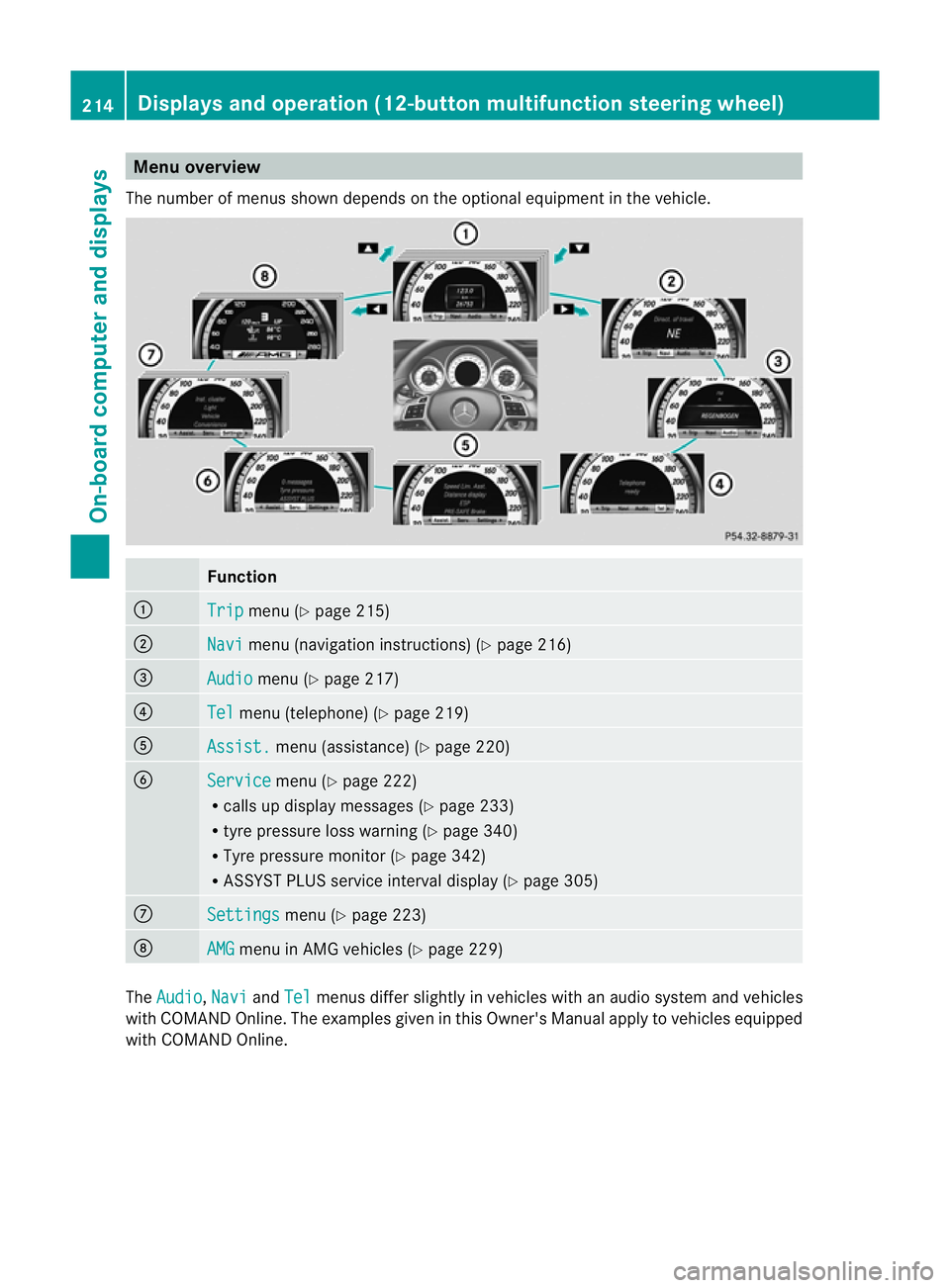
Menu overview
The number of menus show ndepends on the optional equipment in the vehicle. Function
:
Trip menu (Y
page 215) ;
Navi menu (navigation instructions) (Y
page 216)=
Audio menu (Y
page 217) ?
Tel menu (telephone) (Y
page 219)A
Assist. menu (assistance) (Y
page 220)B
Service menu (Y
page 222)
R calls up display messages ( Ypage 233)
R tyre pressure loss warning (Y page 340)
R Tyre pressure monitor (Y page 342)
R ASSYST PLUS service interval display (Y page 305)C
Settings menu (Y
page 223) D
AMG menu in AMG vehicles (Y
page 229)The
Audio ,
Navi and
Tel menus differ slightly in vehicles with an audio system and vehicles
with COMAND Online. The examples given in this Owner's Manual apply to vehicles equipped
with COMAND Online. 214
Displays and operation (12-button multifunction steering wheel)On-board computer and displays
Page 219 of 373
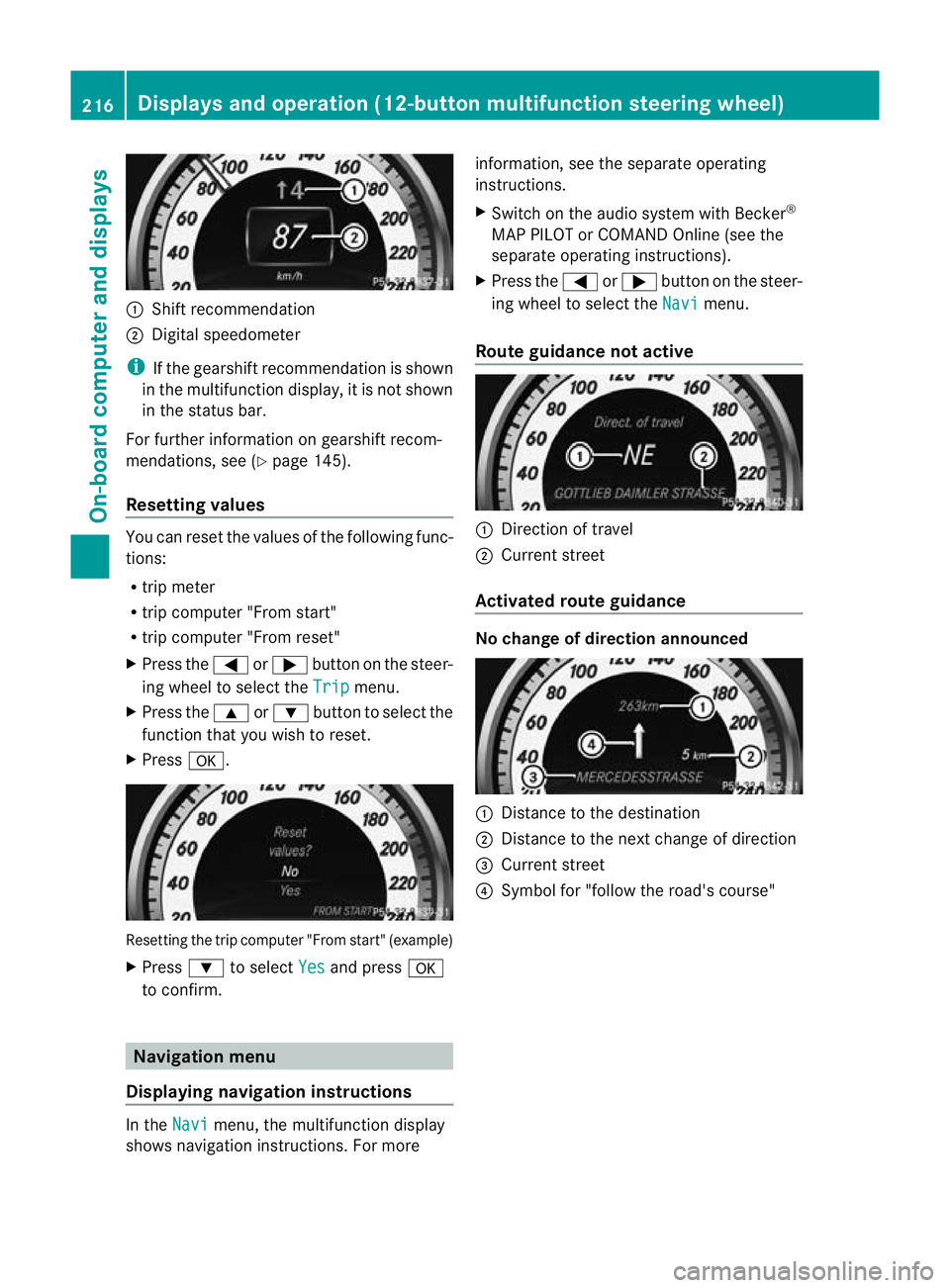
:
Shift recommendation
; Digital speedometer
i If the gearshift recommendation is shown
in the multifunction display, it is not shown
in the status bar.
For further information on gearshift recom-
mendations, see (Y page 145).
Resetting values You can reset the values of the following func-
tions:
R
trip meter
R trip computer "From start"
R trip computer "From reset"
X Press the =or; button on the steer-
ing wheel to select the Trip menu.
X Press the 9or: button to select the
function tha tyou wish to reset.
X Press a. Resetting the trip computer "From start" (example)
X
Press :to select Yes and press
a
to confirm. Navigation menu
Displaying navigation instructions In the
Navi menu, the multifunction display
shows navigation instructions. For more information, see the separate operating
instructions.
X
Switch on the audio system with Becker ®
MAP PILOT or COMAND Online (see the
separate operating instructions).
X Press the =or; button on the steer-
ing wheel to select the Navi menu.
Route guidance not active :
Direction of travel
; Current street
Activated route guidance No change of direction announced
:
Distance to the destination
; Distance to the next change of direction
= Current street
? Symbol for "follow the road's course" 216
Displays and operation (12-button multifunction steering wheel)On-board computer and displays
Page 226 of 373
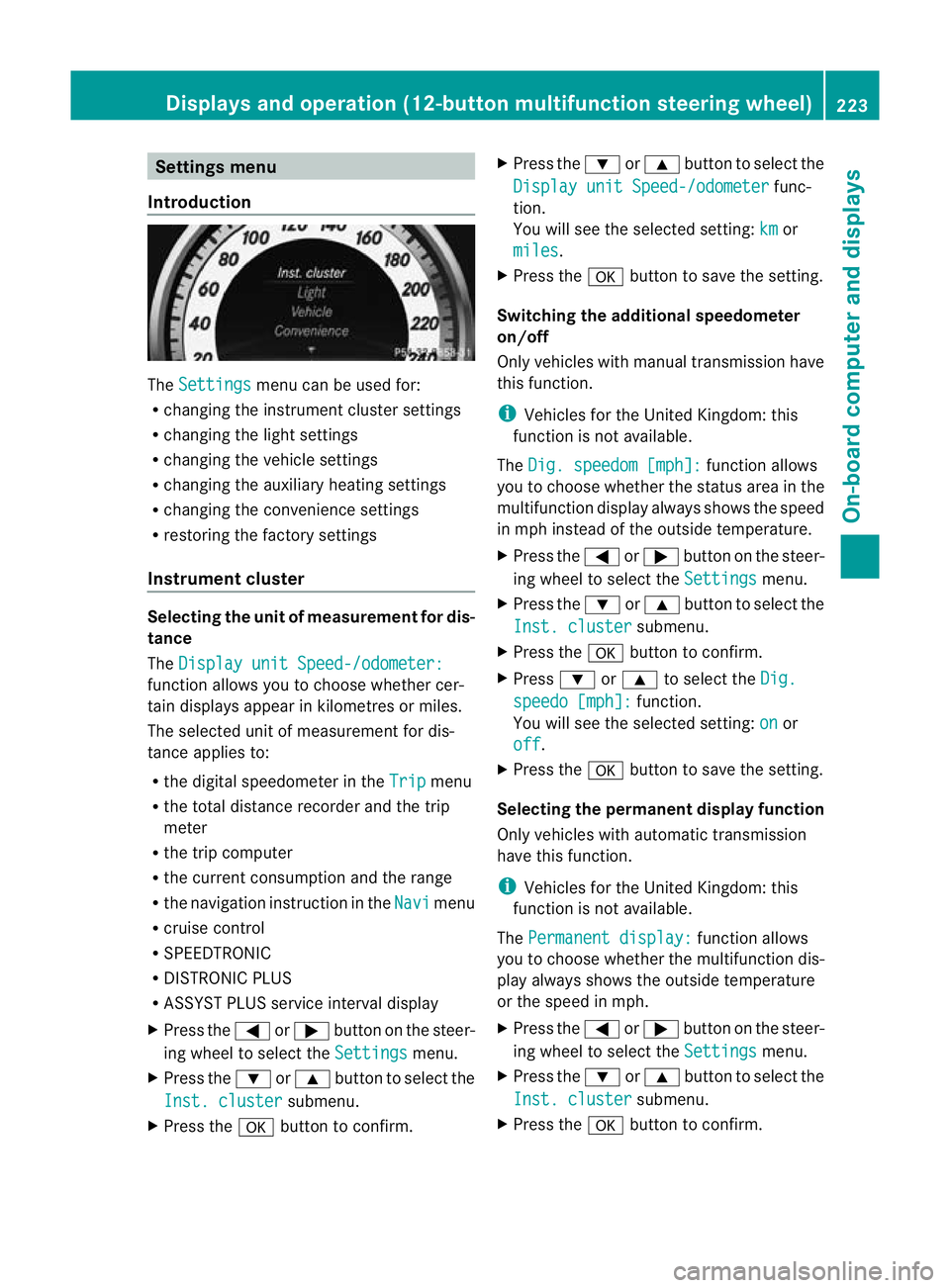
Settings menu
Introduction The
Settings menu can be used for:
R changing the instrument cluster settings
R changing the light settings
R changing the vehicle settings
R changing the auxiliary heating settings
R changing the convenience settings
R restoring the factory settings
Instrument cluster Selecting the unit of measurement for dis-
tance
The Display unit Speed-/odometer: function allows you to choose whether cer-
tain displays appear in kilometres or miles.
The selected unit of measurement for dis-
tance applies to:
R the digital speedometer in the Trip menu
R the total distance recorder and the trip
meter
R the trip computer
R the current consumption and the range
R the navigation instruction in the Navi menu
R cruise control
R SPEEDTRONIC
R DISTRONIC PLUS
R ASSYST PLUS service interval display
X Press the =or; button on the steer-
ing wheel to select the Settings menu.
X Press the :or9 button to select the
Inst. cluster submenu.
X Press the abutton to confirm. X
Press the :or9 button to select the
Display unit Speed-/odometer func-
tion.
You will see the selected setting: km or
miles .
X Press the abutton to save the setting.
Switching the additional speedometer
on/off
Only vehicles with manual transmission have
this function.
i Vehicles for the United Kingdom: this
function is not available.
The Dig. speedom [mph]: function allows
you to choose whether the status area in the
multifunction display always shows the speed
in mph instead of the outside temperature.
X Press the =or; button on the steer-
ing wheel to select the Settings menu.
X Press the :or9 button to select the
Inst. cluster submenu.
X Press the abutton to confirm.
X Press :or9 to select the Dig. speedo [mph]: function.
You will see the selected setting: on or
off .
X Press the abutton to save the setting.
Selecting the permanent display function
Only vehicles with automatic transmission
have this function.
i Vehicles for the United Kingdom: this
function is not available.
The Permanent display: function allows
you to choose whether the multifunction dis-
play always shows the outside temperature
or the speed in mph.
X Press the =or; button on the steer-
ing wheel to select the Settings menu.
X Press the :or9 button to select the
Inst. cluster submenu.
X Press the abutton to confirm. Displays and operation (12-button multifunction steering wheel)
223On-board computer and displays Z
Page 260 of 373
Display messages Possible causes/consequences and
M Solutions
Speed Limit Assist
currently unavail‐
able See Owner's
Manual Speed Limit Assis
tis deactivated and temporarily inoperative if:
R the windscreen is dirty in the camera's field of vision.
R visibility is impaired due to heavy rain, snow or fog.
Speed Limit Assist is operational againa nd the display message
disappears if:
R the dirt (e.g. slush) drops away while the vehicle is in motion.
R the system detects tha tthe camera is fully operational again.
If the display message continues to be displayed:
X Cleant he windscreen. Speed Limit Assist:
Unavailable in
this country Speed Limit Assist is only available in certain countries.
X
Drive on.
Speed Limit Assist is available again when you drive in a country
in which its use is approved. Speed Limit Assist
inoperative Speed Limit Assist is faulty.
X
Visit a qualified specialist workshop. HOLD
Off The HOLD function is deactivated. The vehicle is skidding.
Aw
arning tone also sounds.
X Reactivate the HOLD function later (Y page 177). The HOLD function is deactivated. When the brak
epedal is firmly
depressed, an activation condition is not fulfilled.
Aw arning tone also sounds.
X Check the activation conditions for the HOLD function
(Y page 177). Radar sensor
deactivated autom.
See Owner's Manual Vehicles with a navigation system: the vehicle is close to a radio
telescope facility and is therefore prohibited from transmitting any
radar signals. The radar sensor system has switched off automat-
ically (Y
page 363).
DISTRONI CPLUS (Y page 164) is deactivated automatically if it is
activated. Awarning tone also sounds.
Blind Spo tAssist (Y page 190) or Active Blind Spot Assist
(Y page 194) is deactivated automatically if it is activated. The
yellow 9indicator lamps also light up in the exterior mirrors.
BAS PLUS (Brake Assist PLUS) (Y page 66) and PRE-SAFE®
Brake
(Y page 71) are then also not available.
X Drive on.
Once you have moved far enough away from the radio telescope,
the above functions are available again. Display messages
257On-board computer and displays Z
Page 278 of 373
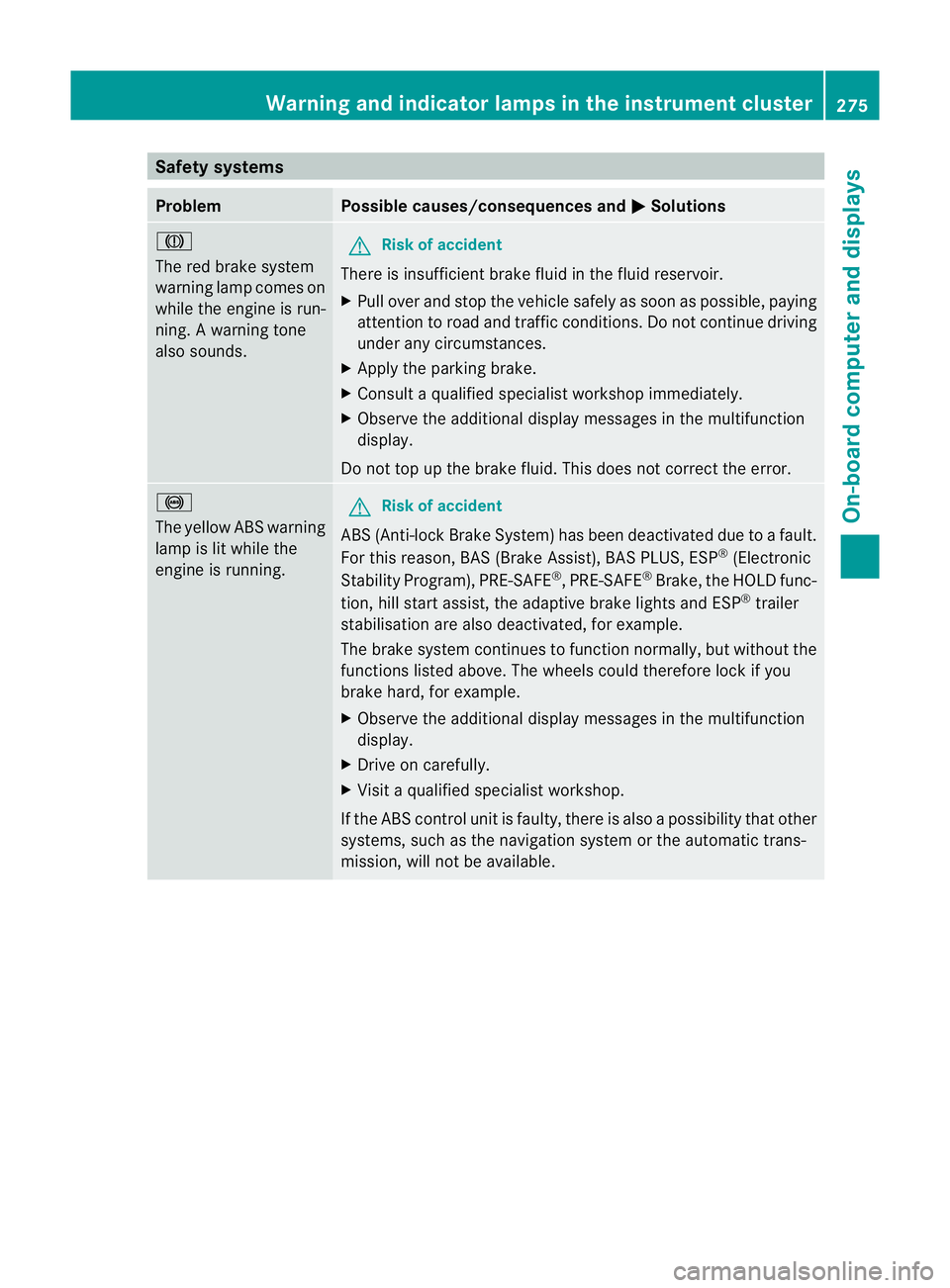
Safety systems
Problem Possible causes/consequences and
M Solutions
J
The red brake system
warning lamp comes on
while the engine is run-
ning. A warning tone
also sounds.
G
Risk of accident
There is insufficient brake fluid in the fluid reservoir.
X Pull over and stop the vehicle safely as soon as possible, paying
attention to road and traffic conditions. Do not continue driving
under any circumstances.
X Apply the parking brake.
X Consult a qualified specialist workshop immediately.
X Observe the additional display messages in the multifunction
display.
Do not top up the brake fluid. This does not correct the error. !
The yellow ABS warning
lamp is lit while the
engine is running.
G
Risk of accident
ABS (Anti-lock Brake System) has been deactivated due to a fault.
For this reason, BAS (Brake Assist), BAS PLUS, ESP ®
(Electronic
Stability Program), PRE-SAFE ®
,P RE-SAFE ®
Brake ,the HOLD func-
tion, hill start assist, the adaptive brake lights and ESP ®
trailer
stabilisation are also deactivated, for example.
The brake system continues to function normally, but without the
functions listed above. The wheels could therefore lock if you
brake hard, for example.
X Observe the additional display messages in the multifunction
display.
X Drive on carefully.
X Visit a qualified specialist workshop.
If the ABS control unit is faulty, there is also a possibility that other
systems, such as the navigation system or the automatic trans-
mission, will not be available. Warning and indicator lamps in the instrument cluster
275On-board computer and displays Z
Page 366 of 373

Permissible rear axle load when towing
atrailer Coupé
Manual transmission Automatic transmis-
sion C 180
45 1115 kg 1140 kg
C 250
45 – 1140 kg
C 350
45 – 1160 kg
C 220 CDI
45 1150 kg 1150 kg
C 250 CDI
45 1175 kg 1180 kg
24-GHz radar sensor system (country overview)
The 24 GH zradar sensor system requires separate approval for each country. When you are
driving in a country in which the radar sensor system is no tapproved, you must deactivate
the system using the on-board computer (Y page 226). The current country overview can be
obtained from a Mercedes-Benz Service Centre.
Vehicles with anavigation system: the radar sensor system is deactivated automatically
near radio telescope facilities.
The currently active systems are automatically deactivated:
R DISTRONIC PLUS (Y page 164)
R Blind Spot Assist (Y page 190)
R Active Blind Spot Assist(Y page 194)
R PRE-SAFE ®
Brake (Y page 50)
Ad isplay message appears in the multifunction display to tell you that the radar sensor system
is being switched off (Y page 257).
BAS PLUS (Y page 66) is the nalso unavailable.
If the deactivation does not occur automatically, you must deactivate the radar sensor system
using the on-board computer (Y page 226).
Vehicles withou tnavigation and vehicles for Australia: you must deactivate the radar
sensor system using the on-board computer whe nyou are near a radio telescope facility
(Y page 226). Country Radio telescope
facilities Geographical latitude and
longitude Distance to be
maintained
from the facility Egypt – – –
Andorra – – –
45
BlueEFFICIENCY. 24-GHz radar sensor system (country overview)
363Technical data Z