climate control MERCEDES-BENZ C-CLASS COUPE 2015 Owner's Manual
[x] Cancel search | Manufacturer: MERCEDES-BENZ, Model Year: 2015, Model line: C-CLASS COUPE, Model: MERCEDES-BENZ C-CLASS COUPE 2015Pages: 385, PDF Size: 13.12 MB
Page 157 of 385
Problem
Possible causes/consequences and
M
MSolutions The coolant temperature
display is showing more
than 120 †. Adisplay
message may also
appear in the multifunc-
tion display and awarn-
ing tone may sound. The coolant level is too low. The coolant is too hot and the engine is no
longer being cooled sufficiently.
X Stop as soon as possible and allow the engine and the coolant to
cool down.
X Check the coolant level (Y page 324). Observe the warning notes
as you do so and top up the coolant if necessary. If the coolant level is correct,t
he engine radiator fan may be faulty. The
coolant is too hot and the engine is no longer being cooled sufficiently.
X If the coolant temperature is below 120 †, you can continue driving
to the nearest qualified specialist workshop.
X Avoid heavy loads on the engine as you do so, e.g. driving in moun-
tainous terrain and stop-start traffic. DYNAMIC SELECTs
witchAll vehicles(
except Mercedes-AMG
vehicles)
Use the DYNAMIC SELECT switch to change the
drive program. Depending on the drive program
selected, the following vehicle characteristics
will change:
R the drive (engine and transmission manage-
ment)
R the suspension
R the steering
R the availability of the ECO start/stop function
R the climate control
- the climate control settings
- the rear window heating operation period
- the performance of the seat heating
If the ignition is switched off for less than four
hours, the previously selected drive program is
activated when the engine is next started. If the ignition is switched off for more than four hours,
drive program Cis activated when the engine is
next started. :
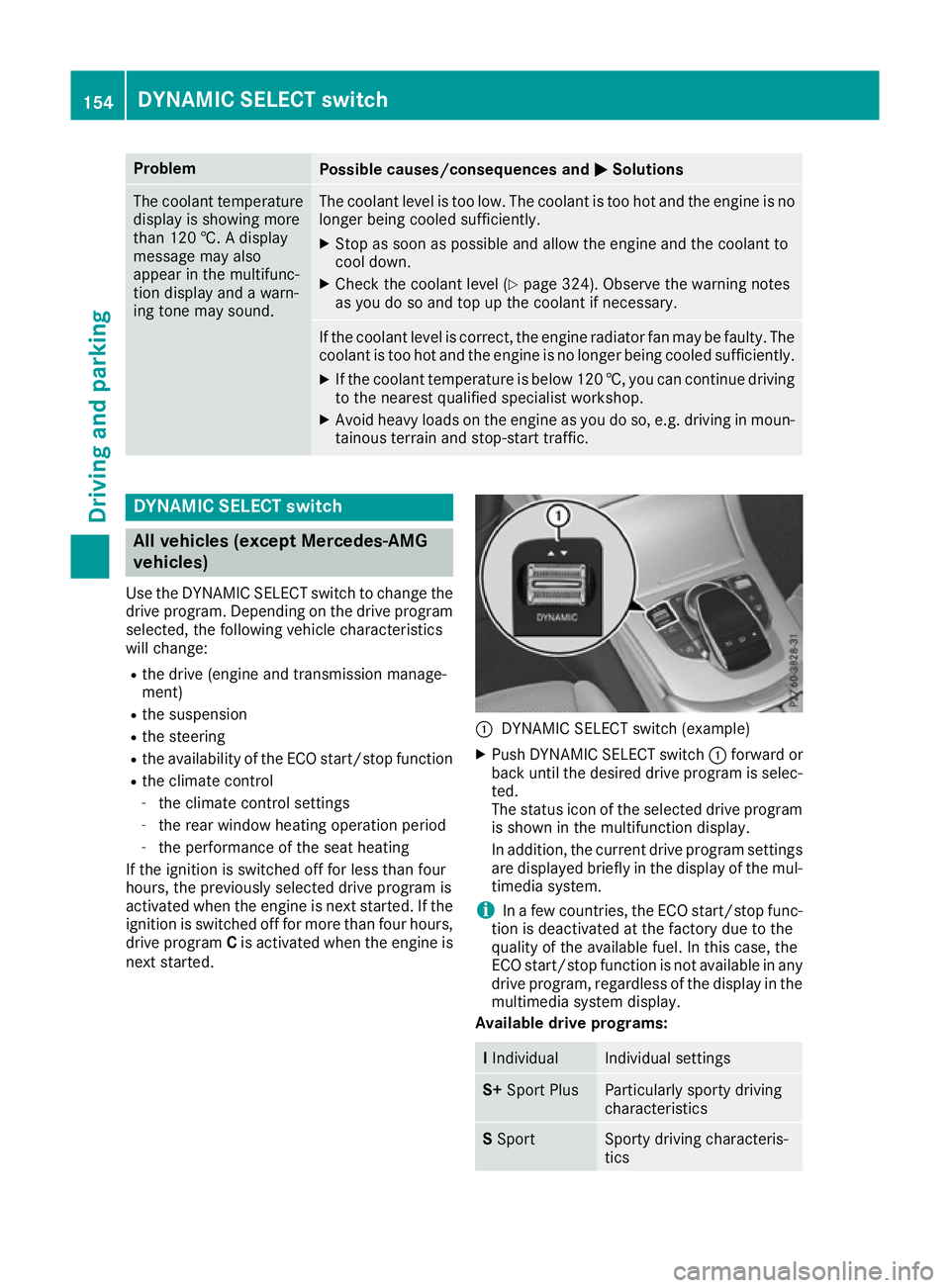
DYNAMIC SELECT switch (example)
X Push DYNAMIC SELECT switch :forward or
back until the desired drive program is selec- ted.
The status icon of the selected drive program
is shown in the multifunction display.
In addition, the current drive program settings are displayed briefly in the display of the mul-
timedia system.
i In
af ew countries, the ECO start/stop func-
tion is deactivated at the factory due to the
quality of the available fuel. In this case, the
ECO start/stop function is not available in any
drive program, regardless of the display in the
multimedia system display.
Available drive programs: I
Individual Individual settings
S+
Sport Plus Particularly sporty driving
characteristics S
Sport Sporty driving characteris-
tics154
DYNAMIC SELECT switchDriving and parking
Page 160 of 385
Gearshift recommendation
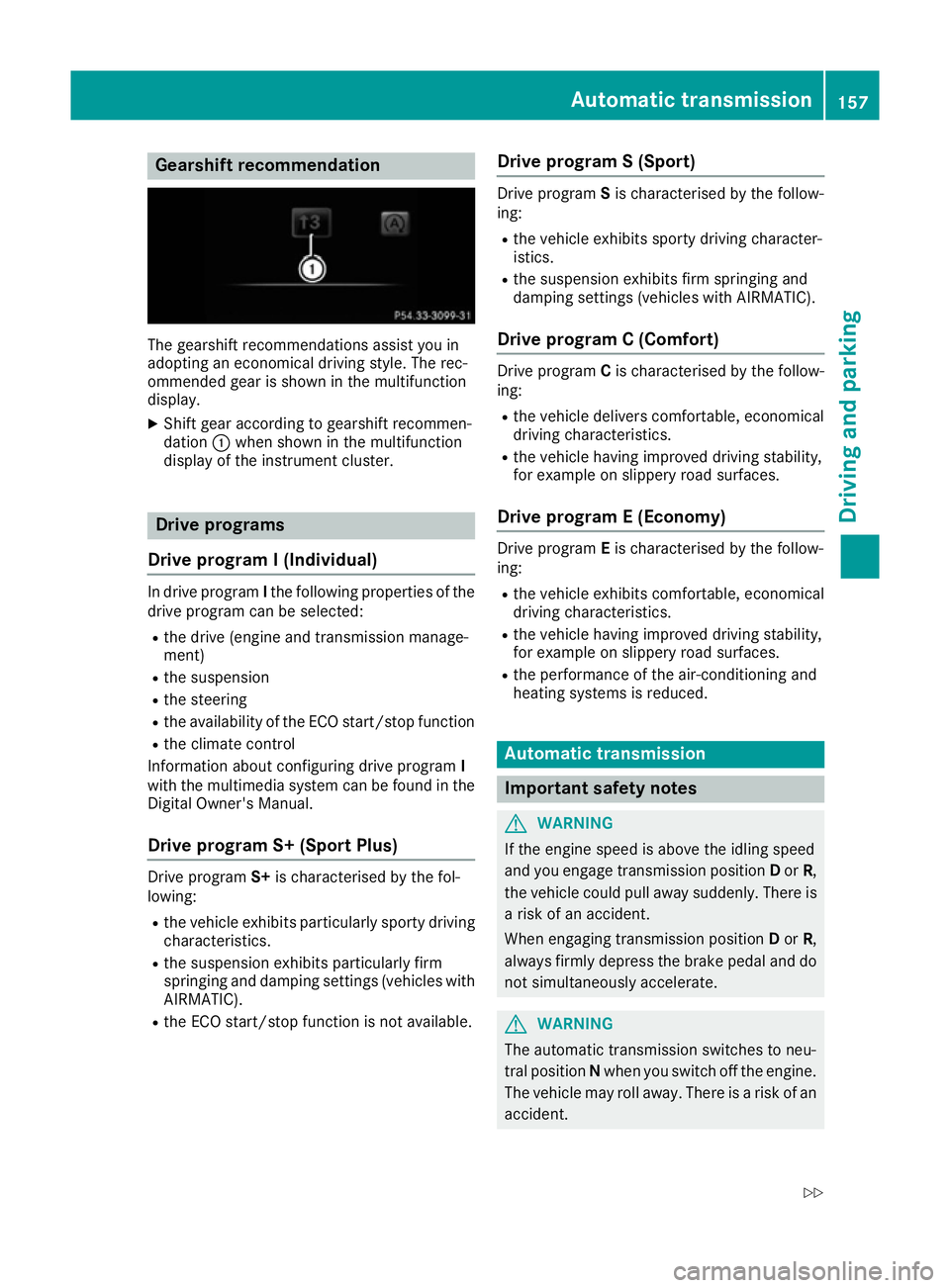
The gearshift recommendations assist you in
adopting an economical driving style .The rec-
ommended gear is shown in the multifunction
display.
X Shift gear according to gearshift recommen-
dation :when shown in the multifunction
display of the instrument cluster. Drive programs
Drive program I(Individual) In drive program
Ithe following properties of the
drive progra mcan be selected:
R the drive (engine and transmission manage-
ment)
R the suspension
R the steering
R the availability of the ECO start/stop function
R the climate control
Information abou tconfiguring drive program I
with the multimedia system can be found in the
Digital Owner's Manual.
Drive program S+ (Sport Plus) Drive program
S+is characterised by the fol-
lowing:
R the vehicle exhibits particularlys porty driving
characteristics.
R the suspension exhibits particularlyf irm
springing and damping settings (vehicles with
AIRMATIC).
R the ECO start/stop function is not available. Drive program
S(Sport) Drive program
Sis characterised by the follow-
ing:
R the vehicle exhibits sporty driving character-
istics.
R the suspension exhibits firm springing and
damping settings (vehicles with AIRMATIC).
Drive program C(Comfort) Drive program
Cis characterised by the follow-
ing:
R the vehicle delivers comfortable ,economical
driving characteristics.
R the vehicle having improve ddriving stability,
for exampl eonslippery road surfaces.
Drive program E(Economy) Drive program
Eis characterised by the follow-
ing:
R the vehicle exhibits comfortable ,economical
driving characteristics.
R the vehicle having improve ddriving stability,
for exampl eonslippery road surfaces.
R the performance of the air-conditioning and
heating systems is reduced. Automatic transmission
Important safety notes
G
WARNING
If the engine speed is above the idling speed
and you engage transmission position Dor R,
the vehicle could pulla waysuddenly. There is
ar isk of an accident.
When engaging transmission position Dor R,
alwaysf irmly depress the brake pedala nd do
not simultaneously accelerate. G
WARNING
The automatic transmission switches to neu-
tral position Nwhen you switch off the engine.
The vehicle may roll away. There is arisk of an
accident. Automatic transmission
157Driving and parking
Z
Page 165 of 385
R
the steering
R the availability of the ECO start/sto pfun ction
R the climate control
Informatio nabout configurin gdrive program I
with the multimedia syste mcan be found in the
Digita lOwn er'sM anual.
i To permanentl
yshift the gear smanuall yin
drive program Iusing the steering whee lpad-
dles ,select theM(manual) setting for the
drive.
Drive program S+ (Sport Plus)
Drive program S+is characterise dbythe fol-
lowing:
R the vehicl eexhibits particularly sporty driving
characteristics.
R the vehicl epulling away in first gear.
R the automatic transmission shiftin guplater.
As aresul toft he later automatic transmission
shift points ,the fuel consumption possibly
being higher.
R the suspensio nexhibits particularly firm
springing and damping setting s(vehicle swith
AIRMATIC).
R the ECO start/sto pfunctio nisn ot available.
Drive program S(Sport)
Drive program Sis characterise dbythe follow-
ing:
R the vehicl eexhibits sporty drivin gcharacter-
istics.
R the vehicl epulling away in first gear.
R the automatic transmission shiftin guplater.
As aresul toft he later automatic transmission
shift points ,the fuel consumption possibly
being higher.
R the suspensio nexhibits fir mspringing and
damping setting s(vehicle swithA IRMATIC).
Drive program C(Comfort)
Drive program Cis characterise dbythe follow-
ing:
R the vehicl eexhibits comfortable, economical
drivin gcharacteristics.
R the vehicl epulling away mor egently in
forward and revers egears unles sthe accel-
erator peda lisdepresse dfully. R
the vehicl ehasimproved drivin gstability, for
exampl eonslipperyroads urfaces.
R optimal fuel consumption resulting fro mthe
automatic transmission shiftin gupsooner.
Th ev ehicl eisd riven in the lo wengine speed
range and the wheels ar elesslikel ytos pin.
Drive program E(Econom y)
Drive program Eis characterised by the follow-
ing:
R the vehicl eexhibits comfortable, economical
drivin gcharacteristics.
R the vehicl epulling away mor egently in
forward and revers egears unles sthe accel-
erator peda lisdepresse dfully.
R the vehicl ehasimproved drivin gstability, for
exampl eonslipperyroads urfaces.
R optimal fuel consumption resulting fro mthe
automatic transmission shiftin gupsooner.
Th ev ehicl eisd riven in the lo wengine speed
range and the wheels ar elesslikel ytos pin.
R durin gdeceleration, the engine is disconnec-
ted fro mthe drive train. Th evehicl euses
kinetic energy and consumes less fuel (over-
ru nm ode).
R the performance of the air-conditioning and
heating systems is reduced.
Mercedes-AMG vehicles Drive program RAC
E(S‑MODEL)
Drive program RACEis characterised by the fol-
lowing:
R the vehicl eexhibits drivin gcharacteristics
suitabl efor the racetrack.
R allv ehicl esystems ar esetfor maximum
sportiness.
R the gearshift recommendation gives you
information for slowly warming up the drive
assemblie sand for adopting afuel-e fficient
drivin gstyle (Y page 163). Yo ucan follo wthe
gearshift recommendations at al ltimes and
change gear accordingly using the steering
whee lgears hift paddles. On the basi softhe
gearshift recommendation, using the steering whee lgears hift paddles, yo ucan optimis ethe
drive train and engine operating mod eatany
time.
R if yo uhaves elect edagearm anually, thi swill
be maintaine duntilthe vehicl espeed signifi-
cantl yincrease sordecreases. 162
Automati
ctransmissionDriving an dparking
Page 302 of 385
Quick access for audio
Changing the station/music track
Dependin
gonthe audio source that is currently
activated, you can use this function to select the next station or music track.
X Swipe upwards with two fingers on the touch-
pad.
The curren taudio source is displayed.
X To select the previous or next station/
music track:
swipe to the left or right.
The selected station/music trac kisplayed.
Switching the character entry between
touchpad and controller Prerequisite: an input line for text, numbers or
characters has been selected.
X To switch to the controller: press the con-
troller.
Character entry using the controller is active.
X To switch to the touchpad: press the touch-
pad with your finger.
Handwriting recognition on the touchpad is
active. Favourites
Calling up and exiting favourites X
To call up: press theòbutton on the con-
troller or on the touchpad.
X Select afavourite, e. g. Vehicle
Vehicle.
The favourites are displayed.
X To exit: press the òbutton again. Adding favourites Adding
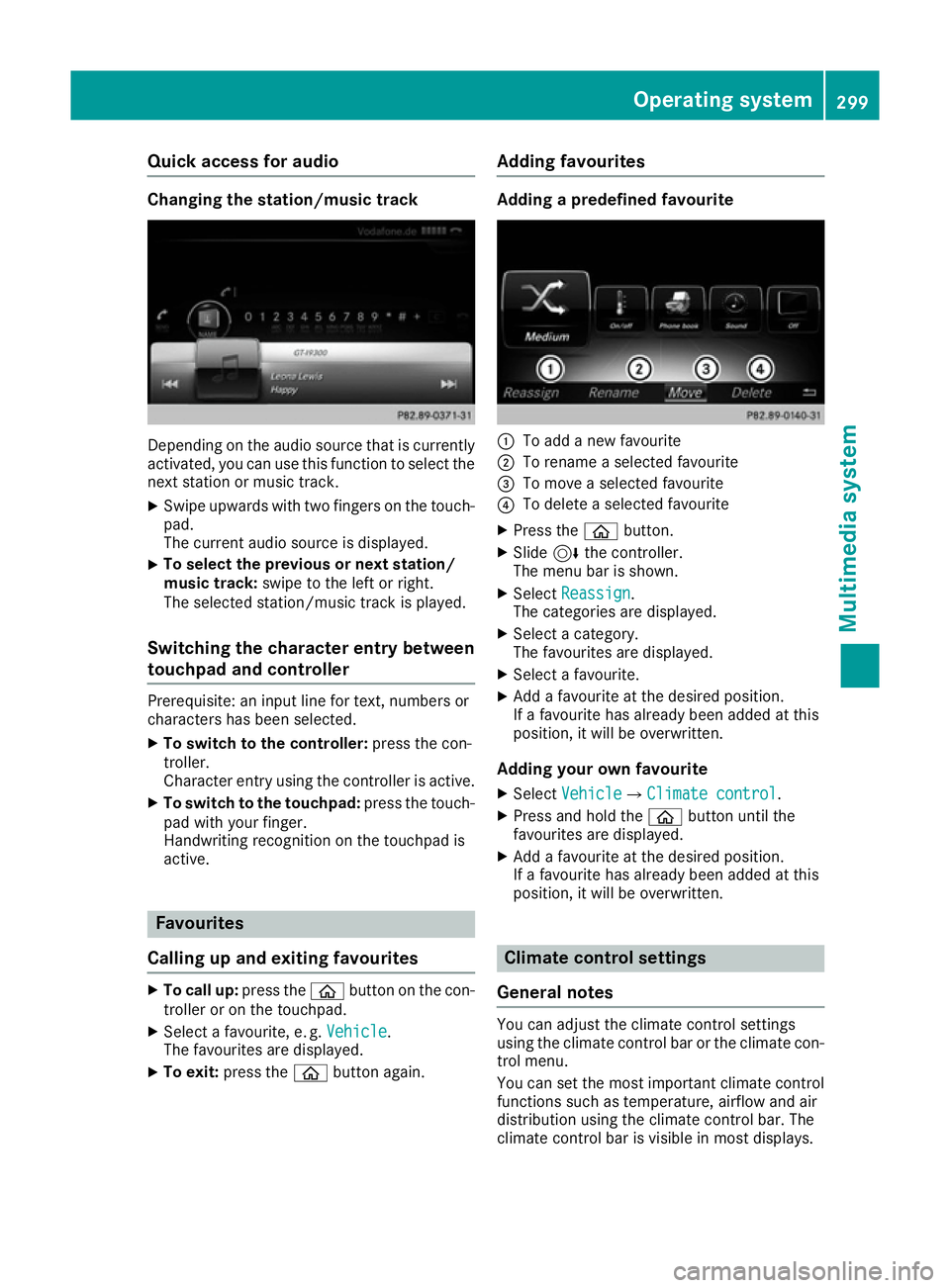
apredefined favourite :
To add anew favourite
; To rename aselected favourite
= To move aselected favourite
? To delete aselected favourite
X Press the òbutton.
X Slide 6the controller.
The menu bar is shown.
X Select Reassign Reassign .
The categories are displayed.
X Select acategory.
The favourites are displayed.
X Select afavourite.
X Add afavourite at the desired position.
If af avourite has already been added at this
position, it will be overwritten.
Adding your own favourite
X Select Vehicle
VehicleQ Climate control
Climate control.
X Press and hold the òbutton until the
favourites are displayed.
X Add afavourite at the desired position.
If af avourite has already been added at this
position, it will be overwritten. Climate control settings
General notes You can adjust the climate control settings
using the climate control bar or the climate con-
trol menu.
You can set the most importan tclimate control
functions such as temperature, airflow and air
distribution using the climate control bar. The
climate control bar is visible in most displays. Operating system
299Multimedia system Z
Page 303 of 385
You can fin
dall available climat econtrol func-
tion sint he climat econtrol menu. You can use
the climat econtrol bar to switc htothe climate
control menu.
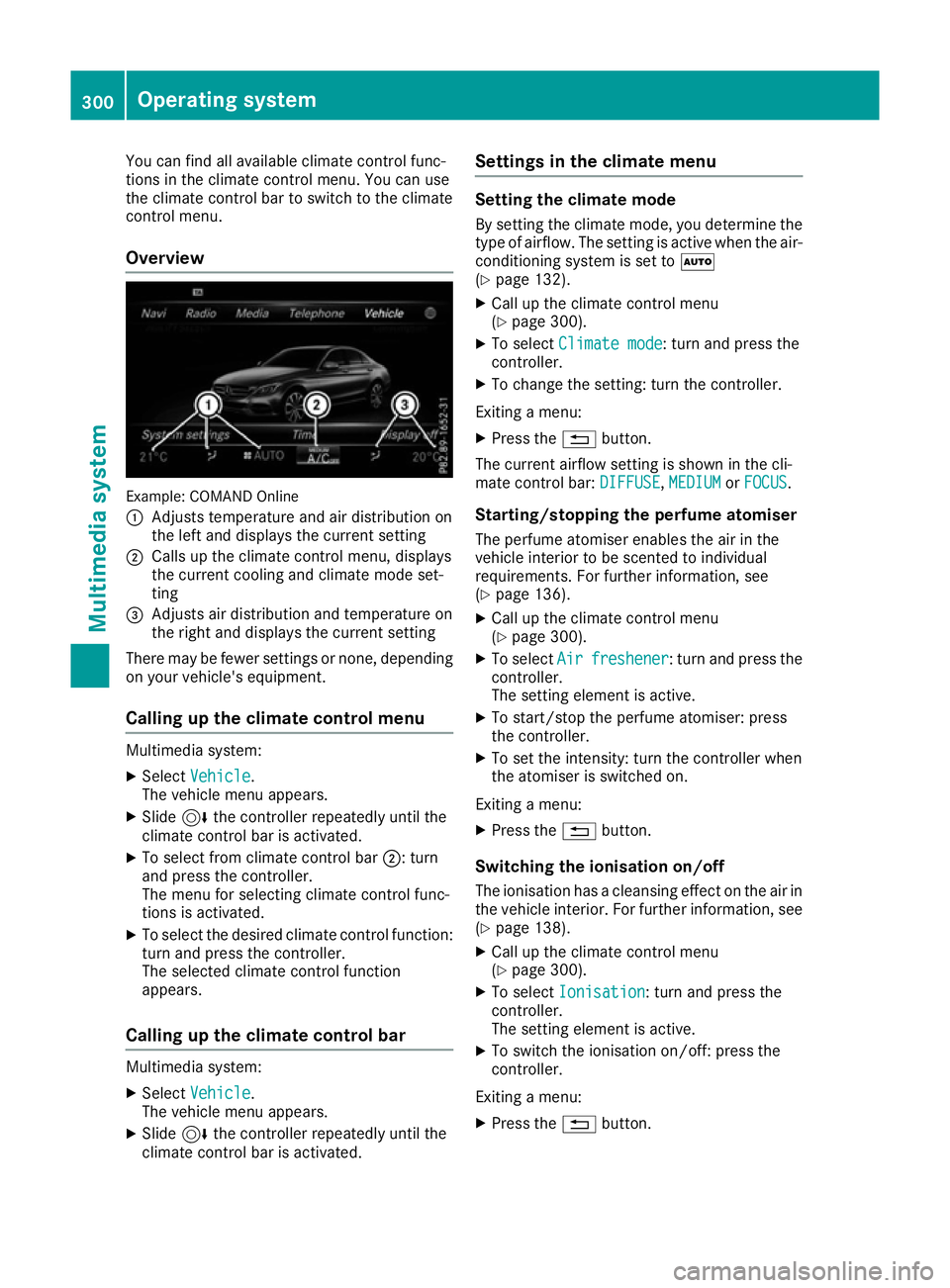
Overview Example: COMAN
DOnline
: Adjusts temperature and air distribution on
the left and displays the current setting
; Calls up the climat econtrol menu, displays
the current coolin gand climat emode set-
ting
= Adjusts air distribution and temperature on
the right and displays the current setting
There may be fewer settings or none, depending
on your vehicle's equipment.
Calling up th eclimate control menu Multimedia system:
X Select Vehicle
Vehicle.
The vehicle men uappears.
X Slide 6the controller repeatedly until the
climat econtrol bar is activated.
X To select from climat econtrol bar ;:turn
and press the controller.
The men ufor selecting climat econtrol func-
tion sisa ctivated.
X To select the desired climat econtrol function:
turn and press the controller.
The selected climat econtrol function
appears.
Calling up th eclimate control bar Multimedia system:
X Select Vehicle Vehicle.
The vehicle men uappears.
X Slide 6the controller repeatedly until the
climat econtrol bar is activated. Settings in th
eclimate menu Setting th
eclimate mode
By settin gthe climat emode, you determine the
type of airflow. The settin gisactive when the air-
conditioning syste misset toÃ
(Y page 132).
X Call up the climat econtrol menu
(Y page 300).
X To select Climate mode
Climate mode :turn and press the
controller.
X To change the setting: turn the controller.
Exitin gam enu:
X Press the %button.
The current airflow settin gisshown in the cli-
mate control bar: DIFFUSE
DIFFUSE,MEDIUM
MEDIUMorFOCUS
FOCUS.
Starting/stopping th eperfum eatomiser
The perfum eatomiser enables the air in the
vehicle interior to be scented to individual
requirements. For further information, see
(Y page 136).
X Call up the climat econtrol menu
(Y page 300).
X To select Air
Air freshener freshener:t urn and press the
controller.
The settin gelemen tisactive.
X To start/sto pthe perfum eatomiser: press
the controller.
X To set the intensity: turn the controller when
the atomiser is switched on.
Exitin gam enu:
X Press the %button.
Switchin gthe ionisation on/off
The ionisation has acleansing effect on the air in
the vehicle interior .For further information, see
(Y page 138).
X Call up the climat econtrol menu
(Y page 300).
X To select Ionisation
Ionisation:t urn and press the
controller.
The settin gelemen tisactive.
X To switc hthe ionisation on/off: press the
controller.
Exitin gam enu:
X Press the %button. 300
Operating systemMultimedia system
Page 304 of 385
Settings in the bottom bar of the cli-
matec ontrol menu Activating/deactivating cooling with air
dehumidification
X Call up the climate control menu
(Y page 300).
X Slide 6the controller repeatedly until the
bottom bar is activated.
X To select O
O A/C
A/C:t urn and press the control-
ler.
X Switch cooling with air dehumidification on
O or off ª.
i The current status of the cooling function is
displayed in the climate control bar: A/C ON
–a ctivated, A/C OFF –deactivated.
i Deactivating the cooling with air dehumidi-
fication function reduces fuel consumption.
Synchronising the climate control set-
tings Use O
O Sync. Sync. (synchronisation )toselect the
climate control settingf or all zones togetherO
or separately ª.
X Call up the climate control menu
(Y page 300).
X Slide 6the controller repeatedly until the
bottom bar is activated.
X To select O
O Sync. Sync.:t urn and press the con-
troller.
X Switch the synchronisation function on Oor
off ª.
For further information on synchronising cli-
mate control settings, see (Y page 133).Navigation mode
Important safety notes G
WARNING
Operating the integrated information systems and communications equipment in the vehicle
while driving will distract you from traffic con-
ditions. You could then lose control of the
vehicle. There is arisk of an accident.
Only operate these devices if road traffic con-
ditions permit. If you are unsure about the surrounding conditions, pull over to
asafe
location and make entries only while the vehi- cle is stationary.
You must observe the legal requirements for the countryinw hich you are currently driving when
operating the navigation system.
General notes Correct functioning of the navigation system
depends, amongst other things, on GPS recep-
tion. In certain situations, GPS reception may be
impaired, there may be interference or there
may be no reception at all, e.g. in tunnels or
multi-storey car parks.
Audio 20 is equippedw ith Garmin®
MAP PILOT
(see the manufacturer's operating instructions).
The Garmin ®
MAP PILOT operating instructions
are stored on the SD memory card as aPDF file.
The SD card box contains aquick guide.
The following descriptions apply to navigation
with COMAND Online. Further information can
be found in the Digital Owner's Manual.
Selecting aroute type and route options Multimedia system:
X Select Navi NaviQNavigation Navigation.
The map displayst he current vehicle position.
X Slide 6the controller.
X Select Options
OptionsQRoute settings Route settings.
Notes for route types:
R Eco route
Eco route
R Dynamic route
Dynamic route
Traffic reports on the route for the route guid-
ance are taken into account.
R Calculate alternative routes Calculate alternative routes
Differen troutes are being calculated. Instead
of Start Start select the Continue Continue menu item.
Notes for route options:
R Use toll roads
Use toll roads
The route calculation includes roads which
require you to pay ausage fee (toll).
R Use vignette roads
Use vignette roads (not available in all
countries)
The route calculation includes roads which
require you to pay atime-based fee (vignette).
Av ignett eallowst emporary use of the route
network,e .g.10d ays or 1year. Operating system
301Multimedia system Z