fog light bulb MERCEDES-BENZ C-CLASS ESTATE 2014 Owners Manual
[x] Cancel search | Manufacturer: MERCEDES-BENZ, Model Year: 2014, Model line: C-CLASS ESTATE, Model: MERCEDES-BENZ C-CLASS ESTATE 2014Pages: 489, PDF Size: 15.08 MB
Page 21 of 489
Setting the airflow ......................... 165
Setting the temperature ................ 163
Rear foglamp
Display message ............................ 333
Switching on/of f........................... 135
Rear lamps
see Lights
Rear window heating
Problem (fault) ............................... 168
Switching on/of f........................... 167
Rear window wiper
Replacing the wiper blad e.............. 149
Switching on/of f........................... 147
Rear-compartment seat belt sta-
tus indicator ........................................ 50
Rear-view mirror
Anti-dazzle mode (automatic) ........ 129
Dipping (manual) ........................... 127
Recuperation display ........................ 300
Refuelling
Fuel gaug e....................................... 34
Important safety notes .................. 204
Refuelling process ......................... 205
see Fuel
Remote control
Auxiliary heating/ventilation .......... 177
Changing the batteries (auxiliary
heating) ......................................... 179
Replacing bulbs
Important safety notes .................. 141
Overview of bulb types .................. 142
Removing/replacing the cover
(front wheel arch) .......................... 143
Replacing the battery (auxiliary
heating remote control) .................... 179
Reserve (fuel tank)
see Fuel
Reserve fuel
Display message ............................ 337
Warning lamp ................................. 362
Residual heat (climate control) ........ 169
Restraint system
Display message ............................ 327
Introduction ..................................... 44
Warning lamp ................................. 361
Warning lamp (function) ................... 45
Rev counter ........................................ 295 Reverse gear
Engaging (manual transmission) .... 195
Reversing camera
Cleaning instructions ..................... 405
Function/note s............................. 248
Switching on/of f........................... 249
Reversing feature
Panorama sliding sunroo f.............. 111
Roller sunblind s............................. 113
Side windows ................................. 107
Sliding sunroof ............................... 111
Tailgate .......................................... 101
Reversing lamp
Changing bulb s.............................. 144
Reversing lamp (display message) .. 333
Roller sunblind
Panorama sliding sunroo f.............. 113
Roller sunblinds (panorama sliding
sunroof)
Operating ....................................... 114
Roof carrier ........................................ 380
Roof lining and carpets (cleaning
instructions) ...................................... 408
Roof load (maximum) ........................ 478 S
Safety Automatic front-passenger front
airbag deactivation system .............. 54
Child restraint systems .................... 64
Children in the vehicle ..................... 63
see Operating safety
Safety net
Attaching ....................................... 378
Important safety information ......... 378
Safety notes
Hybrid vehicles ................................ 42
Safety system
see Driving safety systems
Seat
Folding the backrest (rear com-
partment) forwards/back .............. 374
Seat belt
Centre rear-compartment sea t........ 49
Correct usage .................................. 48 18
Index
Page 251 of 489
appears in the multifunction display. You will
then have to steer and merge into traffic on
your own. PARKTRONIC is still available. You
can take over the steering before the vehicle has exited the parking space completely. This is useful, for example when you recognise
that it is already possible to pull out of the
parking space.
Cancelling Active Parking Assist X
Stop the movement of the multifunction
steering wheel or steer yourself.
Active Parking Assist will be cancelled at
once. The Park Assist cancelled
Park Assist cancelled mes-
sage appears in the multifunction display.
or
X Press the PARKTRONIC button
(Y page 242).
PARKTRONIC is switched off and Active
Parking Assist is immediately cancelled.
The Park Assist cancelled Park Assist cancelled message
appears in the multifunction display.
Active Parking Assist is cancelled automati-
cally if:
R the electric parking brake is applied
R transmission position Pis selected in vehi-
cles with automatic transmission
R parking using Active Parking Assist is no
longer possible
R you are driving faster than 10 km/h
R a wheel spins and ESP ®
intervenes or fails.
The ÷ warning lamp lights up in the
instrument cluster.
A warning tone sounds. The parking symbol
disappears and the multifunction display
shows the Park Assist cancelled
Park Assist cancelled mes-
sage.
When Active Parking Assist is cancelled, you
must steer and brake again yourself.
If a system malfunction occurs, the vehicle is braked to a standstill. To drive on, depress the
accelerator pedal again. Reversing camera
General notes Reversing camera
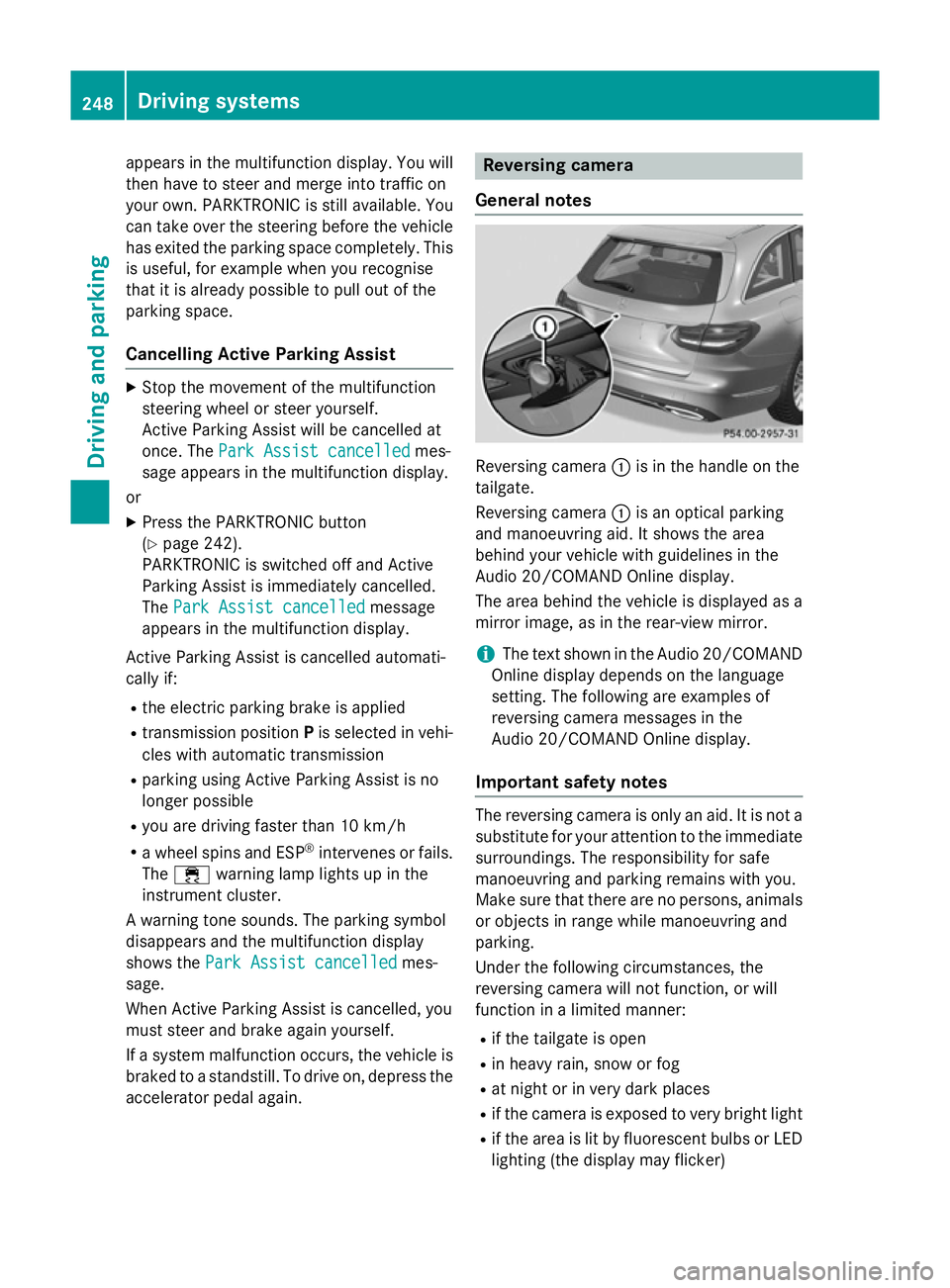
:is in the handle on the
tailgate.
Reversing camera :is an optical parking
and manoeuvring aid. It shows the area
behind your vehicle with guidelines in the
Audio 20/COMAND Online display.
The area behind the vehicle is displayed as a
mirror image, as in the rear-view mirror.
i The text shown in the Audio 20/COMAND
Online display depends on the language
setting. The following are examples of
reversing camera messages in the
Audio 20/COMAND Online display.
Important safety notes The reversing camera is only an aid. It is not a
substitute for your attention to the immediate surroundings. The responsibility for safe
manoeuvring and parking remains with you.
Make sure that there are no persons, animals
or objects in range while manoeuvring and
parking.
Under the following circumstances, the
reversing camera will not function, or will
function in a limited manner:
R if the tailgate is open
R in heavy rain, snow or fog
R at night or in very dark places
R if the camera is exposed to very bright light
R if the area is lit by fluorescent bulbs or LED
lighting (the display may flicker) 248
Driving systemsDriving and parking
Page 257 of 489
R
top view and enlarged front view
R top view and trailer view (vehicles with
trailer tow hitch)
R top view and images from the rear-facing
side cameras (rear wheel view)
R top view and images from the forward-
facing side cameras (front wheel view)
When the function is active and you shift the
transmission from Dor Rto N, the guide lines
in the COMAND/Audio 20 display are hidden.
When you change between transmission
positions Dand R, you see the previously
selected front or rear view.
Important safety notes The 360° camera is only an aid and may show
a distorted view of obstacles, show them
incorrectly or not at all. The 360° camera is
not a substitute for attentive driving.
The responsibility for safe manoeuvring and
parking remains with you. Make sure that
there are no persons, animals or objects in
range while manoeuvring and parking.
You are always responsible for safety and
must always pay attention to your surround-
ings when parking and manoeuvring. This
applies to the areas behind, in front of and
beside the vehicle. You could otherwise
endanger yourself and others.
The 360° camera will not function or will
function only in a limited manner:
R if the doors are open
R if the exterior mirrors are folded in
R if the boot lid is open
R in heavy rain, snow or fog
R at night or in very dark places
R if the cameras are exposed to very bright
light
R if the area is lit by fluorescent bulbs or LED
lighting (the display may flicker)
R if the camera lenses mist up, e.g. when
driving into a heated garage in winter, caus- ing a rapid change in temperature R
if the camera lenses are dirty or covered
R if the vehicle components in which the
cameras are fitted are damaged. In this
event, have the camera position and setting
checked at a qualified specialist workshop.
Do not use the 360° camera in this case. You could otherwise injure others or damage
objects when parking the vehicle.
Guide lines are always shown at road level.
In trailer mode, the guide lines are shown at
the level of the trailer tow hitch.
The camera in the rear area is protected by
means of a flap. This flap opens when the
360° camera is activated. Observe the notes on cleaning (Y page 405). For technical rea-
sons, the flap may remain open briefly after
the 360° camera has been deactivated.
Activation conditions The 360° camera image can be displayed if:
R COMAND Online/Audio 20 is switched on,
see the Digital Owner's Manual
R the 360° camera 360° camera function is switched on
i If the 360° camera is activated at speeds
above 30 km/h, a warning message
appears.
The warning message disappears if:
R the vehicle's speed falls below 30 km/h.
The 360° camera is then activated.
R the message is confirmed with the %
button. 254
Driving systemsDriving an
d parking
Page 336 of 489
Display messages
Possible causes/consequences and
M
MSolutions b
Left tail lamp Left tail lamp
or
Right tail lamp
Right tail lamp The left or right-hand tail lamp is faulty.
X Visit a qualified specialist workshop. b
Left main Left main
beam beamor
Right main
Right main
beam
beam The left or right-hand main-beam headlamp is faulty.
X Check whether you are permitted to replace the bulb yourself
(Y page 142).
or
X Visit a qualified specialist workshop. b
Number plate lamp Number plate lamp The left or right-hand licence plate lamp is faulty.
X Visit a qualified specialist workshop. b
Rear fog lamp Rear fog lamp The rear foglamp is faulty.
X Visit a qualified specialist workshop. b
Front Front
left
leftparking
parking
lamp
lamp orFront
Front
right parking lamp
right parking lamp The front left or front right parking lamp is faulty.
X Visit a qualified specialist workshop. b
Reversing light Reversing light The left or right-hand reversing lamp is faulty.
X Check whether you are permitted to replace the bulb yourself
(Y page 142).
or
X Visit a qualified specialist workshop. b
Left daytime driv‐ Left daytime driv‐
ing lamp ing lamp
orRight
Right
daytime driving
daytime driving
lamp lamp The left or right-hand daytime driving lamp is faulty.
X Visit a qualified specialist workshop. b
Active Light Sys‐ Active Light Sys‐
tem inoperative tem inoperative The active light function is faulty.
X Visit a qualified specialist workshop. b
Intell. Light Sys‐ Intell. Light Sys‐
tem inoperative tem inoperative The Intelligent Light System is faulty. The lights remain available
without the Intelligent Light System.
X Visit a qualified specialist workshop. Display
messages
333On-board computer and displays Z