warning light MERCEDES-BENZ C-CLASS SALOON 2007 User Guide
[x] Cancel search | Manufacturer: MERCEDES-BENZ, Model Year: 2007, Model line: C-CLASS SALOON, Model: MERCEDES-BENZ C-CLASS SALOON 2007Pages: 377, PDF Size: 6.19 MB
Page 52 of 377
Occupant safet
y 49
ates rapidly in a longitudinal direction
during the initial stages of the collision
When the belt tensioners are triggered, you
will hear a bang, which will not cause any
harm to your hearing, and a small amount of
powder may also be released. The =warn-
ing lamp lights up. G
Risk of injury
If the seat belt tensioners have been trig -
gered, they provide no additional protec -
tion in the event of another accident.
Therefore, have belt tensioners which have
been triggered replaced at a qualified spe-
cialist workshop .
Comply with safety regulations when dis-
posing of belt tensioners. Any Mercedes-
Benz Service Centre can provide details of
these regulations.
Airbag s Airbag deployment slows down and restricts
the movement of the vehicle occupant.
When the airbags are triggered, you will hear
a bang, which will not cause any harm to your
hearing, and a small amount of powder ma y
also be released. The =warning lamp
lights up. The SRS/AIRBAG symbol indicates the loca-
tion of the airbags
. G
Risk of injury
Airbags provide additional protection; they
are not, however, a substitute for the sea t
belts.
Observe the following notes to reduce the
risk of serious or even fatal injury if an air-
bag is deployed:
R Vehicle occupants — in particular preg-
nant woman — must wear their seat belt
correctly at all times and lean back
against their backrest, which should be
positioned as close to the vertical as pos-
sible. The head restraint must support
the back of the seat occupant's head at
about eye level.
R Always secure children less tha n
1.50 mtall or under 12 years of age in
suitable child restraint systems.
R All vehicle occupants must select a sea t
position that is as far away from the air-
bag as possible. The driver's seat posi-
tion must allow the vehicle to be driven
safely. The driver's chest should be as far
away from the middle of the driver's fron t
airbag cover as possible. R
Move the front-passenger seat as far
back as possible, in particular, if a child
is secured in a child restraint system on
the seat.
R Vehicle occupants – in particular, chil-
dren – must not lean their head into the
area of the window in which the sidebag/
windowbag is deployed.
R Rearward-facing child restraint systems
must not be fitted to the front-passenger
seat unless the front-passenger front air-
bag has been disabled. On the front-
passenger seat, the front-passenger
front airbag is only deactivated if a child
restraint system with automatic child
seat recognition is fitted to the front-
passenger seat *.The 5 PASSENGER
AIRBAG OFF warning lamp must be li t
constantly .
If either the rearward-facing child
restraint system or the front-passenger
seat* of your vehicle does not have auto-
matic child seat recognition, childre n
must be secured in a child restraint sys-
tem on a suitable seat in the rear. If you
secure a forward-facing child restraint
system to the front-passenger seat, you Safety
* optiona l
204_AKB; 2; 3, en-GB
mkalafa,
2007-06-26T23:11:51+02:00 - Seite 49 Z
Page 59 of 377
Occupant safet
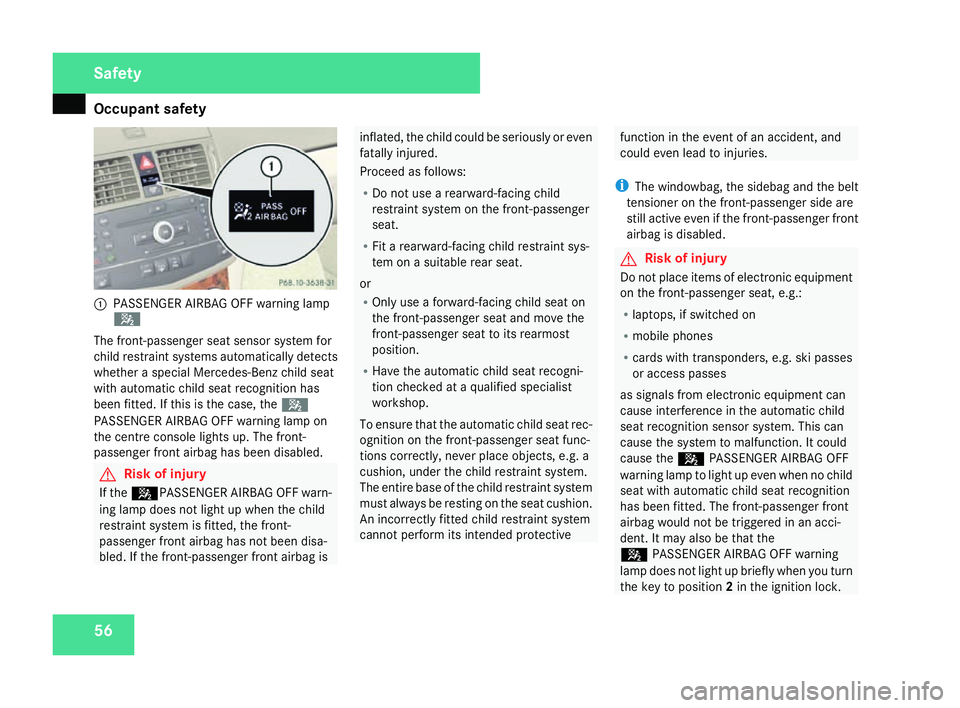
y561
PASSENGER AIRBAG OFF warning lamp
5
The front-passenger seat sensor system for
child restraint systems automatically detect s
whether a special Mercedes-Benz child seat
with automatic child seat recognition has
been fitted. If this is the case, the 5
PASSENGER AIRBAG OFF warning lamp on
the centre console lights up. The front-
passenger front airbag has been disabled. G
Risk of injury
If the 5PASSENGER AIRBAG OFF warn-
ing lamp does not light up when the child
restraint system is fitted, the front-
passenger front airbag has not been disa-
bled. If the front-passenger front airbag is inflated, the child could be seriously or even
fatally injured.
Proceed as follows:
R
Do not use a rearward-facing child
restraint system on the front-passenge r
seat.
R Fit a rearward-facing child restraint sys-
tem on a suitable rear seat.
or
R Only use a forward-facing child seat on
the front-passenger seat and move the
front-passenger seat to its rearmost
position.
R Have the automatic child seat recogni-
tion checked at a qualified specialist
workshop .
To ensure that the automatic child seat rec-
ognition on the front-passenger seat func-
tions correctly, never place objects, e.g. a
cushion, under the child restraint system.
The entire base of the child restraint system
must always be resting on the seat cushion.
An incorrectly fitted child restraint system
cannot perform its intended protective function in the event of an accident, and
could even lead to injuries.
i The windowbag, the sidebag and the belt
tensioner on the front-passenger side are
still active even if the front-passenger front
airbag is disabled. G
Risk of injury
Do not place items of electronic equipment
on the front-passenger seat, e.g.:
R laptops, if switched on
R mobile phones
R cards with transponders, e.g. ski passe s
or access passes
as signals from electronic equipment can
cause interference in the automatic child
seat recognition sensor system. This can
cause the system to malfunction. It could
cause the 5PASSENGER AIRBAG OFF
warning lamp to light up even when no child
seat with automatic child seat recognition
has been fitted. The front-passenger front
airbag would not be triggered in an acci-
dent. It may also be that th e
5 PASSENGER AIRBAG OFF warning
lamp does not light up briefly when you turn
the key to position 2in the ignition lock .Safety
204_AKB; 2; 3, en-GB
mkalafa,
2007-06-26T23:11:51+02:00 - Seite 56
Page 71 of 377
Driving safety sys
tems68 G
Risk of accident
If ABS is faulty, the wheels could lock when
braking. This limits the steerability of the
vehicle when braking and the braking dis-
tance may increase.
If ABS is deactivated due to a malfunction,
then BAS and ESP are also deactivated. BAS (Brake Assist)
BAS operates in emergency braking situa-
tions. If you depress the brake pedal quickly,
BAS automatically boosts the braking force ,
thus shortening the stopping distance.
X Keep the brake pedal firmly depressed until
the emergency braking situation is over.
ABS prevents the wheels from locking.
The brakes will function as usual once you
release the brake pedal. BAS is deactivated. G
Risk of accident
If BAS has malfunctioned, the braking sys-
tem remains available with full brake boost-
ing effect. However, braking force is not
automatically increased in emergency
braking situations and the stopping dis-
tance may increase. Adaptive brake lamps
i Adaptive brake lamps are only available in
certain countries.
If you brake sharply from a speed of mor e
than 50 km/h or if braking is assisted by BAS,
the brake lamps flash rapidly. In this way,
traffic travelling behind you is warned in an
even more noticeable manner .
If you brake from a speed of more than
70 km/h and bring the vehicle to a halt, the
hazard warning lamps switch on automati-
cally once the vehicle is stationary and the
brake lamps light up constantly if you depres s
the brake pedal again. The hazard warning
lamps switch off automatically if you travel
faster than 10 km/h again. ES
P®
(Electronic Stability Program)
ES P®
monitors driving stability and traction,
i.e. power transmission between the tyres
and the road surface.
If ESP ®
detects that the vehicle is deviatin g
from the direction desired by the driver, one
or more wheels are braked to stabilise the
vehicle. The engine output is also modified, if
necessary, to keep the vehicle on the desired
course within the laws of physics. ESP assists
the driver when pulling away on wet or slip-
pery roads. ESP ®
can also stabilise the vehi-
cle during braking.
When ESP ®
intervenes, the vwarning
lamp flashes in the instrument cluster. G
Risk of accident
If the v warning lamp in the instrumen t
cluster flashes, proceed as follows:
R Do not deactivate ESP ®
under any cir -
cumstances .
R Only depress the accelerator pedal as far
as necessary when pulling away.
R Adapt your driving style to suit the pre -
vailing road and weather conditions.
The vehicle could otherwise go into a skid. Safety
204_AKB; 2; 3, en-GB
mkalafa,
2007-06-26T23:11:51+02:00 - Seite 68
Page 73 of 377
Anti-theft syste
ms70
i
If ESP ®
is deactivated and one or mor e
wheels start to spin, the vwarning lamp
in the instrument cluster flashes. ES P®
then does not stabilise the vehicle. 1
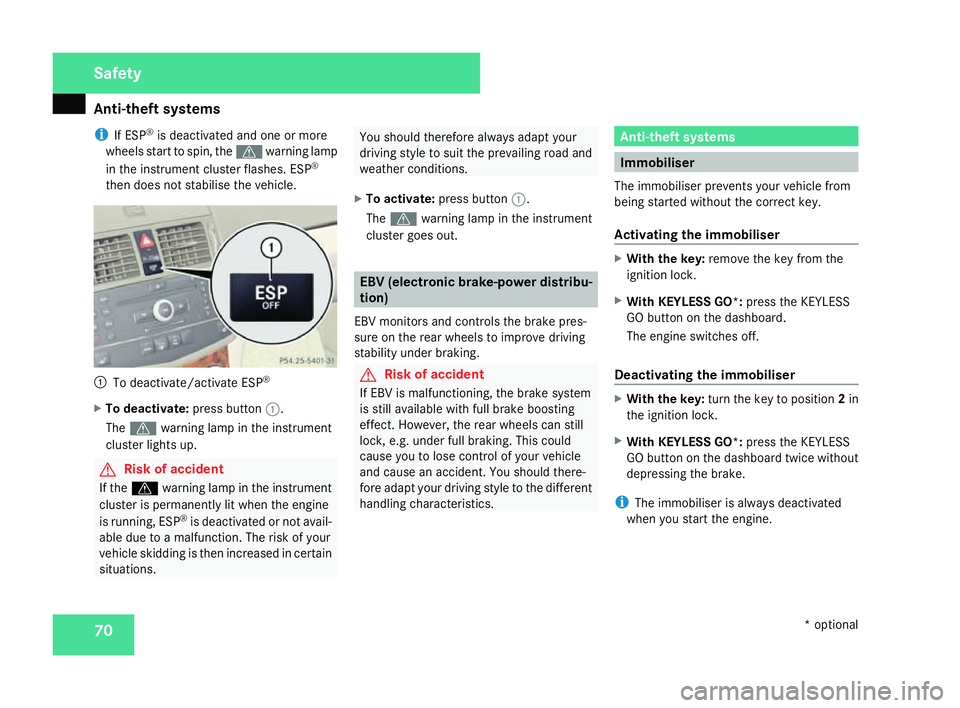
To deactivate/activate ESP ®
X To deactivate :press button 1.
The v warning lamp in the instrumen t
cluster lights up . G
Risk of accident
If the v warning lamp in the instrumen t
cluster is permanently lit when the engine
is running, ESP ®
is deactivated or not avail-
able due to a malfunction. The risk of your
vehicle skidding is then increased in certain
situations. You should therefore always adapt your
driving style to suit the prevailing road and
weather conditions.
X To activate :press button 1.
The v warning lamp in the instrumen t
cluster goes out. EBV (electronic brake-power distribu-
tion)
EBV monitors and controls the brake pres-
sure on the rear wheels to improve driving
stability under braking. G
Risk of accident
If EBV is malfunctioning, the brake system
is still available with full brake boosting
effect. However, the rear wheels can stil l
lock, e.g. under full braking. This could
cause you to lose control of your vehicle
and cause an accident. You should there-
fore adapt your driving style to the differen t
handling characteristics. Anti-theft systems
Immobiliser
The immobiliser prevents your vehicle from
being started without the correct key.
Activating the immobiliser X
With the key: remove the key from the
ignition lock.
X With KEYLESS GO*: press the KEYLESS
GO button on the dashboard.
The engine switches off.
Deactivating the immobiliser X
With the key: turn the key to position 2in
the ignition lock .
X With KEYLESS GO*: press the KEYLESS
GO button on the dashboard twice without
depressing the brake.
i The immobiliser is always deactivated
when you start the engine. Safety
* optional
204_AKB; 2; 3, en-GB
mkalafa,
2007-06-26T23:11:51+02:00 - Seite 70
Page 103 of 377
Seat belts
100
X
Click belt tongue 2into buckle3 .
X If necessary, adjust the belt to the appro-
priate height (Y page 100).
X If necessary, pull upwards on the shoulder
section of the belt to tighten the belt across
your body.
Routing the belt X
Press release button 4and guide belt
tongue 2back towards belt sash guide
1 . Belt warning for driver and fron
t
passenge r
The < seat belt warning lamp in the instru-
ment cluster reminds you that all occupants
should fasten their seat belts. The
or it may flash. Additionally there may be a
warning tone.
The < seat belt warning lamp goes out and
the warning tone ceases when the driver and
the front passenger have fastened their seat
belt.
For certain countries only: independent of
whether the driver or the front passenger are already secured, the
has been started. The
front passenger have fastened their seat belt.
i Further information about the
You can adjust the seat belt height on the
driver's seat and front-passenger seat.
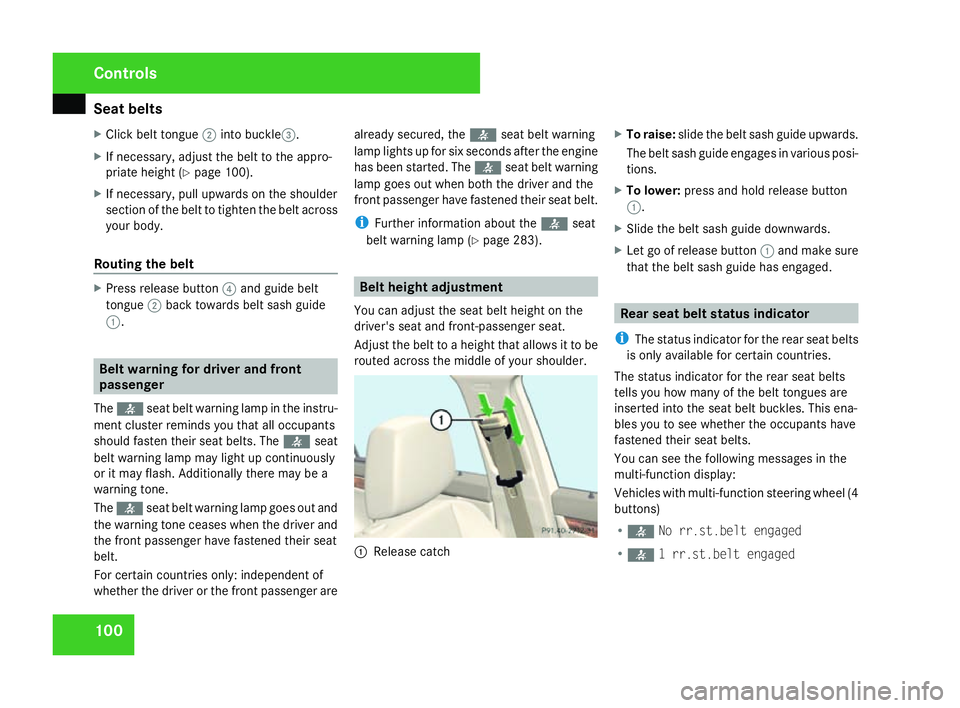
Adjust the belt to a height that allows it to be
routed across the middle of your shoulder. 1
Release catch X
To raise: slide the belt sash guide upwards .
The belt sash guide engages in various posi-
tions.
X To lower: press and hold release button
1 .
X Slide the belt sash guide downwards .
X Let go of release button 1and make sure
that the belt sash guide has engaged . Rear seat belt status indicator
i The status indicator for the rear seat belts
is only available for certain countries.
The status indicator for the rear seat belts
tells you how many of the belt tongues are
inserted into the seat belt buckles. This ena-
bles you to see whether the occupants have
fastened their seat belts.
You can see the following messages in the
multi-function display :
Vehicles with multi-function steering wheel (4
buttons)
R < No rr.st.belt engaged
R < 1 rr.st.belt engaged Controls
204_AKB; 2; 3, en-GB
mkalafa,
2007-06-26T23:11:51+02:00 - Seite 100
Page 108 of 377
Light
s 105
Headlamp flasher
X
To switch on: briefly pull the combinatio n
switch in the direction of arrow 2. Hazard warning lamps
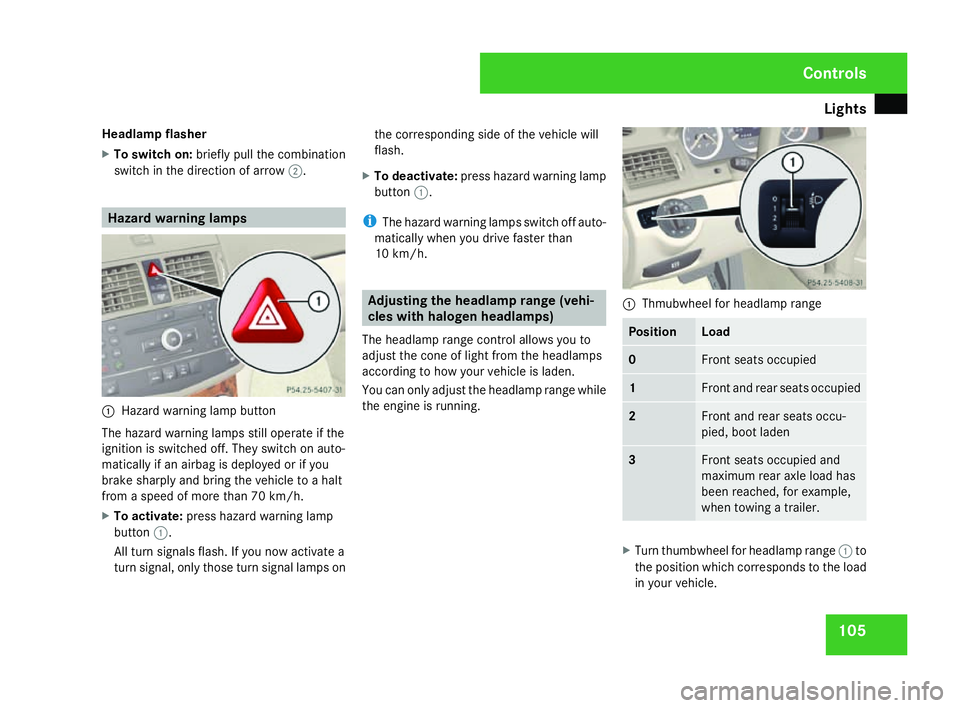
1
Hazard warning lamp button
The hazard warning lamps still operate if the
ignition is switched off. They switch on auto-
matically if an airbag is deployed or if yo u
brake sharply and bring the vehicle to a halt
from a speed of more than 70 km/h.
X To activate :press hazard warning lamp
button 1.
All turn signals flash. If you now activate a
turn signal, only those turn signal lamps on the corresponding side of the vehicle will
flash.
X To deactivate :press hazard warning lamp
button 1.
i The hazard warning lamps switch off auto-
matically when you drive faster than
10 km/h. Adjusting the headlamp range (vehi-
cles with halogen headlamps)
The headlamp range control allows you to
adjust the cone of light from the headlamps
according to how your vehicle is laden.
You can only adjust the headlamp range while
the engine is running. 1
Thmubwheel for headlamp range Position Load
0 Front seats occupied
1 Front and rear seats occupied
2 Front and rear seats occu
-
pied, boot laden 3 Front seats occupied and
maximum rear axle load ha s
been reached, for example,
when towing a trailer. X
Turn thumbwheel for headlamp range 1to
the position which corresponds to the load
in your vehicle. Controls
204_AKB; 2; 3, en-G
B
mkalafa , 2007-06-26T23:11:51+02:00 - Seite 105
Page 126 of 377

Instrument cluste
r 123Instrument cluster
You will find an illustration of the instrumen t
cluster in the "At a glance" section
( Y page 28). G
Risk of accident
No messages can be displayed if instru -
ment cluster and/or the multi-function dis-
play fail .
This means that you will not see information
about the driving situation, such as the
speed, outside temperature, warning/indi-
cator lamps, display messages or system
failures. The vehicle's handling character-
istics may be affected. Adjust your driving
style and speed accordingly.
Immediately consult a qualified specialist
workshop which has the necessary special-
ist knowledge and tools to carry out the
work required. Mercedes-Benz recom-
mends that you use a Mercedes-Benz
Service Centre for this purpose. In particu-
lar, work relevant to safety or on safety-
related systems must be carried out at a
qualified specialist workshop. Activating the multi-function displa
y
X Switch on the ignition.
The multi-function display is also activate d
when you switch on the lights or open th e
driver's door. Adjusting the instrument cluster
lighting
1
Brightness control
X Brighter or dimmer: turn clockwise or
anti-clockwise. Coolant temperature gaug
e
The coolant temperature gauge is in the
instrument cluster on the left-hand side. The
coolant temperature may rise to 120 †under
normal operating conditions and if the con-
centration of antifreeze/corrosion inhibitor is
correct. The coolant temperature may rise to
the top end of the scale at high outside tem-
peratures and on long uphill stretches. Resetting the trip meter
Vehicles with a 4-button multi-function
steering wheel: you can reset the trip meter
in the standard displa ymenu
( Y page 128).
Vehicles with a 12-button luxury multi-
function steering wheel* :you can find th e
"Reset values" function in the Tripmenu in
the on-board computer (Y page 135). Controls
* optional
204_AKB; 2; 3, en-GB
mkalafa,
2007-06-26T23:11:51+02:00 - Seite 123
Page 143 of 377
On-board computer (vehicles with the luxury multi-function steering wheel*, 12 buttons)
140 Service menu
i Menu overview (Y page 132), using the
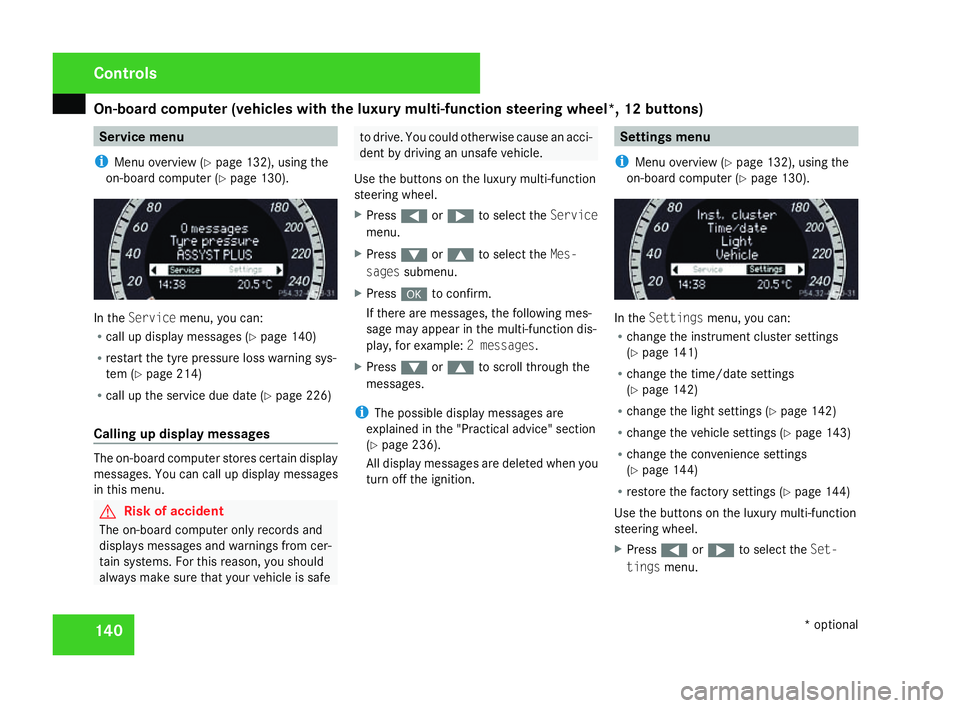
on-board computer (Y page 130). In the
Servic emenu, you can:
R call up display messages (Y page 140 )
R restart the tyre pressure loss warning sys-
tem (Y page 214 )
R call up the service due date (Y page 226 )
Calling up display messages The on-board computer stores certain display
messages. You can call up display messages
in this menu. G
Risk of accident
The on-board computer only records and
displays messages and warnings from cer-
tain systems. For this reason, you shoul d
always make sure that your vehicle is safe to drive. You could otherwise cause an acci-
dent by driving an unsafe vehicle .
Use the buttons on the luxury multi-function
steering wheel.
X Press (or& to select the Service
menu.
X Press %or$ to select the Mes-
sages submenu.
X Press #to confirm.
If there are messages, the following mes -
sage may appear in the multi-function dis-
play, for example: 2 messages.
X Press %or$ to scroll through the
messages.
i The possible display messages are
explained in the "Practical advice" section
( Y page 236).
All display messages are deleted when you
turn off the ignition. Settings menu
i Menu overview (Y page 132), using the
on-board computer (Y page 130). In the
Settings menu, you can:
R change the instrument cluster settings
(Y page 141 )
R change the time/date settings
(Y page 142 )
R change the light settings (Y page 142 )
R change the vehicle settings (Y page 143 )
R change the convenience settings
(Y page 144 )
R restore the factory settings (Y page 144 )
Use the buttons on the luxury multi-function
steering wheel.
X Press (or& to select the Set-
tings menu. Controls
* optional
204_AKB; 2; 3, en-GB
mkalafa,
2007-06-26T23:11:51+02:00 - Seite 140
Page 151 of 377
Driving sys
tems 14
8
Making adjustments in 1 km/h incre-
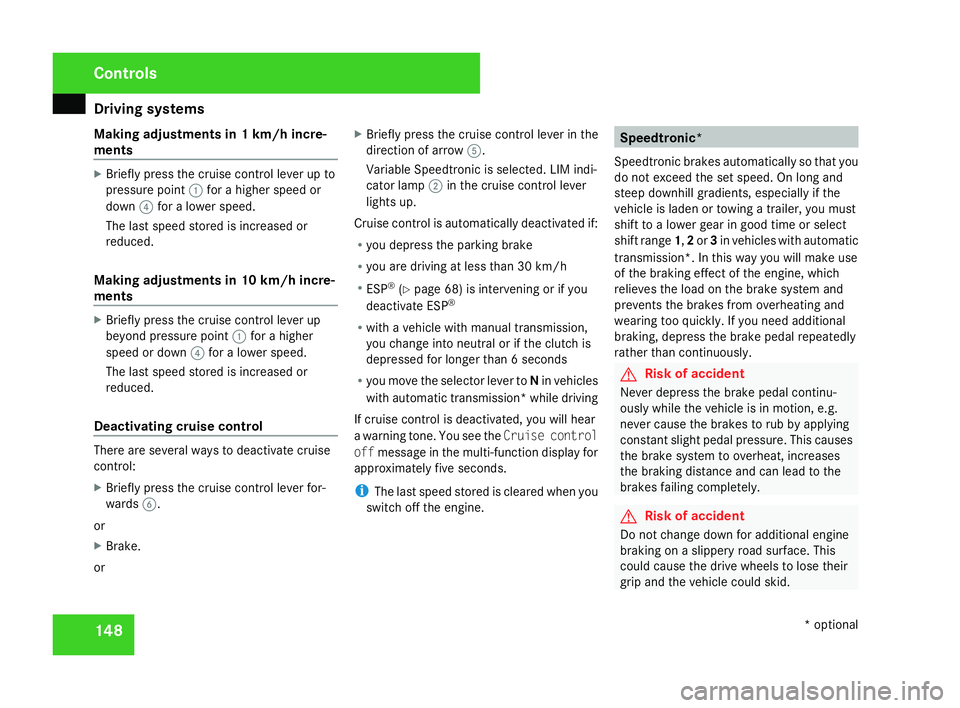
ments X
Briefly press the cruise control lever up to
pressure point 1for a higher speed or
down 4for a lower speed.
The last speed stored is increased or
reduced.
Making adjustments in 10 km/h incre-
ments X
Briefly press the cruise control lever up
beyond pressure point 1for a higher
speed or down 4for a lower speed.
The last speed stored is increased or
reduced.
Deactivating cruise control There are several ways to deactivate cruis
e
control :
X Briefly press the cruise control lever for-
wards 6.
or
X Brake .
or X
Briefly press the cruise control lever in the
direction of arrow 5.
Variable Speedtronic is selected. LIM indi-
cator lamp 2in the cruise control lever
lights up.
Cruise control is automatically deactivated if:
R you depress the parking brak e
R you are driving at less than 30 km/h
R ESP ®
(Y page 68) is intervening or if you
deactivate ESP ®
R with a vehicle with manual transmission ,
you change into neutral or if the clutch is
depressed for longer than 6 seconds
R you move the selector lever to Nin vehicles
with automatic transmission* while drivin g
If cruise control is deactivated, you will hear
a warning tone. You see the Cruise control
off message in the multi-function display for
approximately five seconds.
i The last speed stored is cleared when you
switch off the engine. Speedtronic*
Speedtronic brakes automatically so that you
do not exceed the set speed. On long and
steep downhill gradients, especially if the
vehicle is laden or towing a trailer, you must
shift to a lower gear in good time or select
shift range 1,2 or 3in vehicles with automatic
transmission*. In this way you will make use
of the braking effect of the engine, which
relieves the load on the brake system and
prevents the brakes from overheating and
wearing too quickly. If you need additional
braking, depress the brake pedal repeatedly
rather than continuously. G
Risk of accident
Never depress the brake pedal continu -
ously while the vehicle is in motion, e.g.
never cause the brakes to rub by applying
constant slight pedal pressure. This causes
the brake system to overheat, increases
the braking distance and can lead to the
brakes failing completely. G
Risk of accident
Do not change down for additional engine
braking on a slippery road surface. Thi s
could cause the drive wheels to lose thei r
grip and the vehicle could skid. Controls
* optional
204_AKB; 2; 3, en-GB
mkalafa,
2007-06-26T23:11:51+02:00 - Seite 148
Page 153 of 377
Driving sys
tems 15
0
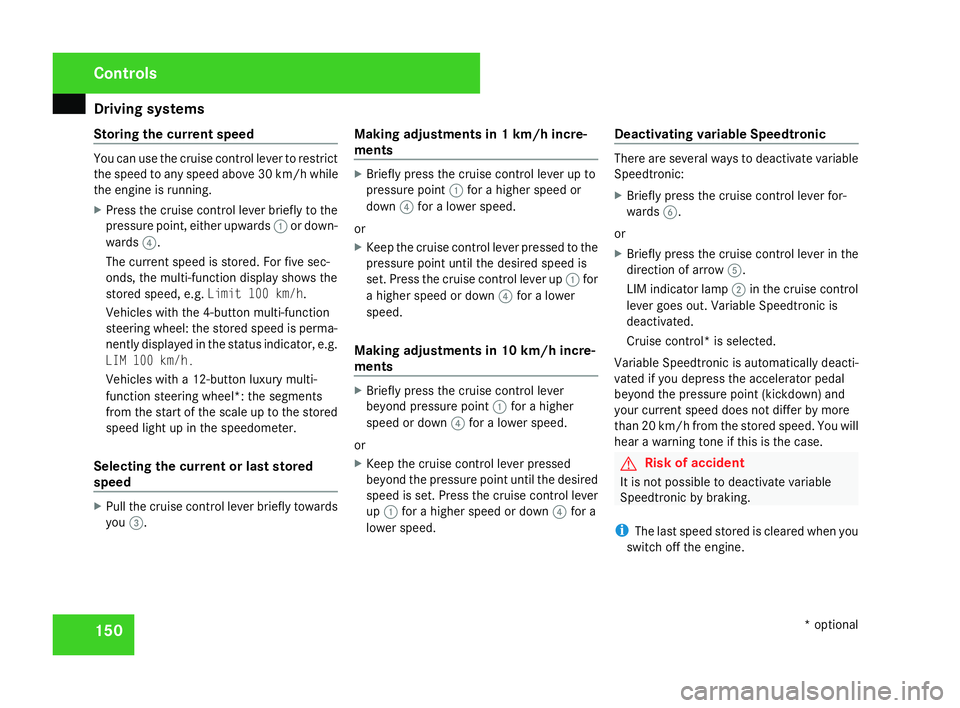
Storing the current speed You can use the cruise control lever to restrict
the speed to any speed above 30 km/h whil e
the engine is running .
X Press the cruise control lever briefly to the
pressure point, either upwards 1or down-
wards 4.
The current speed is stored. For five sec-
onds, the multi-function display shows the
stored speed, e.g. Limit 100 km/h.
Vehicles with the 4-button multi-function
steering wheel: the stored speed is perma-
nently displayed in the status indicator, e.g.
LIM 100 km/h.
Vehicles with a 12-button luxury multi-
function steering wheel*: the segments
from the start of the scale up to the stored
speed light up in the speedometer.
Selecting the current or last stored
speed X
Pull the cruise control lever briefly towards
you 3. Making adjustments in 1 km/h incre-
ments X
Briefly press the cruise control lever up to
pressure point 1for a higher speed or
down 4for a lower speed.
or
X Keep the cruise control lever pressed to the
pressure point until the desired speed is
set. Press the cruise control lever up 1for
a higher speed or down 4for a lower
speed.
Making adjustments in 10 km/h incre-
ments X
Briefly press the cruise control lever
beyond pressure point 1for a higher
speed or down 4for a lower speed.
or
X Keep the cruise control lever pressed
beyond the pressure point until the desired
speed is set. Press the cruise control lever
up 1 for a higher speed or down 4for a
lower speed. Deactivating variable Speedtronic There are several ways to deactivate variable
Speedtronic
:
X Briefly press the cruise control lever for-
wards 6.
or
X Briefly press the cruise control lever in the
direction of arrow 5.
LIM indicator lamp 2in the cruise control
lever goes out. Variable Speedtronic is
deactivated.
Cruise control* is selected.
Variable Speedtronic is automatically deacti-
vated if you depress the accelerator pedal
beyond the pressure point (kickdown) and
your current speed does not differ by mor e
than 20 km/h from the stored speed. You will
hear a warning tone if this is the case. G
Risk of accident
It is not possible to deactivate variabl e
Speedtronic by braking.
i The last speed stored is cleared when you
switch off the engine. Controls
* optional
204_AKB; 2; 3, en-GB
mkalafa,
2007-06-26T23:11:51+02:00 - Seite 150