warning light MERCEDES-BENZ C-CLASS SALOON 2011 Manual PDF
[x] Cancel search | Manufacturer: MERCEDES-BENZ, Model Year: 2011, Model line: C-CLASS SALOON, Model: MERCEDES-BENZ C-CLASS SALOON 2011Pages: 401, PDF Size: 9.74 MB
Page 241 of 401
Ä
symbol as long as the HOLD function is
not activated (Y page 193).
Vehicles with Parking Guidance: if PARK-
TRONIC is activated and you are driving at a
speed under 35 km/h, the jParking Guid-
ance symbol is shown instead of the Ä
symbol.
Activating/deactivating ATTENTION
ASSIST X
Press =or; on the steering wheel
to select the Assist. menu.
X Press the 9or: button to select
Attention Asst. .
X Press a.
The current selection is displayed.
X To activate/deactivate: pressa
again.
When ATTENTION ASSIST (Y page 203) is
activated, the Àsymbol appears in the
multifunction display when the ignition is on.
Activating/deactivating Blind Spot
Assist You can use the
Blind Spot Asst. function
to activate or deactivate Blind Spot Assist
(Y page 205) or Active Blind Spot Assist
(Y page 209).
X Press =or; on the steering wheel
to select the Assist. menu.
X Press 9or: to select Blind Spot
Asst. .
X Press a.
If the function is activated, the monitored
areas in the multifunction display light up
red.
X To activate/deactivate: pressa
again.
Activating/deactivating Lane Keeping
Assist You can use the
Lane Keep. Asst. function
to activate/deactivate Lane Keeping Assist (Y
page 208) or Active Lane Keeping Assist
(Y page 212).
X Press =or; on the steering wheel
to select the Assist. menu.
X Press 9or: to select Lane Keep.
Asst. .
X Press a.
If the function is activated, the lane marking
symbol in the multifunction display lights
up red.
X To activate/deactivate: pressa
again.
When Lane Keeping Assist or Active Lane
Keeping Assist is activated, the Ãsymbol
appears in the multifunction display when the
ignition is on. Service menu
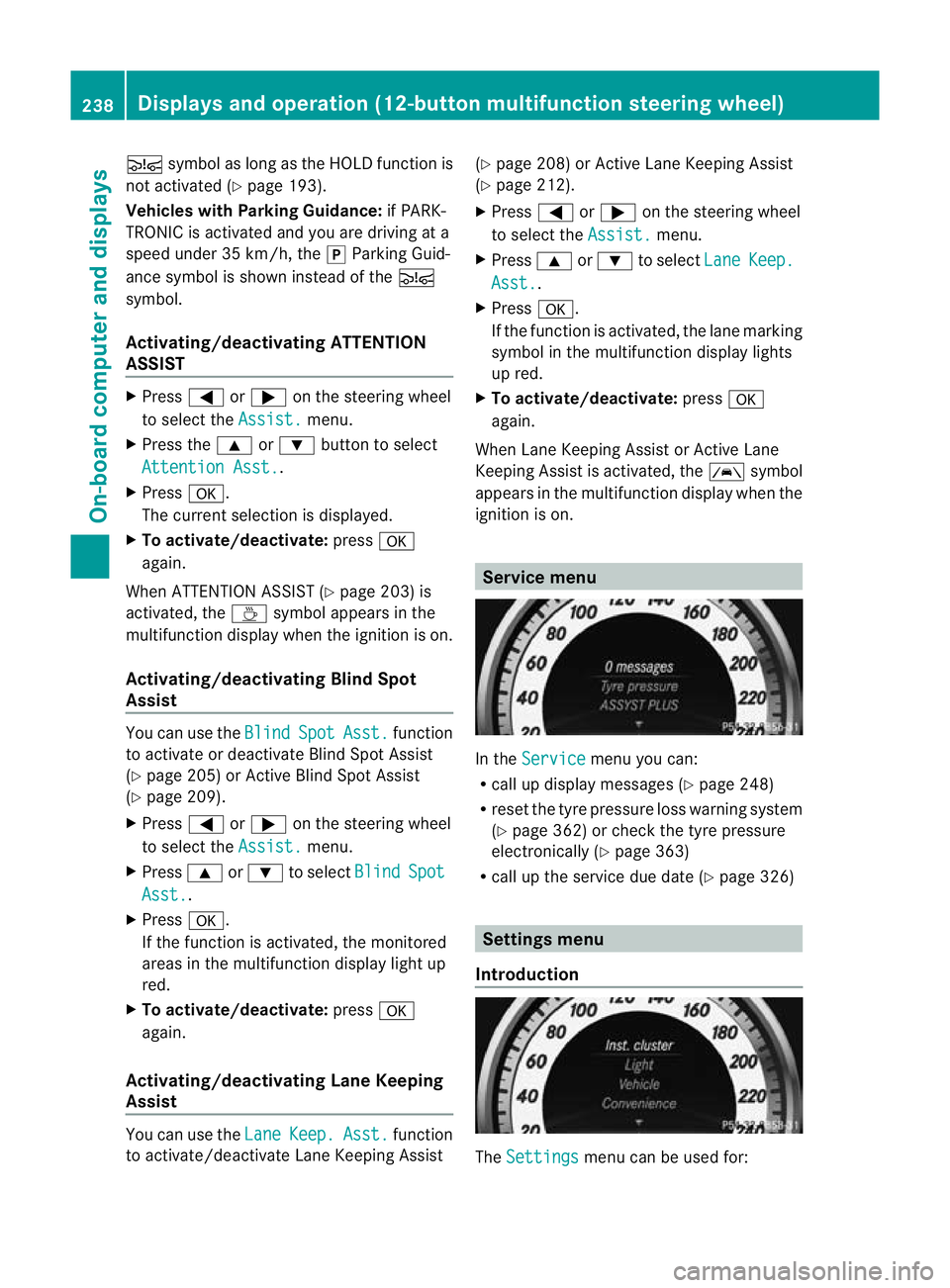
In the
Service menu you can:
R call up display messages (Y page 248)
R reset the tyre pressure loss warning system
(Y page 362) or check the tyre pressure
electronically (Y page 363)
R call up the service due date (Y page 326) Settings menu
Introduction The
Settings menu can be used for:238
Displays and operation (12-button multifunction steering wheel)On-board computer and displays
Page 246 of 401
The auxiliary heating timer function calcu-
lates the switch-on time according to the out-
side temperature so that the vehicle is pre-
heated by the departure time. When the
departure time is reached, the auxiliary heat-
ing continues to heat for a further five
minutes and then switches off. The auxiliary
heating adopts the THERMATIC or
THERMOTRONIC temperature setting.
You can switch off the auxiliary heating by
using the remote control or the auxiliary heat-
ing button on the centre console. G
WARNING
Exhaust fumes are produced when the auxili-
ary heating is in operation. Inhaling these
exhaust fumes can be poisonous. You should
therefore switch off the auxiliary heating in
confined spaces without an extraction sys-
tem, e.g. a garage. G
WARNING
When operating the auxiliary heating parts of
the vehicle can get very hot. Make sure that
the exhaust system does not under any cir-
cumstances come into contact with easily
ignitable material such as dry grass or fuels.
The material could otherwise ignite and set
the vehicle alight. Choose your parking spot
accordingly.
Operating the auxiliary heating is thus pro-
hibited at filling stations or when your vehicle
is being refuelled. You must therefore switch
off the auxiliary heating at filling stations.
! Operating the auxiliary heating/ventila-
tion draws on the vehicle battery. After you
have heated or ventilated the vehicle a
maximum of two times, drive for a longer
distance.
i Switch the auxiliary heating on regularly
once a month for about 10 minutes. Selecting the departure time or deactivat-
ing a selected departure time
X
Press the =or; button on the steer-
ing wheel to select the Settings menu.
X Press the :or9 button to select the
Heating submenu.
X Press the abutton to confirm.
You will see the selected setting.
X Press the abutton to confirm.
X Press the :or9 button to select
one of the three departure times or Timer off (no timer active).
X Press the abutton to confirm.
When a departure time is selected, the yel-
low indicator lamp lights up on the auxiliary
heating button.
Changing the departure time
X Press the =or; button on the steer-
ing wheel to select the Settings menu.
X Press the :or9 button to select the
Heating submenu.
X Press the abutton to confirm.
You will see the selected setting.
X Press the abutton to confirm.
X Press the :or9 button to select
Change A ,
B or
C .
X Press the abutton to confirm.
You can now change the departure time.
X Press the =or; button to select the
display to be changed: hours, minutes.
X Press the :or9 button to set the
selected display.
X Press the abutton to store the entry.
The yellow indicator lamp on the auxiliary
heating button lights up.
Convenience Activating/deactivating the EASY-
ENTRY/EXIT feature
You can use the
Easy Entry/Exit: function
to activate or deactivate the EASY ENTRY/
EXIT feature (Y page 111). Displays and operation (12-button multifunction steering wheel)
243On-board computer and displays Z
Page 247 of 401
G
WARNING
The steering wheel moves when the EASY-
ENTRY/EXIT feature is active. There is a risk
of occupants becoming trapped. Before acti-
vating the EASY-ENTRY/EXIT feature, make
sure that nobody can become trapped.
Do not leave children unsupervised in the
vehicle, even if they are secured in a child
restraint system. The children could open the
driver's door and thereby unintentionally acti-
vate the EASY-ENTRY/EXIT feature and
become trapped.
X Press the =or; button on the steer-
ing wheel to select the Settings menu.
X Press the :or9 button to select the
Convenience submenu.
X Press the abutton to confirm.
X Press the :or9 button to select the
Easy Entry/Exit function.
If the Easy Entry/Exit function is activa-
ted, the vehicle steering wheel is displayed
in red in the multifunction display.
X Press the abutton to save the setting.
Switching the belta djustmenton/off
For further information on belt adjustment,
see (Y page 55).
X Press the =or; button on the steer-
ing wheel to select the Settings menu.
X Press the :or9 button to select the
Convenience submenu.
X Press the abutton to confirm.
X Press the :or9 button to select the
Belt adjustment function.
When the Belt adjustment function is
activated, the vehicle seat belt is displayed
in red in the multifunction display.
X Press the abutton to save the setting.
Switching the fold in mirrors when lock-
ing function on/off
If you switch on the Auto. fold in function,
the exterior mirrors fold in when you lock the
vehicle. When you unlock the vehicle and then open the driver's or front-passenger door, the
exterior mirrors fold out again.
If you have switched the function on and you
fold the exterior mirror
sinusing the button
on the door (Y page 113), they will not fold
out automatically. The exterior mirrors can
then only be folded out using the button on
the door.
X Press the =or; button on the steer-
ing wheel to select the Settings menu.
X Press the :or9 button to select the
Convenience submenu.
X Press the abutton to confirm.
X Press the :or9 to select the
Auto. fold in function.
If the Auto. fold in function is activated,
the vehicle's exterior mirror is displayed in
red in the multifunction display.
X Press the abutton to save the setting.
Resetting to factory settings For safety reasons, not all functions are reset:
the Limit Speed (winter tyres) function
in permanent SPEEDTRONIC can only be set
in the Vehicle submenu. If you want to reset
the Daytime driving lights function in
the Light submenu, you must turn the key in
the ignition lock to position 1.
X Press the =or; button on the steer-
ing wheel to select the Settings menu.
X Press the :or9 button to select the
Factory setting submenu.
X Press the abutton to confirm.
The Reset all settings? message
appears.
X Press the :or9 button to select
No or
Yes .
X Press the abutton to confirm the selec-
tion.
If you select Yes , the multifunction display
shows a confirmation message. 244
Displays and operation (12-button multifunction steering wheel)On-board computer and displays
Page 253 of 401
Safety systems (4-button multifunction steering wheel)
Display messages Possible causes/consequences and
M Solutions
ABS
curr. unavail. G
Risk of accident
ABS (Anti-lock Braking System), ESP ®
(Electronic Stability Pro-
gram), BAS (Brake Assist), PRE-SAFE ®
, the HOLD function, hill
start assist and ESP ®
trailer stabilisation are temporarily not avail-
able.
The adaptive brake lights may also have failed.
In addition, the ÷,åand! warning lamps light up in
the instrument cluster.
The self-diagnosis function might not be complete, for example.
The brake system continues to function normally, but without the
functions listed above. The wheels could therefore lock if you
brake hard, for example.
X Carefully drive on a suitable stretch of road, making slight steer-
ing movements, at a speed above 20 km/h.
If the display message disappears, the functions mentioned
above are available again.
If the display message continues to be displayed:
X Drive on carefully.
X Visit a qualified specialist workshop. G
Risk of accident
ABS, ESP ®
, BAS, PRE-SAFE ®
, the HOLD function, hill start assist
and ESP ®
trailer stabilisation are temporarily not available.
The adaptive brake lights may also have failed.
In addition, the ÷,åand! warning lamps light up in
the instrument cluster.
For example, the on-board voltage may be insufficient.
The brake system continues to function normally, but without the
functions listed above. The wheels could therefore lock if you
brake hard, for example.
X Drive on carefully.
If the display message disappears, the functions mentioned
above are available again.
If the display message continues to be displayed:
X Drive on carefully.
X Visit a qualified specialist workshop. 250
Display messagesOn-board computer and displays
Page 254 of 401
Display messages Possible causes/consequences and
M Solutions
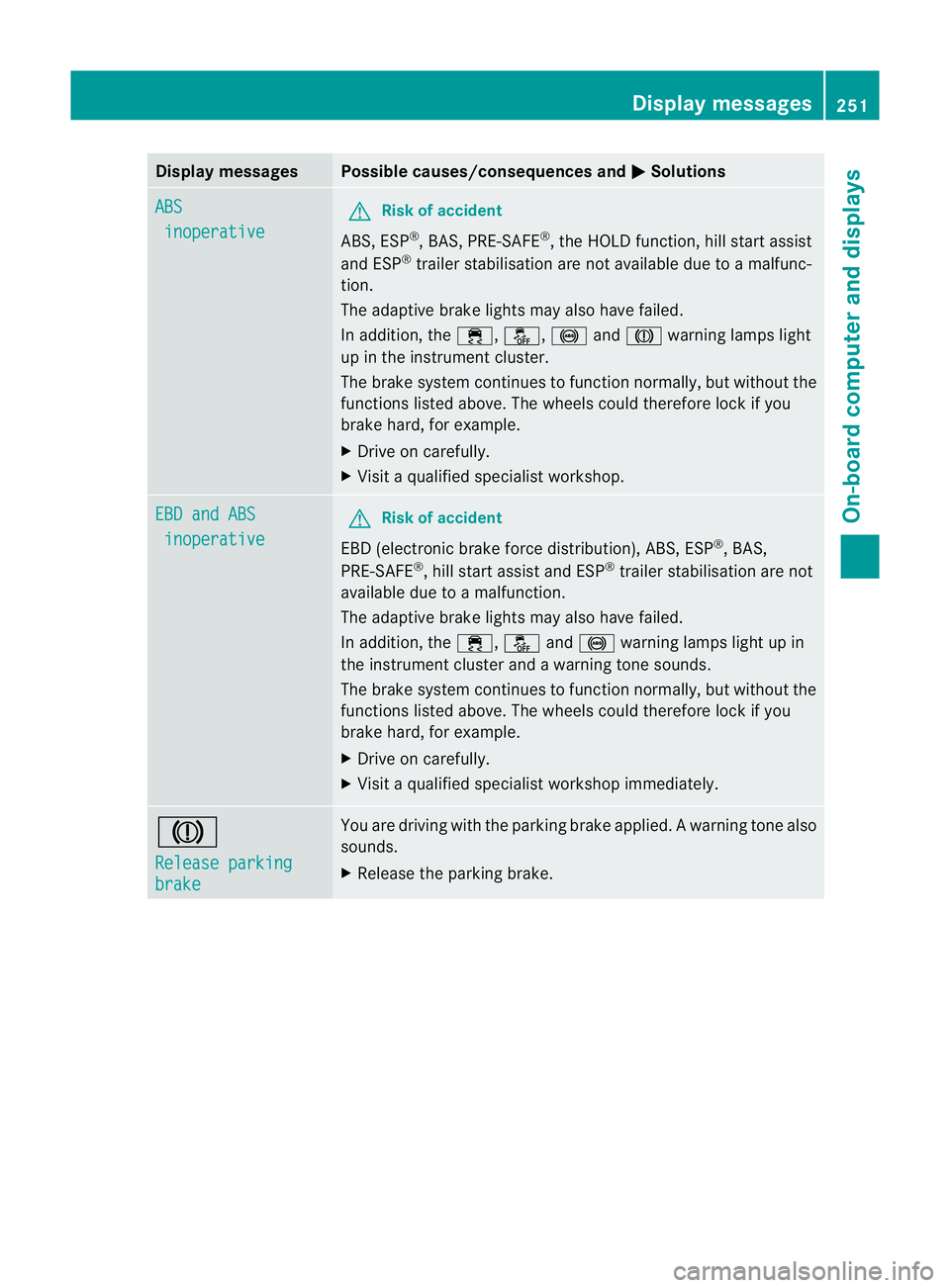
ABS
inoperative G
Risk of accident
ABS, ESP ®
, BAS, PRE-SAFE ®
, the HOLD function, hill start assist
and ESP ®
trailer stabilisation are no tavailable due to a malfunc-
tion.
The adaptive brake lights may also have failed.
In addition, the ÷,å,!andJ warning lamps light
up in the instrument cluster.
The brake system continues to function normally, but without the
functions listed above. The wheels could therefore lock if you
brake hard, for example.
X Drive on carefully.
X Visi taqualified specialist workshop. EBD and ABS
inoperative G
Risk of accident
EBD (electronic brake force distribution), ABS, ESP ®
, BAS,
PRE-SAFE ®
, hill start assist and ESP ®
trailer stabilisation are not
available due to a malfunction.
The adaptive brake lights may also have failed.
In addition, the ÷,åand! warning lamps light up in
the instrument cluster and a warning tone sounds.
The brake system continues to function normally, but without the
functions listed above. The wheels could therefore lock if you
brake hard, for example.
X Drive on carefully.
X Visit a qualified specialist workshop immediately. J
Release parking
brake You are driving with the parking brake applied.
Awarning tone also
sounds.
X Release the parking brake. Display messages
251On-board computer and displays Z
Page 255 of 401
Display messages Possible causes/consequences and
M Solutions
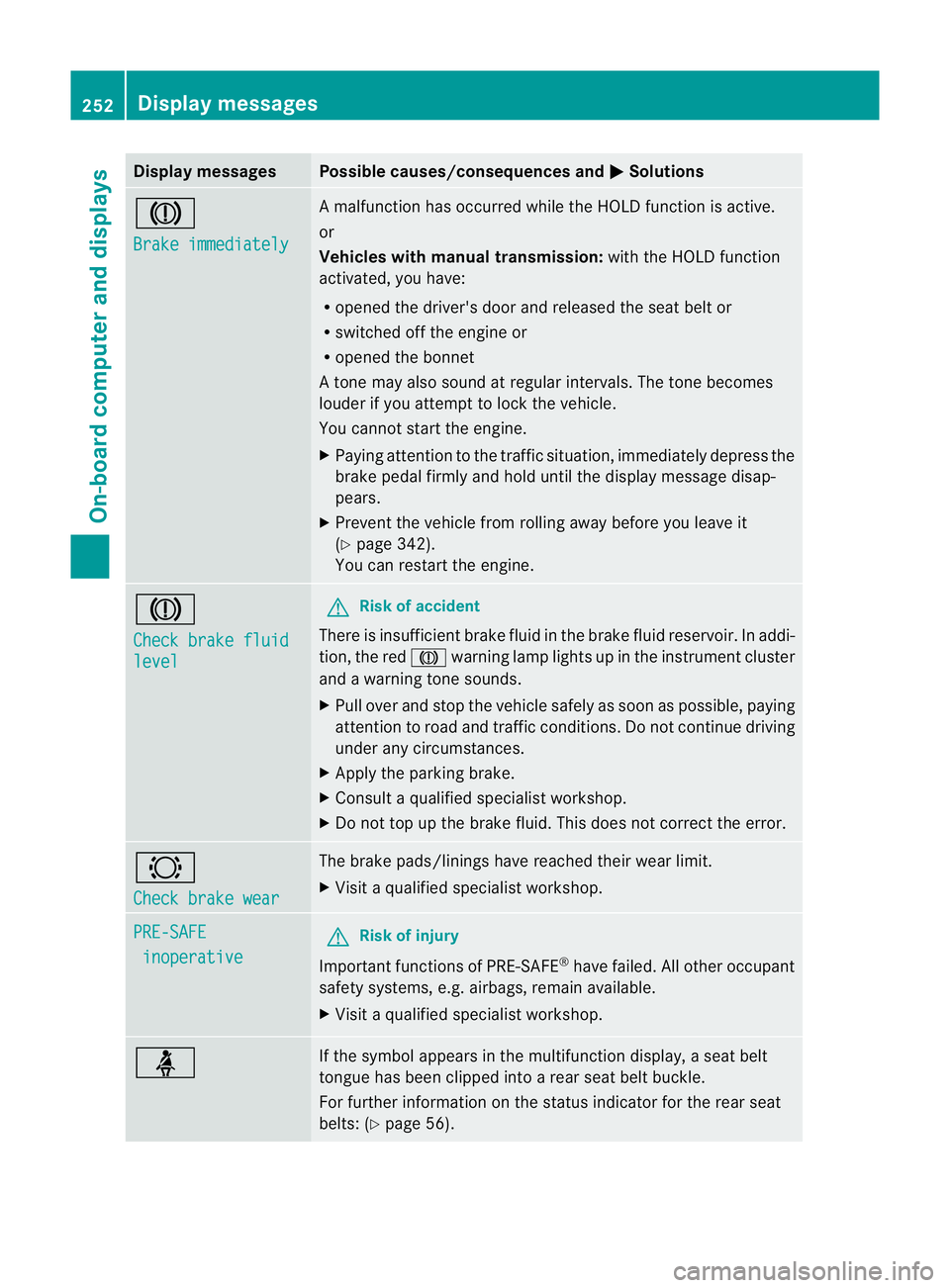
J
Brake immediately A malfunction has occurred while the HOLD function is active.
or
Vehicles wit
hmanual transmission: with the HOLD function
activated, you have:
R opened the driver's door and released the sea tbelt or
R switched off the engine or
R opened the bonnet
At one may also sound at regular intervals. The tone becomes
louder if you attempt to lock the vehicle.
You cannot start the engine.
X Paying attention to the traffic situation, immediately depress the
brake pedal firmly and hold until the display message disap-
pears.
X Prevent the vehicle from rolling away before you leave it
(Y page 342).
You can restart the engine. J
Check brake fluid
level G
Risk of accident
There is insufficien tbrake fluid in the brake fluid reservoir. In addi-
tion, the red Jwarning lamp lights up in the instrument cluster
and a warning tone sounds.
X Pull over and stop the vehicle safely as soon as possible, paying
attention to road and traffic conditions. Do not continue driving
under any circumstances.
X Apply the parking brake.
X Consult a qualified specialist workshop.
X Do not top up the brake fluid. This does not correct the error. #
Check brake wear The brake pads/linings have reached their wearl
imit.
X Visit a qualified specialist workshop. PRE-SAFE
inoperative G
Risk of injury
Important function sof PRE-SAFE ®
have failed .All other occupant
safety systems, e.g. airbags, remain available.
X Visit a qualified specialist workshop. ü If the symbol appears in the multifunction display,
aseat belt
tongue has been clipped into a rear seat belt buckle.
For further information on the status indicator for the rear seat
belts: (Y page 56). 252
Display messagesOn-board computer and displays
Page 256 of 401
Display messages Possible causes/consequences and
M Solutions
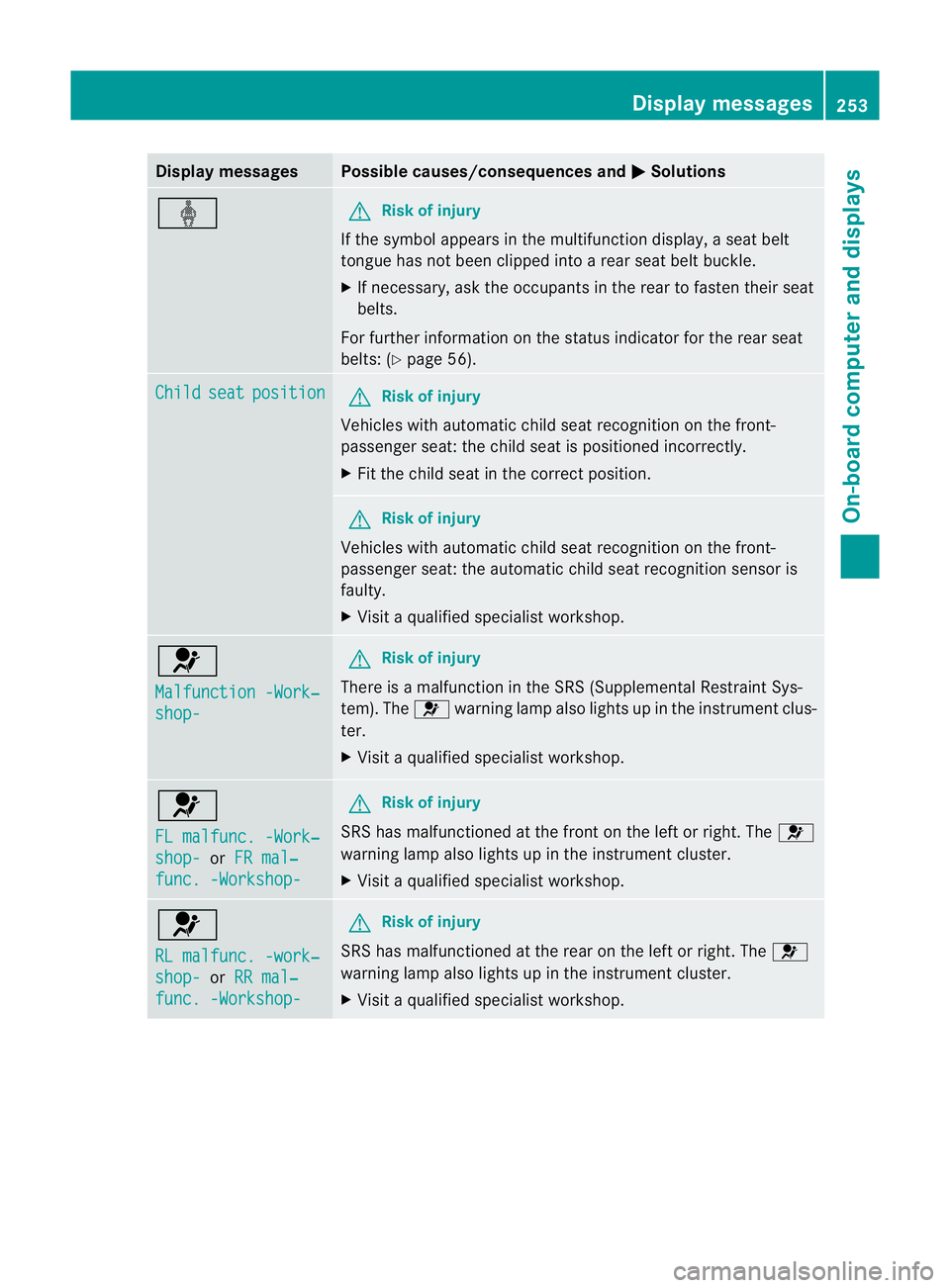
ý G
Risk of injury
If the symbol appears in the multifunction display, aseat belt
tongue has not been clipped into a rear seat belt buckle.
X If necessary, ask the occupants in the rear to fasten their seat
belts.
For further information on the status indicator for the rear seat
belts: (Y page 56). Child seat position
G
Risk of injury
Vehicles with automatic child seat recognition on the front-
passenger seat: the child seat is positioned incorrectly.
X Fit the child seat in the correct position. G
Risk of injury
Vehicles with automatic child seat recognition on the front-
passenger seat: the automatic child seat recognition sensor is
faulty.
X Visit a qualified specialist workshop. 6
Malfunction -Work‐
shop- G
Risk of injury
There is a malfunction in the SRS (Supplemental Restraint Sys-
tem). The 6warning lamp also lights up in the instrument clus-
ter.
X Visit a qualified specialist workshop. 6
FL malfunc. -Work‐
shop- or
FR mal‐ func. -Workshop- G
Risk of injury
SRS has malfunctioned at the front on the left or right. The 6
warning lamp also lights up in the instrument cluster.
X Visit a qualified specialist workshop. 6
RL malfunc. -work‐
shop- or
RR mal‐ func. -Workshop- G
Risk of injury
SRS has malfunctioned at the rear on the left or right. The 6
warning lamp also lights up in the instrument cluster.
X Visit a qualified specialist workshop. Display messages
253On-board computer and displays Z
Page 257 of 401
Display messages Possible causes/consequences and
M Solutions
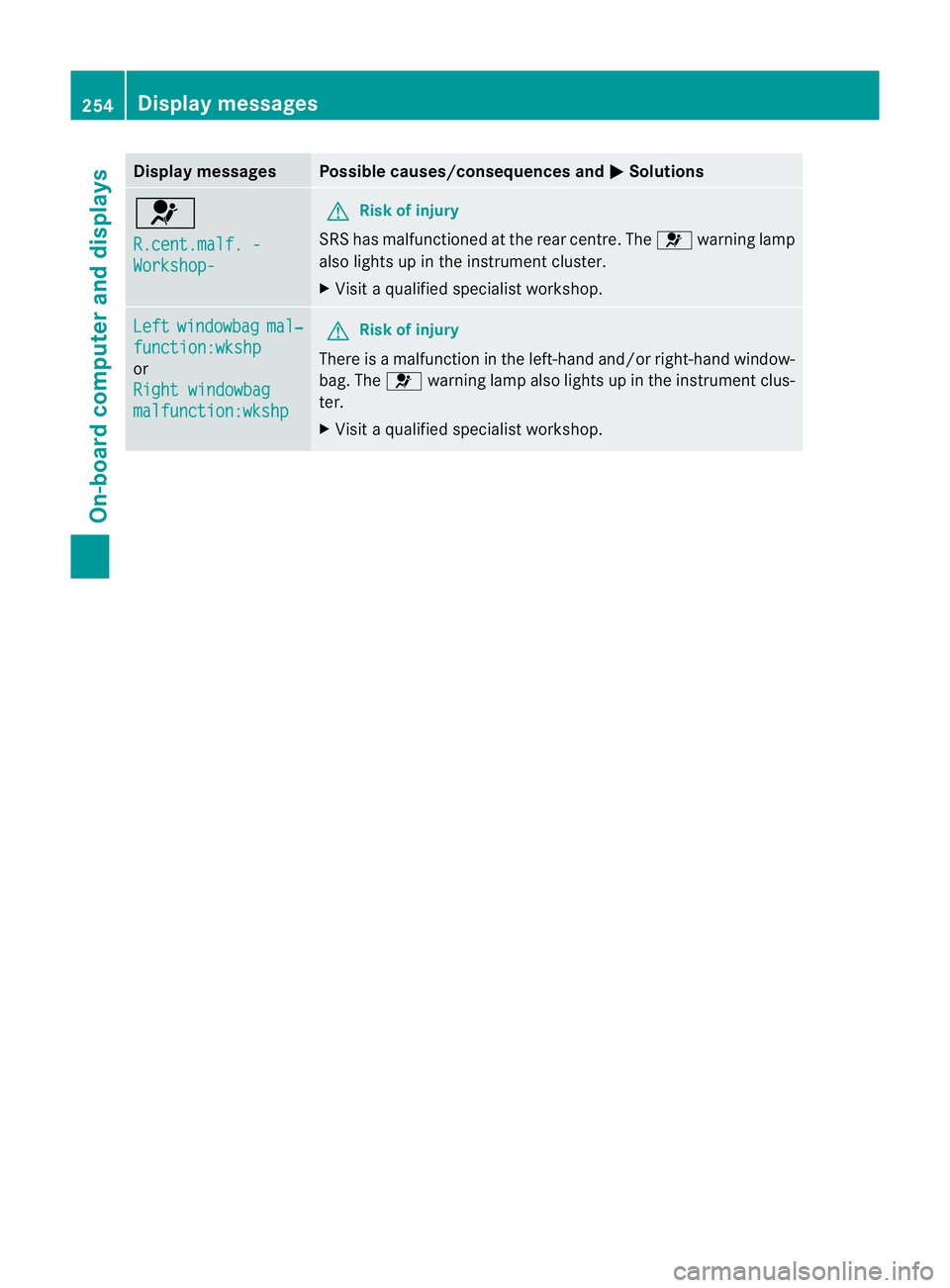
6
R.cent.malf. -
Workshop- G
Risk of injury
SRS has malfunctioned at the rear centre. The 6warning lamp
also lights up in the instrumen tcluster.
X Visit a qualified specialist workshop. Left windowbag mal‐
function:wkshp
or
Right windowbag
malfunction:wkshp G
Risk of injury
There is a malfunction in the left-hand and/or right-hand window-
bag. The 6warning lamp also lights up in the instrumen tclus-
ter.
X Visit a qualified specialist workshop. 254
Display messagesOn-board computer and displays
Page 258 of 401
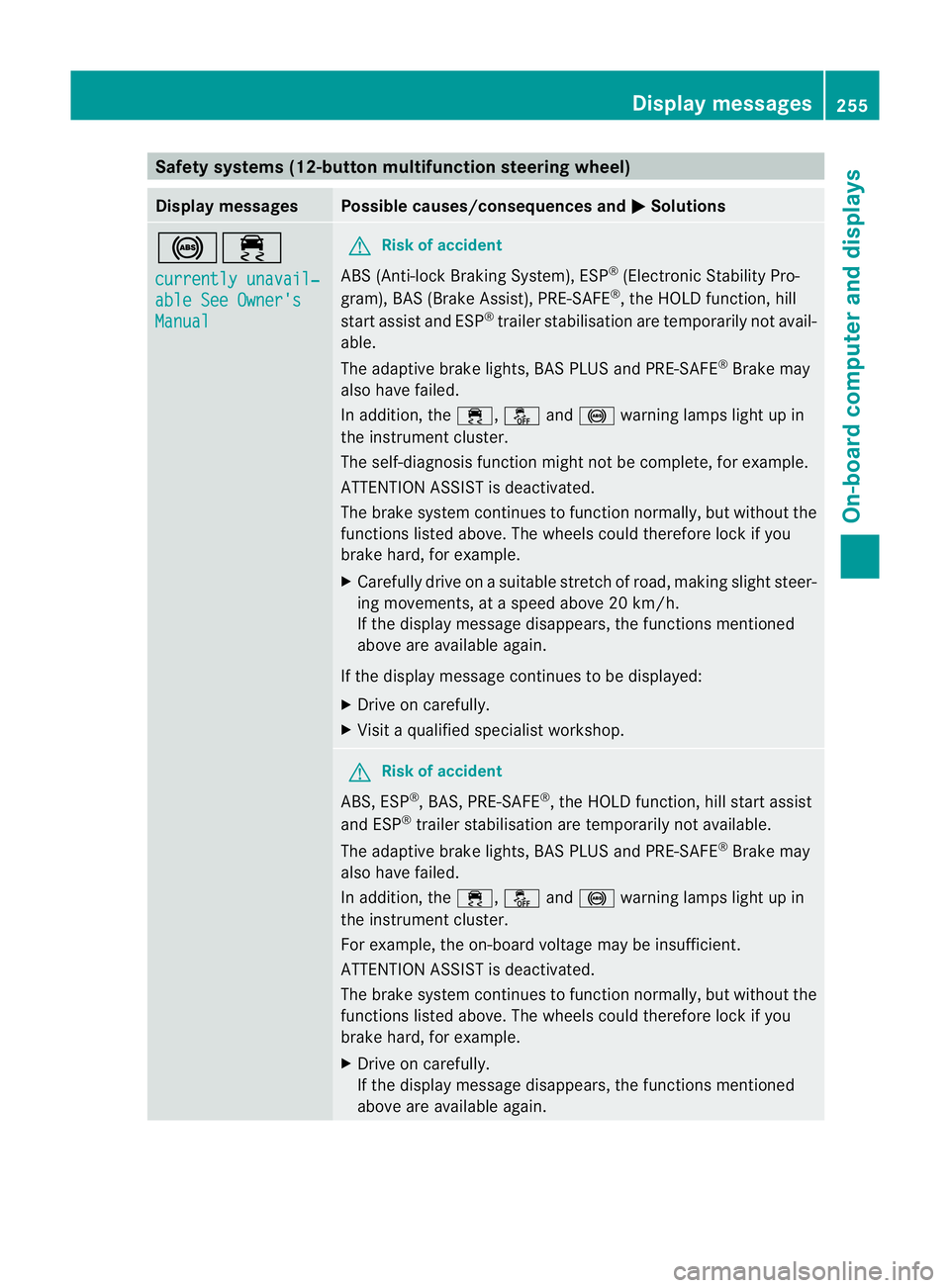
Safety systems (12-button multifunction steering wheel)
Display messages Possible causes/consequences and
M Solutions
!÷
currently unavail‐
able See Owner's
Manual G
Risk of accident
ABS (Anti-lock Braking System), ESP ®
(Electronic Stability Pro-
gram), BAS (Brake Assist), PRE-SAFE ®
, the HOLD function, hill
start assist and ESP ®
trailer stabilisation are temporarily not avail-
able.
The adaptive brake lights, BAS PLUS and PRE-SAFE ®
Brake may
also have failed.
In addition, the ÷,åand! warning lamps light up in
the instrument cluster.
The self-diagnosis function might not be complete, for example.
ATTENTION ASSIST is deactivated.
The brake system continues to function normally, but without the
functions listed above. The wheels could therefore lock if you
brake hard, for example.
X Carefully drive on a suitable stretch of road, making slight steer-
ing movements, at a speed above 20 km/h.
If the display message disappears, the functions mentioned
above are available again.
If the display message continues to be displayed:
X Drive on carefully.
X Visit a qualified specialist workshop. G
Risk of accident
ABS, ESP ®
, BAS, PRE-SAFE ®
, the HOLD function, hill start assist
and ESP ®
trailer stabilisation are temporarily not available.
The adaptive brake lights, BAS PLUS and PRE-SAFE ®
Brake may
also have failed.
In addition, the ÷,åand! warning lamps light up in
the instrument cluster.
For example, the on-board voltage may be insufficient.
ATTENTION ASSIST is deactivated.
The brake system continues to function normally, but without the
functions listed above. The wheels could therefore lock if you
brake hard, for example.
X Drive on carefully.
If the display message disappears, the functions mentioned
above are available again. Display messages
255On-board computer and displays Z
Page 259 of 401
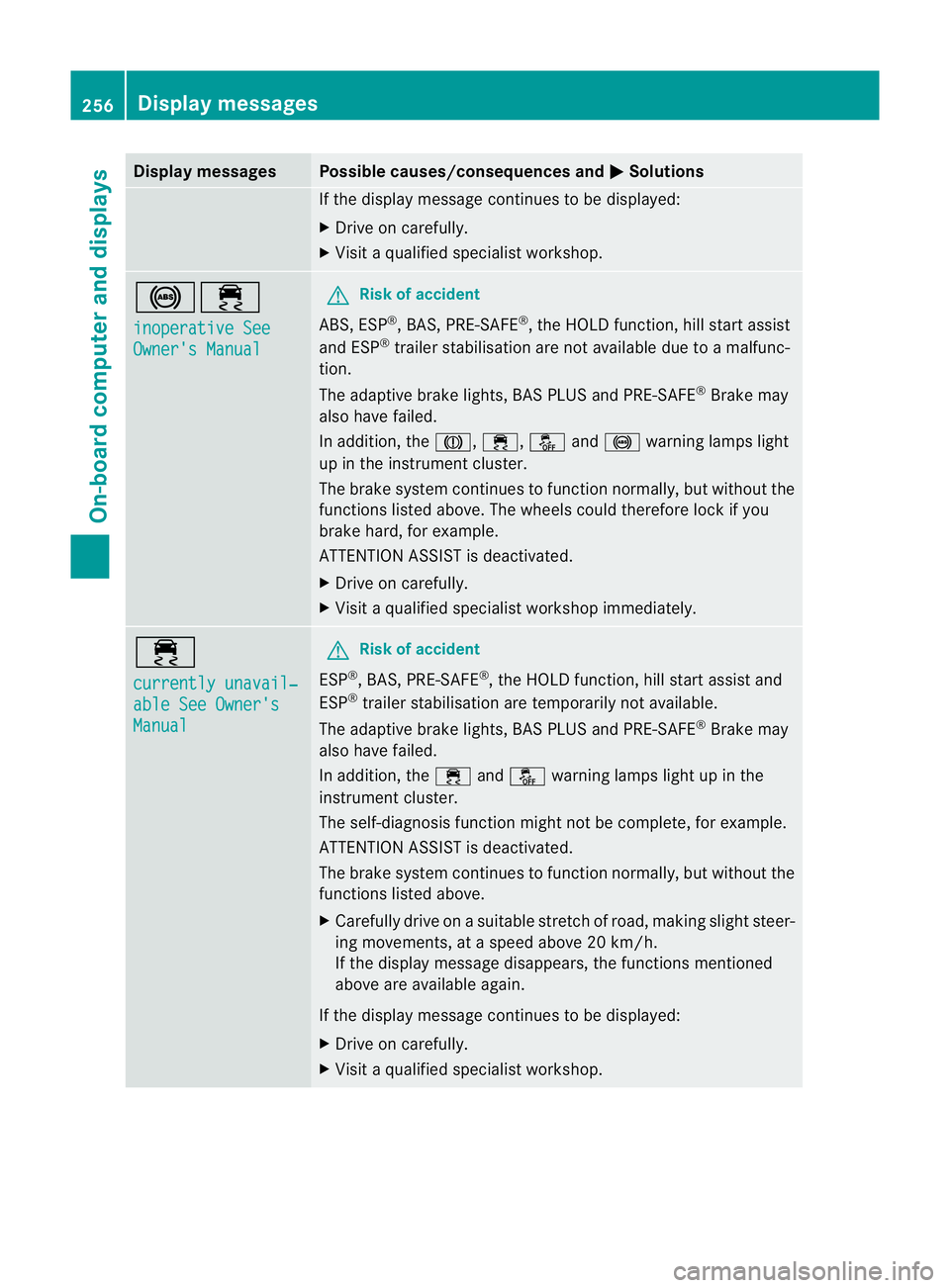
Display messages Possible causes/consequences and
M Solutions
If the display message continues to be displayed:
X
Drive on carefully.
X Visit a qualified specialist workshop. !÷
inoperative See
Owner's Manual G
Risk of accident
ABS, ESP ®
, BAS, PRE-SAFE ®
, the HOLD function, hill start assist
and ESP ®
trailer stabilisation are no tavailable due to a malfunc-
tion.
The adaptive brake lights, BAS PLUS and PRE-SAFE ®
Brake may
also have failed.
In addition, the J,÷,åand! warning lamps light
up in the instrument cluster.
The brake system continues to function normally, but without the
functions listed above. The wheels could therefore lock if you
brake hard, for example.
ATTENTION ASSIST is deactivated.
X Drive on carefully.
X Visi taqualified specialist workshop immediately. ÷
currently unavail‐
able See Owner's
Manual G
Risk of accident
ESP ®
, BAS, PRE-SAFE ®
, the HOLD function, hill start assist and
ESP ®
trailer stabilisation are temporarily not available.
The adaptive brake lights, BAS PLUS and PRE-SAFE ®
Brake may
also have failed.
In addition, the ÷andå warning lamps light up in the
instrument cluster.
The self-diagnosis function might not be complete, for example.
ATTENTION ASSIST is deactivated.
The brake system continues to function normally, but without the
functions listed above.
X Carefully drive on a suitable stretch of road, making slight steer-
ing movements, at a speed above 20 km/h.
If the display message disappears, the functions mentioned
above are available again.
If the display message continues to be displayed:
X Drive on carefully.
X Visit a qualified specialist workshop. 256
Display messagesOn-board computer and displays