parking brake MERCEDES-BENZ C-CLASS SALOON 2011 Owners Manual
[x] Cancel search | Manufacturer: MERCEDES-BENZ, Model Year: 2011, Model line: C-CLASS SALOON, Model: MERCEDES-BENZ C-CLASS SALOON 2011Pages: 401, PDF Size: 9.74 MB
Page 10 of 401
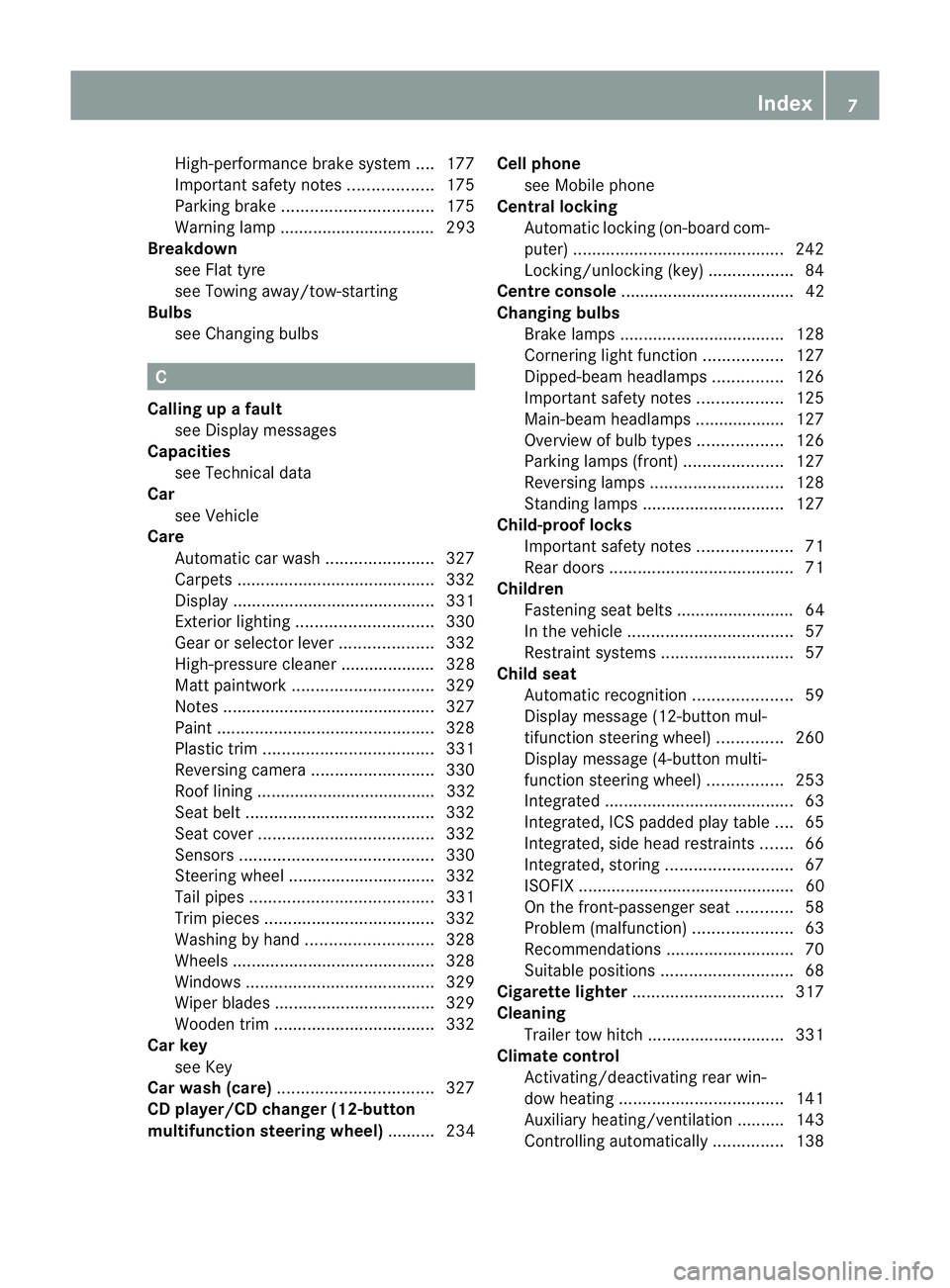
High-performance brake system
....177
Important safety notes ..................175
Parking brake ................................ 175
Warning lamp ................................. 293
Breakdown
see Flat tyre
see Towing away/tow-starting
Bulbs
see Changing bulbs C
Calling up a fault see Display messages
Capacities
see Technical data
Car
see Vehicle
Care
Automatic car wash .......................327
Carpets .......................................... 332
Display ........................................... 331
Exterior lighting ............................. 330
Gea rors elector lever .................... 332
High-pressure cleaner .................... 328
Matt paintwork .............................. 329
Notes ............................................. 327
Paint .............................................. 328
Plastic trim .................................... 331
Reversing camera ..........................330
Roof lining ...................................... 332
Seat bel t........................................ 332
Seat cover ..................................... 332
Sensors ......................................... 330
Steering wheel ............................... 332
Tai lpipes ....................................... 331
Trim pieces .................................... 332
Washing by hand ........................... 328
Wheels ........................................... 328
Windows ........................................ 329
Wiper blades .................................. 329
Wooden trim .................................. 332
Car key
see Key
Car wash (care) ................................. 327
CD player/CD changer (12-button
multifunction steering wheel) .......... 234Cell phone
see Mobile phone
Central locking
Automatic locking (on-board com-
puter) ............................................. 242
Locking/unlocking (key ).................. 84
Centre console ..................................... 42
Changing bulbs Brake lamps ................................... 128
Cornering light function .................127
Dipped-bea mheadlamps ............... 126
Important safety notes ..................125
Main-beam headlamps ................... 127
Overview of bul btypes .................. 126
Parking lamps (front) .....................127
Reversing lamps ............................ 128
Standing lamps .............................. 127
Child-proof locks
Important safety notes ....................71
Rea rdoors ....................................... 71
Children
Fastening seat belts ......................... 64
In the vehicle ................................... 57
Restraint systems ............................ 57
Child seat
Automatic recognition .....................59
Display message (12-button mul-
tifunctio nsteering wheel) ..............260
Display message (4-button multi-
function steering wheel) ................253
Integrated ........................................ 63
Integrated, ICS padded pla ytable ....65
Integrated, side head restraints .......66
Integrated, storing ........................... 67
ISOFIX .............................................. 60
On the front-passenger sea t............ 58
Problem (malfunction) .....................63
Recommendations ...........................70
Suitable positions ............................ 68
Cigarette lighter ................................ 317
Cleaning Trailer tow hitch ............................. 331
Climate control
Activating/deactivating rear win-
dow heating ................................... 141
Auxiliary heating/ventilation .......... 143
Controlling automatically ...............138 Index
7
Page 13 of 401
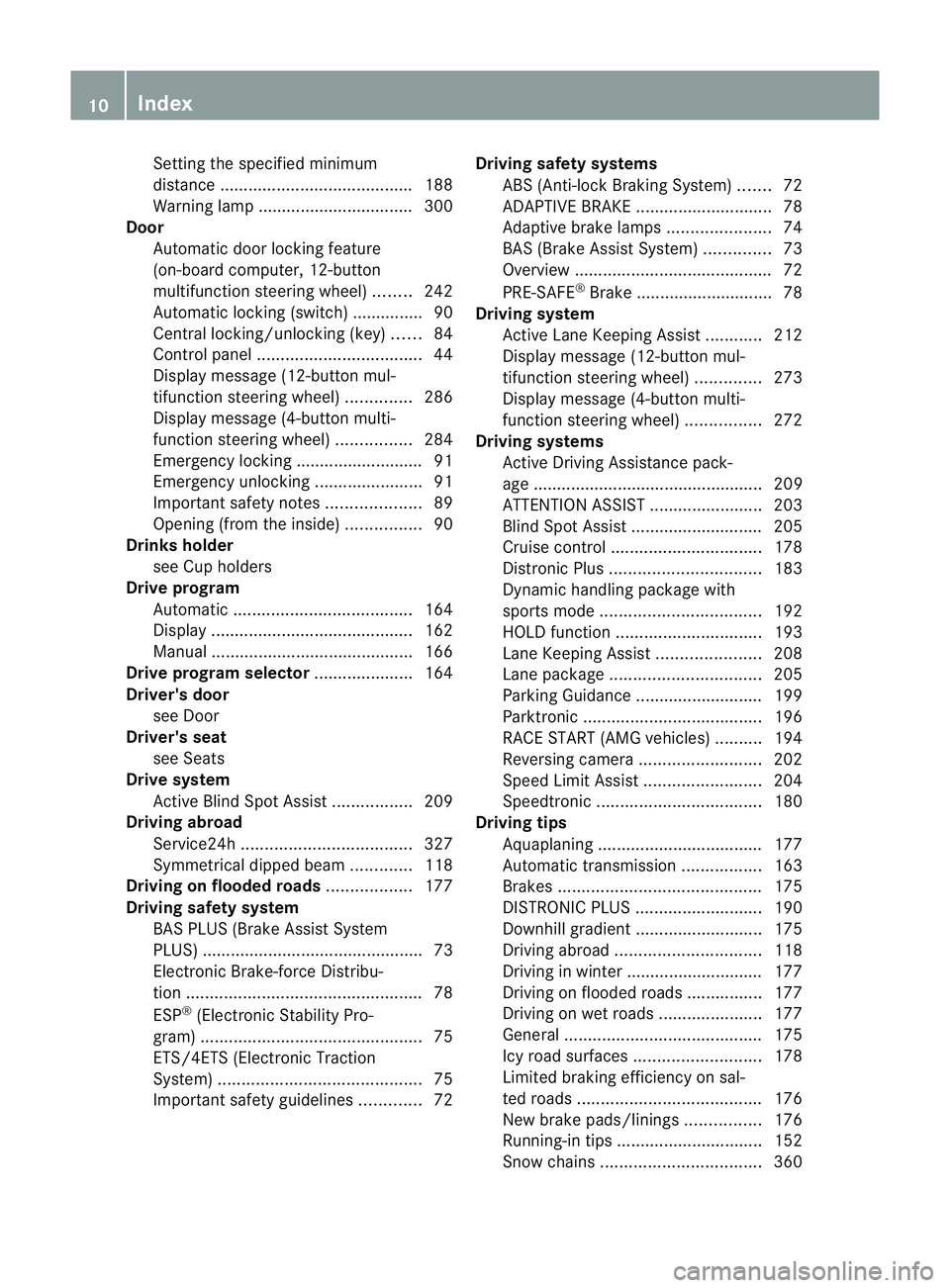
Setting the specified minimum
distance
......................................... 188
Warning lamp ................................. 300
Door
Automatic door locking feature
(on-board computer, 12-button
multifunctio nsteering wheel) ........242
Automatic locking (switch) .............. .90
Central locking/unlocking (key) ......84
Control pane l................................... 44
Display message (12-button mul-
tifunctio nsteering wheel) ..............286
Display message (4-button multi-
function steering wheel) ................284
Emergency locking ........................... 91
Emergency unlocking .......................91
Important safety notes ....................89
Opening (from the inside) ................90
Drinks holder
see Cuph olders
Drive program
Automatic ...................................... 164
Display ........................................... 162
Manual .......................................... .166
Drive program selector .....................164
Driver's door see Door
Driver's seat
see Seats
Drive system
Active Blind Spot Assist .................209
Driving abroad
Service24h .................................... 327
Symmetrical dipped bea m............. 118
Driving on flooded roads ..................177
Driving safety system BAS PLUS (Brake Assist System
PLUS) .............................................. .73
Electronic Brake-force Distribu-
tio n.................................................. 78
ESP ®
(Electroni cStability Pro-
gram) ............................................... 75
ETS/4ETS (Electronic Traction
System) ........................................... 75
Important safety guidelines .............72Driving safety systems
ABS (Anti-lock Braking System) .......72
ADAPTIVE BRAKE ............................. 78
Adaptive brake lamps ......................74
BAS (Brake Assist System) ..............73
Overview .......................................... 72
PRE-SAFE ®
Brake ............................ .78
Driving system
Active Lane Keeping Assist ............212
Display message (12-button mul-
tifunctio nsteering wheel) ..............273
Display message (4-button multi-
function steering wheel) ................272
Driving systems
Active Driving Assistance pack-
age ................................................. 209
ATTENTION ASSIST ........................203
Blind Spot Assist ............................ 205
Cruise control ................................ 178
Distronic Plu s................................ 183
Dynami chandling package with
sports mod e.................................. 192
HOLD function ............................... 193
Lane Keeping Assist ......................208
Lane package ................................ 205
Parking Guidance ........................... 199
Parktroni c...................................... 196
RAC ESTART (AMG vehicles) ..........194
Reversing camera ..........................202
Speed Limi tAssist ......................... 204
Speedtronic ................................... 180
Driving tips
Aquaplaning ................................... 177
Automatic transmission .................163
Brakes ........................................... 175
DISTRONI CPLUS ........................... 190
Downhill gradient ........................... 175
Driving abroad ............................... 118
Driving in winter ............................ .177
Driving on flooded road s................ 177
Driving on wet road s...................... 177
General .......................................... 175
Icy road surfaces ........................... 178
Limited braking efficiency on sal-
ted road s....................................... 176
New brake pads/linings ................176
Running-in tips ............................... 152
Snow chains .................................. 36010
Index
Page 16 of 401
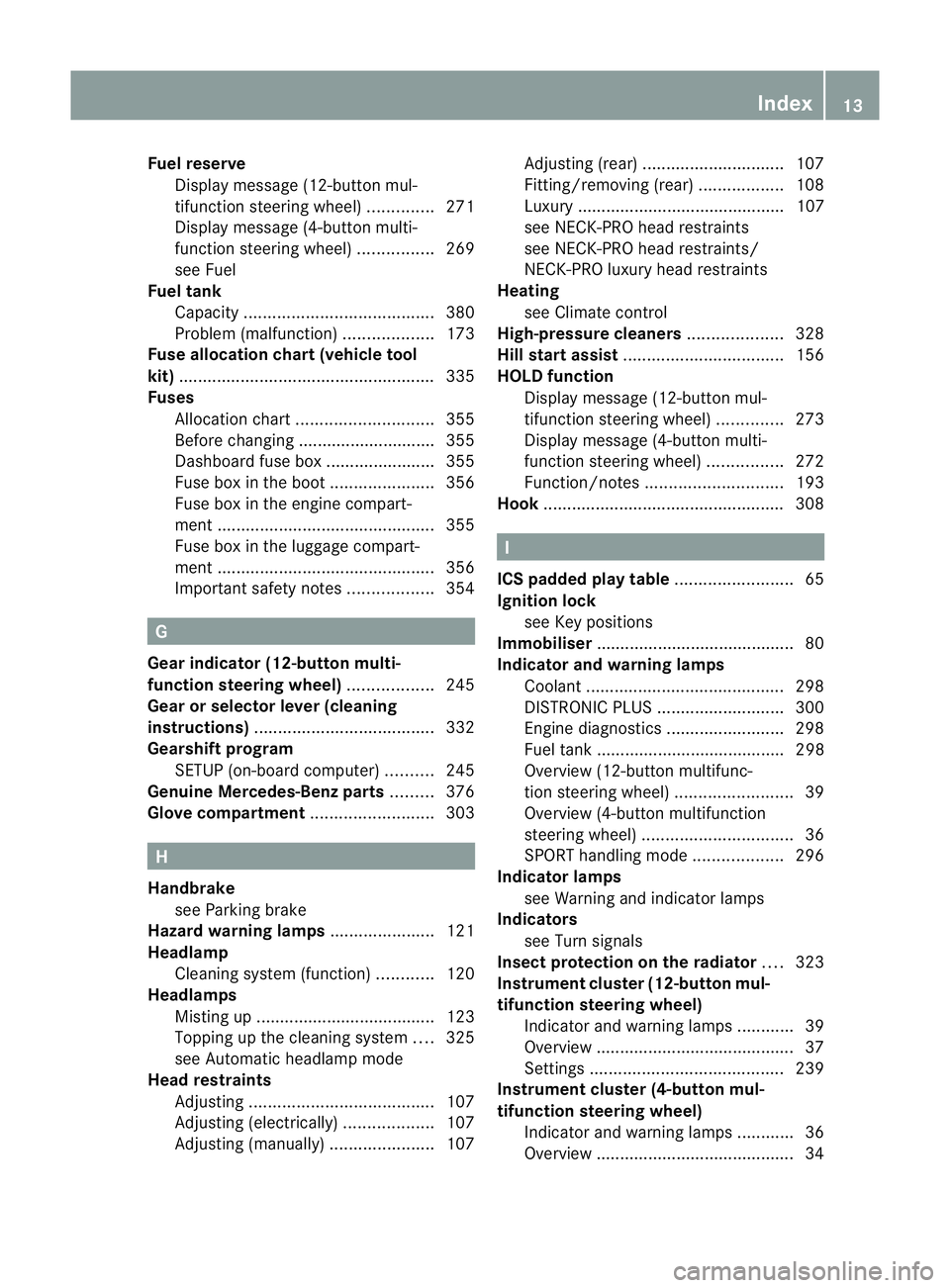
Fuel reserve
Display message (12-button mul-
tifunctio nsteering wheel) ..............271
Display message (4-button multi-
function steering wheel) ................269
see Fuel
Fuel tank
Capacity ........................................ 380
Problem (malfunction) ...................173
Fuse allocation chart (vehicle tool
kit) ...................................................... 335
Fuses Allocation chart ............................. 355
Before changing ............................. 355
Dashboard fuse box .......................355
Fuse box in the boot ......................356
Fuse box in the engine compart-
ment .............................................. 355
Fuse box in the luggage compart-
ment .............................................. 356
Important safety notes ..................354 G
Gear indicator (12-button multi-
function steering wheel) ..................245
Gear or selector lever (cleaning
instructions) ...................................... 332
Gearshift program SETUP (on-board computer) ..........245
Genuine Mercedes-Benz parts .........376
Glove compartment ..........................303 H
Handbrake see Parking brake
Hazard warning lamps ......................121
Headlamp Cleaning system (function) ............120
Headlamps
Misting up ...................................... 123
Topping up the cleaning system ....325
see Automatic headlamp mode
Head restraints
Adjusting ....................................... 107
Adjusting (electrically). ..................107
Adjusting (manually). .....................107Adjusting (rear)
.............................. 107
Fitting/removing (rear) ..................108
Luxury ............................................ 107
see NECK-PR Ohead restraints
see NECK-PRO head restraints/
NECK-PRO luxury head restraints
Heating
see Climate control
High-pressure cleaners ....................328
Hill start assist .................................. 156
HOLD function Display message (12-button mul-
tifunctio nsteering wheel) ..............273
Display message (4-button multi-
function steering wheel) ................272
Function/notes ............................. 193
Hook ................................................... 308 I
ICS padded play table .........................65
Ignition lock see Key positions
Immobiliser .......................................... 80
Indicator and warning lamps Coolant .......................................... 298
DISTRONI CPLUS ........................... 300
Engine diagnostics .........................298
Fuel tank ........................................ 298
Overview (12-button multifunc-
tion steering wheel) .........................39
Overview (4-button multifunction
steering wheel) ................................ 36
SPORT handling mode ...................296
Indicator lamps
see Warning and indicator lamps
Indicators
see Turn signals
Insectp rotection on the radiator ....323
Instrument cluster (12-button mul-
tifunction steering wheel)
Indicator and warning lamps ............39
Overview .......................................... 37
Settings ......................................... 239
Instrument cluster (4-button mul-
tifunction steering wheel) Indicator and warning lamps ............36
Overview .......................................... 34 Index
13
Page 20 of 401
Menu overview
.............................. 230
Navigation menu ............................ 232
Operating ...................................... .227
Operating the vide oDVD ............... 234
Range ............................................ 231
Service menu ................................. 238
Standard display submenu ............231
Telephone menu ............................ 235
Trip menu ...................................... 231
On-board computer (12-button
multifunction steering wheel)
Displaying service messages .........326
Display messages ..........................248
Heating submenu ........................... 242
Message memory .......................... 249
Vehicle submenu ........................... 241
On-board computer (12-button
multifunction steering wheel)Set-
tings menu ......................................... 238
On-board computer (12-button
multifunction steering wheel) sub-
menu
Factory setting ............................... 244
On-board computer (4-button mul-
tifunction steering wheel)
Important safety notes ..................222
Menu overview .............................. 225
Switching daytime driving lights
on/off ............................................ 226
On-board computer (4-button mul-
tifunction steering wheel)
Displaying service messages .........326
Display messages ..........................248
Individual vehicle settings ..............223
Message memory .......................... 248
Operating ...................................... .223
Range ............................................ 226
Standard displa y............................ 225
Trip computer ................................ 226
On-board diagnostic interface ...........28
Opening and closing the side trim
panels ................................................. 127
Operating safety On-board diagnostic interface .......... 28
Operating system
see On-board computer Outside temperature
Display (12-button multifunction
steering wheel) .............................. 227
Display (4-button multifunction
steering wheel) .............................. 222
Overhead control panel ......................43
Override feature Rea rside windows ........................... 72 P
Pain tcode .......................................... 379
Paintwork (cleaning instructions) ...328
Panorama sliding sunroof Important safety information ...........99
Opening/closing ............................ 101
Opening/closing the roller sun-
blind ............................................... 101
Problem (malfunction) ...................102
Rain closing feature .......................101
Resetting ....................................... 102
Park Assist
Parking Guidance ........................... 199
Parking ............................................... 174
Important safety notes ..................174
Parking brake ................................ 175
Position of exterior mirror, front-
passenger side ............................... 114
Reversing camera ..........................202
see PARKTRONIC
Parking aid
see Exterior mirrors
see PARKTRONIC
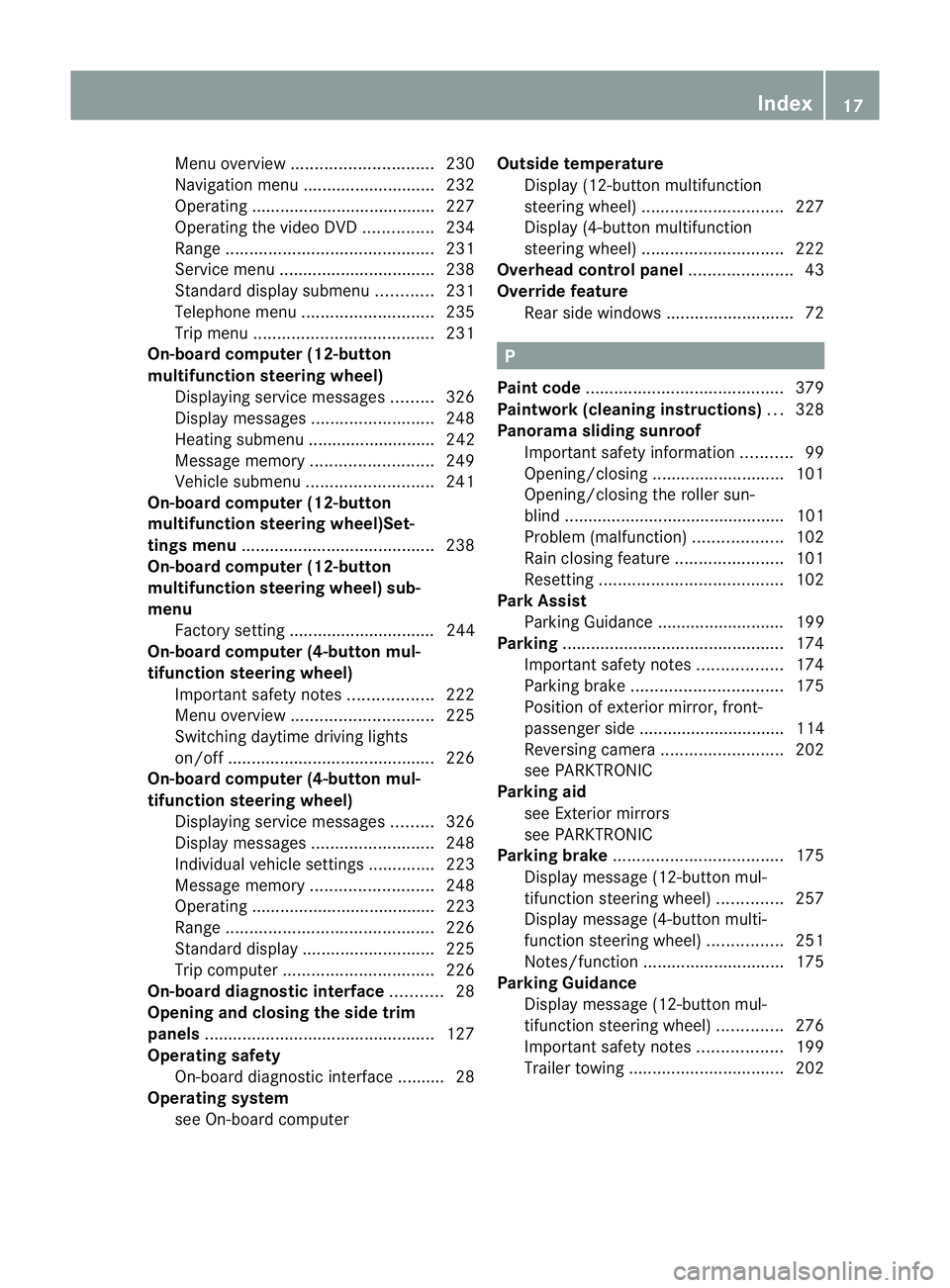
Parking brake .................................... 175
Display message (12-button mul-
tifunctio nsteering wheel) ..............257
Display message (4-button multi-
function steering wheel) ................251
Notes/function .............................. 175
Parking Guidance
Display message (12-button mul-
tifunctio nsteering wheel) ..............276
Important safety notes ..................199
Trailer towing ................................. 202 Index
17
Page 21 of 401
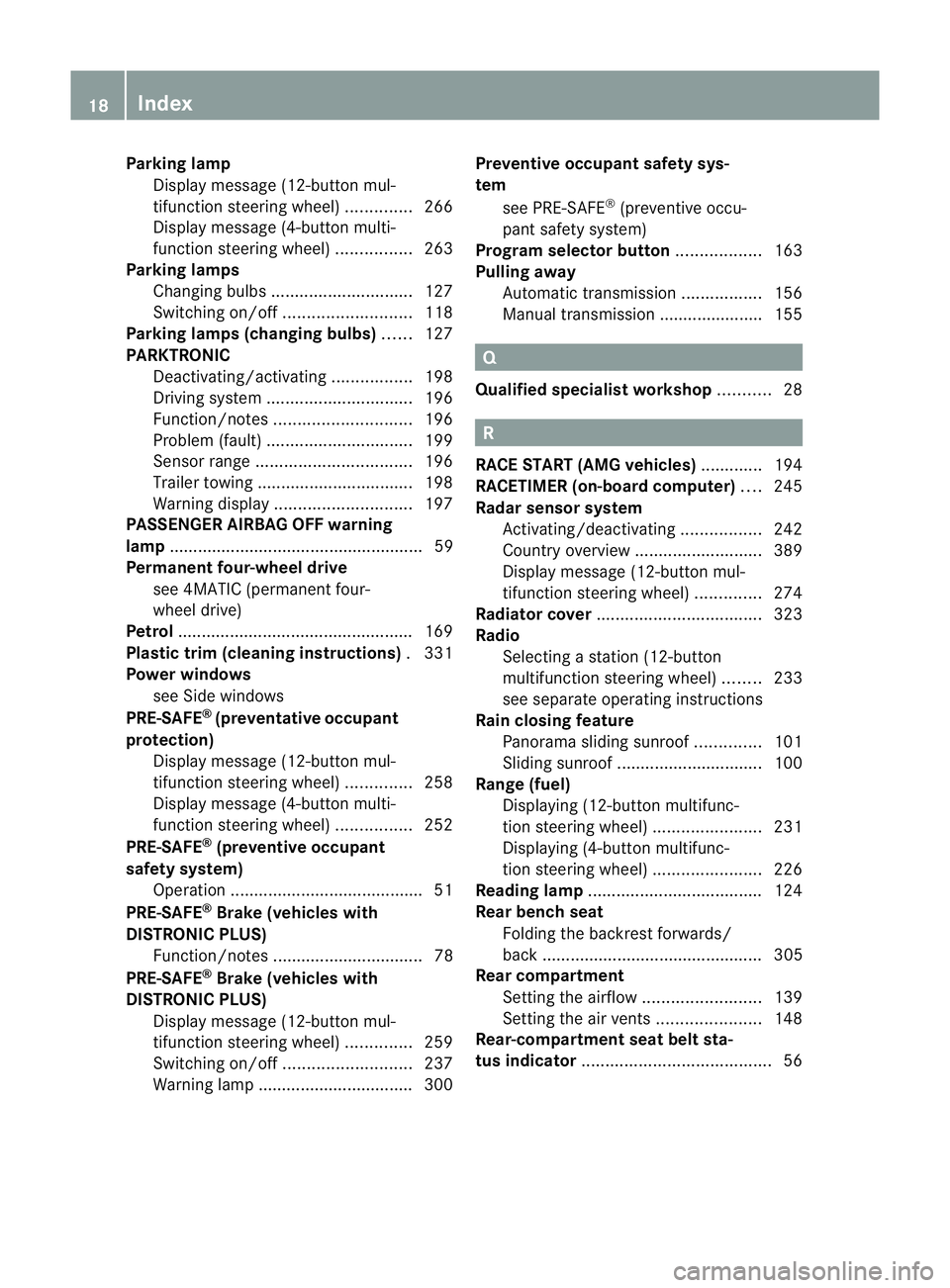
Parking lamp
Display message (12-button mul-
tifunction steering wheel) ..............266
Display message (4-button multi-
function steering wheel) ................263
Parking lamps
Changing bulbs .............................. 127
Switching on/off ........................... 118
Parking lamps (changing bulbs) ......127
PARKTRONIC Deactivating/activating .................198
Driving system ............................... 196
Function/notes ............................. 196
Problem (fault) ............................... 199
Sensor range ................................. 196
Trailer towing ................................. 198
Warning displa y............................. 197
PASSENGE RAIRBAG OFF warning
lamp ...................................................... 59
Permanent four-wheel drive see 4MATIC (permanen tfour-
wheel drive)
Petrol .................................................. 169
Plastic trim (cleaning instructions) .331
Power windows see Side windows
PRE-SAFE ®
(preventative occupant
protection) Display message (12-button mul-
tifunctio nsteering wheel) ..............258
Display message (4-button multi-
function steering wheel) ................252
PRE-SAFE ®
(preventive occupant
safety system) Operation ........................................ .51
PRE-SAFE ®
Brake (vehicles with
DISTRONIC PLUS) Function/notes ................................ 78
PRE-SAFE ®
Brake (vehicles with
DISTRONIC PLUS) Display message (12-button mul-
tifunction steering wheel) ..............259
Switching on/off ........................... 237
Warning lamp ................................. 300 Preventive occupant safety sys-
tem
see PRE-SAFE ®
(preventive occu-
pant safety system)
Program selector button ..................163
Pulling away Automatic transmission .................156
Manual transmission ..................... .155 Q
Qualifie dspecialis tworkshop ...........28 R
RACE START (AMG vehicles) .............194
RACETIMER (on-board computer) ....245
Radar sensor system Activating/deactivating .................242
Country overview ........................... 389
Display message (12-button mul-
tifunctio nsteering wheel) ..............274
Radiator cover ................................... 323
Radio Selecting a station (12-button
multifunctio nsteering wheel) ........233
see separate operating instructions
Rain closing feature
Panorama sliding sunroo f.............. 101
Sliding sunroo f............................... 100
Range (fuel)
Displaying (12-button multifunc-
tion steering wheel )....................... 231
Displaying (4-button multifunc-
tion steering wheel) .......................226
Reading lamp ..................................... 124
Rear bench seat Folding the backres tforwards/
back ............................................... 305
Rear compartment
Setting the airflow .........................139
Setting the airv ents...................... 148
Rear-compartment seat belt sta-
tus indicator ........................................ 5618
Index
Page 35 of 401
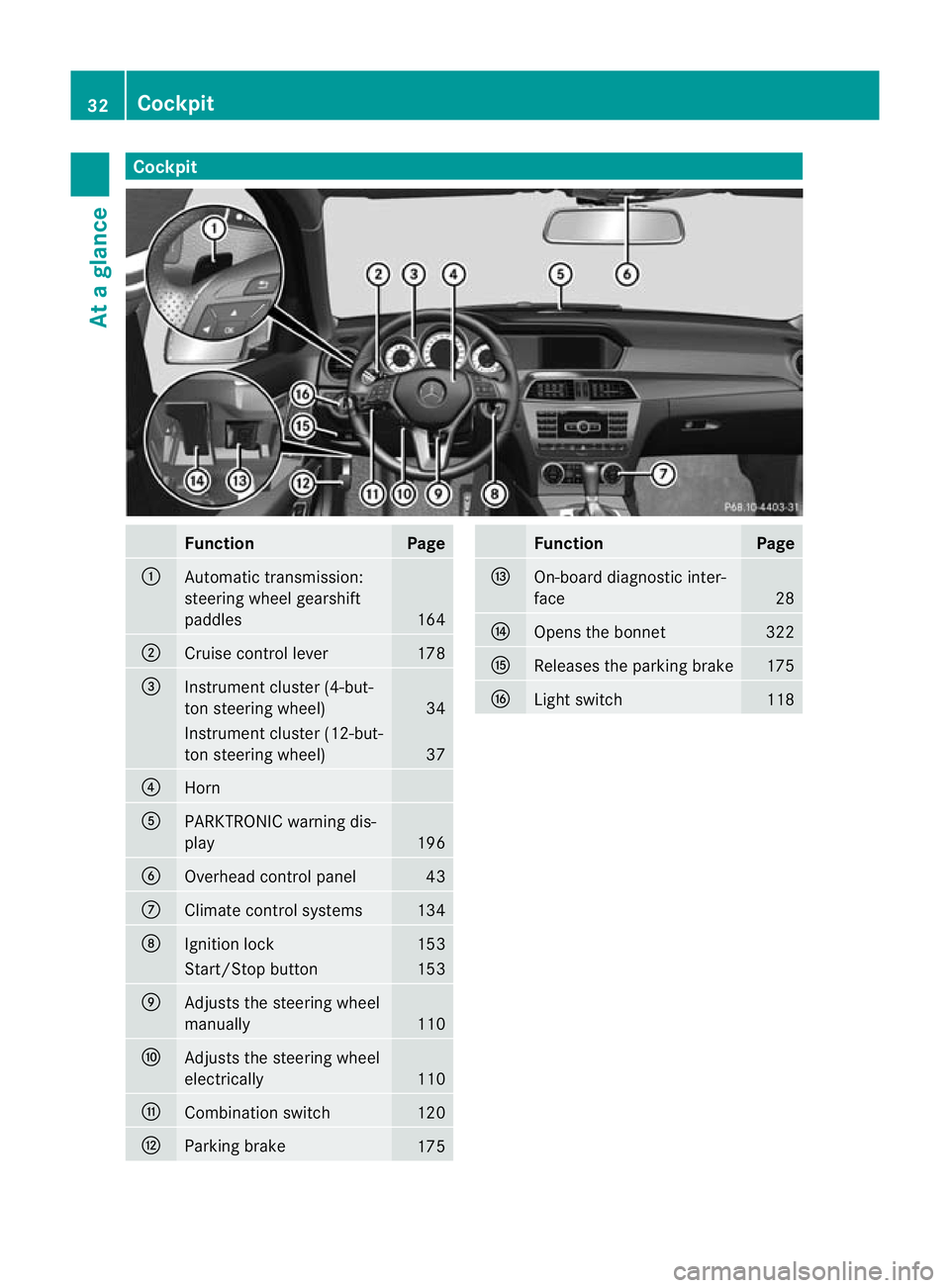
Cockpit
Function Page
:
Automatic transmission:
steering wheel gearshift
paddles
164
;
Cruise control lever 178
=
Instrument cluster (4-but-
to
ns teering wheel) 34
Instrument cluster (12-but-
ton steering wheel)
37
?
Horn
A
PARKTRONIC warning dis-
play
196
B
Overhead control panel 43
C
Climate control systems 134
D
Ignitio
nlock 153
Start/Stop button 153
E
Adjusts the steering wheel
manually
110
F
Adjusts the steering wheel
electrically
110
G
Combination switch 120
H
Parking brake
175 Function Page
I
On-board diagnostic inter-
face
28
J
Opens the bonnet 322
K
Releases the parking brake 175
L
Light switch 11832
CockpitAt a glance
Page 36 of 401
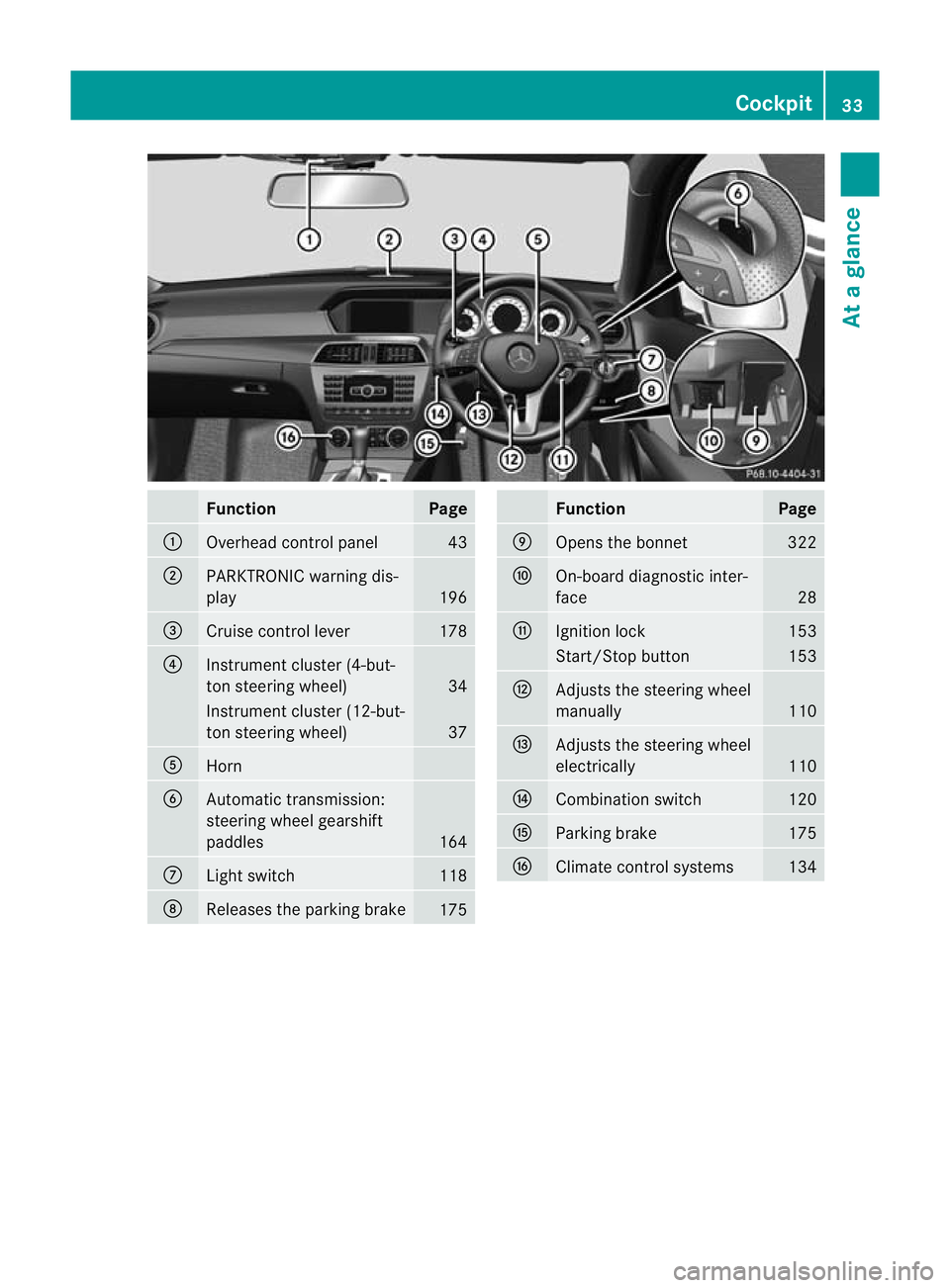
Function Page
:
Overhead control panel 43
;
PARKTRONIC warning dis-
play
196
=
Cruise control lever 178
?
Instrument cluster (4-but-
to
ns teering wheel) 34
Instrument cluster (12-but-
ton steering wheel)
37
A
Horn
B
Automatic transmission:
steering wheel gearshift
paddles
164
C
Ligh
tswitch 118
D
Releases the parking brake
175 Function Page
E
Opens the bonnet 322
F
On-board diagnostic inter-
face
28
G
Ignitio
nlock 153
Start/Stop button 153
H
Adjusts the steering wheel
manually
110
I
Adjusts the steering wheel
electrically
110
J
Combination switch 120
K
Parking brake 175
L
Climate control systems 134Cockpit
33At a glance
Page 78 of 401
ESP
®
(Electronic Stability Program)
Important safety notes i
See the "Important safety notes" section
(Y page 72).
If ESP ®
detects that the vehicle is deviating
from the direction desired by the driver, one
or more wheels are braked to stabilise the
vehicle .Ifnecessary, the engine output is also
modified to keep the vehicle on the desired
course within physical limits. ESP ®
assists
the driver when pulling away on wet or slip-
pery roads. ESP ®
can also stabilise the vehi-
cle during braking.
If ESP ®
intervenes, the ÷ESP®
warning
lamp flashes in the instrument cluster. G
WARNING
If the ÷ warning lamp in the instrument
cluster flashes, proceed as follows:
R do not deactivate ESP ®
under any circum-
stances.
R only depress the accelerator pedal as far as
necessary when pulling away.
R adapt your driving style to suit the prevail-
ing road and weather conditions.
Otherwise, the vehicle could go into a skid.
ESP ®
cannot reduce the risk of an acciden tif
you drive too fast. ESP ®
cannot override the
laws of physics.
! Switch the ignition off when:
R the parking brake is bein gtested using a
dynamometer
R the vehicle is being towed with the front/
rear axle raised
Application of the brakes by ESP ®
may oth-
erwise destroy the brake system.
! Do not tow vehicles with 4MATIC with the
front or rear axle raised.
i Only use wheels with the recommended
tyre sizes. Only then will ESP ®
function
properly. ETS/4ETS (Electronic Traction System) Traction control is part of ESP
®
.
Traction control brakes the drive wheels indi-
vidually if they spin. This enables you to pull
away and accelerate on slippery surfaces, for
example if the road surface is slippery on one
side. On vehicles with 4MATIC, more drive
torque is also transferred to the wheel or
wheels with traction.
Traction control remains active if you deacti-
vate ESP ®
. G
WARNING
Traction control cannot reduce the risk of an
acciden tifyou drive too fast. Traction control
cannot override the laws of physics.
Deactivating/activating ESP ®
(except
AMG vehicles) You cannot activate and deactivate ESP
®
on
vehicles with a 4-button multifunction steer-
ing wheel.
ESP ®
is activated automatically when the
engine is started.
i Vehicles with ECO start/stop function:
the ECO start/stop function switches the
engine off automatically when the vehicle
comes to a stop. The engine starts auto-
matically when the driver wants to pull
away again. ESP ®
remains in its previously
selected status. Example: if ESP ®
was
deactivated before the engine was
switched off, ESP ®
remains deactivated
when the engine is switched on again.
It may be best to deactivate ESP ®
in the fol-
lowing situations:
R when using snow chains
R in deep snow
R on sand or gravel G
WARNING
Activate ESP ®
as soon as the situations
described above no longer apply. ESP ®
will
otherwise not be able to stabilise the vehicle Driving safety systems
75Safety
Z
Page 83 of 401
As a result, PRE-SAFE
®
Brake may not give
warnings or intervene in critical situations.
There is a ris kofanaccident. Always pay
careful attention to the traffi csituation and be
ready to brake.
In order to maintain the appropriate distance
to the vehicle in front and thus prevent a col-
lision, you must apply the brakes yourself.
X To activate/deactivate: activate or deac-
tivate PRE-SAFE ®
Brake in the on-board
computer (Y page 237).
The Ä symbol appears in the multifunc-
tion display as long as the HOL Dfunction
is not activated (Y page 193).
On vehicles with parking guidance, the
Ä symbol is displayed when Pis
engaged or you are driving faste rthan
35 km/h.
Vehicles with COMAND and navigation sys-
tem: the radar sensor system is switched off
automatically in the vicinity of radio telescope
facilities (Y page 389).
Vehicles without COMAND and a navigation
system and vehicles for Australia: the radar
sensor system and on-board computer must
be switched off in the vicinity of radio tele-
scope facilities (Y page 242).
For PRE-SAFE ®
Brake to assist you when driv-
ing, the radar sensor system must be
switched on (Y page 242) and be opera-
tional.
Following damage to the front end of the vehi-
cle, have the configuration and operation of
the radar sensors checked at a qualified spe-
cialist workshop. This also applies to colli-
sions at slow speeds where there is no visible
damage to the front of the vehicle. Anti-theft systems
Immobiliser
The immobiliser prevents your vehicle from
being started without the correct key. X
To activate with the key: remove the key
from the ignition lock.
X To activate with KEYLESS-GO: switch the
ignition off and open the driver's door.
X To deactivate: switch on the ignition.
i The immobiliser is always deactivated
when you start the engine. ATA (Anti-Theft Alarm system)
Av isual and audible alarm is triggered if the
alarm system is primed and you open:
R a door
R the vehicle with the emergency key ele-
ment
R the boot lid/tailgate
R the bonnet
The alarm is not switched off, even if you
close the open door that has triggered it, for
example. X
To prime: lock the vehicle with the key or
KEYLESS-GO.
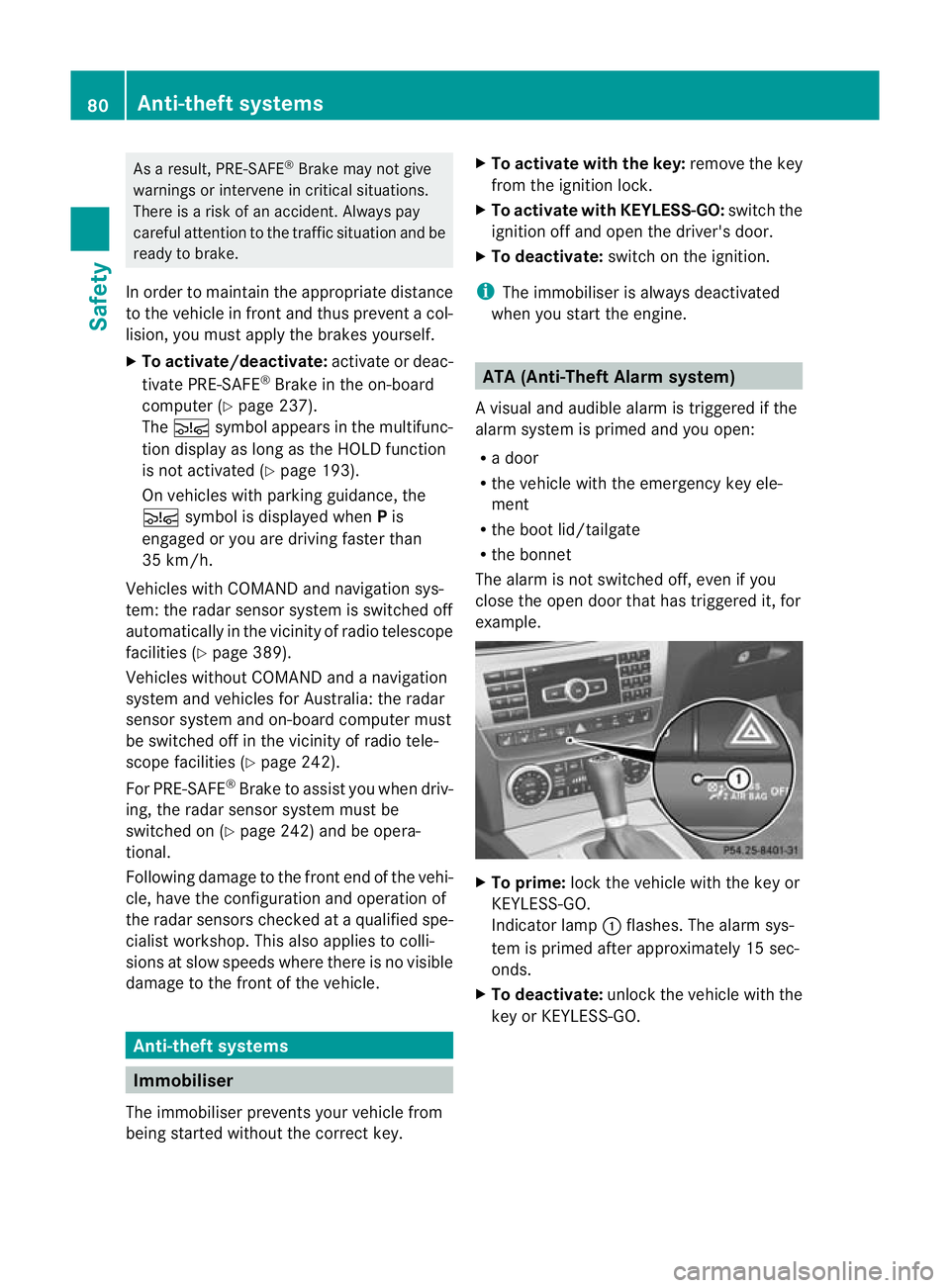
Indicator lamp :flashes .The alarm sys-
tem is primed after approximately 15 sec-
onds.
X To deactivate: unlock the vehicle with the
key or KEYLESS-GO. 80
Anti-theft systemsSafety
Page 87 of 401
Useful information
i This Owner's Manual describes all models
and all standard and optional equipment
available to your vehicle at the time of pub-
lication of the Owner's Manual. Country-
specific deviations are possible. Please
note that your vehicle may not be equipped
with all features described. This also
applies to safety-relevan tsystems and
functions.
i Please read the information on qualified
specialist workshops (Y page 28).Key
Key functions
Locking an dunlocking centrally The key centrally locks/unlocks:
R
the doors
R the boot lid/tailgate
R the fuel filler flap G
WARNING
Only for the United Kingdom: if the vehicle
has been locked with the key, the double lock
function is activated as standard. It is then not
possible to open the doors from inside the
vehicle.
Therefore, do not leave any people behind in
the vehicle, particularly children, elderly peo-
ple or people in need of special assistance if
the vehicle has been locked with the key. As
a result, they may not be able to free them-
selves in the event of an emergency. As a
result, they could be seriously or even fatally
injured by prolonged exposure to extremely
high or low temperatures, for example. In this
case, rescuing people from outside the vehi-
cle is difficult.
Deactivate the interior motion sensor before
you lock the vehicle with the key. The doors
can then be opened from the inside after the vehicle has been locked from the outside with
the key. G
WARNING
If children are left unsupervised in the vehicle,
they could:
R open a door from inside the vehicle at any
time, even if it has been locked
R start the vehicle using akey which has been
left in the vehicle
R release the parking brake
They could thereby endanger themselves and
others. Never leave children unsupervised in
the vehicle. Always take the key with you
when leaving the vehicle, even if you are only
leaving it for a short time. G
WARNING
If a key ring is too heavy or too large, the
weight acting on the key could cause it to turn
in the ignition lock or catch on the steering
wheel. This could cause the engine to be
switched off suddenly. You may lose control
of the vehicle and cause an accident. Do not
attach any heavy or large key rings to the key
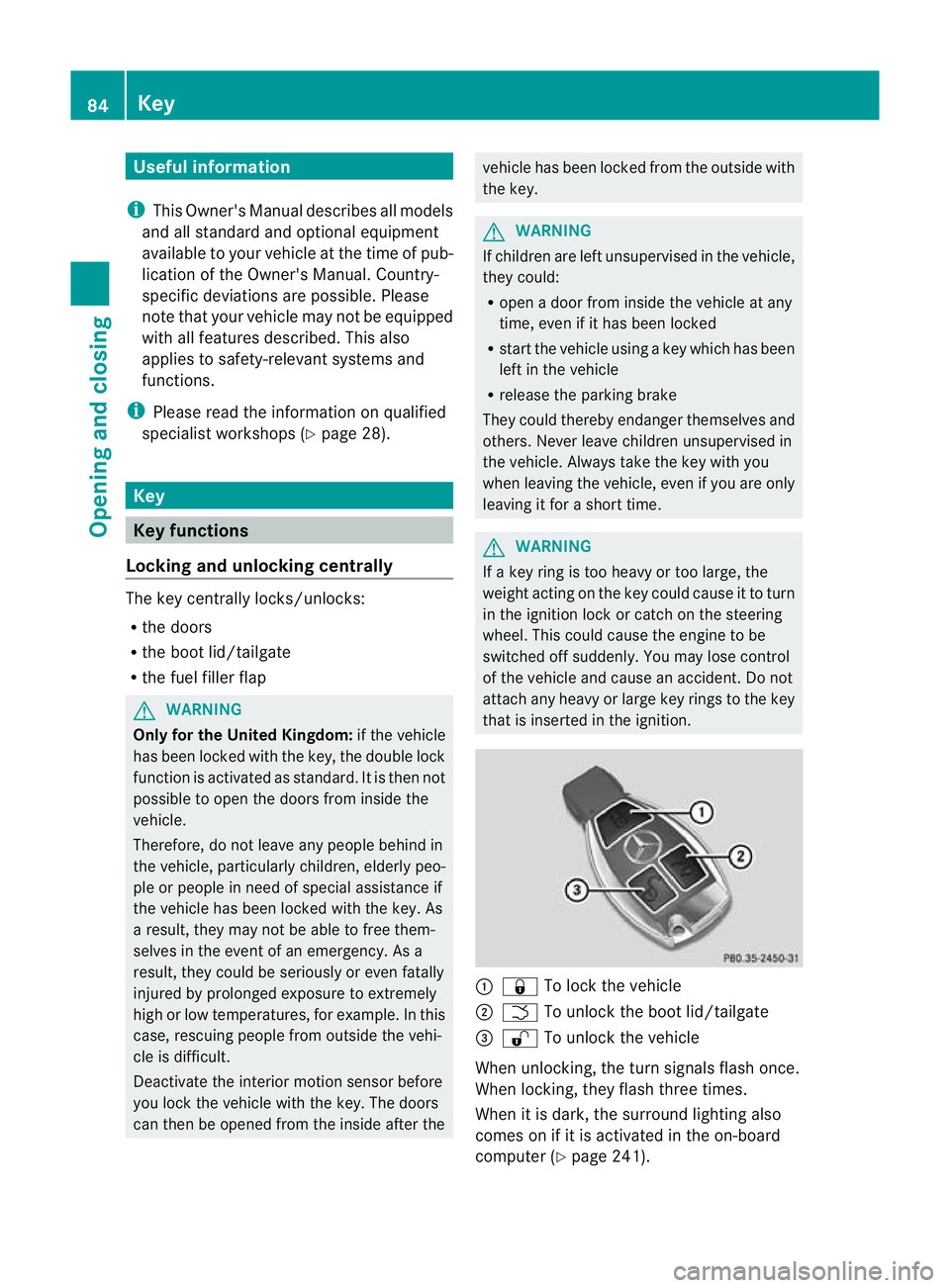
that is inserted in the ignition. :
& To lock the vehicle
; F To unlock the boot lid/tailgate
= % To unlock the vehicle
When unlocking, the turn signals flash once.
When locking, they flash three times.
When it is dark, the surround lighting also
comes on if it is activated in the on-board
computer (Y page 241).84
KeyOpening and closing