tow MERCEDES-BENZ C-CLASS SALOON 2012 Manual Online
[x] Cancel search | Manufacturer: MERCEDES-BENZ, Model Year: 2012, Model line: C-CLASS SALOON, Model: MERCEDES-BENZ C-CLASS SALOON 2012Pages: 557, PDF Size: 10.15 MB
Page 444 of 557
All models
Ve
hicle width excluding out‐
side mir rors 18
10 mm
Wheelbase 2840 mmModel
Vehicle
height
C 16 01 542 mm
C 180
C 200 14
42 mm
or
15 42 mm
C 18 0 d
C 200 d
C 220 d 14
42 mm
C 300
C 300 d 14
47 mm
All other models 1452 mm We
ights and loads Please obser
vethefo llowing no tesfo rth e speci‐
fi ed vehicle data:
R Items of optional equipment increase the
unladen weight and reduce the pa yload.
R Vehicle-specific weight information can be
fo und on theve hicle identification plate
(/ page 428).
Ro of load All models
Maximum
roof load 75kg Tr
ailer hitch Gene
ral no tes on the trailer hit ch Modifications
tothe engine cooling sy stem may
be necessar y,depending on theve hicle model.
The retrofitting of a trailer hitch is only pe rmissi‐
ble if a towing capacity is specified in your vehi‐
cle documents.
Fu rther information can be obtained at a quali‐
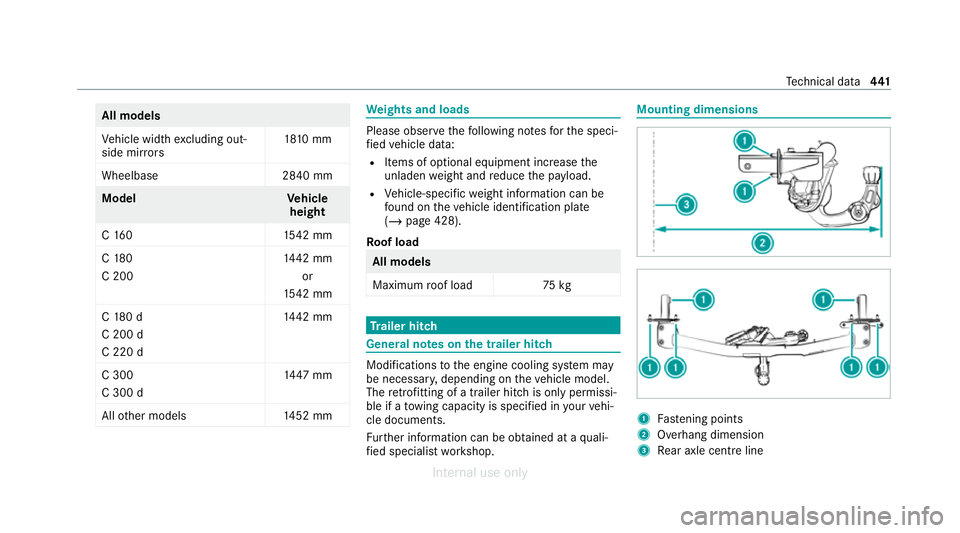
fi ed specialist workshop. Mounting dimensions
1
Fastening points
2 Overhang dimension
3 Rear axle centre line Te
ch nical da ta441
Internal use only
Page 470 of 557
Display messages
Possible causes/consequences and M
MSolutions
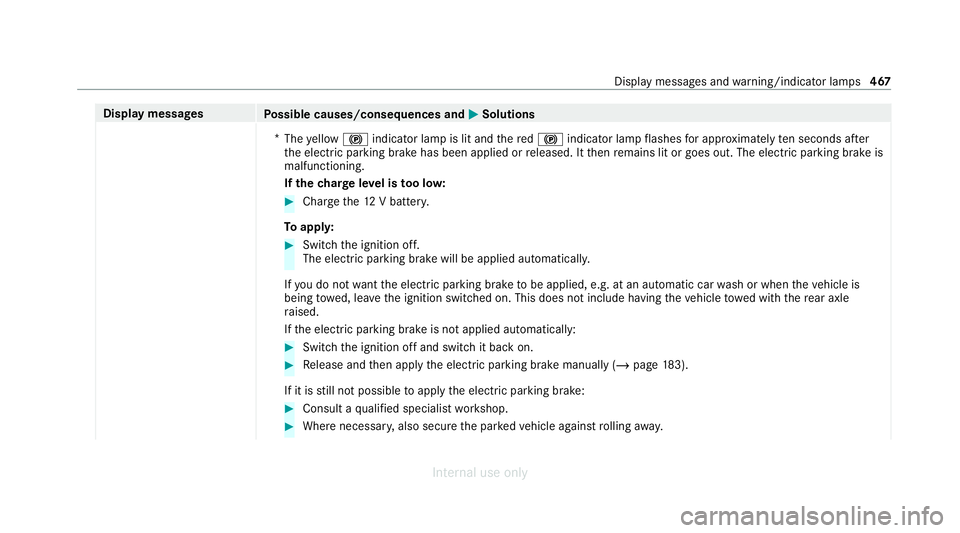
* The yellow ! indicator lamp is lit and there d! indicator lamp flashes for appro ximately ten seconds af ter
th e electric parking brake has been applied or released. It then remains lit or goes out. The electric parking brake is
malfunctioning.
If th ech arge leve l is too lo w: #
Char gethe12 V batter y.
To appl y: #
Switch the ignition off.
The electric parking brake will be applied automaticall y.
If yo u do not wantthe electric parking brake tobe applied, e.g. at an automatic car wash or when theve hicle is
being towe d, lea vethe ignition switched on. This does not include having theve hicle towe d with there ar axle
ra ised.
If th e electric parking brake is not applied automatically: #
Switch the ignition off and switch it back on. #
Release and then apply the electric parking brake manually (/ page183).
If it is still not possible toapply the electric parking brake: #
Consult a qualified specialist workshop. #
Where necessar y,also secure the par kedve hicle against rolling away. Displ
aymessa ges and warning/indicator lamps 467
Internal use only
Page 479 of 557
Display messages
Possible causes/consequences and M
MSolutions #
Ifth e display message does not disappear, stop theve hicle in accordance with the tra ffic conditions and restart
th e engine. #
If necessar y,clean there ar bumper. If the bumper is especially dirty, the sensors in the bumper may be mal‐
functioning.
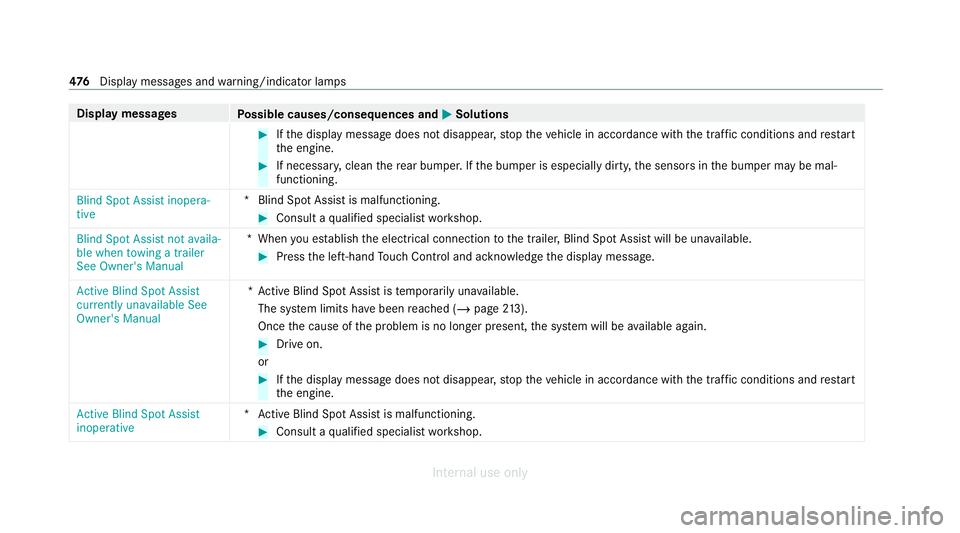
Blind Spot Assist inopera-
tive *B
lind Spot Assist is malfunctioning. #
Consult a qualified specialist workshop.
Blind Spot Assist not availa-
ble when towing a trailer
See Owner's Manual *W
hen you es tablish the electrical connection tothe trailer, Blind Spot Assist will be una vailable. #
Press the left-hand Touch Control and ackn owledge the display message.
Active Blind Spot Assist
currently unavailable See
Owner's Manual *A
ctive Blind Spot Assi stistemp orarily una vailable.
The sy stem limits ha vebeen reached (/ page213).
On ce the cause of the problem is no longer present, the sy stem will be available again. #
Drive on.
or #
Ifth e display message does not disappear, stop theve hicle in accordance with the tra ffic conditions and restart
th e engine.
Active Blind Spot Assist
inoperative *A
ctive Blind Spot Assi stis malfunctioning. #
Consult a qualified specialist workshop. 476
Displaymessa ges and warning/indicator lamps
Internal use only
Page 480 of 557
Display messages
Possible causes/consequences and M
MSolutions
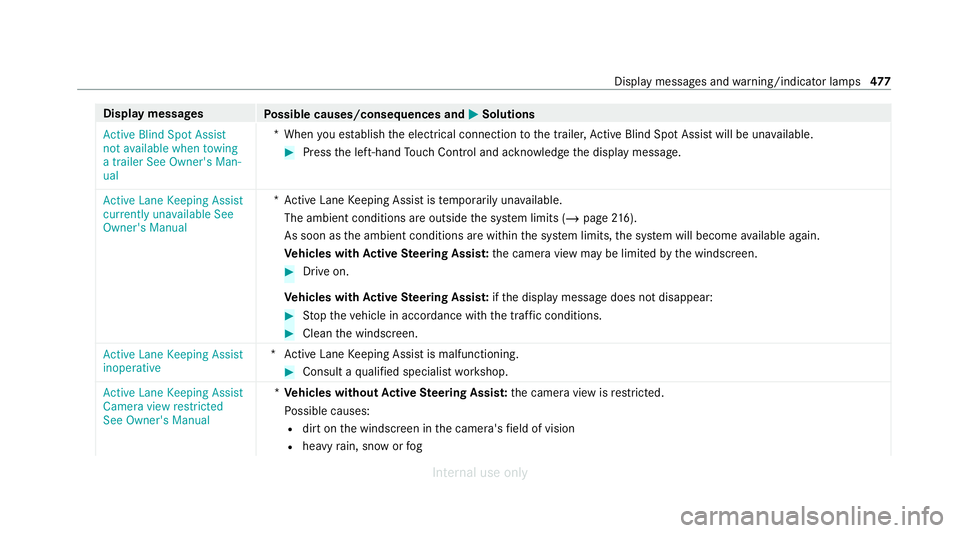
Active Blind Spot Assist
not available when towing
a trailer See Owner's Man-
ual *W
hen you es tablish the electrical connection tothe trailer, Active Blind Spot Assi stwill be una vailable. #
Press the left-hand Touch Control and ackn owledge the display message.
Active Lane Keeping Assist
currently unavailable See
Owner's Manual *A
ctive Lane Keeping Assist is temp orarily una vailable.
The ambient conditions are outside the sy stem limits (/ page216).
As soon as the ambient conditions are within the sy stem limits, the sy stem will become available again.
Ve hicles with Active Steering Assis t:the camera view may be limited bythe windscreen. #
Drive on.
Ve hicles with Active Steering Assis t:ifth e display message does not disappear: #
Stop theve hicle in accordance with the tra ffic conditions. #
Clean the windscreen.
Active Lane Keeping Assist
inoperative *A
ctive Lane Keeping Assist is malfunctioning. #
Consult a qualified specialist workshop.
Active Lane Keeping Assist
Camera view restricted
See Owner's Manual *
Ve hicles without Active Steering Assis t:the camera view is restricted.
Po ssible causes:
R dirt on the windscreen in the camera's field of vision
R heavy rain, snow or fog Displ
aymessa ges and warning/indicator lamps 477
Internal use only
Page 505 of 557
Wa
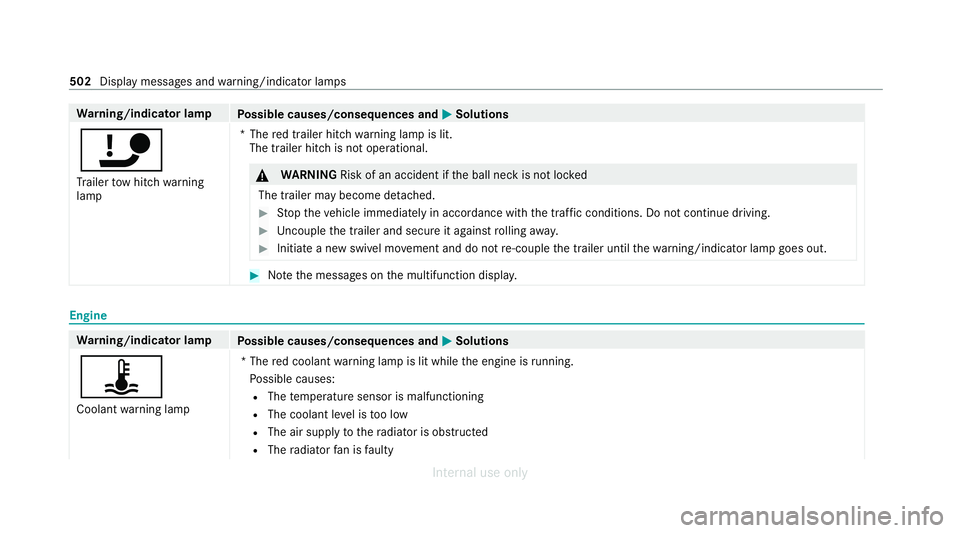
rning/indicator lamp
Possible causes/consequences and M
MSolutions
ï Tr ailer tow hit chwarning
lamp *T
hered trailer hitch warning lamp is lit.
The trailer hitch is not operational. &
WARNING Risk of an accident if the ball neck is not loc ked
The trailer may become de tach ed. #
Stop theve hicle immediately in accordance with the traf fic conditions. Do not continue driving. #
Uncouple the trailer and secure it against rolling away. #
Initiate a new swivel mo vement and do not re-couple the trailer until thewa rning/indicator lamp goes out. #
Notethe messages on the multifunction displa y.Engine
Wa
rning/indicator lamp
Possible causes/consequences and M
MSolutions
ÿ Coolant warning lamp *T
he red coolant warning lamp is lit while the engine is running.
Po ssible causes:
R The temp erature sensor is malfunctioning
R The coolant le vel is too low
R The air supply tothera diator is obstructed
R The radiator fan is faulty 502
Display messages and warning/indicator lamps
Internal use only
Page 519 of 557

Anticipatory occupant pr
otection
see PRE- SAFE®
(anticipatory occu‐
pant pr otection)
see PRE-SAFE ®
PLUS (anticipatory
occupant pr otection plus)
Apple CarPlay ®
Connecting an iPhone ®
.........................3 28
Ending................................................... 329
No tes....................................................3 28
Overview............................................... 328
Sound settings...................................... 329
Tr ans ferred vehicle data........................3 31
Assistance sy stems
see Driving saf ety sy stem
ASS YST PLUS
Battery disconnection pe riods...............3 73
Displ aying the service due dat e............. 372
Fu nction/no tes..................................... 372
Re gular maintenance work.................... 372
Special service requirements............... .372
ATA (anti-theft ala rmsystem)
Deactivating the alarm............................ 95
Fu nction.................................................. 95
Fu nction of interior pr otection................. 96 Priming/deactivating interior pr
otec‐
tion.......................................................... 97
Priming/deactivating tow- aw ay pro‐
te ction..................................................... 96
To w- aw ay protection function.................. 95
AT TENTION ASSI ST
Fu nction................................................ 19 2
Setting................................................... 19 3
Sy stem limitations................................. 19 2
At tention assistant
see ATTENTION ASSIST
Au dio mode
Connecting USB device s....................... 349
Co pyrights............................................. 347
Information............................................ 346
Inserting/re moving an SD car d............. 348
Media sea rch.........................................3 53
Overview............................................... 349
Pa use and playback function................ .350
Selecting a track................................... 350
Selecting playba ckoptions.................... 350
Switching on media mode..................... 348
Tr ack list............................................... .350 Au
thorised workshop
see Qualified specialist workshop
Au tomatic distance control
see Active Dis tance Assi stDISTRONIC
Au tomatic driving lights ...........................12 6
Au tomatic engine start (ECO start/
sto p function)............................................. 161
Au tomatic engine stop (ECO start/
sto p function)............................................. 161
Au tomatic front passen ger front air‐
bag deacti vation sy stem
see Automatic front passenger front
airbag shutoff
Au tomatic front passen ger front air‐
bag shu toff
Fu nction of the automatic front
passenger front airbag deactivation
sy stem..................................................... 46
PA SSENGER AIR BAG indicator lamp....... 48
Au tomatic mir rorfo lding function
Ac tivating/deactivating......................... 14 3
Au tomatic transmission
DIRECT SELECT le ver............................. 167516
Index
Internal use only
Page 525 of 557
External................................................
.303
Saving (cur rent vehicle position)........... 303
Saving as global favo urit e...................... 303
St oring a map position..........................3 03
Dest ination entry
En tering a 3 wordaddress..................... 293
En tering a POI or address...................... 288
Entering an intermedia tedestination.... 292
Ente ring geo-coordinates...................... 293
Selecting a contact............................... 293
Selecting a POI...................................... 291
Selecting from the map......................... 294
Selecting pr evious destinations............ .291
De tecting inat tentiveness
see ATTENTION ASSIST
Diagnostics connection .............................. 29
Diesel Low outside temp eratures..................... 433
No tes....................................................4 33
Digital Owner's Manual.............................. 20
Digital TV
see TV Dinghy
towing
see Tow- bar sy stem
Dipped beam Changing bulbs...................................... 13 6
Setting................................................... 13 3
DIRECT SELECT le ver
Engaging drive position......................... 16 9
Engaging neutral.................................... 16 8
Engaging pa rkposition.......................... 16 9
Engaging pa rkposition automatically....1 69
Engaging reve rsege ar........................... 16 8
Fu nction................................................. 167
Display (care) .............................................3 85
Display (multimedia sy stem)
Settings................................................. 274
Display (on-boa rdcompu ter)
Displ ays on the multifunction displa y.... 247
Display message Calling up (on-board co mputer)............ .445
No tes....................................................4 45
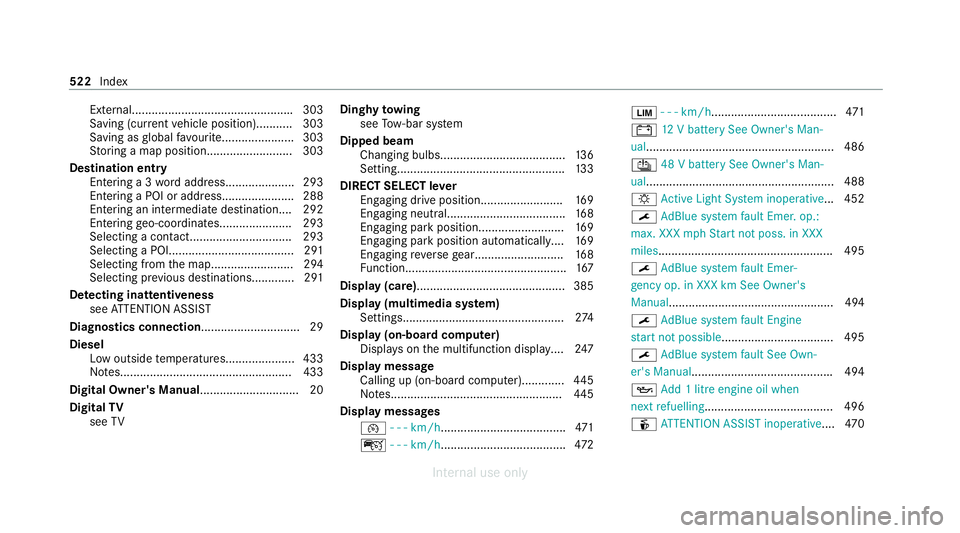
Display messages ¯ - - - km/h ...................................... 471
ç - - - km/h ...................................... 472È
- - - km/h ...................................... 471
# 12V battery See Owner's Man‐
ual......................................................... 486
Û 48 V battery See Owner's Man‐
ual......................................................... 488
: Active Light Sy stem inoperative... 452
¯ AdBlue sy stem fault Emer. op.:
max. XXX mphSt art not poss. in XXX
miles .................................................... .495
¯ AdBlue sy stem fault Emer‐
ge ncy op. in XXX km See Owner's
Manual.................................................. 494
¯ AdBlue sy stem fault Engine
st art not possible................................. .495
¯ AdBlue sy stem fault See Own‐
er's Manual .......................................... .494
5 Add 1 litre engine oil when
next refuelling....................................... 496
é ATTENTION ASSIST inoperative ....470 522
Index
Internal use only
Page 527 of 557
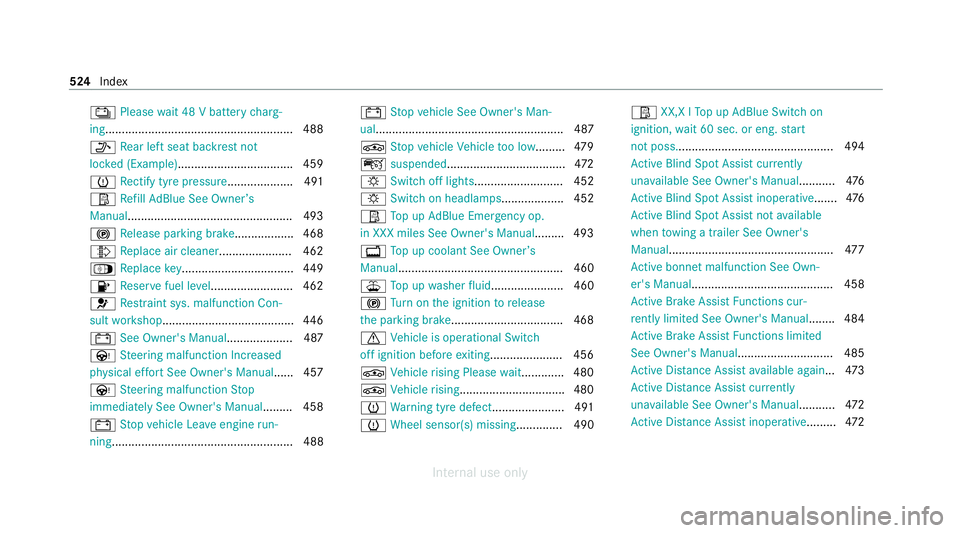
Ý
Please wait 48 V battery charg‐
ing ........................................................ .488
_ Rear left seat backrest not
loc ked (Example)................................... 459
h Rectify tyre pressure.................... 491
Ø Refill Ad Blue See Owne r’s
Manual.................................................. 493
! Release parking brake .................. 468
¸ Replace air cleaner ...................... 462
Á Replace key.................................. 449
8 Reser vefuel le vel......................... 462
6 Restra int sys. malfunction Con‐
sult workshop........................................ 446
# See Owner's Manual.................... 487
Ù Steering malfunction Incre ased
ph ysical ef fort See Owner's Manual ...... 457
Ù Steering malfunction Stop
immediately See Owner's Manual ......... 458
# Stop vehicle Lea veengine run‐
ning ....................................................... 488 #
Stop vehicle See Owner's Man‐
ual......................................................... 487
É Stop vehicle Vehicle too low......... 479
ç suspended.................................... 472
: Switch off lights ........................... 452
: Switch on headlamps................... 452
Ø Top up AdBlue Emergency op.
in XXX miles See Owner's Manual......... 493
+ Top up coolant See Owner ’s
Manual.................................................. 460
¥ Top up washer fluid ...................... 460
! Turn on the ignition torelease
th e parking brake..................................4 68
d Vehicle is operational Switch
off ignition before exiting..................... .456
É Vehicle rising Please wait............ .480
É Vehicle rising................................4 80
h Warning tyre defect..................... .491
h Wheel sensor(s) missing .............. 490Ø
XX,X l Top up AdBlue Switch on
ignition, wait 60 sec. or eng. start
not poss................................................ 494
Ac tive Blind Spot Assi stcur rently
una vailable See Owner's Manual ...........476
Ac tive Blind Spot Assi stinope rative ....... 476
Ac tive Blind Spot Assi stnot available
when towing a trailer See Owner's
Manual .................................................. 477
Ac tive bonnet malfunction See Own‐
er's Manual........................................... 458
Ac tive Brake Assi stFunctions cur‐
re ntly limited See Owner's Manual ........ 484
Ac tive Brake Assi stFunctions limited
See Owner's Manual............................. 485
Ac tive Dis tance Assi stavailable again ...4 73
Ac tive Dis tance Assi stcur rently
una vailable See Owner's Manual ...........472
Ac tive Dis tance Assi stinope rative ......... 472 524
Index
Internal use only
Page 529 of 557
Only select
Park (P) when vehicle is
st ationary.............................................. 462
Place theke y in the mar ked space
See Owner's Manual............................. 450
PRE-SAFE inoperative See Owner's
Manual..................................................4 48
Ra dar sensors dirty See Owner's
Manual..................................................4 85
Re duce speed ........................................ 492
Re versing not poss. Consult work‐
shop......................................................4 64
Risk of vehicle rolling Driver door
open and transmission not in P............. 463
Speed limit (winter tyres) XXX km/h .....473
St op vehicle Lea veengine running
Wa itTransmission cooling .....................464
To shift out of P or N,depress brake
and start engine.................................... 463 To
switch off the engine, press
St art/ Stop button for at least 3 sec‐
onds or 3 times. ................................... .460
Tr af fic Sign Assi stCamera view
re stricted See Owner's Manual............. 475
Tr af fic Sign Assi stcur rently una vaila‐
ble See Owner's Manual ........................474
Tr af fic Sign Assi stinope rative ............... 475
Tr ansmission Malfunction Stop............. 464
Ty re press. monitor cur rently una vail‐
able ...................................................... .489
Ty re press. monitor inoperative.............4 89
Ty re press. monitor inoperative No
wheel sensors ...................................... .490
Ty re(s) ove rheated................................. 492
Wi thout changing gear, consult work‐
shop......................................................4 64
Display on the windscreen
see Head-up display
Distance control see Active Dis tance Assi stDISTRONIC DI
STRO NIC
see Active Dis tance Assi stDISTRONIC
Door Additional door loc k................................ .76
Child saf ety lock (rear door).................... 70
Locking (emer gency key)......................... 79
Opening (from inside ).............................. 77
Un locking (emer gency key)..................... 79
Un locking (from inside).......................... .77
Door cont rol panel....................................... 16
Dr aw bar
see Tow- bar sy stem
Drive Away Assist ...................................... 235
Drive Away Assist
see Pr otection against collision
Drive position Enga ging................................................1 69
Drive prog ram display ............................... 16 6
Drive prog rams
see DYNA MIC SELECT
Driver's seat see Seat 526
Index
Internal use only
Page 532 of 557
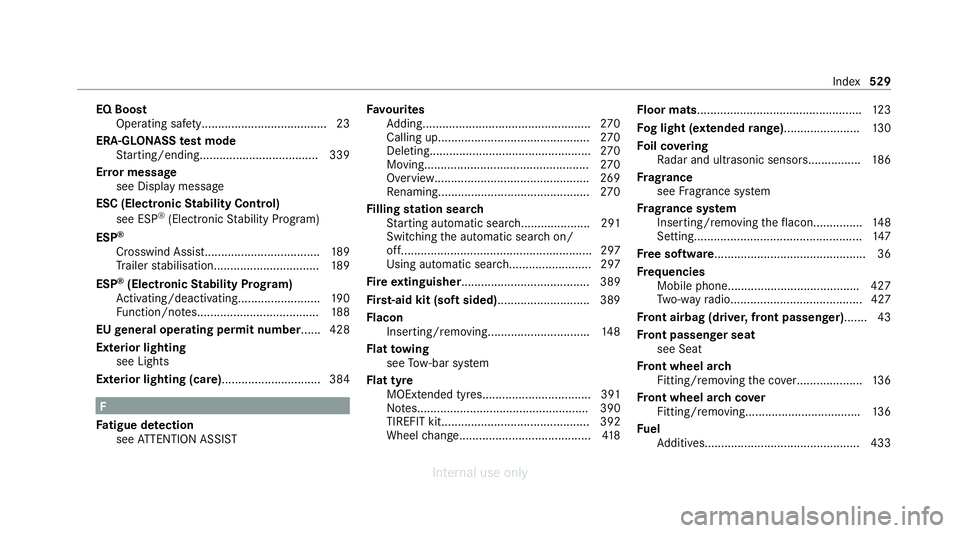
EQ Boost
Operating saf ety...................................... 23
ERA-GLO NASS test mode
St arting/ending.................................... 339
Er ro r message
see Displ aymessa ge
ESC (Electronic Stability Control)
see ESP ®
(Electronic Stability Prog ram)
ESP ®
Crosswind Assist.................................. .189
Tr ailer stabilisation................................ 189
ESP ®
(Electronic Stability Prog ram)
Ac tivating/deactivating......................... 19 0
Fu nction/no tes..................................... 188
EU general operating permit number ...... 428
Exterior lighting see Lights
Exterior lighting (care).............................. 384 F
Fa tigue de tection
see ATTENTION ASSIST Favo
urites
Ad ding................................................... 270
Calling up.............................................. 270
Del eting................................................. 270
Moving.................................................. 270
Overview...............................................2 69
Re naming.............................................. 270
Fi lling station sear ch
St arting automatic sear ch..................... 291
Switching the automatic sear chon/
off.......................................................... 297
Using automatic sear ch......................... 297
Fi re extinguisher....................................... 389
Firs t-aid kit (soft sided) ............................ 389
Flacon Inse rting/ removing.............................. .148
Flat towing
see Tow- bar sy stem
Flat tyre MOEx tended tyres................................. 391
No tes.................................................... 390
TIREFIT kit............................................. 392
Wheel change........................................ 41 8Floor mats
.................................................. 12 3
Fo g light (extended range) ....................... 13 0
Fo il co vering
Ra dar and ultrasonic sensor s................ 186
Fr ag rance
see Frag rance sy stem
Fr ag rance sy stem
Inserting/removing theflacon...............1 48
Setting................................................... 147
Fr ee software............................................. .36
Fr equencies
Mobile phon e....................................... .427
Tw o-w ayradio........................................ 427
Fr ont airbag (driver, front passenger).......43
Fr ont passenger seat
see Seat
Fr ont wheel ar ch
Fitting/removing the co ver.................... 13 6
Fr ont wheel ar chcover
Fitting/removing.................................. .136
Fu el
Ad ditives...............................................4 33 Index
529
Internal use only