light MERCEDES-BENZ C-CLASS SALOON 2018 Owners Manual
[x] Cancel search | Manufacturer: MERCEDES-BENZ, Model Year: 2018, Model line: C-CLASS SALOON, Model: MERCEDES-BENZ C-CLASS SALOON 2018Pages: 609, PDF Size: 11.19 MB
Page 330 of 609
R
English: that.lands.winning
R French: posteaux.bobineur.ombrant
3 wo rdaddresses are unique, easy to
re member and suf fice for most routine appli‐
cations.
The bidirectional co nversion of 3 word
addresses can be car ried out here:
R atthewe bsite http://what3words.com
R inthe what3words apps
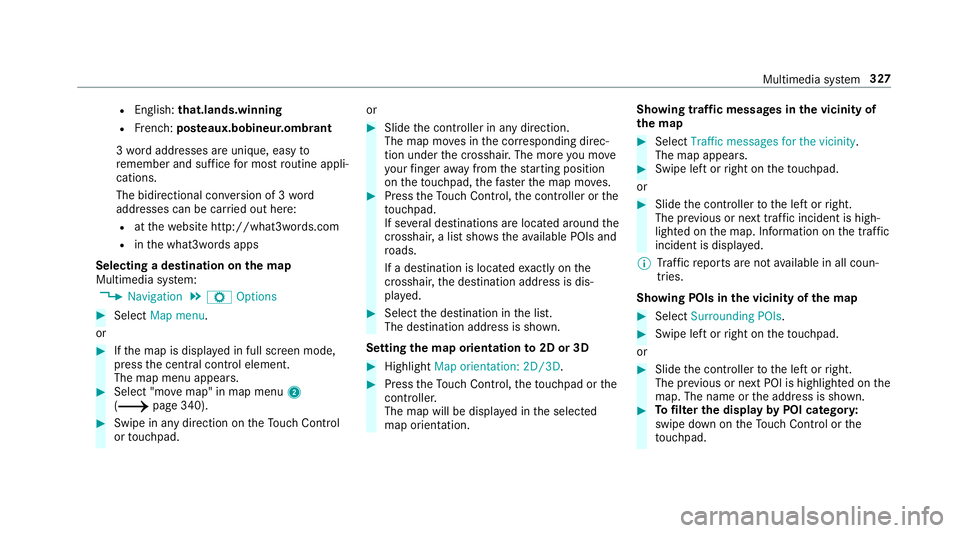
Selecting a destination on the map
Multimedia sy stem:
0018 Navigation 0019
Z Options 0007
Select Map menu.
or 0007
Ifth e map is displa yed in full screen mode,
press the cent ral control element.
The map menu appears. 0007
Select "mo vemap" in map menu 2
(0013 page 340). 0007
Swipe in any direction on theTo uch Control
or touchpad. or 0007
Slide the controller in any direction.
The map mo ves in the cor responding direc‐
tion under the crosshair. The more you mo ve
yo ur finger away from thest arting position
on theto uchpad, thefast erthe map mo ves. 0007
Press theTo uch Control, the controller or the
to uchpad.
If se veral destinations are located around the
crosshair, a li stsho wstheav ailable POIs and
ro ads.
If a destination is located exact ly on the
crosshair, the destination address is dis‐
pla yed. 0007
Select the destination in the list.
The destination address is shown.
Setting the map orientation to2D or 3D 0007
Highlight Map orientation: 2D/3D. 0007
Press theTo uch Control, theto uchpad or the
controller.
The map will be displ ayed in the selected
map orientation. Showing traf
fic messages in the vicinity of
th e map 0007
Select Traffic messages for the vicinity.
The map appears. 0007
Swipe left or right on theto uchpad.
or 0007
Slide the controller tothe left or right.
The pr evious or next traf fic incident is high‐
lighted on the map. Information on the tra ffic
incident is displa yed.
0009 Traf fic re ports are not available in all coun‐
tries.
Showing POIs in the vicinity of the map 0007
Select Surrounding POIs . 0007
Swipe left or right on theto uchpad.
or 0007
Slide the controller tothe left or right.
The pr evious or next POI is highligh ted on the
map. The name or the address is shown. 0007
Tofilter the display byPOI categor y:
swipe down on theTo uch Control or the
to uchpad. Multimedia sy
stem 327
Page 335 of 609
The
road and traf fic ru les and regulations alw ays
ha ve priority over multimedia sy stem driving
instructions.
The following driving instructions can be used:
R Navigation announcements
R Route guidance displ ays
R Lane recommendations
If yo u do not follow the driving instructions or if
yo u lea vethe calculated route, a new route is
calculated automaticall y.
Driving instructions may di ffer from the actual
ro ad and traf fic conditions if:
R The route is diver ted
R The direction of a one-w aystre et has been
ch anged
Fo rth is reason, you must alw ays obser veroad
and traf fic ru les and regulations during your
journey as well as the pr evailing traf fic condi‐
tions.
The route may dif fer from the ideal route due to
th efo llowing:
R Roadwor ks R
Incomple tedigital map data
Note s on GPS reception
The cor rect function of the navigation sy stem
depends amongst other things on GPS recep‐
tion. In cer tain situations GPS reception can be
impaired, defective or even not possible, e.g. in
tunnels or in multi-s torey car par ks.
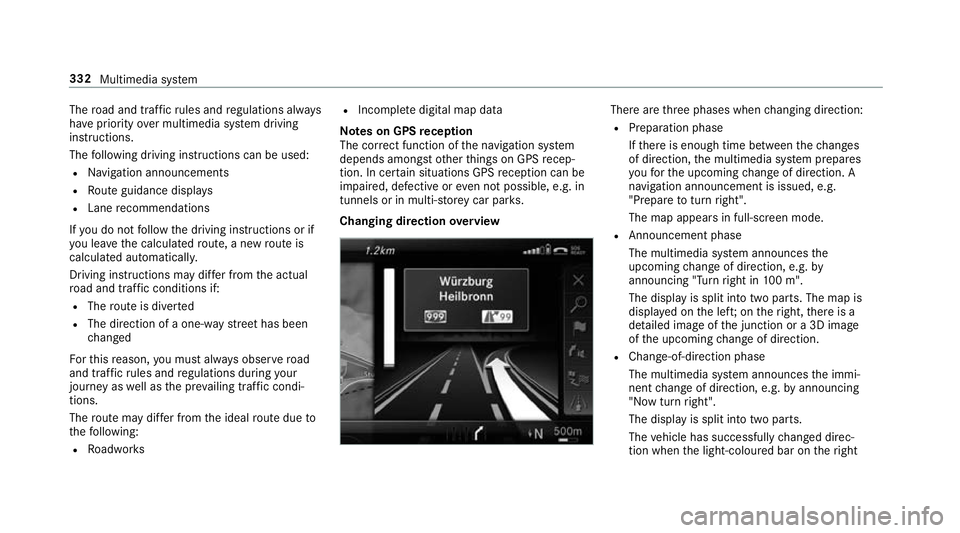
Changing direction overview There are
thre e phases when changing direction:
R Preparation phase
Ifth ere is enough time between thech anges
of direction, the multimedia sy stem prepares
yo ufo rth e upcoming change of direction. A
navigation announcement is issued, e.g.
"Prepare toturn right".
The map appears in full-screen mode.
R Announcement phase
The multimedia sy stem announces the
upcoming change of direction, e.g. by
announcing "Turn right in 100 m".
The display is split into two parts. The map is
displa yed on the lef t;on theright, there is a
de tailed image of the junction or a 3D image
of the upcoming change of direction.
R Chan ge-of-direction phase
The multimedia sy stem announces the immi‐
nent change of direction, e.g. byannouncing
"N ow turn right".
The display is split into two parts.
The vehicle has successfully changed direc‐
tion when the light-coloured bar on theright 332
Multimedia sy stem
Page 336 of 609
drops down
to0 m and the cur rent vehicle
position symbol has reached the highlighted
ch ange-of-direction point.
When thech ange of direction is comple te,
th e map appears in full-screen mode.
0009 Changes of direction are also shown in the
Instrument Displa y.
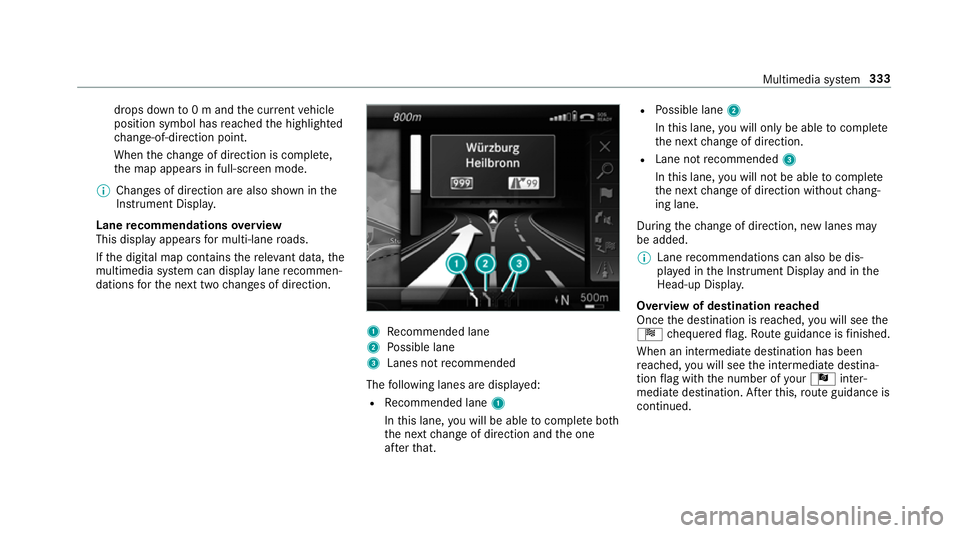
Lane recommendations overview
This display appears for multi-lane roads.
If th e digital map conta insthere leva nt da ta,the
multimedia sy stem can display lane recommen‐
dations forth e next two changes of direction. 1
Recommended lane
2 Possible lane
3 Lanes not recommended
The following lanes are displa yed:
R Recommended lane 1
In this lane, you will be able tocompl ete bo th
th e next change of direction and the one
af te rth at. R
Possible lane 2
In this lane, you will on lybe able tocompl ete
th e next change of direction.
R Lane not recommended 3
In this lane, you will not be able tocompl ete
th e next change of direction without chang‐
ing lane.
During thech ange of direction, new lanes may
be added.
0009 Lane recommendations can also be dis‐
pl ay ed in the Instrument Display and in the
Head-up Displa y.
Overview of destination reached
Once the destination is reached, you will see the
Í chequered flag. Route guidance is finished.
When an intermedia tedestination has been
re ached, you will see the intermediate destina‐
tion flag with the number of your Î inter‐
mediate destination. Af terth is, route guidance is
continued. Multimedia sy
stem 333
Page 339 of 609
When
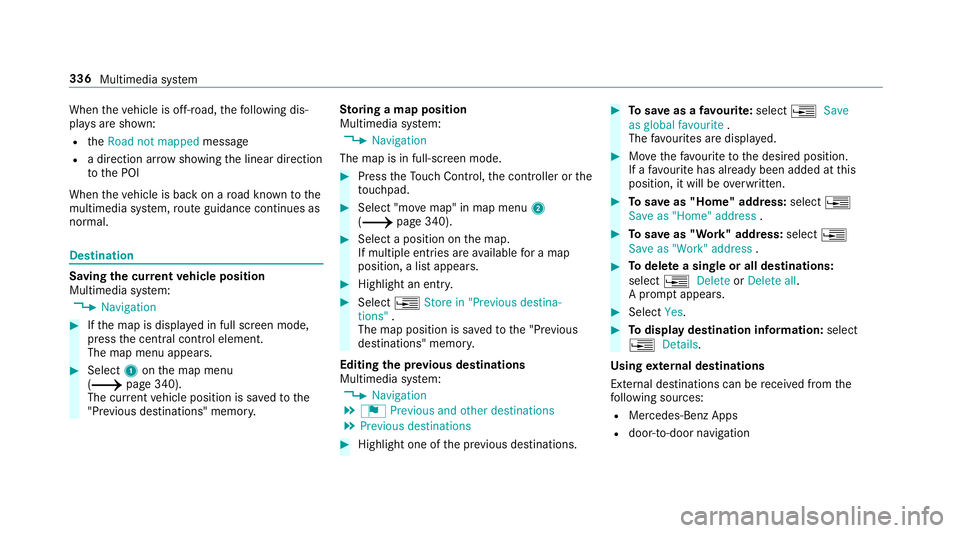
theve hicle is off-road, thefo llowing dis‐
pla ysare shown:
R theRoad not mapped message
R a direction ar rowshowing the linear direction
to the POI
When theve hicle is back on a road kn ownto the
multimedia sy stem, route guidance continues as
no rm al. Destination
Saving the cur
rent vehicle position
Multimedia sy stem:
0018 Navigation 0007
Ifth e map is displa yed in full screen mode,
press the cent ral control element.
The map menu appears. 0007
Select 1onthe map menu
(0013 page 340).
The cur rent vehicle position is sa vedto the
"Pr evious destinations" memo ry.St
oring a map position
Multimedia sy stem:
0018 Navigation
The map is in full-screen mode. 0007
Press theTo uch Control, the controller or the
to uchpad. 0007
Select "mo vemap" in map menu 2
(0013 page 340). 0007
Select a position on the map.
If multiple entri es areavailable for a map
position, a list appears. 0007
Highlight an entr y. 0007
Select 0080Store in "Previous destina-
tions" .
The map position is sa vedto the "Pr evious
destinations" memo ry.
Editing the pr evious destinations
Multimedia sy stem:
0018 Navigation
0019 ¬ Previous and other destinations
0019 Previous destinations 0007
Highlight one of the pr evious destinations. 0007
Tosave as a favo urite: select 0080Save
as global favourite .
The favo urites are displ ayed. 0007
Movethefa vo urite tothe desired position.
If a favo urite has already been added at this
position, it will be overwritten. 0007
Tosave as "Home" address: select0080
Save as "Home" address . 0007
Tosave as "Work" address: select0080
Save as "Work" address . 0007
Todel ete a single or all destinations:
select 0080Delete orDelete all.
A prom ptappears. 0007
Select Yes. 0007
Todispl aydestination information: select
0080 Details.
Using extern al destinations
External destinations can be recei ved from the
fo llowing sources:
R Mercedes-Benz Apps
R door-to-door navigation 336
Multimedia sy stem
Page 346 of 609
Multimedia sy
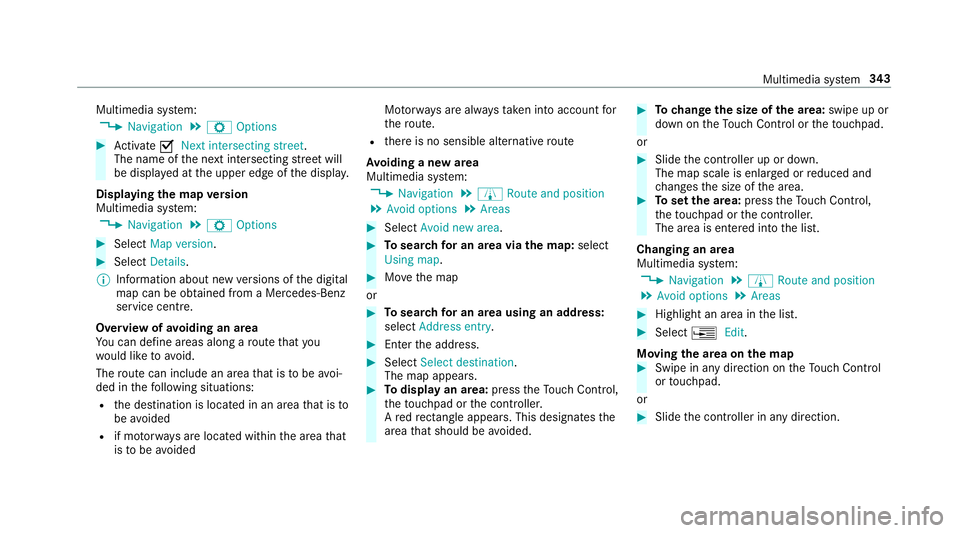
stem:
0018 Navigation 0019
Z Options 0007
Activate 0073Next intersecting street .
The name of the next intersecting stre et will
be displa yed at the upper edge of the displa y.
Displaying the map version
Multimedia sy stem:
0018 Navigation 0019
Z Options 0007
Select Map version . 0007
Select Details.
0009 Information about new versions of the digital
map can be obtained from a Mercedes-Benz
service cent re.
Overview of avoiding an area
Yo u can define areas along a route that you
wo uld like toavoid.
The route can include an area that is tobe avoi‐
ded in thefo llowing situations:
R the destination is located in an area that is to
be avo ided
R if mo torw ays are located within the area that
is to be avoided Mo
torw ays are alw aysta ke n into account for
th ero ute.
R there is no sensible alternative route
Av oiding a new area
Multimedia sy stem:
0018 Navigation 0019
À Route and position
0019 Avoid options 0019
Areas 0007
Select Avoid new area. 0007
Tosear chfor an area via the map: select
Using map. 0007
Movethe map
or 0007
Tosear chfor an area using an address:
select Address entry . 0007
Enter the address. 0007
Select Select destination.
The map appears. 0007
Todispl ayan area: presstheTo uch Control,
th eto uchpad or the controller.
A redre ctangle appea rs. This designates the
area that should be avoided. 0007
Tochange the size of the area: swipe up or
down on theTo uch Control or theto uchpad.
or 0007
Slide the controller up or down.
The map scale is enlar ged or reduced and
ch anges the size of the area. 0007
Toset the area: presstheTo uch Control,
th eto uchpad or the controller.
The area is entered into the list.
Changing an area
Multimedia sy stem:
0018 Navigation 0019
À Route and position
0019 Avoid options 0019
Areas 0007
Highlight an area in the list. 0007
Select 0080Edit.
Moving the area on the map 0007
Swipe in any direction on theTo uch Control
or touchpad.
or 0007
Slide the controller in any direction. Multimedia sy
stem 343
Page 347 of 609
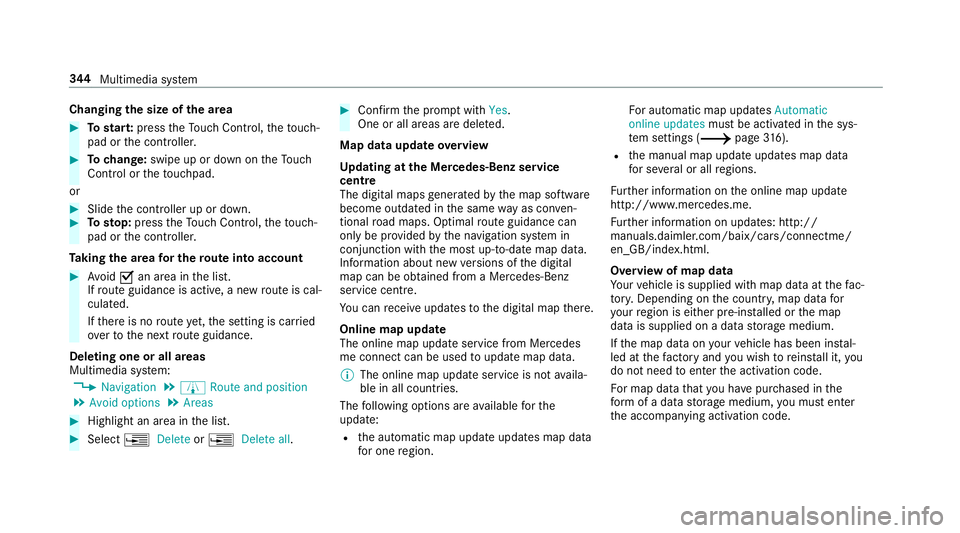
Changing
the size of the area 0007
Tostar t:press theTo uch Control, theto uch‐
pad or the controller. 0007
Tochange: swipe up or down on theTo uch
Control or theto uchpad.
or 0007
Slide the controller up or down. 0007
Tosto p:press theTo uch Control, theto uch‐
pad or the controller.
Ta king the area for the route into account 0007
Avoid 0073an area in the list.
If ro ute guidance is active, a new route is cal‐
culated.
If th ere is no route yet,th e setting is car ried
ove rto the next route guidance.
Deleting one or all areas
Multimedia sy stem:
0018 Navigation 0019
À Route and position
0019 Avoid options 0019
Areas 0007
Highlight an area in the list. 0007
Select 0080Delete or0080 Delete all. 0007
Confirm the prom ptwith Yes.
One or all areas are dele ted.
Map data update overview
Up dating at the Mercedes-Benz se rvice
centre
The digital maps generated bythe map software
become outdated in the same way as co nven‐
tional road maps. Optimal route guidance can
on ly be pr ovided bythe navigation sy stem in
conjunction with the most up-to-date map data.
Information about new versions of the digital
map can be obtained from a Mercedes-Benz
service cent re.
Yo u can recei veupdates tothe digital map there.
Online map update
The online map update service from Mercedes
me connect can be used toupdate map data.
0009 The online map update service is not availa‐
ble in all countries.
The following options are available forthe
update:
R the automatic map update updates map data
fo r one region. Fo
r auto matic map updates Automatic
online updates must be activated in the sys‐
te m settings (0013 page316).
R the manual map update updates map data
fo r se veral or all regions.
Fu rther information on the online map update
http://www.mercedes.me.
Fu rther information on updates: http://
manuals.daimle r.com/baix/cars/connectme/
en_GB/index.html.
Overview of map data
Yo ur vehicle is supplied with map data at thefa c‐
to ry. Depending on the count ry, map data for
yo ur region is either pre-ins talled or the map
data is supplied on a data storage medium.
If th e map data on your vehicle has been ins tal‐
led at thefa ctory and you wish toreins tall it, you
do not need toenter the activation code.
Fo r map data that you ha vepur chased in the
fo rm of a data storage medium, you must en ter
th e accompanying activation code. 344
Multimedia sy stem
Page 377 of 609
Multimedia sy
stem:
0018 System 0019
ö Connectivity
0019 Internet settings 0007
Highlight the mobile phone. 0007
Select 0080. 0007
Select Change configuration .0007
For mobile phones with PAN and DUN:
select Configure settings using COMAND. 0007
Configure the Internet connection using pre‐
set or manual access data (0013 page372).
Cancelling Interne t access permission for a
mobile phone
Multimedia sy stem:
0018 System 0019
ö Connectivity
0019 Internet settings 0007
Highlight the mobile phone. 0007
Select 0080. 0007
Select Delete configuration. 0007
Select Yes. Displaying mobile phone details
Multimedia sy
stem:
0018 System 0019
ö Connectivity
0019 Internet settings 0007
Highlight the mobile phone. 0007
Select 0080. 0007
Select Details.
Establishing an Internet connection
Multimedia sy stem:
0018 Connect 0007
Forex ample, select zBrowser .
0009 The multimedia sy stem usually es tablishes
th e Internet connection automaticall y.Ifthe
multimedia sy stem is not connected tothe
Internet, the Internet connection is es tab‐
lished when an Internet application is used.
0009 The availability of web br ows ers is count ry-
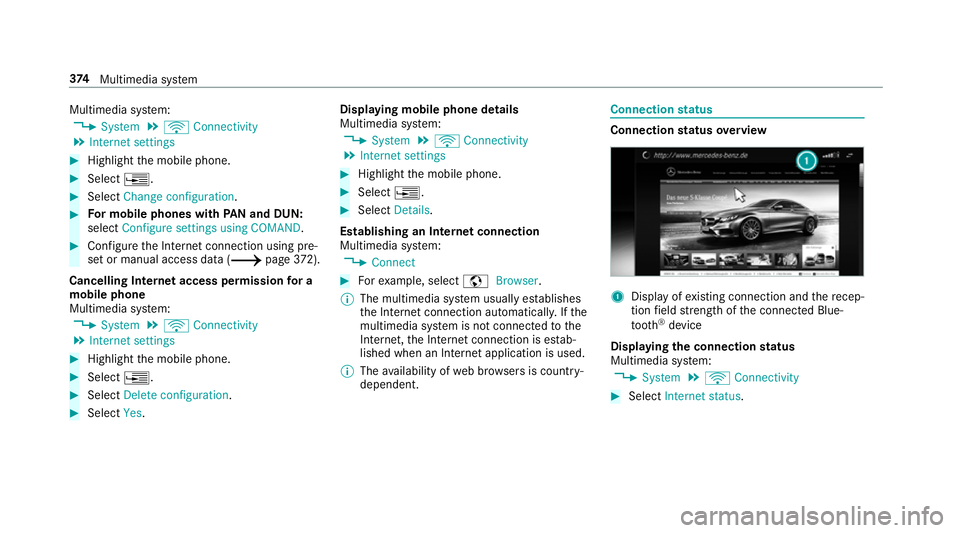
dependent. Connection
status Connection
status overview 1
Display of existing connection and there cep‐
tion field stre ngth of the connected Blue‐
tooth ®
device
Displaying the connection status
Multimedia sy stem:
0018 System 0019
ö Connectivity 0007
Select Internet status .374
Multimedia sy stem
Page 380 of 609
Deleting br
owser data
Multimedia sy stem:
0018 Connect 0019
z Browser
0019 Z Options 0019
Delete browser data
The following options are available:
R All
R Cache
R Cookies
R Entered URLs
R Form data 0007
Select an option. 0007
Select Yes.
Managing bookmar ks
Multimedia sy stem:
0018 Connect 0019
z Browser
0019 ß Bookmarks
Selecting a bookmark 0007
Select an entry. Creating a bookmark 0007
Select Add new bookmark. 0007
Enter a URL and a name. 0007
Select ¡.
Editing a bookmark 0007
Highlight a bookmar k. 0007
Select p. 0007
Select Edit. 0007
Enter a URL and a name. 0007
Select ¡.
Deleting a bookmark 0007
Highlight a bookmar k. 0007
Select p. 0007
Select Delete. 0007
Select Yes.
Closing the br owser
Multimedia sy stem:
0018 Connect 0019
z Browser 0007
Select åClose browser . Internet
radio Calling up In
ternetradio
Re quirements:
R There is an account on http://
www.me rcedes.me.
R The Internet radio service is activated.
R The data volume is available.
Depending on the count ry, data volume may
need tobe pur chased.
R Afast Internet connection for data transmis‐
sion free of inter fere nce.
The services are countr y-dependent.
Fo r more information, consult a Mercedes-
Benz service centre.
Multimedia sy stem:
0018 Radio 0019
Þ Radio source 0007
Select TuneIn radio.
The Internet radio display appears. The last
st ation set starts playing.
0009 The connection quality depends on the local
mobile phone reception. Multimedia sy
stem 377
Page 394 of 609
Ac
tivating Blue tooth ®
audio
Multimedia sy stem:
0018 Media 0019
à Media sources 0007
Select áBluetooth audio.
The multimedia sy stem activates the connec‐
te d Blue tooth®
audio equipment.
Selecting the media pla yer on the Blue tooth ®
audio device
Multimedia sy stem:
0018 Media 0019
ª 0007
Select theBluetooth audio players category.
If multiple media pla yers are present on the
Blu etoo th®
audio equipment a list appears. 0007
Select a media pla yer.
Playback starts.
0009 The function is not suppo rted byeve ry
mobile phone. Sear
ching for a music track on the Blue‐
to oth ®
audio device
Multimedia sy stem:
0018 Media 0019
à Media sources
0019 á Bluetooth audio 0007
Select ª. 0007
Select a categor y.
A track li stappears. 0007
Select a trac k.
0009 The function is only available when the
mobile phone and the media pla yer selected
on the mobile phone support this function.
Switching Blu etoo th®
audio equipment via
NFC
Requ irements:
R Obser vethe no tes on using NFC
(0013 page 352).
R The Blue tooth®
audio overview is displa yed
( 0013 page 389). 0007
Lightly press the NFC area on the mobile
phone (see the manufacturer's operating
instructions).
If th e mobile phone has already been author‐
ised on the multimedia sy stem as Blue tooth®
audio equipment, it is now connec ted.
If th e mobile phone is authorised on the mul‐
timedia sy stem as Blue tooth ®
audio equip‐
ment forth efirs t time, it is connected af ter
confirming the instructions forth e mobile
phone (see the manufacturer's operating
instructions).
Disconnecting Blue tooth ®
audio equipment
Multimedia sy stem:
0018 Telephone 0019
á Media sources 0007
Select thei symbol in the line of the
mobile phone.
The disconnection of the mobile phone takes
place without a con firm ation prom pt. The
mobile phone remains auth orised inthe sys‐
te m. Multimedia sy
stem 391
Page 397 of 609
Setting
the frequency band Multimedia sy
stem:
0018 Radio 0019
Þ Radio source 0007
Select a frequency band. Selecting a
radio station Multimedia sy
stem:
0018 Radio 0007
Navigate up or down. Calling up
thera dio station list Multimedia sy
stem:
0018 Radio 0019
00D3 0007
Select a station. Sear
ching forra dio stations using station
names or direct frequency entry Multimedia sy
stem:
0018 Radio 0019
00D3 0019
00D3 0007
Ente r astation name or frequenc y. 0007
Select 0076.
The sea rchre sults are displa yed. 0007
Select a station. St
oring radio stations Multimedia sy
stem:
0018 Radio 0019
ß Presets 0007
Select Store current station in the presets . Editing
radio station presets Multimedia sy
stem:
0018 Radio 0019
ß Presets
Moving stations: 0007
Highlight a preset entry and navigate tothe
left. 0007
Select Move highlighted station. 0007
Select a memo rypreset.
Deleting stations: 0007
Highlight a preset entry and navigate tothe
left. 0007
Select Delete highlighted station. 0007
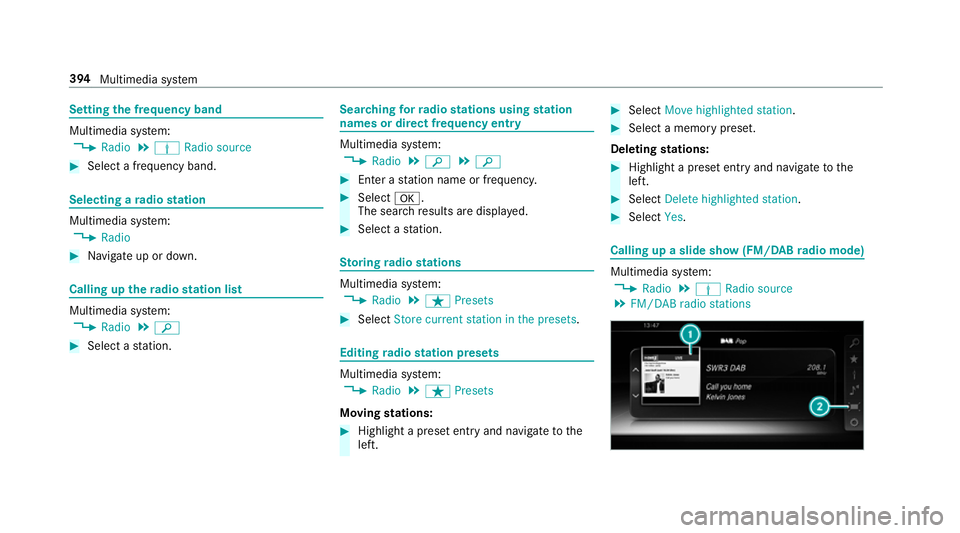
Select Yes. Calling up a slide show (FM/DAB
radio mode) Multimedia sy
stem:
0018 Radio 0019
Þ Radio source
0019 FM/DAB radio stations 394
Multimedia sy stem