bluetooth MERCEDES-BENZ CL-Class 2011 C216 Owner's Manual
[x] Cancel search | Manufacturer: MERCEDES-BENZ, Model Year: 2011, Model line: CL-Class, Model: MERCEDES-BENZ CL-Class 2011 C216Pages: 480, PDF Size: 19.76 MB
Page 2 of 480
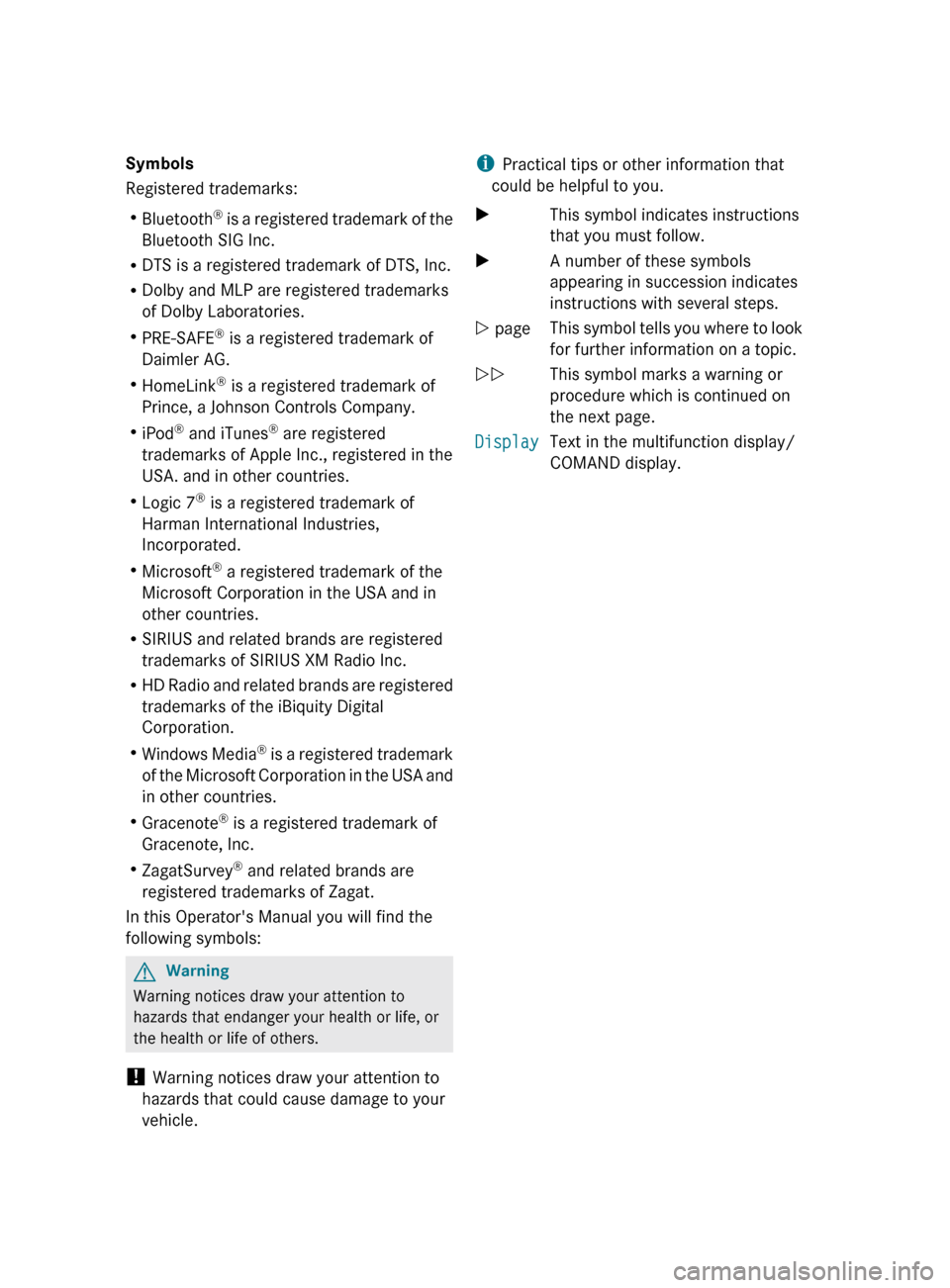
Symbols
Registered trademarks:
R Bluetooth ®
is a registered trademark of the
Bluetooth SIG Inc.
R DTS is a registered trademark of DTS, Inc.
R Dolby and MLP are registered trademarks
of Dolby Laboratories.
R PRE-SAFE ®
is a registered trademark of
Daimler AG.
R HomeLink ®
is a registered trademark of
Prince, a Johnson Controls Company.
R iPod ®
and iTunes ®
are registered
trademarks of Apple Inc., registered in the
USA. and in other countries.
R Logic 7 ®
is a registered trademark of
Harman International Industries,
Incorporated.
R Microsoft ®
a registered trademark of the
Microsoft Corporation in the USA and in
other countries.
R SIRIUS and related brands are registered
trademarks of SIRIUS XM Radio Inc.
R HD Radio and related brands are registered
trademarks of the iBiquity Digital
Corporation.
R Windows Media ®
is a registered trademark
of the Microsoft Corporation in the USA and
in other countries.
R Gracenote ®
is a registered trademark of
Gracenote, Inc.
R ZagatSurvey ®
and related brands are
registered trademarks of Zagat.
In this Operator's Manual you will find the
following symbols:GWarning
Warning notices draw your attention to
hazards that endanger your health or life, or
the health or life of others.
! Warning notices draw your attention to
hazards that could cause damage to your
vehicle.
i Practical tips or other information that
could be helpful to you.XThis symbol indicates instructions
that you must follow.XA number of these symbols
appearing in succession indicates
instructions with several steps.Y pageThis symbol tells you where to look
for further information on a topic.YYThis symbol marks a warning or
procedure which is continued on
the next page.DisplayText in the multifunction display/
COMAND display.
Page 7 of 480
Ambient lightAdjusting (COMAND) .....................232
AMG menu (on-board computer) ..... 335
Anti-lock Braking System see ABS
Anti-Theft Alarm system
see ATA
Anti-theft system
ATA (Anti-Theft Alarm system) .........68
Ashtray ............................................... 389
Assistance menu (on-board
computer) .......................................... 339
ATA (Anti-Theft Alarm system) Activating/deactivating ...................68
Function ........................................... 68
Switching off the alarm ....................68
ATTENTION ASSIST ........................... 315
Activating/deactivating (on-
board computer) ............................ 340
Display message ............................ 363
Audio AUX jack .................................. 221
Audio CD/DVD or MP3 mode Switching to ................................... 205
Audio DVD
Stop function ................................. 207
Audio format
Setting (audio DVD mode) .............210
Audio menu (on-board computer) .... 334
AUTO lights see Light sensor
Automatic car wash .......................... 410
Automatic engine start Using the ECO start/stop
function ......................................... 271
Automatic engine stop
Using the ECO start/stop
function ......................................... 271
Automatic transmission
DIRECT SELECT lever .....................274
Display message ............................ 371
Driving tips .................................... 277
Emergency running mode ..............281
Kickdown ....................................... 277
Malfunction .................................... 281
Program selector button ................277
Pulling away ................................... 269
Starting .......................................... 269Autostore ........................................... 197
B
Back button ....................................... 109
Backrest Folding forward/back ......................96
Backrest (display message) ............. 372
Bag hook ............................................ 387
Bang & Olufsen sound system ......... 127
BAS (Brake Assist System) ................. 62
BAS PLUS (Brake Assist System
Plus*) .................................................... 62
Battery Charging ........................................ 428
Checking (SmartKey) .......................76
Display message ............................ 361
Important safety guidelines
(SmartKey) ....................................... 75
Jump-starting ................................. 429
Replacing (SmartKey) ......................76
Safety notes .................................. 426
Voltage (on-board computer) .........335
Belt
see Seat belts
Bird's-eye view .................................. 168
Blind see Roller sunblind
Bluetooth ®
Activating/deactivating .................133
Authorizing a device ......................134
Connecting devices .......................133
Devices .......................................... 133
External authorization ............134, 181
General information .......................132
Interface ........................................ 179
Revoking authorization ..................135
Settings ......................................... 132
Telephony .............................. 178, 179
Bluetooth ®
interface
Telephony ...................................... 178
Bluetooth ®
interface telephony
Conditions ..................................... 179
Bluetooth ®
telephone list ................. 180
Brake fluid Notes ............................................. 472
Brake fluid level ................................ 409
Brake lamp (display message) ......... 356
Index5
Page 15 of 480
Showing geo-coordinates ..............170
Showing road names .....................170
Topographic map ........................... 170
Map display (also see navigation)
Traffic reports ................................ 159
Map information ................................ 169
Map orientation ................................. 168
Map scale Adjusting ....................................... 166
Massage function (PULSE) ............... 240
Matte finish (cleaning
instructions) ...................................... 413
mbrace Automatic retrieval of vehicle data
(service due date) ..........................396
Call priority .................................... 395
Display message ............................ 345
Downloading destinations
(COMAND) ..................................... 395
Emergency call .............................. 392
Important safety notes ..................391
Locating a stolen vehicle ...............397
MB info call button ........................394
Remote vehicle locking ..................396
Roadside Assistance button ..........393
Self-test ......................................... 392
System .......................................... 391
Vehicle remote unlocking ..............396
Mechanical key
Function/notes ................................ 75
Media Interface
Active partition .............................. 221
Basic menu .................................... 218
Connection options .......................216
iPod ®
............................................. 216
Metadata ....................................... 219
Mode ............................................. 216
MP3 player .................................... 216
Selecting categories ......................219
Selecting folders ............................ 219
Selecting music files ......................218
Selecting playlists ..........................219
Switching to ................................... 217
USB mass storage device ..............216
Media list ........................................... 208
Memory function ............................... 102Menu
Exiting ................................... 127, 138
Showing ................................. 137, 225
Menu (on-board computer)
AMG ............................................... 335
Assistance ..................................... 339
Audio ............................................. 334
DISTRONIC PLUS ........................... 300
DVD ............................................... 335
Navigation ..................................... 333
Overview of menus ........................331
Service ........................................... 340
Settings ......................................... 341
Telephone ...................................... 338
Trip ................................................ 332
Menu item
Selecting ........................................ 118
Menu overview
COMAND ....................................... 111
Message memory (on-board
computer) .......................................... 343
Messages see Display messages
Mirrors
Sun visor ........................................ 388
Mobile phone
Authorizing .................................... 180
Connecting (Bluetooth ®
interface) . 180
De-authorizing ............................... 182
External authorization ....................181
Registering (authorizing) ................180
MOExtended run-flat system ........... 425
MP3 Bit/sampling rates ......................... 212
Copyright ....................................... 212
Data medium ................................. 211
File systems ................................... 211
Formats ......................................... 212
Selecting a medium .......................208
Multicontour seat ................................ 97
Front .............................................. 238
Multifunction display ........................ 330
Lane recommendations .................154
Multifunction steering wheel
Operating the on-board computer . 329
Overview .......................................... 34
Multisession CDs ............................... 211Index13
Page 21 of 480
MB info call button ........................394
Remote vehicle locking ..................396
Roadside Assistance button ..........393
Self-test ......................................... 392
System .......................................... 391
Vehicle remote unlocking ..............396
Telephone
Accepting a call ............................. 338
Calling voicemail ............................ 185
Call waiting .................................... 185
Conference connection .................. 185
Ending an active call ......................185
Entering phone numbers ................ 184
Incoming call ................................. 184
Keypad ........................................... 110
Menu (on-board computer) ............338
Number from the phone book ........ 338
Outgoing call ................................. 184
redialing ......................................... 184
Redialing ........................................ 339
Rejecting/ending a call .................338
Sending DTMF tones ...................... 187
Single call ...................................... 185
Switching hands-free microphone
on/off ............................................ 185
Toggling ......................................... 185
Telephone basic menu
Bluetooth ®
interface ...................... 183
Telephone compartment .................. 385
Telephone number Entering ......................................... 184
Temperature
Coolant .......................................... 328
Engine oil (on-board computer) ...... 335
Outside temperature ...................... 329
Setting ........................................... 259
Setting (COMAND) .........................234
Theft deterrent locking system
Immobilizer ...................................... 68
Tilt/sliding sunroof
see Sliding sunroof
Time
Setting ........................................... 129
Time format
Setting ........................................... 130
Timer (on-board computer) .............. 336Time zone
Setting ........................................... 130
Tiredness assistant
see ATTENTION ASSIST
Tire pressure
Calling up (on-board computer) .....445
Checking manually ........................444
Display message ............................ 369
Maximum ....................................... 444
Notes ............................................. 442
Recommended ............................... 441
Tire pressure monitoring system
Function/notes ............................. 445
Restarting ...................................... 447
Warning lamp ................................. 381
Tires
Aspect ratio (definition) .................459
Average weight of the vehicle
occupants (definition) ....................458
Bar (definition) ............................... 458
Characteristics .............................. 457
Checking ........................................ 438
Definition of terms .........................457
Direction of rotation ......................461
Distribution of the vehicle
occupants (definition) ....................460
DOT, Tire Identification Number
(TIN) ............................................... 457
DOT (Department of
Transportation) (definition) ............458
Flat tire .......................................... 421
GAWR (Gross Axle Weight Rating)
(definition) ..................................... 458
GVW (Gross Vehicle Weight)
(definition) ..................................... 458
GVWR (Gross Vehicle Weight
Rating) (definition) .........................458
Increased vehicle weight due to
optional equipment (definition) ......458
Kilopascal (kPa) (definition) ...........459
Labeling (overview) ........................453
Load bearing index (definition) ......460
Load index ..................................... 456
Load index (definition) ...................459
Maximum loaded vehicle weight
(definition) ..................................... 459
Maximum load on a tire
(definition) ..................................... 459Index19
Page 128 of 480
Surround sound
General notes
If your vehicle is equipped with the harman/
kardon® Logic 7® surround sound system,
you can set the optimum surround sound for
every passenger.
The harman/kardon® Logic 7® surround
sound system is available for the following
operating modes:
Rradio (FM only)
Rsatellite radio
Raudio CD
Raudio DVD (MLP, dts, PCM and Dolby
Digital audio formats)
RMP3 (including SD memory card)
RBluetooth® audio mode
RMedia Interface
Rvideo DVD (PCM, dts and Dolby Digital
audio formats)
RAUX
Because many DVDs contain both stereo and
multi-channel audio formats, it may be
necessary to set the audio format
(Y page 210).
iThe Logic7® On function enables
playback of, e.g. stereo recordings with a
surround sound experience for every
passenger. It enables optimum playback of
music and films on CD, audio DVD or video
DVD with multichannel audio formats, such
as MLP, dts or Dolby Digital. The resulting
audio experience reflects that intended by
the sound engineer during the original
recording.
iIf you select LOGIC7® Off, the sound
system plays the tracks as stored on the
medium. Due to the design of the
passenger compartment, an optimum
audio experience cannot be guaranteed for
all passengers.
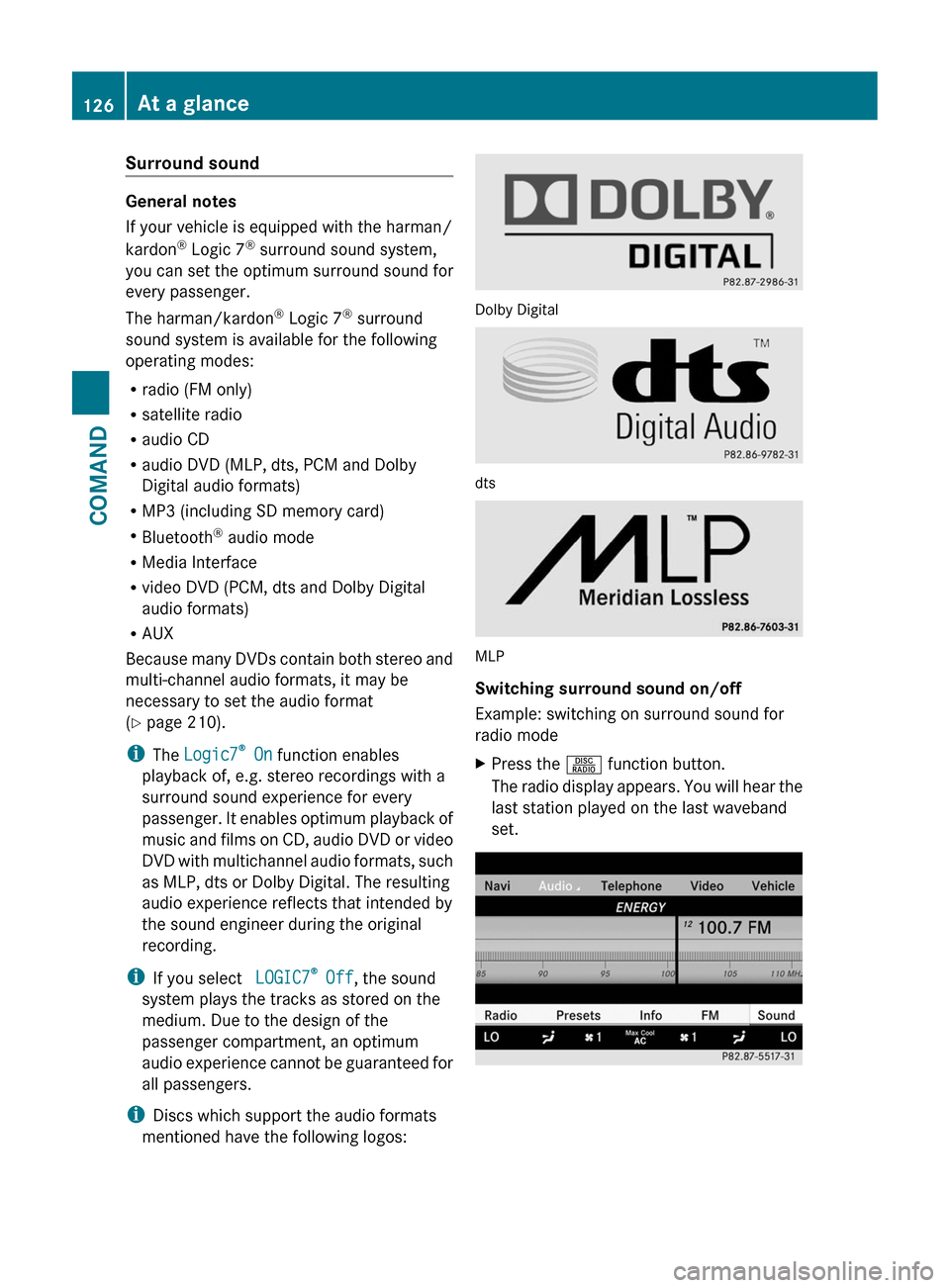
iDiscs which support the audio formats
mentioned have the following logos:
Dolby Digital
dts
MLP
Switching surround sound on/off
Example: switching on surround sound for
radio mode
XPress the R function button.
The radio display appears. You will hear the
last station played on the last waveband
set.
126At a glanceCOMAND
Page 134 of 480
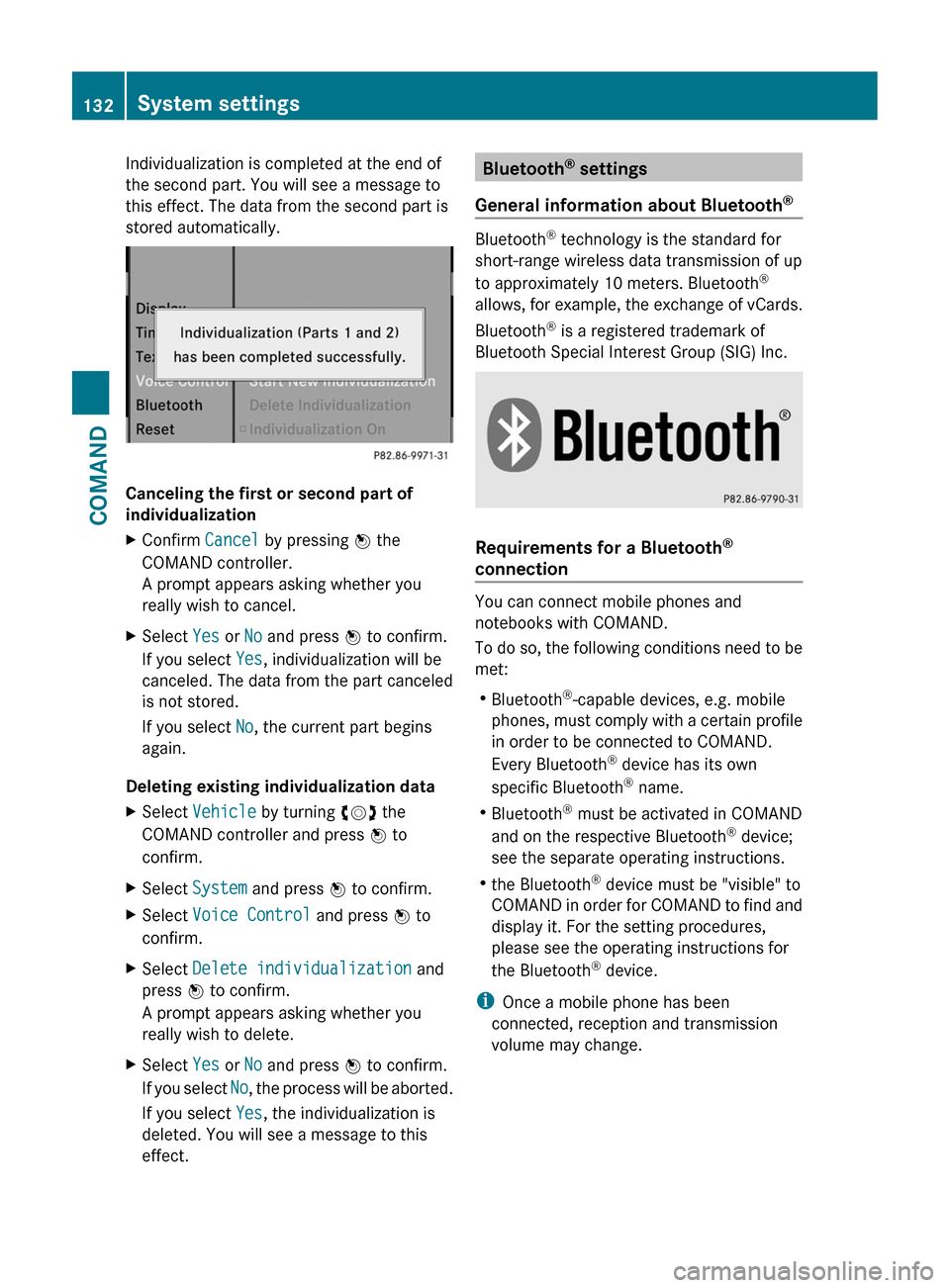
Individualization is completed at the end of
the second part. You will see a message to
this effect. The data from the second part is
stored automatically.
Canceling the first or second part of
individualization
XConfirm Cancel by pressing W the
COMAND controller.
A prompt appears asking whether you
really wish to cancel.
XSelect Yes or No and press W to confirm.
If you select Yes, individualization will be
canceled. The data from the part canceled
is not stored.
If you select No, the current part begins
again.
Deleting existing individualization data
XSelect Vehicle by turning cVd the
COMAND controller and press W to
confirm.
XSelect System and press W to confirm.XSelect Voice Control and press W to
confirm.
XSelect Delete individualization and
press W to confirm.
A prompt appears asking whether you
really wish to delete.
XSelect Yes or No and press W to confirm.
If you select No, the process will be aborted.
If you select Yes, the individualization is
deleted. You will see a message to this
effect.
Bluetooth® settings
General information about Bluetooth®
Bluetooth® technology is the standard for
short-range wireless data transmission of up
to approximately 10 meters. Bluetooth®
allows, for example, the exchange of vCards.
Bluetooth® is a registered trademark of
Bluetooth Special Interest Group (SIG) Inc.
Requirements for a Bluetooth®
connection
You can connect mobile phones and
notebooks with COMAND.
To do so, the following conditions need to be
met:
RBluetooth®-capable devices, e.g. mobile
phones, must comply with a certain profile
in order to be connected to COMAND.
Every Bluetooth® device has its own
specific Bluetooth® name.
RBluetooth® must be activated in COMAND
and on the respective Bluetooth® device;
see the separate operating instructions.
Rthe Bluetooth® device must be "visible" to
COMAND in order for COMAND to find and
display it. For the setting procedures,
please see the operating instructions for
the Bluetooth® device.
iOnce a mobile phone has been
connected, reception and transmission
volume may change.
132System settingsCOMAND
Page 135 of 480
Activating/deactivating Bluetooth®XSelect Vehicle in the main function bar by
turning cVd the COMAND controller and
press W to confirm.
XSelect System by turning cVd the
COMAND controller and press W to
confirm.
XSelect Bluetooth by turning cVd the
COMAND controller and press W to
confirm.
XSelect Bluetooth activated and press
W to confirm.
This switches Bluetooth® on O or off ª.
Connecting Bluetooth® devices
General information
Before using your Bluetooth® device with
COMAND for the first time, you will need to
connect it.
Connecting is comprised of:
Rsearching for a Bluetooth® device and
Rsubsequently authorizing it
iYou can connect up to ten devices to
COMAND.
For more information on suitable mobile
phones and on connecting a Bluetooth®-
capable mobile phone to COMAND, visit
http://www.mbusa-mobile.com or call
the Mercedes-Benz Customer Assistance
Center at
1-800-FOR-MERCedes(1-800-367-6372)
(US) or Customer Service at
1-800-387-0100 (Canada).
Searching for Bluetooth® devices
XActivate Bluetooth® (Y page 133).XSelect Vehicle in the main function bar by
turning cVd the COMAND controller and
press W to confirm.
XSelect System by turning cVd the
COMAND controller and press W to
confirm.
XSelect Bluetooth by turning cVd the
COMAND controller and press W to
confirm.
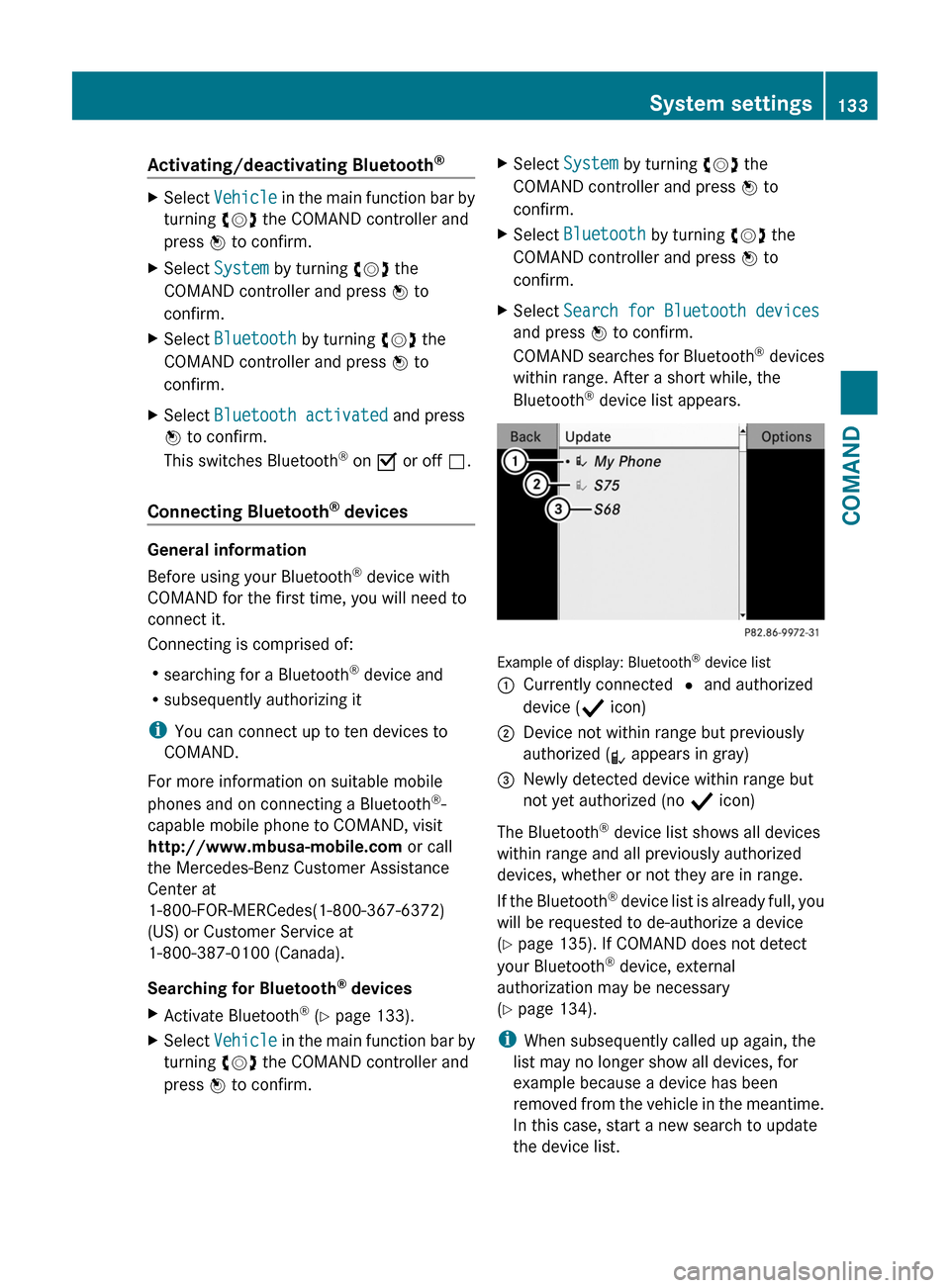
XSelect Search for Bluetooth devices
and press W to confirm.
COMAND searches for Bluetooth® devices
within range. After a short while, the
Bluetooth® device list appears.
Example of display: Bluetooth® device list
:Currently connected # and authorized
device (Y icon)
;Device not within range but previously
authorized (L appears in gray)
=Newly detected device within range but
not yet authorized (no Y icon)
The Bluetooth® device list shows all devices
within range and all previously authorized
devices, whether or not they are in range.
If the Bluetooth® device list is already full, you
will be requested to de-authorize a device
(Y page 135). If COMAND does not detect
your Bluetooth® device, external
authorization may be necessary
(Y page 134).
iWhen subsequently called up again, the
list may no longer show all devices, for
example because a device has been
removed from the vehicle in the meantime.
In this case, start a new search to update
the device list.
System settings133COMANDZ
Page 136 of 480
Authorizing a Bluetooth® device
(registering)
XIn the Bluetooth® device list, select not yet
authorized device = by turning cVd the
COMAND controller.
XSelect Options by sliding VY the
COMAND controller and press W to
confirm.
XSelect Authorize and press W to confirm.
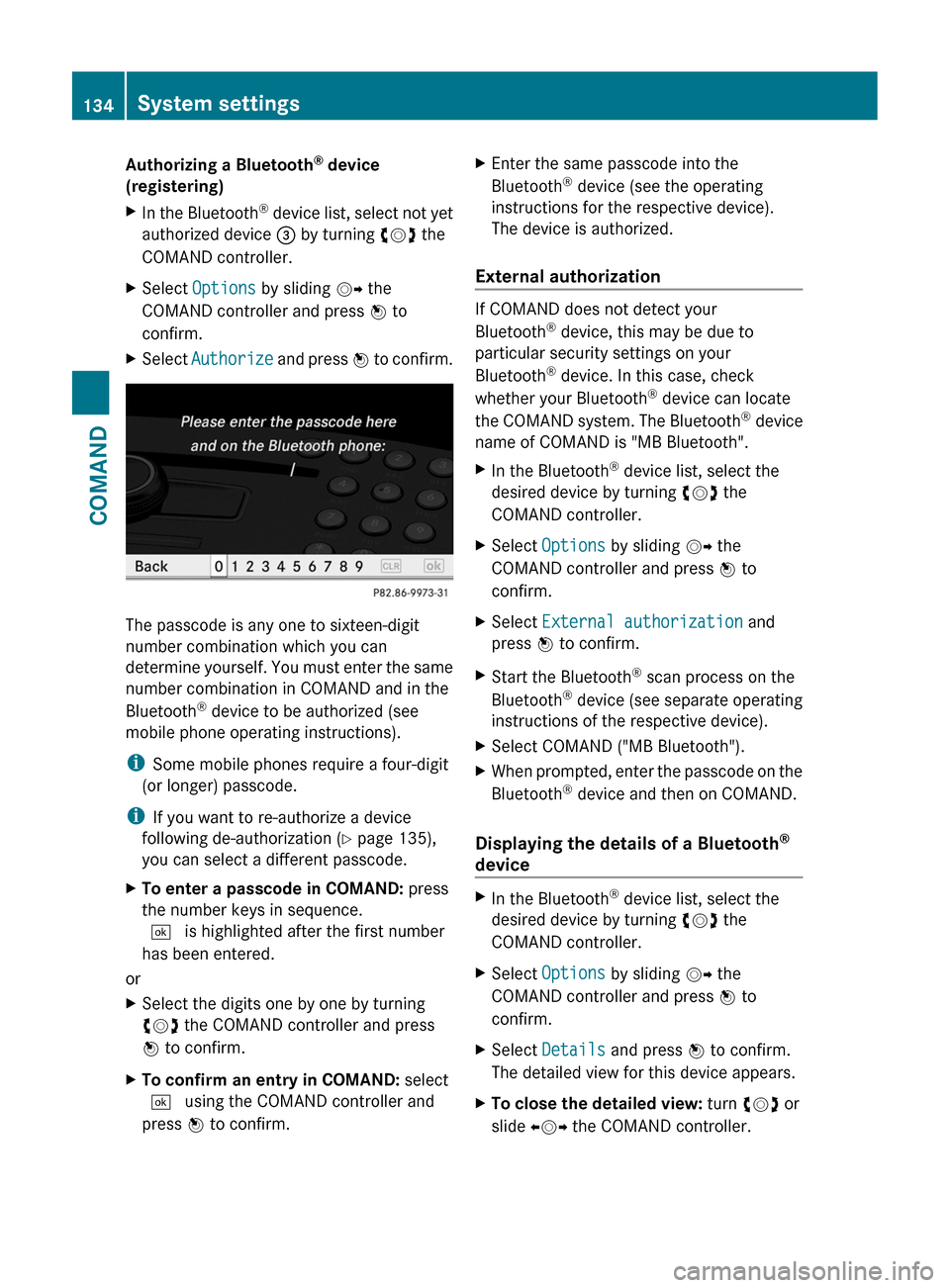
The passcode is any one to sixteen-digit
number combination which you can
determine yourself. You must enter the same
number combination in COMAND and in the
Bluetooth® device to be authorized (see
mobile phone operating instructions).
iSome mobile phones require a four-digit
(or longer) passcode.
iIf you want to re-authorize a device
following de-authorization (Y page 135),
you can select a different passcode.
XTo enter a passcode in COMAND: press
the number keys in sequence.
¬ is highlighted after the first number
has been entered.
or
XSelect the digits one by one by turning
cVd the COMAND controller and press
W to confirm.
XTo confirm an entry in COMAND: select
¬ using the COMAND controller and
press W to confirm.
XEnter the same passcode into the
Bluetooth® device (see the operating
instructions for the respective device).
The device is authorized.
External authorization
If COMAND does not detect your
Bluetooth® device, this may be due to
particular security settings on your
Bluetooth® device. In this case, check
whether your Bluetooth® device can locate
the COMAND system. The Bluetooth® device
name of COMAND is "MB Bluetooth".
XIn the Bluetooth® device list, select the
desired device by turning cVd the
COMAND controller.
XSelect Options by sliding VY the
COMAND controller and press W to
confirm.
XSelect External authorization and
press W to confirm.
XStart the Bluetooth® scan process on the
Bluetooth® device (see separate operating
instructions of the respective device).
XSelect COMAND ("MB Bluetooth").XWhen prompted, enter the passcode on the
Bluetooth® device and then on COMAND.
Displaying the details of a Bluetooth®
device
XIn the Bluetooth® device list, select the
desired device by turning cVd the
COMAND controller.
XSelect Options by sliding VY the
COMAND controller and press W to
confirm.
XSelect Details and press W to confirm.
The detailed view for this device appears.
XTo close the detailed view: turn cVd or
slide XVY the COMAND controller.
134System settingsCOMAND
Page 137 of 480
De-authorizing (de-registering) a
Bluetooth ®
device
Mercedes-Benz USA, LLC recommends that
you de-authorize devices, e.g. mobile phones,
both in COMAND and on the respective
Bluetooth ®
device itself. Subsequent
authorization may otherwise fail.
XIn the Bluetooth ®
device list, select the
authorized device by turning cVd the
COMAND controller.XSelect Options by sliding VY the
COMAND controller and press W to
confirm.XSelect De-authorize and press W to
confirm.
A prompt appears asking whether you
really wish to revoke authorization for this
device.XSelect Yes or No and press W to confirm.
If you select Yes, the authorization for the
device will be revoked.
If you select No, the process will be aborted.
i
If a Bluetooth ®
device has been de-
authorized and is no longer in range, it will
no longer be shown in the Bluetooth ®
device list after the next search.
System language settings
This function allows you to determine the
language for the menu displays and the
navigation announcements. The selected
language affects the characters available for
entry.
If you change the system language, the
language for Voice Control System will be
also be changed. If the selected language is
not supported by Voice Control System,
"English" will be selected.
XSelect Vehicle by turning cVd the
COMAND controller and press W to
confirm.XSelect System and press W to confirm.XSelect Language and press W to confirm.
You see the language list. The # dot
indicates the current setting.XSelect the language by turning cVd the
COMAND controller and press W to
confirm.
COMAND loads the selected language and
sets it.
i In Arabic as well as some other countries,
the selection option English (Arabic
map) is available when setting the system
language. This language setting shows the
menus and input data in COMAND in
English and the map in Arabic for certain
countries. The destination is entered in
English.
Reset function
You can reset COMAND to the factory
settings. Amongst other things, this will
delete all personal data (e.g. station presets,
address book entries, entries in the
destination memory and in the list of previous
destinations in the navigation system).
Resetting is recommended before selling or
transferring ownership of your vehicle, for
example.
XSelect Vehicle in the main function bar by
turning cVd the COMAND controller and
press W to confirm.XSelect System by turning cVd the
COMAND controller and press W to
confirm.XSelect Reset and press W to confirm.
A prompt appears asking whether you wish
to reset.XSelect Yes or No and press W to confirm.
If you select No, the process will be aborted.System settings135COMANDZ
Page 180 of 480
Telephone
Vehicle equipment
i These Operating Instructions describe all
standard and optional equipment available
for your vehicle at the time of purchase.
Please note that your vehicle may not be
equipped with all features described.
General information
Introduction
The telephone function, in conjunction with a
Bluetooth ®
-capable mobile phone, offers
Bluetooth ®
interface telephony.
Using theBluetooth ®
interface and a suitable
mobile phone, you can receive vCards.
For more information on suitable mobile
phones and on connecting a Bluetooth ®
-
capable mobile phone to COMAND, visit
http://www.mbusa-mobile.com or call
the Mercedes-Benz Customer Assistance
Center under
1-800-FOR-MERCedes(1-800-367-6372)
(US) or Customer Relations under
1-800-387-0100 (Canada).
Important safety notes
GWarning
A driver's attention to the road must always
be his/her primary focus when driving. For
your safety and the safety of others, we
recommend that you pull over to a safe
location and stop before placing or taking a
telephone call. If you choose to use the mobile
phone while driving, please use the handsfree
device and only use the mobile phone when
weather, road, and traffic conditions permit.
Some jurisdictions prohibit the driver from
using a cellular mobile phone while driving a
vehicle.
Bear in mind that at a speed of just 30 mph
(approximately 50 km/h), your vehicle is
covering a distance of 44 feet (approximately
14 m) every second.GWarning
You and others may damage your health due
to excessive electromagnetic radiation. By
using an external antenna, the possible health
risks of electromagnetic fields, which are
under discussion among the scientific
community, should be largely prevented.
Calls disconnected while the vehicle is
in motion
A call may be disconnected if:
R there is insufficient network coverage in
certain areas.
R you move from one transmitter/receiver
area (cell) into another and no channels are
free.
R you use a SIM card which is not compatible
with the network available.
R when using a mobile phone with
"Twincard", the second SIM card is
registered on the network at the same time.
Operating options
You can operate the telephone by using:
R the = and ; button or the 9 button
on COMAND
R the 6 or ~ button and the number
keypad on COMAND
R using the 6 or ~ button on the
multifunction steering wheel
R voice commands via the Voice Control
System
Unless stated otherwise, the descriptions and
illustrations in this section refer to COMAND.
Function restrictions
You will not yet be able to use the telephone
in the following situations:
R when the mobile phone is not yet
connected to a network The telephone
178TelephoneCOMAND