reset MERCEDES-BENZ CLA 2016 User Guide
[x] Cancel search | Manufacturer: MERCEDES-BENZ, Model Year: 2016, Model line: CLA, Model: MERCEDES-BENZ CLA 2016Pages: 374, PDF Size: 9.97 MB
Page 113 of 374
X
Adjust the seat ( Y
page 103).X
Adjust the exterior mirror on the driver's
side ( Y
page 107).X
Briefly press the M memory button and
then press storage position button 1 , 2 or 3
within three seconds.
The settings are stored in the selected pre-
set position. A tone sounds when the set-
tings have been completed.
Calling up a stored setting X
Press and hold the relevant preset position
button 1 , 2 or 3 until the seat and exterior
mirrors are in the stored position.
i The setting procedure is interrupted as
soon as you release the storage position
button. Memory function 111
Seats, steering wheel an d mirrors Z
Page 176 of 374
ECO display
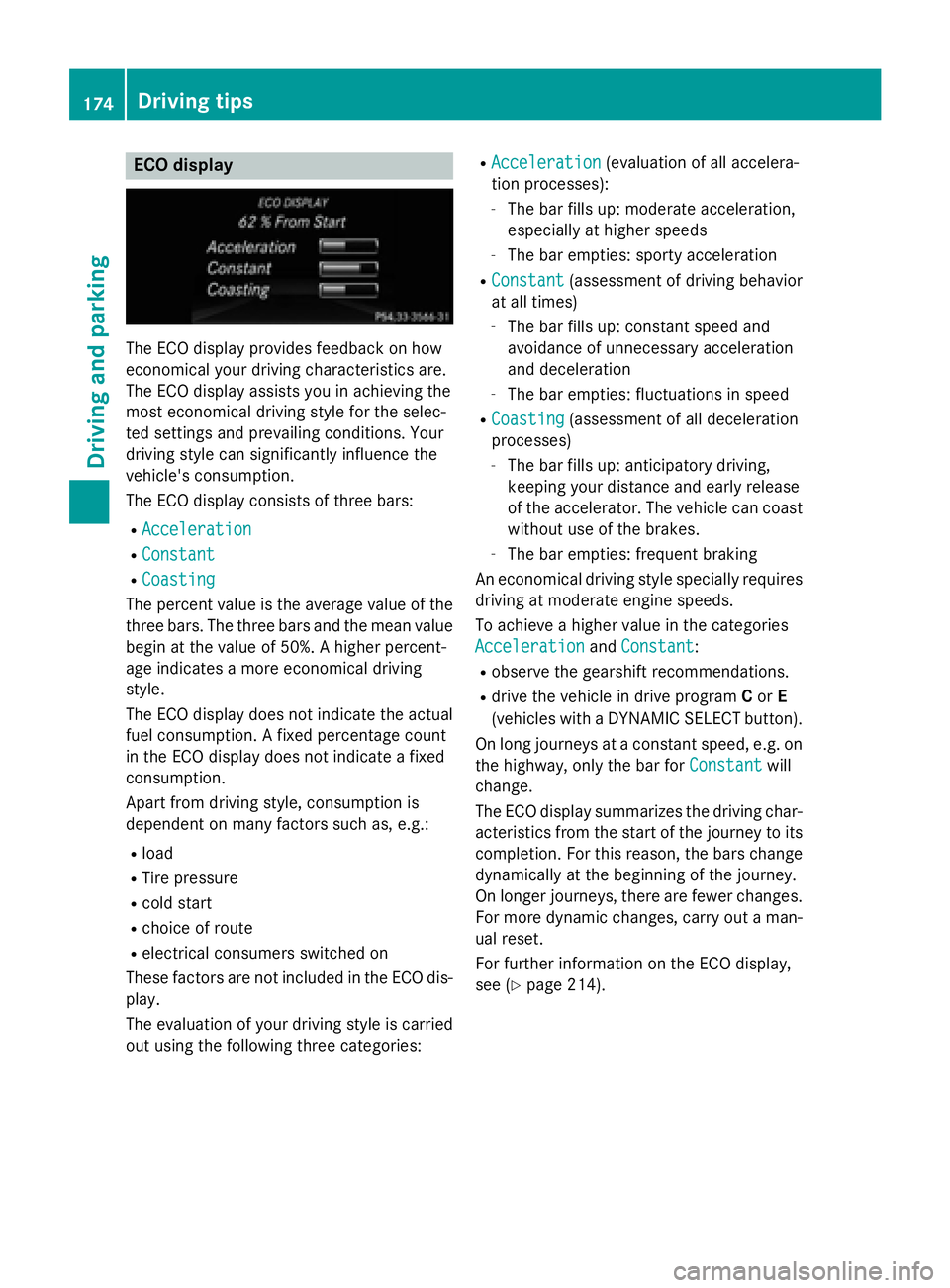
The ECO display provides feedback on how
economical your driving characteristics are.
The ECO display assists you in achieving the
most economical driving style for the selec-
ted settings and prevailing conditions. Your
driving style can significantly influence the
vehicle's consumption.
The ECO display consists of three bars: R
Acceleration R
Constant R
Coasting
The percent value is the average value of the
three bars. The three bars and the mean value
begin at the value of 50%. A higher percent-
age indicates a more economical driving
style.
The ECO display does not indicate the actual
fuel consumption. A fixed percentage count
in the ECO display does not indicate a fixed
consumption.
Apart from driving style, consumption is
dependent on many factors such as, e.g.: R
load R
Tire pressure R
cold start R
choice of route R
electrical consumers switched on
These factors are not included in the ECO dis-
play.
The evaluation of your driving style is carried
out using the following three categories: R
Acceleration (evaluation of all accelera-
tion processes): -
The bar fills up: moderate acceleration,
especially at higher speeds -
The bar empties: sporty acceleration R
Constant (assessment of driving behavior
at all times) -
The bar fills up: constant speed and
avoidance of unnecessary acceleration
and deceleration -
The bar empties: fluctuations in speed R
Coasting (assessment of all deceleration
processes) -
The bar fills up: anticipatory driving,
keeping your distance and early release
of the accelerator. The vehicle can coast
without use of the brakes. -
The bar empties: frequent braking
An economical driving style specially requires
driving at moderate engine speeds.
To achieve a higher value in the categories
Acceleration
and Constant :R
observe the gearshift recommendations. R
drive the vehicle in drive program C or E
(vehicles with a DYNAMIC SELECT button).
On long journeys at a constant speed, e.g. on
the highway, only the bar for Constant
will
change.
The ECO display summarizes the driving char-
acteristics from the start of the journey to its
completion. For this reason, the bars change
dynamically at the beginning of the journey.
On longer journeys, there are fewer changes.
For more dynamic changes, carry out a man-
ual reset.
For further information on the ECO display,
see ( Y
page 214).174
Driving tips
Driving and parking
Page 206 of 374
The functionality of ATTENTION ASSIST is
restricted and warnings may be delayed or
not occur at all: R
if the length of the journey is less than
approximately 30 minutes R
if the road condition is poor, e.g. if the sur-
face is uneven or if there are potholes R
if there is a strong side wind R
if you have adopted a sporty driving style
with high cornering speeds or high rates of
acceleration R
if you are predominantly driving slower
than 37 mph (60 km/h) or faster than
125 mph (200 km/h) R
if the time has been set incorrectly R
in active driving situations, such as when
you change lanes or change your speed
ATTENTION ASSIST is reset when you con-
tinue your journey and starts assessing your
tiredness again if: R
you switch off the engine R
you take off your seat belt and open the
driver's door, e.g. for a change of drivers or
to take a break
Displaying the attention level
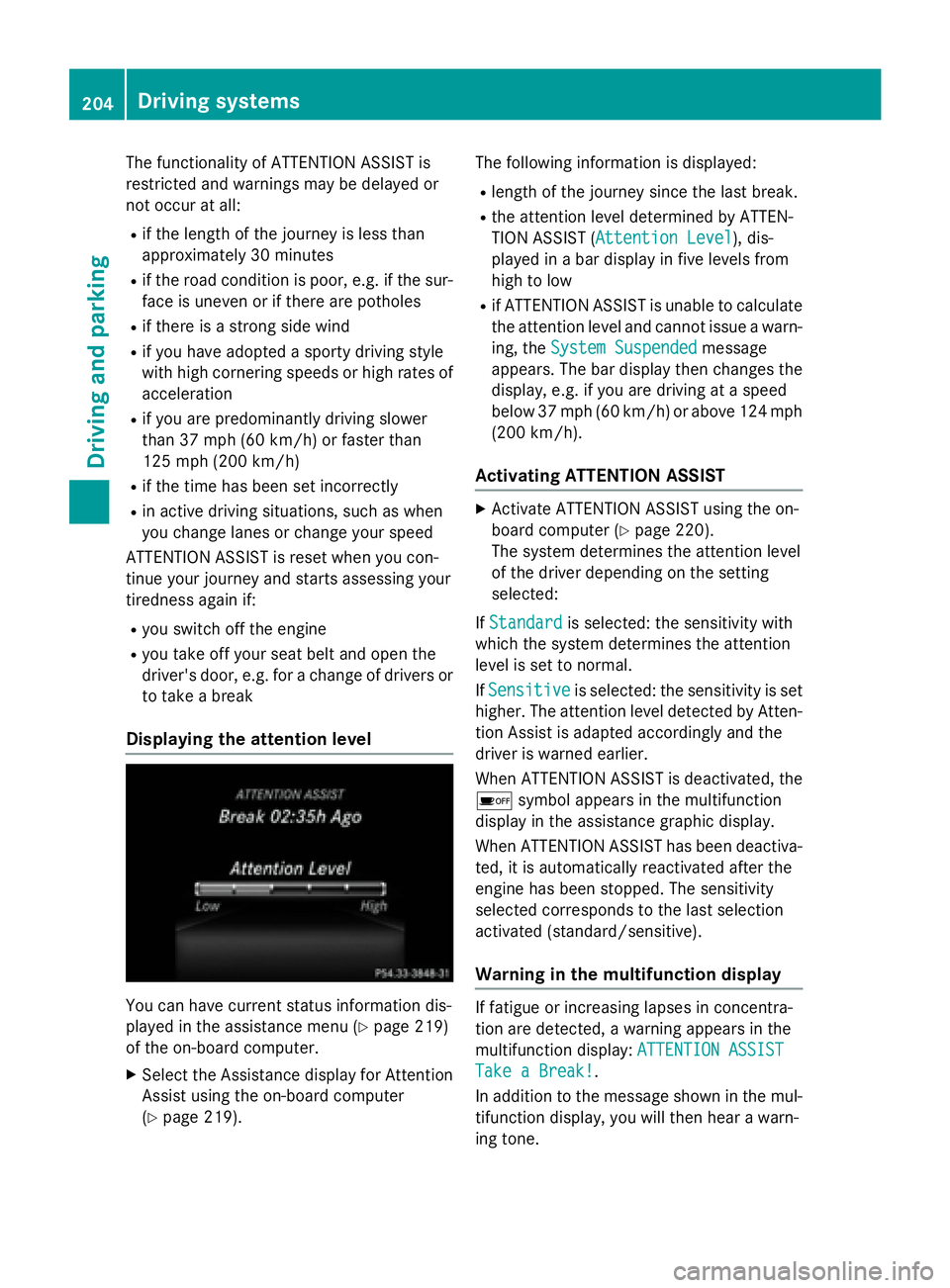
You can have current status information dis-
played in the assistance menu ( Y
page 219)
of the on-board computer. X
Select the Assistance display for Attention
Assist using the on-board computer
( Y
page 219). The following information is displayed: R
length of the journey since the last break. R
the attention level determined by ATTEN-
TION ASSIST ( Attention Level
), dis-
played in a bar display in five levels from
high to low R
if ATTENTION ASSIST is unable to calculate
the attention level and cannot issue a warn-
ing, the System Suspended
message
appears. The bar display then changes the
display, e.g. if you are driving at a speed
below 37 mph (60 km/h) or above 124 mph
(200 km/ h) .
Activating ATTENTION ASSIST X
Activat e ATTENTION ASSIST usin g th e on -
boar d computer ( Y
page 220).
The system determine s th e attention level
of th e driver depending on th e set ting
selected:
If Standard is selected: th e sensitivit y wit h
whic h th e system determine s th e attention
level is set to normal.
If Sensitive is selected: th e sensitivit y is set
higher. The attention level detecte d by Atten-
tion Assis t is adapted accordingly and th e
driver is warned earlier .
When ATTENTI ON ASSIST is deactivated, th e
Page 214 of 374
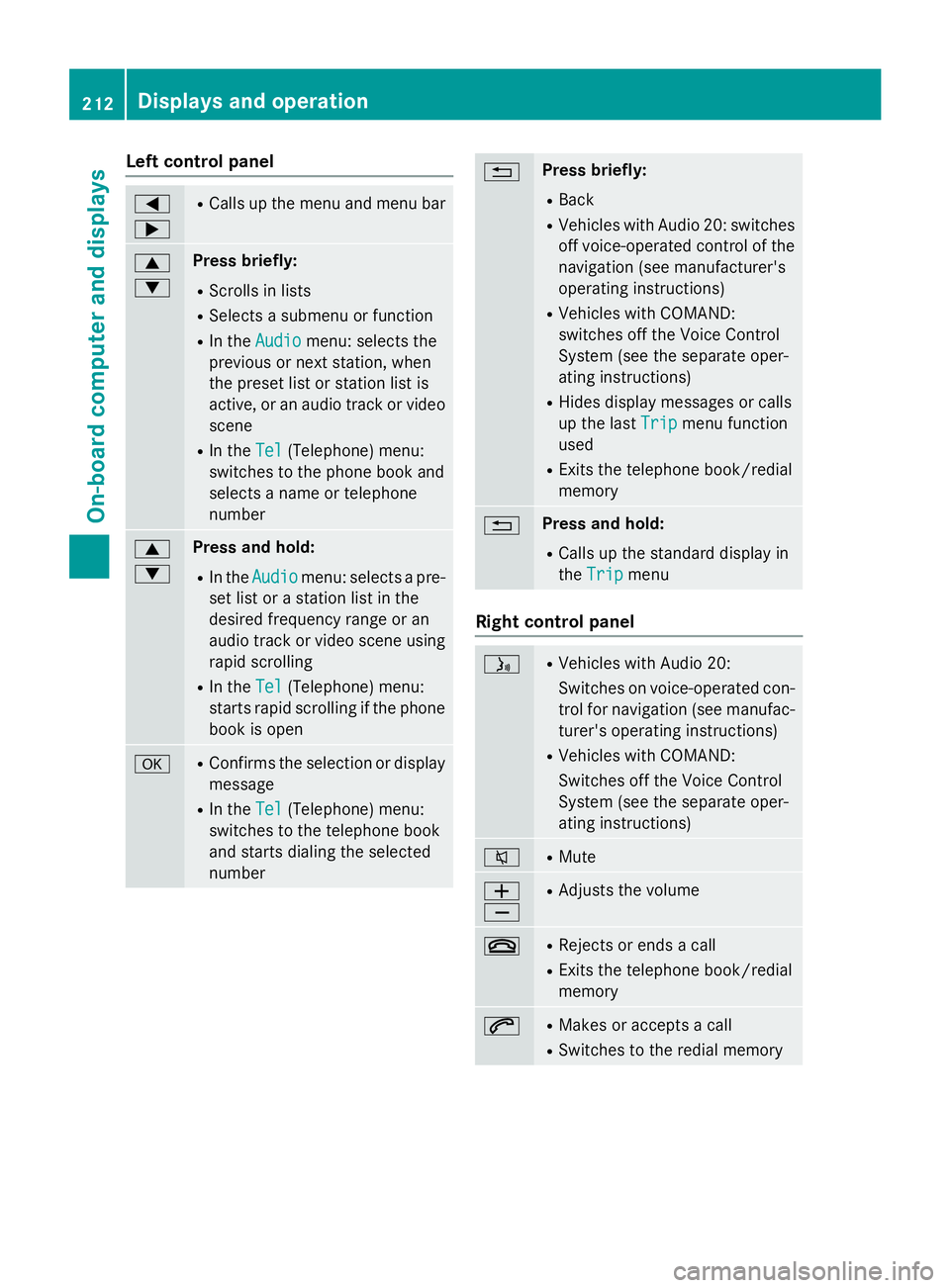
Left control panel Y
e R
Calls up the menu and menu bar
c
d Press briefly: R
Scrolls in lists R
Selects a submenu or function R
In the Audio menu: selects the
previous or next station, when
the preset list or station list is
active, or an audio track or video
scene R
In the Tel (Telephone) menu:
switches to the phone book and
selects a name or telephone
number
c
d Press and hold: R
In the Audio menu: selects a pre-
set list or a station list in the
desired frequency range or an
audio track or video scene using
rapid scrolling R
In the Tel (Telephone) menu:
starts rapid scrolling if the phone
book is open
v R
Confirms the selection or display
message R
In the Tel (Telephone) menu:
switches to the telephone book
and starts dialing the selected
number 8 Press briefly: R
Back R
Vehicles with Audio 20: switches
off voice-operated control of the
navigation (see manufacturer's
operating instructions) R
Vehicles with COMAND:
switches off the Voice Control
System (see the separate oper-
ating instructions) R
Hides display messages or calls
up the last Trip
menu function
used R
Exits the telephone book/redial
memory
8 Press and hold: R
Calls up the standard display in
the Trip
menu
Right control panel
Page 216 of 374
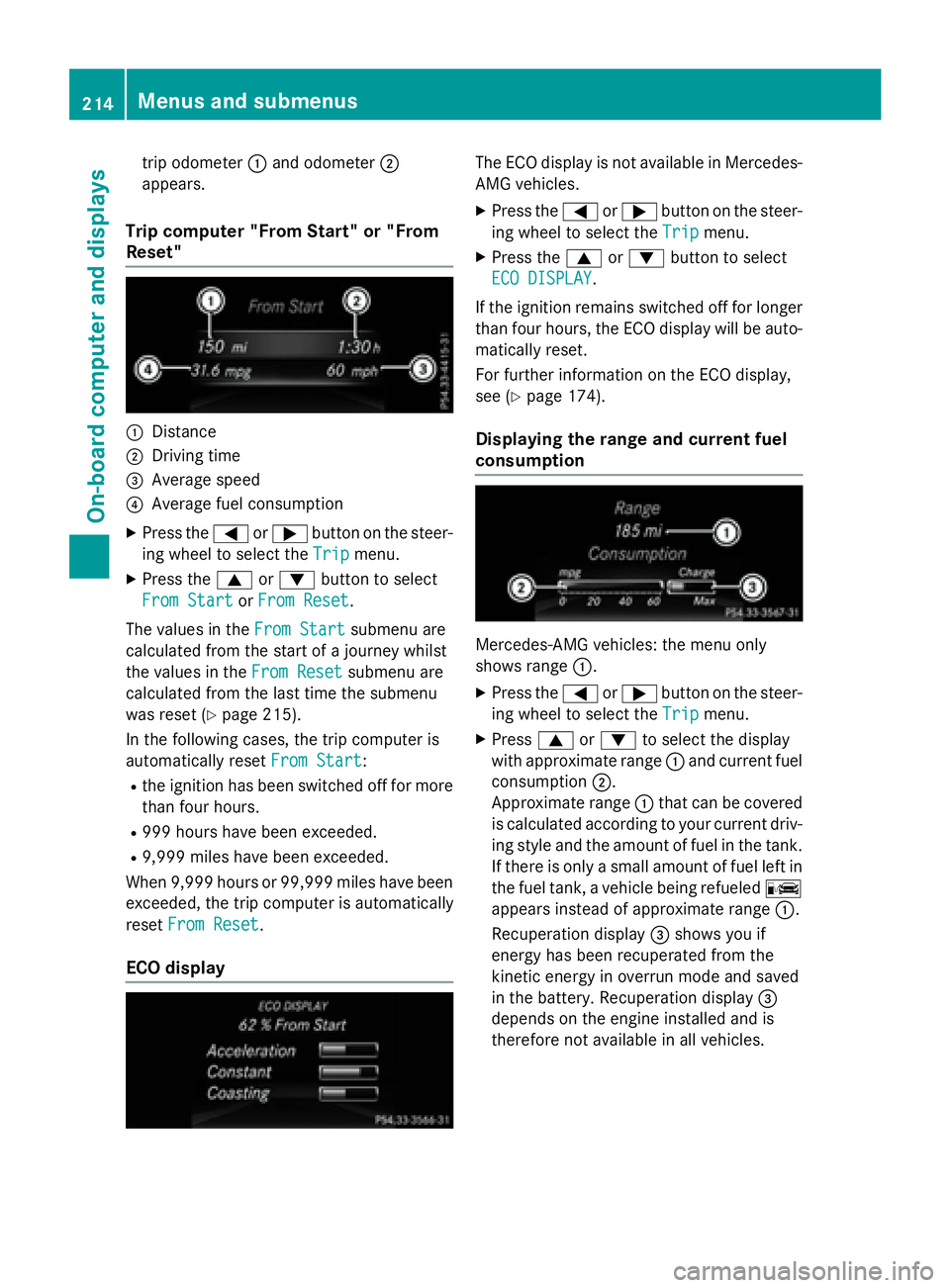
trip odometer C and odometer D
appears.
Trip computer "From Start" or "From
Reset"
C
DistanceD
Driving time
Page 219 of 374
Audio menu
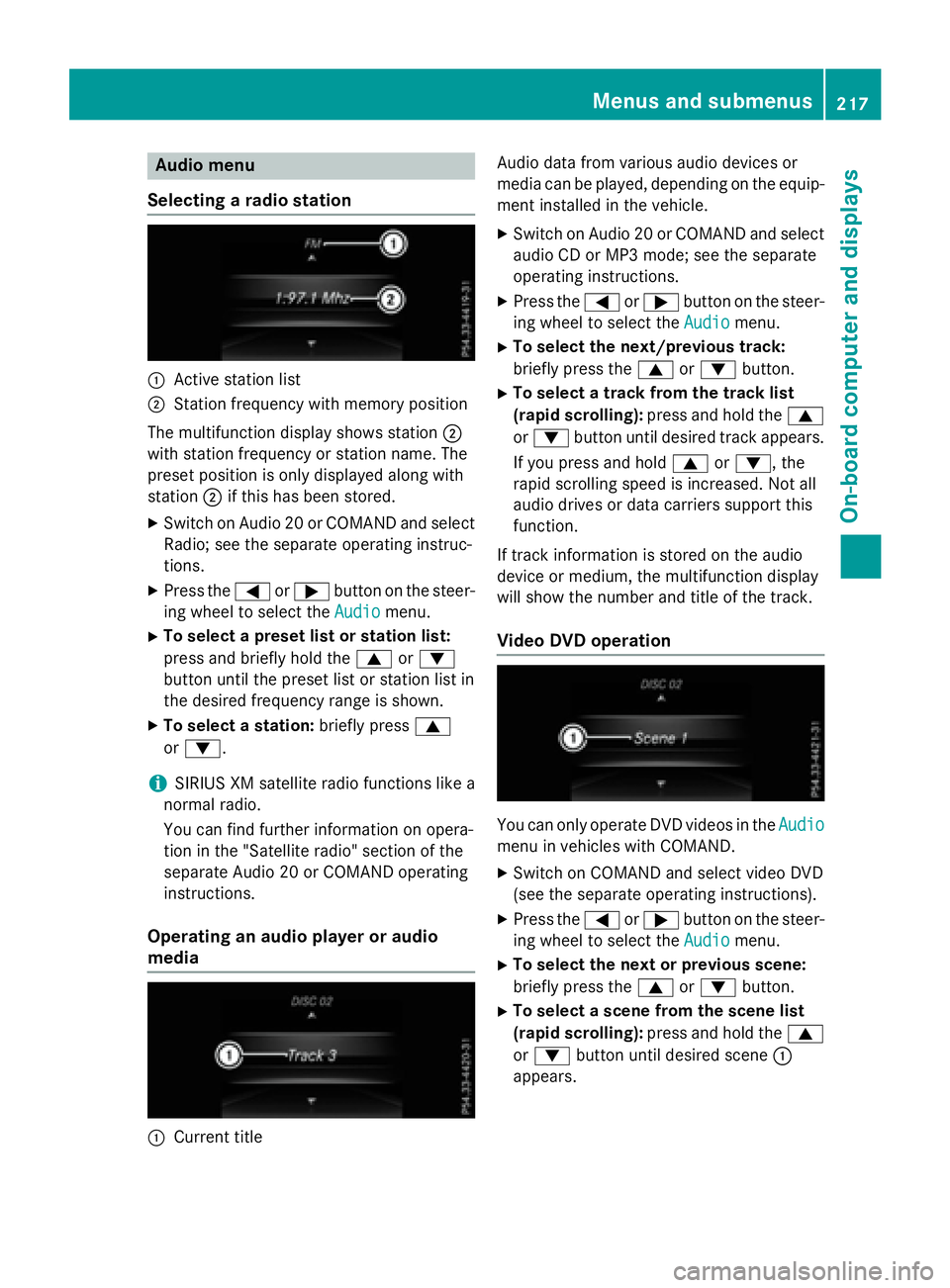
Selecting a ra dio station
C
Active station listD
Station frequency wit h memory position
The multifunction display shows station D
wit h station frequency or station name. The
preset position is only displayed alon g wit h
station D if this has been stored.X
Switc h on Audio 20 or COMAND and select
Radio; see th e separat e operating instruc-
tions. X
Press th e Y or e butto n on th e steer -
ing whee l to select th e Audio
menu.X
To select a preset list or station list :
press and briefly hold th e c or d
butto n until th e preset list or station list in
th e desired frequency range is shown. X
To select a station: briefly press c
or d .
i SIRIUS XM satellit e radi o function s lik e a
normal radio.
You can fin d further information on opera-
tion in th e "Satellit e radio" section of th e
separat e Audio 20 or COMAND operating
instructions.
Operating an audio player or audio
media
C
Curren t titl e Audio dat a from various audio device s or
media can be played, depending on th e equip-
men t installed in th e vehicle. X
Switc h on Audio 20 or COMAND and select
audio CD or MP3 mode; see th e separat e
operating instructions. X
Pre ss th e Y or e butto n on th e st eer -
ing whee l to select th e Audio
menu.X
To select th e next/previou s track :
briefly pre ss th e c or d button.X
To select a track fr om th e track list
(rapid scrolling): pre ss and hold th e c
or d butto n until desired track appears.
If you pre ss and hold c or d , th e
rapi d sc rollin g spee d is increased. Not all
audio drives or dat a carriers support this
function .
If track information is st ore d on th e audio
device or medium, th e multifunction display
will show th e number and titl e of th e track .
Video DVD operation
You can only operate DV D videos in th e Audio
men u in vehicles wit h COMAND .X
Switc h on COMAND and select vide o DV D
(see th e separat e operating instructions). X
Pre ss th e Y or e butto n on th e st eer -
ing whee l to select th e Audio
menu.X
To select th e next or previou s scene:
briefly press th e c or d button.X
To select a scene fr om th e scene list
(rapid scrolling): press and hold th e c
or d butto n until desired sc en e C
appear s.Menus and submenus 21 7
On-board computer and displays Z
Page 225 of 374
Convenience Switching the fold-in mirrors when lock-
ing feature on/off
This function is only available in Canada.
This function is only available when the vehi-
cle is equipped with the electrical fold-in func-
tion.
When you activate the Auto. Mirror Fold‐
ing function, the exterior mirrors are folded
in when the vehicle is locked. If you unlock the
vehicle and then open the driver's or front-
passenger door, the exterior mirrors fold out
again.
If you have switched on the Auto. Mirror
Folding function and you fold in the exterior
mirrors using the button on the door
( Y
page 107), they will not fold out automat-
ically. The exterior mirrors can then only be
folded out using the button on the door. X
Press the Y or e button on the steer-
ing wheel to select the Sett.
menu.X
Press the d or c button to select the
Convenience
submenu.X
Press v to confirm.X
Press the d or c button to select the
Auto. Mirror Folding
function.
If the Auto. Mirror Folding
function is
switched on, the multifunction display
shows the exterior mirror in orange. X
Press the v button to save the setting.
Restoring the factory settings X
Press the Y or e button on the steer-
ing wheel to select the Sett.
menu.X
Press the d or c button to select the
Factory Setting
submenu.X
Press v to confirm.
The Reset All Settings?
function
appears. X
Press the d or c button to select No
or Yes . X
Press the v button to confirm the selec-
tion.
If you have selected Yes , the multifunction
display shows a confirmation message.
For safety reasons, the Daytime Running
Lights function in the Light submenu is only
reset if the vehicle is stationary.
AMG menu (Mercedes-AMG vehicles)
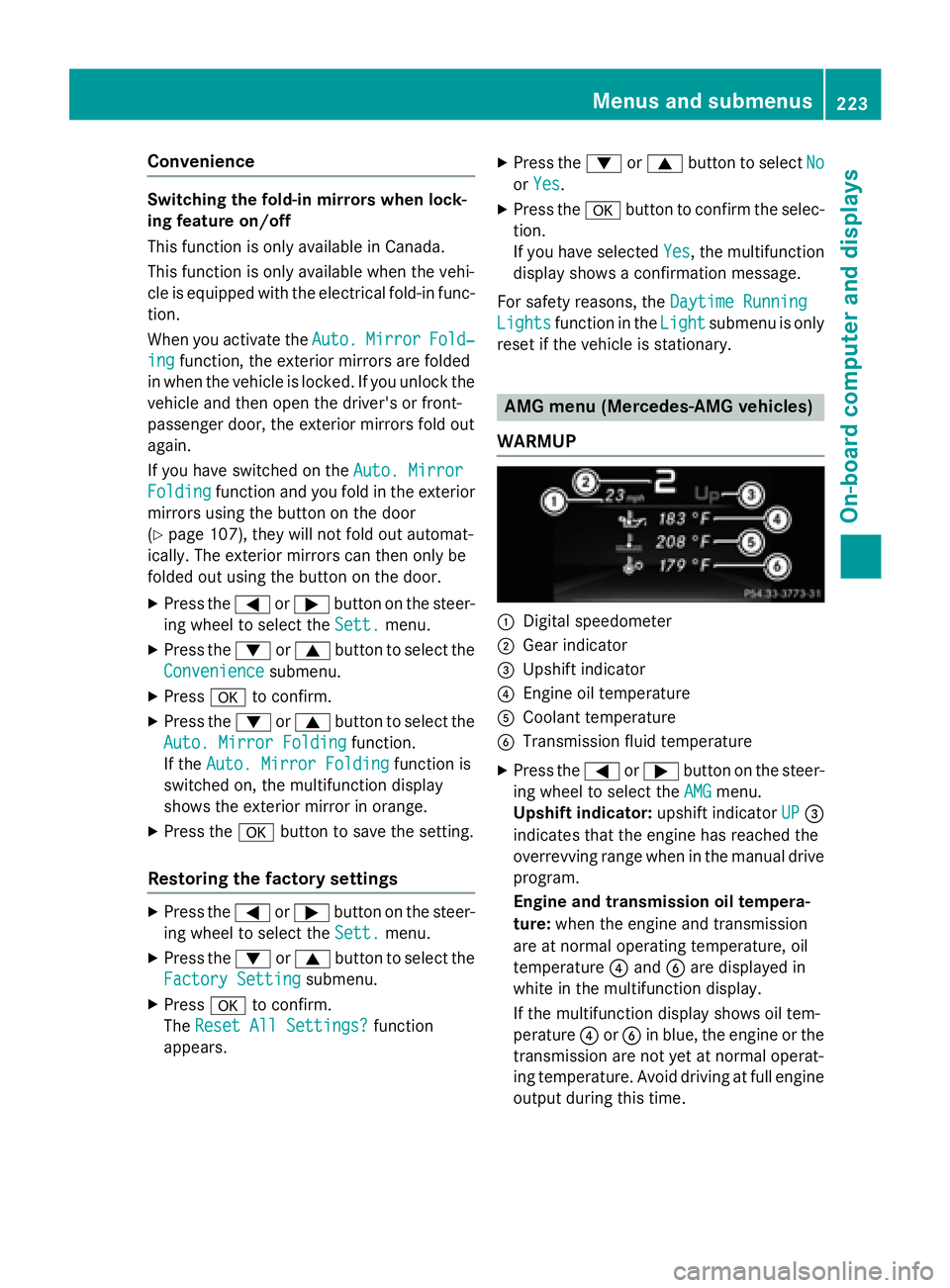
WARMUP
C
Digital speedometer D
Gear indicator
Page 227 of 374
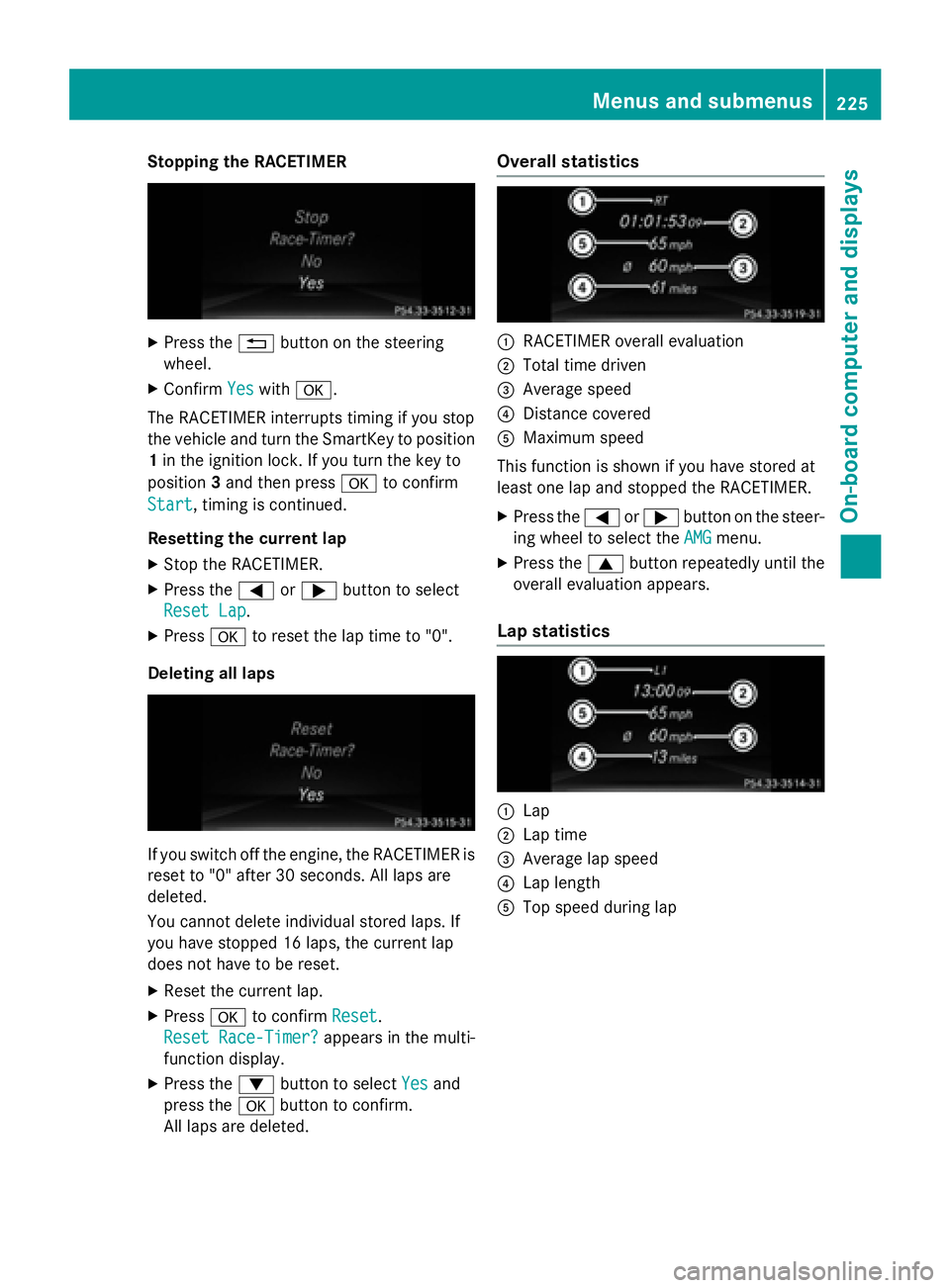
Stopping the RACETIMER X
Press the 8 button on the steering
wheel. X
Confirm Yes with v .
The RACETIMER interrupts timing if you stop
the vehicle and turn the SmartKey to position
1 in the ignition lock. If you turn the key to
position 3 and then press v to confirm
Start , timing is continued.
Resetting the current lap X
Stop the RACETIMER. X
Press the Y or e button to select
Reset Lap
.X
Press v to reset the lap time to "0".
Deleting all laps
If you switch off the engine, the RACETIMER is
reset to "0" after 30 seconds. All laps are
deleted.
You cannot delete individual stored laps. If
you have stopped 16 laps, the current lap
does not have to be reset. X
Reset the current lap. X
Press v to confirm Reset .
Reset Race-Timer?
appears in the multi-
function display. X
Press the d button to select Yes and
press the v button to confirm.
All laps are deleted. Overall statistics
C
RACETIMER overall evaluation D
Total time driven
Page 303 of 374
Displaying service messages X
Switc h on th e ignition .X
Press th e Y or e butto n to selec t th e
Serv.
menu.X
Press th e c or d butto n to selec t th e
ASSYST PLU S
submen u and confirm by
pressing th e v button.
The servic e due dat e appears in th e multi-
function display.
Information about Service
Resetting th e ASSYS T PLUS service
interva l display
! If th e ASSYST PLU S servic e interval dis -
play has been inadvertentl y reset , this set -
ting can be correcte d at a qualified special-
ist workshop .
Hav e servic e wor k carrie d out as described
in th e Maintenance Booklet . Thi s may oth-
erwise lead to increase d wear and damage
to th e major assemblies or th e vehicle.
A qualified specialis t workshop , e.g. an
authorized Mercedes-Ben z Center, will reset
th e ASSYST PLU S servic e interval display
after th e servic e wor k has been carrie d out .
You can also obtain further information on
maintenance work, fo r example.
Specia l service requirement s
The specifie d maintenance interval take s only
th e normal operation of th e vehicle into
account. Under arduous operatin g condition s
or increase d load on th e vehicle, mainte -
nance wor k mus t be carrie d out more fre-
quently, fo r example:R
regular city drivin g wit h frequent intermedi-
at e stops R
if th e vehicle is primarily used to trave l
short distances R
use in mountainous terrain or on poo r road
surfaces R
if th e engin e is ofte n lef t idlin g fo r lon g peri-
ods
Under these or similar conditions, have, fo r
example, th e air filter, engin e oil and oil filte r
replaced or changed more frequently. Under
arduous operatin g conditions, th e tires mus t
be checke d more often. Further information
can be obtained at a qualified specialist work-
shop, e.g. an authorized Mercedes-Ben z Cen -
ter.
Drivin g abroadAn extensive Mercedes-Ben z Servic e networ k
is also available in other countries. You can
obtain further information from any author -
ized Mercedes-Ben z Center.
Car e
General notes
H Environmental not e
Dispose of empty packagin g and cleanin g
cloths in an environmentally responsible man -
ner.
! Fo r cleanin g your vehicle, do no t use any
of th e following : R
dry, rough or har d cloths R
abrasiv e cleanin g agents R
solvents R
cleanin g agents containin g solvents
Do no t scrub .
Do no t touch th e surfaces or protective
films wit h har d objects , e.g. a rin g or ic e
scraper. You could otherwise scratch or
damage th e surfaces and protective film.
! Do no t par k th e vehicle fo r an extended
period straight after cleanin g it , particularly
after havin g cleaned th e wheels wit h whee l
cleaner. Wheel cleaners could caus e
increase d corrosion of th e brake discs and
brake pads/linings. Fo r this reason , youCare 301
Maintenance and care Z
Page 319 of 374
electronic components, such as the
alternator, may be damaged. R
you first remove the negative terminal
clamp and then the positive terminal
clamp. Never swap the terminal clamps.
Otherwise, the vehicle's electronic sys-
tem may be damaged. R
in vehicles with automatic transmission,
the transmission is locked in position P
after disconnecting the battery. The vehi-
cle is secured against rolling away. You
can then no longer move the vehicle.
The battery and the cover of the positive
terminal clamp must be installed securely
during operation.
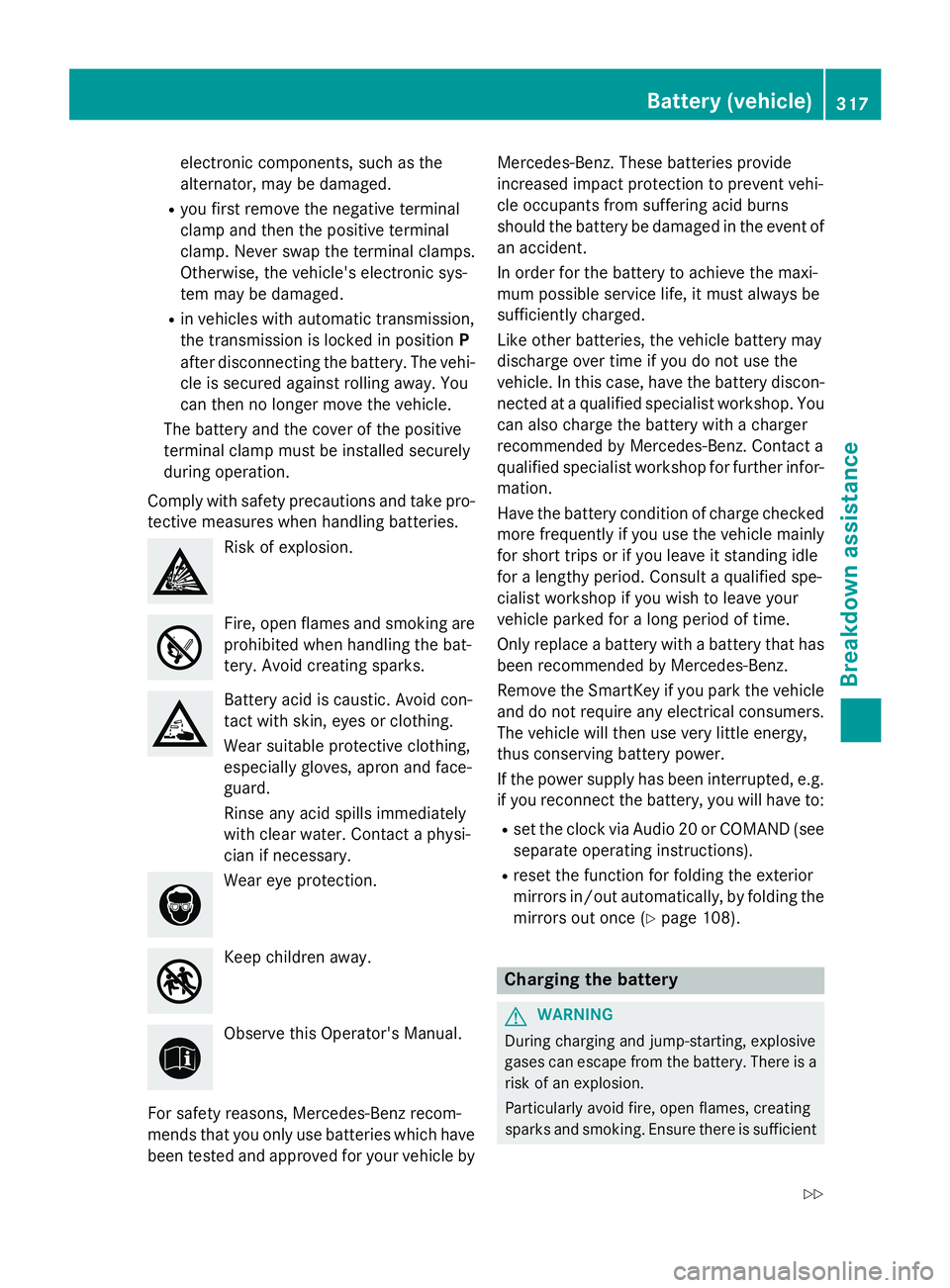
Comply with safety precautions and take pro-
tective measures when handling batteries.
Risk of explosion.
Fire, open flames and smoking are
prohibited when handling the bat-
tery. Avoid creating sparks.
Battery acid is caustic. Avoid con-
tact with skin, eyes or clothing.
Wear suitable protective clothing,
especially gloves, apron and face-
guard.
Rinse any acid spills immediately
with clear water. Contact a physi-
cian if necessary.
Wear eye protection.
Keep children away.
Observe this Operator's Manual.
For safety reasons, Mercedes-Benz recom-
mends that you only use batteries which have
been tested and approved for your vehicle by Mercedes-Benz. These batteries provide
increased impact protection to prevent vehi-
cle occupants from suffering acid burns
should the battery be damaged in the event of
an accident.
In order for the battery to achieve the maxi-
mum possible service life, it must always be
sufficiently charged.
Like other batteries, the vehicle battery may
discharge over time if you do not use the
vehicle. In this case, have the battery discon-
nected at a qualified specialist workshop. You
can also charge the battery with a charger
recommended by Mercedes-Benz. Contact a
qualified specialist workshop for further infor-
mation.
Have the battery condition of charge checked
more frequently if you use the vehicle mainly
for short trips or if you leave it standing idle
for a lengthy period. Consult a qualified spe-
cialist workshop if you wish to leave your
vehicle parked for a long period of time.
Only replace a battery with a battery that has
been recommended by Mercedes-Benz.
Remove the SmartKey if you park the vehicle
and do not require any electrical consumers.
The vehicle will then use very little energy,
thus conserving battery power.
If the power supply has been interrupted, e.g.
if you reconnect the battery, you will have to: R
set the clock via Audio 20 or COMAND (see
separate operating instructions). R
reset the function for folding the exterior
mirrors in/out automatically, by folding the
mirrors out once ( Y
page 108).
Charging the battery
G WARNING
During charging and jump-starting, explosive
gases can escape from the battery. There is a
risk of an explosion.
Particularly avoid fire, open flames, creating
sparks and smoking. Ensure there is sufficientBattery (vehicle) 317
Breakdown assistance Z