alarm MERCEDES-BENZ CLA 2016 Owners Manual
[x] Cancel search | Manufacturer: MERCEDES-BENZ, Model Year: 2016, Model line: CLA, Model: MERCEDES-BENZ CLA 2016Pages: 374, PDF Size: 9.97 MB
Page 6 of 374
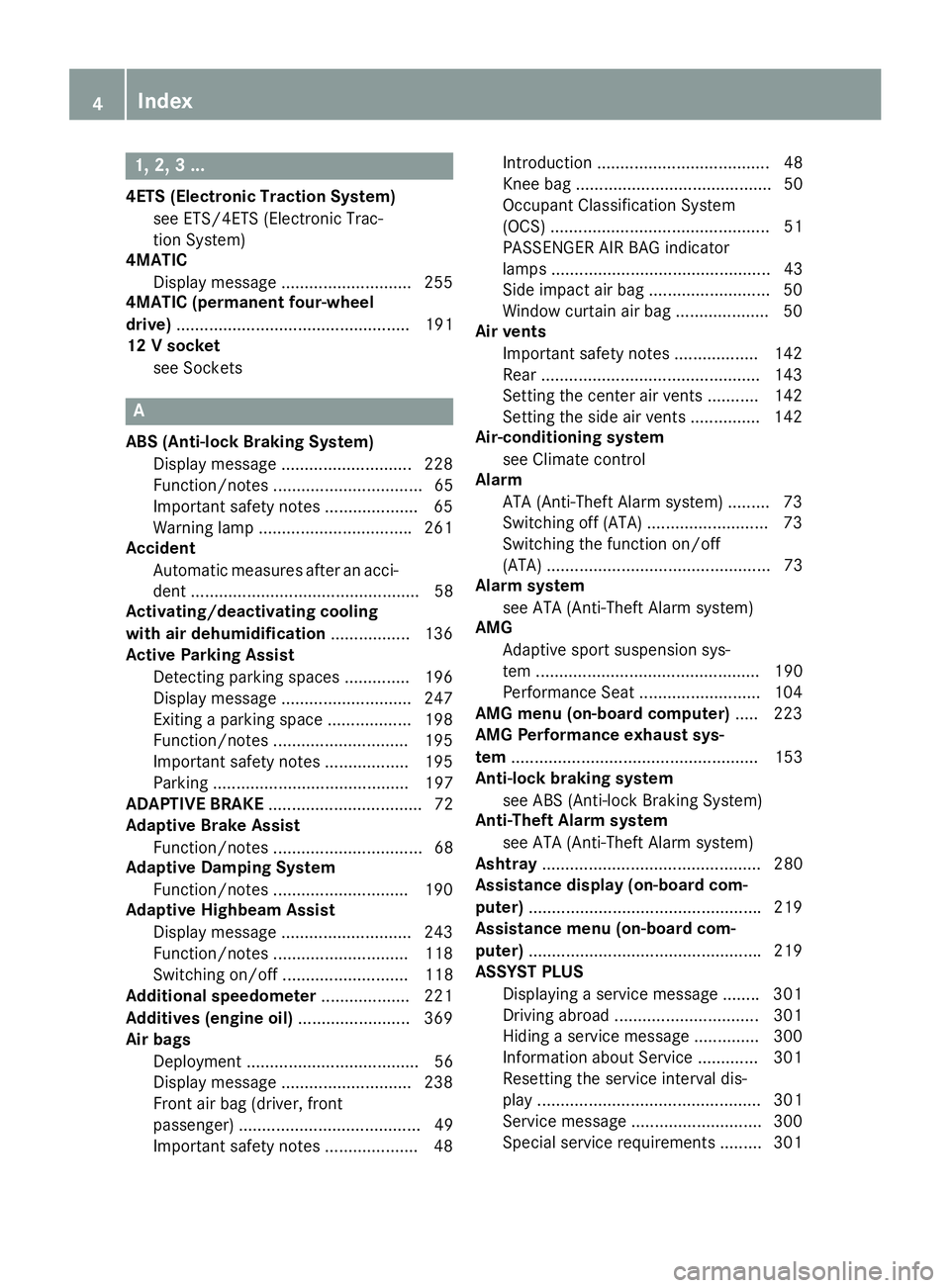
1, 2, 3 ...4ETS (Electronic Traction System)
see ETS/4ETS (Electronic Trac-
tion System)
4MATIC
Display message ............................ 255
4MATIC (permanent four-wheel
drive) .................................................. 191
12 V socket
see Sockets
AABS (Anti-lock Braking System)
Display message ............................ 228
Function/notes ................................ 65
Important safety notes .................... 65
Warning lamp ................................ .2 61
Accident
Automatic measures after an acci-
dent ................................................. 58
Activating/deactivating cooling
with air dehumidification ................. 136
Active Parking Assist
Detecting parking spaces .............. 196
Display message ............................ 247
Exiting a parking space .................. 198
Function/notes ............................ .1 95
Important safety notes .................. 195
Parking .......................................... 197
ADAPTIVE BRAKE ................................. 72
Adaptive Brake Assist
Function/notes ................................ 68
Adaptive Damping System
Function/notes ............................ .1 90
Adaptive Highbeam Assist
Display message ............................ 243
Function/notes ............................ .1 18
Switching on/off ........................... 118
Additional speedometer ................... 221
Additives (engine oil) ........................ 369
Air bags
Deployment ..................................... 56
Display message ............................ 238
Front air bag (driver, front
passenger) ....................................... 49
Important safety notes .................... 48 Introduction ..................................... 48
Knee bag .......................................... 50
Occupant Classification System
(OCS) ............................................... 51
PASSENGER AIR BAG indicator
lamps ............................................... 43
Side impact air bag .......................... 50
Window curtain air bag .................... 50
Air vents
Important safety notes .................. 142
Rear .......................................... ..... 143
Setti ng the center air vents ........... 142
Setting the side air vents .............. .1 42
Air-conditioning system
see Climate control
Alarm
ATA (Anti-Theft Alarm system) ......... 73
Switching off (ATA) .......................... 73
Switching the function on/off
(ATA) ................................................ 73
Alarm system
see ATA (Anti-Theft Alarm system)
AMG
Adaptive sport suspension sys-
tem ................................................ 190
Performance Seat .......................... 104
AMG menu (on-board computer) ..... 223
AMG Performance exhaust sys-
tem ..................................................... 153
Anti-lock braking system
see ABS (Anti-lock Braking System)
Anti-Theft Alarm system
see ATA (Anti-Theft Alarm system)
Ashtray ............................................... 280
Assistance display (on-board com-
puter) ................................................. .2 19
Assistance menu (on-board com-
puter) ................................................. .2 19
ASSYST PLUS
Displaying a service message ....... .3 01
Driving abroad ............................... 301
Hiding a service message .............. 300
Information about Service ............. 301
Resetting the service interval dis-
play ................................................ 301
Service message ............................ 300
Special service requirements ......... 3014
Index
Page 7 of 374
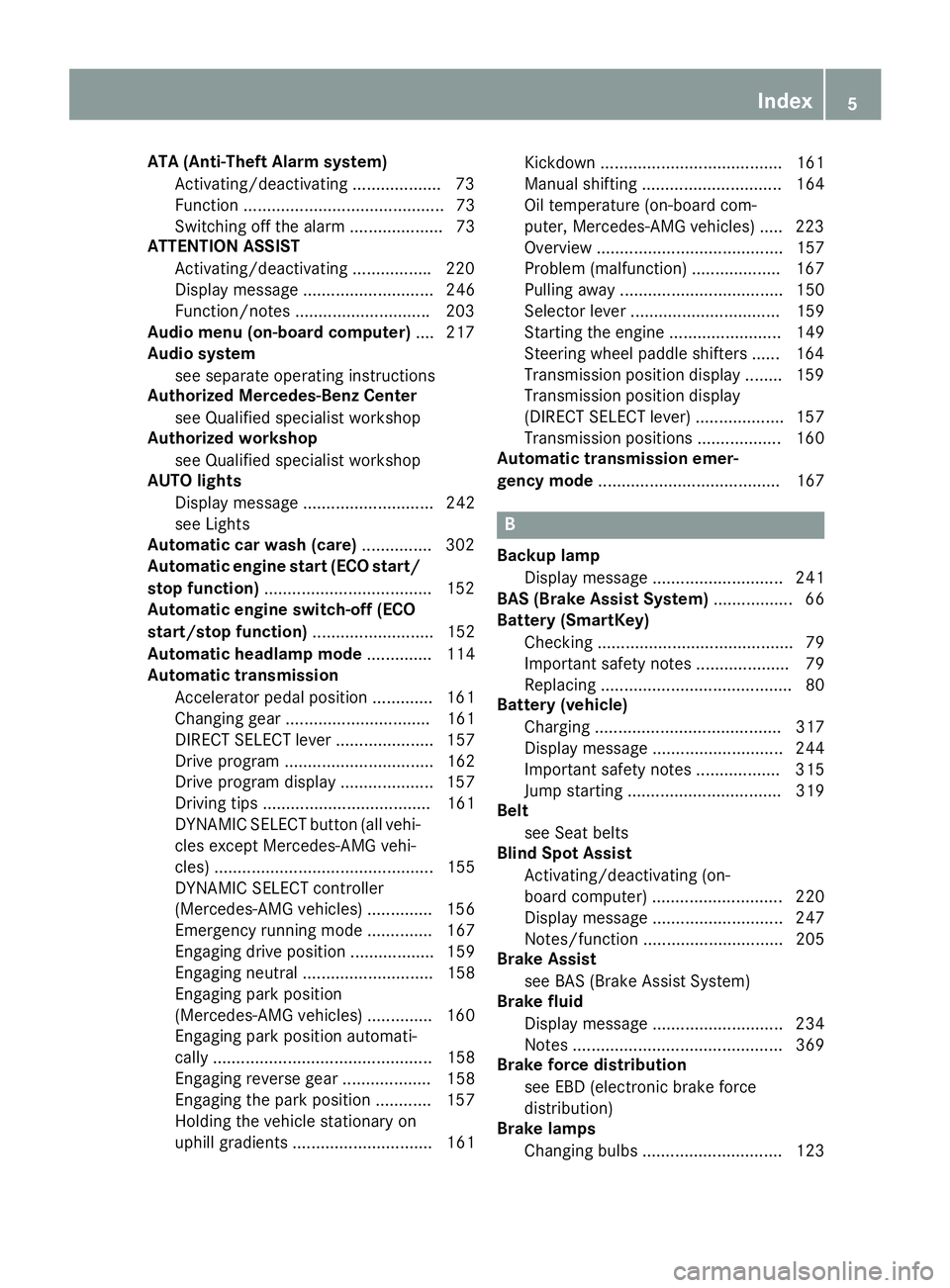
ATA (Anti-Theft Alarm system)
Activating/deactivating .................. .7 3
Function ........................................... 73
Switching off the alarm .................... 73
ATTENTION ASSIST
Activating/deactivating ................ .2 20
Display message ............................ 246
Function/notes ............................ .2 03
Audio menu (on-board computer) .... 217
Audio system
see separate operating instructions
Authorized Mercedes-Benz Center
see Qualified specialist workshop
Authorized workshop
see Qualified specialist workshop
AUTO lights
Display message ............................ 242
see Lights
Automatic car wash (care) .............. .3 02
Automatic engine start (ECO start/
stop function) ................................... .1 52
Automatic engine switch-off (ECO
start/stop function) .......................... 152
Automatic headlamp mode .............. 114
Automatic transmission
Accelerator pedal position ............. 161
Changing gear ............................... 161
DIRECT SELECT lever ..................... 157
Drive program ................................ 162
Drive program display .................... 157
Driving tips .................................... 161
DYNAMIC SELECT button (all vehi-
cles except Mercedes-AMG vehi-
cles) ............................................... 155
DYNAMIC SELECT controller
(Mercedes-AMG vehicles) .............. 156
Emergency running mode .............. 167
Engaging drive position .................. 159
Engaging neutral ............................ 158
Engaging park position
(Mercedes-AMG vehicles) .............. 160
Engaging park position automati-
cally ............................................... 158
Engaging reverse gear ................... 158
Engaging the park position ............ 157
Holding the vehicle stationary on
uphill gradients .............................. 161 Kickdown ....................................... 161
Manual shifting .............................. 164
Oil temperature (on-board com-
puter, Mercedes-AMG vehicl es) ..... 223
Overvi e
w ........................................ 157
Problem (malfunction) ................... 167
Pulling away ................................... 150
Selector lever ................................ 159
Starting the engine ........................ 149
Steering wheel paddle shifters ...... 164
Transmission position display ........ 159
Transmission position display
(DIRECT SELECT lever) ................... 157
Transmission positions .................. 160
Automatic transmission emer-
gency mode ....................................... 167
B Backup lamp
Display message ............................ 241
BAS (Brake Assist System) ................. 66
Battery (SmartKey)
Checking .......................................... 79
Important safety notes .................... 79
Replacing ......................................... 80
Battery (vehicle)
Charging ........................................ 317
Display message ............................ 244
Important safety notes .................. 315
Jump starting ................................. 319
Belt
see Seat belts
Blind Spot Assist
Activating/deactivating (on-
board computer) ............................ 220
Display message ............................ 247
Notes/function .............................. 205
Brake Assist
see BAS (Brake Assist System)
Brake fluid
Display message ............................ 234
Notes ............................................. 369
Brake force distribution
see EBD (electronic brake force
distribution)
Brake lamps
Changing bulbs .............................. 123 Index 5
Page 14 of 374
Lane Keeping Assist
Activating/deactivating (on-
board computer) ............................ 220
Display message ............................ 246
Function/information .................... 207
Lane Tracking package .................... .2 05
Lap time (RACETIMER) ..................... .2 24
LATCH-type (ISOFIX) child seat
anchors ................................................ 60
License plate lamp (display mes-
sage) ................................................... 241
Light function, active
Display message ............................ 242
Light sensor (display message) ....... 242
Lights
Adaptive Highbeam Assist ............. 118
Automatic headlamp mode ............ 114
Cornering light function ................. 117
Fog lamps ...................................... 115
Fogged up headlamps .................... 119
Hazard warning lamps ................... 117
High beam flasher .......................... 117
High-beam headlamps ................... 116
Light switch ................................... 114
Low-beam headlamps .................... 115
Parking lamps ................................ 116
Rear fog lamp ................................ 116
Setting exterior lighting ................. 114
Standing lamps .............................. 116
Switching the daytime running
lamps on/off (on-board com-
puter) ............................................. 222
Turn signals ................................... 116
LIM indicator lamp
DISTRONIC PLUS ........................... 182
Loading guidelines ............................ 272
Locking
see Central locking
Locking (doors)
Automatic ........................................ 84
Emergency locking ........................... 85
From inside (central locking but-
ton) ................................................. .8 4
Locking centrally
see Cent ral loc king
Locking
verification signal (on-
board computer) .............................. .2 22 Low-beam headlamps
Changing bulbs .............................. 122
Display message ............................ 240
Switching on/off ........................... 115
Lumbar support
Adjusting the 4-way lumbar sup-
port ................................................ 104
M M+S tires ............................................ 330
Malfunction message
see Display messages
Matte finish (cleaning instruc-
tions) ................................................. .3 04
mbrace
Call priority ................................... .2 85
Display message ............................ 234
Downloading destinations
(COMAND) ..................................... 286
Downloading routes ....................... 289
Emergency call .............................. 283
General notes ................................ 282
Geo fencing ................................... 289
Locating a stolen vehicle .............. .2 88
MB info call button ........................ 285
Remote fault diagnosis .................. 288
Remote vehicle locking .................. 287
Roadside Assistance button .......... 284
Search & Send ............................... 286
Self-test ......................................... 282
Speed alert .................................... 289
System .......................................... 282
Triggering the vehicle alarm ........... 289
Vehicle remote unlocking .............. 287
Mechanical key
Function/notes ................................ 78
Inserting .......................................... 79
Locking vehicle ................................ 85
Removing ......................................... 79
Unlocking the driver's door .............. 85
Memory card (audio) ......................... 217
Memory function ............................... 110
Message memory (on-board com-
puter) .................................................. 227
Messages
see Display messages12
Index
Page 16 of 374
Operating safety
Declaration of conformity ................ 25
Important safety notes .................... 24
Operating system
see On-board computer
Operator's Manual
Vehicle equipment ........................... 22
Outside temperature display ........... 211
Overhead control panel ...................... 39
Override feature
Rear side windows ........................... 64
PPaint code number ............................ 364
Paintwork (cleaning instructions) ... 303
Panic alarm .......................................... 42
Panorama roof with power tilt/
sliding panel
Important safety notes .................... 92
Operating ......................................... 93
Operating the roller sunblinds for
the sliding sunroof ........................... 94
Problem (malfunction) ..................... 97
Reversing feature ............................. 93
Parking
Important safety notes .................. 169
Parking brake ................................ 171
Position of exterior mirror, front-
passenger side ............................... 109
Rear view camera .......................... 200
see Active Parking Assist
see PARKTRONIC
Parking aid
Active Parking Assist ..................... 195
see Exterior mirrors
see PARKTRONIC
Parking assistance
see PARKTRONIC
Parking brake
Display message ............................ 231
Electric parking brake .................... 171
Warning lamp ................................. 266
Parking lamps
Switching on/off ........................... 116
PARKTRONIC
Deactivating/activating ................. 194
Driving system ............................... 192 Function/notes ............................. 192
Important safety notes .................. 192
Problem (malfunction) ................... 195
Range of the sensors ..................... 192
Warning display ............................. 193
PASSENGER AIR BAG
Display message ............................ 238
Indicator lamps ................................ 43
Problem (malfunction) ................... 238
Pets in the vehicle ............................... 64
Plastic trim (cleaning instruc-
tions) .................................................. 306
Power washers .................................. 303
Power windows
see Side windows
Protection against theft
ATA (Anti-Theft Alarm system) ......... 73
Immobilizer ...................................... 73
Protection of the environment
General notes .................................. 21
Pulling away
Automatic transmission ................. 150
General notes ................................ 150
Hill start assist ............................... 151
Q
QR code
Mercedes-Benz Guide App ................. 1
Rescue card ..................................... 27
Qualified specialist workshop ........... 25
R
RACE START
Important safety notes .................. 189
RACE START (AMG vehicles) ............. 189
RACETIMER (on-board computer) .... 224
Radio
Selecting a station ......................... 217
see separate operating instructions
Radio-wave reception/transmis-
sion in the vehicle
Declaration of conformity ................ 25
Rain closing feature (panorama
roof with power tilt/sliding panel) .... 94
Reading lamp ..................................... 11914
Index
Page 43 of 374
Useful information .............................. 42
Panic alarm .......................................... 42
Occupant safety .................................. 42
Children in the vehicle ........................ 58
Pets in the vehicle ............................... 64
Driving safety systems ....................... 65
Protection against theft ..................... 7341
Safety
Page 44 of 374
Useful information
i This Operator's Manual describes all
models and all standard and optional equip-
ment of your vehicle available at the time of
publication of the Operator's Manual.
Country-specific differences are possible.
Please note that your vehicle may not be
equipped with all features described. This
also applies to safety-related systems and
functions.
i Read the information on qualified special-
ist workshops ( Y
page 25).
Panic alarm
X
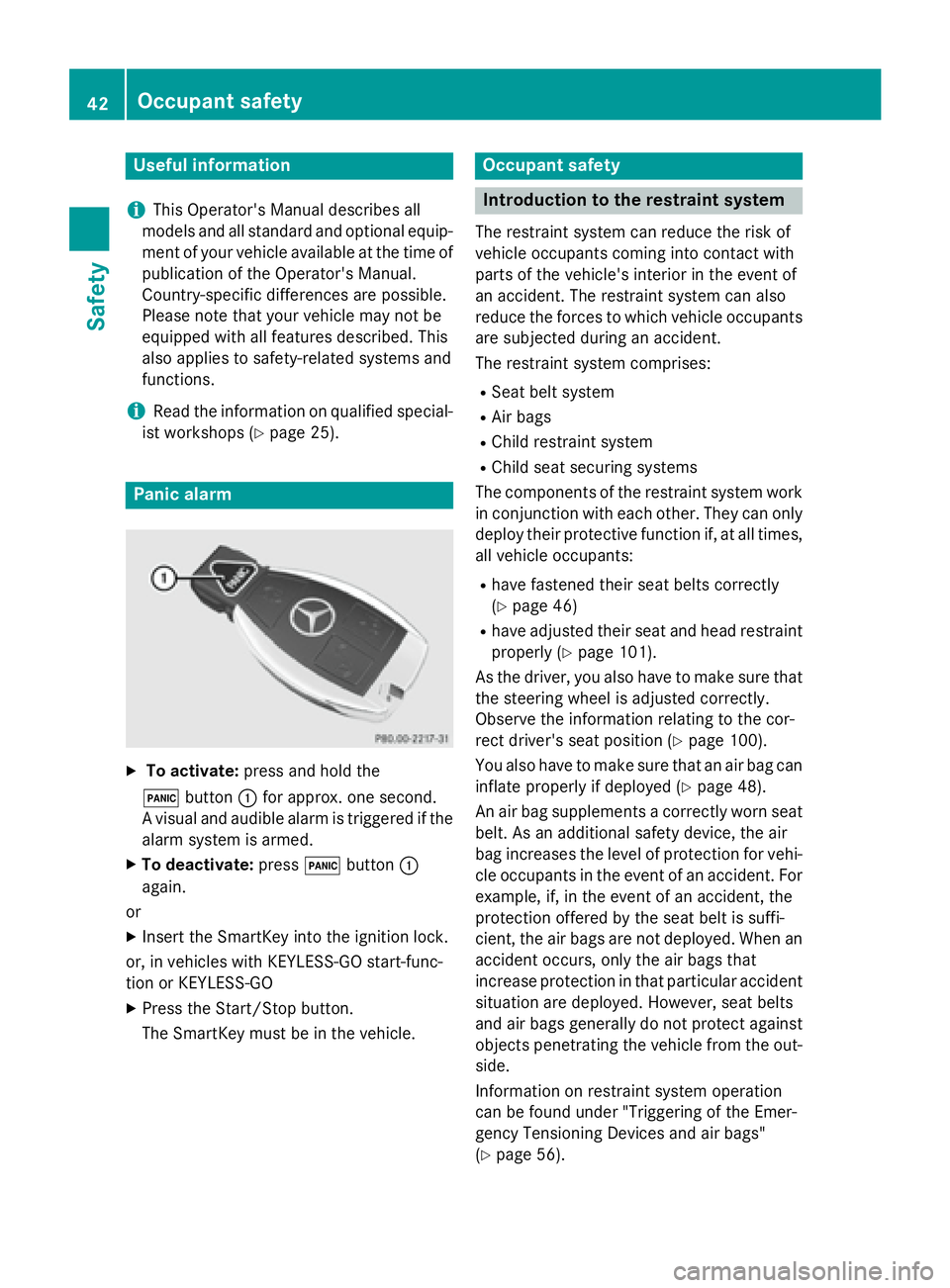
To activate: press and hold the
3 button C for approx. one second.
A visual and audible alarm is triggered if the
alarm system is armed. X
To deactivate: press 3 button C
again.
or X
Insert the SmartKey into the ignition lock.
or, in vehicles with KEYLESS-GO start-func-
tion or KEYLESS ‑ GOX
Press the Start/Stop button.
The SmartKey must be in the vehicle. Occupant safety
Introduction to the restraint system The restraint system can reduce the risk of
vehicle occupants coming into contact with
parts of the vehicle's interior in the event of
an accident. The restraint system can also
reduce the forces to which vehicle occupants
are subjected during an accident.
The restraint system comprises: R
Seat belt system R
Air bags R
Child restraint system R
Child seat securing systems
The components of the restraint system work
in conjunction with each other. They can only
deploy their protective function if, at all times,
all vehicle occupants: R
have fastened their seat belts correctly
( Y
page 46) R
have adjusted their seat and head restraint
properly ( Y
page 101).
As the driver, you also have to make sure that
the steering wheel is adjusted correctly.
Observe the information relating to the cor-
rect driver's seat position ( Y
page 100).
You also have to make sure that an air bag can
inflate properly if deployed ( Y
page 48).
An air bag supplements a correctly worn seat
belt. As an additional safety device, the air
bag increases the level of protection for vehi-
cle occupants in the event of an accident. For
example, if, in the event of an accident, the
protection offered by the seat belt is suffi-
cient, the air bags are not deployed. When an
accident occurs, only the air bags that
increase protection in that particular accident
situation are deployed. However, seat belts
and air bags generally do not protect against
objects penetrating the vehicle from the out-
side.
Information on restraint system operation
can be found under "Triggering of the Emer-
gency Tensioning Devices and air bags"
( Y
page 56).42
Occupant safety
Safety
Page 75 of 374
No steering assistance is provided from
STEER CONTROL, if: R
ESP ®
is malfunctioning.R
the lighting is faulty.
If ESP ®
is malfunctioning, you will be assisted
further by the electrical power steering.
Protection against theft
Immobilizer The immobilizer prevents your vehicle from
being started without the correct SmartKey. X
To activate with the SmartKey: remove
the SmartKey from the ignition lock. X
To activate with KEYLESS-GO start-
function or KEYLESS-GO: switch the igni-
tion off and open the driver's door. X
To deactivate: switch on the ignition.
When leaving the vehicle, always take the
SmartKey with you and lock the vehicle. Any-
one can start the engine if a valid SmartKey
has been left inside the vehicle.
i The immobilizer is always deactivated
when you start the engine.
In the event that the engine cannot be star-
ted (yet the vehicle's battery is charged),
the system is not operational. Contact an
authorized Mercedes-Benz Center or call
1-800-FOR-MERCedes (in the USA) or
1-800-387-0100 (in Canada).
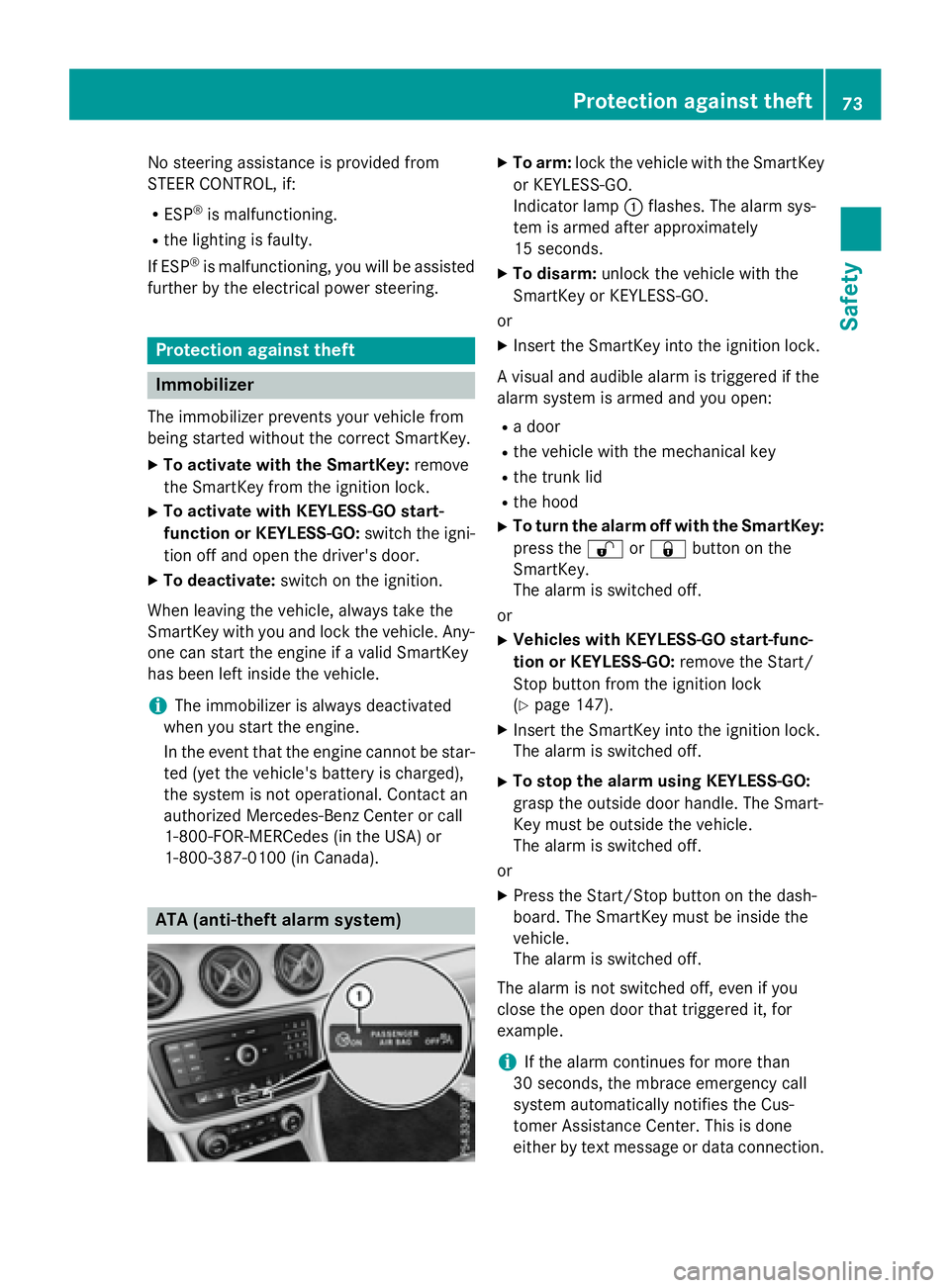
ATA (anti-theft alarm system) X
To arm: lock the vehicle with the SmartKey
or KEYLESS-GO.
Indicator lamp C flashes. The alarm sys-
tem is armed after approximately
15 seconds. X
To disarm: unlock the vehicle with the
SmartKey or KEYLESS-GO.
or X
Insert the SmartKey into the ignition lock.
A visual and audible alarm is triggered if the
alarm system is armed and you open: R
a door R
the vehicle with the mechanical key R
the trunk lid R
the hood X
To turn the alarm off with the SmartKey:
press the 6 or 7 button on the
SmartKey.
The alarm is switched off.
or X
Vehicles with KEYLESS-GO start-func-
tion or KEYLESS-GO: remove the Start/
Stop button from the ignition lock
( Y
page 147). X
Insert the SmartKey into the ignition lock.
The alarm is switched off. X
To stop the alarm using KEYLESS-GO:
grasp the outside door handle. The Smart-
Key must be outside the vehicle.
The alarm is switched off.
or X
Press the Start/Stop button on the dash-
board. The SmartKey must be inside the
vehicle.
The alarm is switched off.
The alarm is not switched off, even if you
close the open door that triggered it, for
example.
i If the alarm continues for more than
30 seconds, the mbrace emergency call
system automatically notifies the Cus-
tomer Assistance Center. This is done
either by text message or data connection.Protection against theft 73
Safety Z
Page 80 of 374
Deactivating an d activatingIf you do no t intend to use th e vehicle fo r a
longer period of time, you can deactivat e KEY-
LESS-GO . The SmartKey will then use ver y lit -
tl e power, thereby conservin g battery power.
Fo r th e purposes of activation/deactivation ,
th e vehicle mus t no t be nearby.X
To deactivate : press th e 7 butto n on
th e SmartKey twic e in rapid succession .
The battery chec k lamp of th e SmartKey
flashes twic e briefly and lights up once ,
then KEYLESS-GO is deactivated
( Y
page 79) .X
To activate : press any butto n on th e
SmartKey.
or X
Inser t th e SmartKey into th e ignition lock.
KEYLESS-GO and all of it s associated fea-
tures are available again .
KEYLESS-G O star t function
General notes
Bear in min d that th e engin e can be started by
any of th e vehicle occupant s if there is a
SmartKey in th e vehicle.
Changin g th e settings of th e locking
syste m
You can chang e th e setting s of th e locking
system. Thi s means that only th e driver's doo r
and th e fue l filler flap are unlocke d when th e
vehicle is unlocked. Thi s is useful if you fre-
quentl y trave l on your own .X
To change th e setting: press and hol d th e
6 and 7 buttons simultaneousl y fo r approximately six seconds until th e battery
indicator lamp flashes twic e ( Y
page 79) .
If th e setting of th e locking system is changed
within th e signal range of th e vehicle, press-
in g th e 7 or 6 button: R
locks or R
unlocks th e vehicle
The SmartKey no w function s as follows :X
To unlock : press th e 6 butto n once .X
To unlock centrally : press th e 6 but -
to n twice. X
To lock centrally : press th e 7 button.
The KEYLESS-GO function is changed as fol-
lows : X
To unlock th e driver's door: touch th e
inne r surfac e of th e doo r handle on th e
driver's door. X
To unlock centrally : touch th e inne r sur -
fac e of th e doo r handle on th e front-
passenger doo r or th e rea r door.X
To lock centrally : touch th e outer sensor
surfac e on on e of th e doo r handles .X
To restor e th e factory settings: press
and hol d th e 6 and 7 buttons simul-
taneousl y fo r approximately six seconds
until th e battery chec k lamp flashes twic e
( Y
page 79).
Mechanica l key
General notes
If th e vehicle can no longer be locke d or
unlocke d wit h th e SmartKey or KEYLESS-GO ,
use th e mechanical key.
If you use th e mechanical ke y to unloc k and
ope n th e driver's doo r or th e trunk lid, th e
anti-thef t alar m system will be triggere d
( Y
page 73).
There are severa l ways to turn of f th e alarm:X
To deactivate th e alarm wit h th e key :
press th e 6 or 7 butto n on th e key.
or78
SmartKey
Opening and closing
Page 81 of 374
X
Insert the SmartKey into the ignition lock.
or X
To deactivate the alarm with KEYLESS-
GO: press the Start/Stop button in the igni-
tion lock. The SmartKey must be in the
vehicle.
or X
Lock or unlock the vehicle using KEYLESS-
GO. The SmartKey must be outside the
vehicle.
If you unlock the vehicle using the mechanical
key, the fuel filler flap will not be unlocked
automatically. X
To unlock the fuel filler flap: insert the
SmartKey into the ignition lock.
Removing the mechanical key
X
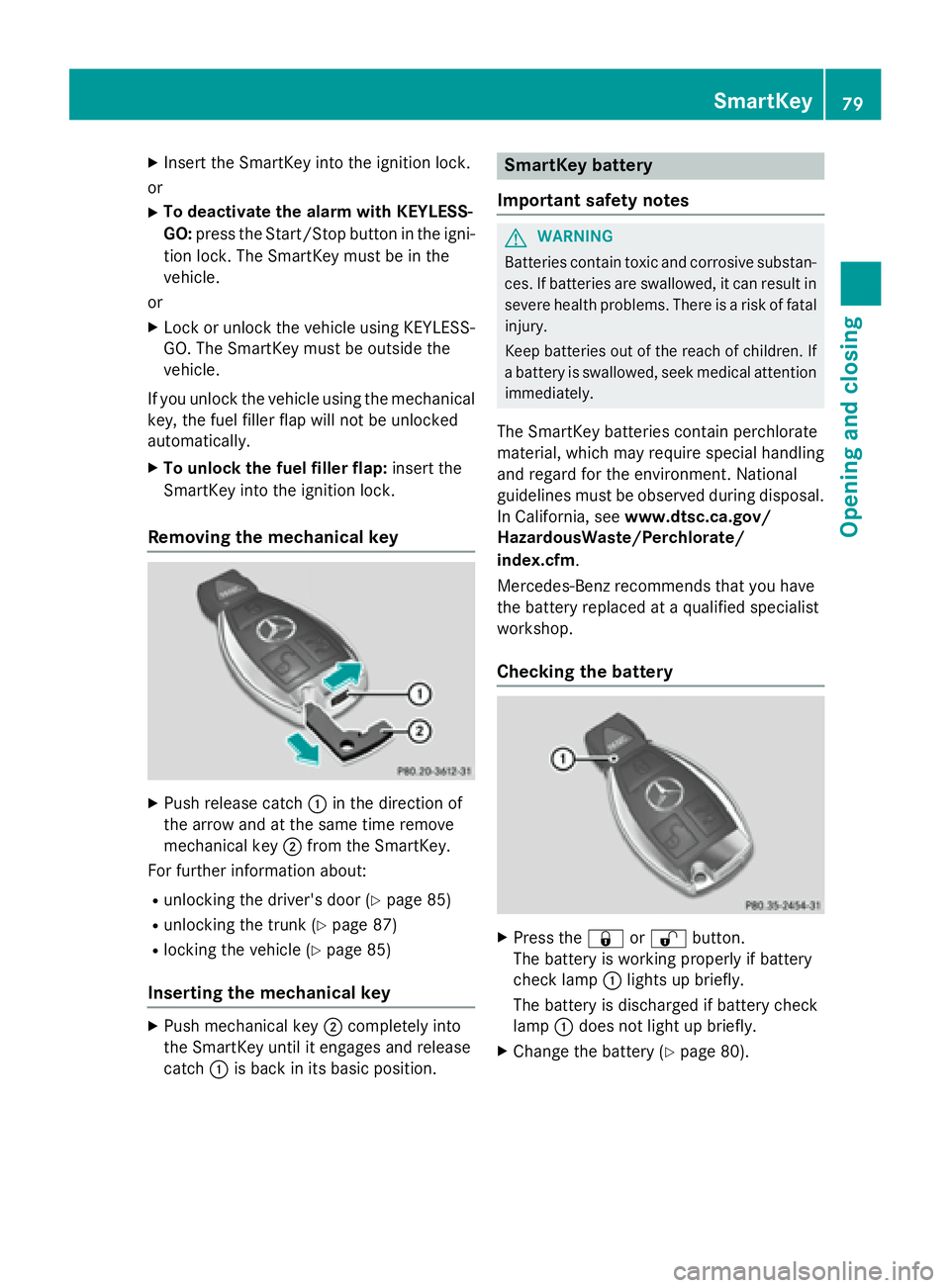
Push release catch C in the direction of
the arrow and at the same time remove
mechanical key D from the SmartKey.
For further information about: R
unlocking the driver's door ( Y
page 85)R
unlocking the trunk ( Y
page 87)R
locking the vehicle ( Y
page 85)
Inserting the mechanical key X
Push mechanical key D completely into
the SmartKey until it engages and release
catch C is back in its basic position. SmartKey battery
Important safety notes
G WARNING
Batteries contain toxic and corrosive substan-
ces. If batteries are swallowed, it can result in
severe health problems. There is a risk of fatal
injury.
Keep batteries out of the reach of children. If
a battery is swallowed, seek medical attention
immediately.
The SmartKey batteries contain perchlorate
material, which may require special handling
and regard for the environment. National
guidelines must be observed during disposal.
In California, see www.dtsc.ca.gov/
HazardousWaste/Perchlorate/
index.cfm .
Mercedes-Benz recommends that you have
the battery replaced at a qualified specialist
workshop.
Checking the battery
X
Press the 7 or 6 button.
The battery is working properly if battery
check lamp C lights up briefly.
The battery is discharged if battery check
lamp C does not light up briefly. X
Change the battery ( Y
page 80).SmartKey 79
Opening and closing Z
Page 86 of 374
alarm system. Switch off the alarm
( Y
page 73).
Centrally locking and unlocking the
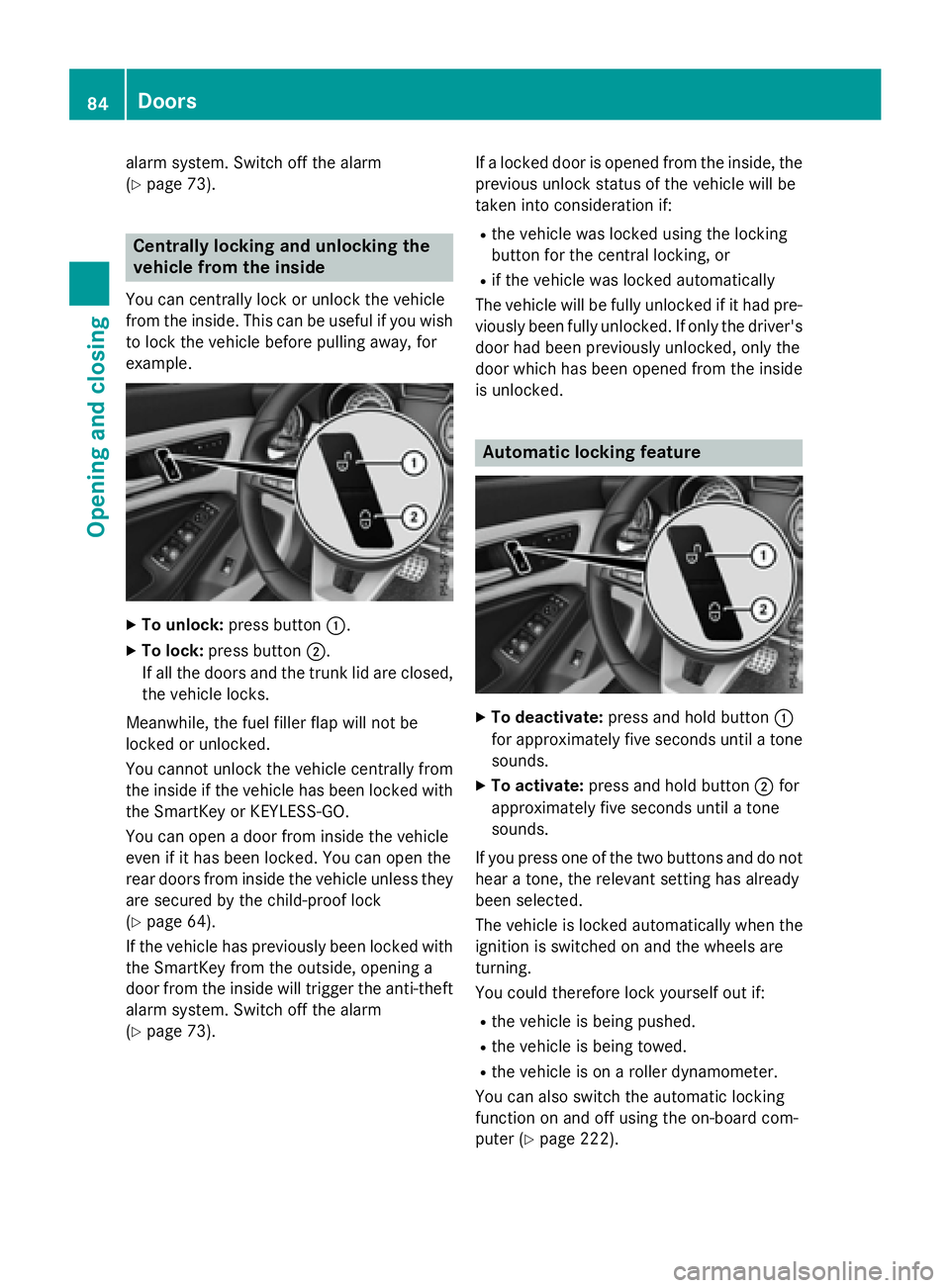
vehicle from the insideYou can centrally lock or unlock the vehicle
from the inside. This can be useful if you wish
to lock the vehicle before pulling away, for
example.
X
To unlock: press button C .X
To lock: press button D .
If all the doors and the trunk lid are closed,
the vehicle locks.
Meanwhile, the fuel filler flap will not be
locked or unlocked.
You cannot unlock the vehicle centrally from
the inside if the vehicle has been locked with
the SmartKey or KEYLESS-GO.
You can open a door from inside the vehicle
even if it has been locked. You can open the
rear doors from inside the vehicle unless they
are secured by the child-proof lock
( Y
page 64).
If the vehicle has previously been locked with
the SmartKey from the outside, opening a
door from the inside will trigger the anti-theft
alarm system. Switch off the alarm
( Y
page 73). If a locked door is opened from the inside, the
previous unlock status of the vehicle will be
taken into consideration if: R
the vehicle was locked using the locking
button for the central locking, or R
if the vehicle was locked automatically
The vehicle will be fully unlocked if it had pre-
viously been fully unlocked. If only the driver's
door had been previously unlocked, only the
door which has been opened from the inside
is unlocked.
Automatic locking feature
X
To deactivate: press and hold button C
for approximately five seconds until a tone
sounds. X
To activate: press and hold button D for
approximately five seconds until a tone
sounds.
If you press one of the two buttons and do not
hear a tone, the relevant setting has already
been selected.
The vehicle is locked automatically when the
ignition is switched on and the wheels are
turning.
You could therefore lock yourself out if: R
the vehicle is being pushed. R
the vehicle is being towed. R
the vehicle is on a roller dynamometer.
You can also switch the automatic locking
function on and off using the on-board com-
puter ( Y
page 222).84
Doors
Opening and closing