steering MERCEDES-BENZ CLK-CLASS 2003 User Guide
[x] Cancel search | Manufacturer: MERCEDES-BENZ, Model Year: 2003, Model line: CLK-CLASS, Model: MERCEDES-BENZ CLK-CLASS 2003Pages: 330, PDF Size: 15.73 MB
Page 35 of 330
32 Central locking system
Technical
data Instruments
and controlsOperationDrivingInstrument
cluster displayPractical hints Car care Index
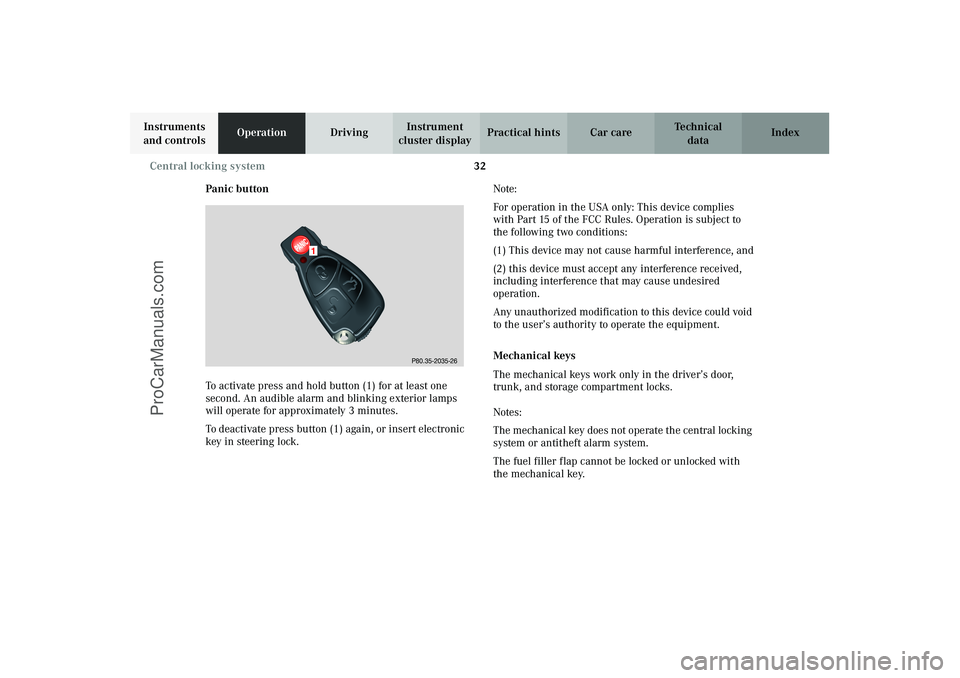
Panic button
To activate press and hold button (1) for at least one
second. An audible alarm and blinking exterior lamps
will operate for approximately 3 minutes.
To deactivate press button (1) again, or insert electronic
key in steering lock.Note:
For operation in the USA only: This device complies
with Part 15 of the FCC Rules. Operation is subject to
the following two conditions:
(1) This device may not cause harmful interference, and
(2) this device must accept any interference received,
including interference that may cause undesired
operation.
Any unauthorized modification to this device could void
to the user’s authority to operate the equipment.
Mechanical keys
The mechanical keys work only in the driver’s door,
trunk, and storage compartment locks.
Notes:
The mechanical key does not operate the central locking
system or antitheft alarm system.
The fuel filler flap cannot be locked or unlocked with
the mechanical key.
P80.35-2035-26
1
J_C208_II.book Seite 32 Donnerstag, 31. Mai 2001 10:13 10
ProCarManuals.com
Page 37 of 330
34 Central locking system
Technical
data Instruments
and controlsOperationDrivingInstrument
cluster displayPractical hints Car care Index
If the vehicle has previously been locked from the
outside, opening a door from the inside will trigger the
alarm. When opening a door while the central locking
system is in the:
•selective unlocking mode, only that individual door
is unlocked. The remaining door, the trunk and fuel
filler flap remain locked,
•global unlocking mode, both doors, the trunk and
fuel filler flap are unlocked.
Notes:
When opening a door, the door window lowers slightly.
After closing the door, the window closes again.
In case of a malfunction in the central locking system
the doors can be locked and unlocked individually.
To lock , pus h d own lock b utton and turn m echan ical key
in driver’s door lock to position 3. In addition lock the
trunk.To unlock, pull inside door handle and turn mechanical
key in driver’s door lock to position 2.
When unlocking the driver’s door with the mechanical
key, the exterior lamps will flash and the alarm will
sound.
To cancel the alarm, insert the electronic key in the
steering lock or press buttonŒ or‹ on the
electronic key.
J_C208_II.book Seite 34 Donnerstag, 31. Mai 2001 10:13 10
ProCarManuals.com
Page 38 of 330
35 Central locking system
Technical
data Instruments
and controlsOperationDrivingInstrument
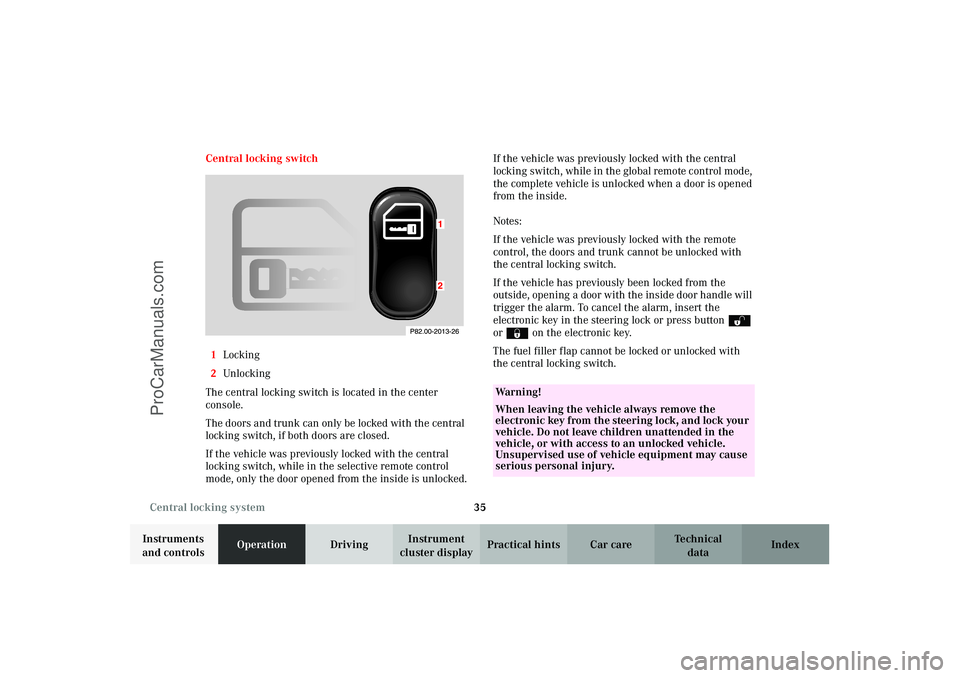
cluster displayPractical hints Car care Index Central locking switch
1Locking
2Unlocking
The central locking switch is located in the center
console.
The doors and trunk can only be locked with the central
locking switch, if both doors are closed.
If the vehicle was previously locked with the central
locking switch, while in the selective remote control
mode, only the door opened from the inside is unlocked.If the vehicle was previously locked with the central
locking switch, while in the global remote control mode,
the complete vehicle is unlocked when a door is opened
from the inside.
Notes:
If the vehicle was previously locked with the remote
control, the doors and trunk cannot be unlocked with
the central locking switch.
If the vehicle has previously been locked from the
outside, opening a door with the inside door handle will
trigger the alarm. To cancel the alarm, insert the
electronic key in the steering lock or press buttonŒ
or‹ on the electronic key.
The fuel filler flap cannot be locked or unlocked with
the central locking switch.
Wa r n i n g !
When leaving the vehicle always remove the
electronic key from the steering lock, and lock your
vehicle. Do not leave children unattended in the
vehicle, or with access to an unlocked vehicle.
Unsupervised use of vehicle equipment may cause
serious personal injury.
J_C208_II.book Seite 35 Donnerstag, 31. Mai 2001 10:13 10
ProCarManuals.com
Page 39 of 330
36 Central locking system
Technical
data Instruments
and controlsOperationDrivingInstrument
cluster displayPractical hints Car care Index
Automatic central locking
The central locking switch also operates the automatic
central locking.
With the automatic central locking system activated, the
doors and trunk are locked at vehicle speeds of approx.
9 mph (15 km/h) or more. The fuel filler flap remains
unlocked.
To a c ti va te :
With electronic key in steering lock position 2 hold
upper portion of switch(1) for a minimum of 5 seconds.
To deactivate:
With electronic key in steering lock position 2 hold
lower portion of switch(2) for a minimum of 5 seconds.
Notes:
If doors are unlocked with the central locking switch
after activating the automatic central locking, and
neither door is opened, then the doors remain unlocked
even at vehicle speeds of approx. 9 mph (15 km/h) or
more.If a door is opened from the inside at speeds of approx.
9 mph (15 km/h) or less with the automatic central
locking activated, the door will again be automatically
locked at speeds of approx. 9 mph (15 km/h) or more.
Important!
When towing the vehicle, or with the vehicle on a
dynamometer test stand, please, note the following:
With the automatic central locking activated and the
electronic key in steering lock position 2, the vehicle
doors will lock if the left front wheel as well as the right
rear wheel spin at vehicle speeds of approx. 9 mph
(15 km/h) or more.
To prevent the vehicle door locks from locking,
deactivate the automatic central locking.
Emergency unlocking in case of accident
The doors unlock automatically a short time after a
strong deceleration is detected, such as in a collision
(this is intended to aid rescue and exit).
Driving on rough roads may cause the vehicle to unlock.
If necessary, the vehicle can be locked again with the
central locking switch, see page 35.
J_C208_II.book Seite 36 Donnerstag, 31. Mai 2001 10:13 10
ProCarManuals.com
Page 40 of 330
37 Central locking system
Technical
data Instruments
and controlsOperationDrivingInstrument
cluster displayPractical hints Car care Index Trunk
When the trunk is separately locked, it remains locked
when centrally unlocking the vehicle.
To deny any unauthorized person access to the trunk,
lock it separately with the mechanical key. Leave only
the electronic key less its mechanical key with the
vehicle.
Notes:
The mechanical key does not operate the central locking
system or antitheft alarm system.
When unlocking the trunk with the mechanical key, the
exterior lamps will flash and the alarm will sound.
To cancel the alarm, insert the electronic key in the
steering lock or press buttonŒ or‹ on the
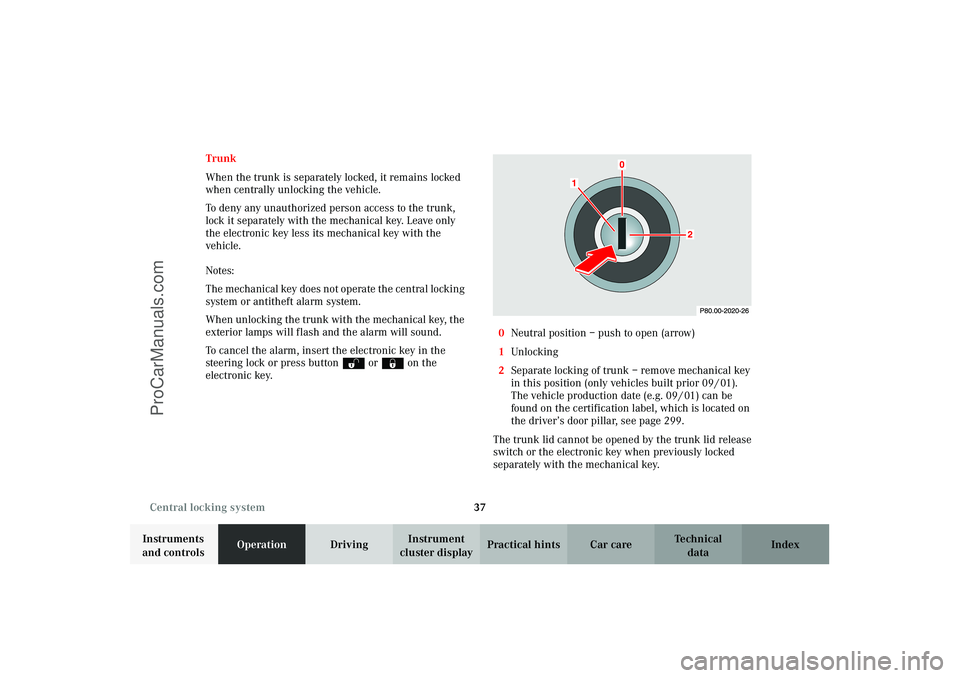
electronic key.0Neutral position – push to open (arrow)
1Unlocking
2Separate locking of trunk – remove mechanical key
in this position (only vehicles built prior 09 / 01).
The vehicle production date (e.g. 09 / 01) can be
found on the certification label, which is located on
the driver’s door pillar, see page 299.
The trunk lid cannot be opened by the trunk lid release
switch or the electronic key when previously locked
separately with the mechanical key.
J_C208_II.book Seite 37 Donnerstag, 31. Mai 2001 10:13 10
ProCarManuals.com
Page 46 of 330
43 Antitheft alarm system
Technical
data Instruments
and controlsOperationDrivingInstrument
cluster displayPractical hints Car care Index Antitheft alarm system
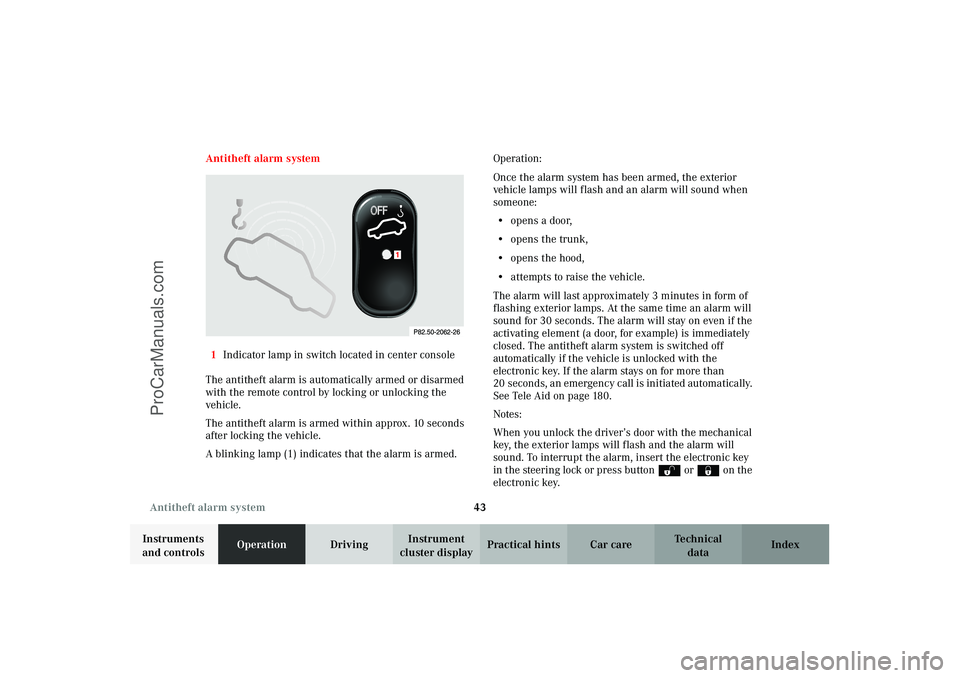
1Indicator lamp in switch located in center console
The antitheft alarm is automatically armed or disarmed
with the remote control by locking or unlocking the
vehicle.
The antitheft alarm is armed within approx. 10 seconds
after locking the vehicle.
A blinking lamp (1) indicates that the alarm is armed.Operation:
Once the alarm system has been armed, the exterior
vehicle lamps will flash and an alarm will sound when
someone:
•opens a door,
•opens the trunk,
•opens the hood,
•attempts to raise the vehicle.
The alarm will last approximately 3 minutes in form of
flashing exterior lamps. At the same time an alarm will
sound for 30 seconds. The alarm will stay on even if the
activating element (a door, for example) is immediately
closed. The antitheft alarm system is switched off
automatically if the vehicle is unlocked with the
electronic key. If the alarm stays on for more than
20 seconds, an emergency call is initiated automatically.
See Tele Aid on page 180.
Notes:
When you unlock the driver’s door with the mechanical
key, the exterior lamps will flash and the alarm will
sound. To interrupt the alarm, insert the electronic key
in the steering lock or press buttonŒ or‹ on the
electronic key.
1
J_C208_II.book Seite 43 Donnerstag, 31. Mai 2001 10:13 10
ProCarManuals.com
Page 47 of 330
44 Tow-away alarm
Technical
data Instruments
and controlsOperationDrivingInstrument
cluster displayPractical hints Car care Index
Tow-away alarm
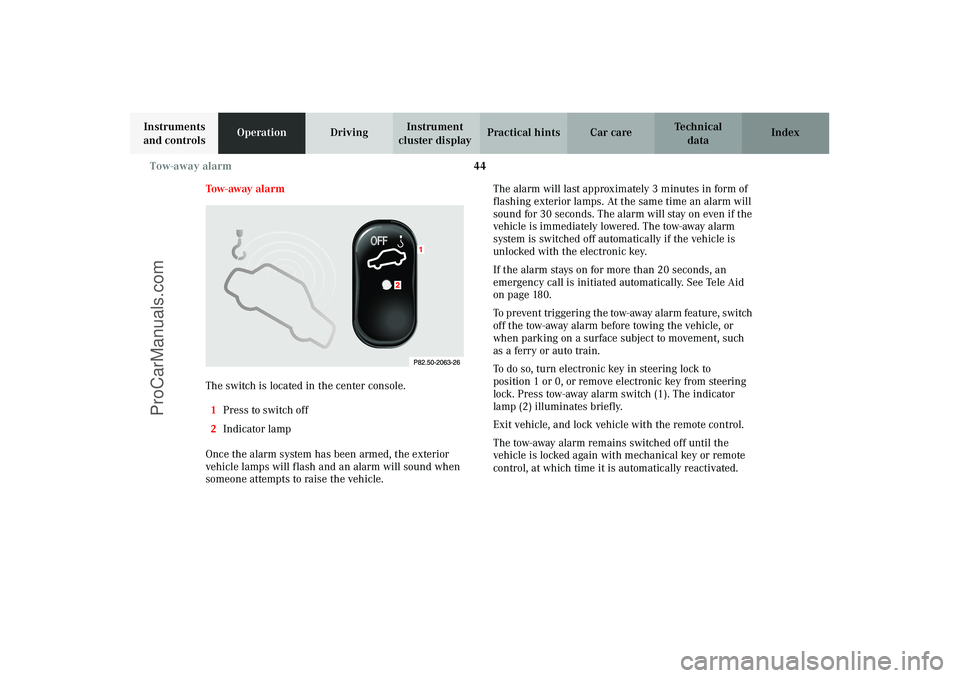
The switch is located in the center console.
1Press to switch off
2Indicator lamp
Once the alarm system has been armed, the exterior
vehicle lamps will flash and an alarm will sound when
someone attempts to raise the vehicle.The alarm will last approximately 3 minutes in form of
flashing exterior lamps. At the same time an alarm will
sound for 30 seconds. The alarm will stay on even if the
vehicle is immediately lowered. The tow-away alarm
system is switched off automatically if the vehicle is
unlocked with the electronic key.
If the alarm stays on for more than 20 seconds, an
emergency call is initiated automatically. See Tele Aid
on page 180.
To pr even t tr igger in g t he tow-away alarm feature, switch
off the tow-away alarm before towing the vehicle, or
when parking on a surface subject to movement, such
as a ferry or auto train.
To do so, turn electronic key in steering lock to
position 1 or 0, or remove electronic key from steering
lock. Press tow-away alarm switch(1). The indicator
lamp (2) illuminates briefly.
Exit vehicle, and lock vehicle with the remote control.
The tow-away alarm remains switched off until the
vehicle is locked again with mechanical key or remote
control, at which time it is automatically reactivated.
J_C208_II.book Seite 44 Donnerstag, 31. Mai 2001 10:13 10
ProCarManuals.com
Page 48 of 330

45 Seats
Technical
data Instruments
and controlsOperationDrivingInstrument
cluster displayPractical hints Car care Index Power seats, front
To operate the front power seat adjustment switches,
turn electronic key in steering lock to position 1 or 2
(with the driver’s or passenger’s door open, the power
seats can also be operated with the electronic key
removed or in steering lock position 0).
Wa r n i n g !
Do not adjust the driver’s seat while driving.
Adjusting the seat while driving could cause the
driver to lose control of the vehicle.Never ride in a moving vehicle with the backrest
reclined. Sitting in an excessively reclined position
can be dangerous. You could slide under the seat
belt in a collision. If you slide under it, the belt
would apply force at the abdomen or neck. That
could cause serious or even fatal injuries. The
backrest and seat belt provide the best restraint
when the wearer is in an upright position and the
belt is properly positioned on the body.Never place hands under seat or near any moving
parts while a seat is being adjusted.
Wa r n i n g !
When leaving the vehicle always remove the
electronic key from the steering lock, and lock your
vehicle.The power seats can also be operated with the
driver’s or passenger door open. Do not leave
children unattended in the vehicle or with access
to an unl ocked vehic l e. Uns upervi s ed us e of vehi cl e
equipment may cause serious personal injury.
J_C208_II.book Seite 45 Donnerstag, 31. Mai 2001 10:13 10
ProCarManuals.com
Page 49 of 330
46 Seats
Technical
data Instruments
and controlsOperationDrivingInstrument
cluster displayPractical hints Car care Index
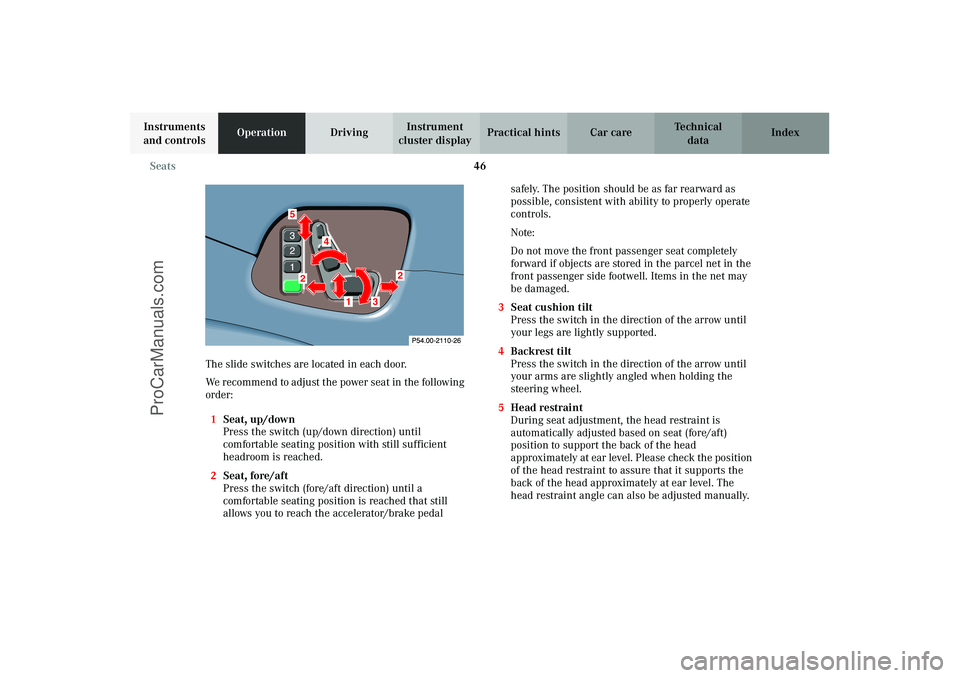
The slide switches are located in each door.
We recommend to adjust the power seat in the following
order:
1Seat, up/down
Press the switch (up/down direction) until
comfortable seating position with still sufficient
headroom is reached.
2Seat, fore/aft
Press the switch (fore/aft direction) until a
comfortable seating position is reached that still
allows you to reach the accelerator/brake pedal safely. The position should be as far rearward as
possible, consistent with ability to properly operate
controls.
Note:
Do not move the front passenger seat completely
forward if objects are stored in the parcel net in the
front passenger side footwell. Items in the net may
be damaged.
3Seat cushion tilt
Press the switch in the direction of the arrow until
your legs are lightly supported.
4Backrest tilt
Press the switch in the direction of the arrow until
your arms are slightly angled when holding the
steering wheel.
5Head restraint
During seat adjustment, the head restraint is
automatically adjusted based on seat (fore/aft)
position to support the back of the head
approximately at ear level. Please check the position
of the head restraint to assure that it supports the
back of the head approximately at ear level. The
head restraint angle can also be adjusted manually.
87
4
52
2
1
3
J_C208_II.book Seite 46 Donnerstag, 31. Mai 2001 10:13 10
ProCarManuals.com
Page 50 of 330

47 Seats
Technical
data Instruments
and controlsOperationDrivingInstrument
cluster displayPractical hints Car care Index Notes:
Your vehicle is equipped with power head restraints, do
not try to raise or lower them manually.
Only minor personal adjustments, as described below,
should then be required.
For steering wheel adjustment, see page 79;
inside rear view mirror, see page 80;
exterior rear view mirrors, see page 81.Caution!
Do not remove head restraints except when mounting
seat covers. For removal see page 51. Whenever
restraints have been removed be sure to reinstall them
before driving.
J_C208_II.book Seite 47 Donnerstag, 31. Mai 2001 10:13 10
ProCarManuals.com