high beam MERCEDES-BENZ CLS-Class 2013 W218 User Guide
[x] Cancel search | Manufacturer: MERCEDES-BENZ, Model Year: 2013, Model line: CLS-Class, Model: MERCEDES-BENZ CLS-Class 2013 W218Pages: 376, PDF Size: 13.45 MB
Page 118 of 376
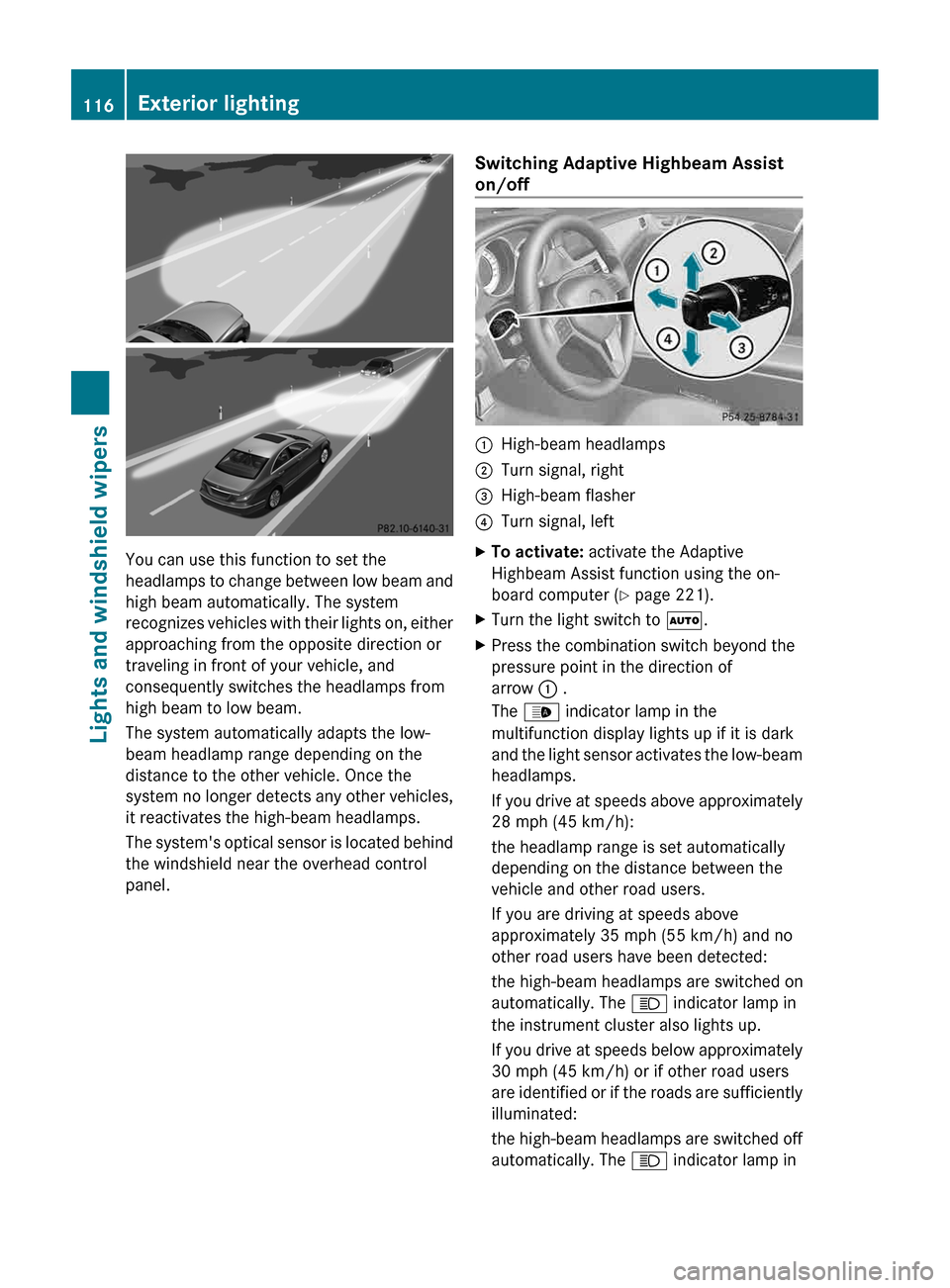
You can use this function to set the
headlamps
to change between low beam and
high beam automatically. The system
recognizes vehicles with their lights on, either
approaching from the opposite direction or
traveling in front of your vehicle, and
consequently switches the headlamps from
high beam to low beam.
The system automatically adapts the low-
beam headlamp range depending on the
distance to the other vehicle. Once the
system no longer detects any other vehicles,
it reactivates the high-beam headlamps.
The system's optical sensor is located behind
the windshield near the overhead control
panel. Switching Adaptive Highbeam Assist
on/off :
High-beam headlamps
; Turn signal, right
= High-beam flasher
? Turn signal, left
X To activate: activate the Adaptive
Highbeam Assist function using the on-
board computer ( Y page 221).
X Turn the light switch to Ã.
X Press the combination switch beyond the
pressure point in the direction of
arrow : .
The _ indicator lamp in the
multifunction display lights up if it is dark
and
the light sensor activates the low-beam
headlamps.
If you drive at speeds above approximately
28 mph (45 km/h):
the headlamp range is set automatically
depending on the distance between the
vehicle and other road users.
If you are driving at speeds above
approximately 35 mph (55 km/h) and no
other road users have been detected:
the high-beam headlamps are switched on
automatically. The K indicator lamp in
the instrument cluster also lights up.
If you drive at speeds below approximately
30 mph (45 km/h) or if other road users
are identified or if the roads are sufficiently
illuminated:
the high-beam headlamps are switched off
automatically. The K indicator lamp in116
Exterior lighting
Lights and windshield wipers
Page 195 of 376
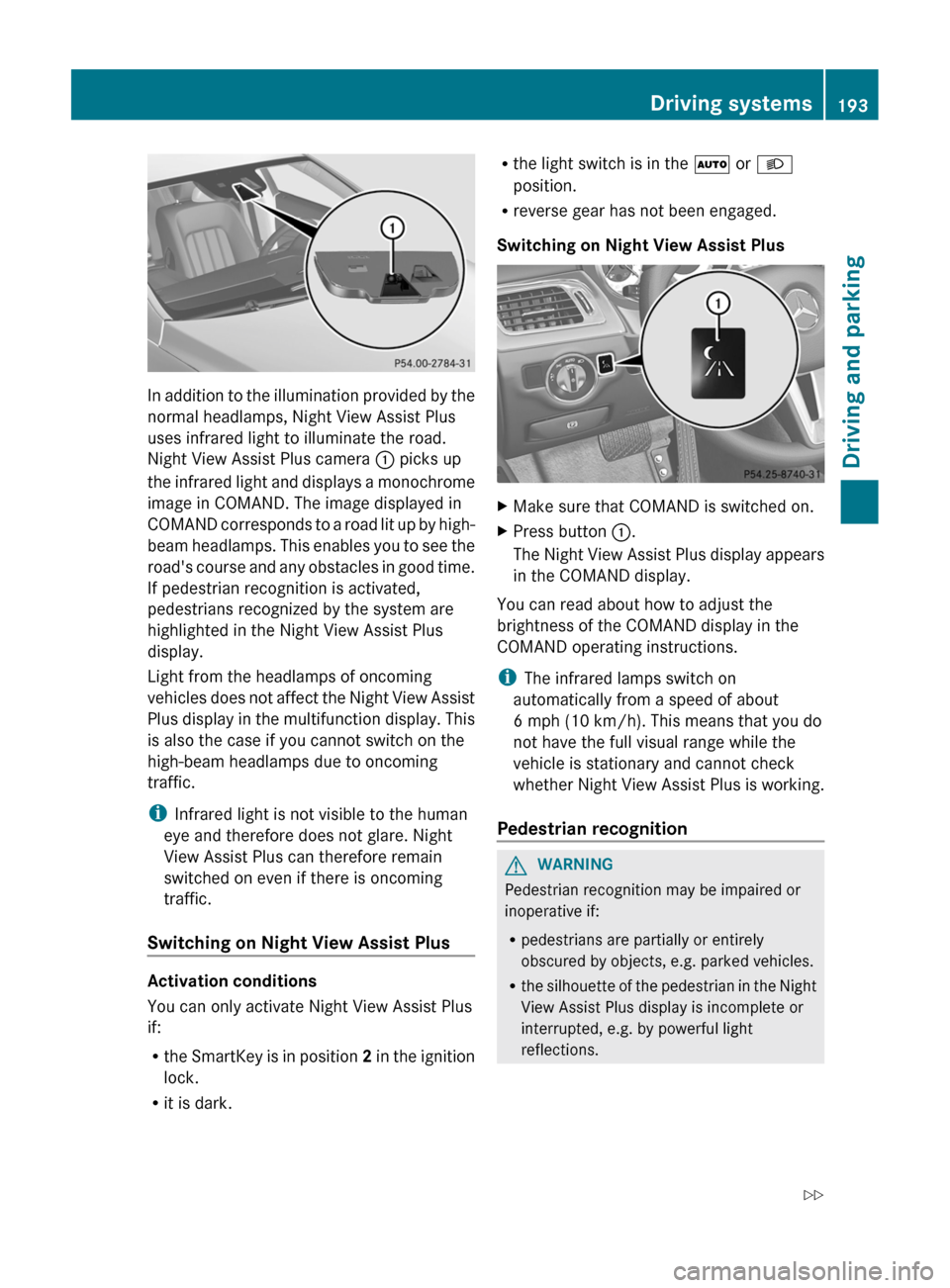
In addition to the illumination provided by the
normal headlamps, Night View Assist Plus
uses infrared light to illuminate the road.
Night View Assist Plus camera
: picks up
the
infrared light and displays a monochrome
image in COMAND. The image displayed in
COMAND corresponds to a road lit up by high-
beam headlamps. This enables you to see the
road's course and any obstacles in good time.
If pedestrian recognition is activated,
pedestrians recognized by the system are
highlighted in the Night View Assist Plus
display.
Light from the headlamps of oncoming
vehicles does not affect the Night View Assist
Plus display in the multifunction display. This
is also the case if you cannot switch on the
high-beam headlamps due to oncoming
traffic.
i Infrared light is not visible to the human
eye and therefore does not glare. Night
View Assist Plus can therefore remain
switched on even if there is oncoming
traffic.
Switching on Night View Assist Plus Activation conditions
You can only activate Night View Assist Plus
if:
R
the
SmartKey is in position 2 in the ignition
lock.
R it is dark. R
the light switch is in the à or L
position.
R reverse gear has not been engaged.
Switching on Night View Assist Plus X
Make sure that COMAND is switched on.
X Press button :.
The
Night View Assist Plus display appears
in the COMAND display.
You can read about how to adjust the
brightness of the COMAND display in the
COMAND operating instructions.
i The infrared lamps switch on
automatically from a speed of about
6 mph (10 km/h
). This means that you do
not have the full visual range while the
vehicle is stationary and cannot check
whether Night View Assist Plus is working.
Pedestrian recognition G
WARNING
Pedestrian recognition may be impaired or
inoperative if:
R pedestrians are partially or entirely
obscured by objects, e.g. parked vehicles.
R the
silhouette of the pedestrian in the Night
View Assist Plus display is incomplete or
interrupted, e.g. by powerful light
reflections. Driving systems
193
Driving and parking
Z
Page 214 of 376
Text field : shows the selected menu or
submenu as well as display messages.
The following messages may appear in the
multifunction display:
XjY
Active Parking Assist (Y page 186)
CRUISE Cruise control (
Y page 165)
_ Adaptive Highbeam Assist
(Y page 116)
À ATTENTION ASSIST (Y page 191)
¤ ECO start/stop function
(Y page 142)
à Lane Keeping Assist (Y page 197)
à Active Lane Keeping Assist
(Y page 202)
ë HOLD function ( Y page 178)
Ä PRE-SAFE ®
Brake (Y page 69) Menus and submenus
Menu overview
Press the = or ; button on the
steering wheel to call up the menu bar and
select a menu.
Operating the on-board computer
(Y page 210).
Depending on the equipment installed in the
vehicle, you can call up the following menus:
R Trip menu (Y page 212)
R Navi menu (navigation instructions)
(Y page 214)
R Audio menu (Y page 215)
R Tel menu (telephone) ( Y page 216)
R DriveAssist menu (assistance)
(Y page 217)
R Serv. menu (Y page 219)
R Sett. menu (Y page 219)
R AMG menu in AMG vehicles ( Y page 224) Trip menu
Standard display X
Press and hold the % button on the
steering wheel until the Trip menu with
trip odometer : and odometer ; is
shown.
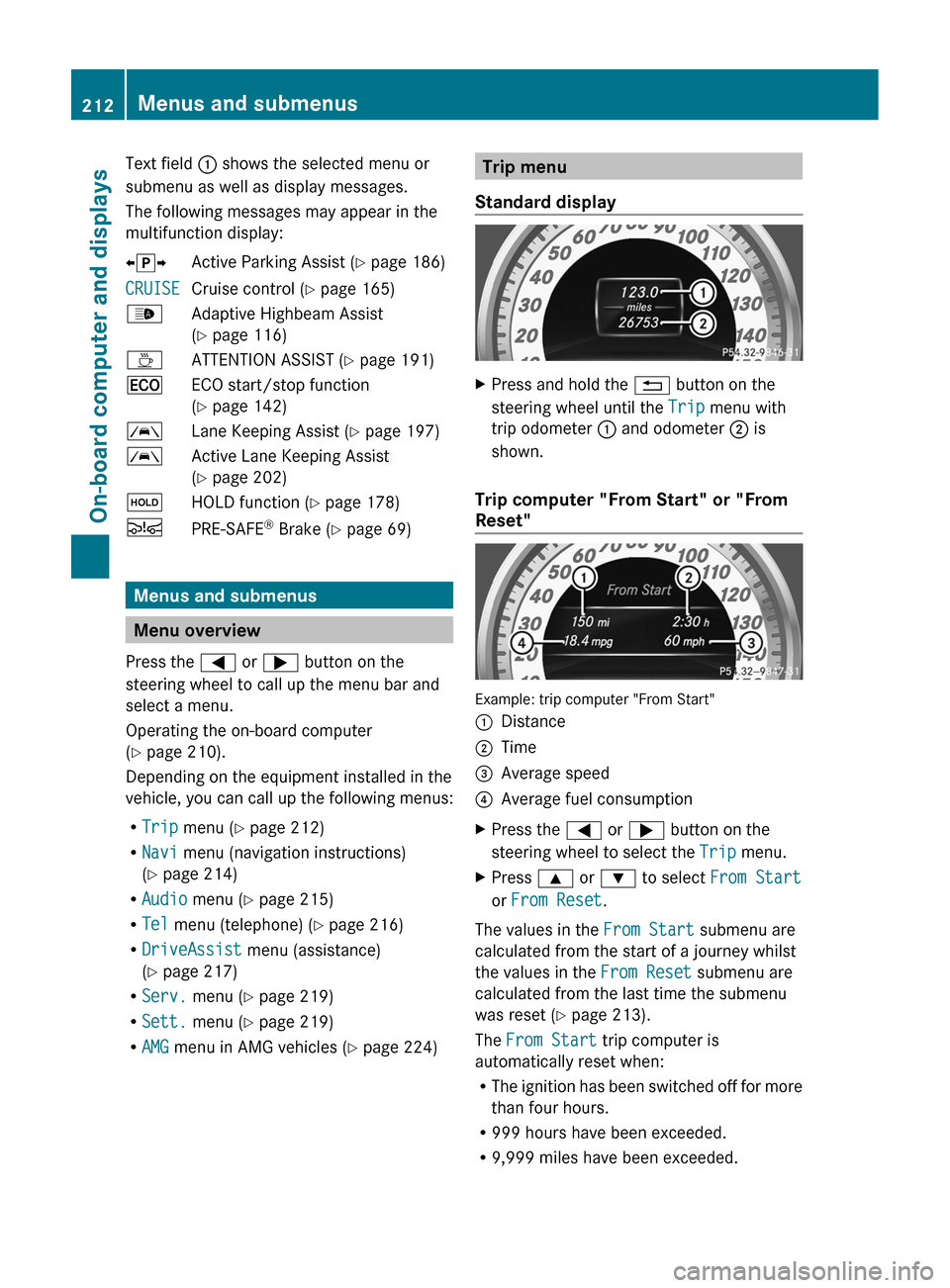
Trip computer "From Start" or "From
Reset" Example: trip computer "From Start"
:
Distance
; Time
= Average speed
? Average fuel consumption
X Press the = or ; button on the
steering wheel to select the Trip menu.
X Press 9 or : to select From Start
or From Reset.
The values in the From Start submenu are
calculated from the start of a journey whilst
the values in the From Reset submenu are
calculated from the last time the submenu
was reset ( Y page 213).
The From Start trip computer is
automatically reset when:
R The
ignition has been switched off for more
than four hours.
R 999 hours have been exceeded.
R 9,999 miles have been exceeded.212
Menus and submenus
On-board computer and displays
Page 223 of 376
Switching the daytime running lamps on/
off
i
This function is not available in Canada.
X Press the = or ; button on the
steering wheel to select the Sett. menu.
X Press the : or 9 button to select the
Lights submenu.
X Press a to confirm.
X Press : or 9 to select the Day
Lights: function.
If
the Day Lights: have been switched on,
the cone of light and the W symbol in
the multifunction display are shown in red.
X Press the a button to save the setting.
Further information on daytime running
lamps ( Y page 111).
Switching Adaptive Highbeam Assist on/
off
X Press the = or ; button on the
steering wheel to select the Sett. menu.
X Press the :
or 9 button to select the
Lights submenu.
X Press a to confirm.
X Press the :
or 9 button to select the
Adaptive Highbeam function.
If the Adaptive Highbeam function has
been switched on, the cone of light and the
_ symbol in the upper multifunction
display are shown in red.
X Press the a button to save the setting.
For further information about Adaptive
Highbeam Assist, see ( Y page 116).
Setting the brightness of the ambient
lighting
X Press the = or ; button on the
steering wheel to select the Sett. menu.
X Press the :
or 9 button to select the
Lights submenu.
X Press a to confirm. X
Press the :
or 9 button to select the
Amb. Light +/-. function.
You will see the selected setting.
X Press a to confirm.
X Press the :
or 9 button to adjust the
brightness to any level from Off to Level
5 (bright).
X Press the a or %
button to save the
setting.
Setting the ambient lighting color
X Press the = or ; button on the
steering wheel to select the Sett. menu.
X Press the :
or 9 button to select the
Lights submenu.
X Press a to confirm.
X Press the :
or 9 button to select the
Ambient Light Color function.
X Press a to confirm.
X Press the : or 9 button to set the
color to SOLAR, NEUTRAL or POLAR.
X Press the a or %
button to save the
setting.
Activating/deactivating surround
lighting and exterior lighting delayed
switch-off
X Press the = or ; button on the
steering wheel to select the Sett. menu.
X Press the :
or 9 button to select the
Lights submenu.
X Press a to confirm.
X Press : or 9 to select the
Surround Lighting function.
When the Surround Lighting function is
activated, the light cone and the area
around the vehicle are displayed in red in
the multifunction display.
X Press the a button to save the setting. Menus and submenus
221
On-board computer and displays Z
Page 239 of 376
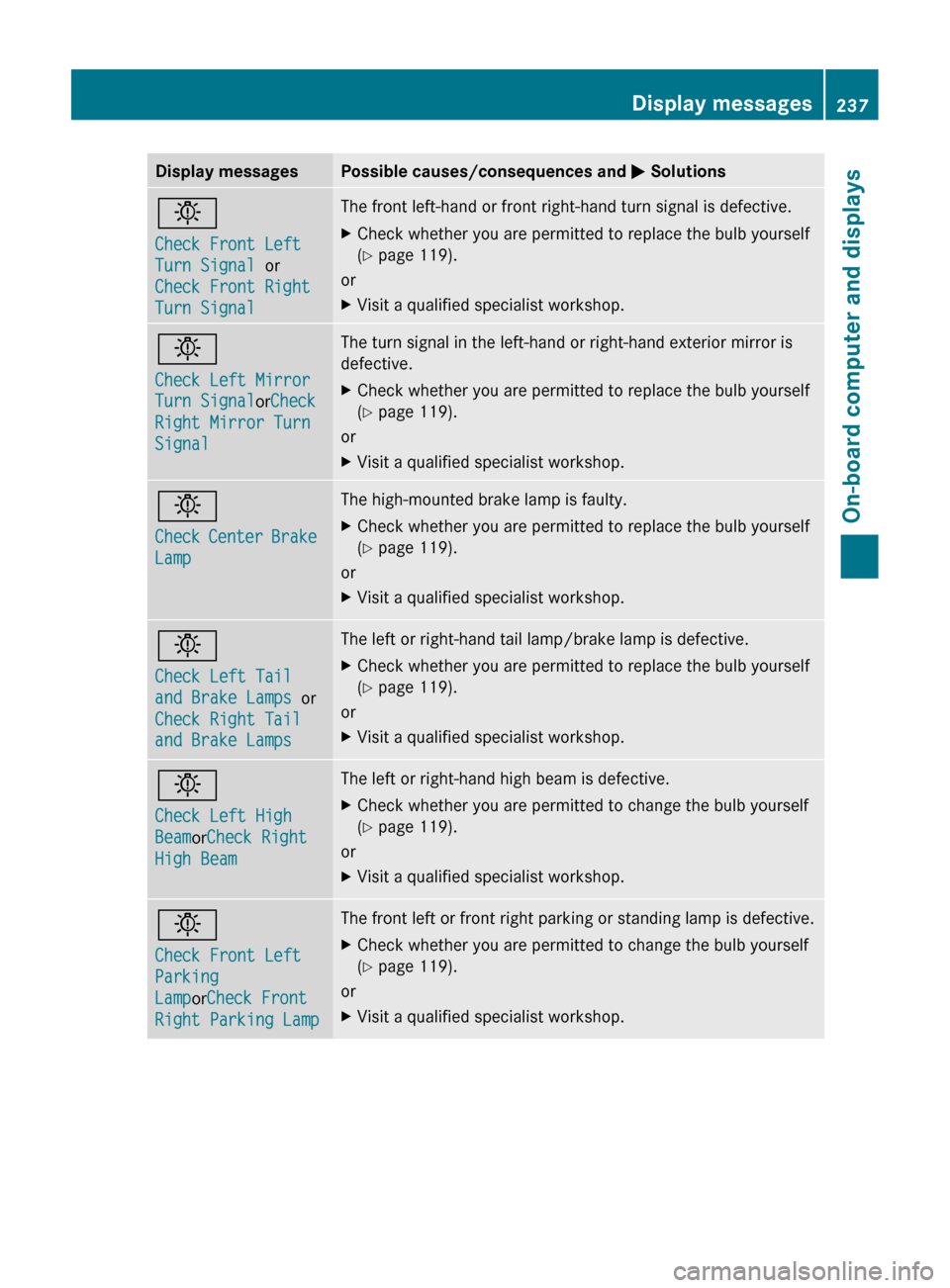
Display messages Possible causes/consequences and
M Solutionsb
Check Front Left
Turn Signal or
Check Front Right
Turn Signal The front left-hand or front right-hand turn signal is defective.
X
Check whether you are permitted to replace the bulb yourself
(Y page 119).
or
X Visit a qualified specialist workshop. b
Check Left Mirror
Turn Signal
orCheck
Right Mirror Turn
Signal The turn signal in the left-hand or right-hand exterior mirror is
defective.
X
Check whether you are permitted to replace the bulb yourself
(Y page 119).
or
X Visit a qualified specialist workshop. b
Check
Center Brake
Lamp The high-mounted brake lamp is faulty.
X
Check whether you are permitted to replace the bulb yourself
(Y page 119).
or
X Visit a qualified specialist workshop. b
Check Left Tail
and Brake Lamps
or
Check Right Tail
and Brake Lamps The left or right-hand tail lamp/brake lamp is defective.
X
Check whether you are permitted to replace the bulb yourself
(Y page 119).
or
X Visit a qualified specialist workshop. b
Check Left High
BeamorCheck Right
High Beam The left or right-hand high beam is defective.
X
Check whether you are permitted to change the bulb yourself
(Y page 119).
or
X Visit a qualified specialist workshop. b
Check Front Left
Parking
LamporCheck Front
Right Parking Lamp The front left or front right parking or standing lamp is defective.
X
Check whether you are permitted to change the bulb yourself
(Y page 119).
or
X Visit a qualified specialist workshop. Display messages
237On-board computer and displays Z
Page 241 of 376
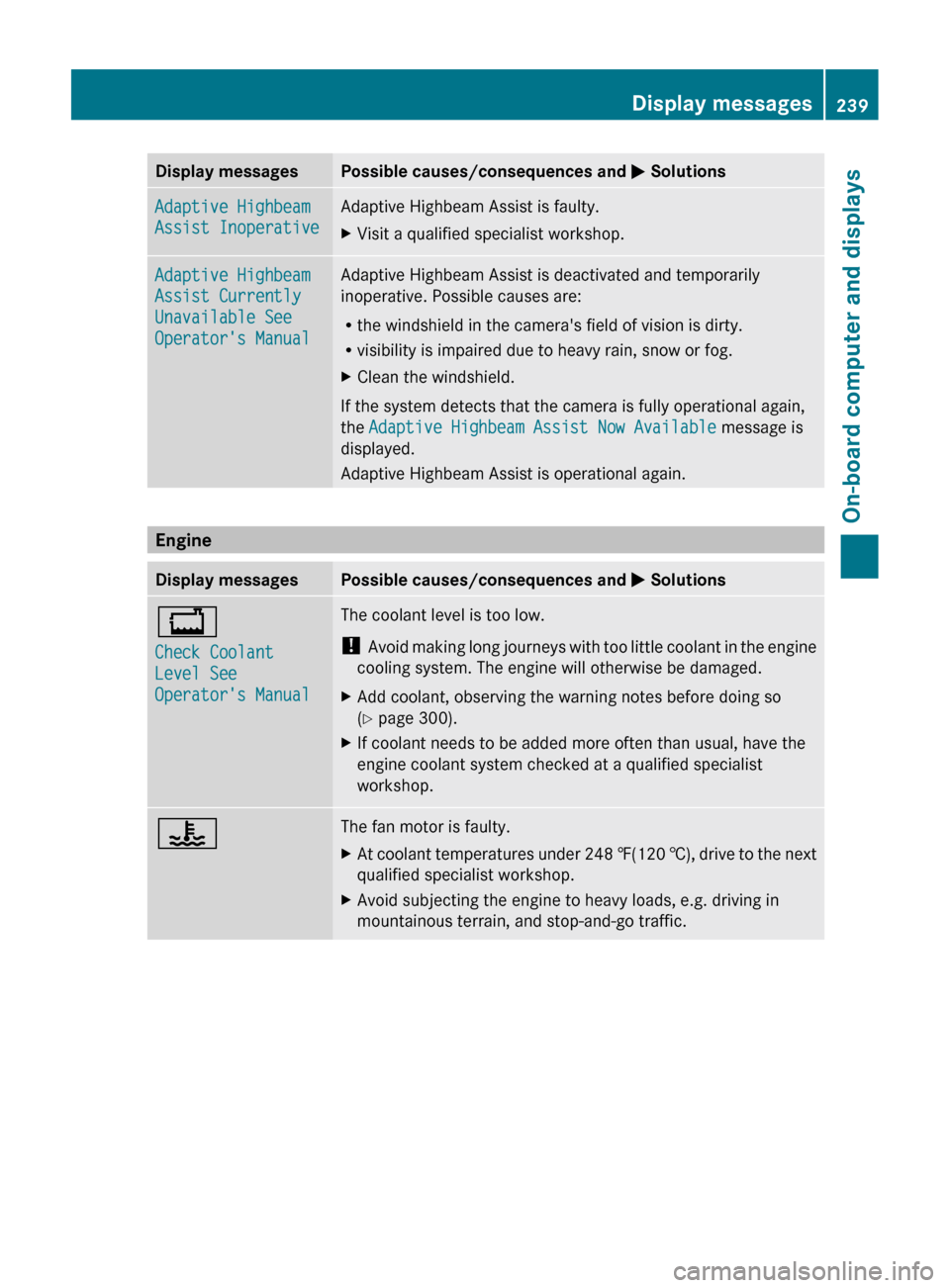
Display messages Possible causes/consequences and
M SolutionsAdaptive Highbeam
Assist Inoperative Adaptive Highbeam Assist is faulty.
X
Visit a qualified specialist workshop. Adaptive Highbeam
Assist Currently
Unavailable See
Operator's Manual Adaptive Highbeam Assist is deactivated and temporarily
inoperative. Possible causes are:
R
the windshield in the camera's field of vision is dirty.
R visibility is impaired due to heavy rain, snow or fog.
X Clean the windshield.
If the system detects that the camera is fully operational again,
the Adaptive Highbeam Assist Now Available message is
displayed.
Adaptive Highbeam Assist is operational again. Engine
Display messages Possible causes/consequences and
M Solutions+
Check Coolant
Level See
Operator's Manual The coolant level is too low.
!
Avoid
making long journeys with too little coolant in the engine
cooling system. The engine will otherwise be damaged.
X Add coolant, observing the warning notes before doing so
(Y page 300).
X If coolant needs to be added more often than usual, have the
engine coolant system checked at a qualified specialist
workshop. ? The fan motor is faulty.
X
At coolant temperatures under 248 ‡(120 †),
drive to the next
qualified specialist workshop.
X Avoid subjecting the engine to heavy loads, e.g. driving in
mountainous terrain, and stop-and-go traffic. Display messages
239
On-board computer and displays Z
Page 257 of 376
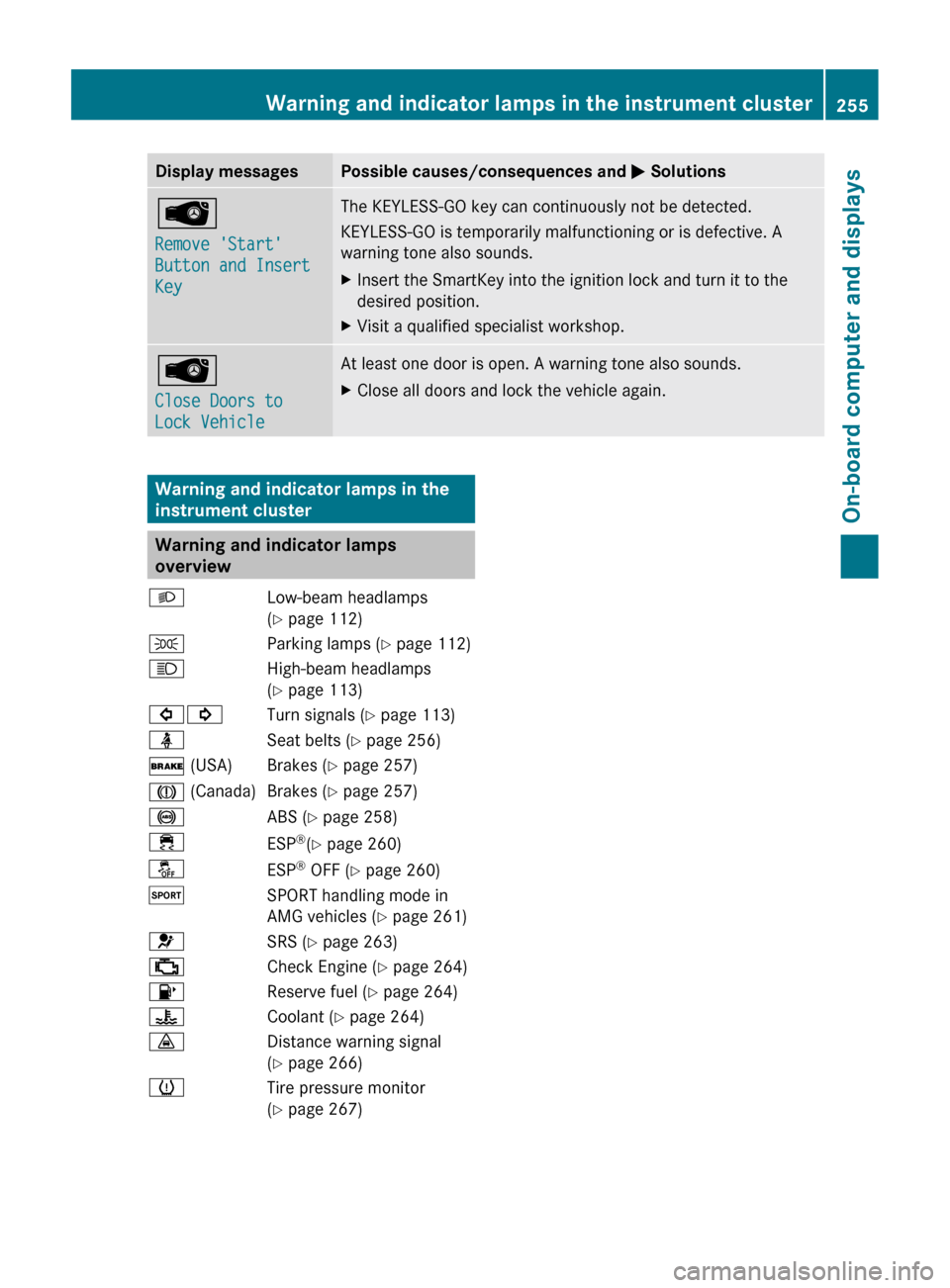
Display messages Possible causes/consequences and
M SolutionsÂ
Remove 'Start'
Button and Insert
Key The KEYLESS-GO key can continuously not be detected.
KEYLESS-GO is temporarily malfunctioning or is defective. A
warning tone also sounds.
X
Insert the SmartKey into the ignition lock and turn it to the
desired position.
X Visit a qualified specialist workshop. Â
Close Doors to
Lock Vehicle At least one door is open. A warning tone also sounds.
X
Close all doors and lock the vehicle again. Warning and indicator lamps in the
instrument cluster
Warning and indicator lamps
overview
L Low-beam headlamps
(Y page 112)
T Parking lamps (Y page 112)
K High-beam headlamps
(Y page 113)
#! Turn signals (Y page 113)
ü Seat belts (Y page 256)
$ (USA) Brakes (Y page 257)
J (Canada) Brakes (Y page 257)
! ABS (Y page 258)
÷ ESP®
(Y page 260)
å ESP®
OFF (Y page 260)
M SPORT handling mode in
AMG vehicles (Y page 261)
6 SRS (Y page 263)
; Check Engine (Y page 264)
8 Reserve fuel (Y page 264)
? Coolant (Y page 264)
· Distance warning signal
(Y page 266)
h Tire pressure monitor
(Y page 267) Warning and indicator lamps in the instrument cluster
255On-board computer and displays Z