brakes MERCEDES-BENZ CLS-Class 2014 W218 User Guide
[x] Cancel search | Manufacturer: MERCEDES-BENZ, Model Year: 2014, Model line: CLS-Class, Model: MERCEDES-BENZ CLS-Class 2014 W218Pages: 382, PDF Size: 5.36 MB
Page 160 of 382
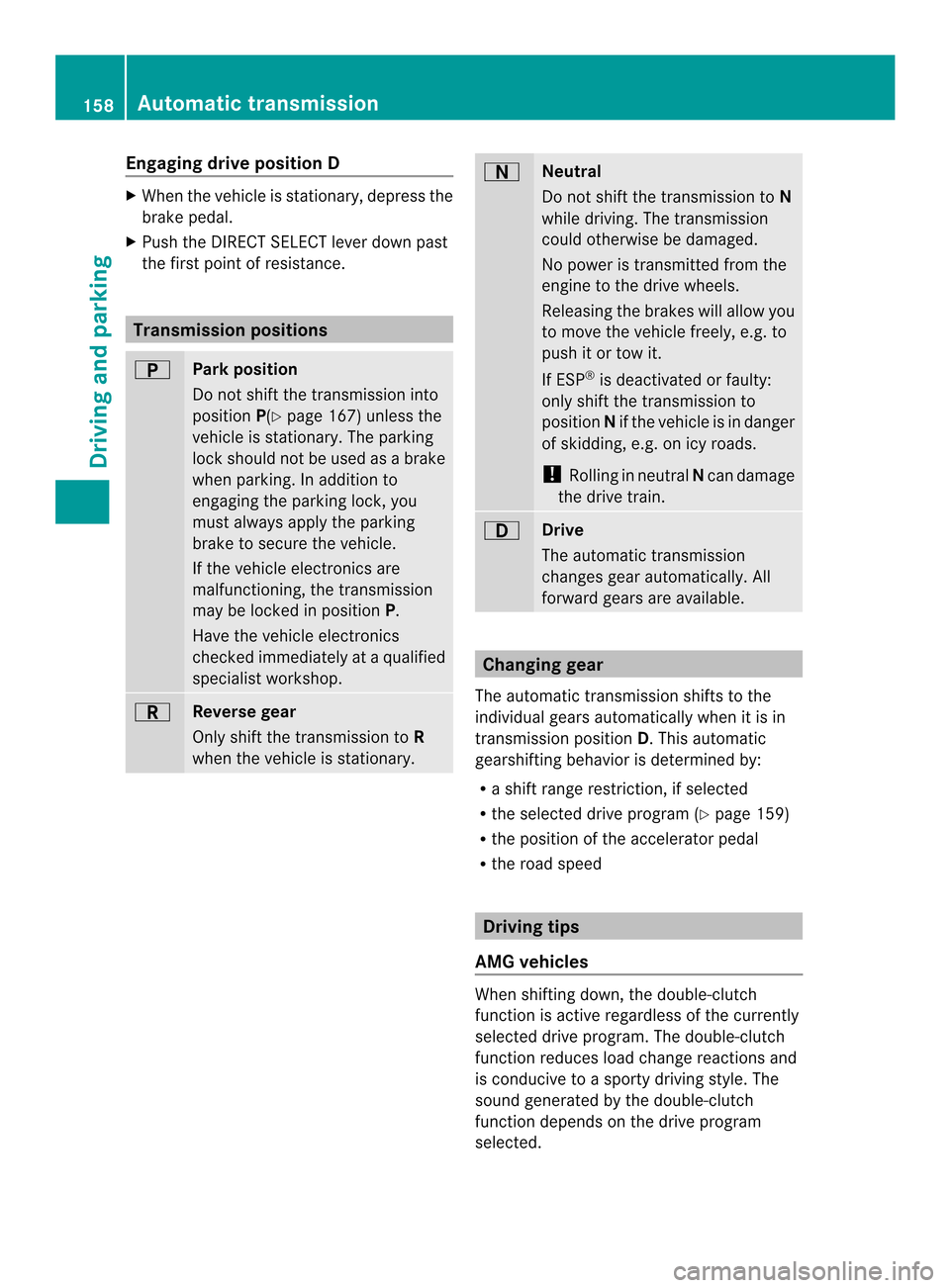
Engaging drive position D
X
When th evehicle is stationary, depress the
brak epedal.
X Push th eDIRECT SELECT leve rdown past
the first point of resistance. Transmission positions
000D
Park position
Do not shift the transmission into
position
P(Ypage 167) unless the
vehicle is stationary. The parking
lock should not be used as abrake
when parking. In addition to
engaging the parking lock, you
must always apply the parking
brake to secure the vehicle.
If the vehicle electronics are
malfunctioning, the transmission
may be locked in position P.
Have the vehicle electronics
checked immediately at aqualified
specialist workshop. 0007
Reverse gear
Only shift the transmission to
R
when the vehicle is stationary. 000E
Neutral
Do not shift the transmission to
N
while driving. The transmission
could otherwise be damaged.
No power is transmitted from the
engine to the drive wheels.
Releasing the brakes will allow you
to move the vehicle freely, e.g. to
push it or tow it.
If ESP ®
is deactivated or faulty:
only shift the transmission to
position Nif the vehicle is in danger
of skidding, e.g. on icy roads.
! Rolling in neutral Ncan damage
the drive train. 0009
Drive
The automatic transmission
changes gear automatically. All
forward gears are available.
Changing gear
The automatic transmission shifts to the
individual gears automatically when it is in
transmission position D.This automatic
gearshifting behavior is determined by:
R as hift range restriction, if selected
R the selected drive program (Y page 159)
R the position of the accelerator pedal
R the road speed Driving tips
AMG vehicles When shifting down, the double-clutch
function is active regardless of the currently
selected drive program. The double-clutch
function reduces load change reactions and
is conducive to
asporty driving style. The
sound generated by the double-clutch
function depends on the drive program
selected. 158
Automatic transmissionDriving and parking
Page 173 of 382
drivin
gstyle in term sofconsumption ,taking
the actual and selected condition sinto
consideration .Your driving style can
significantly influence the vehicle's
consumption.
The ECO display consist softhree bars:
R Acceleration R
Constant R
Coasting The percent value is the average value of the
three bars. The three bars and the mean value
begin at the value of 50%. Ahigher
percentage indicates amoree conomical
driving style.
The ECO display doe snot indicate the actual
fue lconsumption and afixe dp ercentage
count in the ECO display doe snot indicate a
fixe dconsumption figure.
Apart from driving style, consumption is
dependent on many factors such as ,e.g.:
R load
R check
R col ds tart
R choice of route
R electrical consumers switched on
These factors are not taken into
consideration by the ECO display.
The evaluation of your driving styl eiscarried
ou tu sing the following three categories: R
Acceleration (evaluation of all
acceleration processes):
- The bar fills up: moderate acceleration,
especially at higher speeds
- The bar empties: sporty acceleration
R Constant (assessment of driving behavior
at all times):
- The bar fills up: constant speed and
avoidance of unnecessary acceleration
and deceleration
- The bar empties: fluctuations in speed
R Coasting (assessment of all deceleration
processes):
- The bar fills up: anticipatory driving,
keeping your distance and early release
of the accelerator. The vehicle can coast
without use of the brakes.
- The bar empties: frequent braking
i An economical driving style specially
requires driving at moderate engine
speeds.
To achieve ahigher value in the categories
Acceleration and
Constant :
R observe the gearshift recommendations.
R drive in drive program E.
i On long journeys at aconstant speed, e.g.
on the highway, only the bar for Constant will change.
i The ECO displays ummaries the driving
characteristics from the start of the journey
to its completion. For this reason, the bars
change dynamically at the beginning of the
journey. On longer journeys, there are
fewer changes. For more dynamic changes,
carry out amanual reset.
Further information on the ECO display
(Y page 223). Driving tips
171Driving and parking Z
Page 174 of 382
Braking
Important safety notes G
WARNING
If yo ushift down on aslipper yroads urface in
an attempt to increas ethe engine's braking
effect,t he drive wheels could lose their grip.
There is an increased danger of skidding and
accidents.
Do not shift down for additional engine
braking on aslippery road surface.
Downhill gradients !
On long and steep gradients, you must
reduce the load on the brakes by shifting
early to alower gear. This allowsy ou to take
advantage of the engine braking effect and
helps avoid overheating and excessive
wear of the brakes.
When you take advantage of the engine
braking effect,ad rive wheel may not turn
for some time, e.g. on aslippery road
surface. This could cause damage to the
drive train. This type of damage is not
covered by the Mercedes-Ben zwarranty.
Do no tdepress the brake pedal continuously
while the vehicle is in motion ,e.g. causing the
brakes to rub by constantly applying light
pressure to the pedal. This results in
excessive and premature wear to the brake
pads.
On long and steep downhill gradients, you
must select shift range 1,2or 3in good time.
This is especially important if the vehicle is
laden.
Heavy and light loads G
WARNING
If you rest your foot on the brake pedal while
driving, the brakin gsystem can overheat .This
increases the stopping distance and can even
cause the braking system to fail. There is a
risk of an accident. Never use the brake pedal as
afootrest .Never
depress the brake pedal and the accelerator
pedal at the same time.
! Depressing the brake pedal constantly
results in excessive and premature wear to
the brake pads.
If the brakes have been subjected to aheavy
load, do not stop the vehicle immediately, but
drive on for ashort while. This allows the
airflow to cool the brakes more quickly.
Wet roads If you have driven for
along time in heavy rain
without braking ,there may be adelayed
reaction from the brakes when braking for the
first time. This may also occur after the
vehicle has been washed or driven through
deep water.
You have to depress the brake pedal more
firmly. Maintain agreater distanc efrom the
vehicle in front.
After driving on awet road or having the
vehicle washed, brake firmly while paying
attention to the traffic conditions. This will
warm up the brake discs, thereby drying them
more quickly and protecting them against
corrosion.
Limited braking performance on salt-
treated roads If you drive on salted roads,
alayer of salt
residue may form on the brake discs and
brake pads. This can result in asignificantly
longer braking distance.
R Brak eoccasionally to remove any possible
salt residue. Make sure that you do not
endanger other road users when doing so.
R Carefully depress the brake pedal and the
beginnin gand end of ajourney.
R Maintain agreater distanc etothe vehicle
ahead. 172
Driving tipsDriving and parking
Page 175 of 382
Servicing the brakes
!
If the red brake warning lamp lights up in
the instrumen tcluster and you hear a
warnin gtonew hile the engine is running,
the brak efluid level may be too low.
Observe additional warnin gmessages in
the multifunction display.
The brak efluid level may be too low due to
brak epad wear or leakin gbrak elines.
Have the brak esystem checked
immediately. This work should be carried
out at aqualified specialist workshop.
! Vehicles with 4MATIC: function or
performanc etests may only be carried out
on a2 -axle dynamometer. If you are
planning to have the vehicle tested on such
ad ynamometer, contac tanauthorized
Mercedes-Ben zCenter to obtain further
information first. Otherwise, you could
damage the drive train or the brak esystem.
! Vehicles with 4MATIC: as the ESP®
system operates automatically, the engine
and the ignition must be switched off
(SmartKey in position 0or 1in the ignition
lock or Start/Stop button in position 0or
1)w hile the parking brak eisbeing tested
on abrak edynamometer.
Brakin gmaneuvers triggere dautomatically
by ESP ®
may seriousl ydamag ethe brake
system.
! Vehicles with 4MATIC: as theESP®
system operate sautomatically, th eengine
and th eignition system must be switched
off (SmartKey in position 0or 1in the
ignition loc korStart/Sto pbutto nin
position 0or 1)w hen:
R testing th eparking brak eonabrake
dynamometer.
R you inten dtohave th evehicl etow ed with
on eoft heaxle sraised.
Braking maneuvers triggered automatically
by ESP ®
may seriousl ydamag ethe brake
system. All check
sand maintenance work on the
brak esystem must be carried out at a
qualified specialist workshop. Consult a
qualified specialist worksho ptoarrangethis.
Hav ebrak epads installed and brak efluid
replace dataq ualified specialist workshop.
If th ebrak esystem has only been subject to
moderat eloads ,you should test the
functionalit yofyour brakes at regular
intervals. To do so, press firmly on th ebrake
pedal when driving at ahigh speed. This
improve sthe gripoft hebrak epads.
You can fin dadescription of Brake Assist
(BAS) on (Y page 67)orofBASPLU Son
( Ypage 67).
The braking characteristics of th evehicl ecan
be seriousl yimpaired if:
R brak epads other than those recommended
are installed
R ther ecommended brak efluid is no tused
Safe braking can no longer be guaranteed.
AMG high-performance and ceramic
brakes The high-performance brake system is
installed only on the CLS 63 AMG.
The AMG brake systems are designed for
heavy loads. This may lead to noise when
braking. This will depend on:
R
Speed
R Braking force
R Environmental conditions, such as
temperature and humidity
The wear of individualc omponentsofthe
brake system, such as the brake pads/linings
or brake discs, depends on the individual
driving style and operating conditions.
For this reason, it is impossibletos tate a
mileage that will be valid under all
circumstances. An aggressive driving style
will lead to high wear. You can obtain further
information aboutt his from your authorized
Mercedes-Ben zCenter. Driving tips
173Driving and parking Z
Page 177 of 382
If the vehicle threatens to skid or cannot be
stopped when moving at low speed:
X Shift the transmission to position N.
Drive particularly carefully on slippery road
surfaces .Avoid sudden acceleration, steering
and braking maneuvers. Do not use the cruise
control or DISTRONIC PLUS.
i For more information on driving with
snow chains, see (Y page337).
The outside temperature indicator is not
designed to serve as an ice-warning device
and is therefore unsuitabl efor that purpose.
Changes in the outside temperature are
displayed after ashort delay.
Indicated temperatures just above the
freezing point do not guarantee that the road
surface is free of ice. The road may still be icy,
especially in wooded area soronbridges. The
vehicl ecoulds kid if you fail to adapt your
driving style .Always adapt your drivin gstyle
and drive at aspeed to suit the prevailing
weathe rconditions.
You should pay special attention to road
conditions when temperatures are around
freezin gpoint. Driving systems
Cruise control
Important safety notes Cruise control maintains
aconstant road
speed for you. It brakes automatically in order
to avoid exceeding the set speed. On long and
steep downhill gradients, especially if the
vehicle is laden, you must select shift range
1, 2or 3in good time. By doing so, you will
make use of the braking effect of the engine.
This relieves the load on the brake system and
prevent sthe brakes from overheating and
wearing too quickly.
Use cruise control only if road and traffic
conditions make it appropriate to maintain a
steady speed for aprolonged period. You can store any road speed above 20 mph
(30 km/h).
If you fail to adapt your driving style, cruise
control can neither reduce the risk of an
accident nor override the laws of physics.
Cruise control cannot take into account the
road, traffic and weather conditions. Cruise
control is only an aid. You are responsible for
the distance to the vehicle in front,f
or vehicle
speed, for braking in good time and for
staying in your lane.
Do not use cruise control:
R in road and traffic conditions which do not
allow you to maintain aconstant speed e.g.
in heavy traffic or on winding roads
R on slippery road surfaces. Brakin gor
accelerating could cause the drive wheels
to lose traction and the vehicle could then
skid
R when there is poor visibility, e.g. due to fog,
heavy rain or snow
If there is achange of drivers, advise the new
driver of the speed stored.
General notes Cruise control maintains
aconstant road
speed for you. It brakes automatically in order
to avoid exceeding the set speed. On long and
steep downhill gradients, especially if the
vehicle is laden, you must select shift range
1, 2or 3in good time. By doing so, you will
make use of the braking effect of the engine,
which relieves the load on the brake system
and prevent sthe brakes from overheating
and wearing too quickly.
Use cruise control only if road and traffic
conditions make it appropriate to maintain a
steady speed for aprolonged period. You can
store any road speed above 20 mph
(30 km/h). Driving systems
175Driving and parking Z
Page 178 of 382

Cruise control lever
001A
To activat eorincreas espeed
0010 To activat eorreducespeed
0024 To deactivate cruise control
0021 To activat eatthecurren tspeed/last
stored speed
When you activate cruise control, the stored
speed is shown in the multifunction display
for five seconds. In the multifunction display,
the segments between the stored speed and
the maximum speed light up.
Activation conditions To activate cruise control, all of the following
activation condition smust be fulfilled:
R the parkin gbrake must be released.
R you are drivin gfaster than 20 mph
(30 km/h).
R ESP ®
must be active, but not intervening.
R the transmission must be in position D.
Storing and maintaining the current
speed You can accept the curren
tspeed if you are
driving faster than 20 mph (30 km/h).
X Accelerat ethe vehicle to the desired
speed.
X Briefly press the cruise contro llever
up 001A or down 0010.
X Remove your foot from the accelerator
pedal.
Cruise contro lisactivated. The vehicle
automatically maintains the stored speed.
i Cruise contro lmay be unable to maintain
the stored speed on uphill gradients. The
stored speed is resumed when the gradient
evens out. Cruise contro lmaintains the
store dspee dond ownhill gradients by
automaticall yapplyin gthe brakes.
Storing th ecurren tspee dorc alling up
the last stored speed X
Briefl ypullt he cruise control leve rtowards
you 001A.
X Remove your foot from the accelerator
pedal.
The first time cruise control is activated, it
stores the current speed or regulates the
speed of the vehicle to the previously
stored speed. 176
Driving systemsDriving and parking
Page 180 of 382
As
aresult, DISTRONI CPLUSm ay neither give
warning snor interv eneins uchs ituations.
There is ariskofana ccident.
Alway spaycarefu lattentio ntothe traffic
situatio nand be ready to brake. G
WARNING
DISTRONIC PLU Scanno talway sclearly
identify othe rroad users and complex traffic
situations.
In such cases, DISTRONIC PLUS may:
R give an unnecessary warning and then
brake the vehicle
R neither give awarning nor intervene
R accelerate unexpectedly
There is arisk of an accident.
Continue to drive carefully and be ready to
brake, in particular when warned to do so by
DISTRONIC PLUS. G
WARNING
DISTRONIC PLUS brakes your vehicle with up
to 40% of the maximum braking force. If this
braking force is insufficient ,DISTRONIC PLUS
warns you visually and audibly. There is arisk
of an accident.
In such cases, apply the brakes yourself and
try to take evasive action.
! If DISTRONIC PLUS or the HOLD function
is activated, the vehicle brakes
automatically in certain situations. To
prevent damage to the vehicle, deactivate
DISTRONIC PLUS and the HOLD function in
the following or other similar situations:
R when towing the vehicle
R in the car wash
If you fail to adapt your driving style,
DISTRONIC PLUS can neither reduce the risk
of accident nor override the laws of physics.
DISTRONIC PLUS cannot take into account
the road, traffic and weather conditions.
DISTRONIC PLUS is only an aid. You are
responsible for the distance to the vehicle in front,f
or vehicle speed, for braking in good
time and for staying in your lane.
Do not use DISTRONIC PLUS:
R in road and traffic conditions which do not
allow you to maintain aconstant speed e.g.
in heavy traffic or on winding roads
R on slippery road surfaces. Brakin gor
accelerating could cause the drive wheels
to lose traction and the vehicle could then
skid
R when there is poor visibility, e.g. due to fog,
heavy rain or snow
DISTRONIC PLUS may not detect narrow
vehicles driving in front,e .g. motorcycles, or
vehicles driving on adifferent line.
In particular, the detection of obstacles can
be impaired if:
R dirt on the sensors or anything else
coverin gthe sensors
R snow or heavy rain
R interference by other radar sources
R strongr adar reflections, for example, in
parking garages
If DISTRONIC PLUS no longer detect sa
vehicle in front,D ISTRONIC PLUS may
unexpectedly accelerate the vehicle to the
stored speed.
This speed may:
R be too high if you are driving in afilter lane
or an exit lane
R be so high in the right lane that you pass
vehicles driving on the left (left-han ddrive
countries)
R be so high in the left lane that you pass
vehicles driving on the right (right-hand
drive countries)
If there is achange of drivers, advise the new
driver of the speed stored.
General notes DISTRONIC PLUS regulates the speed and
automatically helps you maintain the
distance to the vehicle detected in front.
Vehicles are detected with the aid of the radar178
Driving systemsDriving and parking
Page 181 of 382

sensor system. DISTRONIC PLUS brakes
automaticallysot hat the set speed is not
exceeded.
Change into alower gear in good time on long
and steep downhill gradients. This is
especially important if the vehicle is laden. By
doing so, you will make use of the braking
effect of the engine. This relieves the load on
the brake system and prevents the brakes
from overheating and wearing too quickly.
If DISTRONIC PLUS detects that there is arisk
of ac ollision, you will be warned visually and
acoustically.D ISTRONIC PLUS cannot
prevent acollision without your intervention.
An intermittent warning tone will then sound
and the distance warning lamp will light up in
the instrument cluster. Brake immediately in
order to increase the distance to the vehicle
in front or take evasive action provided it is
safe to do so.
For DISTRONIC PLUS to assist you, the radar
sensor system must be operational.
If there is no vehicle in front,D ISTRONIC
PLUS operates in the same way as cruise
control in the speed range between 20 mph
(Canada: 30 km/h) and 120 mph (Canada:
200 km/h). If avehicle is driving in front of
you, it operates in the speed range between
0m ph (0 km/h) and 120 mph (Canada:
200 km/h).
Do not use DISTRONIC PLUS while driving on
roads with steep gradients.
As DISTRONIC PLUS transmits radar waves,
it can resemble the radar detectors of the
responsible authorities. You can refer to the
relevant chapter in the Operator's Manual if
questions are asked aboutt his.
i USA only: This device has been approved
by the FCC as a"VehicularR adar System".
The radar sensor is intended for use in an
automotive radar system only. Removal,
tampering ,oralterin gofthedevice will void
any warranties, and is no tpermitted by the
FCC. Do not tamper with, alter, or use in
any non-approved way. Anyu
nauthorized modification to this
device could void the user's authorit yto
operate the equipment.
i Canada only: This device complies with
RSS-210 of Industry Canada. Operation is
subject to the following two conditions:
1. This device may not cause harmful
interference, and
2. this device must accept any interference
received, including interference that may
cause undesired operation of the device.
Removal, tampering, or altering of the
device will void any warranties, and is not
permitted. Do not tamper with, alter, or use
in any non-approved way.
Anyu nauthorized modification to this
device could void the user's authorit yto
operate the equipment.
Cruise control lever 001A
To stor ethe curren tspeed or ahigher
speed
0010 To stor ethe curren tspeed or alower
speed
0024 To deactivate DISTRONIC PLUS
0021 To stor ethe curren tspeed or call up the
last stored speed
001E To set the specified minimum distance Driving systems
179Driving and parking Z
Page 183 of 382

or brake unexpectedly. There is
arisk of an
accident.
Pay attention to the road and traffic
conditions before calling up the stored speed.
If you do not know the stored speed, store the
desired speed again. X
Briefly pull the cruise control lever towards
you 001A.
X Remove your foot from the accelerator
pedal.
DISTRONIC PLUS is activated. The first
time it is activated, the current speed is
stored. Otherwise, it sets the vehicle cruise
speed to the previously stored value.
Driving with DISTRONIC PLUS Pulling away and driving X
If you want to pull away with
DISTRONIC PLUS: remove your foot from
the brake pedal.
X Briefly pull the cruise control lever towards
you 001A
or
X Accelerate briefly.
Your vehicle pulls away and adapts its
speed to that of the vehicle in front.
i The vehicle can also pull away when it is
facing an unidentified obstacle or is driving
on adifferent line from another vehicle. The
vehicle then brakes automatically. There is
ar isk of an accident .Beready to brake at
all times.
If there is no vehicle in front,D ISTRONIC
PLUS operates in the same way as cruise
control.
If DISTRONIC PLUS detect sthat the vehicle
in front has slowed down, it brakes your
vehicle. In this way, the distance you have
selected is maintained.
If DISTRONIC PLUS detect safaster-moving
vehicle in front,iti ncreases the driving speed.
However, the vehicle is only accelerated up
to the speed you have stored.
Changing lanes
If you change to the passing lane, DISTRONIC
PLUS supports you when:
R you are driving faster than 40 mph
(60 km/h)
R DISTRONIC PLUS is maintaining the
distance to avehicle in front
R you switch on the appropriate turn signal
R DISTRONIC PLUS does not detect adanger
of collision
If these conditions are fulfilled, your vehicle
is accelerated. Acceleration will be
interrupted if changing lanes takes too long
or if the distance between your vehicle and
the vehicle in front becomes too small.
i When changing lanes, DISTRONIC PLUS
monitors the left lane on left-hand drive Driving systems
181Driving and parking Z
Page 184 of 382
vehicles and the right lane on right-hand
drive vehicles.
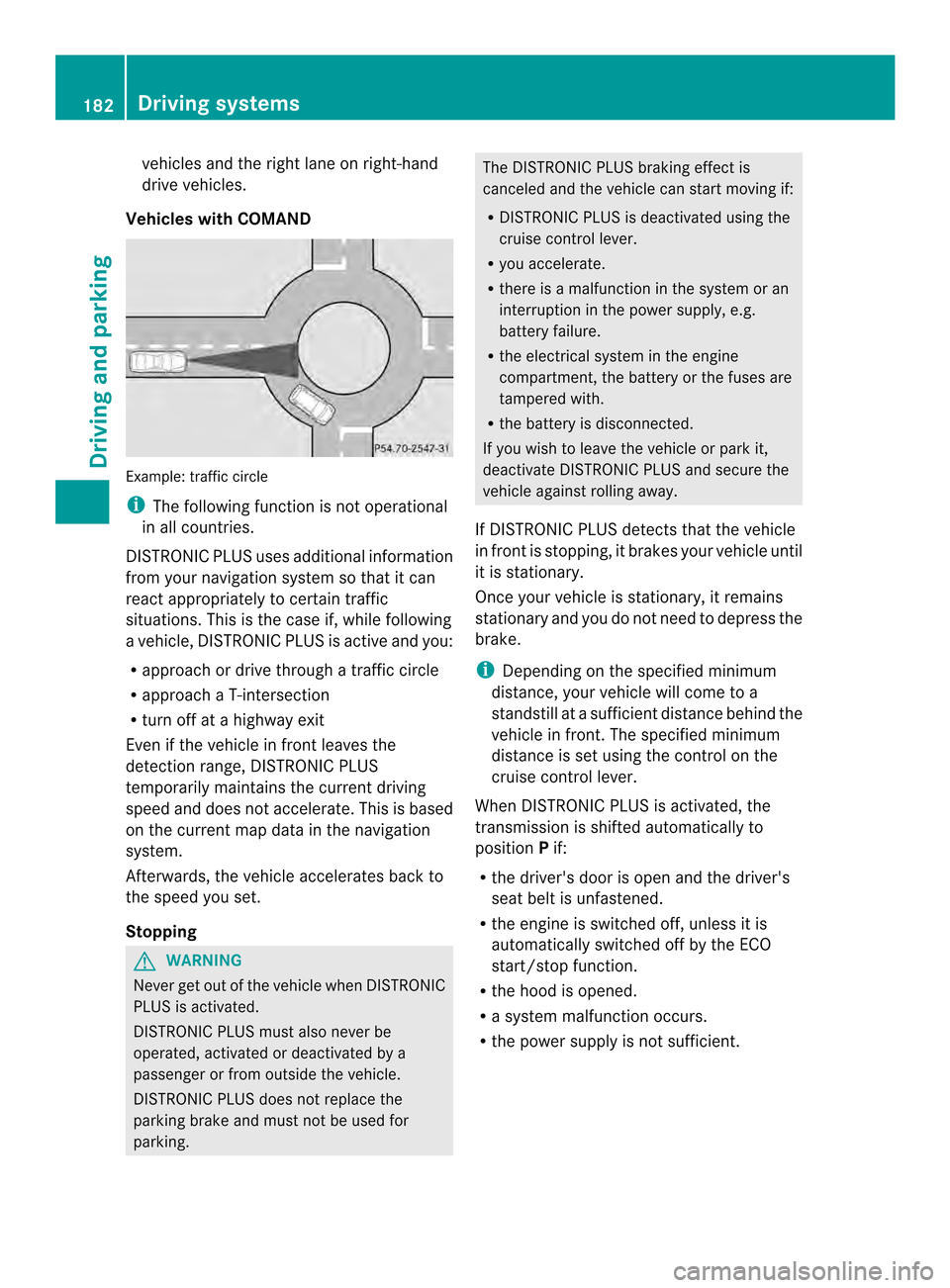
Vehicles with COMAND Example
:traffic circle
i The following function is not operational
in all countries.
DISTRONIC PLUS usesa dditionalinformation
from yourn avigation system so that it can
react appropriately to certain traffic
situations. This is the case if, while following
av ehicle, DISTRONIC PLUS is active and you:
R approach or drive through atraffic circle
R approach aT-intersection
R turn off at ahighwaye xit
Even if the vehicl einfront leaves the
detection range, DISTRONIC PLUS
temporarily maintains the current driving
spee dand does not accelerate. This is based
on the current map data in the navigation
system.
Afterwards, the vehicl eaccelerates back to
the spee dyou set.
Stopping G
WARNING
Never get out of the vehicl ewhen DISTRONIC
PLUS is activated.
DISTRONIC PLUS must alson ever be
operated, activated or deactivated by a
passenger or from outside the vehicle.
DISTRONIC PLUS does not replace the
parking brake and must not be used for
parking. The DISTRONIC PLUS braking effect is
canceled and the vehicl
ecan start moving if:
R DISTRONIC PLUS is deactivated using the
cruise control lever.
R you accelerate.
R there is amalfunction in the system or an
interruption in the power supply,e .g.
battery failure.
R the electrica lsystem in the engine
compartment, the battery or the fuses are
tampere dwith.
R the battery is disconnected.
If you wishtol eave the vehicl eorpark it,
deactivate DISTRONIC PLUS and secure the
vehicl eagainst rolling away.
If DISTRONIC PLUS detects that the vehicle
in front is stopping, it brakes yourv ehicle until
it is stationary.
Oncey our vehicle is stationary, it remains
stationary and you do not need to depress the
brake.
i Depending on the specified minimum
distance, your vehicle will come to a
standstill at asufficien tdistanc ebehin dthe
vehicle in front .The specified minimum
distance is set using the control on the
cruise control lever.
When DISTRONIC PLUS is activated, the
transmission is shifted automatically to
position Pif:
R the driver's door is open and the driver's
seat belt is unfastened.
R the engine is switched off, unless it is
automatically switched off by the ECO
start/stop function.
R the hood is opened.
R as ystem malfunction occurs.
R the power supply is not sufficient. 182
Driving systemsDriving and parking