automatic MERCEDES-BENZ CLS-Class 2016 W218 Manual Online
[x] Cancel search | Manufacturer: MERCEDES-BENZ, Model Year: 2016, Model line: CLS-Class, Model: MERCEDES-BENZ CLS-Class 2016 W218Pages: 342, PDF Size: 8.28 MB
Page 160 of 342
stored speed, the vehicle could accelerate orbrake unexpectedly. There is a risk of an acci-
dent.
Pay attention to the road and traffic condi-
tions before calling up the stored speed. If you
do not know the stored speed, store the
desired speed again.
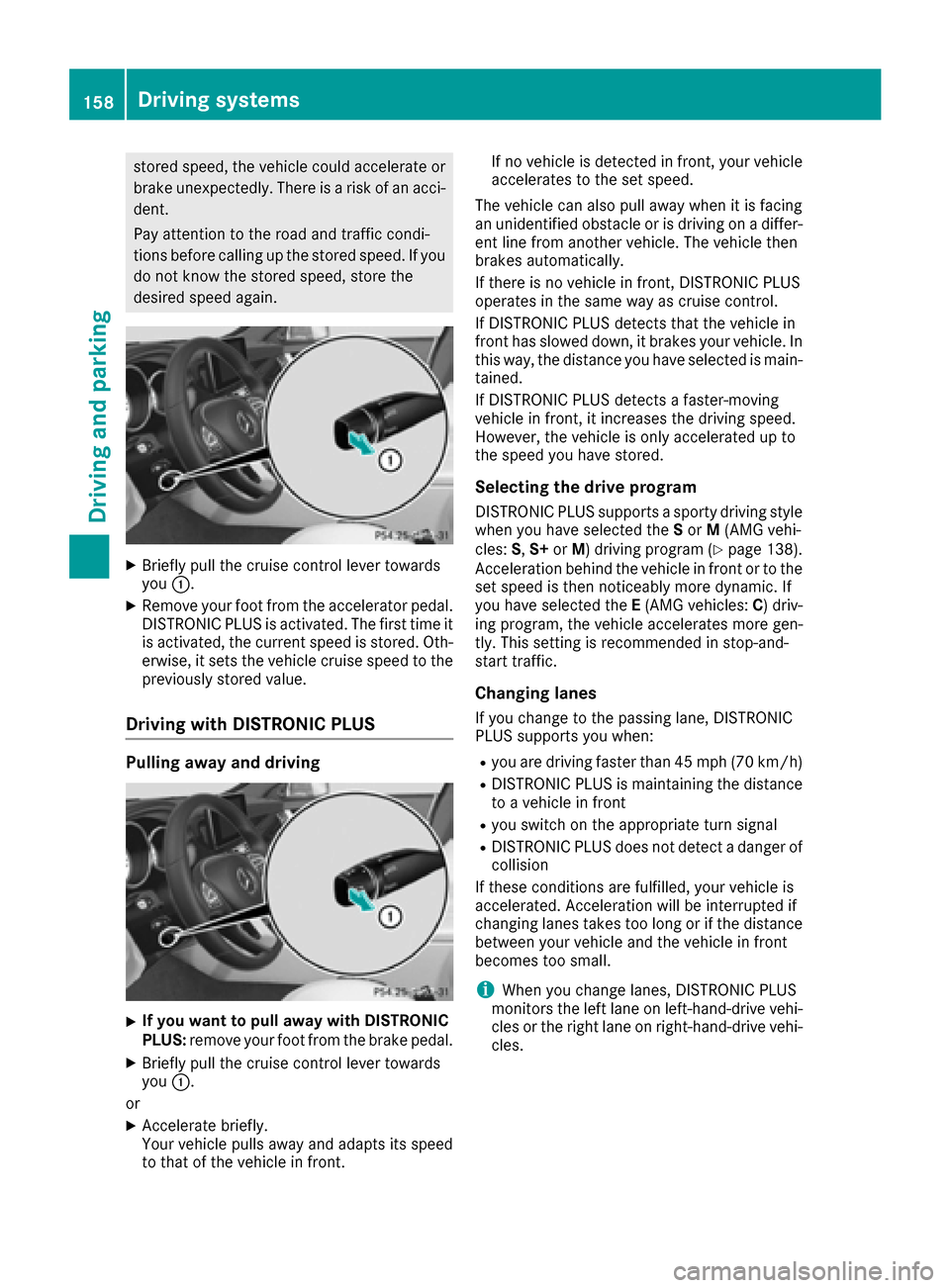
XBriefly pull the cruise control lever towards
you :.
XRemove your foot from the accelerator pedal.
DISTRONIC PLUS is activated. The first time it
is activated, the current speed is stored. Oth-
erwise, it sets the vehicle cruise speed to the
previously stored value.
Driving with DISTRONIC PLUS
Pulling away and driving
XIf you want to pull away with DISTRONIC
PLUS: remove your foot from the brake pedal.
XBriefly pull the cruise control lever towards
you:.
or
XAccelerate briefly.
Your vehicle pulls away and adapts its speed
to that of the vehicle in front. If no vehicle is detected in front, your vehicle
accelerates to the set speed.
The vehicle can also pull away when it is facing
an unidentified obstacle or is driving on a differ- ent line from another vehicle. The vehicle then
brakes automatically.
If there is no vehicle in front, DISTRONIC PLUS
operates in the same way as cruise control.
If DISTRONIC PLUS detects that the vehicle in
front has slowed down, it brakes your vehicle. In
this way, the distance you have selected is main-
tained.
If DISTRONIC PLUS detects a faster-moving
vehicle in front, it increases the driving speed.
However, the vehicle is only accelerated up to
the speed you have stored.
Selecting the drive program
DISTRONIC PLUS supports a sporty driving style when you have selected the Sor M(AMG vehi-
cles: S,S+ orM) driving program (
Ypage 138).
Acceleration behind the vehicle in front or to the
set speed is then noticeably more dynamic. If
you have selected the E(AMG vehicles: C) driv-
ing program, the vehicle accelerates more gen-
tly. This setting is recommended in stop-and-
start traffic.
Changing lanes
If you change to the passing lane, DISTRONIC
PLUS supports you when:
Ryou are driving faster than 45 mph (70 km/h)
RDISTRONIC PLUS is maintaining the distance
to a vehicle in front
Ryou switch on the appropriate turn signal
RDISTRONIC PLUS does not detect a danger of
collision
If these conditions are fulfilled, your vehicle is
accelerated. Acceleration will be interrupted if
changing lanes takes too long or if the distance
between your vehicle and the vehicle in front
becomes too small.
iWhen you change lanes, DISTRONIC PLUS
monitors the left lane on left-hand-drive vehi-
cles or the right lane on right-hand-drive vehi-
cles.
158Driving systems
Driving and parking
Page 161 of 342
Stopping
GWARNING
When leaving the vehicle, even if it is braked
only by DISTRONIC PLUS, it could roll away if:
Rthere is a malfunction in the system or in
the voltage supply.
RDISTRONIC PLUS has been deactivated
with the cruise control lever, e.g. by a vehi-
cle occupant or from outside the vehicle.
Rthe electrical system in the engine com-
partment, the battery or the fuses have
been tampered with.
Rthe battery is disconnected.
Rthe accelerator pedal has been depressed, e.g. by a vehicle occupant.
There is a risk of an accident.
If you wish to exit the vehicle, always turn off
DISTRONIC PLUS and secure the vehicle
against rolling away.
For further information on deactivating
DISTRONIC PLUS (
Ypage 161).
If DISTRONIC PLUS detects that the vehicle in
front is stopping, it brakes your vehicle until it is
stationary.
Once your vehicle is stationary, it remains sta-
tionary and you do not need to depress the
brake.
Depending on the specified minimum distance,
your vehicle will come to a standstill at a suffi-
cient distance behind the vehicle in front. The
specified minimum distance is set using the
control on the cruise control lever.
When DISTRONIC PLUS is activated, the trans-
mission is shifted automatically to position Pif:
Rthe driver's door is open and the driver's seat
belt is unfastened.
Rthe engine is switched off, unless it is auto-
matically switched off by the ECO start/stop
function.
Ra system malfunction occurs.
Rthe power supply is not sufficient.
Setting a speed
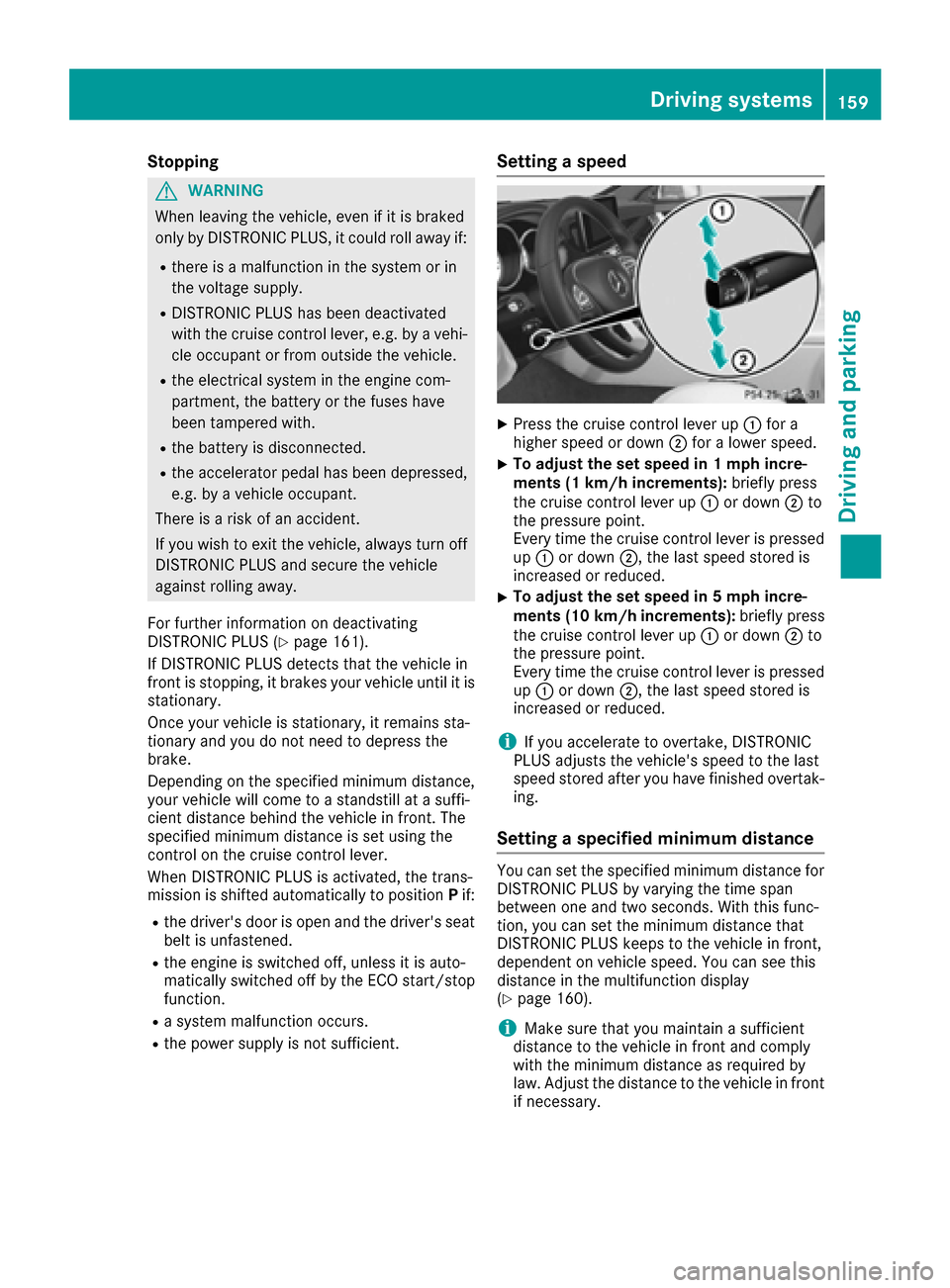
XPress the cruise control lever up :for a
higher speed or down ;for a lower speed.
XTo adjust the set speed in 1 mph incre-
ments (1 km/h increments): briefly press
the cruise control lever up :or down ;to
the pressure point.
Every time the cruise control lever is pressed
up : or down ;, the last speed stored is
increased or reduced.
XTo adjust the set speed in 5 mph incre-
ments (10 km/h increments): briefly press
the cruise control lever up :or down ;to
the pressure point.
Every time the cruise control lever is pressed up : or down ;, the last speed stored is
increased or reduced.
iIf you accelerate to overtake, DISTRONIC
PLUS adjusts the vehicle's speed to the last
speed stored after you have finished overtak-
ing.
Setting a specified minimum distance
You can set the specified minimum distance for
DISTRONIC PLUS by varying the time span
between one and two seconds. With this func-
tion, you can set the minimum distance that
DISTRONIC PLUS keeps to the vehicle in front,
dependent on vehicle speed. You can see this
distance in the multifunction display
(
Ypage 160).
iMake sure that you maintain a sufficient
distance to the vehicle in front and comply
with the minimum distance as required by
law. Adjust the distance to the vehicle in front
if necessary.
Driving systems159
Driving and parking
Z
Page 163 of 342
Deactivating DISTRONICPLUS
There are severa lways to deactivat e
DISTRONIC PLUS:
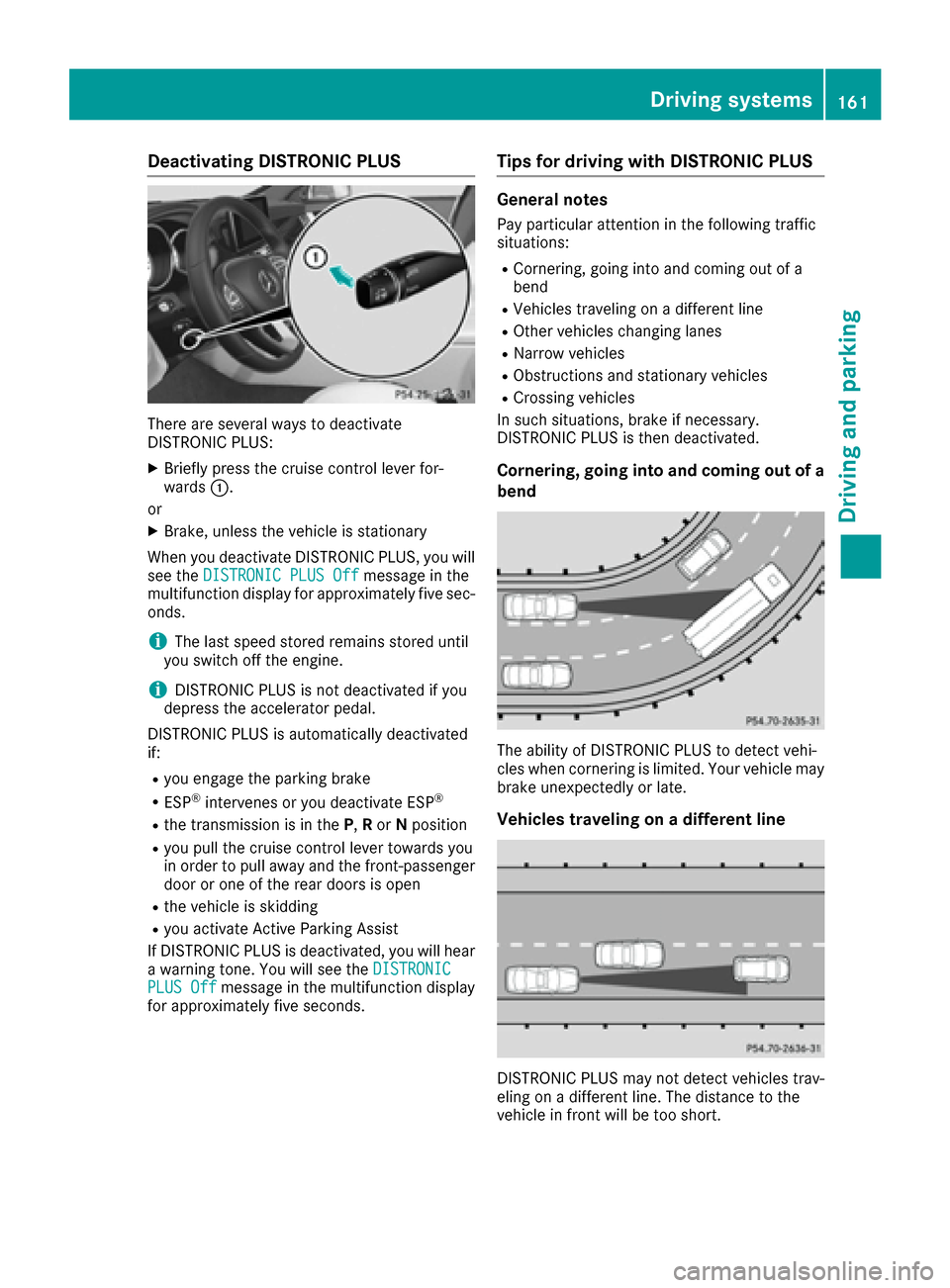
XBriefly press th ecruise contro llever for-
ward s:.
or
XBrake, unless th evehicle is stationary
Whe nyou deactivat eDISTRONIC PLUS, you will
see th eDISTRONIC PLU SOff
messag ein th e
multifunction display fo rapproximately fiv esec -
onds.
iThe last speed stored remain sstored until
you switch of fth eengine.
iDISTRONIC PLU Sis no tdeactivated if you
depress th eaccelerator pedal.
DISTRONIC PLU Sis automatically deactivated
if:
Ryou engage th eparking brake
RES P®intervenes or you deactivat eES P®
Rthetransmissio nis in th eP, Ror Nposition
Ryou pull th ecruise contro llever toward syou
in order to pull away and th efront-passenger
doo ror on eof th erea rdoors is ope n
Rthevehicle is skidding
Ryou activat eActive Parking Assis t
If DISTRONIC PLU Sis deactivated, you will hear
a warnin gtone .You will see th eDISTRONIC
PLU SOffmessag ein th emultifunction display
fo rapproximately fiv eseconds.
Tips for drivin gwit hDISTRONI CPLUS
General notes
Pay particular attention in th efollowin gtraffic
situations:
RCornering, going into and comin gout of a
ben d
RVehicles travelin gon adifferen tlin e
ROther vehicles changin glanes
RNarro wvehicles
RObstruction sand stationary vehicles
RCrossing vehicles
In suc hsituations, brake if necessary.
DISTRONIC PLU Sis then deactivated.
Cornering, goin gint oan dcoming out of a
bend
The ability of DISTRONIC PLU Sto detec tvehi-
cles when cornering is limited. Your vehicle may
brake unexpectedly or late.
Vehicles travelin gon adifferent line
DISTRONIC PLU Smay no tdetec tvehicles trav-
elin gon adifferen tline. The distanc eto th e
vehicle in fron twill be to oshort .
Driving systems161
Driving an d parking
Z
Page 166 of 342
Information in the multifunction display
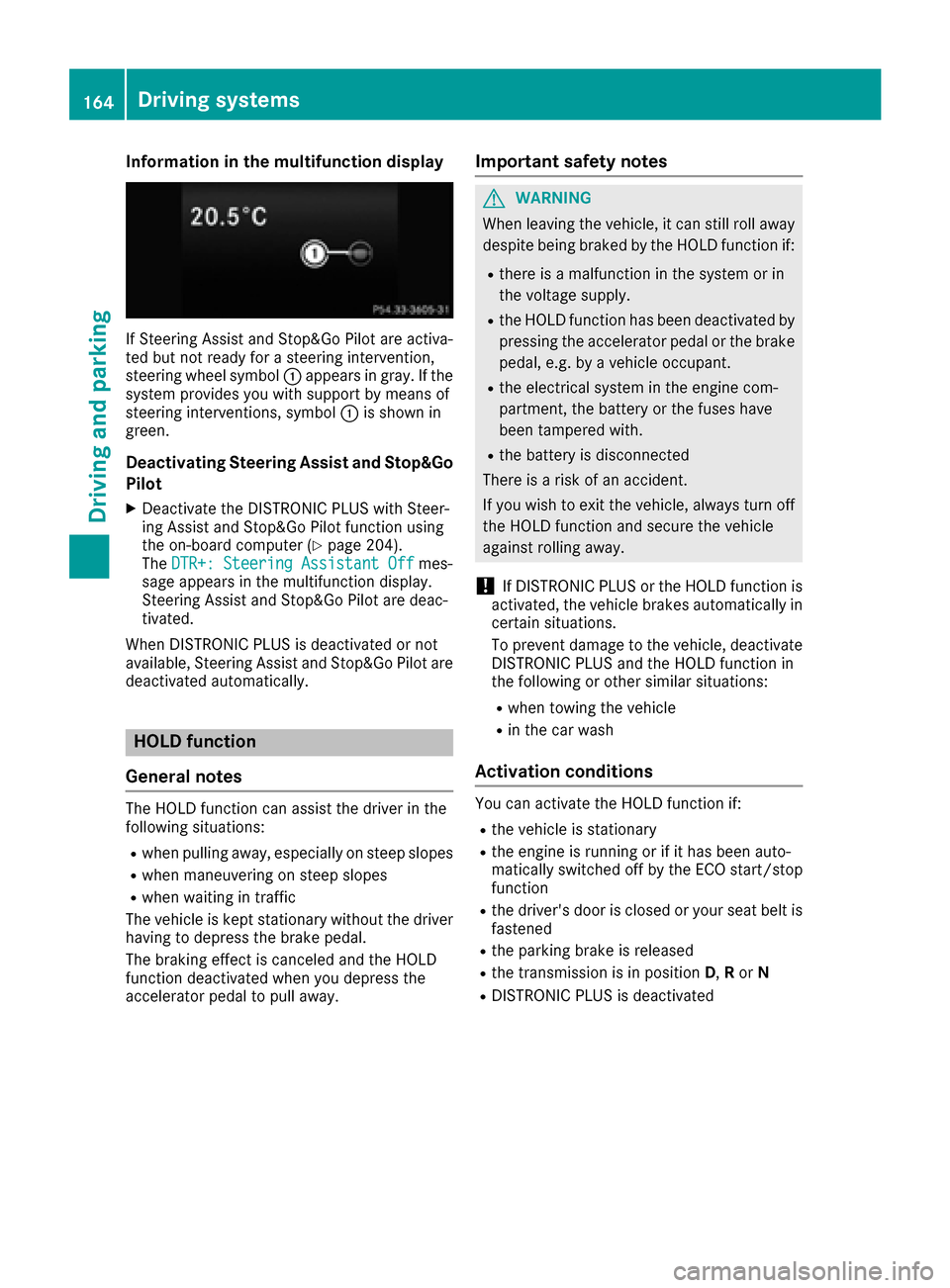
If Steering Assist and Stop&Go Pilot are activa-
ted but not ready for a steering intervention,
steering wheel symbol :appears ingray. Ifthe
system pro vides you with support bymeans of
steering interventions, symbol :isshown in
green.
Deactivating Steering Assist and Stop&Go
Pilot
XDeactivate the DI STRONIC PLUS withSt eer-
ing Assist and Stop&Go Pilot function using
the on-board computer (
Ypage 204).
The DTR+: Steering Assistant Offmes-
sage appears inthe multifunction display.
St eering Assist and Stop&Go Pilot are deac-
tivate d.
When DI STRONIC PLUS isdeactivated or not
available, Steering Assist and Stop&Go Pilot are
deactivated automatically.
HOLD function
General notes
The HOLD function can assist the driverinthe
fol lowin g situations:
Rwhen pulling away, especial lyon steep slopes
Rwhen maneuvering on steep slopes
Rwhen waitingintraff ic
The veh icle iskept stationary without the driver
having to depress the brake pedal.
The braking effect iscanceled and the HOLD
function deactivated when you depress the
accelerator pedal to pullaway.
Important safety notes
GWARNING
When leaving the vehicle, it can still roll away despite being braked by the HOLD function if:
Rthere is a malfunction inthe system or in
the voltage supply.
Rthe HOLD function has been deactivated by
pressing the accelerator pedal or the brake
pedal, e.g. by a vehicle occupant.
Rthe electrical system inthe engine com-
partment, the battery or the fuses have
been tampered with.
Rthe battery is disconnected
There is a risk of an accident.
If you wish to exit the vehicle, always turn off
the HOLD function and secure the vehicle
against rolling away.
!If DI ST RONIC PLUS or the HOLD function is
activated, the vehicle brakes automatically in
certain situations.
To prevent damage to the vehicle, deactivate
DISTRONIC PLUS and the HOLD function in
the following or other similar situations:
Rwhen to wing the vehicle
Rinthe car wash
Activation conditions
You can activate the HOLD function if:
Rthe vehicle isstationary
Rthe engine is running or if ithas been auto-
matical ly switched off by the ECO start/stop
function
Rthe driver's door isclosed or your seat belt is
fastened
Rthe parking brake isreleased
Rthe transmission isin position D,Ror N
RDIST RONIC PLUS is deactivated
164Driving systems
Driving and parking
Page 167 of 342
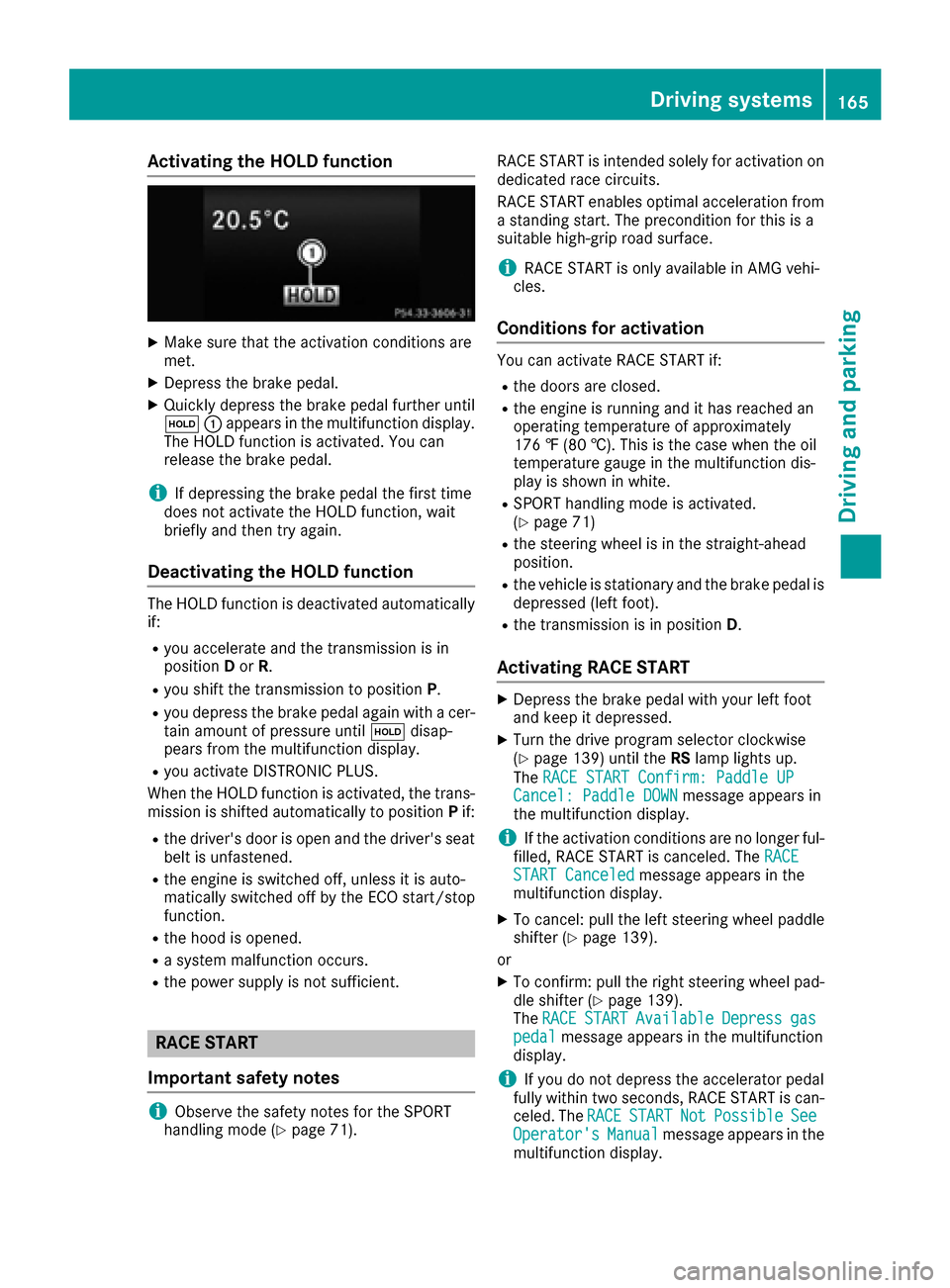
Activating the HOLD function
XMakesur ethat th eactivation condition sare
met .
XDepress th ebrak epedal .
XQuickl ydepress th ebrak epedal further until
ë :appear sin th emultifunction display.
The HOLD function is activated. You can
release th ebrak epedal .
iIf depressing th ebrak epedal th efirst time
does no tactivat eth eHOLD function ,wait
briefl yand then tr yagain .
Deactivating the HOLD function
The HOLD function is deactivated automatically
if:
Ryou accelerate and th etransmission is in
position Dor R.
Ryou shif tth etransmission to position P.
Ryou depress thebrak epedal again wit h acer-
tai namount of pressur euntil ë disap-
pear sfrom th emultifunction display.
Ryou activat eDISTRONI CPLUS.
When th eHOLD function is activated, th etrans -
mission is shifte dautomatically to position Pif:
Rth edriver's door is open and th edriver's seat
belt is unfastened.
Rth eengin eis switched off ,unless it is auto -
matically switched off by th eECO start/sto p
function .
Rthehoo dis opened.
Rasystem malfunction occurs.
Rth epowe rsupply is no tsufficient.
RACE START
Import ant safety notes
iObserveth esafet ynote sfor th eSPORT
handlin gmod e (Ypage 71). RACE START is intended solely for activation on
dedicate
drac ecircuits.
RACE START enables optimal acceleration from
a standing start .The precondition for this is a
suitable high-grip road surface.
iRACE START is only available in AM Gvehi-
cles.
Conditions for activati on
You can activateRACE START if:
Rth edoor sare closed.
Rth eengin eis runnin gand it has reached an
operating temperature of approximately
17 6 ‡ (80 †) .This is the case when the oil
temperature gauge in the multifunction dis-
play is shown in white.
RSPORT handling mode is activated.
(Ypage 71)
Rthe steering wheel is in the straight-ahead
position.
Rthe vehicle is stationary and the brake pedal is
depressed (left foot).
Rthe transmission is in position D.
Activating RACE START
XDepress the brake pedal with your left foot
and keep it depressed.
XTurn the drive program selector clockwise
(Ypage 139) until theRSlamp lights up.
The RACE START Confirm: Paddle UP
Cancel: Paddle DOWNmessage appears in
the multifunction display.
iIf the activation conditions are no longer ful-
filled, RACE START is canceled. The RACE
START Canceledmessage appears in the
multifunction display.
XTo cancel: pull the left steering wheel paddle
shifter (Ypage 139).
or
XTo confirm: pull the right steering wheel pad- dle shifter (Ypage 139).
The RACESTARTAvailableDepressgaspedalmessage appears in the multifunction
display.
iIf you do not depress the accelerator pedal
fully within two seconds, RACE START is can-
celed. The RACE
STARTNotPossibleSeeOperator'sManualmessage appears in the
multifunction display.
Driving systems165
Driving and parking
Z
Page 168 of 342
XFully depress the accelerator pedal.
The engine speed rises to approximately
3,500 rpm.
TheRACE
STARTReleasebraketostartmessage appears in the multifunction display.
iIf you do not release the brake pedal within
five seconds, RACE START is canceled. The
RACE START Canceled
message appears in
the multifunction display.
XTake your foot off the brake, but keep the
accelerator pedal depressed.
The vehicle pulls away at maximum acceler-
ation.
The RACE
STARTActivemessage appears in
the multifunction display.
RACE START is deactivated when the vehicle
reaches a speed of approximately 30 mph (Can-
ada: 50 km/h). Drive program S+is activated.
SPORT handling mode remains activated.
RACE START is deactivated immediately if you
release the accelerator pedal during RACE
START or if any of the activation conditions are
no longer fulfilled. The RACE START Not Pos‐
sible See Operator's Manualmessage
appears in the multifunction display.
iIf RACE START is used repeatedly within a
short period of time, it is only available again
after the vehicle has been driven a certain
distance.
AIRMATIC
Vehicle level
Important safety notes
GWARNING
When the vehicle is being lowered, people
could become trapped if their limbs are
between the vehicle body and the wheels or
underneath the vehicle. There is a risk of
injury.
Make sure no one is underneath the vehicle or
in the immediate vicinity of the wheel arches
when the vehicle is being lowered.
Your vehicle regulates its height automatically.
All-round level control ensures the best possible
suspension and constant ground clearance,
even with a laden vehicle. When you drive fast, the vehicle is lowered automatically to improve
driving safety and to reduce fuel consumption.
The following vehicle levels are possible:
RNormal
RRaised: the vehicle is raised by approximately
0.80 in (20 mm) when compared with the nor-
mal level
RLowered: the vehicle is raised by approx-
imately 0.40 in (10 mm) when compared with
the normal level
iThese changes in level are so slight that you
are hardly aware of them.
The "Normal" and "Raised" vehicle levels can be
set manually.
The "Lowered” vehicle level is set automatically:
Rat speeds above 70 mph (113 km/h)
Rif you have selected "Sports tuning"
(Ypage 167)
Setting the vehicle level
Select the "Normal" setting for normal road sur-
faces and "Raised" for driving with snow chains or on particularly poor road surfaces. Your
selection remains stored even if yo u remove the
Sma
rtKey from the ignition lock.
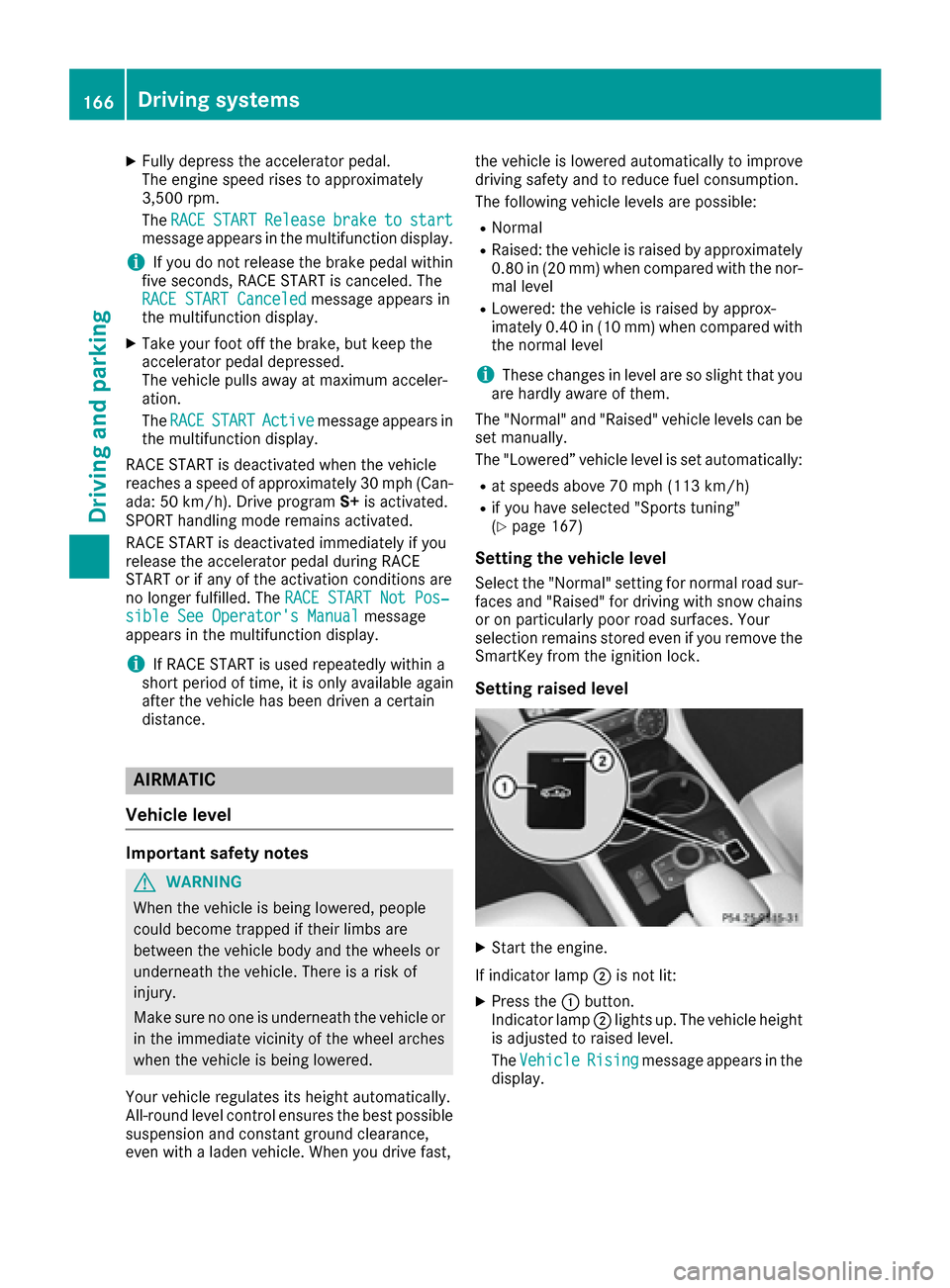
Setting raised level
XStart the engine.
If indicator lamp ;is not lit:
XPress the :button.
Indicator lamp ;lights up. The vehicle height
is adjusted to raised level.
The Vehicle
Risingmessage appears in the
display.
166Driving systems
Driving and parking
Page 172 of 342
!Never tow the vehicle with one axle raised.
This may damage the transfer case. Damage
of this sort is not covered by the Mercedes-
Benz Limited Warranty. All wheels must
remain either on the ground or be fully raised.
Observe the instructions for towing the vehi-
cle with all wheels in full contact with the
ground.
iIn wintry driving conditions, the maximum
effect of 4MATIC can only be achieved if you
use winter tires (M+S tires), with snow chains
if necessary.
4MATIC ensures that all four wheels are perma-
nently driven. Together with ESP
®, it improves
the traction of your vehicle whenever a drive
wheel spins due to insufficient grip.
PARKTRONIC
Important safety notes
PARKTRONIC is an electronic parking aid with
ultrasonic sensors. It monitors the area around
your vehicle using six sensors in the front
bumper and six sensors in the rear bumper.
PARKTRONIC indicates visually and audibly the
distance between your vehicle and an object.
PARKTRONIC is only an aid. It is not a replace-
ment for your attention to your immediate sur-
roundings. You are always responsible for safe
maneuvering, parking and exiting a parking
space. When maneuvering, parking or pulling
out of a parking space, make sure that there are
no persons, animals or objects in the area in
which you are maneuvering.
!When parking, pay particular attention to
objects above or below the sensors, such as
flower pots or trailer drawbars. PARKTRONIC
does not detect such objects when they are in
the immediate vicinity of the vehicle. You
could damage the vehicle or the objects.
The sensors may not detect snow and other
objects that absorb ultrasonic waves.
Ultrasonic sources such as an automatic car
wash, the compressed-air brakes on a truck
or a pneumatic drill could cause PARKTRONIC
to malfunction.
PARKTRONIC may not function correctly on
uneven terrain. PARKTRONIC is activated automatically when
you:
Rswitch on the ignition
Rshift the transmission to position
D,Ror N
Rrelease the parking brake
PARKTRONIC is deactivated at speeds above
11 mph (18 km/h). It is reactivated at lower
speeds.
Range of the sensors
General notes
PARKTRONIC does not take objects into con-
sideration that are:
Rbelow the detection range, e.g. people, ani-
mals or objects.
Rabove the detection range, e.g. overhanging
loads, truck overhangs or loading ramps.
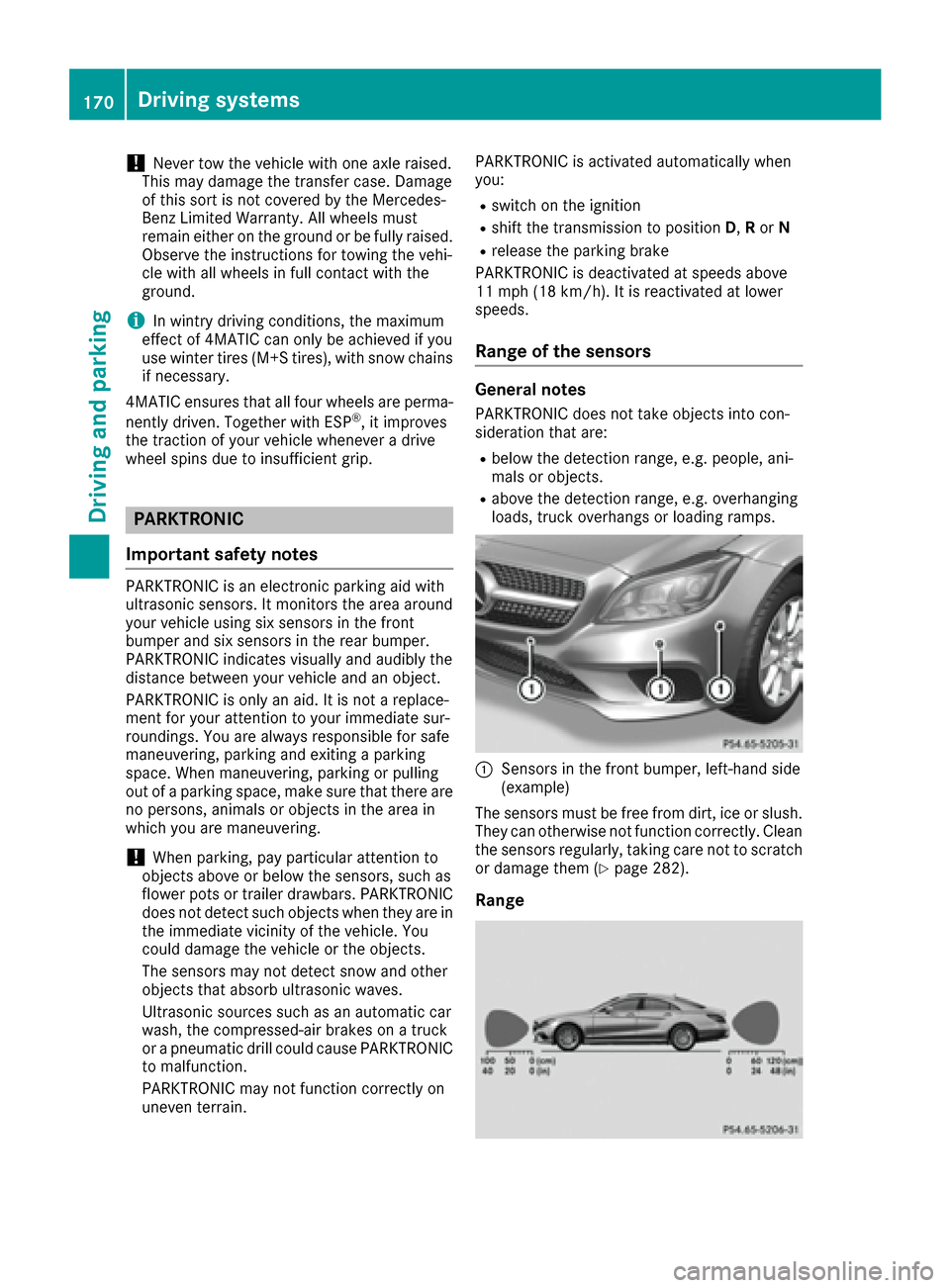
:Sensors in the front bumper, left-hand side
(example)
The sensors must be free from dirt, ice or slush.
They can otherwise not function correctly. Clean
the sensors regularly, taking care not to scratch
or damage them (
Ypage 282).
Range
170Driving systems
Driving and parking
Page 174 of 342
This indicates that you have now reached the
minimum distance.
Deactivating/activating PARKTRONIC
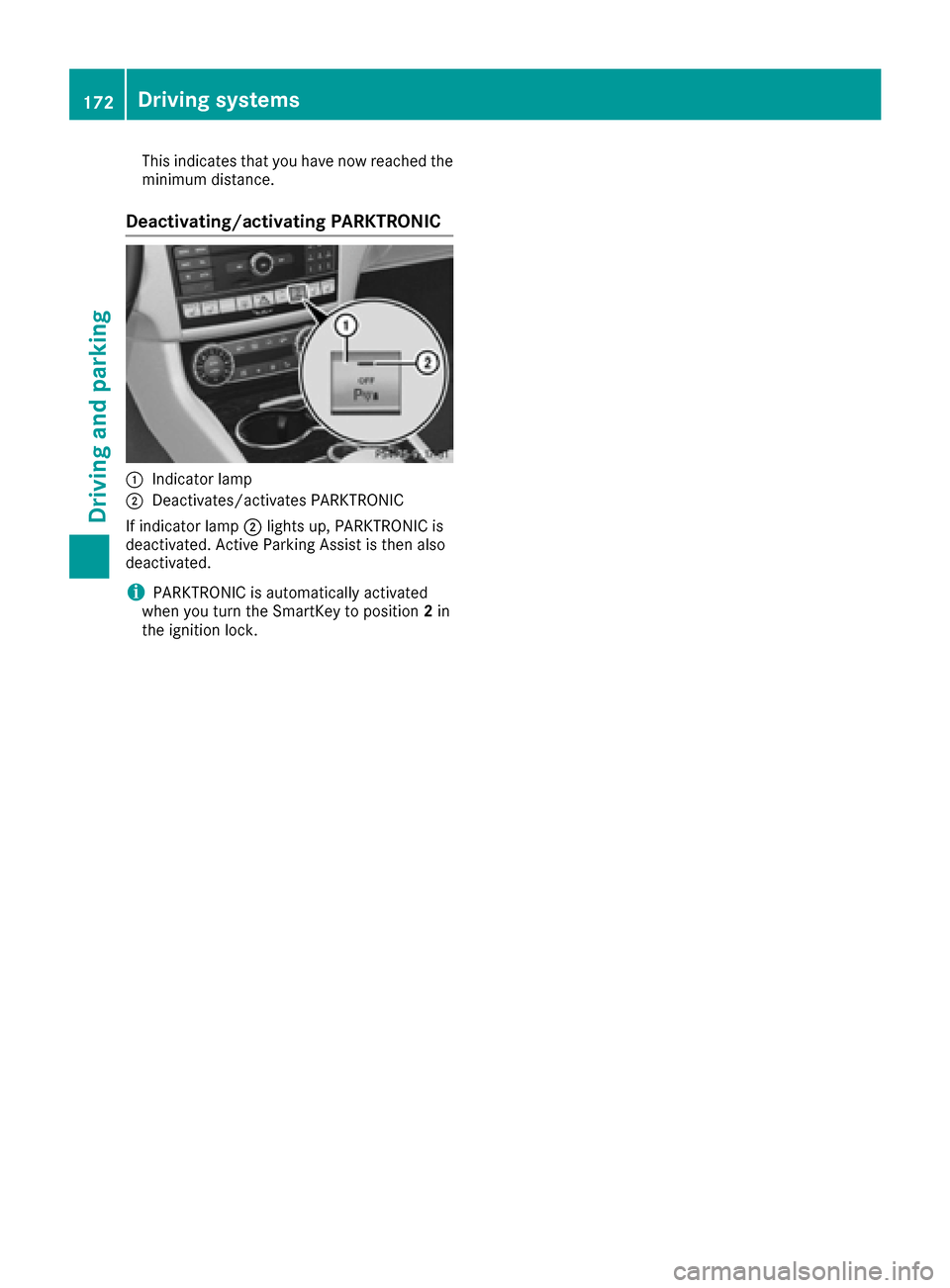
:Indicator lamp
;Deactivates/activates PARKTRONIC
If indicator lamp ;lights up, PARKTRONIC is
deactivated. Active Parking Assist is then also
deactivated.
iPARKTRONIC is automatically activated
when you turn the SmartKey to position 2in
the ignition lock.
172Driving systems
Driving and parking
Page 177 of 342
iNote that Active Parking Assist cannot
measure the length of a parking space if it is at
right angles to the direction of travel. You will
need to judge whether your vehicle will fit into
the parking space.
When driving at speeds below 19 mph
(30 km/h), you will see the parking symbol as a
status indicator in the instrument cluster. When
a parking space has been detected, an arrow
towards the right or the left also appears. By
default, Active Parking Assist only displays park-
ing spaces on the front-passenger side. Parking spaces on the driver's side are displayed as
soon as the turn signal on the driver's side is
activated. When parking on the driver's side,
this must remain switched on until you acknowl-
edge the use of Active Parking Assist by press-
ing the abutton on the multifunction steer-
ing wheel. The system automatically determines
whether the parking space is parallel or at right
angles to the direction of travel.
A parking space is displayed while you are driv- ing past it, and until you are approximately 50 ft
(15 m) away from it.
Parking
GWARNING
If you leave the vehicle when it is only being
braked by Active Parking Assist it could roll
away if:
Rthere is a malfunction in the system or in
the voltage supply.
Rthe electrical system in the engine com-
partment, the battery or the fuses have
been tampered with.
Rthe battery is disconnected.
Rthe accelerator pedal has been depressed,
e.g. by a vehicle occupant.
There is a risk of an accident.
Before leaving the vehicle, always secure it
against rolling away.
iWhen PARKTRONIC detects obstacles,
Active Parking Assist brakes automatically
during the parking process. You are respon-
sible for braking in good time.
XStop the vehicle when the parking space sym- bol shows the desired parking space in the
instrument cluster.
XShift the transmission to position R.
The Start Park Assist? Yes: OK No:
% message appears in the multifunction
display.
XTo cancel the procedure: press the%
button on the multifunction steering wheel or
pull away.
or
XTo park using Active Parking Assist: press
the a button on the multifunction steering
wheel.
The Park Assist Active Accelerate
and Brake Observe Surroundingsmes-
sage appears in the multifunction display.
XLet go of the multifunction steering wheel.
XBack up the vehicle, being ready to brake at all
times. When backing up, drive at a speed
below approximately 6 mph (10 km/h). Oth-
erwise Active Parking Assist will be canceled.
Active Parking Assist brakes the vehicle to a
standstill when the vehicle approaches the
rear border of the parking space.
Maneuvering may be required in tight parking spaces.
The Park Assist Active Select D
Observe Surroundingsmessage appears in
the multifunction display.
XShift the transmission to position Dwhile the
vehicle is stationary.
Active Parking Assist immediately steers in
the other direction.
The Park Assist Active Accelerate
and Brake Observe Surroundingsmes-
sage appears in the multifunction display.
iYou will achieve the best results by waiting
for the steering procedure to complete before
pulling away.
XDrive forwards and be ready to brake at all
times.
Active Parking Assist brakes the vehicle to a
standstill when the vehicle is in the parking
space.
The Park Assist Active Select R
Observe Surroundingsmessage appears in
the multifunction display.
Further transmission shifts may be necessary.
As soon as the parking procedure is complete,
the Park Assist Disabled
message appears
Driving systems175
Driving and parking
Z
Page 178 of 342
in the multifunction display and you will hear a
tone. The vehicle is now parked. The vehicle is
kept stationary without the driver having to
depress the brake pedal. The braking effect is
canceled when you depress the accelerator
pedal.
Active Parking Assist no longer supports you
with steering interventions and brake applica-
tions. When Active Parking Assist is finished,
you must steer and brake again yourself.
PARKTRONIC is still available.
XManeuver if necessary.
XAlways observe the warning messages dis-
played by PARKTRONIC (Ypage 171).
Parking tips:
RThe way your vehicle is positioned in the park-
ing space after parking is dependent on vari-
ous factors. These include the position and
shape of the vehicles parked in front and
behind it and the conditions of the location. It
may be the case that Active Parking Assist
guides you too far into a parking space, or not
far enough into it. In some cases, it may also
lead you across or onto the curb. If necessary,
you should cancel the parking procedure with
Active Parking Assist.
RYou can also select preselect transmission
position D. The vehicle redirects and does not
drive as far into the parking space. Should a
gear be changed too early, the parking pro-
cedure will be canceled. A sensible parking
position can no longer be achieved from this
position.
Exiting a parking space
In order that Active Parking Assist can support
you when exiting the parking space:
Rthe border of the parking space must be high enough at the front and the rear. A curb is too
small, for example.
Rthe border of the parking space must not be
too wide, as the position of the vehicle must
not exceed an angle of 45° to the starting
position as it is maneuvering into the parking
space.
Ra maneuvering distance of at least 3.3 ft
(1.0 m) must be available.
iIf PARKTRONIC detects obstacles, Active
Parking Assist brakes automatically whilst the
vehicle exits the parking space. You are
responsible for braking in good time. Active Parking Assist can only assist you with
exiting a parking space if you have parked the
vehicle parallel to the direction of travel using
Active Parking Assist.
XStart the engine.
XRelease the parking brake.
XSwitch on the turn signal in the direction you
are pulling away.
XShift the transmission to position
Dor R.
The Start Park Assist? Yes: OK No:
% message appears in the multifunction
display.
XTo cancel the procedure: press the%
button on the multifunction steering wheel or
pull away.
or
XTo exit a parking space using Active Park-
ing Assist: press theabutton on the mul-
tifunction steering wheel.
The Park Assist Active Accelerate
and Brake Observe Surroundingsmes-
sage appears in the multifunction display.
XLet go of the multifunction steering wheel.
XPull away, being ready to brake at all times. Do
not exceed a maximum speed of approx-
imately 6 mph (10 km/h) when exiting a park-
ing space. Otherwise Active Parking Assist
will be canceled.
XShift the transmission to position Dor Ras
required or according to the message while
the vehicle is stationary.
Active Parking Assist immediately steers in
the other direction. The Park Assist
ActiveAccelerateandBrakeObserveSurroundingsmessage appears in the mul-
tifunction display.
iYou will achieve the best results by waiting
for the steering procedure to complete before
pulling away.
If you back up after activation, the steering
wheel is moved to the straight-ahead posi-
tion.
XDrive forwards and back up as instructed by
the PARKTRONIC warning displays.
Once you have exited the parking space com-
pletely, the steering wheel is moved to the
straight-ahead position. You hear a tone and the
Park Assist Finished
message appears in
the multifunction display. You will then have to
steer and merge into traffic on your own.
PARKTRONIC is still available. You can take over
176Driving systems
Driving and parking