battery MERCEDES-BENZ CLS COUPE 2012 Owners Manual
[x] Cancel search | Manufacturer: MERCEDES-BENZ, Model Year: 2012, Model line: CLS COUPE, Model: MERCEDES-BENZ CLS COUPE 2012Pages: 373, PDF Size: 9.12 MB
Page 8 of 373
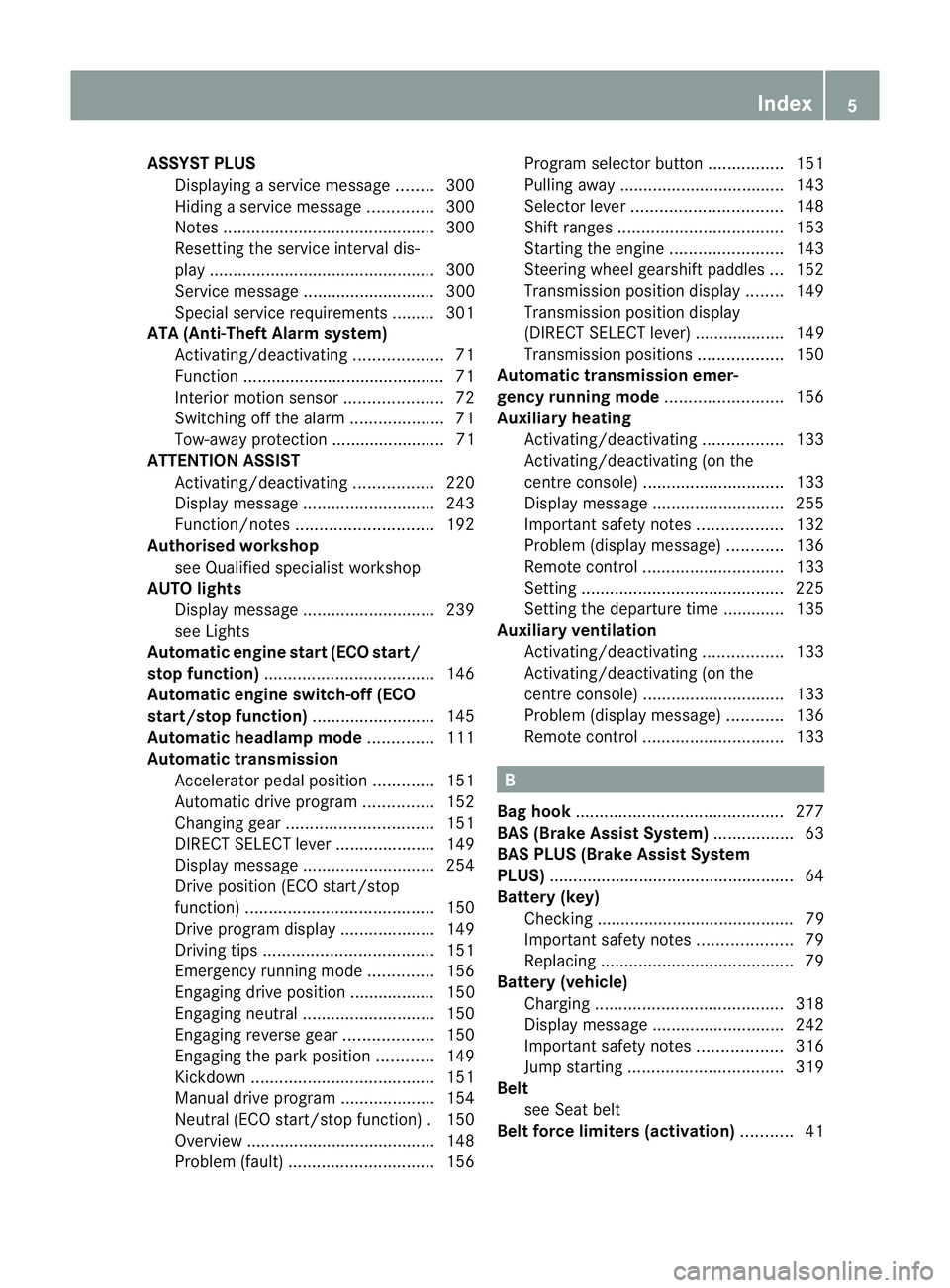
ASSYS
TPLUS
Displaying aservice message ........300
Hiding aservice message ..............300
Notes ............................................. 300
Resetting the service interva ldis-
pla y................................................ 300
Service message ............................ 300
Specia lservice requirements ......... 301
ATA (Anti-Theft Alarm system)
Activating/deactivating ...................71
Function .......................................... .71
Interior motion sensor .....................72
Switching off the alarm ....................71
Tow-awa yprotectio n........................ 71
ATTENTIO NASSIST
Activating/deactivating .................220
Display message ............................ 243
Function/notes ............................. 192
Authorised workshop
see Qualified specialist workshop
AUTO lights
Display message ............................ 239
see Lights
Automatic engine start (ECO start/
stop function) .................................... 146
Automatic engine switch-off (ECO
start/stop function) ..........................145
Automatic headlamp mode ..............111
Automatic transmission Accelerator pedal position .............151
Automatic drive program ...............152
Changing gea r............................... 151
DIRECT SELECT leve r..................... 149
Display message ............................ 254
Drive position (ECO start/stop
function) ........................................ 150
Drive program displa y.................... 149
Driving tips .................................... 151
Emergency running mode ..............156
Engaging drive position .................. 150
Engaging neutra l............................ 150
Engaging revers egear ................... 150
Engaging the par kposition ............ 149
Kickdow n....................................... 151
Manual drive program ....................154
Neutral (ECO start/stop function) .150
Overview ........................................ 148
Problem (fault) ............................... 156Progra
mselector button ................151
Pulling away ................................... 143
Selector leve r................................ 148
Shift range s................................... 153
Starting the engine ........................143
Steering wheel gearshift paddle s... 152
Transmission position displa y........ 149
Transmission position display
(DIREC TSELECT lever) ................... 149
Transmission positions ..................150
Automatic transmission emer-
gency runnin gmode ......................... 156
Auxiliary heating Activating/deactivating .................133
Activating/deactivating (on the
centre console ).............................. 133
Display message ............................ 255
Important safety notes ..................132
Problem (display message) ............136
Remote control .............................. 133
Setting ........................................... 225
Setting the departur etime ............ .135
Auxiliary ventilation
Activating/deactivating .................133
Activating/deactivating (on the
centre console ).............................. 133
Problem (display message) ............136
Remote control .............................. 133 B
Bag hook ............................................ 277
BAS (Brake Assist System) .................63
BAS PLU S(Brake Assist System
PLUS) .................................................... 64
Battery (key) Checking .......................................... 79
Important safety notes ....................79
Replacing ......................................... 79
Battery (vehicle)
Charging ........................................ 318
Display message ............................ 242
Important safety notes ..................316
Jump starting ................................. 319
Belt
see Seat belt
Belt force limiters (activation) ...........41 Index
5
Page 15 of 373
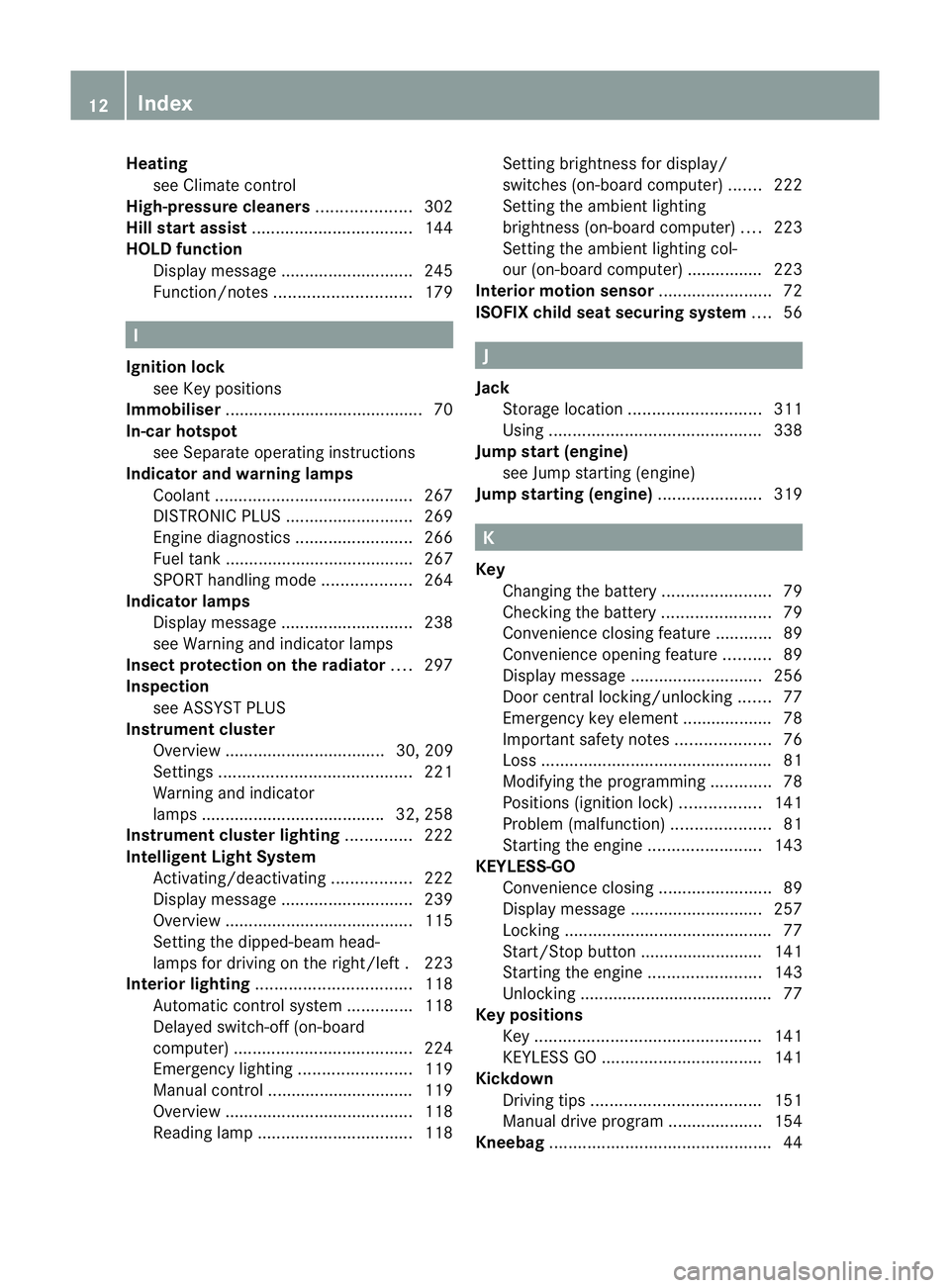
Heating
see Climate control
High-pressure cleaners ....................302
Hill start assist .................................. 144
HOLD function Display message ............................ 245
Function/notes ............................. 179I
Ignitio nlock
see Key positions
Immobiliser .......................................... 70
In-car hotspot see Separate operating instructions
Indicator and warning lamps
Coolant .......................................... 267
DISTRONI CPLUS ........................... 269
Engine diagnostics .........................266
Fuel tank ........................................ 267
SPORT handling mode ...................264
Indicator lamps
Display message ............................ 238
see Warning and indicator lamps
Insectp rotection on the radiator ....297
Inspection see ASSYST PLUS
Instrument cluster
Overview .................................. 30, 209
Settings ......................................... 221
Warning and indicator
lamps ...................................... .32, 258
Instrument cluster lighting ..............222
Intelligen tLight System
Activating/deactivatin g................. 222
Display message ............................ 239
Overview ........................................ 115
Setting the dipped-bea mhead-
lamps for driving on the right/left .223
Interior lighting ................................. 118
Automatic control system ..............118
Delayeds witch-off (on-board
computer) ...................................... 224
Emergency lighting ........................119
Manual control ............................... 119
Overview ........................................ 118
Reading lamp ................................. 118Setting brightness for display/
switches (on-board computer)
.......222
Setting the ambient lighting
brightness (on-board computer) ....223
Setting the ambient lighting col-
our (on-board computer) ................ 223
Interior motio nsensor ........................ 72
ISOFIXc hild seat securing system ....56 J
Jack Storage location ............................ 311
Using ............................................. 338
Jump start (engine)
see Jump starting (engine)
Jump starting (engine) ......................319 K
Key Changing the battery .......................79
Checking the battery .......................79
Convenience closing feature ............89
Convenience opening feature ..........89
Display message ............................ 256
Door central locking/unlocking .......77
Emergency key element ................... 78
Important safety notes ....................76
Loss ................................................. 81
Modifying the programming .............78
Positions (ignition lock) .................141
Problem (malfunction) .....................81
Starting the engine ........................143
KEYLESS-GO
Convenience closing ........................89
Display message ............................ 257
Locking ............................................ 77
Start/Stop button .......................... 141
Starting the engine ........................143
Unlocking ......................................... 77
Keyp ositions
Key ................................................ 141
KEYLESS GO .................................. 141
Kickdown
Driving tips .................................... 151
Manual drive program ....................154
Kneebag ............................................... 4412
Index
Page 19 of 373
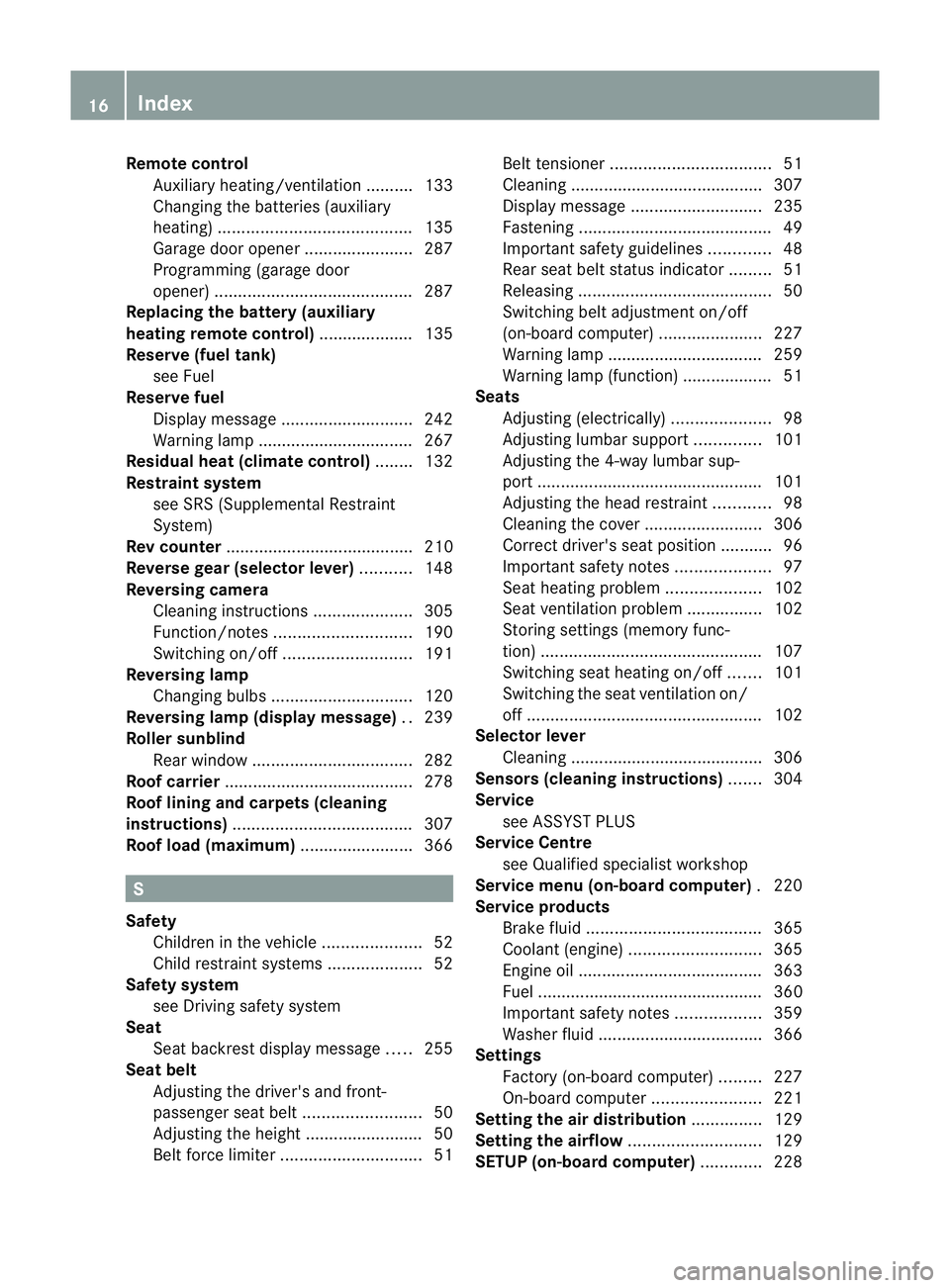
Remote control
Auxiliary heating/ventilation .......... 133
Changing the batterie s(au xiliary
heating) ......................................... 135
Garage door opene r....................... 287
Programming (garage door
opener) .......................................... 287
Replacing the battery (auxiliary
heatin gremote control) .................... 135
Reserve (fue ltank)
see Fuel
Reserve fuel
Display message ............................ 242
Warning lamp ................................. 267
Residual heat (climate control) ........132
Restrain tsystem
see SRS (Supplemental Restraint
System)
Rev counter ........................................ 210
Reverse gear (selector lever) ...........148
Reversing camera Cleaning instructions .....................305
Function/notes ............................. 190
Switching on/off ........................... 191
Reversing lamp
Changing bulbs .............................. 120
Reversing lamp (display message) ..239
Roller sunblind Rea rwindow .................................. 282
Roof carrier ........................................ 278
Roof lining and carpets (cleaning
instructions) ...................................... 307
Roof load (maximum) ........................366 S
Safety Childre ninthe vehicle ..................... 52
Child restraint systems ....................52
Safety system
see Driving safety system
Seat
Seat backres tdisplay message .....255
Seat belt
Adjusting the driver's and front-
passenger sea tbelt ......................... 50
Adjusting the height ......................... 50
Belt force limiter .............................. 51Belt tensioner
.................................. 51
Cleaning ......................................... 307
Display message ............................ 235
Fastening ......................................... 49
Important safety guidelines .............48
Rea rseat belt status indicator .........51
Releasing ......................................... 50
Switching bel tadjustment on/off
(on-board computer) ......................227
Warning lamp ................................. 259
Warning lamp (function) ................... 51
Seats
Adjusting (electrically). ....................98
Adjusting lumba rsuppor t.............. 101
Adjusting the 4-way lumba rsup-
por t................................................ 101
Adjusting the head restraint ............98
Cleaning the cover .........................306
Correct driver's sea tposition ........... 96
Important safety notes ....................97
Seat heating problem ....................102
Seat ventilation problem ................102
Storing settings (memory func-
tion) ............................................... 107
Switching sea theating on/off .......101
Switching the sea tventilation on/
off .................................................. 102
Selector lever
Cleaning ......................................... 306
Sensors (cleaning instructions) .......304
Service see ASSYST PLUS
Service Centre
see Qualified specialist workshop
Service menu (on-board computer) .220
Service products Brake fluid ..................................... 365
Coolant (engine) ............................ 365
Engine oil ....................................... 363
Fuel ................................................ 360
Important safety notes ..................359
Washer fluid .................................. .366
Settings
Factory (on-board computer) .........227
On-board computer .......................221
Settin gthe air distribution ...............129
Settin gthe airflow ............................ 129
SETUP (on-board computer) .............228 16
Index
Page 26 of 373
fore be carrie
dout at aqualifie dspecialist
workshop. G
WARNING
If work on electronic equipmen tand its soft-
ware is carried out incorrectly, this equipment
could stop working .The electronic systems
are networked via interfaces. Tampering with
these electronic systems could cause mal-
functions in systems which have not been
modified. Malfunctions such as these can
seriously jeopardise the vehicle's operating
safety and therefore your own safety.
You should therefore have all work and mod-
ifications to electronic components carried
out at aqualified specialist workshop. Declarations of conformity
Wireless vehicle components The following information applies to all com-
ponentsoft he vehicle and the COMAND sys-
tem which receive and/or transmit radio
waves:
The components of this vehicle which receive
and/or transmit radio waves are compliant
with the basic requirements and other rele-
vant provisions of Directive 1999/5/EC. You
can obtain further information from any
Mercedes-Ben zService Centre.
Electromagnetic compatibility The electromagnetic compatibility of the vehi-
cle components has been checked and certi-
fied according to the currently valid version
of Directive 72/245/EEC or the equivalent
ECE Regulation ECE-R1 0.Diagnostics connection
G
WARNING
If you connect equipment to adiagnostics
connection, it can affect the operation of the
vehicle systems. This could compromise the operating safety of your vehicle while driving.
There is
arisk of an accident.
Do not connect any equipment to adiagnos-
tics connection. G
WARNING
Loose equipment or cables hanging from a
device which are connected to adiagnostic
connection could impede pedal clearance.
The equipment or cables could get caught
between the pedals when driving and braking
suddenly. This could impair the function of the
pedals. There is arisk of accident.
Do not attach any equipment or cables in the
driver's footwell.
! If the engine is switched off and equip-
ment on the diagnostics connection is
used, the starter battery may discharge.
The diagnostics connection is only intended
for the connection of diagnostic equipment at
aq ualified specialist workshop.
Connecting equipment to the diagnostics
connection can lead to emissions monitoring
information being reset, for example. This
may lead to the vehicle failing to meet the
requirements of the next emissions test dur-
ing the main inspection. Qualified specialist workshop
Aq ualified specialist worksho phas th enec-
essary special skills, tools and qualifications
to correctl ycarry out any necessary work on
your vehicle. This particularly applie stowork
relevan ttosafety.
Observe the notes in the Servic eBooklet.
Always have the following work carried out at
aq ualified specialist workshop:
R work relevant to safety
R service and maintenance work
R repair work
R modifications ,installations and conver-
sions
R work on electronic components Introduction
23 Z
Page 81 of 373
Changing th
esettings of th elocking
system
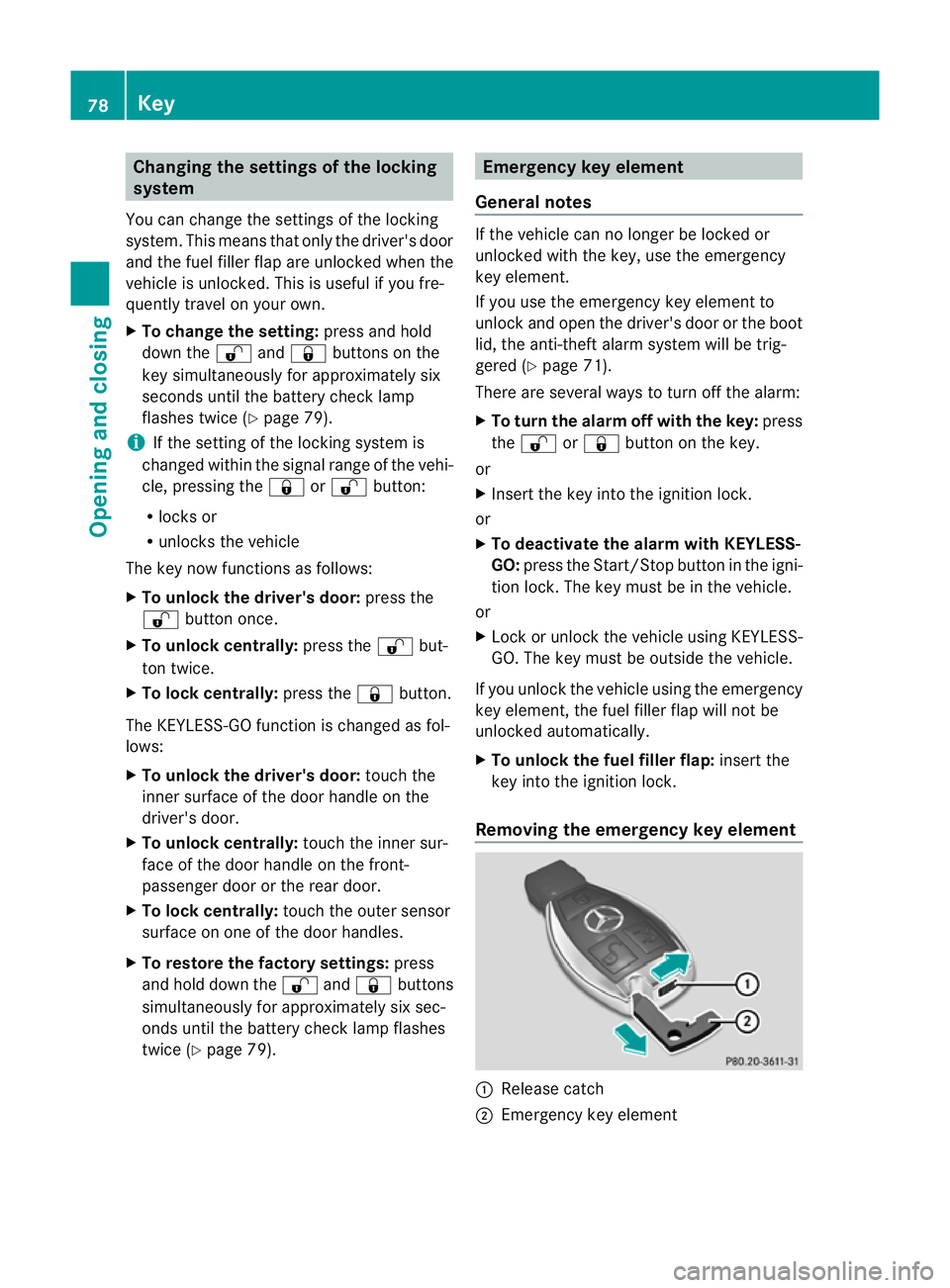
You can chang ethe settings of th elocking
system. This mean stha tonlyt he driver' sdoor
and th efuel fille rflap are unlocked when the
vehicle is unlocked. This is useful if you fre-
quently travel on your own.
X To chang ethe setting: press and hold
down the %and& buttons on the
key simultaneously for approximately six
seconds until the battery chec klamp
flashes twice ( Ypage 79).
i If th esettin goft helockin gsystem is
changed within th esignal range of th evehi-
cle ,pressin gthe & or% button:
R locks or
R unlock sthe vehicle
The ke ynow function sasfollows:
X To unlock th edriver's door: pressthe
% buttononce.
X To unlock centrally: pressthe % but-
to nt wice.
X To lock centrally: pressthe & button.
The KEYLESS-GO function is changed as fol-
lows:
X To unlock th edriver's door: touch the
inner surface of th edoor handle on the
driver' sdoor.
X To unlock centrally: touch theinner sur-
fac eoft hedoor handle on th efront-
passenger door or th erear door.
X To lock centrally: touch theouter sensor
surface on on eofthedoor handles.
X To restor ethe factor ysettings: press
and hold down the %and& buttons
simultaneousl yfor approximately six sec-
onds until th ebattery check lamp flashes
twice (Y page 79). Emergency key element
General notes If th
evehicle can no longer be locke dor
unlocked wit hthe key, use th eemergency
ke ye lement.
If you use th eemergenc ykey element to
unlock and open the driver's door or the boot
lid, the anti-thef talarm system will be trig-
gered (Y page 71).
There are several ways to tur noff the alarm:
X To turn the alarm off with the key: press
the % or& button on the key.
or
X Insert the key into the ignition lock.
or
X To deactivate the alarm with KEYLESS-
GO: press the Start/Stop button in the igni-
tion lock. The key must be in the vehicle.
or
X Lock or unlock the vehicle using KEYLESS-
GO. The key must be outside the vehicle.
If you unlock the vehicle using the emergency
key element, the fuel filler fla pwilln ot be
unlocked automatically.
X To unlock the fuel filler flap: insert the
key into the ignition lock.
Removing the emergency key element :
Releas ecatch
; Emergency key element 78
KeyOpening and closing
Page 82 of 373
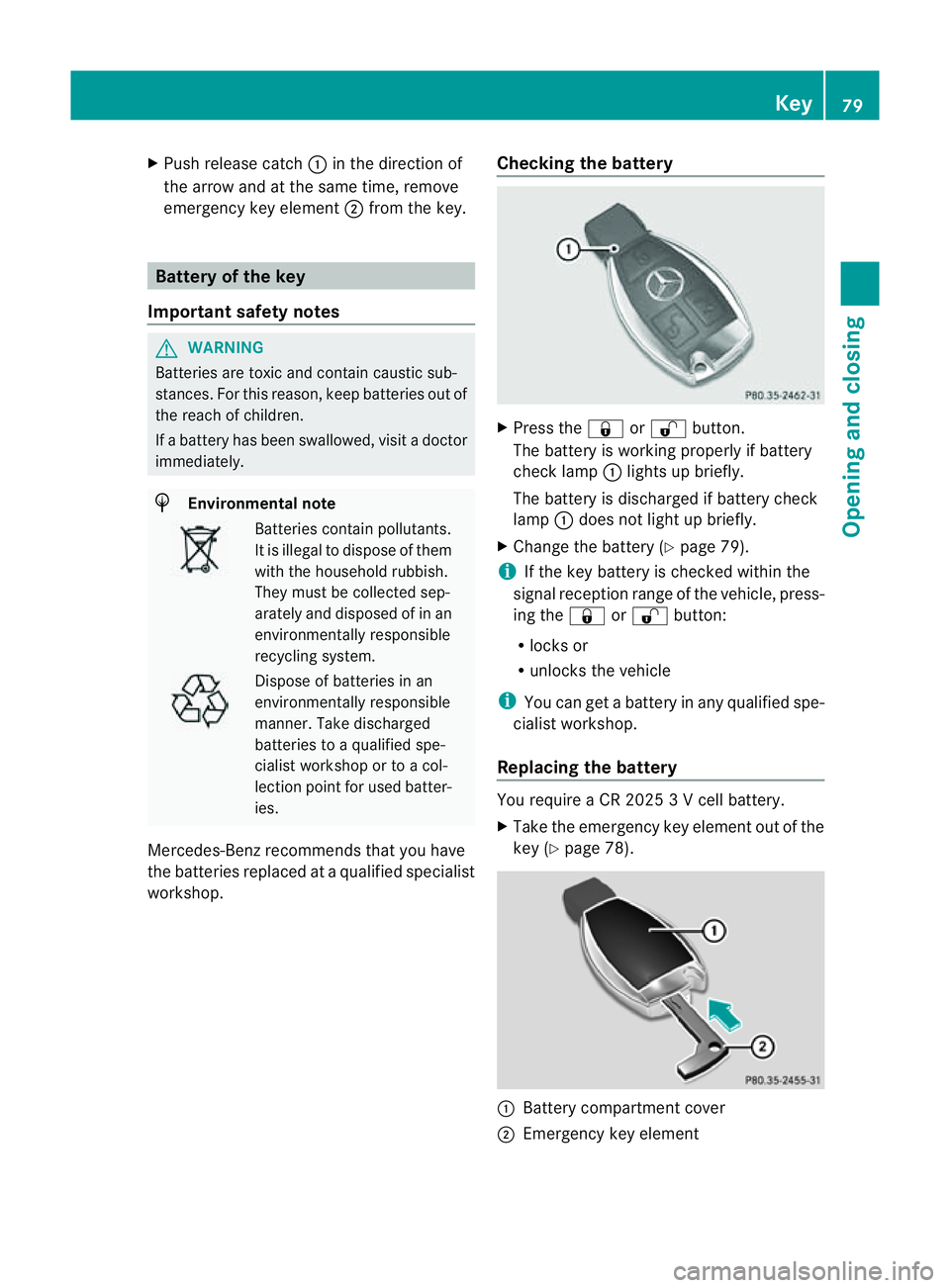
X
Push release catch :in the direction of
the arrow and at the same time, remove
emergenc ykey element ;from the key. Battery of the key
Important safety notes G
WARNING
Batteries are toxic and contain caustic sub-
stances. For this reason, keep batteries out of
the reach of children.
If ab attery has been swallowed, visit adoctor
immediately. H
Environmenta
lnote Batteries contain pollutants.
It is illegal to dispose of them
with the household rubbish.
They must be collected sep-
arately and disposed of in an
environmentally responsible
recycling system.
Dispose of batteries in an
environmentally responsible
manner
.Take discharged
batteries to aqualified spe-
cialis tworkshop or to acol-
lection point for used batter-
ies.
Mercedes-Benz recommends that you have
the batteries replaced at aqualified specialist
workshop. Checking the battery X
Press the &or% button.
The battery is working properly if battery
check lamp :lights up briefly.
The battery is discharged if battery check
lamp :does not light up briefly.
X Change the battery (Y page 79).
i If the key battery is checked within the
signal reception range of the vehicle, press-
ing the &or% button:
R locks or
R unlocks the vehicle
i You can get abattery in any qualified spe-
cialist workshop.
Replacing the battery You require
aCR20253Vc ell battery.
X Take the emergenc ykey element out of the
key (Y page 78). :
Battery compartment cover
; Emergency key element Key
79Opening and closing Z
Page 83 of 373
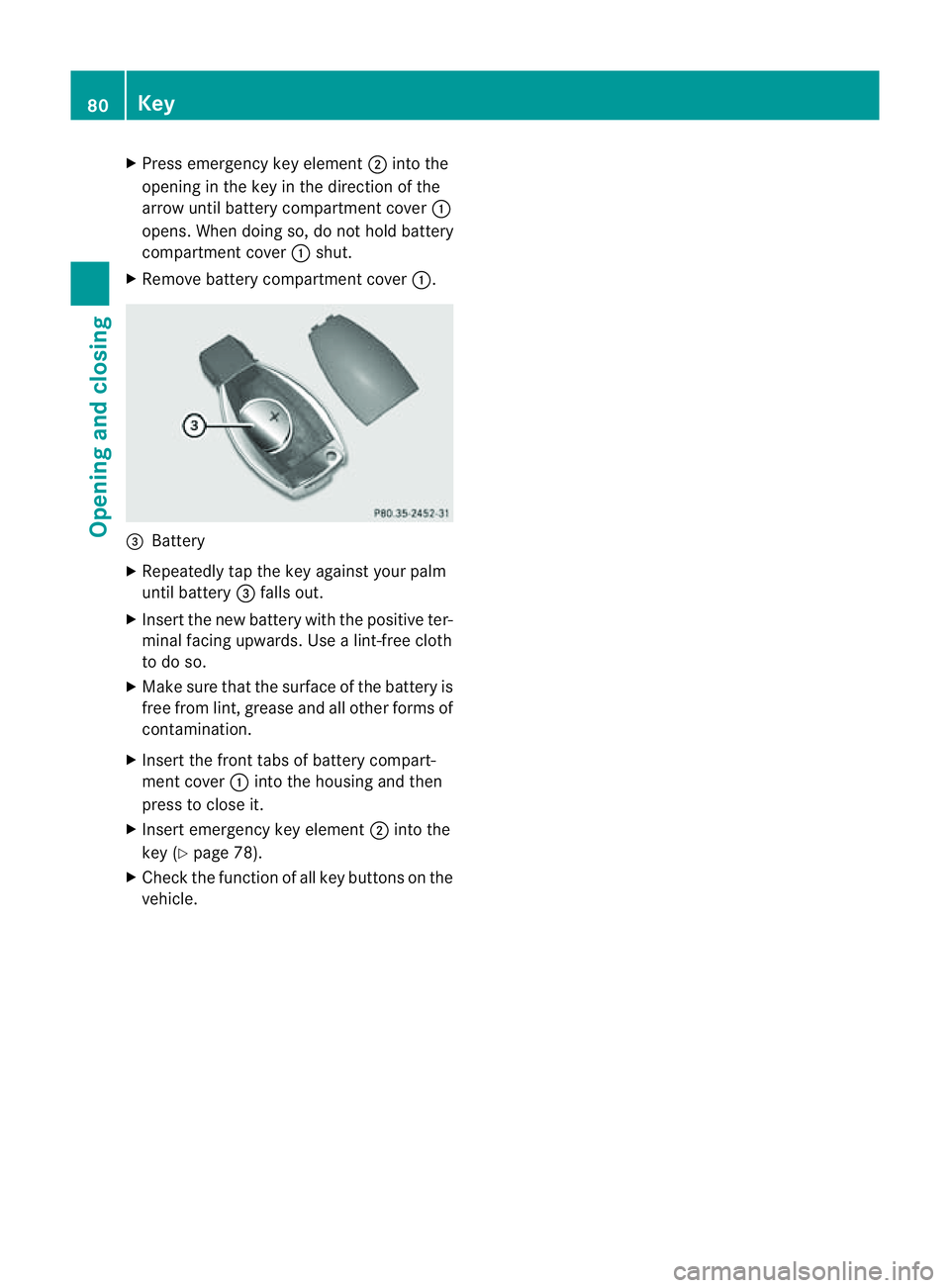
X
Press emergenc ykey element ;into the
opening in the key in the direction of the
arrow until batter ycompartment cover :
opens. When doing so, do not hold battery
compartment cover :shut.
X Remove batter ycompartment cover :.=
Battery
X Repeatedly tap the key against your palm
until battery =falls out.
X Inser tthe new battery with the positive ter-
minal facing upwards. Use alint-free cloth
to do so.
X Make sure that the surface of the battery is
free from lint, grease and all other forms of
contamination.
X Insert the front tabs of battery compart-
ment cover :into the housing and then
press to close it.
X Insert emergency key element ;into the
key (Y page 78).
X Check the function of all key buttons on the
vehicle. 80
KeyOpening and closing
Page 84 of 373
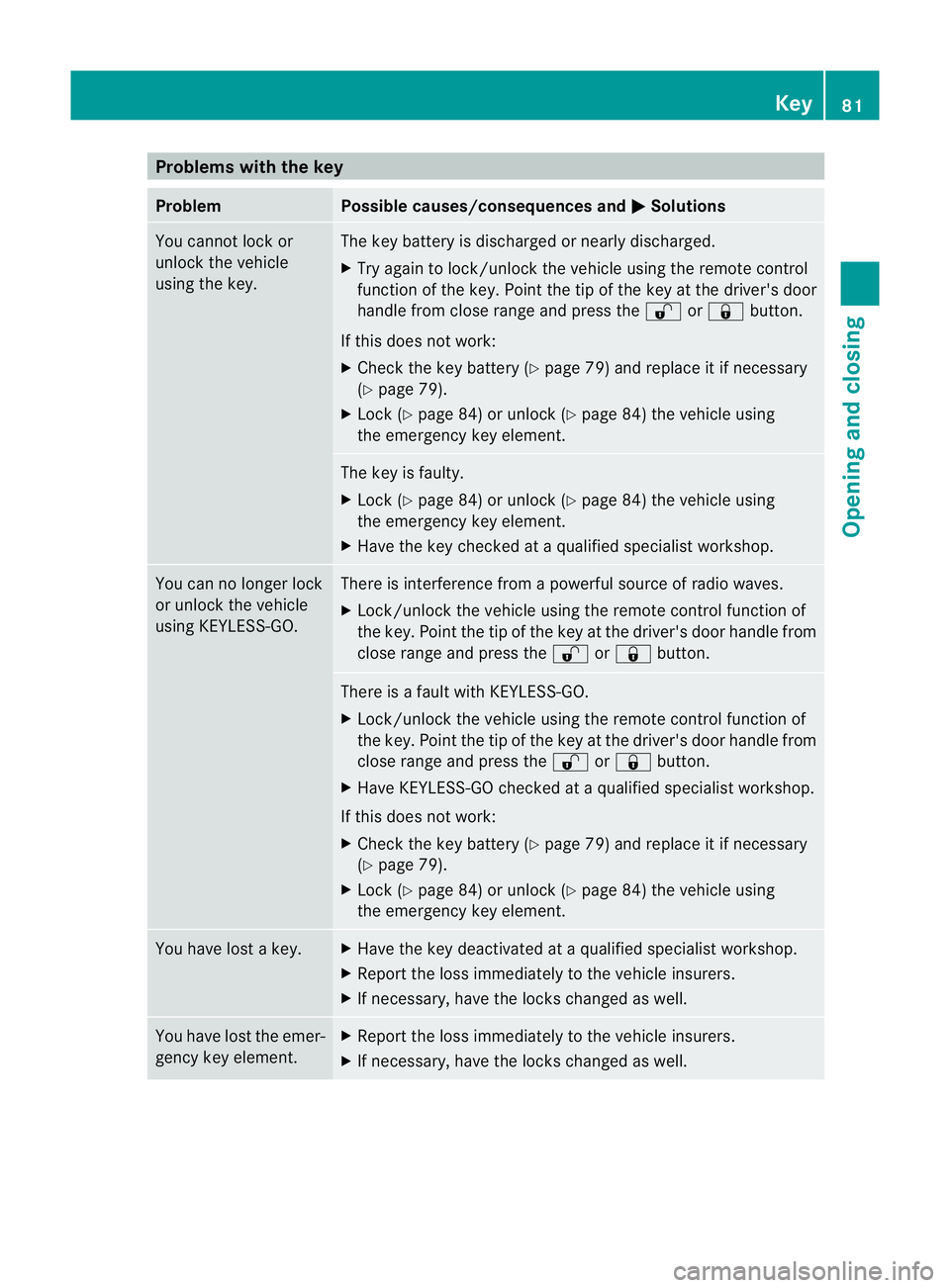
Problems with the key
Problem Possible causes/consequences and
M Solutions
You cannot lock or
unlock the vehicle
using the key. The key battery is discharged or nearly discharged.
X
Try again to lock/unlock the vehicle using the remote control
function of the key. Point the tip of the key at the driver's door
handle from close range and press the %or& button.
If this does not work:
X Check the key battery (Y page 79) and replace it if necessary
(Y page 79).
X Lock (Y page 84) or unlock (Y page 84) the vehicle using
the emergency key element. The key is faulty.
X
Lock (Y page 84) or unlock (Y page 84) the vehicle using
the emergency key element.
X Have the key checked at aqualified specialist workshop. You can no longer lock
or unlock the vehicle
using KEYLESS-GO. There is interference from
apowerful source of radio waves.
X Lock/unlock the vehicle using the remote control function of
the key. Point the tip of the key at the driver's door handle from
close range and press the %or& button. There is
afault with KEYLESS-GO.
X Lock/unlock the vehicle using the remote control function of
the key. Point the tip of the key at the driver's door handle from
close range and press the %or& button.
X Have KEYLESS-GO checked at aqualified specialist workshop.
If this does not work:
X Check the key battery (Y page 79) and replace it if necessary
(Y page 79).
X Lock (Y page 84) or unlock (Y page 84) the vehicle using
the emergency key element. You have lost
akey. X
Have the key deactivated at aqualified specialist workshop.
X Report the loss immediately to the vehicle insurers.
X If necessary, have the locks changed as well. You have lost the emer-
gency key element. X
Report the loss immediately to the vehicle insurers.
X If necessary, have the locks changed as well. Key
81Opening and closing Z
Page 85 of 373
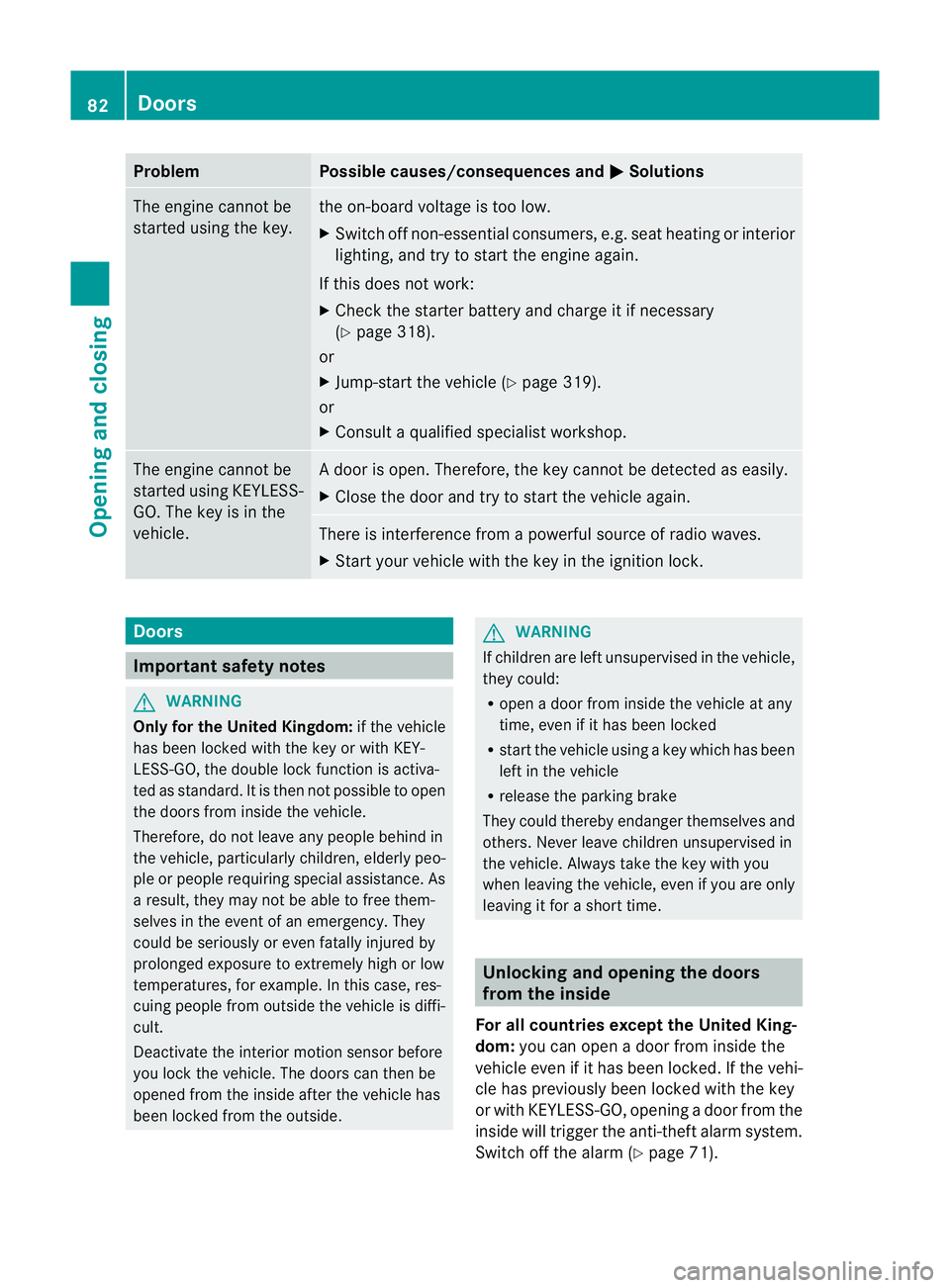
Problem Possible causes/consequences and
M Solutions
The engine cannot be
started using the key. the on-board voltage is too low.
X
Switch off non-essential consumers, e.g. seat heating or interior
lighting, and try to start the engine again.
If this does not work:
X Check the starter battery and charge it if necessary
(Y page 318).
or
X Jump-start the vehicle (Y page 319).
or
X Consult aqualified specialist workshop. The engine cannot be
started using KEYLESS-
GO. The key is in the
vehicle. Ad
oor is open. Therefore, the key cannot be detected as easily.
X Close the door and try to start the vehicle again. There is interferenc
efrom apowerful source of radio waves.
X Start your vehicle with the key in the ignition lock. Doors
Important safety notes
G
WARNING
Only for the United Kingdom: if the vehicle
has been locked with the key or with KEY-
LESS-GO, the double lock function is activa-
ted as standard. It is then not possible to open
the doors from inside the vehicle.
Therefore, do not leave any people behind in
the vehicle, particularly children, elderly peo-
ple or people requiring special assistance. As
ar esult, they may not be able to free them-
selves in the event of an emergency. They
could be seriously or even fatally injured by
prolonged exposure to extremely high or low
temperatures, for example. In this case, res-
cuing people from outside the vehicle is diffi-
cult.
Deactivate the interior motion sensor before
you lock the vehicle. The doors can then be
opened from the inside after the vehicle has
been locked from the outside. G
WARNING
If children are left unsupervised in the vehicle,
they could:
R open adoor from inside the vehicle at any
time, even if it has been locked
R start the vehicle using akey which has been
left in the vehicle
R release the parking brake
They could thereby endanger themselves and
others. Never leave children unsupervised in
the vehicle. Always take the key with you
when leaving the vehicle, even if you are only
leaving it for ashort time. Unlocking and opening the doors
from the inside
For all countries except the United King-
dom: you can open adoor from inside the
vehicle even if it has been locked. If the vehi-
cle has previously been locked with the key
or with KEYLESS-GO, opening adoor from the
inside will trigger the anti-theft alarm system.
Switch off the alarm (Y page 71).82
DoorsOpening and closing
Page 105 of 373
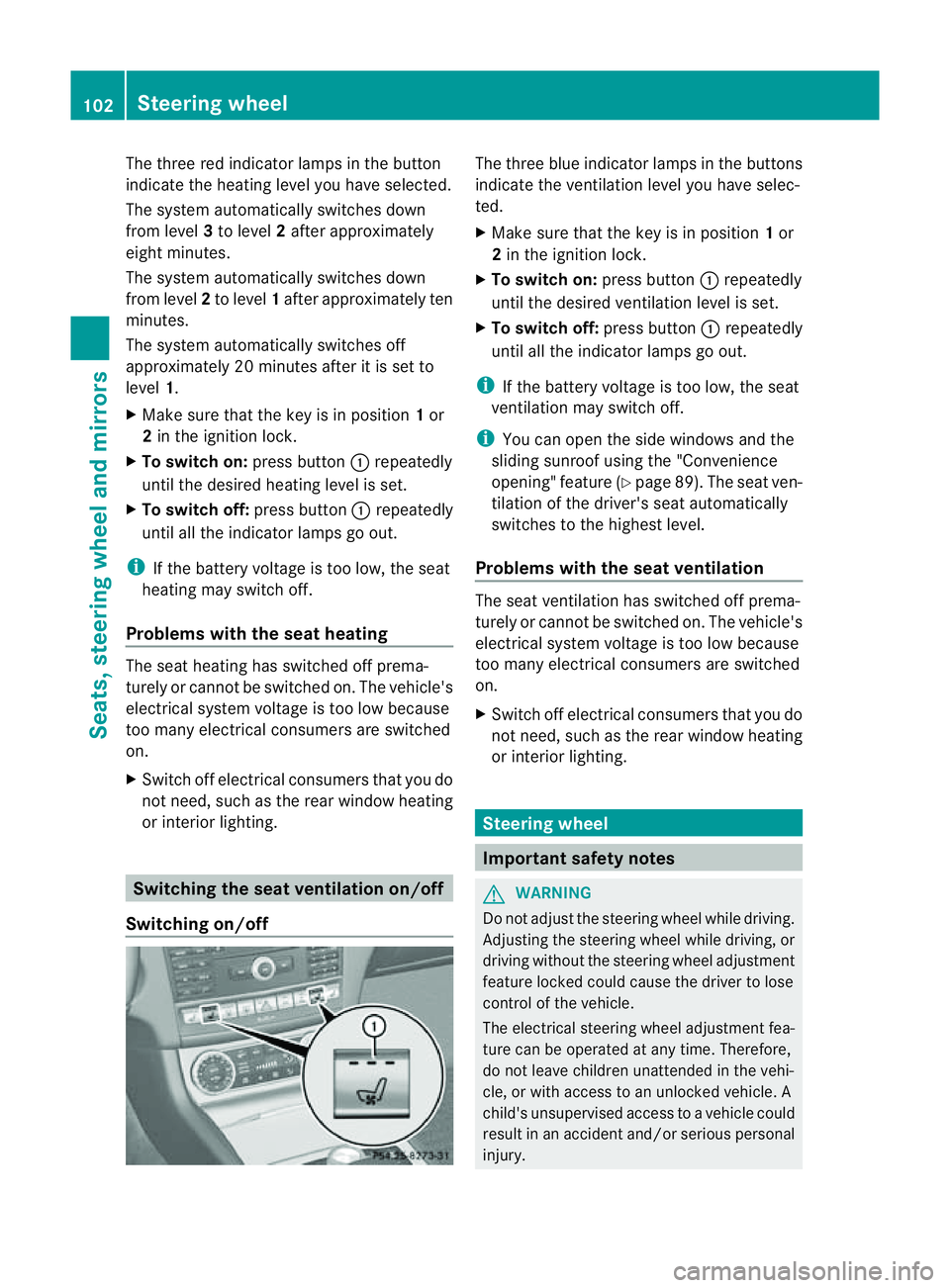
The three red indicator lamps in the button
indicate the heating level you have selected.
The system automatically switches down
from level 3to level 2after approximately
eight minutes.
The system automatically switches down
from level 2to level 1after approximately ten
minutes.
The system automatically switches off
approximately 20 minutes after it is set to
level 1.
X Make sure that the key is in position 1or
2 in the ignition lock.
X To switch on: press button:repeatedly
until the desired heating level is set.
X To switch off: press button:repeatedly
until all the indicator lamps go out.
i If the battery voltage is too low, the seat
heating may switch off.
Problems with the seat heating The seat heating has switched off prema-
turely or cannot be switched on. The vehicle's
electrical system voltage is too low because
too many electrical consumers are switched
on.
X Switc hoff electrical consumers that you do
not need, such as the rear window heating
or interior lighting. Switching the seat ventilation on/off
Switching on/off The three blue indicator lamps in the buttons
indicate the ventilation level you have selec-
ted.
X
Make sure that the key is in position 1or
2 in the ignition lock.
X To switch on: press button:repeatedly
until the desired ventilation level is set.
X To switch off: press button:repeatedly
until all the indicator lamps go out.
i If the battery voltage is too low, the seat
ventilation may switch off.
i You can open the side windows and the
sliding sunroof using the "Convenience
opening" feature (Y page 89). The seat ven-
tilation of the driver's seat automatically
switches to the highest level.
Problems with the seat ventilation The seat ventilation has switched off prema-
turely or cannot be switched on. The vehicle's
electrical system voltage is too low because
too many electrical consumers are switched
on.
X
Switc hoff electrical consumers that you do
not need, such as the rear window heating
or interior lighting. Steering wheel
Important safety notes
G
WARNING
Do not adjust the steerin gwheel while driving.
Adjusting the steerin gwheel while driving, or
driving without the steerin gwheel adjustment
feature locked could cause the driver to lose
control of the vehicle.
The electrical steerin gwheel adjustmen tfea-
ture can be operated at any time. Therefore,
do not leave children unattended in the vehi-
cle, or with access to an unlocked vehicle. A
child's unsupervised access to avehicle could
result in an acciden tand/o rserious personal
injury. 102
Steering wheelSeats, steering wheel and mirrors