odometer MERCEDES-BENZ CLS COUPE 2012 Owners Manual
[x] Cancel search | Manufacturer: MERCEDES-BENZ, Model Year: 2012, Model line: CLS COUPE, Model: MERCEDES-BENZ CLS COUPE 2012Pages: 373, PDF Size: 9.12 MB
Page 17 of 373
Mirror
see Vanity mirror (in sun visor)
Mirrors
see Exterior mirrors
see Rear-view mirror
Mobile phone
Frequencies ................................... 357
Installatio n..................................... 357
Menu (on-board computer) ............217
Notes/placing in the bracket ......... 284
Sliding adapter ............................... 286
Transmission output (maximum ).... 357
Modifying the programming (key) .....78
MOExtende dtyres ............................ .313
Motorway mode ................................ 115
MP3 Operating ...................................... .216
see Separate operating instructions
Multifunctio ndisplay
Function/notes ............................. 211
Permanent displa y......................... 221
Multifunctio nsteering wheel
Operating the on-board computer .210
Overview .......................................... 33N
Navigation Menu (on-board computer) ............214
NECK-PRO head restraints
Operation ........................................ .46
Resettin gafter bein gtriggered ........47
NECK-PRO luxury head restraints
Operation ........................................ .46
Resettin gafter bein gtriggered ........47
Night View Assist Plus
Activating/deactivating .................195
Cleaning ......................................... 305
Function/notes ............................. 194
Problem (fault) ............................... 197
Notes on runnin ginanew vehicle ..140 O
Occupant safety Childre ninthe vehicle ..................... 52
Important safety notes ....................40
Odometer
see Total distance recorder
see Trip meter
Oil
see Engine oil
On-board computer
AMG menu ..................................... 228
Assistance menu ........................... 218
Audi omenu ................................... 215
Convenience submenu ..................226
Displaying aservice message ........300
Display messages ..........................231
DISTRONI CPLUS ........................... 176
Factory setting submenu ...............227
Heating submenu ........................... 225
Important safety notes ..................208
Instrument cluster submenu ..........221
Ligh tsubmenu ............................... 222
Menu overview .............................. 212
Message memory .......................... 231
Navigation menu ............................ 214
Operating the TV ............................ 216
Operating vide oDVD ..................... 216
Operation ....................................... 210
RACETIMER ................................... 228
Service menu ................................. 220
Settings menu ............................... 221
Standard displa y............................ 212
Telephone menu ............................ 217
Trip menu ...................................... 212
Vehicle submenu ........................... 224
Operatin gsystem
see On-board computer
Outside temperature display ...........210
Overhead control panel ......................37
Override feature Rea rside windows ........................... 62 P
Pain tcode .......................................... 359
Paintwork (cleaning instructions) ...303
Pani calarm .......................................... 4014
Index
Page 224 of 373
In the
Serv. menu, you have the following
options:
R call up display messages in the message
memory (Y page 231)
R restart the tyre pressure loss warning sys-
tem (Y page 333)
R check the tyre pressure electronically
(Y page 334)
R call up when aservice is due
(Y page 300) Settings menu
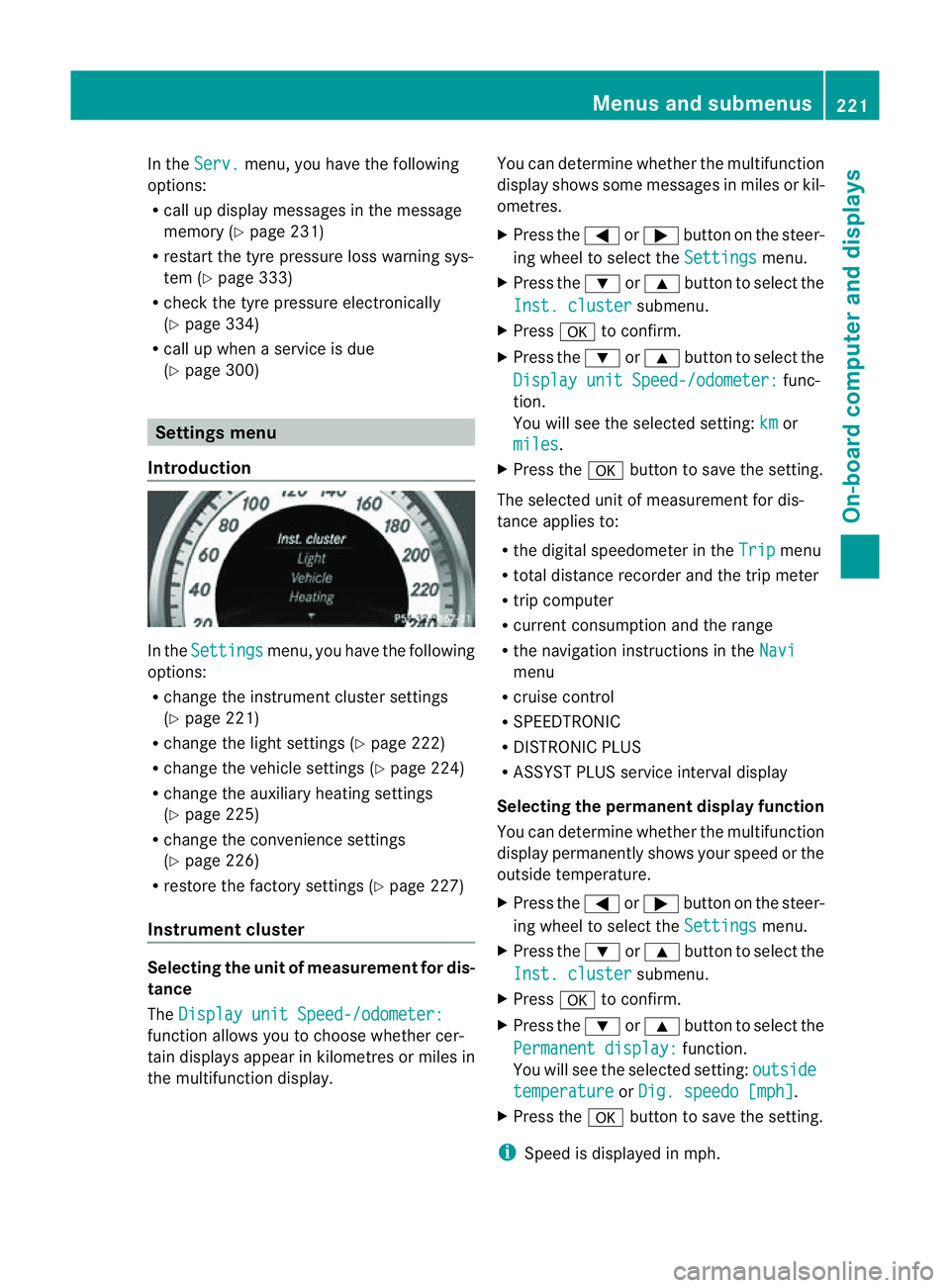
Introduction In the
Settings menu, you have the following
options:
R change the instrument cluster settings
(Y page 221)
R change the lights ettings (Ypage 222)
R change the vehicle settings (Y page 224)
R change the auxiliary heating settings
(Y page 225)
R change the convenience settings
(Y page 226)
R restore the factory settings (Y page 227)
Instrument cluster Selecting the unit of measurement for dis-
tance
The Display unit Speed-/odometer: function allows you to choose whether cer-
tain displays appear in kilometres or miles in
the multifunction display. You can determine whether the multifunction
display shows some messages in miles or kil-
ometres.
X
Press the =or; button on the steer-
ing wheel to select the Settings menu.
X Press the :or9 button to select the
Inst. cluster submenu.
X Press ato confirm.
X Press the :or9 button to select the
Display unit Speed-/odometer: func-
tion.
You will see the selected setting: km or
miles .
X Press the abutton to save the setting.
The selected unit of measuremen tfor dis-
tancea pplies to:
R the digital speedometer in the Trip menu
R total distance recorder and the trip meter
R trip computer
R current consumption and the range
R the navigation instructions in the Navi menu
R cruise control
R SPEEDTRONIC
R DISTRONIC PLUS
R ASSYST PLUS service interval display
Selecting the permanent display function
You can determin ewhether the multifunction
display permanently shows your speed or the
outside temperature.
X Press the =or; button on the steer-
ing wheel to select the Settings menu.
X Press the :or9 button to select the
Inst. cluster submenu.
X Press ato confirm.
X Press the :or9 button to select the
Permanent display: function.
You will see the selected setting: outside temperature or
Dig. speedo [mph] .
X Press the abutton to save the setting.
i Speed is displayed in mph. Menus and submenus
221On-board computer and displays Z