display MERCEDES-BENZ CLS COUPE 2018 Owners Manual
[x] Cancel search | Manufacturer: MERCEDES-BENZ, Model Year: 2018, Model line: CLS COUPE, Model: MERCEDES-BENZ CLS COUPE 2018Pages: 589, PDF Size: 10.95 MB
Page 327 of 589
#
Select POI symbols.
The #dot indica testh e cur rent setting.
Standard displays symbols of predefined cat‐
egories on the map.
User defined allowsyouto personally select
th e symbols forth eav ailable categories.
None switches the display off. #
Select a setting. #
User defined : select categories.
The POI symbols of the selected categories
are displa yedO or not displa yedª.
Selecting the display of text information in
th e map
Multimedia sy stem:
, Navigation .
Z Options .
Text
information #
Select text information.
Current street showsthest re et you are cur‐
re ntly driving on at the bottom of the displa y.
When the map is mo ved, thefo llowing infor‐
mation appears under the crosshair:
R stre et name R
POI name
R area name
Geo-coordinates displaysth efo llowing infor‐
mation:
R longitude and latitude
R elevation
The el evation shown may deviate from
th e actual ele vation.
R number of sa tellites from which a signal
can be recei ved
When the map is mo ved, this information
does not appear.
Climate control displays the cur rent clima te
control settings.
None switches the display off.
Displaying the next intersecting stre et
Requ irements:
R Route guidance is not active. Multimedia sy
stem:
, Navigation .
Z Options #
Activate ONext intersecting street .
The name of the next intersecting stre et will
be displa yed at the upper edge of the displa y.
Displaying the map version
Multimedia sy stem:
, Navigation .
Z Options #
Select Map version . #
Select Details.
% Information about new versions of the digital
map can be obtained from a Mercedes-Benz
service cent re.
Overview of avoiding an area
Yo u can define areas along a route that you
wo uld like toavoid.
The route can include an area that is tobe avoi‐
ded in thefo llowing situations:
R the destination is located in an area that is to
be avo ided
R if mo torw ays are located within the area that
is to be avoided 324
Multimedia sy stem
Page 330 of 589
In
theeve nt of thefo llowing problems, please
con tact a Mercedes-Benz service centre:
R The multimedia sy stem does not accept the
activation code
R You ha velost the activation code
Displaying the compass
Multimedia sy stem:
, Navigation .
À Route and position #
Select Compass.
The compass display sho wsthefo llowing
information:
R the cur rent di rection of tr avel with bear‐
ing (360° form at) and compass direction
R longitude and latitude coo rdinates in
degrees, minutes and seconds
R height (rounded)
R number of GPS satellites from which a
signal can be recei ved
Displaying Qibla
Requ irements:
R The Qibla display is available in your count ry.Multimedia sy
stem:
, Navigation .
À Route and position #
Select Qibla.
The ar rowonthe compass sho wsthe direc‐
tion of pr ayer toMecca in relation tothe cur‐
re nt di rection of tr avel.
The number of satellites recei ved is shown.
Setting the map scale automatically
Multimedia sy stem:
, Navigation .
Z Options
The map scale is set automatically depending on
yo ur driving speed.
Fo r journe ysin cities with de tailed city models, a
map view from the driver's perspective is used. #
Switch Auto zoom onO or off ª.
% The automatically selected map scale can be
changed manually for a short time. The set‐
ting is reset automatically af ter a few sec‐
onds. Displaying
the satellite map
Multimedia sy stem:
, Navigation .
Z Options .
Map con-
tent #
Switch Satellite map onO or off ª.
or #
If satellite map display 6isavailable in the
map menu, switch it on Oor off ª
(→ page 322).
Switched on O: satellite maps are displa yed
in map scales of 2 km.
Swit ched off ª: satellite maps are not dis‐
pla yed in map scales from 2 km to10 km.
% Satelli temaps forth ese map scales are not
av ailable in all countries.
Displ aying weather information
Re quirements:
R Mercedes me connect is available.
R You ha vea user account forth e Mercedes
me por tal.
R The service is available. Multimedia sy
stem 327
Page 331 of 589
R
The service has been activated at a
Mercedes-Benz service centre.
Fu rther information can be found at: http://
www.mercedes.me
Multimedia sy stem:
, Navigation .
Z Options .
Map con-
tent #
Activate Weather information O.
or #
Ifwe ather information display 6isavailable
in the map menu, activate O(→page 322)
it.
Cur rent we ather information is displa yed on
th e navigation map, e.g. temp erature or
cloud co ver.
% Weather information is not available in all
countries. Calling up
the Digital Owner's Manual (navi‐
ga tion) Calling up in
form ation on navigation
Multimedia sy stem:
, Navigation .
Z Options .
Informa-
tion on navigation #
Select theto pic. Te
lephone Te
lephony Note
s ontelephony &
WARNING Risk of di stra ction from oper‐
ating integrated communication equip‐
ment while theve hicle is in motion
If yo u operate communication equipment
integrated in theve hicle when driving, you
will be distracted from the tra ffic situation.
This could also cause youto lose control of
th eve hicle. #
Only operate this equipment when the
traf fic situation permits. #
Ifyo u cannot be sure of this, stop the
ve hicle whilst paying attention toroad
and traf fic conditions and ope rate the
equipment with theve hicle stationar y. &
WARNING Risk of di stra ction from oper‐
ating mobile communication equipment
while theve hicle is in motion
If yo u operate mobile communication equip‐
ment when driving, you will be distracted
from the tra ffic situation. This could also
cause youto lose control of theve hicle. #
Only operate this equipment when the
ve hicle is stationar y. Yo
u must obse rveth e legal requirements forthe
country in whi chyou are cur rently driving when
operating mobile communication equipment in
th eve hicle.
Fu rther information can be obtained from a
Mercedes-Benz service centre or at: http://
www.mercedes-benz.com/connect. 328
Multimedia sy stem
Page 341 of 589
Making a call from
the call list
Multimedia sy stem:
, Telephone .
ø Call list #
Select a number.
The call is made. Te
xt messages Overview of
text message functions
If th e connected mobile phone supports the
MAP Blue tooth®
profile, thete xt messa gefunc‐
tions can be used on the multimedia sy stem.
Yo u can obtain fur ther information about set‐
tings and suppor ted functions of Blue tooth ®
-
capable mobile phones from a Mercedes-Benz
service centre or at: http://www.mercedes-
benz.com/connect
Some mobile phones require fur ther settings
af te r being connected tothe multimedia sy stem
(see manufacturer's operating instructions).
New messages are identified bythei sym‐
bol in the media display and an audible signal. Depending on
the mobile phone, the multimedia
sy stem only displa ysnew incoming text mes‐
sa ge s or the10 0 ne westtext messa ges.
The ú symbol is displa yed when the mobile
phone's message memory is full.
Configuring the displa yedte xt messages
Multimedia sy stem:
, Telephone .
Z Options .
Text mes-
sage .
Message display #
Select p.
A menu with thefo llowing options is shown:
R All messages
R New and unread messages
R New messages
R Off (The text messa ges are not displa yed
automaticall y.) #
Select an option.
% The setting may not be acti veuntil the
mobile phone is reconnected. Re
ading text messages
Multimedia sy stem:
, Telephone .
i Text message
Re ading a text message #
Select a text messa ge.
The message text is displ ayed.
Using there ad-aloud function #
Select a text messa ge. #
Select Read aloud .
The text messa geisread aloud.
Composing and sending a text message
Multimedia sy stem:
, Telephone .
i Text message #
Select Write new text message.
Ad ding a recipient #
Select Press to add recipient. #
Select the conta ct.
Dictating text #
Select Press to dictate. 338
Multimedia sy stem
Page 342 of 589
#
Tostart the dictation function: press on
th e cent ral control element.
The app forth e dictation function is loaded.
If th ere was no prior Internet connection, a
connection is now es tablished. #
Say the message.
The dictation ends automatically af teryou
ha ve finished speaking.
Af terth evo ice message has been processed,
it is shown as text. #
Toreplace a message: selectReplace mes-
sage.
The text that has been dictated and shown
on the display is reset and can be dictated
again.
Editing text #
Select thewo rd. #
Tocall up the cor rection menu: press on
th e cent ral control element.
The following options are available:
R adjusting the capitalisation of words (if
suppor tedby thech aracter set) R
expanding thech oice of words
R deleting the selection
R recording a new dictation #
Tolea vethe menu: selectDone.
Sending text messages #
Select Send text message .
Re plying toate xt message
Multimedia sy stem:
, Telephone .
i Text message #
Open thete xt messa ge. #
Select p. #
Select Reply.
Calling a text message sender
Multimedia sy stem:
, Telephone .
i Text message #
Open thete xt messa ge. #
Select p. #
Select Call sender. Deleting
text messages
Multimedia sy stem:
, Telephone .
i Text message #
Select p. #
Todel ete a text message: selectDelete. #
Outbox
or #
Select Drafts. In Car Of
fice "In Car Of
fice" functions
Using "In Car Of fice", you can connect your
online services with the multimedia sy stem.
The following functions are available:
R Display of upcoming meetings in the calen‐
dar
R Selection of a meeting as a destination in the
navigation
R Display of upcoming telephone con fere nces
R Selection of telephone con fere nces for auto‐
matic dialling Multimedia sy
stem 339
Page 343 of 589
R
Displ ayof participants in a telephone con fer‐
ence
R Display and selection of calls tobe made
% Please no tethat cer tain functions are only
av ailable when theve hicle is stationar y.
% Ifth e! symbol appears in thest atus
line, the "In Car Of fice" service is available in
th eve hicle.
Calling up "In Car Of fice"
Re quirements:
R A mobile phone is connec tedto the multime‐
dia sy stem.
R You ha vea user account on the Mercedes
me por tal (https://me.me rcedes-benz-com).
R The "In Car Of fice" service is acti vated in the
Mercedes me por tal.
R You ha vean account with an online service,
fo rex ample Of fice 365. #
Select In Car Office . Switching automatic
start of "In Car Of fice"
on/off
Multimedia sy stem:
, System .
In Car Office #
Switch Start In Car Office automatically on
O or off ª.
If th e automatic start of "In Car Of fice" is
switched on, displ ays with options rega rding
upcoming appointments automatically
appear in the media displa y.
If th e automatic start of "In Car Of fice“ is
switched off, you can call up the application
via the main menu.
Selecting "In Car Of fice" functions
Multimedia sy stem
, In Car Office #
Select an appointment.
Depending on the appointment and the
st ored information, thefo llowing functions
are available:
R Start route guidance/ Cancel route guid.
R Display participants R
Set up call /Connect now #
Select a function.
Ma rking an entry in theto -do list as comp le‐
ted
Multimedia sy stem
, In Car Office #
Select an entry intheto -do li stO .
The following functions are available:
R Mark the selected entry as concluded or
st ill open
R Call up the selected entry w
R Tostart automatic processing of theto-
do lis t:Start to-do items
No ting an incoming call
When youre cei vean incoming call a prom pt
appears asking whe ther the call should be
accep ted, rejected or no ted. #
Select Reminder.
The call is rejected and au tomatical lyadded
to the "In Car Of fice" to-do li st. 340
Multimedia sy stem
Page 352 of 589
contract pa
rtner may result in an emer gency call
not being transmitted.
The ignition mu stbe switched on before an auto‐
matic emer gency call can be made.
% The Mercedes-Benz eme rgency call sy stem
is activated at thefa ctor y.
Overview of the Mercedes-Benz emer gency
call sy stem
The Mercedes-Benz emer gency call sy stem can
help todecisively reduce the time between an
accident and the ar riva l of emer gency services
at the site of the accident. It helps locate an
accident site in places that are dif ficult to
access.
The emer gency call can be made au tomatical ly
( → page 349) or manually (→ page 350). Only
make emer gency calls if you or others are in
need of rescue. Do not make an emer gency call
in theev ent of a breakdown or a similar situa‐
tion.
Displa ysinthe media displa y:
SOS READY : emergency call available SOS NOT READY:
the ignition is not on or there
is a malfunction with the emer gency call sy stem.
During an active emer gency call, Gappears
in the displa y.
Yo u can find more information on there gional
av ailability of the Mercedes-Benz emer gency call
sy stem at: http://www.mercedes-benz.com/
connect_ecall.
% If an emer gency call is una vailable due to a
te ch nical problem in theve hicle, a message
to this ef fect will appear on the multifunction
display of the instrument clus ter.
Tr iggering an automatic emer gency call
Re quirements:
R The ignition is switched on.
R The star ter battery is suf ficiently charge d.
If re stra int sy stems such as airbags or seat belt
te nsioners ha vebeen activated af ter an acci‐
dent, the Mercedes-Benz emer gency call sy stem
may automatically initiate an emer gency call. The emergency call has been made:
R
Avo ice connection is made tothe Mercedes-
Benz emer gency call centre.
R A messa gewith accident data is transmitted
to the Mercedes-Benz emer gency call centre.
The Mercedes-Benz emergency call centre
can transmit theve hicle position data toone
of the public emer gency services call cen‐
tres.
R In cer tain situations data is also transmitted
in thevo ice channel tothe Mercedes-Benz
emer gency call centre.
This allo wsmeasu resfo rre scue, reco very or
to wing toa Mercedes-Benz Service Cent reto
be initiated quickl y.
The SOS button in theov erhead control panel
fl ashes until the emer gency call is finished.
It is not possible toimmediately end an auto‐
matic emer gency call.
If th e Mercedes-Benz emer gency call sy stem
cann otconnect tothe Mercedes-Benz emer‐
ge ncy call centre, the emer gency call is au tomat‐ Multimedia sy
stem 349
Page 354 of 589
R
theve hicle drive type
R the estimated number of people in theve hi‐
cle
R whe ther Mercedes me connect is available or
not
R whe ther the emer gency call was initiated
manually or automatically
R the time of the accident
R the language setting on the multimedia sys‐
tem
Fo r accident clarification purposes, thefo llowing
measures can be take n up toan hour af terthe
emer gency call has been initia ted:
R the cur rent vehicle position can be called up
R avo ice connection totheve hicle occupants
can be es tablished
% ForRu ssia: various functions, e.g. receiving
traf fic information, cannot be used for up to
two hou rsafte r sending an emergency call. Fu
nction of the emer gency call sy stem self-
diagnosis (Russia)
Yo ur car verifies the operability of the emer‐
ge ncy call sy stem each time the ignition is ON.
In case of sy stem failure, you will be informed
with text messa geon the instrument clus ter and
with red indicator SOS NOT READY onthe media
displa y.
Please, make sure, that during 3- 10seconds
af te r switching ignition ON there d indicator
SOS NOT READY inthe upper right corner of the
media display is switched OFF, this means the
emer gency call sy stem passed diagnostics suc‐
cessfully. If necessar y,switch ON the media dis‐
pla y,if it was switched OFF before.
St arting/ending ERA-GLONASS test mode
(Russia)
Re quirements:
R The star ter battery is suf ficiently charge d.
R The ignition is switched on.
R The vehicle has been stationary for at least
one minute. #
Tostart thete st mode: press and hold the
~ button on the multifunction steering
wheel for at least five seconds.
The test mode is star ted and automatically
ends af terth e language test has been per‐
fo rm ed. #
Toend thete st mode manuall y:switch off
th e ignition.
The test mode is ended. Online and Internet functions
Internet connection
Information on connecting
tothe Internet &
WARNING Risk of di stra ction from infor‐
mation sy stems and communications
equipment
If yo u operate information and communica‐
tion equipment integ rated in theve hicle
when driving, you will be distracted from the
traf fic situation. This could also cause youto
lose control of theve hicle. Multimedia sy
stem 351
Page 357 of 589
Multimedia sy
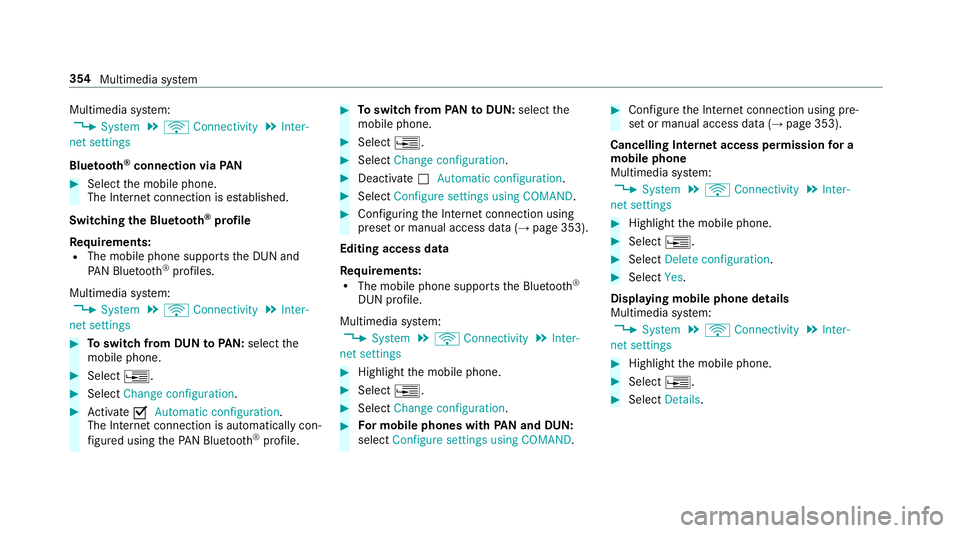
stem:
, System .
ö Connectivity .
Inter-
net settings
Blue tooth ®
connection via PAN#
Select the mobile phone.
The Internet connection is es tablished.
Switching the Blu etoo th®
pr ofile
Re quirements:
R The mobile phone supports the DUN and
PA N Blue tooth®
profiles.
Multimedia sy stem:
, System .
ö Connectivity .
Inter-
net settings #
Toswitch from DUN toPAN: select the
mobile phone. #
Select ¥. #
Select Change configuration. #
Activate OAutomatic configuration.
The Internet connection is au tomatical lycon‐
fi gured using thePA N Blue tooth®
profile. #
Toswitch from PANto DUN: select the
mobile phone. #
Select ¥. #
Select Change configuration. #
Deactivate ªAutomatic configuration. #
Select Configure settings using COMAND . #
Configuri ngthe Internet connection using
preset or manual access data (→ page 353).
Editing access data
Re quirements:
R The mobile phone supports the Blue tooth®
DUN profile.
Multimedia sy stem:
, System .
ö Connectivity .
Inter-
net settings #
Highlight the mobile phone. #
Select ¥. #
Select Change configuration . #
For mobile phones with PAN and DUN:
select Configure settings using COMAND. #
Configure the Internet connection using pre‐
set or manual access data (→ page 353).
Cancelling Internet access permission for a
mobile phone
Multimedia sy stem:
, System .
ö Connectivity .
Inter-
net settings #
Highlight the mobile phone. #
Select ¥. #
Select Delete configuration. #
Select Yes.
Displaying mobile phone details
Multimedia sy stem:
, System .
ö Connectivity .
Inter-
net settings #
Highlight the mobile phone. #
Select ¥. #
Select Details. 354
Multimedia sy stem
Page 358 of 589
Establishing an Internet connection
Multimedia sy
stem:
, Connect #
Forex ample, select zBrowser .
% The multimedia sy stem usually es tablishes
th e Internet connection automaticall y.Ifthe
multimedia sy stem is not connected tothe
Internet, the Internet connection is es tab‐
lished when an Internet application is used.
% The availability of web br ows ers is count ry-
dependent. Connection
status Connection
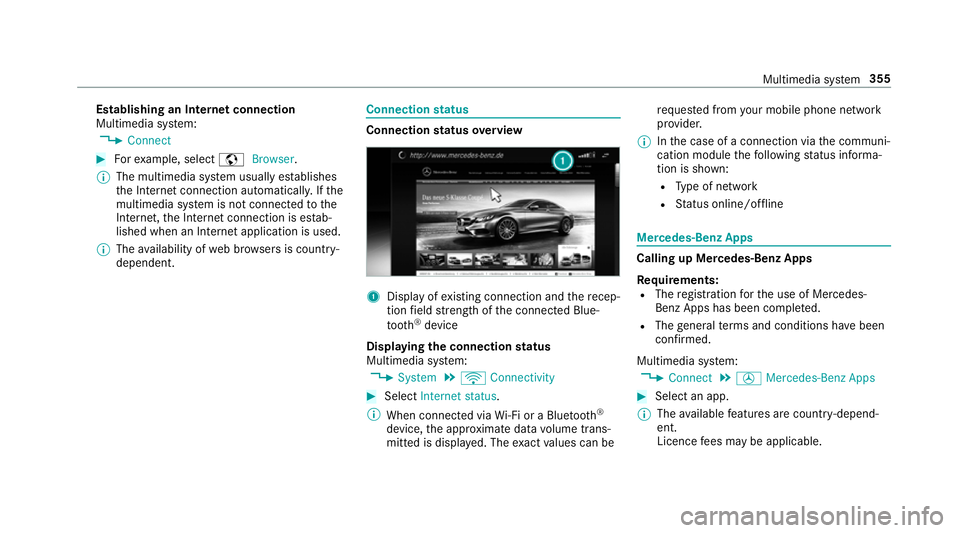
status overview 1
Display of existing connection and there cep‐
tion field stre ngth of the connected Blue‐
tooth ®
device
Displaying the connection status
Multimedia sy stem:
, System .
ö Connectivity #
Select Internet status .
% When connected via Wi-Fi or a Blu etoo th®
device, the appr oximate data volume trans‐
mit ted is displa yed. The exact values can be re
qu ested from your mobile phone network
pr ov ider.
% Inthe case of a connection via the communi‐
cation module thefo llowing status informa‐
tion is shown:
R Type of network
R Status online/of fline Mercedes-Benz Apps
Calling up Mercedes-Benz Apps
Re
quirements:
R The registration forth e use of Mercedes-
Benz Apps has been comple ted.
R The general term s and conditions ha vebeen
con firm ed.
Multimedia sy stem:
, Connect .
Ú Mercedes-Benz Apps #
Select an app.
% The available features are countr y-depend‐
ent.
Licence fees may be applicable. Multimedia sy
stem 355