ad blue MERCEDES-BENZ E-Class 2014 W212 Comand Manual
[x] Cancel search | Manufacturer: MERCEDES-BENZ, Model Year: 2014, Model line: E-Class, Model: MERCEDES-BENZ E-Class 2014 W212Pages: 270, PDF Size: 5.82 MB
Page 187 of 270
Your COMAND equipment
................186
Radio mode ........................................ 186
Satellite radio .................................... 190
Audio CD and MP3 mode ..................195
Music search ..................................... 204
MUSIC REGISTER .............................. 207
Bluetooth ®
audio mode .................... 211
Operation with the Media Inter-
face .................................................... 217
Audio AUX mode ............................... 223 185Audio
Page 199 of 270
Connecting a USB device
The USB port is located in the stowage com-
partment in the center console.
Electrical consumption at this connection
must not exceed a continuous current of
500 mA. If the electrical consumption is
higher, use a separate source to provide
power for the USB device (e.g.
12 V power supply).
X Connect the USB device (e.g. USB stick) to
the USB port.
If no MP3 tracks can be found, you will seea message to this effect.
The first 100 MP3 tracks are loaded. The
first MP3 track is then played. Further
tracks are loaded in the background; this is
indicated by an hourglass symbol.
i Due to the wide range of USB devices
available on the market, playback cannot
be guaranteed for all brands of USB device.
Information about suitable USB devices
can be obtained from an authorized
Mercedes-Benz Center.
MP3 players must support Media Transfer
Protocol (MTP). The MTP mode must be
active. Switching to audio CD or MP3 mode
Inserting or connecting a medium X
Insert CDs (Y page 196)
or
X Insert an SD memory card (Y page 196)
or
X Connect a USB device (Y page 197).
COMAND loads the medium inserted and
starts to play it.
Switching on using the button X
Press the 003Abutton one or more times. By pressing the
003Abutton repeatedly, you
can switch modes in the following order:
R
R CD/video DVD/MP3 CD/MP3 DVD in the
single DVD drive (disc mode)
R Memory card mode
R MUSIC REGISTER
R USB storage device
R Media Interface or audio AUX mode
R Bluetooth ®
audio mode
X Select an audio medium from the media list
(Y page 198).
Switching modes via the audio menu X
Select Audio Audioin the main function bar by
sliding 00970052and turning 00790052007Athe COMAND
controller and press 0098to confirm.
The last active audio source is now activa-
ted.
You can activate a different audio source
using the audio menu.
X Select Audio Audioby sliding 00970052and turning
00790052007Athe COMAND controller and press 0098
to confirm.
The audio menu appears.
X Select Disc Disc,Memory
Memory Card
Card,Music
Music Regis‐
Regis‐
ter
ter ,USB Storage
USB Storage orMedia Interface
Media Interface
and press 0098to confirm.
This switches to the desired audio source.
X Select an audio medium from the media list
(Y page 198). Audio CD and MP3 mode
197Audio Z
Page 201 of 270
Positions in the media list
Single DVD drive, position 1: readable data
media are audio CDs, MP3 CDs or MP3
DVDs and video DVDs Memory card, position 2
MUSIC REGISTER, position 3
USB storage device, position 4
Media Interface, position 5
Bluetooth
®
audio: position 6 i
If a disc cannot be read, an entry appears
next to the corresponding magazine tray.
i If you select a video DVD, the system
switches to video DVD mode (Y page 226).
Selecting a track using the number key- pad X
When the display/selection window is
active, press a number key, e.g. 0084.
The medium at the corresponding position
in the media list is loaded and then played. Selecting a track
Selecting by skipping to a track X
To skip forwards or back to a track: turn
00790052007A the COMAND controller when the dis-
play/selection window is active.
or
X Press the 0048or0049 button.
The skip forward function skips to the next track.
The skip back function skips to the begin-
ning of the current track if the track has
been playing for more than 8 seconds. If the
track has been playing for less than
8 seconds, it skips to the start of the pre-
vious track. If the
Random Tracks
Random Tracks orRandom Folder Random Folder
playback option has been selected, the
track order is random.
Selecting a track using the number key- pad X
Press the 0056key on the number keypad.
A numerical entry field appears. The num-
ber of positions offered corresponds to the
number of tracks on the CD. Only numbers that correspond to a track number on the
CD can be entered.
X Enter the desired track number using the
number keys.
The track plays after the last possible num-
ber is entered.
i Pressing and holding a number key for
more than 2 seconds completes the entry,
and the corresponding track is played.
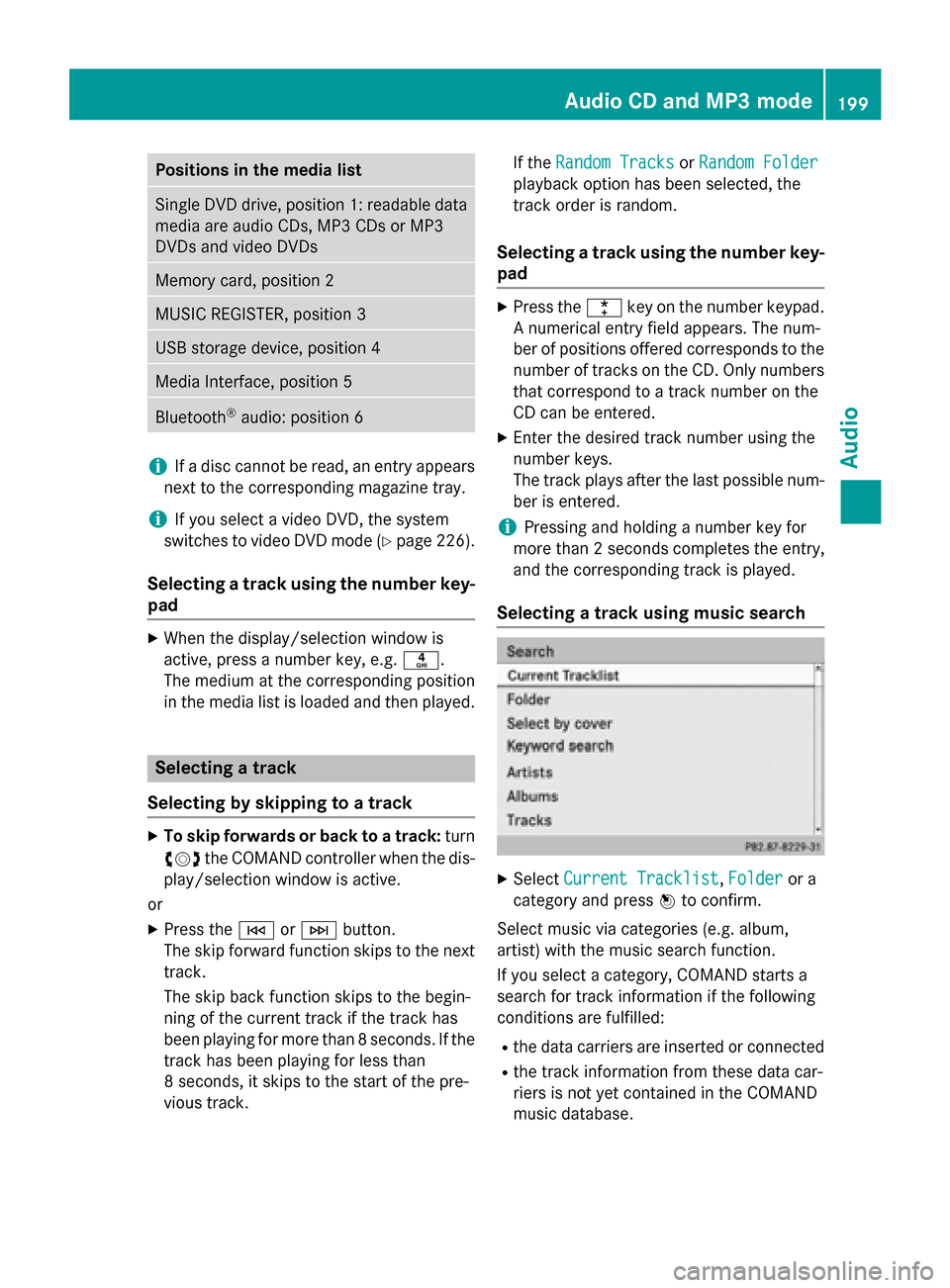
Selecting a track using music search X
Select Current Tracklist Current Tracklist, Folder
Folderor a
category and press 0098to confirm.
Select music via categories (e.g. album,
artist) with the music search function.
If you select a category, COMAND starts a
search for track information if the following
conditions are fulfilled: R the data carriers are inserted or connected
R the track information from these data car-
riers is not yet contained in the COMAND
music database. Audio CD and MP3 mode
199Audio Z
Page 210 of 270
0085
Graphic time and track display
0083 Position of the medium in the media list
and name of the medium, followed by the
current playback option (no display for
Normal Track Sequence
Normal Track Sequence)
0084 Artist
006B MUSIC REGISTER menu bar
Switching on using the DISC button X
Press the 003Abutton repeatedly until the
MUSIC REGISTER is switched on.
By pressing the 003Abutton repeatedly, you
can switch modes in the following order:
R CD/MP3 (disc)
R Memory card mode
R MUSIC REGISTER
R USB storage device
R Media Interface or audio AUX mode
R Bluetooth ®
audio mode
If music files are available, playback begins at the point last listened to.
If there are no music files, you will see a mes- sage to this effect.
X Confirm the message by pressing 0098and
store the music data (Y page 208).
Switching modes via the audio menu X
Select Audio Audioin the main function bar by
sliding 00970052and turning 00790052007Athe COMAND
controller and press 0098to confirm.
If MUSIC REGISTER was the last mode
selected, it is now switched on.
If another audio source is switched on, you
can now switch on the MUSIC REGISTER in
the audio menu.
X Select Audio
Audio by sliding 00970052and turning
00790052007Athe COMAND controller and press 0098
to confirm.
The audio menu appears.
X Select Music Register
Music Register and press0098to
confirm. Switching on with the number buttons X
Make sure that neither radio nor disc is
activated.
X Press the 0083number key.
The MUSIC REGISTER is switched on. Importing music files
Introduction You can import music files from a CD in the
following file formats:
R MP3
R WMA
R AAC (with file extensions .m4p, .m4a, .m4b
and .aac)
X Switch on CD mode (Y page 197).
X With an audio CD inserted, select REC RECin the
basic CD display by sliding 00520064and turning
00790052007A the COMAND controller and press 0098
to confirm.
i CD information such as album name, disc
name, artist and track is provided by the
Gracenote Media Database (Y page 200).
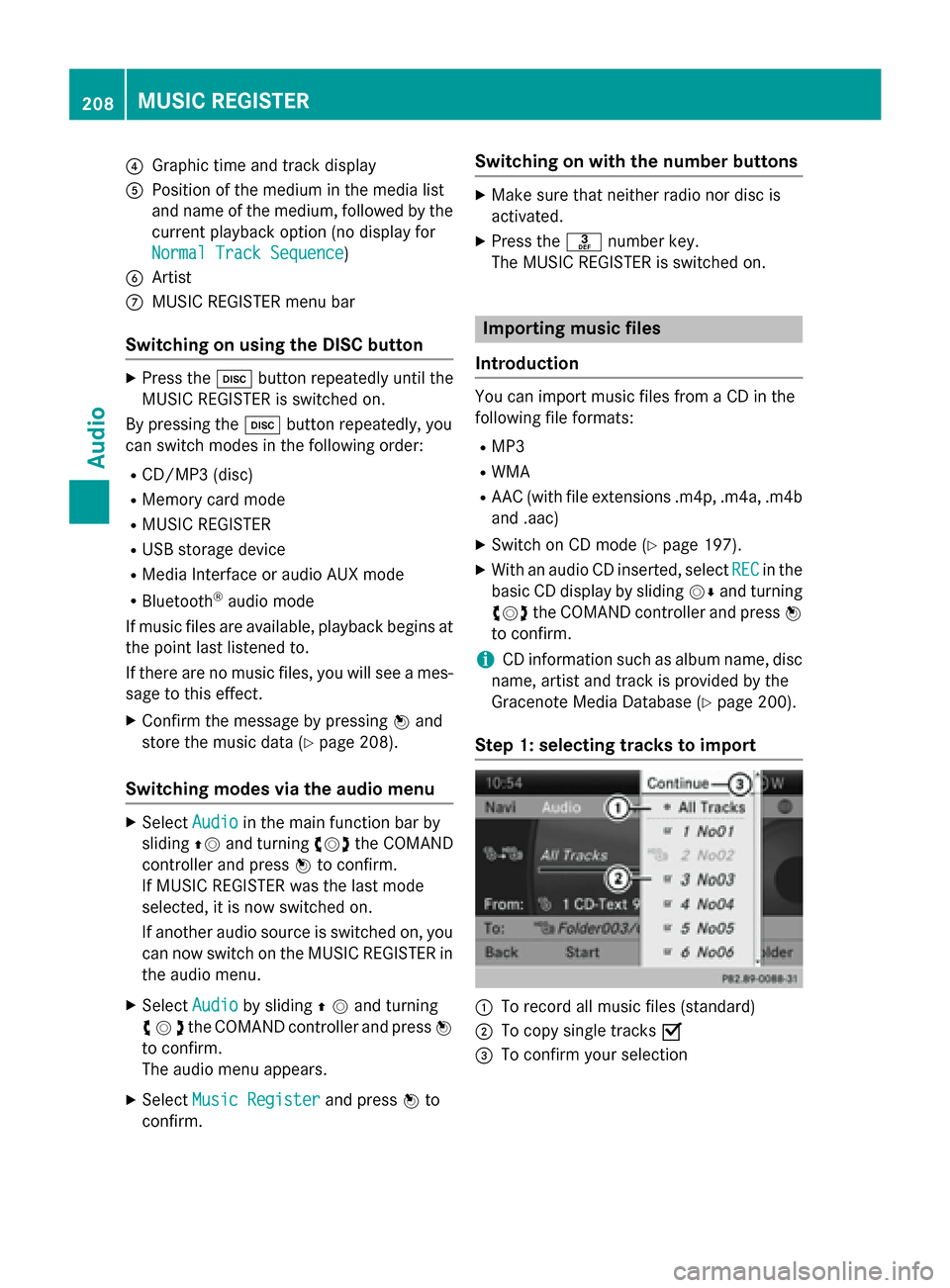
Step 1: selecting tracks to import 0043
To record all music files (standard)
0044 To copy single tracks 0073
0087 To confirm your selection 208
MUSIC REGISTERAudio
Page 213 of 270
X
Select Options
Options by sliding 00520096and press 0098
to confirm.
X Select Delete
Delete and press 0098to confirm.
A prompt appears. No
Nois highlighted.
If you select Yes
Yes, the folders/tracks are
deleted. You see the Please Wait...
Please Wait...
message. You will then see the Data
Data
deleted
deleted message.
If you select No
No, the process will be can-
celed. Playback options
The following options are available:
R Normal Track Sequence
Normal Track Sequence
The tracks are played in the normal order
(e.g. track 1, 2, 3, etc.).
R Random Medium Random Medium
All the tracks on the medium are played in
random order.
R Random Track List
Random Track List (MP3 mode only)
The tracks in the currently active folder or
the current track list are played in a random order.
X To select options: switch to the MUSIC
REGISTER (Y page 207).
X Select Music Music Register
Register by sliding00520064and
turning 00790052007Athe COMAND controller and
press 0098to confirm.
The options list appears. The 003Bdot indi-
cates the option selected.
X Select an option and press 0098to confirm.
The option is switched on. For all options
except Normal Track Sequence
Normal Track Sequence, you will
see a corresponding display in the display/ selection window.
i The
Normal Track Sequence
Normal Track Sequence option is
automatically selected when you change
the disc you are currently listening to or
when you select a different medium. If an
option is selected, it remains selected after COMAND is switched on or off. Bluetooth
®
audio mode Preconditions for the Bluetooth
®
audio device
Bluetooth ®
audio mode requires a Blue-
tooth ®
-capable audio device. Observe the
information in the Bluetooth ®
audio device's
operating instructions.
Before using Bluetooth ®
audio mode, you
should check your Bluetooth ®
audio device
for the following:
R Bluetooth ®
audio profile
The Bluetooth ®
audio device must support
the A2DP and AVRCP Bluetooth ®
audio
profiles.
R Bluetooth ®
visibility
Certain Bluetooth ®
audio devices do not
just require activation of the Bluetooth ®
function. In addition, your device must be
made "visible" to other devices.
R Bluetooth ®
device name
This device name is predetermined but can
usually be changed. To make a clear selec-
tion of the Bluetooth ®
device possible,
Mercedes-Benz recommends that you cus- tomize the device name.
i A2DP (
Advanced AudioDistribution
Profile): Bluetooth ®
audio profile for audio
data transmission
AVRCP (Audio VideoRemote Control
Profile): Bluetooth ®
audio profile for audio
data playback.
i Not all Bluetooth ®
audio devices available
on the market are equally suitable. To
obtain more information about suitable
Bluetooth ®
audio devices and about con-
necting Bluetooth ®
audio devices to
COMAND, visit
http://www.mbusa-mobile.com (USA).
Or call the Mercedes-Benz Customer Assis-
tance center at 1-800-FOR-MERCedes
(1-800-367-6372) (USA) or Customer Rela-
tions at 1-800-387-0100 (Canada). Bluetooth
®
audio mode 211Audio Z
Page 214 of 270
X
Activate Bluetooth ®
and Bluetooth ®
visibil-
ity on the Bluetooth ®
audio device. Preconditions in COMAND
X Activate the Bluetooth ®
function in
COMAND (Y page 45). Connecting Bluetooth
®
audio devices
General information Before using your Bluetooth
®
audio device
with COMAND for the first time, you will need to authorize it.
When you authorize a new Bluetooth ®
audio
device, it is connected automatically. Con-
nection involves first searching for a Blue-
tooth ®
audio device and then authorizing it.
You can authorize up to fifteen Bluetooth ®
devices.
i If you authorize a mobile phone that sup-
ports Bluetooth ®
audio, the A2DP and
AVRCP Bluetooth ®
audio profiles are con-
nected automatically.
The mobile phone is then entered:
R in the Bluetooth ®
telephone list
(Y page 128)
R in the Bluetooth ®
device list
(Y page 212).
Mercedes-Benz recommends authorizing a
mobile phone in Bluetooth ®
telephony
(Y page 128). Searching for and authorizing a Blue-
tooth
®
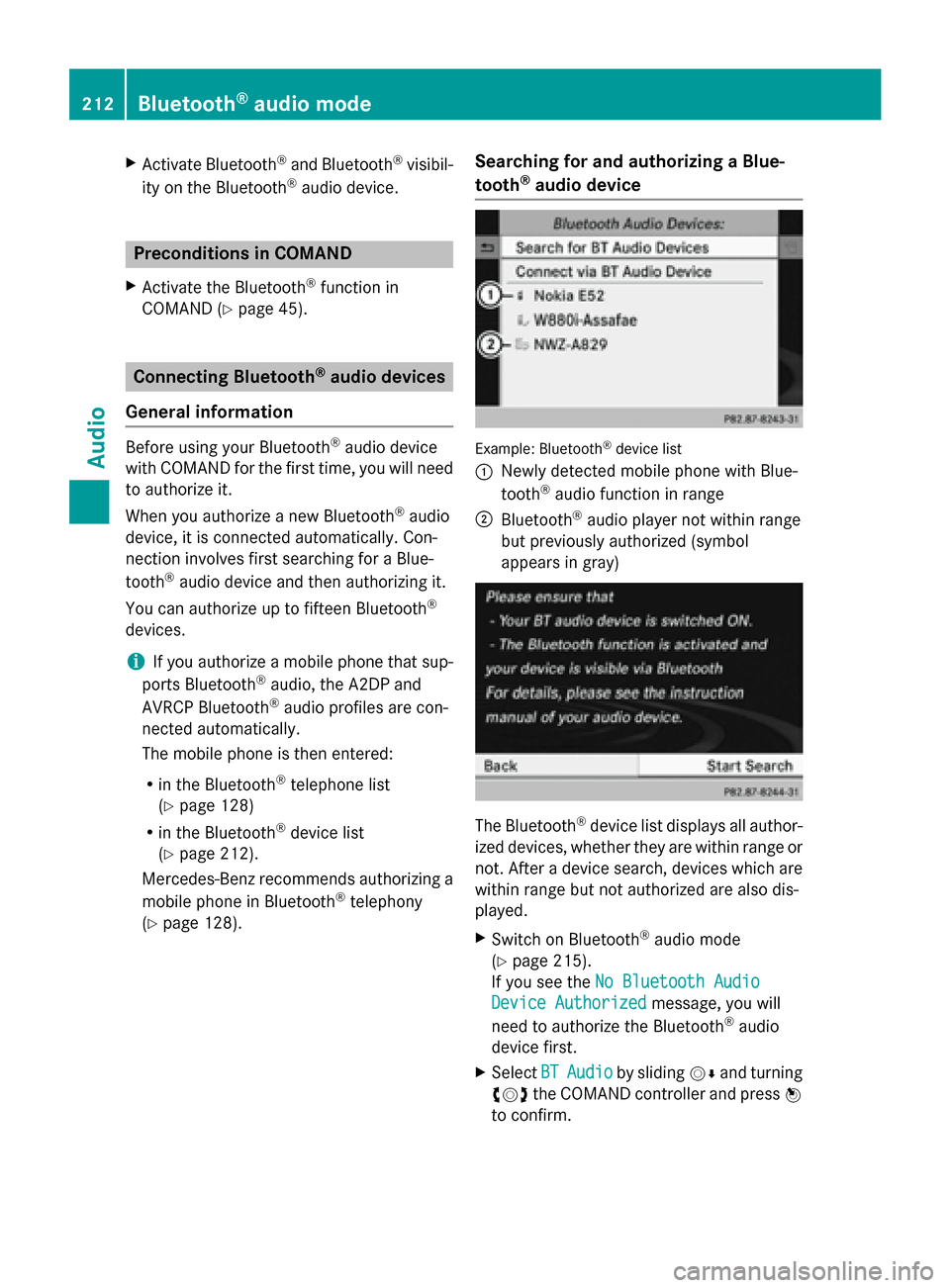
audio device Example: Bluetooth
®
device list
0043 Newly detected mobile phone with Blue-
tooth ®
audio function in range
0044 Bluetooth ®
audio player not within range
but previously authorized (symbol
appears in gray) The Bluetooth
®
device list displays all author-
ized devices, whether they are within range or
not. After a device search, devices which are within range but not authorized are also dis-
played.
X Switch on Bluetooth ®
audio mode
(Y page 215).
If you see the No Bluetooth Audio No Bluetooth Audio
Device Authorized
Device Authorized message, you will
need to authorize the Bluetooth ®
audio
device first.
X Select BT
BTAudio
Audio by sliding 00520064and turning
00790052007A the COMAND controller and press 0098
to confirm. 212
Bluetooth ®
audio modeAudio
Page 215 of 270
X
Confirm Bluetooth Audio Device List
Bluetooth Audio Device List
by pressing 0098the COMAND controller.
X To search: confirmSearch for BT
Search for BT
Audio Devices
Audio Devices by pressing the COMAND
controller 0098.
COMAND searches for Bluetooth ®
audio
devices within range and adds them to the
Bluetooth ®
device list. If Bluetooth ®
audio
devices support the Bluetooth ®
audio pro-
files (A2DP, AVRCP), the devices are detec-
ted.
The duration of the search depends on the
number of Bluetooth ®
audio devices within
range and their characteristics.
X To authorize: select a Bluetooth ®
audio
device that has not yet been authorized
from the list (0043 in the example) by turning
00790052007A the COMAND controller.
X Select the symbol to the right of the Blue-
tooth ®
audio device by sliding 00520096the
COMAND controller and press 0098to con-
firm.
X Select Authorize
Authorize and press0098to confirm.
Depending on the Bluetooth ®
audio device
used, you now have two options for con-
tinuing with authorization.
X Option 1: enter the passkey (Y page 128).
After successful authorization, the Blue-
tooth ®
audio device is connected and
starts playing.
X Option 2 (Secure Simple Pairing): if the
digit codes displayed in COMAND and on
the Bluetooth ®
audio device are the same,
confirm Yes
Yes by pressing 0098.
If you select Yes Yes, authorization continues
and the Bluetooth ®
audio device is connec-
ted. Playback starts.
If you select No No, authorization will be can-
celed.
i The Bluetooth ®
audio device must sup-
port Bluetooth ®
version 2.1 for connection
via Secure Simple Pairing. COMAND cre-
ates a six-digit code, which is displayed on both devices that are to be connected External authorization
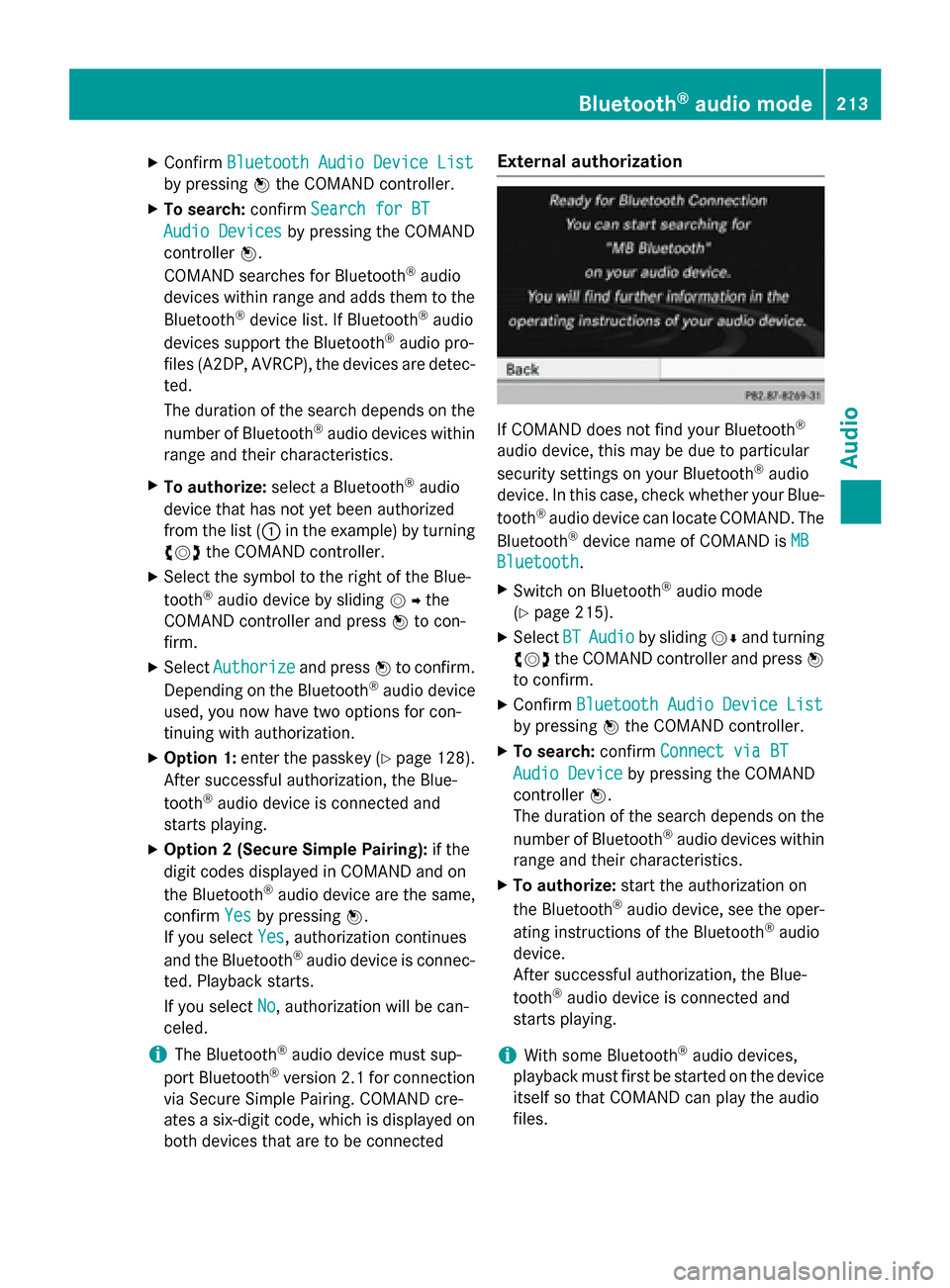
If COMAND does not find your Bluetooth
®
audio device, this may be due to particular
security settings on your Bluetooth ®
audio
device. In this case, check whether your Blue-
tooth ®
audio device can locate COMAND. The
Bluetooth ®
device name of COMAND is MB MB
Bluetooth
Bluetooth .
X Switch on Bluetooth ®
audio mode
(Y page 215).
X Select BT
BTAudio
Audio by sliding 00520064and turning
00790052007A the COMAND controller and press 0098
to confirm.
X Confirm Bluetooth Audio Device List
Bluetooth Audio Device List
by pressing 0098the COMAND controller.
X To search: confirmConnect via BT
Connect via BT
Audio Device
Audio Device by pressing the COMAND
controller 0098.
The duration of the search depends on the
number of Bluetooth ®
audio devices within
range and their characteristics.
X To authorize: start the authorization on
the Bluetooth ®
audio device, see the oper-
ating instructions of the Bluetooth ®
audio
device.
After successful authorization, the Blue-
tooth ®
audio device is connected and
starts playing.
i With some Bluetooth ®
audio devices,
playback must first be started on the device itself so that COMAND can play the audio
files. Bluetooth
®
audio mode 213Audio Z
Page 216 of 270
Reconnecting a Bluetooth
®
audio
device The Bluetooth
®
audio profiles are connected
automatically under the following circum-
stances:
R one of the last two mobile phones to have
been connected has also been used as a
Bluetooth ®
audio player (if this function is
supported by the mobile phone).
R the mobile phone takes over the automatic
connection itself.
A Bluetooth ®
audio player without telephone
functions is not automatically reconnected,
even if it was the last device connected.
If the No Bluetooth Audio Device Con‐
No Bluetooth Audio Device Con‐
nected nected message appears, you have two
options to connect a Bluetooth ®
audio
device:
Connecting last device
X Confirm Connect Last Device
Connect Last Device in the
basic display by pressing 0098the COMAND
controller.
If COMAND can locate the Bluetooth ®
audio device, it will be connected and start
playing.
i With some Bluetooth ®
audio devices,
playback must first be started on the device itself so that COMAND can play the audio
files.
Connecting a device from a list
X Select BT Audio BT Audio by turning 00790052007Athe
COMAND controller and press 0098to con-
firm.
X Confirm Bluetooth Audio Device List
Bluetooth Audio Device List
by pressing 0098the COMAND controller.
X Select a Bluetooth ®
audio device by turning
00790052007A the COMAND controller and press 0098
to confirm.
If COMAND can locate the Bluetooth ®
audio device, it will be connected and start
playing.
i With some Bluetooth ®
audio devices,
playback must be initially started on the device itself so that COMAND can play the
audio files.
Bluetooth ®
audio device and simultane-
ous search for mobile phones During the search for mobile phones, the con-
nection with the Bluetooth ®
audio device is
terminated (Y page 127). In the Bluetooth ®
audio basic display, you will see the No NoBlue‐
Blue‐
tooth Audio Device Connected
tooth Audio Device Connected message
and the Connect Last Device
Connect Last Device menu item
cannot be selected.
Displaying details X
Select a Bluetooth ®
audio device in the
Bluetooth ®
device list.
X Select the symbol to the right of the Blue-
tooth ®
audio device by sliding 00520096the
COMAND controller and press 0098to con-
firm.
X Select Details Details and press 0098to confirm.
The following information concerning the
selected mobile phone is shown:
R Bluetooth ®
name
R Bluetooth ®
address
R availability status (shown after an
update)
R authorization status
X To close the detailed view: turn00790052007A or
slide 009500520096 the COMAND controller.
De-authorizing (deregistering) a Blue-
tooth ®
audio device X
Select a Bluetooth ®
audio device in the
Bluetooth ®
device list.
X Select the symbol to the right of the Blue-
tooth ®
audio device by sliding 00520096the
COMAND controller and press 0098to con-
firm. 214
Bluetooth ®
audio modeAudio
Page 217 of 270
X
Select Delete
Delete and press 0098to confirm.
A prompt appears asking whether you
really wish to deauthorize this device.
X Select Yes
YesorNo
No.
If you select Yes
Yes, the device will be deleted
from the Bluetooth ®
device list.
If you select No
No, the process will be can-
celed.
i Before re-authorizing the Bluetooth ®
audio device, you should also delete the
device name MB Bluetooth
MB Bluetooth from your
Bluetooth ®
audio device's Bluetooth ®
list.
See the Bluetooth ®
audio device's operat-
ing instructions. Switching to Bluetooth
®
audio mode
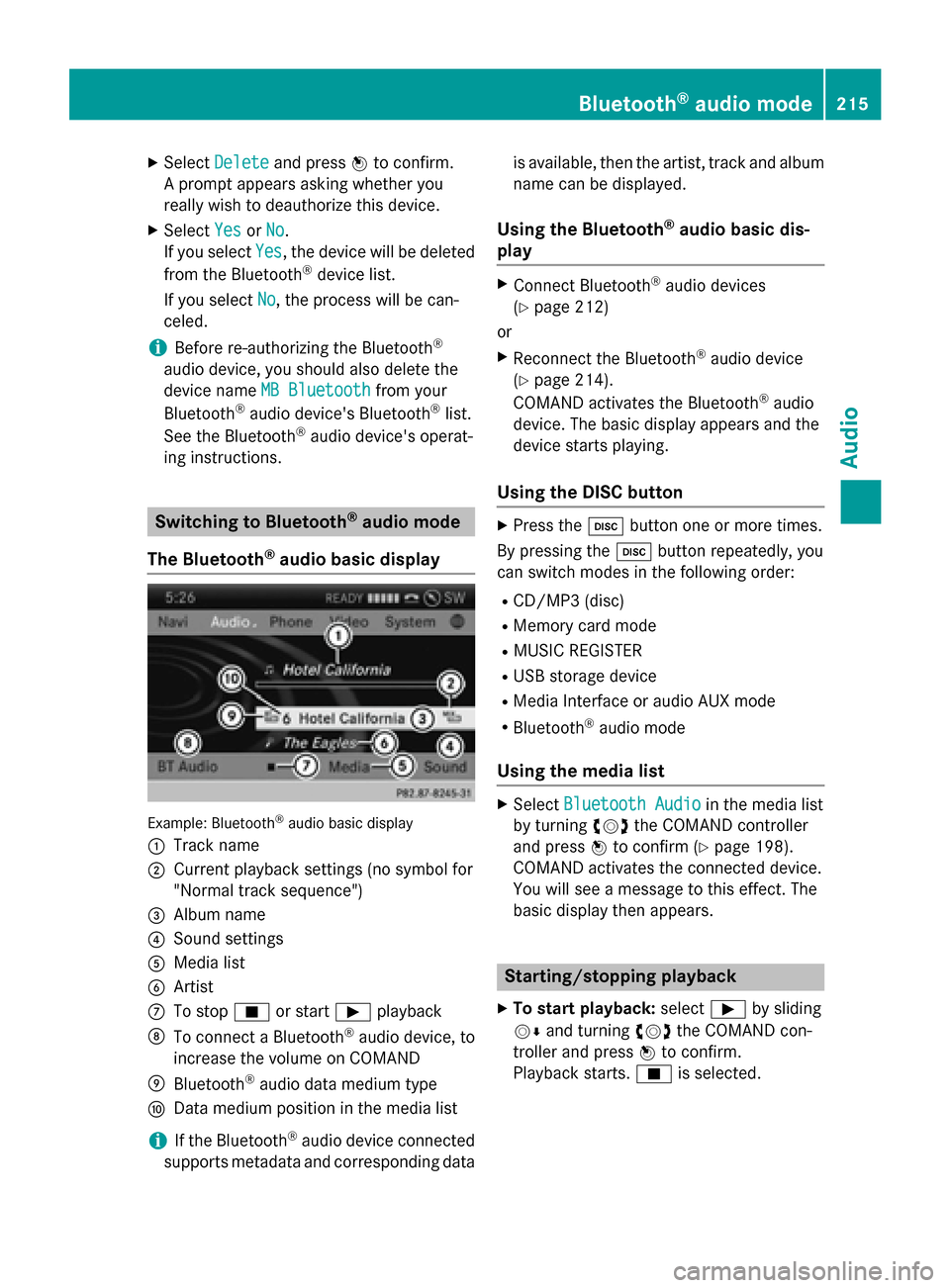
The Bluetooth ®
audio basic display Example: Bluetooth
®
audio basic display
0043 Track name
0044 Current playback settings (no symbol for
"Normal track sequence")
0087 Album name
0085 Sound settings
0083 Media list
0084 Artist
006B To stop 00DBor start 00D0playback
006C To connect a Bluetooth ®
audio device, to
increase the volume on COMAND
006D Bluetooth ®
audio data medium type
006E Data medium position in the media list
i If the Bluetooth ®
audio device connected
supports metadata and corresponding data is available, then the artist, track and album
name can be displayed.
Using the Bluetooth ®
audio basic dis-
play X
Connect Bluetooth ®
audio devices
(Y page 212)
or X Reconnect the Bluetooth ®
audio device
(Y page 214).
COMAND activates the Bluetooth ®
audio
device. The basic display appears and the
device starts playing.
Using the DISC button X
Press the 003Abutton one or more times.
By pressing the 003Abutton repeatedly, you
can switch modes in the following order:
R CD/MP3 (disc)
R Memory card mode
R MUSIC REGISTER
R USB storage device
R Media Interface or audio AUX mode
R Bluetooth ®
audio mode
Using the media list X
Select Bluetooth Audio Bluetooth Audio in the media list
by turning 00790052007Athe COMAND controller
and press 0098to confirm (Y page 198).
COMAND activates the connected device.
You will see a message to this effect. The
basic display then appears. Starting/stopping playback
X To start playback: select00D0by sliding
00520064 and turning 00790052007Athe COMAND con-
troller and press 0098to confirm.
Playback starts. 00DBis selected. Bluetooth
®
audio mode 215Audio Z
Page 218 of 270
X
To stop playback: select00DBby turning
00790052007A the COMAND controller and press 0098
to confirm.
A message appears. 00D0is selected.
X To continue playback: select00D0by
turning 00790052007Athe COMAND controller and
press 0098to confirm.
A message appears. 00DBis selected. Restarting playback after stopping
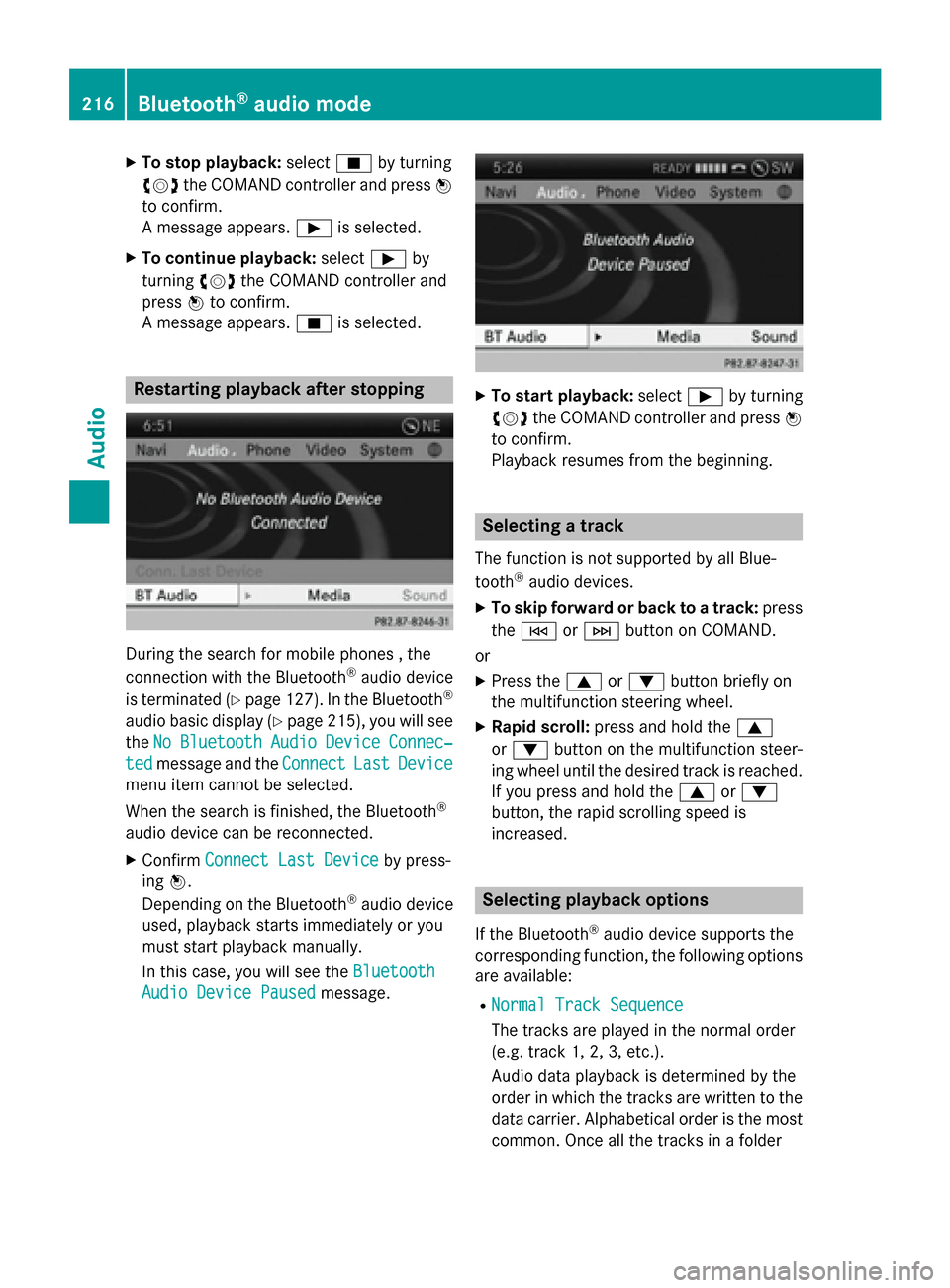
During the search for mobile phones , the
connection with the Bluetooth ®
audio device
is terminated (Y page 127). In the Bluetooth ®
audio basic display (Y page 215), you will see
the No
No Bluetooth Bluetooth Audio
Audio Device
Device Connec‐
Connec‐
ted
ted message and the Connect
ConnectLast
LastDevice
Device
menu item cannot be selected.
When the search is finished, the Bluetooth ®
audio device can be reconnected. X Confirm Connect Last Device
Connect Last Device by press-
ing 0098.
Depending on the Bluetooth ®
audio device
used, playback starts immediately or you
must start playback manually.
In this case, you will see the Bluetooth Bluetooth
Audio Device Paused
Audio Device Paused message. X
To start playback: select00D0by turning
00790052007A the COMAND controller and press 0098
to confirm.
Playback resumes from the beginning. Selecting a track
The function is not supported by all Blue-
tooth ®
audio devices.
X To skip forward or back to a track: press
the 0048 or0049 button on COMAND.
or
X Press the 0063or0064 button briefly on
the multifunction steering wheel.
X Rapid scroll: press and hold the 0063
or 0064 button on the multifunction steer-
ing wheel until the desired track is reached.
If you press and hold the 0063or0064
button, the rapid scrolling speed is
increased. Selecting playback options
If the Bluetooth ®
audio device supports the
corresponding function, the following options
are available:
R Normal Track Sequence Normal Track Sequence
The tracks are played in the normal order
(e.g. track 1, 2, 3, etc.).
Audio data playback is determined by the
order in which the tracks are written to the
data carrier. Alphabetical order is the most
common. Once all the tracks in a folder 216
Bluetooth ®
audio modeAudio