ad blue MERCEDES-BENZ E-Class 2014 W212 Comand Manual
[x] Cancel search | Manufacturer: MERCEDES-BENZ, Model Year: 2014, Model line: E-Class, Model: MERCEDES-BENZ E-Class 2014 W212Pages: 270, PDF Size: 5.82 MB
Page 220 of 270
Connecting an external device
Do not leave external devices in the vehicle.
They may malfunction in extreme tempera-
tures; see the operating instructions for the
respective device. Examples of extreme tem-
peratures are direct sunlight or very low out-
side temperatures. Mercedes-Benz USA, LLC
accepts no liability for damage to external
devices.
i Never connect more than one device at a
time. You will otherwise not be able to play
back from the external device.
USB hubs (devices with several USB con-
nections) are not supported. 0043
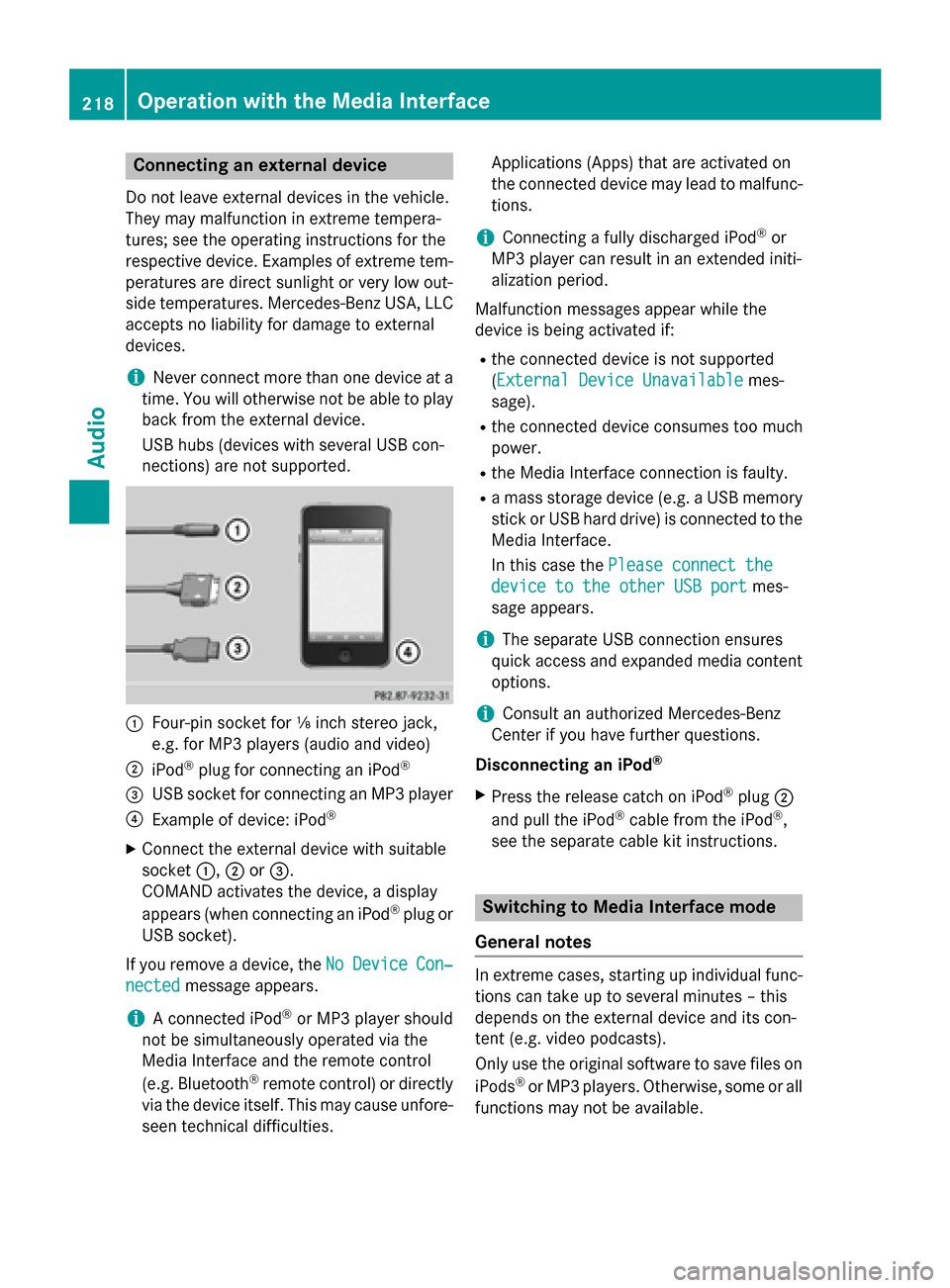
Four-pin socket for ⅛ inch stereo jack,
e.g. for MP3 players (audio and video)
0044 iPod ®
plug for connecting an iPod ®
0087 USB socket for connecting an MP3 player
0085 Example of device: iPod ®
X Connect the external device with suitable
socket 0043,0044or0087.
COMAND activates the device, a display
appears (when connecting an iPod ®
plug or
USB socket).
If you remove a device, the No NoDevice
Device Con‐
Con‐
nected
nected message appears.
i A connected iPod ®
or MP3 player should
not be simultaneously operated via the
Media Interface and the remote control
(e.g. Bluetooth ®
remote control) or directly
via the device itself. This may cause unfore- seen technical difficulties. Applications (Apps) that are activated on
the connected device may lead to malfunc-
tions.
i Connecting a fully discharged iPod ®
or
MP3 player can result in an extended initi-
alization period.
Malfunction messages appear while the
device is being activated if:
R the connected device is not supported
(External Device Unavailable
External Device Unavailable mes-
sage).
R the connected device consumes too much
power.
R the Media Interface connection is faulty.
R a mass storage device (e.g. a USB memory
stick or USB hard drive) is connected to the
Media Interface.
In this case the Please connect the Please connect the
device to the other USB port
device to the other USB port mes-
sage appears.
i The separate USB connection ensures
quick access and expanded media content options.
i Consult an authorized Mercedes-Benz
Center if you have further questions.
Disconnecting an iPod ®
X Press the release catch on iPod ®
plug 0044
and pull the iPod ®
cable from the iPod ®
,
see the separate cable kit instructions. Switching to Media Interface mode
General notes In extreme cases, starting up individual func-
tions can take up to several minutes – this
depends on the external device and its con-
tent (e.g. video podcasts).
Only use the original software to save files on
iPods ®
or MP3 players. Otherwise, some or all
functions may not be available. 218
Operation with the Media InterfaceAudio
Page 221 of 270
Switching on automatically
X
Connect an external device (Y page 218).
COMAND activates the device (if connec-
ted via the iPod ®
connector or USB socket).
The basic display then appears.
Switching on using the DISC button The external device is connected to the Media
Interface.
X Press the 003Abutton one or more times.
By pressing the DISC button repeatedly, you
can switch modes in the following order:
R CD/MP3 (disc)
R Memory card mode
R MUSIC REGISTER
R USB storage device
R Media Interface or audio AUX mode
R Bluetooth ®
audio mode
Switching on using a number key X
Press the 0085number key (single DVD
drive).
This selects the connected external audio
device directly.
Switching on via the media list Media Interface mode (iPod
®
mode)
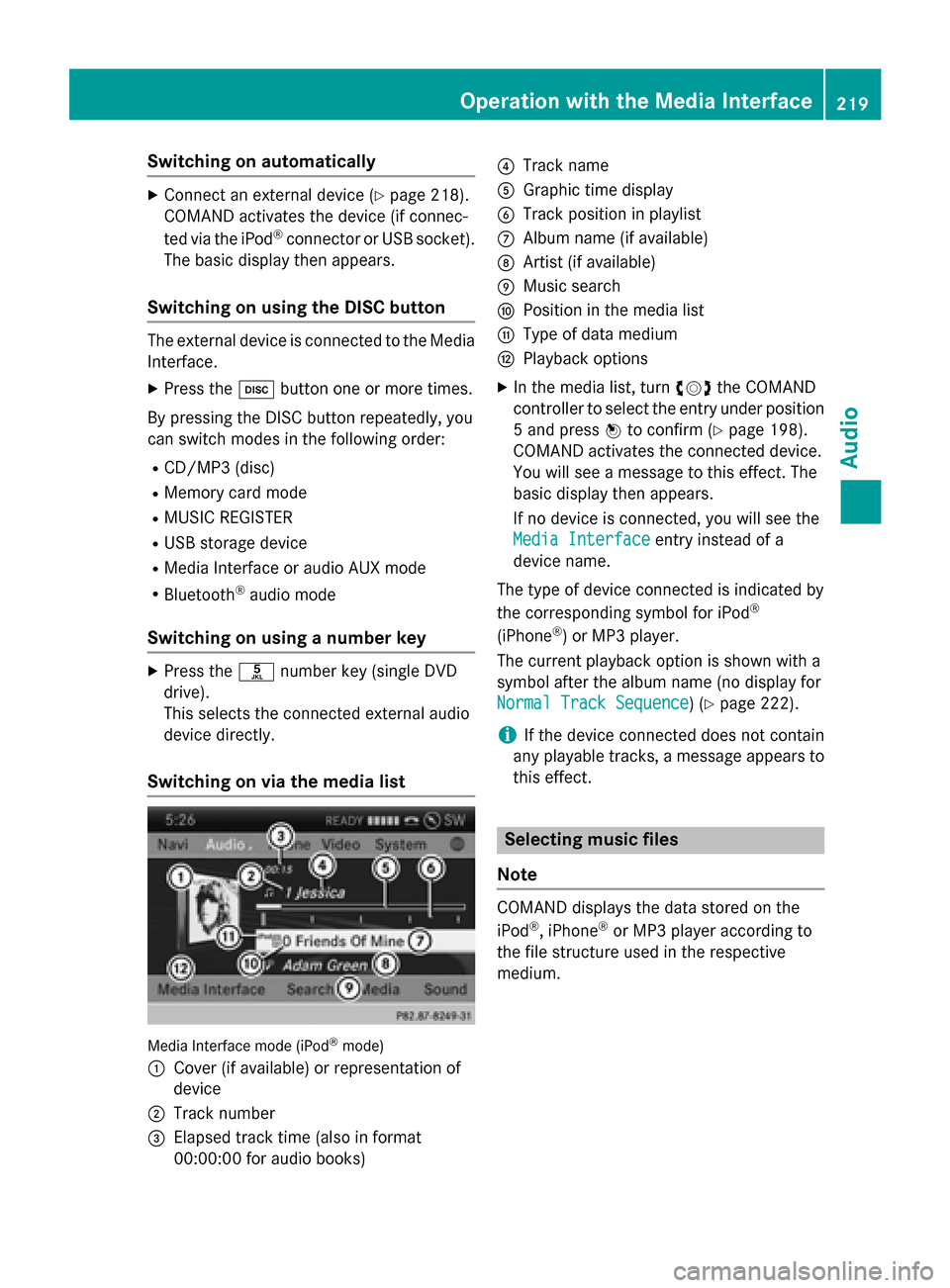
0043 Cover (if available) or representation of
device
0044 Track number
0087 Elapsed track time (also in format
00:00:00 for audio books) 0085
Track name
0083 Graphic time display
0084 Track position in playlist
006B Album name (if available)
006C Artist (if available)
006D Music search
006E Position in the media list
006F Type of data medium
0070 Playback options
X In the media list, turn 00790052007Athe COMAND
controller to select the entry under position
5 and press 0098to confirm (Y page 198).
COMAND activates the connected device.
You will see a message to this effect. The
basic display then appears.
If no device is connected, you will see the
Media Interface Media Interface entry instead of a
device name.
The type of device connected is indicated by
the corresponding symbol for iPod ®
(iPhone ®
) or MP3 player.
The current playback option is shown with a
symbol after the album name (no display for
Normal Track Sequence Normal Track Sequence) (Y page 222).
i If the device connected does not contain
any playable tracks, a message appears to
this effect. Selecting music files
Note COMAND displays the data stored on the
iPod ®
, iPhone ®
or MP3 player according to
the file structure used in the respective
medium. Operation with the Media Interface
219Audio Z
Page 226 of 270
R
Media Interface or audio AUX mode
R Bluetooth ®
audio mode
Switching modes via the audio menu When you connect an external audio source,
audio AUX is not selected automatically.
X Select Audio Audioin the main function bar by
sliding 00970052and turning 00790052007Athe COMAND
controller and press 0098to confirm.
If AUX mode was the last mode selected, it
will now be active.
If another audio source is switched on, you
can now switch to audio AUX mode in the
audio menu.
X Select Audio
Audio using00970052and press 0098to
confirm.
The audio menu appears.
X Select Aux Auxby turning 00790052007Aand press 0098to
confirm.
The audio AUX menu appears. The medium in the external audio source is played if the
source is connected and playback selec-
ted. Please see the respective operating instruc-
tions for how to operate the external audio
source.
Information on:
R Volume settings (Y page 29)
R Sound settings (Y page 30) Increasing the volume on COMAND
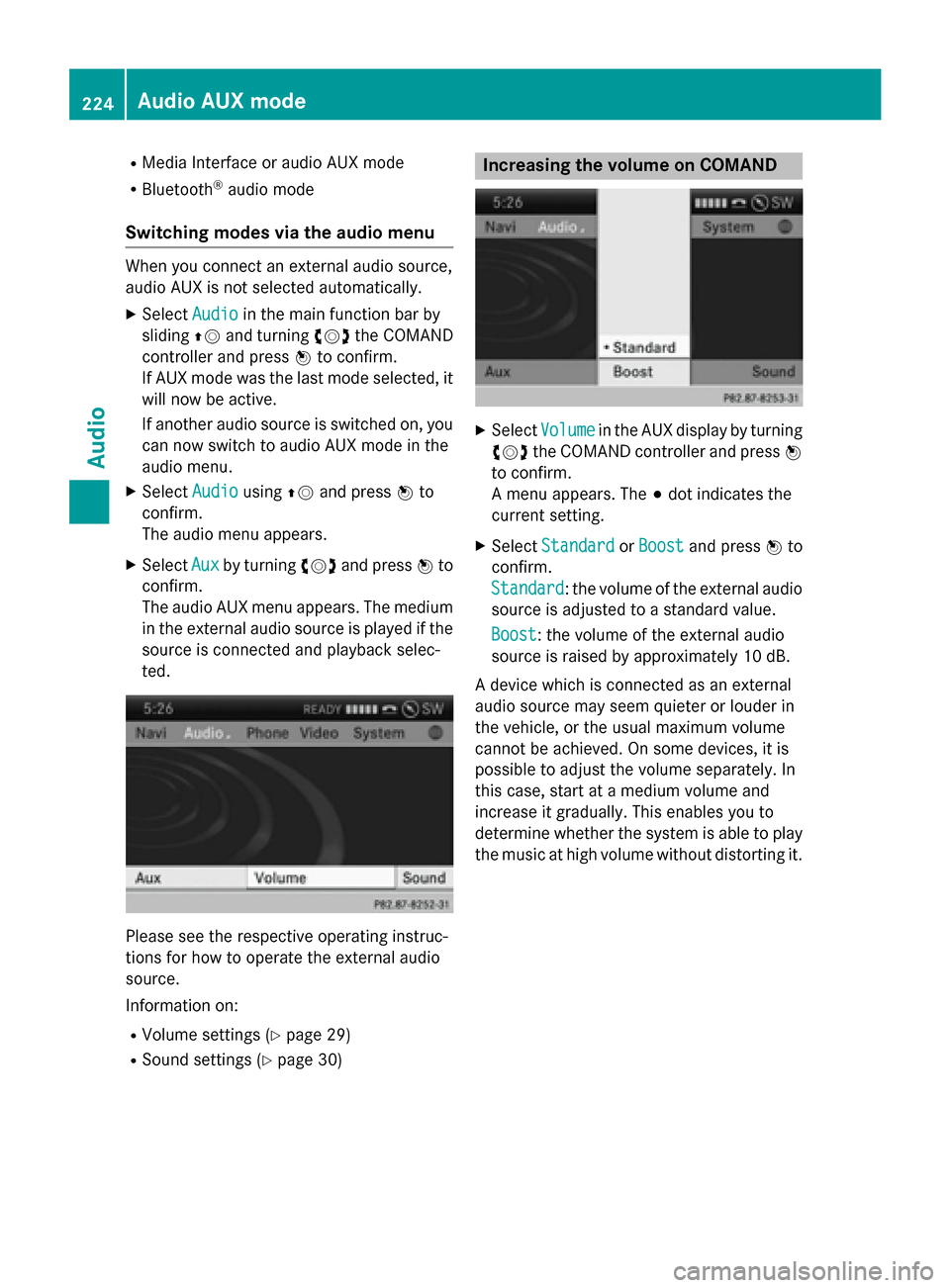
X
Select Volume Volume in the AUX display by turning
00790052007A the COMAND controller and press 0098
to confirm.
A menu appears. The 003Bdot indicates the
current setting.
X Select Standard
Standard orBoost Boost and press 0098to
confirm.
Standard Standard: the volume of the external audio
source is adjusted to a standard value.
Boost Boost: the volume of the external audio
source is raised by approximately 10 dB.
A device which is connected as an external
audio source may seem quieter or louder in
the vehicle, or the usual maximum volume
cannot be achieved. On some devices, it is
possible to adjust the volume separately. In
this case, start at a medium volume and
increase it gradually. This enables you to
determine whether the system is able to play the music at high volume without distorting it. 224
Audio AUX modeAudio
Page 229 of 270
Notes on discs
! Do not affix stickers or labels to the discs.
They could peel off and damage COMAND.
Stickers can cause the disc to bend, which can result in read errors and disc recogni-
tion problems.
! COMAND is designed to play discs that
comply with the EN 60908 standard. There-
fore, you can only use discs with a maxi-
mum thickness of 1.3 mm.
If you insert thicker discs, e.g. those that
contain data on both sides (DVD on one
side and audio data on the other), they can- not be ejected and can damage the device.
Only use round discs with a diameter of
12 cm. Do not use discs with a diameter of 8 cm, even with an adapter.
Playback problems may occur when playing
copied discs. There are a large variety of
discs, DVD authoring software, writing soft-
ware and writers available. This variety means that there is no guarantee that the system will
be able to play discs that you have copied
yourself. DVD playback conditions
If video DVDs do not conform to the NTSC or PAL TV standards, they may create picture,
sound or other problems during playback.
COMAND is capable of playing back video
DVDs produced according to the following
standards:
R Region code 1 or region code 0 (no region
code)
R PAL or NTSC standard
You will generally find the relevant details
either on the DVD itself or on the DVD case.
i If you insert a video DVD with a different
region code, you will see a message to this
effect.
i COMAND is set to region code 1 at the
factory. This setting can be changed at an authorized Mercedes-Benz Center. This will
allow you to play video DVDs with a differ-
ent region code, provided that they are pro- duced in accordance with the PAL or NTSC
standard. The region code can be changed up to five times. Function restrictions
Depending on the DVD, it is possible that cer- tain functions or actions will be temporarily
blocked or may not function at all. As soon as
you try to activate these functions or actions, you will see the 0047symbol in the display. Inserting and removing DVDs
X Proceed as described in the "Inserting and
ejecting CDs and DVDs" section
(Y page 196). Switching to video DVD mode
Switching on automatically X
Insert a video DVD.
COMAND loads the medium inserted and
starts to play it.
Switching on using the DISC button X
Press the 003Abutton.
COMAND switches to the previous disc
operating mode.
By pressing the 003Abutton repeatedly, you
can switch modes in the following order:
R video DVD/CD/MP3 in the single DVD
drive (disc mode)
R memory card mode
R MUSIC REGISTER
R USB storage device
R Media Interface or audio AUX mode
R Bluetooth ®
audio mode Video
DVDmode
227Video Z
Page 267 of 270
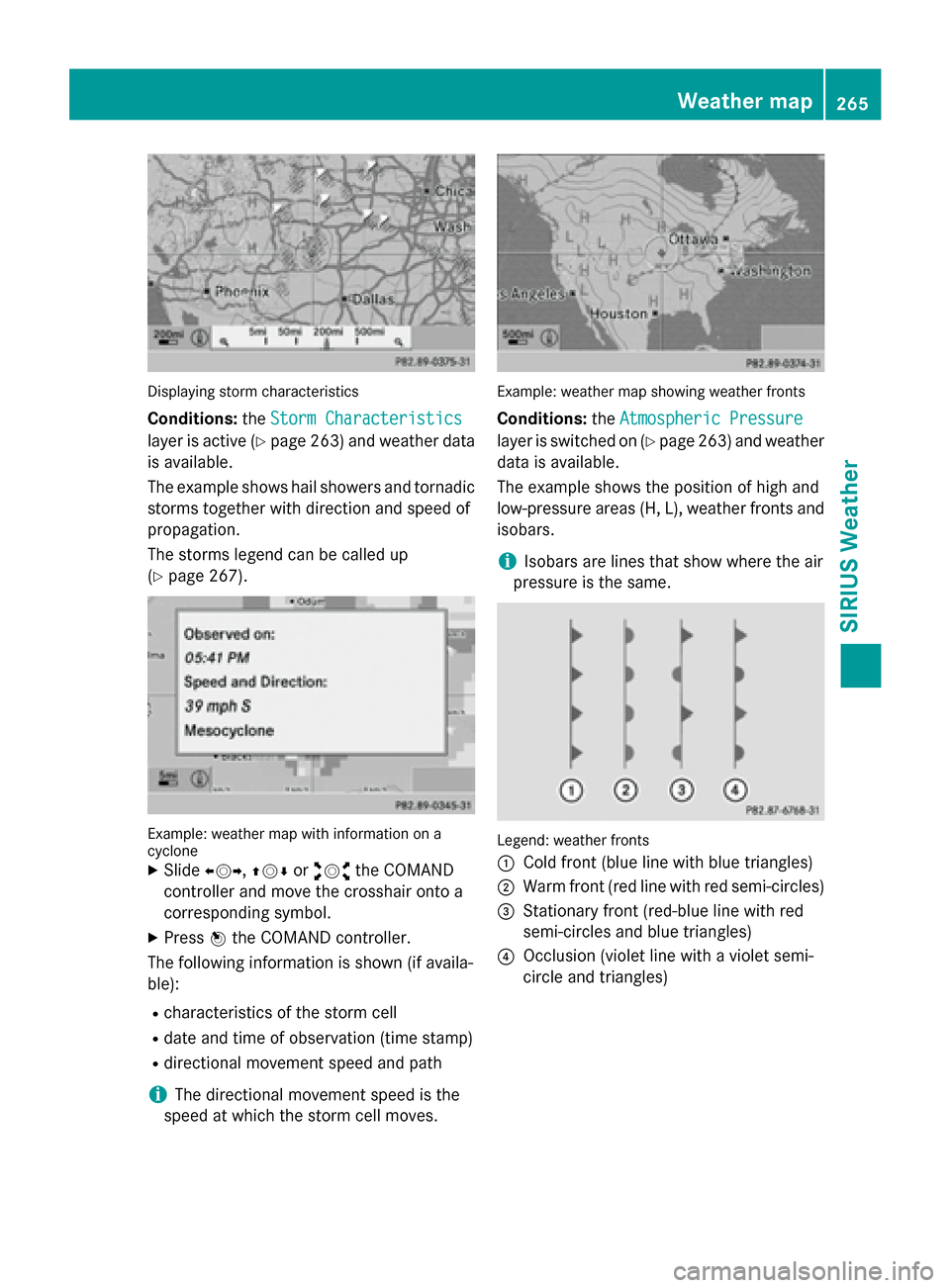
Displaying storm characteristics
Conditions: theStorm Characteristics
Storm Characteristics
layer is active (Y page 263)and weather data
is available.
The example shows hail showers and tornadic
storms together with direction and speed of
propagation.
The storms legend can be called up
(Y page 267). Example: weather map with information on a
cyclone
X Slide 009500520096,009700520064 or009100520078 the COMAND
controller and move the crosshair onto a
corresponding symbol.
X Press 0098the COMAND controller.
The following information is shown (if availa-
ble):
R characteristics of the storm cell
R date and time of observation (time stamp)
R directional movement speed and path
i The directional movement speed is the
speed at which the storm cell moves. Example: weather map showing weather fronts
Conditions: theAtmospheric Pressure Atmospheric Pressure
layer is switched on (Y page 263)and weather
data is available.
The example shows the position of high and
low-pressure areas (H, L), weather fronts and
isobars.
i Isobars are lines that show where the air
pressure is the same. Legend: weather fronts
0043
Cold front (blue line with blue triangles)
0044 Warm front (red line with red semi-circles)
0087 Stationary front (red-blue line with red
semi-circles and blue triangles)
0085 Occlusion (violet line with a violet semi-
circle and triangles) Weather map
265SIRIUS Weather