phone MERCEDES-BENZ E-Class 2014 W212 Comand Manual
[x] Cancel search | Manufacturer: MERCEDES-BENZ, Model Year: 2014, Model line: E-Class, Model: MERCEDES-BENZ E-Class 2014 W212Pages: 270, PDF Size: 5.82 MB
Page 154 of 270
X
Search for an entry in the phone book on
the mobile phone 0034(Ypage 137).
X Select the list symbol to the right of the
entry by sliding 00520096the COMAND control-
ler and press 0098to confirm.
X Select Save Entry
Save Entry and press0098to con-
firm.
The Data saved
Data saved message appears. The
phone book entry is now saved as an
address book entry.
The 0034symbol is replaced by the ¥sym-
bol. Importing contacts
Information and requirements You can import contacts (vCards) from the
memory card and a USB device into the
address book, or receive vCards via Blue-
tooth ®
.
i Up to 2500 entries can be imported into
the address book. A message notifies you
when the maximum number is reached.
You then have to delete existing entries in
order to import new entries (Y page 148).
Depending on the source of the contact data, different requirements apply: Source Prerequisites
Memory card The SD memory card is
inserted (Y
page 196). It
contains importable con-
tact details. USB device The USB device is inserted
into the USB port
(Y
page 197). It contains
importable contact details. Requirements for receiving vCards via
Bluetooth
®
You can receive vCards from devices (e.g.
from a PC) that support the sending of vCards
via Bluetooth ®
. It is not necessary to authorize the device in
COMAND to do so.
Please bear the following in mind:
R Bluetooth ®
must be activated in COMAND
and on the Bluetooth ®
device; see the oper-
ating instructions for the device.
R the Bluetooth ®
device must be able to send
vCards via Bluetooth ®
(see operating
instructions for the device).
R the Bluetooth ®
device in the vehicle must
be switched on.
Importing from the memory card or USB device Entries imported from the memory card or
from a USB device have the
00BBsymbol.
The following conditions must be fulfilled in
order to import vCards:
R vCards (vcf files) may be located in the main
directory or in folders. COMAND allows you
to select the relevant folders directly.
R vCards must have the file extension ".vcf".
i One vcf file may contain several vCards.
COMAND supports vCards in versions 2.1
and 3.0.
X Select Address Book Address Book in the address book
or, if the telephone basic menu is shown,
select Phone
Phone by sliding 00520064and turning
00790052007A the COMAND controller and press 0098
to confirm.
X Select Download Contacts
Download Contacts and press0098
to confirm.
A menu appears.
X Select From The Memory Card
From The Memory Card orFrom From
USB Device
USB Device in the menu by turning 00790052007A
the COMAND controller and press 0098to
confirm.
X Select Add
AddorOverwrite
Overwrite and press0098to
confirm.
Add Add imports the entries from the memory
card or USB device into the address book. 152
Using the address bookTelephone
Page 155 of 270
Overwrite
Overwrite
imports the entries from the
memory card or USB device and overwrites all entries in the address book with the
00BB symbol. The previous entries are then
no longer available.
After the contact data has been imported
successfully, you will see a message to this
effect. The address book or the respective
telephone basic menu is displayed.
i You can select
Overwrite
Overwrite if the address
book already contains corresponding
entries. A message notifies you when the
address book is full.
Receiving vCards via Bluetooth ®X
Select Address Book Address Book in the address book
or, if the telephone basic menu is shown,
select Phone
Phone by sliding 00520064and turning
00790052007A the COMAND controller and press 0098
to confirm.
A menu appears.
X Select Download Contacts
Download Contacts and press0098
to confirm.
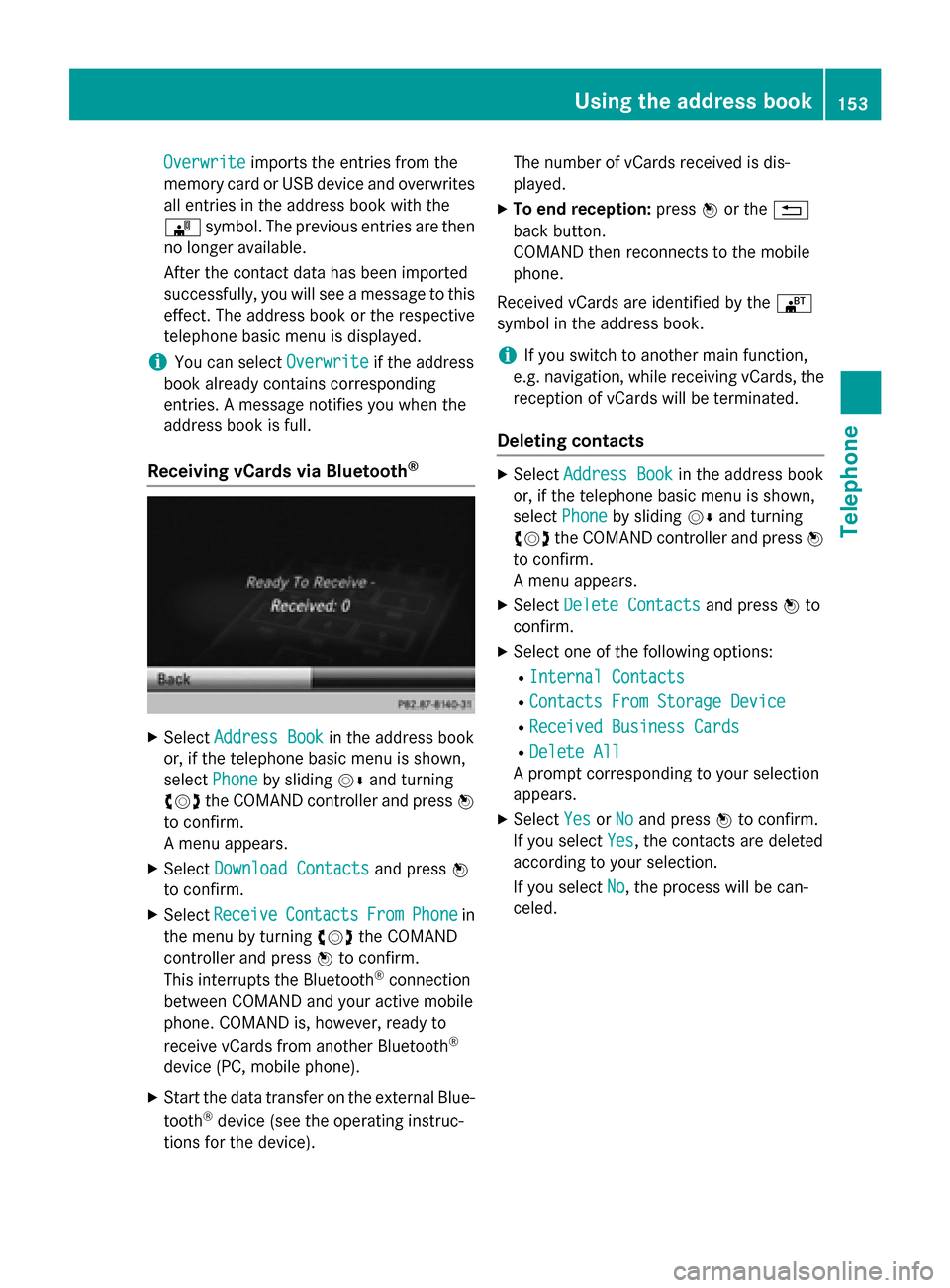
X Select Receive Receive Contacts
Contacts From
FromPhone
Phone in
the menu by turning 00790052007Athe COMAND
controller and press 0098to confirm.
This interrupts the Bluetooth ®
connection
between COMAND and your active mobile
phone. COMAND is, however, ready to
receive vCards from another Bluetooth ®
device (PC, mobile phone).
X Start the data transfer on the external Blue-
tooth ®
device (see the operating instruc-
tions for the device). The number of vCards received is dis-
played.
X To end reception: press0098or the 0038
back button.
COMAND then reconnects to the mobile
phone.
Received vCards are identified by the 00BA
symbol in the address book.
i If you switch to another main function,
e.g. navigation, while receiving vCards, the
reception of vCards will be terminated.
Deleting contacts X
Select Address Book Address Book in the address book
or, if the telephone basic menu is shown,
select Phone
Phone by sliding 00520064and turning
00790052007A the COMAND controller and press 0098
to confirm.
A menu appears.
X Select Delete Contacts Delete Contacts and press0098to
confirm.
X Select one of the following options:
R Internal Contacts
Internal Contacts
R Contacts From Storage Device
Contacts From Storage Device
R Received Business Cards
Received Business Cards
R Delete All
Delete All
A prompt corresponding to your selection
appears.
X Select Yes
YesorNo
No and press 0098to confirm.
If you select Yes
Yes, the contacts are deleted
according to your selection.
If you select No No, the process will be can-
celed. Using the address book
153Telephone Z
Page 156 of 270
Switching importing of contacts on/off
You can choose whether contacts are auto-
matically downloaded when a mobile phone is
connected to COMAND, or whether the auto-
matic download is suppressed.
Connecting a mobile phone (Y page 126)
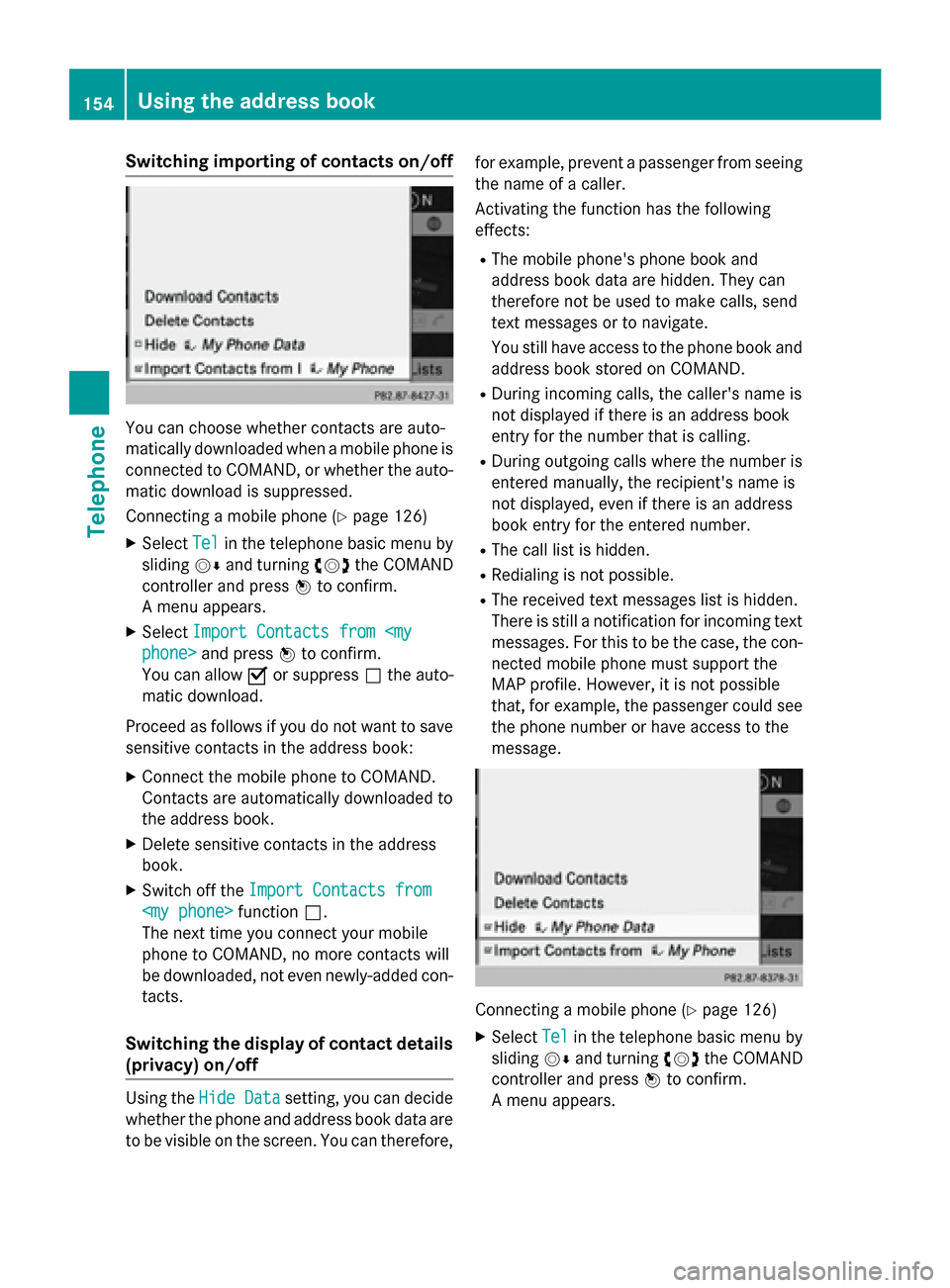
X Select Tel
Tel in the telephone basic menu by
sliding 00520064and turning 00790052007Athe COMAND
controller and press 0098to confirm.
A menu appears.
X Select Import Contacts from
You can allow 0073or suppress 0053the auto-
matic download.
Proceed as follows if you do not want to save sensitive contacts in the address book:
X Connect the mobile phone to COMAND.
Contacts are automatically downloaded to
the address book.
X Delete sensitive contacts in the address
book.
X Switch off the Import Contacts from
Import Contacts from
The next time you connect your mobile
phone to COMAND, no more contacts will
be downloaded, not even newly-added con-
tacts.
Switching the display of contact details (privacy) on/off Using the
Hide Data Hide Data setting, you can decide
whether the phone and address book data are
to be visible on the screen. You can therefore, for example, prevent a passenger from seeing
the name of a caller.
Activating the function has the following
effects:
R The mobile phone's phone book and
address book data are hidden. They can
therefore not be used to make calls, send
text messages or to navigate.
You still have access to the phone book and
address book stored on COMAND.
R During incoming calls, the caller's name is
not displayed if there is an address book
entry for the number that is calling.
R During outgoing calls where the number is
entered manually, the recipient's name is
not displayed, even if there is an address
book entry for the entered number.
R The call list is hidden.
R Redialing is not possible.
R The received text messages list is hidden.
There is still a notification for incoming text messages. For this to be the case, the con-
nected mobile phone must support the
MAP profile. However, it is not possible
that, for example, the passenger could see the phone number or have access to the
message. Connecting a mobile phone (Y
page 126)
X Select Tel Telin the telephone basic menu by
sliding 00520064and turning 00790052007Athe COMAND
controller and press 0098to confirm.
A menu appears. 154
Using the address bookTelephone
Page 157 of 270

X
To hide details: selectHide
HideData:
Data:
Phone> and press 0098to confirm.
You can allow access to address data 0053or
you can prevent access 0073. Using the address book
155Telephone Z
Page 160 of 270
Your COMAND equipment
These operating instructions describe all the
standard and optional equipment for your
COMAND system, as available at the time of
going to print. Country-specific differences
are possible. Please note that your
COMAND system may not be equipped with
all the features described. General notes
Conditions for access
G
WARNING
If you operate information systems and com-
munication equipment integrated in the vehi- cle while driving, you will be distracted from
traffic conditions. You could also lose control of the vehicle. There is a risk of an accident.
Only operate the equipment when the traffic
situation permits. If you are not sure that this
is possible, park the vehicle paying attention
to traffic conditions and operate the equip-
ment when the vehicle is stationary.
You must observe the legal requirements for
the country in which you are currently driving when operating COMAND.
USA only:
To use COMAND Mercedes-Benz Apps and
Internet access, the following conditions
must be fulfilled:
R mbrace is activated and operational
R mbrace is activated for COMAND
Mercedes-Benz Apps and Internet access
Priority of connections: an emergency call
has the highest priority. When a service call,
e.g. a breakdown service call or the MB Info
Call, is active, an emergency call can still be
initiated.
A service call, on the other hand, has priority over a current Internet connection. Therefore,you cannot establish an Internet connection
during a service call. i
The availability of individual COMAND
Mercedes-Benz Apps may vary depending
on the country.
i The terms of use are shown when
COMAND is used for the first time and then
once a year thereafter. Only read and
accept the terms of use when the vehicle is
stationary.
i Internet pages cannot be shown on the
driver's side while the vehicle is in motion.
Canada only:
The COMAND Mercedes-Benz Apps and the
Internet access are available via the Blue-
tooth ®
interface.
In order to use the functions, the following
conditions are necessary:
R The mobile phone supports the DUN Blue-
tooth ®
profile ( Dial-Up Networking) and is
connected to COMAND via the Bluetooth ®
interface (Y page 126). The DUN Blue-
tooth ®
profile enables the mobile phone to
establish a dial-up connection to the Inter-
net.
R You need a valid mobile service contract
with a data option, which is used to calcu-
late the associated connection costs.
R The access data of the mobile phone net-
work provider must be set on COMAND for the connected mobile phone (Y page 160).
i If the connected mobile phone supports
the PAN Bluetooth profile (Personal Area
Network), you can use the automatic con-
figuration function (Y page 160).
i You can obtain more detailed information
about suitable mobile phones on the Inter-
net at http://www.mercedes-
benz.com/connect or from your author-
ized Mercedes-Benz Center.
i If you use incorrect access data, addi-
tional costs may be incurred. This can hap-
pen when you use details that are different
from the contract or details from another
contract/data package. 158
General notesOnline and Internet functions
Page 161 of 270
i
The availability of individual Mercedes-
Benz Apps may vary depending on the
country.
i The terms of use are shown when
COMAND is used for the first time and then
once a year thereafter. Only read and
accept the terms of use when the vehicle is stationary.
i Internet pages cannot be shown on the
driver's side while the vehicle is in motion. Connection difficulties while the vehi-
cle is in motion (Canada only)
The following could be the cause of call dis-
connection:
R insufficient GSM/UMTS network coverage
R the vehicle has moved into a GSM cell with
no free channels
R the SIM card used is not compatible with
the network available
R you are using a mobile phone with "Twin-
card" and the mobile phone with the sec-
ond SIM card is logged into the network at
the same time Function restrictions (Canada only)
You will not be able to use the mobile phone,
will no longer be able to use the mobile phone, or you may have to wait before using it, in the
following situations:
R when the mobile phone is switched off
R if the Bluetooth ®
function is switched off in
COMAND
R if the Bluetooth ®
function is switched off on
the mobile phone while you are using Blue-
tooth ®
interface telephony
R if the mobile phone has not logged on to a
mobile phone network
R if neither the mobile phone network nor the
mobile phone allow simultaneous use of a
phone and an Internet connection i
It is possible that you may not be able to
receive calls when an Internet connection
is active. This depends on the mobile phone
and the mobile phone network used. Roaming (Canada only)
When you are driving your vehicle in a differ-
ent country and using COMAND and Internet
functions, additional costs may be incurred
(roaming fees). When you are in a different
country, your SIM card must be enabled for
data roaming. If your mobile phone network
provider does not have a data roaming agree-
ment with the roaming partner, it may not be possible to establish an Internet connection.
Deactivate this function on your mobile
phone if you want to avoid data roaming when you are in a different country. Setting access data (Canada only)
Introduction
To use online and Internet functions, you
need Internet access data for the connected
mobile phone. You can obtain this from your
mobile phone network provider.
A selected/manually set mobile phone net-
work provider is only valid for the mobile
phone connected when the selection/setting
is made. The mobile phone network provider
is set automatically upon reconnection.
i When you are driving your vehicle in a dif-
ferent country and using the online and
Internet functions on COMAND, you may
incur additional costs (roaming fees).
i While initializing the mobile phone for the
Internet connection, access data which is
already on the mobile phone may be over-
written. You should therefore check the
settings on the mobile phone (see the
mobile phone operating instructions).
i Adjust the access data settings when the
vehicle is stationary. You may otherwise be Setting access data (Canada only)
159Online and Internet functions Z
Page 162 of 270
distracted from the traffic conditions,
cause an accident and injure yourself and
others. Selecting/setting Internet access
data
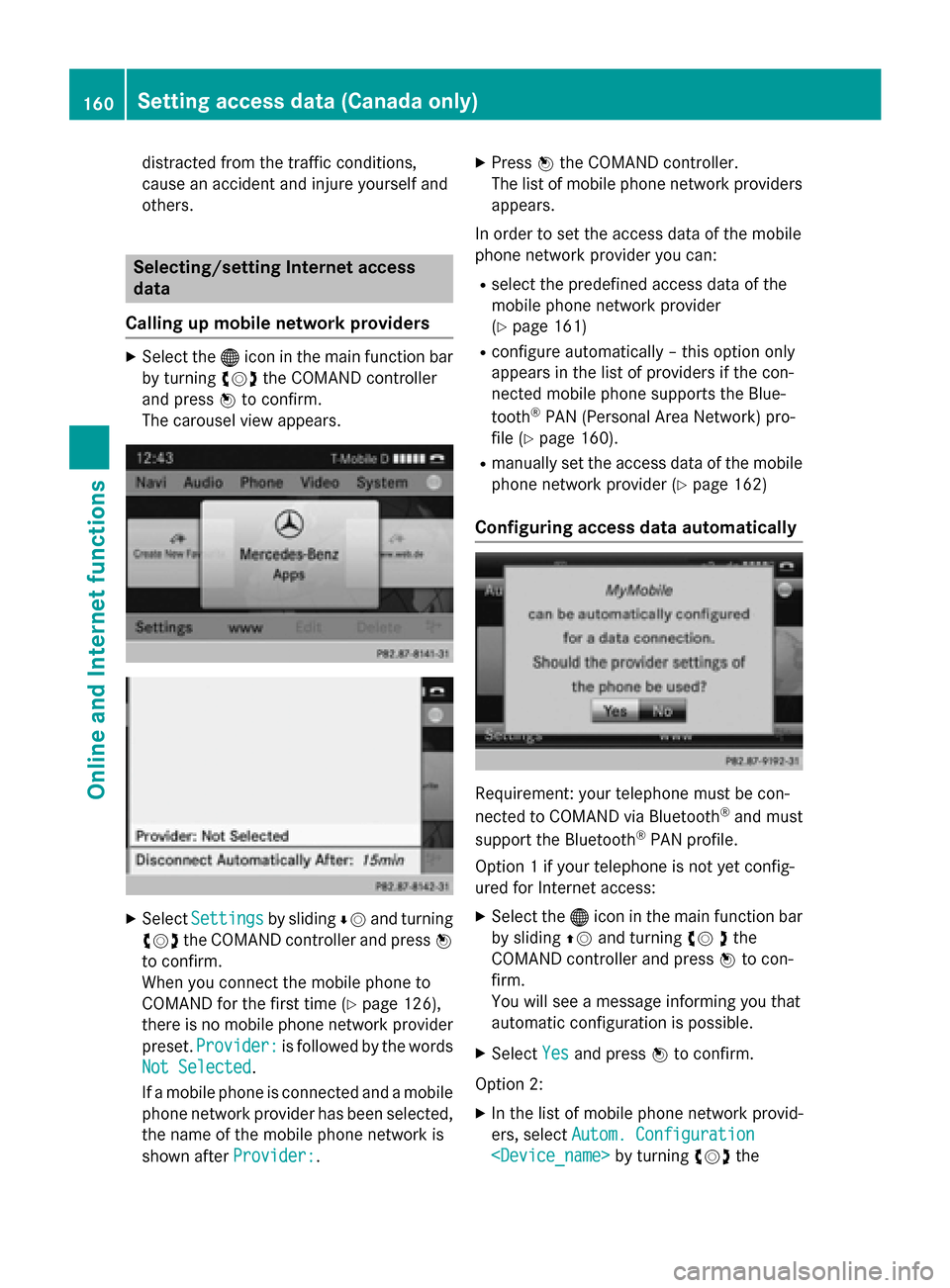
Calling up mobile network providers X
Select the 00A7icon in the main function bar
by turning 00790052007Athe COMAND controller
and press 0098to confirm.
The carousel view appears. X
Select Settings Settings by sliding00640052and turning
00790052007A the COMAND controller and press 0098
to confirm.
When you connect the mobile phone to
COMAND for the first time (Y page 126),
there is no mobile phone network provider
preset. Provider:
Provider: is followed by the words
Not Selected Not Selected.
If a mobile phone is connected and a mobile phone network provider has been selected,
the name of the mobile phone network is
shown after Provider:
Provider:. X
Press 0098the COMAND controller.
The list of mobile phone network providers
appears.
In order to set the access data of the mobile
phone network provider you can: R select the predefined access data of the
mobile phone network provider
(Y page 161)
R configure automatically – this option only
appears in the list of providers if the con-
nected mobile phone supports the Blue-
tooth ®
PAN (Personal Area Network) pro-
file (Y page 160).
R manually set the access data of the mobile
phone network provider (Y page 162)
Configuring access data automatically Requirement: your telephone must be con-
nected to COMAND via Bluetooth
®
and must
support the Bluetooth ®
PAN profile.
Option 1 if your telephone is not yet config-
ured for Internet access:
X Select the 00A7icon in the main function bar
by sliding 00970052and turning 00790052the
COMAND controller and press 0098to con-
firm.
You will see a message informing you that
automatic configuration is possible.
X Select Yes Yesand press 0098to confirm.
Option 2: X In the list of mobile phone network provid-
ers, select Autom. Configuration Autom. Configuration
Setting access data (Canada only)Online and Internet functions
Page 163 of 270
COMAND controller and press
0098to con-
firm (Y page 160).
The configuration data is transferred from
the mobile phone. If the configuration is
successful, a 0036dot appears in front of
Autom. configuration
Autom. configuration
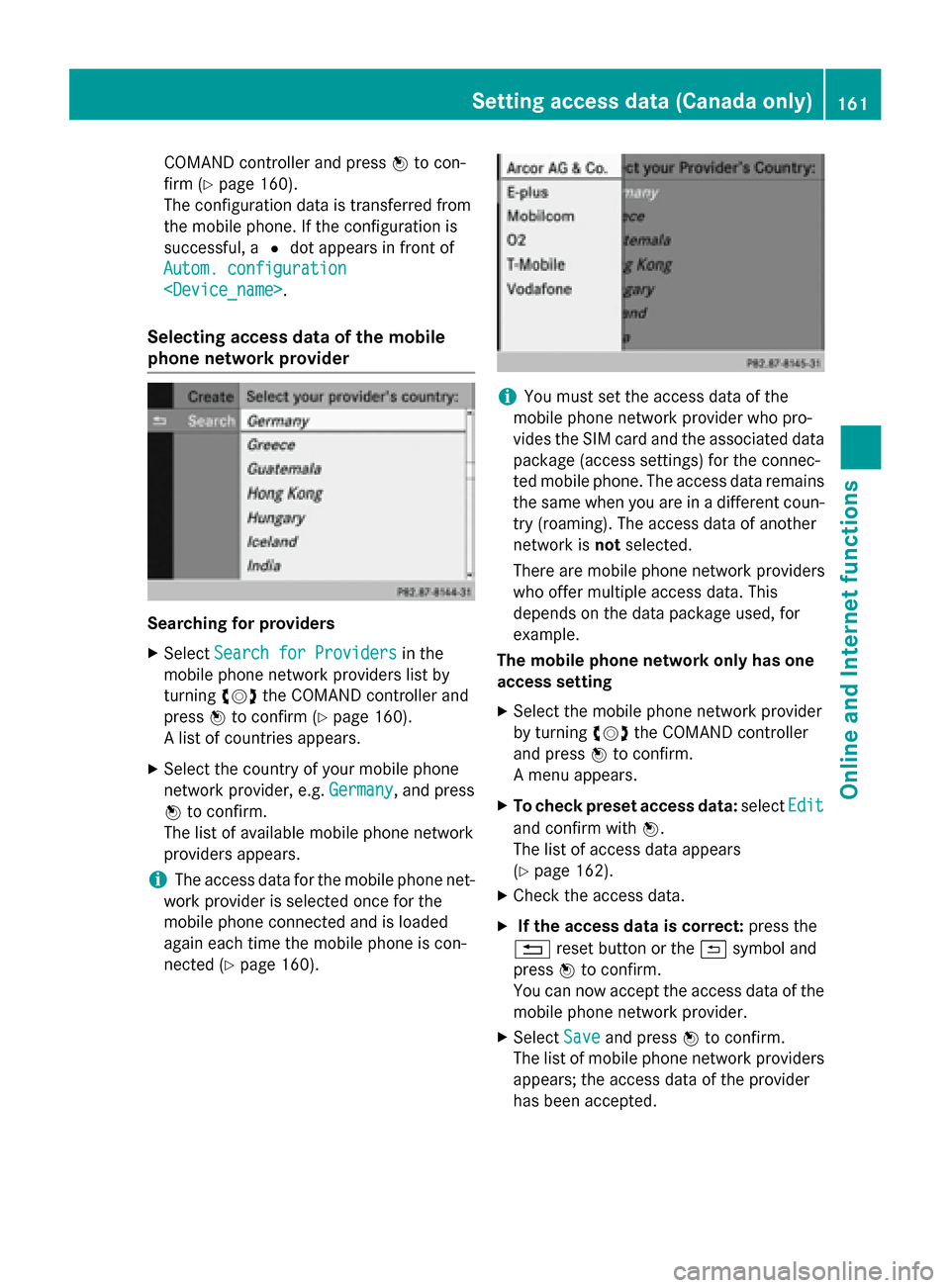
Selecting access data of the mobile
phone network provider Searching for providers
X Select Search for Providers
Search for Providers in the
mobile phone network providers list by
turning 00790052007Athe COMAND controller and
press 0098to confirm (Y page 160).
A list of countries appears.
X Select the country of your mobile phone
network provider, e.g. Germany
Germany, and press
0098 to confirm.
The list of available mobile phone network
providers appears.
i The access data for the mobile phone net-
work provider is selected once for the
mobile phone connected and is loaded
again each time the mobile phone is con-
nected (Y page 160). i
You must set the access data of the
mobile phone network provider who pro-
vides the SIM card and the associated data package (access settings) for the connec-
ted mobile phone. The access data remains the same when you are in a different coun-
try (roaming). The access data of another
network is notselected.
There are mobile phone network providers
who offer multiple access data. This
depends on the data package used, for
example.
The mobile phone network only has one
access setting
X Select the mobile phone network provider
by turning 00790052007Athe COMAND controller
and press 0098to confirm.
A menu appears.
X To check preset access data: selectEdit Edit
and confirm with 0098.
The list of access data appears
(Y page 162).
X Check the access data.
X If the access data is correct: press the
0038 reset button or the 0039symbol and
press 0098to confirm.
You can now accept the access data of the
mobile phone network provider.
X Select Save
Save and press 0098to confirm.
The list of mobile phone network providers
appears; the access data of the provider
has been accepted. Setting access data (Canada only)
161Online and Internet functions Z
Page 164 of 270
X
To edit the access data: proceed as
described for manually entering the access data (Y page 162).
When you confirm the edited access data,
the list of mobile phone network providers
appears and displays the selected provider.
If, after selecting a mobile phone network provider, several access settings are dis-
played:
X Select the appropriate access setting by
turning 00790052007Athe COMAND controller and
press 0098to confirm.
A menu appears. X
To check access settings: selectEdit Edit
and press 0098to confirm.
The list of access data appears
(Y page 162).
X Check the access data.
X If the access data is correct: press the
0038 reset button or the 0039symbol and
press 0098to confirm.
You can now accept the access data of the
mobile phone network provider.
X Select Save
Save and press 0098to confirm.
The list of mobile phone network providers
appears; the access data of the provider
has been accepted.
X To edit the access data: proceed as
described in "Manually setting the access
data of the mobile phone network provider" (Y page 162).
When you confirm the edited access data,
the list of mobile phone network providers
appears and displays the selected provider. The currently selected access settings (003B
dot
in front of the entry) are used for the connec- ted mobile phone.
X To return to the carousel view: press the
0038 back button twice.
or
X Press 0098the COMAND controller and then
the 0038 back button.
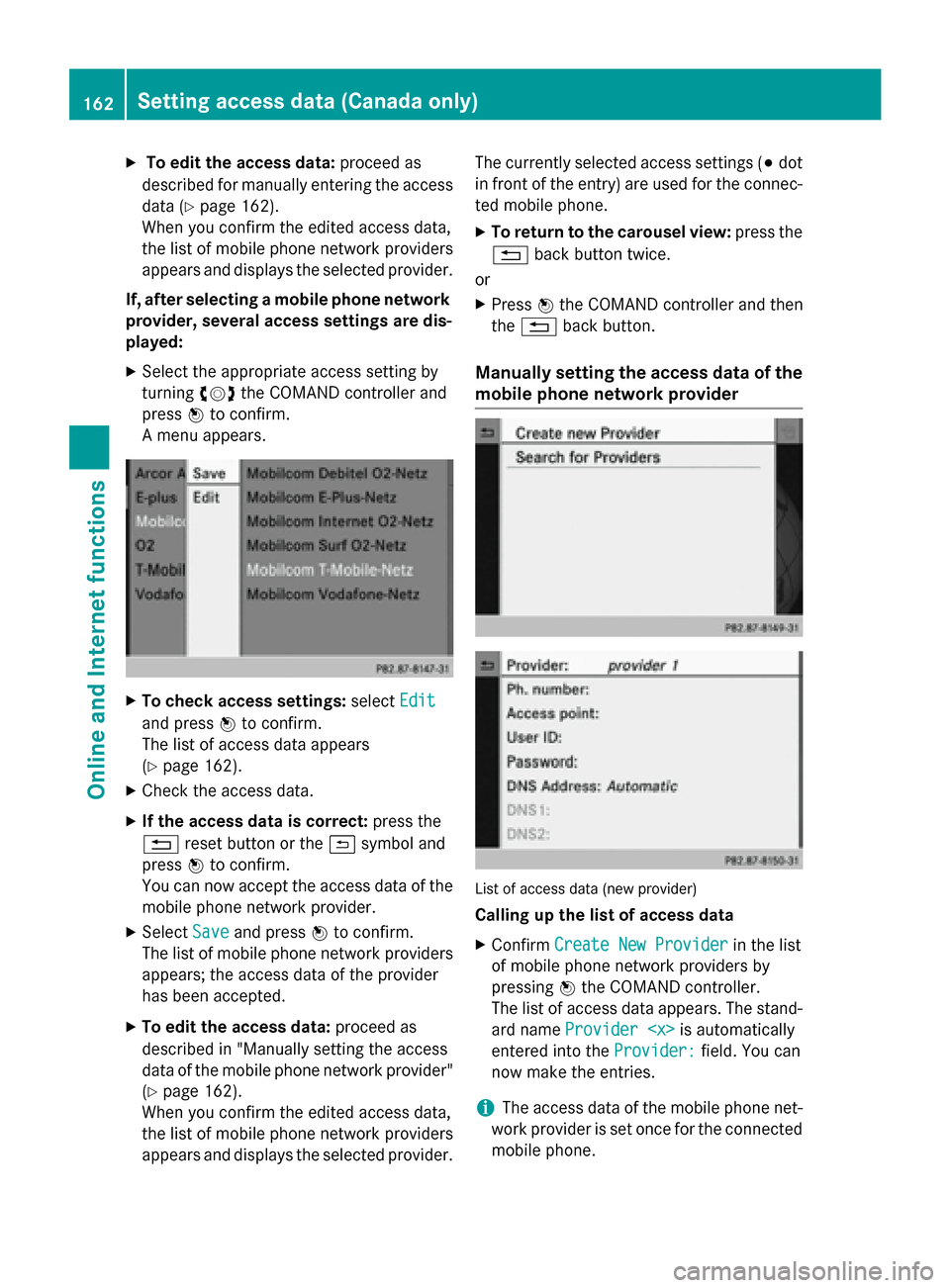
Manually setting the access data of the
mobile phone network provider List of access data (new provider)
Calling up the list of access data
X Confirm Create New Provider Create New Provider in the list
of mobile phone network providers by
pressing 0098the COMAND controller.
The list of access data appears. The stand-
ard name Provider
entered into the Provider:
Provider:field. You can
now make the entries.
i The access data of the mobile phone net-
work provider is set once for the connected
mobile phone. 162
Setting access data (Canada only)Online and Internet functions
Page 165 of 270

Explanation of the access data
Input field Meaning
Provider:
Provider: Name of the provider to
be displayed in the list of
mobile phone network
providers. The name can
be freely selected.
The standard entry is
Provider
Tel.
Number:
Number: Access number for estab-
lishing the connection
i The access number
depends on the mobile
phone used. For GSM/
UMTS mobile phones,
*99***1# *99***1# is used as a
standard. Access
Access
Point: Point: APN network access point
( Access PointName)
You can obtain this infor-
mation from your mobile
phone network provider.
i Entry is not necessary
for all mobile phone
network providers and
mobile phones. User ID: User ID: The user identification
can be obtained from your
mobile phone network
provider.
i Entry is not necessary
for all mobile phone
network providers. Password: Password: The password can be
obtained from your
mobile phone network
provider.
i Entry is not necessary
for all mobile phone
network providers. Input field Meaning
DNS DNS
Address:
Address: The DNS addresses
(Domain
NameService)
can be negotiated auto-
matically or entered man-
ually. The required infor-
mation can be obtained
from your mobile phone
network provider.
i Most mobile phone
network providers sup-
port the Automatic Automatic
function. If you selected
the Manual
Manual option, you
are usually required to
enter a DNS address. DNS1: DNS1:
DNS2: DNS2: Fields for entering the
DNS server addresses
manually. The address
can be obtained from your
mobile phone network
provider. Entering access data
X In the list of access data, confirm the Pro‐ Pro‐
vider
vider input field by pressing 0098
(Y page 162).
An input menu appears. X
Enter the provider (Y page 33).
X To enter the phone number: in the list of
access data, select the Tel. Number:
Tel. Number:
input field by sliding 00640052or turning 00790052007A Setting access data (Canada only)
163Online and Internet functions Z