emergency towing MERCEDES-BENZ E-CLASS CABRIOLET 2015 Owners Manual
[x] Cancel search | Manufacturer: MERCEDES-BENZ, Model Year: 2015, Model line: E-CLASS CABRIOLET, Model: MERCEDES-BENZ E-CLASS CABRIOLET 2015Pages: 349, PDF Size: 12.51 MB
Page 7 of 349
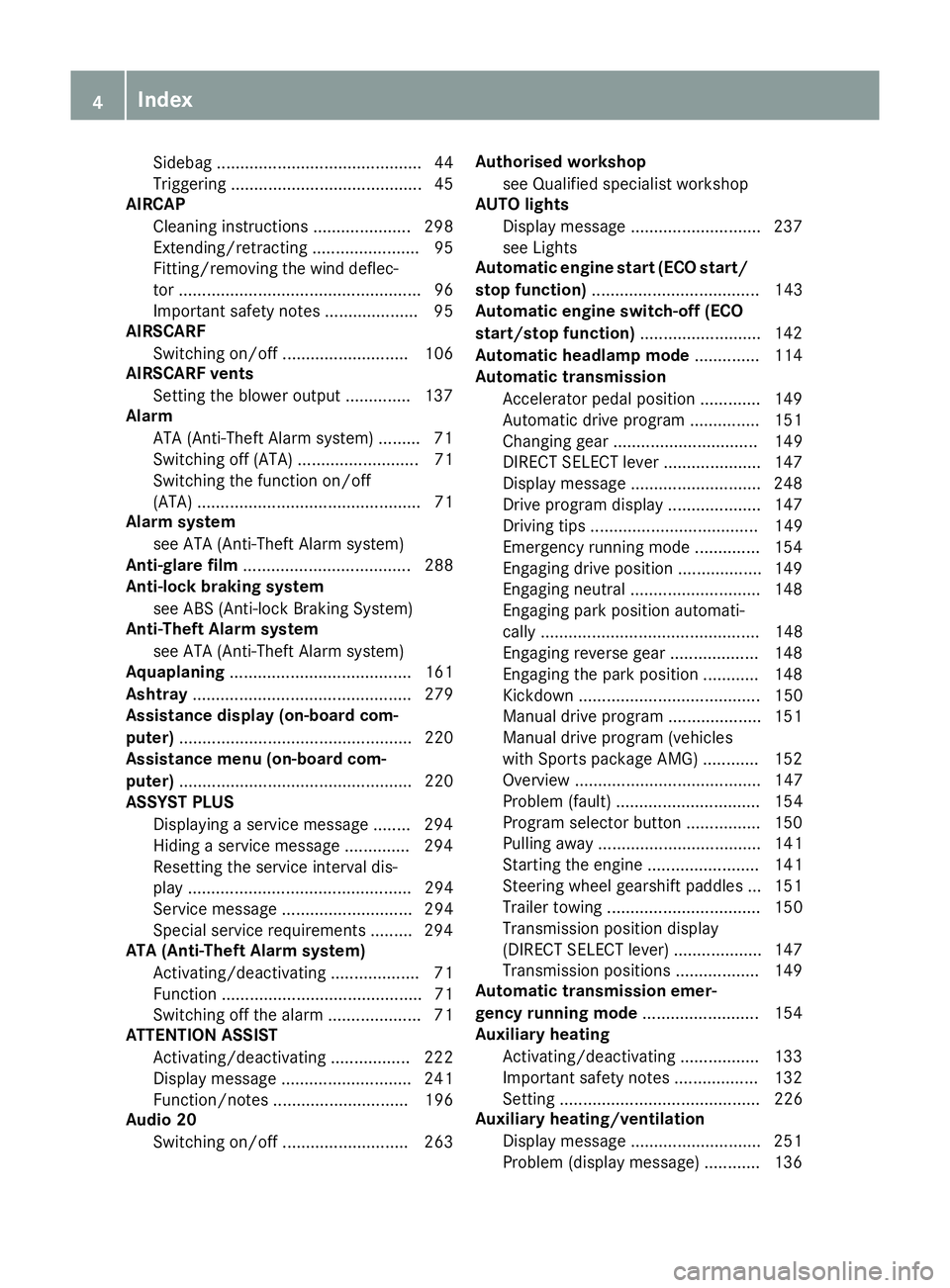
Sidebag ............................................ 44
Triggering ......................................... 45
AIRCAP
Cleaning instructions ..................... 298
Extending/retracting ....................... 95
Fitting/removing the wind deflec-
tor .................................................... 96
Important safety notes .................... 95
AIRSCARF
Switching on/of f........................... 106
AIRSCARF vents
Setting the blower output .............. 137
Alarm
ATA (Anti-Theft Alarm system) ......... 71
Switching off (ATA) .......................... 71
Switching the function on/off
(ATA) ................................................ 71
Alarm system
see ATA (Anti-Theft Alarm system)
Anti-glare film .................................... 288
Anti-lock braking system
see ABS (Anti-lock Braking System)
Anti-Theft Alarm system
see ATA (Anti-Theft Alarm system)
Aquaplaning ....................................... 161
Ashtray ............................................... 279
Assistance display (on-board com-
puter) .................................................. 220
Assistance menu (on-board com-
puter) .................................................. 220
ASSYST PLUS
Displaying a service message ........ 294
Hiding a service message .............. 294
Resetting the service interval dis-
play ................................................ 294
Service message ............................ 294
Special service requirements ......... 294
ATA (Anti-Theft Alarm system)
Activating/deactivating ................... 71
Function ........................................... 71
Switching off the alarm .................... 71
ATTENTION ASSIST
Activating/deactivating ................. 222
Display message ............................ 241
Function/note s............................. 196
Audio 20
Switching on/of f........................... 263 Authorised workshop
see Qualified specialist workshop
AUTO lights
Display message ............................ 237
see Lights
Automatic engine start (ECO start/
stop function) .................................... 143
Automatic engine switch-off (ECO
start/stop function) .......................... 142
Automatic headlamp mode .............. 114
Automatic transmission
Accelerator pedal position ............. 149
Automatic drive program ............... 151
Changing gear ............................... 149
DIRECT SELECT lever ..................... 147
Display message ............................ 248
Drive program display .................... 147
Driving tips .................................... 149
Emergency running mod e.............. 154
Engaging drive position .................. 149
Engaging neutral ............................ 148
Engaging park position automati-
cally ............................................... 148
Engaging reverse gear ................... 148
Engaging the park position ............ 148
Kickdown ....................................... 150
Manual drive progra m.................... 151
Manual drive program (vehicles
with Sports package AMG) ............ 152
Overview ........................................ 147
Problem (fault) ............................... 154
Program selector button ................ 150
Pulling away ................................... 141
Starting the engine ........................ 141
Steering wheel gearshift paddle s... 151
Trailer towing ................................. 150
Transmission position display
(DIRECT SELECT lever) ................... 147
Transmission positions .................. 149
Automatic transmission emer-
gency running mode ......................... 154
Auxiliary heating
Activating/deactivating ................. 133
Important safety notes .................. 132
Setting ........................................... 226
Auxiliary heating/ventilation
Display message ............................ 251
Problem (display message) ............ 136 4
Index
Page 8 of 349
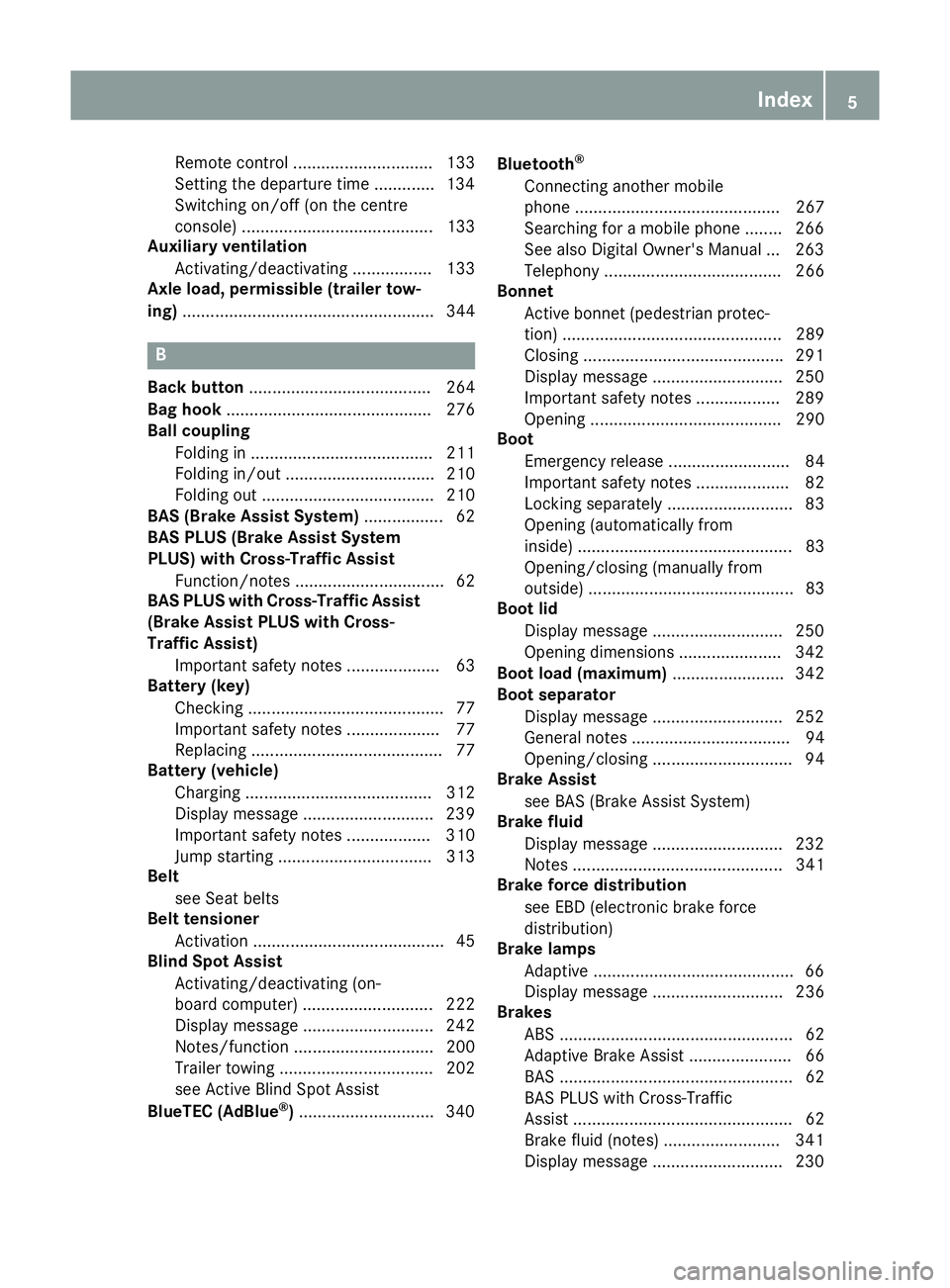
Remote control .............................. 133
Setting the departure time ............
.134
Switching on/off (on the centre
console) ......................................... 133
Auxiliary ventilation
Activating/deactivating ................. 133
Axle load, permissible (trailer tow-
ing) ...................................................... 344 B
Back button ....................................... 264
Bag hook ............................................ 276
Ball coupling
Folding in ....................................... 211
Folding in/out ................................ 210
Folding out ..................................... 210
BAS (Brake Assist System) ................. 62
BAS PLUS (Brake Assist System
PLUS) with Cross-Traffic Assist
Function/notes ................................ 62
BAS PLUS with Cross-Traffic Assist
(Brake Assist PLUS with Cross-
Traffic Assist)
Important safety notes .................... 63
Battery (key)
Checking .......................................... 77
Important safety notes .................... 77
Replacing ......................................... 77
Battery (vehicle)
Charging ........................................ 312
Display message ............................ 239
Important safety notes .................. 310
Jump starting ................................. 313
Belt
see Seat belts
Belt tensioner
Activation ......................................... 45
Blind Spot Assist
Activating/deactivating (on-
board computer) ............................ 222
Display message ............................ 242
Notes/function .............................. 200
Trailer towing ................................. 202
see Active Blind Spot Assist
BlueTEC (AdBlue ®
) ............................ .340 Bluetooth
®
Connecting another mobile
phone ............................................ 267
Searching for a mobile phone ....... .266
See also Digital Owner's Manual ... 263
Telephony ...................................... 266
Bonnet
Active bonnet (pedestrian protec-tion) ............................................... 289
Closing .......................................... .291
Display message ............................ 250
Important safety notes .................. 289
Opening ......................................... 290
Boot
Emergency release .......................... 84
Important safety notes .................... 82
Locking separately ........................... 83
Opening (automatically from
inside) .............................................. 83
Opening/closing (manually from
outside) ............................................ 83
Boot lid
Display message ............................ 250
Opening dimensions ..................... .342
Boot load (maximum) ........................ 342
Boot separator
Display message ............................ 252
General notes .................................. 94
Opening/closing .............................. 94
Brake Assist
see BAS (Brake Assist System)
Brake fluid
Display message ............................ 232
Notes ............................................. 341
Brake force distribution
see EBD (electronic brake force
distribution)
Brake lamps
Adaptive .......................................... .66
Display message ............................ 236
Brakes
ABS .................................................. 62
Adaptive Brake Assist ...................... 66
BAS .................................................. 62
BAS PLUS with Cross-Traffic
Assist ............................................... 62
Brake fluid (notes) ........................ .341
Display message ............................ 230 Index
5
Page 12 of 349
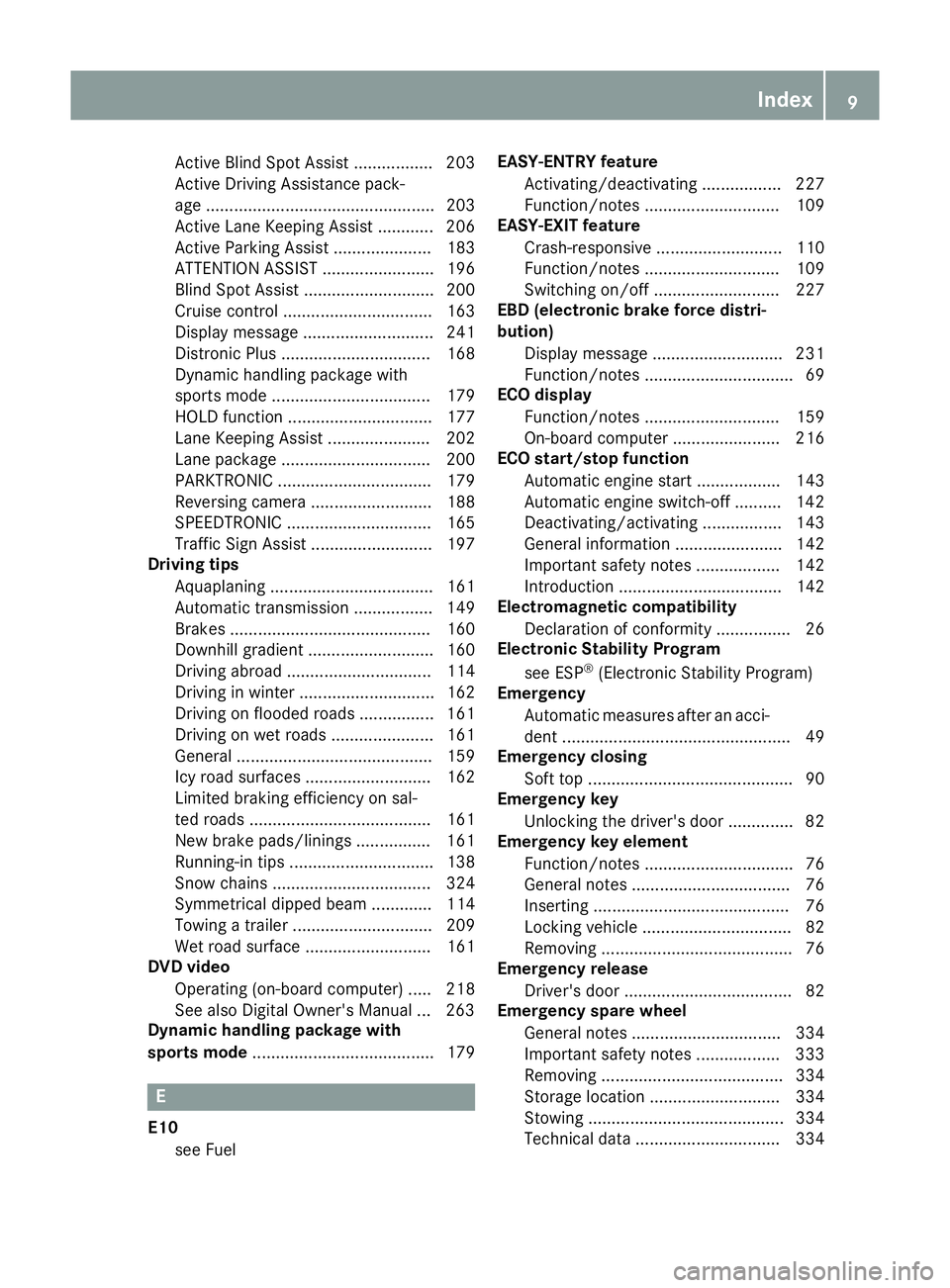
Active Blind Spot Assist ................. 203
Active Driving Assistance pack-
age ................................................. 203
Active Lane Keeping Assist ............ 206
Active Parking Assist ..................... 183
ATTENTION ASSIST ........................ 196
Blind Spot Assist ............................ 200
Cruise control ................................ 163
Display message ............................ 241
Distronic Plus ................................ 168
Dynamic handling package with
sports mode .................................. 179
HOLD functio n............................... 177
Lane Keeping Assist ...................... 202
Lane package ................................ 200
PARKTRONIC ................................. 179
Reversing camera .......................... 188
SPEEDTRONIC ............................... 165
Traffic Sign Assist .......................... 197
Driving tips
Aquaplaning ................................... 161
Automatic transmission ................. 149
Brakes ........................................... 160
Downhill gradient ........................... 160
Driving abroad ............................... 114
Driving in winter ............................. 162
Driving on flooded roads ................ 161
Driving on wet roads ...................... 161
General .......................................... 159
Icy road surfaces ........................... 162
Limited braking efficiency on sal-
ted roads ....................................... 161
New brake pads/linings ................ 161
Running-in tips ............................... 138
Snow chains .................................. 324
Symmetrical dipped beam ............. 114
Towing a trailer .............................. 209
Wet road surface ........................... 161
DVD video
Operating (on-board computer) ..... 218
See also Digital Owner's Manua l... 263
Dynamic handling package with
sports mode ....................................... 179 E
E10 see Fuel EASY-ENTRY feature
Activating/deactivating ................. 227
Function/note s............................. 109
EASY-EXIT feature
Crash-responsive ........................... 110
Function/note s............................. 109
Switching on/of f........................... 227
EBD (electronic brake force distri-
bution)
Display message ............................ 231
Function/note s................................ 69
ECO display
Function/note s............................. 159
On-board computer ....................... 216
ECO start/stop function
Automatic engine start .................. 143
Automatic engine switch-off .......... 142
Deactivating/activating ................. 143
General information ....................... 142
Important safety notes .................. 142
Introduction ................................... 142
Electromagnetic compatibility
Declaration of conformity ................ 26
Electronic Stability Program
see ESP ®
(Electronic Stability Program)
Emergency
Automatic measures after an acci-
dent ................................................. 49
Emergency closing
Soft top ............................................ 90
Emergency key
Unlocking the driver's door .............. 82
Emergency key element
Function/note s................................ 76
General notes .................................. 76
Inserting .......................................... 76
Locking vehicle ................................ 82
Removing ......................................... 76
Emergency release
Driver's door .................................... 82
Emergency spare wheel
General notes ................................ 334
Important safety notes .................. 333
Removing ....................................... 334
Storage location ............................ 334
Stowing .......................................... 334
Technical data ............................... 334 Index
9
Page 22 of 349
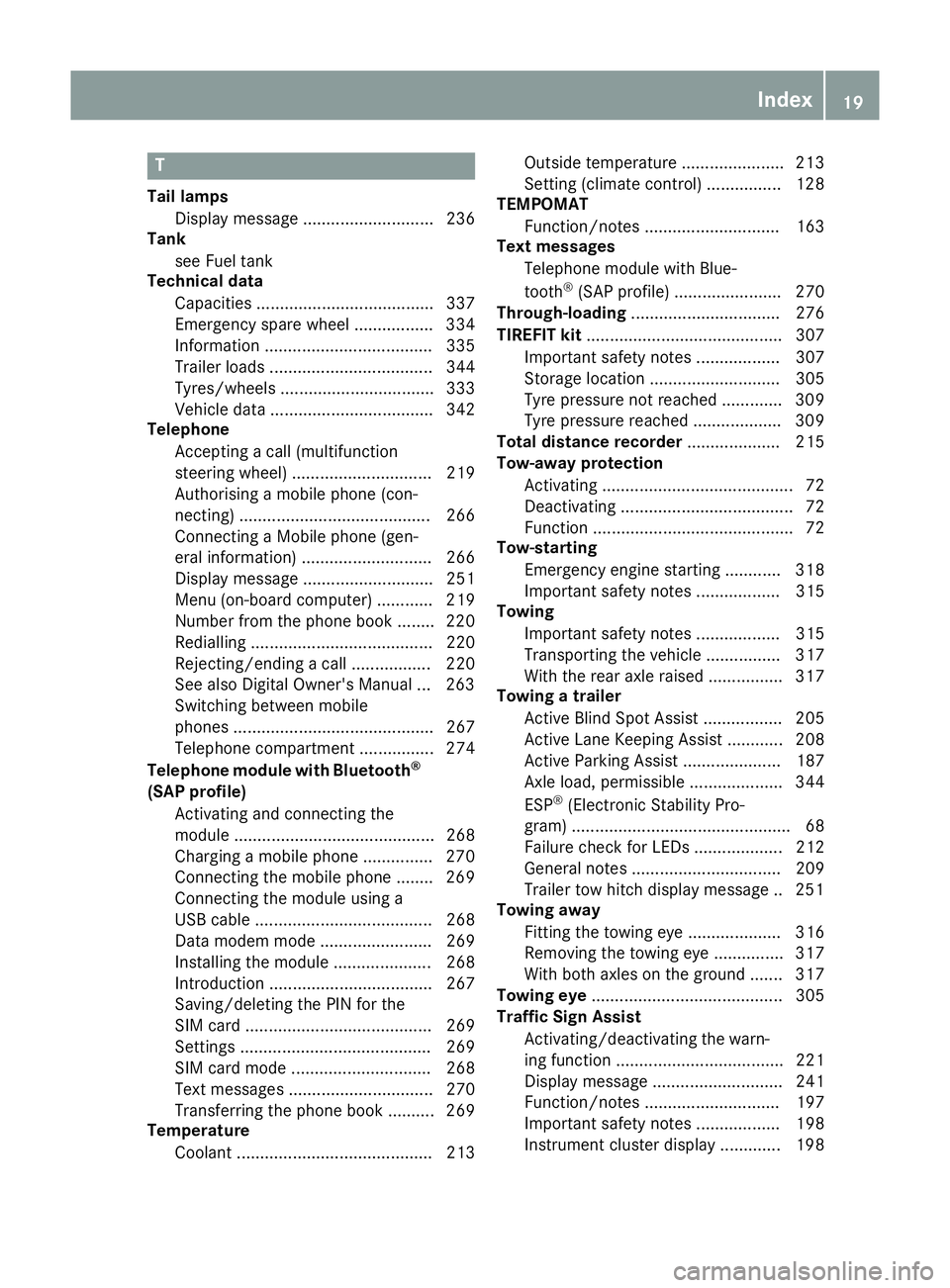
T
Tail lamps Display message ............................ 236
Tank
see Fuel tank
Technical data
Capacities ...................................... 337
Emergency spare wheel ................. 334
Information .................................... 335
Trailer load s................................... 344
Tyres/wheels ................................. 333
Vehicle data ................................... 342
Telephone
Accepting a call (multifunction
steering wheel) .............................. 219
Authorising a mobile phone (con-
necting) ......................................... 266
Connecting a Mobile phone (gen-
eral information) ............................ 266
Display message ............................ 251
Menu (on-board computer) ............ 219
Number from the phone book ........ 220
Redialling ....................................... 220
Rejecting/ending a call ................. 220
See also Digital Owner's Manua l... 263
Switching between mobile
phones ........................................... 267
Telephone compartment ................ 274
Telephone module with Bluetooth ®
(SAP profile) Activating and connecting the
module ........................................... 268
Charging a mobile phone ............... 270
Connecting the mobile phone ........ 269
Connecting the module using a
USB cable ...................................... 268
Data modem mode ........................ 269
Installing the module ..................... 268
Introduction ................................... 267
Saving/deleting the PIN for the
SIM card ........................................ 269
Setting s......................................... 269
SIM card mode .............................. 268
Text messages ............................... 270
Transferring the phone book .......... 269
Temperature
Coolant .......................................... 213 Outside temperature ...................... 213
Setting (climate control
)................ 128
TEMPOMAT
Function/note s............................. 163
Text messages
Telephone module with Blue-
tooth ®
(SAP profile) ....................... 270
Through-loading ................................ 276
TIREFIT kit .......................................... 307
Important safety notes .................. 307
Storage location ............................ 305
Tyre pressure not reached ............. 309
Tyre pressure reached ................... 309
Total distance recorder .................... 215
Tow-away protection
Activating ......................................... 72
Deactivating ..................................... 72
Function ........................................... 72
Tow-starting
Emergency engine starting ............ 318
Important safety notes .................. 315
Towing
Important safety notes .................. 315
Transporting the vehicle ................ 317
With the rear axle raised ................ 317
Towing a trailer
Active Blind Spot Assist ................. 205
Active Lane Keeping Assist ............ 208
Active Parking Assist ..................... 187
Axle load, permissibl e.................... 344
ESP ®
(Electronic Stability Pro-
gram) ............................................... 68
Failure check for LEDs ................... 212
General notes ................................ 209
Trailer tow hitch display message .. 251
Towing away
Fitting the towing ey e.................... 316
Removing the towing eye ............... 317
With both axles on the ground ....... 317
Towing eye ......................................... 305
Traffic Sign Assist
Activating/deactivating the warn-ing function .................................... 221
Display message ............................ 241
Function/note s............................. 197
Important safety notes .................. 198
Instrument cluster display ............. 198 Index
19
Page 23 of 349
Trailer
Folding the ball coupling in/out ..... 210
Trailer coupling
see Towing a trailer
Trailer towing
7-pin connector ............................. 212
Blind Spot Assist ............................ 202
Cleaning the trailer tow hitch ......... 301
Coupling up a traile r...................... 211
Decoupling a trailer ....................... 211
Driving tips .................................... 209
Folding in the ball coupling ............ 211
Folding out the ball coupling .......... 210
Important safety notes .................. 208
Lights display message .................. 236
Mounting dimensions .................... 343
Parktronic ...................................... 181
Power supply ................................. 211
Trailer load s................................... 344
Transmission
see Automatic transmission
see Manual transmission
Transmission position display ......... 147
Transmission position display
(DIRECT SELECT lever) ...................... 147
Transporting the vehicle .................. 317
Trim pieces (cleaning instruc-
tions) .................................................. 302
Trip computer (on-board com-
puter) .................................................. 216
Trip meter
Calling up ....................................... 215
Resetting (on-board computer) ...... 216
Turn signals
Switching on/of f........................... 116
TV
Operating (on-board computer) ..... 219
see Separate operating instructions
Two-way radio
Frequencies ................................... 335
Installation ..................................... 335
Transmission output (maximum) .... 335
Type identification plate
see Vehicle identification plate
Tyre changing tool kit ....................... 305
Tyre inflation compressor
see TIREFIT kit Tyre pressure
Calling up (on-board computer) ..... 326
Display message ............................ 246
Not reached (TIREFIT) .................... 309
Reached (TIREFIT) .......................... 309
Recommended ............................... 324
Tyre pressure loss warning
General notes ................................ 325
Important safety notes .................. 326
Restarting ...................................... 326
Tyre pressure monitor
Checking the tyre pressure elec-
tronically ........................................ 327
Function/note s............................. 326
General notes ................................ 326
Important safety notes .................. 327
Restarting ...................................... 328
Warning lamp ................................. 262
Warning message .......................... 328
Tyres
Changing a whee l.......................... 328
Checking ........................................ 321
Direction of rotation ...................... 329
Display message ............................ 246
Important safety notes .................. 321
Information on driving .................... 321
MOExtended tyre s......................... 323
Replacing ....................................... 329
Service life ..................................... 322
Storing ........................................... 329
Tyre size (data ).............................. 333
Tyre tread ...................................... 322
Wheel and tyre combinations ........ 333
see Flat tyre U
Unlocking Emergency unlocking ....................... 82
From inside the vehicle (central
unlocking button) ............................. 81
USB devices
Connecting to the Media Inter-
face ............................................... 271 V
Vanity mirror (in sun visor) .............. 27920
Index
Page 24 of 349
Variable SPEEDTRONIC
see SPEEDTRONIC
Vehicle
Correct use ...................................... 27
Data acquisition ............................... 27
Display message ............................ 248
Electronics ..................................... 335
Equipment ....................................... 25
Implied warranty .............................. 27
Individual settings .......................... 223
Leaving parked up ......................... 159
Locking (in an emergency) ............... 82
Locking (key) ................................... 74
Lowering ........................................ 332
Pulling away ................................... 141
Raising ........................................... 330
Registration ..................................... 27
Securing from rolling away ............ 330
Tow-starting ................................... 315
Towing away .................................. 315
Transporting .................................. 317
Unlocking (in an emergency) ........... 82
Unlocking (key) ................................ 74
Vehicle data ................................... 342
Vehicle data ....................................... 342
Vehicle dimensions ........................... 342
Vehicle emergency locking ................ 82
Vehicle identification number
see VIN
Vehicle identification plate .............. 336
Vehicle tool kit .................................. 305
Video
Operating the DVD ......................... 218
See also Digital Owner's Manua l... 263
VIN
Seat ............................................... 337
Type plate ...................................... 336 W
Warning and indicator lamps ABS ................................................ 256
Brakes ........................................... 255
Distance warning signal ................. 261
ESP ®
.............................................. 256
ESP ®
OFF ....................................... 257
Fuel tank ........................................ 259
General notes ................................ 253 LIM (cruise control) ........................ 163
LIM (DISTRONIC PLUS) .................. 169
LIM (variable SPEEDTRONIC) ......... 166
Overview .......................................... 31
PASSENGER AIR BAG OFF ............... 38
Reserve fue l................................... 259
Seat belt ........................................ 254
Tyre pressure monitor ................... 262
Warning triangle ................................ 304
Washer fluid
Display message ............................ 252
Wheel and tyre combinations
Tyres .............................................. 333
Wheel bolt tightening torque ........... 332
Wheel chock ...................................... 330
Wheels
Changing a whee l.......................... 328
Changing/replacing ....................... 329
Checking ........................................ 321
Cleaning ......................................... 299
Emergency spare wheel ................. 333
Fitting a new wheel ........................ 332
Fitting a wheel ............................... 329
Important safety notes .................. 321
Information on driving .................... 321
Removing a whee l.......................... 331
Storing ........................................... 329
Tightening torque ........................... 332
Wheel size/tyre size ...................... 333
Wind deflector (cleaning instruc-
tions) .................................................. 298
Windows
Cleaning ......................................... 299
see Side windows
Windscreen
Demisting ...................................... 129
Windscreen washer fluid
see Windscreen washer system
Windscreen washer system
Important safety notes .................. 342
Topping up ..................................... 293
Windscreen wipers
Problem (malfunction) ................... 122
Replacing the wiper blades ............ 120
Switching on/of f........................... 120
Winter operation
Important safety notes .................. 323
Radiator cover ............................... 291 Index
21
Page 51 of 349
Important safety notes
!
Make sure that there are no objects in the
footwell or behind the seats. There is a risk
that the seats and/or the objects could be
damaged when PRE-SAFE ®
is activated.
Although your vehicle is equipped with PRE-
SAFE ®
, the possibility of injury in the event of an
accident cannot be ruled out. Always adapt your
driving style to suit the prevailing road and
weather conditions and maintain a safe distance from the vehicle in front. Drive carefully.
Function PRE-SAFE
®
intervenes:
R in emergency braking situations, e.g. when
BAS is activated
R in critical driving situations, e.g. when physi-
cal limits are exceeded and the vehicle under- steers or oversteers severely
R on vehicles with the Driving Assistance pack-
age: if BAS PLUS intervenes powerfully or the
radar sensor system detects an imminent
danger of collision in certain situations
PRE-SAFE ®
takes the following measures
depending on the hazardous situation detected:
R the front seat belts are pre-tensioned
R if the vehicle skids, the front side windows are
closed
R vehicles with the memory function: the front-
passenger seat is adjusted if it is in an unfav-
ourable position
R vehicles with a multicontour seat: the air pres-
sure in the side bolsters of the backrest is
increased
If the hazardous situation passes without result-
ing in an accident, PRE-SAFE ®
slackens the belt
pre-tensioning. On vehicles with multicontour
seats, the air pressure in the side bolsters is
reduced again. All settings made by PRE-SAFE ®
can then be reversed.
If the seat belt pre-tensioning is not reduced:
X Move the seat backrest or seat back slightly
when the vehicle is stationary.
Seat belt pre-tensioning is reduced and the
locking mechanism is released.
The seat-belt adjustment is an integral part of
the PRE-SAFE ®
convenience function. Informa-
tion about the convenience function can be
found under "Belt adjustment" (Y page 41). PRE-SAFE
®
PLUS (anticipatory occu-
pant protection PLUS)
Introduction PRE-SAFE
®
PLUS is only available in vehicles
with the Driving Assistance package.
Using the radar sensor system, PRE-SAFE ®
PLUS is able to detect that a head-on or rear-end collision is imminent. In certain hazardous sit-
uations, PRE-SAFE ®
PLUS takes pre-emptive
measures to protect the vehicle occupants.
Important safety notes The intervention of PRE-SAFE
®
PLUS cannot
prevent an imminent collision.
The driver is not warned before the intervention
of PRE-SAFE ®
PLUS.
PRE-SAFE ®
PLUS does not intervene:
R if the vehicle is reversing
R when the vehicle is towing a trailer and there
is a risk of a rear-end collision
When driving, or when parking or exiting a park- ing space with assistance from Active Parking
Assist, PRE-SAFE ®
PLUS will not apply the
brakes.
Function PRE-SAFE
®
PLUS intervenes in certain situa-
tions if the radar sensor system detects an
imminent head-on or rear-end collision.
PRE-SAFE ®
PLUS takes the following measures
depending on the hazardous situation detected:
R if the radar sensor system detects that a
head-on collision is imminent, the seat belts
are pre-tensioned
R if the radar sensor system detects that a rear-
end collision is imminent:
- the rear hazard warning lamps are activa-
ted and flash at a higher frequency
- the brake pressure is increased if the driver
applies the brakes when the vehicle is sta-
tionary
- the seat belts are pre-tensioned 48
Occupant safetySafety
Page 276 of 349
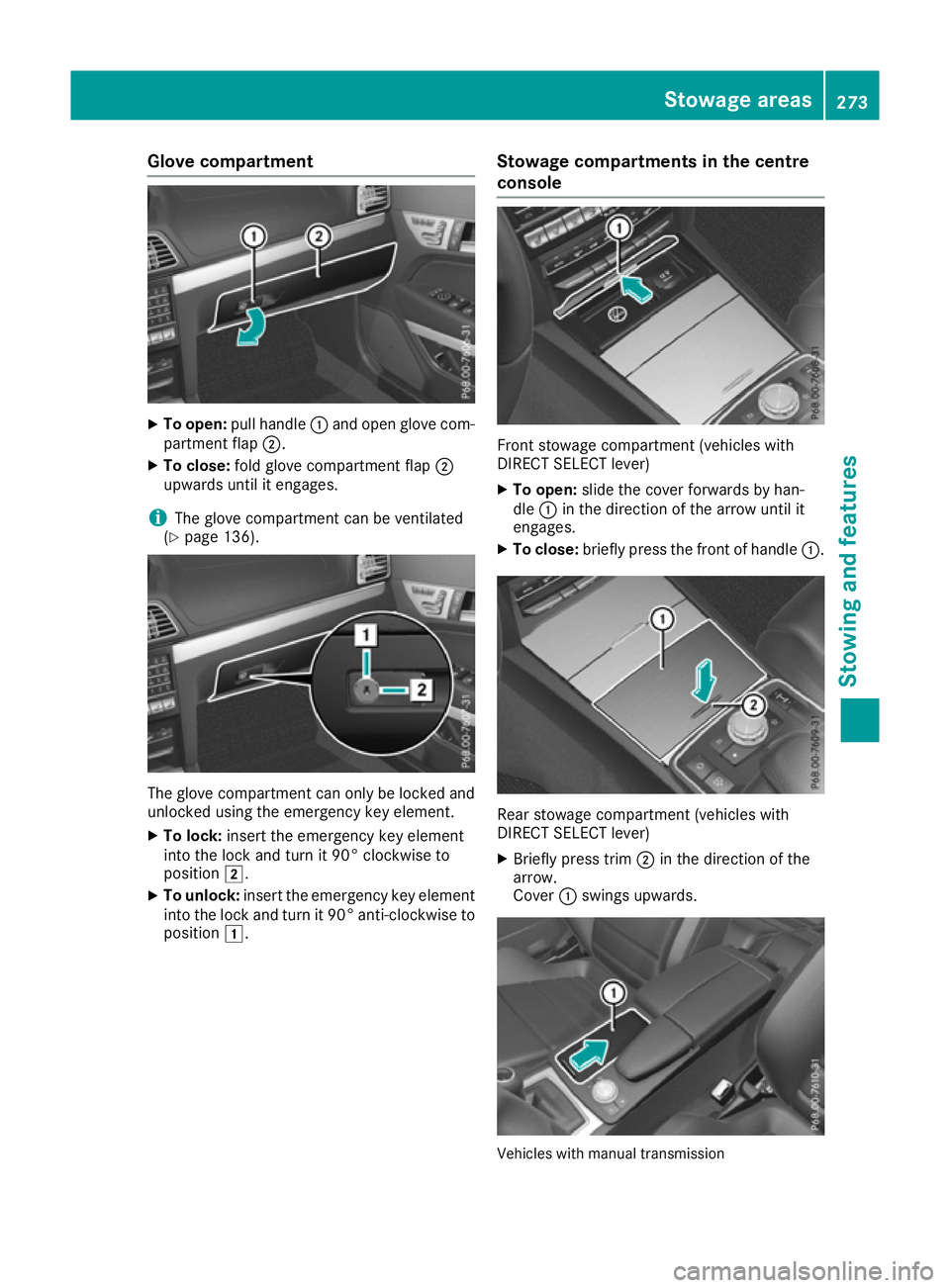
Glove compartment
X
To open: pull handle :and open glove com-
partment flap ;.
X To close: fold glove compartment flap ;
upwards until it engages.
i The glove compartment can be ventilated
(Y page 136). The glove compartment can only be locked and
unlocked using the emergency key element.
X To lock: insert the emergency key element
into the lock and turn it 90° clockwise to
position 2.
X To unlock: insert the emergency key element
into the lock and turn it 90° anti-clockwise to
position 1. Stowage compartments in the centre
console Front stowage compartment (vehicles with
DIRECT SELECT lever)
X To open: slide the cover forwards by han-
dle :in the direction of the arrow until it
engages.
X To close: briefly press the front of handle :. Rear stowage compartment (vehicles with
DIRECT SELECT lever)
X Briefly press trim ;in the direction of the
arrow.
Cover :swings upwards. Vehicles with manual transmission Stowage areas
273Stowing and features Z
Page 283 of 349
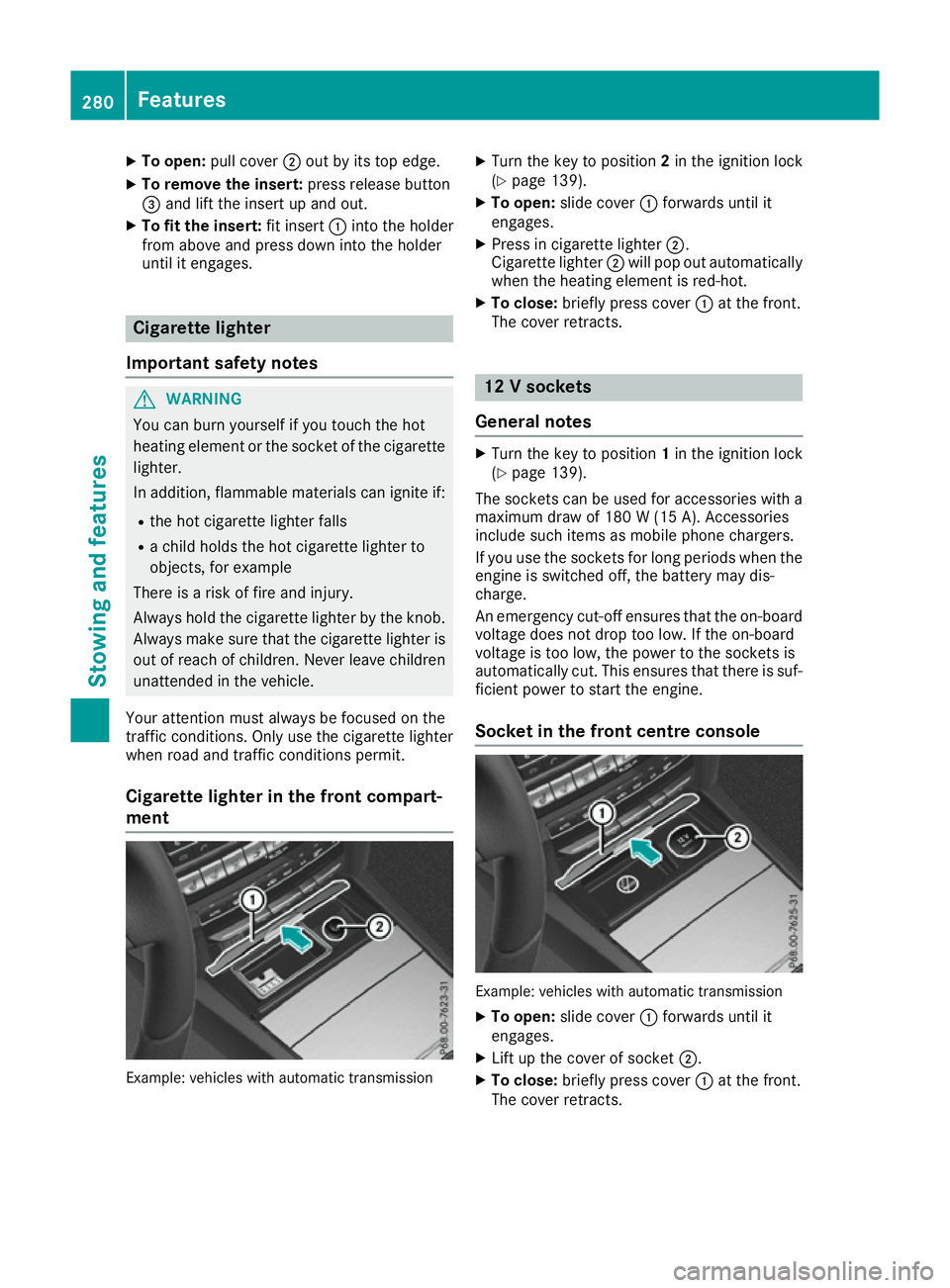
X
To open: pull cover ;out by its top edge.
X To remove the insert: press release button
= and lift the insert up and out.
X To fit the insert: fit insert:into the holder
from above and press down into the holder
until it engages. Cigarette lighter
Important safety notes G
WARNING
You can burn yourself if you touch the hot
heating element or the socket of the cigarette lighter.
In addition, flammable materials can ignite if:
R the hot cigarette lighter falls
R a child holds the hot cigarette lighter to
objects, for example
There is a risk of fire and injury.
Always hold the cigarette lighter by the knob.
Always make sure that the cigarette lighter is
out of reach of children. Never leave children unattended in the vehicle.
Your attention must always be focused on the
traffic conditions. Only use the cigarette lighter when road and traffic conditions permit.
Cigarette lighter in the front compart-
ment Example: vehicles with automatic transmission X
Turn the key to position 2in the ignition lock
(Y page 139).
X To open: slide cover :forwards until it
engages.
X Press in cigarette lighter ;.
Cigarette lighter ;will pop out automatically
when the heating element is red-hot.
X To close: briefly press cover :at the front.
The cover retracts. 12 V sockets
General notes X
Turn the key to position 1in the ignition lock
(Y page 139).
The sockets can be used for accessories with a
maximum draw of 180 W(15 A). Accessories
include such items as mobile phone chargers.
If you use the sockets for long periods when the engine is switched off, the battery may dis-
charge.
An emergency cut-off ensures that the on-boardvoltage does not drop too low. If the on-board
voltage is too low, the power to the sockets is
automatically cut. This ensures that there is suf-
ficient power to start the engine.
Socket in the front centre console Example: vehicles with automatic transmission
X To open: slide cover :forwards until it
engages.
X Lift up the cover of socket ;.
X To close: briefly press cover :at the front.
The cover retracts. 280
FeaturesStowing and fea
tures
Page 284 of 349
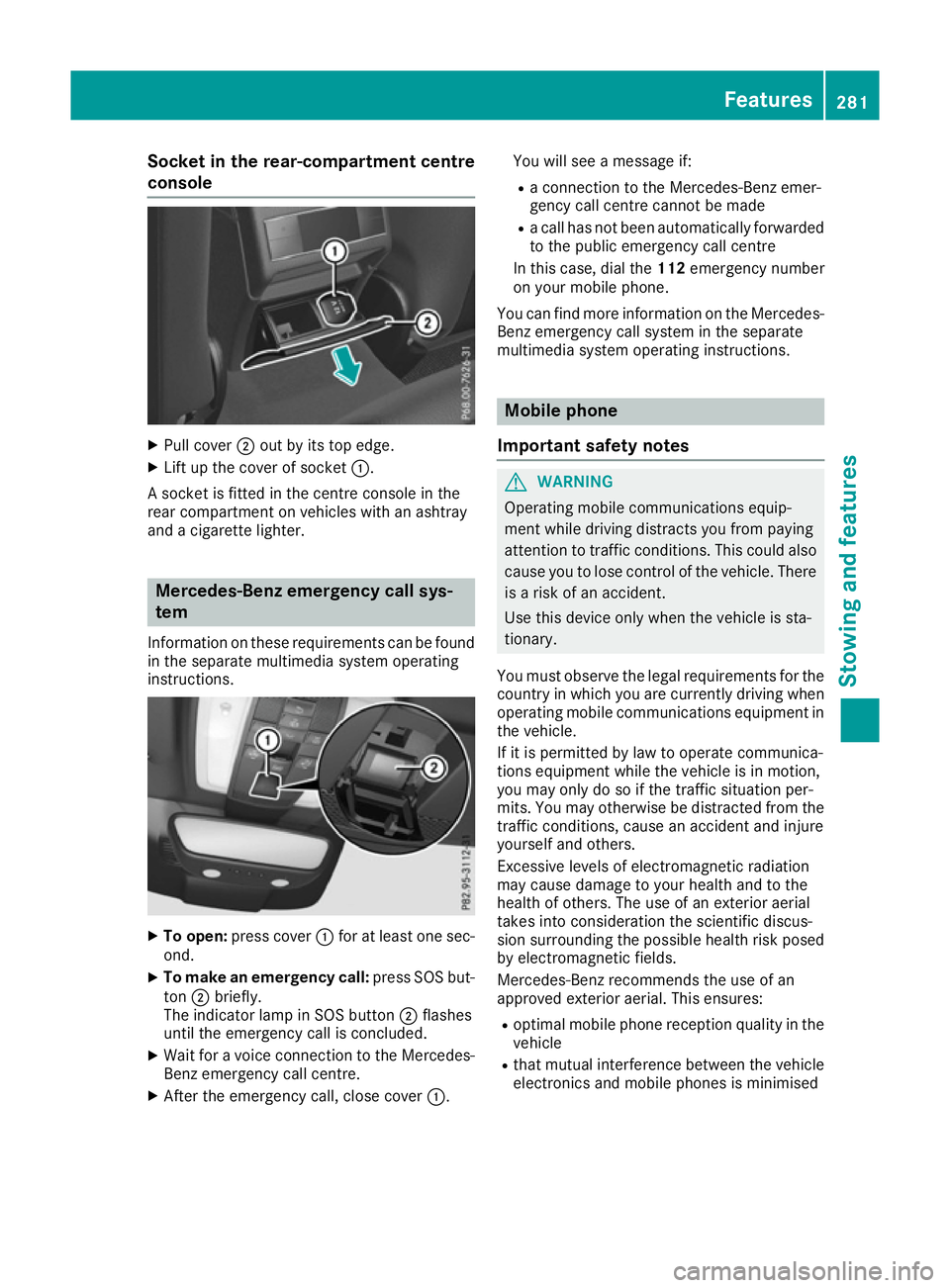
Socket in the rear-compartment centre
console X
Pull cover ;out by its top edge.
X Lift up the cover of socket :.
A socket is fitted in the centre console in the
rear compartment on vehicles with an ashtray
and a cigarette lighter. Mercedes-Benz emergency call sys-
tem
Information on these requirements can be found
in the separate multimedia system operating
instructions. X
To open: press cover :for at least one sec-
ond.
X To make an emergency call: press SOS but-
ton ;briefly.
The indicator lamp in SOS button ;flashes
until the emergency call is concluded.
X Wait for a voice connection to the Mercedes-
Benz emergency call centre.
X After the emergency call, close cover :.You will see a message if:
R a connection to the Mercedes-Benz emer-
gency call centre cannot be made
R a call has not been automatically forwarded
to the public emergency call centre
In this case, dial the 112emergency number
on your mobile phone.
You can find more information on the Mercedes- Benz emergency call system in the separate
multimedia system operating instructions. Mobile phone
Important safety notes G
WARNING
Operating mobile communications equip-
ment while driving distracts you from paying
attention to traffic conditions. This could also cause you to lose control of the vehicle. There
is a risk of an accident.
Use this device only when the vehicle is sta-
tionary.
You must observe the legal requirements for the country in which you are currently driving when
operating mobile communications equipment in the vehicle.
If it is permitted by law to operate communica-
tions equipment while the vehicle is in motion,
you may only do so if the traffic situation per-
mits. You may otherwise be distracted from the
traffic conditions, cause an accident and injure
yourself and others.
Excessive levels of electromagnetic radiation
may cause damage to your health and to the
health of others. The use of an exterior aerial
takes into consideration the scientific discus-
sion surrounding the possible health risk posed
by electromagnetic fields.
Mercedes-Benz recommends the use of an
approved exterior aerial. This ensures:
R optimal mobile phone reception quality in the
vehicle
R that mutual interference between the vehicle
electronics and mobile phones is minimised Features
281Stowing and features Z