steering MERCEDES-BENZ E-Class CABRIOLET 2017 A207 Owner's Guide
[x] Cancel search | Manufacturer: MERCEDES-BENZ, Model Year: 2017, Model line: E-Class CABRIOLET, Model: MERCEDES-BENZ E-Class CABRIOLET 2017 A207Pages: 322, PDF Size: 7.97 MB
Page 109 of 322
RImmediately change out of clothing which
has come into contact with electrolyte.
RIf an allergic reaction occurs, seek medical
attention immediately.
The rear-view mirror and the exterior mirror on
the driver's side automatically go into anti-glare
mode if the following conditions are met simul-
taneously:
Rthe ignition is switched on and
Rincident light from headlamps strikes the sen-
sor in the rear-view mirror
The mirrors do not go into anti-glare mode if
reverse gear is engaged.
Parking position for the exterior mir-
ror on the front-passenger side
Setting and storing the parking position
You can position the front-passenger side exte-
rior mirror in such a way that you can see the
rear wheel on that side as soon as you engage
reverse gear. You can store this position.
Using reverse gear
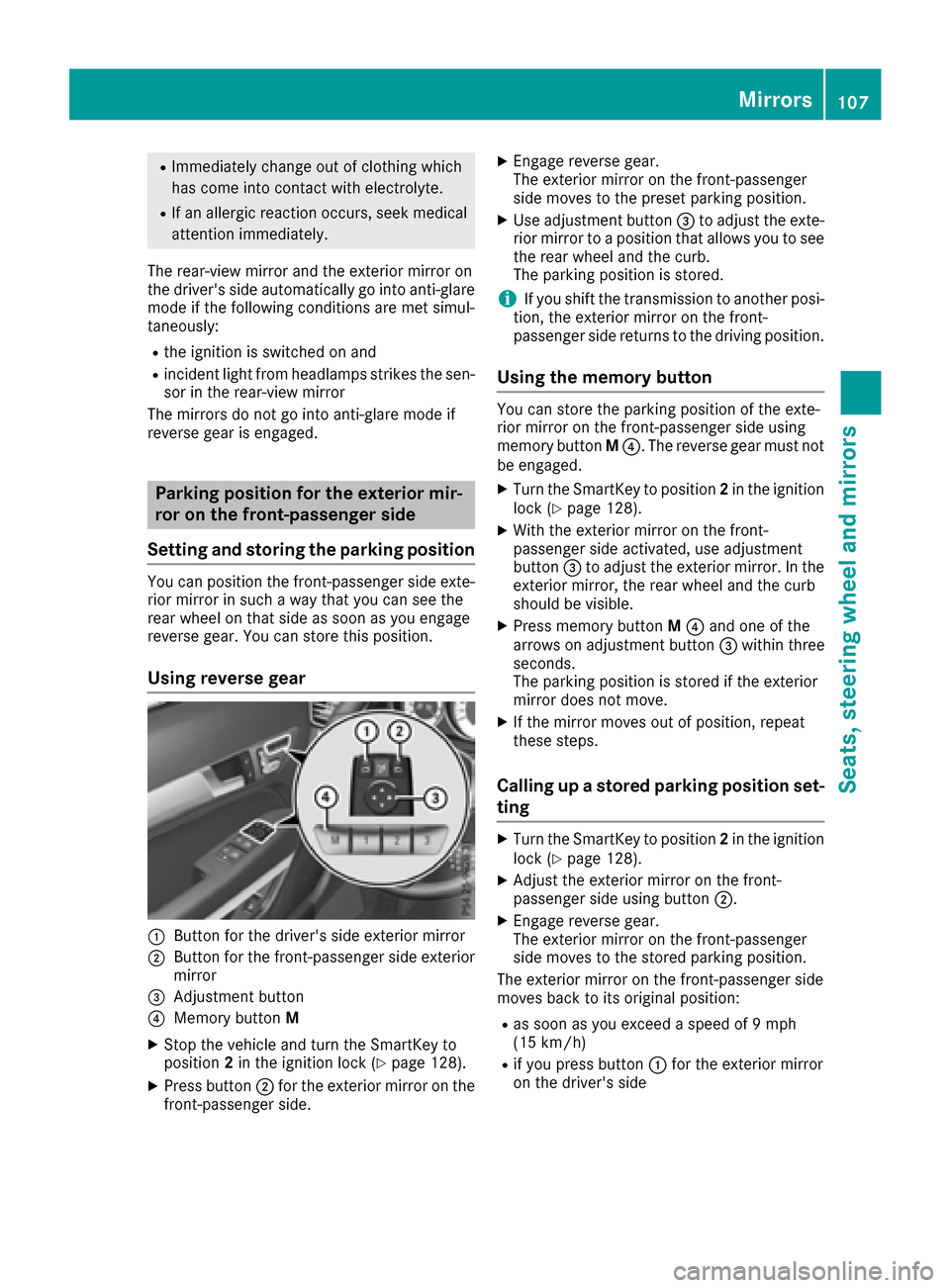
:Button for the driver's side exterior mirror
;Button for the front-passenger side exterior
mirror
=Adjustment button
?Memory button M
XStop the vehicle and turn the SmartKey to
position2in the ignition lock (Ypage 128).
XPress button ;for the exterior mirror on the
front-passenger side.
XEngage reverse gear.
The exterior mirror on the front-passenger
side moves to the preset parking position.
XUse adjustment button =to adjust the exte-
rior mirror to a position that allows you to see
the rear wheel and the curb.
The parking position is stored.
iIf you shift the transmission to another posi-
tion, the exterior mirror on the front-
passenger side returns to the driving position.
Using the memory button
You can store the parking position of the exte-
rior mirror on the front-passenger side using
memory button M?. The reverse gear must not
be engaged.
XTurn the SmartKey to position 2in the ignition
lock (Ypage 128).
XWith the exterior mirror on the front-
passenger side activated, use adjustment
button =to adjust the exterior mirror. In the
exterior mirror, the rear wheel and the curb
should be visible.
XPress memory button M? and one of the
arrows on adjustment button =within three
seconds.
The parking position is stored if the exterior
mirror does not move.
XIf the mirror moves out of position, repeat
these steps.
Calling up a stored parking position set-
ting
XTurn the SmartKey to position 2in the ignition
lock (Ypage 128).
XAdjust the exterior mirror on the front-
passenger side using button ;.
XEngage reverse gear.
The exterior mirror on the front-passenger
side moves to the stored parking position.
The exterior mirror on the front-passenger side
moves back to its original position:
Ras soon as you exceed a speed of 9 mph
(15 km/h)
Rif you press button :for the exterior mirror
on the driver's side
Mirrors107
Seats, steering wheel and mirrors
Z
Page 110 of 322
Memory function
Storing settings
GWARNING
If you use the memory function on the driver's side while driving, you could lose control of
the vehicle as a result of the adjustments
being made. There is a risk of an accident.
Only use the memory function on the driver's
side when the vehicle is stationary.
GWARNING
Children could become trapped if they acti-
vate the memory function, particularly when
unattended. There is a risk of injury.
When leaving the vehicle, always take the
SmartKey with you and lock the vehicle. Never
leave children unsupervised in the vehicle.
GWARNING
When the memory function adjusts the seat or steering wheel, you and other vehicle occu-
pants – particularly children – could become
trapped. There is a risk of injury.
While the memory function is making adjust-
ments, make sure that no one has any body
parts in the sweep of the seat or steering
wheel. If somebody becomes trapped, imme-
diately release the memory function position
button. The adjustment process is stopped.
The memory function can be used at any time,
e.g. even when the SmartKey isn't in the ignition
lock.
With the memory function, you can store up to
three different settings, e.g. for three different
people.
XAdjust the seat (Ypage 97).
XOn the driver's side, adjust the steering wheel (Ypage 103) and the exterior mirrors
(Ypage 105).
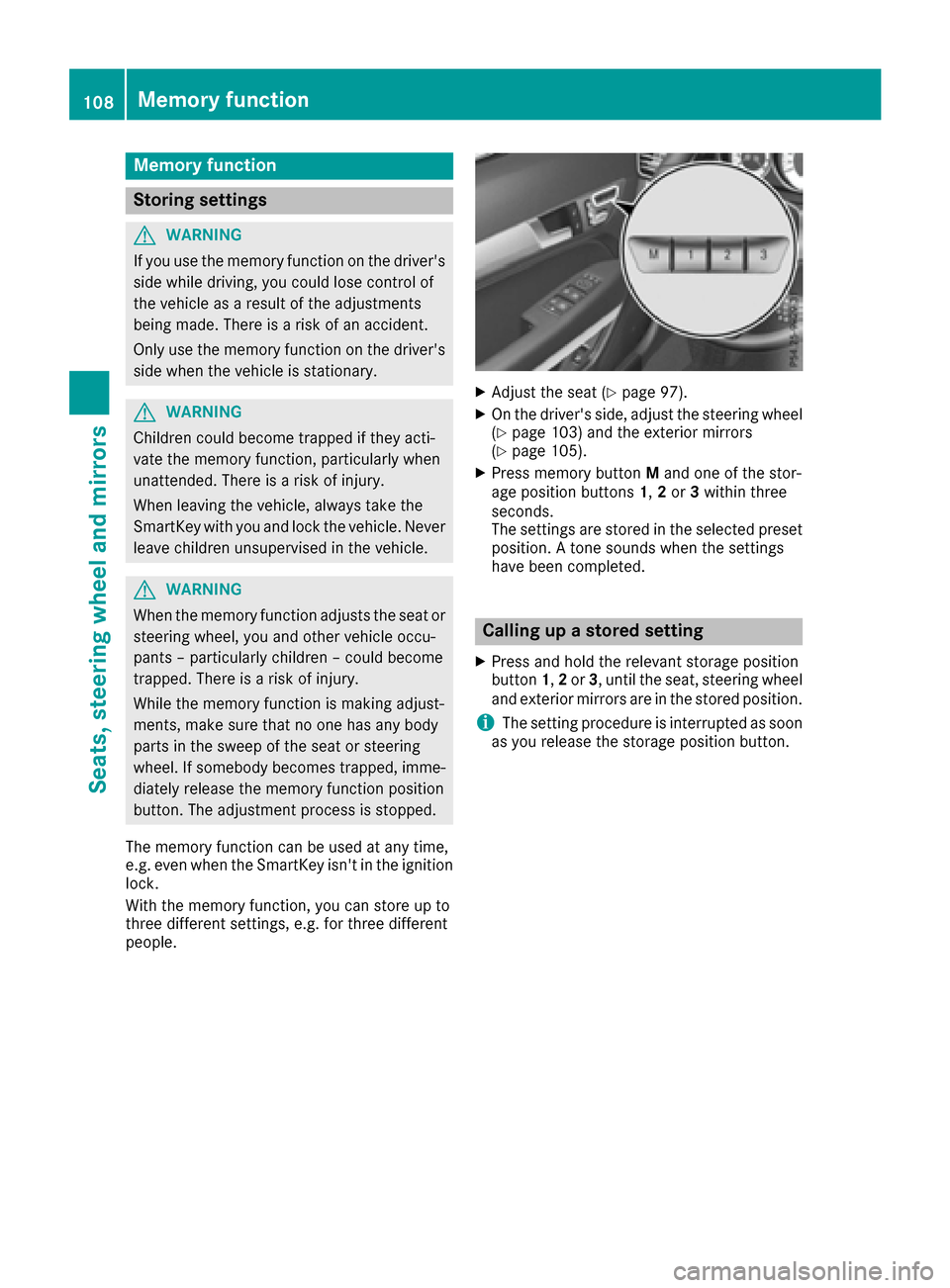
XPress memory button Mand one of the stor-
age position buttons 1,2or 3within three
seconds.
The settings are stored in the selected preset
position. A tone sounds when the settings
have been completed.
Calling up a stored setting
XPress and hold the relevant storage position
button 1,2or 3, until the seat, steering wheel
and exterior mirrors are in the stored position.
iThe setting procedure is interrupted as soon
as you release the storage position button.
108Memory function
Seats, steering wheel and mirrors
Page 113 of 322
=High-beam flasher
?Turn signal, left
XTo indicate briefly:press the combination
switch briefly to the pressure point in the
direction of arrow ;or?.
The corresponding turn signal flashes three
times.
XTo indicate: press the combination switch
beyond the pressure point in the direction of
arrow ;or?.
XTo switch on the high-beam headlamps
manually: turn the SmartKey to position 2in
the ignition lock or start the engine.
XVehicles without Adaptive Highbeam Assist:
turn the light switch to LorÃ.
XVehicles with Adaptive Highbeam Assist: turn
the light switch to L.
XPress the combination switch beyond the
pressure point in the direction of arrow :.
In the Ãposition, the high-beam head-
lamps are only switched on when it is dark and
the engine is running.
The blue Kindicator lamp in the instru-
ment cluster lights up when the high-beam
headlamps are switched on.
XTo switch off the high-beam headlamps:
move the combination switch back to its nor-
mal position.
The blue Kindicator lamp in the instru-
ment cluster goes out.
Vehicles with Adaptive Highbeam Assist: if
Adaptive Highbeam Assist is activated, it auto-
matically controls activation and deactivation of
the high-beam headlamps (
Ypage 111).
Hazard warning lamps
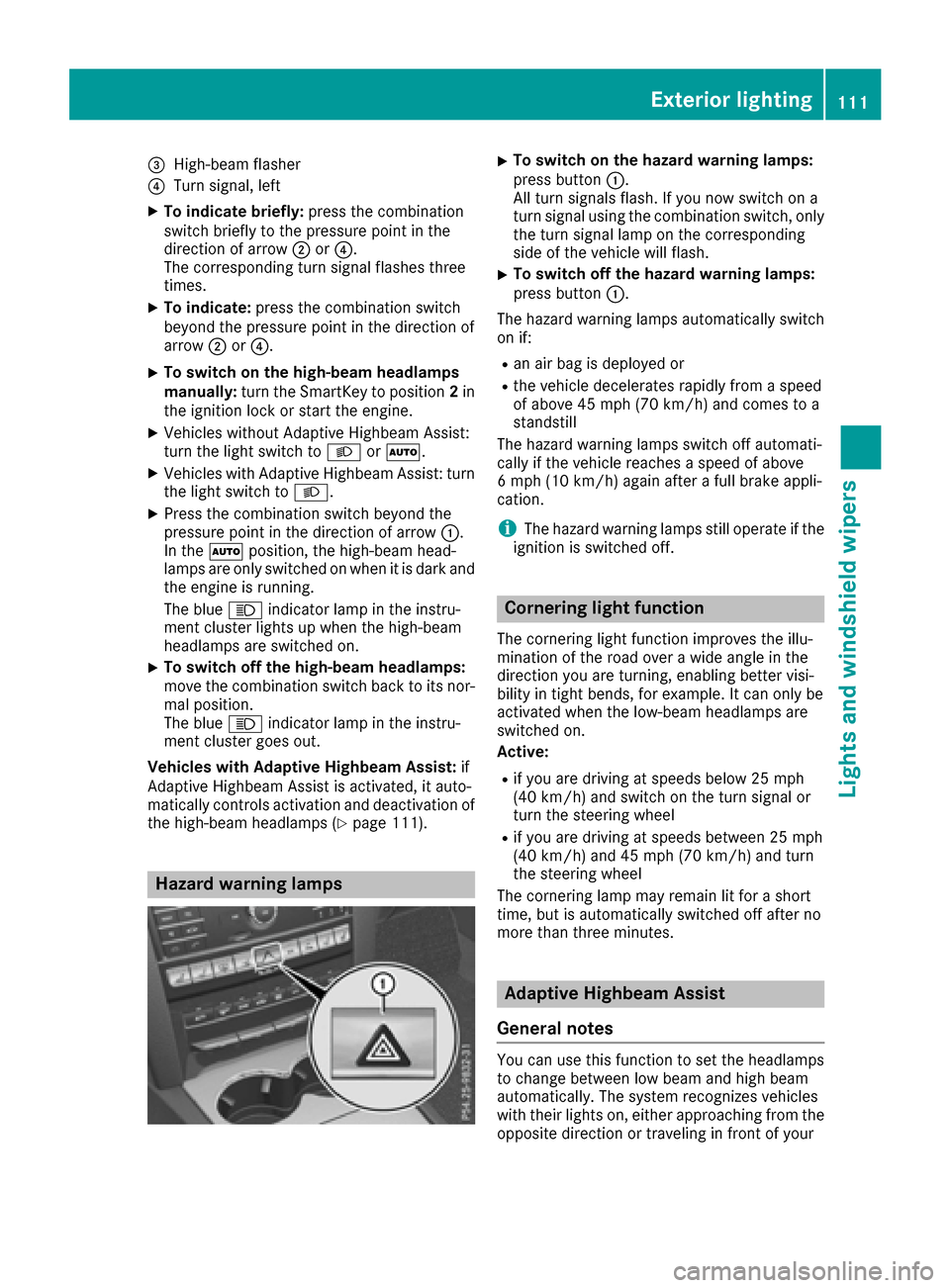
XTo switch on the hazard warning lamps:
press button :.
All turn signals flash. If you now switch on a
turn signal using the combination switch, only
the turn signal lamp on the corresponding
side of the vehicle will flash.
XTo switch off the hazard warning lamps:
press button :.
The hazard warning lamps automatically switch
on if:
Ran air bag is deployed or
Rthe vehicle decelerates rapidly from a speed
of above 45 mph (70 km/h) and comes to a
standstill
The hazard warning lamps switch off automati-
cally if the vehicle reaches a speed of above
6 mph (10 km/h) again after a full brake appli-
cation.
iThe hazard warning lamps still operate if the
ignition is switched off.
Cornering light function
The cornering light function improves the illu-
mination of the road over a wide angle in the
direction you are turning, enabling better visi-
bility in tight bends, for example. It can only be
activated when the low-beam headlamps are
switched on.
Active:
Rif you are driving at speeds below 25 mph
(40 km/h) and switch on the turn signal or
turn the steering wheel
Rif you are driving at speeds between 25 mph
(40 km/h) and 45 mph (70 km/h) and turn
the steering wheel
The cornering lamp may remain lit for a short
time, but is automatically switched off after no
more than three minutes.
Adaptive Highbeam Assist
General notes
You can use this function to set the headlamps
to change between low beam and high beam
automatically. The system recognizes vehicles
with their lights on, either approaching from the
opposite direction or traveling in front of your
Exterior lighting111
Lights and windshield wipers
Z
Page 129 of 322
Notes on breaking-in a new vehicle
Important safety notes
The sensor system of some driving and driving
safety systems adjusts automatically while a
certain distance is being driven after the vehiclehas been delivered or after repairs. Full system
effectiveness is not reached until the end of this
teach-in procedure.
New and replaced brake pads and discs only
reach their optimum braking effect after several hundred kilometers of driving. Compensate for
this by applying greater force to the brake pedal.
The first 1000 miles (1500 km)
The more you look after the engine when it is
new, the more satisfied you will be with its per-
formance in the future.
RYou should therefore drive at varying vehicle
and engine speeds for the first 1000 miles
(1500 km).
RAvoid heavy loads, e.g. driving at full throttle,during this period.
RChange gear in good time, before the tach-
ometer needle is Ôof the way to the red area
of the tachometer.
RTry to avoid depressing the accelerator pedal
beyond the point of resistance (kickdown).
After 1000 miles (1500 km), you can increase
the engine speed gradually and accelerate the
vehicle to full speed.
iYou should also observe these notes on
breaking in if the engine or parts of the drive
train on your vehicle have been replaced.
iAlways observe the respective maximum
permissible speed.
Driving
Important safety notes
GWARNING
Objects in the driver's footwell can restrict the pedal travel or obstruct a depressed pedal.
The operating and road safety of the vehicle is
jeopardized. There is a risk of an accident.
Make sure that all objects in the vehicle are
stowed correctly, and that they cannot enter
the driver's footwell. Install the floormats
securely and as specified in order to ensure
sufficient clearance for the pedals. Do not use
loose floormats and do not place floormats on
top of one another.
GWARNING
Unsuitable footwear can hinder correct usage of the pedals, e.g.:
Rshoes with thick soles
Rshoes with high heels
Rslippers
There is a risk of an accident.
Wear suitable footwear to ensure correct
usage of the pedals.
GWARNING
If you switch off the ignition while driving,
safety-relevant functions are only available
with limitations, or not at all. This could affect, for example, the power steering and the brake
boosting effect. You will require considerably
more effort to steer and brake. There is a risk
of an accident.
Do not switch off the ignition while driving.
GWARNING
If the parking brake has not been fully
released when driving, the parking brake can:
Roverheat and cause a fire
Rlose its hold function.
There is a risk of fire and an accident. Release
the parking brake fully before driving off.
!Do not warm up the engine with the vehicle
stationary. Drive off immediately. Avoid high
engine speeds and driving at full throttle until
the engine has reached its operating temper-
ature.
Only shift the automatic transmission to the
desired drive position when the vehicle is sta-
tionary.
Driving127
Dr iving an d parking
Z
Page 136 of 322
Automa tic trans mission
Import ant safety notes
GWARNIN G
If th eengin espee dis abov eth eidlin gspee d
and you engage transmission position Dor R,
th evehicl ecould pull away suddenly. There is
a ris kof an accident.
When engagin gtransmission position Dor R,
always firmly depress th ebrak epedal and do
no tsimultaneously accelerate .
GWARNING
The automatic transmission switches to neu-
tral position Nwhen you switch off th eengine.
The vehicl emay rol laway. There is aris kof an
accident.
Afte rswitching off th eengine, always switch
to parking position P.Preven tth eparked vehi-
cle from rollin gaway by applyin gth eparking
brake.
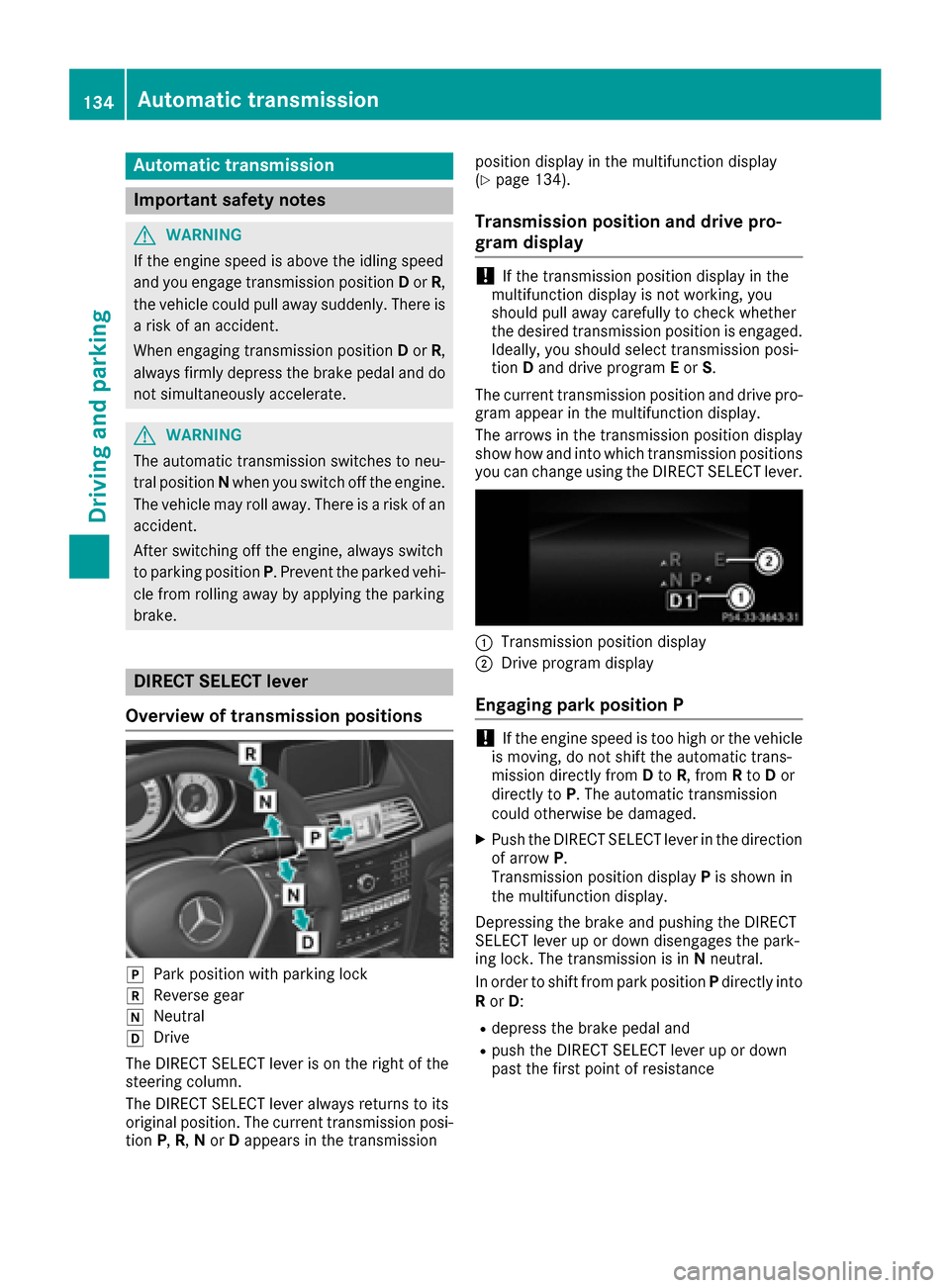
DIRECT SELECT lever
Overview oftrans mission positions
jPark position wit hparking loc k
kReverse gear
iNeutral
hDrive
The DIRECT SELECT lever is on th eright of th e
steering column .
The DIRECT SELECT lever always return sto it s
original position .The curren ttransmission posi-
tion P,R,N or Dappear sin th etransmission position display in th
emultifunction display
(
Ypage 134).
Trans mission position and drive pr o-
gram display
!If th etransmission position display in th e
multifunction display is no tworking ,you
should pull away carefully to chec kwhether
th edesired transmission position is engaged.
Ideally, you should select transmission posi-
tion Dand drive program Eor S.
The curren ttransmission position and drive pro -
gram appear in th emultifunction display.
The arrows in th etransmission position display
sho whow and int owhic htransmission position s
you can chang eusin gth eDIRECT SELECT lever.
:Transmission position display
;Drive program display
Engaging pa rkposition P
!If th eengin espee dis to ohigh or th evehicl e
is moving ,do no tshif tth eautomatic trans -
mission directl yfrom Dto R,from Rto Dor
directl yto P. The automatic transmission
could otherwise be damaged.
XPush th eDIRECT SELECT lever in th edirection
of arrow P.
Transmission position display Pis shown in
th emultifunction display.
Depressing th ebrak eand pushing th eDIRECT
SELECT lever up or down disengages th epark -
ing lock. The transmission is in Nneutral.
In order to shif tfrom park position Pdirectl yint o
R or D:
Rdepress th ebrak epedal and
Rpush th eDIRECT SELECT lever up or down
past th efirst poin tof resistanc e
134Automatic transmission
Driving and parking
Page 140 of 322
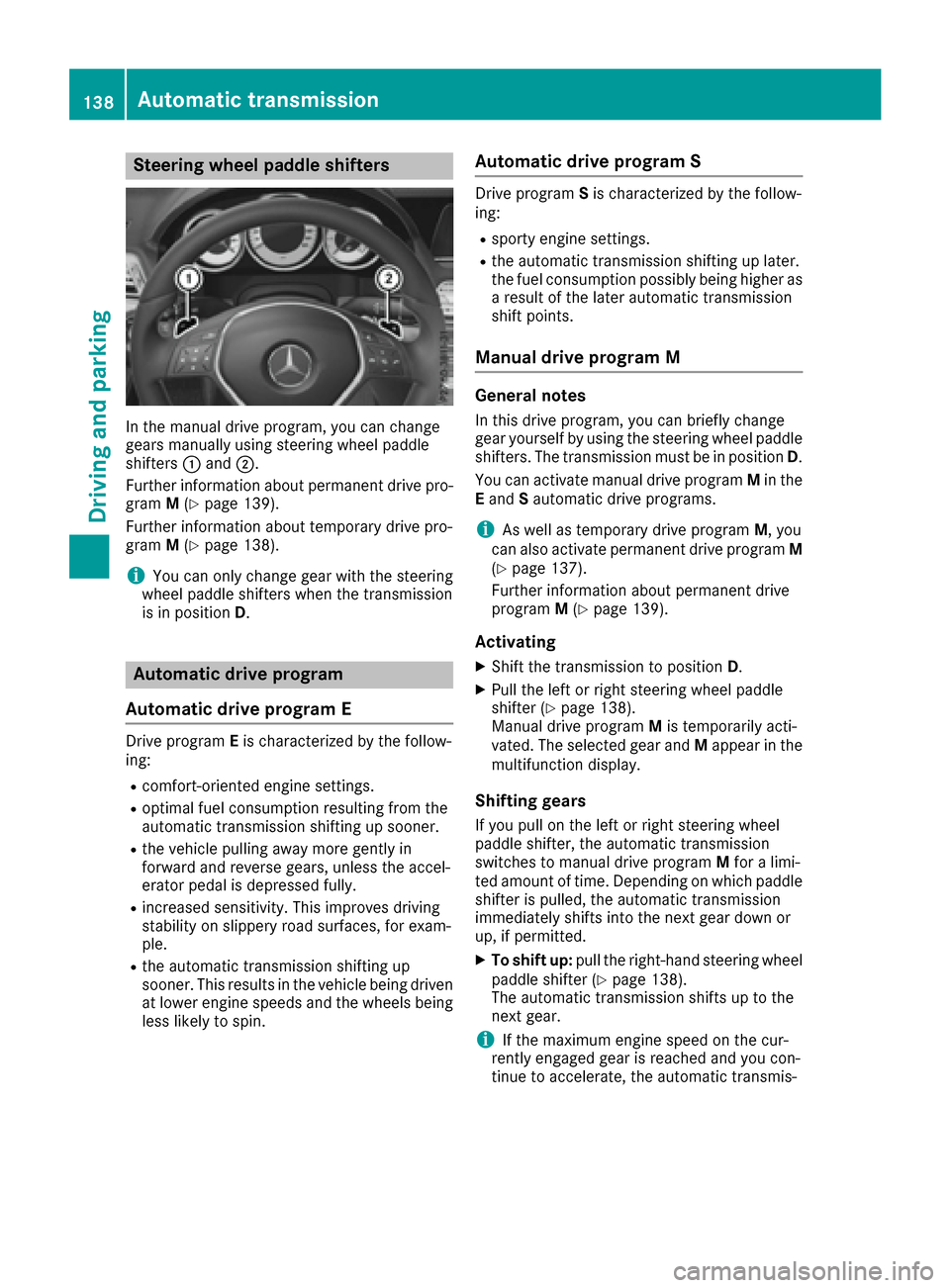
Steering wheel paddle shifters
In the manual drive program, you can change
gears manually using steering wheel paddle
shifters:and ;.
Further information about permanent drive pro-
gram M(
Ypage 139).
Further information about temporary drive pro-
gram M(
Ypage 138).
iYou can only change gear with the steering
wheel paddle shifters when the transmission
is in position D.
Automatic drive program
Automatic drive program E
Drive program Eis characterized by the follow-
ing:
Rcomfort-oriented engine settings.
Roptimal fuel consumption resulting from the
automatic transmission shifting up sooner.
Rthe vehicle pulling away more gently in
forward and reverse gears, unless the accel-
erator pedal is depressed fully.
Rincreased sensitivity. This improves driving
stability on slippery road surfaces, for exam-
ple.
Rthe automatic transmission shifting up
sooner. This results in the vehicle being driven
at lower engine speeds and the wheels being
less likely to spin.
Automatic drive program S
Drive program Sis characterized by the follow-
ing:
Rsporty engine settings.
Rthe automatic transmission shifting up later.
the fuel consumption possibly being higher as
a result of the later automatic transmission
shift points.
Manual drive program M
General notes
In this drive program, you can briefly change
gear yourself by using the steering wheel paddle
shifters. The transmission must be in position D.
You can activate manual drive program Min the
E and Sautomatic drive programs.
iAs well as temporary drive program M, you
can also activate permanent drive program M
(
Ypage 137).
Further information about permanent drive
program M(
Ypage 139).
Activating
XShift the transmission to position D.
XPull the left or right steering wheel paddle
shifter (Ypage 138).
Manual drive program Mis temporarily acti-
vated. The selected gear and Mappear in the
multifunction display.
Shifting gears
If you pull on the left or right steering wheel
paddle shifter, the automatic transmission
switches to manual drive program Mfor a limi-
ted amount of time. Depending on which paddle
shifter is pulled, the automatic transmission
immediately shifts into the next gear down or
up, if permitted.
XTo shift up: pull the right-hand steering wheel
paddle shifter (Ypage 138).
The automatic transmission shifts up to the
next gear.
iIf the maximum engine speed on the cur-
rently engaged gear is reached and you con-
tinue to accelerate, the automatic transmis-
138Automatic transmission
Driving and parking
Page 141 of 322
sion automatically shifts up in order to pre-
vent engine damage.
XTo shift down:pull on the left-hand steering
wheel paddle shifter (Ypage 138).
The automatic transmission shifts down to
the next gear.
iIf the engine exceeds the maximum engine
speed when shifting down, the automatic
transmission protects against engine damage
by not shifting down.
iAutomatic down shifting occurs when
coasting.
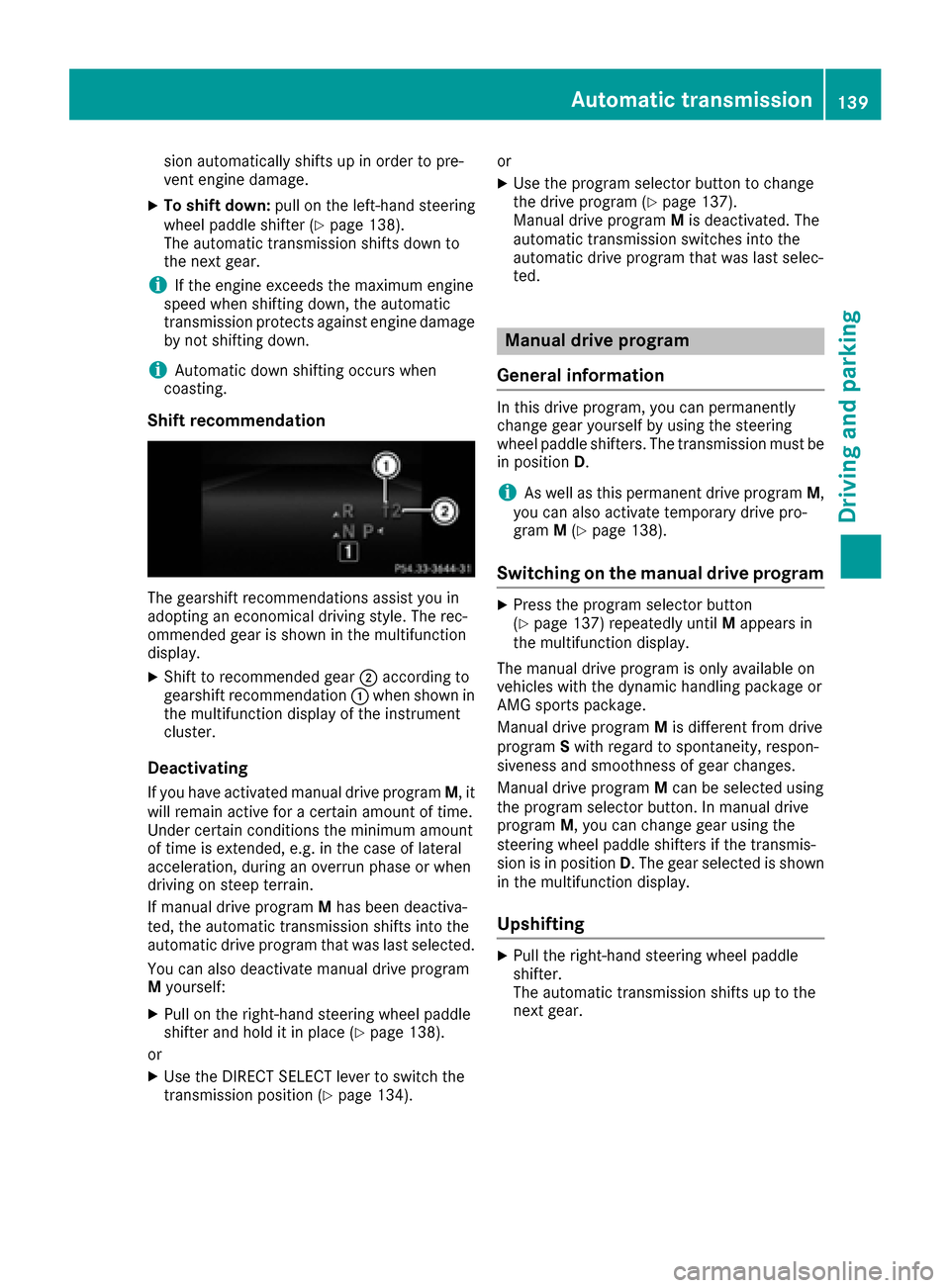
Shift recommendation
The gearshift recommendations assist you in
adopting an economical driving style. The rec-
ommended gear is shown in the multifunction
display.
XShift to recommended gear ;according to
gearshift recommendation :when shown in
the multifunction display of the instrument
cluster.
Deactivating
If you have activated manual drive program M, it
will remain active for a certain amount of time.
Under certain conditions the minimum amount
of time is extended, e.g. in the case of lateral
acceleration, during an overrun phase or when
driving on steep terrain.
If manual drive program Mhas been deactiva-
ted, the automatic transmission shifts into the
automatic drive program that was last selected.
You can also deactivate manual drive program
M yourself:
XPull on the right-hand steering wheel paddle
shifter and hold it in place (Ypage 138).
or
XUse the DIRECT SELECT lever to switch the
transmission position (Ypage 134). or
XUse the program selector button to change
the drive program (Ypage 137).
Manual drive program Mis deactivated. The
automatic transmission switches into the
automatic drive program that was last selec-
ted.
Manual drive program
General information
In this drive program, you can permanently
change gear yourself by using the steering
wheel paddle shifters. The transmission must be
in position D.
iAs well as this permanent drive program M,
you can also activate temporary drive pro-
gram M(
Ypage 138).
Switching on the manual drive program
XPress the program selector button
(Ypage 137) repeatedly until Mappears in
the multifunction display.
The manual drive program is only available on
vehicles with the dynamic handling package or
AMG sports package.
Manual drive program Mis different from drive
program Swith regard to spontaneity, respon-
siveness and smoothness of gear changes.
Manual drive program Mcan be selected using
the program selector button. In manual drive
program M, you can change gear using the
steering wheel paddle shifters if the transmis-
sion is in position D. The gear selected is shown
in the multifunction display.
Upshifting
XPull the right-hand steering wheel paddle
shifter.
The automatic transmission shifts up to the
next gear.
Automatic transmission139
Driving and parking
Z
Page 142 of 322
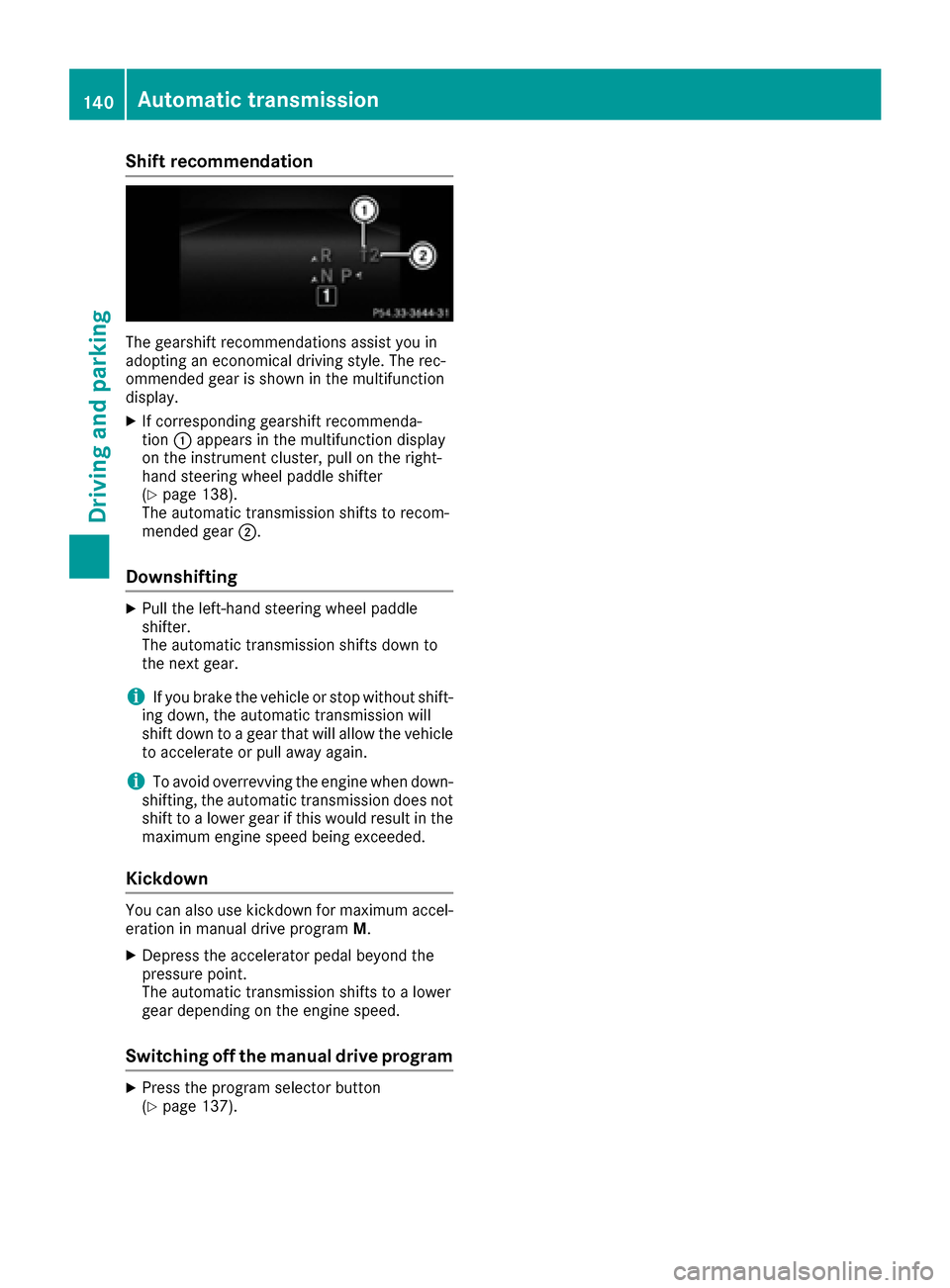
Shift recommendation
The gearshift recommendations assist you in
adopting an economical driving style. The rec-
ommended gear is shown in the multifunction
display.
XIf corresponding gearshift recommenda-
tion:appears in the multifunction display
on the instrument cluster, pull on the right-
hand steering wheel paddle shifter
(
Ypage 138).
The automatic transmission shifts to recom-
mended gear ;.
Downshifting
XPull the left-hand steering wheel paddle
shifter.
The automatic transmission shifts down to
the next gear.
iIf you brake the vehicle or stop without shift-
ing down, the automatic transmission will
shift down to a gear that will allow the vehicle to accelerate or pull away again.
iTo avoid overrevving the engine when down-
shifting, the automatic transmission does not
shift to a lower gear if this would result in the
maximum engine speed being exceeded.
Kickdown
You can also use kickdown for maximum accel- eration in manual drive program M.
XDepress the accelerator pedal beyond the
pressure point.
The automatic transmission shifts to a lower
gear depending on the engine speed.
Switching off the manual drive program
XPress the program selector button
(Ypage 137).
140Automatic transmission
Driving and parking
Page 148 of 322
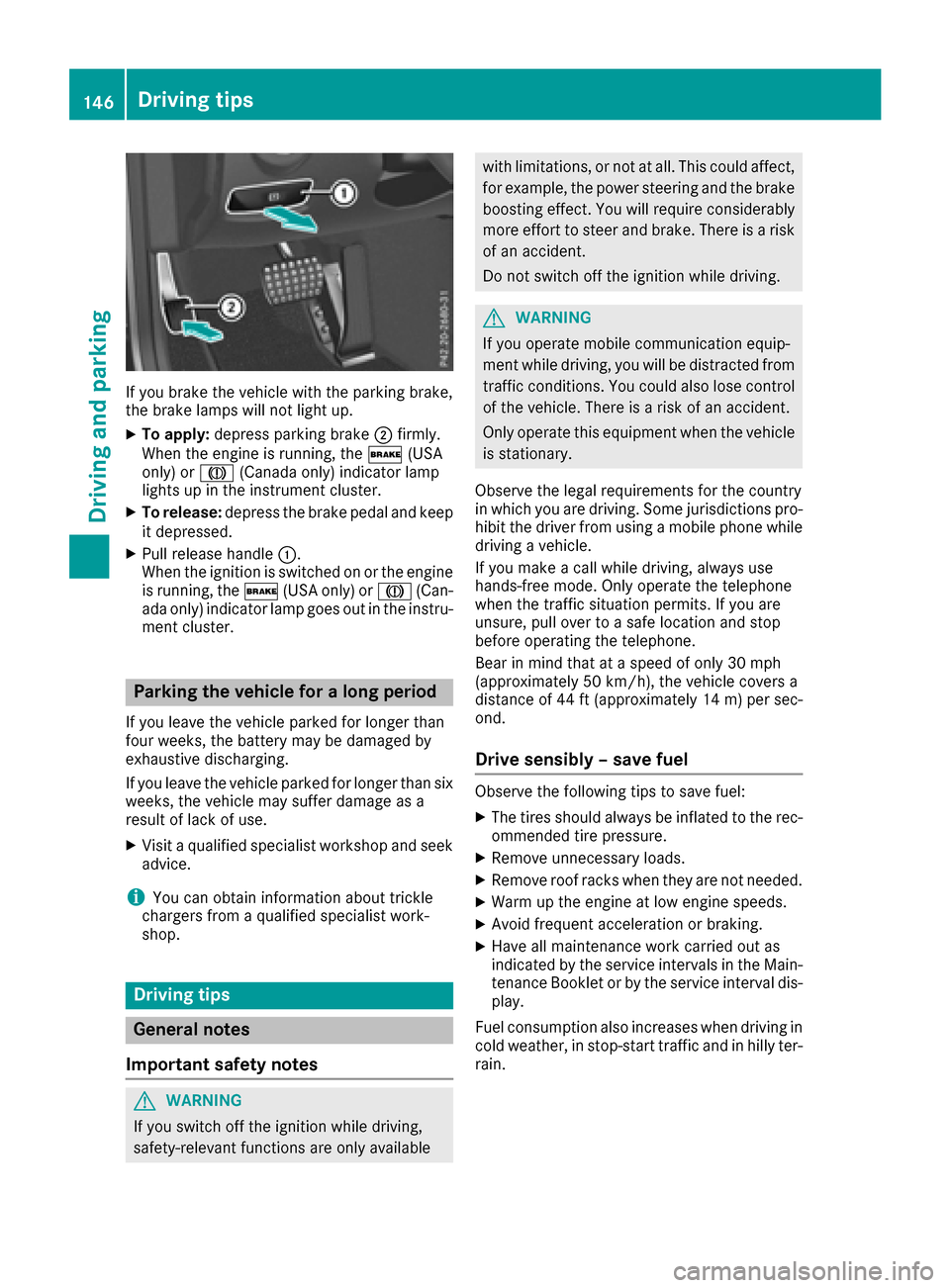
If you brake the vehicle with the parking brake,
the brake lamps will not light up.
XTo apply:depress parking brake ;firmly.
When the engine is running, the $(USA
only) or J(Canada only) indicator lamp
lights up in the instrument cluster.
XTo release: depress the brake pedal and keep
it depressed.
XPull release handle :.
When the ignition is switched on or the engine
is running, the $(USA only) or J(Can-
ada only) indicator lamp goes out in the instru-
ment cluster.
Parking the vehicle for a long period
If you leave the vehicle parked for longer than
four weeks, the battery may be damaged by
exhaustive discharging.
If you leave the vehicle parked for longer than six
weeks, the vehicle may suffer damage as a
result of lack of use.
XVisit a qualified specialist workshop and seek
advice.
iYou can obtain information about trickle
chargers from a qualified specialist work-
shop.
Driving tips
General notes
Important safety notes
GWARNING
If you switch off the ignition while driving,
safety-relevant functions are only available
with limitations, or not at all. This could affect, for example, the power steering and the brake
boosting effect. You will require considerably
more effort to steer and brake. There is a risk
of an accident.
Do not switch off the ignition while driving.
GWARNING
If you operate mobile communication equip-
ment while driving, you will be distracted from traffic conditions. You could also lose control
of the vehicle. There is a risk of an accident.
Only operate this equipment when the vehicle
is stationary.
Observe the legal requirements for the country
in which you are driving. Some jurisdictions pro-
hibit the driver from using a mobile phone while
driving a vehicle.
If you make a call while driving, always use
hands-free mode. Only operate the telephone
when the traffic situation permits. If you are
unsure, pull over to a safe location and stop
before operating the telephone.
Bear in mind that at a speed of only 30 mph
(approximately 50 km/h), the vehicle covers a
distance of 44 ft (approximately 14 m)per sec-
ond.
Drive sensibly – save fuel
Observe the following tips to save fuel:
XThe tires should always be inflated to the rec-
ommended tire pressure.
XRemove unnecessary loads.
XRemove roof racks when they are not needed.
XWarm up the engine at low engine speeds.
XAvoid frequent acceleration or braking.
XHave all maintenance work carried out as
indicated by the service intervals in the Main-
tenance Booklet or by the service interval dis-
play.
Fuel consumption also increases when driving in cold weather, in stop-start traffic and in hilly ter-
rain.
146Driving tips
Driving and parking
Page 152 of 322
For this reason, in the event of heavy rain or in
conditions in which hydroplaning may occur,
you must drive in the following manner:
Rlower your speed.
Ravoid ruts.
Ravoid sudden steering movements.
Rbrake carefully.
Driving on flooded roads
!Do not drive through flooded areas. Check
the depth of any water before driving through
it. Drive slowly through standing water. Oth-
erwise, water may enter the vehicle interior or
the engine compartment. This can damage
the electronic components in the engine or
the automatic transmission. Water can also
be drawn in by the engine's air suction nozzles
and this can cause engine damage.
Winter driving
GWARNING
If you shift down on a slippery road surface in an attempt to increase the engine's braking
effect, the drive wheels could lose their grip.
There is an increased danger of skidding and
accidents.
Do not shift down for additional engine brak-
ing on a slippery road surface.
GDANGER
If the exhaust pipe is blocked or adequate
ventilation is not possible, poisonous gases
such as carbon monoxide (CO) may enter the vehicle. This is the case, e.g. if the vehicle
becomes trapped in snow. There is a risk of
fatal injury.
If you leave the engine or the auxiliary heating
running, make sure the exhaust pipe and area
around the vehicle are clear of snow. To
ensure an adequate supply of fresh air, open a
window on the side of the vehicle that is not
facing into the wind.
Have your vehicle winter-proofed at a qualified
specialist workshop at the onset of winter. Drive particularly carefully on slippery road sur-
faces. Avoid sudden acceleration, steering and
braking maneuvers. Do not use the cruise con-
trol or DISTRONIC PLUS.
If the vehicle threatens to skid or cannot be
stopped when moving at low speed:
XShift the transmission to position
N.
The outside temperature indicator is not
designed to serve as an ice-warning device and
is therefore unsuitable for that purpose.
Changes in the outside temperature are dis-
played after a short delay.
Indicated temperatures just above the freezing
point do not guarantee that the road surface is
free of ice. The road may still be icy, especially in
wooded areas or on bridges. The vehicle could
skid if you fail to adapt your driving style. Always
adapt your driving style and drive at a speed to
sui t the p
revailing weather conditions.
You should pay special attention to road condi-
tions when temperatures are around freezing
point.
For more information on driving with snow
chains, see (
Ypage 287).
For more information on driving with summer
tires, see (
Ypage 287).
Observe the notes in the "Winter operation" sec-
tion (
Ypage 287).
Driving systems
Mercedes-Benz Intelligent Drive
Mercedes-Benz Intelligent Drive stands for inno-
vative driver assistance and safety systems
which enhance comfort and support the driver in
critical situations. With these intelligent co-ordi-
nated systems Mercedes-Benz has set a mile-
stone on the path towards autonomous driving.
Mercedes-Benz Intelligent Drive embraces all
elements of active and passive safety in one well
thought out system – for the safety of the vehi-
cle occupants and that of other road users.
Further information on driving safety systems
(
Ypage 61).
150Driving systems
Driving and parking