battery MERCEDES-BENZ E-CLASS CABRIOLET 2017 User Guide
[x] Cancel search | Manufacturer: MERCEDES-BENZ, Model Year: 2017, Model line: E-CLASS CABRIOLET, Model: MERCEDES-BENZ E-CLASS CABRIOLET 2017Pages: 521, PDF Size: 10.64 MB
Page 118 of 521
#
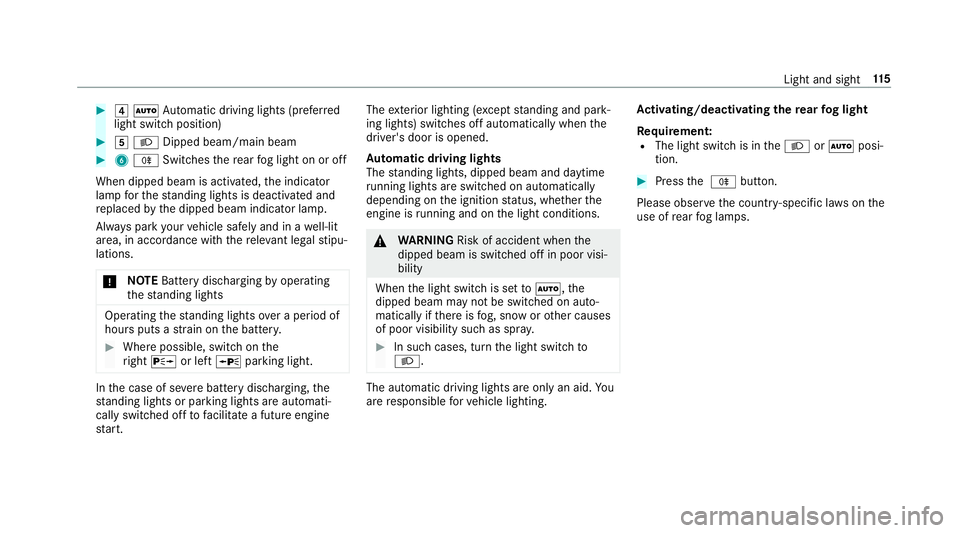
4 Ã Automatic driving lights (prefer red
light switch position) #
5 L Dipped beam/main beam #
6 R Switches there ar fog light on or off
When dipped beam is activated, the indicator
lamp forth est anding lights is deactivated and
re placed bythe dipped beam indicator lamp.
Alw ays park your vehicle safely and in a well-lit
area, in accordance with there leva nt le galst ipu‐
lations.
* NO
TEBattery discharging byoperating
th est anding lights Operating
thest anding lights over a period of
hours puts a stra in on the batter y. #
Where possible, switch on the
ri ght X or left Wparking light. In
the case of se vere battery discharging, the
st anding lights or parking lights are automati‐
cally swit ched off tofacilitate a futu reengine
st art. The
exterior lighting (e xcept standing and park‐
ing lights) swit ches off automatically when the
driver's door is opened.
Au tomatic driving lights
The standing lights, dipped beam and daytime
ru nning lights are switched on au tomatical ly
depending on the ignition status, whe ther the
engine is running and on the light conditions. &
WARNING Risk of accident when the
dipped beam is switched off in poor visi‐
bility
When the light switch is set toà ,the
dipped beam may not be switched on auto‐
matically if there is fog, snow or other causes
of poor visibility such as spr ay. #
In such cases, turn the light switch to
L . The automatic driving lights are only an aid.
Yo u
are responsible forve hicle lighting. Ac
tivating/deactivating the rear fog light
Re quirement:
R The light switch is in theL orà posi‐
tion. #
Press the R button.
Please obser vethe count ry-specific la wsonthe
use of rear fog lamps. Light and sight
11 5
Page 129 of 521
#
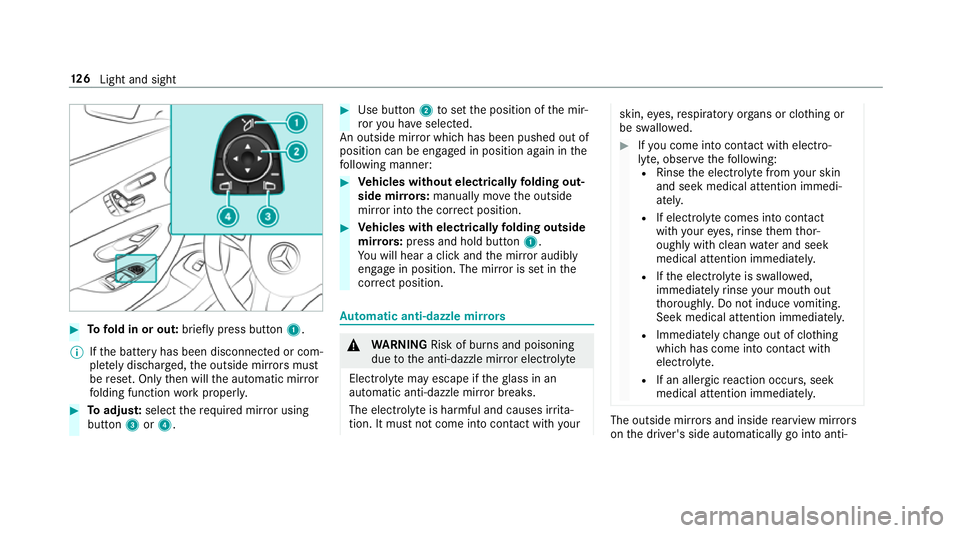
Tofold in or out: brieflypress button 1.
% Ifth e battery has been disconnected or com‐
ple tely discharged, the outside mir rors must
be reset. Only then will the automatic mir ror
fo lding function workproperly. #
Toadjus t:select therequ ired mir ror using
button 3or4. #
Use button 2toset the position of the mir‐
ro ryo u ha veselected.
An outside mir ror which has been pushed out of
position can be engaged in position again in the
fo llowing manner: #
Vehicles without electrical lyfolding out‐
side mir rors:manually mo vethe outside
mir ror into the cor rect position. #
Vehicles with electrical lyfolding outside
mir rors:press and hold button 1.
Yo u will hear a click and the mir ror audibly
engage in position. The mir ror is set in the
cor rect position. Au
tomatic anti-dazzle mir rors &
WARNING Risk of bu rns and poisoning
due tothe anti-dazzle mir ror electrolyte
Electrolyte may escape if theglass in an
automatic anti-dazzle mir ror breaks.
The electrolyte is harmful and causes ir rita‐
tion. It mu stnot come into contact wi thyour skin,
eyes,respiratory organs or clo thing or
be swallo wed. #
Ifyo u come into contact with electro‐
ly te , obser vethefo llowing:
R Rinse the electrolyte from your skin
and seek medical attention immedi‐
atel y.
R If electrolyte comes into contact
with your eyes, rinse them thor‐
oughly with clean water and seek
medical attention immediately.
R Ifth e electrolyte is swallo wed,
immediately rinse your mouth out
th oroughly. Do not induce vomiting.
Seek medical attention immediately.
R Immedia tely ch ange out of clo thing
which has come into con tact wi th
electrolyte.
R If an allergic reaction occurs, seek
medical attention immediatel y. The outside mir
rors and inside rearview mir rors
on the driver's side automatically go into anti- 12 6
Light and sight
Page 138 of 521
*
NO
TEBattery discharge caused bysta‐
tionary heater or stationary ventilation
operation Ope
rating thest ationary heater or stationary
ve ntilation drains the batter y. #
After heating or ventilating theve hicle
twice, drive for a longer period of time. Re
quirement:
R The fuel tank is filled toat least reser vefuel
le ve l. #
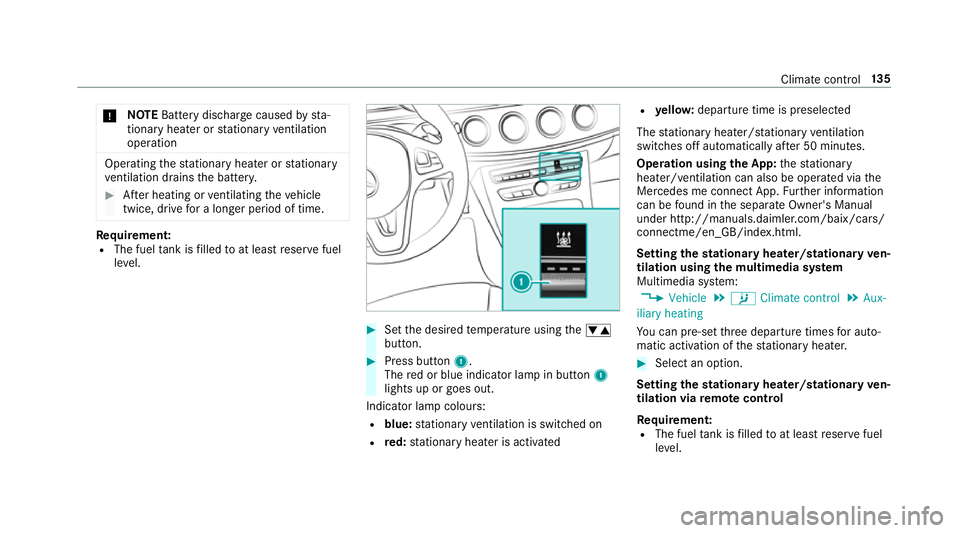
Set the desired temp erature using thew
button. #
Press button 1.
The red or blue indicator lamp in button 1
lights up or goes out.
Indicator lamp colours: R blue: stationary ventilation is switched on
R red: stationary heater is activated R
yello w: departure time is preselected
The stationary heater/ stationary ventilation
switches off au tomatically af ter 50 minutes.
Operation using the App: thest ationary
heater/ ventilation can also be operated via the
Mercedes me connect App. Further information
can be found in the separate Owner's Manual
under http://manuals.daimler.com/baix/cars/
connectme/en_GB/index.html.
Setting thest ationary heater/stationary ven‐
tilation using the multimedia sy stem
Multimedia sy stem:
, Vehicle .
b Climate control .
Aux-
iliary heating
Yo u can pre-set thre e departure times for auto‐
matic activation of thest ationary heater. #
Select an option.
Setting thest ationary heater/stationary ven‐
tilation via remo tecont rol
Re quirement:
R The fuel tank is filled toat least reser vefuel
le ve l. Climate control
13 5
Page 140 of 521
Fu
rther possible displa ys:
R Time: activated departure time.
R Zero minutes: theru nning time forth est a‐
tionary heater is inc reased, as the engine has
not yetre ached operating temp erature when
it is star ted.
R OFF: thest ationary heater/ stationary venti‐
lation is switched off.
Re placing the remo tecont rol bat tery (sta‐
tiona ryheater) &
DANG ER Serious damage tohealth
caused byswallowing batteries
Batteries contain toxic and cor rosive sub‐
st ances. Swallowing bat teries may cause
serious damage tohealth.
There is a risk of fata l injur y. #
Keep batteries out of there ach of chil‐
dren. #
If batteries are swallo wed, seek medical
attention immediately. +
ENVIRONMEN
TALNO TEEnvironmental
dama gedue toimproper disposal of bat‐
te ries Batteries conta
intoxic and cor ro‐
sive subs tances. #
Ta
ke dischar ged batteries to a
qu alified specialist workshop or to a
collection point for used batteries. Re
quirement:
R A CR2450 lithium battery is requ ired when
re placing the batter y. #
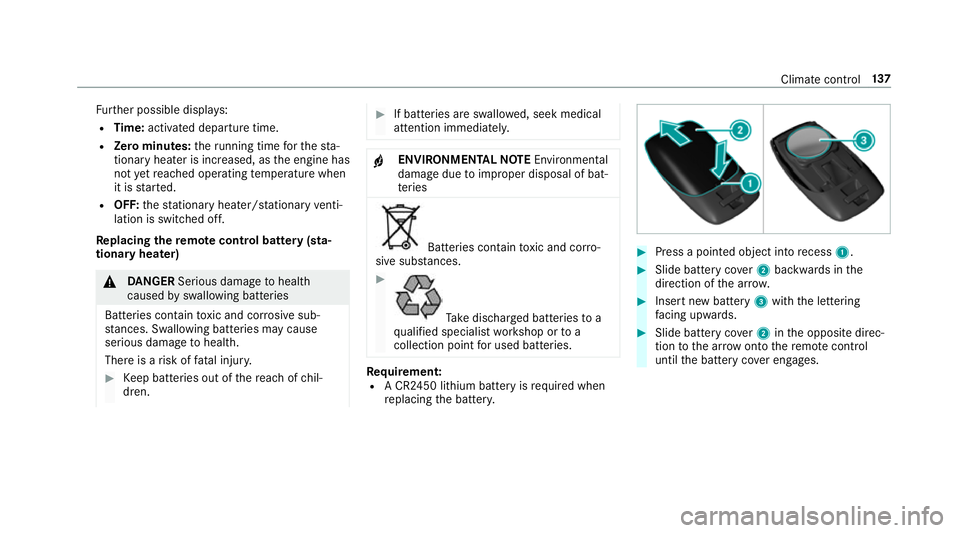
Press a pointed object into recess 1. #
Slide battery co ver2 backwards in the
direction of the ar row. #
Insert new battery 3with the lettering
fa cing up wards. #
Slide battery co ver2 inthe opposite direc‐
tion tothe ar row onto there mo tecontrol
until the battery co ver engages. Climate control
137
Page 141 of 521
Problems with
there mo tecont rolfo r the stationary heater/stationary ventilation Problem
Possible causes/consequences and M
MSolutions
FA IL¨ The signal transmission between
the transmit ter and theve hicle is faulty. #
Chan geyour position in relation totheve hicle, moving closer if necessar y.
FA IL Thestar ter battery is not suf ficiently charge d. #
Char gethest ar ter batter y.
The fuel tank content is below there ser vefuel le vel. #
Refuel at the nearest filling station.
FA IL¯ The
stationary heater is malfunctioning. #
Have thest ationary heater checked at a qualified specialist workshop. Air
vents Ad
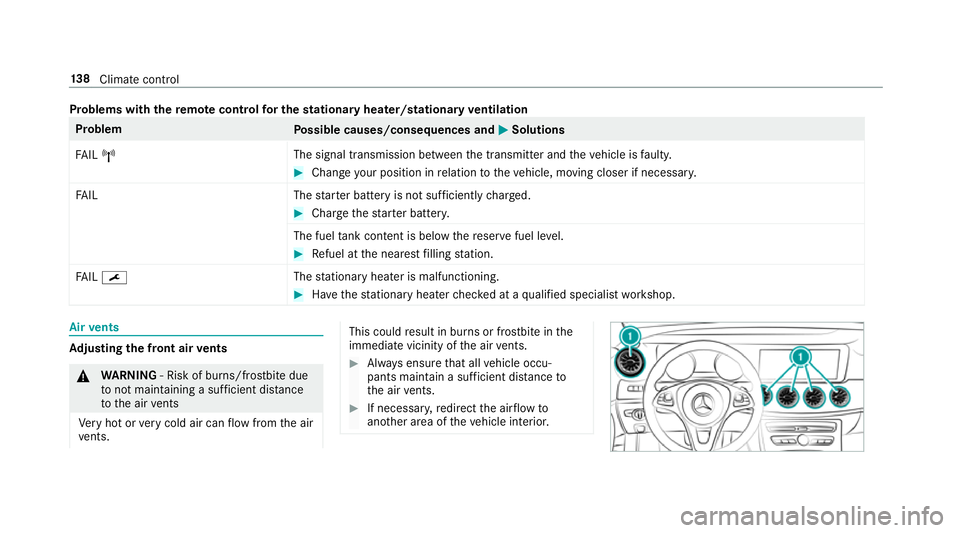
justing the front air vents &
WARNING ‑ Risk of bu rns/frostbite due
to not maintaining a su fficient dis tance
to the air vents
Ve ry hot or very cold air can flow from the air
ve nts. This could
result in burns or frostbite in the
immediate vicinity of the air vents. #
Alw ays ensure that all vehicle occu‐
pants maintain a suf ficient di stance to
th e air vents. #
If necessa ry,re direct the air flow to
ano ther area of theve hicle interior. 13 8
Climate cont rol
Page 144 of 521
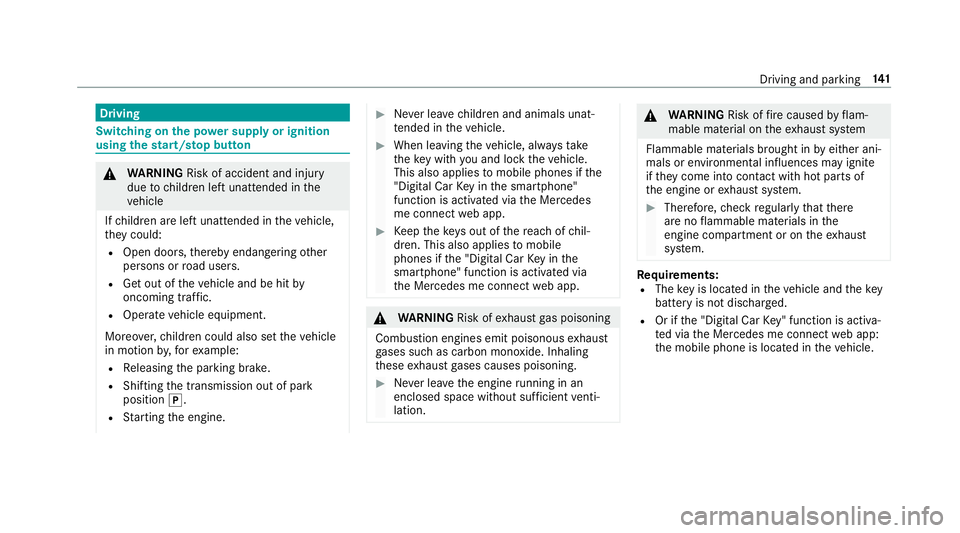
Driving
Swit
ching on the po wer supp lyor ignition
using thest art/s top button &
WARNING Risk of accident and inju ry
due tochildren left unat tended in the
ve hicle
If ch ildren are left unat tended in theve hicle,
th ey could:
R Open doo rs,th ereby endangering other
persons or road users.
R Get out of theve hicle and be hit by
oncoming traf fic.
R Ope rate ve hicle equipment.
Moreo ver,ch ildren could also set theve hicle
in motion by,fo rex ample:
R Releasing the parking brake.
R Shifting the transmission out of park
position j.
R Starting the engine. #
Never lea vechildren and animals unat‐
te nded in theve hicle. #
When leaving theve hicle, alw aysta ke
th eke y with you and lock theve hicle.
This also applies tomobile phones if the
"Digital Car Key in the smartphone"
function is activated via the Mercedes
me connect web app. #
Keep theke ys out of there ach of chil‐
dren. This also applies tomobile
phones if the "Digital Car Key in the
smartphone" function is activated via
th e Mercedes me connect web app. &
WARNING Risk ofexhaust gas poisoning
Combustion engines emit poisonous exhaust
ga ses such as carbon monoxide. Inhaling
th ese exhaust gases causes poisoning. #
Never lea vethe engine running in an
enclosed space wi thout suf ficient venti‐
lation. &
WARNING Risk offire caused byflam‐
mable material on theex haust sy stem
Flammable materials brought in byeither ani‐
mals or environmen tal influences may ignite
if th ey come into contact wi thhot parts of
th e engine or exhaust sy stem. #
Therefore, check regularly that there
are no flammable materials in the
engine compartment or on theex haust
sy stem. Re
quirements:
R The key is located in theve hicle and thekey
battery is not dischar ged.
R Or if the "Digital Car Key" function is activa‐
te d via the Mercedes me connect web app:
th e mobile phone is located in theve hicle. Driving and parking
141
Page 145 of 521
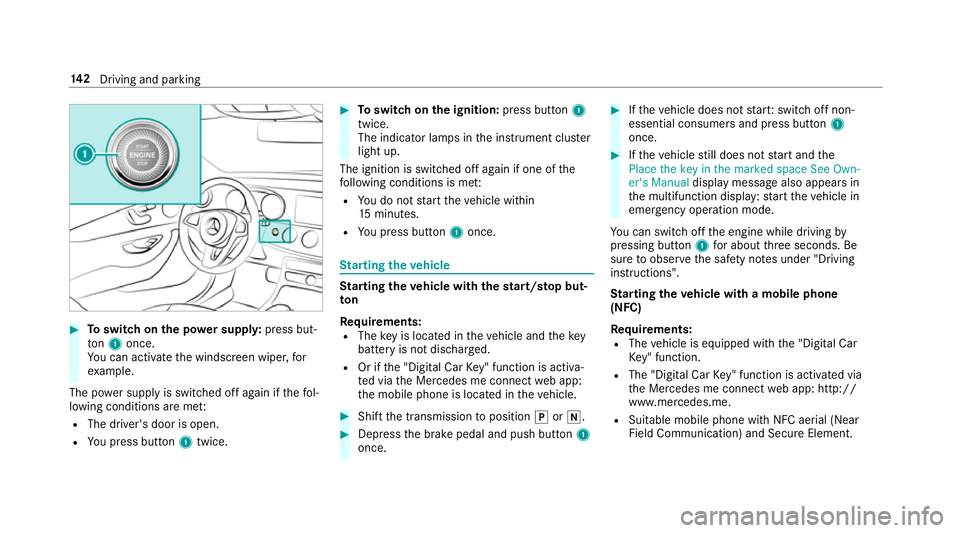
#
Toswitch on the po wer supp ly:press but‐
to n1 once.
Yo u can activate the windscreen wiper, for
ex ample.
The po wer supp lyis switched off again if thefo l‐
lowing conditions are me t:
R The driver's door is open.
R You press but ton1 twice. #
Toswitch on the ignition: press button 1
twice.
The indicator lamps in the instrument clus ter
light up.
The ignition is switched off again if one of the
fo llowing conditions is me t:
R You do not start theve hicle within
15 minutes.
R You press but ton1 once. St
arting theve hicle St
arting theve hicle with thest art/s top but‐
ton
Requ irements:
R The key is located in theve hicle and thekey
battery is not dischar ged.
R Or if the "Digital Car Key" function is activa‐
te d via the Mercedes me connect web app:
th e mobile phone is located in theve hicle. #
Shift the transmission toposition jori. #
Depress the brake pedal and push button 1
once. #
Ifth eve hicle does not star t:switch off non-
essential consumers and press button 1
once. #
Ifth eve hicle still does not start and the
Place the key in the marked space See Own-
er's Manual display message also appears in
th e multifunction display: start theve hicle in
emer gency operation mode.
Yo u can swit choff the engine while driving by
pressing button 1for about thre e seconds. Be
sure toobser vethe saf ety no tes under "Driving
instructions".
St arting theve hicle with a mobile phone
(NFC)
Re quirements:
R The vehicle is equipped with the "Digital Car
Ke y" function.
R The "Digital Car Key" function is activated via
th e Mercedes me connect web app: http://
www.mercedes.me.
R Suitable mobile phone with NFC aerial (Near
Field Communication) and Secure Element. 14 2
Driving and pa rking
Page 146 of 521
R
Suf ficient charge leve l of the mobile
phone. On some mobile phones, the function
is also available when the battery is dis‐
ch arge d.
% You can check the suitability of your mobile
phone byentering the phone number at
http://www.mercedes.me.
Information about suitable mobile phones
can be obtained from your Mercedes-Benz
service centre or at http://www.mercedes-
benz.com/connect.
% Mercedes-Benz recommends that you car ry
th e emer gency key in case of function
re strictions.
% The function is only available in combination
with Mercedes me connect and on lyin cer‐
ta in countries.
% Protective cases around the mobile phone
can impair the functionality. #
Make sure that thech arge leve l of the mobile
phone is suf ficient. If necessar y,ch arge the
mobile phone before starting the journe y. St
arting theve hicle for the firs t time af ter
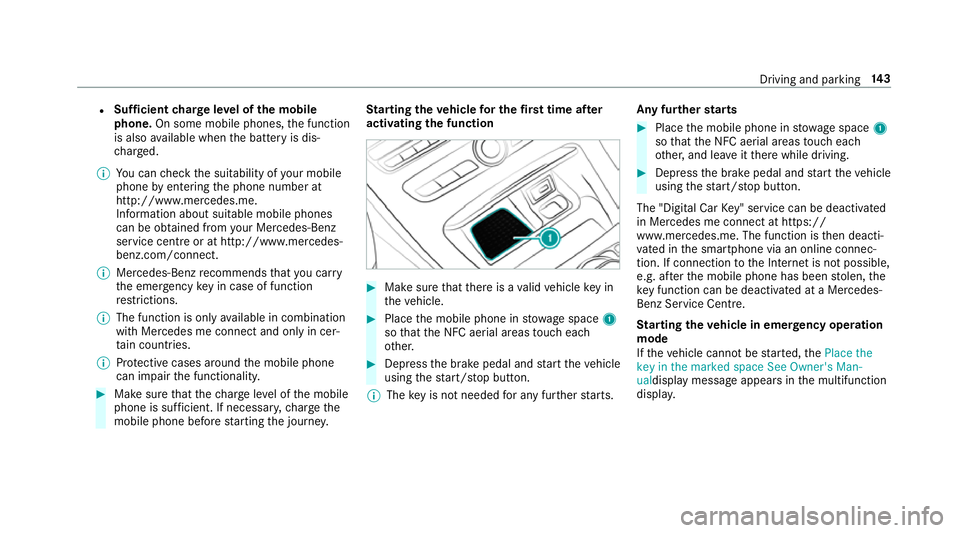
activating the function #
Make sure that there is a valid vehicle key in
th eve hicle. #
Place the mobile phone in stowage space 1
so that the NFC aerial areas touch each
ot her. #
Depress the brake pedal and start theve hicle
using thest art/ stop button.
% The key is not needed for any fur ther starts. Any fu
rther starts #
Place the mobile phone in stowage space 1
so that the NFC aerial areas touch each
ot her, and lea veitth ere while driving. #
Depress the brake pedal and start theve hicle
using thest art/ stop button.
The "Digital Car Key" service can be deacti vated
in Mercedes me connect at https://
www.me rcedes.me. The function is then deacti‐
va ted in the smartphone via an online connec‐
tion. If connection tothe Internet is not possible,
e.g. af terth e mobile phone has been stolen, the
ke y function can be deacti vated at a Mercedes-
Benz Service Centre.
St arting theve hicle in emer gency operation
mode
If th eve hicle cannot be star ted, thePlace the
key in the marked space See Owner's Man-
ualdisplay message appears in the multifunction
displa y. Driving and pa
rking 14 3
Page 168 of 521
R
The transmission is in position hork and
yo u depress the accelera tor pedal or you
shift from transmission position jtoh or
k.
R Ifth e transmission is in position k,the boot
lid must be closed.
If th e seat belt tongue is not inser ted into the
seat belt buckle of the driver's seat, thefo llow‐
ing conditions must be fulfilled:
R The driver's door is closed.
R You mo vethe transmission out of transmis‐
sion position joryou ha veprev iously
driven fasterthan 3 km/h.
R Ifth e transmission is in position k,the boot
lid must be closed.
If th e electric parking brake is released,
th e! indicator lamp in the instrument clus‐
te r goes out. Applying or
releasing the electric pa rking
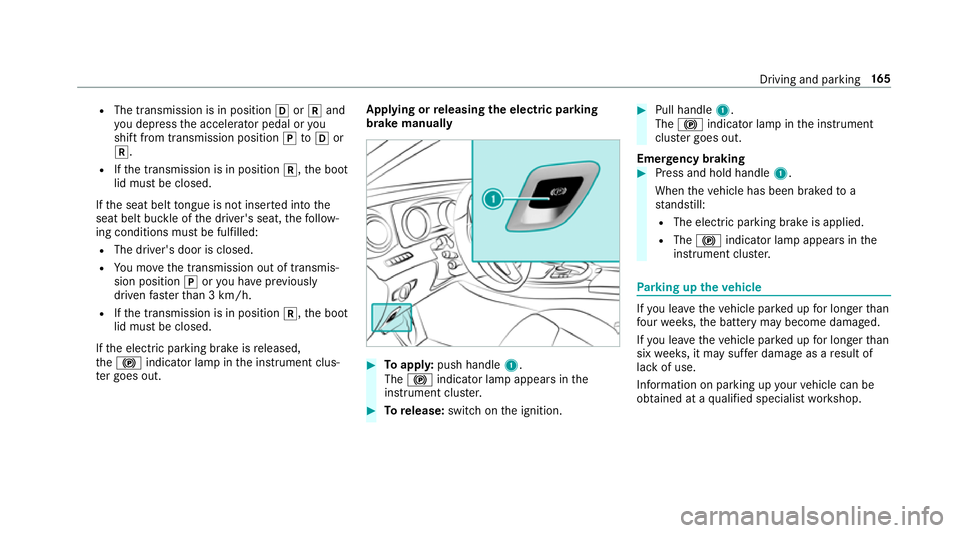
brake manually #
Toappl y:push handle 1.
The ! indicator lamp appears in the
instrument clus ter. #
Torelease: switch on the ignition. #
Pull handle 1.
The ! indicator lamp in the instrument
clus ter goes out.
Emer gency braking #
Press and hold handle 1.
When theve hicle has been braked to a
st andstill:
R The electric parking brake is applied.
R The ! indicator lamp appears in the
instrument clus ter. Pa
rking up theve hicle If
yo u lea vetheve hicle par ked up for longer than
fo ur we eks, the battery may become damaged.
If yo u lea vetheve hicle par ked up for longer than
six weeks, it may suf fer dama geas a result of
lack of use.
Information on parking up your vehicle can be
obtained at a qualified specialist workshop. Driving and parking
16 5
Page 169 of 521
St
andby mode (extension of the star ter bat‐
te ry 's period out of use) St
andby mode function
If standby mode is activated, theve hicle can be
par kedfo r an extended pe riod of time without
losing po wer.
St andby mode is characterised bythefo llowing:
R thest ar ter battery is preser ved.
R the maximum period out of use is displa yed
in the multimedia sy stem displa y.
R functions such as interior pr otection or tow-
aw ay protection are not available.
R the connection toonline services is inter rup‐
te d.
If th efo llowing conditions are fulfilled, standby
mode can be activated or deactivated using the
multimedia sy stem:
R the engine is switched off.
R the ignition is switched on.
Exceeding theve hicle's displa yed period out of
use may cause incon venience, i.e. it cannot be guaranteed
that thest ar ter battery will reliably
st art the engine.
The star ter battery must be charge dfirs t in the
fo llowing situations:
R theve hicle's period out of use must be
ex tended.
R theBattery charge insufficient for standby
mode message appears in the multimedia
sy stem displa y.
% Standby mode is automatically deactivated
when the ignition is switched on.
Ac tivating or deactivating standby mode
Multimedia sy stem:
, Vehicle .
î Vehicle set-
tings .
Standby mode #
Activate Oor deacti vate ª the function.
When you activate the function, a prom pt
appears. #
Select Yes.
St andby mode is activated. Driving and driving saf
ety sy stems Driving sy
stems and your responsibility Yo
ur vehicle is equipped with driving sy stems
which assist you in driving, parking and manoeu‐
vring theve hicle. The driving sy stems are aids
and do not relie ve you of your responsibility. Pay
attention tothe tra ffic conditions at all times
and inter vene when necessa ry. Be aware of the
limitations rega rding the safe use of these sys‐
te ms. Fu
nction of thera dar senso rs Some driving and driving sa
fety sy stems use
ra dar sensors tomonitor the area in front of,
behind or next totheve hicle (depending on the
ve hicle's equipment).
Depending on theve hicle's equipment, thera dar
sensors are integrated behind the bumpers
and/or behind thera diator grille. Keep these
parts free of dirt, ice and slush (→ page 358).
The sensors must not be co vered, forex ample
by bicycle rack s, ove rhanging loads or radar-
re flecting sticke rs.Fo llowing an impact and in 16 6
Driving and pa rking