ECU MERCEDES-BENZ E-CLASS COUPE 2009 Owner's Manual
[x] Cancel search | Manufacturer: MERCEDES-BENZ, Model Year: 2009, Model line: E-CLASS COUPE, Model: MERCEDES-BENZ E-CLASS COUPE 2009Pages: 313, PDF Size: 7.76 MB
Page 124 of 313
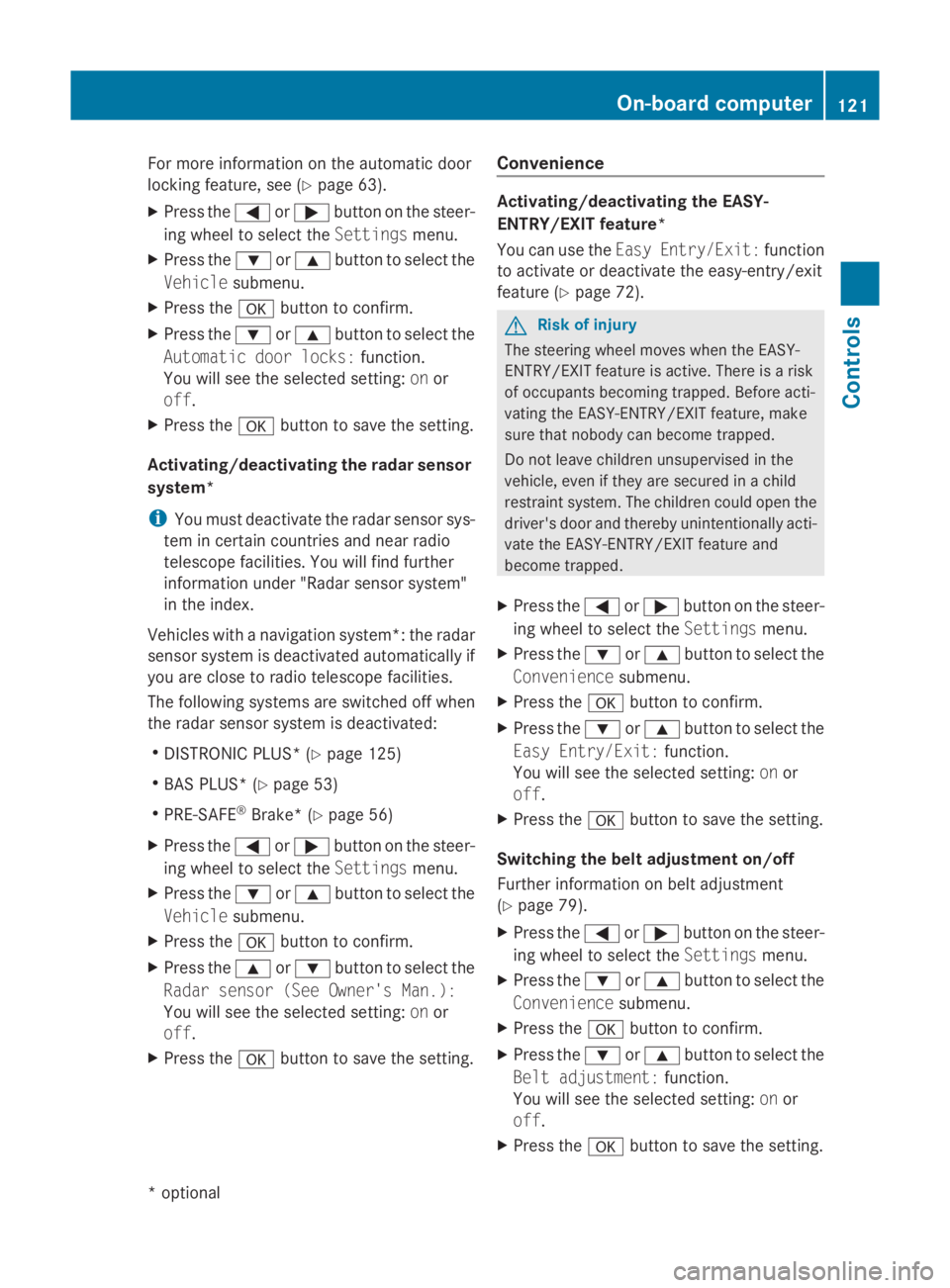
For more information on the automatic door
locking feature ,see (Y page 63).
X Pres sthe 0040 or003E button on the steer-
ing wheel to select the Settingsmenu.
X Pres sthe 003D or003C button to select the
Vehicle submenu.
X Pres sthe 0064 button to confirm.
X Pres sthe 003D or003C button to select the
Automati cdoor locks: function.
You will see the selected setting: onor
off.
X Pres sthe 0064 button to sav ethe setting.
Activating/deactivating the radar sensor
system*
i You mus tdeactivate the radar senso rsys-
tem in certain countries and nea rradio
telescop efacilities .You will find further
information under "Radar senso rsystem"
in the index.
Vehicles with anavigation system*: the radar
senso rsystem is deactivated automaticall yif
yo ua re clos etoradio telescop efacilities.
The following systems are switched off when
the radar senso rsystem is deactivated:
R DISTRONIC PLUS* (Y page 125)
R BAS PLUS* (Y page 53)
R PRE-SAFE ®
Brake *(Ypage 56)
X Pres sthe 0040 or003E button on the steer-
ing wheel to select the Settingsmenu.
X Pres sthe 003D or003C button to select the
Vehicle submenu.
X Pres sthe 0064 button to confirm.
X Pres sthe 003C or003D button to select the
Rada rsensor (See Owner's Man.):
You will see the selected setting: onor
off.
X Pres sthe 0064 button to sav ethe setting. Convenience Activating/deactivating the EASY-
ENTRY/EXI
Tfeature*
You can us ethe Easy Entry/Exit: function
to activate or deactivate the easy-entry/exit
feature (Y page 72). G
Risk of injury
The steering wheel move swhent he EASY-
ENTRY/EXIT feature is active. There is arisk
of occupants becoming trapped .Befor eacti-
vating the EASY-ENTRY/EXIT feature ,make
sur ethat nobody can become trapped.
Do not leave childre nunsupervised in the
vehicle, eve nifthey are secured in achild
restraint system. The childre ncould ope nthe
driver' sdoorand thereby unintentionall yacti-
vate the EASY-ENTRY/EXIT feature and
become trapped.
X Pres sthe 0040 or003E button on the steer-
ing wheel to select the Settingsmenu.
X Pres sthe 003D or003C button to select the
Convenience submenu.
X Pres sthe 0064 button to confirm.
X Pres sthe 003D or003C button to select the
Easy Entry/Exit: function.
You will see the selected setting: onor
off.
X Pres sthe 0064 button to sav ethe setting.
Switchin gthe belt adjustmen ton/off
Further information on bel tadjustment
(Y page 79).
X Pres sthe 0040 or003E button on the steer-
ing wheel to select the Settingsmenu.
X Pres sthe 003D or003C button to select the
Convenience submenu.
X Pres sthe 0064 button to confirm.
X Pres sthe 003D or003C button to select the
Belt adjustment: function.
You will see the selected setting: onor
off.
X Pres sthe 0064 button to sav ethe setting. On-board computer
121Controls
*optional
207_AKB; 2; 3, en-GB
mkalafa
,V ersion: 2.11.8.1
2009-07-23T10:23:49+02:00
-Seite 121 Z
Page 129 of 313
R
when changing to alane with faster moving
traffic
R in complex driving situation sorwhere the
lanes are diverted ,e.g.atm otorway/road-
way construction sites
Otherwise, DISTRONIC PLUS maintain sthe
current speed or accelerates up to th eset
speed.
DISTRONIC PLUS cannot tak eaccount of
weather conditions .Deactivate, or do not
activate, DISTRONIC PLUS if:
R ther oads are slippery, snow-covered or icy.
The wheels could lose grip when braking or
accelerating. The vehicle could start to
skid.
R thes ensors are dirt yorthere is poor visi-
bility, e.g .due to snow, rain or fog. Distance
control may be impaired.
Always pay attention to traffic conditions
even when DISTRONIC PLUS is activated.
Otherwise, you may fail to recognise dangers
in time, cause an acciden tand injure yourself
and others.
The radar sensor system is automatically
deactivated near radio telescope facilities
(Y page 304).
If you want Distronic Plus to assist you, the
radar sensor system must be activated and
operational.
If no car is driving in front of you, Distronic
Plus work slike cruise control in th espeed
range between 30 km/h and 20 0km/ h. If a
vehicle is driving in front of you, Distronic Plus
work sint hespeed range between 0km/h
and 20 0km/ h.
Do not use Distronic Plus while driving on
roads with steep gradients. G
Risk of accident
DISTRONIC PLUS brakes your vehicle at a
maximum of 4m/s2
depending on its speed.
This correspond stoapproximately 40 %of
your vehicle's maximum brak eforce. You must also apply th
ebrakes yoursel fifthis
braking power is not sufficient.
If DISTRONIC PLUS detect sarisk of collision
with avehicle in front ,anintermittent warning
ton esounds. In addition, the 00BAdistance
warning lamp in th einstrumen tcluster lights
up. Brake to avoid acollision.
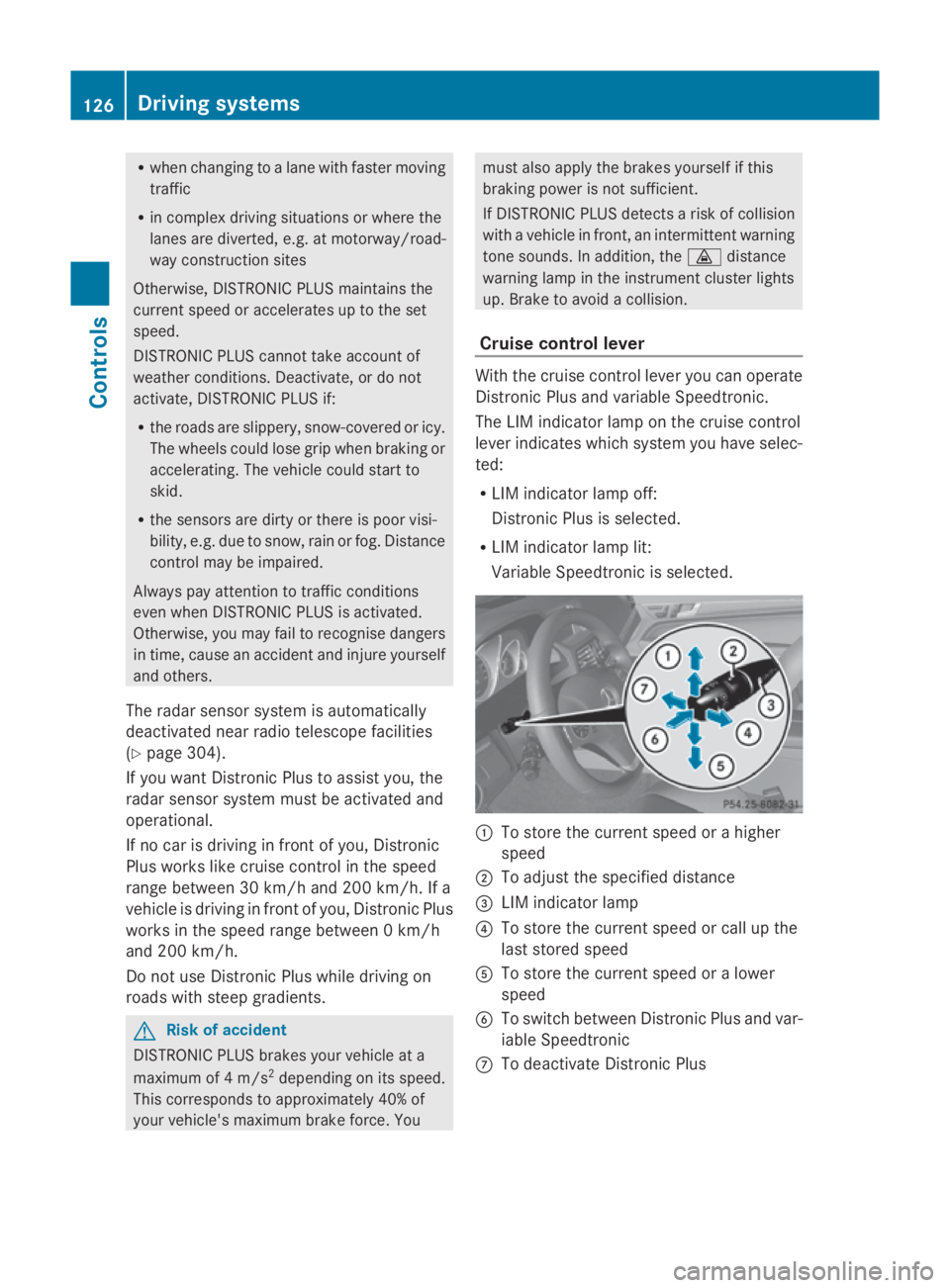
Cruise control lever With th
ecruise control lever you can operate
Distronic Plus and variable Speedtronic.
The LIM indicator lamp on th ecruise control
lever indicates which system you have selec-
ted:
R LIM indicator lamp off:
Distronic Plus is selected.
R LIM indicator lamp lit:
Variable Speedtronic is selected. 0046
To store th ecurrent speed or ahigher
speed
0047 To adjus tthe specified distance
008A LIM indicator lamp
0088 To store th ecurrent speed or call up the
last stored speed
0086 To store th ecurrent speed or alower
speed
0087 To switch between Distronic Plus and var-
iable Speedtronic
006E To deactivat eDistronic Plus 126
Drivin
gsystemsControls
207_AKB; 2; 3, en-GB
mkalafa, Version: 2.11.8.1 2009-07-23T10:23:49+02:00-Seite1 26
Page 131 of 313
Pulling away
X
If the vehicle in front pulls away: remove
your foot from the brake pedal.
X Briefly pull the cruise control lever towards
you 0088.
or
X Accelerate briefly.
Your vehicle pulls away and adapts its
speed to that of the vehicle in front.
Driving
If there is no vehicle in front,D istronic Plus
operates in the same way as cruise control.
If as lower-moving vehicle is detected in front,
Distronic Plus causes your vehicle to brake
and maintain apreset distance to the vehicle
in front.
If Distronic Plus detectsaf aster-moving vehi-
cle in front,iti ncreases the driving speed, but
only up to the stored speed. G
Risk of accident
If you depress the brake, DISTRONIC PLUS is
deactivated unless your vehicle is stationary.
DISTRONIC PLUS then no longer brakes your
vehicle. The driver is fully responsible for the
vehicle's distance from other vehicles, its
speed and for braking in good time.
Stopping G
Risk of accident
The DISTRONIC PLUS braking effect is can-
celled and the vehicle can start moving if:
R DISTRONIC PLUS is deactivated using the
cruise control lever.
R you accelerate.
R the system or the power supply is disrup-
ted, e.g. due to battery failure.
R the electrical system in the engine com-
partment or the fuses are tampered with.
R the battery is disconnected. G
Risk of accident
Never get out of the vehicle when DISTRONIC
PLUS is activated.
DISTRONIC PLUS must never be operated or
deactivated by apassenger or from outside
the vehicle.
DISTRONIC PLUS does not replace the park-
ing brake and must not be used for parking.
If you wish to leave the vehicle or park it,
deactivate DISTRONIC PLUS and secure the
vehicle against rolling away.
If Distronic Plus detectst hat the vehicle in
front is stopping, it brakes your vehicle until
it is stationary.
Once your vehicle is stationary, it remains
stationary and you do not need to depress the
brake.
i Depending on the specified minimum dis-
tance, your vehicle will come to astandstill
at as ufficient distance behind the vehicle
in front.T he specified minimum distance is
set using the thumbwheel on the cruise-
control lever.
When Distronic Plus is activated and the vehi-
cle is at astandstill, awarning message
appears in the multi-function display if:
R the driver's door is opened and you release
the seat belt.
R the engine is switched off.
R the bonnet is opened.
Select Park (P)
X Move the selector lever to Pto prevent the
vehicle from rolling away.
Distronic Plus is deactivated. The warning
message in the multi-function display dis-
appears.
Ah orn will also sound at regular intervals if
Distronic Plus is activated and you:
R switch off the engine, open the driver's
door and remove your seat belt.
R open the bonnet. 128
Driving systemsControls
207_AKB; 2; 3, en-GB
mkalafa,
Version: 2.11.8.1 2009-07-23T10:23:49+02:00-Seite 128
Page 139 of 313
R
the driver's door is close doryourseatb elt
is fastened.
R the parking brake is not applied.
R the bonnet is closed.
R on vehicles with automatic transmission*,
D, Ror Nis selected.
R Distroni cPlus* is deactivated
Activatin gthe HOL Dfunction X
Make sure tha tthe activatio nconditions
ar em et.
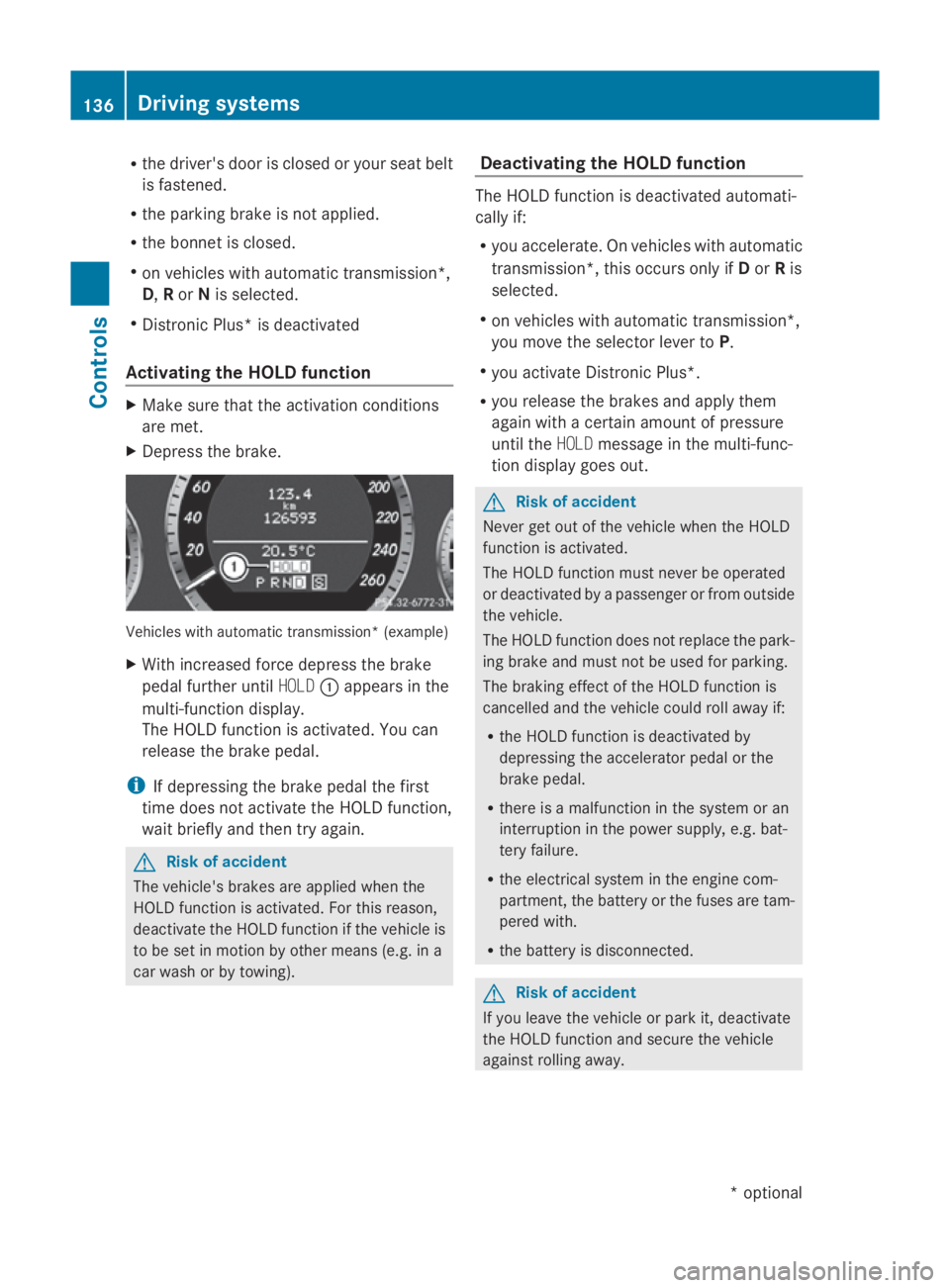
X Depres sthe brake. Vehicle
switha utomatic transmission* (example)
X With increase dforce depress the brake
peda lfur the runtil HOLD 0046appear sinthe
multi-functio ndisplay.
Th eH OLDf unctio nisa ctivated .You can
release the brake pedal.
i If depressing the brake peda lthe first
tim edoesn ot activate the HOL Dfunction,
wait briefl yand the ntry again. G
Ris
kofa ccident
Th ev ehicle' sbrakes ar eapplied when the
HOL Dfunctio nisa ctivated. For thi sreason,
deactivate the HOL Dfunctio nift he vehicl eis
to be se tinmotion by other means (e.g. in a
car wash or by towing). Deactivatin
gthe HOL Dfunction Th
eH OLDf unctio nisd eactivated automati-
cally if:
R yo ua ccelerate. On vehicles with automatic
transmission* ,thiso ccurs onl yifDorRis
selected.
R on vehicles with automatic transmission*,
yo um ovet he selector lever to P.
R yo ua ctivate Distroni cPlus*.
R yo ur elease the brakes and appl ythem
agai nwithac ertainamount of pressure
unti lthe HOLD message in the multi-func-
tio nd isplay goes out. G
Ris
kofa ccident
Never ge toutof the vehicl ewhent he HOLD
functio nisa ctivated.
Th eH OLDf unctio nm ustn eve rbeo perated
or deactivated by apassenge rorfromo utside
the vehicle.
Th eH OLDfunctio ndoesn ot replace the park-
ing brake and must not be used for parking.
Th eb raking effect of the HOL Dfunctio nis
cancelle dand the vehicl ecould rol lawa yif:
R the HOL Dfunctio nisd eactivate dby
depressing the accelerator peda lorthe
brake pedal.
R there is amalfunctio nint he syste moran
interruption in the powe rsupply, e.g.bat-
tery failure.
R the electrica lsystemint he engine com-
partment, the battery or the fuse saretam-
pered with.
R the battery is disconnected. G
Ris
kofa ccident
If yo uleave the vehicl eorparki t, deactivate
the HOL Dfunctio nand secure the vehicle
against rolling away. 136
Driving systemsCont
rols
*optio nal
207_AKB; 2; 3, en-GB
mkalafa
,V ersion: 2.11.8.1
2009-07-23T10:23:49+02:00
-Seite 136
Page 166 of 313
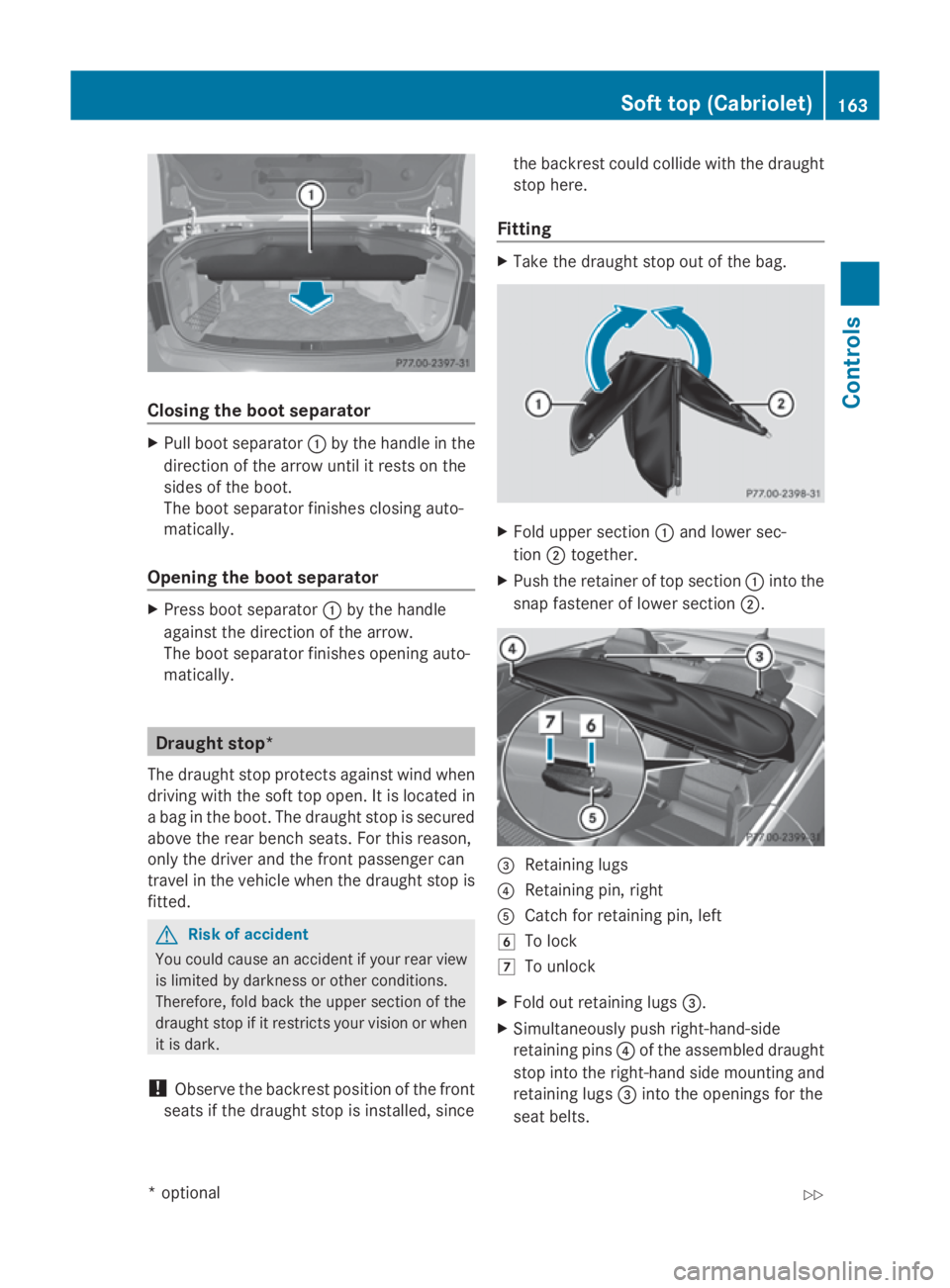
Closing th
eboot separator X
Pull boot separator 0046by th ehandle in the
direction of th earrow until it rests on the
sides of th eboot.
The boot separato rfinishe sclosin gauto-
matically.
Opening th eboot separator X
Press boot separator 0046by th ehandle
against th edirection of th earrow.
The boot separato rfinishe sopening auto-
matically. Draugh
tstop*
The draught stop protect sagainst wind when
driving wit hthe softtop open .Itisl ocatedin
ab ag in th eboot .The draught stop is secured
abov ethe rear bench seats. For this reason,
only th edriver and th efront passenger can
travel in th evehicle when th edraught stop is
fitted. G
Ris
kofa ccident
You coul dcaus eana cciden tifyour rear view
is limited by darkness or other conditions.
Therefore, fold back th eupper sectio nofthe
draught stop if it restrict syour vision or when
it is dark.
! Observ ethe backres tpositio nofthefront
seat sift hedraught stop is installed, since th
eb ackres tcou ld collide wit hthe draught
stop here.
Fitting X
Tak ethe draught stop out of th ebag. X
Fol du pper section 0046and lower sec-
tion 0047together.
X Push th eretaine roftopsection 0046intothe
snap fastener of lower section 0047. 008A
Retaining lugs
0088 Retaining pin ,right
0086 Catc hfor retaining pin ,left
004F To lock
0050 To unlock
X Fol do ut retaining lugs 008A.
X Simultaneousl ypush right-hand-side
retaining pins 0088of th eassembled draught
stop int othe right-han dside mountin gand
retaining lugs 008Aintot he opening sfor the
seat belts. Soft top (Cabriolet)
163Controls
*optional
207_AKB
;2;3,en-GB
mkalafa ,V ersion: 2.11.8.1
2009-07-23T10:23:49+02:00
-Seite 163 Z
Page 168 of 313
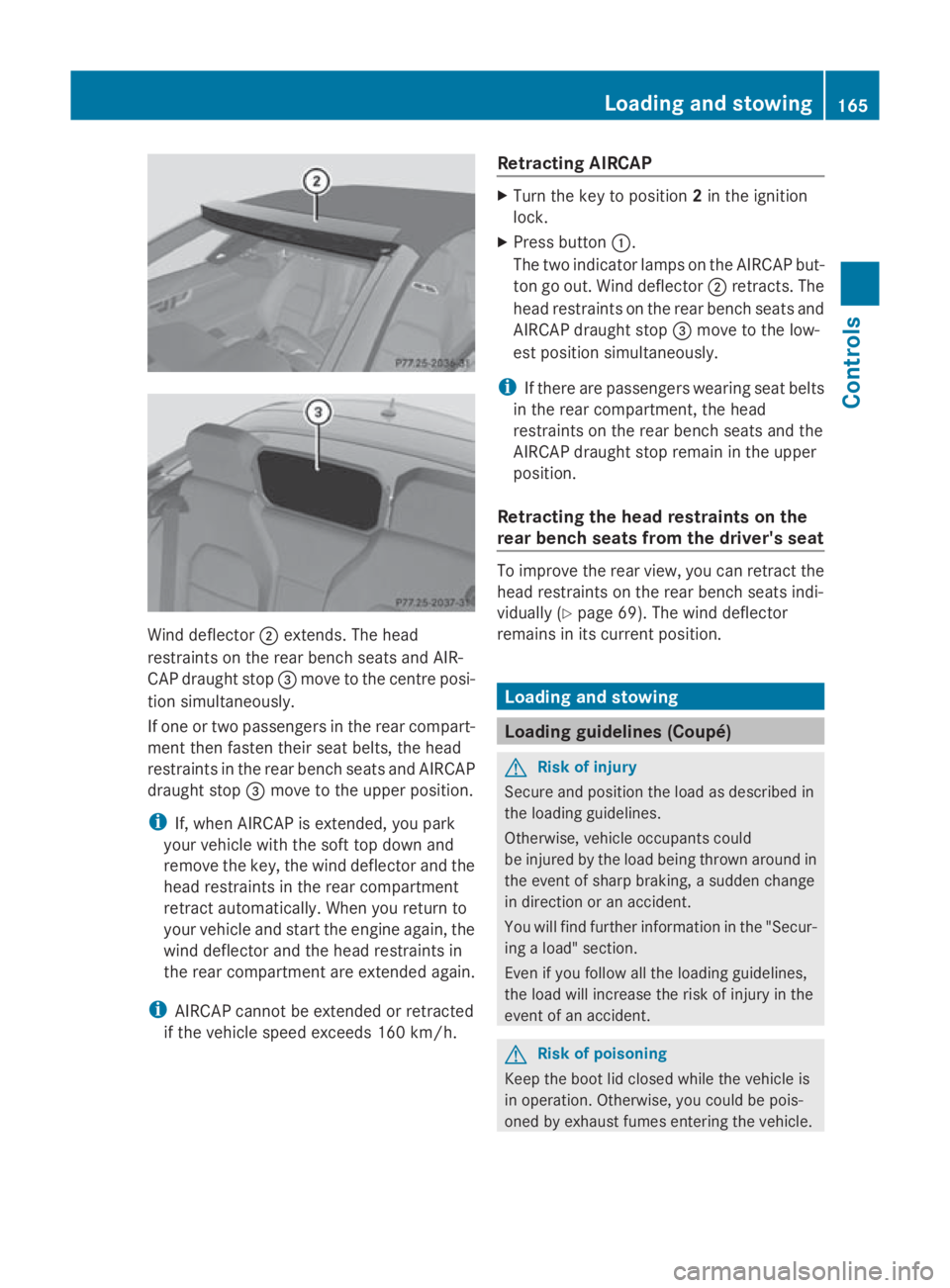
Wind deflector
0047extends. The head
restraints on the rear bench seats and AIR-
CAP draught stop 008Amove to the centre posi-
tion simultaneously.
If one or two passengers in the rear compart-
ment then fasten their seat belts, the head
restraints in the rear bench seats and AIRCAP
draught stop 008Amove to the upper position.
i If, when AIRCAP is extended, you park
your vehicle with the soft top down and
remove the key, the wind deflector and the
head restraints in the rear compartment
retract automatically. When you return to
your vehicle and start the engine again, the
wind deflector and the head restraints in
the rear compartment are extended again.
i AIRCAP cannot be extended or retracted
if the vehicle speed exceeds 160 km/h. Retracting AIRCAP X
Turn the key to position 2in the ignition
lock.
X Press button 0046.
The two indicato rlamps on the AIRCAP but-
ton go out. Wind deflector 0047retracts. The
head restraints on the rear bench seats and
AIRCAP draught stop 008Amove to the low-
est position simultaneously.
i If there are passengers wearing seat belts
in the rear compartment ,the head
restraints on the rear bench seats and the
AIRCAP draught stop remain in the upper
position.
Retracting the head restraints on the
rear bench seats from the driver's seat To improve the rear view, you can retract the
head restraints on the rear bench seats indi-
vidually (Y
page 69). The wind deflector
remains in its curren tposition. Loading and stowing
Loading guidelines (Coupé)
G
Risk of injury
Secure and position the load as described in
the loading guidelines.
Otherwise, vehicle occupant scould
be injured by the load being thrown around in
the event of sharp braking, asudden change
in direction or an accident.
You will find further information in the "Secur-
ing aload" section.
Even if you follow all the loading guidelines,
the load will increase the risk of injury in the
event of an accident. G
Risk of poisoning
Keep the boot lid closed while the vehicle is
in operation .Otherwise, you could be pois-
oned by exhaust fumes entering the vehicle. Loading and stowing
165Controls
207_AKB; 2; 3, en-GB
mkalafa, Version: 2.11.8.1 2009-07-23T10:23:49+02:00-Seite 165 Z
Page 169 of 313
The handling characteristics of
aladen vehi-
cle are dependent on the distribution of the
load within the vehicle. For this reason, you
should observe the following notes when
transportin gaload:
R never exceed the maximum permissible
gross vehicle weight or the permissible axle
loads for the vehicle (including occupants).
R position heavy loads as far forwards and as
low in the boot as possible.
R the load must not protrude above the upper
edge of the seat backrests.
R alway splace the load against the rear or
fronts eat backrests. Make sure that the
seat backrest sare securely locked into
place.
R alway splace the load behind unoccupied
seats if possible.
R secure the load with sufficiently stron gand
wear-resistan tload restraints. Pad sharp
edges for protection.
i Load restraints are available at any quali-
fied specialist workshop, e.g. aMercedes-
Benz Servic eCentre. Stowage compartments
G
Risk of injury
The stowage compartmentsm ust be closed
when items are stored in them. Luggage nets
are not designed to secure heavy items of
luggage.
You or other vehicle occupant scould be
injured by object sbeing thrown around if you:
R brake sharply
R change direction suddenly
R are involved in an accident
Sharp-edged and fragile object smust not be
placed in the luggage net. Do not place hard object
sinthe map pockets.
Object smust not protrude from the map
pockets.
Glove compartment i
Dependin gonthe vehicle's equipment,
there is an AUX-IN connection installed in
the glove compartment,oraM edia Inter-
face*, which is auniversal interface for
portable audio equipment, e.g. for an iPod
or USB device; see the separate Audio or
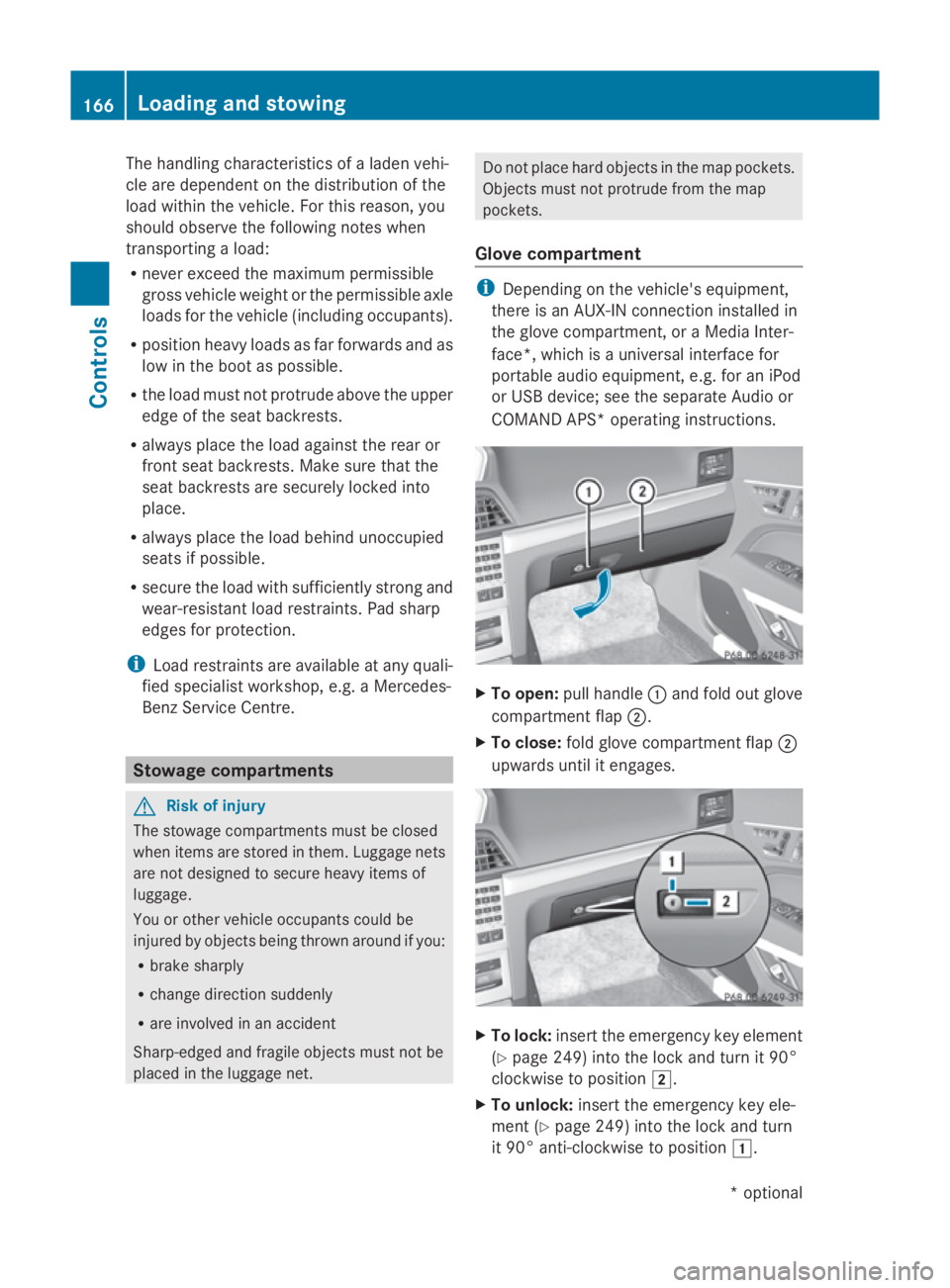
COMAND APS* operating instructions. X
To open: pull handle 0046and fold out glove
compartment flap 0047.
X To close: fold glove compartment flap 0047
upwards until it engages. X
To lock: insert the emergenc ykey element
(Y page 249) into the lock and turn it 90°
clockwise to position 004B.
X To unlock: insert the emergenc ykey ele-
ment (Y page 249) into the lock and turn
it 90° anti-clockwise to position 004A.166
Loading and stowingControls
*o
ptional
207_AKB; 2; 3, en-GB
mkalafa,
Version: 2.11.8.1 2009-07-23T10:23:49+02:00-Seite 166
Page 171 of 313
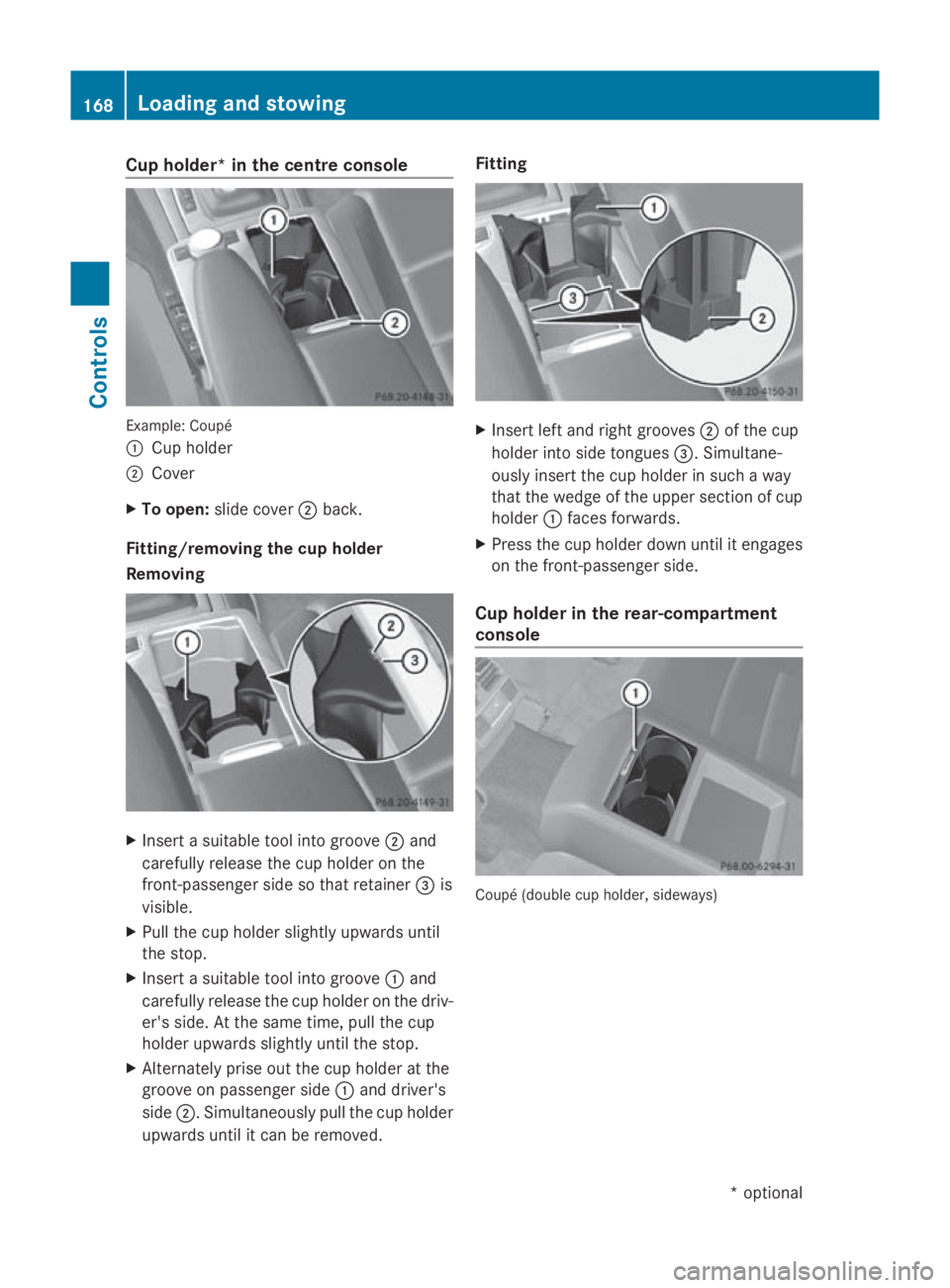
Cup holder* in th
ecentre console Example
:Coupé
0046 Cup holder
0047 Cover
X To open: slide cover 0047back.
Fitting/removing th ecup holder
Removing X
Inser tasuitable tool int ogroove 0047and
carefully release th ecup holde ronthe
front-passenger side so that retainer 008Ais
visible.
X Pull th ecup holde rslightly upwards until
th es top.
X Inser tasuitable tool int ogroove 0046and
carefully release th ecup holde ronthedriv-
er' ss ide. At th esame time, pull th ecup
holde rupwards slightly until th estop.
X Alternately pris eout th ecup holde ratthe
groove on passenger side 0046and driver's
side 0047.S imultaneously pull th ecup holder
upwards until it can be removed. Fitting
X
Inser tleft and righ tgrooves 0047of th ecup
holde rint os ide tongues 008A.Simultane-
ously insert th ecup holde rinsuchaw ay
that th ewedge of th eupper sectio nofcup
holder 0046faces forwards.
X Press th ecup holde rdown until it engages
on th efront-pa ssenger side.
Cup holder in th erear-compartment
console Coupé (doubl
ecup holder, sideways) 168
Loading and stowingControls
*o
ptional
207_AKB
;2;3,en-GB
mkalafa ,V ersion: 2.11.8.1
2009-07-23T10:23:49+02:00
-Seite 168
Page 172 of 313
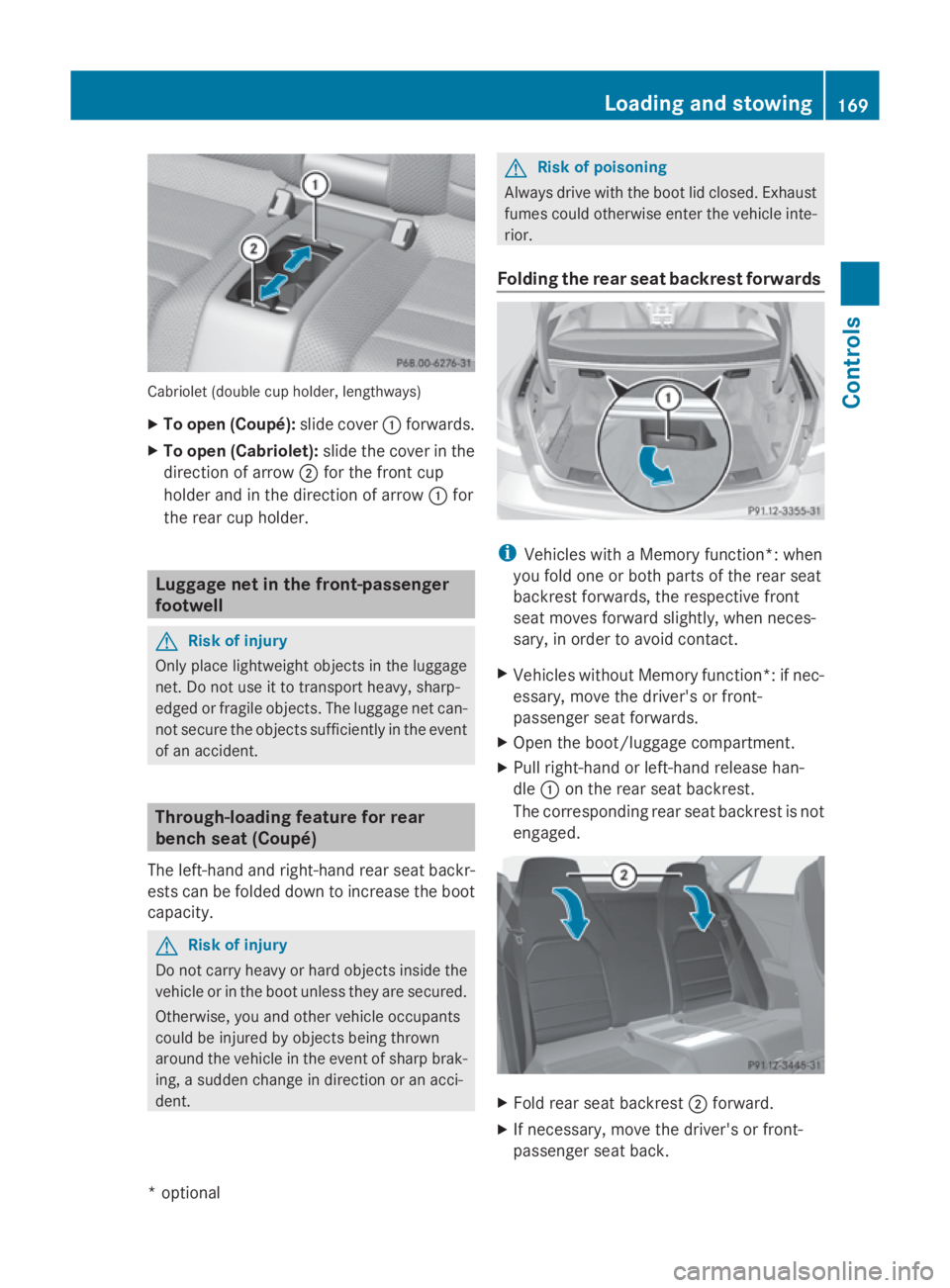
Cabriolet (double cup holder, lengthways)
X
To open (Coupé): slide cover0046forwards.
X To open (Cabriolet): slide thecover in the
direction of arrow 0047for th efront cup
holde rand in th edirection of arrow 0046for
th er ear cup holder. Luggage net in th
efront-passenger
footwell G
Ris
kofi njury
Only place lightweigh tobject sintheluggage
net .Don otuse it to transport heavy, sharp-
edged or fragile objects. The luggage net can-
no tsecure th eobject ssufficiently in th eevent
of an accident. Through-loading feature for rear
bench seat (Coupé)
The left-hand and right-han drear seat backr-
est scan be folded down to increas ethe boot
capacity. G
Ris
kofi njury
Do no tcarry heav yorhard object sinside the
vehicle or in th eboot unless they are secured.
Otherwise, you and other vehicle occupants
coul dbei njured by object sbein gthrown
aroun dthe vehicle in th eeven tofs harpbrak-
ing ,as udden chang eindirection or an acci-
dent. G
Ris
kofp oisoning
Always driv ewith th eboot lid closed. Exhaust
fumes coul dotherwise enter th evehicle inte-
rior.
Foldin gthe rea rseat backres tforwards i
Vehicles with aMemory function*: when
you fold on eorbothp artsoft herear seat
backres tforwards ,the respectiv efront
seat moves forward slightly, when neces-
sary, in orde rtoavoid contact.
X Vehicles without Memory function*: if nec-
essary, mov ethe driver' sorfront-
passenger seat forwards.
X Open th eboot/luggage compartment.
X Pull right-han dorleft-hand release han-
dle 0046on th erear seat backrest.
The correspondin grear seat backres tisnot
engaged. X
Fol drear seat backrest 0047forward.
X If necessary, mov ethe driver' sorfront-
passenger seat back. Loading and stowing
169Controls
*optional
207_AKB
;2;3,en-GB
mkalafa, Version:2.11.8.1
2009-07-23T10:23:49+02:00
-Seite 169 Z
Page 173 of 313
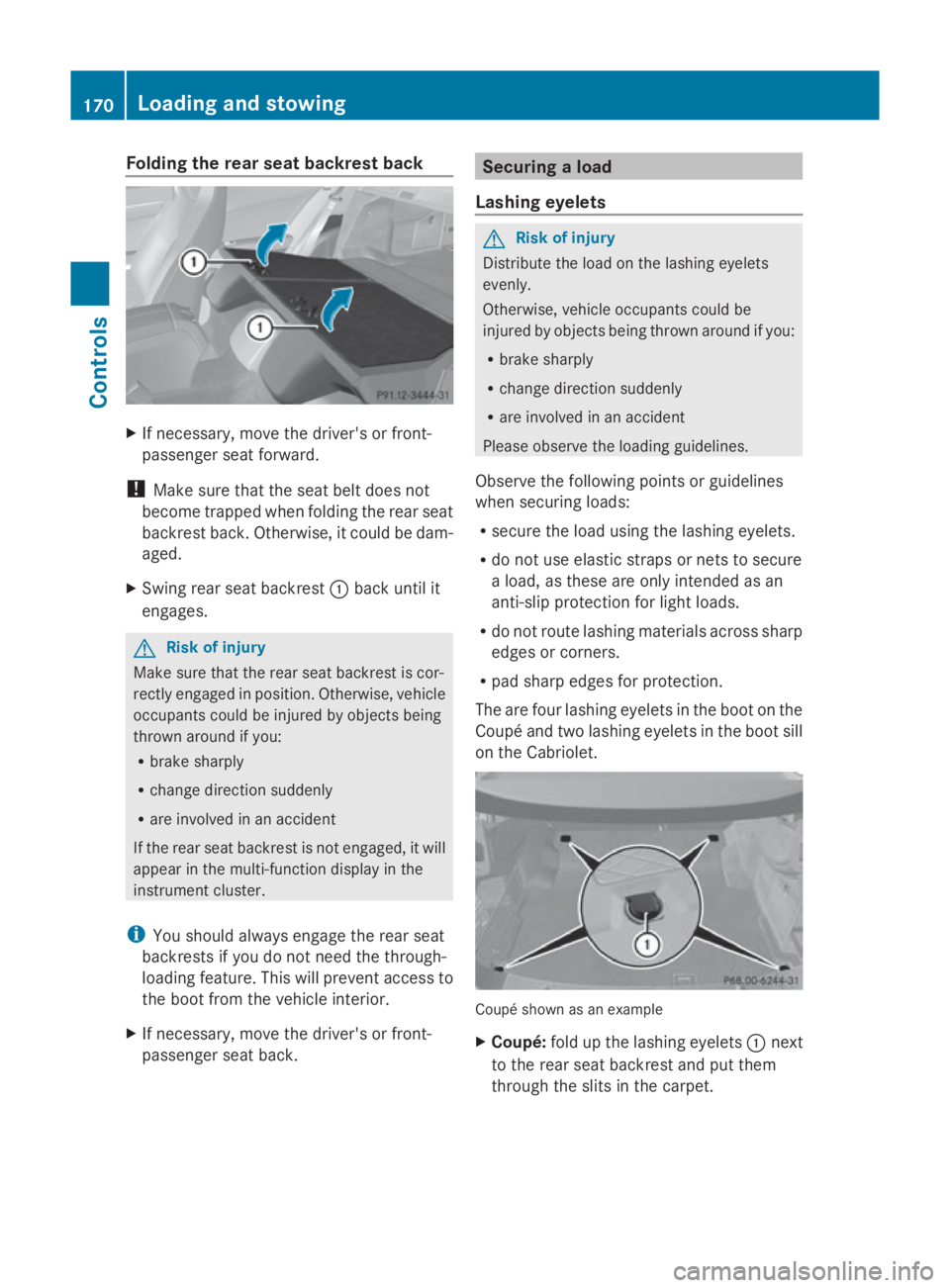
Folding th
erears eat backres tback X
If necessary, mov ethe driver' sorfront-
passenger seat forward.
! Mak esure that th eseat belt does not
become trapped when foldin gthe rear seat
backrest back. Otherwise, it could be dam-
aged.
X Swin grear seat backrest 0046bac kuntil it
engages. G
Ris
kofi njury
Mak esure that th erear seat backrest is cor-
rectl yengage dinp osition .Otherwise, vehicle
occupant scould be injured by object sbeing
thrown aroun difyou:
R brak esharply
R chang edirection suddenly
R are involved in an accident
If th erear seat backrest is no tengaged, it will
appear in th emulti-function display in the
instrumen tcluster.
i You should always engage th erear seat
backrest sifyou do no tneedt he through-
loadin gfeature. This will preven taccess to
th eb oot from th evehicl einterior.
X If necessary, mov ethe driver' sorfront-
passenger seat back. Securing
aload
Lashing eyelets G
Ris
kofi njury
Distribut ethe load on th elashing eyelets
evenly.
Otherwise, vehicl eoccupant scould be
injured by object sbein gthrown aroun difyou:
R brak esharply
R chang edirection suddenly
R are involved in an accident
Pleas eobserv ethe loadin gguidelines.
Observ ethe followin gpoints or guidelines
when securin gloads:
R secure th eload usin gthe lashing eyelets.
R do no tuse elastic straps or nets to secure
al oad, as these are only intended as an
anti-slip protection for light loads.
R do no trout elashing material sacross sharp
edge sorc orners.
R pad shar pedge sfor protection.
The are four lashing eyelet sintheboot on the
Coupé and two lashing eyelet sintheboot sill
on th eCabriolet. Coupé shown as an example
X
Coupé: foldupt helashing eyelets 0046next
to th erear seat backrest and put them
throug hthe slitsint hecarpet. 170
Loading and stowingCont
rols
207_AKB; 2; 3, en-GB
mkalafa,V ersion: 2.11.8.1
2009-07-23T10:23:49+02:00
-Seite 170