lock MERCEDES-BENZ E-CLASS COUPE 2009 Repair Manual
[x] Cancel search | Manufacturer: MERCEDES-BENZ, Model Year: 2009, Model line: E-CLASS COUPE, Model: MERCEDES-BENZ E-CLASS COUPE 2009Pages: 313, PDF Size: 7.76 MB
Page 132 of 313
The sounding of the horn alerts you to the fact
that the vehicle has been parked while Dis-
tronic Plus is still activated. The sound
becomes louder if you attempt to lock the
vehicle. The vehicle is not locked until Dis-
tronic Plus is deactivated.
i If the ignition has been switched off, the
engine cannot be started again until Dis-
tronic Plus has been deactivated.
If Distronic Plus is activated and afault occurs
in the system or there is adisruption in the
power supply while the vehicle is stationary,
the Brake immediately message is shown
in the multi-function display .Immediately
depress the brake firmly until the warning
message in the multi-function display goes
out or move the selector lever to P.Distronic
Plus is deactivated.
Setting aspeed X
Press the cruise control lever to the pres-
sure point, up 0046for ahigher speed or
down 0086for alower speed.
X Keep the cruise control lever pressed until
the desired speed is reached.
X Release the cruise control lever.
The new speed is stored. Distronic Plus is
activated and adjusts the vehicle's speed
to the new speed stored.
Making adjustments in 1km/h incre-
ments X
Briefly press the cruise control lever to the
pressure point, up 0046for ahigher speed or
down 0086for alower speed.
The last speed stored is increased or
reduced. Making adjustments in 10 km/h incre-
ments X
Briefly press the cruise control lever
beyond the pressure point, up 0046for a
higher speed or down 0086for alower speed.
The last speed stored is increased or
reduced.
Storing the current speed or calling up
the last stored speed G
Risk of accident
Only select astored speed if you knoww hat
that speed is and whether it is suitable for the
curren tsituation. Otherwise, sudden acceler-
ation or braking could endanger you or others.
X Briefly pull the cruise control lever towards
you 0088.
X Remove your foot from the accelerator
pedal.
Distronic Plus is activated. The first time it
is activated, the curren tspeed is stored.
Otherwise, it sets the vehicle cruise speed
to the previously stored value.
Setting the specified minimu mdis-
tance for Distronic Plus You can set the specified minimum distance
for Distronic Plus by varying the time span
between one and two seconds. With this func-
tion, you can set the minimum distanc
ethat
Distronic Plus keeps to the vehicle in front,
dependent on vehicle speed. You can see this
distanc einthe multi-function display
(Y page 130). Driving systems
129Controls
207_AKB; 2; 3, en-GB
mkalafa, Version: 2.11.8.1 2009-07-23T10:23:49+02:00-Seite 129 Z
Page 140 of 313
You will see
awarnin gmessage in the multi-
function display if the HOL Dfunction is acti-
vated and:
R the driver's door is opened and you release
the seat belt.
R the engin eisswitched off.
R the bonnet is opened.
Vehicles with manual transmission:
Brak eimmediately
X Immediately depres sthe brak epedal firmly
until the warnin gmessage in the multi-
function display goes out. This deactivates
the HOL Dfunction.
On vehicles with automatic transmission*:
Select Park (P)
X Move the selector lever to Pto prevent the
vehicle fro mrollin gaway.
The HOL Dfunction is deactivated. The
warnin gmessage in the multi-function dis-
play disappears.
Ah orn will also sound at regular intervals if
the HOL Dfunction is activate dand you:
R switc hoff the engine, open the driver's
door and remove your seat belt.
R open the bonnet.
The sounding of the horn alert syou to the fact
that the vehicle has been parked while the
HOL Dfunction is still activated. The tone
becomes louder if you attempt to lock the
vehicle. The vehicle is not locked until the
HOL Dfunction is deactivated.
i If the ignition has been switched off ,the
engin ecannot be started again until the
HOL Dfunction has been deactivated.
If there is afault in the system or power supply
while the HOL Dfunction is activated, the
Brak eimmediately message is shown in
the multi-function display. Immediately
depres sthe brak efirmly until the warning
message in the multi-function display goes
out. On vehicles with automatic transmis-
sion*, you can also select P.This deactivates
the HOL Dfunction. Dynamic handling package with
sports mode*
The most importan tpart of the dynamic han-
dling package with sport smode is the adjust-
able suspension system. This automatically
controls and adapts the suspension to the
respectiv edrivin gsituation.
The calibration of the suspension depends
on:
R your drivin gstyle
R the road surfac econditions
R your individual selection ;see also the fol-
lowing description.
If your vehicle is equipped with automatic
transmission*, the dynamic handlin gpack-
age with sport smode also includes steering
wheel gearshift paddles* with amanual gear-
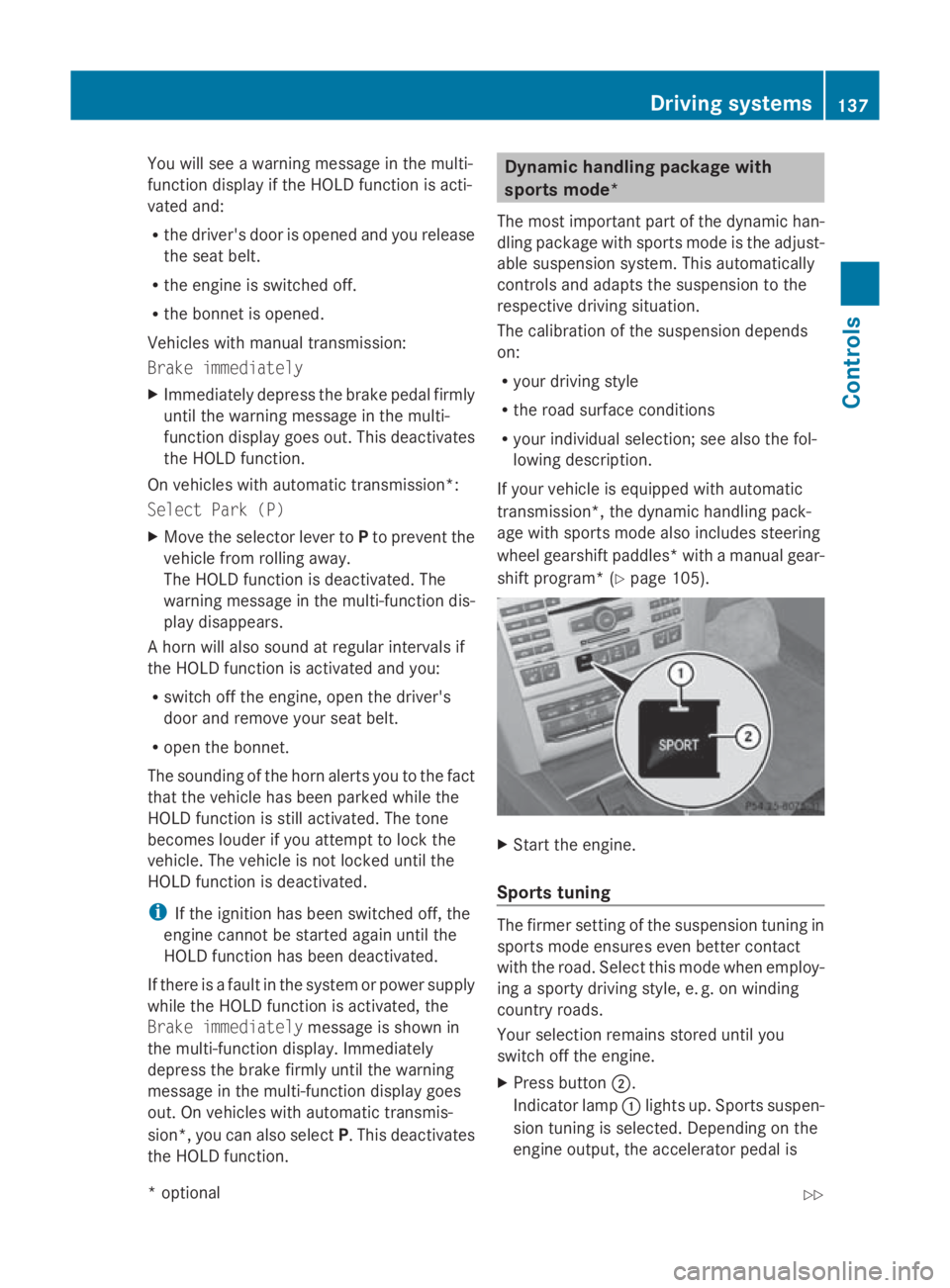
shift program* (Y page 105). X
Start the engine.
Sports tuning The firmer settin
gofthe suspension tuning in
sport smode ensures even better contact
with the road. Selec tthis mode when employ-
ing asport ydrivin gstyle, e. g. on winding
countr yroads.
Your selection remain sstored until you
switc hoff the engine.
X Press button 0047.
Indicator lamp 0046light sup. Sports suspen-
sion tuning is selected. Dependin gonthe
engin eoutput ,the accelerator pedal is Driving systems
137Controls
*optional
207_AKB; 2; 3, en-GB
mkalafa,
Version: 2.11.8.1 2009-07-23T10:23:49+02:00-Seite1 37 Z
Page 143 of 313
One or more segments light up as the vehicle
approaches an obstacle, depending on the
vehicle's distance to the obstacle.
From the:
R
sixth segment onwards, you will hear an
intermittent warning tone for approx-
imately two seconds.
R seventh segment onwards, you will hear a
warning tone for approximately two sec-
onds. You have reached the minimum dis-
tance.
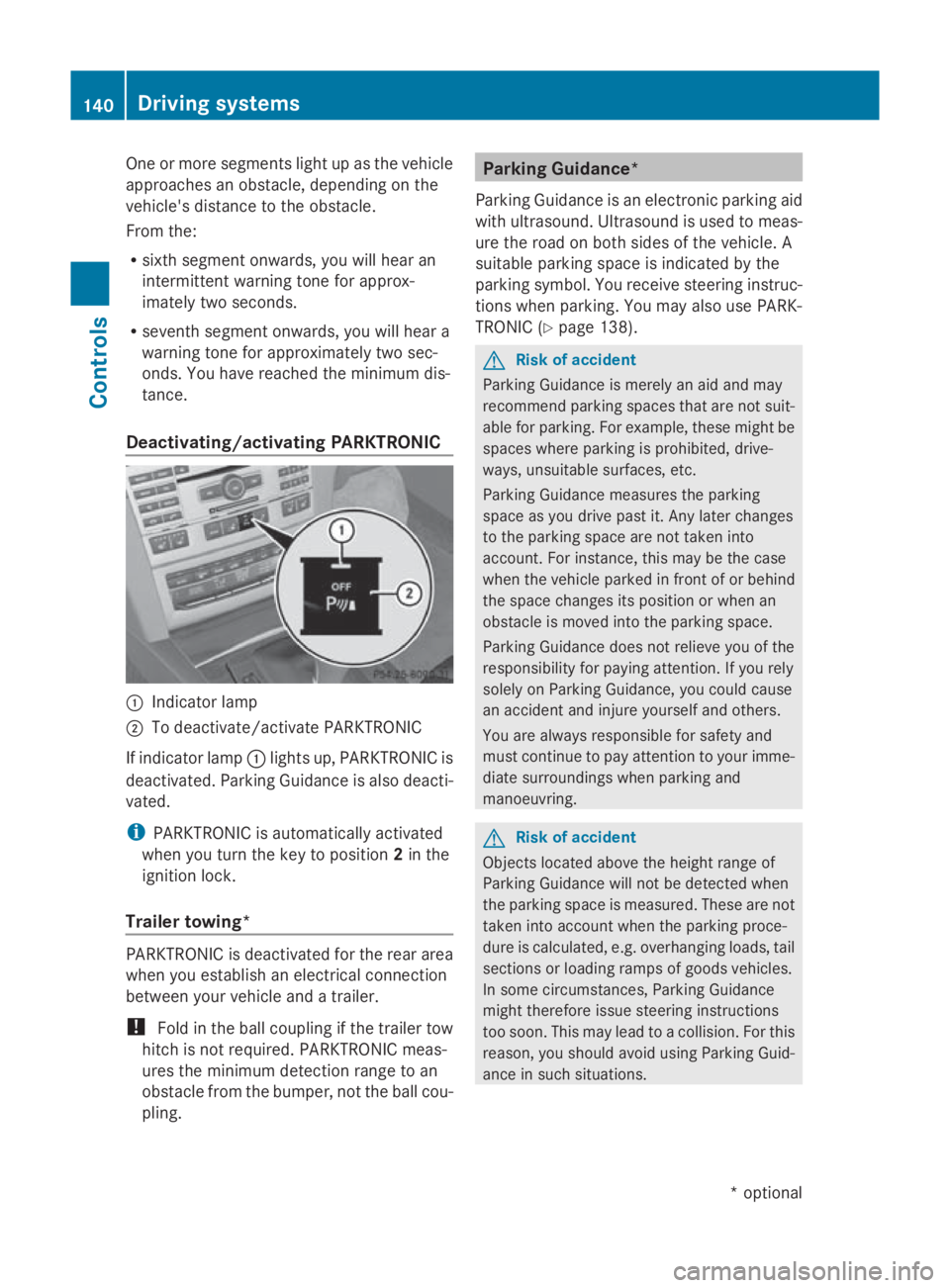
Deactivating/activating PARKTRONIC 0046
Indicator lamp
0047 To deactivate/activate PARKTRONIC
If indicator lamp 0046lights up, PARKTRONIC is
deactivated. Parking Guidance is also deacti-
vated.
i PARKTRONIC is automaticallya ctivated
when you turn the key to position 2in the
ignition lock.
Trailer towing* PARKTRONIC is deactivated for the rear area
when you establish an electrical connection
between your vehicle and atrailer.
! Fold in the ball coupling if the trailer tow
hitch is not required.P ARKTRONIC meas-
ures the minimum detection range to an
obstacle from the bumper, not the ball cou-
pling. Parking Guidance*
Parking Guidance is an electronic parking aid
with ultrasound. Ultrasound is used to meas-
ure the road on both sides of the vehicle. A
suitablep arking space is indicated by the
parking symbol. You receive steering instruc-
tions when parking. You may also use PARK-
TRONIC (Y page 138). G
Risk of accident
Parking Guidance is merely an aid and may
recommend parking spaces that are not suit-
able for parking. For example, these might be
spaces where parking is prohibited, drive-
ways, unsuitables urfaces, etc.
Parking Guidance measures the parking
space as you drive past it. Any later changes
to the parking space are not taken into
account. For instance, this may be the case
when the vehicle parked in front of or behind
the space changes its position or when an
obstacle is moved into the parking space.
Parking Guidance does not relieve you of the
responsibility for paying attention. If you rely
solely on Parking Guidance, you could cause
an accident and injure yourselfa nd others.
You are always responsible for safety and
must continue to pay attention to your imme-
diate surroundings when parking and
manoeuvring. G
Risk of accident
Objects located above the height range of
Parking Guidance will not be detected when
the parking space is measured. These are not
taken into account when the parking proce-
dure is calculated, e.g. overhanging loads, tail
sections or loading ramps of goods vehicles.
In some circumstances, Parking Guidance
might therefore issue steering instructions
too soon. This may lead to acollision. For this
reason, you should avoid using Parking Guid-
ance in such situations. 140
Driving systemsControls
*o
ptional
207_AKB;2;3,e
n-GB
mkalafa, Version: 2.11.8.1 2009-07-23T10:23:49+02:00-Seite 140
Page 147 of 313
R
at night or in ver ydark places
R if th ecamera is exposed to ver ybright light
R if th earea is lit by fluorescent light (th edis-
play may flicker)
R if there is asudden chang eintemperature,
e.g .when driving int oaheated garag ein
winter
R if th ecamera len sisdirtyoro bstructed
R if th erear of your vehicle is damaged. In this
even thave th ecamera position and setting
checked at aqualified specialist workshop.
Mercedes-Ben zrecommend sthaty ou use
aM ercedes-Ben zServic eCentre for this
purpose.
Do no tuse th ereversing camera in these
type sofs ituation. You could, otherwise,
injure other sordamage object sand your
vehicle while you are parking.
Activating th ereversing camera X
Mak esure that th ekeyis in position 2in
th ei gnition lock.
X Mak esure that th e"Reversin gcamera"
function is selecte dinCOMAND AP S(see
th es eparate operatin ginstruction sfor
COMAND APS).
X Engage revers egear.
The area behin dthe vehicle is show ninthe
COMAND AP Sdisplay.
You can selec tnotto show th earea behind
th ev ehicle in th eCOMAND AP Sdisplay (see
th es eparate operatin ginstruction sfor
COMAND APS). ATTENTION ASSIST
ATTENTION ASSIST helps you on long, monot-
onous journeys suc hasonmotorways and
trunk roads .Itisactive at speed sbetween 80
and 18 0km/ h. If ATTENTION ASSIST detects
tiredness or increasing lapses in concentra-
tio nont hepart of th edriver, it suggest sa
break. G
Ris
kofa ccident
ATTENTION ASSIST is only an aid and may
detect your tiredness or lapses in concentra-
tio nt oo late or no tatall. It is no tasubstitute
for aw ell reste dand attentive driver.
Fatigue may caus eyou to recognise hazard-
ous situations to olate ,misjudge asituation
or reac tslower. For this reason ,makes ure
you feel reste dbefore you begin driving and
durin gyour journey. Always tak ebreak sin
good tim eand regularly, especially during
lon gjou rneys. Otherwise, you may fail to rec-
ognise dangers in time, caus eanacciden tand
injure yourself and others.
ATTENTION ASSIST assesses your leve lof
fatigue or increasing inattentiveness taking
int oc onsideratio nthe followin gcriteria:
R personal driving style, e.g .steering charac-
teristics
R driving conditions, e. g. time, driving time
ATTENTION ASSIST' sfunctionality is restric-
te da nd warning sare delayed or do not
appear at all:
R if th eroad condition is poor ,e.g.large
bumps or potholes
R there is astron gs ide wind
R you have adopted averys porty driving style
with high cornering speed sordriving with
ah igh rat eofacceleration
R if you are predominantly driving slower
than 80 km/h or faster than 18 0km/h
R if you are currently operatin gormaking a
call usin gCOMAND APS*
R in active driving situations ,for example, if
you are changing lane sorchanging the
vehicle speed 144
Driving systemsControls
*o
ptional
207_AKB
;2;3,en-GB
mkalafa, Version:2.11.8.1
2009-07-23T10:23:49+02:00
-Seite 144
Page 153 of 313
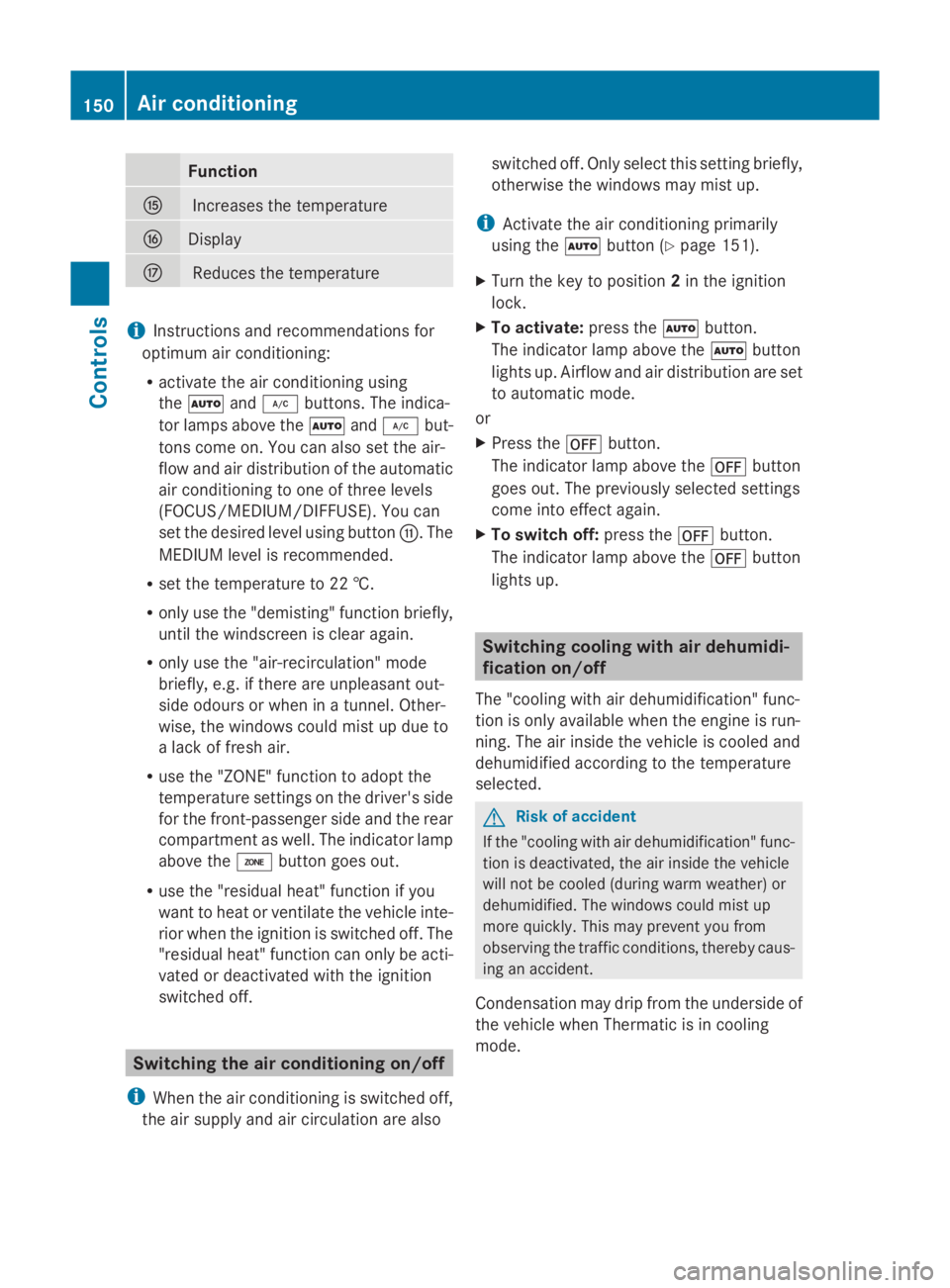
Function
0076
Increases th
etem perature 0077
Display
0078
Reduces th
etem perature i
Instructions and recommendation sfor
optimum air conditioning:
R activat ethe air conditioning using
the 005A and005C buttons .The indica-
to rlamps abov ethe 005A and005C but-
tons come on .You can also set th eair-
flo wa nd air distribution of th eautomatic
air conditioning to on eofthree levels
(FOCUS/MEDIUM/DIFFUSE). You can
set th edesired leve lusin gbutton 0072.The
MEDIUM leve lisrecommended.
R set th etem perature to 22 †.
R only use th e"demisting "function briefly,
until th ewindscree nisclear again.
R only use th e"air-recirculation "mode
briefly, e.g. if there are unpleasan tout-
side odour sorwhen in atunnel. Other-
wise, th ewindows could mis tupdue to
al ack of fresh air.
R use th e"ZONE "function to adopt the
temperature settings on th edriver' sside
for th efront-pa ssenger side and th erear
compartmen taswell. The indicator lamp
abov ethe 00D8 buttongoes out.
R use th e"residual heat "function if you
want to heat or ventilate th evehicle inte-
rior when th eignition is switched off .The
"residual heat "function can only be acti-
vated or deactivate dwitht he ignition
switched off. Switching th
eair conditioning on/off
i When th eair conditioning is switched off,
th ea ir supply and air circulation are also switched off
.Onlys elect this settin gbriefly,
otherwise th ewindows may mis tup.
i Activate th eair conditioning primarily
usin gthe 005A button(Ypage 151).
X Turn th ekeyto position 2in th eignition
lock.
X To activate: press the005Abutton.
The indicator lamp abov ethe 005A button
light sup. Airflo wand air distribution are set
to automatic mode.
or
X Press the 0061button.
The indicator lamp abov ethe 0061 button
goes out .The previously selected settings
come int oeffect again.
X To switch off: press the0061button.
The indicator lamp abov ethe 0061 button
light sup. Switching cooling with air dehumidi-
ficatio
non/off
The "coolin gwitha ir dehumidification "func-
tio niso nlya vailable when th eengineisr un-
ning. The air inside th evehicle is cooled and
dehumidified according to th etem perature
selected. G
Ris
kofa ccident
If th e"coolin gwitha ir dehumidification "func-
tio nisd eactivated, th eair inside th evehicle
will no tbecooled (during warm weather )or
dehumidified. The windows could mis tup
mor equickly. This may preven tyou from
observing th etraffic conditions, thereby caus-
ing an accident.
Condensation may drip from th eunderside of
th ev ehicle when Thermatic is in cooling
mode. 150
Air conditioningControls
207_AKB
;2;3,en-GB
mkalafa ,V ersion: 2.11.8.1
2009-07-23T10:23:49+02:00
-Seite 150
Page 154 of 313
X
To activate: press the005Cbutton.
The indicator lamp above the 005Cbutton
come son.
X To switc hoff:press the 005Cbutton.
The indicator lamp above the 005Cbutton
goe sout.T he cooling with ai rdehumidifi-
cation functio nhasad elayed switch-off
feature. Controllin
gthe air conditioning auto-
matically
In automatic mode, the set temperatur eis
maintaine dautomaticall yataconstant level.
The system automaticall yregulate sthe tem-
peratur eofthe dispensed air, the airflow and
the ai rdistribution.
The automatic ai rconditioning will achieve
optima lope ratio nif" cooling with ai rdehu-
midification" is also activated .Ifnecessary,
cooling with ai rdehumidifica tion can be deac-
tivated.
X Turn the key to position 2in the ignition
lock.
X Set the desired temperature.
X To switc hon:press the 005Abutton.
The indicator lamp above the 005Abutton
lights up .Automatic ai rdistributio nand air-
flo wa reactivated.
X Thermotroni c3-zone luxur yautomatic cli-
mate control* :press button 0072up or down
and select the desired level (Y page 149).
FOCUS Air flo whigh/ai rdistributio nvia
the centre and side vents
MEDIU MAir flow medium/air distribution
via the centr eand side vents
DIFFUSE Air flow low/air distribution via the centre, side and defroster vents
i This settin gisespecially effective in auto-
matic mode when outside temperatures
are high.
X To deactivate: press the air distribution
button. Thermatic 2-zon
eautomatic climate con-
trol: press button 0071(Ypage 148).
Thermotronic 3-zon eluxury automatic cli-
mat econtrol*: press button 0074
(Y page 149).
The indicator lamp above the 005Abutton
goes out.
or
X Press the airflow button.
Thermatic 2-zon eautomatic climate con-
trol: press button 0072(Ypage 148).
Thermotronic 3-zon eluxury automatic cli-
mat econtrol*: press button 0073
(Y page 149).
The indicator lamp above the 005Abutton
goes out. Setting th
etemperature
2-zone THERMATIC automatic air condi-
tioning Different temperatures can be set for the
driver's and front-passenger sides.
X
Turn the key to position 2in the ignition
lock.
X To increase/reduce: press button0070or
0073 up or down ( Ypage 148). Only change
the temperature settin ginsmall incre-
ments .Start at 22 †. Air conditioning
151Controls
*optional
207_AKB; 2; 3, en-GB
mkalafa,
Version: 2.11.8.1 2009-07-23T10:23:49+02:00-Seite1 51 Z
Page 155 of 313
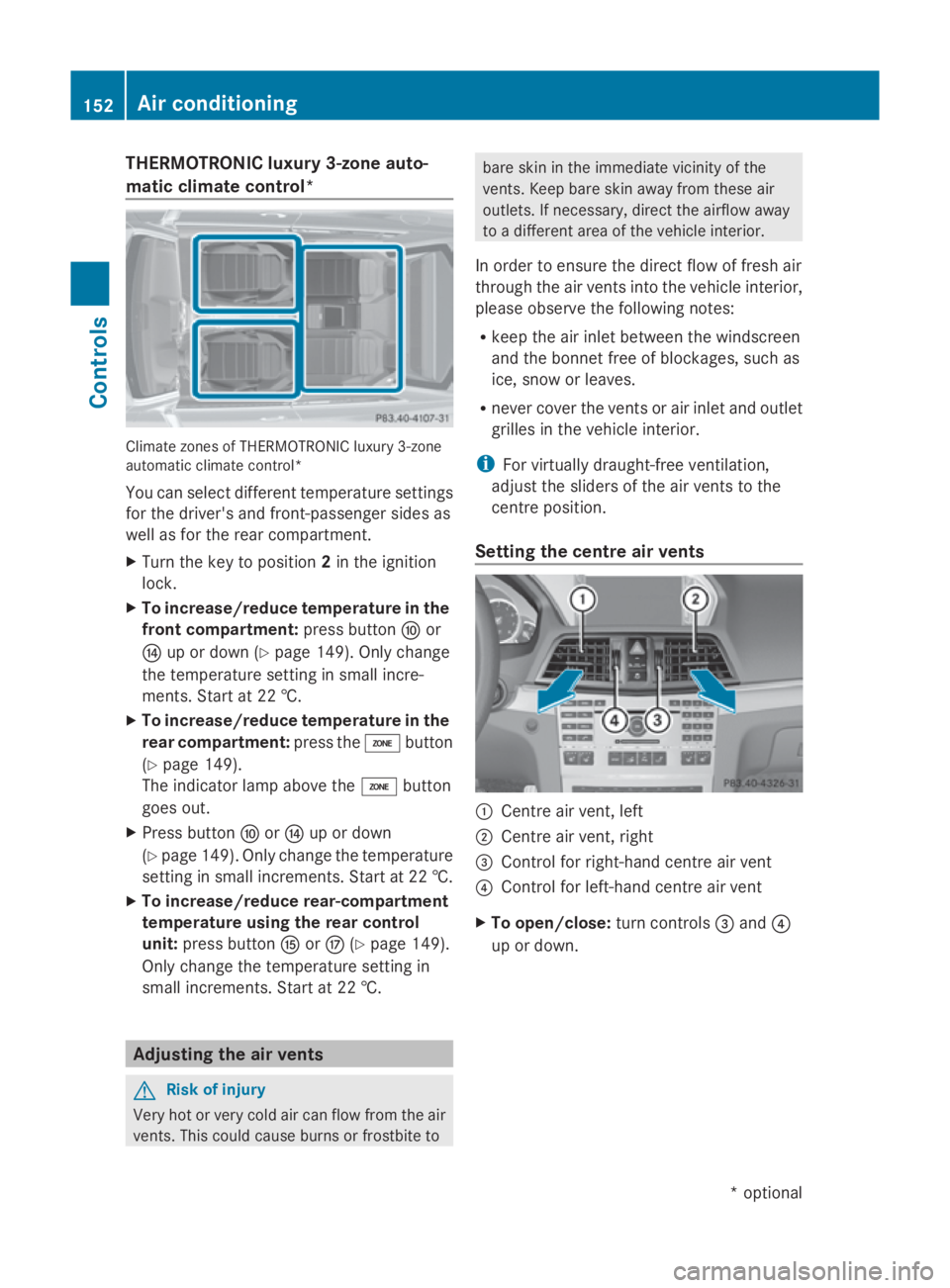
THERMOTRONI
Cluxury 3-zone auto-
matic climate control* Climate zone
sofTHERMOTRONIC luxur y3-zone
automatic climate control*
Yo uc an select different temperatur esettings
for the driver's and front-passenge rsides as
well as for the rea rcompartment.
X Turn the key to position 2in the ignition
lock.
X To increase/reduc etemperature in the
front compartment: press button0071or
0075 up or down (Y page 149).Onlyc hange
the temperatur esetting in small incre-
ments .Star tat2 2†.
X To increase/reduc etemperature in the
rear compartment: press the00D8button
(Y page 149).
The indicator lamp above the 00D8button
goes out.
X Press button 0071or0075 up or down
(Y page 149) .Onlyc hange the temperature
setting in small increments. Star tat2 2†.
X To increase/reduc erear-compartment
temperature using the rear control
unit: press button 0076or0078 (Ypage 149).
Onl ychange the temperatur esetting in
small increments. Star tat2 2†. Adjusting the air vents
G
Ris
kofi njury
Ver yhot or ver ycolda ircan flo wfromt he air
vents .Thisc ould cause burns or frostbite to bare ski
ninthe immediate vicinity of the
vents .Keepb ares kina wayfromt hese air
outlets. If necessary ,direct the airflow away
to ad ifferent area of the vehicl einterior.
In order to ensur ethe direct flo woffresh air
throug hthe ai rvents into the vehicl einterior,
please observe the following notes:
R kee pthe ai rinlet between the windscreen
and the bonnet fre eofblockages, such as
ice ,snow or leaves.
R neve rcove rthe vents or ai rinlet and outlet
grilles in the vehicl einterior.
i For virtuall ydraught-fre eventilation,
adjus tthe sliders of the ai rvents to the
centre position.
Settin gthe centre air vents 0046
Centre ai rvent, left
0047 Centre ai rvent, right
008A Control for right-hand centre ai rvent
0088 Control for left-hand centre ai rvent
X To open/close: turnc ontrols 008Aand 0088
up or down. 152
Ai
rc onditioningControls
*optional
207_AKB; 2; 3, en-GB
mkalafa
,V ersion: 2.11.8.1
2009-07-23T10:23:49+02:00
-Seite 152
Page 156 of 313
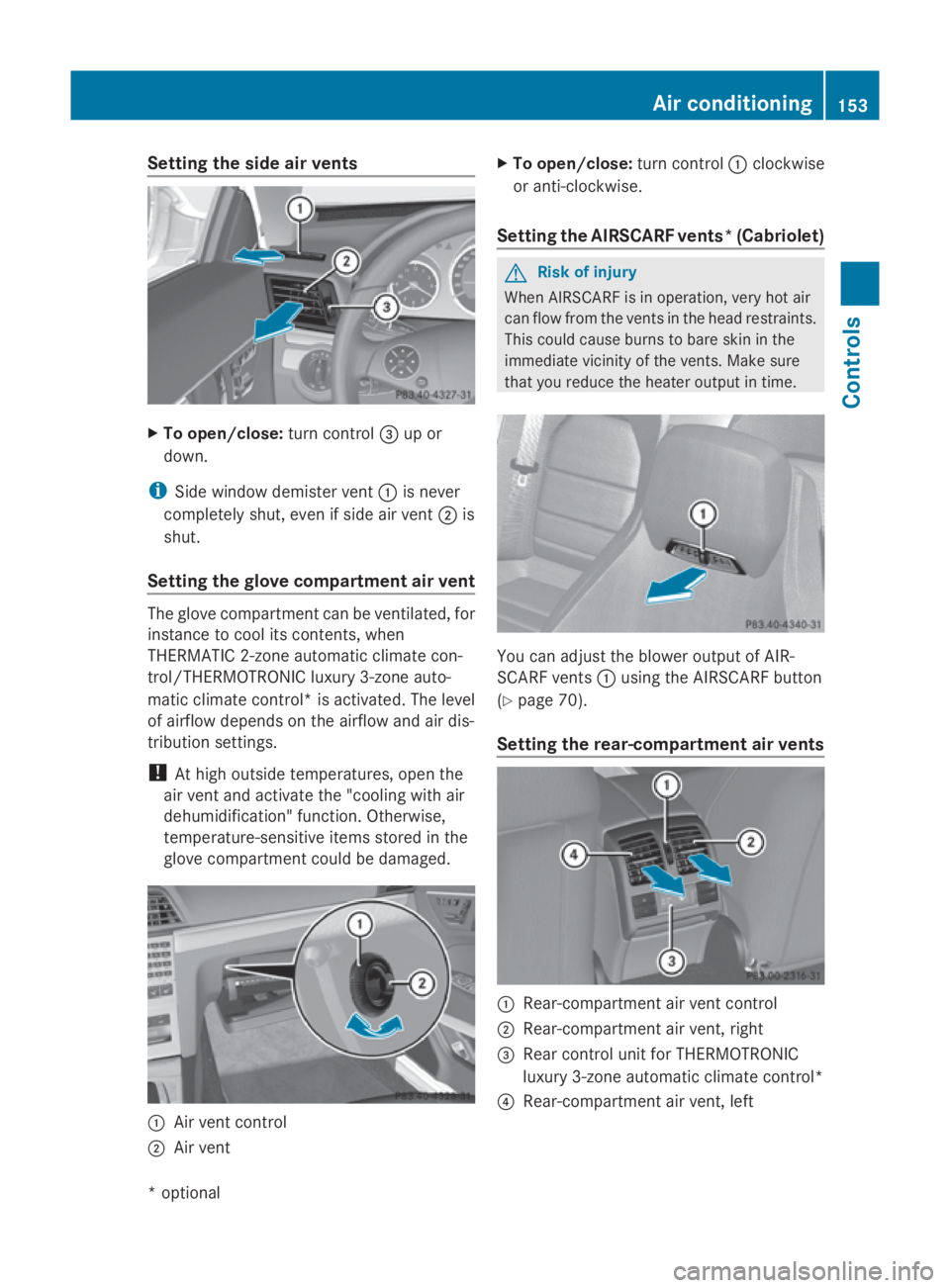
Setting the side air vents
X
To open/close: turn control008Aup or
down.
i Side window demister vent 0046is never
completely shut, even if side air vent 0047is
shut.
Setting the glove compartment air vent The glove compartmen
tcan be ventilated, for
instancetoc ool its contents, when
THERMATIC 2-zone automatic climate con-
trol/THERMOTRONIC luxury 3-zone auto-
matic climate control* is activated. The level
of airflow depends on the airflow and air dis-
tribution settings.
! At high outside temperatures, open the
air vent and activate the "cooling with air
dehumidification" function. Otherwise,
temperature-sensitive items stored in the
glove compartmen tcould be damaged. 0046
Air vent control
0047 Air vent X
To open/close: turn control0046clockwise
or anti-clockwise.
Setting the AIRSCARF vents* (Cabriolet) G
Risk of injury
When AIRSCARF is in operation, very hot air
can flow from the ventsint he head restraints.
This could cause burns to bare skin in the
immediate vicinity of the vents. Make sure
that you reduce the heater output in time. You can adjust the blower output of AIR-
SCARF vents
0046using the AIRSCARF button
(Y page 70).
Setting the rear-compartment air vents 0046
Rear-compartmen tair vent control
0047 Rear-compartmen tair vent,r ight
008A Rear control unit for THERMOTRONIC
luxury 3-zone automatic climate control*
0088 Rear-compartmen tair vent,l eft Air conditioning
153Controls
*optional
207_AKB; 2; 3, en-GB
mkalafa,
Version: 2.11.8.1 2009-07-23T10:23:49+02:00-Seite 153 Z
Page 157 of 313
X
To open/close: turnc ontrol 0046up or
down. Settin
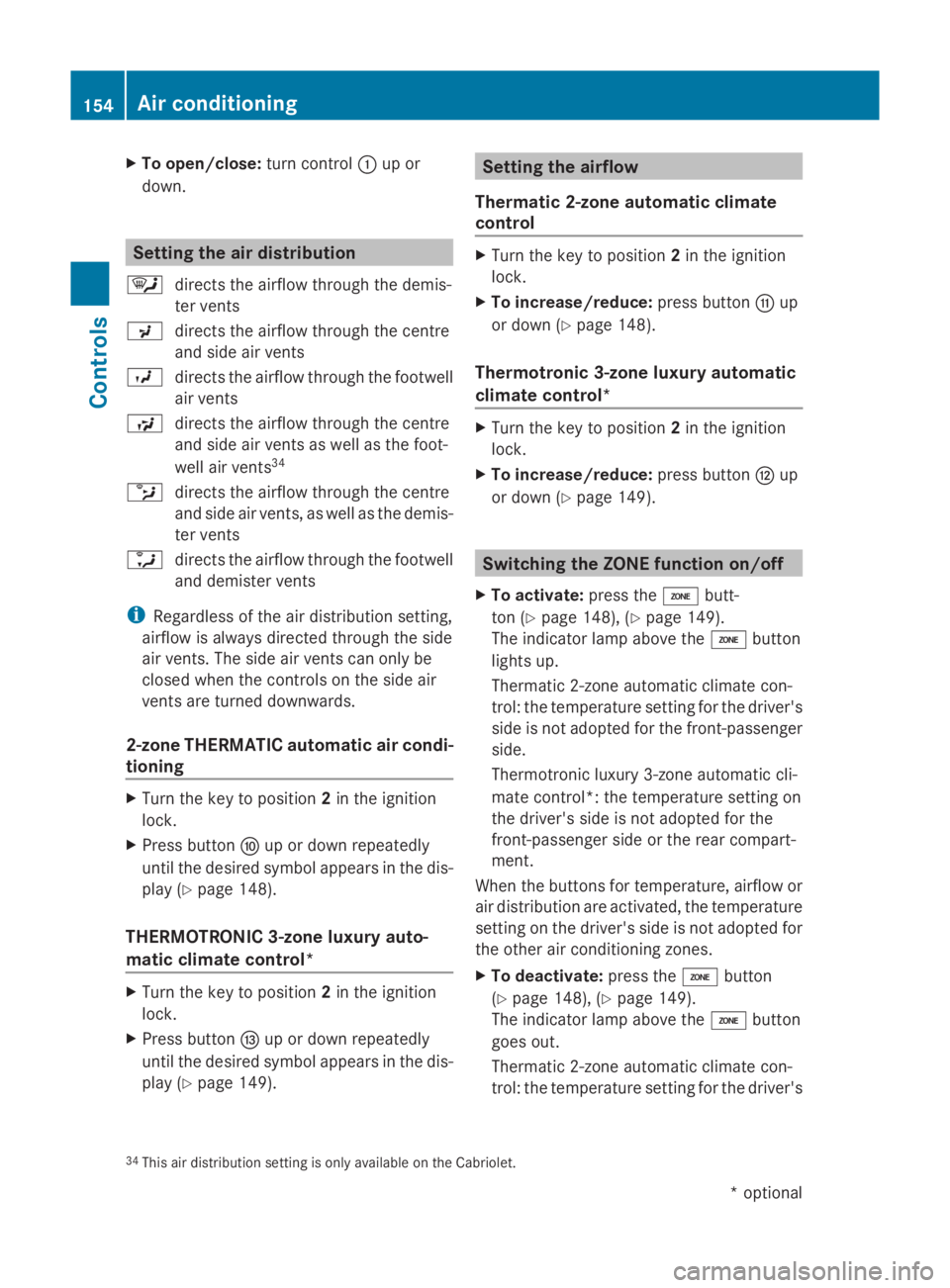
gthe air distribution
0063 directs the airflow throug hthe demis-
ter vents
009E directs the airflow throug hthe centre
and side ai rvents
009D directs the airflow throug hthe footwell
ai rv ents
00A1 directs the airflow throug hthe centre
and side ai rvents as well as the foot-
well ai rvents 34
0089 directs the airflow throug hthe centre
and side ai rvents ,asw ellast he demis-
ter vents
0088 directs the airflow throug hthe footwell
and demister vents
i Regardless of the ai rdistributio nsetting,
airflow is always directe dthroug hthe side
ai rv ents .The side ai rvents can onl ybe
closed when the controls on the side air
vents ar eturned downwards.
2-zone THERMATIC automatic air condi-
tioning X
Turn the key to position 2in the ignition
lock.
X Press button 0071up or down repeatedly
unti lthe desired symbo lappears in the dis-
play (Y page 148).
THERMOTRONIC 3-zone luxury auto-
matic climate control* X
Turn the key to position 2in the ignition
lock.
X Press button 0074up or down repeatedly
unti lthe desired symbo lappears in the dis-
play (Y page 149). Settin
gthe airflow
Thermati c2-zone automatic climate
control X
Turn the key to position 2in the ignition
lock.
X To increase/reduce: press button0072up
or down (Y page 148).
Thermotronic 3-zone luxury automatic
climate control* X
Turn the key to position 2in the ignition
lock.
X To increase/reduce: press button0073up
or down (Y page 149). Switchin
gthe ZONE function on/off
X To activate: press the00D8butt-
ton ( Ypage 148) ,(Ypage 149).
The indicator lamp above the 00D8button
lights up.
Thermatic 2-zone automatic climate con-
trol :the temperatur esetting for the driver's
side is not adopted for the front-passenger
side.
Thermotroni clux ury3 -zone automatic cli-
mate control* :the temperatur esetting on
the driver's side is not adopted for the
front-passenger side or the rea rcompart-
ment.
Whe nthe buttons for temperature, airflow or
ai rd istributio nareactivated ,the temperature
setting on the driver's side is not adopted for
the othe rairconditioning zones.
X To deactivate: press the00D8button
(Y page 148) ,(Ypage 149).
The indicator lamp above the 00D8button
goe sout.
Thermatic 2-zone automatic climate con-
trol :the temperatur esetting for the driver's
34 Thi sairdistributio nsetting is onl yavailable on the Cabriolet. 154
Ai
rc onditioningControls
*optional
207_AKB; 2; 3, en-GB
mkalafa,
Version: 2.11.8.1 2009-07-23T10:23:49+02:00-Seite 154
Page 158 of 313
side is not adopted for the front-passenger
side.
Thermotronic luxury 3-zone automatic cli-
mate control*: the temperature setting on
the driver's side is not adopted for the
front-passenger side or the rear compart-
ment. Demisting the windscreen
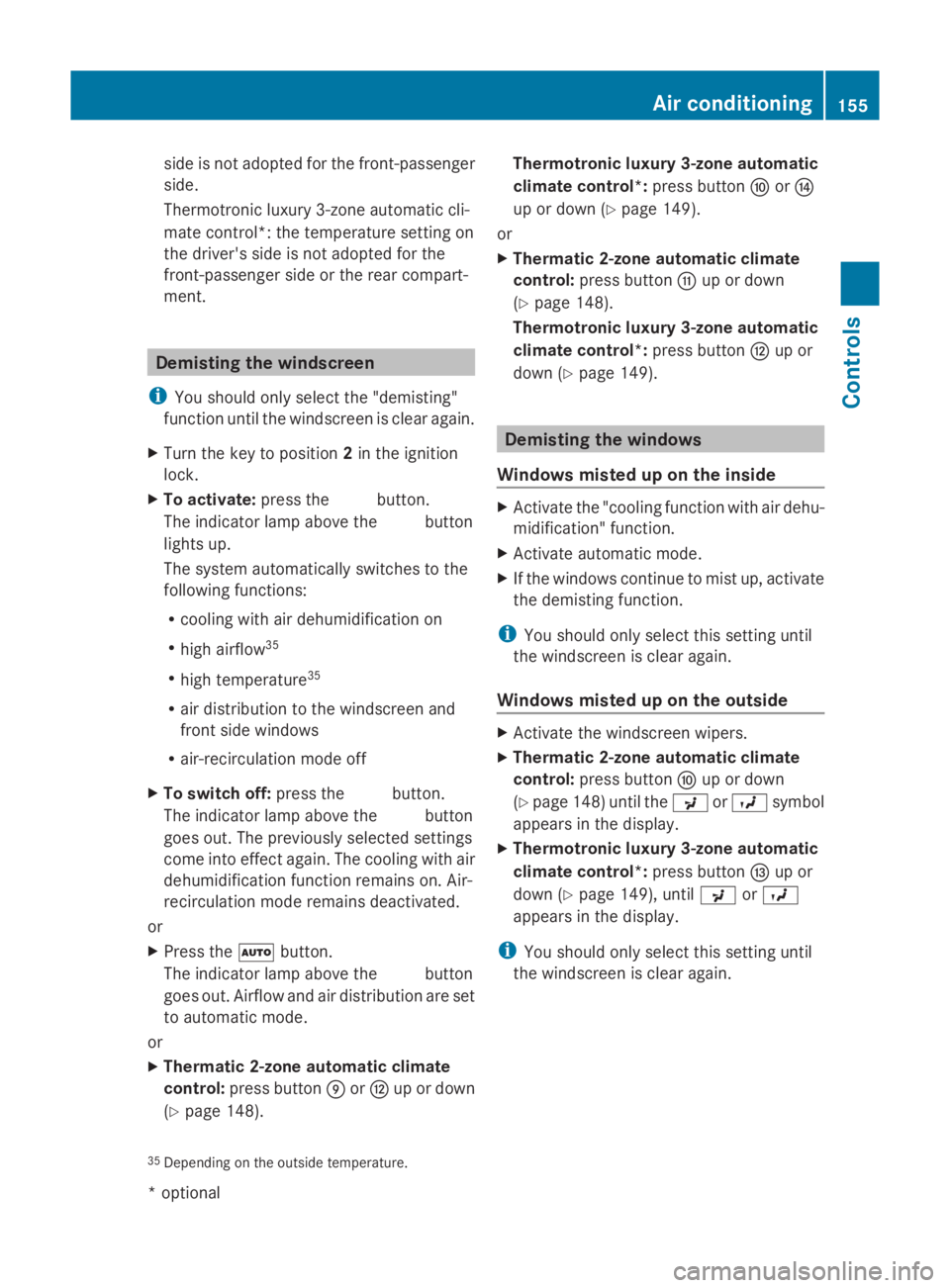
i You should only select the "demisting"
function until the windscreen is clear again.
X Turn the key to position 2in the ignition
lock.
X To activate: press the0066button.
The indicator lamp above the 0066button
lights up.
The system automaticallys witches to the
following functions:
R cooling with air dehumidification on
R high airflow 35
R high temperature 35
R air distribution to the windscreen and
front side windows
R air-recirculation mode off
X To switch off: press the0066button.
The indicator lamp above the 0066button
goes out. The previouslys elected settings
come into effect again. The cooling with air
dehumidification function remains on. Air-
recirculation mode remains deactivated.
or
X Press the 005Abutton.
The indicator lamp above the 0066button
goes out. Airflow and air distribution are set
to automatic mode.
or
X Thermatic 2-zone automatic climate
control: press button 0070or0073 up or down
(Y page 148). Thermotronic luxury 3-zone automatic
climate control*:
press button0071or0075
up or down (Y page 149).
or
X Thermatic 2-zone automatic climate
control: press button 0072up or down
(Y page 148).
Thermotronic luxury 3-zone automatic
climate control*: press button0073up or
down (Y page 149). Demisting the windows
Windows misted up on the inside X
Activate the "cooling function with air dehu-
midification" function.
X Activate automatic mode.
X If the windows continue to mist up, activate
the demisting function.
i You should only select this setting until
the windscreen is clear again.
Windows misted up on the outside X
Activate the windscreen wipers.
X Thermatic 2-zone automatic climate
control: press button 0071up or down
(Y page 148) until the 009Eor009D symbol
appears in the display.
X Thermotronic luxury 3-zone automatic
climate control*: press button0074up or
down (Y page 149), until 009Eor009D
appears in the display.
i You should only select this setting until
the windscreen is clear again.
35 Depending on the outside temperature. Air conditioning
155Controls
*optional
207_AKB;2;3,e
n-GB
mkalafa, Version: 2.11.8.1 2009-07-23T10:23:49+02:00-Seite 155 Z