audio MERCEDES-BENZ E-Class COUPE 2010 C212 Comand Manual
[x] Cancel search | Manufacturer: MERCEDES-BENZ, Model Year: 2010, Model line: E-Class COUPE, Model: MERCEDES-BENZ E-Class COUPE 2010 C212Pages: 224, PDF Size: 7.4 MB
Page 35 of 224
XSlide qm repeatedly until the list appears
without the speller.
i Without the speller entering characters
using the number keypad is not possible.
XTo re-open the speller: Press the k
button.
or
XSelect d and press n.
COMAND will complete your entry if the
name is unambiguous. In this case, it is not
necessary to switch to the list. The Enter
Destination menu will appear
automatically.
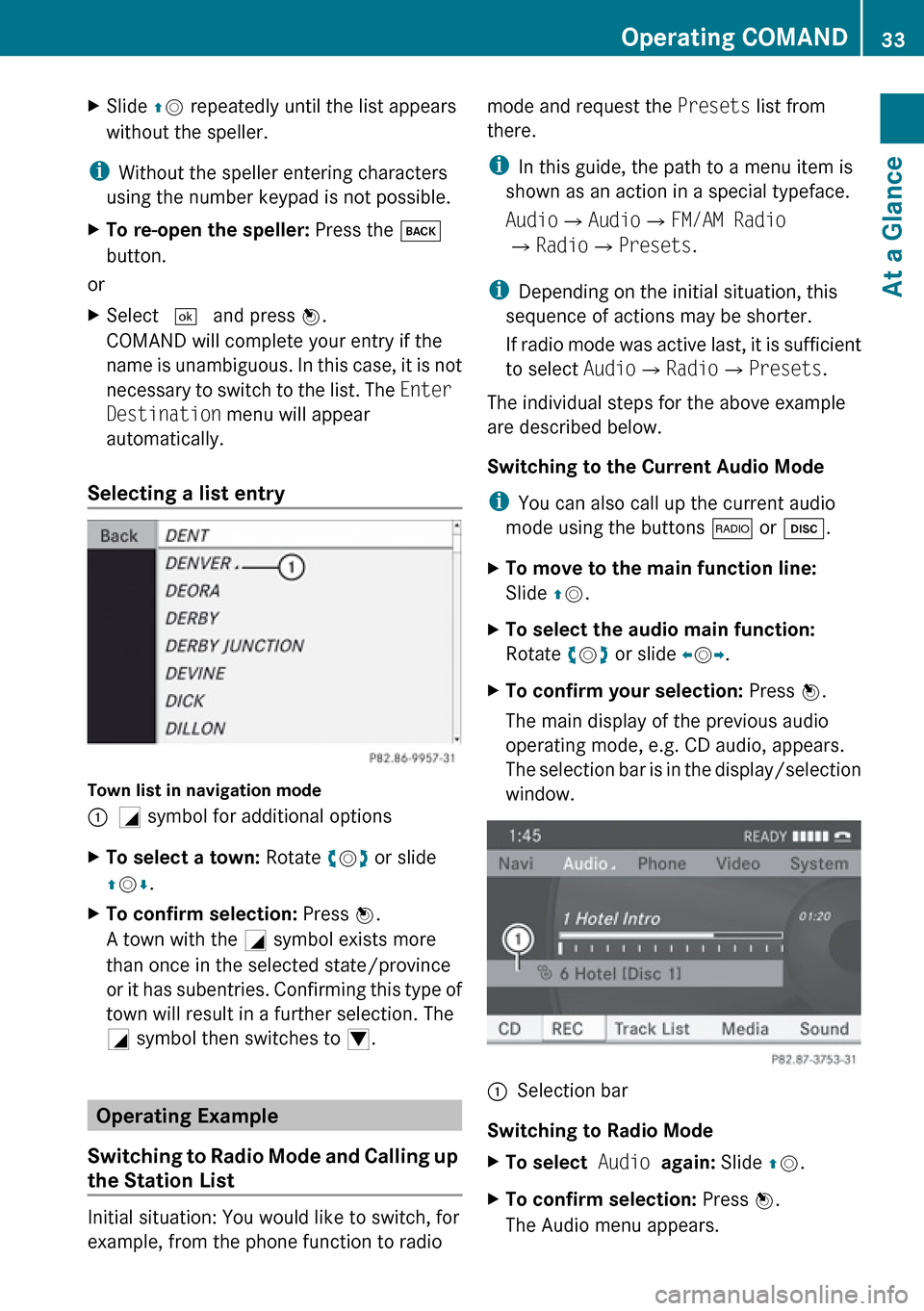
Selecting a list entry
Town list in navigation mode
:G symbol for additional optionsXTo select a town: Rotate ym z or slide
q m r.XTo confirm selection: Press n.
A town with the G symbol exists more
than once in the selected state/province
or it has subentries. Confirming this type of
town will result in a further selection. The
G symbol then switches to I.
Operating Example
Switching to Radio Mode and Calling up
the Station List
Initial situation: You would like to switch, for
example, from the phone function to radio
mode and request the Presets list from
there.
i In this guide, the path to a menu item is
shown as an action in a special typeface.
Audio £Audio £FM/AM Radio
£ Radio £Presets .
i Depending on the initial situation, this
sequence of actions may be shorter.
If radio mode was active last, it is sufficient
to select Audio£Radio £Presets .
The individual steps for the above example
are described below.
Switching to the Current Audio Mode
i You can also call up the current audio
mode using the buttons $ or h .XTo move to the main function line:
Slide qm .XTo select the audio main function:
Rotate ym z or slide om p.XTo confirm your selection: Press n.
The main display of the previous audio
operating mode, e.g. CD audio, appears.
The selection bar is in the display/selection
window.1Selection bar
Switching to Radio Mode
XTo select Audio again: Slide qm .XTo confirm selection: Press n.
The Audio menu appears.Operating COMAND33At a GlanceZ
Page 36 of 224
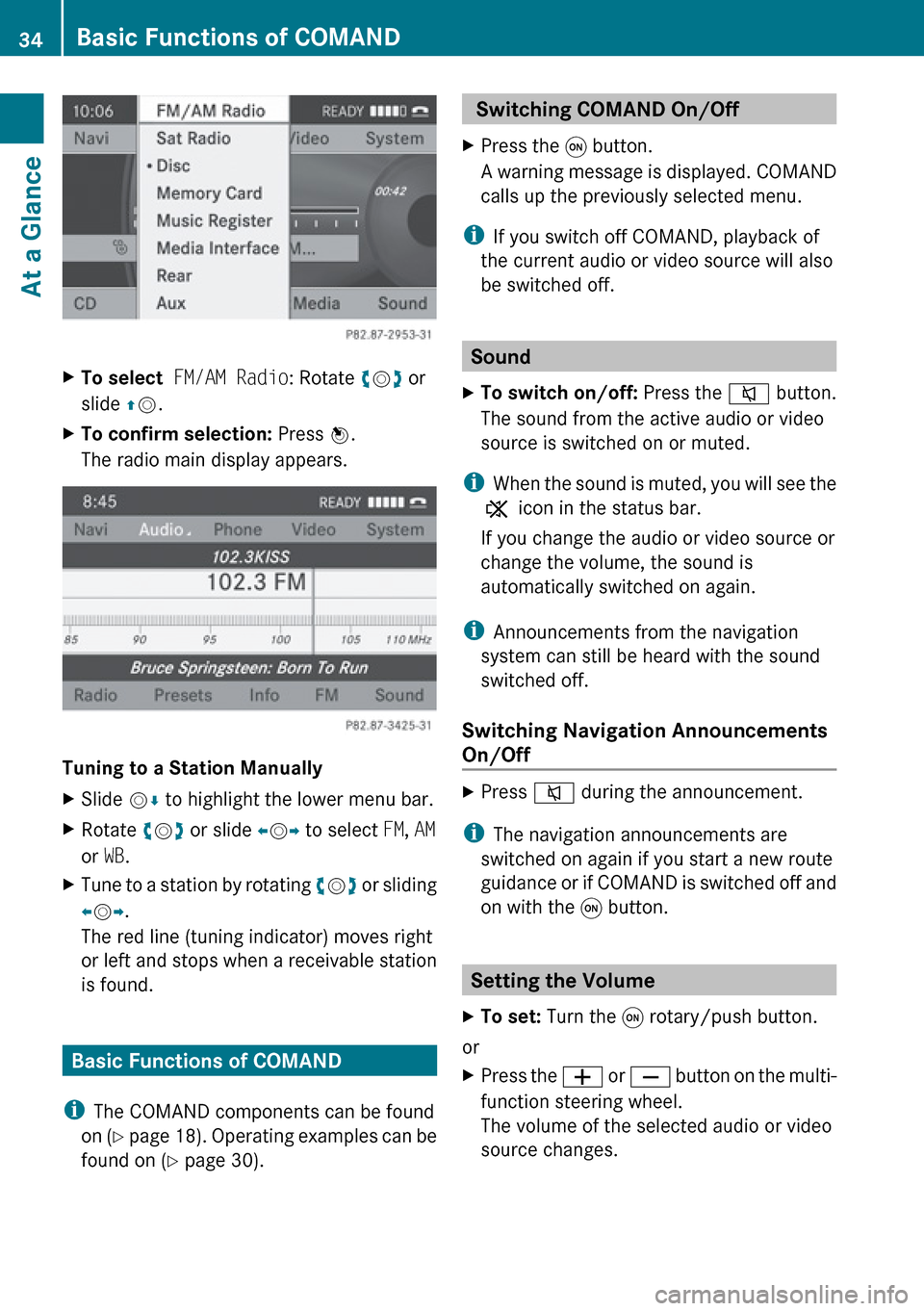
XTo select FM/AM Radio : Rotate ym z or
slide qm .XTo confirm selection: Press n.
The radio main display appears.
Tuning to a Station Manually
XSlide mr to highlight the lower menu bar.XRotate ym z or slide om p to select FM, AM
or WB.XTune to a station by rotating ym z or sliding
o m p.
The red line (tuning indicator) moves right
or left and stops when a receivable station
is found.
Basic Functions of COMAND
i The COMAND components can be found
on (Y page 18). Operating examples can be
found on ( Y page 30).
Switching COMAND On/Off XPress the q button.
A warning message is displayed. COMAND
calls up the previously selected menu.
i If you switch off COMAND, playback of
the current audio or video source will also
be switched off.
Sound
XTo switch on/off: Press the 8 button.
The sound from the active audio or video
source is switched on or muted.
i When the sound is muted, you will see the
X icon in the status bar.
If you change the audio or video source or
change the volume, the sound is
automatically switched on again.
i Announcements from the navigation
system can still be heard with the sound
switched off.
Switching Navigation Announcements
On/Off
XPress 8 during the announcement.
i
The navigation announcements are
switched on again if you start a new route
guidance or if COMAND is switched off and
on with the q button.
Setting the Volume
XTo set: Turn the q rotary/push button.
or
XPress the W or X button on the multi-
function steering wheel.
The volume of the selected audio or video
source changes.34Basic Functions of COMANDAt a Glance
Page 37 of 224
Volume of Navigation Announcements
You can set the volume for navigation
announcements independently of the volume
for the active audio or video source.
During a navigation announcement:
XTurn the q rotary/push button.
or
XPress the W or X button on the multi-
function steering wheel.
Audio Fadeout
The Audio Fadeout function, if activated,
lowers the volume of the current audio source
when a navigation announcement is issued.
As soon as the navigation announcement has
ended, the audio source will be played at the
previous volume ( Y page 60).
Setting Volume for Phone Calls
You can adjust the volume for hands-free
mode during a telephone call.
During a telephone call:
XTurn the q rotary/push button.
or
XPress the W or X button on the multi-
function steering wheel.
Sound Settings
You can select different sound settings for
each audio and video source. The sound
menu can be opened from the submenu of the
desired operating mode.
Examples:
R Audio £ FM/AM Radio £Sound
R Audio £Disc £Sound
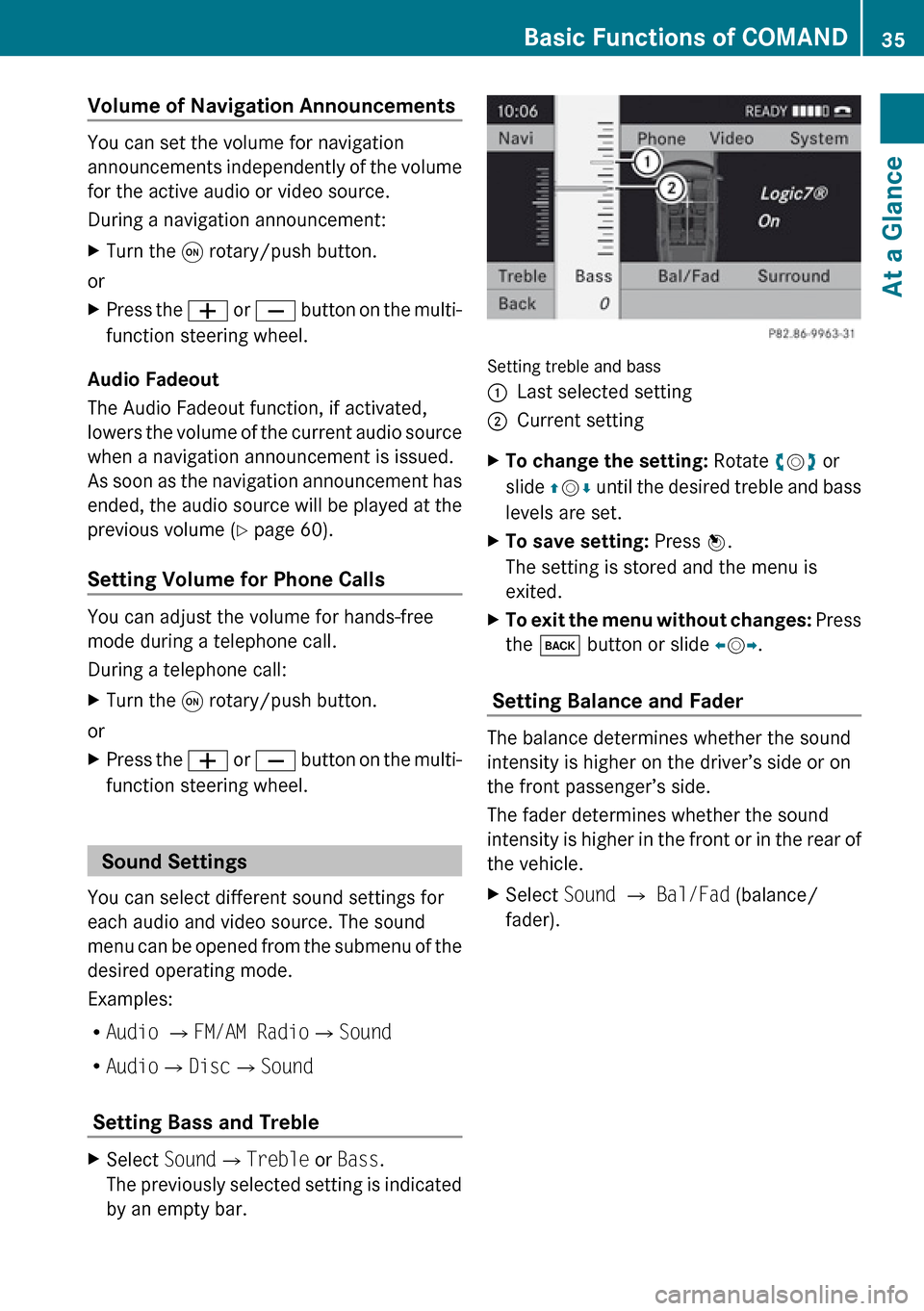
Setting Bass and Treble
XSelect Sound£Treble or Bass .
The previously selected setting is indicated
by an empty bar.
Setting treble and bass
1Last selected setting2Current settingXTo change the setting: Rotate ym z or
slide qm r until the desired treble and bass
levels are set.XTo save setting: Press n.
The setting is stored and the menu is
exited.XTo exit the menu without changes: Press
the k button or slide om p.
Setting Balance and Fader
The balance determines whether the sound
intensity is higher on the driver’s side or on
the front passenger’s side.
The fader determines whether the sound
intensity is higher in the front or in the rear of
the vehicle.
XSelect Sound £ Bal/Fad (balance/
fader).Basic Functions of COMAND35At a GlanceZ
Page 38 of 224
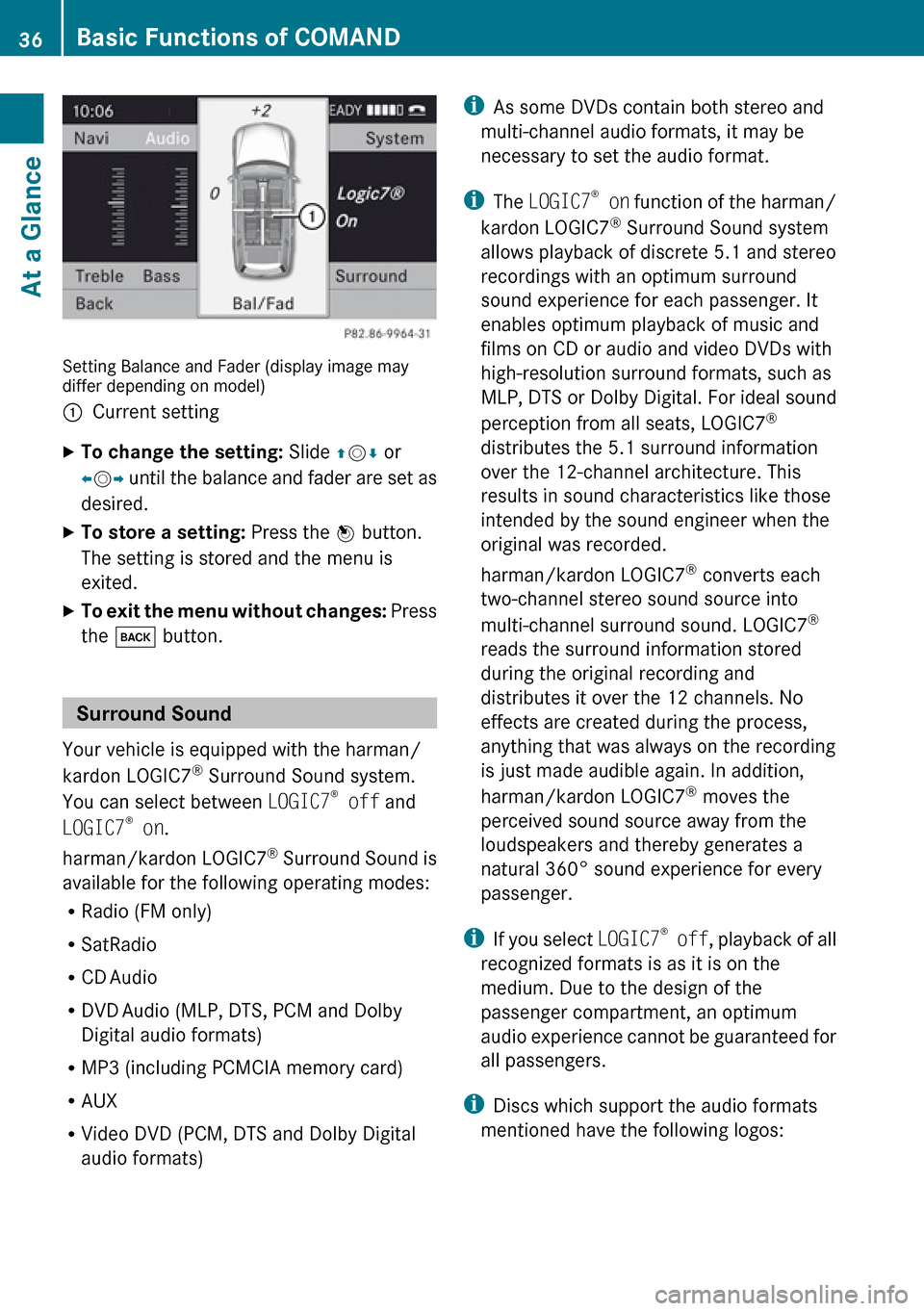
Setting Balance and Fader (display image may
differ depending on model)
1Current settingXTo change the setting: Slide qm r or
o m p until the balance and fader are set as
desired.XTo store a setting: Press the n button.
The setting is stored and the menu is
exited.XTo exit the menu without changes: Press
the k button.
Surround Sound
Your vehicle is equipped with the harman/
kardon LOGIC7 ®
Surround Sound system.
You can select between LOGIC7®
off and
LOGIC7 ®
on .
harman/kardon LOGIC7 ®
Surround Sound is
available for the following operating modes:
R Radio (FM only)
R SatRadio
R CD Audio
R DVD Audio (MLP, DTS, PCM and Dolby
Digital audio formats)
R MP3 (including PCMCIA memory card)
R AUX
R Video DVD (PCM, DTS and Dolby Digital
audio formats)
i As some DVDs contain both stereo and
multi-channel audio formats, it may be
necessary to set the audio format.
i The LOGIC7 ®
on function of the harman/
kardon LOGIC7 ®
Surround Sound system
allows playback of discrete 5.1 and stereo
recordings with an optimum surround
sound experience for each passenger. It
enables optimum playback of music and
films on CD or audio and video DVDs with
high-resolution surround formats, such as
MLP, DTS or Dolby Digital. For ideal sound
perception from all seats, LOGIC7 ®
distributes the 5.1 surround information
over the 12-channel architecture. This
results in sound characteristics like those
intended by the sound engineer when the
original was recorded.
harman/kardon LOGIC7 ®
converts each
two-channel stereo sound source into
multi-channel surround sound. LOGIC7 ®
reads the surround information stored
during the original recording and
distributes it over the 12 channels. No
effects are created during the process,
anything that was always on the recording
is just made audible again. In addition,
harman/kardon LOGIC7 ®
moves the
perceived sound source away from the
loudspeakers and thereby generates a
natural 360° sound experience for every
passenger.
i If you select LOGIC7®
off , playback of all
recognized formats is as it is on the
medium. Due to the design of the
passenger compartment, an optimum
audio experience cannot be guaranteed for
all passengers.
i Discs which support the audio formats
mentioned have the following logos:36Basic Functions of COMANDAt a Glance
Page 39 of 224
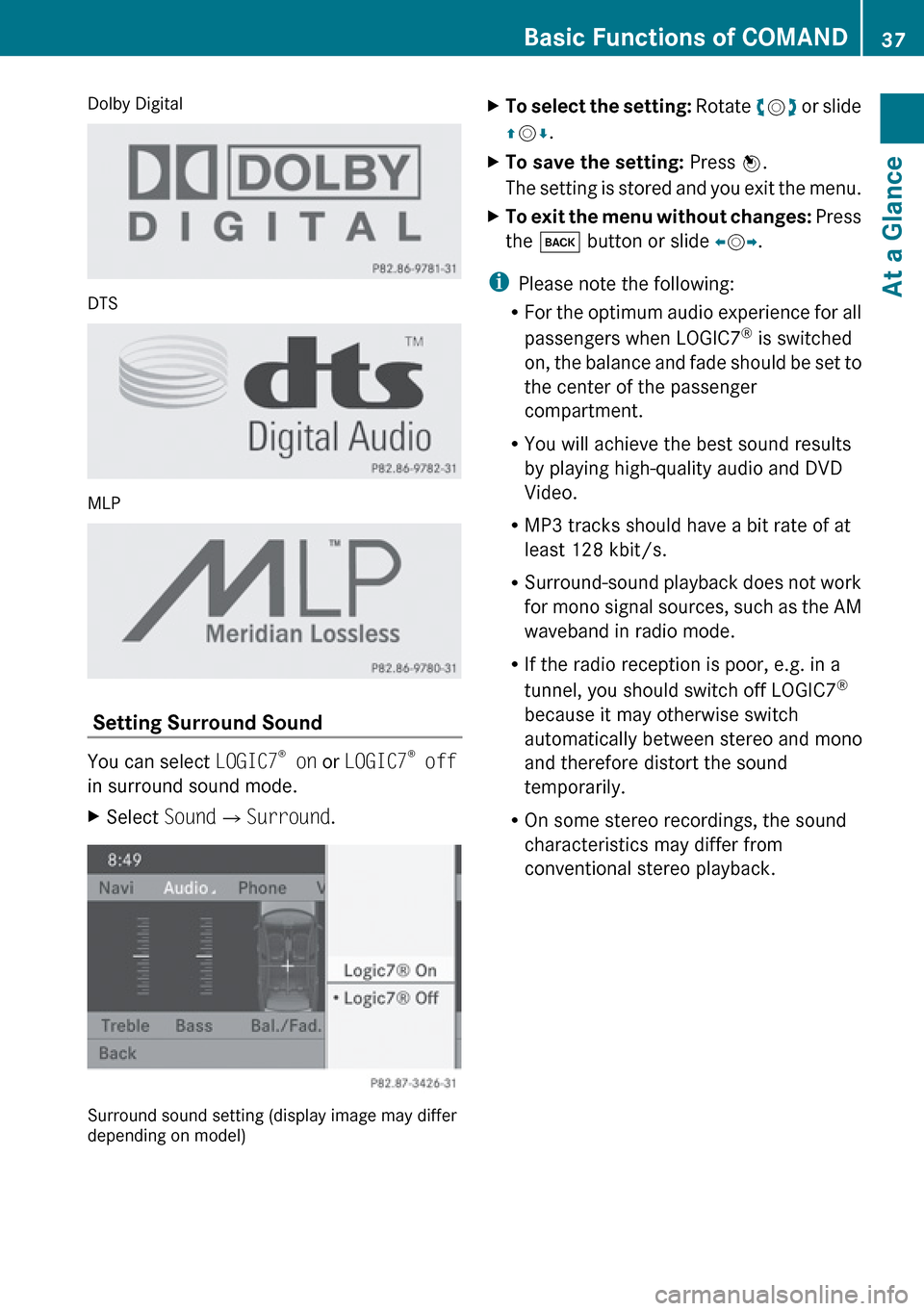
Dolby Digital
DTS
MLP
Setting Surround Sound
You can select LOGIC7®
on or LOGIC7 ®
off
in surround sound mode.
XSelect Sound£Surround .
Surround sound setting (display image may differ
depending on model)
XTo select the setting: Rotate ym z or slide
q m r.XTo save the setting: Press n.
The setting is stored and you exit the menu.XTo exit the menu without changes: Press
the k button or slide om p.
i
Please note the following:
R For the optimum audio experience for all
passengers when LOGIC7 ®
is switched
on, the balance and fade should be set to
the center of the passenger
compartment.
R You will achieve the best sound results
by playing high-quality audio and DVD
Video.
R MP3 tracks should have a bit rate of at
least 128 kbit/s.
R Surround-sound playback does not work
for mono signal sources, such as the AM
waveband in radio mode.
R If the radio reception is poor, e.g. in a
tunnel, you should switch off LOGIC7 ®
because it may otherwise switch
automatically between stereo and mono
and therefore distort the sound
temporarily.
R On some stereo recordings, the sound
characteristics may differ from
conventional stereo playback.
Basic Functions of COMAND37At a GlanceZ
Page 54 of 224
If you interrupt the journey during route
guidance and continue it later, the following
applies:
R If you continue the journey within 2 hours,
COMAND automatically continues route
guidance.
R If you continue the journey after 2 hours,
route guidance is canceled. You will haveto continue the canceled route guidance
again manually ( Y page 85).
Measurement Units
The measurement units displayed in
navigation mode are identical to those set in
the instrument cluster.
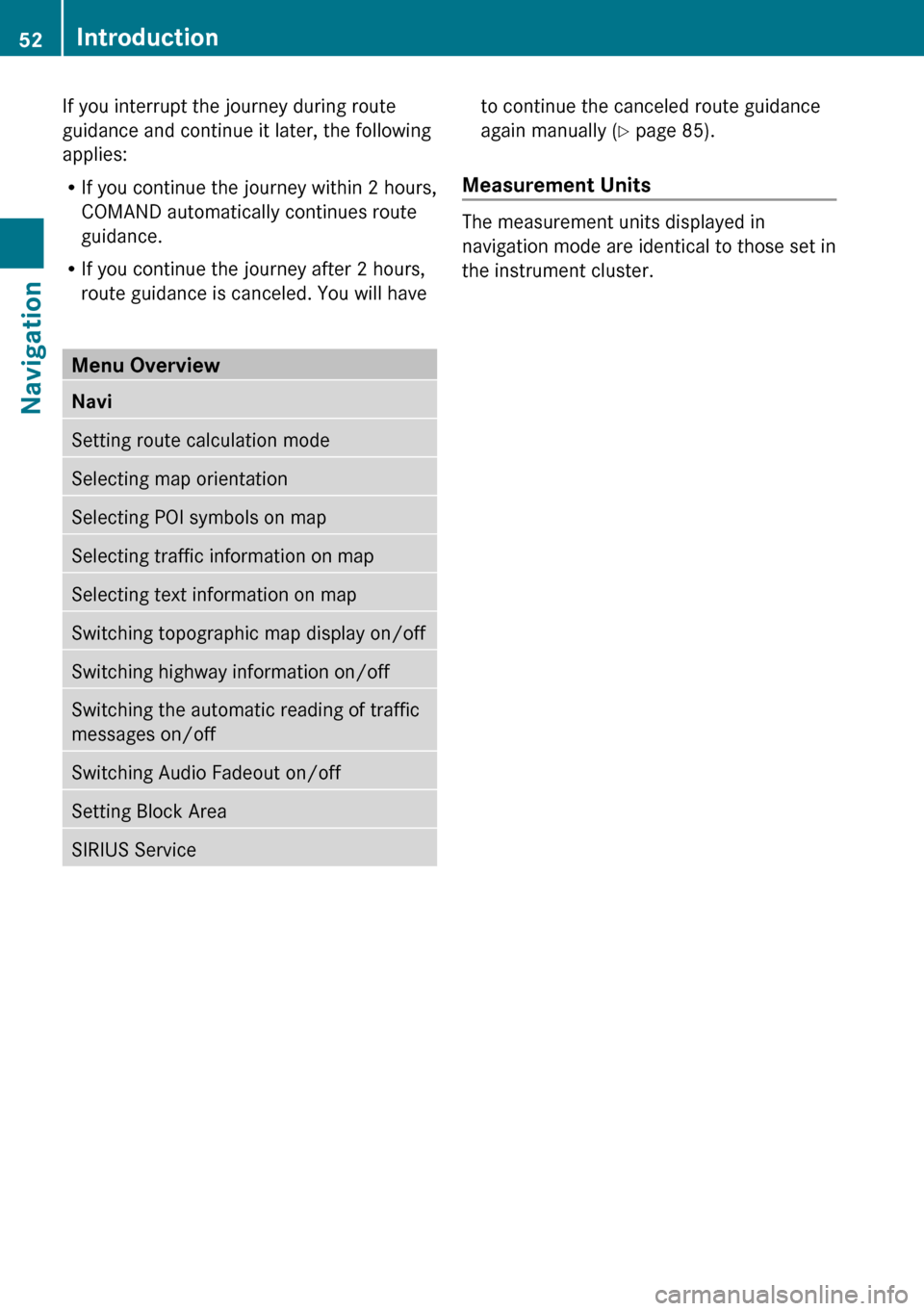
Menu Overview NaviSetting route calculation modeSelecting map orientationSelecting POI symbols on mapSelecting traffic information on mapSelecting text information on mapSwitching topographic map display on/offSwitching highway information on/offSwitching the automatic reading of traffic
messages on/offSwitching Audio Fadeout on/offSetting Block AreaSIRIUS Service52IntroductionNavigation
Page 62 of 224
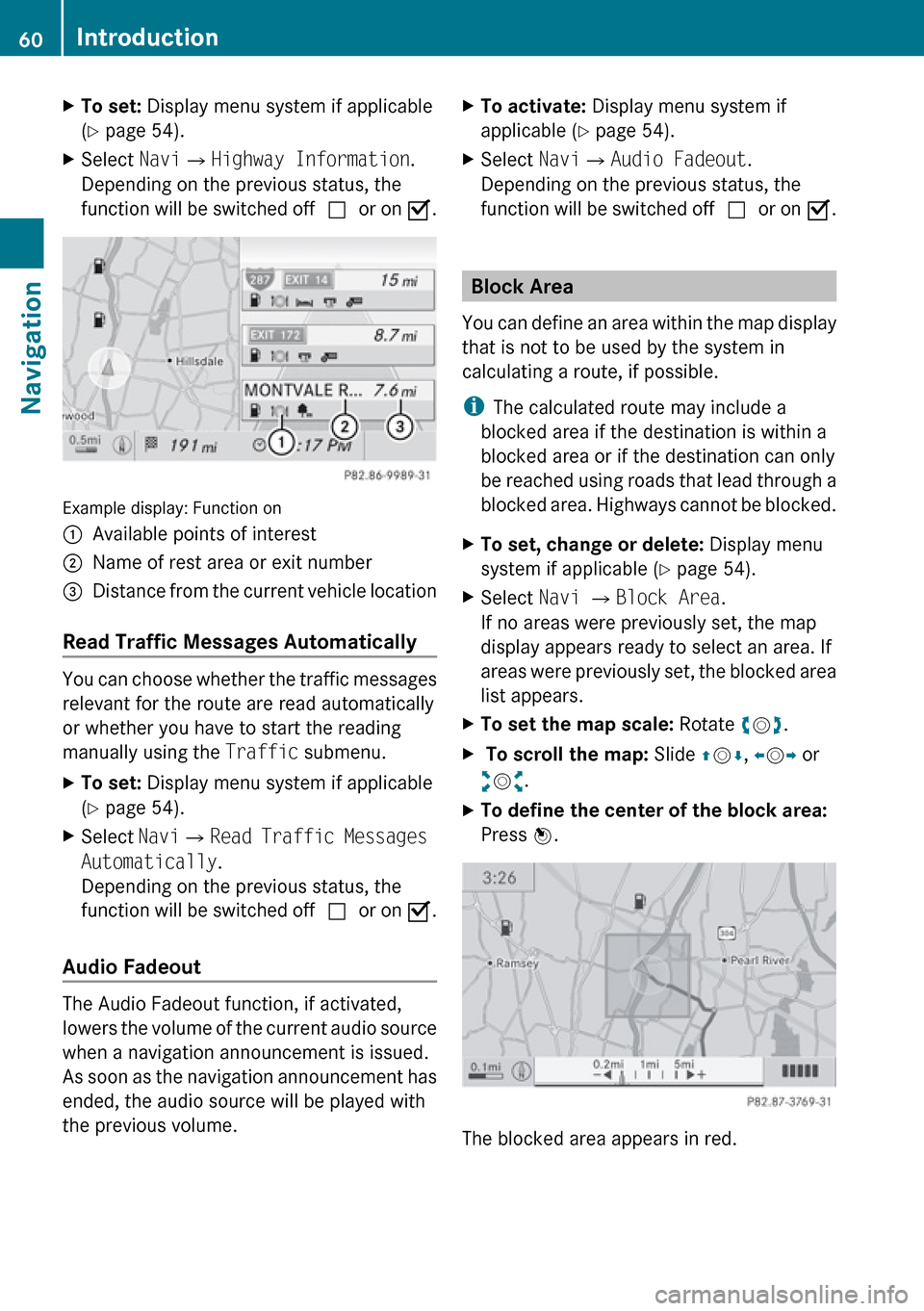
XTo set: Display menu system if applicable
( Y page 54).XSelect Navi£Highway Information .
Depending on the previous status, the
function will be switched off cor on Ç.
Example display: Function on
1Available points of interest2Name of rest area or exit number3Distance from the current vehicle location
Read Traffic Messages Automatically
You can choose whether the traffic messages
relevant for the route are read automatically
or whether you have to start the reading
manually using the Traffic submenu.
XTo set: Display menu system if applicable
( Y page 54).XSelect Navi£Read Traffic Messages
Automatically .
Depending on the previous status, the
function will be switched off cor on Ç.
Audio Fadeout
The Audio Fadeout function, if activated,
lowers the volume of the current audio source
when a navigation announcement is issued.
As soon as the navigation announcement has
ended, the audio source will be played with
the previous volume.
XTo activate: Display menu system if
applicable ( Y page 54).XSelect Navi£Audio Fadeout .
Depending on the previous status, the
function will be switched off cor on Ç.
Block Area
You can define an area within the map display
that is not to be used by the system in
calculating a route, if possible.
i The calculated route may include a
blocked area if the destination is within a
blocked area or if the destination can only
be reached using roads that lead through a
blocked area. Highways cannot be blocked.
XTo set, change or delete: Display menu
system if applicable ( Y page 54).XSelect Navi £ Block Area .
If no areas were previously set, the map
display appears ready to select an area. If
areas were previously set, the blocked area
list appears.XTo set the map scale: Rotate ym z.X To scroll the map: Slide qm r, o m p or
w m x.XTo define the center of the block area:
Press n.
The blocked area appears in red.
60IntroductionNavigation
Page 87 of 224
As soon as the vehicle location is found again,
route guidance continues in the usual
manner.
Navigation Announcements
GWarning
Navigation announcements are intended to
direct you while driving without diverting your
attention from the road and driving.
Please always use this feature instead of
consulting the map display for directions.
Consulting the symbols or map display for
directions may cause you to divert your
attention from driving and increase your risk
of an accident.
i During an active telephone call, the
navigation announcements are
suppressed.
If you have missed an announcement, you can
call up the current announcement at any
time.
XTo request current announcement: In
map view with the menu system
( Y page 54) displayed, select RPT.XTo switch off navigation
announcements: During the
announcement, press the B button.
You will briefly see the message: The
driving instructions have been
muted .XTo switch navigation announcements
back on manually: In map view with the
menu system (Y page 54) displayed, select
RPT .
or
XStart a new route calculation ( Y page 70).
or
XIf COMAND is switched on again or the
engine is restarted.XTo set the volume of the
announcements: Set the volume during
the automatic announcement ( Y page 35).
or
XCall up an announcement manually by
selecting RPT in map view with the menu
system displayed.XAdjust the volume.
Audio Fadeout
The Audio Fadeout function, if activated,
lowers the volume of the current audio source
when a navigation announcement is issued.
As soon as the navigation announcement has
ended, the audio source will be played with
the previous volume ( Y page 60).
Canceling Route Guidance
XIn the map display with the menu system
displayed ( Y page 54) select Destination
£ Cancel Route Guidance .
Resuming Route Guidance
XSelect Destination £Continue Route
Guidance in map view with the menu
system displayed.
COMAND calculates the route.
Detour Function
i The Detour function blocks a route
segment ahead. You can set the length of
the block. COMAND calculates a detour
route if possible.
XSelect Route£Detour in map view with
the menu system displayed.XTo set the length of block: Select
Longer or Shorter repeatedly until the
required length is set.
The blocked segment is highlighted in red/
white on the map. Shown at the top of the
display is the length of the blockedRoute Guidance85NavigationZ
Page 123 of 224
Audio Menu ....................................... 122
Radio .................................................. 123
Satellite Radio ................................... 127
CD Audio/DVD Audio/MP3 ..............131
Music Register .................................. 144
Media Interface ................................. 147
Audio Aux .......................................... 153121Audio
Page 124 of 224
Audio Menu
i Information on the COMAND control
system and how to operate it can be found
on ( Y page 18).
i For many operating functions you can
also use the buttons on the multifunction
steering wheel, e.g. the =, ; ,
9 , : buttons, for selecting a channel
or a menu or scrolling through lists
( Y page 25).
Vehicle Equipment
i This Operator’s Manual describes all
features, standard or optional, potentially
available for your vehicle at the time of
purchase. Please be aware that your
vehicle might not be equipped with all
features described in this manual.
Calling up the Audio Menu
XSelect Audio
The audio mode last active is switched on.
or
XPress the $ function button.
Radio mode is switched onXSelect Audio
The audio menu appears.
i If radio mode was active last, you only
need to select Audio.
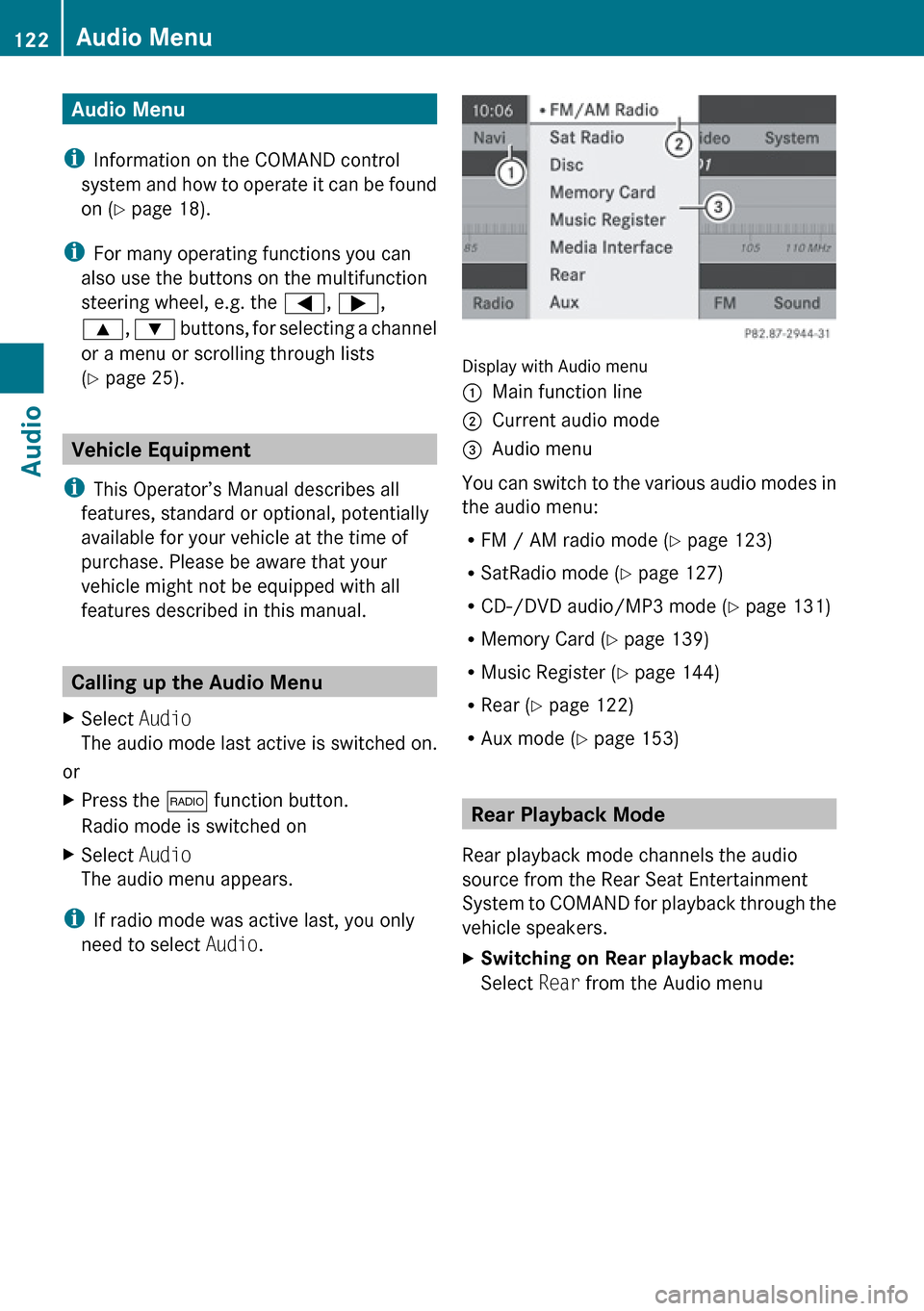
Display with Audio menu
1Main function line2Current audio mode3Audio menu
You can switch to the various audio modes in
the audio menu:
R FM / AM radio mode ( Y page 123)
R SatRadio mode ( Y page 127)
R CD-/DVD audio/MP3 mode ( Y page 131)
R Memory Card ( Y page 139)
R Music Register ( Y page 144)
R Rear ( Y page 122)
R Aux mode ( Y page 153)
Rear Playback Mode
Rear playback mode channels the audio
source from the Rear Seat Entertainment
System to COMAND for playback through the
vehicle speakers.
XSwitching on Rear playback mode:
Select Rear from the Audio menu122Audio MenuAudio