display MERCEDES-BENZ E-CLASS COUPE 2017 Owners Manual
[x] Cancel search | Manufacturer: MERCEDES-BENZ, Model Year: 2017, Model line: E-CLASS COUPE, Model: MERCEDES-BENZ E-CLASS COUPE 2017Pages: 541, PDF Size: 10.71 MB
Page 445 of 541
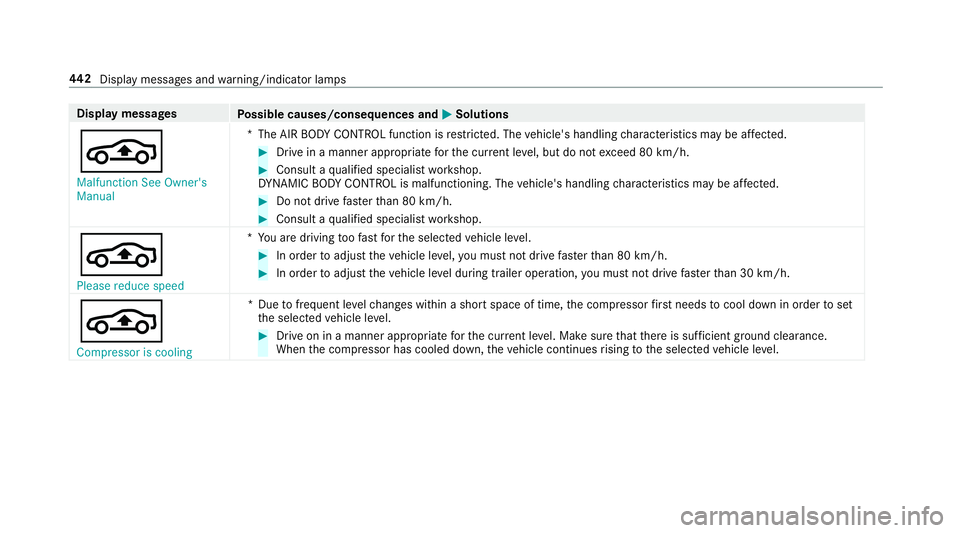
Display messages
Possible causes/consequences and M
MSolutions
É Malfunction See Owner's
Manual *T
he AIR BODY CONTROL function is restricted. The vehicle's handling characteristics may be af fected. #
Drive in a manner appropria teforth e cur rent le vel, but do not exceed 80 km/h. #
Consult a qualified specialist workshop.
DY NA MIC BODY CONT ROL is malfunctioning. The vehicle's handling characteristics may be af fected. #
Do not drive fasterthan 80 km/h. #
Consult a qualified specialist workshop.
É Please reduce speed *Y
ou are driving toofast forth e selected vehicle le vel. #
In order toadjust theve hicle le vel,yo u must not drive fasterthan 80 km/h. #
In order toadjust theve hicle le vel during trailer operation, you must not drive fasterthan 30 km/h.
É Compressor is cooling *D
uetofrequent le velch anges within a short space of time, the compressor firs t needs tocool down in order toset
th e selected vehicle le vel. #
Drive on in a manner appropriate forth e cur rent le vel. Make sure that there is suf ficient ground clearance.
When the compressor has cooled down, theve hicle continues rising tothe selected vehicle le vel. 442
Displaymessa ges and warning/indicator lamps
Page 446 of 541
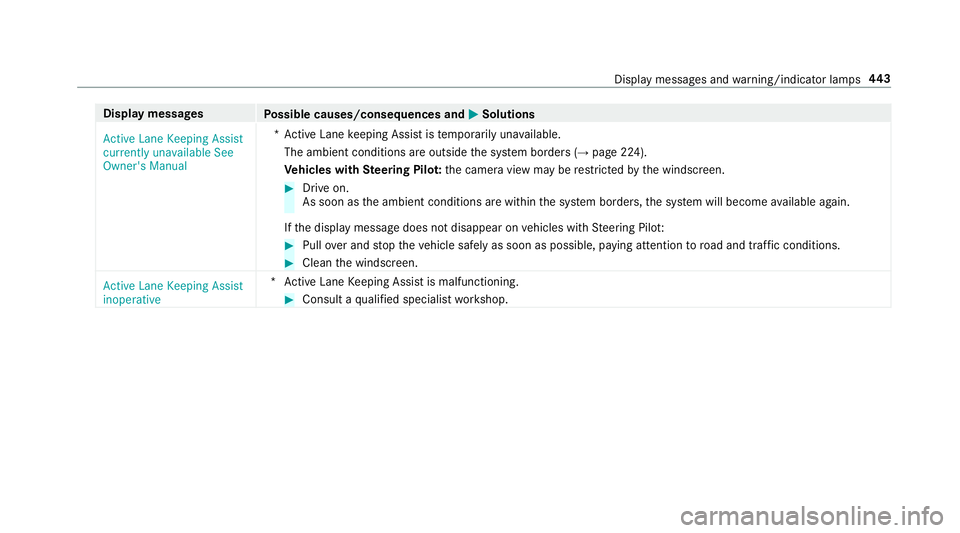
Display messages
Possible causes/consequences and M
MSolutions
Active Lane Keeping Assist
currently unavailable See
Owner's Manual *A
ctive Lane keeping Assist is temp orarily una vailable.
The ambient conditions are outside the sy stem borders (→ page 224).
Ve hicles with Steering Pilo t:the camera view may be restricted bythe windscreen. #
Drive on.
As soon as the ambient conditions are within the sy stem borders, the sy stem will become available again.
If th e display message does not disappear on vehicles with Steering Pilo t: #
Pull over and stop theve hicle safely as soon as possible, paying attention toroad and traf fic conditions. #
Clean the windscreen.
Active Lane Keeping Assist
inoperative *A
ctive Lane Keeping Assist is malfunctioning. #
Consult a qualified specialist workshop. Display messages and
warning/indicator lamps 443
Page 447 of 541
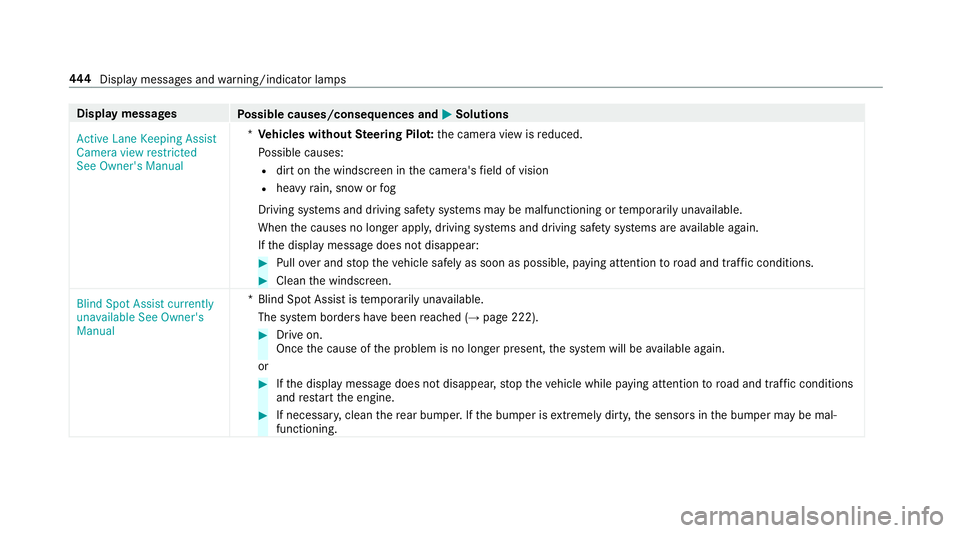
Display messages
Possible causes/consequences and M
MSolutions
Active Lane Keeping Assist
Camera view restricted
See Owner's Manual *
Ve hicles without Steering Pilo t:the camera view is reduced.
Po ssible causes:
R dirt on the windscreen in the camera's field of vision
R heavy rain, snow or fog
Driving sy stems and driving saf ety sy stems may be malfunctioning or temp orarily una vailable.
When the causes no longer appl y,driving sy stems and driving saf ety sy stems are available again.
If th e display message does not disappear: #
Pull over and stop theve hicle safely as soon as possible, paying attention toroad and traf fic conditions. #
Clean the windscreen.
Blind Spot Assist currently
unavailable See Owner's
Manual *B
lind Spot Assist is temp orarily una vailable.
The sy stem borders ha vebeen reached (→ page 222). #
Drive on.
Once the cause of the problem is no longer present, the sy stem will be available again.
or #
Ifth e display message does not disappear, stop theve hicle while paying attention toroad and traf fic conditions
and restart the engine. #
If necessar y,clean there ar bumper. If the bumper is extreme lydirty, the sensors in the bumper may be mal‐
functioning. 444
Displaymessa ges and warning/indicator lamps
Page 448 of 541
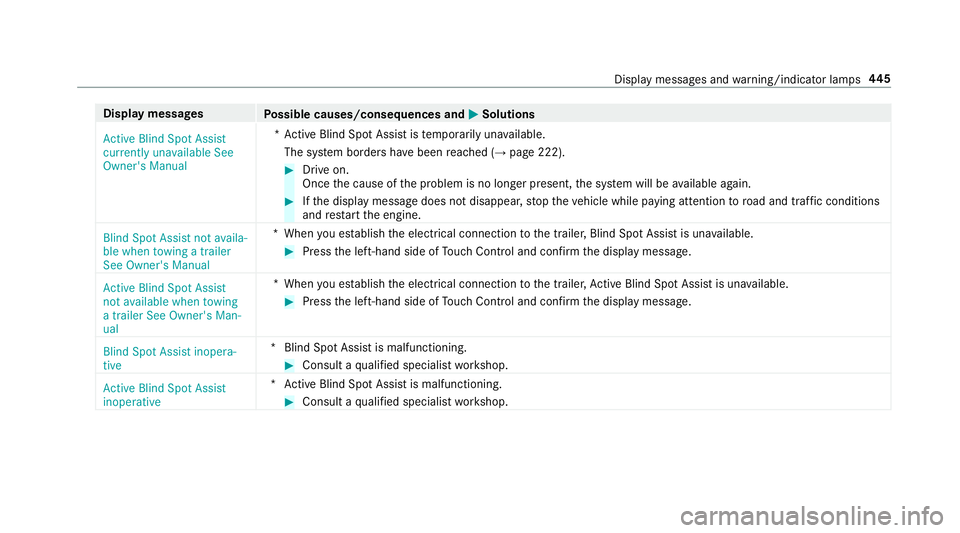
Display messages
Possible causes/consequences and M
MSolutions
Active Blind Spot Assist
currently unavailable See
Owner's Manual *A
ctive Blind Spot Assi stistemp orarily una vailable.
The sy stem borders ha vebeen reached (→ page 222). #
Drive on.
Once the cause of the problem is no longer present, the sy stem will be available again. #
Ifth e display message does not disappear, stop theve hicle while paying attention toroad and traf fic conditions
and restart the engine.
Blind Spot Assist not availa-
ble when towing a trailer
See Owner's Manual *W
hen you es tablish the electrical connection tothe trailer, Blind Spot Assist is una vailable. #
Press the left-hand side of Touch Control and confirm the display message.
Active Blind Spot Assist
not available when towing
a trailer See Owner's Man-
ual *W
hen you es tablish the electrical connection tothe trailer, Active Blind Spot Assi stis una vailable. #
Press the left-hand side of Touch Control and confirm the display message.
Blind Spot Assist inopera-
tive *B
lind Spot Assist is malfunctioning. #
Consult a qualified specialist workshop.
Active Blind Spot Assist
inoperative *A
ctive Blind Spot Assi stis malfunctioning. #
Consult a qualified specialist workshop. Display messages and
warning/indicator lamps 445
Page 449 of 541
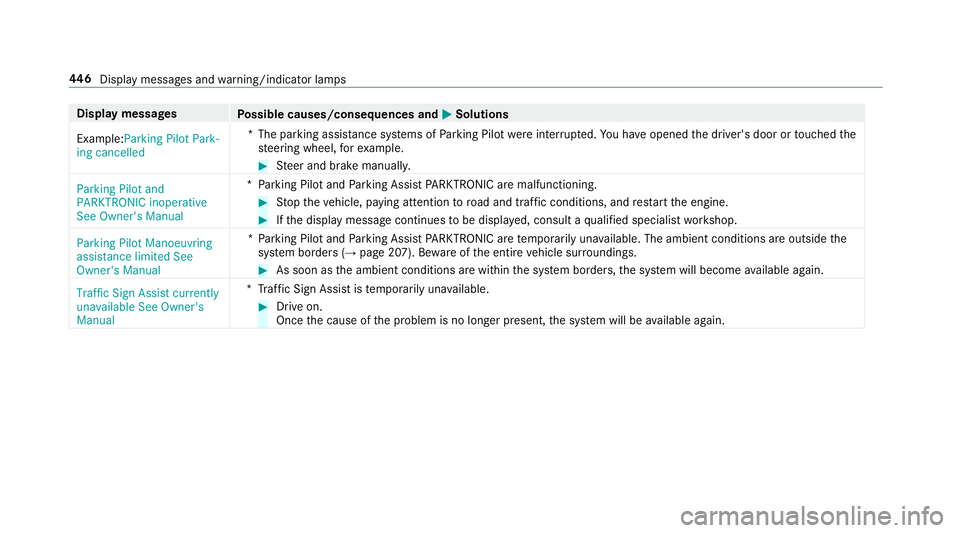
Display messages
Possible causes/consequences and M
MSolutions
Example:Parking Pilot Park-
ing cancelled *T
he parking assis tance sy stems of Parking Pilot wereinter rupte d.You ha veopened the driver's door or touched the
st eering wheel, forex ample. #
Steer and brake manuall y.
Parking Pilot and
PARKTRONIC inoperative
See Owner's Manual *P
arking Pilot and Parking Assist PARKTRONIC are malfunctioning. #
Stop theve hicle, paying attention toroad and traf fic conditions, and restart the engine. #
Ifth e display message continues tobe displa yed, consult a qualified specialist workshop.
Parking Pilot Manoeuvring
assistance limited See
Owner's Manual *P
arking Pilot and Parking Assist PARKTRONIC are temp orarily una vailable. The ambient conditions are outside the
sy stem borders (→ page 207). Bewareofthe entire vehicle sur roundings. #
As soon as the ambient conditions are within the sy stem borders, the sy stem will become available again.
Traffic Sign Assist currently
unavailable See Owner's
Manual *T
raffic Sign Assist is temp orarily una vailable. #
Drive on.
Once the cause of the problem is no longer present, the sy stem will be available again. 446
Displaymessa ges and warning/indicator lamps
Page 450 of 541
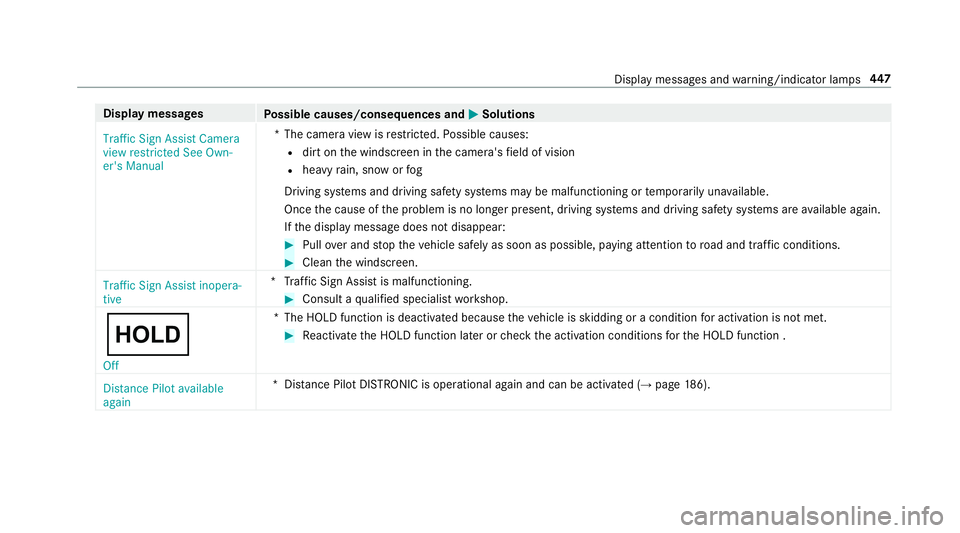
Display messages
Possible causes/consequences and M
MSolutions
Traffic Sign Assist Camera
view restricted See Own-
er's Manual *T
he camera view is restricted. Possible causes:
R dirt on the windscreen in the camera's field of vision
R heavy rain, snow or fog
Driving sy stems and driving saf ety sy stems may be malfunctioning or temp orarily una vailable.
Once the cause of the problem is no longer present, driving sy stems and driving saf ety sy stems are available again.
If th e display message does not disappear: #
Pull over and stop theve hicle safely as soon as possible, paying attention toroad and traf fic conditions. #
Clean the windscreen.
Traffic Sign Assist inopera-
tive *T
raffic Sign Assist is malfunctioning. #
Consult a qualified specialist workshop.
ë Off *T
he HOLD function is deactivated because theve hicle is skidding or a condition for activation is not met. #
Reactivate the HOLD function later or check the activation conditions forth e HOLD function .
Distance Pilot available
again *D
ista nce Pilot DISTRONIC is operational again and can be acti vated (→ page 186). Displ
aymessa ges and warning/indicator lamps 447
Page 451 of 541
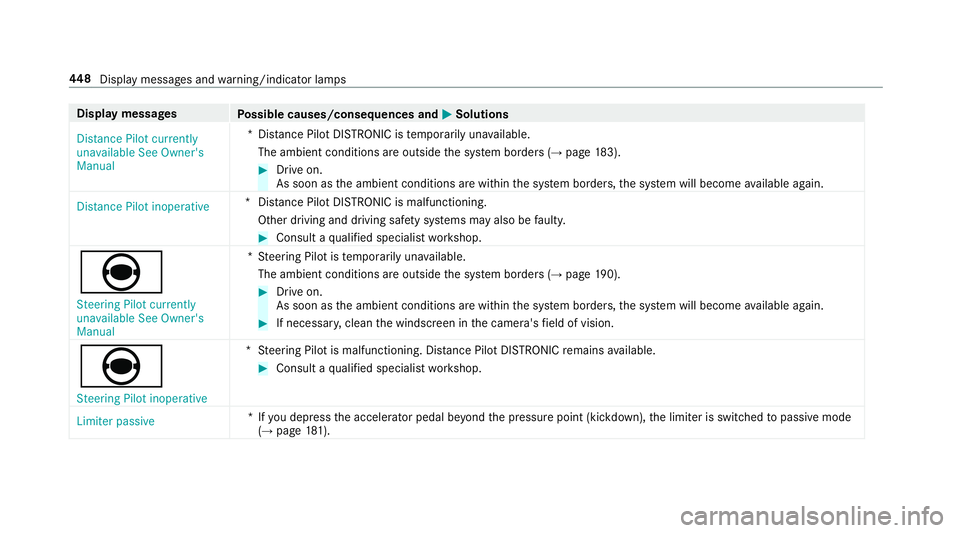
Display messages
Possible causes/consequences and M
MSolutions
Distance Pilot currently
unavailable See Owner's
Manual *D
ista nce Pilot DISTRONIC is temp orarily una vailable.
The ambient conditions are outside the sy stem borders (→ page183). #
Drive on.
As soon as the ambient conditions are within the sy stem borders, the sy stem will become available again.
Distance Pilot inoperative *D
ista nce Pilot DISTRONIC is malfunctioning.
Other driving and driving sa fety sy stems may also be faulty. #
Consult a qualified specialist workshop.
è Steering Pilot currently
unavailable See Owner's
Manual *S
teering Pilot is temp orarily una vailable.
The ambient conditions are outside the sy stem borders (→ page190). #
Drive on.
As soon as the ambient conditions are within the sy stem borders, the sy stem will become available again. #
If necessar y,clean the windscreen in the camera's field of vision.
è
Steering Pilot inoperative *S
teering Pilot is malfunctioning. Dis tance Pilot DISTRONIC remains available. #
Consult a qualified specialist workshop.
Limiter passive *I
fyo u depress the accelera tor pedal be yond the pressure point (kickdown), the limiter is switched topassive mode
(→ page 181). 448
Displaymessa ges and warning/indicator lamps
Page 452 of 541
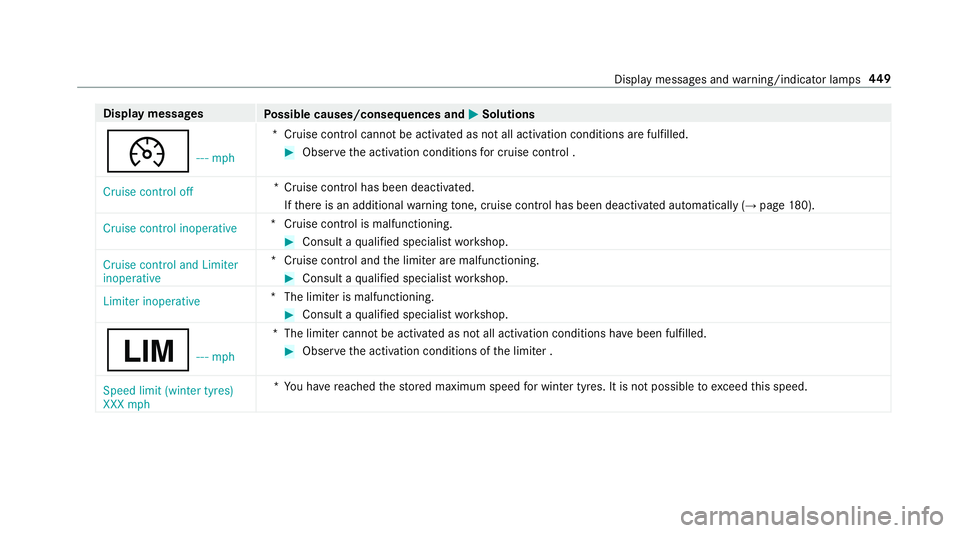
Display messages
Possible causes/consequences and M
MSolutions
¯ - - - mph*C
ruise control cannot be activated as not all activation conditions are fulfilled. #
Obser vethe activation conditions for cruise control .
Cruise control off *C
ruise control has been deactivated.
If th ere is an additional warning tone, cruise control has been deacti vated automatically (→ page180).
Cruise control inoperative *C
ruise control is malfunctioning. #
Consult a qualified specialist workshop.
Cruise control and Limiter
inoperative *C
ruise control and the limiter are malfunctioning. #
Consult a qualified specialist workshop.
Limiter inoperative *T
he limiter is malfunctioning. #
Consult a qualified specialist workshop.
È - - - mph*T
he limiter cannot be activated as not all activation conditions ha vebeen fulfilled. #
Obser vethe activation conditions of the limiter .
Speed limit (winter tyres)
XXX mph *Y
ou ha vereached thestored maximum speed for winter tyres. It is not possible toexc eed this speed. Display messages and
warning/indicator lamps 449
Page 453 of 541
Display messages
Possible causes/consequences and M
MSolutions
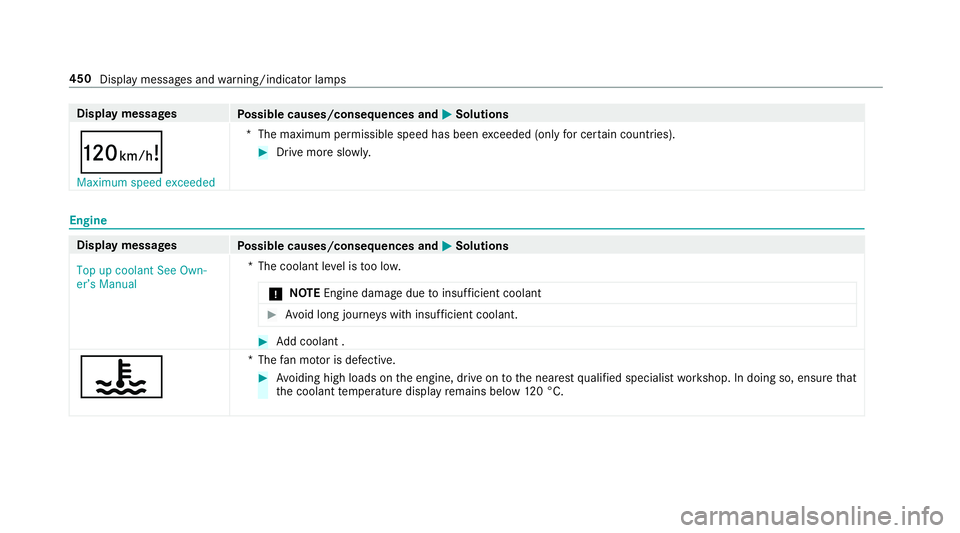
ð Maximum speed exceeded *T
he maximum permissible speed has been exceeded (only for cer tain countries). #
Drive more slowl y.Engine
Display messages
Possible causes/consequences and M
MSolutions
Top up coolant See Own-
er’s Manual *T
he coolant le vel is too lo w.
* NO
TEEngine dama gedue toinsuf ficient coolant #
Avoid long journe yswith insuf ficient coolant. #
Add coolant .
? *T
hefan mo tor is defective. #
Avoiding high loads on the engine, drive on tothe nearest qualified specialist workshop. In doing so, ensure that
th e coolant temp erature display remains below 120 °C. 450
Displaymessa ges and warning/indicator lamps
Page 454 of 541
Display messages
Possible causes/consequences and M
MSolutions
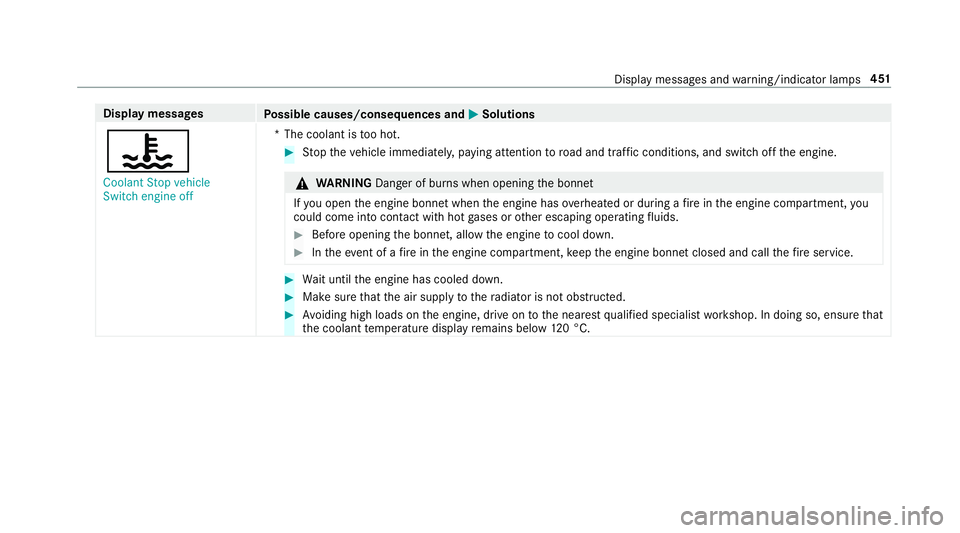
? Coolant Stop vehicle
Switch engine off *T
he coolant is too hot. #
Stop theve hicle immediately, paying attention toroad and traf fic conditions, and switch off the engine. &
WARNING Danger of bu rns when opening the bonn et
If yo u open the engine bonn etwhen the engine has overheated or during a fire inthe engine compartment, you
could come into contact wi thhot gases or other escaping operating fluids. #
Before opening the bonn et, allow the engine tocool down. #
Intheeve nt of a fire inthe engine compartment, keep the engine bonn etclosed and call thefire service. #
Wait until the engine has cooled down. #
Make sure that the air supply tothera diator is not obstructed. #
Avoiding high loads on the engine, drive on tothe nearest qualified specialist workshop. In doing so, ensure that
th e coolant temp erature display remains below 120 °C. Displ
aymessa ges and warning/indicator lamps 451