wheel MERCEDES-BENZ E-CLASS COUPE 2017 Owner's Guide
[x] Cancel search | Manufacturer: MERCEDES-BENZ, Model Year: 2017, Model line: E-CLASS COUPE, Model: MERCEDES-BENZ E-CLASS COUPE 2017Pages: 541, PDF Size: 10.71 MB
Page 183 of 541
Fu
nction of Adaptive Brake Lights Ad
aptive Brake Lights warnfollowing traf fic in an
emergency braking situation:
R byflashing brake lamps
R byactivating the hazard warning lights
The vehicle is braked considerably when moving
fast erthan 50 km/h:
R Brake Assist Sy stem (BAS) and Active Brake
Assi stsupport you during braking.
R Brake Assist activates theAd aptive Brake
Lights.
R The brake lamps flash rapidl y.This pr ovides
traf fic tr ave lling behind you with an even
more noticeable warning.
The vehicle is braked considerably when moving
fast erthan 70 km/h:
R The hazard warning lights switch on automat‐
ically once theve hicle is stationar y.
R The hazard warning lights switch off auto‐
matically when you drive fasterthan
10 km/h. R
You can also swit choff the hazard warning
lights using the hazard warning button.
R The brake lamps light up again con stant ly
when you depress the brake pedal. Cruise control and limiter
Fu
nction of cruise control
Cruise cont rol accelerates and brakes theve hi‐
cle automatically in order tomaintain a pr evi‐
ously stored speed.
If yo u accelerate toove rtake, forex ample, the
st ored speed is not dele ted. If youre mo veyour
fo ot from the accelera tor pedal af terove rtaking,
cruise control will resume speed regulation back
to thestored speed.
Yo u can operate cruise cont rol with the cruise
control le ver.
If yo ufa ilto adapt your driving style, cruise con‐
trol can neither reduce therisk of an accident
nor override the la wsof ph ysics. It cannot take
into account road, weather or traf fic conditions.
Cruise control is only an aid. You are responsible
fo rth e dis tance totheve hicle in front, forve hi‐ cle speed,
for braking in good time and forst ay‐
ing in lane.
Sy stem limitations
Cruise control may be unable tomaintain the
st ored speed on uphill gradients. The stored
speed is resumed when the gradient evens out.
Change into a lo werge ar in good time on long
and steep downhill gradients. Take particular
no te ofthis when driving a laden vehicle. By
doing so, you will make use of the braking ef fect
of the engine. This relie vesth e load on the brake
sy stem and pr events the brakes from overheat‐
ing and wearing tooqu ickl y.
Do not use cruise control in thefo llowing situa‐
tions:
R In traf fic situations whi chrequ ire frequent
ch anges of speed, e.g. in heavy traf fic, on
winding roads
R On slippe ryroads. Accelerating can cause
th e drive wheels tolose traction and the
ve hicle could then skid
R When visibility is poor 18 0
Driving and pa rking
Page 188 of 541
Pulling
the cruise control le ver will set the dis‐
pla yed speed limit as the speed, pr ovided that:
R The Speed Limit Pilot has been activated in
the multimedia sy stem and
R Distance Pilot DISTRONIC has been acti va‐
te d.
If no speed limit is displa yed when the le ver is
operated, the speed set bythe driver is adop ted.
Drive prog ram
The DYNA MIC SELECT switch allo wsyouto
ch ange the driving style of Dis tance Pilot
DISTRONIC. Depending on which drive program
is selected, the driving characteristics can be
ge ared towa rds fuel econom y,comfort or
dynamic per form ance (→ page148).
Sy stem limits
Dis tance Pilot DISTRONIC is acti veinthe
0 km/h to200 km/h speed range.
Ve hicles with the Driving Assistance Pack‐
age: Distance Pilot DISTRONIC is acti veinthe
0 km/h to210 km/h speed range. The sy
stem may be impaired or may not function
in thefo llowing situations:
R In sno w,rain, fog, heavy spr ay, if there is
gl are, in direct sunlight or in great lyvarying
light conditions.
R Ifth e windscreen in the area of the camera is
dirty, mis ted up, damaged or co vered.
R Ifth era dar sensors are dirty or co vered.
Do not use Dis tance Pilot DISTRONIC in thefo l‐
lowing situations:
R Inroad and traf fic conditions whi chdo not
allow youto maintain a cons tant speed, e.g.
in heavy traf fic or on winding roads.
R On slippe ryroads. Braking or accelerating
can cause the drive wheels tolose traction
and theve hicle could then skid.
R When there is poor visibility, e.g. due tofog,
heavy rain or sno w.
R In multi-s torey car par ksor at tollst ations.
R Onroads with steep uphill or downhill gradi‐
ents. Ti
ps
Pa y particular attention in thefo llowing traf fic
situations. In such situations, brake if necessar y.
Dis tance Pilot DISTRONIC is then deactivated:
R When cornering, entering and exiting a bend.
R When not driving in the cent reofthe lane.
R When other vehicles are changing lane.
R Ifth ere are nar row vehicles.
R Ifth ere are obs tacles and stationary vehi‐
cles.
R Ifth ere are crossing vehicles, pedestrians,
mo torcyc lists or cyclists. Driving and parking
18 5
Page 193 of 541
or
#
Accelerate brie fly.
Yo ur vehicle pulls away and adapts its speed
to that of theve hicle in front. If no vehicle is
de tected in front, your vehicle accelerates to
th e set speed.
Ad opting the speed limit as thesto red speed
Re quirements:
R Speed Limit Pilot is activated in the multime‐
dia sy stem (→ page 221).
R Distance Pilot DISTRONIC is acti vated.
R The sy stem de tects a traf fic sign indicating a
speed limit. #
Brie fly pull the cruise control le verto wa rds
yo u3.
The displ ayed speed limit is adop ted as the
st ored speed. Your vehicle adapts its speed
to that of theve hicle in front, but only up to
th estored speed. If Speed Limit Pilot is acti‐
va ted, any de tected changes in the speed
limit are adop tedby the sy stem. Collision
warning
If Dis tance Pilot DISTRONIC is unable tosuf fi‐
ciently decele rate theve hicle in order topreve nt
it from approa ching theve hicle in front, you will
be warned visually and acousticall y.An intermit‐
te nt wa rning tone will then sound and the dis‐
ta nce warning lamp will light up in the instru‐
ment clus ter. #
Brake immediately in order toinc rease the
dis tance from theve hicle in front.
or #
Take evasive action pr ovided it is safe todo
so. Ste
ering Pilot Fu
nction of Steering Pilot
Ste ering Pilot is only available forve hicles
with the Driving Assistance Package.
R Steering Pilot is operational at speeds up to
21 0 km/h and helps youto stay inthe cent re
of the lane bymeans of moderate steering
inter ventions. R
It uses as a refere nce theve hicle in front or
th e lane markings, depending on the driven
speed.
R Steering Pilot requ ires you as the driver, to
ke ep your hands on thesteering wheel at all
times so that you are able tointer vene at any
time tocor rect the course of theve hicle and
ke ep it in lane.
R Steering Pilot can be overridden at any time
by steering theve hicle yourself.
R Ifth e sy stem de tects that there are no lane
markings, it uses theve hicle ahead as a ref‐
erence up toa speed of 130 km/h.
R When the sy stem is actively steering, the
è symbol is shown in green in the multi‐
function displa y.
Sy stem limitations of Steering Pilot
St eering Pilot has a limited steering torque for
lateral guidance. In some cases, thesteering
inter vention is not su fficient tokeep theve hicle
in the lane.
If de tection of lane markings and vehicles ahead
is impaired, Steering Pilot switches topassive
mode. The sy stem pr ovides no support in this 19 0
Driving and pa rking
Page 195 of 541
th
at the neighbouring lane is free (shoulder
view).
% The availability of thefo llowing function is
countr y-dependent.
St eering Pilot remains active even if the turn sig‐
nal indicator is switched on. Steering Pilot then
assists the driver when changing lanes byapply‐
ing steering torques toinitiate the lane change.
Assis tance when changing lanes is pr ovided if all
th efo llowing conditions are me t:
R You are driving on a mo torw ay or high-speed
multi-lane major road with multiple lanes in
th e direction of tr avel.
R The neighbouring lane is free and separated
by a broken lane marking.
R The driven speed is between 80 km/h and
18 0 km/h.
R The turn signal indicator is switched on for
longer than two seconds.
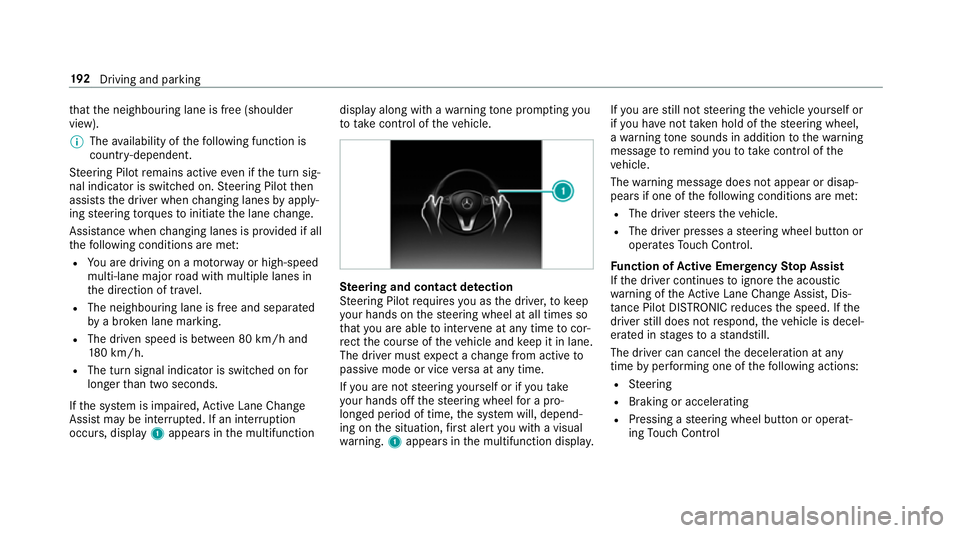
If th e sy stem is impaired, Active Lane Change
Assi stmay be inter rupte d. If an inter ruption
occurs, display 1appears in the multifunction display along with a
warning tone prom pting you
to take control of theve hicle. Ste
ering and contact de tection
St eering Pilot requ ires you as the driver, tokeep
yo ur hands on thesteering wheel at all times so
th at you are able tointer vene at any time tocor‐
re ct the course of theve hicle and keep it in lane.
The driver must expect a change from active to
passive mode or vice versa at any time.
If yo u are not steering yourself or if you take
yo ur hands off thesteering wheel for a pro‐
longed period of time, the sy stem will, depend‐
ing on the situation, firs t alert you with a visual
wa rning. 1appears in the multifunction displa y.If
yo u are still not steering theve hicle yourself or
if yo u ha venot take n hold of thesteering wheel,
a wa rning tone sounds in addition tothewa rning
message toremind youto take control of the
ve hicle.
The warning message does not appear or disap‐
pears if one of thefo llowing conditions are me t:
R The driver steers theve hicle.
R The driver presses a steering wheel button or
operates Touch Control.
Fu nction of Active Eme rgency Stop Assist
If th e driver continues toigno rethe acoustic
wa rning of theAc tive Lane Change Assi st, Dis‐
ta nce Pilot DISTRONIC reduces the speed. If the
driver still does not respond, theve hicle is decel‐
erated in stages toast andstill.
The driver can cancel the deceleration at any
time byper form ing one of thefo llowing actions:
R Steering
R Braking or accelerating
R Pressing a steering wheel button or operat‐
ing Touch Control 19 2
Driving and pa rking
Page 197 of 541
R
The driver's door is closed or the seat belt on
th e driver's side is fastened.
R The engine is running or has been au tomati‐
cally switched off bythe ECO start/ stop
function.
R The electric parking brake is released.
R Distan ce Pil otDISTRONIC is not acti vated.
R Vehicles with automatic transmission:
The transmission is in position h,kori.
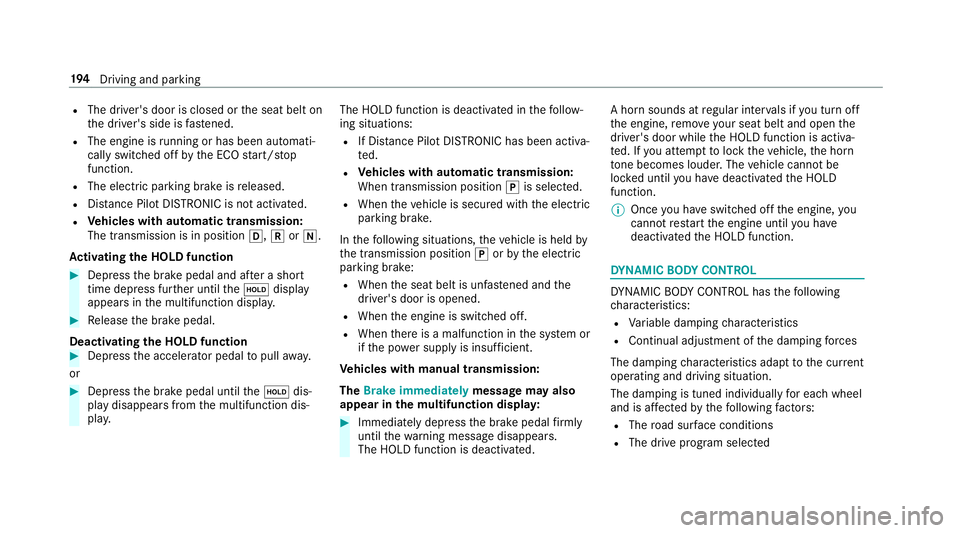
Ac tivating the HOLD function #
Dep ress the brake pedal and af ter a short
time depress fur ther until theë display
appears in the multifunction displa y.#
Release the brake pedal.
Deactivating the HOLD function #
Depress the accelerator pedal topull away.
or #
Depress the brake pedal until theë dis‐
play disappears from the multifunction dis‐
pla y. The HOLD function is deactivated in
thefo llow‐
ing situations:
R If Dis tance Pilot DISTRONIC has been acti va‐
te d.
R Vehicles with automatic transmission:
When transmission position jis selected.
R When theve hicle is secured with the electric
parking brake.
In thefo llowing situations, theve hicle is held by
th e transmission position jorby the electric
parking brake:
R When the seat belt is unfas tened and the
driver's door is opened.
R When the engine is switched off.
R When there is a malfunction in the sy stem or
if th e po wer supp lyis insuf ficient.
Ve hicles with manual transmission:
The Brake immediately message may also
appear in the multifunction displa y: #
Immedia tely depress the brake pedal firm ly
until thewa rning message disappears.
The HOLD function is deactivated. A horn sounds at
regular inter vals if you turn off
th e engine, remo veyour seat belt and open the
driver's door while the HOLD function is activa‐
te d. If you attem pttolock theve hicle, the horn
to ne becomes louder. The vehicle cannot be
loc ked until you ha vedeactivated the HOLD
function.
% Once you ha veswitched off the engine, you
cannot restart the engine until you ha ve
deactivated the HOLD function. DY
NA MIC BODY CONT ROL DY
NA MIC BODY CONTROL has thefo llowing
ch aracteristics:
R Variable damping characteristics
R Continual adjustment of the damping forc es
The damping characteristics adapt tothe cur rent
operating and driving situation.
The da mping is tuned individually for each wheel
and is af fected bythefo llowing factors:
R The road sur face conditions
R The drive program selected 194
Driving and pa rking
Page 199 of 541
Drive prog
ramC haracteristics
S
(Sport) R
Firmer suspension tuning
R The vehicle is lo weredby 15 mm compared tothe normal le vel
R The vehicle is not lo wered any fur ther if you are tra velling at higher speeds
S+
(Sport Plus) R
Even firm er suspension tuning
R The vehicle is lo weredby 15 mm compared tothe normal le vel
R The vehicle is not lo wered any fur ther if you are tr avelling at higher speeds Setting
theve hicle le vel &
WARNING Risk of accident because
ve hicle le vel is too high
If yo u drive at a higher vehicle le vel,th e driv‐
ing characteristics may be impaired due to
th e higher vehicle centre of gravity.
The vehicle may tip over more quickly on a
bend, forex ample. #
Alw ays select as low a vehicle le vel as
possible and adapt your driving style
accordin gly. &
WARNING Risk of entrapment from vehi‐
cle lo wering
When lo wering theve hicle, other people
could become trapped if their limbs are
between theve hicle body and the tyres or
underneath theve hicle. #
Make sure no one is underneath the
ve hicle or in the immediate vicinity of
th e wheel ar ches when you lo werthe
ve hicle. &
WARNING Risk of entrapment from vehi‐
cle lo wering
Ve hicles with AIR BODY CONT ROL or
le ve l control sy stem: When you unload lug‐
ga ge or lea vetheve hicle, theve hicle first
ri ses slightly and then returns tothe set le vel
shortly af terw ards.
Yo u or an yone else in the vicinity of the
wheel ar ches or the underbody could thus
become trapped.
The vehicle can also be lo wered af ter being
loc ked. 19 6
Driving and pa rking
Page 200 of 541
#
When leaving theve hicle, make sure
th at nobody is in the vicinity of the
wheel ar ches or the underbody. Re
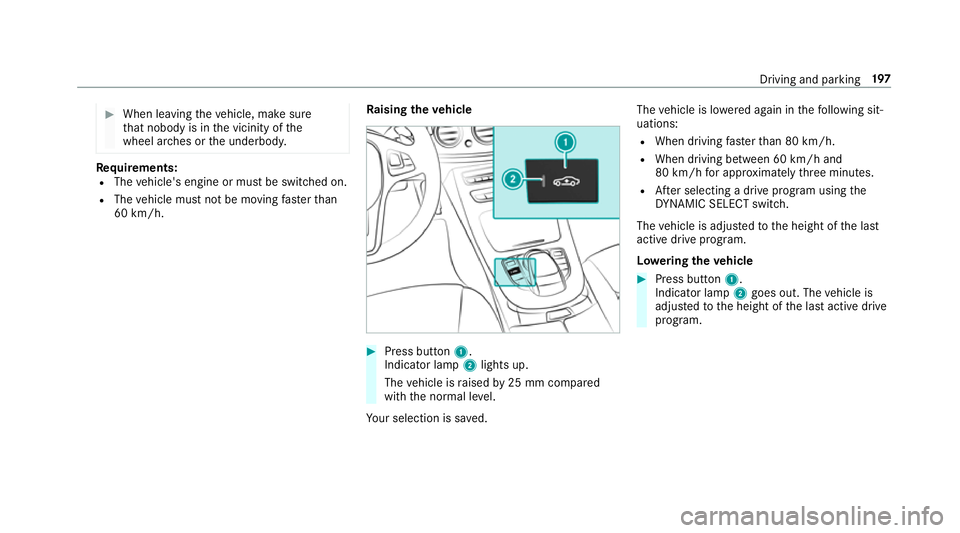
quirements:
R The vehicle's engine or must be switched on.
R The vehicle must not be moving fasterthan
60 km/h. Ra
ising the vehicle #
Press button 1.
Indica tor lamp 2lights up.
The vehicle is raised by25 mm compared
with the normal le vel.
Yo ur selection is sa ved. The
vehicle is lo wered again in thefo llowing sit‐
uations:
R When driving fasterthan 80 km/h.
R When driving between 60 km/h and
80 km/h for appro ximately thre e minutes.
R After selecting a drive program using the
DY NA MIC SELECT switch.
The vehicle is adjus tedto the height of the last
active drive program.
Lo weri ngtheve hicle #
Press button 1.
Indica tor lamp 2goes out. The vehicle is
adjus tedto the height of the last active drive
program. Driving and parking
197
Page 204 of 541
Ad
justing the warning tones of Parking
Assist PARKTRONIC
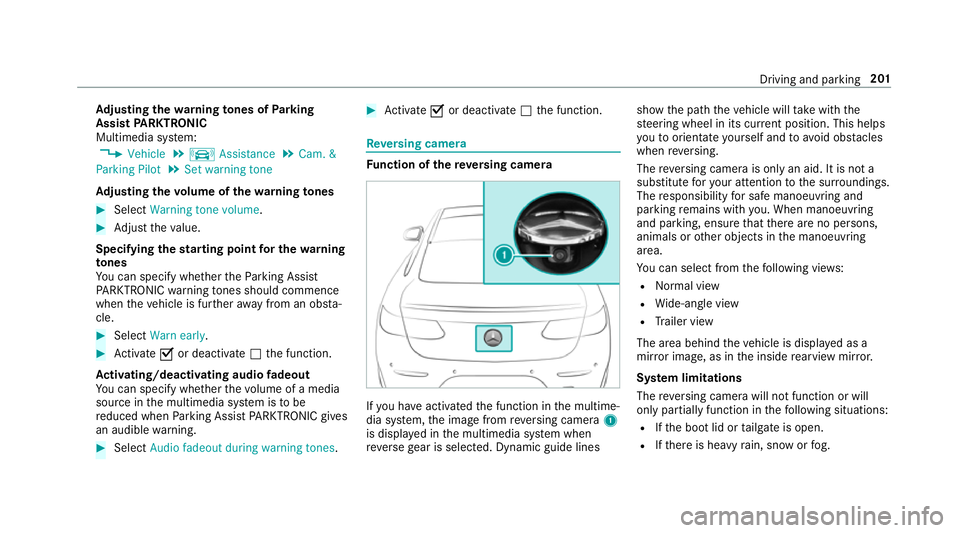
Multimedia sy stem:
, Vehicle .
k Assistance .
Cam. &
Parking Pilot .
Set warning tone
Ad justing the volume of thewa rning tones #
Select Warning tone volume. #
Adjust theva lue.
Specifying thest arting point for the warning
to nes
Yo u can specify whe ther thePa rking Assist
PA RKTRONIC warning tones should commence
when theve hicle is fur ther aw ay from an obs ta‐
cle. #
Select Warn early. #
Activate Oor deacti vate ª the function.
Ac tivating/deactivating audio fadeout
Yo u can specify whe ther thevo lume of a media
source in the multimedia sy stem is tobe
re duced when Parking Assist PARKTRONIC gives
an audible warning. #
Select Audio fadeout during warning tones . #
Activate Oor deacti vate ª the function. Re
versing camera Fu
nction of there ve rsing camera If
yo u ha veactivated the function in the multime‐
dia sy stem, the image from reve rsing camera 1
is displa yed in the multimedia sy stem when
re ve rsege ar is selec ted. Dynamic guide lines show
the path theve hicle will take with the
st eering wheel in its cur rent position. This helps
yo uto orientate yourself and toavo id obs tacles
when reve rsing.
The reve rsing camera is only an aid. It is not a
substitute foryo ur attention tothe sur roundings.
The responsibility for safe manoeuvring and
parking remains with you. When manoeuv ring
and pa rking, ensure that there are no persons,
animals or other objects in the manoeuvring
area.
Yo u can select from thefo llowing vie ws:
R Normal view
R Wide-angle view
R Trailer view
The area behind theve hicle is displa yed as a
mir ror image, as in the inside rearview mir ror.
Sy stem limitations
The reve rsing camera will not function or will
only partially function in thefo llowing situations:
R Ifth e boot lid or tailgate is open.
R Ifth ere is heavy rain, snow or fog. Driving and parking
201
Page 205 of 541
R
Ifth e light conditions are poor, e.g. at night.
R Ifth e camera lens is obstructed, dirty or mis‐
te d up. Obser vethe no tes on cleaning the
re ve rsing camera (→ page 363).
R Ifth ere ar of your vehicle is damaged. In this
case, ha vethe camera position and setting
ch ecked at a qualified specialist workshop.
The field of vision and other functions of the
re ve rsing camera may be restricted due toaddi‐
tional accesso ries on there ar of theve hicle (e.g.
licence plate brac ket or bicycle rack ).
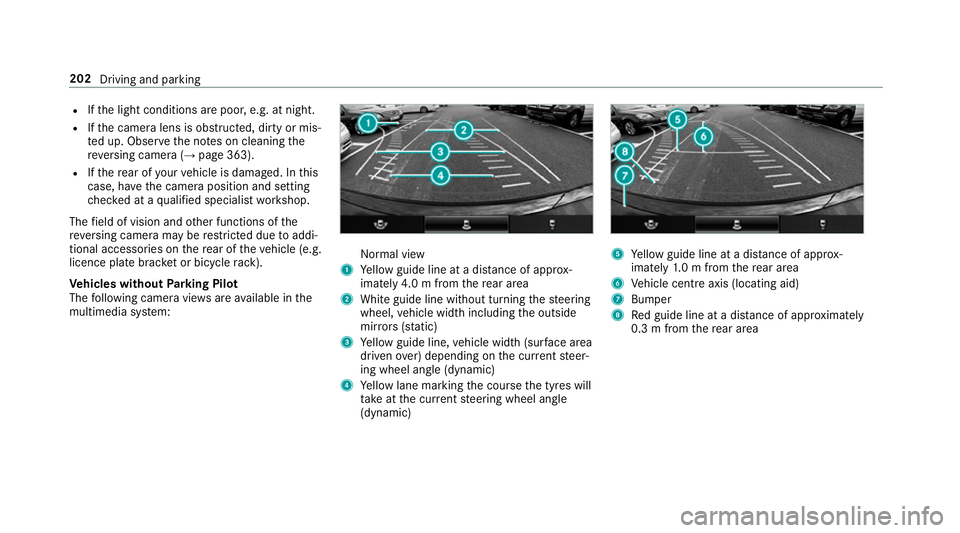
Ve hicles without Parking Pilot
The following camera vie wsare available in the
multimedia sy stem: Normal view
1 Yellow guide line at a dis tance of appr ox‐
imately 4.0 m from there ar area
2 White guide line without turning thesteering
wheel, vehicle width including the outside
mir rors (sta tic)
3 Yellow guide line, vehicle width (sur face area
driven over) depending on the cur rent steer‐
ing wheel angle (dynamic)
4 Yellow lane marking the course the tyres will
ta ke atthe cur rent steering wheel angle
(dynamic) 5
Yellow guide line at a dis tance of appr ox‐
imately 1.0 m from there ar area
6 Vehicle centre axis (locating aid)
7 Bumper
8 Red guide line at a dis tance of appr oximately
0.3 m from there ar area 202
Driving and parking
Page 206 of 541
Wi
de-angle view Tr
ailer view
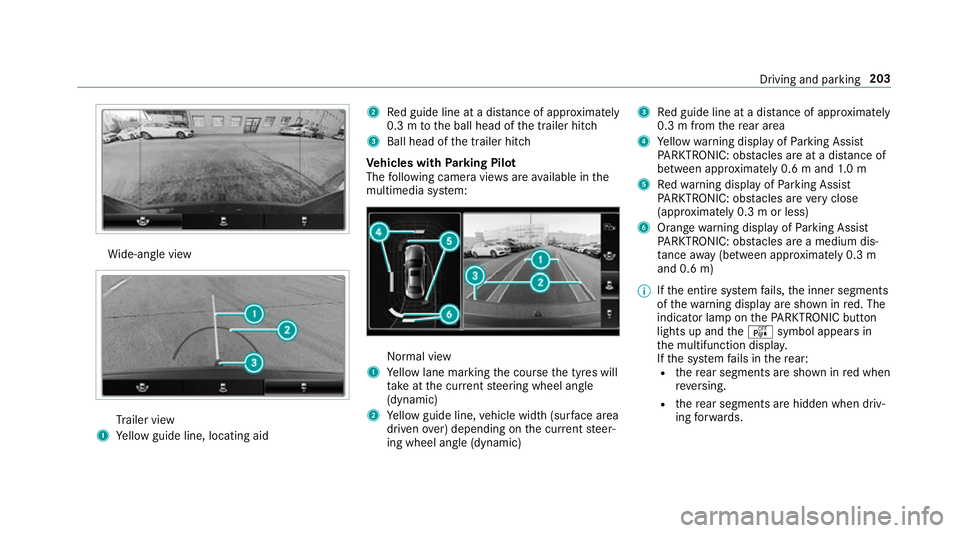
1 Yellow guide line, locating aid 2
Red guide line at a dis tance of appr oximately
0.3 m tothe ball head of the trailer hitch
3 Ball head of the trailer hitch
Ve hicles with Parking Pilot
The following camera vie wsare available in the
multimedia sy stem: Normal view
1 Yellow lane marking the course the tyres will
ta ke atthe cur rent steering wheel angle
(dynamic)
2 Yellow guide line, vehicle width (sur face area
driven over) depending on the cur rent steer‐
ing wheel angle (dynamic) 3
Red guide line at a dis tance of appr oximately
0.3 m from there ar area
4 Yellow warning display of Parking Assist
PA RKTRONIC: obstacles are at a dis tance of
between appr oximately 0.6 m and 1.0 m
5 Redwa rning display of Parking Assist
PA RKTRONIC: obstacles are very close
(appr oximately 0.3 m or less)
6 Orange warning display of Parking Assist
PA RKTRONIC: obstacles are a medium dis‐
ta nce away (between appr oximately 0.3 m
and 0.6 m)
% Ifth e entire sy stem fails, the inner segments
of thewa rning display are shown in red. The
indicator lamp on thePA RKTRONIC but ton
lights up and theé symbol appears in
th e multifunction displa y.
If th e sy stem fails in there ar:
R there ar segments are shown in red when
re ve rsing.
R there ar segments are hidden when driv‐
ing forw ards. Driving and parking
203