ECU MERCEDES-BENZ E-CLASS COUPE 2017 Workshop Manual
[x] Cancel search | Manufacturer: MERCEDES-BENZ, Model Year: 2017, Model line: E-CLASS COUPE, Model: MERCEDES-BENZ E-CLASS COUPE 2017Pages: 541, PDF Size: 10.71 MB
Page 410 of 541
Ve
hicles with a tyre pressure monitoring
sy stem: If an emer gency spa rewheel is fit‐
te dth e tyre pressure monitoring sy stem can‐
not function reliabl y.Only restart the sy stem
again when the emer gency spa rewheel has
been replaced with a new wheel.
Ve hicles with a tyre pressure monitoring
sy stem: For a few minutes af ter an emer‐
ge ncy spa rewheel is fitted, the sy stem may
st ill display the tyre pressure of there mo ved
wheel.
Be sure toalso obse rveth efo llowing fur ther
re lated subjects:
R Notes on tyre pressure (→ page 389)
R Tyre pressure table (→ page 390) Re
moving the eme rgency spa rewheel The eme
rgency spare wheel is secured in the
emer gency spa rewheel bag in the boot. #
Obser vethe information on mounting tyres
(→ page 396). #
Open the boot. #
Detach thefast ening stra ps. #
Unhook there taining spring hooks of thefa s‐
te ning stra ps from the brac kets. #
Remo vethe emer gency spa rewheel bag with
th e emer gency spa rewheel. #
Open the emer gency spa rewheel bag and
re mo vethe emer gency spa rewheel. Wheels and tyres
407
Page 442 of 541
Display messages
Possible causes/consequences and M
MSolutions
Front-passenger airbag
enabled See Owner's Man-
ual *T
he front passenger airbag is enabled while theve hicle is in motion:
R even when a child, a small adult or an object weighing less than the sy stem weight thre shold is located on the
front passenger seat
R even when the front passenger seat is not occupied
The sy stem may de tect objects or forc es that are adding tothewe ight applied tothe seat. &
WARNING ‑ Risk of inju ryor eve nfa ta l injury from using a child restra int sy stem when the front passenger
airbag is enabled
If yo u secure a child in a child restra int sy stem on the front passenger seat and the front passenger airbag is
enabled, the front passenger airbag can deploy in theev ent of an accident.
The child could be stru ck bythe airbag. #
Beaware of thest atus of the front passenger airbag bo thbefore and during the journe y. #
Pull over and stop theve hicle safely as soon as possible, paying attention toroad and traf fic conditions. #
Check thest atus of the automatic front passenger airbag shutoff . #
If necessar y,consult a qualified specialist workshop immediatel y. Displ
aymessa ges and warning/indicator lamps 439
Page 470 of 541
Display messages
Possible causes/consequences and M
MSolutions
j Check trailer hitch lock *T
he trailer hitch is not operational. &
WARNING Risk of an accident if the ball neck is not loc ked
If th e ball neck is not in the loc ked position, the trailer may come loose. #
Pull over and stop theve hicle safely as soon as possible, paying attention toroad and traf fic conditions.
Do not continue driving under any circums tances. #
Uncouple the trailer and secure it against rolling away. #
Initiate a new swivelling procedure and do not re-couple the trailer until the display message disappears. #
Stop theve hicle immediately, paying attention toroad and traf fic conditions, and switch off the engine. #
Uncouple the trailer and safeguard it against rolling away. #
Initiate a new swivelling procedure . #
When the display message disappears, couple up the trailer and drive on.
If th e display message does not disappear, the trailer hitch is defective and the ball neck is not loc ked. #
Do not couple up the trailer. Drive on without the trailer. Pay attention tothere duced ground clearance due to
th e unloc ked ball nec k. #
Consult a qualified specialist workshop.
Apply brake to deselect
Park (P) position *
Yo u ha veattem ptedto shift the transmission out of position jand into ano ther transmission position. #
Depress the brake pedal. Display messages and
warning/indicator lamps 467
Page 493 of 541
Ve
hicle Wa
rning/indicator lamp
Possible causes/consequences and M
MSolutions
j Tr ailer hit chwarning lamp The
red trailer hitch warning lamp is on.
The trailer hitch is not operational or swivels. &
WARNING Risk of an accident if the ball neck is not loc ked
If th e ball neck is not in the loc ked position, the trailer may come loose. #
Pull over and stop theve hicle safely as soon as possible, paying attention toroad and traf fic conditions. Do
not continue driving under any circums tances. #
Uncouple the trailer and secure it against rolling away. #
Initiate a new swivelling procedure and do not re-couple the trailer until the display message disappears. #
Obser vethe messages in the multifunction displa y.
If th e trailer hitch swivels: #
Wait until the ball neck has reached the operational position. 490
Display messages and warning/indicator lamps
Page 505 of 541
see
Reversing camera
Car wash
see Care
Car wash (care) ....................................... 360
Care ..........................................................3 65
Car wash ............................................. 360
Carpet .................................................3 65
Displ ay................................................ 365
Exterior lighting ................................... 363
Genuine wood/trim elements .............3 65
High-p ressure cleaner .........................3 60
Matt finish ........................................... 362
Pa int .................................................... 362
Plastic trim .......................................... 365
Re versing camera/360° Camera ........ 363
Ro of lining ...........................................3 65
Seat belt .............................................. 365
Seat co ver ........................................... 365
Sensors ............................................... 363
Ta ilpipes .............................................. 363
Tr ailer hit ch......................................... 363
Wa shing byhand ..................................3 61
Wheels/rims ....................................... 363
Wi ndo ws .............................................. 363
Wi per blades .......................................3 63Carpet (Care)
.......................................... .365
Changing hub caps .................................. 401
Changing the lights
Driving abroad (symm etrical dipped
beam) ................................................... 11 4
Channel tracking Setting ................................................ .341
Cha rging
Bat tery (vehicle) .................................. 377
Mobile phone (wireless) ....................... 111
Child saf ety lock
Re ar side wind ows................................. 56
Child seat ................................................... 42
At tach ing (no tes) ................................... 49
Fr ont passenger seat (no tes) ................. 47
Fr ont passenger seat (rear ward-
fa cing/for ward-facing) .......................... 48
Fr ont passenger seat (without airbag
shutoff) .................................................. 47
ISOFIX/i-Size (fitting) ............................ 44
No tes ..................................................... 42
Re commended child restra int sys‐
te ms ...................................................... 54Seats suitable
for belt-secu redch ild
re stra int sy stems ................................... 50
Seats suitable for i‑Size child
re stra int sy stems ................................... 53
Seats suitable for ISOFIX child
re stra int sy stems ................................... 51
To pTe ther ..............................................45
Child ren
Re stra int sy stems ..................................42
Chock Storage location ..................................4 00
Cho ck
see Wheel chock
Cigar ette lighter ...................................... 109
City lighting .............................................. 11 8
Cleaning see Care
Climate control ........................................ 12 9
Ac tivating/deactivating the A/C
function (cont rol panel) ...................... .130
Ac tivating/deactivating the A/C
function (multimedia sy stem) .............. 13 0502
Index
Page 516 of 541
G
Garage door opener Clearing the memory ........................... 16 3
Opening or closing thega rage door .....1 63
Programming buttons .......................... 161
Ra dio equipment appr oval number ...... 16 4
Re solving problems ............................. 16 2
Synchronising thero lling code ............ 16 2
Gearshift paddles see Steering wheel gearshift paddles
Gea rshift recommendation ............150, 15 3
Genuine parts ............................................ 20
Genuine wood (Care) .............................. 365
Glide mode .............................................. .154
Glo vebox
Air vent ................................................ 13 9
Locking/unlocking ...............................1 01
Gross mass ............................................... 41 0H
Handbrake see Electric parking brake Handling
characteristics (unusual) ....... 388
HANDS-FREE ACCESS ................................ 70
HANDS-FREE ACCESS
see Opening the boot lid using your foot
Hands-free sy stem .................................... 63
Hazard warning lights ............................ .116
HD prog rammes
see CAmodule (TV)
Head restra int .......................................... .89
Fr ont (adjusting manually) ..................... 89
Re ar (adjusting) .................................... .91
Head-up display Adjusting brightness (on-board com‐
pu ter) .................................................. 24 4
Ad justing display elements (on-board
compu ter) ............................................ 24 4
Fu nction .............................................. 24 5
Menu (on-board computer) .................. 24 4
Setting the position (on-board com‐
puter) .................................................. 24 4
Switching on/off ................................. 24 6
Using the memory function ...................98 Head-up display
see Menu (on-boa rdcompu ter)
Head-up display menu see On-board computer
Headlamp flashing ................................... 11 6
Heating see Climate control
High-pressure cleaner (care) ................. 360
Hill start assi st........................................ 19 3
HOLD function ......................................... 19 3
Ac tivating/deactivating ...................... .193
Fu nction/no tes ................................... 19 3 I
i-Size child seat attachment
Seats suitable for attaching ................... 53
i-Size child seat securing sy stem
Mounting .............................................. .44
Identification pla te
Engine ................................................. .410
Ve hicle .................................................4 10 Index
513
Page 518 of 541
Switching Blu
etoo th®
profile (DUN/
PA N) .................................................... 321
Vi a Blue tooth®
..................................... 320
Vi a communication module ................ .320
Vi aWi -Fi .............................................. 320
In tern etradio
Calling up ............................................ 325
Deleting stations ................................ .326
Logging in ............................................ 327
Logging out ......................................... 327
Overview ............................................. 326
Saving stations .................................... 326
Selecting and connecting toast ation
............................................................ .326
Selecting stre am ................................ .327
Setting options .................................... 327
Te rm s of use ........................................3 27
Ionisation ................................................ .132
iPhone ®
see Apple CarPlay™
ISOFIX child seat attachment
Seats suitable for attaching ................... 51
ISOFIX child seat securing sy stem
Mounting .............................................. .44 J
Jack Declaration of Conformity ..................... 22
Storage location ..................................4 00
Jump-start connection ............................377 K
Ke y.............................................................. 58
Battery .................................................. 60
Emer gency key element ........................ 60
Energy consum ption .............................. 59
Ke yring attachment .............................. 60
Overview ............................................... 58
Pa nic alarm ........................................... 59
Problem ................................................. 61
Un locking setting .................................. 59
Key see Ignition key
see Locking
see Vehicle key
KEYLESS-GO Locking theve hicle ................................ 64
Problem .................................................65
Un locking setting .................................. 59 Un
locking theve hicle ............................64
Kickd own.................................................1 53
Using ................................................... 15 3
Knee airbag ................................................ 34 L
Laden ........................................................ 103
Bag hook ............................................. 104
No tes ..................................................... 99
Ro ofrack ............................................. 105
St ow age space under the boot floor ....1 04
Ti e-down eyes ...................................... 103
Lamp see In terior lighting
Lamp (instrument display) see Warning/indicator lamps
Lane Keeping Assist
see Active Lane Keeping Assist
Language Notes ................................................... 270
Setting ................................................. 270
Last destinations Selecting ............................................ .277 Index
515
Page 520 of 541
Re
gis tering on Mercedes me ............... 288
Loading guidelines .................................... 99
Loads Secu ring ................................................ 99
Lo cking ...................................................... .58
Locking/unlocking ........................ 62, 63, 67
Lu bricant additives
see Additives
Lu ggage
Securing ................................................ 99
Lu mbar support
see Lumbar support (4-w ay)
Lu mbar support (4-w ay).......................... .89 M
MAGIC VISION CONTROL Windsc reen wipers .............................. 124
Main beam Adaptive Highbeam Assist Plus ............ 11 9
Switching on/off .................................. 11 6
Maintenance see ASS YST PLUS Malfunction
Restra int sy stem ................................... 28
Manual transmission Operating thege arshift le ver ............... 14 9
Map .......................................... .289, 290, 291
Av oiding (changing) an area ................2 93
Av oiding an area ..................................2 93
Av oiding an area (deleting) .................. 294
Av oiding an area (o verview) ................ .293
Displ aying auto zoom when turning .... .295
Displ aying Qibla .................................. 295
Displaying the compass ....................... 295
Displaying the map version ................ .293
Displ aying the next intersecting
st re et ................................................... 292
Displaying the satellite map ................2 95
Displ aying the tra ffic map .................. .289
Displ aying traf fic signs ........................ 293
Displaying weather information .......... .296
Map data ............................................. 294
Moving ................................................. 291
Overview ............................................. 290
Selecting POI symbols ......................... 292
Selecting text information ................... 292
Selecting the map orientation .............2 92Setting
the map scale .......................... 291
Up dating .............................................. 294
Map and compass Overview .............................................2 90
Massage prog rammes
Selecting the front seats ....................... 92
Massage prog rams
Overview ............................................... 92
Massage settings Resetting ............................................... 92
Matt finish (cleaning instructions) ........ 362
Maximum speed see Limiter
MB Info call see Service call
Mecca .......................................................2 95
Media Menu (on-boa rdcompu ter) .................. 24 3
Sea rching ............................................ 333
Media display Notes .................................................. 258 Index
517
Page 531 of 541
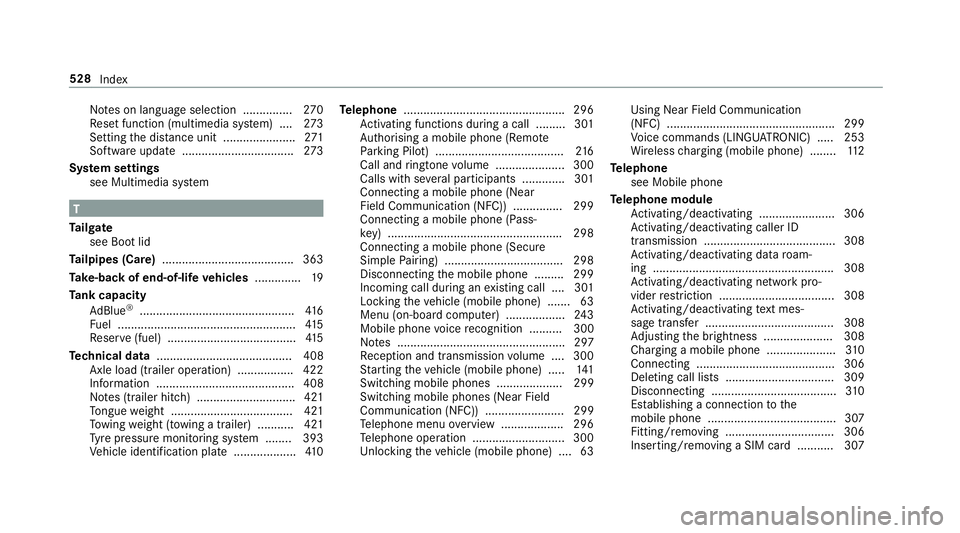
No
tes on language selection ............... 270
Re set function (multimedia sy stem) ....2 73
Setting the dis tance unit ...................... 271
Software upda te.................................. 273
Sy stem settings
see Multimedia sy stem T
Ta ilgate
see Boot lid
Ta ilpipes (Care) ........................................ 363
Ta ke -back of end-of-life vehicles .............. 19
Ta nk capacity
Ad Blue ®
............................................... 416
Fu el ...................................................... 41 5
Re ser ve(fuel) .......................................4 15
Te ch nical data ......................................... 408
Axle load (trailer operation) ................. 422
Information .......................................... 408
No tes (trailer hitch) .............................. 421
To ngue weight .................................... .421
To wing weight (t owing a trailer) .......... .421
Ty re pressure monitoring sy stem ........ 393
Ve hicle identification plate ...................4 10Te
lephone ................................................ .296
Ac tivating functions du ring a call ......... 301
Auth orising a mobile phone (Remo te
Pa rking Pilot) ...................................... .216
Call and ringtone volume .................... .300
Calls with se veral participants ............ .301
Connecting a mobile phone (Near
Field Communication (NFC)) .............. .299
Connecting a mobile phone (Pass‐
ke y) .................................................... .298
Connecting a mobile phone (Secu re
Simple Pairing) .................................... 298
Disconnecting the mobile phone ......... 299
Incoming call during an existing call .... 301
Locking theve hicle (mobile phone) .......63
Menu (on-board computer) .................. 24 3
Mobile phone voice recognition .......... 300
No tes ................................................... 297
Re ception and transmission volume .... 300
St arting theve hicle (mobile phone) ..... 141
Switching mobile phones .................... 299
Switching mobile phones (Near Field
Communication (NFC)) ........................ 299
Te lephone menu overview .................. .296
Te lephone operation ............................ 300
Unlocking theve hicle (mobile phone) ....63 Using Near Field Communication
(NFC) ................................................... 299
Vo
ice commands (LINGU ATRO NIC) .....2 53
Wi reless charging (mobile phone) ........ 11 2
Te lephone
see Mobile phone
Te lephone module
Ac tivating/deactivating ...................... .306
Ac tivating/deactivating caller ID
transmission ........................................ 308
Ac tivating/deactivating da taroam‐
ing ...................................................... .308
Ac tivating/deactivating network pro‐
vider restriction ................................... 308
Ac tivating/deactivating text mes‐
sa ge trans fer ....................................... 308
Ad justing the brightness ..................... 308
Charging a mobile phone ..................... 310
Connecting .......................................... 306
Deleting call lists ................................ .309
Disconnecting ...................................... 310
Es tablishing a connection tothe
mobile phone ....................................... 307
Fitting/removing ................................. 306
Inserting/removing a SIM card .......... .307 528
Index