tow MERCEDES-BENZ E-CLASS ESTATE 2016 Repair Manual
[x] Cancel search | Manufacturer: MERCEDES-BENZ, Model Year: 2016, Model line: E-CLASS ESTATE, Model: MERCEDES-BENZ E-CLASS ESTATE 2016Pages: 565, PDF Size: 11.34 MB
Page 167 of 565
If
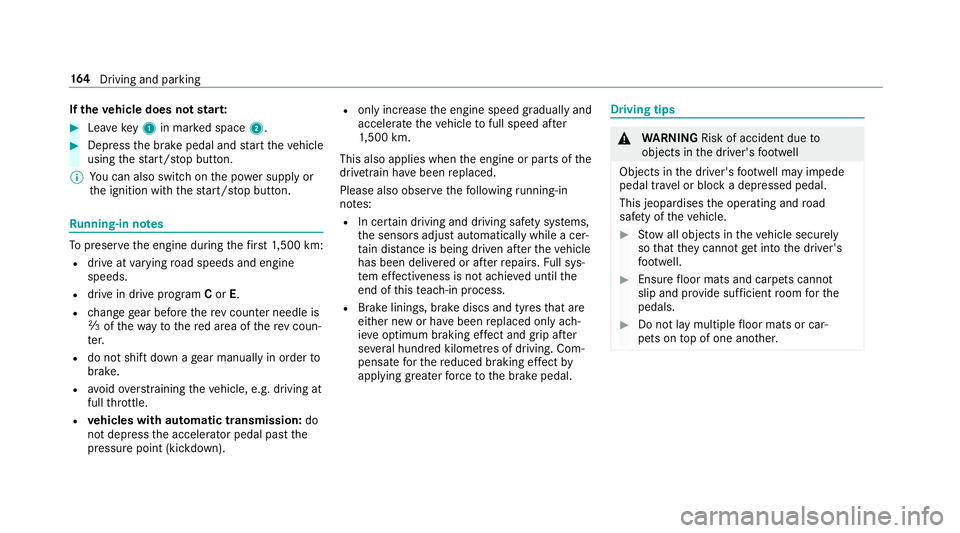
th eve hicle does not star t: #
Lea vekey1 in mar ked space 2. #
Depress the brake pedal and start theve hicle
using thest art/ stop button.
% You can also swit chon the po wer supp lyor
th e ignition with thest art/ stop button. Ru
nning-in no tes To
preser vethe engine during thefirs t1, 500 km:
R drive at varying road speeds and engine
speeds.
R drive in drive program Cor E.
R change gear before there v counter needle is
Ô ofthewa yto there d area of there v coun‐
te r.
R do not shift down a gear manually in order to
brake.
R avoidoverstra ining theve hicle, e.g. driving at
full thro ttle.
R vehicles with automatic transmission: do
not depress the accelera tor pedal past the
pressure point (kickdown). R
only increase the engine speed gradually and
accelera tetheve hicle tofull speed af ter
1, 500 km.
This also applies when the engine or parts of the
driv etra in ha vebeen replaced.
Please also obser vethefo llowing running-in
no tes:
R In cer tain driving and driving saf ety sy stems,
th e sensors adjust automatically while a cer‐
ta in dis tance is being driven af terth eve hicle
has been delivered or af terre pairs. Full sys‐
te m ef fectiveness is not achie ved until the
end of this teach-in process.
R Brake linings, brake discs and tyres that are
either new or ha vebeen replaced only ach‐
ie ve optimum braking ef fect and grip af ter
se veral hundred kilom etre s of driving. Com‐
pensate forth ere duced braking ef fect by
applying greaterfo rc eto the brake pedal. Driving tips
&
WARNING Risk of accident due to
objects in the driver's foot we ll
Objects in the driver's foot we ll may impede
pedal tr avel or block a depressed pedal.
This jeopardises the operating and road
saf ety of theve hicle. #
Stow all objects in theve hicle securely
so that they cannot getinto the driver's
fo ot we ll. #
Ensure floor mats and carpets cannot
slip and pr ovide suf ficient room forthe
pedals. #
Do not lay multiple floor mats or car‐
pets on top of one ano ther. 16 4
Driving and pa rking
Page 175 of 565
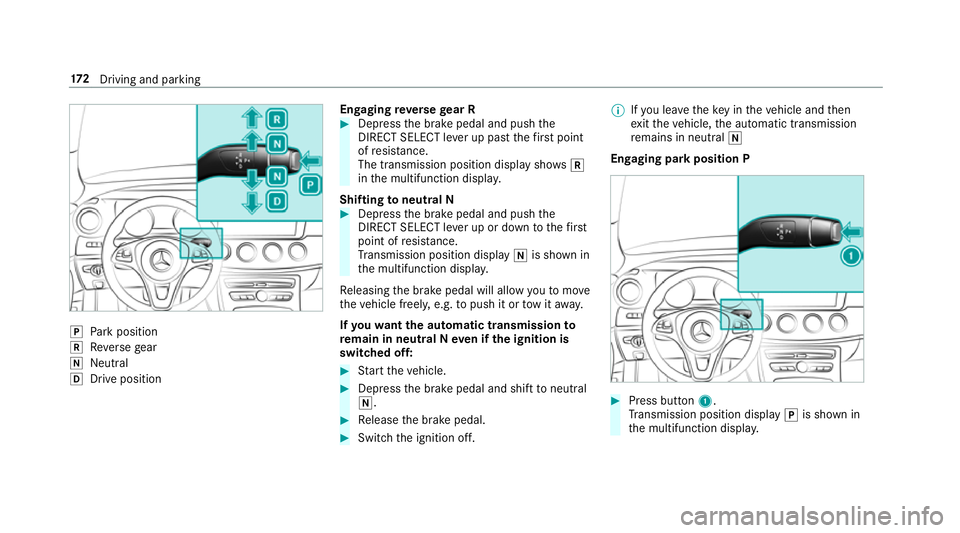
j
Park position
k Reversege ar
i Neut ral
h Drive position En
gaging reve rsege ar R #
Depress the brake pedal and push the
DIRECT SELECT le ver up past thefirs t point
of resis tance.
The transmission position displ aysho wsk
in the multifunction displa y.
Shifting toneutral N #
Depress the brake pedal and push the
DIRECT SELECT le ver up or down tothefirst
point of resis tance.
Tr ansmission position display iis shown in
th e multifunction displa y.
Re leasing the brake pedal will allow youto mo ve
th eve hicle freely, e.g. topush it or tow it away.
If yo uwa ntthe automatic transmission to
re main in neutral N even if the ignition is
switched off: #
Start theve hicle. #
Depress the brake pedal and shift toneutral
i. #
Release the brake pedal. #
Switch the ignition off. %
Ifyo u lea vetheke y in theve hicle and then
ex itth eve hicle, the automatic transmission
re mains in neutral i
Engaging park position P #
Press button 1.
Tr ansmission position display jis shown in
th e multifunction displa y.17 2
Driving and pa rking
Page 184 of 565
*
NO
TEDama getotheve hicle or the driv‐
et ra in caused bytheve hicle rolling away #
Alw ays proper lysecure theve hicle
against rolling away. #
On uphill or downhill inclines, turn the front
wheels towa rdsth eke rb. #
Vehicles with manual transmission:
Engage firs t1 orreve rsege ar k. #
App lythe electric parking brake. #
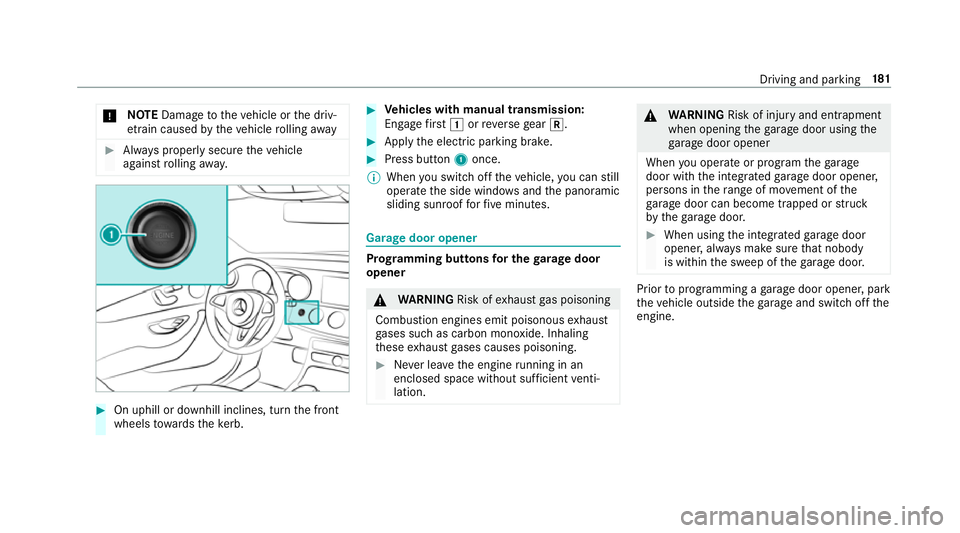
Press button 1once.
% When you swit choff theve hicle, you can still
opera tethe side windo wsand the panoramic
sliding sunroof forfive minutes. Garage door opener
Prog
ramming buttons for the garage door
opener &
WARNING Risk ofexhaust gas poisoning
Combustion engines emit poisonous exhaust
ga ses such as carbon monoxide. Inhaling
th ese exhaust gases causes poisoning. #
Never lea vethe engine running in an
enclosed space wi thout suf ficient venti‐
lation. &
WARNING Risk of inju ryand ent rapment
when opening thega rage door using the
ga rage door opener
When you operate or program thega rage
door with the integrated garage door opener,
persons in thera nge of mo vement of the
ga rage door can become trapped or stru ck
by thega rage door. #
When using the integrated garage door
opener, alw ays make sure that nobody
is within the sweep of thega rage door. Prior
toprog ramming a garage door opener, park
th eve hicle outside thega rage and swit choff the
engine. Driving and parking
181
Page 185 of 565
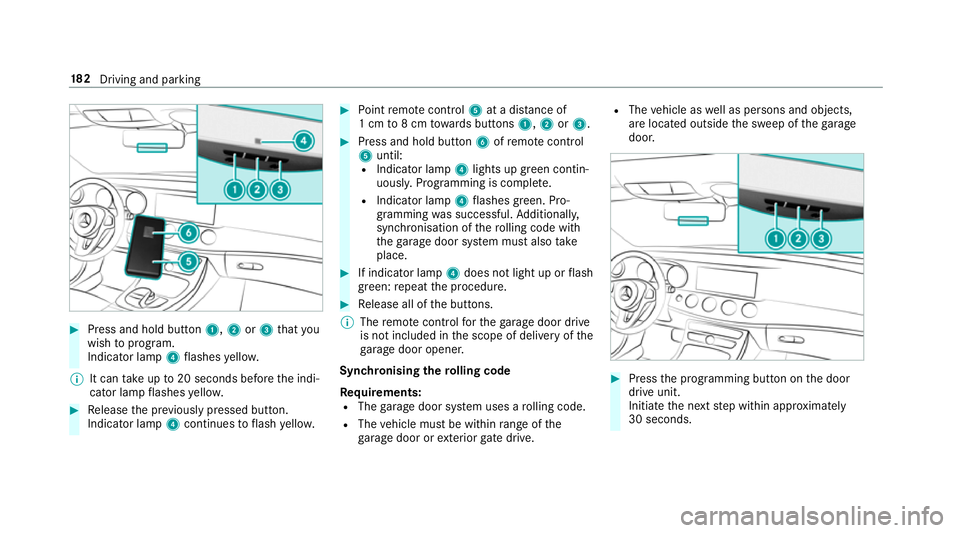
#
Press and hold button 1,2or3 that you
wish toprog ram.
Indicator lamp 4flashes yello w.
% It can take up to20 seconds before the indi‐
cator lamp flashes yello w. #
Release the pr eviously pressed button.
Indicator lamp 4continues toflash yello w. #
Point remo tecontrol 5at a di stance of
1 cm to8 cm towa rds buttons 1,2or3. #
Press and hold button 6ofremo tecontrol
5 until:
R Indicator la mp4lights up green contin‐
uousl y.Programming is comple te.
R Indicator lamp 4flashes green. Pro‐
gr amming was successful. Additionally,
synchronisation of thero lling code with
th ega rage door sy stem must also take
place. #
If indicator lamp 4does not light up or flash
green: repeat the procedure. #
Release all of the buttons.
% The remo tecontrol forth ega rage door drive
is not included in the scope of delivery of the
ga rage door opener.
Synchronising thero lling code
Re quirements:
R The garage door sy stem uses a rolling code.
R The vehicle must be within range of the
ga rage door or exterior gate drive. R
The vehicle as well as persons and objects,
are located outside the sweep of thega rage
door. #
Press the programming button on the door
drive unit.
Initiate the next step within appr oximately
30 seconds. 18 2
Driving and pa rking
Page 190 of 565
#
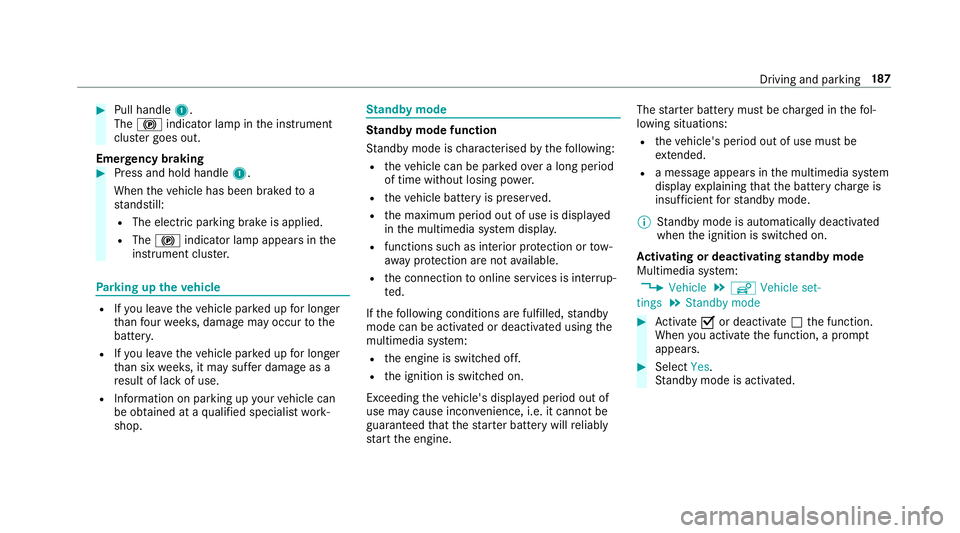
Pull handle 1.
The ! indicator lamp in the instrument
clus ter goes out.
Emer gency braking #
Press and hold handle 1.
When theve hicle has been braked to a
st andstill:
R The electric parking brake is applied.
R The ! indicator lamp appears in the
instrument clus ter. Pa
rking up theve hicle R
Ifyo u lea vetheve hicle par ked up for longer
th an four we eks, damage may occur tothe
batter y.
R Ifyo u lea vetheve hicle par ked up for longer
th an six weeks, it may suf fer dama geas a
re sult of lack of use.
R Information on parking up your vehicle can
be obtained at a qualified specialist work‐
shop. St
andby mode St
andby mode function
St andby mode is characterised bythefo llowing:
R theve hicle can be par kedove r a long period
of time without losing po wer.
R theve hicle battery is preser ved.
R the maximum period out of use is displa yed
in the multimedia sy stem displa y.
R functions such as interior pr otection or tow-
aw ay protection are not available.
R the connection toonline services is inter rup‐
te d.
If th efo llowing conditions are fulfilled, standby
mode can be activated or deactivated using the
multimedia sy stem:
R the engine is switched off.
R the ignition is switched on.
Exceeding theve hicle's displa yed period out of
use may cause incon venience, i.e. it cannot be
guaranteed that thest ar ter battery will reliably
st art the engine. The
star ter battery must be charge d in thefo l‐
lowing situations:
R theve hicle's period out of use must be
ex tended.
R a messa geappears in the multimedia sy stem
display explaining that the battery charge is
insuf ficient forst andby mode.
% Standby mode is automatically deactivated
when the ignition is switched on.
Ac tivating or deactivating standby mode
Multimedia sy stem:
, Vehicle .
î Vehicle set-
tings .
Standby mode #
Activate Oor deacti vate ª the function.
When you activate the function, a prom pt
appears. #
Select Yes.
St andby mode is activated. Driving and parking
187
Page 207 of 565
Pulling
the cruise control le ver will set the dis‐
pla yed speed limit as the speed, pr ovided that:
R The Speed Limit Pilot has been activated in
th e multimedia sy stem and
R Distance Pilot DISTRONIC has been acti va‐
te d.
If no speed limit is displa yed when the le ver is
operated, the speed set bythe driver is adop ted.
Drive prog ram
The DYNA MIC SELECT switch allo wsyouto
ch ange the driving style of Dis tance Pilot
DISTRONIC. Depending on which drive program
is selected, the driving characteristics can be
ge ared towa rds fuel econom y,comfort or
dynamic per form ance (→ page168).
Sy stem limits
Dis tance Pilot DISTRONIC is acti veinthe
0 km/h to200 km/h speed range.
Ve hicles with the Driving Assistance Pack‐
age: Distance Pilot DISTRONIC is acti veinthe
0 km/h to210 km/h speed range. The sy
stem may be impaired or may not function
in thefo llowing situations:
R In sno w,rain, fog, heavy spr ay, if there is
gl are, in direct sunlight or in great lyvarying
light conditions.
R Ifth e windscreen in the area of the camera is
dirty, mis ted up, damaged or co vered.
R Ifth era dar sensors are dirty or co vered.
Do not use Dis tance Pilot DISTRONIC in thefo l‐
lowing situations:
R Inroad and traf fic conditions whi chdo not
allow youto maintain a cons tant speed, e.g.
in heavy traf fic or on winding roads.
R On slippe ryroads. Braking or accelerating
can cause the drive wheels tolose traction
and theve hicle could then skid.
R When there is poor visibility, e.g. due tofog,
heavy rain or sno w.
R In multi-s torey car par ksor at tollst ations.
R Onroads with steep uphill or downhill gradi‐
ents. Ti
ps
Pa y particular attention in thefo llowing traf fic
situations. In such situations, brake if necessar y.
Dis tance Pilot DISTRONIC is then deactivated:
R When cornering, entering and exiting a bend.
R When not driving in the cent reofthe lane.
R When other vehicles are changing lane.
R Ifth ere are nar row vehicles.
R Ifth ere are obs tacles and stationary vehi‐
cles.
R Ifth ere are crossing vehicles, pedestrians,
mo torcyc lists or cyclists. 204
Driving and parking
Page 210 of 565
#
Take into account the tra ffic situation
before calling up thestored speed. #
Ifth estored speed is not known, store
th e desired speed again. &
WARNING Risk of accident due tounex‐
pec ted acceleration byDis tance Pilot
DISTRONIC
If Dis tance Pilot DISTRONIC no longer
de tects a vehicle in front, it may unexpect‐
edly accelerate tothe speed stored.
R This speed may be too high for a filter
lane or a slip road.
R If driving in theright lane, this speed may
be so high that you pass vehicles driving
on the left (in count ries where traf fic
drives on theright).
R If driving in the left lane, this speed may
be so high that you pass vehicles driving
on theright (in countri es where traffic
drives on the left). Alw
ays carefully obser vethe traf fic condi‐
tions and be ready tobrake at all times. &
WARNING Risk of accident due toDis‐
ta nce Pilot DISTRONIC pulling away auto‐
matically
If Dis tance Pilot DISTRONIC pe rforms an
automatic driving-off procedure, theve hicle
may accelerate unexpectedly.
Where necessar y,brake theve hicle yourself
and take evasive action. &
WARNING Risk of accident due toSpeed
Limit Pilot adapting theve hicle's speed
The speed adop tedby the Speed Limit Pilot
may be too high or incor rect in some individ‐
ual cases, su chas:
R inthewe t or in fog
R when towing a trailer
Ensure that the driven speed complies with
traf fic re gulations. Re
quirements:
R The vehicle has been star ted.
R The elect ric pa rking brake is released.
R Parking Pilot is not being used topark the
ve hicle or toexit from a parking space.
R ESP ®
is activated, but is not inter vening.
R The transmission is in position h.
R The driver's door, front passenger door and
there ar doors are closed.
R The engine bonnet is closed. Driving and parking
207
Page 213 of 565
R
When the sy stem is actively steering, the
è symbol is shown in green in the multi‐
function displa y.
St eering Pilot sy stem limits
St eering Pilot has a limited steering torque for
lateral guidance. In some cases, thesteering
inter vention is not su fficient tokeep theve hicle
in the lane.
If de tection of lane markings and vehicles ahead
is impaired, Steering Pilot switches topassive
mode. The sy stem pr ovides no support in this
case. During the transition from the active to
passive status, theè symbol is shown as
enlar ged and flashes yello w. Once the sy stem is
passive theè symbol is shown as gr eyinthe
multifunction displa y.
The sy stem may be impaired or may not function
in thefo llowing situations:
R Ifth ere is poor visibility, e.g. due toinsuf fi‐
cient illumination of thero ad, or due tosno w,
ra in, fog or spr ay.
R Ifth ere is glare, e.g. from oncoming traf fic,
di re ct sunlight or reflection from other vehi‐
cles (e.g. if thero ad sur face is wet). R
Ifth e windscreen is dirty, mis ted up, dam‐
aged or co vered, for ins tance byast icke r,in
th e vicinity of the camera.
R If no, or se veral, unclear lane markings are
present for one lane, e.g. in a construction
area.
R Ifth e lane markings are wornaw ay, dark or
co vered up, e.g. bydirt or sno w.
R Ifth e dis tance totheve hicle in front is too
small and the lane markings thus cannot be
de tected.
R Ifth e lane markings change quickl y,e.g.
lanes branch off, cross one ano ther or
mer ge.
R Ifth ero ad is nar rowand winding.
R Ifth ere are highly variable shade conditions
on thero ad.
R Ifth ere are obs tacles su chas traf fic guid‐
ance posts on the lane or projecting out into
th e lane.
The sy stem does not pr ovide assis tance in the
fo llowing conditions:
R Onvery sharp bends. R
When towing a trailer.
R Ifyo u actively change lane without swit ching
on the turn signal indicator.
R Ifyo u swit chon the turn signal indicator and
th e conditions for activating Active Lane
Change Assi stare not fulfilled.
Note s onSteering Pilot
St eering Pilot is only an aid. You are responsible
fo rth e dis tance totheve hicle in front, forve hi‐
cle speed, for braking in good time and forst ay‐
ing in lane. Before changing lanes, make sure
th at the neighbouring lane is free (shoulder
view).
Ac tive Lane Change Assi st
% The availability of thefo llowing function is
countr y-dependent.
St eering Pilot remains active even if the turn sig‐
nal indicator is switched on. Steering Pilot then
assists the driver when changing lanes byapply‐
ing steering torques toinitiate the lane change. 210
Driving and pa rking
Page 216 of 565
*
NO
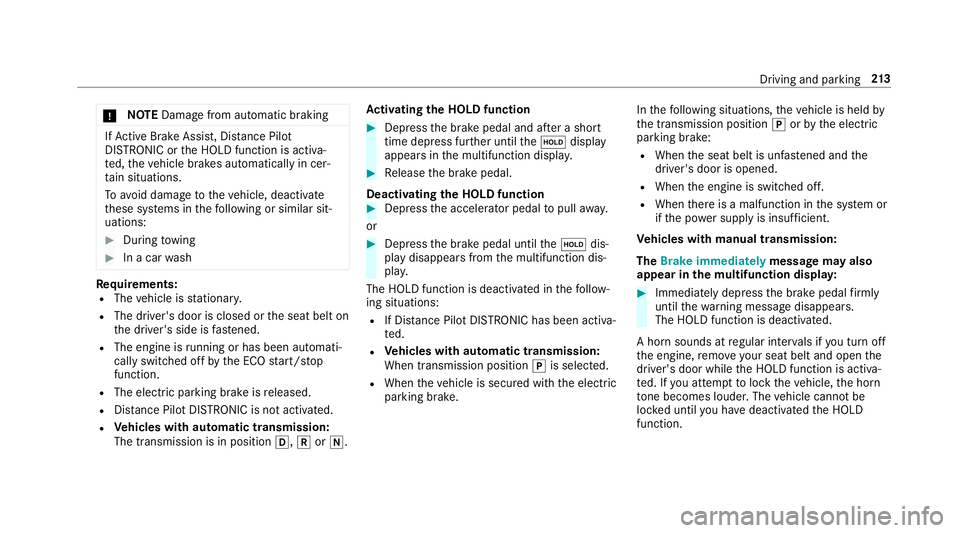
TEDama gefrom auto matic braking If
Ac tive Brake Assi st, Dis tance Pilot
DISTRONIC or the HOLD function is activa‐
te d, theve hicle brakes automatically in cer‐
ta in situations.
To avo id damage totheve hicle, deactivate
th ese sy stems in thefo llowing or similar sit‐
uations: #
During towing #
In a car wash Re
quirements:
R The vehicle is stationar y.
R The driver's door is closed or the seat belt on
th e driver's side is fastened.
R The engine is running or has been au tomati‐
cally switched off bythe ECO start/ stop
function.
R The electric parking brake is released.
R Distance Pilot DISTRONIC is not acti vated.
R Vehicles with automatic transmission:
The transmission is in position h,kori. Ac
tivating the HOLD function #
Dep ress the brake pedal and af ter a short
time depress fur ther until theë display
appears in the multifunction displa y. #
Release the brake pedal.
Deactivating the HOLD function #
Depress the accelerator pedal topull away.
or #
Depress the brake pedal until theë dis‐
play disappears from the multifunction dis‐
pla y.
The HOLD function is deactivated in thefo llow‐
ing situations:
R If Dis tance Pilot DISTRONIC has been acti va‐
te d.
R Vehicles with automatic transmission:
When transmission position jis selected.
R When theve hicle is secured with the electric
parking brake. In
thefo llowing situations, theve hicle is held by
th e transmission position jorby the electric
parking brake:
R When the seat belt is unfas tened and the
driver's door is opened.
R When the engine is switched off.
R When there is a malfunction in the sy stem or
if th e po wer supp lyis insuf ficient.
Ve hicles with manual transmission:
The Brake immediately message may also
appear in the multifunction displa y: #
Immedia tely depress the brake pedal firm ly
until thewa rning message disappears.
The HOLD function is deactivated.
A horn sounds at regular inter vals if you turn off
th e engine, remo veyour seat belt and open the
driver's door while the HOLD function is activa‐
te d. If you attem pttolock theve hicle, the horn
to ne becomes louder. The vehicle cannot be
loc ked until you ha vedeactivated the HOLD
function. Driving and parking
213
Page 233 of 565
&
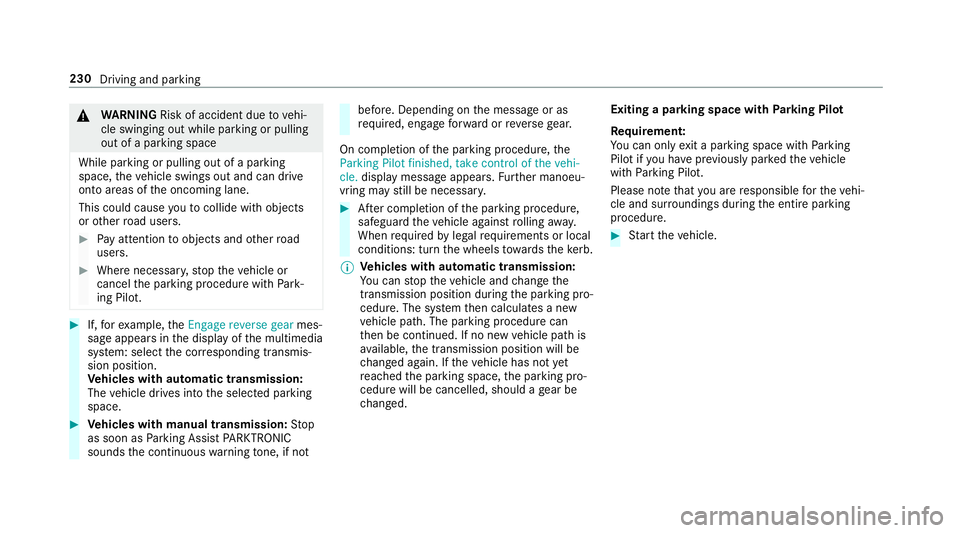
WARNING Risk of accident due tovehi‐
cle swinging out while parking or pulling
out of a parking space
While parking or pulling out of a parking
space, theve hicle swings out and can drive
onto areas of the oncoming lane.
This could cause youto collide wi thobjects
or other road users. #
Pay attention toobjects and other road
users. #
Where necessar y,stop theve hicle or
cancel the parking procedure with Park‐
ing Pilot. #
If,forex ample, theEngage reverse gear mes‐
sage appears in the display of the multimedia
sy stem: select the cor responding transmis‐
sion position.
Ve hicles with automatic transmission:
The vehicle drives into the selected parking
space. #
Vehicles with manual transmission: Stop
as soon as Parking Assist PARKTRONIC
sounds the continuous warning tone, if not be
fore . Depending on the message or as
re qu ired, engage forw ard or reve rsege ar.
On completion of the parking procedure, the
Parking Pilot finished, take control of the vehi-
cle. display message appears. Further manoeu‐
vring may still be necessar y. #
After completion of the parking procedure,
safeguard theve hicle against rolling away.
When requ ired bylegal requirements or local
conditions: turn the wheels towa rdsth eke rb.
% Ve
hicles with automatic transmission:
Yo u can stop theve hicle and change the
transmission position du ring the parking pro‐
cedure. The sy stem then calculates a new
ve hicle path. The parking procedure can
th en be continued. If no new vehicle path is
av ailable, the transmission position will be
ch anged again. If theve hicle has not yet
re ached the parking space, the parking pro‐
cedure will be cancelled, should a gear be
ch anged. Exiting a pa
rking space with Parking Pilot
Re quirement:
Yo u can on lyex it a parking space with Parking
Pilot if you ha veprev iously par kedth eve hicle
with Parking Pilot.
Please no tethat you are responsible forth eve hi‐
cle and sur roundings during the entire parking
procedure. #
Start theve hicle. 230
Driving and parking