ECO mode MERCEDES-BENZ E-CLASS ESTATE 2017 User Guide
[x] Cancel search | Manufacturer: MERCEDES-BENZ, Model Year: 2017, Model line: E-CLASS ESTATE, Model: MERCEDES-BENZ E-CLASS ESTATE 2017Pages: 585, PDF Size: 11.8 MB
Page 169 of 585
Driving
Note
sonM ercedes-AMG vehicles Obser
vethen otes on thef ollowing topics in the
Supplement. Otherwise, youm ayfailto recog‐
nise dangers.
R Rear axle lockin gdiffe re ntial
R AMG Performance exhaus tsystem
R AMG ceramic high-per form anc ecomposite
brak esystem
R RACE START
R DRIFT MODE
R AMG RIDE CONTROL Switching on
thep owe rsupp lyor ignition
using theS tart/ Stopbutton &
WARNING Risk of accident and inju ry
due tochildren lef tunat tende dint he
ve hicle
If ch ildren ar eleftu nat tende dint hevehicle,
th ey could:
R Ope ndoors,t hereb yendangering other
persons or road users.
R Getout of thev ehicle and be hit by
oncoming traf fic.
R Ope rate ve hicle equipment.
Moreo ver,ch ildren could also se tthe vehicle
in motion by,for example:
R Releasing thep arking brake.
R Shifting thet ransmission out of park
position j.
R Startin gthe engine. #
Neverlea ve children and animals unat‐
te nde dint hevehicle. #
When leaving thev ehicle, alw ayst ake
th ek eywit hyou and loc kthe vehicle.
This also applies tomobil ephones if the
"Digital Car Keyint he smartphone"
function is activated via theM ercedes
me connect weba pp. #
Keep thek eyso ut of ther eac hofc hil‐
dren. This also applies tomobile
phones if the" Digital Car Keyint he
smartphone" function is activated via
th eM ercedes me connect weba pp. &
WARNING Risk ofexhaus tgas poisoning
Combustio nengines emit poisonous exhaust
ga ses suc hascarbon monoxide. Inhaling
th ese exhaus tgases causes poisoning. #
Neverlea ve thee ngine running in an
enclose dspace wi thout suf ficient venti‐
lation. 16 6
Driving and pa rking
Page 171 of 585
th
em obile phone is in them arke ds pace
(→ pag e168). #
Shif tthe transmission toposition jori. #
Depress theb rake pedal and push button 1
once. #
Ifth ev ehicle does no tstart:s witc hoffnon-
essential consumer sand press button 1
once. #
Ifth ev ehicle still does no tstart and the
Place the key in the marked space See Own-
er's Manual displaymessag ealso appear sin
th em ultifunction display: star tt he vehicle in
emer gency operation mode.
Yo uc an swit chofft he engine while driving by
pressing button 1fora bout thre es econds. Be
sur etoo bservethes afet yn otes under "Driving
tips".
St arting avehicle using amobilep hone
Re quirements:
R thev ehicle is equipped wit hthe "Digital Car
Ke y" function. R
the" Digital Car Key" function is activated via
th eM ercedes me connect weba pp: http://
www.mercedes.me.
R suitable mobile phone wit hNFC aerial (Near
Field Communication) and Secur eElement.
R sufficient charge leve loft he mobile
phone. On somemobile phones, thef unction
is also available when theb atter yisd is‐
ch arge d.
% Youc an checkt he suitability of your mobile
phon ebye ntering thep hone number at
http://www.mercedes.me.
Information about suitable mobile phones
can be obtained from your Mercedes-Benz
servic ecentr eorath ttp://www.mercedes-
benz.com/connect.
% Mercedes-Ben zrecommends that youc arry
th ee mer gency keyinc aseoff unction
re strictions.
% The function is only available in combination
wit hM ercedes me connec tand on lyin cer‐
ta in countries. %
Protectiv ecases around them obile phone
can impair thef unctionality. #
Mak esuret hat thec har geleve loft he mobile
phone is suf ficient. If necessar y,ch arge the
mobil ephone befor estarti ngthej ourne y.
St arting thev ehicle fort he firs tt ime af ter
activating the function #
Mak esuret hat ther eisav alidvehicle keyin
th ev ehicle. #
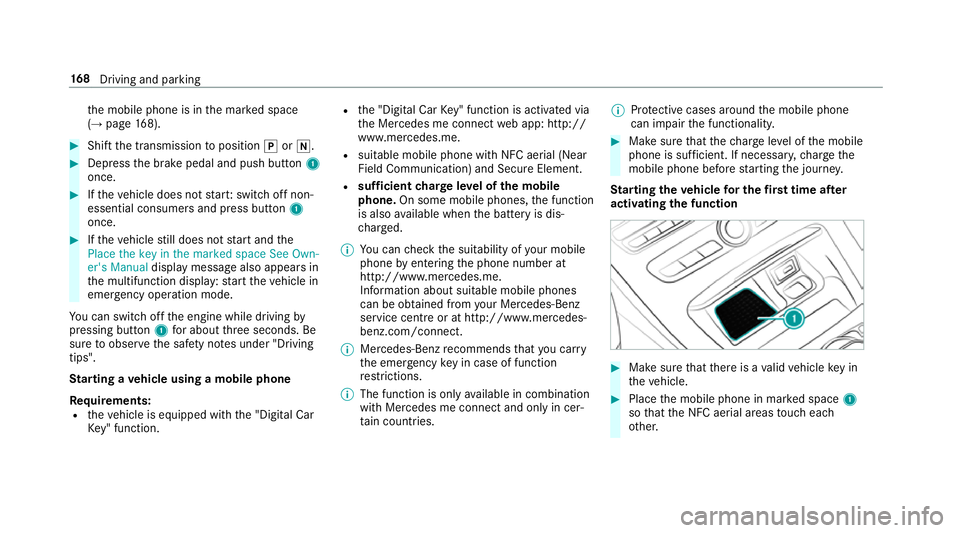
Place them obile phone in mar keds pace 1
so that theN FC aerial areas touc he ach
ot her. 16 8
Driving and pa rking
Page 177 of 585
Switch off the ignition before exiting
displaymes‐
sag ealsoa ppear sinthe multifunction displa y.If
yo udon otswit chofft he ignition, thei gnition is
automaticall yswitched of fafter one minu te.
Switching theE CO start/s topf unction
off/on #
Press button 1.
If indicator la mp2light sup,theE CO start/
st op function is switched on.
% Depending on them odel, theb utton may
also be located at adiffe re nt positio ninthe
centr econsole. Fu
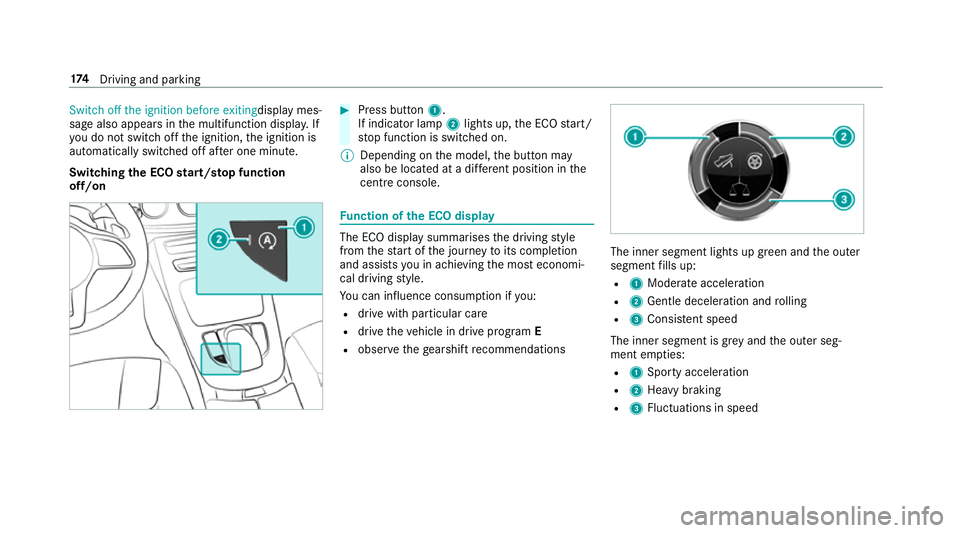
nction of theE CO display The EC
Odispla ysummarises thed riving style
from thes tart of thej ourne ytoits completion
and assists youina chievin gthe mos teconomi‐
cal driving style.
Yo uc an influence consum ption if you:
R driv ewithp articular care
R driv ethe vehicle in driv eprogram E
R obser vetheg earshif trecommendations The inner segment light
supgreen and theo uter
segment fills up:
R 1 Moderat eacceleration
R 2 Gentle decele ratio na nd rolling
R 3 Consis tent speed
The inne rsegment is gr eyand theo uter seg‐
ment em pties:
R 1 Sporty acceleration
R 2 Heavy braking
R 3 Fluctuation sinspeed 174
Driving and pa rking
Page 182 of 585
#
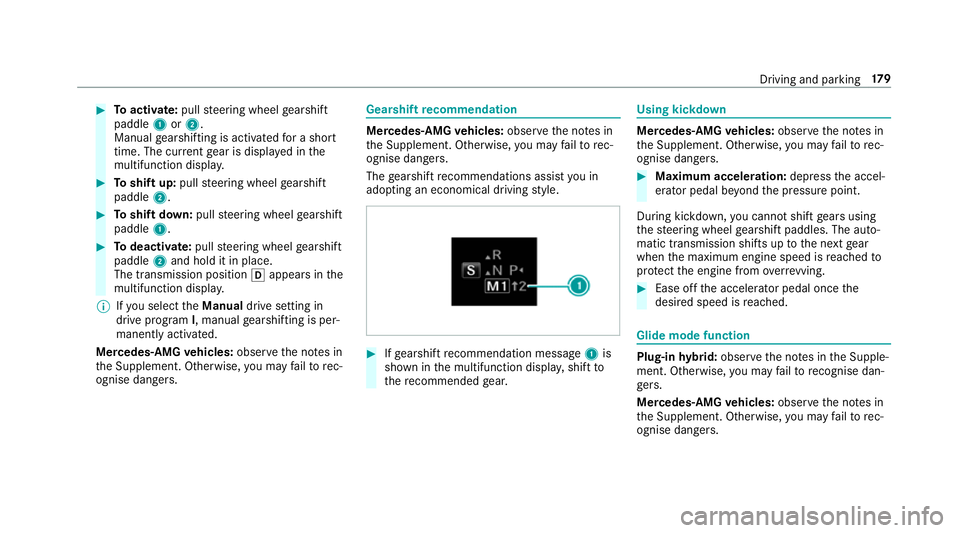
Toactivate: pullsteering wheel gearshift
paddle 1or2.
Manual gearshiftin gisactivated foras hort
time. The cur rent gear is displa yedint he
multifunction displa y.#
Toshif tup:pull steering wheel gearshift
paddle 2. #
Toshif tdow n:pull steering wheel gearshift
paddle 1. #
Todeactivate: pullsteering wheel gearshift
paddle 2and hold it in place.
The transmissio nposition happear sinthe
multifunction displa y.
% Ifyo us elect theManual drivesetting in
driv eprogram I,m anua lgearshifting is per‐
manently activated.
Mercedes-AMG vehicles: observet he no tesin
th eS upplement .Otherwise, youm ayfailto rec‐
ognise dangers. Gearshi
ftrecommendation Mercedes
-AMG vehicles: observet he no tesin
th eS upplement .Otherwise, youm ayfailto rec‐
ognise dangers.
The gearshif trecommendations assis tyou in
adopting an economical driving style. #
Ifge arshif trecommendatio nmessage 1is
shown in them ultifunction displa y,shif tto
th er ecommende dgear. Using kickdown
Mercedes-AMG
vehicles: observet he no tesin
th eS upplement .Otherwise, youm ayfailto rec‐
ognise dangers. #
Maximum acceleration: depress thea ccel‐
erator pedal be yond thep ressur epoint.
During kickdown, youc anno tshif tgear susing
th es teering wheel gearshif tpaddles .The auto‐
matic transmissio nshifts up tothen extg ear
when them aximum engine speed is reached to
pr otect thee ngine from overrev ving. #
Ease of fthe accelera torp eda lonce the
desired speed is reached. Glid
emodef un ction Plug-in
hybrid: obser vethen otes in theS upple‐
ment .Otherwise, youm ayfailto recognise dan‐
ge rs.
Mercedes-AMG vehicles: observet he no tesin
th eS upplement .Otherwise, youm ayfailto rec‐
ognise dangers. Driving and pa
rking 17 9
Page 183 of 585
Wi
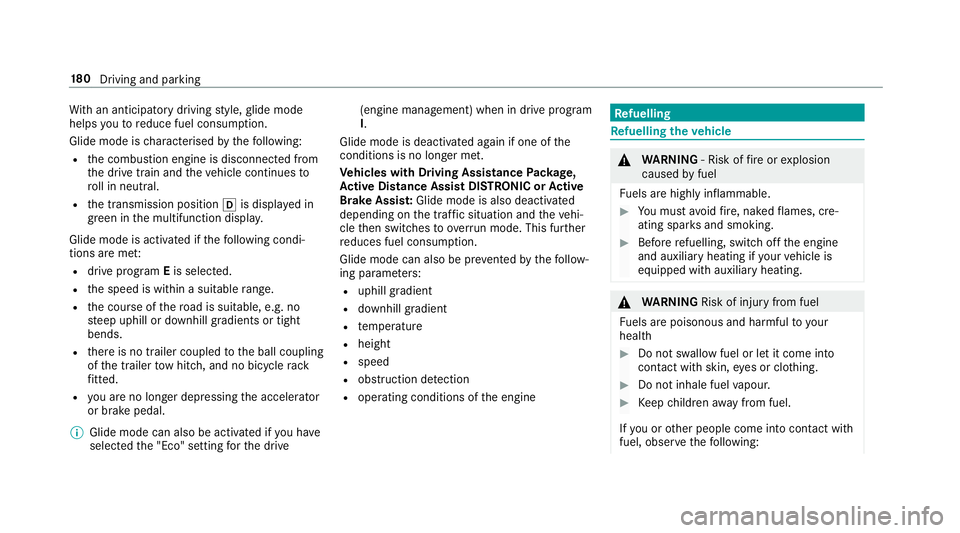
th an anticipator ydrivin gs tyle ,glide mode
helps youtor educe fuel consum ption.
Glide mode is characterised bythef ollowing:
R thec ombustion engine is disconnected from
th ed rive train and thev ehicle continues to
ro ll in neut ral.
R thet ransmission position his displa yedin
green in them ultifunction displa y.
Glide mode is activated if thef ollowing condi‐
tions ar emet:
R driv eprogram Eis selected.
R thes peed is within asuitable range.
R thec ourse of ther oad is suitable,e .g.no
st eep uphill or downhill gradients or tight
bends.
R ther eisnot railer coupled totheb all coupling
of thet railer towh itch ,a nd no bicycle rack
fi tted.
R youa reno lon gerd epressing thea ccelerator
or brak epedal.
% Glide mode can also be activated if youh ave
selected the" Eco" setting fort he drive (engine management) when in driv
eprogram
I.
Glide mode is deactivated again if one of the
conditions is no longer met.
Ve hicles with Drivin gAssistanc ePacka ge,
Ac tiv eD ista nce Assis tDISTR ON IC or Active
Brak eAssis t:Glid emodeisa lsod eacti vated
dependin gonthe traf fics ituation and thev ehi‐
cle then switches to overru nm ode. Thi sfurther
re duces fuel consum ption.
Glide mode can also be pr evented bythef ollow‐
ing parame ters:
R uphill gradient
R downhill gradient
R temp erature
R height
R speed
R obstruction de tection
R ope rating conditions of thee ngine Re
fuelling Re
fuelling thev ehicle &
WARNING ‑Riskoff ireore xplosion
caused byfuel
Fu els ar ehighly inflammable. #
Youm usta void fire ,n aked flames ,cre‐
atin gspar ksand smoking. #
Befor erefuelling ,switc hoffthee ngine
and auxiliar yheating if your vehicle is
equipped wit hauxiliary heating. &
WARNING Risk of inju ryfrom fuel
Fu els ar epoisonous and harmful to your
health #
Do no tswa llowf uel or le titcomeinto
contact wit hskin, eyes or clo thing. #
Do no tinhale fuel vapour. #
Keep children away from fuel.
If yo uoro ther people come int ocontact with
fuel, obser vethef ollowing: 18 0
Driving and pa rking
Page 201 of 585

Influence of driv
eprograms on ESP ®
The driv eprograms enable ESP ®
to adap ttod if‐
fe re nt we ather and road condition saswell as th
ed rive r's prefer redd riving style. Youc an
select thed rive programs using theD YNAMIC
SELECT switch.
ESP ®
ch aracteristics per driv eprogram Driv
eprogram
ESP®
mode Characteristics
C (Com fort)
E (Economy) ESP
®
Comfort Thes
edrive prog rams pr ovide thei deal balance
between traction and stabilit y.
Select driv eprogram Eor Cin di fficult road con‐
ditions, suc hasinsnowori ce, or when ther oad
is we tfromr ain.
S (Sport)
ESP®
Sport This driv
eprogram continues tooffers tability
but wit hasporty setup whic hallows thee nthu‐
siastic driver amorea ctiv edriving style.
Onl yselect driv eprogram Sin goo droad condi‐
tions, fore xamp le on dr yroads and clear
st re tche sofr oad. 19 8
Driving and pa rking
Page 213 of 585
ta
nce Assi stDISTRONI Cisactivated, as peed is
st ored whic hthe driver can increase or reduce
at an ytime. The speed can be adjus tedb etwe en
20 km/ hand 200 km/ h.
Ve hicles with theD riving Assistance Pack‐
age: thes peed can be adjus tedb etwe en
20 km/ hand 210k m/h.
Ve hicles with Drivin gAssistanc ePacka ge,
Ac tiv eP arking Assis tand COMAND Online:
up to30 seconds af ters topping, thev ehicle
automaticall yfollo wsthev ehicle ahead without
th ei nter ventio noft he driver .This is onl ypossi‐
ble if thev ehicle is tra velling on amotorway or a
high-speed major road. If an obs tacle is de tected
in front of thev ehicle during thed riving-of fpro‐
cedure, atakeo verw arning is given. Acceleration
is reduced, thed rive risg ivenavisual and acous‐
tic warning and mus tstopt he vehicle before
re achin gthe obs tacle or take evasiv eaction.
Ve hicles with theD riving Assistance Pack‐
age: in conjunction wit hnavigatio nsystems,
Ac tiveD istan ce Assi stDISTRONI Cpreve nts pro‐
hibi tedo vertaking on ther ight at speeds over
80 km/hi nright-hand traf fica nd ove rtakin gon th
el eftinl eft-hand tra ffic on mo torw aysa nd
high-speed major roads.
Ac tiveD istan ce Assi stDISTRONI Cusesinforma‐
tio nfromt he navigation sy stem torespond to
cer tain traf fics ituations:
R Roundabouts
R T-junctions
R Motorw ay ex its
R Tollboo th
Even if thev ehicle in front lea vest he de tection
ra ng eint hese situations, ActiveD ista nce Assi st
DISTRONI Ctemporaril ymaintains thec urrent
driving speed and does no taccele rate.
If yo ua ctivat ethe tur nsignal indicator tochange
lanes, thev ehicle will accelerat emoreb riskly to
th es etspeed under thef ollowing conditions:
R ActiveD ista nce Assi stDISTRONI Cisactiva‐
te d.
R Ifth ed riving speed is higher than 70 km/h.
R Ifth ed rive ns peed drops belo wthe stored
speed. R
The sy stem cann otdetect av ehicle in ther el‐
ev ant area of theo vertaking lane.
Ve hicles with Drivin gAssistanc ePacka ge
and Traf ficS ign Assis t:Ac tiveD ista nce Assi st
DISTRONI Calsoh astheA ctiv eSpeed Limit
Assi stfunction. This function can be configu red
in them ultimedia sy stem. If achang eint he
speed limit is de tected and ActiveD ista nce
Assi stDISTRONI Cisactivated, Ac tiveD ista nce
Assi stDISTRONI Cassum esthis ne wspeed.
The driven speed is adap tedw hen thev ehicle is
le ve lw itht he tra ffic signs. In thec ase of signs
indicating entry intoanu rban area, thes peed is
adap tedb eforehand. The speed limit displa yin
th eI nstrument Displa yisalway su pdate dwhen
th ev ehicle is le velw itht he tra ffic sign.
If Ac tiveD ista nce Assi stDISTRONI Chasbeen
pu tint op assive mode bypressing thea ccelera‐
to rp edal, only spee dlimits which areh igher
th an thes etspeed ar eadop ted.
Pulling thec ruise control le verw ills et thed is‐
pla yeds peed limit as thes peed, pr ovided that:
R ActiveS peed Limi tAssisthas been activated
in them ultimedia sy stem and 210
Driving and pa rking
Page 220 of 585
mak
esuret hat then eighbouring lane is free
(shoulder view).
% The availabilit yofthefollowing function is
countr y-dependent.
Ac tiveS teering Assis tremain sactiv eevenift he
tur ns igna lindica toriss witched on. ActiveS teer‐
ing Assis tthen assists thed rive rw hen changing
lane sbya pplying steering torques toinitiat ethe
lane change.
Assis tance when changing lane sisprovide difa ll
th ef ollowing condition sareme t:
R Youa redrivin gonam otorway or high-speed
multi-lane major road wit hmultiple lane sin
th ed irection of tr avel.
R The neighbouring lane is free and separated
by ab roke nl ane marking.
R The driven spee disbetwe en 80 km/h and
18 0k m/h.
R The tur nsigna lindicator is switched on for
longer than tw oseconds.
If th es ystem is impaired, ActiveL aneC hange
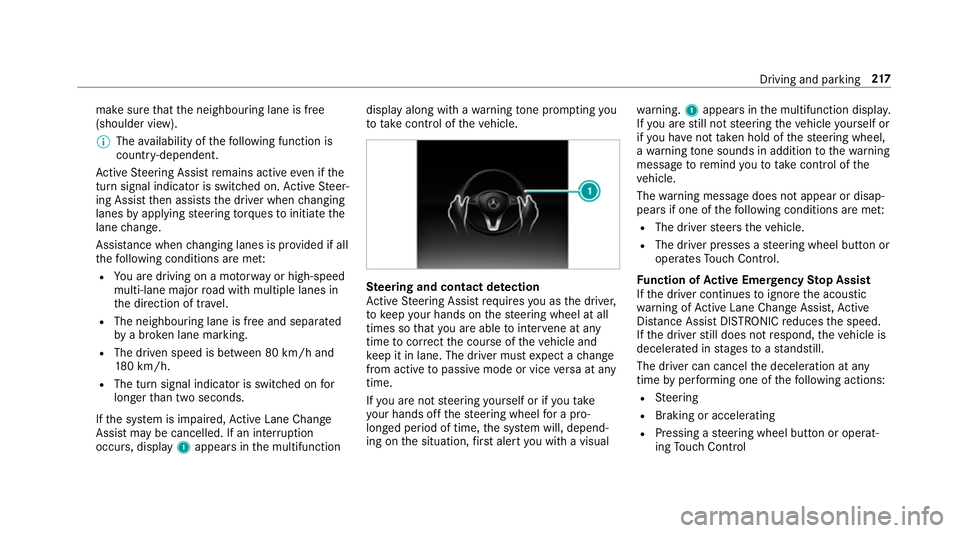
Assi stma ybec ancelled. If an inter ruption
occurs, display 1appear sinthe multifunction displa
yalong wit hawarning tone prom pting you
to take control of thev ehicle. Ste
ering and contact de tection
Ac tiveS teering Assis trequires youast he driver,
to keep your hands on thes teering wheel at all
times so that youa reable tointer vene at any
time tocor rect thec ourse of thev ehicle and
ke ep it in lane. The driver mus texpect achange
from activ etopassivemode or vice versaata ny
time.
If yo ua renots teering yourself or if yout ake
yo ur hands of fthe steering wheel forap ro‐
longed period of time, thes ystemw ill, depend‐
ing on thes ituation ,first aler tyou wit havisual wa
rning. 1appear sinthe multifunction displa y.
If yo ua restill no tsteering thev ehicle yourself or
if yo uh ave nottaken hold of thes teering wheel,
aw arning tone sounds in additio ntothewarning
messag etoremind youtot akec ontrol of the
ve hicle.
The warning messag edoes no tappear or disap‐
pear sifo ne of thef ollowing condition sareme t:
R The driver steer sthe vehicle.
R The driver presses asteering wheel button or
operates Touc hC ontrol.
Fu nction of Activ eE me rgency Stop Assist
If th ed rive rc ontinues toigno rethea coustic
wa rning of ActiveL aneC hangeA ssist,A ctive
Dis tance Assi stDISTRONI Creduces thes peed.
If th ed rive rs tilld oes no trespond, thev ehicle is
decelerated in stages toas tandstill.
The driver can cancel thed eceleration at any
time byper form ing one of thef ollowing actions:
R Steering
R Braking or accelerating
R Pressing asteering wheel button or operat‐
ing Touc hC ontrol Drivin
gand parking 217
Page 270 of 585
When
gliding mode is activ e(→pag e179),
Gliding mode is displayedi nstead of thec ur‐
re nt fue lconsu mption.
Ar ecuperation displa yisalsoavailable for
cer tain engines. If ther eiso nlyas mall
amount of fuel lef tinthe fuel tank ,the dis‐
pla yshows avehicle being refuelled ins tead
of ther ange.
R ECOd ispl ay ( →pag e174 )
R Trip computer Froms tart and Fromr eset
R Digital speedom eter
% Ve
hicles with an Instrument Displa yin
th eW idescreen Cockpit: thed igital speed‐
ome tero nly appear sintheClassic andSport
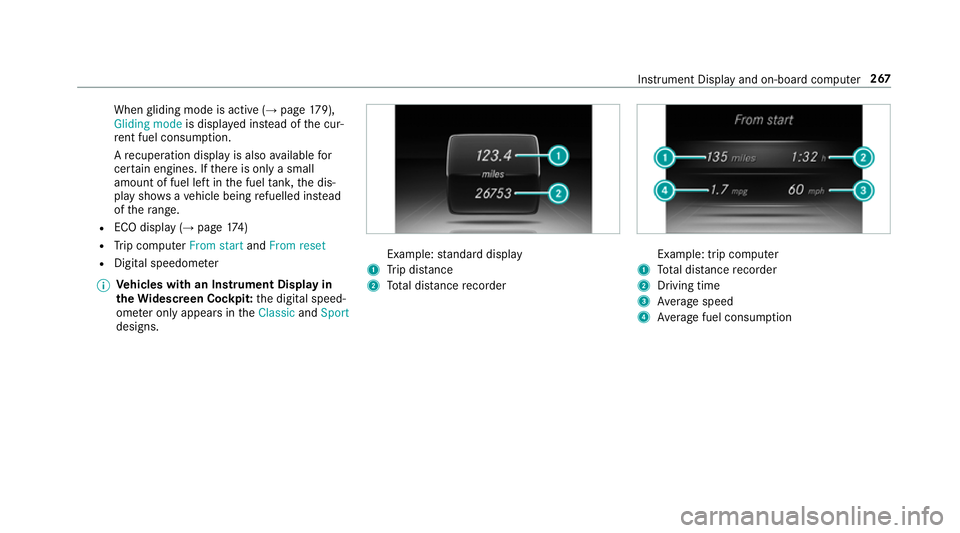
designs. Example:
standar ddisplay
1 Trip dis tance
2 Totald ista nce recorder Example: trip compu
ter
1 Totald ista nce recorder
2 Driving time
3 Averag espeed
4 Averag efuel consum ption Instrumen
tDispla yand on-boar dcomputer 267
Page 318 of 585
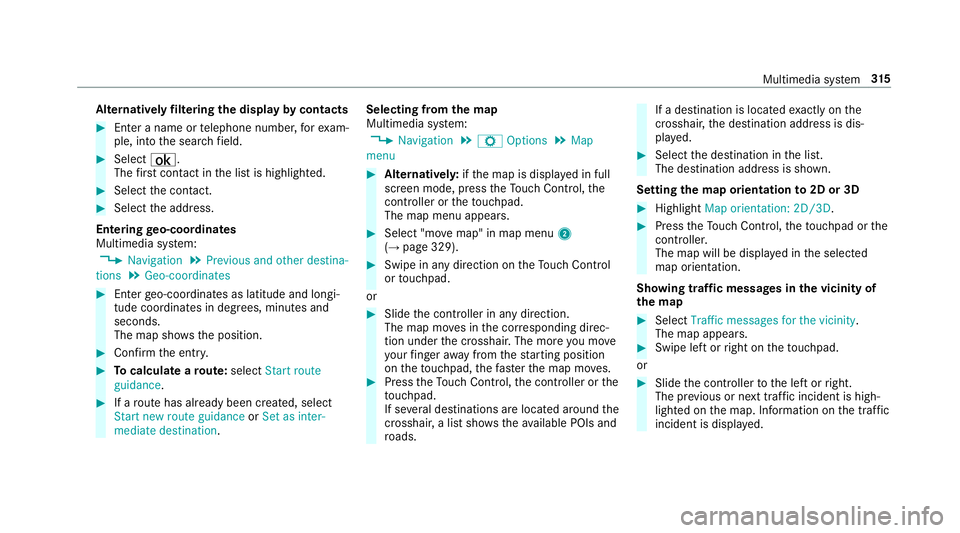
Alternativel
yfiltering th edispla ybyc ontacts #
Enteran ame or telephon enumber ,for exam‐
ple, int othe sear chfield. #
Select ¡.
The firs tc ontact in thel istish ighlighted. #
Select thec ontact. #
Select thea ddress.
Entering geo-coordina tes
Multimedia sy stem:
, Navigation .
Previous and other destina-
tions .
Geo-coordinates #
Ente rgeo-coordinates as latitude and longi‐
tude coordinates in degrees, minutes and
seconds.
The map sho ws theposition. #
Confir mthe entr y. #
Tocalculat earoute: select Start route
guidance . #
Ifar out ehas already been created, select
Start ne wrout eguidance orSet as inter-
mediate destination . Selecting from
them ap
Multimedia sy stem:
, Navigation .
Z Options .
Map
menu #
Alternativel y:ifth em ap is displa yedinf ull
screen mode, press theT ouc hControl, the
controller or thet ouchpad.
The map menu appears. #
Select "mo vemap" in map menu 2
(→ pag e329). #
Swipe in an ydirection on theT ouc hControl
or touchpad.
or #
Slid ethe controller in an ydirection.
The map mo vesint he cor responding direc‐
tion under thec rosshair .The mor eyou mo ve
yo ur finger away from thes tartin gp osition
on thet ouchpad ,the fast erthem ap mo ves. #
Press theT ouc hControl, thec ontroller or the
to uchpad.
If se verald estination sarelocated around the
crosshair ,alists hows thea vailable POI sand
ro ads. If
ad estinatio nislocated exact ly on the
crosshair ,the destination address is dis‐
pla yed. #
Select thed estination in thel ist.
The destination address is shown.
Setting them aporientation to2D or 3D #
Highlight Map orientation: 2D/3D. #
Press theT ouc hControl, thet ouchpad or the
controller.
The map will be displ ayed in thes elected
map orientation.
Showing traf ficm essages in thev icinit yof
th em ap #
Select Traffic messages for th evicinity.
The map appears. #
Swipe lef torright on thet ouchpad.
or #
Slide thec ontroller tothel eftorr ight.
The pr evious or next traf fici ncident is high‐
lighted on them ap. Information on thet raffic
incident is displa yed. Multimedia sy
stem 315