navigation system MERCEDES-BENZ E-CLASS ESTATE 2017 Owners Manual
[x] Cancel search | Manufacturer: MERCEDES-BENZ, Model Year: 2017, Model line: E-CLASS ESTATE, Model: MERCEDES-BENZ E-CLASS ESTATE 2017Pages: 585, PDF Size: 11.8 MB
Page 31 of 585
Ve
hicl edata storage Information from electronic control units
Electronic control unit
sarefitted in your vehicle.
Some of these ar enecessar yfor thes afeo pera‐
tion of your vehicle, while some assis tyou when
driving (driver assi stanc esystems). In addition,
yo ur vehicle pr ovides con venience and enter tain‐
men tfunctions, whic harealso made possible by
electronic control units.
Elect ronic control units contai ndatam emories
which cantemp orarily or permanently store
te ch nica linformatio nabout thev ehicle's operat‐
ing status ,component loads, main tenance
re qu irements and tech nica levents or faults.
In general ,this information documents thes tate
of ac omponent part, amodule, asystemort he
sur rounding ssucha s:
R operatin gstatuses of sy stem components
(e.g. fluid le vels, batter ystatus ,tyrep res‐
sure)
R status messages concernin gthe vehicle and
its individualc omponents(e.g. number of
wheel revo lutions/speed, decele ration, lat‐ eral acceleration, displa
yofthefastened seat
belts)
R malfunctions or defectsini mportant sy stem
components (e.g. lights, brakes)
R information on vehicle damag eevents
R system reaction sinspecial drivin gsituations
(e.g. airbag deployment, inter ventio nofs ta‐
bilit ycontrol sy stems)
R ambient conditions (e.g. temp erature, rain
sensor)
In addition toprov iding thea ctual control unit
function ,this dat aassists them anufacturer in
de tecting and rectifying faults and optimising
ve hicle functions. The majority of this dat ais
te mp orar yand is onl yprocessed in thev ehicle
itself. Onl yasmall portion of thed ataiss tored
in thee vent or fault memor y.
When your vehicle is serviced, tech nica ldata
from thev ehicle can be read out byservice net‐
wo rkemplo yees or thirdp arties .Services
include repair services, maintenanc eprocesses,
wa rrant yevents and qualit yassurance meas‐
ures, fore xamp le. The read out is per form ed via
th el egall yprescribed por tfor OBD ("on-board diagnostics"
)inthevehicle. The respective
service networ klocations or thirdp arties col‐
lect ,proces sand use thed ata. The ydocument
te ch nica lstatuses of thev ehicle, assis tinfind‐
in gf aults and impr oving qualit yand ar etrans‐
mit tedtot he manufacturer ,ifnecessar y.Fu r‐
th ermore, them anufacturer is subject toprod‐
uct liability .For this, them anufacturer requ ires
te ch nica ldataf romv ehicles.
Fa ult memories in thev ehicle can be rese tbya
service outle taspartofr epair or maintenance
wo rk.
The ycan enter dat aintot he vehicle's con veni‐
ence and inf otainment function sthemselves as
par toft he selected equipment.
This includes, fore xamp le:
R multimedia dat asuchasm usic,films or pho‐
to sf or playbac kinanintegrated multimedia
sy stem
R address book dat afor use in connection with
an integrated hands-free sy stem or an inte‐
grated navigation sy stem
R entered navigation destinations
R dataabout theu se of Interne tservices 28
General no tes
Page 32 of 585
This dat
acan be stored locall yinthevehicle or
is located on adevice whic hyou ha veconnected
to thev ehicle. If this dat aisstore dint hevehi‐
cle, youc an dele teit at an ytime. This dat acan
onl ybet ransmit tedtot hirdp arties upon your
re qu estw ithp articular rega rd tothes cope of
use of online services according toyour selected
settings.
Yo uc an stor eorc hangeconvenience settings/
individualisations in thev ehicle at an ytime.
Depending on thee quipment, this includes, for
ex ample:
R seat and steering wheel position settings
R suspension and climat econtrol settings
R individualisations suc hasinterior lighting
If yo ur vehicle is accordingly equipped,y ou can
connect your smartphon eoranother mobile end
device tothev ehicle. Youc an cont rolthem via
th ec ontrol element sintegrated in your vehicle.
Images and audiof romt he smartphone can be
output via them ultimedia sy stem. Cer tain infor‐
matio nissimultaneousl ytransmit tedtoy our
smartphone. Dependin
gontherespectiv eintegration type,
th is includes, fore xamp le:
R general vehicle information
R position data
This enables theu se of selected smartphone
Apps, e.g. navigation or music playbac k.Ther eis
no fur ther interaction between thes martphone
and thev ehicle; in particular ,vehicle dat aisnot
directl yaccessible. The type of fur ther dat apro‐
cessin gisdetermined bythep rovide roft he App
used. The respectiv eApp and your smartphone's
operatin gsystemd etermine whe ther changes
can be made tothes ettings and whic hsettings
can be changed. Service pr
oviders Wi
reless networ kconnection
If yo ur vehicle has awireless networ kconnec‐
tion, it enables dat atobeexchanged between
yo ur vehicle and additional sy stems. The wire‐
less networ kconnection is enabled via thev ehi‐
cle's transmission and reception uni torvia con‐
nected mobil eend device s(e.g .sma rtphones). Onlin
efunction scan be used via thew ireless
networ kconnection. This includes online serv‐
ices and applications/Apps pr ovided bythe
manufacturer or other pr oviders.
Manu factu rer's se rvices
The manufacturer describes ther espectiv efunc‐
tions and cor responding legal dat aprotection
information when suitable fort he manufacturer's
online services. Personal dat amaybe used for
th ep rovision of online services. Dat ais
exc hanged via asecur econnection, e.g. tothe
manufacturer's designated IT sy stems. Personal
dat aisc ollected, processed and used via the
pr ov ision of service sexclusivel yonthe basis of
legal permissions or wit hprior consent.
The services and function s(sometimes subject
to afee) can usually be activated or deactivated.
In some cases, this also applies tothee ntire
ve hicle's dat aconnection. This excludes ,inpar‐
ticula r,legall yprescribed function sand services.
Thir dparty se rvices
If it is possibletou se onlineservices from other
pr ov iders, these services ar esubject tothed ata
pr otection and term sofu se ofther esponsible General no
tes29
Page 213 of 585
ta
nce Assi stDISTRONI Cisactivated, as peed is
st ored whic hthe driver can increase or reduce
at an ytime. The speed can be adjus tedb etwe en
20 km/ hand 200 km/ h.
Ve hicles with theD riving Assistance Pack‐
age: thes peed can be adjus tedb etwe en
20 km/ hand 210k m/h.
Ve hicles with Drivin gAssistanc ePacka ge,
Ac tiv eP arking Assis tand COMAND Online:
up to30 seconds af ters topping, thev ehicle
automaticall yfollo wsthev ehicle ahead without
th ei nter ventio noft he driver .This is onl ypossi‐
ble if thev ehicle is tra velling on amotorway or a
high-speed major road. If an obs tacle is de tected
in front of thev ehicle during thed riving-of fpro‐
cedure, atakeo verw arning is given. Acceleration
is reduced, thed rive risg ivenavisual and acous‐
tic warning and mus tstopt he vehicle before
re achin gthe obs tacle or take evasiv eaction.
Ve hicles with theD riving Assistance Pack‐
age: in conjunction wit hnavigatio nsystems,
Ac tiveD istan ce Assi stDISTRONI Cpreve nts pro‐
hibi tedo vertaking on ther ight at speeds over
80 km/hi nright-hand traf fica nd ove rtakin gon th
el eftinl eft-hand tra ffic on mo torw aysa nd
high-speed major roads.
Ac tiveD istan ce Assi stDISTRONI Cusesinforma‐
tio nfromt he navigation sy stem torespond to
cer tain traf fics ituations:
R Roundabouts
R T-junctions
R Motorw ay ex its
R Tollboo th
Even if thev ehicle in front lea vest he de tection
ra ng eint hese situations, ActiveD ista nce Assi st
DISTRONI Ctemporaril ymaintains thec urrent
driving speed and does no taccele rate.
If yo ua ctivat ethe tur nsignal indicator tochange
lanes, thev ehicle will accelerat emoreb riskly to
th es etspeed under thef ollowing conditions:
R ActiveD ista nce Assi stDISTRONI Cisactiva‐
te d.
R Ifth ed riving speed is higher than 70 km/h.
R Ifth ed rive ns peed drops belo wthe stored
speed. R
The sy stem cann otdetect av ehicle in ther el‐
ev ant area of theo vertaking lane.
Ve hicles with Drivin gAssistanc ePacka ge
and Traf ficS ign Assis t:Ac tiveD ista nce Assi st
DISTRONI Calsoh astheA ctiv eSpeed Limit
Assi stfunction. This function can be configu red
in them ultimedia sy stem. If achang eint he
speed limit is de tected and ActiveD ista nce
Assi stDISTRONI Cisactivated, Ac tiveD ista nce
Assi stDISTRONI Cassum esthis ne wspeed.
The driven speed is adap tedw hen thev ehicle is
le ve lw itht he tra ffic signs. In thec ase of signs
indicating entry intoanu rban area, thes peed is
adap tedb eforehand. The speed limit displa yin
th eI nstrument Displa yisalway su pdate dwhen
th ev ehicle is le velw itht he tra ffic sign.
If Ac tiveD ista nce Assi stDISTRONI Chasbeen
pu tint op assive mode bypressing thea ccelera‐
to rp edal, only spee dlimits which areh igher
th an thes etspeed ar eadop ted.
Pulling thec ruise control le verw ills et thed is‐
pla yeds peed limit as thes peed, pr ovided that:
R ActiveS peed Limi tAssisthas been activated
in them ultimedia sy stem and 210
Driving and pa rking
Page 281 of 585
Vo
ice command Function
Vehicle menu To
switc htov ehicle settings
System settings menu To
switc htos ystems ettings Overvie
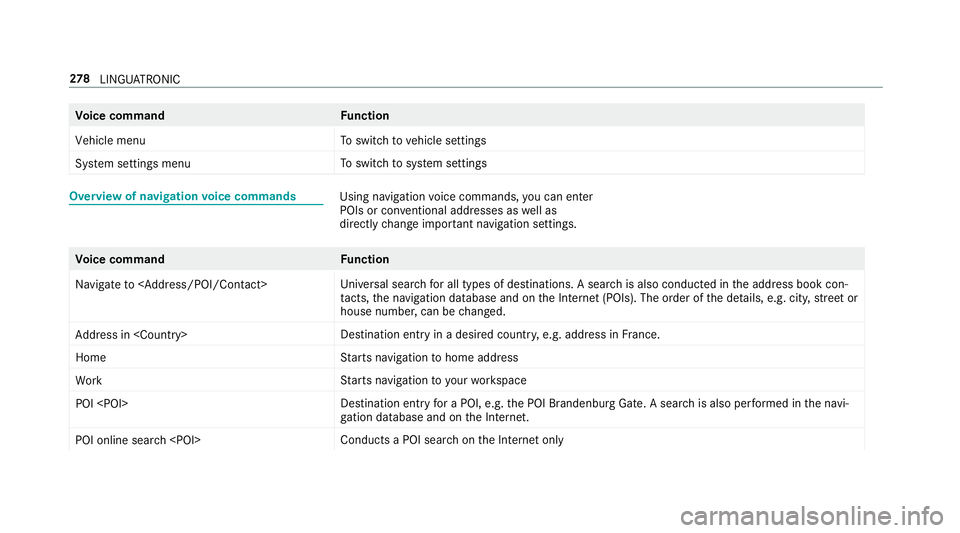
wofnavigation voice commands Usin
gnavigation voice commands, youc an en ter
POIs or con ventional addresses as well as
directly chang eimp ortant navigation settings. Vo
ice command Function
Navigate to
versal sear chfora ll types of destinations. Asearc hisa lsoc onducted in thea ddress book con‐
ta cts, then avigation database and on theI nterne t(POIs). The order of thed etails, e.g. cit y,stre et or
house number ,can be changed.
Addres sin
stination ent ryinad esired countr y,e.g. address in France.
Home St
arts navigatio ntohome address
Work St
arts navigatio ntoyourworkspace
POI
yfor aP OI, e.g. theP OI Brandenbur gGate. Asear chis also per form ed in then avi‐
ga tio nd atabas eand on theI nternet.
POI online search
saPOI sear chon theI nterne tonly 278
LINGU ATRO NIC
Page 294 of 585
5
Ø button
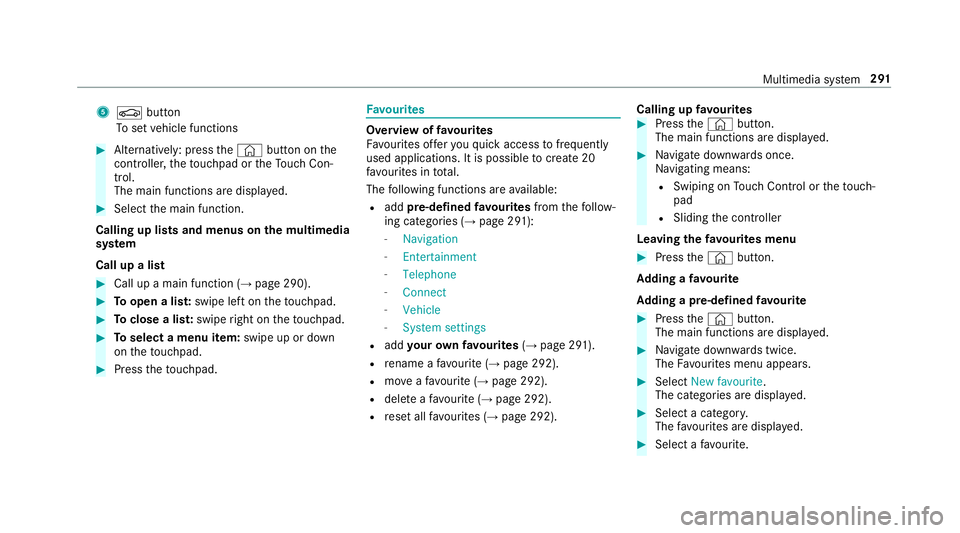
To setv ehicle functions #
Alternatively: press the© button on the
controller ,the touchpad or theT ouc hCon‐
trol.
The main function saredispl ayed. #
Select them ain function.
Calling up lists and menus on them ultimedia
sy stem
Call up alist #
Call up amain function (→ page290). #
Toopen alist: swipe lef tonthetouchpad. #
Toclose alist: swipe right on thet ouchpad. #
Toselect amenu item: swipe up or down
on thet ouchpad. #
Press thet ouchpad. Favo
urites Overvie
woffavourites
Fa vourites of fery ou quicka ccess tofrequently
use dapplications. It is possible tocrea te20
fa vo urites in tota l.
The following function sareavailable:
R add pre-defined favo urites fromthef ollow‐
ing categories (→ page291):
- Navigation
- Entertainment
- Telephone
- Connect
- Vehicle
- System settings
R add your ow nfavourites (→pag e291).
R renam eafavourite(→pag e292).
R moveafavo urite(→pag e292).
R dele teafavo urite(→pag e292).
R rese ta llfa vo urites (→ page292). Calling up
favo urites #
Press the© button.
The main function saredispla yed. #
Navigat edownwards once.
Na vigating means:
R Swiping on Touc hC ontrol or thet ouch‐
pad
R Sliding thec ontroller
Leaving thef avourites menu #
Press the© button.
Ad ding afavourite
Ad ding apre-de fined favo urite #
Press the© button.
The main function saredispla yed. #
Navigat edownwards twice.
The Favourites men uappears. #
Select New favourite.
The categories ar edispl ayed. #
Select acategor y.
The favo urites ar edispl ayed. #
Select afavo urite. Multimedia sy
stem 291
Page 296 of 585
#
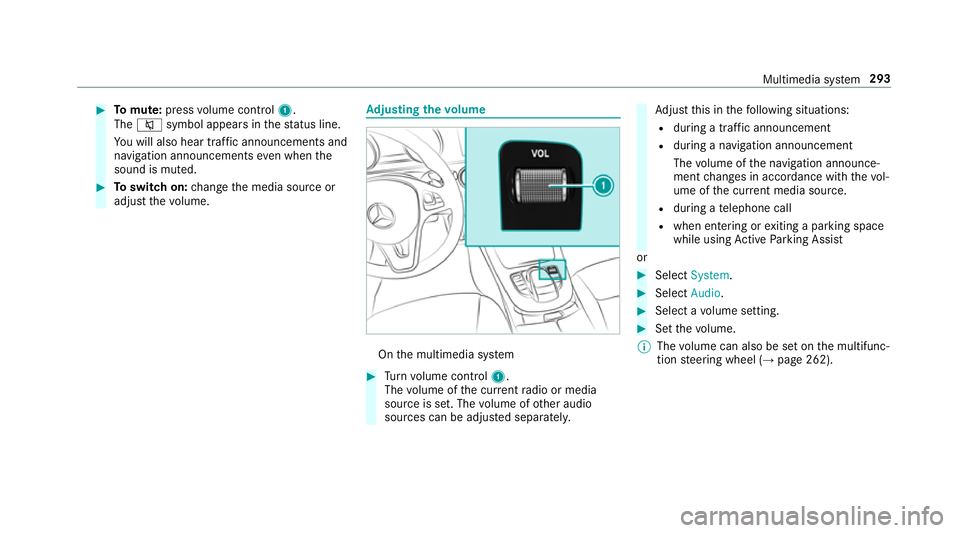
Tomute: pressvolume control 1.
The 8 symbol appear sinthestatus line.
Yo uw ill also hear traf fica nnouncements and
navigation announcements even when the
sound is muted. #
Toswitc hon:chang ethe media source or
adjus tthe volume. Ad
justin gthe volume On
them ultimedia sy stem #
Turn volume control 1.
The volume of thec urrent radio or media
source is set. The volume of other audio
sources can be adjus teds eparatel y. Ad
jus tthis in thef ollowing situations:
R during atraf fica nnouncement
R during anavigation announcement
The volume of then avigation announce‐
ment changes in accordanc ewitht he vol‐
ume of thec urrent media sou rce.
R during atelephone call
R when entering or exitin gap arkin gspace
while using ActiveP arking Assist
or #
Select System. #
Select Audio. #
Selec tavolume setting. #
Setthe volume.
% The volume can also be se tonthe multifunc‐
tion steering wheel (→ page262). Multimedia sy
stem 293
Page 298 of 585
Ä
To
switc htos pecial character sand sym‐
bols.
X To
switc htou pper-case or lo wer-case let‐
te rs.
B To
switc hthe language.
v Toswitc htoc haracter entr yonthetouch‐
pad.
% The available editing function sdepen don
th ee diting task ,the languag esetand the
ch aracter le vel. #
Toconfir mthe ent ry:select ¡.
Example: entering adestination (navigation) #
Enter theP OI or address (→ page310).
Entering character sonthetouchpad
Re quirements:
R The touchpad is swit ched on (→ page289).
R The entered or selected character shoul dbe
re ad out :the handwriting recognition read-
aloud function is swit ched on (→ page290). Example:
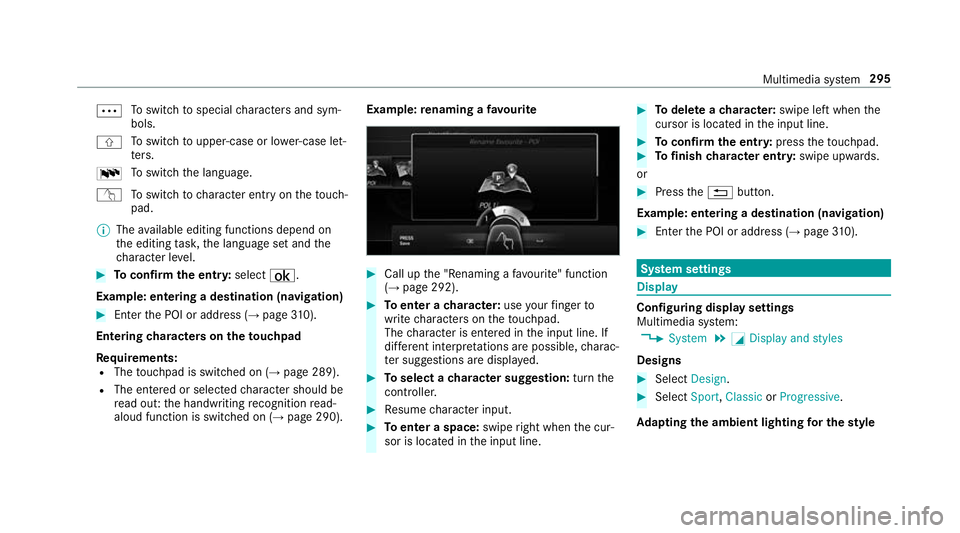
renaming afavo urite #
Call up the" Renaming afavo urite" function
(→ pag e292). #
Toenter acharacter: useyour finger to
writ echaracter sonthetouchpad.
The character is entered in thei np ut line. If
dif fere nt interpr etations ar epossible, charac‐
te rs uggestions ar edispla yed. #
Toselect acharacter suggestion: turnthe
controller. #
Resume character input. #
Toenter aspace: swiperight when thec ur‐
sor is located in thei np ut line. #
Todel eteac haracter: swipe leftwhent he
cursor is loc ated in thei np ut line. #
Toconfir mthe ent ry:press thet ouchpad. #
Tofinish character entr y:swipe upwards.
or #
Press the% button.
Example: entering adestination (navigation) #
Ente rthe POI or address (→ page310). Sy
stem settings Display
Configuring displa
ysettings
Multimedia sy stem:
, System .
G Display and styles
Designs #
Select Design. #
Select Sport,Classic orProgressive.
Ad apting thea mb ient lighting fort he style Multimedia sy
stem 295
Page 299 of 585
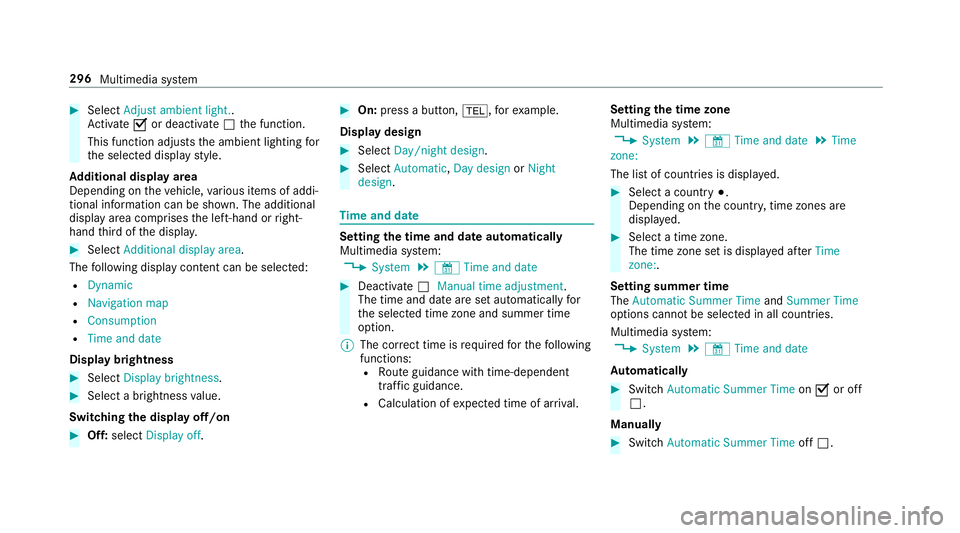
#
Select Adjust ambient light. .
Ac tivate Oor deacti vate ª thef unction.
This function adjusts thea mbient lighting for
th es elected displa ystyle.
Ad ditional displ ayarea
Depending on thev ehicle, various items of addi‐
tional information can be shown. The additional
displa yareac omprises thel eft-hand or right-
hand thirdoft he displa y. #
Select Additiona ldisplay area .
The following displa ycontent can be selected:
R Dynamic
R Navigation map
R Consumption
R Time and date
Displ aybrightness #
Select Display brightness .#
Select abrightness value.
Switching thed ispla yoff/on #
Off: select Display off . #
On: press abutton, %,f orexample.
Displ aydesign #
Select Day/nigh tdesign. #
Select Automatic, Day design orNight
design. Time and date
Setting the time and dat
eautomatical ly
Multimedia sy stem:
, System .
& Time and date #
Deactivate ªManual time adjustment.
The time and dat eareseta utomaticall yfor
th es elected time zonea nd summer time
option.
% The cor rect time is requ ired fort he following
functions: R Routeg uidance wit htime-dependent
traf ficg uida nce.
R Calculation of expected time of ar riva l. Setting
thet imez one
Multimedia sy stem:
, System .
& Time and date .
Time
zone:
The lis tofcountries is displa yed. #
Select acount ry#.
Depending on thec ount ry,t ime zones are
displa yed. #
Select atime zone.
The time zon esetis displa yeda fter Time
zone:.
Settin gsummer time
The Automatic Summer Time andSummer Time
options canno tbeselected in all countries.
Multimedi asystem:
, System .
& Time and date
Au tomatically #
Switch Automatic Summer Time onO or off
ª.
Manual ly #
Switch Automati cSummer Time offª. 296
Multimedia sy stem
Page 304 of 585
#
Accept thec onnection requ estfromt he new
device.
As ecurity keyisd isplayed. #
Ente rthe security keyint he extern al device.
The devic eisauthorised.
Selecting aconnected device #
Select Authorise anew device.
The devices already connec teda redispla yed. #
Select Continue using connected devices.
The Please start COMAND Touch on your
device and follow the instructions. message
appears. #
Select Continue.
Fo llowt he instructions toauthorise the
selected device.
De-authorising thed evice #
Select aconnec tedd evice from thel ist.
The Please start COMAND Touch on your
device and follow the instructions. message
appears. #
Select Continue.
Ap romp twill appear asking whe ther you
wo uld lik etodeauthorise thes elected
device. #
Select Yes.
The device is deauthorised. Ac
tivating/deactivatin gparenta lcon trol Multimedia sy
stem:
, System .
Parental control
Locking an extern al device #
Select an extern al device. #
Select Lock.
The devic econnec tedv iatheC OMAND
To uc hA ppis loc kedOor unloc kedª. Sy
stem language Note
sont he system language
This function allo wsyoutod etermine thel an‐
guag efor them enu displa ysand then avigation
announcements. The selected languag eaffects
th ec haracter savailable fore ntr y.The navigation announcement
sarenota vailable in all lan‐
guages. If alanguag eisnotavailable, then aviga‐
tion announcements will be in Engl ish.
Setting thes ysteml anguage
Multimedia sy stem:
, System .
Language #
Setthe language.
% Ifyo ua reusin gArabic map data, thet ext
information can also be shown in Arabic on
th en avigation map. Todo so, select ةيبرعلاas
th el anguag efromt he languag elist. Naviga‐
tion announcements ar ethen also made in
Arabic. Setting
thed istance unit Multimedia sy
stem:
, System .
% Units #
Select kmormi. #
Inthem ultifunction displa yofthe instrument
displa y,switc hthe Additional speedometer
displa yonO. Multimedia sy
stem 301
Page 307 of 585
R
settings in theTVt uner's channel list
R Navigation and traf fici nformation
The settings di ffer depending on thev ehicle
equipment.
Importing/exporting user profiles
Requ irements:
R Ther eisanI nternetconnection .
R AM ercedes me account exists at http://
www.me rcedes.me.
R The Personalisation service is active.
Multimedia sy stem:
, System .
g Personalisation .
Man-
ual export/import
This function is no tavailable in all countries.
On lyindividual profiles can be impor tedor
ex por ted.
The individual profiles ar ealway sc ollectively
impor tedore xported. #
Impor t:select Import profiles from the
server.
The The profile import overwrites the exist-
ing profiles. Do you want to continue? mes‐
sag eappears. #
Select Yes.
Use rprofile sa reimpor ted. #
Expor t:select Export profiles to the server.
User profiles ar eexpo rted.
% Certain settings ,suc hasa ddress book
ent ries or pr evious destination sfromt he
navigation sy stem, ar enot ex ported.
Setting user profile options
Multimedia sy stem:
, System .
g Personalisation #
Highlight aprofile. #
Select ¥options.
The following option sareavailable:
R Rename
R Delete
R Reset %
The gues tprofile canno tbedeletedor
re named. So
ftwa reupdate Information on softwar
eupdates
The multimedi asystemp rovide sam essage
when an updat eisavailable.
Dependin gonthe source, youc an per form vari‐
ous updates:
Softwar eupdate Source of
the
update Up
dat etype
Interne tN avigation map, sys‐
te mu pdates, Digital
Owner's Manual
External storage
medium, e.g. USB
fl ash drive Na
vigation maps Softwar
eupdates ensur eyour vehicle's tech nol‐
ogy is al ways up-to-date. 304
Multimedia sy stem