navigation MERCEDES-BENZ E-CLASS ESTATE 2017 Owner's Guide
[x] Cancel search | Manufacturer: MERCEDES-BENZ, Model Year: 2017, Model line: E-CLASS ESTATE, Model: MERCEDES-BENZ E-CLASS ESTATE 2017Pages: 585, PDF Size: 11.8 MB
Page 327 of 585
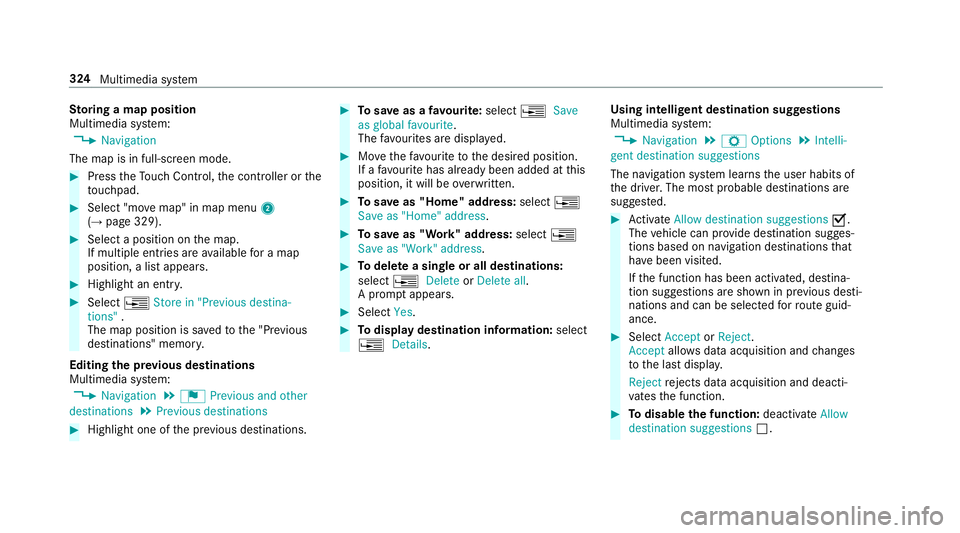
St
oring amapposition
Multimedia sy stem:
, Navigation
The map is in full-screen mode. #
Press theT ouc hControl, thec ontroller or the
to uchpad. #
Select "mo vemap" in map menu 2
(→ pag e329). #
Select aposition on them ap.
If multiple entri es areavailable foram ap
position, alista ppears. #
Highlight an entr y.#
Select ¥Store in "Previou sdestina-
tions" .
The map position is sa vedtot he "Pr evious
destinations" memo ry.
Editing thep revious destinations
Multimedia sy stem:
, Navigation .
¬ Previous and other
destinations .
Previous destinations #
Highlight one of thep reviou sdestinations. #
Tosave asafavo urite: select ¥Save
as global favourite .
The favo urites ar edispl ayed. #
Movethef avo uritetot he desired position.
If af avo uritehas already been added at this
position, it will be overwritten. #
Tosave as "Home "address: select¥
Save as "Home "address . #
Tosave as "Work" address: select¥
Save as "Work" address . #
Todel eteas ingle or all destinations:
select ¥Delete orDelete all.
Ap romp tappears. #
Select Yes. #
Todispl aydestinatio ninformation: select
¥ Details. Using intelli
gent destination suggestions
Multimedia sy stem:
, Navigation .
Z Options .
Intelli-
gent destination suggestions
The navigation sy stem learns theu ser habits of
th ed rive r.The mos tprobable destinations are
sugges ted. #
Activate Allow destination suggestions O.
The vehicle can pr ovide destination sugges‐
tion sbased on navigation destination sthat
ha ve been visited.
If th ef unction has been activated, destina‐
tion suggestion sareshown in pr evious desti‐
nations and can be selec tedf or routeg uid‐
ance. #
Select Accept orReject .
Accept allowsdataacquisition and changes
to thel astd ispla y.
Reject rejects da taacquisition and deacti‐
va test he function. #
Todisable the function: deactivateAllow
destination suggestions ª.324
Multimedia sy stem
Page 328 of 585
#
Todel eted estination suggestions: select
Reset history .
Using extern al destinations and routes
External destinations and routes can be recei ved
from thef ollowing sources:
R Mercedes-Benz Apps
R door-to-door navigation
Ap romp tappear sonthe media displa y.
Re cei vedd estinations and routes ar esaved in
th ep reviou sdestinations. #
Ifad estination is received: selectYesand
continue wit hmethod 1or2.
or #
Ifad estination wasreceived wit hphoto
information, select Start routeguidance.
Ro uteg uidance starts. #
Method 1: if routeg uidance is no tactive,
select Start rout eguidance.
The routetot he destination is calculated.
The map sho ws theroute. Routeg uidance
th en begins. #
Method 2: if routeg uidance is active, select
Start ne wrout eguidance orSet as next
intermediat edestination .
Start ne wrout eguidance:t herecei vedd esti‐
nation address is se tasanewd estination.
The pr evious destination sand intermediate
destination saredele ted. Ro uteg uidance to
th en ew destination begins.
Set as nexti ntermediate destination :the
re cei vedd estination address is se tasthe
next ne wintermedia tedestination. Route
guidance begins. #
Arout ehas bee nreceived: selectStart
rout eguidance from th ebeginning orStart
rout eguidance from curren tlocation.
Ro uteg uidance starts from thes elected
position. Ro
uteg uidanc ewith cur rent traf ficr epo rts Tr
af fici nformation overview
% The services ar enotavailable in everycoun‐
tr y. Tr
af ficr eports can be recei vedw itht he following
services:
R LiveT raffic In form ation
R FM RDS-TMC
It is no tpossible touse bo thservices simul‐
ta neously.
Liv eT raffic In form ation or FM RDS-TMC is
displ ayedw ithas ymbol.
% Hazar dalerts can be recei vedu sing theC ar-
to -X service.
% Therema ybed iffe re nces betwee nthe traf fic
re ports recei veda nd thea ctual road and
traf ficc onditions.
Impor tant informatio nonLiveT raffic In form a‐
tion:
R Current tra ffic reports ar ereceived via the
Interne tconnection or via dat aroaming (for
sele cted European count ries).
R The tra ffic situation is updated at short, regu‐
lar inter vals.
R In selec tedE uropean count ries, thes ubscrip‐
tion service is available free of charge fora Multimedi
asyst em 325
Page 329 of 585
period of
thre ey ear sfromt he manufacturing
date.
The status of thes ubscription can be dis‐
pla yed( → pag e326).
Re gis tering Liv eTraffic In form ation
R The service is initially acti vatedf or three
months uponv ehicle handover.
R The service mus tberegistered
( → pag e326):
- Upon vehicle hando ver
- Within thre em onths
R This ensures thef ull, free usag eperiod.
R Registration is car ried out at aMercedes-
Benz Service Centr eonthe Mercedes me
we bsite.
R Ifre gistration is no tcomple tedw ithin this
tim eperiod, Liv eTraffic In form ation will be
deactivated. If Liv eTraffic In form ation is
used af tert his period, e.g. af ters ix months,
th er emaining time forf reeu sage is 2.5
ye ars. In
fo rm atio nont hevehicle's position is regularly
sent toDaimle rAG. Th edataisi mmediatel yren‐
dered anonymous byDaimle rAGandforw arded
to thet raffic dat aprovide r.Usin gthis data, traf‐
fi cr eports releva nt tothev ehicle's position are
sent tothev ehicle. The vehicle acts as asensor
fo rt he flow of traf fica nd helps toimpr ovet he
qu alit yoft he tra ffic reports.
If yo udon otwish totransmi tyour vehicle posi‐
tion, youc an ha vethis service deactivated at a
Mercedes-Benz Service Cent re.
Useful information on FM RDS-TMC:
R AFMR DS-TMC radio statio nbroadcasts traf‐
fi cr eports alongside ther adio prog ramme.
R FM RDS-TMC is no tavailable in all countries.
Displ aying subscription information
Re quirements:
R The vehicle is equipped wit hLiveT raffic
Information. Multimedia sy
stem:
, Navigation .
Z Options
The subscription expir yd ateisa utomaticall ydis‐
pla yed:
R one mont hbefor ethe expir yd ate
R one week befor ethe expir yd ate
R onthee xpirydate #
Todispl aymanuall y:select Live Traffic Sub-
scription Info.
Depending on thes tatus ,one ofthef ollowing
messages appears:
R thep eriod of validity fort he subscription
is displa yed.
R thes ubscription has expired.
Re gis tering on Mercedes me
Liv eT raffic In form ation mus tberegis tere d. Re g‐
istration is car ried out at aMercedes-Benz
Service Centre.
Requ irement: youh ave auser accoun tonthe
Mercedes me website. 326
Multimedia sy stem
Page 330 of 585
#
Creat eauser accoun tatMercedes me at:
http://www.mercedes.me. Avalid email
address is requ ired fort his. #
Regis tert he vehicle using thev ehicle identifi‐
cation number (VIN). #
Have thev ehicle linked totheM ercedes me
user account at aMercedes-Benz Service
Centre. The vehicle registration documents
and aformofi dentification ar erequired for
th is. #
Accep tthe general and specific term sofu se.
Extending asubscription
Re quirement: youh ave auser accoun tonthe
Mercedes me website. #
Call up theM ercedes me user account. #
Switc htothe Mercedes me connect online
st or ev iathel inked vehicle. #
Extend theL iveT raffic In form ation service. #
Select thee xtension pe riod. #
Addthe product tothes hopping bask et. #
Accep tthe general and specific term sofu se.
Liv eT raffic In form ation remains activated for
th es elected extension pe riod. Activation
begins on thed ateofe xtension.
Displ aying thet raffic map
Re quirements:
R ForL iveT raffic In form ation: thev ehicle is
equipped wit hacommunication module fea‐
turing an activated, integrated SI Mcard.
R When thev ehicle is star ted, thec ommunica‐
tion module automaticall yestablishes an
Interne tconnection .Traffic in form ation is
mad eavailable shortl yafter wa rds.
Multimedia sy stem:
, Navigation .
Z Options .
Map
menu #
Alternatively: if them ap is displa yedinf ull
screen mode, press theT ouc hControl, the
controller or thet ouchpad.
The map menu appears. #
Activate ºO. The traf
ficm ap sho ws thefollowing information,
fo re xamp le:
R traf fici ncidents ,for example:
- roadwor ks
- road bloc ks
- warning messages
The symbols fort raffic incidentsa redis‐
pl ay ed in colour (on ther oute) or gr ey(off
th er oute).
R traf ficf lowi nformation:
- traf ficj am (red line)
- conges tedt raffic condition s(orang eline)
- slow-moving traf fic( yellow line)
- free-flowing traf fic( green line)
R displ ay fo rtraffic dela yson ther out elasting
at leas tone minute
R warning messag esymbols:
- symbol d
- additional road saf etyn otes when
approaching atraffic incident,e .g.the
end of atraffic jam Multimedia sy
stem 327
Page 331 of 585
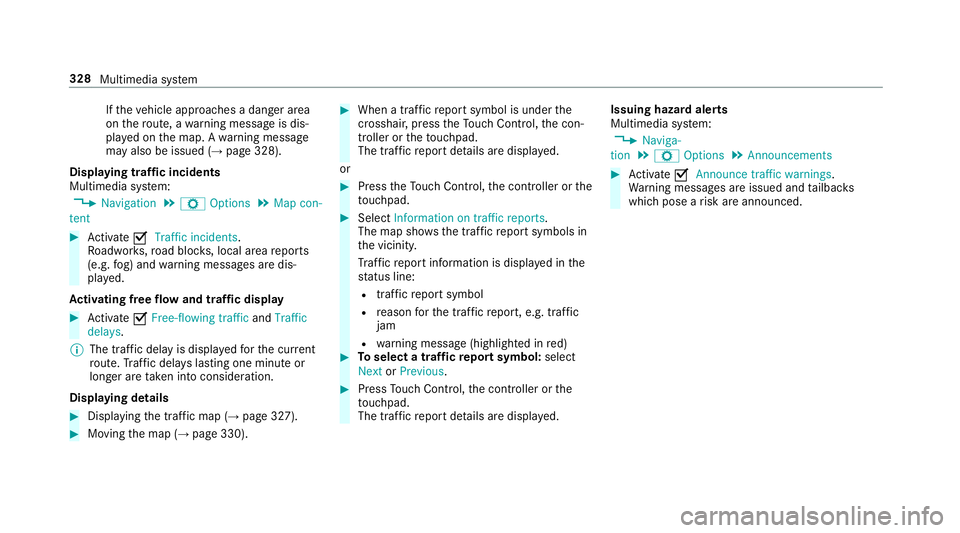
If
th ev ehicle approaches adanger area
on ther oute, awarning messag eisdis‐
pla yedont he map. Awarning message
ma yalso be issued (→ page328).
Displaying traf fici ncidents
Multimedia sy stem:
, Navigation .
Z Options .
Map con-
tent #
Activate OTraffi cincidents.
Ro adwor ks,road bloc ks,local area reports
(e.g. fog) and warning messages ar edis‐
pla yed.
Ac tivatin gfreef lowa nd traf ficd isplay #
Activate OFree-flowing traffic andTraffic
delays.
% The traf ficd elay is displa yedf or thec urrent
ro ute. Traf ficd elay sl asting one minut eor
longer ar etaken int oconsideration.
Displaying details #
Displaying thet raffic map (→ page327). #
Movin gthe map (→ page330). #
When atraffic repor tsymbol is under the
crosshair ,press theT ouc hControl, thec on‐
troller or thet ouchpad.
The traf ficr epor tdetails ar edispla yed.
or #
Press theT ouc hControl, thec ontroller or the
to uchpad. #
Select Information on traffic reports .
The map sho ws thetraffic repor tsymbols in
th ev icinit y.
Tr af ficr epor tinformation is displa yedint he
st atus line:
R traf ficr epor tsymbol
R reason fort he traf ficr eport, e.g. tra ffic
jam
R warning messag e(highligh tedinr ed) #
Toselect atraffic repor tsymbol: select
Next orPrevious. #
Press Touc hC ontrol, thec ontroller or the
to uchpad.
The traf ficr epor tdetails ar edispla yed. Issuing hazar
dalerts
Multimedia sy stem:
, Naviga-
tion .
Z Options .
Announcements #
Activate OAnnounce traffi cwarnings .
Wa rning messages ar eissued and tailbac ks
whic hpose arisk ar eannounced. 328
Multimedia sy stem
Page 332 of 585
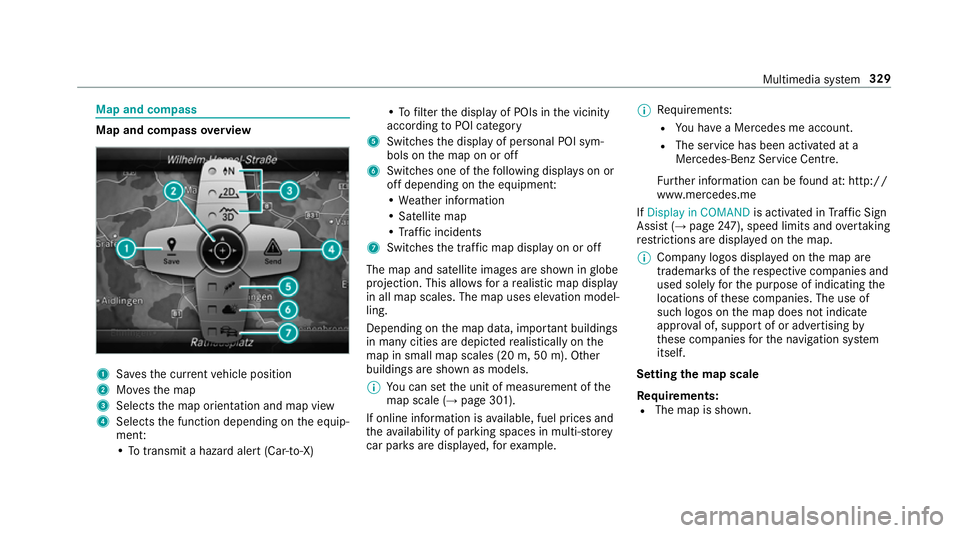
Map and compass
Map and compass
overview 1
Savest he cur rent vehicle position
2 Movest he map
3 Selects them ap orientation and map view
4 Select sthe function depending on thee quip‐
ment:
•Tot ransmi tahazard aler t(Ca r-to -X) •Tof
ilterthed ispla yofP OIs in thev icinity
according toPOI category
5 Switches thed ispla yofp ersonal POI sym‐
bols on them ap on or off
6 Switches one of thef ollowing displa yson or
of fd epending on thee quipment:
•W eather information
•S atellit emap
•T raffic incidents
7 Switche sthe tra ffic map displa yonoro ff
The map and satellit eimages ar eshown in globe
projection. This allo wsforar ealistic map display
in all map scales. The map uses ele vatio nm odel‐
ling.
Depending on them ap data, impor tant buildings
in ma nycities ar edepicted realisticall yonthe
map in small map scales (20m,50m ). Other
buildings ar eshown as models.
% Youc an se tthe unit of measurement of the
map scale (→ page301).
If online information is available, fuel price sand
th ea vailabilit yofparkingspaces in multi-s torey
car pa rksa redispla yed, fore xamp le. %
Requirements:
R Youh ave aMercedes me account.
R The servic ehas been activated at a
Mercedes-Ben zServic eCentre.
Fu rther information can be found at :http://
www.mercedes.me
If Display in COMAND is activated inTraf ficS ign
Assi st (→pag e247), spee dlimit sand overtaking
re strictions ar edispl ay ed on them ap.
% Compan ylogos displa yedont he map are
trademar ksofther espectiv ecompanies and
used solely fort he purpose of indicating the
locations of these companies. The use of
suc hlogos on them ap does no tindicate
appr oval of, suppo rtof or advertising by
th ese companies fort he navigation sy stem
itself.
Setting them apscale
Re quirements:
R The map is shown. Multimedia sy
stem 329
Page 333 of 585
Multimedia sy
stem:
, Navigation #
Tozoo min:swipe down on theT ouc hCon‐
trol.
or #
Turn thec ontroller anti-clockwise.
or #
Movetwof inger saparton thet ouchpad. #
Tozoo mo ut:swipe up on theT ouc hControl.
or #
Turn thec ontroller clockwise.
or #
Movetwof inger stogether on thet ouchpad.
% Youc an se tthe unit of measurement of the
map scale (→ page301). Moving
them ap
Multimedia sy stem:
, Navigation .
Z Options .
Map
menu #
Alternatively: if them ap is displa yedinf ull
screen mode, press theT ouc hControl, the
controller or thet ouchpad.
The map menu appears. #
Select "mo vemap" in map menu 2
(→ pag e329). #
Swipe in an ydirection on theT ouc hControl
or touchpad.
or #
Slid ethe controller in an ydirection.
The map mo vesint he cor responding direc‐
tion under thec rosshair .The fur ther you
mo veyour finger away from thes tarti ngposi‐
tio nont hetouchpad, thef astert he map
mo ves. Selecting
them aporientation
Multimedia sy stem:
, Navigation .
Z Options .
Map
menu #
Alternatively: if them ap is displa yedinf ull
screen mode, press theT ouc hControl or the
to uchpad.
The map men uappears. #
In map menu 3,select N,2D or
3D( →pag e329).
R N:t he 2D map vie wisdisplayedsot hat
nor this alw aysatt hetop.
R 2D:t he 2D map vie wisaligned tothe
direction of tra vel.
R 3D:t he 3D map vie wisaligned tothe
direction of tra vel.
Selecting POI symbols
Multimedia sy stem:
, Navigation .
Z Options .
Map con-
tent
POIs include filling stations and ho tels whic hcan
be displa yedass ymbols on them ap,fore xam‐
ple. Notall POI sareavailable everywhere. 330
Multimedia sy stem
Page 334 of 585
#
Select POI symbols.
The #do tindica test he cur rent setting.
Standard displayss ymbols of predefined cat‐
egories on them ap.
User defined allowsyoutop ersonall yselect
th es ymbols fort he available categories.
None switches thed ispla yoff. #
Select asetting. #
User defined:s elect categories.
The POI symbols of thes elected categories
ar ed ispla yedOor no tdispla yedª.
Selecting text information
Multimedia sy stem:
, Navigation .
Z Options .
Text
information #
Select text information.
Current street showsthes tree tyou ar ecur‐
re ntly driving on at theb otto moft he displa y.
When them ap is mo ved, thef ollowing infor‐
mation appear sunder thec rosshair:
R stre et name
R POI name R
area name
Geo-coordinates displayst he following infor‐
mation:
R longitude and latitude
R elevation
The el evatio nshown ma ydeviat ef rom
th ea ctual ele vation.
R numbe rofsatellitesf romw hichas ignal
can be recei ved
When them ap is mo ved, this information
does no tappear.
Climate control displays thecurrent clima te
control settings.
None switches thed ispla yoff.
Switching mo torw ay information on/off
Multimedia sy stem:
, Navigation .
Z Options #
Switch Motorway information onO or off
ª.
The function is switched on O:during a
journe y,additional information on upcoming fa
cilities appea rson ther ight side of the
screen. These include car par ks,s ervice sta‐
tions and mo torw ay ex its,fore xamp le.
Displ aying then extintersectin gstreet
Re quirements:
R Routeg uidance is no tactive.
Multimedia sy stem:
, Navigation .
Z Options #
Activate ONextintersecting street .
Th en am eoft he next intersecting stre et will
be displa yedatt he upper edg eofthe displa y.
Displaying them apversion
Multimedia sy stem:
, Navigation .
Z Options #
Select Map version . #
Select Details.
% Information about ne wversions of thed igital
map can be obtained from aMercedes-Benz
Service Centre. Multimedia sy
stem 331
Page 335 of 585
Av
oiding an area
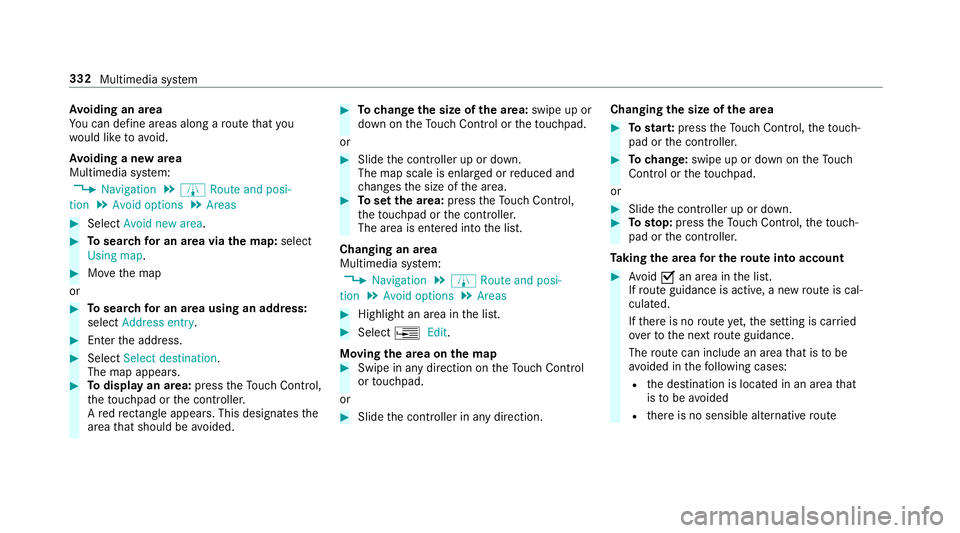
Yo uc an define areas alon garoutethat you
wo uld lik etoavoid.
Av oiding anew area
Multimedia sy stem:
, Navigation .
À Route and posi-
tion .
Avoid options .
Areas #
Select Avoid new area. #
Tosear chforana reav iathe map: select
Using map. #
Movethem ap
or #
Tosear chforana reau sing an address:
select Addres sentry . #
Enter thea ddress. #
Select Select destination.
The map appears. #
Todispl ayan area: presstheT ouc hControl,
th et ouchpad or thec ontroller.
Ar ed rectangle appea rs.T hisd esignates the
area that shoul dbeavoided. #
Tochang ethe siz eofthe area: swipe up or
down on theT ouc hControl or thet ouchpad.
or #
Slide thec ontroller up or down.
The map scale is enlar gedorr educed and
ch anges thes ize of thea rea. #
Tosetthe area: presstheT ouc hControl,
th et ouchpad or thec ontroller.
The area is entered int othe list.
Changing an area
Multimedia sy stem:
, Navigation .
À Route and posi-
tion .
Avoid options .
Areas #
Highlight an area in thel ist. #
Select ¥Edit.
Moving thea reaont he map #
Swipe in an ydirection on theT ouc hControl
or touchpad.
or #
Slid ethe controller in an ydirection. Changing
thes ize of thea rea #
Tostar t:press theT ouc hControl, thet ouch‐
pad or thec ontroller. #
Tochange: swipe up or down on theT ouch
Control or thet ouchpad.
or #
Slide thec ontroller up or down. #
Tosto p:press theT ouc hControl, thet ouch‐
pad or thec ontroller.
Ta king thea reaf or th erout eintoa ccount #
Avoid Oan area in thel ist.
If ro uteg uidance is active, anew routeisc al‐
culated.
If th er eisnor outeyet,t he setting is car ried
ove rtot he next routeg uidance.
The routec an include an area that is tobe
av oided in thef ollowing cases:
R thed estination is located in an area that
is to be avo ided
R ther eisnos ensible alternativ eroute 332
Multimedia sy stem
Page 336 of 585
Deleting one or all areas
Multimedia sy
stem:
, Navigation .
À Route and posi-
tion .
Avoid options .
Areas #
Highlight an area in thel ist. #
Select ¥Delete or¥ Deleteall. #
Confir mthe prom ptwith Yes.
On eora ll areas ar edeleted.
Map data updat eoverview
Up datin gatt he Mercedes-Ben zService
Centre
The digital map sgene ratedbyt he map software
become outdated in thes ame wayasc onven‐
tional road maps .Optimal routeg uidance can
on ly be pr ovided bythen avigation sy stem in
conjunction wit hthe mos tup-to-dat emap data.
Information about ne wversions of thed igital
map can be obtained from aMercedes-Benz
Service Centre.
Yo uc an recei veupdates tothed igital map there. Online map update
% The online map updat eservice is no tavaila‐
ble in all countries.
The online map updat eservic efromM ercedes
me connec tcan be used toupdat emap data.
The following updates ar eavailable:
R thea utomatic map updat eupdates map data
fo ro ne region.
R them anual map updat eupdates map data
fo rs everal or all regions.
The service mus tbeactivated at aMercedes-
Benz Service Centr einorder touse automatic
updates.
Fu rther information on theo nline map update
http://www.mercedes.me.
Fu rther information on updates: http://
manuals.daimle r.com/baix/cars/connectme/
de_DE/index.html.
In fo rm ation on map data
Yo ur vehicle is supplied wit hmap dat aatthefac‐
to ry.D epending on thec ount ry,m ap dat afor
yo ur region is either pre-ins talled or them ap dat
aiss upplied on adatas torage medium. Yo u
do no trequir eana ctivation code fort he map
dat aw hichisp rovide dwithy our vehicle.
If th em ap dat aonyourvehicle has been ins tal‐
led at thef actor yand youw ish toreins tall it, you
do no tneed toenter thea ctivation code.
An activation code is requ ired forp urchased
map data.
Obser vethef ollowing no tes:
R The activation code can be used foro ne vehi‐
cle
R The activation code is no ttransferable
R The activation code has six digits
In thee vent of thef ollowing problems, please
conta ctaM ercedes-Benz Servic eCentre:
R The multimedia sy stem does no taccep tthe
activation code
R Youh ave lostthe activation code Multimedia sy
stem 333