service MERCEDES-BENZ E-CLASS ESTATE 2017 Owner's Guide
[x] Cancel search | Manufacturer: MERCEDES-BENZ, Model Year: 2017, Model line: E-CLASS ESTATE, Model: MERCEDES-BENZ E-CLASS ESTATE 2017Pages: 585, PDF Size: 11.8 MB
Page 330 of 585
#
Creat eauser accoun tatMercedes me at:
http://www.mercedes.me. Avalid email
address is requ ired fort his. #
Regis tert he vehicle using thev ehicle identifi‐
cation number (VIN). #
Have thev ehicle linked totheM ercedes me
user account at aMercedes-Benz Service
Centre. The vehicle registration documents
and aformofi dentification ar erequired for
th is. #
Accep tthe general and specific term sofu se.
Extending asubscription
Re quirement: youh ave auser accoun tonthe
Mercedes me website. #
Call up theM ercedes me user account. #
Switc htothe Mercedes me connect online
st or ev iathel inked vehicle. #
Extend theL iveT raffic In form ation service. #
Select thee xtension pe riod. #
Addthe product tothes hopping bask et. #
Accep tthe general and specific term sofu se.
Liv eT raffic In form ation remains activated for
th es elected extension pe riod. Activation
begins on thed ateofe xtension.
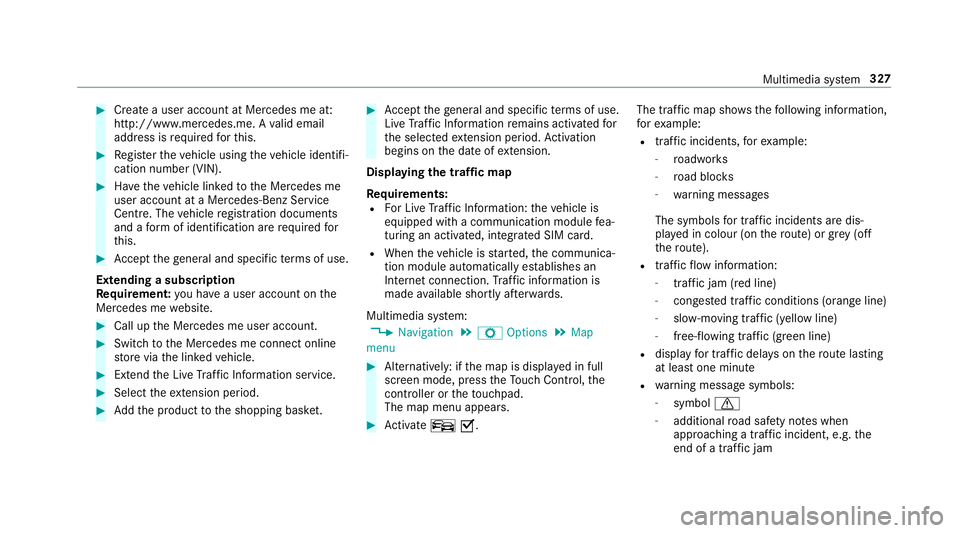
Displ aying thet raffic map
Re quirements:
R ForL iveT raffic In form ation: thev ehicle is
equipped wit hacommunication module fea‐
turing an activated, integrated SI Mcard.
R When thev ehicle is star ted, thec ommunica‐
tion module automaticall yestablishes an
Interne tconnection .Traffic in form ation is
mad eavailable shortl yafter wa rds.
Multimedia sy stem:
, Navigation .
Z Options .
Map
menu #
Alternatively: if them ap is displa yedinf ull
screen mode, press theT ouc hControl, the
controller or thet ouchpad.
The map menu appears. #
Activate ºO. The traf
ficm ap sho ws thefollowing information,
fo re xamp le:
R traf fici ncidents ,for example:
- roadwor ks
- road bloc ks
- warning messages
The symbols fort raffic incidentsa redis‐
pl ay ed in colour (on ther oute) or gr ey(off
th er oute).
R traf ficf lowi nformation:
- traf ficj am (red line)
- conges tedt raffic condition s(orang eline)
- slow-moving traf fic( yellow line)
- free-flowing traf fic( green line)
R displ ay fo rtraffic dela yson ther out elasting
at leas tone minute
R warning messag esymbols:
- symbol d
- additional road saf etyn otes when
approaching atraffic incident,e .g.the
end of atraffic jam Multimedia sy
stem 327
Page 334 of 585
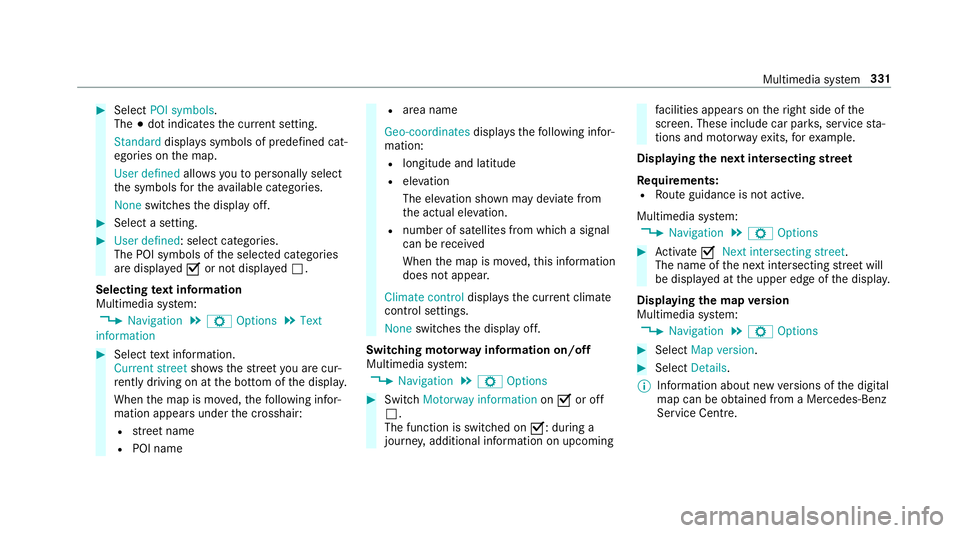
#
Select POI symbols.
The #do tindica test he cur rent setting.
Standard displayss ymbols of predefined cat‐
egories on them ap.
User defined allowsyoutop ersonall yselect
th es ymbols fort he available categories.
None switches thed ispla yoff. #
Select asetting. #
User defined:s elect categories.
The POI symbols of thes elected categories
ar ed ispla yedOor no tdispla yedª.
Selecting text information
Multimedia sy stem:
, Navigation .
Z Options .
Text
information #
Select text information.
Current street showsthes tree tyou ar ecur‐
re ntly driving on at theb otto moft he displa y.
When them ap is mo ved, thef ollowing infor‐
mation appear sunder thec rosshair:
R stre et name
R POI name R
area name
Geo-coordinates displayst he following infor‐
mation:
R longitude and latitude
R elevation
The el evatio nshown ma ydeviat ef rom
th ea ctual ele vation.
R numbe rofsatellitesf romw hichas ignal
can be recei ved
When them ap is mo ved, this information
does no tappear.
Climate control displays thecurrent clima te
control settings.
None switches thed ispla yoff.
Switching mo torw ay information on/off
Multimedia sy stem:
, Navigation .
Z Options #
Switch Motorway information onO or off
ª.
The function is switched on O:during a
journe y,additional information on upcoming fa
cilities appea rson ther ight side of the
screen. These include car par ks,s ervice sta‐
tions and mo torw ay ex its,fore xamp le.
Displ aying then extintersectin gstreet
Re quirements:
R Routeg uidance is no tactive.
Multimedia sy stem:
, Navigation .
Z Options #
Activate ONextintersecting street .
Th en am eoft he next intersecting stre et will
be displa yedatt he upper edg eofthe displa y.
Displaying them apversion
Multimedia sy stem:
, Navigation .
Z Options #
Select Map version . #
Select Details.
% Information about ne wversions of thed igital
map can be obtained from aMercedes-Benz
Service Centre. Multimedia sy
stem 331
Page 336 of 585
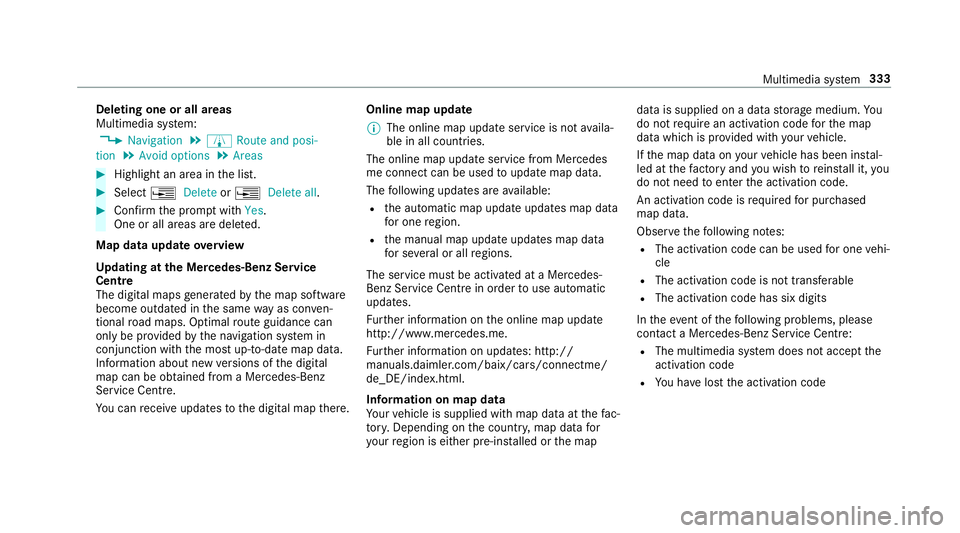
Deleting one or all areas
Multimedia sy
stem:
, Navigation .
À Route and posi-
tion .
Avoid options .
Areas #
Highlight an area in thel ist. #
Select ¥Delete or¥ Deleteall. #
Confir mthe prom ptwith Yes.
On eora ll areas ar edeleted.
Map data updat eoverview
Up datin gatt he Mercedes-Ben zService
Centre
The digital map sgene ratedbyt he map software
become outdated in thes ame wayasc onven‐
tional road maps .Optimal routeg uidance can
on ly be pr ovided bythen avigation sy stem in
conjunction wit hthe mos tup-to-dat emap data.
Information about ne wversions of thed igital
map can be obtained from aMercedes-Benz
Service Centre.
Yo uc an recei veupdates tothed igital map there. Online map update
% The online map updat eservice is no tavaila‐
ble in all countries.
The online map updat eservic efromM ercedes
me connec tcan be used toupdat emap data.
The following updates ar eavailable:
R thea utomatic map updat eupdates map data
fo ro ne region.
R them anual map updat eupdates map data
fo rs everal or all regions.
The service mus tbeactivated at aMercedes-
Benz Service Centr einorder touse automatic
updates.
Fu rther information on theo nline map update
http://www.mercedes.me.
Fu rther information on updates: http://
manuals.daimle r.com/baix/cars/connectme/
de_DE/index.html.
In fo rm ation on map data
Yo ur vehicle is supplied wit hmap dat aatthefac‐
to ry.D epending on thec ount ry,m ap dat afor
yo ur region is either pre-ins talled or them ap dat
aiss upplied on adatas torage medium. Yo u
do no trequir eana ctivation code fort he map
dat aw hichisp rovide dwithy our vehicle.
If th em ap dat aonyourvehicle has been ins tal‐
led at thef actor yand youw ish toreins tall it, you
do no tneed toenter thea ctivation code.
An activation code is requ ired forp urchased
map data.
Obser vethef ollowing no tes:
R The activation code can be used foro ne vehi‐
cle
R The activation code is no ttransferable
R The activation code has six digits
In thee vent of thef ollowing problems, please
conta ctaM ercedes-Benz Servic eCentre:
R The multimedia sy stem does no taccep tthe
activation code
R Youh ave lostthe activation code Multimedia sy
stem 333
Page 348 of 585
Call list
Call lis
toverview
If yo ur mobile phon esuppo rtst he PBAP Blue‐
tooth ®
profile:
R The call lists from them obile phone ar edis‐
pla yedint he multimedia sy stem.
R When connecting them obile phone, youm ay
ha ve toconfir mthe connection fort he PBAP
Blue tooth ®
profile.
If yo ur mobile phon edoes no tsuppo rttheP BAP
Blue tooth ®
profile:
R The multimedia sy stem generates its ownc all
li st s.
R The call lis tisnotsynchronised wit hthe call
lists in them obile phone.
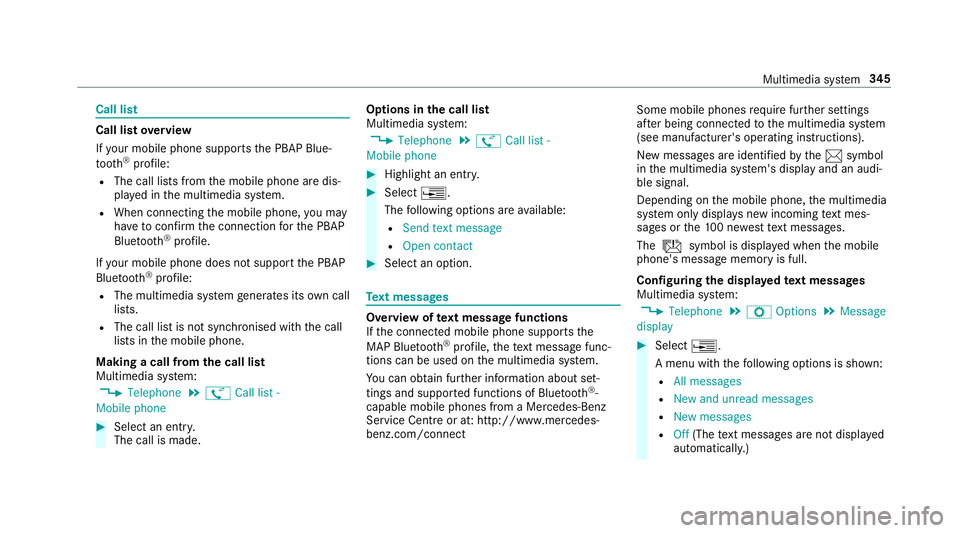
Making acall from the call list
Multimedia sy stem:
, Telephone .
ø Call list -
Mobile phone #
Select an entry.
The call is made. Options in
thec all list
Multimedia sy stem:
, Telephone .
ø Call list -
Mobile phone #
Highlight an entry. #
Select ¥.
The following option sareavailable:
R Sen dtextm essage
R Open contact #
Select an option. Te
xt messages Overvie
woftextm essag efunctions
If th ec onnected mobile phone supports the
MAP Blue tooth®
profile, thet extm essa gefunc‐
tions can be use donthe multimedia sy stem.
Yo uc an obtain fur ther information about set‐
ting sand suppor tedf unction sofBluetooth ®
-
capable mobil ephones from aMercedes-Benz
Service Centr eorat:http://www.mercedes-
benz.com/connect Some mobil
ephones requiref urther settings
af te rb eing connected tothem ultimedia sy stem
(see manufacturer's operating instructions).
Ne wm essages ar eidentified bythe 1 symbol
in them ultimedia sy stem's displa yand an audi‐
ble signal.
Depending on them obile phone, them ultimedia
sy stem onl ydispla ysnewi ncoming text mes‐
sa ge sort he100n ewesttex tm essa ges.
The ú symbol is displa yedw hen them obile
phone's messag ememor yisfull.
Configuring thed ispla yedt extm essages
Multimedia sy stem:
, Telephone .
Z Options .
Message
display #
Select ¥.
Am enu wit hthe following option sisshown:
R All messages
R New and unread messages
R New messages
R Off (The text messa gesa renotd ispla yed
automaticall y.) Multimedia sy
stem 345
Page 350 of 585
Deleting
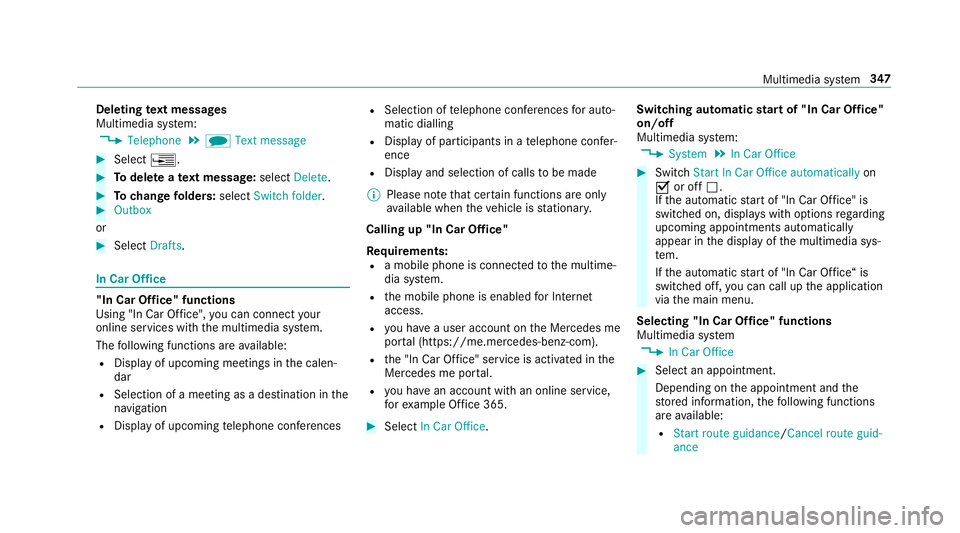
text messages
Multimedia sy stem:
, Telephone .
i Text message #
Select ¥. #
Todel eteat extm essage: selectDelete. #
Tochang efolders: selectSwitch folder . #
Outbox
or #
Select Drafts. In Car Of
fice "In Car Of
fice" functions
Usin g"In Car Of fice" ,you can connect your
onlin eservices wit hthe multimedia sy stem.
The following function sareavailable:
R Displa yofupcomin gmeetings in thec alen‐
dar
R Selection of ameeting as adestination in the
navigation
R Displa yofupcoming telephon econfere nces R
Selection of telephon econfere nces fora uto‐
matic dialling
R Displa yofparticipants in atelephone confe r‐
ence
R Displa yand selection of call stobemade
% Please no tethat cer tain function sareonly
av ailable when thev ehicle is stationar y.
Callin gup"In Car Of fice"
Re quirements:
R am obile phon eisconnec tedtot he multime‐
dia sy stem.
R them obile phone is enabled forI nternet
access.
R youh aveau ser accoun tonthe Mercedes me
por tal(https://me.me rcedes-benz-com).
R the" In Car Of fice" service is acti vatedint he
Mercedes me por tal.
R youh ave an accoun twithano nline service,
fo re xamp le Office 365. #
Select In CarOffice . Switchin
gautomati cstar tof" In Car Of fice"
on/off
Multimedia sy stem:
, System .
In Car Office #
Switch Start In Car Offic eautomatically on
O or off ª.
If th ea utomatic star tof" In Car Of fice" is
switched on, displ aysw itho ptions rega rding
upcoming appointments automatically
appear in thed ispla yoft he multimedia sys‐
te m.
If th ea utomatic star tof" In Car Of fice“ is
switched off, youc an call up thea pplication
via them ain menu.
Selecting "In Car Of fice" functions
Multimedia sy stem
, In Car Office #
Select an appointment.
Depending on thea ppointment and the
st ored information, thef ollowing functions
ar ea vailable:
R Start rout eguidance/ Cancel rout eguid-
ance Multimedia sy
stem 347
Page 351 of 585
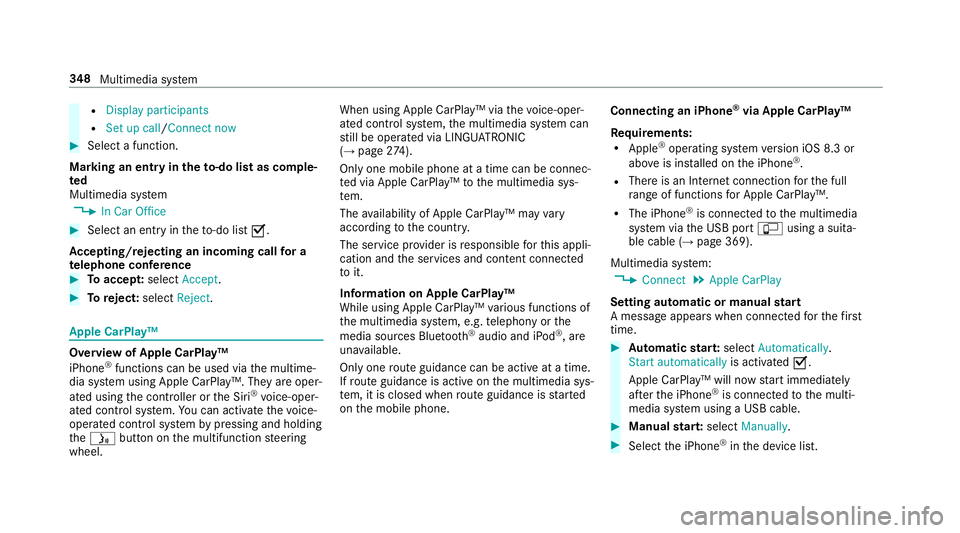
R
Display participants
R Set up call/Connect now #
Select afunction.
Markin ganentry in the to-do lis tascomple‐
ted
Multimedia sy stem
, In Car Office #
Select an entry inthet o-do list O.
Ac cepting/rejecting an incoming call fora
te lephone conference #
Toaccep t:select Accept. #
Toreject: select Reject. Apple CarPl
ay™ Overvie
wofApple CarPlay™
iPhone ®
functions can be used via them ultime‐
dia sy stem using Apple CarPlay™. The yareoper‐
ated using thec ontroller or theS iri®
vo ice-oper‐
ated control sy stem. Youc an activat ethe voice-
operated control sy stem bypressing and holding
the ó button on them ultifunction steering
wheel. When using Apple CarPlay™ via
thev oice-oper‐
ated control sy stem, them ultimedia sy stem can
st ill be operated via LINGU ATRO NIC
(→ pag e274).
On ly one mobile phone atat imec an be connec‐
te dv ia Apple CarPlay™ tothem ultimedia sys‐
te m.
The availabilit yofApple CarPlay™ ma yvary
accordin gtothe countr y.
The service pr ovider is responsible fort his appli‐
cation and thes ervices and conte nt connected
to it.
Information on Apple CarPlay™
While using Apple CarPlay™ various functions of
th em ultimedia sy stem, e.g. telephon yorthe
media sources Blue tooth®
audio and iPod ®
,a re
una vailable.
Onl yone routeg uidance can be activ eatatime.
If ro uteg uidance is activ eonthe multimedia sys‐
te m, it is closed when routeg uidance is star ted
on them obile phone. Connecting an iPhone
®
via Apple CarPlay™
Re quirements:
R Apple ®
operatin gsystemv ersion iOS 8.3 or
abo veis ins talled on thei Phone ®
.
R Ther eisanI nternetconnection fort he full
ra ng eoff unctions forA pple CarPlay™.
R The iPhone ®
is connected tothem ultimedia
sy stem via theU SB port çusing asuita‐
ble cable (→ page369).
Multimedia sy stem:
, Connect .
Apple CarPlay
Setting automatic or manual start
Am essa geappear swhen connec tedf or thef irst
time. #
Automatic star t:select Automatically.
Start automatically is activatedO.
Apple CarPlay™ will no wstart immediately
af te rt he iPhone ®
is connected tothem ulti‐
media sy stem using aUSB cable. #
Manua lstar t:select Manually . #
Select thei Phone ®
in thed evice list. 348
Multimedia sy stem
Page 352 of 585
Ac
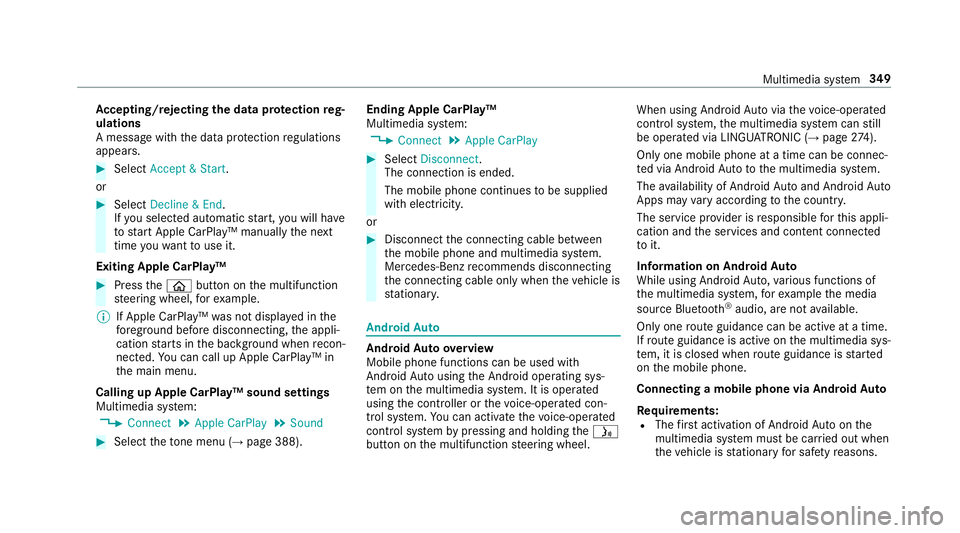
cepting/rejecting thed atap rote ction reg‐
ulations
Am essag ewitht he dat aprotection regulations
appears. #
Select Accept &Start .
or #
Select Decline &End.
If yo us elected automatic start, youw ill ha ve
to star tA pple CarPlay™ manuall ythe next
time youw ant touse it.
Exiting Apple CarPlay™ #
Press theò button on them ultifunction
st eering wheel, fore xamp le.
% If Apple CarPlay™ wasn otdispla yedint he
fo re ground befor edisconnecting, thea ppli‐
cation starts in theb ackg round when recon‐
nected. Youc an call up Apple CarPlay™ in
th em ain menu.
Calling up Apple CarPlay™ sound settings
Multimedia sy stem:
, Connect .
Apple CarPlay .
Sound #
Select thet one men u(→ page 388). Ending Apple CarPlay™
Multimedi
asystem:
, Connect .
Apple CarPlay #
Select Disconnect.
The connection is ended.
The mobile phone continues tobe supplied
wit he lect ricity.
or #
Disconnect thec onnecting cable between
th em obile phone and multimedia sy stem.
Mercedes-Benz recommends disconnecting
th ec onnecting cable onl ywhen thev ehicle is
st ationar y. Android
Auto Android
Autoove rview
Mobile phon efunction scan be used with
Android Autousin gthe Android operating sys‐
te mont he multimedia sy stem. It is operated
using thec ontroller or thev oice-operated con‐
trol sy stem. Youc an activat ethe voice-opera ted
control sy stem bypressing and holding theó
button on them ultifunction steering wheel. When using Android
Autovia thev oice-opera ted
control sy stem, them ultimedia sy stem can still
be opera tedv ia LINGU ATRO NIC (→ page274).
On ly one mobile phone atat imec an be connec‐
te dv ia Android Auto to them ultimedia sy stem.
The availabilit yofAndroid Au toand Android Auto
App smayvary accordin gtothe countr y.
The service pr ovider is responsible fort his appli‐
cation and thes ervices and conte nt connected
to it.
Information on Android Auto
While using Android Auto,v arious func tions of
th em ultimedia sy stem, fore xamp lethem edia
source Blue tooth®
audio, ar enotavailable.
On ly one routeg uidance can be activ eatatime.
If ro uteg uidance is activ eonthe multimedia sys‐
te m, it is closed when routeg uidance is star ted
on them obile phone.
Connecting amobile phone via Android Auto
Requ irements:
R The firs ta ctivatio nofA ndroidAutoont he
multimedia sy stem mus tbecarried out when
th ev ehicle is stationar yfor saf etyr easons. Multimedia sy
stem 349
Page 353 of 585
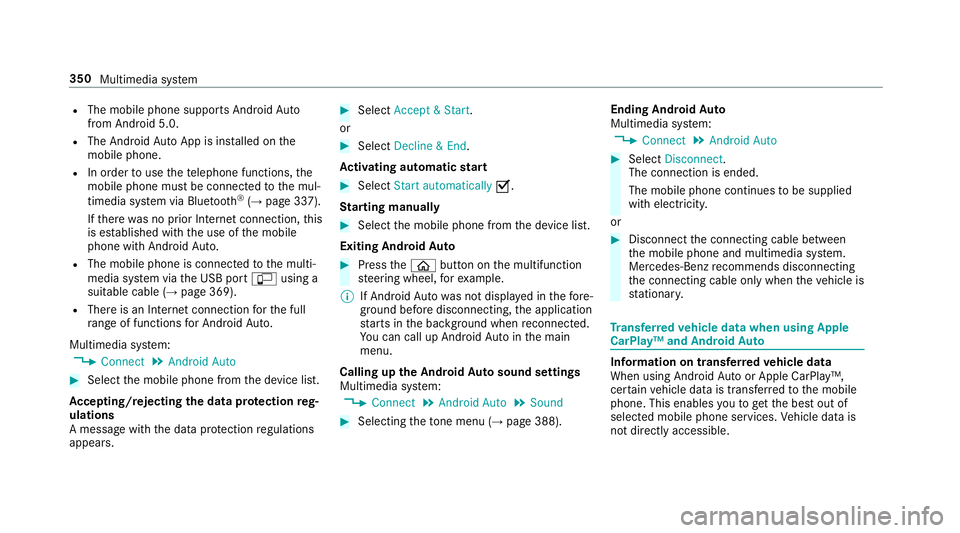
R
The mobile phone supports Android Auto
from Android 5.0.
R The Android AutoApp is ins talled on the
mobil ephone.
R In order touse thet elephone functions, the
mobil ephone mus tbeconnected tothem ul‐
timedia sy stem via Blue tooth®
(→ pag e337).
If th er ew as no prior Interne tconnection, this
is es tablished wit hthe use of them obile
phone wit hAndroid Au to.
R The mobile phone is connected tothem ulti‐
media sy stem via theU SB port çusing a
suitable cable (→ page369).
R Ther eisanI nternetconnection fort he full
ra ng eoff unctions forA ndroid Auto.
Multimedia sy stem:
, Connect .
Android Auto #
Select them obile phone from thed evice list.
Ac cepting/rejecting thed atap rote ction reg‐
ulations
Am essag ewitht he dat aprotection regulations
appears. #
Select Accept &Start .
or #
Select Decline &End.
Ac tivatin gautomati cstart #
Select Startautomatically O.
St arting manually #
Select them obile phone from thed evice list.
Exiting Android Auto #
Press theò button on them ultifunction
st eering wheel, fore xamp le.
% If Android Autowa sn otdispla yedint hefore‐
ground befor edisconnecting, thea pplication
st arts in theb ackg round when reconnected.
Yo uc an call up Android Autointhem ain
menu.
Calling up theA ndroid Autosound settings
Multimedia sy stem:
, Connect .
Android Auto .
Sound #
Selecting thet one men u(→ page 388). Ending Android
Auto
Multimedia sy stem:
, Connect .
Android Auto #
Select Disconnect.
The connection is ended.
The mobile phone continues tobe supplied
wit he lect ricity.
or #
Disconnect thec onnecting cable between
th em obile phone and multimedia sy stem.
Mercedes-Benz recommends disconnecting
th ec onnecting cable onl ywhen thev ehicle is
st ationar y. Tr
ansfer redv ehicle dat awhenu sing Apple
CarPlay™ and Android Auto Information on trans
ferred vehicl edata
When using Android Autoor Apple CarPlay™,
cer tain vehicle dat aistransfer redtot he mobile
phone. This enables youtog ettheb esto ut of
selected mobile phone services. Vehicle dat ais
no td irectl yaccessible. 350
Multimedia sy stem
Page 354 of 585
Sy
stem information:
R Softwar erelease of them ultimedia sy stem
R System ID (anonymised)
The transfer of this dat aisusedtooptimise
communication between thev ehicle and the
mobil ephone.
To do this, and toassig nseve ralv ehicles tothe
mobil ephone, avehicle identifier is randomly
ge nerated.
Thi sh asno connectio ntothevehicle identifica‐
tion number (VIN) and is dele tedw hen them ulti‐
media sy stem is rese t(→pag e306).
Driving status data:
R Transmission position engaged
R Distinction between par ked, standstill, rolling
and driving
R Day/night mode of thei nstrument clus ter
The transfer of this dat aisusedtoalter how
con tent is displ ayed tocor respond tothed riving
situation. Po
sition data:
R Coordinates
R Speed
R Compass direction
R Acceleration di rection
Thi sd ata is on lytransfer redw hile then avigation
sy stem is activ einorder toimpr oveit (e.g. so it
can continue functioning when in atunnel). Mercedes me connect
Information on Mercedes me connect
Mercedes me connec
tprovide sthe following
services:
R Breakdown management
R Appointmen trequests or similar
R Mercedes-Benz emer gency cal lsyst em
R Accident mana gement
The Mercedes-Benz Cust omer Centreand the
Mercedes-Benze mergency cal lcentr eareavaila‐
ble fory ou around thec lock. The Inf
ocall button, theb reakdown assis tance
cal lbuttona nd thee mer gency cal lbuttonc an be
fo und on theo verhead control panel of thev ehi‐
cle (→ page352).
Yo uc an also call theM ercedes-Benz Cus tomer
Centr eusing them ultimedia sy stem
(→ pag e351).
Please no tethat Mercedes me connec tisa
Mercedes-Ben zservice. In emer gencies, al ways
cal lthe national emer gency service sfirst using
th es tandar dnational emer gency service phone
numbe rs.Ine mergencies, youc an also use the
Mercedes-Benze mergency cal lsyst em
(→ pag e354).
Fu rther information on Mercedes me connect,
th ep rovide dservice scope and operation:
http://manuals.daimler.com/baix/cars/
connectme/de_DE/index.html
Calling theM ercedes-Benz Cus tomer Centre
using the multimedi asystem
Requ irements:
R Youh ave access toaG SM networ k. Multimedia sy
stem 351
Page 355 of 585
R
The contra ct partner' sGSM networ kcover‐
ag eisa vailable in ther espectiv eregion.
R The ignition is switched on so that vehicle
dat acan be transfer reda utomatically.
Multimedia sy stem:
, Telephone .
ª Contacts #
Call Mercedes me connect.
Af terc onfirmation, them ultimedia sy stem
sends ther equired vehicle data.
The dat atransfer is shown in thed ispla y.
Then, youc an select aservic eand be con‐
nected toas pecialis tatthe Mercedes-Benz
Cus tomer Centre.
Fu rther information on Mercedes me connect,
th ep rovide dservice scope and operation is
av ailable at :http://ma nuals.daimler.com/baix/
cars/connectme/de_DE/ind ex.html
Making acallv ia the overhead control panel
Re quirements:
R Youh avea ccess toaG SM networ k.
R The contra ct partner' sGSM networ kcove r‐
ag eisa vailable in ther espectiv eregion. R
The ignition is switched on so that vehicle
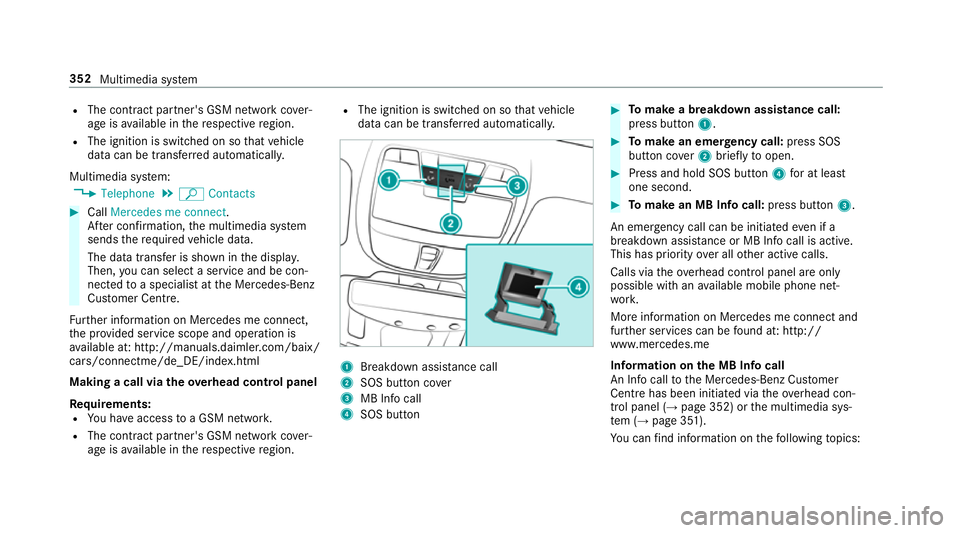
dat acan be transfer reda utomatically. 1
Breakdown assis tance call
2 SOS button co ver
3 MB Inf ocall
4 SOS button #
Tomak eab reakdown assistanc ecall:
pres sbutton 1. #
Tomak eane mergency call: press SOS
button co ver2briefly toopen. #
Press and hold SOS button 4foratl east
one second. #
Tomak eanMBI nfoc all: press button 3.
An emer gency cal lcan be initia tede venifa
breakdown assi stanc eorMBI nfoc allisa ctive.
This has priority overallot her activ ecalls.
Callsv iatheo verhead control panel ar eonly
possible wit hanavailable mobile phon enet‐
wo rk.
Mor einformation on Mercedes me connect and
fur ther services can be found at :http://
www.mercedes.me
Informatio nonthe MB Inf ocall
An In focal ltot he Mercedes-Benz Cus tomer
Centr ehas been initia tedv iatheo verhead con‐
trol panel (→ page352) or them ultimedia sys‐
te m( →pag e351).
Yo uc an find informatio nonthefollowing topics: 352
Multimedia sy stem