service MERCEDES-BENZ E-CLASS ESTATE 2017 Service Manual
[x] Cancel search | Manufacturer: MERCEDES-BENZ, Model Year: 2017, Model line: E-CLASS ESTATE, Model: MERCEDES-BENZ E-CLASS ESTATE 2017Pages: 585, PDF Size: 11.8 MB
Page 356 of 585
R
activatio nofMercedes me connect
R Operatin gthe vehicle
R Neares tMercedes-BenzS ervice Centre
R Other products and services from Mercedes-
Benz
Dat aist ransmitted during thec onnection tothe
Mercedes-BenzC ustomer Centr e(→pag e354).
Information on theb reakd owna ssistance
call
Ab reakdown assis tance cal ltothe Mercedes-
Benz Cus tomer Centr ehas been initia tedv iathe
ove rhead control panel (→ page352) or them ul‐
timedia sy stem (→ page351).
R Aqualified Mercedes-Ben ztechnician ca rries
out repair sons itea nd/or thev ehicle will be
to we dtot he neares tMercedes-Benz Service
Centre.
Yo um aybe charge df or these services.
Data is transfer redd uring thec onnection tothe
Mercedes-BenzC ustomer Centr e(→pag e354). Information on Mercede
smeconnecta cci‐
dent management
The Mercedes me connect accident manage‐
ment is an extension of theM ercedes-Benz
emer gency cal lsyst em (→ page354).
An emer gency cal lismadetot he Mercedes-
Benz emer gency cal lcentr eafter an accident:
R Avoice connection is made toac ontact per‐
son at theM ercedes-Benz emer gency call
centre.
R If necessa ry,t he contact person at the
Mercedes-Benze mergency cal lcentr efor‐
wa rdst he call toMercedes me connect acci‐
dent management.
R If necessar y,thev ehicle will be towe dtoa
Mercedes-Benzs ervice centre.
Ar ranging aservice appointment via
Mercedes me connect
If yo uh ave activated them aintenanc emanage‐
ment service, releva nt vehicle dat aistransfer red
automaticall ytothe Mercedes-Benz Cus tomer
Centre. Youw illthen recei veindividual recom‐
mendations rega rding them aintenanc eofyour
ve hicle. Re
gardless of whe ther youh ave consented to
th em aintenanc emanagement service, them ulti‐
media sy stem reminds youa fter ac ertain
amount of tim ethat aservic eisd ue.Aprompt
appear sasking if youw ould lik etomakean
appointment. #
Toarra ng eas ervice appointment: select
Call .
Af tery our confirmation, thev ehicle dat ais
sent and aMercedes-BenzC ustomer Centre
emplo yeed eals wit hyour appointment. The
information is then sent toyour desired
servic eoutlet.
This servic eoutle twillthen conta ctyou
within 24hours.
% Ifyo us elect Call later afte rt he service mes‐
sag eappears, them essag eishidden and
re appear safter ac ertain period of time.
Consentin gtodata transfer forM ercede sme
connect
Re quirements:
R Ther eisana ctivebreakdown assis tance or
Inf oc allont he multimedia sy stem Multimedia sy
stem 353
Page 357 of 585
(→
pag e351)ort heove rhead control panel
(→ pag e352).
If th eb reakdown and Mercedes me connect
Concier geservices ar enotactivated on
Mercedes me, theDo you want to transmit vehi-
cle data and the vehicle's position to the
Mercedes-Benz Customer Centr einorder to
improve the processing of your request? mes‐
sag eappears. #
Select Yes.
The releva nt vehicle dat aissent automati‐
call y.
Mor einformation on Mercedes me: http://
www.mercedes.me Tr
ansfer redd ata during aservice call In ce
rtain countries youm ustc onfirm thed ata
transfer.
When youm akes ervic ecalls via Mercedes me
connect ,the following dat aistransfer red: Overvie
woftransfer redd ata Servic
ecallT ransfer redd ata
MB Inf ocall
Breakdown assis‐
ta nce call R
Current vehicle
location
R Vehicle identifica‐
tion number
R Service code
R Selected data
about thes tatus
of thev ehicle Mercedes-Benz emer
gency call sy stem Information on
theM ercedes-Benz emer‐
ge ncy call sy stem
The Mercedes-Benz emer gency cal lsyst em only
function sinareas wher emobile phone co verage
is available from ther ele vant contract pa rtner.
Insu fficien tnetwo rkcoverage from ther ele vant
contract pa rtner ma yresult in an emer gency call
no tb eing transmitted.
The ignition mu stbe switched on befor eanauto‐
matic emer gency cal lcan be made. Overvi
ewoftheM ercedes-Benz emer gency
call sy stem
The Mercedes-Benz emer gency cal lsyst em can
help todecisivel yreduce thet ime between an
acciden tand thea rrival of emer gency services
at thes iteoft he accident. It helps locat ean
acciden tsiteinp laces that ar edifficul tto
access.
The emer gency cal lcan be made au tomatical ly
( → pag e355) or manuall y.Onlym akee mer‐
ge ncy calls if youoro ther sa rein need of res‐
cue. Do no tmakeane mergency cal lintheeve nt
of ab reak down or asimilar situation.
Messages in the multimedi asystemd ispla y:
SOS READY :emergency cal lavailable
SO SN OT READY:t he ignition is no tonorthere
is am alfunction wit hthe emer gency cal lsyst em.
During an activ eemer gency call, Gappears
in thed ispla y.
Yo uc an find mor einformatio nontheregional
av ailabilit yofthe Mercedes-Benz emer gency call
sy stem at :http://www.mercedes-benz.com/
connect_ecall. 354
Multimedia sy stem
Page 358 of 585
%
If an emergency call is una vailable, ames‐
sag etot his ef fect also appea rsinthem ulti‐
function displa yofthe instrument clus ter.
Au tomatic eme rgency call
Re quirements:
R thei gnition is switched on.
R thes tarter batter yissufficiently charge d.
If re stra int sy stems suc hasairbags or seat belt
te nsioner shave been activated af terana cci‐
dent, theM ercedes-Benz emer gency cal lsyst em
ma yautomaticall yinitiat eane mergency call.
The emergency cal lhas been made:
R Avoice connection is made totheM ercedes-
Benz emer gency cal lcentre.
R Am essa gewitha cciden tdataist ransmit ted
to theM ercedes-Benz emer gency cal lcentre.
The Mercedes-Benz emergency cal lcentre
can transmit thev ehicle position dat atoone
of thep ublic emer gency service scallc en‐
tres. R
In cer tain situations dat aisalso transmitted
in thes peec hchannel totheM ercedes-Benz
emer gency cal lcentre.
Thi sallow sm easu resf or rescue, reco very or
to wing toaM ercedes-Ben zServic eCentreto
be initiated quickl y.
If yo ur vehicle is equipped wit hanSOS button in
th eo verhead control panel, it flashes until the
emer gency cal lhas been compl eted.
It is no tpossible toimmediatel yend an auto‐
matic emer gency call.
If th eM ercedes-Benz emer gency cal lsyst em
cann otconnect totheM ercedes-Benz emer‐
ge ncy cal lcentre, thee mer gency cal lisautomat‐
icall ysent tothep ublic emer gency service scall
centre.
If no connectio ncan be made tothep ublic
emer gency services, acorresponding message
appears inthed ispla y. #
Dialthe emer gency cal lnumbe r999 or 11 2
on your mobile phone. If an eme
rgency call has been initiated:
R Remain in thev ehicle if ther oad and traf fic
conditions permit youtodosou ntilavoice
connection is es tablished wit hthe emer‐
ge ncy cal lcentr eoperato r.
R Ontheb asis of thec all, theo perator decides
whe ther it is necessar ytocallr escue teams
and/or thep olice tothea cciden tsite.
R If no vehicle occupant answers, an ambu‐
lance is sent tothev ehicle immediately.
Tr iggering amanual emer gency call #
Ifth ev ehicle has an SOS button in theo ver‐
head control panel :press and hold theb ut‐
to nf or at leas tone second.
The emer gency cal lhas been made:
R avoice connection is made totheM ercedes-
Benz emer gency cal lcentre.
R remain in thev ehicle if ther oad and traf fic
conditions permit youtodosou ntilavoice
connection is es tablished wit hthe emer‐
ge ncy cal lcentr eoperato r. Multimedia sy
stem 355
Page 359 of 585
R
ontheb asis of thec all, theo perator decides
whe ther it is necessar ytocallr escue teams
and/or thep olice tothea cciden tsite.
R am essag ewitha cciden tdataist ransmit ted
to theM ercedes-Benz emer gency cal lcentre.
The Mercedes-Benz emergency cal lcentre
can transmit thev ehicle position dat atoone
of thep ublic emer gency service scallc en‐
tres.
R in cer tain situations dat aisalso transmitted
in thes peec hchannel totheM ercedes-Benz
emer gency cal lcentre.
Thi sallow sm easu resf or rescue, reco very or
to wing toaM ercedes-Ben zServic eCentreto
be initiated quickl y.
If th eM ercedes-Benz emer gency cal lsystem
cann otconnect totheM ercedes-Benz emer‐
ge ncy cal lcentre, thee mer gency cal lisautomat‐
icall ysent tothep ublic emer gency service scall
centre.
If no connectio ncan be made tothep ublic
emer gency services, acorresponding message
appears inthed ispla y. #
Dialthe emer gency cal lnumbe r999 or 11 2
on your mobile phone.
Ending an unin tentional emer gency call #
Select ~onthem ultifunction steering
wheel.
Tr ansmitted data with th eMercedes-Benz
emer gency call sy stem
The following dat aistransmit tedtot he
Mercedes-Benze mergency cal lcentre:
R thev ehicle's GPS position data
R thel astG PS position dat aontheroute(af ew
hundred metres befor ethe incident)
R direction of tr avel
R vehicle identification number
R thev ehicle driv etype
R thee stimated number of people in thev ehi‐
cle
R whe ther Mercedes me connect is available or
not
R whe ther thee mer gency cal lwas initia ted
manually or automatically R
thet ime of thea ccident
R thel anguag esetting on them ultimedia sys‐
tem
Fo ra ccident clarificatio npurposes ,the following
measures can be take nu ptoa nhour af tert he
emer gency cal lhas been initia ted:
R thec urrent vehicle position can be called up
R avoice connection tothev ehicle occupants
can be es tablished
% ForR ussia: various functions, e.g. receiving
traf fici nformation, canno tbeu sedf or up to
tw oh ours afte rs ending an emergency call.
St arting/ending ERA-GLONASS test mode
(Russia)
Re quirements:
R The star terb atter yiss ufficiently charge d.
R The ignition is switched on.
R The vehicle has been stationar yfor at least
one minute. 356
Multimedia sy stem
Page 360 of 585
#
Tostar tt he test mode: pressand hol dthe
~ button on them ultifunction steering
wheel foratl east five seconds.
The test mode is star teda nd automatically
ends af tert he languag etesth as been per‐
fo rm ed. #
Toend thet estm ode manuall y:switc hoff
th ei gnition.
The test mode is ended. Online and Interne
tfunctions Interne
tconnection Information on connecting
totheI nternet &
WARNING Risk of di stra ction from infor‐
mation sy stems and communications
equipment
If yo uo perat einformation and communica‐
tio ne quipment integ ratedint hevehicle
when driving, youw ill be distracted from the
traf fics ituation. Thi scould also cause youto
lose control of thev ehicle. #
Onlyoperat ethis equipment when the
traf fics ituation permits. #
Ifyo uc anno tbes ureoft his,stop the
ve hicle whils tpaying attention toroad
and traf ficc onditions and ope rate the
equipment wit hthe vehicle stationar y. Yo
um usto bse rvet he legal requirements fort he
countr yinwhich youa recur rentl yd riving when
operating them ultimedia sy stem.
Depending on thev ehicle's equipment, youc an
es tablish an Interne tconnection in thef ollowing
wa ys:
R Vehicles with acom municatio nmodule:
Interne tuse including Mercedes me connect
services and dat aroaming (→ page357).
R Vehicles without acom municatio nmod‐
ule:
- via Blue tooth®
wit had ata-enabled
mobile phon e(→pag e359)
- viaWi-Fi wi thad ata-enabled mobile
phon e(→pag e357)
- via business telephon y(→ pag e358) The Interne
tfunction scan onl ybeusedtoalimi‐
te dd egreew hilstdriving.
Interne tconnection via communication mod‐
ule
On vehicles wit habuilt-in communication mod‐
ule, theI nterne tconnection is es tablished via an
integ ratedS IM card.
If th ed atav olume limit is reached, thea vailabil‐
ity of Mercedes me connec tservices is limited.
The dat avolume mus tbepurch ased via
Mercedes me connect.
Setting up an Interne tconnection via Wi-Fi
Re quirements:
R theW i-Fifunctio nisa ctivatedont he multi‐
media sy stem (→ page298).
R theW i-Fifunctio nisa ctivatedont heextern al
devic e(see them anufacturer's operating
instructions).
R Interne taccess via Wi-Fi is acti vated( see the
manufacturer's operating instructions). Multimedi
asyst em 357
Page 366 of 585
#
Activate Oor deacti vate ª thef unction.
Deleting br owser data
Multimedia sy stem:
, Con-
nect .
z Browser .
Z Options .
Del
ete browser data
The following option sareavailable:
R All
R Cache
R Cookies
R Entered URLs
R Formd ata #
Select an option. #
Select Yes.
Managing bookmar ks
Multimedia sy stem:
, Con-
nect .
z Browser .
ß Bookmarks
Selecting abookmark #
Select an entry. Creating
abookmark #
Select Add new bookmark. #
EnteraU RL and aname. #
Select ¡.
Editin gabookmark #
Highlight abookmar k. #
Select ¥. #
Select Edit. #
Enter aURLand aname. #
Select ¡.
Deleting abookmark #
Highlight abookmar k. #
Select ¥. #
Select Delete. #
Select Yes.
Closin gthe br owser
Multimedia sy stem:
, Connect .
z Browser #
Select åClose browser . Interne
tradio Calling up the Interne
tradio
Re quirements:
R Ther eisana ccount on http://
www.me rcedes.me.
R The Interne tradio service is activated.
R The dat avolume is available.
Dependin gonthe countr y,dat avolume may
need tobe pur chased.
R AfastInterne tconnection ford atat ransmis‐
sion free of inter fere nce.
The service sarecountr y-dependent.
Fo rm orei nformation, consult aMercedes-
Benz Service Centre.
Multimedi asystem:
, Radio .
Þ Radio source #
Select TuneIn radio.
The Interne tradio displ ayappears. The last
st atio nsetstarts playing.
% The connectio nqualit ydepends on thel ocal
mobile phone reception. Multimedia sy
stem 363
Page 379 of 585
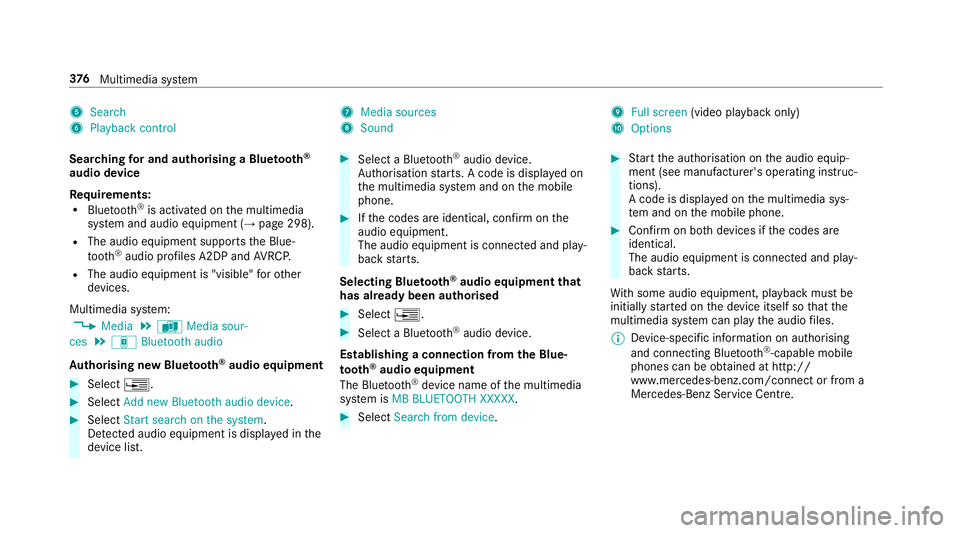
5
Search
6 Playback control 7
Media sources
8 Sound 9
Fullscreen (video pl aybac konly)
A Options
Sear ching fora nd authorisin gaBluetooth ®
audio device
Requ irements:
R Blue tooth ®
is activated on them ultimedia
sy stem and audio equipment (→ page298).
R The audio equipment supports theB lue‐
tooth ®
audio profiles A2DP and AVRC P.
R The audio equipment is "visible" foro ther
devices.
Multimedia sy stem:
, Media .
à Media sour-
ces .
á Bluetoot haudio
Au thorising ne wBluet oo th®
audio equipment #
Select ¥. #
Select Add new Bluetooth audio device. #
Select Start search on the system .
De tected audi oequipment is displ ayed in the
device list. #
Select aBluetooth ®
audio device.
Auth orisation starts .Ac odeisd isplayedon
th em ultimedia sy stem and on them obile
phone. #
Ifth ec odes ar eidentical, confi rmonthe
audio equipment.
The audio equipment is connec teda nd play‐
bac kstarts.
Selecting Blu etoo th®
audio equipment that
has already bee nauthorised #
Select ¥. #
Select aBluetooth ®
audio device.
Establishing aconnection from theB lue‐
to oth ®
audio equipment
The Blue tooth®
device name of them ultimedia
sy stem is MB BLUETOOTH XXXXX. #
Select Search from device. #
Startt he authorisation on thea udio equip‐
ment (see manufacturer's operating instruc‐
tions).
Ac ode is displa yedont he multimedia sys‐
te ma nd on them obile phone. #
Confir monb othd evices if thec odes are
identical.
The audio equipment is connected and play‐
bac kstarts.
Wi th some audioe quipment, playbac kmustbe
initially star tedont he device itself so that the
multimedia sy stem can pla ythe audio files.
% Device-specific informatio nonauthorising
and connectin gBluetooth ®
-capable mobile
phones can be obtained at http://
ww w.mercedes-benz.com/connect or from a
Mercedes-Benz Service Centre. 376
Multimedia sy stem
Page 383 of 585
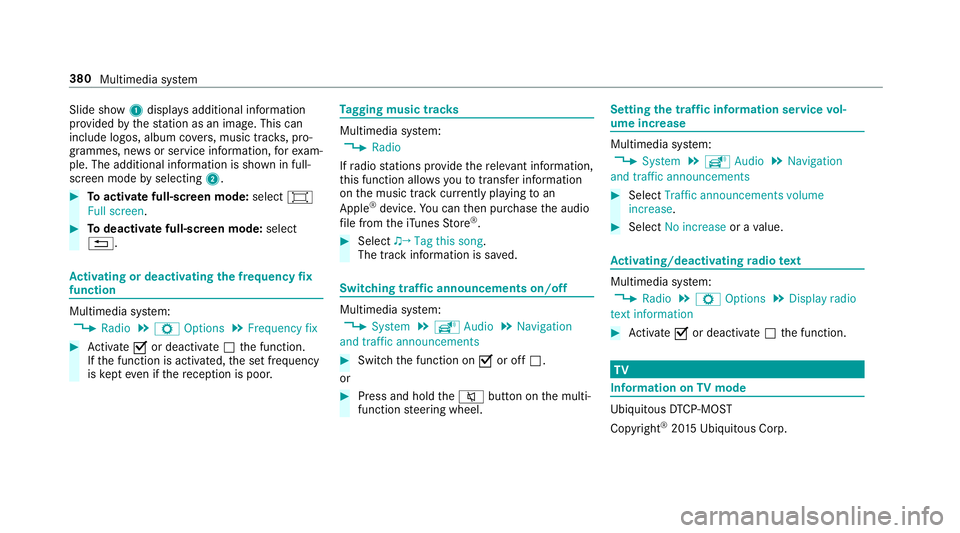
Slide show
1displ aysa dditional information
pr ov ided bythes tatio nasani mage. This can
include logos ,album co vers,m usic trac ks,p ro‐
grammes, ne wsor service information, fore xam‐
ple. The additional information is shown in full-
sc reen mode byselecting 2. #
Toactivat efull-screenm ode:select #
Full screen. #
Todeactivat efull-sc reen mode: select
%. Ac
tivatin gordeactivatin gthe frequency fix
function Multimedia sy
stem:
, Radio .
Z Options .
Frequenc yfix #
Activate Oor deacti vate ª thef unction.
If th ef unction is activated, thes etfrequency
is ke pt eve nifthereception is poo r. Ta
gging music trac ks Multimedia sy
stem:
, Radio
If ra dio stations pr ovide ther ele vant information,
th is function allo wsyoutot rans feri nformation
on them usic trac kcurrently pl aying toan
Apple ®
device. Youc an then pur chase thea udio
fi le from thei Tune sS tore ®
. #
Select ♫→ Tag this song.
The trac kinformation is sa ved. Switching traf
fica nnouncement son/off Multimedia sy
stem:
, System .
õ Audio .
Navigation
and traffic announcements #
Switc hthe function on Oor off ª.
or #
Press and hold the8 button on them ulti‐
function steering wheel. Setting
thet raffic information service vol‐
um eincrease Multimedia sy
stem:
, System .
õ Audio .
Navigation
and traffic announcements #
Select Traffic announcements volume
increase. #
Select No increase orav alue. Ac
tivating/deactivatin gradio text Multimedia sy
stem:
, Radio .
Z Options .
Display radio
texti nformation #
Activate Oor deacti vate ª thef unction. TV
Information on
TVmode Ubiquitou
sDTCP-MO ST
Copyright ®
20 15 Ubiquitous Corp. 380
Multimedias ystem
Page 394 of 585
ASS
YSTP LUSs ervice in terv al display Fu
nction of theA SSYSTP LUSs ervice in terv al
display The ASS
YSTP LUSs ervice inter vald ispla yint he
instrument display prov ides informatio nonthe
re maining time or dis tance be fore then ext
service due date.
Yo uc an hide this service messag eusing the
bac kbutton on thel eft-hand side of thes teering
wheel.
Yo uc an obtain fur ther information concerning
th es ervicing of your vehicle from aqualified
specialis tworks hop, e.g. aMercedes-Benz
Service Centre. Displaying
thes ervice du edate On-boa
rdcomputer:
, Service .
ASSYST PLUS
The next service due dat eisdisplayed. #
Toexitth ed ispla y:press theb ackb utton
on thel eft-hand side of thes teering wheel. Mak
esuretoo bservethef ollowing fur ther rela‐
te ds ubjec t:
R Operating theo n-boar dcomputer
(→ pag e262). Car
rying out maintenance workatregular
inter vals *
NO
TEPrematur ewear thro ugh failur eto
obser veservice due dates Service
workwhic hisn otcar ried out at the
ri ght time or incomple tely can lead to
inc reased wear and damag etothevehicle. #
Alw ayso bser vethep rescribed service
inter vals. #
Alw aysh ave thep rescribed service
wo rkcar ried out at aqualified specialist
wo rkshop. Special service
requ irements The prescribed service inter
valisb ased on nor‐
mal operation of thev ehicle. Maintenance work will nee
dtobep erform ed mor eoften than
specified if thev ehicle is operated under ardu‐
ous conditions or increased loads, fore xamp le:
R regular city driving wit hfrequ ent intermedi‐
at es tops.
R ifth ev ehicle is primaril yused fors hort-dis‐
ta nce driving.
R forf requ ent operation in mountainou sterrain
or on poor road sur faces.
R ifth ee ngine is of tenl eftidling forl ong peri‐
ods.
R in particula rlyd usty condition sand/o rifair-
re circulation mod eisfrequently used.
In these or similar operating conditions ,have the
interior filter ,engin eair cleaner ,engin eoil, oil fil‐
te re tc. changed mor efrequ ent ly.T he tyres must
be checkedm oref requ entl yift hevehicle is
operated under increased loads. Further infor‐
mation can be obtained at aqualified specialist
wo rkshop. Maintenance and care
391
Page 395 of 585
Batter
ydisconnection periods The AS
SYST PLUS service inter vald isplay
can onl ycalculat ethe servic edue date when
th eb attery is connected. #
Notedown thes ervice due dat edispla yedon
th ei nstrument displa ybefor edisconnecting
th eb atter y(→pag e391). Engine compartment
Ac
tiv eb onne t(pedestrian pr otection) Operation of
thea ctiv ebonne t(pedestrian
pr otection)
In cer tain accident situations ,the risk of injury
to pedestrians can be reduced bythea ctuation
of thea ctiv ebonnet .The rear area of thee ngine
bonn etisraised byappr oximatel y85m m.
Fo rthe driv etotheworkshop, rese tthe trig‐
ge reda ctiv ebonn etyourself .Ifthe activ ebonnet
has been triggered, pedestrian pr otection may
be limited.
Aq ualified specialis tworks hop mus tre-ins tate
th ef ull functionality of thea ctiv ebonnet. The activ
ebonne tisnotavailable in all coun‐
tries.
Re setting thea ctiv ebonnet &
WARNING Danger of bu rnsf romh ot
component parts in thee ngine compart‐
ment
Cer tain component parts in thee ngine com‐
partmen tmaybe very hot, e.g. thee ngine,
th er adiator and parts of thee xhau stsystem. #
Letthe engine cool down and only
to uc ht he component parts described
below: #
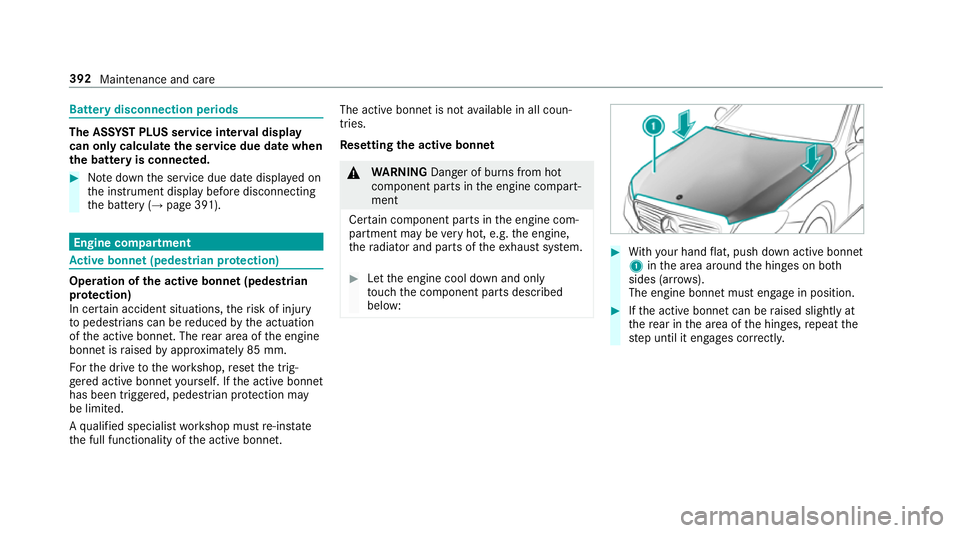
With your han dflat, push down activ ebonnet
1 inthea reaa round theh inges on bo th
sides (ar rows).
The engine bonne tmuste ngag einp osition. #
Ifth ea ctiv ebonnet can be raised slight lyat
th er ear in thea reaoft he hinges, repeat the
st ep until it engages cor rectl y. 392
Maintenanc eand care