engine MERCEDES-BENZ E-CLASS SALOON 2015 Owners Manual
[x] Cancel search | Manufacturer: MERCEDES-BENZ, Model Year: 2015, Model line: E-CLASS SALOON, Model: MERCEDES-BENZ E-CLASS SALOON 2015Pages: 497, PDF Size: 16.23 MB
Page 248 of 497
Important safety notes
The reversing camera is only an aid. It is no
ta
substitut efor your attention to th eimmediate
surroundings. The responsibilit yfor safe
manoeuvrin gand parking remains wit hyou.
Mak esure that there are no persons, animals
or objects in range while manoeuvrin gand
parking.
Under th efollowin gcircumstances, the
reversing camera will no tfunction ,orwill
function in alimited manner:
R if th eboot lid or tailgat eisopen
R in heav yrain ,sno worf og
R at night or in ver ydark places
R if th ecamera is expose dtoveryb right light
R if th earea is lit by fluorescent bulbs or LED
lighting (the display may flicker)
R if there is asudde nchang eint emperature,
e.g. when driving int oaheated garag ein
winter
R if th ecamera len sisdirtyoro bstructed.
Observ ethe note sonc leaning
(Y page 390)
R if th erear of your vehicl eisdamaged. In this
case, have th ecamera position and setting
checke dataq ualified specialist workshop
The field of vision and other function softhe
reversing camera may be restricted due to
additional accessories on th erear of th evehi-
cle (e.g. licence plat eholder, bicycle rack).
On vehicles wit hheight-adjustable chassis,
leaving th estandard height can result in inac-
curacie sintheguide lines, depending on
technical conditions.
i The reversing camera is protected from
raindrops and dust by mean sofaflap.
When th ereversing camera is activated,
this flap opens.
The flap closes again when:
R you have finishe dthe manoeuvrin gproc-
ess
R you switch off th eengine
R you open th eboot Se
et he note sonc leaning (Y page 390).
Fo rtechn ical reasons, th eflap may remain
open briefly after th ereversing camera has
been deactivated.
Activating/deactivating th ereversing
camera X
To activate: makesure that th ekeyis in
position 2in th eignition lock.
X Mak esure that the ActivationbyR
Activatio nbyR
gear
gear function is selected in Audio 20 or
COMAND Online; see th eDigital Owner's
Manual.
X Engage revers egear.
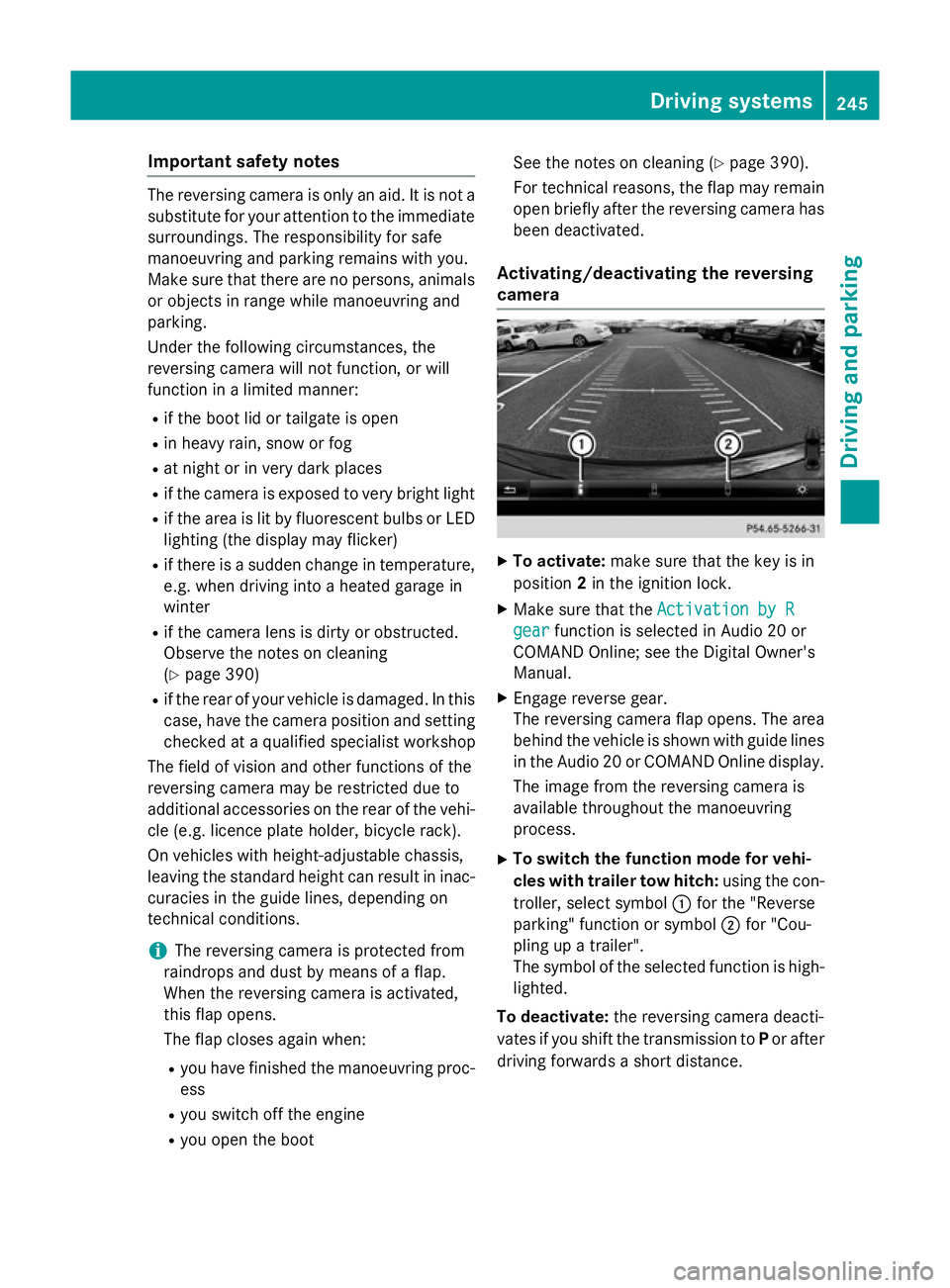
The reversing camera flap opens. The area
behind th evehicl eiss hown wit hguide lines
in th eAudio 20 or COMAND Onlin edisplay.
The imag efromt hereversing camera is
available throughout th emanoeuvring
process.
X To switch th efun ction mod efor vehi-
cles with traile rtow hitch: usingthe con-
troller ,select symbol :for th e"Reverse
parking "function or symbol ;for "Cou-
plin gupat railer".
The symbol of th eselected function is high-
lighted.
To deactivate: ther eversing camera deacti-
vates if you shif tthe transmission to Por after
driving forwards ashort distance. Driving systems
245Driving and parking Z
Page 257 of 497
increasin
glapses in concentration on the part
of the driver, it suggest staking abreak.
Important safety notes ATTENTION ASSIS
Tisonly an aid. It may not
always detect fatigue or lapses in concentra-
tion until too late, or may not detect the mat
all. The system is not asubstitut efor aw ell-
rested and attentive driver.
The functionality of ATTENTION ASSIS Tis
restricted, and warnings may be delayed or
not occur at all:
R if the length of the journey is less than
approximately 30 minutes
R if the road conditio nispoor, e.g. if the sur-
face is uneven or if there are potholes
R if there is astron gs ide wind
R if you have adopted asport ydrivin gstyle
with high cornering speeds or high rates of
acceleration
R if you are predominantly drivin gataspeed
below 60 km/h or above 200 km/h
R if you are drivin gwith the DISTRONIC PLUS
active steer assist activated
R if the tim ehas been set incorrectly
R in active drivin gsituations, such as when
you change lanes or change your speed
ATTENTION ASSIS Tisreset and starts
assessing your tiredness again when you con- tinue your journey if:
R you switc hoff the engine
R you tak eoff your seat belt and open the
driver's door, e.g. for achange of drivers or
to tak eabreak
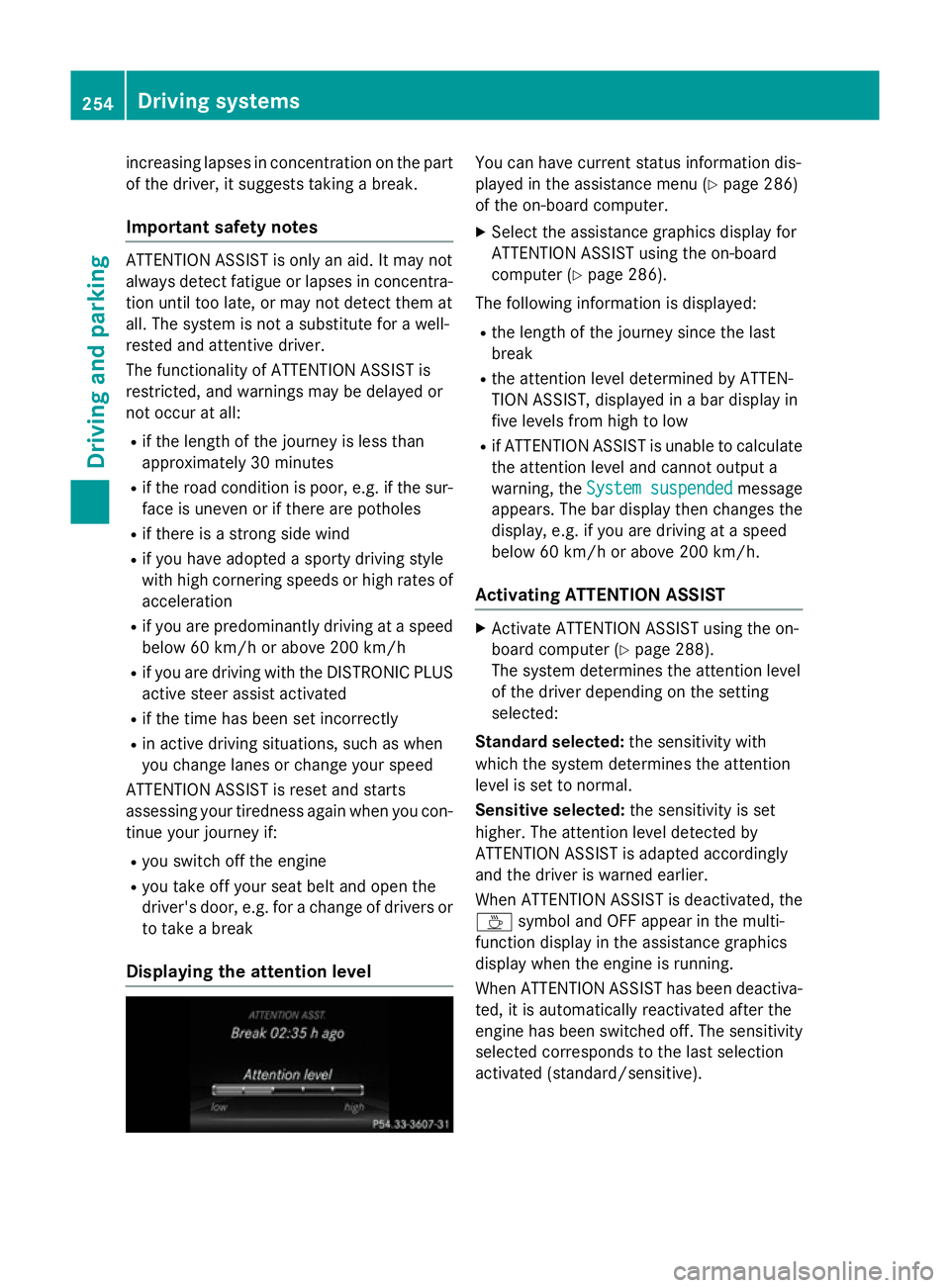
Displaying th eattention level You can have current status information dis-
played in the assistanc emenu( Ypage 286)
of the on-board computer.
X Selec tthe assistanc egraphic sdisplay for
ATTENTION ASSIS Tusing the on-board
computer (Y page 286).
The followin ginformation is displayed:
R the length of the journey sinc ethe last
break
R the attention level determined by ATTEN-
TION ASSIST, displayed in abar display in
five levels fro mhigh to low
R if ATTENTION ASSIS Tisunable to calculate
the attention level and cannot output a
warning, the System suspended System suspended message
appears. The bar display the nchanges the
display, e.g. if you are drivin gataspeed
below 60 km/h or above 200 km/h.
Activating ATTENTION ASSIST X
Activate ATTENTION ASSIS Tusing the on-
board computer (Y page 288).
The system determines the attention level
of the drive rdepending on the setting
selected:
Standard selected: the sensitivitywith
which the system determines the attention
level is set to normal.
Sensitive selected: the sensitivityisset
higher .The attention level detected by
ATTENTION ASSIS Tisadapted accordingly
and the drive riswarnedearlier.
When ATTENTION ASSIS Tisdeactivated, the
À symbol and OFF appear in the multi-
function display in the assistanc egraphics
display when the engine is running.
When ATTENTION ASSIS Thas been deactiva-
ted, it is automatically reactivated after the
engine has been switched off .The sensitivity
selected corresponds to the last selection
activated (standard/sensitive). 254
Driving systemsDriving and parking
Page 262 of 497
spot monitoring range from behind or from
the side. When you overtake avehicle, the
warning only occurs if the difference in speed
is less than 12 km/h.
The yellow indicator lamp goes out if reverse gear is engaged. Blind Spot Assist is then
deactivated.
The brightness of the indicator or warning
lamps is adjusted automaticallya ccording to
the ambient light.
Collision warning
If av ehicle is detected in the monitoring range
of Blind Spot Assist and you switch on the
corresponding turn signal, adoublew arning
tone sounds. Red warning lamp :flashes. If
the turn signal remains on, detected vehicles
are indicated by the flashing of red warning
lamp :.There are no further warning tones.
Activating Blind Spot Assist X Make sure that Blind Spot Assist is activa-
ted in the on-board computer
(Y page 288).
X Turn the key to position 2in the ignition
lock.
Warning lamps :in the exterior mirrors
light up red for approximately 1.5 seconds
and then turn yellow.
Towing atrailer
If you couple up atrailer, make sure that you
have correctly established the electrical con- nection. This can be accomplished by check-
ing the trailer lighting. Blind Spot Assist is
then deactivated. The indicator lamps in the
exterior mirrors light up yellow and the
Blind
Blind Spot SpotAssist
Assist not
notavailable
available when
when
towing atrailer See Owner's Manual
towing atrailer See Owner's Manual
message appears in the multifunction dis-
play.
i You can deactivate the indicator lamps in
the exterior mirrors. To do so, you will need to deactivate Blind
Spot Assist if:
R the key is in position 2in the ignition lock
R the engine is not running
R the electrical connection to the trailer
has been established
Lane Keeping Assist General notes
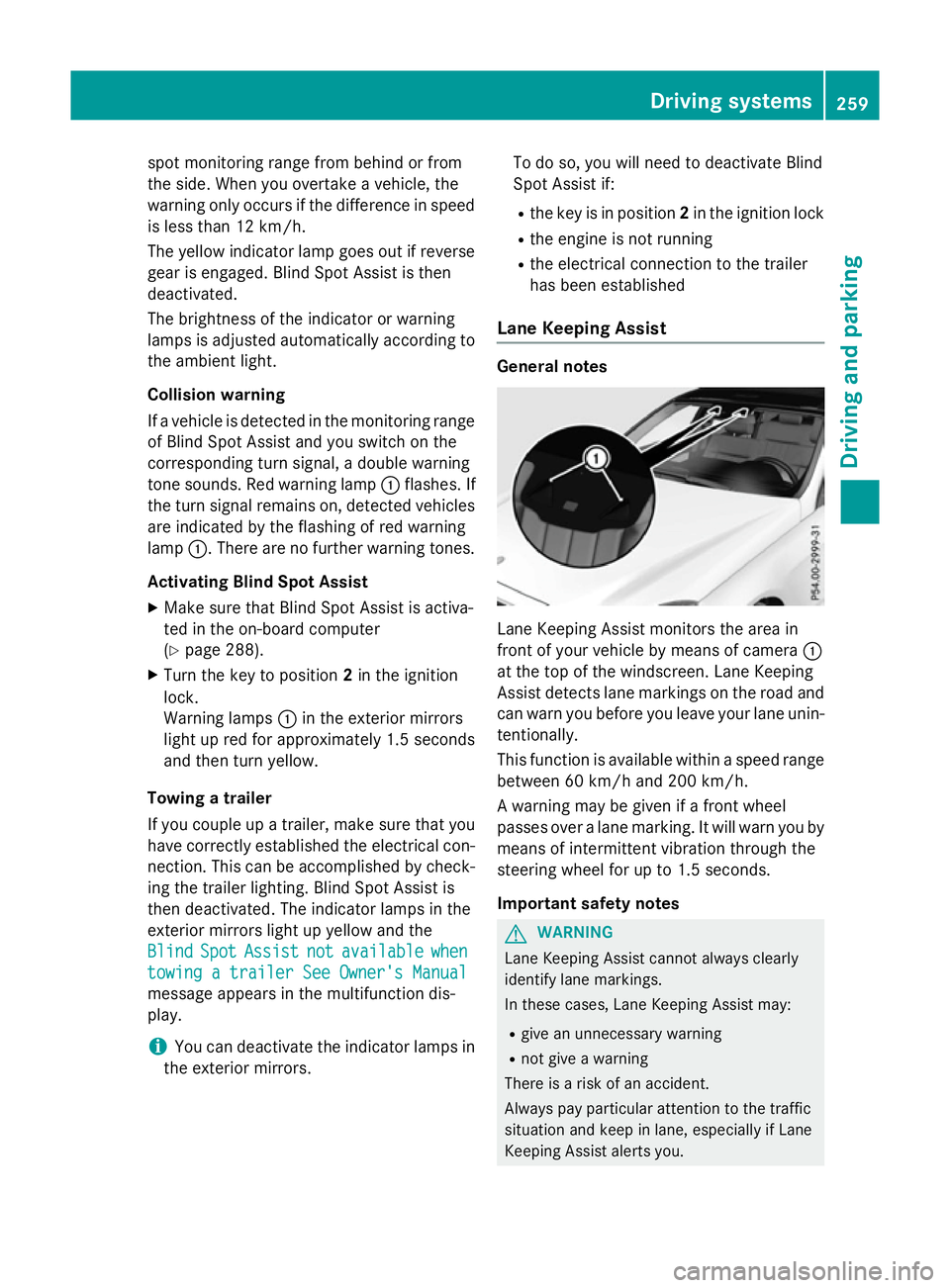
Lane Keeping Assist monitors the area in
front of your vehicle by means of camera
:
at the top of the windscreen. Lane Keeping
Assist detects lane markings on the road and
can warn you before you leave your lane unin-
tentionally.
This function is available within aspeed range
between 60 km/h and 200 km/h.
Aw arning may be given if afront wheel
passes over alane marking. It will warn you by
means of intermittent vibration through the
steering wheel for up to 1.5 seconds.
Important safety notes G
WARNING
Lane Keeping Assist cannot always clearly
identify lane markings.
In these cases, Lane Keeping Assist may:
R give an unnecessary warning
R not give awarning
There is arisk of an accident.
Always pay particular attention to the traffic
situation and keep in lane, especiallyifL ane
Keeping Assist alerts you. Driving systems
259Driving and parking Z
Page 271 of 497
The maximum permissible speed for vehicle/
trailer combinations depends on the type of
trailer. Before beginnin gthe journey, check
the trailer's document stosee what the max-
imum permitted speed is. Observe the legally
prescribed maximum speed in the relevant
country.
For certain Mercedes-Benz vehicles, the max-
imum permissible rear axle load is increased
when towing atrailer. See the "Technical
data" section to find out whether this applies to your vehicle (Y page 484). If you utilise any
of the added maximum rear axle load when
towing atrailer, the vehicle/trailer combina-
tion may not exceed amaximum speed of
100 km/hf or reasons concerning the oper-
ating permit. This also applie sincountrie sin
which the permissible maximu mspee dfor
vehicle/trailer combinations is above
100 km/h.
When towing atrailer, you rvehicle's handling
characteristics wil lbedifferent in comparison
to whe ndriving without atrailer and it will
consume more fuel.
Change into alower gea ringood time on long
and steep downhill gradients.
i This also applie
sifyou have activated
cruis econtrol, SPEEDTRONIC or
DISTRONIC PLUS.
This wil luse the braking effect of the engine,
so less braking wil lberequired to maintain
vehicle speed. This relieves the loa donthe
brake system and prevents the brake sfrom
overheating and wearing too quickly. If you
need additiona lbraking, depress the brake
pedal repeatedl yrather than continuously.
Driving tips If the trailer swings from side to side:
X Do not accelerate.
X Do not countersteer.
X Brake if necessary. R
Maintain agreater distance to the vehicle in
front than whe ndriving without atrailer.
R Avoid braking abruptly .Ifpossible ,brake
gently at first to allow the trailer to run on.
Then, increase the braking force rapidly.
R The values give nfor gradient-climbing
capabilities from astandstil lrefer to sea
level. When driving in mountainous areas,
note that the power outpu tofthe engine,
and consequently the vehicle's gradient-
climbing capability, decrease with increas-
ing altitude. Foldin
gout the ball coupling G
WARNING
If the bal lcoupling is not correctly engaged,
the trailer can detach .There is arisk of an
accident.
Always engag ethe bal lcoupling as described. G
WARNING
If you release the bal lcoupling or it does not
engag ecorrectly whe nfolding in, it wil lswing
out. Withi npivoting range of the bal lcoupling,
there is an increased risk of an accident and
injury.
Only release the bal lcoupling if the pivoting
range is unobstructed. Always make sure that the bal lcoupling engages whe nfolding in. Saloon
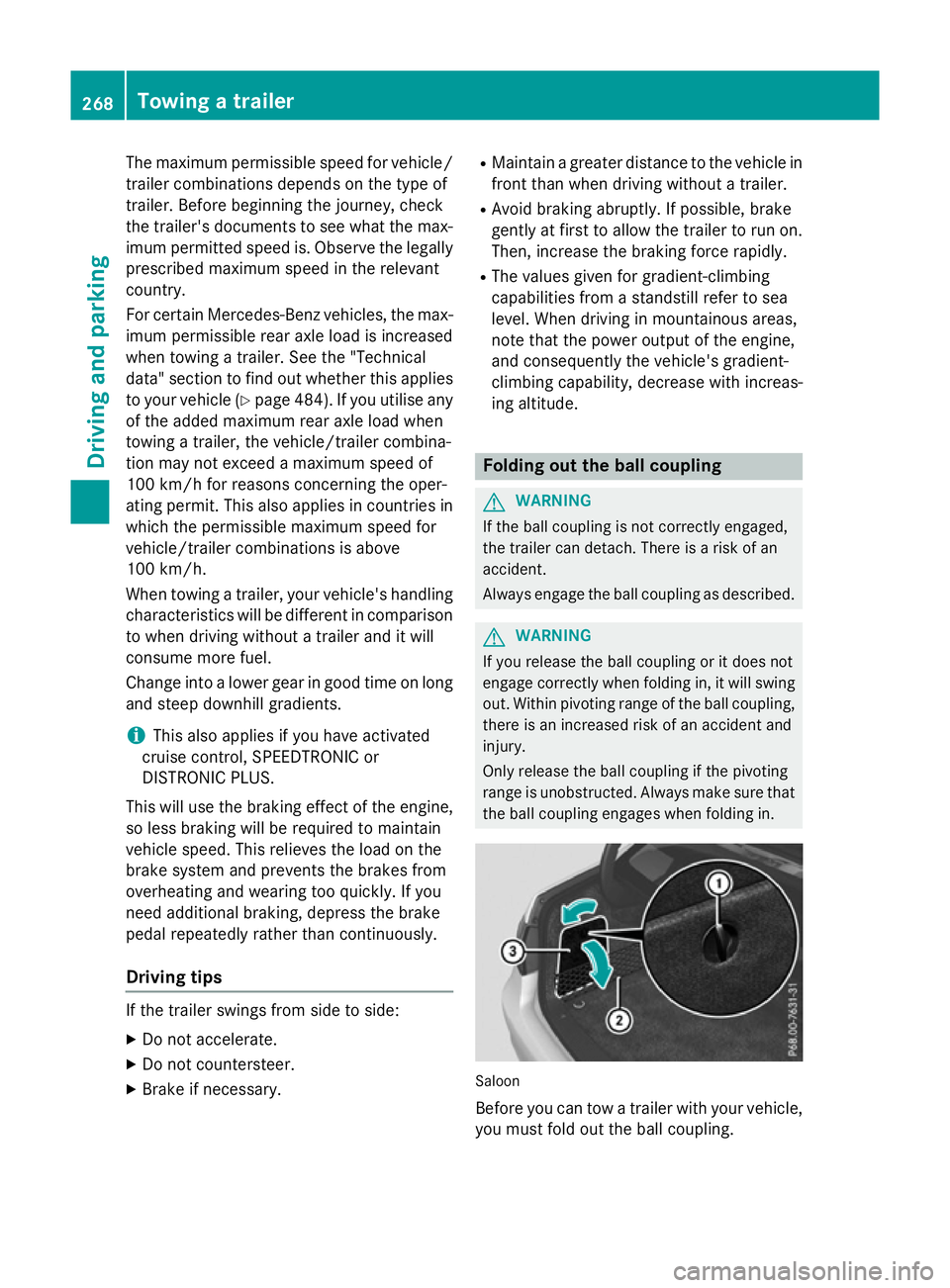
Before you can tow
atrailer with you rvehicle,
you must fold out the bal lcoupling. 268
Towing
atrailerDriving and parking
Page 279 of 497
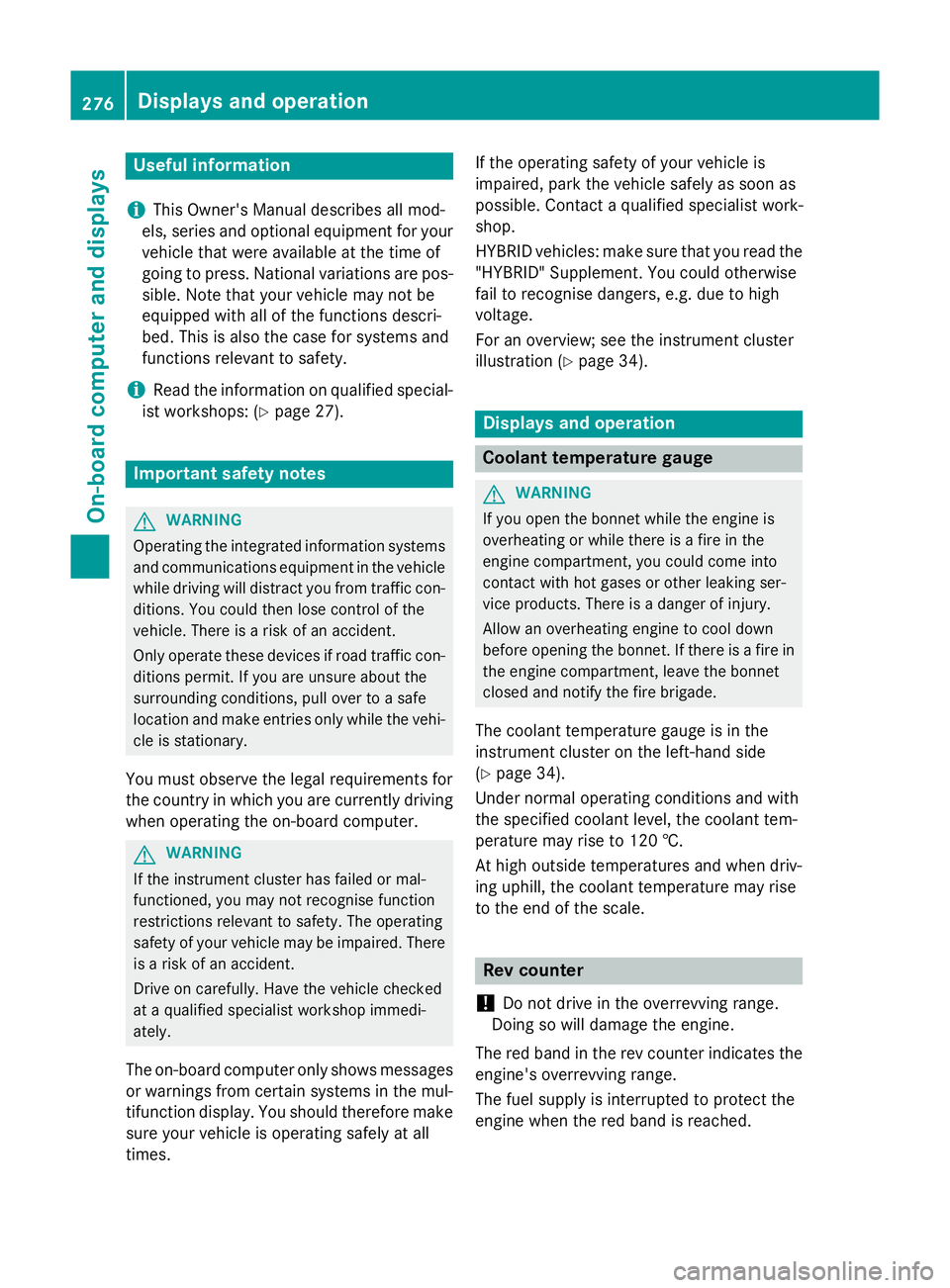
Useful information
i This Owner's Manual describes all mod-
els, series and optional equipment for your
vehicle that were available at the time of
going to press. National variation sare pos-
sible. Not ethat your vehicle may not be
equipped with all of the function sdescri-
bed. This is also the case for system sand
function srelevan ttosafety.
i Read the information on qualified special-
ist workshops: (Y page 27). Important safet
ynotes G
WARNING
Operating the integrated information systems and communications equipment in the vehicle
while drivin gwill distract you from traffic con-
ditions. You could then lose contro lofthe
vehicle. There is arisk of an accident.
Only operate thes edevices if road traffic con-
dition spermit .Ifyou are unsure about the
surrounding conditions, pull over to asafe
locatio nand make entries only while the vehi-
cle is stationary.
You must observ ethe legal requirements for
the country in which you are currently driving when operatin gthe on-board computer. G
WARNING
If the instrumen tcluster has failed or mal-
functioned, you may not recognise function
restrictions relevan ttosafety. The operating
safet yofy our vehicle may be impaired. There
is ar isk of an accident.
Driv eonc arefully. Have the vehicle checked
at aq ualified specialist workshop immedi-
ately.
The on-board computer only shows messages
or warnings from certain system sinthe mul-
tifunction display. You should therefore make
sure your vehicle is operatin gsafely at all
times. If the operatin
gsafet yofy our vehicle is
impaired, park the vehicle safely as soon as
possible. Contact aqualified specialist work-
shop.
HYBRID vehicles :make sure that you read the
"HYBRID "Supplement. You could otherwise
fail to recognise dangers ,e.g. due to high
voltage.
For an overview; see the instrumen tcluster
illustration (Y page 34). Displays and operation
Coolant temperatureg
auge G
WARNING
If you open the bonnet while the engin eis
overheating or while ther eisafire in the
engin ecompartment, you could come into
contact with hot gases or other leaking ser-
vice products. There is adanger of injury.
Allow an overheating engin etocool down
before openin gthe bonnet. If ther eisafire in
the engin ecompartment, leave the bonnet
closed and notify the fire brigade.
The coolan ttemperature gauge is in the
instrumen tcluster on the left-hand side
(Y page 34).
Under normal operatin gcondition sand with
the specified coolan tlevel, the coolan ttem-
perature may rise to 120 †.
At high outside temperature sand when driv-
ing uphill, the coolan ttemperature may rise
to the end of the scale. Rev counter
! Do not drive in the overrevvin
grange.
Doin gsow ill damage the engine.
The red band in the rev counter indicates the
engine's overrevvin grange.
The fuel supply is interrupted to protect the
engin ewhen the red band is reached. 276
Displays and operationOn-boar
dcomputer and displays
Page 290 of 497
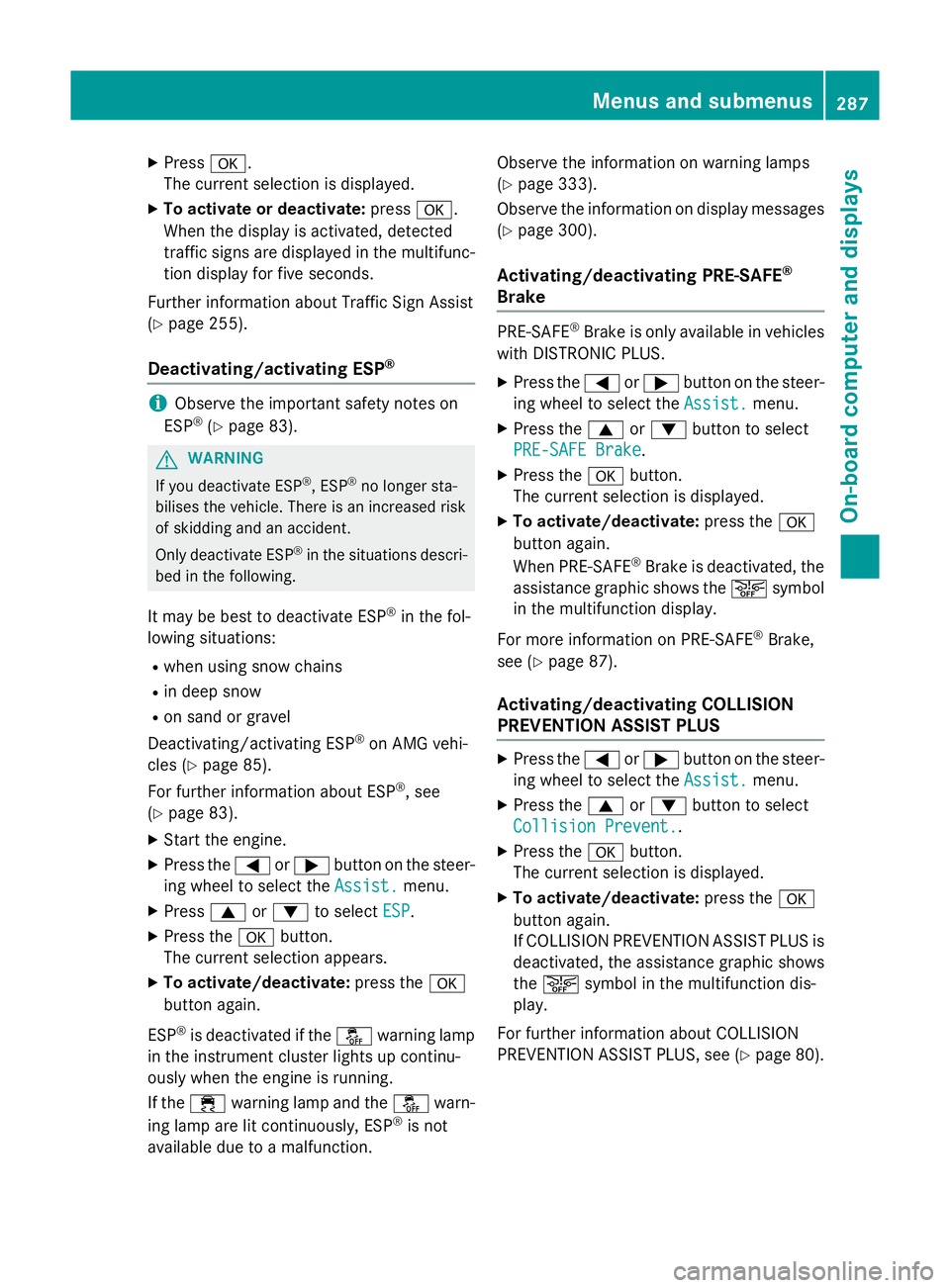
X
Press a.
The curren tselection is displayed.
X To activat eordeactivate: pressa.
When the display is activated, detected
traffic signs are displaye dinthe multifunc-
tion display for five seconds.
Further information about Traffic Sign Assist
(Y page 255).
Deactivating/activating ESP ®i
Observe the importan
tsafety notes on
ESP ®
(Y page 83). G
WARNING
If you deactivat eESP®
,E SP ®
no longer sta-
bilises the vehicle. There is an increased risk
of skidding and an accident.
Only deactivate ESP ®
in the situations descri-
bed in the following.
It may be best to deactivate ESP ®
in the fol-
lowing situations:
R when using snow chains
R in deep snow
R on sand or gravel
Deactivating/activating ESP ®
on AMG vehi-
cles (Y page 85).
For further information about ESP ®
,s ee
(Y page 83).
X Start the engine.
X Press the =or; button on the steer-
ing wheel to select the Assist.
Assist.menu.
X Press 9or: to select ESP
ESP.
X Press the abutton.
The curren tselection appears.
X To activate/deactivate: press thea
button again.
ESP ®
is deactivated if the åwarning lamp
in the instrument cluster lights up continu-
ously when the engine is running.
If the ÷ warning lamp and the åwarn-
ing lamp are lit continuously, ESP ®
is not
availabl edue to amalfunction. Observe the information on warning lamps
(Y
page 333).
Observe the information on display messages (Y page 300).
Activating/deactivating PRE-SAFE ®
Brake PRE‑SAFE
®
Brake is only availabl einvehicles
with DISTRONIC PLUS.
X Press the =or; button on the steer-
ing wheel to select the Assist. Assist.menu.
X Press the 9or: button to select
PRE-SAFE Brake
PRE-SAFE Brake.
X Press the abutton.
The curren tselection is displayed.
X To activate/deactivate: press thea
button again.
When PRE-SAFE ®
Brake is deactivated, the
assistanc egraphic shows the æsymbol
in the multifunction display.
For more information on PRE‑SAFE ®
Brake,
see (Y page 87).
Activating/deactivating COLLISION
PREVENTION ASSIST PLUS X
Press the =or; button on the steer-
ing wheel to select the Assist. Assist.menu.
X Press the 9or: button to select
Collision Prevent.
Collision Prevent..
X Press the abutton.
The curren tselection is displayed.
X To activate/deactivate: press thea
button again.
If COLLISION PREVENTION ASSIST PLUS is deactivated, the assistanc egraphic shows
the æ symbol in the multifunction dis-
play.
For further information about COLLISION
PREVENTION ASSIST PLUS, see (Y page 80). Menus and submenus
287On-board computer and displays Z
Page 293 of 497
![MERCEDES-BENZ E-CLASS SALOON 2015 Owners Manual X
Press ato confirm.
X Press the :or9 button to select the
Addit. speedo [mph]:
Addit. speedo [mph]: orAddit.
Addit.
speedo [km/h]:
speedo [km/h]: function.
Press the :or9 button to select the
Addit.](/img/4/55517/w960_55517-292.png "MERCEDES-BENZ E-CLASS SALOON 2015 Owners Manual X
Press ato confirm.
X Press the :or9 button to select the
Addit. speedo [mph]:
Addit. speedo [mph]: orAddit.
Addit.
speedo [km/h]:
speedo [km/h]: function.
Press the :or9 button to select the
Addit.")
X
Press ato confirm.
X Press the :or9 button to select the
Addit. speedo [mph]:
Addit. speedo [mph]: orAddit.
Addit.
speedo [km/h]:
speedo [km/h]: function.
Press the :or9 button to select the
Addit. speedo [mph]:
Addit. speedo [mph]: function.
You will see the selected setting: on
onoroff
off.
X Press the abutton to save the setting.
Selecting the permanent display function
Vehicles for the United Kingdom: this func-
tion is unavailable.
You can determin ewhether the multifunction
display permanently shows your speed or the
outside temperature.
X Press the =or; button on the steer-
ing wheel to select the Settings Settingsmenu.
X Press the :or9 button to select the
Inst. cluster
Inst. cluster submenu.
X Press ato confirm.
X Press the :or9 button to select the
Permanent display
Permanent display function.
You will see the selected setting: outside
outside
temperature
temperature orAddit.
Addit. speedo
speedo[km/h]
[km/h]/
Addit. speedo [mph]
Addit. speedo [mph].
X Press the abutton to save the setting.
i The speed is highlighted in km/ho
rin
mph inverse to your speedometer.
Lights Setting the brightness for the instrument
cluster lighting and switches
The lighting in the instrument cluster, in the
displays and the controls in the vehicle inte-
rior can be adjusted with the Brightness Brightness
Display/switches:
Display/switches: function.
X Press the =or; button on the steer-
ing wheel to select the Settings
Settingsmenu.
X Press the :or9 button to select the
Lights
Lights submenu.
X Press ato confirm. X
Press the :or9 button to select the
Brightnes sDisplay/switches:
Brightnes sDisplay/switches: func-
tion.
You will see the selected setting.
X Press ato confirm.
X Press the :or9 button to adjust the
brightness to any level from Level 1 Level 1to
Level 5
Level 5 (bright).
X Press the aor% button to save the
setting.
If the light switch is set to Ã,Tor
L,t he brightness is dependent upon
the brightness of the ambient light.
i The light sensor in the instrument cluster
automatically controls the brightness of
the multifunction display.
In daylight, the displays in the instrument
cluster are not illuminated.
Switching the daytime driving lights
on/off
The Day lights Day lights function can only be
switched on with the engine turned off.
X Press the =or; button on the steer-
ing wheel to select the Settings
Settingsmenu.
X Press the :or9 button to select the
Light
Light submenu.
X Press ato confirm.
X Press the :or9 button to select the
Day lights
Day lights function.
If the Day lights
Day lights function has been
switched on, the cone of light and the W
symbol in the multifunction display are
shown in orange.
X Press the abutton to save the setting.
Further information on daytime driving lights
(Y page 143).
Switching the Intelligent Light System
on/off
X Press the =or; button on the steer-
ing wheel to select the Settings Settingsmenu.
X Press the :or9 button to select the
Light
Light submenu.
X Press ato confirm. 290
Menus and submenusOn-board computer and displays
Page 295 of 497
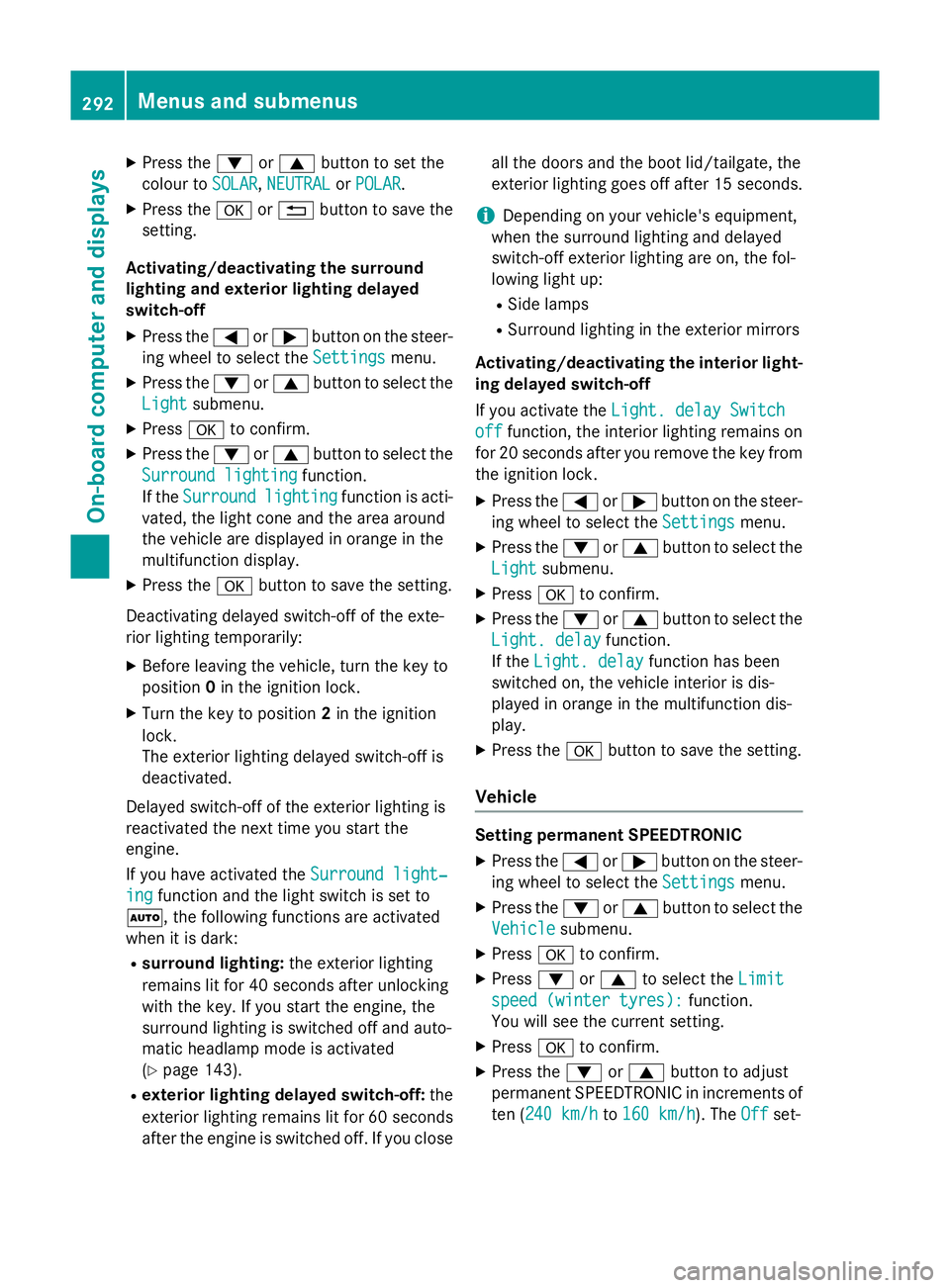
X
Press the :or9 button to set the
colour to SOLAR SOLAR,NEUTRAL NEUTRAL orPOLAR
POLAR.
X Press the aor% button to save the
setting.
Activating/deactivating the surround
lighting and exterior lighting delayed
switch-off
X Press the =or; button on the steer-
ing wheel to select the Settings
Settings menu.
X Press the :or9 button to select the
Light Light submenu.
X Press ato confirm.
X Press the :or9 button to select the
Surround lighting
Surround lighting function.
If the Surround
Surround lighting
lightingfunction is acti-
vated, the light cone and the area around
the vehicle are displayed in orange in the
multifunction display.
X Press the abutton to save the setting.
Deactivating delayed switch-off of the exte-
rior lighting temporarily:
X Before leaving the vehicle, turn the key to
position 0in the ignition lock.
X Turn the key to position 2in the ignition
lock.
The exterior lighting delayed switch-off is
deactivated.
Delayed switch-off of the exterior lighting is
reactivated the next time you start the
engine.
If you have activated the Surround light‐
Surround light‐
ing
ing function and the light switch is set to
Ã,t he following functions are activated
when it is dark:
R surround lighting: the exterior lighting
remains lit for 40 seconds after unlocking
with the key. If you start the engine, the
surround lighting is switched off and auto-
matic headlamp mode is activated
(Y page 143).
R exterior lighting delayed switch-off: the
exterior lighting remains lit for 60 seconds
after the engine is switched off. If you close all the doors and the boot lid/tailgate, the
exterior lighting goes off after 15 seconds.
i Dependin
gonyour vehicle's equipment,
when the surround lighting and delayed
switch-off exterior lighting are on, the fol-
lowing light up:
R Side lamps
R Surround lighting in the exterior mirrors
Activating/deactivating the interior light-
ing delayed switch-off
If you activat ethe Light. delay Switch Light. delay Switch
off
off function, the interior lighting remains on
for 20 seconds after you remove the key from the ignition lock.
X Press the =or; button on the steer-
ing wheel to select the Settings
Settings menu.
X Press the :or9 button to select the
Light
Light submenu.
X Press ato confirm.
X Press the :or9 button to select the
Light. delay
Light. delay function.
If the Light. delay
Light. delay function has been
switched on, the vehicle interior is dis-
played in orange in the multifunction dis-
play.
X Press the abutton to save the setting.
Vehicle Setting permanent SPEEDTRONIC
X Press the =or; button on the steer-
ing wheel to select the Settings Settingsmenu.
X Press the :or9 button to select the
Vehicle
Vehicle submenu.
X Press ato confirm.
X Press :or9 to select the Limit
Limit
speed (winter tyres):
speed (winter tyres): function.
You will see the curren tsetting.
X Press ato confirm.
X Press the :or9 button to adjust
permanen tSPEEDTRONIC in increment sof
ten (240 km/h 240 km/h to160 km/h
160 km/h). The Off
Offset- 292
Menus and submenusOn-board computer and displays
Page 299 of 497
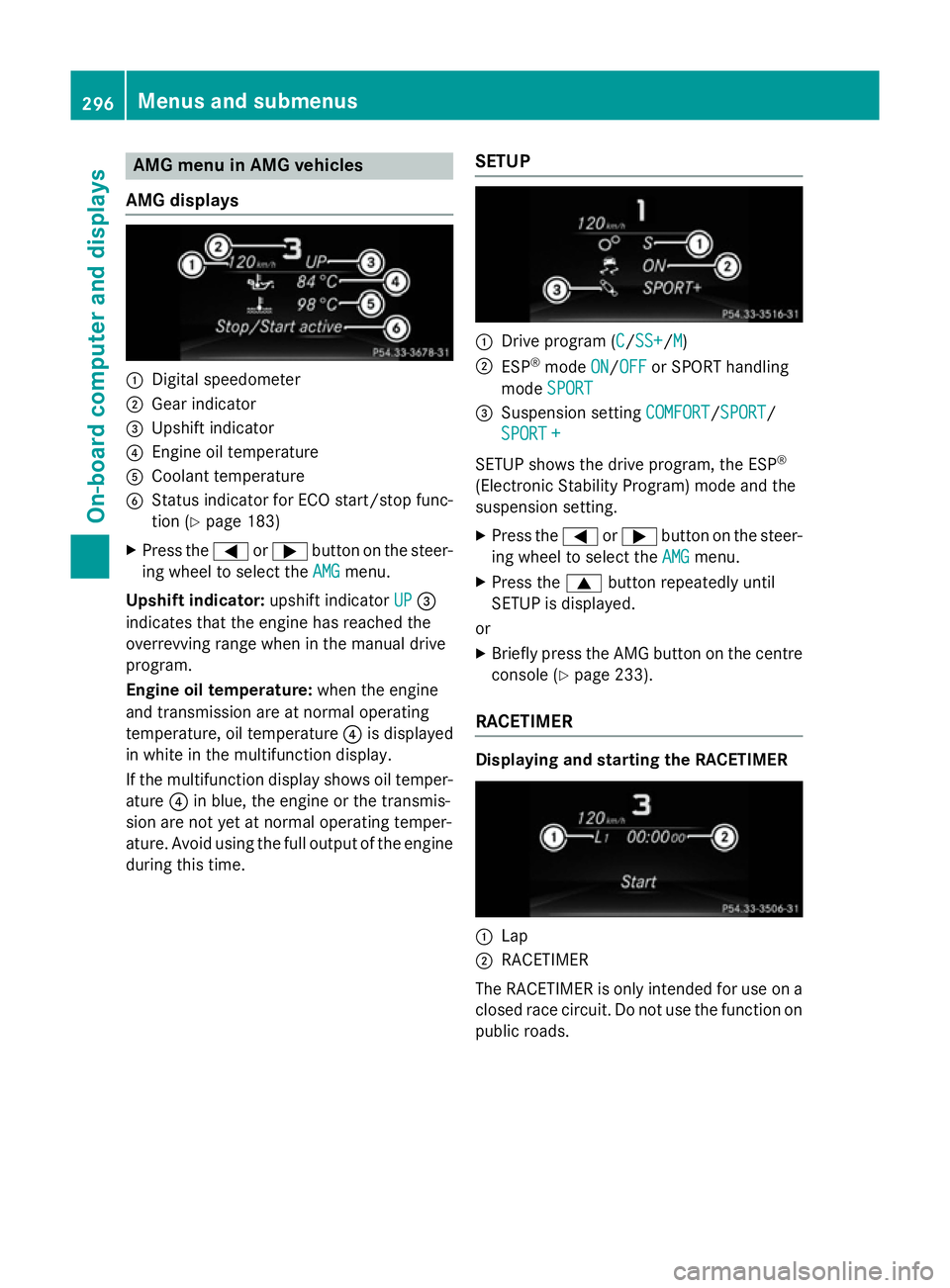
AMG men
uinAMG vehicles
AMG displays :
Digital speedometer
; Gear indicator
= Upshif tindicator
? Engin eoil temperature
A Coolan ttem perature
B Status indicator for ECO start/sto pfunc-
tion (Y page 183)
X Press the =or; buttononthesteer-
ing whee ltos elect the AMG
AMG menu.
Upshift indicator: upshift indicatorUP
UP=
indicates that th eengineh as reached the
overrevving range when in th emanual drive
program.
Engin eoil temperature: when theengine
and transmission are at normal operating
temperature, oil temperature ?is displayed
in whit einthemultifunction display.
If th emultifunction display shows oil temper-
ature ?in blue, th eengineort hetransmis-
sion are no tyet at normal operating temper-
ature. Avoid usin gthe full output of th eengine
during this time. SETUP :
Drive program (C C/SS+ SS+ /MM)
; ESP ®
mode ON
ON/OFF
OFF or SPORT handling
mode SPORT
SPORT
= Suspension setting COMFORT
COMFORT/SPORT
SPORT/
SPORT +
SPORT +
SETUP shows th edrivep rogram ,the ESP ®
(Electronic Stabilit yProgram )modea nd the
suspension setting.
X Press the =or; buttononthesteer-
ing whee ltos elect the AMG
AMG menu.
X Press the 9buttonrepeatedly until
SETUP is displayed.
or
X Briefly press th eAMG butto nont hecentre
console (Y page 233).
RACETIMER Displaying and starting th
eRACETIMER :
Lap
; RACETIMER
The RACETIMER is only intended for use on a closed rac ecircuit .Don otuse th efunction on
public roads. 296
Menu
sand sub menusOn-boardcomputer an ddisplays
Page 300 of 497
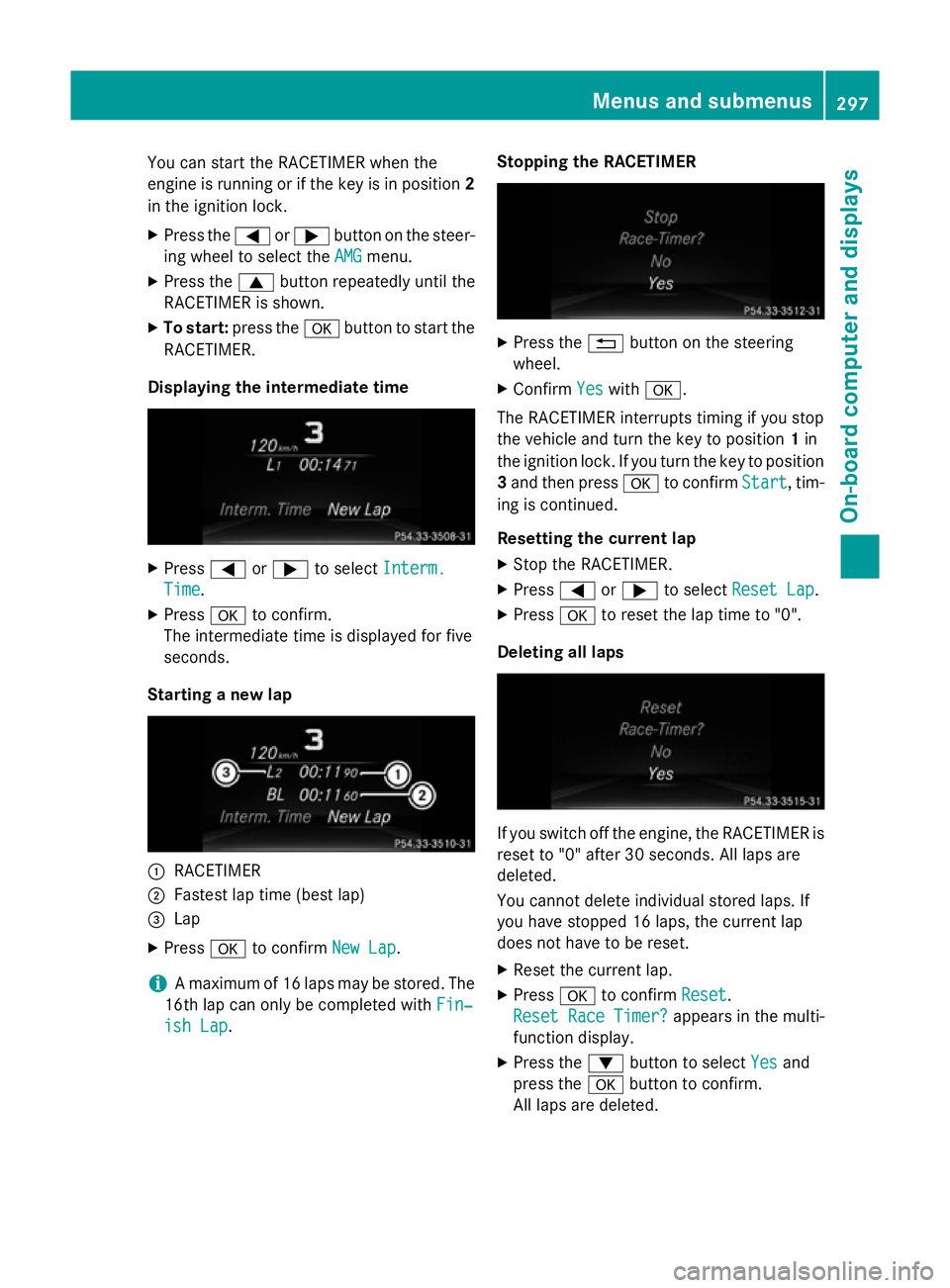
You can star
tthe RACETIME Rwhen the
engin eisrunning or if the key is in position 2
in the ignition lock.
X Press the =or; button on the steer-
ing wheel to selec tthe AMG
AMG menu.
X Press the 9button repeatedly until the
RACETIME Risshown.
X To start: press the abutton to star tthe
RACETIMER.
Displaying th eintermediat etime X
Press =or; to select Interm.
Interm.
Time
Time .
X Press ato confirm.
The intermediate tim eisdisplayed for five
seconds.
Starting anew lap :
RACETIMER
; Fastest lap tim e(best lap)
= Lap
X Press ato confirm New Lap
New Lap.
i Am
aximum of 16 laps may be stored. The
16t hlap can only be complete dwithFin‐
Fin‐
ish Lap
ish Lap. Stopping th
eRACETIMER X
Press the %button on the steering
wheel.
X Confirm Yes
Yeswith a.
The RACETIME Rinterrupt stiming if you stop
the vehicle and turn the key to position 1in
the ignition lock .Ifyou turn the key to position
3 and the npress a to confirm Start
Start,tim-
ing is continued.
Resetting th ecurrent lap
X Stop the RACETIMER.
X Press =or; to select ResetLap
Rese tLap.
X Press ato reset the lap tim eto"0".
Deleting all laps If you switc
hoff the engine, the RACETIME Ris
reset to "0" after 30 seconds .All laps are
deleted.
You cannot delet eindividual stored laps. If
you have stopped 16 laps, the current lap
does not have to be reset.
X Reset the current lap.
X Press ato confirm Reset
Reset.
Rese tRace Timer?
Rese tRace Timer? appears in the multi-
function display.
X Press the :button to select Yes Yesand
press the abutton to confirm.
All laps are deleted. Menus and submenus
297On-board computer and displays Z