light MERCEDES-BENZ E-CLASS SALOON 2016 Workshop Manual
[x] Cancel search | Manufacturer: MERCEDES-BENZ, Model Year: 2016, Model line: E-CLASS SALOON, Model: MERCEDES-BENZ E-CLASS SALOON 2016Pages: 557, PDF Size: 11.09 MB
Page 140 of 557
%
The duration of the colour change varies
depending on the usage conditions. Mir
rors Operating
the outside mir rors &
WARNING Risk of inju rythro ugh adjust‐
ing vehicle settings while theve hicle is in
motion
Yo u could lose cont rol of theve hicle in the
fo llowing situations:
R ifyo u adjust the driver's seat, the head
re stra ints, thesteering wheel or the mir‐
ro r while theve hicle is in motion
R ifyo ufast enyour seat belt while theve hi‐
cle is in motion #
Before starting the engine: adjust the
driver's seat, the head restra ints, the
st eering wheel or the mir ror and fasten
yo ur seat belt. &
WARNING Risk of accident due tomis‐
judgement of dis tances when using the
outside mir ror
The outside mir rors reflect objects on a
smaller scale. The objects in view are in fact
closer than they appear.
As a result, you may misjud gethe dis tance
between you and thero ad user driving
behind you, e.g. when changing lanes. #
Therefore, alw ays look over your shoul‐
der in order toensure that you are
aw are of the actual dis tance between
yo u and thero ad users driving behind
yo u. #
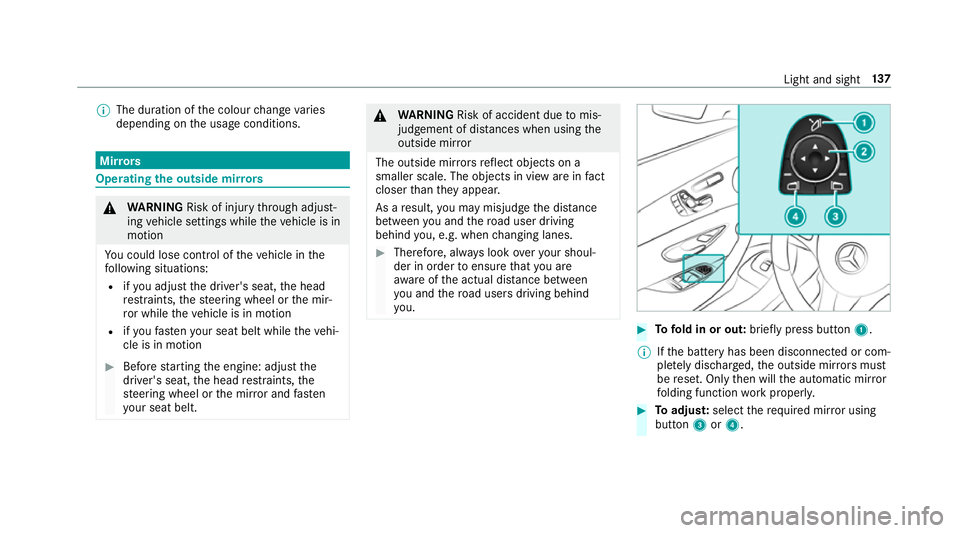
Tofold in or out: brieflypress button 1.
% Ifth e battery has been disconnected or com‐
ple tely discharged, the outside mir rors must
be reset. Only then will the automatic mir ror
fo lding function workproperly. #
Toadjus t:select therequ ired mir ror using
button 3or4. Light and sight
137
Page 141 of 557
#
Use button 2toset the position of the mir‐
ro ryo u ha veselected.
An outside mir ror which has been pushed out of
position can be engaged in position again in the
fo llowing manner: #
Vehicles without electrical lyfolding out‐
side mir rors:manually mo vethe outside
mir ror into the cor rect position. #
Vehicles with electrical lyfolding outside
mir rors:press and hold button 1.
Yo u will hear a click and the mir ror audibly
engage in position. The mir ror is set into the
cor rect position. Au
tomatic anti-dazzle mir rors &
WARNING Risk of bu rns and poisoning
due tothe anti-dazzle mir ror electrolyte
Electrolyte may escape if theglass in an
automatic anti-dazzle mir ror breaks.
The electrolyte is harmful and causes ir rita‐
tion. It mu stnot come into contact wi thyour skin,
eyes,respiratory organs or clo thing or
be swallo wed. #
Ifyo u come into contact with electro‐
ly te , obser vethefo llowing:
R Rinse the electrolyte from your skin
and seek medical attention immedi‐
atel y.
R If electrolyte comes into contact
with your eyes, rinse them thor‐
oughly with clean water and seek
medical attention immediately.
R Ifth e electrolyte is swallo wed,
immediately rinse your mouth out
th oroughly. Do not induce vomiting.
Seek medical attention immediately.
R Immedia tely ch ange out of clo thing
which has come into con tact wi th
electrolyte.
R If an allergic reaction occurs, seek
medical attention immediatel y. The outside mir
rors and inside rearview mir rors
on the driver's side automatically go into anti- dazzle mode if light from a headlamp hits
the
inside rearview mir ror.
Sy stem limitations
The mir rors do not go into anti-dazzle mode in
th efo llowing situations:
R the engine is switched off
R reve rsege ar is engaged
R interior lighting is swit ched on Pa
rking position of the passenger outside
mir ror The parking position makes parking easier.
The passenger outside mir ror tilts down wards
and sho wsthere ar wheel on the front passenger
side if:
R the parking position is stored
R the passenger mir ror is selected
R reve rsege ar is engaged
The passenger outside mir ror mo ves back toits
original position in thefo llowing situations: 13 8
Light and sight
Page 142 of 557
R
ifyo u shift the transmission toano ther trans‐
mission position
R when driving fasterthan 15 km/h
R ifyo u press the button forth e outside mir ror
on the driver's side Saving
the pa rking position of the passenger
outside mir ror Requ
irement:
Re versege ar must not be engaged when storing
using the memory button. #
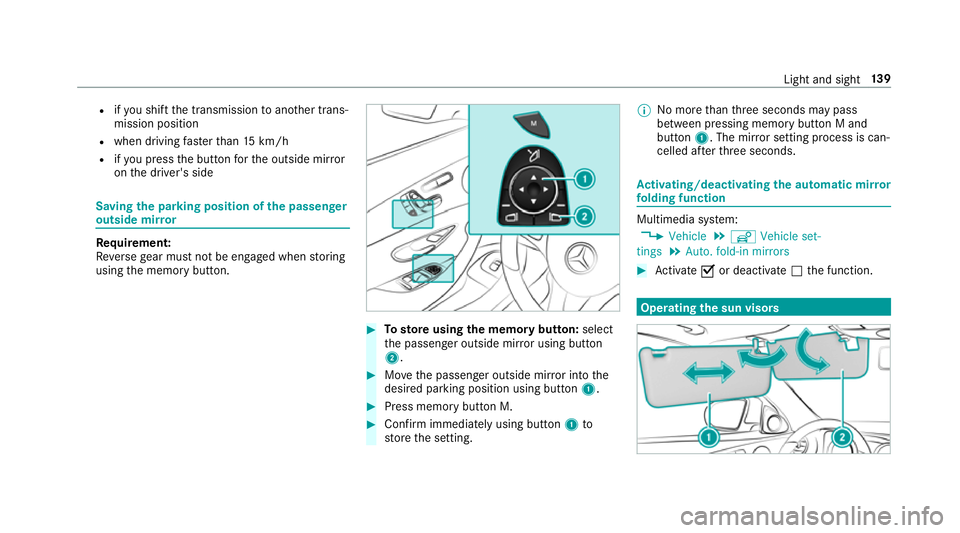
Tosto reusing the memory but ton: select
th e passenger outside mir ror using button
2. #
Movethe passenger outside mir ror into the
desired parking position using button 1. #
Press memory button M. #
Confirm immediately using button 1to
st ore the setting. %
No more than thre e seconds may pass
between pressing memory button M and
button 1. The mir ror setting process is can‐
celled af terth re e seconds. Ac
tivating/deactivating the automatic mir ror
fo lding function Multimedia sy
stem:
, Vehicle .
î Vehicle set-
tings .
Auto. fold-in mirrors #
Activate Oor deacti vate ª the function. Operating
the sun visors Light and sight
13 9
Page 143 of 557
#
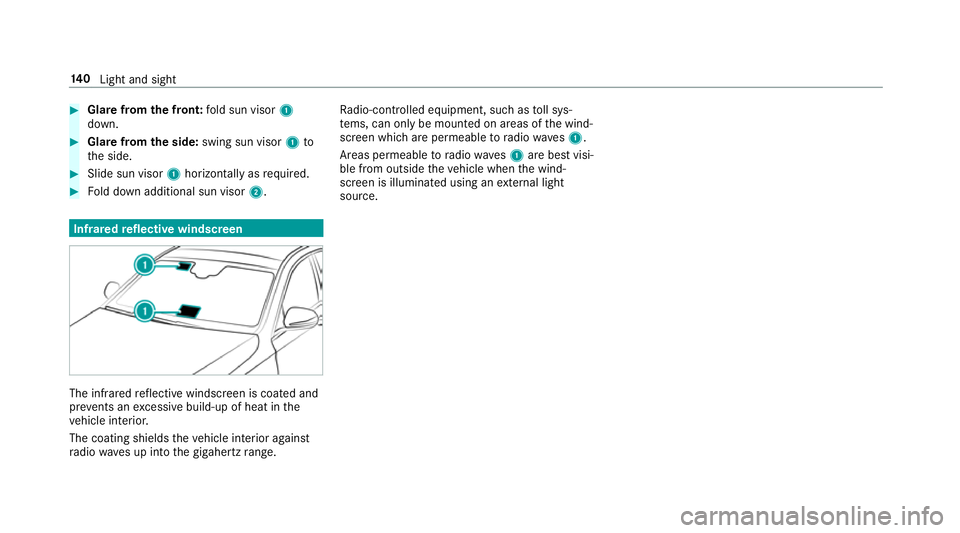
Glare from the front: fold sun visor 1
down. #
Glare from the side: swing sun visor 1to
th e side. #
Slide sun visor 1horizon tally as required. #
Fold down additional sun visor 2.Infrared
reflective windscreen The inf
rare dre flective windscreen is coated and
pr eve nts an excessive build-up of heat in the
ve hicle interior.
The coating shields theve hicle interior against
ra dio waves up into the gigahertz range. Ra
dio-contro lled equipment, such as toll sys‐
te ms, can only be mounted on areas of the wind‐
screen which are permeable toradio waves1.
Areas permeable toradio wav es1 are best visi‐
ble from outside theve hicle when the wind‐
screen is illuminated using an extern al light
source. 14 0
Light and sight
Page 146 of 557
%
When the climate control is switched off, the
windo wscan mist up faster. Only switch off
th e climate control brief ly.Ac
tivating/deactivating the A/C function via
the control panel The A/C function cools, heats and dehumidifies
th
e interior air in theve hicle. #
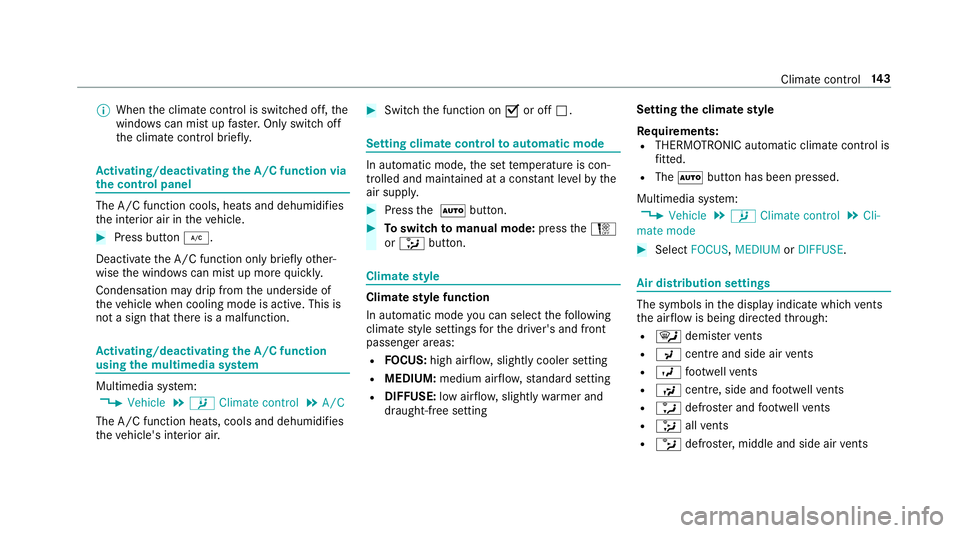
Press button ¿.
Deactivate the A/C function only briefly other‐
wise the windo wscan mist up more quickl y.
Condensation may drip from the underside of
th eve hicle when cooling mode is active. This is
not a sign that there is a malfunction. Ac
tivating/deactivating the A/C function
using the multimedia sy stem Multimedia sy
stem:
, Vehicle .
b Climate control .
A/C
The A/C function heats, cools and dehumidifies
th eve hicle's interior air. #
Switch the function on Oor off ª. Setting climate control
toautomatic mode In auto
matic mode, the set temp erature is con‐
trolled and maintained at a const ant levelby the
air suppl y. #
Press the à button. #
Toswitch tomanual mode: presstheH
or _ button. Climate
style Climate
style function
In automatic mode you can select thefo llowing
climate style settings forth e driver's and front
passenger areas:
R FOCUS: high air flow , slightly cooler setting
R MEDIUM: medium air flow ,st andard setting
R DIFFUSE: low airflow , slightly warmer and
draught-f ree setting Setting
the clima testyle
Requ irements:
R THERMOTRONIC automatic climate control is
fitted.
R The à button has been pressed.
Multimedia sy stem:
, Vehicle .
b Climate control .
Cli-
mate mode #
Select FOCUS, MEDIUM orDIFFUSE . Air distribution settings
The symbols in
the display indicate which vents
th e air flow is being directed thro ugh:
R ¯ demis terve nts
R P centre and side air vents
R O foot we llve nts
R S centre, side and foot we llve nts
R a defros ter and foot we llve nts
R _ allvents
R b defros ter,middle and side air vents Clima
tecontrol 14 3
Page 150 of 557
cle. This is
the case in enclosed spaces or if
th eve hicle getsst uck in sn ow,fo rex ample. #
Alw ays switch thest ationary heater off
in enclosed spaces without an air
ex traction sy stems, e.g. in garage s. #
Keep theta ilpipe and the area around
th eve hicle free from snow when the
engine or thest ationary heater are run‐
ning. #
Open a window on the windward side of
th eve hicle toensure an adequate sup‐
ply of fresh air. &
WARNING Risk offire due tohot station‐
ary heater components
When thest ationary heater is swit ched on,
parts of theve hicle can become very hot,
e.g. theex haust sy stem.
Flammable materials such as lea ves, grass or
twigs may ignite if they come into contact
wi th:
R hot parts of theex haust sy stem R
theex haust gas itself #
When thest ationary heater is swit ched
on, make sure that:
R hot vehicle parts do not come into
contact with flammable materials
R theex haust gas can flow out of the
ta ilpipe unhindered
R theex haust gas does not come into
contact with flammable materials *
NO
TEBattery discharge caused bysta‐
tionary heater or stationary ventilation
operation Ope
rating thest ationary heater or stationary
ve ntilation drains the batter y. #
After heating or ventilating theve hicle
twice, drive for a longer period of time. Re
quirement:
The fuel tank is filled toat least reser vefuel
le ve l. #
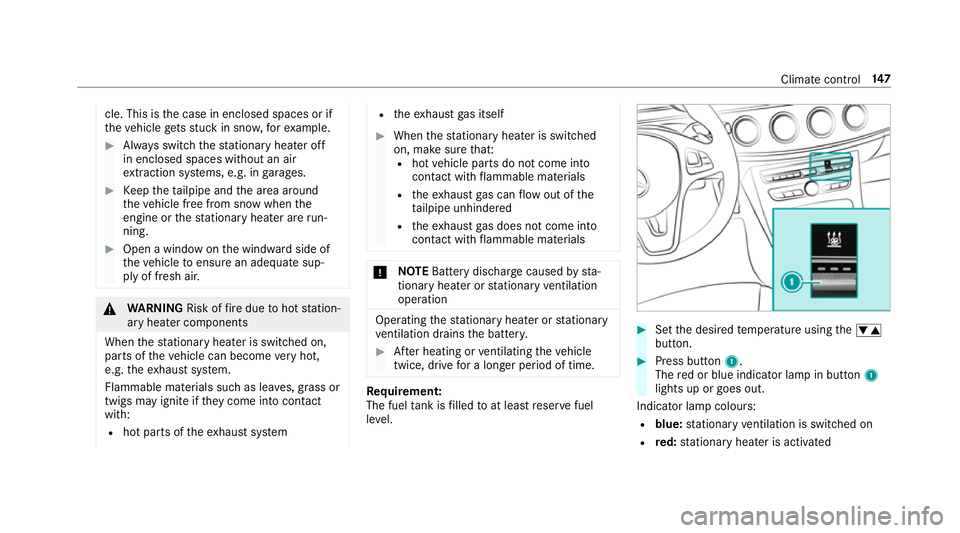
Set the desired temp erature using thew
button. #
Press button 1.
The red or blue indicator lamp in button 1
lights up or goes out.
Indicator lamp colours: R blue: stationary ventilation is switched on
R red: stationary heater is activated Climate control
147
Page 157 of 557
#
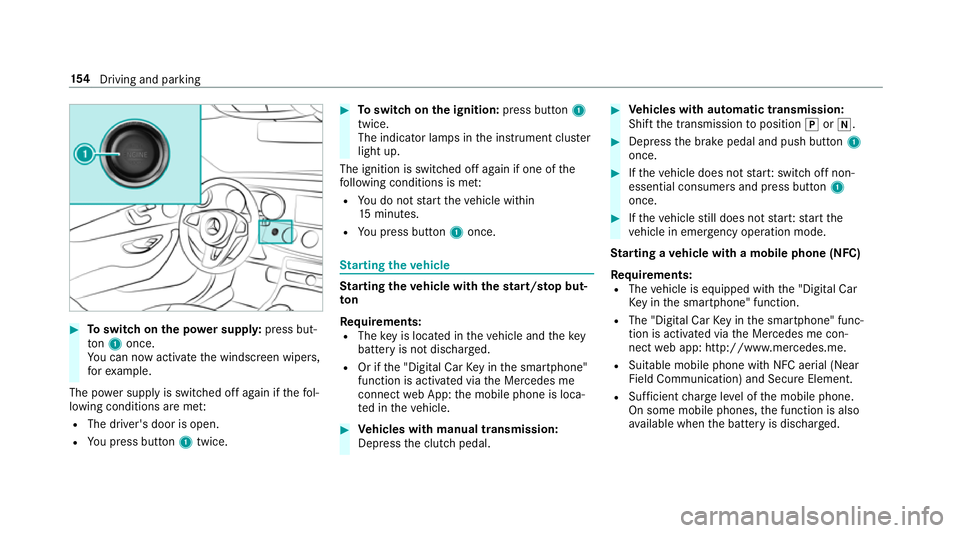
Toswitch on the po wer supp ly:press but‐
to n1 once.
Yo u can now activate the windscreen wipers,
fo rex ample.
The po wer supp lyis switched off again if thefo l‐
lowing conditions are me t:
R The driver's door is open.
R You press but ton1 twice. #
Toswitch on the ignition: press button 1
twice.
The indicator lamps in the instrument clus ter
light up.
The ignition is switched off again if one of the
fo llowing conditions is me t:
R You do not start theve hicle within
15 minutes.
R You press but ton1 once. St
arting theve hicle St
arting theve hicle with thest art/s top but‐
ton
Requ irements:
R The key is located in theve hicle and thekey
battery is not dischar ged.
R Or if the "Digital Car Key in the smartphone"
function is activated via the Mercedes me
connect web App: the mobile phone is loca‐
te d in theve hicle. #
Vehicles with manual transmission:
Depress the clutch pedal. #
Vehicles with automatic transmission:
Shift the transmission toposition jori. #
Depress the brake pedal and push button 1
once. #
Ifth eve hicle does not star t:switch off non-
essential consumers and press button 1
once. #
Ifth eve hicle still does not star t:start the
ve hicle in emer gency operation mode.
St arting a vehicle with a mobile phone (NFC)
Re quirements:
R The vehicle is equipped with the "Digital Car
Ke y in the smartphone" function.
R The "Digital Car Key in the smartphone" func‐
tion is activated via the Mercedes me con‐
nect web app: http://www.mercedes.me.
R Suitable mobile phone with NFC aerial (Near
Field Communication) and Secure Element.
R Sufficient charge leve l of the mobile phone.
On some mobile phones, the function is also
av ailable when the battery is dischar ged. 15 4
Driving and pa rking
Page 161 of 557
#
Never use the brake pedal as a foot re st. #
Do not depress the brake pedal and the
accelerator pedal at the same time
while driving. *
NO
TECausing wearto the brake linings
by permanently depressing the brake
pedal #
Do not permanently depress the brake
pedal while driving. #
Touse braking ef fect of the engine,
shift toa lo werge ar in good time. *
NO
TEDama getothe driv etra in and
engine when pulling away #
Do not warm upthe engine when sta‐
tionar y.Pull away immediatel y. #
Avoid high engine speeds and full thro t‐
tle until the engine has reached its
operating temp erature. #
Do not allow the wheels tospin. *
NO
TEDama getothe catalytic con verter
due tonon-combu sted fuel The engine is not
running smo othly and is
misfiring.
Non-combus ted fuel may get into the cata‐
lytic con verter. #
Only depress the accelera tor pedal
slightl y. #
Have the cause rectified immediately at
a qu alified specialist workshop. Limited braking ef
fect on salt-trea tedro ads:
R due tosalt build-up on the brake discs and
brake lining, the braking dis tance can
increase conside rably or result in braking
only on one side.
R maintain a much greater dis tance totheve hi‐
cle in front.
To preve nt salt build-up:
R brake occasionally while paying attention to
th e tra ffic conditions. R
carefully depress the brake pedal at the end
of the journey and when starting the next
journe y.
Plug-in hybrid: make sure that youre ad the
separate Owner's Manual. Otherwise, you may
fa ilto recognise dangers. ECO
start/s top function Ope
ration of the ECO start/s top function
The engine is switched off au tomatical ly:
R Vehicles with manual transmission: Ifyou
brake theve hicle, shift into neutral iwhen
tr ave lling at a low speed and then release the
clutch pedal.
R Vehicles with automatic transmission: If
yo u brake theve hicle toast andstill in trans‐
mission position hori.
R If all vehicle conditions for an auto matic
engine stop are met.
The è symbol appears in the multifunction
display when theve hicle is stationar y.If not all 15 8
Driving and pa rking
Page 162 of 557
th
eve hicle conditions are met, theç symbol
appears in the multifunction displa y.
The engine is restar ted automatically if:
R Vehicles with manual transmission: Yo u
depress the clutch pedal.
R Vehicles with manual transmission: Yo u
engage reve rsege ar k.
R Vehicles with automatic transmission: In
transmission position h,youre lease the
brake pedal when the HOLD function is not
active.
R Vehicles with automatic transmission:
Yo u shift out of transmission position j.
R Vehicles with automatic transmission:
Yo u shift into transmission position hor
k.
R You depress the accelerator pedal.
R You swit chtodrive prog ram S+.
R Youch ange theve hicle le vel.
R An automatic engine start is necessar y.
If th e engine was switched off bythe ECO start/
st op function and you lea vetheve hicle, a warn‐ ing
tone sounds. The Vehicle is operational
Switch off the ignition before exiting display
messa gealso appears in the multifunction dis‐
pla y.
If yo u do not swit choff the ignition, the ignition
is automatically switched off af ter one minute.
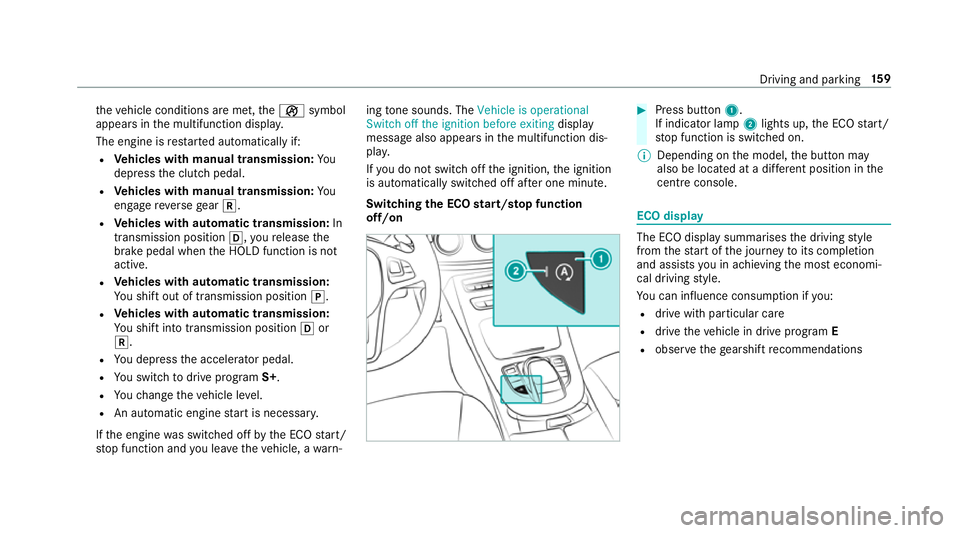
Switching the ECO start/s top function
off/on #
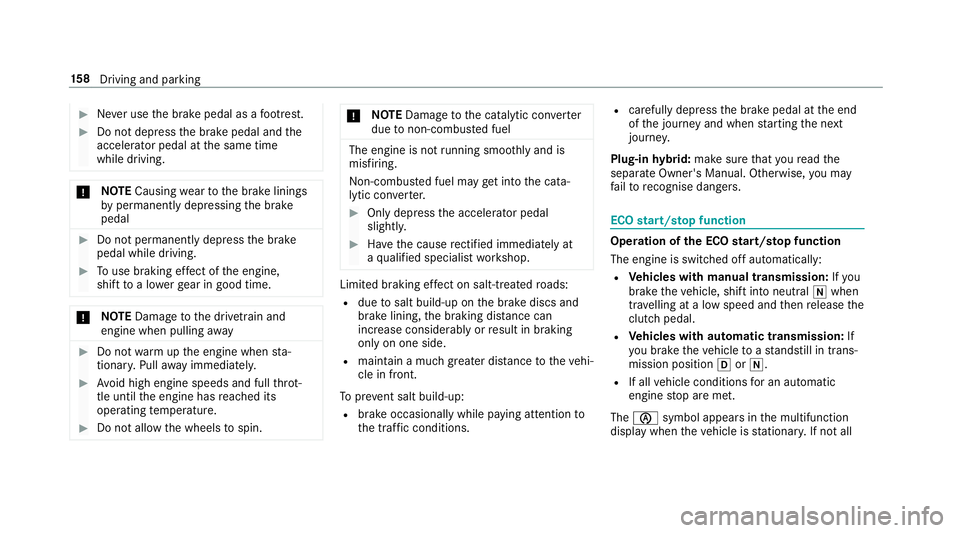
Press button 1.
If indicator la mp2lights up, the ECO start/
st op function is switched on.
% Depending on the model, the button may
also be located at a dif fere nt position in the
centre console. ECO displ
ay The ECO display summarises
the driving style
from thest art of the journey toits completion
and assists you in achieving the most economi‐
cal driving style.
Yo u can influence consum ption if you:
R drive with particular care
R drive theve hicle in drive program E
R obser vethege arshift recommendations Driving and pa
rking 15 9
Page 163 of 557
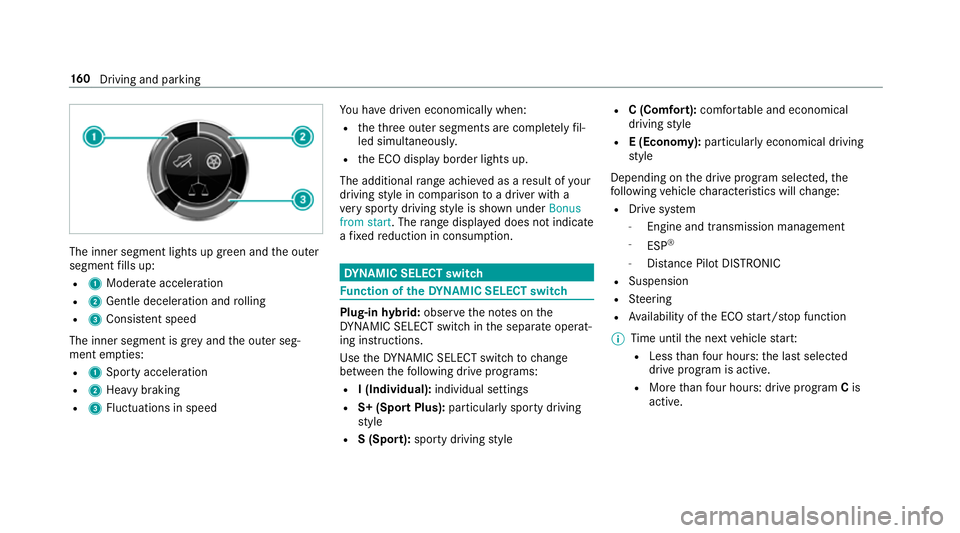
The inner segment lights up green and
the outer
segment fills up:
R 1 Moderate acceleration
R 2 Gentle decele ration and rolling
R 3 Consis tent speed
The inner segment is gr eyand the outer seg‐
ment em pties:
R 1 Sporty acceleration
R 2 Heavy braking
R 3 Fluctuations in speed Yo
u ha vedriven economically when:
R theth re e outer segments are comple tely fil‐
led simultaneousl y.
R the ECO display border lights up.
The additional range achi eved as a result of your
driving style in comparison toa driver with a
ve ry sporty driving style is shown under Bonus
from start. The range displ ayed does not indicate
a fixe dre duction in consum ption. DY
NA MIC SELECT switch Fu
nction of theDY NA MIC SELECT switch Plug-in
hybrid: obser vethe no tes on the
DY NA MIC SELECT switch in the separate operat‐
ing instructions.
Use theDY NA MIC SELECT switch tochange
between thefo llowing drive programs:
R I (Individual): individual settings
R S+ (Sport Plus): particularly sporty driving
st yle
R S (Sport): sporty driving style R
C (Comfort): comfortable and economical
driving style
R E (Economy): particularly economical driving
st yle
Depending on the drive program selected, the
fo llowing vehicle characteristics will change:
R Drive sy stem
- Engine and transmission management
- ESP ®
- Distance Pilot DISTRONIC
R Suspension
R Steering
R Availability of the ECO start/ stop function
% Time until the next vehicle star t:
R Less than four hours: the last selected
drive program is active.
R More than four hours: drive program Cis
active. 16 0
Driving and pa rking