service MERCEDES-BENZ E-CLASS SALOON 2017 Owner's Manual
[x] Cancel search | Manufacturer: MERCEDES-BENZ, Model Year: 2017, Model line: E-CLASS SALOON, Model: MERCEDES-BENZ E-CLASS SALOON 2017Pages: 497, PDF Size: 10.38 MB
Page 192 of 497
%
The electric parking brake is only securely
applied if the indicator lamp is lit continu‐
ously.
Re leasing #
Swit chthe ignition on. #
Pull handle 1.
The ! indicator lamp in the instrument
clus ter goes out.
Emer gency braking #
Press and hold handle 1.
When theve hicle has been braked to a
st andstill, the electric parking brake is
applied. The !indicator lamp appears in
th e instrument clus ter. Information on de
tecting dama geon a
pa rked vehicle If a collision is de
tected when theto w- aw ay pro‐
te ction is acti vated on a loc kedve hicle, you will
re cei venotification:
R onyour smartphone R
inthe multimedia sy stem when you swit ch
on the ignition
Yo u will recei veinformation about thefo llowing:
R the area of theve hicle that may ha vebeen
damaged
R thefo rc e of the impact
The following situations can lead toinadver tent
acti vation:
R the par kedve hicle is mo ved, e.g. in a double-
dec kerga rage
% Deactivate tow- aw ay protection in order to
pr eve nt inadver tent acti vation. If you deacti‐
va te tow- aw ay protection, damage de tection
will also be deactivated.
Sy stem limitations
De tection may be restricted in thefo llowing sit‐
uations:
R theve hicle is damaged without impact, e.g. if
an outside mir ror is torn off or the paint is
damaged byakey
R an impact occurs at low speed R
the electric parking brake is not applied
Information on Mercedes me connect and other
services: http://www.mercedes.me. Note
s on parking up theve hicle If
yo u lea vetheve hicle par ked up for longer than
fo ur we eks, the disconnected battery may be
damaged bydeep dischar ge.
If yo u lea vetheve hicle par ked up for longer than
six weeks, it may suf fer dama geas a result of
lack of use.
% Further information can be obtained at a
qu alified specialist workshop. St
andby mode (extension of the star ter bat‐
te ry 's period out of use) St
andby mode function
Ve hicles without a 48 V electrical sy stem
(EQ Boost technology):
If standby mode is activated, theve hicle can be
par kedfo r an extended pe riod of time without
losing po wer. Driving and pa
rking 18 9
Page 193 of 497
St
andby mode is characterised bythefo llowing:
R thest ar ter battery is preser ved.
R the maximum period out of use is displa yed
in the multimedia sy stem displa y.
R functions such as interior pr otection or tow-
aw ay protection are not available.
R the connection toonline services is inter rup‐
te d.
If th efo llowing conditions are fulfilled, standby
mode can be activated or deactivated using the
multimedia sy stem:
R the engine is switched off.
R the ignition is switched on.
Exceeding theve hicle's displa yed period out of
use may cause incon venience, i.e. it cannot be
guaranteed that thest ar ter battery will reliably
st art the engine.
The star ter battery must be charge dfirs t in the
fo llowing situations:
R theve hicle's period out of use must be
ex tended. R
theBattery charge insufficient for standby
mode message appears in the multimedia
sy stem displa y.
% Standby mode is automatically deactivated
when the ignition is switched on.
Ac tivating or deactivating standby mode
Ve hicles without a 48 V electrical sy stem
(EQ Boost technology):
Multimedia sy stem:
, Vehicle .
Vehicle settings .
Standby
mode #
Activate or deacti vate the function.
When you activate the function, a prom pt
appears. #
Select Yes.
St andby mode is activated. Driving and driving saf
ety sy stems Driving sy
stems and your responsibility Yo
ur vehicle is equipped with driving sy stems
which assist you in driving, parking and manoeu‐ vring
theve hicle. The driving sy stems are tools
and do not relie ve you of your responsibility. Pay
attention tothe tra ffic conditions at all times
and inter vene when necessa ry. Be aware of the
limitations rega rding the safe use of these sys‐
te ms. Fu
nction of thera dar senso rs Some driving and driving sa
fety sy stems use
ra dar sensors tomonitor the area in front of,
behind or next totheve hicle (depending on the
ve hicle's equipment).
Depending on theve hicle's equipment, thera dar
sensors are integrated behind the bumpers
and/or behind thera diator grille. Keep these
parts free of dirt, ice and slush (→ page317).
The sensors must not be co vered, forex ample
by bicycle rack s, ove rhanging loads or radar-
re flecting sticke rs.Fo llowing an impact and in
th eeve nt of associated dama ge, which may not
be visible, tothe bumpers or radiator grille, ha ve
th e function of thera dar sensors checked at a
qu alified specialist workshop. The driver assis‐
ta nce sy stem may no longer workproperly. 19 0
Driving and pa rking
Page 255 of 497
R
Limiter (→ page 202)
R Active Dis tance Assi stDISTRONIC
(→ page 205)
* NO
TEEngine dama gedue toexc essively
high engine speeds The engine will be damaged if
you drive with
th e engine in theov errevving range. #
Do not drive wi th the engine in theove r‐
re vving range. The fuel supply is inter
rupted toprotect the
engine when there d band in rev counter 3
(o ve rrev ving range) is reached.
During no rmal operating conditions, coolant
te mp erature display 4may rise to120 °C. &
WARNING Danger of bu rns when open‐
ing the bonn et
If yo u open the engine bonn etwhen the
engine has overheated or during a fire inthe
engine compartment, you could come into
contact with hot gases or other escaping
operating fluids. #
Before opening the bonn et, allow the
engine tocool down. #
Intheeve nt of a fire inthe engine com‐
partment, keep the engine bonn et
closed and call thefire service. Ve
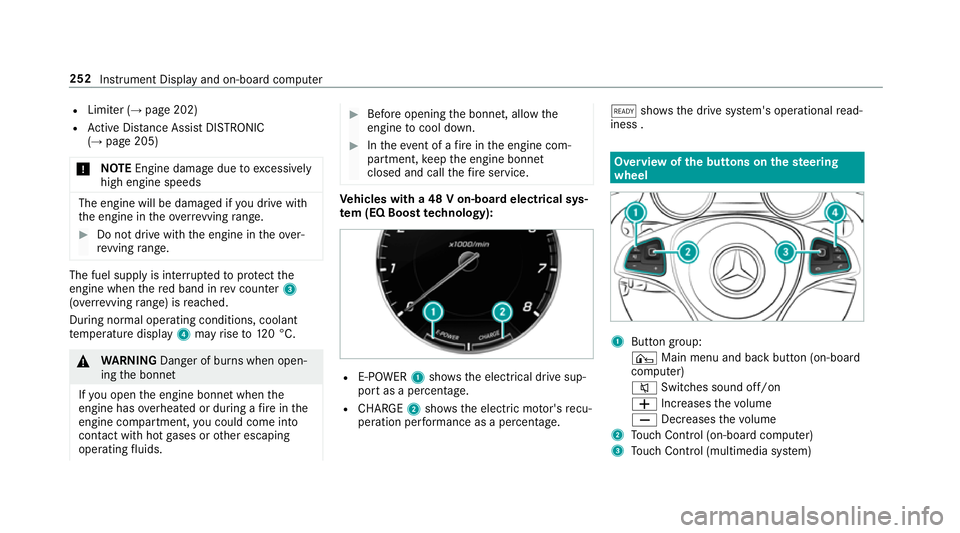
hicles with a 48 V on-board electrical sys‐
te m (EQ Boo sttech nology): R
E-POWER 1shows th e electrical drive sup‐
port as a percentage.
R CHARGE 2showsthe electric mo tor's recu‐
peration per form ance as a percen tage. õ
showsthe drive sy stem's operational read‐
iness . Overview of
the but tons on thest eering
wheel 1
Button group:
¤ Main menu and ba ckbutton (on-board
computer)
8 Switches sound off/on
W Increases thevo lume
X Decreases thevo lume
2 Touch Control (on-board co mputer)
3 Touch Control (multimedia sy stem) 252
Instrument Display and on-board computer
Page 256 of 497
4
Button group:
¤ Main menu and ba ckbutton (multime‐
dia sy stem)
£ LINGU ATRO NIC or voice control sys‐
tem
6 Makes/accepts a call
~ Rejects/ends a call Ope
rating the on-board co mputer &
WARNING Risk of di stra ction from infor‐
mation sy stems and communications
equipment
If yo u operate information and communica‐
tion equipment integ rated in theve hicle
when driving, you will be distracted from the
traf fic situation. This could also cause youto
lose control of theve hicle. #
Only operate this equipment when the
traf fic situation permits. #
Ifyo u cannot be sure of this, stop the
ve hicle whilst paying attention toroad and traf
fic conditions and ope rate the
equipment with theve hicle stationar y. Yo
u must obse rveth e legal requirements forthe
country in whi chyou are cur rently driving when
operating the on-board computer.
% The on-board computer displa ysappear on
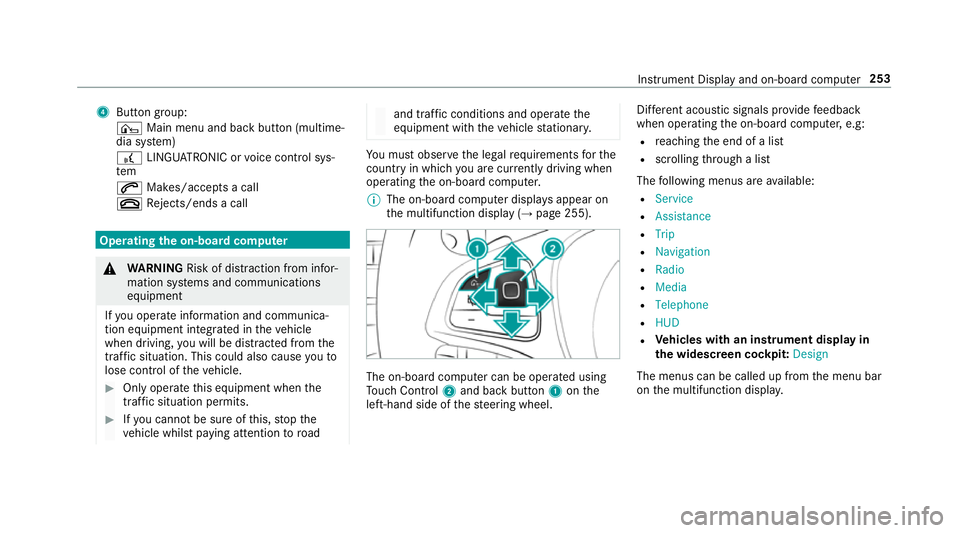
th e multifunction display (→ page 255). The on-board computer can be operated using
To uch Control 2and back but ton1 onthe
left-hand side of thesteering wheel. Dif
fere nt acoustic signals pr ovide feedback
when operating the on-board computer, e.g:
R reaching the end of a list
R scrolling thro ugh a list
The following menus are available:
R Service
R Assistance
R Trip
R Navigation
R Radio
R Media
R Telephone
R HUD
R Vehicles with an instrument display in
th e widescreen cockpit: Design
The menus can be called up from the menu bar
on the multifunction displa y. Instrument Display and on-board computer
253
Page 259 of 497
Menus and submenus
Fu
nctions on the Service menu of the on-
board compu terOn-board computer:
, Service #
Toselect the function: swipe upwards or
down wards on the left-hand touch cont rol. #
Press the left-hand touch cont rol.
Fu nctions on theService menu:
R Message memory (→ page 381)
R AdBlue: Adblue ®
ra nge
R Tyres:
- Restarting the tyre pressure loss warning
sy stem (→ page 352)
- Checking tyre pressure with the tyre
pressure monitoring sy stem
(→ page 348)
- Restarting the tyre pressure monitoring
sy stem(→ page 348)
R ASSYST PLUS: Calling up the service due
date (→ page 306) R
Engine oil le vel Calling up
the assistant display On-board computer:
, Assistance
% Ve
hicles with the instrument display in
th e widescreen cockpit: whenyou ha ve
th e design set toProgressive ,yo u can view
th e assis tant displ ayinthe left-hand portion
of the instrument displa y.
The following displa ysare available from the
assis tant displ aymenu:
R Assis tant displ ay
R Attention le vel (→ page 237) #
Toswitch between the displa ys:swipe
upwards or down wards on the left-hand
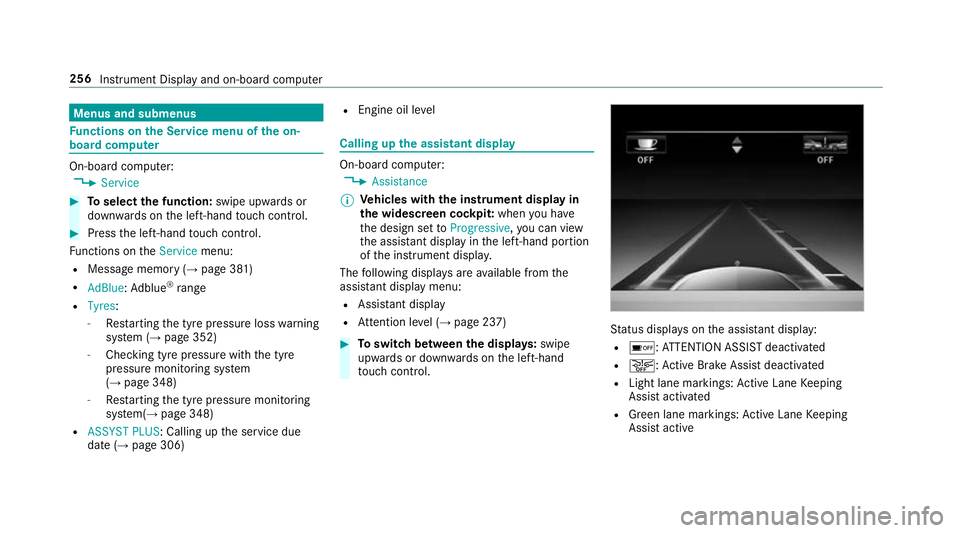
to uch cont rol. St
atus displa yson the assis tant displ ay:
R é :AT TENTION ASSIST deactivated
R æ: Active Brake Assi stdeactivated
R Light lane markings: Active Lane Keeping
Assist activated
R Green lane markings: Active Lane Keeping
Assist active 256
Instrument Display and on-board computer
Page 279 of 497
Exporting
If PIN pr
otection is activated, the PIN is reques‐
te d. #
Ente rth efo ur-digit PIN. #
Select a data storage medium.
The data is expor ted. The data export may
ta ke several minutes.
Ac tivating/deactivating PIN pr otection for
data export
Multimedia sy stem:
, Vehicle .
System settings .
Import/
export data #
Toactivate: activateActivate PIN protection
O. #
Enter your four-digit PIN. #
Enteryo ur four-digit PIN again.
PIN pr otection is activated when bo thPINs
match. #
Todeactivate: deactivateActivate PIN pro-
tection ª. #
Enter your four-digit PIN. %
Ifyo u ha veforg ottenyo ur PIN, a Mercedes-
Benz service centre can deactivate your PIN
pr otection foryo u.
Alternatively: you can deactivate PIN pr otec‐
tion byresetting your personal data
(→ page 276). Re
set function Multimedia sy
stem:
, Vehicle .
System settings .
Reset
The multimedia sy stem is reset tothefa ctory
settings.
Pe rsonal data is dele ted, forex ample:
R station presets
R connec ted mobile phones #
Select Yes.
A qu ery appears asking if you are sure that
yo uwa nttoreset.
No selected: the process is cancelled. #
Select Yes.
The multimedia sy stem is reset tofactory
settings and restar ted. Garmin
®
MAP PIL OTnavigation module Overview of Garmin
®
MAP PIL OTnavigation
module &
DANG ER Risk of fata l injury from swal‐
lowing SD cards
SD cards are small parts.
They could be swallo wed and lead tochok‐
ing. #
Keep SD cards out of there ach of chil‐
dren. #
Seek medical attention immediately if
an SD card has been swallo wed. &
WARNING Risk of di stra ction from infor‐
mation sy stems and communications
equipment
If yo u operate information and communica‐
tion equipment integ rated in theve hicle
when driving, you will be distracted from the
traf fic situation. This could also cause youto
lose control of theve hicle. 276
Multimedia sy stem
Page 280 of 497
#
Only operate this equipment when the
traf fic situation permits. #
Ifyo u cannot be sure of this, stop the
ve hicle whilst paying attention toroad
and traf fic conditions and ope rate the
equipment with theve hicle stationar y. During operation of
the Garmin ®
MAP PIL OT,
alw ays obser vethefo llowing:
R the legal requirements forth e count ryin
which you are cur rently driving
R road and traf fic ru les and regulations alw ays
ha ve priority over Garm in®
MAP PIL OTdriv‐
ing recommendations
Obser vethefo llowing no tes on the operating
instructions and updates:
R the Garmin ®
MAP PIL OToperating instruc‐
tions are stored on the SD memory card as a
PDF file.
R the SD card box conta ins a printedquick
guide. R
you can obtain digital map and software
updates from a Mercedes-Benz service
centre.
Fo r some countries, digi tal map and software
updates are available in thefo rm of a down‐
load or an SD memory card.
Fo r downloads, visit http://shop.mercedes-
benz.com and follow the information in the
Garmin ®
MAP PIL OTsection.
Fu rther information (see the manufacturer's
operating instructions). Switching
the Garmin ®
MAP PIL OTnaviga‐
tion module on *
NO
TEDama gecaused byhigh temp era‐
tures High
temp eratures can damage the SD mem‐
ory card. #
Remo vethe SD memory card af ter use
and take it out of theve hicle. Multimedia sy
stem:
, Navi #
Alternatively: press theß button. #
Insert the SD memory card (→ page 296). Te
lephone Te
lephony Te
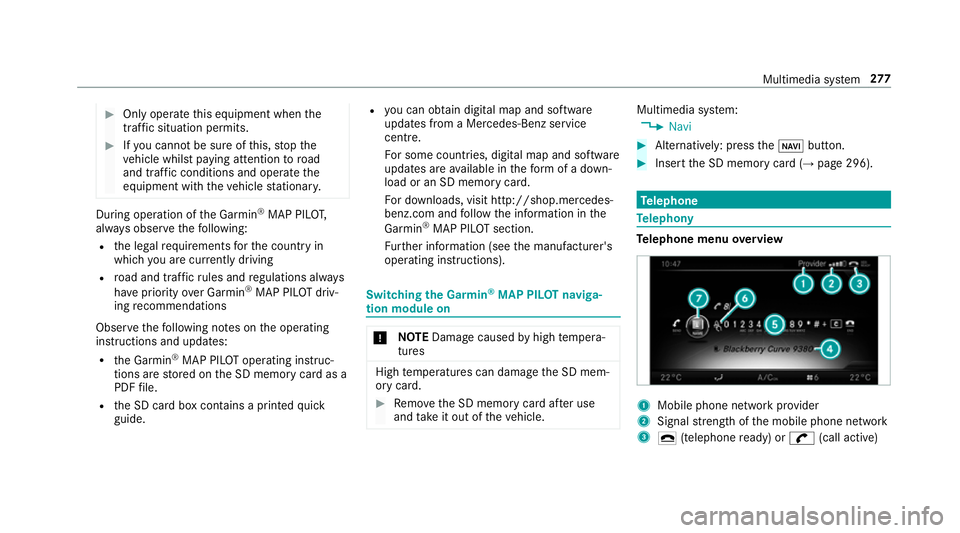
lephone menu overview 1
Mobile phone network pr ovider
2 Signal stre ngth of the mobile phone network
3 ¢ (telephone ready) or w(call active) Multimedia sy
stem 277
Page 282 of 497
Fu
rther information can be obtained from a
Mercedes-Benz service centre or at: http://
www.mercedes-benz.com/connect.
HD Voice ®
R Toimpr ove vo icequalit y,the multimedia sys‐
te m supports telephone calls in HD Voice ®
.
R In order touse this function, the mobile
phones and the mobile phone network pro‐
vider of the person you are calling must sup‐
port HD Voice ®
.
Depending on thequ ality of the connection, the
vo ice quality may fluctuate.
The following situations can lead tothe call
being disconnected while theve hicle is in
motion:
R there is insuf ficient network co verage inthe
area
R you mo vefrom one GSM or UMTS transmit‐
te r/receiver area (cell) into ano ther and no
communication channels are free
R the SIM card used is not compatible with the
network available R
a mobile phone with "Twincard" is logged into
th e network with the second SIM card at the
same time
Information on telephony
The following situations can lead tothe call
being disconnected while theve hicle is in
motion:
R there is insuf ficient network co verage inthe
area
R you mo vefrom one GSM or UMTS transmit‐
te r/receiver area (cell) into ano ther and no
communication channels are free
R the SIM card used is not compatible with the
network available
R a mobile phone with "Twincard" is logged into
th e network with the second SIM card at the
same time
HD Voice ®
R Toimpr ovevoice qualit y,the multimedia sys‐
te m supports telephone calls in HD Voice ®
.
R In order touse this function, the mobile
phones and the mobile phone network pro‐ vider of
the person you are calling must sup‐
port HD Voice ®
.
Depending on thequ ality of the connection, the
vo ice quality may fluctuate.
Connecting a mobile phone (au thorising)
Requ irements:
Blue tooth ®
is activated on the mobile phone (see
th e manufacturer's operating instructions).
Blue tooth ®
is activated on the multimedia sys‐
te m (→ page275).
Mul timedia sy stem:
, Tel/ ®.
Telephone .
Connect
device
Sear ching for a mobile phone #
Select Search for phones . #
Select Start search .
The available mobile phones are displa yed. If
a new mobile phone is found, it is indicated
by theá symbol. Multimedia sy
stem 279
Page 289 of 497
#
Select Yes.
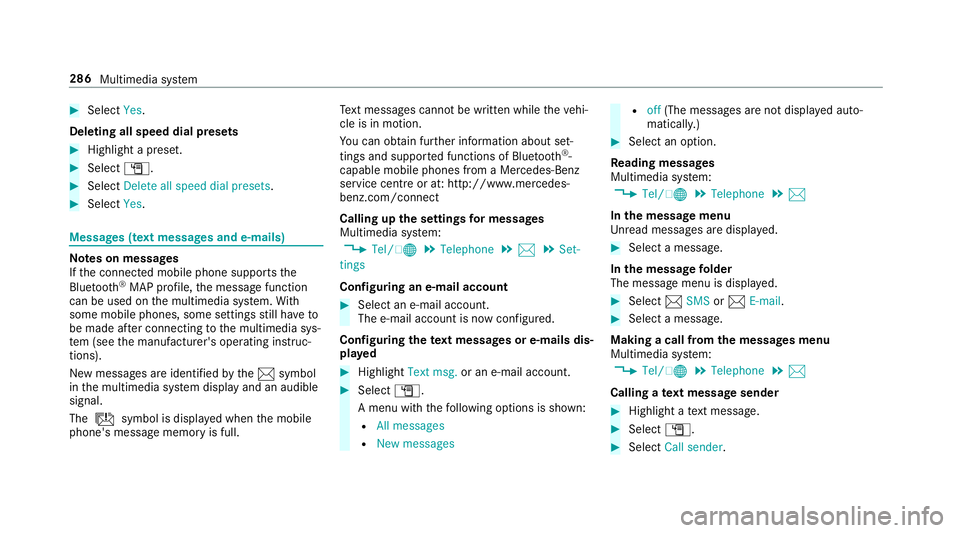
Deleting all speed dial pres ets#
Highlight a preset. #
Select G. #
Select Delete all speed dial presets .#
Select Yes. Messages (t
ext messages and e-mails) Note
s on messages
If th e connected mobile phone supports the
Blu etoo th®
MAP profile, the message function
can be used on the multimedia sy stem. With
some mobile phones, some settings still ha veto
be made af ter connecting tothe multimedia sys‐
te m (see the manufacturer's operating instruc‐
tions).
New messages are identified bythe1 symbol
in the multimedia sy stem display and an audible
signal.
The ú symbol is displa yed when the mobile
phone's message memory is full. Te
xt messa ges cannot be written while theve hi‐
cle is in motion.
Yo u can obtain fur ther information about set‐
tings and suppor ted functions of Blue tooth®
-
capable mobile phones from a Mercedes-Benz
service centre or at: http://www.mercedes-
benz.com/connect
Calling up the settings for messages
Multimedia sy stem:
, Tel/ ®.
Telephone .
1 .
Set-
tings
Configuring an e-mail account #
Select an e-mail account.
The e-mail account is now confi gured.
Configuring thete xt messages or e-mails dis‐
pla yed #
Highlight Text msg. or an e-mail account. #
Select G.
A menu wi th thefo llowing options is shown:
R All messages
R New messages R
off(The messages are not displa yed auto‐
maticall y.) #
Select an option.
Re ading messages
Multimedia sy stem:
, Tel/ ®.
Telephone .
1
In the message menu
Unr ead messages are displa yed. #
Select a message.
In the message folder
The message menu is displa yed. #
Select 1SMS or1 E-mail. #
Select a message.
Making a call from the messages menu
Multimedia sy stem:
, Tel/ ®.
Telephone .
1
Calling a text message sender #
Highlight a text messa ge. #
Select G. #
Select Call sender. 286
Multimedia sy stem
Page 290 of 497
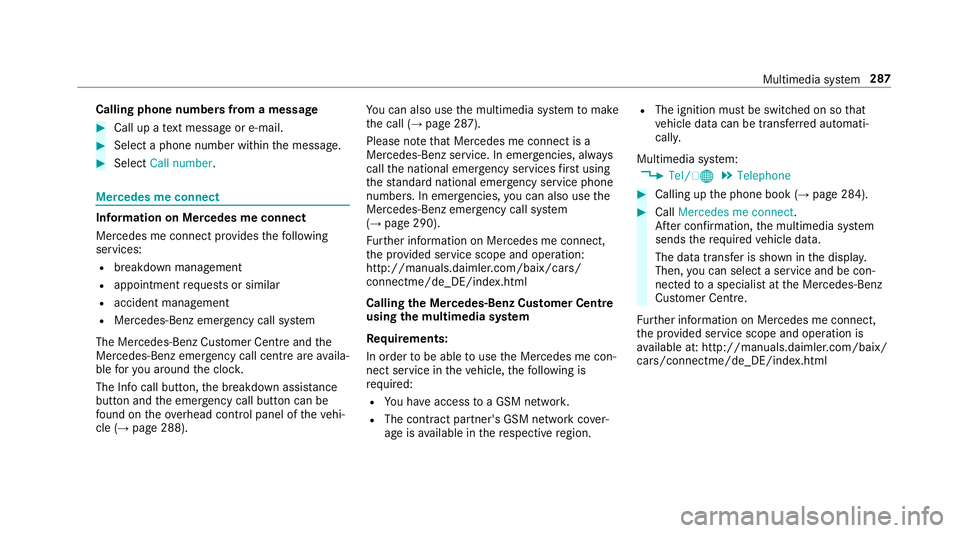
Calling phone numbers from a message
#
Call up a text messa geor e-mail. #
Select a phone number within the message. #
Select Call number . Mercedes me connect
Information on Mercedes me connect
Mercedes me connect pr
ovides thefo llowing
services:
R breakdown management
R appointment requests or similar
R accident management
R Mercedes-Benz emer gency call sy stem
The Mercedes-Benz Cus tomer Centre and the
Mercedes-Benz emer gency call centre are availa‐
ble foryo u around the cloc k.
The Info call button, the breakdown assis tance
button and the emer gency call button can be
fo und on theove rhead control panel of theve hi‐
cle (→ page 288). Yo
u can also use the multimedia sy stem tomake
th e call (→ page 287).
Please no tethat Mercedes me connect is a
Mercedes-Benz service. In emer gencies, al ways
call the national emer gency services firs t using
th est andard national emer gency service phone
numbe rs. In emergencies, you can also use the
Mercedes-Benz emer gency call sy stem
(→ page 290).
Fu rther information on Mercedes me connect,
th e pr ovided service scope and operation:
http://manuals.daimler.com/baix/cars/
connectme/de_DE/index.html
Calling the Mercedes-Benz Cus tomer Centre
using the multimedia sy stem
Requ irements:
In order tobe able touse the Mercedes me con‐
nect service in theve hicle, thefo llowing is
requ ired:
R You ha veaccess toa GSM networ k.
R The contra ct partner's GSM network co ver‐
age is available in there spective region. R
The ignition must be switched on so that
ve hicle data can be transfer red automati‐
call y.
Multimedia sy stem:
, Tel/ ®.
Telephone #
Calling up the phone book (→ page 284). #
Call Mercedes me connect.
Af ter confirmation, the multimedia sy stem
sends there qu ired vehicle data.
The data transfer is shown in the displa y.
Then, you can select a service and be con‐
nected toa specialist at the Mercedes-Benz
Cus tomer Centre.
Fu rther information on Mercedes me connect,
th e pr ovided service scope and operation is
av ailable at: http://manuals.daimler.com/baix/
cars/connectme/de_DE/ind ex.html Multimedia sy
stem 287