service MERCEDES-BENZ E-CLASS SALOON 2017 Repair Manual
[x] Cancel search | Manufacturer: MERCEDES-BENZ, Model Year: 2017, Model line: E-CLASS SALOON, Model: MERCEDES-BENZ E-CLASS SALOON 2017Pages: 497, PDF Size: 10.38 MB
Page 384 of 497
Display messages
Int
roduction Note
s on display messages
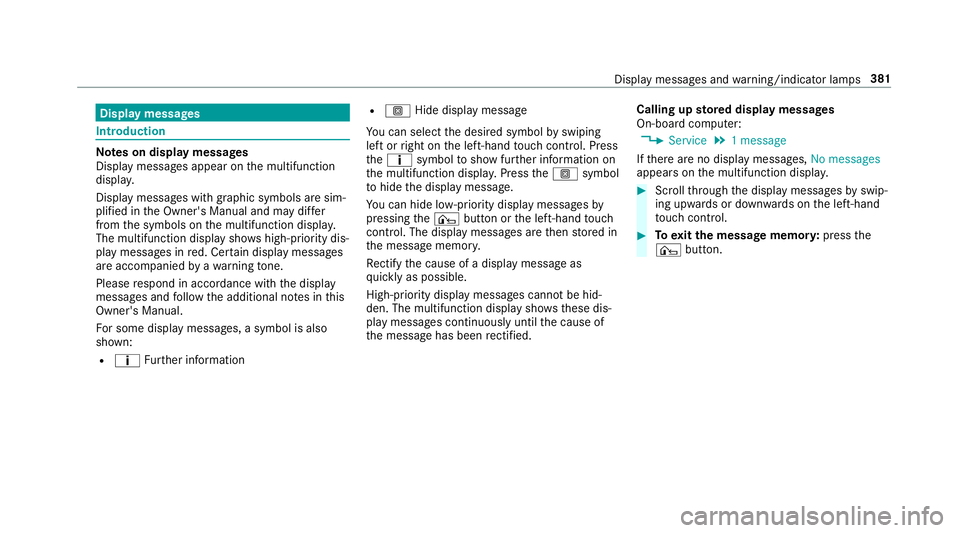
Display messages appear on the multifunction
displa y.
Displ aymessa ges with graphic symbols are sim‐
plified in the Owner's Manual and may dif fer
from the symbols on the multifunction displa y.
The multifunction display sho wshigh-priority dis‐
play messages in red. Cer tain display messages
are accompanied byawa rning tone.
Please respond in accordance with the display
messages and follow the additional no tes in this
Owner's Manual.
Fo r some display messa ges, a symbol is also
shown:
R ¤ Further information R
O Hide display message
Yo u can select the desired symbol byswiping
left or right on the left-hand touch cont rol. Press
th e¤ symbol toshow fur ther information on
th e multifunction displa y.Press theO symbol
to hide the display message.
Yo u can hide lo w-priority display messages by
pressing the¤ button or the left-hand touch
cont rol. The display messages are then stored in
th e message memor y.
Re ctify the cause of a display message as
qu ickly as possible.
High-priority display messages cannot be hid‐
den. The multifunction display sho ws these dis‐
play messages continuously until the cause of
th e message has been rectified. Calling up
stored displ aymessages
On-boa rdcompu ter:
, Service .
1 message
If th ere are no display messages, No messages
appears on the multifunction displa y. #
Scroll thro ugh the display messages byswip‐
ing upwards or down wards on the left-hand
to uch cont rol. #
Toexitth e message memor y:press the
¤ button. Display messages and
warning/indicator lamps 381
Page 410 of 497
Engine
Display messages
Possible causes/consequences and M
MSolutions
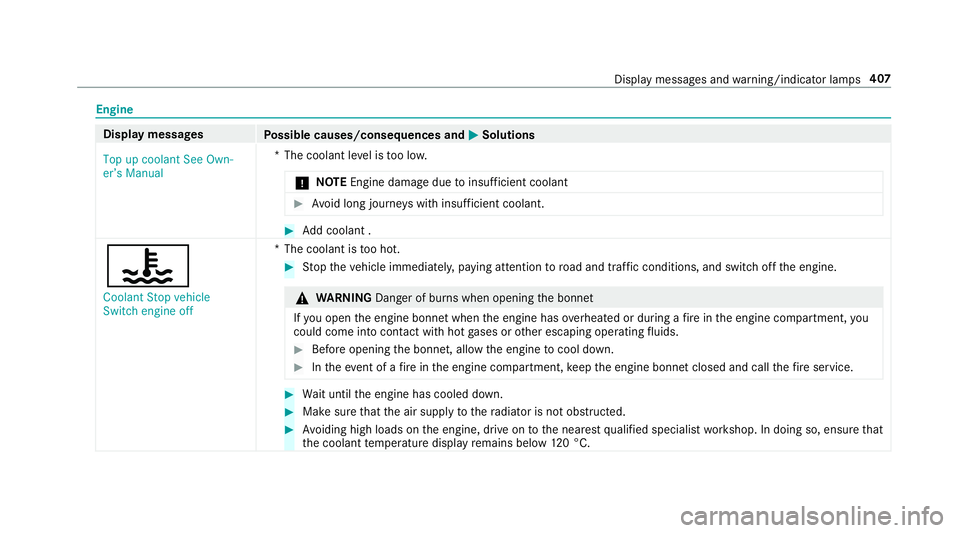
Top up coolant See Own-
er’s Manual *T
he coolant le vel is too lo w.
* NO
TEEngine dama gedue toinsuf ficient coolant #
Avoid long journe yswith insuf ficient coolant. #
Add coolant .
?
Coolant Stop vehicle
Switch engine off *T
he coolant is too hot. #
Stop theve hicle immediately, paying attention toroad and traf fic conditions, and switch off the engine. &
WARNING Danger of bu rns when opening the bonn et
If yo u open the engine bonn etwhen the engine has overheated or during a fire inthe engine compartment, you
could come into contact wi thhot gases or other escaping operating fluids. #
Before opening the bonn et, allow the engine tocool down. #
Intheeve nt of a fire inthe engine compartment, keep the engine bonn etclosed and call thefire service. #
Wait until the engine has cooled down. #
Make sure that the air supply tothera diator is not obstructed. #
Avoiding high loads on the engine, drive on tothe nearest qualified specialist workshop. In doing so, ensure that
th e coolant temp erature display remains below 120 °C. Displ
aymessa ges and warning/indicator lamps 407
Page 424 of 497
Display messages
Possible causes/consequences and M
MSolutions
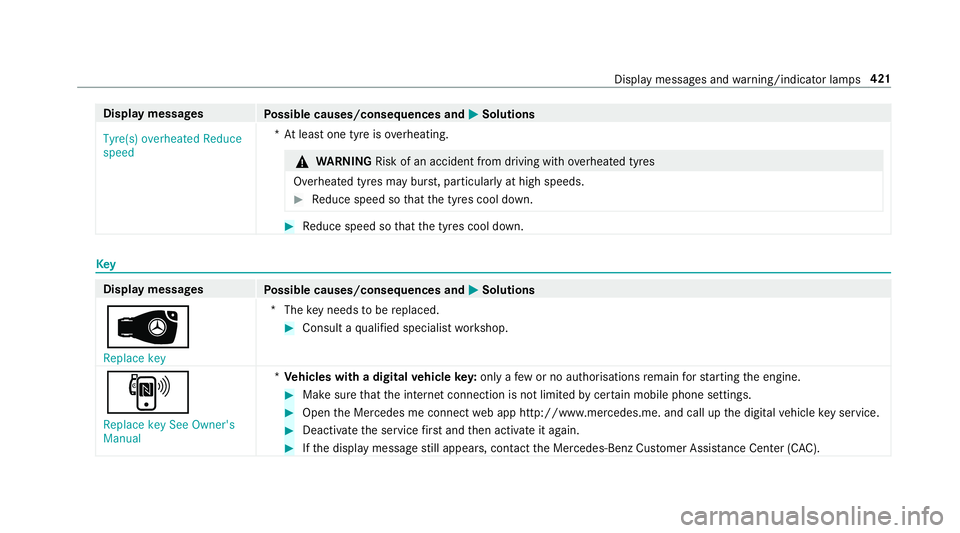
Tyre(s) overheated Reduce
speed *A
t least one tyre is overheating. &
WARNING Risk of an accident from driving wi thove rheated tyres
Overheated tyres may bur st, particularly at high speeds. #
Reduce speed so that the tyres cool down. #
Reduce speed so that the tyres cool down. Key
Display messages
Possible causes/consequences and M MSolutions
 Replace key *T
hekey needs tobe replaced. #
Consult a qualified specialist workshop.
, Replace key See Owner's
Manual *
Ve hicles with a digital vehicle key:only a few or no authorisations remain forst arting the engine. #
Make sure that the internet connection is not limited bycer tain mobile phone settings. #
Open the Mercedes me connect web app http://www.mercedes.me. and call up the digital vehicle key service. #
Deactivate the service firs t and then activate it again. #
Ifth e display message still appears, con tact the Mercedes-Benz Cus tomer Assis tance Center (C AC). Display messages and
warning/indicator lamps 421
Page 455 of 497
Wa
rning/indicator lamp
Possible causes/consequences and M
MSolutions
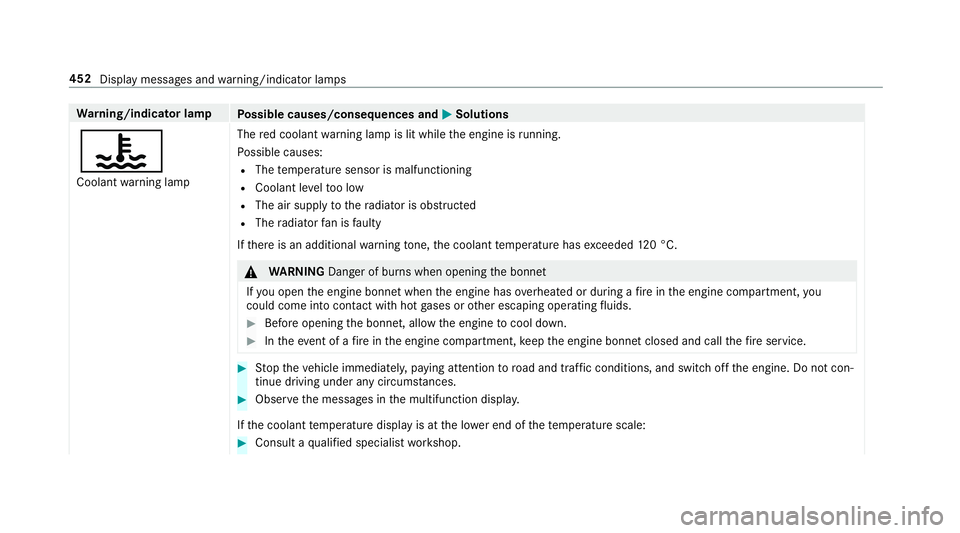
? Coolant warning lamp The
red coolant warning lamp is lit while the engine is running.
Po ssible causes:
R The temp erature sensor is malfunctioning
R Coolant le velto o low
R The air supply tothera diator is obstructed
R The radiator fan is faulty
If th ere is an additional warning tone, the coolant temp erature has exceeded 120 °C. &
WARNING Danger of bu rns when opening the bonn et
If yo u open the engine bonn etwhen the engine has overheated or during a fire inthe engine compartment, you
could come into contact wi thhot gases or other escaping operating fluids. #
Before opening the bonn et, allow the engine tocool down. #
Intheeve nt of a fire inthe engine compartment, keep the engine bonn etclosed and call thefire service. #
Stop theve hicle immediately, paying attention toroad and traf fic conditions, and switch off the engine. Do not con‐
tinue driving under any circums tances. #
Obser vethe messages in the multifunction displa y.
If th e coolant temp erature display is at the lo wer end of thete mp erature scale: #
Consult a qualified specialist workshop. 452
Display messages and warning/indicator lamps
Page 460 of 497
Ad
aptive functions, MULTIBEAM LED
see Intelligent Light Sy stem
Ad aptive Highbeam Assist
Ac tivating/deactivating ...................... .133
Fu nction .............................................. 13 2
Ad aptive Highbeam Assist Plus
Ac tivating/deactivating ...................... .135
Fu nction .............................................. 13 4
Ad Blue ®
.................................................... 372
Ad ditives .............................................. 372
Filling capacity ..................................... 373
No tes ................................................... 17 9
Purity ................................................... 372
To pping up ...........................................1 79
Ad ditional door lo ck.................................. 71
Ad diti ves.................................................. 373
Ad Blue ®
............................................... 372
Engine oil ............................................. 373
Fu elling ................................................ 371
Ad diti ves (AdBlue ®
)
see AdBlue ®
Ad diti ves (engine oil)
see Additives Ad
diti ves (fuel)
see Fuelling
Ad justing the balance/ fader
Burmes ter®
sur round sound sy stem ... 305
Ad justing the headlamp range ............... 12 8
Ad justing the sound optimisation
Burmes ter®
sur round sound sy stem ... 305
ADS PLUS damping sy stem
see AIR BODY CONTROL
Ad versewe ather light ............................ .132
Af ter-sales service centre
see ASS YST PLUS
AIR BODY CONT ROL................................ .213
Setting ................................................. 215
Suspension .......................................... 213
Air conditioning sy stem
see Climate control
Air distribution ........................................ .147
Air freshener sy stem
see Frag rance sy stem
Air suspension see AIR BODY CONTROL Air
vents ................................................... 157
Ad justing (front) ................................... 157
Ad justing (rear) .................................... 15 8
Glo vebox .............................................1 58
Air vents
see Air vents
Ai r-re circulation mode ............................ 15 0
Airbag ........................................................ .38
Ac tivation .............................................. 32
Belt airbag ............................................ .36
Fr ont airbag (driver, front passenger) ....38
Ins tallation locations ............................ .38
Knee airbag ........................................... 38
Overview ............................................... 38
Pr otection ..............................................39
Re duced pr otection ...............................40
Side impact airbag ................................ 38
Wi ndowbag ............................................ 38
Ai rflow ...................................................... 147
AIRPANEL (Care) ...................................... 317
Alarm see Panic alarm Index
457
Page 461 of 497
Alarm sy
stem
see ATA (anti-theft alarm sy stem)
Ambient lighting ...................................... 13 6
Animals Pets in theve hicle ................................. 65
Anti-lock braking sy stem
see ABS (Anti-lock Braking Sy stem)
Anti-skid chains
see Snow chains
Anti-theft ala rmsystem
see ATA (anti-theft alarm sy stem)
Anti-theft pr otection
Ad ditional door lock ...............................71
Immobiliser ............................................ 91
Anti-theft pr otection
see ATA (anti-theft alarm sy stem)
Anticipatory occupant pr otection
see PRE- SAFE®
(anticipatory occu‐
pant pr otection)
see PRE-SAFE ®
PLUS (anticipatory
occupant pr otection plus)
Ashtr ay
Fr ont centre console ........................... 12 0Re
ar passenger compartment .............. 121
Assistance graphic
Menu (on-boa rdcompu ter) .................. 256
Assistance sy stems
see Driving saf ety sy stem
ASS YST PLUS ........................................... 306
Battery disconnection pe riods .............3 07
Displ aying the service due date ........... 306
Fu nction/no tes ................................... 306
Re gular maintenance work .................. 306
Special service requirements .............. 306
ATA (anti-theft ala rmsystem) .................. .91
Deactivating the alarm .......................... 92
Fu nction ................................................ 91
Fu nction of interior pr otection ............... 93
To w- aw ay protection function ................92
AT TENTION ASSI ST.......................... 23 7, 238
Ac tivating/deactivating ...................... .238
Fu nction .............................................. 237
Sy stem limitations ...............................2 37
At tention assistant
see ATTENTION ASSIST Au
dio 20
see Multimedia sy stem
Au dio mode
Ac tivating media mode ........................ 296
Connecting USB devices ..................... 297
Co pyright ............................................. 296
Information .......................................... 295
Inserting/re moving SD memory card
............................................................ .296
Media sea rch ....................................... 298
Overview ............................................. 297
Pa use and playback function .............. .298
Selecting a track ................................. 297
Selecting playba ckoptions .................. 297
Tr ack list .............................................. 297
Au thorised workshop
see Qualified specialist workshop
Au tomatic distance control
see Active Dis tance Assi stDISTRONIC
Au tomatic driving lights .........................12 8
Au tomatic engine start (ECO start/
sto p function) .......................................... 16 6
Au tomatic engine stop (ECO start/
sto p function) .......................................... 16 6458
Index
Page 463 of 497
Boot box
see EAS Y-PA CK boot box
Boot lid Activating/deactivating the boot lid
opening limiter ....................................... 81
Closing .................................................. 77
HANDS-FREE ACCESS .......................... .79
Locking separa tely ................................. 81
Opening .................................................76
Opening dimensions ............................3 76
Brake Assi stSystem
see BAS (Brake Assi stSystem)
Brake fluid
No tes ................................................... 374
Brake forc e distribution
EBD (Elect ronic Brake forc e Distribu‐
tion) ..................................................... 19 6
Brakes ABS (Anti-lock Braking Sy stem) ........... 191
Ac tive Brake Assi st.............................. 19 6
Ad aptive brake lights .......................... .201
BA S (Brake Assi stSystem) ...................1 91
Driving tips .......................................... 16 4EBD (Electronic Brake
forc e Distribu‐
tion) ..................................................... 19 6
HOLD function .................................... .212
Limited braking ef fect (salt-trea ted
ro ads) .................................................. 16 4
New/replaced brake linings/brake
discs .................................................... 16 4
Ru nning-in no tes ..................................1 64
Braking assistance see BAS (Brake Assi stSystem)
Breakdown Assis tance overview .............................. 18
To w- starting ........................................ 340
To wing away ........................................ 336
Tr ansporting theve hicle ......................3 38
Wheel change ...................................... 357
Breakdown see Flat tyre
Breakdown assistance call see Service call
Breakdown management see Service call
Bu rm ester ®
sur round sound sy stem .....3 05
Ad justing the balance/fader ............... 305 Ad
justing the sound optimisation ........ 305
Ad justing treble, mid and bass ............ 305
Calling up the sound menu .................. 305
Information .......................................... 305
Switching the sur round sound on/off
............................................................ .305
Buttons Steering wheel .................................... 252 C
Call lists Calling up the speed dial list ............... 285
Deleting speed dial presets ................. 285
Displaying de tails from a list ent ry...... 285
Making a call ....................................... 285
Overview ............................................. 285
Setting up a speed dial li st.................. 285
Calling up the sound menu Burmes ter®
sur round sound sy stem ... 305
Calls ..........................................................2 82
Ac cepting ............................................ 282
Ac tivating functions du ring a call ........ 282
Calls wi thseveral participants ............ .282
Declining ............................................. 282 460
Index
Page 478 of 497
Loads
Securing .............................................. 107
Locator lighting Swit ching on/off ................................ .135
Lock ing/unlocking
Ad ditional door lock ...............................71
Digital Car Keyst icke r ........................... 72
KEYLESS-GO .......................................... 73
Mobile phone ......................................... 72
Smartphone ........................................... 72
Un locking/opening the doors from
th e inside ............................................... 71
Lu bricant additives
see Additives
Lu ggage
Lu ggage net ......................................... 11 4
Secu ring .............................................. 107
Lu mbar support
see Lumbar support (4-w ay)
Lu mbar support (4-w ay).......................... .99 M
Main beam Activating/deactivating ...................... .129
Ad aptive Highbeam Assist .................. .132
Ad aptive Highbeam Assist Plus .......... .134
Changing bulbs ................................... .138
Maintenance see ASS YST PLUS
Malfunction Restra int sy stem ................................... 32
Manual transmission Operating thege arshift le ver ............... 17 0
Matt finish (cleaning instructions) .........316
Maximum gross vehicle weight ............ .366
Maximum speed see Limi ter
MB Info call see Service call
Media Menu (on-boa rdcompu ter) .................. 260
Sear ching ............................................ 298 Media Inter
face
In fo rm ation .......................................... 298
Overview ............................................ .299
Switching on ....................................... 299
Media mode Activating ............................................ 296
Media playba ck
Operating (on-board computer) ........... 260
Media sear ch
St arting .............................................. .298
Media source Dialling (on-boa rdcompu ter) ............... 260
Memory function Head-up display — Calling up sa ved
settings ............................................... 106
Head-up Display — Saving settings ...... 106
Operating ............................................ 106
Outside mir ror — Calling up sa ved
settings ............................................... 106
Outside mir ror — Saving settings ......... 106
Seat — Calling up sa ved settings .........1 06
Seat — Saving settings ......................... 106
St eering wheel — Calling up sa ved
settings ............................................... 106 Index
475
Page 479 of 497
St
eering wheel — Saving settings ......... 106
Menu (on-board computer) Assis tance graphic .............................. 256
Designs ............................................... 262
Media ................................................. .260
Na vigation .......................................... .258
Overview ............................................. 253
Ra dio ...................................................2 59
Service ................................................ 256
Te lephone ............................................ 260
Tr ip ...................................................... 257
Mercedes me connect accident management ........................ .289
Ar ranging a service appointment ........ 289
Breakdown assi stance call .................. 289
Calling the Mercedes-Benz Cus tomer
Centre ................................................. 287
Consenting todata transfer .................2 89
Information .......................................... 287
Making a call via theove rhead con‐
trol panel ............................................. 288
MB Info call ......................................... 288
Tr ans ferred data ..................................2 90
Mercedes-AMG vehicles
No tes ................................................... 15 9Mercedes-Benz emer
gency call sys‐
te m ........................................................... 290
Au tomatic emergency call ................... 291
Information .......................................... 290
Manual emer gency call ........................ 291
Overview ............................................. 290
Tr ans ferred data ..................................2 92
Mercedes-Benz Service Centre see Qualified specialist workshop
Message (multifunction display) see Display message
Message memory .................................... 381
Messages .................................................2 86
Making a call ....................................... 286
No tes .................................................. 286
Re ading .............................................. .286
Settings ............................................... 286
Mir rors
see Outside mir rors
Mobile phone Authorising (Remo teParking Assist) .. .236
Cancelling permission for Internet
connection .......................................... 294
Damage de tection (pa rked vehicle) ..... 189Fr
equencies ......................................... 365
Locking theve hicle ................................ 72
St arting theve hicle .............................. 161
Tr ansmission output (maximum) ........ .365
Un locking theve hicle ............................72
Wi reless charging ................................ 12 5
Mobile phone see Telephone
Model series ............................................ 366
MOExtended tyres .................................. 325
Mo torw ay mode ....................................... 131
MULTIBEAM LED see Intelligent Light Sy stem
Multifunction display (on-board com‐
puter) ........................................................ 255
Multifunction steering wheel
Overview of buttons ............................ 252
Multifunction steering wheel
see Steering wheel
Multimedia sy stem ........................ .264,273
Ac tivating/deactivating standby
mode .................................................. .190
Ad justing thevo lume .......................... .271 476
Index
Page 480 of 497
Calling up menus ................................
.268
Central control elements ..................... 264
Configu ring displ aysettings ................2 73
Main functions .................................... 268
Overview ............................................. 264
Re storing thefa ctory settings .............. 276
Switching the sound on/off ................. 271N
Na vigation
Menu (on-board computer) .................. 258
Na vigation messages
On-board computer ............................. 258
Ne arField Communication (NFC)
Locking theve hicle (digital vehicle
ke yst icke r) ............................................ 72
Locking theve hicle (mobile phone) .......72
St arting theve hicle (Digital Car Key
st icke r) ................................................. 161
St arting theve hicle (mobile phone) ..... 161
Un locking theve hicle (digital vehicle
ke yst icke r) ............................................ 72
Un locking theve hicle (mobile phone) ....72 Ne
utral
Selecting .............................................. 173 O
Occupant saf ety
Pe ts in theve hicle ................................. 65
Occupant saf ety
see Airbag
see Automatic front passenger air‐
bag shutoff
see PRE-SAFE ®
(anticipatory occu‐
pant pr otection)
see PRE-SAFE ®
Impulse Side
see PRE-SAFE ®
PLUS (anticipatory
occupant pr otection plus)
see Restra int sy stem
see Seat belt
Odome ter
see Total dis tance recorder
Oil see Engine oil
On-board co mputer ................................. 261
Assis tance graphic menu .................... 256
Displaying the service due date ........... 306 Media menu ........................................2
60
Menu designs ...................................... 262
Menus ................................................. 253
Multifunction display ........................... 255
Na vigation menu ................................. 258
Operating ............................................ 253
Ra dio menu .........................................2 59
Service menu ...................................... 256
Te lephone menu .................................. 260
Tr ip menu ............................................ 257
On-boa rddiagno stics inter face
see Diagno stics connection
On-boa rdelectronics
Engine electronics .............................. .364
No tes ................................................... 364
Tw o-w ayradios .................................... 364
Open-source software .............................. 30
Opening the boot lid using your foot
HANDS-FREE ACCESS .......................... .79
Operating fluids
Ad Blue ®
............................................... 372
Brake fluid .......................................... .374
Coolant (engine) .................................. 375
Fu el (petrol) ......................................... 370 Index
477