settings MERCEDES-BENZ E-Class WAGON 2001 W210 Comand Manual
[x] Cancel search | Manufacturer: MERCEDES-BENZ, Model Year: 2001, Model line: E-Class WAGON, Model: MERCEDES-BENZ E-Class WAGON 2001 W210Pages: 231, PDF Size: 1.7 MB
Page 107 of 231
Telephone
Introduction
AudioTelephone
Navigation
Index Info Services and
system settings Telephone105Begin dialing:
Press the right-hand rotary/pushbutton
to confirm
the “Send” button. The “End” button will now be
highlighted. The message “Dialing” will appear.
Note:
If the list is empty, the message “No entry in list” will
appear.
Ending a call, use one of the three ways:
• Press the right-hand rotary/pushbutton
to
confirm the “End” button
• Press
• Press
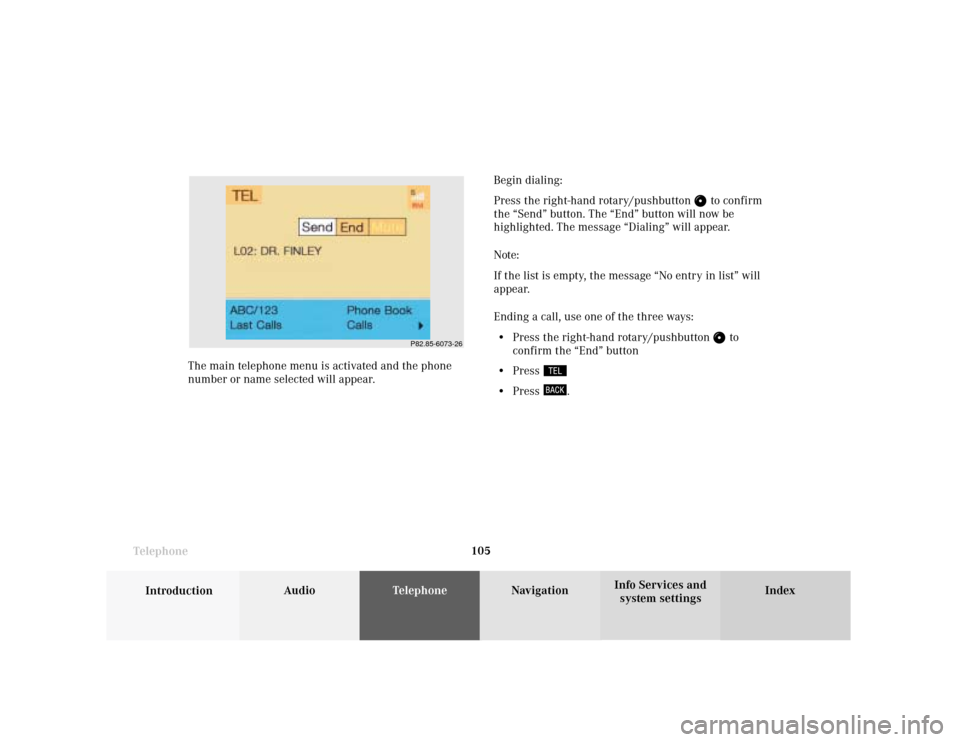
. The main telephone menu is activated and the phone
number or name selected will appear.
P82.85-6073-26
Page 108 of 231
106 Telephone
Introduction AudioTelephone
Navigation
Index Info Services and
system settings
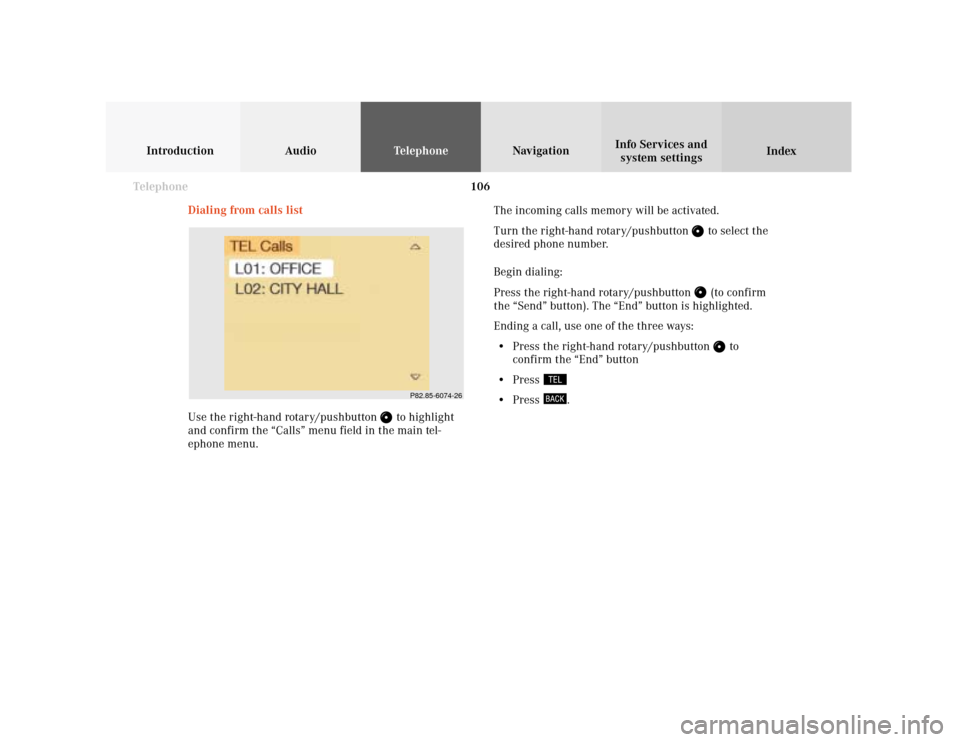
Dialing from calls list
Use the right-hand rotary/pushbutton
to highlight
and confirm the “Calls” menu field in the main tel-
ephone menu.The incoming calls memory will be activated.
Turn the right-hand rotary/pushbutton
to select the
desired phone number.
Begin dialing:
Press the right-hand rotary/pushbutton (to confirm
the “Send” button). The “End” button is highlighted.
Ending a call, use one of the three ways:
• Press the right-hand rotary/pushbutton
to
confirm the “End” button
• Press
• Press
.
P82.85-6074-26
Page 109 of 231
Telephone
Introduction
AudioTelephone
Navigation
Index Info Services and
system settings Telephone107 Speed-dialing (only with COMAND)
For all memory locations
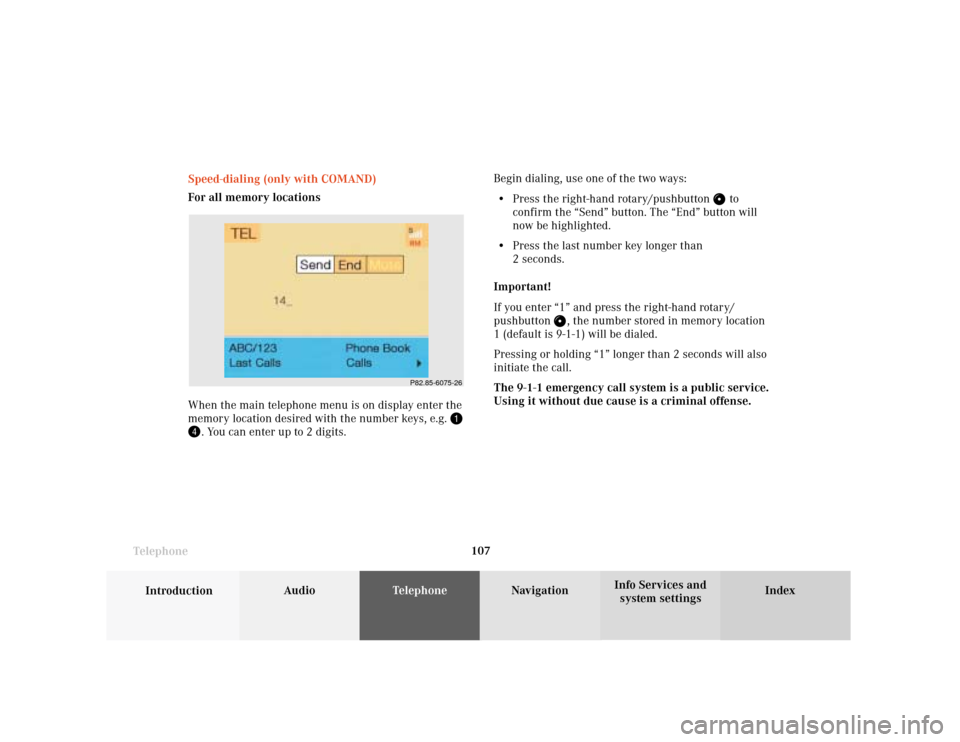
When the main telephone menu is on display enter the
memory location desired with the number keys, e.g.
. You can enter up to 2 digits.Begin dialing, use one of the two ways:
• Press the right-hand rotary/pushbutton
to
confirm the “Send” button. The “End” button will
now be highlighted.
• Press the last number key longer than
2 seconds.
Important!
If you enter “1” and press the right-hand rotary/
pushbutton
, the number stored in memory location
1 (default is 9-1-1) will be dialed.
Pressing or holding “1” longer than 2 seconds will also
initiate the call.
The 9-1-1 emergency call system is a public service.
Using it without due cause is a criminal offense.
P82.85-6075-26
Page 110 of 231
108 Telephone
Introduction AudioTelephone
Navigation
Index Info Services and
system settings
Ending a call, use one of the three ways:
• Press the right-hand rotary/pushbutton
to
confirm the “End” button
• Press
• Press
.
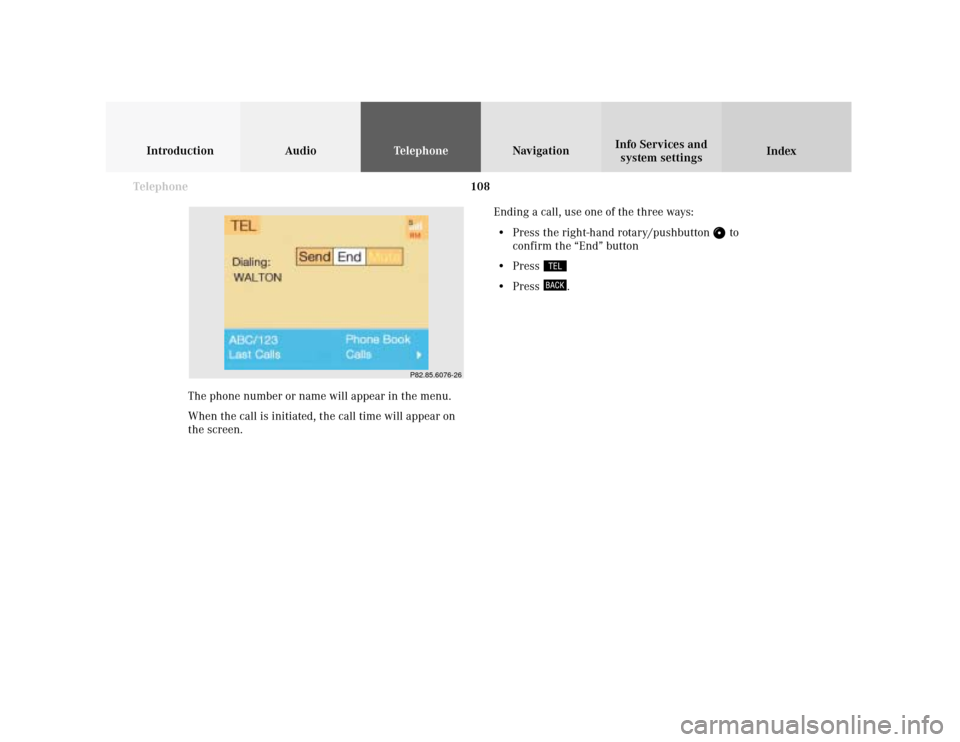
The phone number or name will appear in the menu.
When the call is initiated, the call time will appear on
the screen.
P82.85.6076-26
Page 111 of 231
Telephone
Introduction
AudioTelephone
Navigation
Index Info Services and
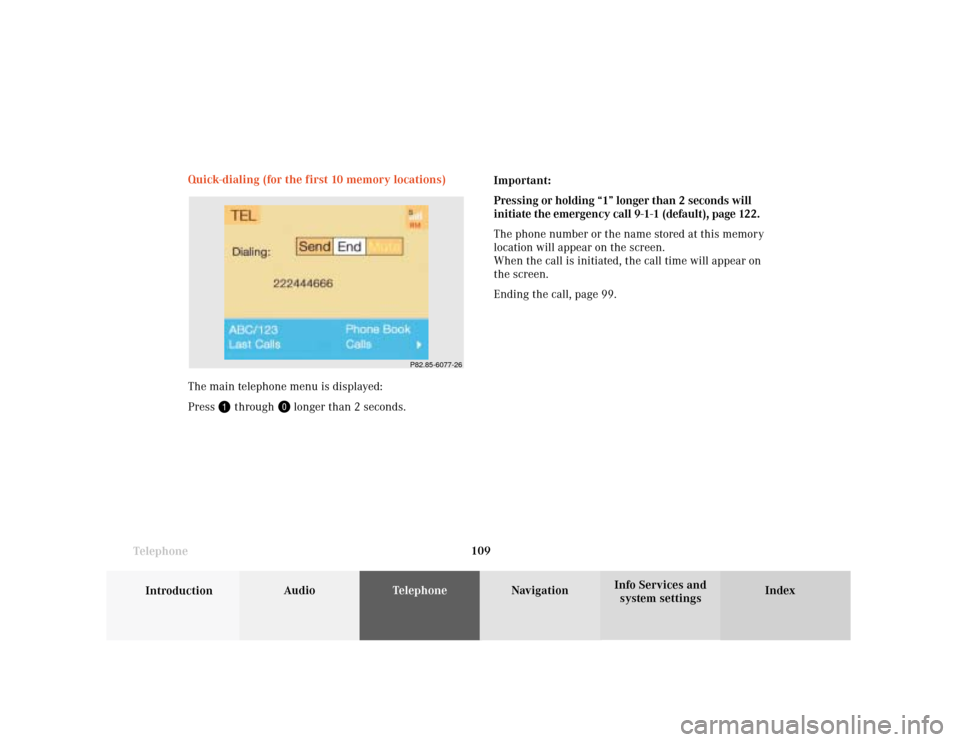
system settings Telephone109 Quick-dialing (for the first 10 memory locations)
The main telephone menu is displayed:
Press
through
longer than 2 seconds.Important:
Pressing or holding “1” longer than 2 seconds will
initiate the emergency call 9-1-1 (default), page 122.
The phone number or the name stored at this memory
location will appear on the screen.
When the call is initiated, the call time will appear on
the screen.
Ending the call, page 99.
P82.85-6077-26
Page 112 of 231

110 Telephone
Introduction AudioTelephone
Navigation
Index Info Services and
system settings
Notebook
During a conversation you can enter a telephone
number in the notebook or edit an existing one.
To open the notebook:
Use the right-hand rotary/pushbutton
to highlight
the “
” symbol and press to confirm.
Then use the right-hand rotary/pushbutton
to
highlight the “Notebook” menu field and press to
confirm.To enter the telephone number:
Use the number keys
to
, or press
and
.
To correct input:
• Briefly press
to delete the last digit
• Press
for longer than 2 seconds to delete the
entire entry
To close the notebook and store input:
Press
.
Dialing a telephone number from the notebook
To open the notebook, see information on the left.
When the telephone number in the notebook appears,
press the right-hand rotary/pushbutton
and the
symbol to confirm.
Note:
The telephone number in the notebook can be trans-
ferred to the phone book, page 101.
P82.85-6078-26
Page 113 of 231
Telephone
Introduction
AudioTelephone
Navigation
Index Info Services and
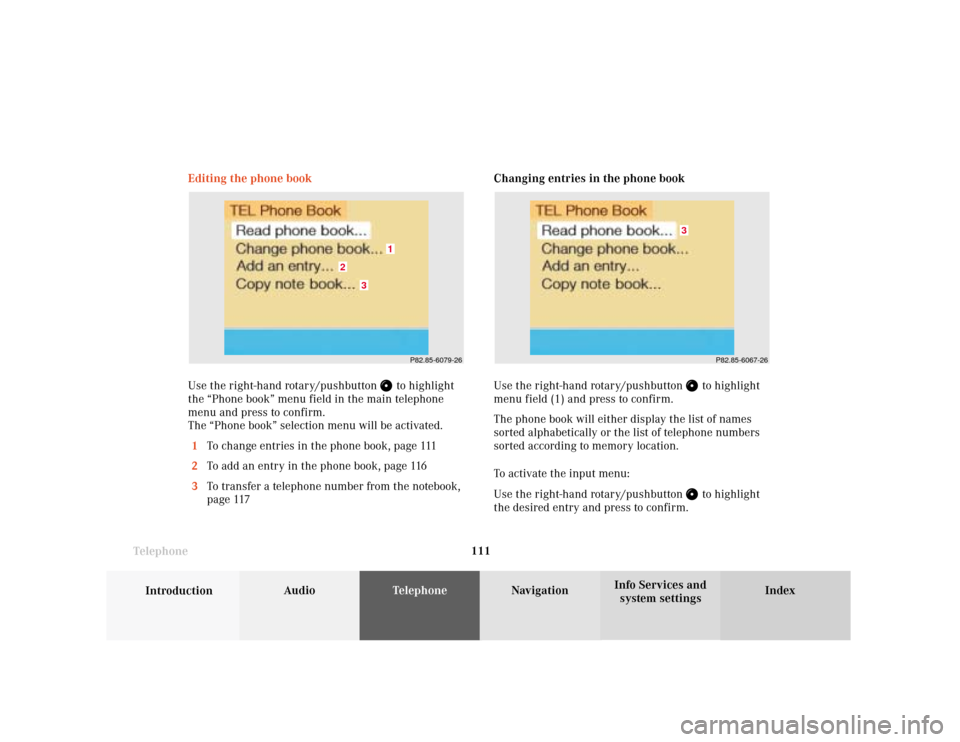
system settings Telephone111Changing entries in the phone book
Use the right-hand rotary/pushbutton
to highlight
menu field (1) and press to confirm.
The phone book will either display the list of names
sorted alphabetically or the list of telephone numbers
sorted according to memory location.
To activate the input menu:
Use the right-hand rotary/pushbutton to highlight
the desired entry and press to confirm. Editing the phone book
Use the right-hand rotary/pushbutton
to highlight
the “Phone book” menu field in the main telephone
menu and press to confirm.
The “Phone book” selection menu will be activated.
1To change entries in the phone book, page 111
2To add an entry in the phone book, page 116
3To transfer a telephone number from the notebook,
page 117
P82.85-6079-26
3
2
1
P82.85-6067-26
3
Page 114 of 231
112 Telephone
Introduction AudioTelephone
Navigation
Index Info Services and
system settings
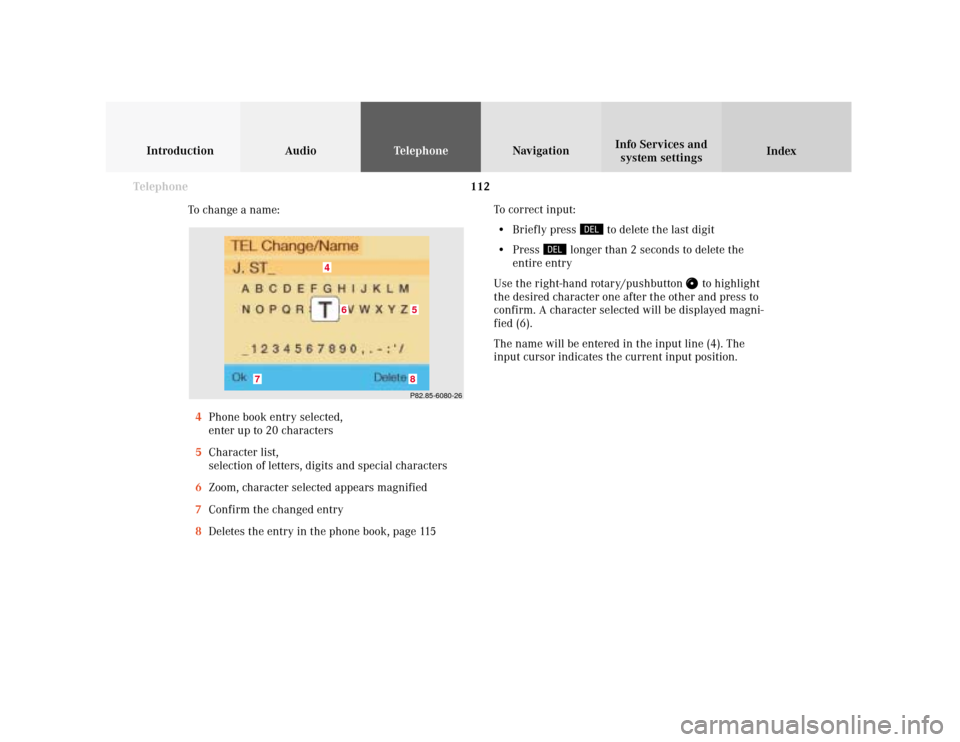
To change a name:
4Phone book entry selected,
enter up to 20 characters
5Character list,
selection of letters, digits and special characters
6Zoom, character selected appears magnified
7Confirm the changed entry
8Deletes the entry in the phone book, page 115To correct input:
• Briefly press
to delete the last digit
• Press
longer than 2 seconds to delete the
entire entry
Use the right-hand rotary/pushbutton
to highlight
the desired character one after the other and press to
confirm. A character selected will be displayed magni-
fied (6).
The name will be entered in the input line (4). The
input cursor indicates the current input position.
P82.85-6080-268
7
4
5
6
Page 115 of 231

Telephone
Introduction
AudioTelephone
Navigation
Index Info Services and
system settings Telephone113To adopt the character selected and to enter it in the
input line:
• press
or turn the right-hand
rotary/pushbutton
• automatically after 2 seconds.
Select one of the options to store a name changed in the
phone book:
• Use the right-hand rotary/pushbutton
highlight
the “OK” menu field and press it to confirm.
• Press and hold down the right-hand rotary/
pushbutton
to confirm the last letter of the
name.
The menu for entering telephone numbers (page 114)
will appear.
If you do not wish to save the changes:
Press
. Note:
The characters can also be selected using the numerical
keys. Each numerical key has more than one assign-
ment.
Select a character by pressing the key as listed below the
corresponding number of times. The character selected
(6) will appear magnified.
Button 1: , . – 1 : ‘ /
Button 2: A B C 2 Ä Å Æ Ç
Button 3: D E F 3 É È
Button 4: G H I 4 IJ
Button 5: J K L 5
Button 6: M N O 6 Ñ Ö Ø Œ
Button 7: P Q R S 7
Button 8: T U V 8 Ü
Button 9: W X Y Z 9
Button 0: Blank 0
Page 116 of 231
114 Telephone
Introduction AudioTelephone
Navigation
Index Info Services and
system settings
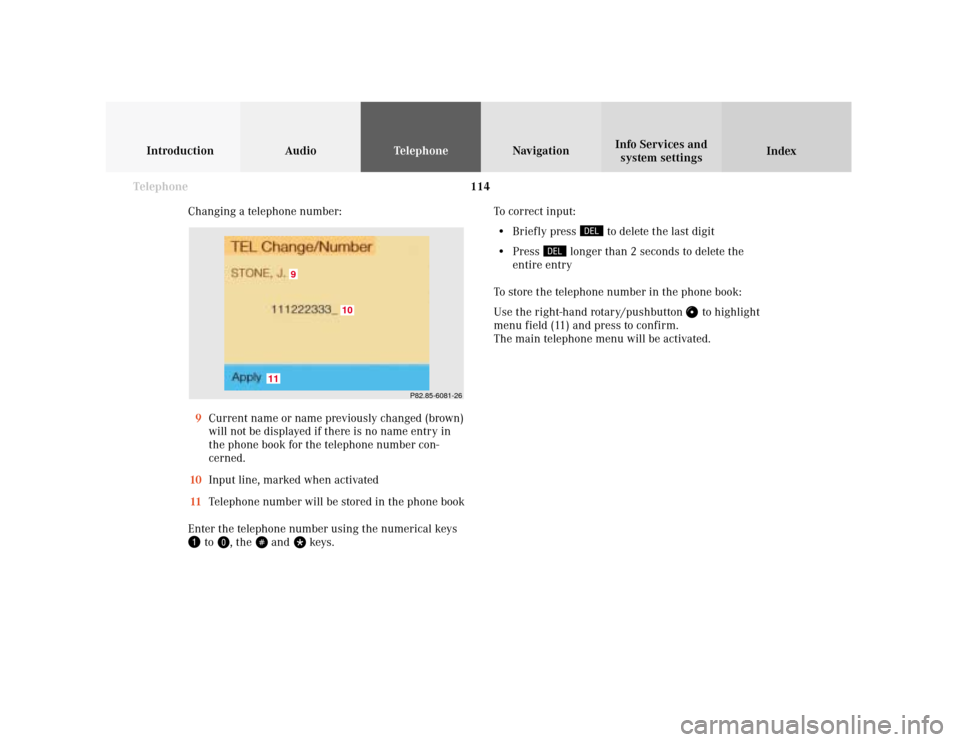
Changing a telephone number:
9Current name or name previously changed (brown)
will not be displayed if there is no name entry in
the phone book for the telephone number con-
cerned.
10Input line, marked when activated
11Telephone number will be stored in the phone book
Enter the telephone number using the numerical keys
to
, the
and
keys.To correct input:
• Briefly press
to delete the last digit
• Press
longer than 2 seconds to delete the
entire entry
To store the telephone number in the phone book:
Use the right-hand rotary/pushbutton
to highlight
menu field (11) and press to confirm.
The main telephone menu will be activated.
P82.85-6081-26
9
11
10